In this article, we will discuss the best solution when Kodi is Not Working Properly.
Is your Kodi not working right now? Then, it is the right article for you.
You might be wondering what is wrong with your Kodi and what to do to fix it.
Since it is annoying when Kodi runs into a problem, we’ve come to an article that will answer all your questions about Kodi’s common problems.
The good thing is most Kodi problems are easy to fix just by following some steps.
This article will show you some of the common problems why your Kodi is not working and the best tips to solve these problems.
Kodi Not Working – Common Problems and Fixes
We list down some of the common problems that you might encounter on Kodi, along with tips/fixes on how you can address these kinds of issues.
Kodi Keeps Crashing and Freezing
One of the common problems with Kodi is that it keeps on crashing, and sometimes it stops working, which can be frustrating. If the crashing and freezing Kodi issues have started when you have installed a particular Addon, then try uninstalling this app and restart your Kodi. After that, see if the problem happens again.
However, if your Kodi was crashing regularly even if you uninstall an app, try checking the Kodi version of your device. You might still be using an old version of Kodi, which is why we suggest updating your Kodi to the latest version. Kindly read the article below to guide you.
Streaming issues or the “no stream available” is another common Kodi problem that everyone encounters, and this problem occurs when you are watching movies and videos online. When you encounter this kind of issue, simply check your internet connection and make sure you are connected to the internet.
Another reason for this kind of error is a restriction or geo-block content, which means they will only work on a specific area. To address this issue, we suggest that you use a VPN to bypass any censorship and restrictions by connecting to a VPN server in an appropriate region before you stream.
Follow These Steps Below To Fix This No Streams Available Error:
Go to a Kodi Addon main menu and select Scraper Settings.
Click Disable All Providers.
Select Enable All Providers.
Tap OK.
YOUR INTERNET ACTIVITY IS BEING WATCHED
ReviewVPN cannot attest to the legality, security and privacy of the applications discussed on this site. It is highly recommended that you use a VPN service while streaming or using Kodi.
Currently, your IP 216.73.216.171 is visible to everyone and your Browser is being tracked by Advertisers & ISP Provider.
Your activities are hidden from your ISP, the government, and from the apps you are using.
You can access additional movies and TV streams.
ISP attempts to throttle are thrwarted thus reducing buffering issues.
Geographically restricted content like Netflix and Hulu can be unblocked.
A VPN works be replacing your ISP-assigned IP address and creating an encrypted tunnel. We recommend the no log service offered by IPVanish. It works well on a Firestick and offers the fastest possible speeds.
Legal Disclaimer: ReviewVPN.com does not encourage or endorse any illegal activity involved in the usage of services and applications referenced on this site. We do not verify the licensing agreements of services. The end-user is wholly responsible for ensuring that any media accessed through these services does not violate copyright and/or licensing laws. ReviewVPN does not promote, link to, or receive compensation from any Apps and IPTV services.
Kodi builds were popular among users because it is a bundle that contains pre-configured Kodi sheets such as news skins, lots of add ons, and changed settings. However, these builds have lots of issues to encounter, and as they are pre-installed Addons and skins, which are quite a bigger size of around 350Mb.
Some builds have errored or suddenly stopped working, and the best way to fix this issue is to stop using any build. Delete the entire build and try to start creating your own Kodi build from scratch. In this way, you will be able to save your system’s storage space.
Kodi Addon Not Working
Issues on Add-on are way too common, in which some of it that you install on your Kodi stop working or can’t open. Luckily, there are lots of ways to solve this issue.
Update your Addon to the latest version
Removing some not working repositories.
Clearing Addon cache and saving some space to allow other Addons to work again.
A common Kodi problem is the buffering issue which is a frustrating part when you stream online. This issue is easy to fix, and we will show you ways how you can address this buffering issue on your Kodi.
Try to reboot or restart your Kodi
Clear Cache
Use a VPN, and we suggest using Surfshark as your best choice.
Check your internet connection speed and try to restart it.
Delete some unimportant and not working add-ons to free some storage space.
We recommend using Virtual Private Network on your device every time you install Kodi Add-on and while using these addons. This VPN will give you safe and protected online activities that will keep you away from hackers and trackers.
Since internet issues are one of the common problems Kodi users encounter. We highly recommend using Surfshark as your best choice. This VPN is known as the fastest and most reliable VPN that will give you the quality of service you deserve. It will also help you to fix some Kodi issues like geo-block content.
Here are the reasons why it is our VPN of choice:
Zero logs and no IP address leaks.
3200+ servers in 65 countries
A high standard of AES 256-bit encryptions will safeguard all of your data.
Prevent ISPs from interfering with your connection and speed up your internet.
It gives you unlimited bandwidth and makes your internet speed faster.
Keep your identity anonymous to protect you from hackers, especially when you are using public wi-fi.
Bypass censorship and restrictions.
Destroys geo-block and gains access to different content globally.
It provides a secure environment for everyday internet activity.
Keep your file protected from harmful malware.
Note: For more information about Surfshark, please read our Surfshark Review.
For more VPN discounts, go to ReviewVPN Deals and purchase the best VPN for you.
Click here to get the lowest price on Surfshark through our exclusive limited-time offer.
FAQs
Is Kodi legal?
Yes, Kodi is a 100% legal open-source media player.
Is Kodi free?
Yes, you can download and use it for free.
Is Kodi safe?
Yes, Kodi is a safe and tested program that officially takes a hard stance against piracy.
What is the latest version of Kodi?
Kodi 19.0 Matrix is the current stable version of Kodi.
Conclusion
Kodi is one of the best software you can have on your device. It allows users to access any content from the internet. However, Kodi has been experiencing some kind of issues that cause frustration among users. Luckily, some issues are resolved easily only by doing some simple steps, which sometimes you can resolve by simply rebooting your device. You need to be familiar with some common problems and fixes to know what to do when you experience them. We hope that this article gives you information about the common problem on Kodi and tips on how to fix them.
This article will show you how to watch MLB on Firestick in three methods.
Major League Baseball, or MLB, is one of the oldest and most prestigious professional sports leagues. Moreover, MLB consists of 30 teams, 15 from the National League and 15 from the American League. With this many teams, it’s unsurprising that around 30 million MLB fans are waiting for MLB’s annual season.
Furthermore, when it comes to watching MLB, sports fans, especially cord-cutters, are constantly on the lookout for ways to watch their favorite MLB matches on their Firestick. Apart from that, they are consistently interested in the newest MLB scores, statistics, MLB standings, and schedules for their favorite teams.
Fortunately, there are numerous methods for doing this, which we will detail in this article. Therefore, whether you prefer streaming via applications or websites, there are numerous options to suit your streaming preferences. Without further ado, here is a rundown of the three ways how to watch MLB on Firestick.
Although the applications in this section are paid streaming services, some of them offer free content or a free trial. As a result, you may wish to explore these services first. Meanwhile, several of these streaming sites are geo-restricted to the United States, making them inaccessible without a VPN for users outside the US.
MLB
Price: $26.99/year
Fortunately, there are official apps available for major leagues on the Amazon Appstore. Moreover, one of them is the official MLB app, which is the most reliable source for live baseball and all things MLB on Amazon devices, including the Firestick. It enables you to watch your favorite MLB teams and matches live and on demand. Furthermore, MLB.TV is also available to stream through the MLB App.
Install MLB on Firestick
Navigate to “Find” from the Home Screen.
Then click “Select.“
Enter “MLB” in the search box.
When the suggestion appears, click on it.
Then click on the MLB icon.
Select “Get“
Simply wait for the MLB application to complete installation.
After that, click “Open.“
If you’re interested in learning more about the MLB app, you can do so here.
YOUR INTERNET ACTIVITY IS BEING WATCHED
ReviewVPN cannot attest to the legality, security and privacy of the applications discussed on this site. It is highly recommended that you use a VPN service while streaming or using Kodi.
Currently, your IP 216.73.216.171 is visible to everyone and your Browser is being tracked by Advertisers & ISP Provider.
Your activities are hidden from your ISP, the government, and from the apps you are using.
You can access additional movies and TV streams.
ISP attempts to throttle are thrwarted thus reducing buffering issues.
Geographically restricted content like Netflix and Hulu can be unblocked.
A VPN works be replacing your ISP-assigned IP address and creating an encrypted tunnel. We recommend the no log service offered by IPVanish. It works well on a Firestick and offers the fastest possible speeds.
Legal Disclaimer: ReviewVPN.com does not encourage or endorse any illegal activity involved in the usage of services and applications referenced on this site. We do not verify the licensing agreements of services. The end-user is wholly responsible for ensuring that any media accessed through these services does not violate copyright and/or licensing laws. ReviewVPN does not promote, link to, or receive compensation from any Apps and IPTV services.
Price: $149.99/year for all access; $129.99/year for single-team coverage
Channels: N/A
Connections: 1 with the basic package
MLB tv is now available as an official Kodi add-on, which you can download from the repository. And, of course, if you’re a baseball fan, we’re sure you’re familiar with MLB TV. It is one of the most widely used streaming services for watching live MLB games. It also offers either monthly or yearly plans so you can both watch the entire season and off-season games. Moreover, it comes with a risk-free 7-day free trial so you can try it out first if it’s worth every penny.
Install the MLB TV Kodi Addon
Launch Kodi and click the Settings icon.
Select Addons.
Click “Install from repository”.
Scroll down and select “Video add-ons”.
Select MLB TV.
Click “Install”.
Tap the “OK” button.
Wait for the “MLB TV Add-on installed” message to appear.
Click the MLB TV once again.
Select Open to launch the addon.
You may read more about MLB TV in our article here.
Hulu + Live TV
Price: $69.99/month
Channels: 85+
Connections: 6 user profiles with 2 simultaneous screens
The next way to watch MLB on Firestick is through Hulu Live TV. Hulu offers live and on-demand channels from popular networks such as CBS, FOX, NBCSN, and ESPN. Apart from that, you can get recommendations if you personalize your account by selecting your favorite MLB teams. Furthermore, it comes with an unlimited DVR which allows you to store live recordings for up to 9 months.
Install Hulu on Firestick
Click “Find” on the Firestick’s Home screen.
Choose “Search“
Enter “Hulu” in the search bar.
Select the suggestion.
Then, click on the Hulu icon.
Select “Get“
Wait for Hulu’s installation to complete.
After that, click “Open.”
For an alternative installation guide that employs sideloading, please see this article.
DirecTV
Price: $74.99/month
Channels: 75
Connections: 3 simultaneous devices for the basic package
If you’re familiar with AT&T TV, DirecTV is the new name for the service. Moreover, AT&T TV has established a reputation for providing live TV and sports content to its viewers, which means you can also rely on DirecTV to watch MLB on Firestick. It claims to have the most local baseball games, so you can be guaranteed to get the best feeds accessible when compared to other streaming services.
Furthermore, it offers 24/7 access to league-specific networks such as the MLB Network, as well as other sports networks such as ESPN, CBS Sports Network, and NBCSN.
Install DirecTV on Firestick
Navigate to the “Find” tab.
Select “Search“
Then enter “DirecTV“
Click on the suggestion once it displays.
Select the DirecTV icon.
Then click “Get.“
Simply wait for DirecTV to complete the installation process.
Select “Open“
Read our article about DirecTV to know more about it.
fuboTV
Price: Starts at $74.99/month
Channels: 150+
Connections: Up to 10 simultaneous screens
If you want to record and watch MLB on Firestick, fuboTV is the place to go. Apart from sports channels, which allow you to watch your favorite MLB teams and players, it also offers 1,000 hours of space for cloud DVR. What’s more, it features one of the most numbers of screens for simultaneous streaming.
Finally, it offers a seven-day free trial for over 100 sports channels, including ESPN, NBC, FOX, and CBS.
Install fuboTV on Firestick
On the Home Screen, click “Search.”
Select “Find“
Then type “fuboTV“
Click on the suggestion once it appears.
Select the fuboTV icon.
Then click “Get.”
Simply wait for fuboTV’s installation to complete.
Click “Open“
To know more about fuboTV, you may read this article.
ESPN Plus
Price: $9.99
ESPN Plus is famous among sports fans because it provides thousands of exclusive coverage of professional sports leagues such as Major League Baseball. It is one of the most dependable sources for viewing live sports, making it one of the best streaming services for watching the MLB.
In addition, it supports a wide range of operating systems, including Firestick, Android, iOS, Chromecast, Cox, Playstation, Roku, XBOB, Xfinity, and many more, so you can watch on any device.
Install ESPN+ on Firestick
On the Home Screen, navigate to “Search.”
Choose “Find“
Type in “ESPN“
Click on the suggestion.
Select the ESPN icon.
Then click “Get.”
Simply wait for ESPN’s installation to complete.
Click “Open“
You may learn more about ESPN Plus by reading our article.
YouTube TV
Price: $72.99/month
Channels: 100+
Connections: 6 accounts and 3 streams
Youtube TV features live and local programs such as Sports, News, and VOD. It offers distinctive features such as Key Plays View, which allows you to catch up on the game’s best moments, and Stats View, which allows you to look for real-time insights. You can also save matches from your favorite teams with Youtube TV’s unlimited DVR capacity.
It also allows you to personalize your streaming experience by allowing you to add premium networks and bundle add-ons. This includes more live sports, more premium TV, 4K streaming with offline watching of recordings, and Spanish TV.
Install Youtube TV on Firestick
Navigate to the “Find” tab.
Select “Search“
Then enter “Youtube“
Click on the suggestion once it displays.
Select the Youtube icon.
Then click “Get.“
Simply wait for Youtube to complete the installation process.
Select “Open“
Read our article about YouTube TV to know more about it.
Method 2 – Free Live TV Apps
The best feature of Firestick is the ability to watch live TV through third-party apps. Apart from that, it addresses your question of how to watch MLB on Firestick for free. You will, however, need to jailbreak your Firestick first. If you haven’t yet jailbroken your Firestick, you can follow the instructions on the link below:
The Downloader app will then be required to sideload these third-party applications onto your Firestick. If you do not have the Downloader app installed on your Firestick, the tutorial below will walk you through the process of installing it.
Once your Firestick has been jailbroken and the Downloader app has been installed, you may begin installing the apps featured in this section.
TVTap Pro
If you’re looking for a free way to watch MLB on Firestick, TVTap Pro is your best bet. Its sports section features more than 150 channels, including popular sports channels like the MLB Network. Moreover, it enables you to switch between players and sources according to your preferences. Apart from that, you may save your favorite sports channels to a favorites list to make them easy to find within the app. Furthermore, TVTap Pro consistently ranks at the top of our list of the best Live TV Apps for Firestick, so you can count on this app to deliver your favorite live TV streams.
How to Install TVTap Pro on Firestick
Navigate to Settings from the Firestick’s Home Screen.
Choose “My Fire TV“
Then select “Developer Options.”
Turn on and enable “ADB Debugging” and “Applications from Unknown Sources“
Then, using your Firestick remote, click on the Home button.
Go to “Find“
Then click “Search.“
Type “Downloader” into the search bar and then install it on your Firestick.
If you prefer to stream content through a website, you may want to check out the following links below. These are direct links to MLB live television and sports channels, allowing you to quickly access on-air and upcoming MLB matches on your Firestick. Furthermore, you may stream these websites on your Firestick with the Amazon Silk Browser:
Whichever method you will be using to watch MLB on Firestick, we’d like to remind you to always use a secure connection when accessing apps and streaming websites on any of your devices. This is to avoid IP address leaks and data breaches, which might expose your true IP address to online snoopers and compromise your personal information. Furthermore, this is certainly relevant while using Firestick, as your Amazon account stores a great deal of information about you, including your credit card information and similar information.
As a result, you can protect your data by using a Virtual Private Network, or VPN. A VPN service, such as Surfshark, provides you with an anonymous IP address that encrypts your data when you access streaming apps and websites. It will conceal your identity and provide you with complete anonymity, ensuring that you leave no trace wherever you stream from.
Furthermore, some of the streaming services mentioned in the article are geo-restricted. Therefore, apart from providing additional security, Surfshark can also assist you in bypassing censorship, allowing you to access any app or website that you wish to use to stream MLB matches.
In addition, Surfshark provides other perks including:
Take full advantage of unlimited bandwidth, which enables you to stream and download any MLB games.
Assists you in speeding up your internet connection by connecting you automatically to the best and fastest internet connection available in your location.
Availability on all major platforms, allows you to stream MLB securely on any device.
Protects all of your data while streaming MLB on public wifi and hotspot networks.
Includes a kill switch that instantly disconnects your device from the internet if your VPN server crashes.
Prevents ISP throttling, allowing you to watch all MLB games and highlights without experiencing internet slowdown, latency, or buffering.
Note: For more information about SurfShark, please read our SURFSHARK REVIEW.
If your Firestick still has the older interface, read this article to learn how to update it: Update Firestick Interface.
You can download Surfshark directly from the Amazon App store. It will be easy for you to find Surfshark with your Firestick’s Find feature. Refer to our screenshots below.
1. Go to the Home screen of your Firestick.
2. Navigate toward the Find tab. Press the Search button from the resulting dropdown.
3. Type in the keyword of SurfShark and select from the suggestions that will appear.
4. Click the official SurfShark icon from your search results.
5. Press the Download (You own it) button.
6. The SurfShark VPN installer will download on your device.
7. SurfShark VPN’s app will automatically install itself on your Fire TV stick.
8. Press the Open button after completing SurfShark VPN’s installation process.
9. Please wait for the SurfShark VPN to load its user interface.
10. You can now log in with your SurfShark VPN account credentials.
MLB is, in fact, available on the Amazon Firestick. It features an official MLB app, which is easily accessible via the Amazon Appstore. Furthermore, there are also paid streaming services and third-party apps available for watching your favorite MLB teams and players on your Firestick.
How much is the MLB app on Firestick?
The MLB app on Firestick costs $26.99 per year.
How much is MLB TV on Firestick?
MLB TV costs $9.99/month on the MLB app. Meanwhile, its yearly plan would cost $26.99.
How do you trick MLB TV locations?
You can track your MLB TV location by using a VPN like Surfshark. All you need to do is choose a location from which you wish to be viewed. Then click the connect button to receive an anonymous IP address from your chosen location. In addition, Surfshark is excellent at unblocking restrictions, allowing you to access any content from any location.
Can I subscribe to MLB Network without cable?
Yes, you may watch MLB Network without a cable subscription by subscribing to one of the streaming providers mentioned in this article, such as DirecTV.
How can I watch MLB Network for free?
MLB Network is available for free through third-party apps such as TVTap Pro and other streaming services mentioned in this article.
Final Thoughts
Fortunately, there are loads of options that will allow you to watch MLB on Firestick. Therefore, whether you are on a limited budget or are prepared to spend whatever it takes to watch your favorite teams, there is always a means for you. Moreover, the Firestick enables you to watch not only MLB but also other major leagues such as the NFL and NHL, as these apps featured in this article offer hundreds of channels with access to all of your favorite sports content. Furthermore, it enables you to cut the cords while yet receiving the same benefits of cable TV in a much more cost-effective and efficient manner.
Finally, we’d want to express our gratitude for taking the time to read our article on how to watch MLB on Firestick. We hope we were able to provide you with the most effective methods, as well as the most useful apps and websites. Have fun streaming your favorite teams and cheering them on!
The article will help you how to install EZ Maintenance+ Kodi Addon.
EZ Maintenance+ is the best maintenance tool that you can use on your Kodi. This popular cleaning tool is on different repositories such as the Super Repo, Aenemapy Repo, and more. It has lots of useful functions that help you maintain the good performance of your Kodi.
Using this tool, you can easily clear cache, data, and other unwanted files on your Kodi. You don’t need to worry about any minor issues such as Free Kodi, slow Kodi, and anything because this cleaning tool has a lot of maintenance options that you can use.
It also has a simple and easy-to-use interface that works well on Kodi 20 Nexus. If you need a good and easy-to-use maintenance tool for your wizards, builds, and addons on Kodi, then this tool is a good option for you.
How to Install EZ Maintenance+ Kodi Addon with a Screenshot
You can follow this tutorial to install EZ Maintenance Kodi Addon on your Firestick.
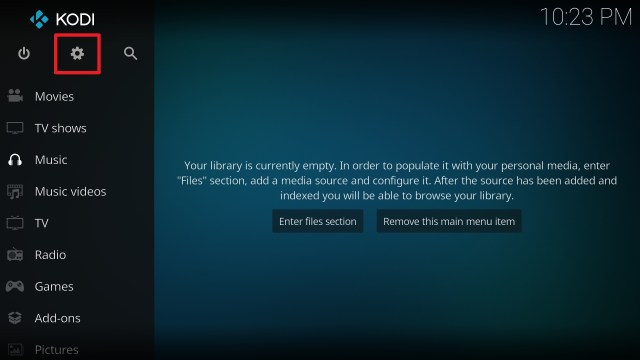
1. Launch the Kodi app on your Firestick. Click on the gear wheel icon (Settings)
2. Select “System”
3. Scroll down to “Add-ons” Then Go to “Unknown sources” then toggle it on.
4. Select “Yes”. Then using your Firestick remote, press the return button to go back to the System page
5. Now choose “File Manager”
6. Scroll down and select “Add source”
7. Click “<None>”
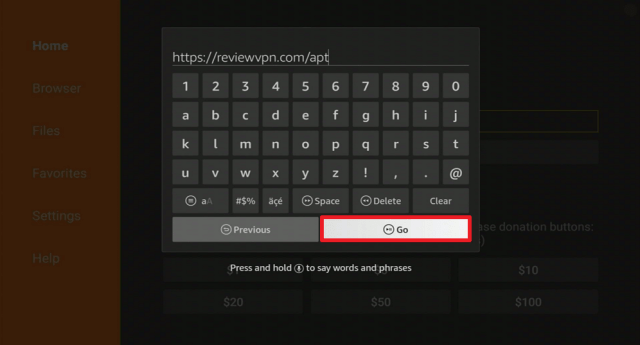
8. Type in “https://peno64.github.io/repository.peno64/” then click “OK”
9. Highlight the box under the source to give the media source a name, and put “repository.peno64” or any other name that will help you identify it quickly. Click “OK”. Return to the System page by pressing the return button on your remote.
10. Select “Add-ons”
11. Choose “Install from zip file”
12. Click “Yes”
13. Select “repository.peno64”
14. Then click on the zip file URL – repository.peno64-x.x.zip
15. Wait for the notification “peno64 Repository Add-on installed” to appear on the upper right part of the screen
16. Afterward, select “Install from repository”
17. Then click “peno64 repository”
18. Select “Program add-ons”
19. Click on “EZ Maintenance+”
20. Then click “Install”
21. Then wait for it to install. It’s finished once you see the “EZ Maintenance+ Add-on Installed” message appears.
22. Select “EZ Maintenance+” Then select “Open”
23. That’s it, EZ Maintenance+ Kodi Addon is already installed in your Firestick.
Legal Disclaimer: ReviewVPN.com does not encourage or endorse any illegal activity involved in the usage of services and applications referenced on this site. We do not verify the licensing agreements of services. The end-user is wholly responsible for ensuring that any media accessed through these services does not violate copyright and/or licensing laws. ReviewVPN does not promote, link to, or receive compensation from any Apps and IPTV services.
YOUR INTERNET ACTIVITY IS BEING WATCHED
ReviewVPN cannot attest to the legality, security and privacy of the applications discussed on this site. It is highly recommended that you use a VPN service while streaming or using Kodi.
Currently, your IP 216.73.216.171 is visible to everyone and your Browser is being tracked by Advertisers & ISP Provider.
Your activities are hidden from your ISP, the government, and from the apps you are using.
You can access additional movies and TV streams.
ISP attempts to throttle are thrwarted thus reducing buffering issues.
Geographically restricted content like Netflix and Hulu can be unblocked.
A VPN works be replacing your ISP-assigned IP address and creating an encrypted tunnel. We recommend the no log service offered by IPVanish. It works well on a Firestick and offers the fastest possible speeds.
It has an easy navigation interface even without using a mouse toggle
Fresh Start
You can fresh start your Kodi or reset Kodi to its default.
All of your existing add-ons and builds will be wiped out.
My Wizard
In this section, you can manually put your wizard by typing its name and ZIP URL.
You can see all of your wizards in this section.
Backup/Restore
You can safely back up and restore some of the important files and add-ons that you want to save.
Full Backup – Backup all the settings and Addons
Addons Settings – You can choose options such as Backup only the Addons.
Maintenance
It helps you safely clear cache, packages, and thumbnails to optimize your storage.
ADVANCED SETTINGS (Buffer Size)
You can specify the memory of your device to store the data temporarily.
Choose from two options such as the Optimal and the Input a Value.
Log Viewer/Uploader
If there is an error on your Kodi you can use this option to see your data logs.
You can also upload logs to Pastebin.
Speedtest
One-click speed test on your internet connection
Pros and Cons
Pros
Easy to use interface.
Lots of maintenance functions.
You can keep your Kodi’s good performance using this tool.
Cons
When you put a URL on the wizard part some of them are not compatible with it.
Do I Still Need a VPN?
Even if you are using a maintenance tool, we still recommend using a Virtual Private Network on your device. It is to ensure that you are protected from these addon servers and other threats online. Having a VPN on your device will ensure that you are safe 24/7 and keep you anonymous online.
One of the best VPNs that we highly recommend is Surfshark. This VPN comes with a high standard and uncrackable security features that will keep you safe online. Surfshark is also an award-winning VPN trusted by millions of users. It will automatically hide your Real IP address and lets you connect on any server of youtube choice. There are lots of impressive security features and services this VPN has to offer. If you want to know more about this VPN, kindly read our Surfshark Review.
Here are some of the services and impressive features that this VPN offers:
This VPN uses a high standard of AES-256 Bit of encryption and uncrackable security that safeguards your data and activities.
It destroys Geo- blocks and bypasses any censorship and restriction by letting you connect to 3,200 servers in 100 locations worldwide.
Surfshark also prevents ISPs from interfering with your connection to avoid lags and buffering.
It also stops your ISP from snooping and keeps you protected while being connected to a public network.
Keep your identity anonymous by hiding your real IP address and identity to protect you from hackers.
We list down some of the maintenance addons alternatives for the EZ Maintenance Kodi Addon. Kindly read this article to know more about some of the Best Maintenance Tools for Kodi.
Is the EZ Maintenance Kodi Addon working on Kodi 20 Nexus?
Yes, this add-on is also compatible with Kodi 20.
Is the EZ Maintenance Kodi Addon safe?
Yes, this Add-on is safe, but we suggest using a VPN such as Surfshark to keep you safe.
Is the EZ Maintenance Kodi Addon free?
Yes, this Add-on is free and allows you to use all of its functionalities for free.
Is the EZ Maintenance Kodi Addon legal?
Yes, using EZ maintenance is legal.
Conclusion
EZ Maintenance is one of the best cleaning tools and maintenance addons that helps you keep the good performance of your Kodi. This tool has a lot of features and functionalities that you can use. The Good thing about this addon is it is easy to use and safe. However, we suggest using a VPN such as Surfshark when using this add-on to avoid any privacy and security issues. We hope this article helps you install the EZ Maintenance Kodi Addon.
This article will show you a list of the best Kodi addons for movie streaming that you can try.
Even if you have successfully installed the Kodi media player on your PC, Amazon Fire TV Stick, or any other Android-powered device, only installing the media player won’t do the trick. To exploit the Kodi media player to the fullest and obtain its full benefits, users are required to have Kodi Addons. These Kodi Addons complement the media player by aiding users to access a lot of TV channels, streaming services, Music, Radio Stations, and much more.
Tons of Kodi Addons are currently available on the web. Nonetheless, numerous third-party Addons for Kodi have been shut down by the authorities and plenty of repositories of the media player are no longer functioning. Consequently, it has become a tiresome job to choose the ideal Kodi Addons for Android-based devices.
In this article, we will show you a compiled list of the best addons for Kodi that you can install and be entertained by a quality streaming experience. Kodi is a home theater device that is considered second to none of its kind and the media player has good grounds for that. Kodi is not just a media player because aside from entertainment content software, it is also considered Kodi as their personalized media center where they can store various content.
YOUR INTERNET ACTIVITY IS BEING WATCHED
ReviewVPN cannot attest to the legality, security and privacy of the applications discussed on this site. It is highly recommended that you use a VPN service while streaming or using Kodi.
Currently, your IP 216.73.216.171 is visible to everyone and your Browser is being tracked by Advertisers & ISP Provider.
Your activities are hidden from your ISP, the government, and from the apps you are using.
You can access additional movies and TV streams.
ISP attempts to throttle are thrwarted thus reducing buffering issues.
Geographically restricted content like Netflix and Hulu can be unblocked.
A VPN works be replacing your ISP-assigned IP address and creating an encrypted tunnel. We recommend the no log service offered by IPVanish. It works well on a Firestick and offers the fastest possible speeds.
This Kodi streaming add-on provides options to stream on-demand TV series, and movies as well as Sports, Internet Protocol Television (IPTV), Kids, and much more. The Crew Kodi add-on has been on the web for a long period, but the developers have the add-on pushed out in the open in recent times.
With various content categories to choose from, smooth navigation as well as quality playback, it took no time for this Kodi addon to become people’s favorite. Kodi users will be sideloading The Crew addon onto their Kodi media player. Thus, one of the steps would be enabling the Unknown Sources option.
Homelander is a streaming addon that provides access to free movies and TV shows. It supports 4k, 1080p, 720p, SD, and CAM video quality in various film and shows genres. These genres include Action, Adventure, Anime, Drama, Fantasy, and more. In addition, titles in Arabic, Chinese, English, French, Japanese, Korean, Spanish, and other languages are available.
Furthermore, Homelander helps you get the highest quality streaming connections for the movies or TV episodes you’re looking for by integrating Realdebrid and Alldebrid.
This Kodi addon provides TV shows and movies and supports Real-Debrid, Premiumize, and Trakt integration. This Kodi movie addon also provides a wide range of fascinating on-demand entertainment content, which includes popular movies and television shows. Nonetheless, Kodi users should note that Seren’s media content is mainly served up through pirated entertainment content websites. Thus, the sites are illegal in numerous countries such as France, the United Kingdom, Australia, and the United States.
Since this Kodi movie add-on currently utilizes only premium links, Kodi users can enjoy high-quality playback. The users’ streams are loaded promptly, they play quickly, and users have numerous options to stream in High Definition (HD). With the constant updates and modifications happening with this Kodi movie streaming add-on, it may provide free streams shortly. However, even though Seren has premium links, it is an awesome Kodi add-on.
Asgard is one of the best Kodi addons that you can get on a different repository such as the cMan and Narcissist. It is also an AIO or all-in-one that offers you almost all kinds of content. You can choose from their wide selection of categories such as 4K One-Click Section, One-Click Section, Non-Debrid Section, Movies, Tv shows, Documentaries, Kids, Sports, Stand Up, Music, and more.
This addon also supports the Real Debrid account to provide you with a high-quality streaming link. However, this add-on requires you to have an existing Real Debrid account to integrate to access high-quality streaming links. It also allows Trakt account integration for a better streaming experience.
The WareHouse Repository’s Dynasty Kodi Addon lets you view movies, TV shows, IPTV, sports, and more. It offers a few free streams, but to access a wide range of additional streaming links, you have to connect your debrid accounts, such as Real-Debrid, AllDebrid, and Premiumize.
Dynasty also provides one-click streaming links, so if you want a convenient way to stream, this addon is for you. Another thing that I like about Dynasty is the ability to download movies and shows. This way, you can get videos to watch later or offline.
Umbrella is a Kodi Addon from the Umbrella Repository that allows you to watch movies, TV shows, and video on demand (VOD). It has an easy-to-use layout that gives you quick access to the categories you’re looking for.
Additionally, it enables Trakt and IMDb integration so that you may watch your favorite movies and videos right from your account. You may also integrate your debrid services, such as Real Debrid, AllDebrid, and Premiumize, to get the best streaming links for your favorite movies and TV series.
Moria is a Kodi Addon that allows you to stream movies and TV series on your device. You can get it through the reputable The Crew Repository, which also has some of the best Kodi addons for streaming movies and TV shows.
Using this add-on, you may search for recently released films, top films, movies with the most votes, movies with good ratings, Oscar winners, and top-grossing films. Action, animation, comedy, documentary, history, drama, sci-fi, and other genres are available. Furthermore, Moria also allows you to save videos so you may watch them later or offline. However, use an antivirus program to make sure that you are not downloading any files that are harmed by viruses.
The WareHouse Repository’s The Promise Kodi Addon offers streaming in 4k, 1080p, 720p, and SD resolution. It allows you to use your Firestick or any other Kodi-compatible device to enjoy movies and TV shows for free. Additionally, this Addon enables you to discover new movies and TV episodes because it always offers up-to-date material.
The Promise also offers a wide range of streaming links, so you can be sure to find one that works for your favorite movies and TV shows. Furthermore, it supports the Trakt, Real Debrid, and All Debrid services.
The Magic Dragon is Pyramid’s (previous addon) rebranded version. While this Kodi video streaming addon offers content such as TV shows, movies, sports, radio, and other types of media content, the source is mostly pirated streams. However, this Kodi video addon is an excellent source for all forms of entertainment that are balanced in various areas. Kodi users can install The Magic Dragon addon in the EzzerMacs Wizard Repository.
ReleaseBB is a Kodi on-demand media add-on to stream TV shows and movies. It has a decent library of video content. This Kodi streaming add-on provides a decent library of multimedia content. The ReleaseBB add-on regularly adds new TV shows and movies. It is premium-hoster supported, which means the addon functions only with a Debrid sign-in. Users can utilize premium hosters such as Premiumize, All-Debrid, and Real Debrid. However, the most reliable and popular multi-hoster is Real Debrid. Sections in the ReleaseBB addon include TV shows, Movies, Real Set View-Types, Settings-Tools, Github-Help, and Search.
This Kodi streaming add-on was originally unleashed by Mr. Entertainment. The add-on provides links scraped from almost all popular scene-release web pages on the web. It is updated regularly and works well with the Kodi media player.
Scrubs is an on-demand Kodi video streaming addon, which means it provides users with TV shows and movies of their choice. It is a new Kodi add-on. This Kodi video streaming add-on is a fork of the Exodus add-on. Thus, it bears tons of similarities with the Exodus addon.
The Kodi video streaming add-on features a large media library providing users with thousands of hours of streaming time. The developers of this Kodi add-on ensure that its entertainment library will be updated regularly. Thus, if there is a new film or a recently released episode, Kodi users will soon find it on this Kodi addon.
Just like any other Kodi add-on, Scrubs does not host any entertainment content of its own – the add-on is just an aggregator. Nonetheless, it ensures to provide users the quality functioning streams for the requested video.
This add-on allows Kodi users to stream TV shows and movies. This Kodi video streaming add-on can be found in the Tikipeter Repository. Fen provides a fast user interface and tons of amazing features, such as library integration, premium accounts, and Trakt.tv support. Sections of this Kodi video streaming add-on include TV shows, Movies, Discover, Search, Favorites, Downloads, Popular People, Kodi Library, Subscriptions, and a lot more. The added perk of this Kodi add-on is that it supports two premium providers – Furk and Easynews.
Other features of the Fen Kodi Add-on:
Free user support from the add-on’s scrapers as well as ResolveURL
This Kodi addon has a diversity of on-demand categories for media content streaming amusement. While Kodi users can find multiple contents in the usual TV Shows and Movies categories, they may also enjoy amazing entertainment with sections like Webcams, Documentaries, Kids, Anime, Gaming Videos, and a lot more. This Kodi video streaming addon is currently providing fast navigation as well as streaming.
Nemesis AIO (All In One) is a third-party Kodi addon developed by Nemzzy. The Stream Army repository is hosting this Kodi addon. Nemesis AIO is Nemesis’ new version. The Nemesis AIO is functioning very well and scraping tons of high-quality streams.
Shadow is one of the best Kodi addons giving entertainment since then and it is located on the Narcacist Repository. This addon brings you a wide selection of content such as movies, TV series/shows, documentaries, sports, and more. The good thing about it is, it supports Real-Debrid, which is why you can assure that it will bring you the highest quality links to watch in a buffer-free experience. You can watch high-quality videos from different sources. It is also compatible with the new Kodi version of 20 Nexus.
FANime is an anime addon from the popular Stream Army repository and is also compatible with Kodi 20 Nexus. This add-on provides you with a wide selection of anime content that you can watch for free. It is best suited for anime lovers as it brings you a collection of anime videos to watch content with less buffering. You can choose from their wide variety of categories such as recently added, TV shows, search, recent release, popular, ongoing series, documentaries, genres, new seasons, movies, A to Z, etc. However, this add-on requires you to use a PIN system that requires you to enter the Pin every 4 hours using visiting the website.
Cumination
Repository URL: https://team-crew.github.io/
Cumination is an adult addon that brings a collection of porn and adult content that you can watch for free. Basically, this addon is suited for mature viewers only. It has a great lineup of collected scrap links of adult content from a popular porn site. You can watch their large collection of adult and mature content from different porn websites such as Pornhub, Naked- webcams, Justporn, OK XXX, xHamster, YouPorn, XXX, and more.
This addon is located in The Crew Repository and is compatible with Kodi 20 Nexus. You can watch different kinds of videos and choose from their wide category of content such as Live webcam videos, teens, BigTits, adult movies, and more.
This Kodi streaming add-on provides various sections to explore, including the latest Movies, Popular and Ongoing Series, Latest Releases, Search, Cartoons, Dubbed Anime, Settings, Movies, Subbed Anime, and OVA Series. Thus, if you love watching anime and cartoons then you must have this add-on on your Kodi media player.
This Kodi streaming add-on creates its media library by getting links from several unofficial sources and rallying them in a single location. Wolf Pack addon’s genres include A Woman’s Touch, More Power, Midian, The Specialist, Audiobooks, Mind of Moranable, and a lot more. This Kodi video streaming add-on is a third-party add-on that resembles Covenant and Exodus.
Best Kodi Addons (18.9 Leia)
We also list down some of the best Kodi addons that are working on Kodi 18.9 Leia but unfortunately not compatible with Kodi 19.5 Matrix.
It is one of the best Kodi addons for streaming movies on the media player. This Kodi movie addon has got every title movie lovers are looking for. This Kodi movie streaming addon has a clean user interface and is the least obtrusive. As opposed to other Kodi movie streaming addons, the movies in Nole Cinema are separated into genres.
Nole Cinema’s unique features
It has custom-curated playlists and dissimilar The Movie Database (TMDB) scraped ones
Links are available in one click & play
All content of this Kodi movie streaming addon is High Definition (HD)
Users can sort the playlists by genre so that they can easily choose what they want
It has several boxes set playlists so that users can easily check out franchises they may want.
Is one of the most powerful Kodi movie streaming addons out there. This Kodi add-on is ideal for streaming TV shows and movies. Kodi users can get this Kodi add-on from the Gaia repository. Gaia supports a vast media library with sections categorized into TV shows, Movies, Kids, Documentaries, Shorts, and Tools making its media content search uncomplicated.
The movie streaming addon for Kodi has been under continuous upgrading for the last few months to provide users with outstanding possible performance. This Kodi movie streaming addon comes equipped with great features, such as Premiumize and Real-Debrid integration. In addition, Gaia has full Trakt TV support so holding onto the tab of what users stream is no longer a problem.
It is a nice Kodi movie addon from the Grind House Repository. Destiny Of Deathstar has some good quality entertainment content to offer. This add-on is a combination of Destiny’s popular Kodi addons. The Destiny of Deathstar provides tons of media content in various categories, such as TV Shows, Movies, Kids, Live, and a lot more. Once you successfully installed this Kodi add-on, you’ll be able to see the following options.
This Kodi add-on is a fork of the Exodus addon. Exodus Redux provides links to a huge selection of television shows and movies. This Kodi streaming add-on also has a search function and integration with a couple of other services such as Trakt.
While the interface and content Exodus Redux provides are spectacular, Kodi users should note that the streaming method of this Kodi addon is achieved basically via pirated media content websites.
Entertain Me is a streaming add-on for Kodi from the Stream Army repository. It provides movies and TV shows. This addon has a unique design and skin to show off its content. Every entertainment content in the Entertain Me addon is available with 3 or 4 various links. However, this addon does not host any media content and is just a search engine for the public web.
Tempest is an add-on that allows Kodi users to stream TV shows and movies. This Kodi video streaming add-on appears to be based on the previously popular Covenant add-on. That is the reason they both share similar categories, subcategories, and layouts. Nonetheless, while the developers of Covenant are not supporting its add-on longer, the Tempest Kodi addon is maintained and updated regularly.
Tempest provides a huge collection of entertainment content, both old and new. The video library of this Kodi video streaming add-on keeps growing with new content releases. The Kodi video add-on fetches numerous streams for the requested media content and nearly all the videos work. Kodi users may even watch a couple of 1080p free links. Nevertheless, to exploit Tempest’s full potential, Kodi users will have to use the add-on with Real-Debrid. Kodi users can also sync their watchlist and streaming history by pairing their Trakt account.
It is an on-demand video streaming Kodi addon for TV shows and movies. Nonetheless, this Kodi streaming add-on equips lots of other streaming options such as Kids Corner, Documentaries, Music, Radio, Fitness Zone, and much more. The Laplaza addon also provides an Internet Protocol Television (IPTV) section. Kodi users may find a couple of working television channels in the IPTV section.
This Kodi video streaming add-on also provides a Live TV section. The Live TV section provides TV channels from various regions of the globe, and it also has streams from the sought-after Swiftstreamz app. Wherein, Kodi users can stream live sports as well as anything else on television. Kodi users can install the Laplaza addon from the Cy4Root repo.
Clown’s Replica is an on-demand Kodi add-on with video streaming categories for TV series, TV shows, and movies. The Kodi video streaming add-on also features special categories like Kids Area, Radio, Sports Area, and a lot more. Users will also have access to a live TV category dubbed as IPTV Area.
Clown’s Replica is a 13Clowns addon’s fork. With the Clown’s Replica Kodi add-on, users can have a similar streaming experience as with 13Clowns.
This Kodi add-on is Exodus addon’s true heir and successor as both addons have the same developer. The Covenant add-on even sports the same user interface as the Exodus add-on. The Covenant add-on allows users to watch TV shows and movies from various stream links in high quality.
Athena is a Kodi video streaming add-on that provides tons of TV shows and movies. It is an add-on from EzzerMac Repository. This Kodi video streaming add-on functions fabulously on all devices such as the Fire TV, Amazon Fire Stick 4k, Fire TV Cube, Android TV Boxes, and NVIDIA Shield. Sections contain TV shows, One-Click Movies, Documentaries, British Sitcoms, Musicals Kids Zone, and a lot more.
Fido is one of the best Kodi add-ons that has been recently updated with fresh features. Kodi users can get this add-on in the Fantazy repository. This Kodi video streaming add-on has a vast database that packs 13 various kinds of categories, such as 24/7 shows, Favorites, Music TV – Radio and Concerts, Live TV, Classic TV shows or Movies, Kids Area, Movies, Fitness, Stand Up Comedy and much more. The Live TV section of the Fido add-on includes a list of TVs such as the United Kingdom and the USA, Live Now, World Sports channels, World Cams, News Channels, and more. All the media content in the Fido addon is working properly.
Butter Fingers Movies is a new Kodi video streaming addon that you can avail of on the Butter Fingers Repository. The Butter Fingers Movies add-on has various sections, such as Classic Movies, Action Movies, Comedy, Romance Movies, Documentaries, Drama, Music Video, Horror Movies, Movie Mix, Sports, and a lot more.
Marauder is a new Kodi video streaming add-on that allows you to watch movies and TV shows. Kodi users can get this add-on on the OneNation Repository. This Kodi video streaming add-on has content from categories such as TV shows, Movies, and a lot more. With this add-on, Kodi users can blend with trakt accounts to sync media over various platforms. This enhances the functionality as well as the working of the Marauder addon. The main menu of the Marauder addon has TV Shows, Movies, Hack the Planet, The Movie Chest, Search, IMDB Top 250, New Movies, Boxsets, Channels, and much more.
Bumblebee Kodi Addon is a new Kodi streaming addon that covers a wide range of films in various genres. This Kodi streaming addon is from the Nitron Repository. This Kodi streaming add-on contains sections for Top 80’s Movies, 1 Click Movies, Top 90’s Movies, Movie Box Sets, Marvel Collections, Star Wars Collection, XMen Collections, TV Genre, Movie Genre, Kids- Boxsets, and a lot more. The vast library and huge movie collections make this add-on the ideal choice for movie fanatics.
TempTV Kodi is an all-in-one (AIO) Kodi streaming add-on that provides access to on-demand TV shows, Movies, Live TV, Sports, Kids’ content, and numerous specials. This Kodi add-on’s on-demand section functions better with Real Debrid. In addition, the Live TV section of this add-on works well, but nearly all channels are only in SD.
Legal Kodi Addons
These are the list of official Best Kodi addons that are located on Kodi’s Official Repository.
Pluto TV
Pluto TV is a Live TV streaming service with numerous cable-TV channels. The streaming platform is free to use. Nonetheless, it is ad-supported and hence users will run into several ads during the playback. Aside from providing Live TV channels, it also hosts a variety of on-demand content, which includes TV Series and movies. Some of the popular TV channels users can stream with this platform are NFL Channel, CNN, CBSN, Sky News, MTV, and NBC News. This Pluto TV service also provides tons of in-house channels.
Amazon Prime Video
Amazon Prime Video is one of the top video-on-demand (VoD) streaming platforms in the world. It contains one of the largest TV shows and movie libraries. At first, the video streaming platform was restricted to the United States, Germany, and the United Kingdom but recently the video-on-demand platform has launched on a worldwide scale. The streaming service is one of the most popular premium VOD platforms in the world.
Kodi users can now watch Netflix via the media player, props to Kodi v.18 DRM support. Kodi users will get access to their entire Netflix library via this add-on. You can install the Netflix addon on older Kodi versions, but Kodi 18 provides a host of the latest features to intensify your experience.
Xumo
This over-the-top internet television service provides a sufficient collection of cable television channels, which includes Bloomberg, NBC News, Fox Sports, and much more. Users can also explore a huge library of on-demand media content, such as sports content, news programs, movies, and a lot more. If the service is available in your region, download it from Amazon’s official App Store. If Xumo is geo-restricted in your country, no worries, you can still sideload it. You’ll need to utilize Xumo with a Virtual Private Network or VPN service in geo-blocked regions.
All web users know that YouTube is one of the best streaming platforms in the world. It contains tons of entertainment content in different categories, such as movies, documentaries, music, TV shows, tutorials, videos, and much more. It has five billion videos. Nearly all Kodi users would like to have this Addon on their devices. This Kodi add-on is one of the widely utilized addons on the media player. It provides better integration with different addons. The YouTube Kodi Addon is not coded by third parties.
FilmRise
Provides tons of free media content from various sources to the Kodi device. This Kodi streaming add-on has a collection of numerous popular movies. Kodi users can get entertainment content from independent creators from FilmRise and YouTube associates. Installing this Kodi addon is very easy, as it is a chunk of the Kodi addon’s official repository.
Crackle
It is an add-on where Kodi users can watch their favorite movies and TV shows. There are TV shows, kids’ entertainment, original web shows, and movies for streaming on the Crackle add-on. This Kodi streaming add-on also provides a user-friendly interface with categories as well as subcategories, for example, under the movie category are various genres including Comedy, Horror, Sci-fi, and Action. This Kodi streaming add-on is free to use since it acquires its revenue from ads. Even though using the Kodi media player is 100% legal, it’s still advised to use a Virtual Private Network or VPN service when utilizing the streaming service.
Classic Cinema
This Kodi streaming addon offers access to a fair amount of serials and movies from the early 20th century, which includes several instantly recognizable movies, such as Oceans 11 and Dick Tracy. Kodi users don’t need to register. All of this Kodi streaming addon’s entertainment content is available for free, which means it is a great way to refresh one’s memory on the classics.
The Sling TV add-on allows Kodi users to watch Live TV. It provides Live TV through the web so Kodi users can cancel their cable subscription. This Kodi addon also provides a wide range of on-demand movies and TV shows. You can get this Kodi addon via the official Kodi addon repo.
Tubi TV
This Kodi streaming addon is one of the best addons that streams high-quality TV shows and movies across the globe. The service provided by this Kodi add-on is nearly similar to Hulu and Netflix. The Tubi TV addon provides a huge library of entertainment content to explore on the media player. It contains media content in different genres, such as Drama, Action, Stand-up Comedy, Horror, and a lot more. In addition, this Kodi streaming addon also provides various sections for effortless navigation, including horror, new releases search, tv shows, most popular, and much more.
Popcornflix
It is one of the top Kodi addons that provides a wide range of TV shows and movies free-of-charge. The Popcornflix addon offers movies in different genres like Comedy, Thriller, Action, Horror, Drama, and a lot more. Although this Kodi Addon doesn’t provide all the latest films, it has extensive content to stream on the Kodi media player. Most of the media content provided by the Popcornflix addon is in HD. Additionally, the add-on provides a clean interface along with well-defined categories that aid users to navigate straightforwardly and stream their best-loved content. Since you can get the Popcornflix addon in the Official Kodi repo, you can download and install it very easily.
Films for Action
It is an interesting Kodi addon that provides access to a wide range of documentaries as well as short films – that links to topics like the environment, net neutrality, and social justice.
Adult Swim
Adult Swim is a streaming add-on that offers Kodi users to watch episodes from adultswim.com for free. This Kodi addon provides all the shows or episodes on the Adult Swim TV channel. This Kodi streaming add-on is part of the nighttime programming of the Cartoon Network designed for mature audiences.
BBC iPlayer
BBC iPlayer is one of the most used Kodi addons. The BBC iPlayer add-on allows Kodi users to watch a lot of content in High Definition (HD). The contents offered by this Kodi addon are from one of the most popular public service broadcasters in the world – BBC. Although it is the ideal choice to watch the British, it offers the content to United Kingdom residents. Nonetheless, this Kodi add-on can only be accessed by people with a valid TV License. The BBC iPlayer addon offers on-demand and live media content. If you’re a British TV enthusiast, then this addon is perfect for you.
USTV Now
This Kodi streaming addon offers one of the easiest and safest viewing choices for United States TV channels. The USTVNow addon allows you to stream TV shows, live videos, movies, and a lot more. Nonetheless, it is very risky to stream all its media content utilizing your IP address. In addition, several Kodi addons have geo-restrictions and thus are inaccessible to a lot of users.
However, Kodi users need to choose their streaming Virtual Private Network well. All VPN services are not created equal, and some VPNs are terrible at video streaming. If Kodi users want the best VPN for their media player, I would recommend they go for Surfshark. The Surfshark service provides super-fast speeds to watch High Definition (HD) content and provides servers all around the globe to help access any streaming service.
SnagFilms
Snag films are one of the best Kodi addons that will give users instant access to tons of TV shows and movies. This Kodi video streaming add-on provides a list of categories, including Comedy, TV shows, Drama, Kids, Family, Classic Movies, Science, Environment, Thrillers, Award-Winning, Animation, Horror, Arts and Culture, Sports, Bollywood, Crime, Health and Food, Action, Fantasy, Politics, Romance, Biography, Politics, LGBT, Latino, War, and much more.
This video streaming addon allows Kodi users to watch TV shows and movies from popular streaming platforms like Hulu, HBO Now, Amazon Prime Video, and Netflix. Kodi users can legally record programs from these streaming platforms and keep them on their hard drives, even if they later cancel the platform.
British Pathe
This Kodi video streaming add-on offers 85,000 films. This Kodi addon provides an extensive library of historical and classic videos from all over the world. Kodi users can browse via several various unique collections, which include country profiles, those covering war, British royalty, seasonal content, sports, as well as political figures. Kodi users can also browse the addon by decade.
Disney+
Disney+ is a Kodi streaming add-on that can be found in the SlyGuy Repository. Kodi users can find sections that include Movies, Featured, Originals, TV Series, Logout, Settings, and Search. The Disney Plus streaming platform quickly became one of the top streaming services simply for the reason of its vast collection of original series and movies from several popular Disney franchises.
MUBI (New)
MUBI (New) is a streaming service that provides a small but powerful selection of films. The specialty of this streaming service is to add one new flick every day.
Internet Archive [Video]
Internet Archive add-on allows Kodi users to choose from tons of digital movies, ranging from classic full-length flicks, and cartoons, to daily alternative news broadcasts, and concerts. You can install this Kodi streaming add-on utilizing the SuperRepo repo.
CONTV
This Kodi addon provides free, ad-supported, extensive streaming across different genres. This Kodi addon offers TV shows, movies, comics, documentaries, and much more. Kodi users can stream a great deal of media content without generating an account.
Bollywood Movies
This Kodi add-on is from the Aliunde Repository. Its sections include CineBox, Bolly, Goldmines Hindi, Goldmines Action, Goldmines Movies, Goldmines Housefull, Golden Collections, Goldmines Telefilms, Rajshri, Venus, and Movie World.
This Kodi add-on allows you to stream a plethora of British movies. With this addon, Kodi users can find kids’ cartoons, political commentaries, and documentaries. You can install the BFI Player addon directly from Kodi’s Official Add-on Repo.
Black and White Movies
It is a Kodi video streaming add-on that offers a collection of Black and White films from 1910 to 1960. This Kodi video streaming add-on contains sections for the latest Movies, Today’s New Movies, Movies by Decade, Movies by Genre, Search, and Requests. The movies by genre section, it has various categories, such as Classic Comedy, Action, Horror, Drama, Western, Mystery, Sci-fi, War, and Romance.
Charge! Live TV
If you’re an action media enthusiast, this Kodi add-on is for you. It is Kodi’s free network version that contains TV shows, action movies, entertainment, series, and sports. Action-minds individuals will want to add this Kodi add-on to their vital downloads list.
Comet TV Live
This add-on, which is a free, live broadcasting sci-fi network, is from Sinclair Broadcast Network. The focus of the add-on is more on TV shows rather than on flicks. However, the add-on provides a fair mixture of TV shows and movies to users. The Comet TV Live add-on has some heavy hitters like the original Mad Max, but users can also watch best-loved TV shows, such as Babylon 5 and Stargate SG-1.
Why is VPN Important For Online Video Streaming?
What could be the first thing that comes into people’s minds when they hear about cybersecurity problems? Well, besides some people could be stealing their financial data, going on the web or streaming media content comes with tons of challenges. From content geographical restrictions to information loss – going on the internet can expose people to serious privacy risks. Thus, investing in a good Virtual Private Network or VPN service can be a great decision.
Whenever people stream content on the web, their device sends data to servers. Internet Service Providers or ISPs are allowed by the government to gather and dispose of personal information such as location, app usage, and browsing history to third parties. VPN services are uniquely designed to suppress Internet Service Providers or the government from invading people’s privacy and spying on their internet activities.
Not only do VPNs give web users anonymity but they also allow them to feel safe and secure when surfing, browsing, or streaming on the internet. If you want to feel comfortable browsing the internet without feeling insecure, then use a VPN service that comes with an encryption feature that optimizes performance and boosts security.
Surfshark Service
Movie streaming platforms utilize geoblocks to control what people watch. These streaming websites don’t want people to watch movies they are not licensed to stream in their country. Thus, these movie streaming platforms use people’s IP addresses to determine their location and block those that are not allowed.
To deal successfully with this unfair practice, you need to utilize a VPN to mask your real IP and access content from other countries. My recommendation is the Surfshark service which has lots of servers and strong unblocking technology. The Surfsharkservice is highly recommended for its fast speeds, reliability, as well as a global network.
Surfshark allows users to connect to a server in their target country. For instance, connect to a server in the United Kingdom for Netflix UK. Surfsharkallows you to navigate to Hulu, Netflix, Crackle, or any other movie streaming service, and then you start streaming.
Click here to get the lowest price on Surfshark through our exclusive limited-time offer.
How to Install Surfshark VPN on Firestick
If your Firestick still has the older interface, read this article to learn how to update it: Update Firestick Interface.
Follow our screenshots below to install the SurfShark VPN app on your Fire TV stick.
1. Go to the Home screen of your Firestick.
2. Navigate toward the Find tab. Press the Search button from the resulting dropdown.
3. Type in the keyword of SurfShark and select from the suggestions that will appear.
4. Click the official SurfShark icon from your search results.
5. Press the Download (You own it) button.
6. The SurfShark VPN installer will download on your device.
7. SurfShark VPN’s app will automatically install itself on your Fire TV stick.
8. Press the Open button after completing SurfShark VPN’s installation process.
9. Please wait for the SurfShark VPN to load its user interface.
10. You can now log in with your SurfShark VPN account credentials.
This article is about the best Kodi addons that you can try on your Kodi.
Ready to supercharge your Kodi and get the very best and most exciting Builds and addons on offer?
In this article, we have compiled a list of Kodi add-ons that are working right now. These add-ons give you a great collection of content that you can watch for free. All of the add-ons that we will mention below are currently working. A lot of add-ons have all lately gone down, resulting in a significant fall in the number of outstanding working addons now accessible on Kodi. But worry no more, because we have compiled the best and most popular addons that are working to serve you a great lineup of content to watch.
To make it easy for you, we have grouped the add-ons according to their type of content to offers and they are the following:
TV Shows, Movies, and All in One addon
Sports
Adult
Cartoon
Anime
Music
Miscellaneous
Popular add-ons and repositories shut down
2 Crucial Addons
These two great premium add-ons can make a huge difference to your whole Kodi experience, and 90% + of the addons on our list will be compatible with them as developers recognize just how crucial they are.
Real Debrid
If we had 1 service you should pay for, it would be Real Debrid. We know many of you use Kodi because you can get as much content as you want for free. But use Kodi for any period, and you know the price of free is your time. Finding the right addon that works and is of high quality.
Save yourself the time and pay the $4 a month Real Debrid will cost to find HD and 4K sources from the 50+ premium hosts, Real Debrid connects you to. Make sure to read our article on Real Debrid.
Trakt.TV
Trakt comes both as a free service and a premium. For free you can use Trak to synchronize what you have watched across all add-ons. For $2.50 a month, you can get access to great playlists from users all around the world, matched up with Netflix-style precision as well as 15+ other features to improve your Kodi experience. Make sure to read our article on Trakt.TV.
YOUR INTERNET ACTIVITY IS BEING WATCHED
ReviewVPN cannot attest to the legality, security and privacy of the applications discussed on this site. It is highly recommended that you use a VPN service while streaming or using Kodi.
Currently, your IP 216.73.216.171 is visible to everyone and your Browser is being tracked by Advertisers & ISP Provider.
Your activities are hidden from your ISP, the government, and from the apps you are using.
You can access additional movies and TV streams.
ISP attempts to throttle are thrwarted thus reducing buffering issues.
Geographically restricted content like Netflix and Hulu can be unblocked.
A VPN works be replacing your ISP-assigned IP address and creating an encrypted tunnel. We recommend the no log service offered by IPVanish. It works well on a Firestick and offers the fastest possible speeds.
Legal Disclaimer: ReviewVPN.com does not encourage or endorse any illegal activity involved in the usage of services and applications referenced on this site. We do not verify the licensing agreements of services. The end-user is wholly responsible for ensuring that any media accessed through these services does not violate copyright and/or licensing laws. ReviewVPN does not promote, link to, or receive compensation from any Apps and IPTV services.
Best Kodi Addons for Movies, TV Shows, and All in One
Here is the list of Kodi addons that bring you all one content. These add-ons are compatible with Kodi 20 Matrix.
Seren
Seren has been one of the most exciting add-ons of 2023. Coming from Nixgate the makers of the massively successful Inception, which has since gone dormant as the developers have poured all their time into coding this beauty from scratch.
Seren has several features you’ll be hard-pressed to find anywhere else. Enjoy Autoplay, Auto next, and Next Up function very similar to Netflix. Seren’s scrapers are lightning quick and can be programmed, with the ability to create custom scraper lists in case an existing database goes dark. You can even download content to watch offline and cache torrents.
You may read our article on Seren to know more about this addon.
Asgard
Asgard is a third-party addon that is now compatible with Kodi 20.1 Nexus. This addon is very popular, and you can find it on different repositories such as the cMan and Narcasist. It brings you a wide selection of content and offers you almost all kinds of content to watch. You can choose from their wide selection of categories such as 4K One-Click Section, One-Click Section, Non-Debrid Section, Movies, Tv shows, Documentaries, Kids, Sports, Stand Up, Music, and more.
This addon also supports the Real Debrid account to provide you with a high-quality streaming link. It also allows Trakt account integration to synchronize your library for a better streaming experience.
Homelander is one of the best add-ons available today for video streaming in up to 4K quality. It offers streaming in paid and free access to movies and TV shows. Homelander enables you to integrate your Real-debrid and AllDebrid libraries to find the best streaming connections in Homelander.
Moreover, it also contains an extensive selection of titles in a variety of genres, such as comedy, mystery, action, romance, science fiction, and anime. So you can find almost any content you are looking for in Homelander.
Read our Homelander article to know how you can install it on your device.
The Crew
The Crew is an awesome and innovative add-on from how it names its categories to most of the content it has. An all-in-one addon you can get movies, TV shows, Live TV, and even some sports. Though don’t count too much on Live TV and Sports.
The biggest reason to love The Crew is that it has open-sourced its code on GitHub, which makes it easier for people to highlight bugs, the developer to fix those bugs, and their code to be forked and maintained if the developer decides they want to move on.
Categories are arranged from Greyhat to Redhat or Kids to Stand Up Comedy for you and me. We like that the developer has obviously spent some time arranging the content in sections that are useful to the user.
You can find great specialized sections like the latest 4K and HD. The Crew is compatible with Real Debrid and Trakt.
Dynasty Kodi Addon is another of the best Kodi addons available today. This addon, which is available through The WareHouse Repository, allows you to stream movies, TV shows, sports, and IPTV.
Even though Dynasty offers some free content, you’ll need a debrid account from services like Real-Debrid, AllDebrid, or Premiumize to access all of the streams available on it. Additionally, Dynasty offers programming from some of the most well-known streaming services, such as Netflix, Amazon, Hulu, and YouTube. Therefore, you can be confident that Dynasty will help you find the best and most recent television shows and movies.
Next on our list of the best Kodi Addons is Umbrella, which allows you to watch movies, TV shows, and VOD on your device. It is accessible via the Umbrella Repository, which assures that the Umbrella Addon contains the most recent content available today. You may be sure to find a ton of functional streaming links while using this Addon because it collects content from well-known torrent sites like PirateBay, LimeTorrents, TorrentGalaxy, 1337x, and MagnetDL.
In addition, using this add-on gives you the ability to save videos. This means you can download videos to watch later or for offline watching.
Moria is a Kodi addon from The Crew Repository that allows you to stream movies and TV shows. This add-on has the following categories: People, Tools, Search, My Movies, My TV Shows, New Movies, New Episodes, and TV Shows. Some of the genres available are Animation, History, Family, Sports, Talk Shows, War, Mystery, News, and Drama.
Additionally, Moria supports Trakt account integration, allowing you to use this addon to sync, track, and access your watchlist for your favorite movies and TV episodes. Furthermore, it offers free streaming on many of the most popular TV networks, including BBC, HBO, Netflix, Paramount+, Showtime, and Starz.
If you want to know more about Moria, you may read our article.
The Promise
The Promise is a fork of the previously well-known The Oath Kodi Addon and is considered as one of the best Kodi Addons. You can use it to stream the most recent and popular movies and TV series in HD. The Promise Kodi Addon has a ton of resolvers, like CloudVideo, Doodstream, Dailymotion, AdultSwim, and a few others that guarantee high-quality streaming.
Furthermore, The Promise enables the use of debrid services such as Real Debrid and AllDebrid. You may also combine your Trakt account to keep track of the movies and TV series you’ve viewed.
You may read our The Promise Kodi Addon article to know more about it.
NemesisAIO
NemesiAIO is a third-party add-on that brings you a large collection of content to watch for free. This addon brings you almost all kinds of content to watch for free such as Movies, Tv shows, sporting vents, entertainment, documentaries, and more. It also has an easy-to-use interface that works well on all Kodi versions.
This addon is well -equipped library of HD movies, shows, TV shows, and TV series. You can also watch live sporting events from different Live channels and more. This add-on has tons of on-demand categories and subcategories of streaming content that you can enjoy for several hours.
Read our article about NemesisAIO to know more about it.
Shadow
Shadow is a third-party addon and one of the best Kodi Addons that is located on the popular Crew Repository. This addon brings you a wide selection of content such as movies, TV series/shows, documentaries, sports, and more. It also works with all kinds of debrid accounts such as Real Dberid, Premiumize, and All Debrdi accounts to provide you with high-quality streaming links.
Moreover, it brings you high-quality streaming links that you can watch for free in a less buffering experience. This addon is also one of the best Kodi addons that you can try. It has an easy-to-use interface that works well on Kodi 20.1 Nexus.
To know more about Shadow Kodi Addon, you may read our article.
The Magic Dragon
Going strong since 2017, The Magic Dragon is just as popular as Exodus Redux and makes the top of any reviewer’s list of best Kodi addons. You can find a massive selection of TV Shows and movies in quality up to 4K, and even watch trailers within the add-ons to see if you want to take a risk on a new title.
Great for families with a sizable Kid’s section, as well as a Catch-Up TV category to find the latest episode for your favorite TV Show. Great working search function, as well as an innovative up and downvoting system for links, making it easy to sift our dead or low-quality links.
The Magic Dragon also has a sizable collection of Manga and rarely-seen Fringe TV you won’t find anywhere else. Make sure to read our article on The Magic Dragon.
Release BB
Release BB is a great Kodi addon with a difference. Almost all of the best Kodi addons will pool their content from an online source. These tend to be torrenting sites and popular pirated content sites. This can lead to a lot of hit-and-miss when it comes to content.
Not Release BB. They feature a more limited amount of content that is drawn from cut scene groups. These groups are given content prior to public release to check for errors within the script and the media, therefore the media is of higher quality in 4K or HD. This means any link on Release BB is always going to be of the highest quality.
Not only that but you get the ability to filter out dead links, enjoy a sophisticated recommendation system and link your Real Debrid or Trakt account. Media is cached to allow for quicker loading.
Entertain me comes from the highly respected Stream Army repo which means you are going to get a quality addon. What we like about Entertain me is that every piece of content comes with 3 links, where one of them is bound to work. This isn’t quite an Auto Play function, but it takes a lot of the stress out of finding a link that works. They concentrate solely on Movies and TV Shows as well as showing what content is due to be released soon.
The categories and interface are very simple, and the working links make up for the lack of 3rd party integration with Real Debrid and Trakt.
Scrubs v2
Scrubs v2 is the new and improved version of Scrubs and another Exodus clone that has remained popular with Kodi users for the past years.
The add-on covers movies and TV shows exclusively and always has several working links including 720p and 1080p. Its media is well laid out and easily arranged in helpful categories, and Scrubs v2 has a good search and recommendation system.
Compatible with Trakt and Real Debrid. Make sure to read our article on Scrubs v2.
Best Kodi Addons (18.9 Leia)
These are the best Kodi addons that are working well on Kodi 18.9 Leia.
Exodus Redux
Still the most popular addon for Kodi. Probably the best resource for movies and TV shows around. The best working fork of the original Exodus.
Exodus Redux has great working scrapers using Open Scrapers community-powered database. A great UI and smart search function. If you are a foreign language learner or a user, you can find a wide array of foreign films with subtitles. Exodus Redux is also compatible with all the top premium add-ons including Premiumize which is increasingly rare. Exodus Redux enjoys massive popularity with the community so the developer keeps it updated with regular new versions and patches. read our article on Exodus Redux.
Nole Cinema
Nole Cinema is a lot like Movie Theatre Butter. This addon concentrates on movies only and features an Auto Play Function. However, unlike MTB, Nole Cinema allows you to search for the quality of the link you want to autoplay. You can select 720p, 1080p, and HD, though sometimes HD may not be available.
Nole Cinema has an extensive number of film categories by genre as well as curated playlists and box sets. Probably the best Kodi addon for movies currently available. Make sure to read our article on Nole Cinema.
Gaia
Gaia is a phenomenally powerful addon now in its 5th major version. This addon has been going from strength to strength over the years, and in between major updates can become glitchy. But the latest Gaia 5 update brought a host of great new features.
With this addon you can easily binge-watch episodes, the next episode will be scraped in the background, so you don’t need to wait for new media to load. You can integrate your Emby servers into Gaia, and their in-house caching system has been greatly improved to allow for faster loading and streaming, with reduced bandwidth. It can also integrate Usenet scrapers as well as your own custom list of scrapers.
Fully integrate with Trakt and Real Debrid, Gaia has everything you could possibly need when it comes to movies and TV Shows. Make sure to read our article on Gaia.
Sport’s Devil
Sport’s Devil dates all the way back to 2015 and is probably the best sports addon for Kodi. We’ve also included an exhaustive list of other sports add-ons later in this guide.
Many addons will draw their live sports feed directly from Sport’s Devils streams, so you can cut out the middleman and go straight to the source. The reason it’s so popular is they pretty much cover every sport you can think of, with tonnes of links you can try if some are dead.
Eat your heart out with sports from America Football to UFC and motorsport. Read our article on Sport’s Devil.
Destiny of Deathstar
An amalgamation of 2 enormously popular addons that have faded into obscurity as the two developers joined to bring you this super add-on. Destiny of Deathstar combines 40 addons to make up a monster All-in-One addon. You can track TV series, get a nice selection of Sports, Kids YB, and even access some Live TV, and you can program your own scrapers and access Ace and M3U8 streams, giving you a wide range of content, especially for Live TV.
Like Exodus Redux you get compatibility for all premium services including Premiumize. Make sure to read our article on Destiny of Deathstar.
Movie Theater Butter
This great addon has spawned multiple clones, including Greased Lightning and Mirror, both of which are included in this guide.
Exodus and the now-defunct Incursion are clones of each other in Movie Theatre Butter. It stands out from the competitors since it finds the perfect link for you automatically. This is a feature that you had to pay for earlier with Real Debrid and Premiumize. Before you go canceling your subscription, keep in mind that you won’t get the same quality of links as Real Debrid. Trakt and Real Debrid are both compatible with MTB.
The Auto Play function is a godsend for the many Kodi users who waste hours trying to find the best link. You can also find links manually if you are specifically searching for HD or 4K content.
Tempest is a fantastic addon for streaming movies and TV episodes on Kodi. There is a huge collection of both new and vintage video content. The video library continues to grow with new releases. Tempest receives a large number of streams for the requested video, practically all of which are operational. It also provides you with high-quality streaming links with a maximum video resolution of 1080p. To get the most out of it, you’ll want to pair it with Real-Debrid. You may also sync your watchlist and watch history by integrating your Trakt account.
The Greased Lightning comes from the makers of Movie Theatre Butter and is pretty much a clone of their original and best addon. It has layouts are virtually identical, as is the experience. We love Greased Lightning because it does Movies and Tv Shows so well. The user experience is simple, find content, and play it fast. Greased Lightning uses MTB’s autoplay feature to get you going quickly. You can adjust this to manual if you want to find higher-quality links. This addon will conserve server bandwidth by playing links in 720p. So, if you are looking for HD or 4K quality then go manual. Read our article on Greased Lightning.
Luxray
Luxray is a great all-in-one addon from the repository with the same name. It recently has been pushing several addons which have become highly popular. This is an all-in-one addon with an extensive media library and a vast number of categories including “Self Help” and even “Kodi Community Builds”
Compatible with Trakt and Real Debrid. Make sure to read our article on Luxray.
Mirror
The mirror is so like Movie Theatre Butter it could well be a fork.
What we love about Mirror is that it’s versatile and has a great range of curated content. Bringing together some of the best ideas from Movie Theatre Butter, Exodus, Yoda, and other great addons.
This addon is set to autoplay the best link, we recommend you turn this off first as otherwise, you may get titles saying they have no working links when they just don’t meet the criteria of the Mirror autoplay function. Autoplay functions tend to look for 720p links, so if you want to play something in 1080p or higher then it’s best to just search out the link yourself.
We haven’t come across the autoplay function from any other Kodi addon apart from Movie Theatre Butter and it is awesome! Saves you the time of having to trawl through endless links, or pay for Real Debrid, just let the addon do it for you. Make sure to read our article on Mirror.
For many reviewers, Sportowa is seen as the Sport’s Devil clone of the future. Often coming up with better-working links than the original sporting daddy. Sportowa like Sport’s Devil offers an enormous range of content from almost any sport that you care to think of.
They draw all their links from the popular Sports 365 website, which draws links from across the internet. It is a great source for foreign sports you might struggle to find elsewhere. Make sure to read our article on Sportowa TV.
SportHD is a sports addon that brings you a large collection of sports content that you can watch for free. You can get this addon on Bugatsinho Repository and one of the addons compatible with the Kodi 19.5 matrix. This add-on covers a lot of sports, such as volleyball, football, basketball, NFL, UFC, wrestling, motorsport, handball, rugby, hockey, darts, baseball, snooker, tennis, boxing, cricket, and chess.
You can watch HD videos of Live sports matches, game highlights, replays, the best league, and more. This add-on collects scraper links from different sources and offers them for free.
TvN sports
TvN Sports is a third-party add-on from LooNatics Repository. It is a sports addon that brings you a wide variety of sports content that you can watch for free. You can watch on your favorite sports live matches as this add-on brings you free live streaming links.
This add-on has a wide selection of sports coverage such as MLB, NHL, NFL, NBA, Cricket, Hockey, Tennis, Water Polo, Racing, and more. It brings you Live sports and if you miss your favorite live game, then you don’t need to worry because this add-on store replays you to watch it later.
Q Sports is a new sports Kodi addon from the cMans Repository. In this addon, you can watch Live sports and supports your favorite team by watching their live match. You can choose from this addon category such as Live Sports, Match Replays, Roja Sport, Sports Bay, Stream Live, and US TV Go.
The sports it covers are Basketball, Volleyball, Cricket, Football, Cycling, Tennis, Baseball, and more. It is regularly updating its list of content to bring you a high quality of live streaming links. It also has a simple and easy-to-use interface that works well on Kodi.
Simple Sport is a third-party addon from the cMaNs Repository that brings you a wide range of footage of live sporting events, game highlights, and more about your favorite sports.
It has a wide variety of categories such as the Football Channels, Fight Sports, Sports TV, True Sports, Champions League, and more. This addon also covers different sports such as NFL, MLBA, NHL, NBA, Hockey, WWE, MMA, and more. It is also supported by different sports channels such as ESPN, Fox Sports, NBCSN, and more.
Paid for Addons
Sports is one of the areas where we have seen a massive reduction in the number of great free addons that are available on Kodi. Due to substantial legal pressures, many big Kodi sports addons like Pure Sports, Elektra Vault, and Planet MMA have been forced to shut their doors.
So, if you really want to get the best sporting experience you might be better off paying for a top-quality addon which can be found in the official Kodi repository.
NBC Sports Live Extra
For the legal addon for NBC Sport, you will need to have NBC Gold Subscription. There are several modded addons circulating but none of them have been found to get the same consistency as the official addon, come here if you want the best possible quality for the NFL, NHL, NBA, MLB, Formula 1, and Football.
Sportsnet Now
A niche addon that will set you back the princely sum of $24.99 but there really is nowhere better if you really enjoy Canadian sports, especially major league jockey. You can also get a good selection for other Winter sports like curling as well as baseball and basketball.
USTV Now
There are 2 versions of the USTV Now addon, one is unofficial and free, but buggy and often crashes and the other is the official one which will set you back $19.99 a month.
This is a combined effort of several major US TV networks for pay-per-view TV of the very best channels, giving you access to NBC, CBS, Fox, NBC Sports, and ESPN. For a combined total of 25 of the biggest PPV channels.
Best Adult Kodi Addons
Adult Hideout
Probably the best individual Kodi addon available for add-ons, it provides links to all the top porn websites, over 40 of them as well as a host of live cam sites. Sites covered include Pornhub, Tube 8, VikiPorn, xVideo and Youporn. All in one place searchable through categories and a dashboard. Make sure to read our article on Adult Hideout.
Video Devil
Video Devil is one of the oldest adult addons on Kodi and acts like a link aggregator rather than one of the addons provided by a mainstream porn provider. Scraping 40 major porn sites like Adult Hideout, though it does tend to not be as reliable and has been known to go down for weeks at a time. But when it’s working it is one of the best. Read our article on Video Devil.
XXX-O-DUS
One of the newer add ons available. XXX-O-DUS has even more links than Video Devil and has proven to be much more stable. You get a good selection of categories and cam sites, as well as easy and intuitive to use browsing and search function. Make sure to read our article on.
Ultimate Whitecream
Ultimate Whitecream features on our list for 2 important reasons. It has one of the biggest selections of live web streams and cam feeds of any adult addon and has a great bonus of coming with inbuilt ad blockers that stop you from enjoying your fun as you wade through pages of addons and spam.
7 of 9
7 of 9 is an all-in-one addon but its antiquated user interface and lack of sustainable links for movies and TV shows have seen in fade in the Kodi addon rankings, however, it does have a great selection of adult content. Just use the password “sexlover”. Also, as 7 of 9 dates to 2015, it has a great back catalog of content. Don’t expect it to have the same breadth as something like Adult Hideout or Video Devil though. Make sure to read our article on 7 of 9.
Likuoo is a popular porn site that brings you a large collection of adult content and now it is a third-party add-on that allows you to watch it on Kodi. This addon is for mature viewers only because it brings you porn videos from different popular porn sites. You can also choose from its wide selection of categories such as Amateur, Anal, Asian, Babes, BBW, BDSM, Big Boobs, Big Butts, Blowjobs, Blondes, and more. This add-on also allows you to choose from their Porn stars category where you can choose from your favorite porn stars and watch their videos for free.
Live Streaming
cCloud TV
cCloud TV has proven to be a reliable source for Live TV over the years featuring well over a thousand live channels as well as regular updates. You can get everything from regular TV to sports, radio and even some TV show boxsets. They offer a great TV guide which is regularly updated and though they don’t have as wide a selection of channels as say Mobdro they are still streets ahead of most other addons. Read our article on cCloud TV.
Catch-Up TV & More is one of the best and hottest add-ons offering live tv content. This add-on allows you to watch on Live Tv from different live TV channels for free. The good thing about it is it brings you a high quality of live tv streaming links to access. You can choose from its main sections as Sections within this addon include Catch up tv, live tv, website, and more.
The Xumo TV Kodi addon is one of the most popular live television channels, providing high-quality entertainment for free. This add-on gives you access to over 180 live television channels covering a wide range of genres for all ages, including movies, television series, sports, news, music, live television, and more. It includes NBC, CBS, Bloomberg, ABC, Cheddar, Newsy, Fox Sports, and more major news networks.
Pluto TV is a popular streaming platform that has recently been added to Kodi. This add-on gives you access to 250+ live TV stations with a variety of material for free. It also includes a big library of over 1,000 movies and over 100 TV series to watch in high definition with little buffering. This addon has a lot of functionality because it works with Real Debrid to provide you with high-quality streaming connections. Many major channels, such as the NFL, CBSN, MTV, CNN, Sky News, Food TV, Nick Jr., Crime Network, Fox News, and others, are available to watch.
Kidz Club is a Butterfingers third-party addition that only contains content for children. This addon is for kids as it offers a large collection of kids’ content. You can watch family movies, animation, comedies, and much more with this add-on. This addon has a wide variety of content categories such as Western movies, shows, cartoons for kids, animation movies, shorts, shows for toddlers, kids music videos, heroes for kids, family movies, shows, kids docos, comedy shows, movies, kids network channels, and kids channels.
The PBS Kids Kodi addon is a video streaming service for kids that provides free access to kid-friendly programming. It’s a legal Kodi addon that’s linked to the official PBS Kids website. You can rest assured that they will only provide you with the best legal stuff. There are over 35 animation titles with hundreds of episodes in this add-on. PBS Kids is a fantastic Kodi addon for any parent who wants to guarantee that their children are exposed to proper programming.
KidsTube Addon is one of the most child-friendly streaming apps available. It is intended to provide a friendly and secure environment for children who like watching videos online. This addon contains all kid-friendly movies, cartoons, educational videos, instructional videos, and other content. It is also a free streaming service that provides your children with hand-picked content from YouTube’s most popular children’s videos to ensure that they are learning and enjoying themselves.
Best Kodi Addons for Anime
Funimation
This modded Funimation addon is one of the best sources for free Anime and of course pulls from one of the largest Anime creators in the world. With Crunchyroll’s unofficial addon being pulled, this is still going strong with a huge range of titles.
Anime Dubbed
Anime Dubbed is a great Kodi addon that features all types of Anime genres, both subbed and dubbed. From the home screen, you get a simple selection of 3 choices: Search, Genre, and Latest Episodes. This breaks down into a huge range of categories for you to choose from.
FANime is an anime addon from the popular Stream Army repository and is also compatible with Kodi 19.5 Matrix. This add-on provides you with a wide selection of anime content that you can watch for free. It is best suited for anime lovers as it brings you a collection of anime videos to watch content with less buffering. You can choose from their wide variety of categories such as recently added, TV shows, search, recent release, popular, ongoing series, documentaries, genres, new seasons, movies, A to Z, etc. However, this add-on requires you to use a PIN system that requires you to enter the Pin every 4 hours using visiting the website.
Ani-mate addon brings you a wide selection of anime content to watch for free. It is one of the most popular and greatest add-ons, offering a large selection of movies, television shows, live television, sports, music, and more. This addon is located on the ButterFingers repository. It’s a feature-packed add-on with simple parts and subsections to traverse. This addon has advanced search, which allows you to quickly and easily find any content within the addon. Ani-mate: toddlers, kids, anime, mixed, sci-fi, comedy, heroes, movies, action, and cartoons are among the sections included in this addon.
GoGoAnime is a renowned free anime streaming site where you can watch a collection of anime content. It is a third-party adodn that brings you quality anime series and movies that you can watch for free. Your favorite anime series are just a few simple steps away from becoming available to stream on your favorite devices.
Health & Fitness Kodi is a Kodi add-on for sports and fitness enthusiasts. This addon is located on the popular Grindhouse Repository along with the other popular builds and addons. It has a huge library of HD movies, TV shows, dramas, TV series, and lots more. The good thing is, it also supports Real Dberid account integration to provide you a high quality streaming links.
Ares Fitness
Ares Fitness is solely dedicated to physical fitness with a big range of addons from famous names in the industry mainly from the US including Billy Blanks, Shaun T, and Jillian Michaels amongst many others. You also get innovative sections like specific videos targeting certain muscles.
Best Kodi Addons for Music
Muzic
Muzic provides a comprehensive aggregation of Music Videos and MP3 files from all over the internet, drawing from over 50 music channels as well as YouTube. You can also download tunes and videos to watch offline. What we love the most about Muzic is the beauty of its dashboard and how easy it is to navigate.
For those who just want to watch the latest music videos without having to switch through 50 different music channels then download Muzic.
Now Music USA
A great addon for those who love older songs or specific niches like Country and Western, Jazz, and old-school rap that you might struggle to find elsewhere. Not for those who want the latest floor fillers, but great for some easy listening of your favorite old tunes.
Feel The Music is a Kodi addon that allows you to listen to music. This is a third-party Kodi addon that can be found in the StreamArmy repo and includes categories for documentaries, music, sports events, sports documentaries, children’s programming, and more.
Best Kodi Addons for Education
Listen Up
We love this addon because it’s niche and can help you read when you don’t want to. Listen Up concentrates solely on audiobooks. Drawing from over 100 sources to put together a library of thousands of audiobooks. So, learn, entertain and even find stories to download and read the kids. If you are looking for an audiobook you will find it on Listen Up.
Reddit
Reddit is the largest community forum in the world and is commonly known as the front page of the internet. Some would argue that Netflix is just a place for memes and trolls, but anyone who has used Reddit known it’s a great place to learn, find your tribe, and threads for your interests. As well as being a good source for everything that is happening on Kodi.
YouTube
The biggest selection of videos on the internet needs no introduction, no Kodi would be complete without having the handy YouTube addon which you can add from the official Kodi addon library. Entertain yourself and learn how to do pretty much anything you can think of with YouTube.
Aptoide Kodi
Aptoide is the biggest app store you have never heard of and comes in a close third behind Google Play and the Apple App Store. Google Play in 10 years has surpassed Apple to have over 2million Apps, Apple lags with around 1.7 million but Aptoide has well over a million applications.
What makes it awesome is that Aptoide has a great community and a better system of payments for developers as well as housing many of the apps that Google and Apple won’t allow, like TV Streaming applications. If you can’t find your app on Aptoide it’s not worth getting.
Unlike other app stores, they also have cutting-edge Malware and scanning systems, meaning you won’t end up downloading a virus-laden addon. Make sure to read our article on Aptoide.
Fresh Start
A simple Kodi addon for those who have met a sticky end with an addon or build and need to simply reset Kodi to factory settings which you aren’t able to do in the original software. Does exactly what it says on the tin, though make sure you are prepared to reinstall all those addons again if you don’t have a system backup.
VPN Manager for OpenVPN
We always recommend that you use Kodi with a VPN, which you can easily do by downloading the Android application for Surfshark, Express VPN, or Nord VPN. But if you are more technical and fancier having a go at setting up your own VPN then this addon is a Godsend. Check here for the best VPN deal.
VPN Manager for Open VPN allows you to set up a VPN connection on your device, either linking to a major VPN service or letting you set up your own using a router at home.
Indigo
Indigo is not only probably the best maintenance addon for Kodi it also has a wide variety of functions which means for us it is a must-have addon.
Coming from the highly respected TV Addons library which has a whole host of great addons. You can get a curated collection of addons the team has put together including UK TV Play, USTV Now Plus, and Newsy. You can find plenty of other video and audio addons and even your new Kodi skin using Indigo
But what makes Indigo stand out is the massive amount of maintenance and diagnostic functions you get, which Kodi sorely needs. Something Kodi lacks massively is any form of diagnostic tool and they don’t come much better than Indigo. Make sure to read our article on Indigo.
Function include:
Maintenance: You can do everything from clearing cache to searching for malicious scripts and helping to get rid of any of those annoying Kodi errors. You can also set Indigo to run automatically in the background or carry out a maintenance check once a week if you don’t want to use up precious RAM. We also like their debugging mode which you can use when nothing else seems to work
Network Speed Test: Sometimes its hard to know what the problem is, and instead of trying to run your browser you can simply run a network speed test through Indigo to find out if your internet is fast enough
Backup: Very useful if you suspect a new installation might corrupt Kodi, or just want to play it safe in case you ever need to reset your installation. You also get a lot of granular settings to tweak your backup and store it easily.
Kodi Addons and Repositories Currently Down
You may be wondering why we didn’t make that magic 100, well this list of awesome Kodi builds and repositories that have gone to the great repo in the sky gives you an idea of just how many quality add-ons we are missing.
Popular Addons Currently Down
Yoda
UK Turks Playlist
Odin
Incursion
The Kratos
13 Clowns
Kong TV
Goodfellas 2.0
Rising Tides
Verdict
Pure Sports
Elektra Vault
Planet MMA
Project Cypher
Deathstar
Tap TV
Popular Repositories Down
Supremacy
One Nation
KodiUKTV
Stream Online Safely with a VPN
Streaming online on any legal or third-party addons is not without risk, as there are numerous threats and risks to be aware of. The majority of Kodi users who broadcast online have security and privacy concerns. As a result, we always recommend that you use a Virtual Private Network on your device. Using a VPN is like having an online partner who will keep you safe and secure while streaming online 24 hours a day, seven days a week.
When it comes to privacy and security, Surfshark is one of the most dependable VPN services available. It’s also one of the tried-and-true VPNs, with a wide range of features and a high level of security. You don’t have to be concerned about your security because this VPN uses unbreakable AES 256-bit encryption. It will also provide you with the necessary privacy by masking your IP address, allowing you to remain anonymous online.
If you want to know more about this VPN, kindly read ourSurfshark Review.
Features of Surfshark:
One of the Fastest as its raging speed is up to 6730+ Mbps
This VPN will definitely hide all of your online activities.
It works on all unlimited simultaneous devices
24/7 customer support.
It also supports P2p file-sharing activities which makes it applicable to torrenting
Strictly follows No-Log Policy.
It provides a total of 3,200 VPN servers in 65 locations to choose from.
DNS Leak Protection is active by default.
Military-grade AES-256 encryption follows FIPS (Federal Information Processing Standards) that oversees the handling of sensitive data.
It follows a strict No-Logs Policy
No Bandwidth limits – you can enjoy a full-speed VPN connection without any throttling.
Note: For more information about SurfShark, please read our SURFSHARK REVIEW.
“Are torrents safe?” This has been a frequently asked question by many people before, and even during, the process of downloading via torrent sites.
For starters, we all know the feeling of excitement before downloading a newly released movie or music album from torrent sites. However, within the few years that torrents have existed, there has been a lot of debate regarding their risks, safety, and use. Is it safe? Is it dangerous?
Will my connection be monitored? Should I download this file over torrents or use direct download? Moreover, many people are not aware of what torrenting is or how it works. Some of the most searched questions in search engines are about whether torrenting is safe to do.
Furthermore, there are some major reasons why some people refuse to do torrenting while others always flock to this option. And now it’s time to be completely out of the dark and set your mind at ease with the answers to your most exasperating question: Are torrents safe?
What is Torrenting?
To begin, we must define torrenting to provide clarity for what it offers its users. A simple definition of torrenting is the practice of downloading and uploading parts of a file from many different servers. Torrenting is a more efficient way to share files over the internet because it allows for fast, simultaneous downloads from multiple users. Apart from that, torrenting is also ideal for sharing large files on the internet.
In addition, torrenting relies on a piece of technology called BitTorrent. BitTorrent uses peer-to-peer (P2P) networking which means that all devices on the network share the responsibility of hosting and running the files needed to download and upload files. Furthermore, torrenting has grown substantially in popularity over the last decade as many people use torrents for recording or streaming music, movies, and TV shows.
Is Torrenting Legal?
Torrenting a file is a controversial practice. Because the contents of a torrent don’t exist on a centralized server, it’s nearly impossible to prevent others from downloading copyrighted material. While some torrent sites do require users to sign up, most are anonymous and allow users to download anything they want. Piracy is prevalent on torrenting networks, but many common uses for torrent technology are completely legal.
Are Torrents Safe?
P2P file-sharing has many benefits to the individual, but what you might not know is that it can also be used for altruistic purposes. If you are concerned about your online privacy or you feel the need to create a safer online space for yourself, torrenting with a VPN is a great option for ensuring security.
Legal Disclaimer: ReviewVPN.com does not encourage or endorse any illegal activity involved in the usage of services and applications referenced on this site. We do not verify the licensing agreements of services. The end-user is wholly responsible for ensuring that any media accessed through these services does not violate copyright and/or licensing laws. ReviewVPN does not promote, link to, or receive compensation from any Apps and IPTV services.
YOUR INTERNET ACTIVITY IS BEING WATCHED
ReviewVPN cannot attest to the legality, security and privacy of the applications discussed on this site. It is highly recommended that you use a VPN service while streaming or using Kodi.
Currently, your IP 216.73.216.171 is visible to everyone and your Browser is being tracked by Advertisers & ISP Provider.
Your activities are hidden from your ISP, the government, and from the apps you are using.
You can access additional movies and TV streams.
ISP attempts to throttle are thrwarted thus reducing buffering issues.
Geographically restricted content like Netflix and Hulu can be unblocked.
A VPN works be replacing your ISP-assigned IP address and creating an encrypted tunnel. We recommend the no log service offered by IPVanish. It works well on a Firestick and offers the fastest possible speeds.
Torrenting, as we know it, can be harmful to your personal information because it acts as a gateway for downloading unauthorized content to your device. Some countries are extremely severe when it comes to downloading movies like these, therefore it is always preferable to use a VPN to avoid harmful risks.
A VPN service such as Surfshark will encrypt your connection and ensure that no trace of your activity is left on any website you visit. Furthermore, if you are unaware, the majority of torrent sites collect your data whenever you download content from them, which means you will never know where your personal information ends up.
Apart from that, the following are some of the benefits of Surfshark use:
Operates a network with over 3,200+ servers in 100 countries, making it great for daily internet use.
Provides unlimited bandwidth, allowing you to download any content from the internet including torrent sites.
Uses AES 256-bit encryption, ensuring that you receive the same level of security as the US government and banks.
It is compatible with all major platforms, including Firestick, Windows, iOS, Android, macOS, and Linux, guaranteeing that you may use it on any of your devices when browsing torrent sites.
Surfshark supports a limitless number of simultaneous connections, which is ideal given its compatibility with all main platforms.
How to Install Surfshark on Firestick with Screenshots
If your Firestick still has the older interface, read this article to learn how to update it: Update Firestick Interface.
You can download Surfshark directly from the Amazon App store. It will be easy for you to find Surfshark with your Firestick’s Find feature. Refer to our screenshots below.
Follow our screenshots below to install the SurfShark VPN app on your Fire TV stick.
1. Go to the Home screen of your Firestick.
2. Navigate toward the Find tab. Press the Search button from the resulting dropdown.
3. Type in the keyword of SurfShark and select from the suggestions that will appear.
4. Click the official SurfShark icon from your search results.
5. Press the Download (You own it) button.
6. The SurfShark VPN installer will download on your device.
7. SurfShark VPN’s app will automatically install itself on your Fire TV stick.
8. Press the Open button after completing SurfShark VPN’s installation process.
9. Please wait for the SurfShark VPN to load its user interface.
10. You can now log in with your SurfShark VPN account credentials.
For more VPN discounts, go to ReviewVPN Deals and purchase the best VPN for you.
Click here to get the lowest price on Surfshark through our exclusive limited-time offer.
FAQs
Is torrenting safe?
Since torrent sites partly serve as a portal for downloading copyrighted content, government surveillance has always been vigilant on these websites. Therefore, if you want to ensure your security when using torrent sites, it is recommended that you use a VPN such as NordVPN.
What torrent sites are safe?
While we cannot guarantee the safety of torrenting websites, we can provide you with our list of the best torrent sites, including YTS, The Pirate Bay, LimeTorrents, and RARBG. However, we always recommend using a VPN to access these torrent sites.
Are torrents safe with VPN?
The major objective of using a VPN when streaming or downloading content is to protect your privacy from ISPs and third-party servers monitoring your data. Therefore, torrents are safe when used in conjunction with a VPN.
Are torrents safe to download?
Depending on the content you’re downloading, torrents are generally safe to use unless you’re looking for copyrighted materials. Thus, it is preferable to simply use NordVPN when downloading torrents.
Is torrenting dangerous?
As mentioned previously, government surveillance is more rigorous when it comes to monitoring torrent sites. Torrent sites and third-party servers, on the other hand, collect your data by downloading files from them. As a result, there are always dangers, and we can never be sure if a torrent is safe. Therefore, it is preferable to use torrent-safe software such as NordVPN.
Conclusion
Until now, the question of torrent safety has been a complex one that has sparked intense discussion. However, there is a tool called a VPN that can safeguard your privacy, allowing you to feel more secure when using torrent sites. Furthermore, though we never recommend using torrent sites to get illegal stuff, we believe that there are some legal materials available on those sites that are beneficial to you.
Finally, we hope that we were able to address the major question of whether torrents are safe. And we look forward to providing you with further solutions to significant issues about torrenting and streaming.
In this article, I’ll show you how to install EWTN on Firestick so you may watch Catholic programming from anywhere in the world.
The Firestick offers its users much more than the standard movies, TV shows, and live TV applications. In addition, it features apps such as EWTN, which delivers Catholic television, radio, and news, among other things.
Furthermore, EWTN is a popular application as it has a reputation for being a reliable go-to application for Catholics. Moreover, it provides a wide array of coverage, ranging from live television to video-on-demand and bible verses.
Lastly, the Eternal Word Television Network application on the Amazon Firestick is an excellent way for those who are unable to travel to a distant location to attend a Catholic event. Moreso, listen to a lecture by a prominent priest to do so via radio or video. So, without further ado, let us begin the installation process, which should take no more than a minute.
How to Install EWTN on Firestick
1. Navigate to “Find” on your Firestick. Then, click “Search.”
2. Enter “EWTN” in the search box.
3. Then, when the suggestion appears, click on it.
4. Choose “Get” to download.
5. Simply wait for the download to complete.
6. After that, click “Open.”
7. Select either “English” or “Espanol” and then click “Select Language.”
8. Click Yes.
9. That’s it; you’re now ready to browse EWTN’s content.
YOUR INTERNET ACTIVITY IS BEING WATCHED
ReviewVPN cannot attest to the legality, security and privacy of the applications discussed on this site. It is highly recommended that you use a VPN service while streaming or using Kodi.
Currently, your IP 216.73.216.171 is visible to everyone and your Browser is being tracked by Advertisers & ISP Provider.
Your activities are hidden from your ISP, the government, and from the apps you are using.
You can access additional movies and TV streams.
ISP attempts to throttle are thrwarted thus reducing buffering issues.
Geographically restricted content like Netflix and Hulu can be unblocked.
A VPN works be replacing your ISP-assigned IP address and creating an encrypted tunnel. We recommend the no log service offered by IPVanish. It works well on a Firestick and offers the fastest possible speeds.
Legal Disclaimer: ReviewVPN.com does not encourage or endorse any illegal activity involved in the usage of services and applications referenced on this site. We do not verify the licensing agreements of services. The end-user is wholly responsible for ensuring that any media accessed through these services does not violate copyright and/or licensing laws. ReviewVPN does not promote, link to, or receive compensation from any Apps and IPTV services.
You can pause, rewind, or fast forward through a currently playing show.
The videos are in standard definition.
EWTN Catalog
Live
This is the EWTN app’s home screen after it has been launched. Moreover, you may see live streaming of the ff content here:
Adoration
Europe
Canada
Asia/Pacific
Africa/Asia
EWTN katholisches
Radio / Radio Great Britain and Ireland / Radio Essentials (Audio Only)
EWTN Radio Philippines (Audio Only)
Internacional
Radio Catolica Mundial (Audio Only)
On-Demand
You can watch all of your favorite EWTN shows on-demand right here. Moreover, you’ll find Homilies, Prayers, and Devotionals, as well as Live Streaming, Radio, Special Programming this Month, Mother Angelica, and Live Shows. Apart from that, you may watch VOD here for news, live call-in shows, documentaries, saints, children, faith, and pro-life programming, as well as series.
My Content
If you have any in-app purchases, they can be found here.
Search
If you’re looking for certain shows on EWNT, you can use this tab to type the title.
Schedules
You can access show schedules by country including the United States English, Canada, Estados Unidos, Espanol Internacional, Europe English, auf Deutsch, Pacific Rim, Africa, EWTN Radio, Radio Essentials, and Radio Catolica Mundial.
Bible
This comprises bible scriptures that can be viewed on the screen or spoken audibly.
Account
You can access your account here by entering your email address and password.
Pros & Cons
Pros
Provides free live channels and video on demand.
It has an electronic program guide that keeps you informed about current and upcoming shows.
There are numerous shows available on the app.
Cons
You have no control over any of its settings.
There is no subtitle support available.
Stream With Safety Using a VPN
When it comes to streaming, whether verified or free apps, it is always advisable to use a Virtual Private Network to protect your connection (VPN). A VPN service, such as Surfshark VPN, ensures that third-party servers and online snoopers cannot obtain your data for monetary or malicious purposes. Moreover, your ISP will be unable to track your usage, which means you may avoid ISP throttling, which results in internet lags and buffering. Furthermore, several additional detailed advantages of Surfshark VPN include the following:
It secures your connection using military-grade 256-bit encryption that is guaranteed to be uncrackable.
You can bypass censorship on the internet to access geo-restricted content.
It enables you to connect an unlimited number of devices simultaneously, ensuring the security of all of your devices.
Surfshark offers limitless bandwidth, allowing you to view any material from EWTN.
It provides more than 40,000 anonymous IP addresses from3,200+ servers in 100+ locations so you can secure your everyday internet streaming
Its kill switch feature will automatically disconnect your device from the internet in case of a sudden interruption from the VPN service.
How to Install Surfshark on Firestick with Screenshots
If your Firestick still has the older interface, read this article to learn how to update it: Update Firestick Interface.
You can download Surfshark directly from the Amazon App store. It will be easy for you to find Surfshark with your Firestick’s Find feature. Refer to our screenshots below.
Follow our screenshots below to install the SurfShark VPN app on your Fire TV stick.
1. Go to the Home screen of your Firestick.
2. Navigate toward the Find tab. Press the Search button from the resulting dropdown.
3. Type in the keyword of SurfShark and select from the suggestions that will appear.
4. Click the official SurfShark icon from your search results.
5. Press the Download (You own it) button.
6. The SurfShark VPN installer will download on your device.
7. SurfShark VPN’s app will automatically install itself on your Fire TV stick.
8. Press the Open button after completing SurfShark VPN’s installation process.
9. Please wait for the SurfShark VPN to load its user interface.
10. You can now log in with your SurfShark VPN account credentials.
EWTN is a Catholic television network that began broadcasting on Aug. 15, 1981. It features live television, video on demand, Bible verses, and a lot more.
What does EWTN stand for?
The network’s acronym is EWTN, which stands for Eternal Word Television Network.
When is the EWTN mass held?
Daily mass is held at 8 a.m. on EWTN (ET). It is hosted at the EWTN chapel, which is streamed live every day.
Is there an official website for EWTN?
Yes, they have, and their website is accessible at www.ewtn.com.
Did Father Anthony Mary leave EWTN?
Father Anthony Mary was suspended from his position and placed on a long-term leave of absence from EWTN following a controversy about having a child.
Is EWTN safe?
Yes, EWTN is safe. However, we always advise our readers to utilize a VPN to add an extra layer of security when streaming live TV or other video-on-demand content online.
Is EWTN legal?
Yes, EWTN is legal, and it is an Amazon Appstore-certified app.
Conclusion
EWTN has a variety of channels that you may watch on your Firestick if you’re looking for Catholic programming. Moreover, EWTN offers live channels, VOD, and other programs in a variety of categories, including Documentaries, Children, Saints, and much more. Moreover, there is radio content and bible verses that you can listen to obtain your therapeutic dose of bible scriptures. Furthermore, it has an EPG with the EWTN schedule, which makes it easy to keep track of your favorite shows.
M.E.T.V is a Kodi addon from the Ezzer Mac Repository that gives users access to movies, TV shows, sports, and kids.
You can use it to locate popular, highly rated, and currently airing videos all over the world. In addition, its sports sections include live, replays, and highlights from several sports. M.E.T.V. is also kid-friendly because it offers access to Kids’ Movies from a variety of animation producers.
Given the diversity of movie and show offerings, M.E.T.V is unquestionably a family-friendly add-on. Furthermore, M.E.T.V will undoubtedly provide access to hours of streaming of the most recent movies and shows available today. You may also use your debrid account to get HD quality streaming in up to 4k resolution.
However, we want to make sure that you are aware that M.E.T.V is a third-party addon and not one that can be found in the official Kodi Repository. As a result, we would like to advise you to always back up your device with a VPN to ensure that there won’t be any data leaks or breaches when using this addon since it is being managed by a third party.
Source: http://ezzer-mac.com/repo/
How to Install METV Addon in Kodi with Screenshots
From the home screen, select the cogwheel at the upper left.
2. Select System in the bottom right corner.
3. Select Add-ons on the left side of the screen.
4. Select Unknown sources.
5. Click Yes to allow unknown sources.
6. Select File manager.
7. Click Add source.
8. Click on <None>.
9. Type exactly: http://ezzer-mac.com/repo/
10. Click on OK.
11. Select enter a name for this media source.
12. Name is METV (this part isn’t critical as long as you remember the name).
13. Click on OK.
14. Click on OK.
15. Take one step back and click on Add-ons.
16. Select install from zip file.
17. Click on METV (or whatever you named the source).
18. Click on repository.EzzerMacsWizard-x.x.x.zip
19. Select “Install from repository”.
20. Click on EzzerMacs Wizard Repo.
21. Pick Video add-ons.
22. Select M.E.T.V
23. Click on Install.
24. Select OK after reviewing the add-ons that will be installed.
25. You should see a popup in the upper right corner saying METV has been installed. There will be multiple popups for the various components.
26. Click on Open to start the METV add-on.
YOUR INTERNET ACTIVITY IS BEING WATCHED
ReviewVPN cannot attest to the legality, security and privacy of the applications discussed on this site. It is highly recommended that you use a VPN service while streaming or using Kodi.
Currently, your IP 216.73.216.171 is visible to everyone and your Browser is being tracked by Advertisers & ISP Provider.
Your activities are hidden from your ISP, the government, and from the apps you are using.
You can access additional movies and TV streams.
ISP attempts to throttle are thrwarted thus reducing buffering issues.
Geographically restricted content like Netflix and Hulu can be unblocked.
A VPN works be replacing your ISP-assigned IP address and creating an encrypted tunnel. We recommend the no log service offered by IPVanish. It works well on a Firestick and offers the fastest possible speeds.
Legal Disclaimer: ReviewVPN.com does not encourage or endorse any illegal activity involved in the usage of services and applications referenced on this site. We do not verify the licensing agreements of services. The end-user is wholly responsible for ensuring that any media accessed through these services does not violate copyright and/or licensing laws. ReviewVPN does not promote, link to, or receive compensation from any Apps and IPTV services.
Contains a variety of content, including movies, television shows, sports, and children’s programming.
You can access the following movie section subcategories: Academy Awards (Oscars), Must Watch Movies, Old Movies, Newish Movies, Christmas Movies, Random, A to Z Movies, Box Sets, and Productions.
TV Section offers access to TV series, mini TV series, period dramas, classic cartoons, classic comedies, classic cop, classic sitcoms, and classic sci-fi.
Basketball, Boxing, Football, Formula 1, the NFL, and UFC/MMA are all available for live streaming, replays, and highlights.
There are available sports catch-up and sports documentaries.
Accessible through the Kids category are Disney films, box sets, animated films, Dreamworks Animation, DC Comics, Superman films, and family films.
Trakt Section offers access to Sky Atlantic, BBC, ITV, History, National Geographic, Britbox, Netflix, and Prime.
Real-Debrid, AllDebrid, and Premiumize are supported.
Offers streaming in 4k, 1080p, 720p, and 480p.
A search feature is available that allows you to look up movies, TV shows, and search history.
Categories Included:
Movie Section
TV Section
Sports Section
Individuals
Random Requests
Trakt Section
Lucky Dip Section
Kids Section
Popular Movies
Now Playing
Top Rated
Top Rated TV
Airing Today
Search All
Pros & Cons
Pros
Contains a huge variety of streaming options across several categories.
Offers HD-quality streaming.
Its ‘airing today’ category will help you quickly locate all of the current shows from around the world.
Cons
Several playback failures.
Some of its categories can only be watched with a debrid account.
There are currently no free streams available.
Stream Safely With a VPN
When you stream online, you’ll never know if your activity is being monitored or if your data is being recorded due to a large number of internet snoopers. This includes third parties, your Internet service provider, or online government surveillance, all of which are eager to keep an eye on anything you do online for their benefit.
That is why you need a reliable tool, such as a VPN, to protect your data from being exposed over the internet.
A VPN, such as Surfshark, will give you an anonymous IP address, masking your true IP address. This will prevent anyone from tracking everything you do online.
In addition to that, it helps you in:
Bypassing geo-restrictions enables you to access any content from any country.
Preventing ads and malware through its Cleanweb feature.
Protecting an unlimited number of simultaneous connections.
If your VPN connection suddenly drops, a killswitch will automatically unplug your device from the internet.
Keeping no logs and preventing IP address leaks.
Note: For more information about Surfshark, please read our Surfshark Review. Also worth looking into is Surfshark Antivirus, which includes a VPN in its Surfshark One package.
For more VPN discounts, go to ReviewVPN Deals and purchase the best VPN for you.
Click here to get the lowest price on Surfshark through our exclusive limited-time offer.
FAQs
What is M.E.T.V Kodi Addon?
M.E.T.V is a Kodi Addon that allows you to watch recent and classic movies and TV series. It also enables you to watch live sports and replays, as well as children’s movies.
Is M.E.T.V Addon Safe?
Yes, installing and using METV on a Firestick is safe. To prevent data leaks and to ensure that you are not accessing any virus-infected media, it is still recommended to use a VPN and an antivirus.
Is M.E.T.V Addon Legal?
As Addons are generally legal, M.E.T.V. is also legal. We are unable to guarantee that all of M.E.T.V’s streams are legal, though.
Is M.E.T.V Addon Free?
You must have a debrid account to access its content, which is not free and requires a subscription.
Wrapping Up
M.E.T.V. offers a variety of entertainment to its viewers, including Movies, TV Shows, Sports, and Kids. There are movies for kids from Disney, DC, Dreamworks, and other studios, as well as series from Netflix, Prime, BBC, and Britbox. I did, however, experience playback issues with a number of the videos in the Movies and TV Shows categories. As a result, I was unable to access many titles with this add-on.
This article will provide you with a Yeah IPTV review.
Cord cutters have embraced IPTV since it enables them to view live television channels for a reduced monthly rate. This is the primary reason that more users are opting for IPTV packages rather than cable television subscriptions.
Moreover, if you know how and what to seek within its offerings (i.e. the channels, features, and packages available), you’ll never be bored watching your favorite shows. Yeah IPTV, on the other hand, has over 2,200 US channels and 17,000 global TV channels for live sports, TV shows, PPV events, local news, cartoons, and a variety of other categories.
With a monthly charge of $19.99 for a single connection, you may begin browsing and streaming global content on your Firestick or other Android devices. Furthermore, YeahIPTV enables you to stream your favorite television shows and sporting events from a variety of networks, including NBC, FOX, ESPN, CNN, HBO, and Showtime.
Yeah IPTV Features
There are over 2,000 US channels, 17,000 Global TV channels, and 70,000 on-demand content available.
SD, HD, and FHD video quality are available.
Provides an electronic program guide (EPG) that allows you to keep track of upcoming and currently airing shows.
You can choose a subscription period ranging from one month to one year.
Compatible with Firestick, Android, Windows, macOS, iOS, and Nvidia Shield, as well as other smart TV devices.
Works with TiviMate, IPTV Smarters, Perfect Player, iMPlayer, XCIPTV IPTV players, and others
External media players are also supported.
24/7 Customer service is offered via their website’s online contact form.
Channels
YeahIPTV offers over 19,000 live channels in SD, HD, and FHD resolutions. Its channels include news, entertainment, pay-per-view, sports, cartoons, and international channels, giving you a variety of options based on what you’re looking for.
To check the whole Yeah IPTV channel list available in each country, visit “https://mega.nz/folder/7GgnnCIY#PmHFkBNhbthW OZLLJCjdQ”.
Pricing
YeahIPTV presently offers monthly, three-month, six-month, and 12-month options. You can view their current price list here:
Moreover, they offer a 36-hour trial period that supports all smart devices. However, it is not free, as you must pay $4.99 to access its live channels and use its free EPG. Furthermore, they don’t give a free trial since they don’t want any trials to be abused. Nonetheless, even if it is not free, it is worth considering if you are unsure whether you will enjoy YeahIPTV or simply want to test their service.
Fortunately, YeahIPTV is compatible with all smart devices. Thus, it is compatible with Firestick, Android, Windows, macOS, iOS, Nvidia Shield, and other Smart TV devices.
Compatibility with Internet Protocol Television (IPTV) Players
YeahIPTV is compatible with a wide variety of popular IPTV players, including TiviMate, IPTV Smarters, Perfect Player, SS Player, iMPlayer, XCIPTV, and Flix IPTV. In addition, it supports external players such as VLC, MX Player, and a variety of others. As a result, you will have no trouble using YeahIPTV on any device. All you need is a valid M3U link to integrate with video players.
Customer Support
If your question is not addressed in their FAQs, they provide a contact form on their website. You can submit a request via their online contact form and will receive a response during their business hours of 08:00 – 24:00 CET.
YOUR INTERNET ACTIVITY IS BEING WATCHED
ReviewVPN cannot attest to the legality, security and privacy of the applications discussed on this site. It is highly recommended that you use a VPN service while streaming or using Kodi.
Currently, your IP 216.73.216.171 is visible to everyone and your Browser is being tracked by Advertisers & ISP Provider.
Your activities are hidden from your ISP, the government, and from the apps you are using.
You can access additional movies and TV streams.
ISP attempts to throttle are thrwarted thus reducing buffering issues.
Geographically restricted content like Netflix and Hulu can be unblocked.
A VPN works be replacing your ISP-assigned IP address and creating an encrypted tunnel. We recommend the no log service offered by IPVanish. It works well on a Firestick and offers the fastest possible speeds.
Legal Disclaimer: ReviewVPN.com does not encourage or endorse any illegal activity involved in the usage of services and applications referenced on this site. We do not verify the licensing agreements of services. The end-user is wholly responsible for ensuring that any media accessed through these services does not violate copyright and/or licensing laws. ReviewVPN does not promote, link to, or receive compensation from any Apps and IPTV services.
YeahIPTV offers thousands of live TV channels and on-demand content that you can stream on any of your chosen devices. However, we would like to advise our readers, particularly those who live in countries with strict internet monitoring, to always use a Virtual Private Network (VPN) to avoid internet activity tracking and logging.
As a result, a VPN, such as Surfshark, assists you in avoiding your data being stolen and exploited for malicious purposes, jeopardizing your privacy. It encrypts your connection end to end with AES 256-bit encryption, ensuring that no logs or IP addresses are leaked while you use its service.
Note: For more information about Surfshark, please read our Surfshark Review.
If your Firestick still has the older interface, read this article to learn how to update it: Update Firestick Interface.
You can download Surfshark directly from the Amazon App store. It will be easy for you to find Surfshark with your Firestick’s Find feature. Refer to our screenshots below.
1. Go to the Home screen of your Firestick.
2. Navigate toward the Find tab. Press the Search button from the resulting dropdown.
3. Type in the keyword of SurfShark and select from the suggestions that will appear.
4. Click the official SurfShark icon from your search results.
5. Press the Download (You own it) button.
6. The SurfShark VPN installer will download on your device.
7. SurfShark VPN’s app will automatically install itself on your Fire TV stick.
8. Press the Open button after completing SurfShark VPN’s installation process.
9. Please wait for the SurfShark VPN to load its user interface.
10. You can now log in with your SurfShark VPN account credentials.
YeahIPTV is an IPTV service that enables you to watch over 19,000 live channels on your device. It offers news, entertainment, sports, and other programs in SD, HD, and 4K resolutions.
Is YeahIPTV safe?
Yes, installing and using it on your Firestick is completely safe. However, it is recommended that you use a VPN to obtain an additional layer of protection.
Is YeahIPTV legal?
While we cannot guarantee the legality of YeahIPTV, we strongly advise you to use Surfshark to avoid any legal repercussions.
Is YeahIPTV free?
Unfortunately, YeahIPTV is not a free service. Even its 36-hour trial requires a $4.99 fee.
If you’re looking for a new IPTV service that offers a diverse selection of channels, you may want to consider YeahIPTV. It includes popular television channels such as CNN, HBO, Hallmark, and Comedy Central, as well as regional and local stations in more than 50 countries.
This article will help you install the ABC Channel app on Firestick and Android.
American Broadcasting Company or ABC is one of the popular commercial broadcast television networks headquartered in Burbank, California. This channel has eight owned-and-operated and over 232 affiliated TV stations throughout the United States.
The ABC Channel brings you 89 hours of regularly scheduled network programming each week, with special features of the latest and breaking news of happenings around you.
It is the fifth-oldest major broadcasting network in the world that brings its people reliable and quality information.
The good thing about it is it has an application that gives you entertainment and stays up to date with every news while on the go. However, the application is only available to download within the U.S area. It is an official amazon app that is why you don’t need to Jailbreak Firestick and Install Downloader.
ABC Channel APK Download for Android
Note: ReviewVPN.com does not host this APK file. It is hosted by Archive.org
2 Methods to Install ABC Channel on Firestick
ABC Channel is geo-block, which means it is only available to download within the US area, but you can still install this app anywhere if you have a VPN connected to this area. We will show you two (2) methods to install this app, one for direct installation and another for jailbreaking installation process.
Install ABC Channel App Via Amazon App Store
Here is a step-by-step guide on how you can install the ABC Channel directly on your Firestick.
Note: this process is only available within the US area.
From the home screen of your Firestick, scroll one to the right to go to Find.
Select “Search”.
Type in ABC Channel.
Click on the suggestion.
Select the Icon of the ABC Channel.
Tap on the Get or Download button to install the app.
Wait a few minutes for the app to be installed.
Click Open to launch the app.
There you go! You have successfully installed the ABC Channel.
How to Install ABC Channel App on Firestick Using a Third-Party App
Here is a step-by-step guide on how you can jailbreak Firestick to install the ABC Channel app.
1. Open your Firestick Settings Tab. (Gear Wheel Icon).
2. Scroll down and to the right until you get to My Fire TV. Click on it.
3. Select Developer options.
4. Turn on ADB debugging and Apps from Unknown Sources.
5. Press the Turn On when the pop-up appears.
6. Click Home and press on FIND.
7. Press on Search.
8. You can either say Downloader to your Alexa voice-enabled remote or start typing it. If you typed it, click on the suggestion when it appears.
2. Open the Downloader App. Type https://reviewvpn.com/apt and click Go.
3. Wait for the file download to finish.
4. Click Install.
5. Select Open to launch the app.
6. Click OK.
7. Choose Allow.
8. Click on the Search button.
9. Type in “abc channel” then click on Next.
10. Scroll down and click See More.
11. Scroll down again and then click the ABC icon.
12. Click Install.
13. After downloading, click install again.
14. Installation done! Click Open.
15. That’s it! Enjoy watching!
YOUR INTERNET ACTIVITY IS BEING WATCHED
ReviewVPN cannot attest to the legality, security and privacy of the applications discussed on this site. It is highly recommended that you use a VPN service while streaming or using Kodi.
Currently, your IP 216.73.216.171 is visible to everyone and your Browser is being tracked by Advertisers & ISP Provider.
Your activities are hidden from your ISP, the government, and from the apps you are using.
You can access additional movies and TV streams.
ISP attempts to throttle are thrwarted thus reducing buffering issues.
Geographically restricted content like Netflix and Hulu can be unblocked.
A VPN works be replacing your ISP-assigned IP address and creating an encrypted tunnel. We recommend the no log service offered by IPVanish. It works well on a Firestick and offers the fastest possible speeds.
Legal Disclaimer: ReviewVPN.com does not encourage or endorse any illegal activity involved in the usage of services and applications referenced on this site. We do not verify the licensing agreements of services. The end-user is wholly responsible for ensuring that any media accessed through these services does not violate copyright and/or licensing laws. ReviewVPN does not promote, link to, or receive compensation from any Apps and IPTV services.
Free to create an account to save your favorite shows to my list.
Continue watching where you left off
Sync your account data across devices.
Sign in to TV Provider
Select your TV provider and watch live TV and the most recent full episodes.
You can choose from AT&T TV, Spectrum, Cox, DirecTV, Dish, Optimum, Verizon, Xfinity, and more.
Content Categories
Current – watch the latest upload TV series episodes.
Popular – You can find all popular TV series/shows in this section, including, The good doctor, Rebel, Modern Family, The Rookie, American Idol, and more.
A-Z – All of their content is well-organized alphabetically to quickly find your favorite series or shows.
Drama – Watch the popular and latest TV dramas like Army Wives, Betrayal, Big Sky, Body of Proof, and more.
Comedy – Laugh and watch on their funniest TV series, such as 8 simple rules, American Housewife, Benched, black-ish, the conners, and more.
Reality – If you want to watch reality TV shows and documentaries, you will find it all here, including The $100,000 Pyramid, America’s Funniest Home Videos, American Idol, The Bachelor, and more.
News – Stay up to date with every breaking news from trusted networks like 1969, 20/20, ABC News special, Allgood, GMA3: What you need to know, and more.
Throwback – Watch the all-time favorite TV series.
Live TV
Watch on Live TV programs and don’t miss any live sporting events.
Compatible Devices
Here are some of the compatible devices for the ABC Channel app.
PC/Mac
Android
iOS
Amazon Fire TV
Chromecast
Roku TV
Apple TV
Samsung TV
Pros and Cons
Pros
Easy to use interface.
Great lineup of TV series.
HD quality of videos without ads to interrupt.
Free to create an account.
Cons
It only works in the United States area.
Why do I need a VPN?
As we have mentioned above, ABC Channel is geo-block which means it is only available to download within the US, so if you are not in this area, you cannot install and use this app. That is why we recommend using Virtual Private Networks to help you with this kind of issue, where it destroys geo-blocks and bypasses any censorship put by the developer to access this app anywhere.
One of the reliable VPNs that you can use is Surfshark, one of the safest VPNs that will safely destroy geo-block and lets you connect to any IP address of your choice. This VPN is also committed to giving its users the best quality of service they deserve.
Here are the reasons why it is our VPN of choice:
Destroys geo-block and gains access to different content globally.
Has a total of 3,200 VPN servers in 65 locations to choose from.
100% zero logs and no IP address leaks.
Bypass censorship and restrictions.
Surfshark defaults to the IKEv2 protocol
A high standard of AES 256-bit encryptions will safeguard all of your data.
Prevent ISPs from interfering with your connection and speed up your internet.
It gives you unlimited bandwidth and makes your internet speed faster.
Keep your identity anonymous to protect you from hackers, especially when you are using public wi-fi.
Keep your file protected from harmful malware.
Note: For more information about Surfshark, please read our Surfshark Review.
Click here to get the lowest price on Surfshark through our exclusive limited-time offer.
How to Install Surfshark VPN on Firestick
If your Firestick still has the older interface, read this article to learn how to update it: Update Firestick Interface.
You can download Surfshark directly from the Amazon App store. It will be easy for you to find Surfshark with your Firestick’s Find feature. Refer to our screenshots below.
1. Go to the Home screen of your Firestick.
2. Navigate towards the Find tab. Press the Search button from the resulting dropdown.
3. Type in the keyword of SurfShark and select from the suggestions that will appear.
4. Click the official SurfShark icon from your search results.
5. Press the Download (You own it) button.
6. The SurfShark VPN installer will download on your device.
7. SurfShark VPN’s app will automatically install itself on your Fire TV stick.
8. Press the Open button after completing SurfShark VPN’s installation process.
9. Please wait for the SurfShark VPN to load its user interface.
10. You can now log in with your SurfShark VPN account credentials.
For more VPN discounts, go to ReviewVPN Deals and purchase the best VPN for you.
Click here to get the lowest price on Surfshark through our exclusive limited-time offer.
Alternatives App
We list down some alternative apps for ABC Channel that you can install on your Firestick and android. To know more about the app, kindly read their corresponding articles.
ABC was launched as a radio network in 1943, called the NBC Blue Network. Then later on it became an independent TV network and was purchased by the Walt Disney Company.
What channel is ABC on Dish?
ABC network channel on Dish is 6306.
What channel is ABC on DirecTV?
ABC Channel number on DirecTV is channel 7 for New York City, Los Angeles, and Chicago. For more info about the ABC channel on DirecTV please visit this link
Is ABC Channel safe?
Yes, this app is safe to use and only features legal and appropriate content.
ABC Channel is one of the popular and oldest networks in the United States, which offers a great lineup of TV series and provides quality news for everyone. This channel also offers lots of popular TV shows that you can watch for free. However, this app works within the United States only, that’s why we suggest using a VPN such as Surfshark to use it anywhere you are. We hope that this article gives you information about the ABC Channel app and helps you how to install it on Firestick and Android.
Special offer
Get 80% Off for 29-Month Subscription + 5 Months Free on Surfshark VPN!