This article will help you install Filmzie on Firestick.
In this article, we will help you install Blue Hats Aeon Terror Kodi Build on Firestick.
Filmzie app brings good quality independent films to your screens.
It has a goal to make the independent movie industry be more appreciated.
This app wants to reward small studio productions and indie filmmakers by featuring their great works.
There are a few advertisements during the shows to support the goal of the app to feature independent films.
By using the app, you will also be able to support their project to broaden the movie industry and appreciate indie films even more.
Guide to Install the Filmzie App on your Firestick Device
Filmzie app does not require any jailbreak activity on your firestick device for it to be installed. You can follow these easy steps to install the app on your device and support the project in no time.
From the home screen, click Find.
Click Search.
Type in “Flimzie” on your search engine
Click on the suggestion that says “Filmzie”
Tap on the icon of the Filmzie app on the screen
Click “Get” or “Download” to install the app
Wait until the app is completely downloaded
Click the “Open” button to launch the app
Install the Filmzie App on your Firestick Device with Screenshots
1. Click FIND.
2. Click Search.
3. Type in “Filmzie” on your search engine and click on the suggested word
4. Click on the Filmzie app icon when it appears on the screen
5. Click on the “Get” or “Download” button to install the app on your firestick device
6. Let the app be installed completely on your firestick
7. After installing, click the “Open” button to launch the app.
YOUR INTERNET ACTIVITY IS BEING WATCHED
ReviewVPN cannot attest to the legality, security and privacy of the applications discussed on this site. It is highly recommended that you use a VPN service while streaming or using Kodi.
Currently, your IP 37.59.204.156 is visible to everyone and your Browser is being tracked by Advertisers & ISP Provider.
Your activities are hidden from your ISP, the government, and from the apps you are using.
You can access additional movies and TV streams.
ISP attempts to throttle are thrwarted thus reducing buffering issues.
Geographically restricted content like Netflix and Hulu can be unblocked.
A VPN works be replacing your ISP-assigned IP address and creating an encrypted tunnel. We recommend the no log service offered by IPVanish. It works well on a Firestick and offers the fastest possible speeds.
Legal Disclaimer: ReviewVPN.com does not encourage or endorse any illegal activity involved in the usage of services and applications referenced on this site. We do not verify the licensing agreements of services. The end-user is wholly responsible for ensuring that any media accessed through these services does not violate copyright and/or licensing laws. ReviewVPN does not promote, link to, or receive compensation from any Apps and IPTV services.
When you launch the app, you will be welcomed by a cute emoji
Has some cute emojis as icons of the different categories that the app offers
Has a “continue watching” section for easily resuming your unfinished streaming
Easily search your movies and series through the magnifying glass icon
Has a separate section for movies and series
Can sign in to your account using the app
Has the option to play the trailer first before watching the show
Gives details about the films like the year it was released, duration, story, cast and crew, language, and related movies
Genres of Films that are on Filmzie
Drama (15 titles)
Comedy (15 titles)
Action (8 titles)
New Arrivals (may vary from time to time)
Great Movies You Haven’t Seen Yet (15 titles)
Thriller (12 titles)
Romance (12 titles)
Finest Documentaries (15 titles)
Popular Now (May vary from time to time)
Mystery (12 titles)
Scifi & Fantasy (15 titles)
Crime (10 titles)
Independent Cinema (15 titles)
Pros and Cons
Pros
The app is free
All the movies are free
Least amount of advertisements
Audio and Video qualities are good
Cons
Limited amount of featured films
Has some buffering times
Should I Use a VPN for this App?
Installing the app does not require any VPN. But having a VPN might be very helpful while streaming some movies and series.
We suggest using Surfshark. This is one of the best VPNs that you can install on your firestick device. Having Surfshark will make your streaming activities better and more enjoyable. Here are some of the reasons why:
It protects your identity while streaming
Your ISP won’t control your internet speed.
Surfshark also protects you from hackers.
It connects you to a different server and changes your IP address.
You will have access to a wide range of content that might not be available in your area.
Note: For more information about SurfShark, please read our SURFSHARK REVIEW.
If your Firestick still has the older interface, read this article to learn how to update it: Update Firestick Interface.
You can download Surfshark directly from the Amazon App store. It will be easy for you to find Surfshark with your Firestick’s Find feature. Refer to our screenshots below.
1. Go to the Home screen of your Firestick.
2. Navigate towards the Find tab. Press the Search button from the resulting dropdown.
3. Type in the keyword of SurfShark and select from the suggestions that will appear.
4. Click the official SurfShark icon from your search results.
5. Press the Download (You own it) button.
6. The SurfShark VPN installer will download on your device.
7. SurfShark VPN’s app will automatically install itself on your Fire TV stick.
8. Press the Open button after completing SurfShark VPN’s installation process.
9. Please wait for the SurfShark VPN to load its user interface.
10. You can now log in with your SurfShark VPN account credentials.
Filmzie App focuses more on featuring independent films. Although the contents are great, you might also like to check out other apps that offer movies and series to binge. Look at this list to see other applications that you might be interested in.
It is always so fun to know that you are supporting a project that will benefit great people. If you are into independent films and you also appreciate them so much, then this app is worth trying. It has great content with great video and audio quality. And to think that it is free and the ads are not so bothersome, unlike the other apps that have ads for like every 5 minutes.
It’s good that the app plans to have additional content every week or month because it offers a limited amount at the moment. Well, it is not that small quantity but it’s not that many also.
There were times when the movement of the app’s interface does not follow immediately with the remote, but overall this app is amazing and worth the try.
Final Thoughts
We hope that this article was able to help you with the Filmzie app and how to install it on your firestick device.
This article will show you a list of the best Kodi addons to try in 2023.
What is Kodi
Kodi is a media player that is both free and open-source. Since its launch in 2002, the software has risen in popularity, with over 50 million downloads to date.
Kodi is in its 20th major version update and is supported by a core team of developers working for the XMBC Foundation.
The software has remained popular because of its 10-foot user interface which allows Android applications to be played on TV and be controlled by a remote. Aside from that, it can play almost any media file format there has ever been. It also includes a large unofficial add-on library which can be used to watch almost anything for free.
What is an Add On
An addon can be downloaded from a URL or through the official Kodi addon library and gives added functionality and features to the basic Kodi software.
YOUR INTERNET ACTIVITY IS BEING WATCHED
ReviewVPN cannot attest to the legality, security and privacy of the applications discussed on this site. It is highly recommended that you use a VPN service while streaming or using Kodi.
Currently, your IP 37.59.204.156 is visible to everyone and your Browser is being tracked by Advertisers & ISP Provider.
Your activities are hidden from your ISP, the government, and from the apps you are using.
You can access additional movies and TV streams.
ISP attempts to throttle are thrwarted thus reducing buffering issues.
Geographically restricted content like Netflix and Hulu can be unblocked.
A VPN works be replacing your ISP-assigned IP address and creating an encrypted tunnel. We recommend the no log service offered by IPVanish. It works well on a Firestick and offers the fastest possible speeds.
If you really want to make your add-ons better, we have two great premium services which can make even the worst add-on great:
Real Debrid
Packages from Real Debrid start as low as $4 a month and can give you access to high-quality working streams from a wide range of server hosts. So instead of you having to trawl through endless low-quality and dead links. Real Debrid will serve you the best link for your chosen titles. Moreover, this premium debris service is compatible with almost all popular add-ons on Kodi.
You can also find HD and 4K streams with Real Debrid, and some may argue paying defeats the point of Kodi. For such a small amount you will save a butt load of time.
You can get a Trakt account for free, but if you really want to take advantage of its capability and get rid of ads you can pay $2.50 per month. Trakt synchronizes all your media and serves the best working titles and links based on your previous viewing habits. Think of a Netflix-style decision engine but with access to much more media.
We list down some of the best and most working Kodi addons that you can try on your Kodi. The following add-ons are compatible with Kodi 20 Nexus.
Quicksilver
The cMan Wizard’s Repository has a great Addon called Quicksilver that offers the most recent movies and TV series. You can find a variety of networks, including Animal Planet, Disney+, Crackle, Hulu, Netflix, and more.
Moreover, it gives you access to both free content and debrid generated links, but you can be sure that both provide HD streams. If you use debrid, it is compatible with Real Debrid, AllDebrid, Debrid-Link, MegaDebrid, and Link Snappy, allowing you to integrate it with any service you use.
Additionally, it enables you to view your movies and TV shows by connecting your Trakt and IMDb accounts.
Know more about Quicksilver by reading our article.
Homelander
Homelander is a Kodi Addon from The Crew Repository that makes it possible for you to watch movies and television episodes for free. It offers the following categories: People, Tools, Search, My Movies, My TV Shows, New Movies, New Episodes, and TV Shows. In addition, you can look for movies and TV shows by language, decade, year, or genre.
The Most Popular tab on Homelander features subcategories including In Theaters, Box Office, IMDb Shows, and Oscar Winners. As a result, you can be certain to find the newest and most popular titles currently available. Additionally, Real Debrid and AllDebrid are supported in order to obtain the finest streaming links for 4K streaming.
You may read our article about Homelander to know more about it.
Seren
Coming from the maker of Inception which has faded out, Seren is one of the few addons that have been custom coded from the ground up. Most add-ons are basically forks of Exodus or Covenant with a bit of styling thrown on top, but Seren is something different and one of our favorite add-ons, due to the tonnes of features it has.
Features:
Really hot right now and receive updates on a monthly basis
Integrated with Real Debrid, Trakt, and Premiumize
Next Up function, AutoPlay, and Auto Next
Fast scrapers as well as caching, meaning it will always be fast
A playlist created similar to Netflix made even better with Trakt
Ability to build your own custom scraper lists
Cached torrents, where you can play faster from the cloud
Asgard is one of the top Kodi addons available, and it can be found in a variety of repositories including cMan and Narcissist. It’s also known as an AIO, or all-in-one because it provides practically all types of content. Choose from categories including 4K One-Click Section, One-Click Section, Non-Debrid Section, Movies, TV shows, Documentaries, Kids, Sports, Stand Up, Music, and more. This addon also works with your Real Debrid account to deliver high-quality streaming links.
Dynasty is a Kodi Addon that allows access to movies, TV series, IPTV, sports, and other streaming entertainment. It may be found in the renowned WareHouse Repository, which also has some of the best add-ons currently available. Its categories include My Movies, My TV Shows, movies, Debrid 1ClickMovies, and Dynasty User Movie/ TV Show Lists. You can also integrate your debrid accounts, such as Real Debrid, AllDebrid, or Premiumize, to acquire the best streaming links for your desired movies or episodes.
You may read our article on Dynasty to know more about this addon.
Umbrella
Umbrella is another of the best Kodi add-ons that are currently accessible. It has a huge selection of offerings in many different categories, including movies, TV programs, and VOD. You can find YouTube videos from channels like Comedy Central, National Geographic, Discovery, and more in addition to the standard selection of movies and television programs.
From its VOD section, you can also watch sports, news, and music videos. Additionally, it works with every debrid service, including Real Debrid, AllDebrid, and Premiumize, so you can access streaming URLs regardless of the debrid service you use.
Moria is a Kodi addon that allows you to watch movies and TV shows on any device that supports Kodi. It comes from The Crew Repository and offers its users a wide variety of streaming choices. It offers some free streaming, but you can also integrate your debrid account to access more streaming links for your favorite films and television programs. These debrid accounts include Real Debrid, AllDebrid, Premiumize, Debrid-Link, MegaDebrid, and Simply-Debrid.
Additionally, Moria provides access to more than 70 well-known TV networks, including A&E, Apple TV+, Netflix, Hulu, Paramount+, Starz, Showtime, and BBC. You may also guarantee that you will be able to view new Moria TV series and episodes as they become available.
You should give The Promise a try if you’re looking for an addon that offers multiple streaming links. The Promise is a Kodi Addon from The WareHouse Repository that gives you access to the most recent and popular movies and TV series.
It supports the usage of debrid services and lets you stream in 4K, 1080P, 720P, or SD quality. You can therefore use either your Real Debrid or All Debrid account to obtain a streaming link in HD.
Additionally, it gives you the option to bookmark your favorite films and television programs for quick access when you want to watch them again.
Learn more about The Promise by reading our article.
The Magic Dragon
One of the other consistently most popular addons, the Magic Dragon has been previously known as Pyramid and then the Dog’s Bollocks before its current incarnation. The original source code dates to 2017.
Features:
Watch trailers within the add on
Wide selection of media and access to high-quality streams as well as HD and 4K
Good selection of categories, including music and different sports channels, as well as Kids Section
Catch-up TV lets you watch all the episodes of your favorite show that you might have missed
You can engage with the community and see how many people are watching a show or movie you clicked on. A good way of sifting out dead links
Intelligent search function and a number of different ways to arrange content
Compatible with Real Debrid and Trakt as well as a number of third-party services
Includes Manga and a lot of fringe TV not found elsewhere
NemesisAIO is a third-party addon developed by Nemzzy and is located on the popular StreamArmy Repository. This Kodi addon offers a wide range of on-demand categories for media streaming entertainment. You can choose from their wide selection of categories such as TV Shows and Movies categories, also fantastic entertainment in sections such as Webcams, Documentaries, Kids, Anime, Gaming Videos, and much more.
It also has a simple and easy-to-use interface This Kodi video streaming addon now allows for quick navigation and streaming. The Nemesis AIO is performing admirably and scrapes a large number of high-quality streams.
SportHD is a sports addon that brings you a large collection of sports content that you can watch for free. You can get this addon on Bugatsinho Repository and one of the addons that is compatible with the Kodi 20 Nexus. This add-on covers a lot of sports such as volleyball, football, basketball, NFL, UFC, wrestling, motorsport, handball, rugby, hockey, darts, baseball, snooker, tennis, boxing, cricket, and chess. You can watch HD videos of Live sports matches, game highlights, replays, the best league, and more. This add-on collects scraper links from different sources and offers them for free.
Cumination
Cumination is an adult addon that provides a free collection of pornographic and adult content. This addon can be found in the cMan repository and works with Kodi 19.5 matrix. You may watch a variety of films and select from a variety of categories, including live webcam videos, adolescents, BigTits, adult movies, and more.
Essentially, this addon is only for mature viewers. You can watch adult and mature content from a variety of pornographic websites, including Pornhub, Naked-webcams, Justporn, OK XXX, xHamster, YouPorn, XXX, and more. It features a great selection of adult content scrap links from a popular porn site.
Release BB
Release BB is a wonderful Kodi addon from the Bugatsinho Repository, and it’s one of the few that works with Kodi 19.5 Matrix. You can stream movies, TV shows, documentaries, sports, and more on their extensive library of content. The good thing is that it works with your Real Debrid account to deliver high-quality streaming connections. Movies, TV shows, Search, Settings-Tools Real Set View-Types, and Github-Help are among the key categories available. Recommended Movies, Foreign Movies, 3D, 4K UHD, BDRIP, Blueray, CAM, DVD Screener, and more are just a few of the subcategories available.
Release BB works by finding links from cut scene groups who access content before anyone else, ensuring that they always get the best quality streams. An interesting and original approach to a very real problem a lot of Kodi users have. Low-quality streams.
Features:
High-quality sources and links
Compatible with Real Debrid and Trakt
Intelligent search function
Able to filter out dead links
HD and 4K streams
Recommended function based on the previous watching
Legal Disclaimer: ReviewVPN.com does not encourage or endorse any illegal activity involved in the usage of services and applications referenced on this site. We do not verify the licensing agreements of services. The end-user is wholly responsible for ensuring that any media accessed through these services does not violate copyright and/or licensing laws. ReviewVPN does not promote, link to, or receive compensation from any Apps and IPTV services.
The following add-ons are working on Kodi 18.9 Leia.
Exodus Redux
Exodus Redux remains the most popular Kodi addons, on Kodi and that doesn’t look likely to change anytime soon. A fork of the original Exodus has grown to become even more popular and provides an enormous library of movies and TV shows. This add-on provides you with high-quality scrapers that consistently return working links. Working in conjunction with Open Scrapers, it has a constantly updated list of community-sourced scrapers. It also comes with a pleasing and simple UI that is easy for you.
Other Features:
It has a smart search function, making it easy to search through a large amount of content and arranged based on a variety of conditions
Provides a wide range of foreign language streams
Consistently supported and updated by the developer
Compatible with Trakt, Real Debrid, and Premiumize
If you are just looking for the best Kodi addons for Sports, then look no further. Sport’s Devil is used as a dependency for much other sports addons, which means it’s trusted and highly rated.
The original Sport’s Devil dates all the way back to 2015, and quite simply if you can think of a sport, live TV channel, or event, they will have it.
Nole Cinema is another popular add-on that brings you a wide collection of content to watch for free. This addon is working on Kodi 18.9 Leia but unfortunately not compatible with the 19.5 matrix version. However, it will surely give you the best streaming options and provide you the fresh release content to watch. You can choose from their categories of content such as New releases, Classics, Comedy, Action, and all other genres. The good thing is, it also supports Real Debrid account integration to provide you a high quality streaming links.
Destiny of Deathstar is a Kodi addon that combines some of the most popular addons from two of the most famous providers. Which are the Destiny and Deathstar that are combined into one massive add-on package. This add-on is providing you with a great lineup of content since then. You can watch on their large collection of content, including Movies, Tv shows, kids’ content, and more. It has a list of impressive features to try such as the TV series trackers, where you can monitor an ongoing Tv series.
Features:
It has a clean and easy to use IU
Wide range of categories including Sports and a Kids TV section
M3U8 integration means that you can access Live TV.
Track your favorite shows using the Favorites
Access to Live TV and watch on a list of popular Tv channels.
Compatible with Trakt, Real Debrid, and Premiumize
Massive range of content, due to the sheer number of add-ons included. More like a build than an add on
Clown’s Replica is a Kodi add-on that allows you to watch TV series, TV episodes, and movies on demand. Choose from their wide selection of categories such as Kids Area, Radio, Sports Area, and others that are available in the Kodi video streaming add-on. IPTV Area, a live TV category, will also be available to users.
Yoda
Yoda is another old addon that is currently working and still stable. This addon is working well on Kodi 18.9 Leia, giving its users the best of the best content to watch. It is a great add-on that provides you with a large collection of content to watch for free. This addon brings you a wide selection of content such as Movies, Tv shows, Sports, documentaries, and more.
The Gaia Kodi addon is a clone of Bubbles, one of the most popular addons. You can watch a wide variety of movies and TV series on it. This add-on scrapes the internet for high-quality content from a variety of sources. Third-party services such as Trakt. tv and Real Debrid are also supported. Gaia has a massive back catalog of content as well as is compatible with a wide range of premium services.
Scrubs is a Kodi addon that provides on-demand content. It allows you to watch movies and TV series of your choice. This add-on has an extensive media library with thousands of hours of viewing time. You can find lots of movies or TV shows you can think of here. Additionally, the developers ensure that the library is updated on a regular basis. So, if there’s a new movie or an episode that just aired, you can be sure to discover it on the Scrubs Kodi addon. You also get a wide range of content including live TV, kids, and even fitness and music.
Odin is a Movie & TV Show addition found in the Narcacist Repository, which also contains a number of other popular video addons. There are several categories in this addon, including 1080 Section, 4K Movies, 4K TV Shows, 4K A-Z Movies, 4K Box-sets, and much more. This adds on by itself is nothing special but it is stable and has been going a long time. You can find a wide selection of titles as well as documentaries, classics as well as the Kid’s zone.
Greased Lightning
Grease Lightning is a new addon that seems to be gaining popularity and has featured in several top 10 lists, coming from the developers of Movie Theatre Butter. You get a big media library and a wide selection of streaming choices. There is a built-in autoplay function and the scrapers work quickly. It also integrates with Real Debrid and Trakt.
Greased Lightning is an add-on that aims to provide quick auto-play. This add-on has an extensive content catalog that you can watch for free. There are a lot of movie and TV genres in this on-demand add-on.
Tempest is one of the best Kodi addon for watching movies and television shows. There is a large selection of video content, both fresh and old. With fresh releases, the video library continues to expand. Tempest gets numerous streams for the requested video and almost all of them working. It also serves you a high quality of streaming links with a maximum of 1080p video resolution. However, you’ll want to utilize it with Real-Debrid to get the most out of it. By linking your Trakt account, you may also sync your watchlist and watching history.
We recommend that you use a Virtual Private Network (VPN) on your device whenever you stream online to keep yourself safe. A VPN is like having an online buddy who will keep you safe when you are streaming online 24 hours a day, 7 days a week. It also protects you from damage on the internet, such as from unknown or unsafe sources. As a result, you must take extra care to protect yourself from these threats.
We also strongly recommend Surfshark as your best option because it is a VPN with a high level of encryption. As soon as you log in to Surfshark, everything about you is encrypted, including your real IP address, online traffic, identity, and more.
The good thing is, it will not only keep you secure, but it also gives you a high-speed connection with unlimited bandwidth to stream as much as you want. To know more about this VPN, kindly read our Surfshark Review.
For more VPN discounts, go to ReviewVPN Deals and purchase the best VPN for you.
Click here to get the lowest price on Surfshark through our exclusive limited-time offer.
Conclusion
Streaming on Kodi is much better if you are using reliable and popular Kodi addons that will bring you a quality content collection that you can watch for free. The following addons mentioned above are all working. You can watch con these addons for free, as you will surely enjoy their collection of high-quality streaming links. We hope that this article gives you the most popular addons to use.
MirRoR Kodi Addon is so like Movie Theatre Butter it could well be a fork.
What we love about MirRoR is that it’s versatile and has a great range of curated content. Bringing together some of the best ideas from Movie Theatre Butter, Exodus, Yoda and other great addons.
MirRoR is set to autoplay the best link, we recommend you turn this off first of all as otherwise, you may get titles saying they have no working links when they just don’t meet the criteria of the MirRoR autoplay function. Autoplay functions tend to look for 720p links, so if you want to play something in 1080p or higher then it’s best to just search out the link yourself.
We haven’t come across the autoplay function from any other Kodi add on apart from Movie Theatre Butter and it is awesome! Saves you the time of having to trawl through endless links, or pay for Real Debrid, just let the add on do it for you.
But if you really want to get the best out of MirRoR then you can synchronize with both Trak and Real Debrid as there is that capability within the add on. Get top-quality links from 50+ paid servers with Real Debrid for a few dollars a month and keep track of what you’ve watched and access curated watchlists using Trakt.
Common Errors
Use Kodi for any period and you will get used to seeing errors. Find our quick fix guides and simple suggestions here for the most common errors you might come across with MirRoR.
Script Error. You will get this error when you are downloading and installing MirRoR. The problem will either be from the add on the source or that your installation of Kodi has been corrupted and is missing a vital script. Find out more about how to fix this error.
Cannot download MirRoR. Downloading add ons can be tricky. Firstly, you need to check you have the right URL. Next always bear in mind that your Internet Service Provider may be blocking your content. So, the problem might be your lack of a VPN. Find out the simple steps to fix this problem by getting the best VPN service.
No Link Found. You’ll generally get this when looking for content. Firstly, make sure that the autoplay function has been disabled on MirRoR. You could do this by going to settings and then disabling autoplay. Then try refreshing the link and trying again, also again your ISP may block your content without a VPN. Find more fixes in the guide linked above.
Olpair Streaming Error. Without Real Debrid you will need to use Olpair. The link needs to be renewed every 4 hours. By simply clicking the error link on your stream. If the problem persists you can find more step-by-step fixes in the guide linked above.
Review
Categories from the MirRoR menu include:
Movies
TV Shows
My Movies
New Movies
My TV Shows
New Episodes
IMDB
TMDB
YouTube Channels
VIP Box
Tools
Search
News
YOUR INTERNET ACTIVITY IS BEING WATCHED
ReviewVPN cannot attest to the legality, security and privacy of the applications discussed on this site. It is highly recommended that you use a VPN service while streaming or using Kodi.
Currently, your IP 37.59.204.156 is visible to everyone and your Browser is being tracked by Advertisers & ISP Provider.
Your activities are hidden from your ISP, the government, and from the apps you are using.
You can access additional movies and TV streams.
ISP attempts to throttle are thrwarted thus reducing buffering issues.
Geographically restricted content like Netflix and Hulu can be unblocked.
A VPN works be replacing your ISP-assigned IP address and creating an encrypted tunnel. We recommend the no log service offered by IPVanish. It works well on a Firestick and offers the fastest possible speeds.
MirRoR Kodi Addon is best with Real Debrid but just as good without it. It’s not the same as MTB, like the VIP Box and YouTube Channels are different and gives you access to some more content.
But having access to the IMDB and TMDB databases gives you a massive range of titles to choose from, as well as intelligent searching and browsing functions looking based on year, category, person or rating.
A great all-round add on.
Video on How to Install MirRor Addon on Kodi
Click the pop-out button in the upper right of the video to make it larger.
How to Install MirRoR on Kodi with Screenshots
From the home screen, select the cogwheel at the upper left.
2. Select System in the bottom right corner.
3. Select Add-ons on the left side of the screen.
4. Select Unknown sources.
5. Click Yes to allow unknown sources.
6. Select File manager.
7. Click Add source.
8. Click on <None>.
9. Type exactly: https://cy4root2.github.io/zip/
10. Click on OK.
11. Select enter a name for this media source.
12. Name is MirRoR(this part isn’t critical as long as you remember the name).
13. Click on OK.
14. Click on OK.
15. Take one step back and click on Add-ons.
16. Select install from zip file.
17. Click on MirRoR(or whatever you named the source).
18. Click on repository.cy4root-master.zip
19. Select on Install from repository.
20. Click on cy4root Repo.
21. Pick Video add-ons.
22. Select MirRoR Videoagain.
23. Click on Install.
24. Select OK after reviewing the add-ons that will be installed.
25. You should see a popup in the upper right corner saying Mirrorhas installed. There will actually be multiple popups for the various components.
Click here to get the lowest price on Surfshark through our exclusive limited-time offer.
How to Install Surfshark VPN on Firestick
If your Firestick still has the older interface, read this article to learn how to update it: Update Firestick Interface.
You can download Surfshark directly from the Amazon App store. It will be easy for you to find Surfshark with your Firestick’s Find feature. Refer to our screenshots below.
1. Go to the Home screen of your Firestick.
2. Navigate towards the Find tab. Press the Search button from the resulting dropdown.
3. Type in the keyword of SurfShark and select from the suggestions that will appear.
4. Click the official SurfShark icon from your search results.
5. Press the Download (You own it) button.
6. The SurfShark VPN installer will download on your device.
7. SurfShark VPN’s app will automatically install itself on your Fire TV stick.
8. Press the Open button after completing SurfShark VPN’s installation process.
9. Please wait for the SurfShark VPN to load its user interface.
10. You can now log in with your SurfShark VPN account credentials.
In this article, we will be highlighting the Best Free Movie Streaming Websites.
For movie enthusiasts, we are happy to inform you that there are tons of websites that provide free online movies. There are also free movie streaming websites that provide pirated content. Nonetheless, you can’t trust all of them.
Some of these websites contain cyber threats such as viruses, malware, and adware. If you wish to remain safe and secure while watching your favorite movies and TV shows, check out our list of the 50+ best free movie streaming websites.
All these websites we recommend are safe, secure, and legal to use. Some of the following free online movie streaming sites won’t even ask you to sign up. All of them are free without the need to create a premium account.
Before we dive into the websites, we have categorized them as Best, Good, Ok, and Lot of Pop-ups. In this way, it will be easier for you to choose which sites fit your needs.
Best Free Movie Streaming Websites
These are the best free movie websites that offer the fastest streams and will not give you any trouble when it comes to ads. You are guaranteed a smooth viewing experience.
USTVGo
Watchable? 10/10
Ad Presence: 100% Ad-Free.
What better way to watch TV Shows than Live and in real-time? Right? USTV Go is a premier website that provides Live TV Channels for free. You can watch all of your favorite TV shows without the need to have a cable subscription.
You can also enjoy streaming without worrying about pesky ads that are annoying most of the time. USTV Go is accessible via web browsers. It will work on any type of device as long as it has a browser.
StreamM4u allows you to watch TV Series and movies on the web for free and you don’t need to register. Third-party servers hosted all of StreamM4u’s free films that are available to stream online. StreamM4u is rated as popular by Alexa (Web Information Company) with a score of 61465. Wherein, StreamM4u is visited by quite a large number of individuals.
Ad Presence: No Pop-ads, Click on Skip Internal Video Ads.
A free movie streaming that provides TV episodes and movies with no hassle of a monthly fee. In exchange for the free-of-charge media content, the free movies online website inserts ads into the streaming experience. Since the content on PopcornFlix is free to watch, the signup process, which is optional, is very simple.
The free movie streaming site is also available on various platforms, so users shouldn’t have much difficulty finding a way to use it. The free online movie streaming website is available on Roku, Apple TV, Amazon Fire TV, Xbox, iOS, and Android devices.
A large number of videos on PopcornFlix seemed to have similar quality as a DVD movie. However, the exact video resolution of the movies is unknown for the reason that PopcornFlix users can’t change the video quality.
Features:
Easy navigation, “no movie is more than two clicks away”
Free, ad-supported, no account required
TV series
Over 1,500 movies from the Screen Media Ventures LLC film library
Not as large a library as some, but this is officially licensed content
Flixtor is one of the best streaming websites for free TV shows and movies. The search filters of Flixtor allow users to quickly search via different categories like the highest number of downloads, recommended choices, and popularity. The video streaming site allows users to watch movies or trailers. Flixtor users can access 2 million links.
Features:
There is only one pop-up before you can play the video.
Ad Presence: Pop-up free. There are some banner ads that are not that disturbing.
Music HQ is a good streaming site if you are looking for the latest episodes of the TV Shows you follow. You can also watch the latest movie releases on this site.
Features:
This website is free. There is no sign-up or login requirement.
Cineb is a free movie streaming website that you can use to watch the latest movie releases and TV shows as well. It provides Top Rating IMDb shows at the right-hand corner of the website. You have an option of registering but it is not required for streaming.
It boasts high-definition videos with excellent sound quality. When you see a prompt asking you to allow sending notifications, kindly do not give it access.
VexMovies is a free video streaming site where people can watch full High Definition (HD) movies on the web. It features a huge database of the best movies and people can easily locate and stream each film for free.
All the movies on this video streaming site consist of various categories like War, Action, Romance, Love, Sci-Fi, and a lot more. Just like all the major movie streaming websites, VexMovies also provides different options to locate your best-loved film.
Some VexMovies’ key methods include an advanced search box to enter the tag, title name, and other things linked to the videos. This free movies online site also comes along with core features like a recommendation, trending movies section, films in various high-quality, new titles, daily updates, and a lot more.
Ad Presence: One to two pop-ups before you are able to stream.
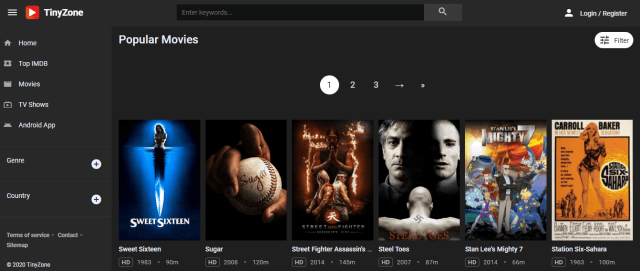
Tiny Zone is a superb website that gives users the latest Movies and TV Shows. The videos that it provides are top-notch so you will really have a good time using this site. You also have the option to sign-up for an account although it is not necessary. Be sure not to give it access when it asks you to allow notifications.
Features:
Free
Registration is optional
High-Definition Content
Fast loading time and playback
Easy UI
123TVNow
Watchable? 9/10
Ad Presence: 2 pop-ups before you can play the video.
Just like USTV Go, 123TV is a website wherein you can watch your favorite TV Shows live for free. It features several popular USA TV Channels that most people watch.
Ad Presence: One pop-up that can be quickly closed.
If you want a free spot to stream movies on the web, Vumoo is the perfect online free movie streaming website for you. Vumoo offers free, unlimited video streaming just like Netflix, but without monthly charges. That offer is enticing to the best of us, particularly if our monthly financial plans are already short. Vumoo provides thousands of TV shows and movies available for online streaming.
The free online movie streaming site’s internet page typically provides popular English TV series and Hollywood movies, but Vumoo also has tons of international flicks available for web streaming. The free movie streaming website has numerous Japanese, Chinese, and Korean movies. Additionally, Vumoo features multiple animated movies & series.
Features:
Free from pop-ups. Ads are banners
Fast Playback and Loading time
The Movie Bay
Watchable? 9/10
Ad Presence: One or two pop-ups. You can remove these by signing up for free.
This website offers tons of movies and TV shows. Users can subscribe to actors, add titles to a watchlist, generate friends, send private messages, comment, and a lot more. The videos that the watch movies online website provide are kept on TMB servers.
All media content is gathered from non-affiliated third-party sites. The free online movie website provides popular TV genre combos, such as Fantasy, Sci-Fi, Rom-Coms, Mystery-Crime, Action-Thriller, Action-Comedy, and Drama-Comedy.
Features:
Free
Ad-free
Easy navigation
Movies, TV Shows, and Reality-TV
Filtered by genre combos
All contents are provided by non-affiliated third-party websites
Ad Presence: There banner ads and one pop-up. You can close these with ease.
One of the best free online movie streaming sites operating from Vietnam that allows you to stream films for free. All media contents of this free movie online website are provided by third parties.
Features:
Free
Easy to navigate
Up-to-date release of top-rated movies
Some pop-up ads while streaming
Filtered by genre, a search function
Movies and Tv Shows
HD content
Downloadable content
GoStream
Watchable 9/10
Ad Presence: Has banner ads. No pop-ups.
GoStream is the most updated and one of the best video streaming sites to stream movies online for free. The free online movie streaming site has a vast selection of movies, TV Series, and Animation films. You can watch different types of movies from the following streaming quality – HD, Full HD, Full 720p HD, and Full 480p HD.
The free online movie website has divided the site into various categories so users will find the video faster and have a better chance to locate the perfect picture. However, GoStream is an illegal website, and to stream using sites like this is a criminal offense. But, if you still wish to stream movies from GoStream you need to have a virtual private network or VPN before visiting the website.
A VPN service lets users stream media content from GoStream safely without revealing their IP address.
Ad Presence: 2 pop-ups will appear when you try to play a video.
AZMovies allows people to watch their favorite movies without limits. You just select the movie you want to watch and enjoy. The movies you watch on the website are free. AZMovies doesn’t host copyrighted or illegal content. The content on the website is hosted by third party sites.
Features:
Free
Has a verification protocol to know you are not a robot
Fast Playback and loading time
Ad-free
Nice interface
Can filter by genre and year
HD movies available
Sister-site of Noxx providing TV shows
Automatically Plays once you click on the movie thumbnail
Ad Presence: 2 pop-ups. Has some banner ads that can be easily closed. It also has internal video ads that you can skip.
A movie streaming site that allows you to watch free full-length movies on the web. You can stream online in High Definition (HD) 720p and 1080p video quality.
Features:
Another one basically impossible to navigate because of popups and ads
Ad Presence: Internal Video ads are present. You can either wait for it to finish or you can skip it.
The IMDbTV is a free video streaming service that is connected to the Internet Movie Database website as well as the app. Since the free online movie streaming site is not charging a monthly fee, it requires users to watch ads that are shown intermittently throughout the media content.
The free movie streaming site’s movie selection is a bit good for a service with no monthly subscription fees. Although there is no subscription required to get started, you need to have an IMDb account. The free video streaming service provides mainstream movies with big stars like Jack Nicholson, Bill Murray, and Brad Pitt. The IMDbTV supported devices are – Android devices, Amazon Fire TV devices, iOS devices, Apple TV, Roku devices, laptops, and desktop browsers.
Ad Presence: No pop-ups whatsoever. There is an internal video ad that can be skipped.
Crackle is one of the best movie streaming sites on the market that provides free streaming of movies, TV shows, as well as other video content. It offers about 700 movies and a bit over 100 television series. If you have utilized HBO Go and Netflix on Android, then most likely you notice that the user interface of Crackle is comparably intuitive and simple.
The Home screen will show you featured content, while the main navigation buttons will provide a route to pages with Watchlist, Shows, Movies. Content is arranged in a nice-looking tiled thumbnail view, or users can use a basic list view if they like.
StreamLord is an excellent online source for streaming movies. The website either contains remarkable films or new user uploads. All the films and movies from the StreamLord movie streaming website are available in HD quality. Visitors can easily watch the latest movie uploads.
It is like the website developer only permits the upload of movies in high-quality resolutions. StreamLord also does not redirect you to external links, unlike other free movie streaming websites. We recommend trying the StreamLord free movie streaming website for your next movie marathon.
Features:
All movies available are in HD quality.
Discover movies you might not know about.
Contains an excellent collection of HD movies.
Users may also stream TV shows.
Presents an attractive user interface.
Easily browse movies by clicking on its tab from the drop-down menu.
Ad Presence: It does not have pop-ups but there is an in-video ad that you can either wait to finish or skip.
Tubi TV is one of the free online movie streaming sites that offers more than 20,000 TV shows and movies to watch at no cost. The library of the free movies online website holds content from studios such as MGM, Lionsgate, Paramount, and networks which include Lifetime, Starz, and A&E.
The catalog includes tons of movies from all genres, such as comedy, action, sci-fi, martial arts, drama, and much more. The content Tubi TV provides is all legal, which means all the content plays directly on the player of the free online movie website.
Features:
Free, ad-supported
Partnered with major studios
Average Loading Time and Playback
Registration is needed
Not up to date
Available in US, Canada, Australia, New Zealand
Compatible with iOS, Android, Roku, Amazon Fire, and Samsung Smart TV
Ad Presence: No signs of pop-ups and native ads. But it has an internal video ad that can be skipped.
Pluto TV is a free online streaming site owned by the mass media company, Viacom CBS. The mass media company is the parent company of various popular film companies as well as TV production networks.
The streaming service provides content from networks like Nickelodeon, MTV, and Comedy Central via live video streaming TV channels as well as on-demand functionality. Using Pluto TV doesn’t require a monthly subscription fee. The streaming service generates money on advertising which it sells during the streaming broadcasts.
Ad Presence: It only shows one pop-up which is awesome.
Vidcloud9 is an excellent free moving streaming site that requires no sign-up to watch free full movies online. It has an excellent design making it pleasing to the eyes. It also has a decent lineup of the latest movies and episodes.
Ad Presence: There is only one window pop-up that will automatically close by itself.
One of the best free movie streaming sites to watch movies on the web. Users can stream thousands of popular TV Series, TV shows, and movies, which they can watch immediately with any device. The free movies online website has 500k monthly users that love streaming online.
Users can easily search a movie name in the search bar and acquire access to the media content. All the movies on Afdah are available in High Definition (HD) quality. The best thing about this free online movie streaming site is that users can stream free movies with no pop-up advertisements.
Provides numerous golden age films. The watch movies online site captures all public domain media. The free online movie streaming site offers copyright-free titles dating back to the 1920s and 1930s. If you love classic movie buffs then this streaming movie online free website will be your treasure trove.
Features:
Free
Allows Multiple Uploads
Functions like an online repository of media content
Ad Presence: No pop-ups while streaming movies from its free movies library.
Filmzie is a great website to visit if you want to check out the latest movies. It will show you some movie titles you probably did not even hear about. The Filmzie website acts as an advertiser to some paid streaming services.
Fortunately for movie enthusiasts, the website of Filmzie also contains a library of free movies for streaming. Although its free movie library contains a few films, they are all free and watchable with your browser.
Features:
Displays movies for streaming.
Advertises movies you can watch from famous movie streaming services.
Contains free movies to watch with your browser.
Collects some movies that do not require any payment.
Kanopy is another website where you can stream free movies. While browsing the website, you will find some movie titles that are famous in the movie-making industry. All these movies are either recommended by intellectuals, filmmakers, and available for educational purposes.
To be able to watch a movie from the Kanopy website, you have to submit either your Public Library card or the University you work for. Kanopy is by far the only website in our Best Free Movie Streaming websites list that specializes in collecting classic movies.
Features:
Suitable for University Professors and Research material.
Collects classic movies for streaming.
Requires either your public library card or University credentials.
As another free movie streaming website, 123Chill differentiates itself from others by providing us with an online source of scary films. Suppose you want to have a movie marathon covering either new, old, or classic horror films, 123Chill will answer your needs.
We include 123Chill since it contains a wide library of horror movies. All the films are either new or old uploads. The website is also honest to show you if the movie is still a CAM or an HD upload. It will also ask its viewers to inform them if there is already an HD version of a CAM upload. If you want the best horror movies, then 123Chill is the best website to visit for horror movie fans.
Features:
Free horror movie streaming website.
No external website redirects.
Informs viewers if the movies are either CAM or HD in quality.
Contains some new films, however, not all movies are in HD resolutions.
Provides a suggestion gallery for some horror film titles.
These websites have some pop-ups and redirects but have good speeds when it comes to playback.
M4UFree
Watchable? 8/10
Ad Presence: A few pop-ups. No banner ads are present.
M4ufree is one of the best free movie streaming websites where you can stream Hollywood movies online for free. The site has various kinds of movies, from Hollywood movies, British films, Bollywood movies, to Korean movies.
The free online movie website provides different categories, such as Fantasy, Love, War, Action movies, History, film swordplay, Cartoons, historical drama, drama, Action-Adventure, comedy, and Sci-fi.
Ad Presence: A Notification on the lower-left corner of the screen will appear. Please make sure to click on “I Prefer Ads”. Do not close the notification by clicking on X. This will lead to an annoying pop-up that will require installing an ad-blocking chrome extension. Also, there are banner ads present but little to no pop-ups.
If you like to stream enticing TV shows and movies of various categories then LookMovie is perfect for you. LookMovie is a streaming movie online free website that allows you to stream all of your best-loved movies.
In LookMovie, users can filter corresponding years, and if users want to watch movies that were released in 2003, then they can simply choose the year and enjoy streaming films of that year. LookMovie is one of the best free online movie streaming sites for downloading and streaming movies.
Ad Presence: There is a single pop-up ad that appears before you start streaming any movie title.
SFlix is one of the discoveries we want to add to this list.
The movie streaming website also provides various media content. Aside from movies, you can also find TV shows and the Top 50 IMDB tab. We include SFlix on our best free movie streaming websites since it uploads quality films. The only downside is the appearance of a single pop-up ad before the movie begins.
Features:
Presents the latest movies and TV shows.
Watch movies on available servers.
Provides clickable links for download.
Some recent films find their way into its library.
Ad Presence: Some ads appear while streaming some content.
Plex is a trustworthy media streaming service available for your movie marathon. The streaming service has both an official website and an app. Plex app is compatible with any of your favorite streaming devices. To access the media content that Plex offers, you have to create an account and sign in with your credentials. Upon launching the website or app, users can choose between live TV, TV shows, and available movies.
Features:
Recommendable Streaming Website
Provides an app compatible with modern streaming devices.
Contains live TV channels.
Choose any content to watch: TV shows, Movies, etc.
Ad Presence: Clicking on a movie for streaming redirects you to other websites.
We want to include Movie Stars on our list of the best free movie streaming websites since the films are available in excellent quality. However, upon clicking on a film title to watch, it will sometimes redirect you to another website with ads.
The good news is that the movies they present are still clickable and exist for streaming. All you have to do is click again on the Play button. You can also press the Play button that appears on top of the player.
The movies that Movie Stars provide are also available on popular streaming websites. Take note that not all movies are recent releases. You will find movies available in HD that are previous movies available from exclusive streaming services.
Features:
Contains watchable movies from reputable streaming services.
Ad Presence: Clicking on a movie for streaming redirects you to other websites.
123MoviesWeb seems to be the new domain for the previous yet famous 123Movies website. As we all know, streaming with the 123Movies website is free. All the movies and videos are available in high-quality resolutions.
It presents different tabs for your movie selection. You can browse, search, or select via its drop-down menu. We want to remind you that clicking on the play button might redirect you to another website at the start. You can still watch the movie after closing the tabs trying to open.
Features:
Excellent collection of movies.
Presents a slick home screen.
Built-in search box.
On the middle left of your screen is a button for selecting a theme. (Day or Night Mode)
Contains the latest and popular TV series available from reputable streaming websites.
Ad Presence: 2 pop-ups with the presence of banner ads.
A free online movie streaming site that offers over 10000 movies and TV shows. It allows uninterrupted streaming and with no annoying intrusive ads. People will be able to access all of the media content without having to generate an account or buy a subscription.
Some of the free movie website’s streaming servers allow users to download movies and TV shows onto their PCs or mobile devices. The only real downside of this watch movie online website is that you can’t delete closed captions from videos.
Ad Presence: There are 2 pop-ups before you are able to watch the video. There are also several banner ads on display. Be sure to wait for the page to load completely before clicking on anything.
It is a free online movie website that allows you to watch movies on the web at no charge. The free online movie streaming site has made it easy for users to utilize and download movies. Registration is not required to stream TV series or movies. Nonetheless, this free website has some drawbacks as some Internet service providers have banned the website.
Features:
Free
Some pop-up ads and redirecting links
Great interface and navigation
Up-to-date release of top-rated movies
Filtered by genre, country, a search function
Movies and Tv Shows
HD content
All contents are provided by non-affiliated third-parties
HD Movies
Watchable? 8/10
Ad Presence: If you are using Google Chrome, any of the pop-ups and other ads will be automatically blocked.
HD Movies is one of the best free online movie streaming sites where you can watch free movies without registration. The site will give you a new experience in streaming your best-loved movies online. The free online movie streaming site features many categories in High Definition quality films. HD Movies provides all types of English, Hindi, and Hollywood movies in High Definition (HD) quality format.
New Prime Wire
Watchable? 8/10
Ad Presence: Multiple banner ads are present. It will play after 2 to 3 pop-ups.
New Prime Wire provides the latest movies and series for free. You will encounter quite a few banner ads, pop-ups, and internal video ads. If you prefer HD streaming links, you will need to sign-up for its premium subscription. Please be sure to deny it from sending notifications just to be on the safe side.
Features:
HD Content is accessible through a premium subscription
Ad Presence: 3 pop-ups will appear until you are able to play a video.
It is a free movie streaming site that allows you to stream and download TV shows, TV series, documentaries, and movies. The website was launched in 2016 and has acquired great popularity because of its user-friendly and straightforward design.
YesMovies has a curated collection of TV shows and movies. YesMovies is a good choice to find awesome films with a clean user interface. You are not required to register, users will just browse their favorite TV show or movie and then click on it. The movie page will be displayed where users could find the synopsis, duration, genre, producer name, and actors.
Features:
A few pop-up ads will appear once you play the video.
Ad Presence: A few pop-ups before the video starts playing. You do have the option to remove these ads by signing up.
Movie Stars is a relatively good website wherein you can watch your favorite TV shows and movies alike. It has a very decent user interface and you can easily close pop-ups without being redirected to other websites that can be malicious. It provides users with the latest content so we think that you will really enjoy streaming using this website.
Features:
Fast playback
Has pop-ups before you can play a video
Movies are categorized by Genre, Year, and Country
Up to Date Movie Releases
You can sign up for an account to get an ad-free streaming experience
Ad Presence: You need to close two pop-ups. There are banner ads present. Also, block the prompt asking for notifications.
It allows users to download Tamil, Telugu, Bollywood, and Hollywood movies for free. The free movie streaming website provides numerous features, such as member place, forum, and CMoviesHD proxy. The free movie streaming site is free of charge media content.
CMoviesHD provides a wide array of films to choose from. The watch movies online website provides films from typical Hollywood movies to Academy Award winners.
Features:
Up-to-date
Easy UI
A wide array of selections to choose from
OK Free Movie Streaming Websites
These websites have a lot of pop-ups and ads. Although, once you get over the ads, you can expect a quick playing and loading time.
Soap2Day
Watchable? 7/10
Ad Presence: You will encounter 3 pop-ups until you can play a video. Also, banner ads are present.
Soap2Day is a free online movie website that allows you to watch movies, TV shows, and documentaries without registration. The website’s reputation as a platform for watching free movies and TV shows online has evolved due to its High Definition (HD) content quality and lack of advertisements.
The following are the various categories you see on the free movies online website – Drama, Horror, Action, Romance, Sci-fi, Thriller, War, and a lot more. The HD quality movies on-site are what most of the users often watch. These are the available video formats – HD, Full HD, 720p, and 480p HD.
Ad Presence: 1 internal video ad that is skippable. You will also encounter 3 pop-ups before the video starts. Banner ads are also present.
It allows you to watch recently released television series and movies on the web for free. Users can stream all the series they can stream on the internet from Hooq, Voot, Netflix, as well as other streaming providers.
Ad Presence: 4 pop-ups, banner ads, YouTube-like ads, and another 2 sets of ads that need to be skipped.
It is a High Definition TV Shows and Movies platform where you can browse and stream the latest films, TV Shows, and TV series online. The website has all the latest titles and high-quality videos for enjoyment. The extensive library of Movie4u includes all the much-loved classics and the latest blockbusters.
Users can browse all the movies online and view the IMDb top titles, the latest titles, the highest rating, or what is currently trending. In contrast to many free VOD websites that spam their visitors, the Movie4U streaming service is an oasis for movie lovers.
Ad Presence: There are a few noticeable banner ads. You will need to close 3 pop-ups to play videos.
It is one of the top free movie streaming websites that gives you access to numerous movies in high quality without annoying advertising and registration. This website has a vast selection of online movies.
The free movies online site is technically legal as the website doesn’t pirate anything, the media content is stored in servers that aren’t part of the site, thus the website doesn’t infringe on anything illegal.
Features:
Free
Easy navigation
Filtered by genre, country, a-z list, a search function
Movies, TV Shows, and Anime
Some contents in 4K
HD content
All contents are provided by non-affiliated third-parties
Ad Presence: There will be pop-ups and banner ads while navigating through the website. It is given this rating because it takes a while for the video to play.
1Movies is a part of our free movie streaming websites list because you can enjoy watching the latest releases for movies and TV shows by using it. Once you get to close all the ads, navigation is going to be a breeze. It also has a premium version that allows users to gain an ad-free streaming experience.
Cinema Forgotten is one of the best free movie streaming sites with more than 3000 movie titles. The free movies online website has the best movie genres available, such as Thriller, Horror, Crime, Comedy, Action, Drama, Sci-fi, and much more.
Features:
Account required
Ad-free
Donate to get premium access
Arranged in alphabetical order
WatchFree
Watchable? 6/10
Ad Presence: 1 pop-up. Several banner ads and persistent internal video ads that you have to skip.
WatchFree is a streaming service with a cable-like, user-friendly interface that provides creative content selections. It is available on VIZIO SmartCast televisions. WatchFree’s streaming service offers over 100 channels like MSNBC, NBC News, Crime Network, Fox Sports, Cats 24/7, The Surf Channel, as well as numerous movie channels. With the WatchFree streaming site, there are no fees, subscriptions, or logins needed.
The following websites should be avoided at all costs. They pose the most risk to your device with several pop-ups and redirects. It is impossible to view movies and they would just annoy you big time.
PutLocker
Watchable? 6/10
Ad Presence: 5 pop-up ads and native apps are noticeable.
One of the most popular free movie streaming websites, Putlocker has been down for quite some time but now it is back and is here to stay. A lot of cord-cutters have enjoyed this website for years. Although, one thing that we have noticed is that it now produces several pop-ups. We guess that this has something to do with earning to maintain the website. And we are not one to judge.
Ad Presence: Several pop-ups for every action taken playing and closing among them. At least there are 5 pop-ups.
SockShares can treat users with high-quality streaming links. It provides a decent number of movies, tv shows, anime, and a whole lot more. Albeit, we find it a bit difficult to use.
Features:
Good loading time and playback
Regular updates
Registration is not needed
Finish the movie or tv show to avoid other pop-ups when pausing and playing.
It is one of the best free online movie streaming websites. Users may experience minimal ads on this free movie website. Users can watch TV shows and movies of their own choice free of charge.
You don’t need to register for streaming movies on this free movie streaming website – all you have to do is launch the free movie’s website, select your favorite media content and enjoy it in High Definition quality with no disruption.
HDOnline is a streaming website that offers the latest and most updated shows to watch online. It has a huge amount of pop-ups that will annoy the viewers. It does not have advertisements in between the shows but it has ad banners. Also, a prompt saying that it wants to send notifications will appear, please be sure not to give it access.
F2 Movies is a website that provides a good amount of the latest movies and most recent episodes of popular TV Shows. The thing about this website is that it is difficult to play videos because of the pop-ups that you will encounter. Nonetheless, after you close these ads, you will be able to watch your video.
Features:
Has pop-ups
You need to close some ads before you can play the video
It provides a wide category of TV shows and movies for you to choose from, such as action, animation, adventure, drama, biography, and a lot more. The free online movie website provides the latest TV shows and movies in high-quality video. The user interface of the video streaming website is very modern as well as user-friendly.
You can watch numerous hours of free TV shows and films with the aid of servers from various locations. The movie streaming site has numerous media content that has been recently unleashed in the market.
Features:
Outstanding user interface
Latest movies and TV shows
Broad category
Requires the installation of the newest Flash Player. When you choose to update it will redirect you to another tool that you don’t need. This is a red flag.
YoMovies
Watchable? 5/10
Ad Presence: Several annoying pop-ups.
YoMovies is India’s top movie downloading site. The watch movies online free website offers people the chance to download or stream not only the best Hollywood films but also the Telugu, Punjabi, and Tamil flicks.
YoMovies has multiple movie genres, such as Love, Drama, War, Fighting, Thriller, Horror, Suspense, Mystery, Sci-fi, and a lot more. Also, another amazing thing about this free movie website is that it has its own app which you can download to your mobile phone and stream movies online from there. YoMovies has become one of the most trending free online movie streaming websites.
One of the best free movie streaming sites that allows you to watch online movies for free. Users can stream movies in high quality without registration. The free online movie streaming site is a faster and better place for streaming online.
Ad Presence: Several annoying pop-ups. 1 new window pop-up. Banner ads and at least 2 in-video ads that can only be skipped after a certain time.
Provides all the movies for you, your friends, and your family. You can just sit back and relax while streaming your best-loved film for free.
The free online movie website has various movie genres, such as Drama, War, Thriller, Horror, Sci-fi, action, adventure, fantasy, and a lot more.
Features:
Free, no account required
Several pop-up ads and redirect links
Filtered by genre, rating, year, search function
Does not host links but redirects you to other websites (Vivo, Vidoza, Go Unlimited)
Up-to-date releases
Websites To Avoid
We have gathered the latest information on the websites that should be avoided. Please do take note of the following sites because other review sites have included these to their list of Best Free Movie Streaming Websites.
We also included the reason why they need to be avoided.
It is an on-demand video streaming site that was obtained by the American multinational retail corporation, Walmart, in 2010. The service allows you to rent or purchase movies after they are up for grabs on Blu-Ray.
However, after you sign up for a Vudu account, you’ll have access to the movie streaming site’s free TV shows and movies. Movies and TV shows on site are available in Standard Definition (SD), High Definition (HD), as well as 4K Ultra HD. The online movie streaming site also has a small number of films available in 3D.
It offers a different way to stream TV series and movies online. You may subscribe to watch without commercials Users can stream videos or upload their own from a mobile device. Vimeo offers a free trial.
If you don’t want to spend a dime for a streaming service such as HBO and Netflix, then you can watch several free movies on YouTube. Nonetheless, the highest-quality movies available to stream for free are supported by advertisements.
Features:
Certain movies are available for free here mostly cam versions
You can rent or buy
Protect Your Privacy with a VPN
If people have been streaming TV shows and movies online, there is a huge possibility that they have heard about the virtual private network or VPN. A VPN service is a type of encryption app that allows web users to hide their IP addresses.
Once web users are linked to one of these VPN providers, all of their network data, as well as traffic, will be encrypted. Whereas, it is possible that Internet service providers along with the government will not be able to know what web users are doing on the internet.
Internet users will no longer be utilizing their ISPs; assigned IP addresses to browse the web. Instead, web users will be hidden behind the IP address of the VPN service that they are using. Streaming on the internet is a popular trend that continues to grow every day.
We recommend you use the Surfshark VPN Service. It has many features to share with us:
Quick Registration process.
Link your VPN to many routers and firewalls.
Bypass limitations with popular streaming websites.
Click here to get the lowest price on Surfshark VPN through our exclusive limited-time offer.
If your Firestick still has the older interface, read this article to learn how to update it: Update Firestick Interface
How to Install Surfshark on Firestick with Screenshots
You can download Surfshark directly from the Amazon App store. It will be easy for you to find Surfshark with your Firestick’s Find feature. Refer to our screenshots below.
Follow our screenshots below to install the SurfShark VPN app on your Fire TV stick.
1. Go to the Home screen of your Firestick.
2. Navigate towards the Find tab. Press the Search button from the resulting dropdown.
3. Type in the keyword of Surfshark and select from the suggestions that will appear.
4. Click the official Surfshark icon from your search results.
5. Press the Download (You own it) button.
6. The Surfshark VPN installer will download on your device.
7. Surfshark VPN’s app will automatically install itself on your Fire TV stick.
8. Press the Open button after completing Surfshark VPN’s installation process.
9. Please wait for the Surfshark VPN to load its user interface.
10. You can now log in with your Surfshark VPN account credentials.
If you are not a big fan of typing these URLs manually, we highly suggest that you stick with free streaming apps. You have to jailbreak the Firestick to allow these apps to be installed on your device. Kindly follow this tutorial:
We highly advise that you use the Best Free Movie Streaming Websites that we have listed in the earlier part of the article. You will encounter lesser problems when dealing with them. Also, we would suggest that when you access them using the Firestick, do it with the Silk Browser. You can install it easily by reading this:
We hope that this article provides you with the necessary information regarding Free Movie Streaming Websites. Thank you for reading!
Note: ReviewVPN.com does not own or operate any app nor does it endorse any. The main purpose of this article is strictly for educational purposes only.
This article will show you the Best Kodi Addons For Sports.
Kodi provides a wide range of add-ons for watching different kinds of sports you could care to name. Everything from the latest pay-per-view boxing fights to the NBA, NFL, and even MMA.
Whatever takes your fancy with our best addons for sports on Kodi, you will surely find an addon that works for you.
What is Kodi
Kodi has been around since 2002 and is a completely legal open-source media player which is also free. It’s also one of the oldest media players around and has gone from being a niche product targeted at Xbox users who wanted to play media on their devices to millions of users across the globe.
Kodi gives you the power to turn your humble TV into a rocket-powered home entertainment center capable of getting almost any viewing experience you wish. From sports to movies and TV shows, to obscure anime and adult movies.
The media player has gained popularity for several reasons. Firstly, it is deep and feature-rich, Kodi is supported by a core team of developers who work on behalf of the XMBC Foundation, they also receive corporate sponsorship and keep Kodi updated with regular patches every month, as well as a major new version released every year.
Secondly, Kodi has a 10-foot user interface, which allows it to be installed on your Android device and converts the application to viewing quality on television, as well as allowing the application to be navigated using a TV remote.
Finally, Kodi is unrivaled in the number of add-ons it has both officially and unofficially. These numbers are in the tens of thousands with all the add-ons we cover being unofficial.
What is an Addon
An addon is simply an extension of features, much like a mobile phone application. Through the addon, you can gain access to a specific service or feature not already inherent within the base Kodi program.
Kodi, after all, is a media player and platform, it’s the add-ons that bring it to life. Add-ons can be downloaded individually or bulk downloaded as part of a build or wizard.
Best Kodi Addons For Sports – as of 2025
Daddylive
Repository Link: https://team-crew.github.io/
Certainly, Daddylive is quickly establishing itself as one of the best Kodi add-ons for sports. It offers hundreds of live TV channels for a wide range of sports, including basketball, horse racing, golf, snooker, alpine skiing, tennis, cricket, and many more.
Additionally, live television is available in many countries, including the US, the UK, Argentina, and Portugal. Furthermore, it supports subtitles and many configurable options for subtitles, audio, video, and color settings.
You can read our in-depth article about Daddylive if you’d want to learn more about it.
Another haven for sports enthusiasts who want to access sporting events across many different categories and subcategories is SportHD. It provides streaming for a wide range of sports, including chess, basketball, football, handball, motorsport, rugby, wrestling, hockey, volleyball, darts, tennis, boxing, cricket, baseball, and snooker.
SportHD also has a section for the best leagues, where you may find the Premier League, La Liga, Bundesliga, and other well-known leagues. Moreover, what’s great about SportHD is that it delivers sports content in HD video quality. If you’re looking for the best Kodi addons for Sports, it’s a terrific alternative because it also provides quick playback.
A popular Sports Kodi addon that has been around for quite some time is Mad Titan Sports. It is well renowned for offering free, open access to sports content without requiring any kind of registration or subscription. The interface of Mad Titan is straightforward and user-friendly, with categories and subcategories that are properly organized. As a result, it won’t be difficult for you to find your favorite sports content for live TV and live sports.
Furthermore, in addition to streaming NBA, MLB, NHL, NFL, Wrestling, and other PPV links, Mad Titan Sports provides access to some of the most popular TV Networks such as Pluto TV, Sling TV, USTV, and Samsung TV.
Read this article to learn more about Mad Titan Sports.
The Crew
Repository Link: https://team-crew.github.io/
Though The Crew does not only offer sports content but also movies and TV series, it is regarded as one of the best Kodi add-ons for sports. This is because The Crew provides reliable streaming connections to some of the most popular sporting events, such as the NFL, NHL, NBA, MLB, NCAAF, NCAAB, UFC/MMA, WWE, Boxing, FIFA, Tennis, Moto-GP, F1, and others.
Additionally, it offers sports replays so that you may still view recent games if you missed them. It also provides multiple streaming connections all of which are free.
You can read our post to learn more about what The Crew has to offer.
The Loop
Repository Link: https://loopaddon.uk/loop19/
The Loop is a sport and unofficial add-on that brings you a wide variety of content categories to choose from. You can see categories in this addon, such as Auto Zone, 24/7, Copa America Zone, Euro 2020 Zone, Fan Zone, Fight Zone, MLB, NBA, NHL, and more.
This add-on also brings you high-quality streaming links from different providers. You can watch high-quality videos for Live games, replays, and exclusive sports footage and get updated with the latest happenings in your favorite sports. It also brings you live and on-demand content of all sports events from different countries.
If you want to know more about this addon, kindly read our The Loop Addon.
Rising Tides
Repository Link: http://mullafabz.xyz/Repository/
One of the older add-ons on our list, has over 200 live sports channels, though you may find the selection for boxing and the NFL is a little thin. Rising Tides is one of the popular sports add-ons, that brings you a wide coverage of sports. This add-on brings you a wide range of sports such as NBA, WWE, NFL, NHL, MLB, Boxing, NCAA, and more.
You can watch live game footage, game highlights, live replays, news updates, and more. This add-on brings you a vast collection of streaming links from different sports channels and sources such as ESPN, Fox Sports, BEin, and more. Frequently updated and has been a solid performer for several years.
ApeX is also one of the best Kodi addons for sports, offering live sports, live TV, replays, and highlights. Basketball, football, equestrian sports, volleyball, tennis, climbing, table tennis, and more sports are available through ApeX. Additionally, there are exclusive NHL and MLB clips.
In addition to sports, you may watch Bikini Babe, comedy, horror, movies, documentaries, music, travel, kids, food and wine, lifestyle, and more. Furthermore, ApeX offers some of the most well-known channels, including ABC, ACC Network, AE, Animal, BBC America, BET, Boomerang, ESPN, HBO, Fox Sports, and C-Span.
If ApeX piques your curiosity, read our article to learn more about it.
Centry Sports
Repository Link: https://centry7.github.io
Another Kodi addon that lets viewers watch sports and live TV is Centry Sports. It pulls content from USTVGO and Daddylive, two of the best sources for sports and live streaming. Moreover, Soccer, NBA, and NHL feeds are all available in its sports section.
In addition, Centry Sports offers access to over 90 TV networks, including the WWE Network, MLB Network, Showtime, BET, CBS Sports, and others. Further, Centry Sports is a great option to consider if you’re searching for an addon that offers one-click streaming.
Read our article about Centry Sports to learn more about it.
Fight Club
Repository Link: http://streamarmy.co.uk/repo
Fight Club is a third-party add-on from the StreamArmy Repository that is a fight sports add-on. It offers all kinds of combat sports to watch. This addon is focused on fight sports such as Boxing, Behind the Glove, Bare Knuckle Gypsies, MMA, Shaolin Kung Fu, Ultimate Fighter, and more.
You can watch this add-on in video quality of 480p, 720p, and 1080p. It also has 46 Live channels for Boxing and other combat sports and brings you high-quality streaming links with an updated list of Boxing videos every week from HBO Boxing, Boxing Legends, Boxing Nations, and more.
So if you are looking for an add-on where you can watch lots of combat sports, then this add-on is a good option. Read our Fight Club Addon Review.
Purely Wrestling
Repository Link: https://team-crew.github.io/
Purely Wrestling, as the name suggests, this add-on brings you pure wrestling videos, and this add-on is located in the popular Team Crew Repository. This addon brings you amazing footage of smack-down moments and a wider range of coverage on different fights and sports videos to watch for free.
The main section in this addon includes Live, Shows, Pay Per Views, Sports, UFC Replays, Royal Rumble, Summer Slam, WrestleMania, NJPW, MLW, RPW, ROH, WWE On YouTube, WWE Tributes, and more. The good thing is this addon is also supported with Real Debrid, so you can assure that this addon brings you high-quality streaming links.
Sportowa is a third-party add-on that brings you international coverage of sports events. It is also known as the replica of SportDevil because it has the same interface and contents to offer. This add-on covers a wide range of sports such as NHL, NFL, MLB, MLS, NBA, Wrestling, Boxing, UFC, Tennis, and more.
You can choose content from different categories such as Sport 365 Live, LiveOn score, VIPLeague, LiveTV, Crickfree, LiveSport, TVP Sport, Strims World, and more.
Fight Tube
Repository Link: http://rockodi.com
A great all-in-one add-on for those who love any kind of fighting sports covering a wide range of well-known sports and lesser-known martial arts. You can watch a wide variety of sports, including Boxing, Bare Knuckle gypsies, MMA, Ultimate Fighter, UFC, Shaolin Kung Fu, Wrestling, Taekwondo, Karate, WWE, and more.
This add-on is located in the Rocks Repository that serves you with an extremely great lineup of combat sports live matches for free. It also has a wide variety of content categories, including Latest Events, Live WWE Streams, WWE Raw, WWE Smackdown, WWE Network, WWE Superstars, and WWE 24. If you love smack-down and brutal sports, then this add-on is a good option for you.
Fights on Demand gives you exclusive access to the UFC and MMA. You can watch from a variety of sports channels, including ESPN, Fox, ABC, Versus TV, Fuel TV, and others. The most recent PPVs, Fight Nights, Fightlore, and other UFC/MMA-related videos are accessible to watch. It offers more than 200 UFC fights to watch in HD, with up to 1080p video streaming quality available.
Additionally, it offers both debrid and non-debrid UFC material to accommodate consumers of both categories. As a result, you can also be sure that it frequently offers sports live-streaming connections. Furthermore, it enables quick Uptobox account linking.
To learn more and to learn how to install it on your Kodi-compatible device, read our article.
The Endzone
Repository Link: http://grindhousekodi.tk/repo
The Endzone is also included in our list of the best Kodi addons for sports. This is because it essentially contains any sporting event you can imagine. This includes sports like basketball, football, boxing, and racing, among others.
The Endzone features specific categories for the NFL, NBA, NCAAF, MMA/Boxing, Wrestling, Nascar/Formula One, and MLB. You may also watch preseasons, early games, and playoffs while streaming sports with this addon. It also offers a variety of streaming connections, so you may be sure to find one that works for you.
To understand more about The Endzone, read our article.
YOUR INTERNET ACTIVITY IS BEING WATCHED
ReviewVPN cannot attest to the legality, security and privacy of the applications discussed on this site. It is highly recommended that you use a VPN service while streaming or using Kodi.
Currently, your IP 37.59.204.156 is visible to everyone and your Browser is being tracked by Advertisers & ISP Provider.
Your activities are hidden from your ISP, the government, and from the apps you are using.
You can access additional movies and TV streams.
ISP attempts to throttle are thrwarted thus reducing buffering issues.
Geographically restricted content like Netflix and Hulu can be unblocked.
A VPN works be replacing your ISP-assigned IP address and creating an encrypted tunnel. We recommend the no log service offered by IPVanish. It works well on a Firestick and offers the fastest possible speeds.
Legal Disclaimer: ReviewVPN.com does not encourage or endorse any illegal activity involved in the usage of services and applications referenced on this site. We do not verify the licensing agreements of services. The end-user is wholly responsible for ensuring that any media accessed through these services does not violate copyright and/or licensing laws. ReviewVPN does not promote, link to, or receive compensation from any Apps and IPTV services.
If the prospect of watching live sports illegally doesn’t sit well with you, or you just want to pay for extra quality and stability on demand when you want to watch it, then there are quite a few legitimate Kodi add-ons available.
NBC Sports Live Extra
The NBC Sports Live Extra is an official add-on located on Kodi’s official repository. It is also a premium and legal add-on provided by NBC Sports, which requires you to have an NBC Gold Subscription. However, there are plenty of hacked addons circulating online giving you free access to a wide range of US Sports including, MLB, NFL, NHL, Formula 1, NBA, Football, and more. This add-on brings you high-quality streaming links with a video quality of 720p and 1080p.
Sportsnet Now
Sportsnet Now is another paid streaming service that is also an official add-on. This addon brings you a wide coverage of sports from the official Sportsnet Now website. It offers live sporting events for those particularly interested in Canadian sports, especially ice hockey, curling, basketball, American football, baseball, and more. However, this add-on requires you to have an existing SportsNet account that has a monthly subscription of $24.99.
USTV Now
A combined effort by several major US TV channels initially created a way for US Servicemen and women abroad to access TV from home. The subscription will set you back $19.99 a month, which will give you access to CBS, NBC, Fox, NBC Sports, ESPN, ESPN 2, and more popular sports channels. In total, you get 25 channels, though you can access the news channels for free.
Premium IPTV Players
Another option is paying for a premium provider of internet TV, you get a massive selection of value and can install their addons on Kodi. For a small price, you can watch as many TV channels as you like, which are constantly online, stable, and high quality
Players Klub IPTV
Get over 1,500+ channels from the US, Canada, and the UK. You can access live sports as well as Video on Demand meaning that you can replay that match you missed earlier. You can access full HD servers starting from $9 per month, going as low as $7 a month for a yearly package with a 15-day money-back guarantee for plans longer than 3 months.
Premium IPTV
One of the biggest providers of Internet TV online, Premium IPTV gives you access to over 4,000 channels including the biggest sports channels. An excellent choice for those who want channels from around the world and more obscure sports. Prices start from 16 Euros per month, falling based on the length of the package.
Watching Sports on Kodi
Apart from movies and TV shows, sports is the third most popular media category. Some of the add-ons we cover deal with sports exclusively, while other add-ons offer sports as part of a category.
Whether you want to pull streams from YouTube, watch Live Sports, or even just wallow in the euphoria of old matches. There is something here for everyone.
Stream the Best Kodi Addons For Sports with a VPN
We strongly recommend that you use Kodi and any of these addons with a VPN for several reasons:
Your Internet Service Provider will be vigilant for anyone using their services for watching illegal streams. This is particularly true for live Sports which is big business.
Trying to access these streams through an unencrypted internet connection could lead to that IP being blocked, your IP being flagged for watching illegal content, your internet connection being throttled or slowed down, and in extreme cases receiving a letter of warning, getting a fine, or in some extreme cases having criminal charges brought against you
A trusted VPN can avoid all these consequences in two ways. Firstly, by using a VPN client that you can download and install on your Android device you can encrypt your connection. This means that all your data packets containing your requests from websites are unreadable to any third party or even your ISP. It passes as a secure packet between your device and your VPN’s DNS Server. The same is true for data coming back. This makes it impossible to block access to any site
Secondly, a VPN allows you to change your IP address, hop between countries, and access region-restricted content. Meaning it’s difficult to track where you are let alone what you are doing
Without a VPN you may find over time that many add-ons on Kodi simply stop working, and many of the links you click on are blocked.
Note: For more information about Surfshark, please read our Surfshark Review.
Can I stream live sports games using the Best Kodi Addons For Sports?
Yes, all of the add-ons we mentioned above bring a high-quality streaming link to watch Live game events and even store replays to watch or replay later.
Can I stream Live sports on the Best Kodi Addons For Sports for free?
No, there are paid and free sports addons, whereas in free addons they provide you free streaming links to watch, but in the paid addon, you need to have an existing account to link, or else you cannot access their contents.
Is streaming on a third-party addon legal?
Yes, streaming on a third-party add-on is legal, as long as these add-ons offer you only legal content and do not offer any copyrighted content.
Is it safe to stream live on these add-ons?
Yes, streaming on these add-ons is safe, but to ensure your safety and privacy, we suggest using a VPN such as Surfshark. Moreover, antivirus software like TotalAV also ensures that your device is always safe from any internet risks.
Conclusion
Streaming sports on Kodi is a good thing because there are no pop-up ads or any kind of distractions to interrupt your viewing. There are also lots of add-ons that offer great coverage of sports. However, some of these add-ons are paid, which means you need to pay first to watch them. Some add-ons are also third-party. That is why we suggest using a VPN such as Surfsharkto ensure your safety. We hope that this article helps you to know what the best sports addon is to try.
Note: ReviewVPN.com does not own or operate any app nor does it endorse any. The primary purpose of this article is strictly for educational purposes only.
In this article, we’ll show you the best UnLinked codes for your Firestick and Android devices.
Following Filelinked’s abrupt shutdown, a few clones are now available for download on your Firestick device.
And one of these is the Unlinked app, which is a new entrant. Unlinked, just like Filelinked, have libraries with APKs for download. To access these libraries and see the entire list of APKs accessible, all you need to do is simply enter a code (and a password if necessary).
The best part about file-sharing platforms like this is that it acts as a one-stop shop for all apps, so you won’t have to switch between apps or enter multiple download URLs simply to get an app. It lets you download an app directly to your device by merely browsing and finding apps in its libraries. Aside from that, the fact that you can easily download and use this app on your Firestick device makes it even better.
So, let’s get started with the latest and the best Unlinked codes for 2023.
Top Unlinked Codes 2025
Click this link to know how to install UnLinked on your Firestick.
Unlinked Codes
Library Name
Contents
67664537
Stream It All
TOTAL APPS: 250
Best VPN, Top Movie and TV Shows Apps, Kodi, Official Amazon Apps, Live TV Apps, IPTV Players, Anime and Comics, Tool, App Stores, Media Players for Firestic, Music Apps/Player, Adult Streaming Apps
33627466
Stream Doctor
TOTAL APPS: 73
Top Movies & TV Shows, Adult Streaming Apps, Uttility/Maintenance, Best VPN
EB2E4A4C
Seenys APK Store
TOTAL APPS: 70
Music, VPN, Tools, Live TV, Films & TV Shows
Superapps (pin 911911)
Mega App Pack
TOTAL APPS: 54
Movies & TV Shows, Live TV, Tools
DF9C7131
Tools & Media Players
TOTAL APPS: 52
Tools, Media Plyers, iptv players, vpn
90D311FE
Movies & TV Shows
TOTAL APPS: 48
Movies, TV Shows
Top Unlinked Codes for 2025
As of October 2023, listed below are the best Unlinked codes. The number of APKs accessible for download is used to determine the ranking. Also, rest assured that we will keep this article up to date whenever new codes become available to consumers.
Stream It All
Unlinked Code: 67664537
Number of Apps Available: 250
Categories: Best VPN, Top Movie and TV Shows Apps, TV and Movie Apps, Everything Kodi, Original Amazon Apps, Live TV Apps, IPTV Players, Anime and Comics, Tools, App Stores, Web Browsers, Media Players for Firestick, Music Apps/Players, Adult Streaming Apps
Stream It All UnLinked Code features both 3rd party and Official Amazon apps. We listed this as one of the best UnLinked Codes for giving the best deal with Surfshark. It also houses more than 200 apps within 14 categories.
Categories: Best VPN, Top Movie and TV Shows App, Adult Streaming Apps, Best Firestick Apps for Utility/Maintenance
Stream Doctor is a great addition to our list of the best UnLinked Codes. It is a growing store that currently has 70+ applications for movies, TV shows, Utility apps, VPN, and even Adult streaming apps.
Popular and useful Firestick apps are present in this store like Mouse Toggle, Cinema HD, and Nova TV. We cannot wait for this app to add more interesting applications for Firestick.
IPTV Super Store
Unlinked Code: 12341234
Number of Apps Available: 900+
Categories: Android TV Banners, Anime, App Stores, Browsers, Fire TV Banners, IPTV Players, Kids, Kodi Forks, Live Sports, Live TV, Media Players, Movies & TV Shows, Music, Non-English Live TV & Movies, Tools & Utilities, Video & Photography, and VPNs
IPTV Super Store is unquestionably one of the best Unlinked stores accessible today. It has hundreds of APKs organized into several categories, such as Live TV, Movies and TV Shows, Browsers, VPNs, and more. So, merely browsing their store will allow you to find a huge variety of APKs.
Seenys APK Store
Unlinked Code: EB2E4A4C
Number of Apps Available: 80
Categories: YouTube, Music, VPN, Browsers, Tools, Live TV, Films & TV Shows
Seenys APK Store is another best Unlinked codes accessible today. Some categories present on this UnLinked Store only have 1 app present but we can consider that the lineup of apps is still great. The best thing about this Unlinked store is that most of its offerings are available in both original and ad-free APK formats. Browse through Seenys to find web browsers, movies and TV series, live TV, music, and a few other categories.
Mega App Pack
Unlinked Code: Superapps (Pin: 911911)
Number of Apps Available: 50+
Categories: Mega App Pack
Another growing store added to our list of the best UnLinked codes is the Mega APP Pack. It has 50+ APKs under one category only. This UnLinked store focuses on streaming movies, TV shows, and live TV.
Despite having fewer apps, Apps “R” Us has the best apps for Firestick. You can also see popular apps like Bee TV, Cinema HD, Cartoon HD, and many more.
Android Streaming Devices
Unlinked Code: 710AB04D
Number of Apps Available: 200+
Categories: Movies, TV Shows, Audio Books, Video Players, Sports, Utility
This Unlinked code is another one that currently contains hundreds of available APKs. There are many various APKs for Android streaming devices available in this store, some of which are BBC iPlayer, Crunchyroll, DofuSports, ES File Explorer, Fildo Music, Football Plus, and many more. Even Filesynced, another Filelinked clone, is available there.
Movies / TV Shows
Unlinked Code: 90D311FE
Number of Apps Available: 5
Categories: Movies, TV Shows
As the name implies, this UnLinked code offers the best APKs to watch movies and TV shows. However, there are currently only a few APKs available from this Unlinked store. These include FilmPlus, HDO Box, BeeTV, CucoTV, and TeaTV. Nevertheless, if you’re looking for such streaming APKs, you may get them from this store.
Unlinked Codes
Library Name
Contents
D9BCD4D8
Live TV and Sports
TOTAL APPS: 32
Live TV, Sports
Megaapps
Wot Box TV
TOTAL APPS: 29
Movies & TV Shows, Official Amazon Apps
Firestick
Newtech Apps
TOTAL APPS: 23
Movies & TV Shows Apps, Live TV Apps, Kodi, Firestick Tools
7cd6a4f1
Premium Apps
TOTAL APPS: 8
Movies, TV Show
9135f6a0
Utilities for Streaming Devices
TOTAL APPS: 7
Tools
YOUR INTERNET ACTIVITY IS BEING WATCHED
ReviewVPN cannot attest to the legality, security and privacy of the applications discussed on this site. It is highly recommended that you use a VPN service while streaming or using Kodi.
Currently, your IP 37.59.204.156 is visible to everyone and your Browser is being tracked by Advertisers & ISP Provider.
Your activities are hidden from your ISP, the government, and from the apps you are using.
You can access additional movies and TV streams.
ISP attempts to throttle are thrwarted thus reducing buffering issues.
Geographically restricted content like Netflix and Hulu can be unblocked.
A VPN works be replacing your ISP-assigned IP address and creating an encrypted tunnel. We recommend the no log service offered by IPVanish. It works well on a Firestick and offers the fastest possible speeds.
Legal Disclaimer: ReviewVPN.com does not encourage or endorse any illegal activity involved in the usage of services and applications referenced on this site. We do not verify the licensing agreements of services. The end-user is wholly responsible for ensuring that any media accessed through these services does not violate copyright and/or licensing laws. ReviewVPN does not promote, link to, or receive compensation from any Apps and IPTV services.
How to Install Unlinked on Firestick with Screenshots
To begin, if your Firestick has not yet been jailbroken, follow the simple steps below to jailbreak it to install Unlinked on your device:
1. Click Home on your remote and scroll once to your Right. Click Setting (Gear Wheel Icon).
2. Scroll down and to the right until you get to My Fire TV. Click on it.
3. Select Developer options.
4. Turn on ADB debugging and Apps from Unknown Sources.
5. Click Turn On when the pop-up appears.
Then, after jailbreaking your Firestick, you’ll need to download the Downloader app to sideload Unlinked. This app, which is easily available on the Amazon App Store, allows you to download APK files.
6. Click Home, click FIND.
7. Click Search.
8. You can either say Downloader to your Alexa voice-enabled remote or start typing it. If you typed it, click on the suggestion when it appears.
9. Click on the Downloader Icon.
10. Click Download.
11. Click on Open.
12. Click on Allow.
13. Use the Downloader search tab.
14. Type in “https://unlinked.link” then click “Go”.
15. Scroll down and click “Download Android App”. The file will then begin to download; simply wait for it to complete.
16. Click on “Install”.
17. Then click “Open”.
There you have it, Unlinked is already installed on your device.
Stream Safely With a VPN
Filesharing apps like UnLinked allow us access to several APKs that aren’t available on the Amazon Appstore. And, because of the freedom it grants us, we’ll never fully know the dangers it poses to our data privacy.
Yes, we may enjoy its content, but it’s always a good idea to protect your privacy first to avoid data breaches and activity tracking. And a VPN can help you with that. A VPN, such as Surfshark, can help you keep your data safe by giving you an anonymous IP address that hides your true IP address from third-party servers and even cyber threats like hackers and phishers.
Its uncrackable AES 256-bit encryption will protect your incoming and outgoing traffic, guaranteeing that no leaks occur when connected to the Surfshark service.
Apart from that, there are several other advantages of using Surfshark:
Has a total of 3,200 VPN servers in 100 countries to choose from.
It connects you to the fastest internet connection accessible in your area to improve your browsing and streaming experience.
You’ll get unlimited bandwidth to stream and download any content you want on your device.
You can bypass censorship and geo-restrictions to gain access to all content, including restricted apps and websites, from any location.
It assists you in avoiding ISP throttling by masking your internet activity from your ISP, allowing you to keep your internet connection’s speed with no lags or buffers.
Surfshark connections give all of your devices the same level of encryption.
It includes a kill switch feature that will automatically disconnect your device from the internet if your VPN connection is accidentally interrupted.
Note: For more information about Surfshark, please read our Surfshark Review.
UnLinked, like Filelinked, is a filesharing platform that lets you download and install APKs that aren’t available on the Amazon Appstore. It works in the same way as Filelinked, but it also allows you to save libraries to your account so you can find them quickly when you open the app.
Where can I find Unlinked codes?
Fortunately, UnLinked codes can be found on the internet. However, only a few websites offer Unlinked but rest assured that we’ll keep this list up to date so you always have the most up-to-date and best Unlinked codes.
Is Unlinked safe?
Yes, Unlinked is safe. However, we still recommend using a VPN, such as Surfshark, to ensure your device’s optimum safety and security when accessing and streaming online content.
Is Unlinked legal?
Yes, Unlinked is legal. However, because Unlinked does not host the files provided by its codes, it cannot ensure that the APKs provided by these Unlinked codes are legal.
Is Unlinked free?
Yes, Unlinked is free. It also provides APKs that are free to download and use on your device.
Conclusion
Fortunately, another Filelinked clone called Unlinked gives us another alternative for downloading APKs on our device. And what fascinates me about these Filelinked clones is the ease with which APKs can be found and downloaded from a single location. You won’t have to constantly look for download URLs because you can already view the entire list of APKs and simply click on them to download. It’s really easy to use and provides quick downloads of the most recent and up-to-date Firestick apps.
And with that, we’d like to thank you for taking the time to read our article about the best UnLinked codes. Rest assured that we will continue to update this article with the most recent codes as well as Unlinked updates.
Note: ReviewVPN does not host any of these APK files. They are hosted on Archive.org.
The Amazon Firestick is an all-in-one device that you can use to watch Movies, TV Shows, Sports, Live TV, and even porn. Concerning adult content, the only challenging task is finding a porn app that is compatible with the Firestick.
There are dozens of porn apps that work on android devices but not all work with the Firestick. That can be frustrating if you prefer streaming using the Amazon Firestick. Do not worry though, we have tried and tested several porn apps to save you from all the trouble.
The Best Adult Apps for Firestick
As we have stated above, it is very rare to find adult apps that are working well with Firestick. Do not worry though, we will be guiding you on how to have the best streaming experience.
However, the installation of these apps can only be achieved by jailbreaking your Firestick. You will also need the Downloader App to sideload these apps.
Media Lounge is the successor of Live Lounge. It has an excellent selection of Movies and TV Shows.
Just like its predecessor, it has a great adult section filled with different types of genres.
Although there is news that it will be replaced by Strix, it is still working well and will give you tons of great content.
Navigating through the app is very easy as it does not require the aid of a Mouse Toggle, which makes us consider this to be one of the best adult apps for Firestick.
Note: We will keep you posted once it is replaced by Strix.
The Media Lounge app is compatible with both your Fire TV stick and Android devices. Ensure to follow our tutorials showing you how to install the Media Lounge app on your Fire TV stick or Android:
Stremio is also one of the best adult apps for Firestick since it provides high-quality movies and Adult content. It runs extremely well without the need to use Mouse Toggle.
Registering an account is a must though. This app also features cached torrents if you want to watch movies. Having said that, you must secure yourself by having a reliable VPN.
Adding third-party add-ons like Juan Carlos 2 allows you to view adult content. This is an easy task that you can perform inside the app.
Cumtube is a popular porn app. It provides us with high-quality videos from the top porn sites in the business.
All of its content receives regular updates. What makes the Cumtube app impressive is its compatibility with VR. The Cumtube app shares HD videos either in 720p or 1080p. It also supports Chromecast.
There are no ads while streaming with the Cumtube app.
Hentai is a popular subcategory of adult content. It traces its origins from Japanese Culture and is now all around the world.
Hentai Box provides all the Hentai content that you want. While using the Hentai Box app, you can either stream content or download its videos. This ensures that you can watch Hentai Box videos by saving them on your device.
It is compatible with almost all of the existing modern device OS.
The Porn HD app features short clips from Nubile Films. It is compatible with the Firestick with no issues.
Porn HD contains a limited amount of content numbering up to 180 videos in total. On the contrary, all the videos that the app gives us are available in high-quality (1080P resolutions).
To be able to navigate the Porn HD app easily, we recommend you use the Mouse Toggle app. Since the app has 180 videos, it does not feature a search function.
The Porn HD app treats us with porn videos with categories of Straight or Lesbian themes. You don’t have to worry about ads since it does not contain any.
XVideos is already a household name when it comes to porn. It has been around for a decade and continues to thrive in the industry.
The XVideos app version shares the same amount of videos, categories, and quality just like its online version.
The XVideos app has downloadable content. It has a wide library of porn videos. The categories of the app are Straight, Gay, Tranny Porn, and many more.
Changing its language is possible since it supports multiple languages. The XVideos app is ad-free and has a search function.
Issue: After installing the app on Firestick, it will appear stretched out. To fix this, you will need an app called Set Orientation. here is how you install it on Firestick:
If you’re looking for a porn app that allows you to watch adult content in 4k quality, Porn4k is a good option.
Furthermore, when it comes to porn streaming, it has different sections for every fetish you may have. So whether you’re into anal, BDSM, bisexual, gay, or other adventurous categories, you’ll discover plenty of streaming choices.
However, you’ll also need the Mouse toggle, and an ad blocker like Adguard is recommended for removing advertisements.
Tip:If you want to block ads, you can use Ad Guard Pro. Follow this guide to install it on your device: Install Ad Guard Pro in Firestick
Other Adult Apps to Consider
Best Sex Movies
Best Sex Movies is another app that provides us with an APK installer for our Fire TV sticks and Android devices.
Although the Best Sex Movies app shares with us a limited number of videos (180 Videos), they are available in resolutions up to 1080p.
The Best Sex Movies app contains snippets from Nubile films. It contains a wide library of porn videos ranging from straight, lesbian, and Hentai content so we still included it on our list of the best adult apps for Firestick.
Pornhub is also one of the most popular go-to streaming options for adult content. It is one of the most prominent pornographic websites, alongside others such as YouPorn and Redtube. And though it is popularly used as a website, you can now have it on your Firestick.
It allows you to search through millions of videos in a variety of categories, including professional and amateur pornographic content.
However, Pornhub is restricted to some countries such as China, India, and a few others. As a result, you’ll require a VPN, such as Surfshark, to access its content.
How to Install Pornhub on your Firestick with Screenshots
1. Open your Downloader app and click on the URL Search bar:
2. Type https://reviewvpn.com/phub and click Go.
3. Select INSTALL.
4. Click the Open button to launch the Pornhub app.
To learn how to install the Pornhub app on your Fire TV stick and Android, click the links below:
The user interface has been stretched to fit the screen.
Difficulty in using the app.
Requires a Mouse Toggle for navigation.
Eroflix
Are you searching for an app with classic porn videos? If you are looking for 70’s and 80’s themed adult videos, then the Eroflix app will suit your needs!
The Eroflix app presents an exotic loading screen complete with classic adult porn posters. Upon opening its interface, expect a vast library of old porn videos.
The interface is easy to use and navigate. Eroflix shows all playable porn videos into clickable tiles.
There are no ads while using the Eroflix app.
So for classic porn enthusiasts, Eroflix is one of the recommendable best adult apps for Firestick.
The following apps are to be avoided at all costs because of not being compatible with the Firestick, do not play videos, no longerworking, and have no content at all.
Live Lounge
MrZipTV
Video Devil
xHamster
Spank Bang Browser
Red Tube
XHubs (Does not have any content and is Geo-Restricted)
The user interface of Amazon Silk is better than Firefox. It gives you access to tools and extended settings.
You can also pre-add bookmarks while using the Amazon Silk browser. This is possible since it uses Amazon’s Elastic Compute Cloud (EC2) feature that can load images faster letting your Firestick breathe.
Fire TV sticks have low RAM so it takes some time for the device to load images. Censuring content is also possible with the Amazon Silk browser.
Silk is the better choice for adult content enthusiasts.
Click on the link below showing you how Install Silk on your Fire TV stick:
We guarantee that all the apps we have on this article are working both on your Android and the Fire TV stick. Most of these best adult apps for Firestick work well while some of them are tolerable to use. Pick any app that suits your preferences. We also have a list of adult apps above that are no longer working for you to avoid downloading. Enjoy!
Final Thoughts
We hope that this article gives you the Best Adult Apps for Firestick. Please feel free to share comment down below for any questions and suggestions.
Also, contact us on any of our other social media platforms. Thank you for reading!
Note: ReviewVPN.com does not own or operate any app nor does it endorse any. The main purpose of this article is strictly for educational purposes only.
Special offer
Get 80% Off for 29-Month Subscription + 5 Months Free on Surfshark VPN!





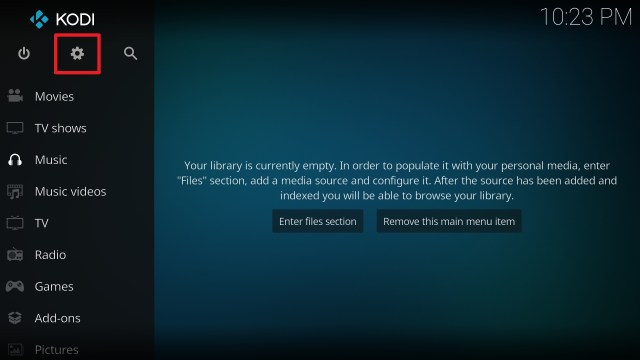


![50+ Best Free Movie Websites – 2026 Update [HD Streaming, No Buffering]](https://reviewvpn.com/wp-content/uploads/2021/11/LKDDF.png)