In this article, you are going to know how to easily install Hulu and how it will work on your Firestick device.
It is amazing how you can watch your favorite cable TV shows without any cable requirement.
By subscribing to Hulu, you can get access to the greatest and latest news, sports, movies, anime, and everything you wish to watch.
Attack on Titan, Boruto, The Undoing, The Good Doctor, and Jumanji are just some of the content that you can stream when you log in.
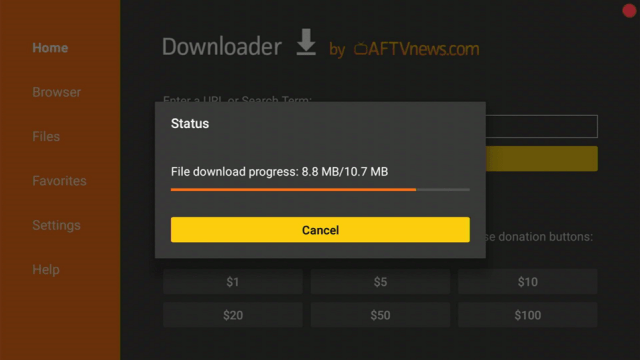
Isn’t it even more exciting to access HBO Max, Cinemax, STARZ, and Showtime content? We know you’re excited, but first, you have to jailbreak and install the “Downloader” app on your Firestick.
Once done, you can follow these simple steps to finally download the Hulu app.
Click here to get the lowest price on Surfshark through our exclusive limited-time offer.
Hulu Features
Unfortunately, Hulu is a paid app. You don’t need to worry as it offers you a 30-day free trial for you to try their service and content. Take a look at the features that it has in store for you:
Contains a massive streaming library with tons of on-demand movies and shows
Allows you to download videos and play them offline
Connects you to your favorite people through the Watch Party. It allows 8 people to join the session.
Enables you to record 50 hours of Live TV to Cloud DVR
Allows you to stream 2 screens at a time and create 6 profiles in one account
Comes with an Auto-Play feature for an uninterrupted streaming
Premium add-ons include HBO Max, Cinemax, Showtime, STARZ, Espanol, and Entertainment channels
Show Categories
National and local news
Live Sports including baseball, basketball, cycling, football, golf, hockey, racing, soccer, tennis, wrestling, and more
New shows and movies
HBO, Cinemax, STARZ, and Cinemax content
How to Download Videos from Hulu
Go to Search.
Tap Downloadable from the menu.
If you already know the title of the content that you wish to download, then simply type it in on the search bar. Otherwise, swipe through the shows, then select the movie or show you’d like to download using the down arrow button.
From “Downloads”, you can view and monitor the download progress of your favorite shows.
Legal Disclaimer: ReviewVPN.com does not encourage or endorse any illegal activity involved in the usage of services and applications referenced on this site. We do not verify the licensing agreements of services. The end-user is wholly responsible for ensuring that any media accessed through these services does not violate copyright and/or licensing laws. ReviewVPN does not promote, link to, or receive compensation from any Apps and IPTV services.
Pros and Cons
Pros
Nice user interface
Offers a 30-day free trial
Streams in 4K Ultra HD (depending on internet speed)
No need to set an appointment to install cable TV
Easy subscription cancellation and plan modification
Offers a discount for students from accredited colleges and universities in the US
Cons
Needs premium subscription after a 30-day free trial
Needs to use Mouse Toggle to navigate through the app
Geo-restricted app – only available in the US
Stream on Hulu Safely and Smoothly with Surfshark
As mentioned in the features section, Hulu content is only available in the US, and it’s absolutely sad not to enjoy this app on your Firestick. In this article, we got you a solution to this problem. We highly recommend using Surfshark, a VPN technology service that lets you access geo-restricted app content such as Hulu. Aside from this benefit, you can also take advantage of the following perks that this VPN offers:
You can bypass geo-restrictions and watch your favorite movies from any location.
You will have a safe and secure internet connection. Your online activities can be hidden and will allow you to access more content by replacing your ISP with an assigned IP address.
You can use the internet anonymously without having your personal information stolen by potential hackers especially when you connect to public WiFi.
The chance of your internet being throttled by ISPs is eliminated to avoid Firestick and Kodi buffering.
With Surfshark installed on your Firestick, you can enjoy a smooth, lag-free, secured, and protected streaming experience on Hulu.
If your Firestick still has the older interface, read this article to learn how to update it: Update Firestick Interface.
You can download Surfshark directly from the Amazon App store. It will be easy for you to find Surfshark with your Firestick’s Find feature. Refer to our screenshots below.
1. Go to the Home screen of your Firestick.
2. Navigate towards the Find tab. Press the Search button from the resulting dropdown.
3. Type in the keyword of SurfShark and select from the suggestions that will appear.
4. Click the official SurfShark icon from your search results.
5. Press the Download (You own it) button.
6. The SurfShark VPN installer will download on your device.
7. SurfShark VPN’s app will automatically install itself on your Fire TV stick.
8. Press the Open button after completing SurfShark VPN’s installation process.
9. Please wait for the SurfShark VPN to load its user interface.
10. You can now log in with your SurfShark VPN account credentials.
For more VPN discounts, go to ReviewVPN Deals and purchase the best VPN for you.
Click here to get the lowest price on Surfshark through our exclusive limited-time offer.
Hulu Alternative Apps
There are inevitable times when you might encounter trouble in using any app. This is why it is important to have a ton of alternative streaming apps. Below live TV apps are available on Firestick that you can also try:
Hulu was released last April 2014 on Amazon App Store.
Is Hulu free?
You can download and install Hulu for free, however, you need to subscribe to a premium version to access the content after the 30-day free trial.
Is the app legal?
Yes, Hulu is 100% legal and it is available in different app stores including Amazon App Store.
Are there ads?
Yes, there are ads for some plan subscriptions. You may see more of their plans without ads on their website.
Is there an app website?
Yes, you can visit and learn more about Hulu at https://www.hulu.com/welcome.
Where can I watch Hulu?
Hulu can be watched from Amazon Fire TV/Firestick, Smart TVs, Apple, and Android devices with varied required versions.
Can you watch Hulu at two different houses?
No, you must live at the same address to join and create an account in the family.
How many devices can stream Hulu in one account at the same time?
You can stream at 2 devices at a time with one account.
YOUR INTERNET ACTIVITY IS BEING WATCHED
ReviewVPN cannot attest to the legality, security and privacy of the applications discussed on this site. It is highly recommended that you use a VPN service while streaming or using Kodi.
Currently, your IP 216.73.216.171 is visible to everyone and your Browser is being tracked by Advertisers & ISP Provider.
Your activities are hidden from your ISP, the government, and from the apps you are using.
You can access additional movies and TV streams.
ISP attempts to throttle are thrwarted thus reducing buffering issues.
Geographically restricted content like Netflix and Hulu can be unblocked.
A VPN works be replacing your ISP-assigned IP address and creating an encrypted tunnel. We recommend the no log service offered by IPVanish. It works well on a Firestick and offers the fastest possible speeds.
Hulu is a lot similar to Netflix with its interface. Its edge is that you get access not only to movies, series, and shows, but also to live TV, news, and sports. However, access is limited to the US only. But like what we’ve mentioned, it’s always best to use a VPN to unblock geo-restrictions. Hulu is indeed a great alternative to your cable channels.
We hope that this write-up has helped you to successfully install Hulu on your Firestick. Feel free to comment on your feedback below. Thanks for reading!
Note: ReviewVPN.com is not affiliated with any App or IPTV Service nor are we endorsing or promoting any. The sole purpose of this article is for educational purposes only.
This tutorial will guide you on how to install Slate by Red 79 build on different streaming devices such as Android, iOS, Windows, MAC OS, firestick, fire tv, Raspberry Pi, tablets, smart TV, iOS TV, and more.
Slate by Red 79 is one of the few builds that work on the new Kodi 19.5 matrix. It is a feature-rich build with a collection of working addons. The interface is easy to navigate with well-arranged and organized sections.
This build works well on low-memory devices such as firesticks and fire tv because it only occupies less than 300 of your device’s memory. Slate by Red 79 comes with unique Kodi 19.5 Matrix skin and has the following sections: slate, movies, tv shows, fav, and add-ons.
Installation Guide of Slate by Red 79 Build
Step 1. Open your Kodi app and click on the setting icon.
Step 2. On the next window that will appear, click on the System option.
Step 3. Next, scroll down and then click on add-ons
Step 4. Now, click on unknown sources.
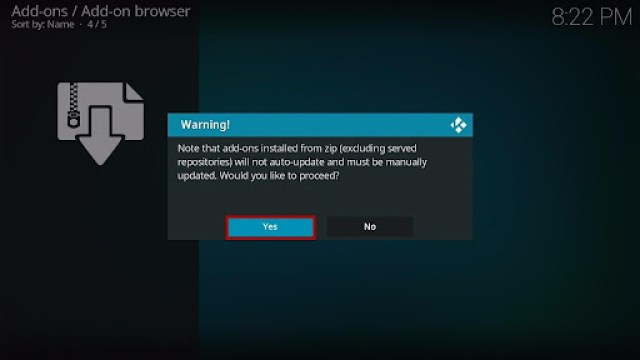
Step 5. On the warning dialog box that will appear, click on Yes.
Step 6. Now, go back to the home screen and then click on the setting icon.
Step 7. On the new windows that will appear, click on the file manager.
Step 8. Next, scroll down and click on add source
Step 9. Now, click on <none>
Step 10. Use the onscreen keyboard and type the media source URL: http://cmanbuilds.com/repo and click OK
Step 11. Next, click on “Enter a name for this media source” and type Slate by Red 79
Step 12. Now, return to the home screen and click on add-ons.
Step 13. On the new window, scroll up and click on the addon installer icon.
Step 14. Next, click on install from the zip file.
Step 15. Now, scroll down and click on Slate by Red 79
Step 16. On the next window, click on repository.cmanwizard.zip
Step 17. Next, wait for the “cMaN’s Wizard Repository add-on installed” notification (this will appear at the top right side of your screen).
Step 18. Now, click on Install from the repository
Step 19. Next, click on cMaN’s Wizard Repository
Step 20. Click on program add-ons
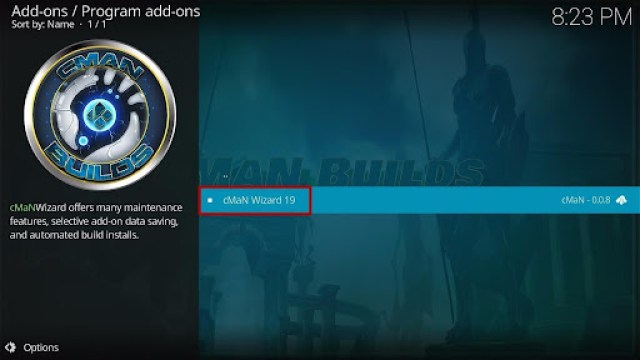
Step 21. Next, click on cMaN 19 Wizard
Step 22. On the new window that will appear, scroll down and then click on install.
Step 23. Select Ok and wait for the cMaN 19 Wizard Add-On installed notification (this will appear at the top right-hand side of your screen)
Step 24. Select OK.
Step 25. Click on Close.
Step 26. Next, Return to the home screen and click on add-ons > cMan 19 Wizard.
Step 27. Click on Build
Step 28. Select Slate by Red 79 (v1.1) and then select install
Step 29. Select Yes, Install, and then select Fresh Install and wait for the installation to complete.
Step 30. Click on OK to force close and save settings
Comes with a meta description for each movie and tv show: this allows you to have brief information of the content you want to stream.
Resume watching: this allows you to stop and start any movie from where you stopped off.
Less than 300 MB making it easy to install on low memory devices such as firestick, Chromecast, etc.
User-friendly interface
Customizable themes and skin (allows you to install more themes and skin)
Regular build update: each build comes with the addition of the latest movies, tv shows, sports, docos, and more)
Review of Slate by Red 79 Build
Slate Section
File manager, add-ons, system information, show event log, interface settings, media setting, player settings, system settings, service settings, PVR and live setting, profile setting, and games
Movie Section
Genres, year, decade, people, language, certificates, people watching, most popular, most voted, box office, Oscar winners, in theatre, new movies, IMDb keyword, popular IMDb user list, the movie most, people search and search.
Tv Section
Network, language, genres, certificates, people watching, most popular, highly rated, most voted, tv show most, airing today, new tv shows, new episodes, tv calendar, my tv shows, people search and search.
Family Section
Latest releases, latest movies, popular and ongoing series, dubbed anime, cartoons, subbed anime, movies, OVA series, search settings, etc.
Sports Section
Live events, sports, best leagues, setting, etc.
YOUR INTERNET ACTIVITY IS BEING WATCHED
ReviewVPN cannot attest to the legality, security and privacy of the applications discussed on this site. It is highly recommended that you use a VPN service while streaming or using Kodi.
Currently, your IP 216.73.216.171 is visible to everyone and your Browser is being tracked by Advertisers & ISP Provider.
Your activities are hidden from your ISP, the government, and from the apps you are using.
You can access additional movies and TV streams.
ISP attempts to throttle are thrwarted thus reducing buffering issues.
Geographically restricted content like Netflix and Hulu can be unblocked.
A VPN works be replacing your ISP-assigned IP address and creating an encrypted tunnel. We recommend the no log service offered by IPVanish. It works well on a Firestick and offers the fastest possible speeds.
Scrape streaming links from different sources in High Definition video quality.
Navigable interface
Well organized sections
Cons
Everything within this build works well. Movies and other sections play well.
Frequently Asked Questions
What is Kodi?
Kodi is an open-source media software that allows you to stream and watch free entertainment in various categories and subcategories. Kodi has been in existence for the past two decades. Currently, this software is running on version 19 Matrix. You can install and use Kodi on any hardware platform or operating system. Compatible devices include windows, mac OS, Android, iOS, Raspberry Pi, etc.
What is a Kodi Build?
A build is an application you can install on Kodi. In a nutshell, it is a bundle for addons, movies, tv shows, settings, tools, wizards, skin, themes, and many more.
Is it free to install the Slate By Red 79 Build?
Yes. It is entirely free to install and use this build. No credit card, no PayPal, no Billings details required to use Slate By Red 79 build.
Is it legal and safe to use Slate by Red 79 Kodi Build?
Yes. It is safe and legal to install and use this build. However, whatever content you stream with this build may be illegal. This is because this is a third-party build. That is why we recommend using Kodi with a VPN.
For more VPN discounts, go to ReviewVPN Deals and purchase the best VPN for you.
Click here to get the lowest price on Surfshark through our exclusive limited-time offer.
Best Alternative Build
Having an alternative build is very crucial. Consequently, I have compiled the list of our best alternative builds for 2021. You can find the list here.
Conclusion
This is one of the best builds that currently works on the new Kodi 19 Matrix. It comes with an easy-to-navigate interface. You will have no issue using this build. I recommend installing this build.
In this article, we will tell what are the best alternatives for Putlocker.
Putlocker is a website where you can stream movies and TV series for free.
It became very famous as one of the leading movie streaming websites in the UK in 2012.
It boasts a total of over 1.6 million daily visitors.
With this, the copyright owners pressed charges against the website.
Now, putlocker is down leaving many website streamers in the hang of where they will go to watch their movies and series for free.
We listed down all the possible alternatives for the putlocker website. You can stream these websites on your firestick using Silk Browser, or Firefox. You can also stream them on Android, Windows, and iOS devices.
Stream4U website is becoming more and more famous when it comes to streaming sites. It is also an ad-free website that features popular and on-demand movies and series for free.
The best part is there is no registration need before you watch any title.
It has a big search bar on the home page. You can easily look for the show that you like to stream.
Features:
100% free
No registration required
Easy play movies and shows
Vidoe qualities are high-definition
Backup server links are available
Zero to minimal buffering time
No advertisements
Good response and fast playback
Flixtor
URL: https://flixtor.stream/
Watchability: 10/10
Presence of Advertisements: Minimal pop-ups
Flixtor is very detailed in suggesting which link to choose based on the most downloads and most popular.
This may prove that it is one of the best free streaming websites there is
Although there are a few presences of pop-ups. About 1 time for every title.
Before you play any title, this website allows users to watch trailers and previews.
It is said that an average Flixtor user can access about 2 million links.
Popcornflix is a free movie and series streaming website where you can easily sign up with.
It is available not only on Firestick, Android, iOS, Windows but also on Roku.
The very bad feature of Popcornflix is the presence of advertisements within the middle of the shows.
Features:
Easy to navigate interface
Lots of movie features
One-click movies
Geo-restricted content
Ad-supported
Can sign up but not required
VexMovies
URL: http://vexmovies.org/
Watchability: 10/10
Presence of Advertisements: 0%
VexMovies is one of the great free websites to easily locate and stream any title from their database.
It provides genres like War, Action, Romance, Love, Sci-Fi, and a lot more.
This free movies online site also comes along with core features like a recommendation, trending movies section, films in various high-quality, new titles, daily updates, and a lot more.
Click here to get the lowest price on Surfshark through our exclusive limited-time offer.
Vumoo
URL: http://vumoo.to/
Watchability: 9/10
Presence of Advertisements: Pop-ups available
Vumoo offers free, unlimited video streaming.
Vumoo provides thousands of TV shows and movies available for online streaming such as popular English TV series and Hollywood movies, with tons of international titles as well,
Click here to get the lowest price on Surfshark through our exclusive limited-time offer.
Pluto TV
URL: https://pluto.tv/
Watchability: 9/10
Presence of Advertisements: Internal Video advertisements
Pluto TV is a free online streaming site owned by the mass media company, ViacomCBS, a parent company of various popular film companies as well as TV production networks.
It offers movies and series via live streaming functions.
This streaming service provides content from popular networks like Nickelodeon, MTV, and Comedy Central.
Using Pluto TV doesn’t require a monthly subscription fee.
Presence of Advertisements: Pop-ups available (Removable upon signing in)
The Movie Bay is a free streaming website that offers tons of movies and TV shows.
Users can subscribe to actors, add titles to a watchlist, generate friends, send private messages, comment, and a lot more.
The videos that the watch movies online website provide are kept on TMB servers.
YOUR INTERNET ACTIVITY IS BEING WATCHED
ReviewVPN cannot attest to the legality, security and privacy of the applications discussed on this site. It is highly recommended that you use a VPN service while streaming or using Kodi.
Currently, your IP 216.73.216.171 is visible to everyone and your Browser is being tracked by Advertisers & ISP Provider.
Your activities are hidden from your ISP, the government, and from the apps you are using.
You can access additional movies and TV streams.
ISP attempts to throttle are thrwarted thus reducing buffering issues.
Geographically restricted content like Netflix and Hulu can be unblocked.
A VPN works be replacing your ISP-assigned IP address and creating an encrypted tunnel. We recommend the no log service offered by IPVanish. It works well on a Firestick and offers the fastest possible speeds.
Presence of Advertisements: Internal video advertisements
The IMDbTV means Internet Movie Database website where all of the contents are connected or linked.
It is a free streaming website with advertisements.
You need to have an IMDb TV account for you to stream videos within the website as well as the apps.
IMDBtv is supported by lots of devices like Android devices, Amazon Fire TV devices, iOS devices, Apple TV, Roku devices, laptops, and desktop browser.
Click here to get the lowest price on Surfshark through our exclusive limited-time offer.
Afdah
URL: http://afdah.info
Watchability: 9/10
Presence of Advertisements: pop-ups are available
Afdah is considered to be one of the best free movie streaming sites to watch movies on the web.
Users can stream thousands of popular TV Series, TV shows, and movies, which they can watch immediately with any device.
All the movies on Afdah are available in High Definition (HD) quality.
Features:
Free
Easy search function
Some ads are available
Multiple servers
High definition content
Internet Archive
URL: https://archive.org/details/moviesandfilms
Watchability: 9/10
Presence of Advertisements: No pop-ups
From the name itself, the Internet Archive offers numerous golden-aged films.
The watch movies online site captures all public domain media.
Features:
100% free
No registrations
Many black and white movies
offers copyright-free titles dating back to the 1920s and 1930s
Stream Safely with a VPN
Streaming different websites, your IP is exposed to different domains. Since it is your digital fingerprint, this might be dangerous if the link you stream belongs to a hacker domain. These hackers may use your IP to do illegal activities online.
You can prevent this from happening if you use a VPN.
We are sure that Surfshark is the best VPN to use. It protects your identity and gives you so much more benefits.
Some of these are:
Gives easy access and downloads from different torrent sites without being caught.
Destroys geo-blocks that hinder you from accessing different contents.
Serves as a bridge that connects you to other servers around the world
Makes your connections and data will be kept encrypted and anonymous
Gives you an additional wall of protection especially from your ISP while surfing and streaming.
Protects your online identity from hackers, especially when you are using public wi-fi
If your Firestick still has the older interface, read this article to learn how to update it: Update Firestick Interface.
You can download Surfshark directly from the Amazon App store. It will be easy for you to find Surfshark with your Firestick’s Find feature. Refer to our screenshots below.
1. Go to the Home screen of your Firestick.
2. Navigate towards the Find tab. Press the Search button from the resulting dropdown.
3. Type in the keyword of SurfShark and select from the suggestions that will appear.
4. Click the official SurfShark icon from your search results.
5. Press the Download (You own it) button.
6. The SurfShark VPN installer will download on your device.
7. SurfShark VPN’s app will automatically install itself on your Fire TV stick.
8. Press the Open button after completing SurfShark VPN’s installation process.
9. Please wait for the SurfShark VPN to load its user interface.
10. You can now log in with your SurfShark VPN account credentials.
For more VPN discounts, go to ReviewVPN Deals and purchase the best VPN for you.
FAQs about Putlocker
Is putlocker safe?
We cannot say that this website is safe because it is now down.
Is putlocker legal?
No. the putlocker website contains movies that are copyrighted and not legal to stream.
Opinion for Putlocker
If you like to stream movies like A Beautiful Day in the Neighborhood, A Quiet Place, What We Do in the Shadows, and How High in Putlocker, you can’t do that anymore. This is because Putlocker is not available right now.
People tend to search for putlocker com, https putlocker, putlo mer, putlock4r, putlocker uk, and putlocker 3 just to look for the website.
Sorry to disappoint you. That is why we listed these alternatives to help you have the same experience as putlocker through these other streaming websites.
Final Thoughts
We hope that this article helped you learn other possible alternative websites for putlocker.
Note: ReviewVPN.com does not own or operate any app nor does it endorse any. The main purpose of this article is strictly for educational purposes only.
Watch AnimeFlix on Firestick, Android, Windows, and iOS
This write-up will teach you how to watch AnimeFlix on your Firestick, Android, Windows, and iOS devices.
If you’re a huge fan of Attack on Titan, AnimeFlix can bring you a great streaming experience of this show.
Popular anime shows such as can be watched on this website with lots of features and settings — all for free.
This streaming website also contains English dubbed anime shows.
To stream with AnimeFlix, just follow the quick guide that we have provided below.
How to Watch AnimeFlix on Firestick
On your Firestick home screen, press the center button of your Alexa remote directional pad to click the magnifying glass or the “Search” icon on the top left corner of the screen.
Type in “Amazon Silk – Web Browser” on the Search field, then click on the “Amazon Silk – Web Browser”from the suggested list below.
Select the Amazon Silk – Web Browser by pressing the center button of the directional pad.
Click “Get” to finally download the app.
Once the app download is completed, it will be automatically installed on your Firestick. Select the “Open” button to launch the Amazon Silk – Web Browser app.
Hover to the URL box of the browser.
Type in “https://animeflix.nl/”, and then click on Go.
You can now start choosing and streaming your favorite anime on AnimeFlix. You can also use the Firefox browser for Fire TV if you already have it installed on your Firestick.
If your Firestick still has the older interface, read this article to learn how to update it: Update Firestick Interface.
How to Install Watch AnimeFlix on Firestick, Android, Windows, and iOS with Screenshots
1. Click FIND.
2. Click Search.
3. Search for the Amazon Silk.
4. Select the icon of Amazon Silk.
5. Click Download.
6. Click Open.
7. Amazon Silk – Web Browser is Installed.
8. Hover to the URL box of the browser. Type in “https://animeflix.nl/” and then click on Go.
How to Watch AnimeFlix on Android, Windows, and iOS
On your device, open any browser to start. Recommended browser: Google Chrome for Android and Windows, Safari for iOS.
On the URL box, type in “https://www.animeflix.nl/” or “AnimeFlix”.
Now, you can start watching your favorite anime on your device with AnimeFlix.
How to Watch AnimeFlix on Android, Windows, and iOS with Screenshots
1. Open Google Chrome.
2. On the URL box, type in “https://animeflix.nl/
3. Enjoy Watching.
YOUR INTERNET ACTIVITY IS BEING WATCHED
ReviewVPN cannot attest to the legality, security and privacy of the applications discussed on this site. It is highly recommended that you use a VPN service while streaming or using Kodi.
Currently, your IP 216.73.216.171 is visible to everyone and your Browser is being tracked by Advertisers & ISP Provider.
Your activities are hidden from your ISP, the government, and from the apps you are using.
You can access additional movies and TV streams.
ISP attempts to throttle are thrwarted thus reducing buffering issues.
Geographically restricted content like Netflix and Hulu can be unblocked.
A VPN works be replacing your ISP-assigned IP address and creating an encrypted tunnel. We recommend the no log service offered by IPVanish. It works well on a Firestick and offers the fastest possible speeds.
Legal Disclaimer: ReviewVPN.com does not encourage or endorse any illegal activity involved in the usage of services and applications referenced on this site. We do not verify the licensing agreements of services. The end-user is wholly responsible for ensuring that any media accessed through these services does not violate copyright and/or licensing laws. ReviewVPN does not promote, link to, or receive compensation from any Apps and IPTV services.
Displays 2021 Top Anime by Day, Week, or Month, Recently Updated/Added Anime of movies, TV series, OVAs, ONAs, and specials
AnimeFlix Features
Allows you to choose video resolution from 480p, 720p, or 1080p
Displays video subtitles in English
10-second video replay
Adjusts video volume
Slows down or speeds up video playback from 0.5-2.0x
Switches video to full screen
Save the video option for your Favorites list
Switches website light on and off for a better streaming view
Provides more than one streaming server
Shows anime suggestions of a similar genre below the video
Allows you to share the website link on Facebook, Twitter, WhatsApp, Pinterest, Telegram, and Gmail
Allows you to comment using your Disqus, Facebook, Twitter, and Google accounts
Pros and Cons
Pros
Streams videos in HD quality
Cons
Displays ad anywhere and every time
Cannot download videos
Some anime shows do not play
Does not display subtitles when anime is dubbed into English
Stream Safely and Smoothly with Surfshark
We know that you hate annoying ads, interrupted video playback or buffering, and data privacy violations. Have you ever heard about VPN? Well, with Surfshark, you can get rid of the hassles and trouble that you encounter when you watch your favorite anime. It speeds up video playback by preventing your Internet Service Provider (ISP) from throttling your internet bandwidth. It blocks unwanted ads, and it absolutely protects and secures your private information while you enjoy smooth streaming. Surfshark is definitely your best buddy for streaming.
If your Firestick still has the older interface, read this article to learn how to update it: Update Firestick Interface.
You can download Surfshark directly from the Amazon App store. It will be easy for you to find Surfshark with your Firestick’s Find feature. Refer to our screenshots below.
1. Go to the Home screen of your Firestick.
2. Navigate towards the Find tab. Press the Search button from the resulting dropdown.
3. Type in the keyword of SurfShark and select from the suggestions that will appear.
4. Click the official SurfShark icon from your search results.
5. Press the Download (You own it) button.
6. The SurfShark VPN installer will download on your device.
7. SurfShark VPN’s app will automatically install itself on your Fire TV stick.
8. Press the Open button after completing SurfShark VPN’s installation process.
9. Please wait for the SurfShark VPN to load its user interface.
10. You can now log in with your SurfShark VPN account credentials.
You might be mistaken for Animixplay, Anime Flixer, and Flixster, but these are different streaming sites from AnimeFlix. It has another website: Animeflix.io which is currently down. If you could not connect to AnimeFlix, encountered some errors, or if AnimeFlix is down or not working, then you can try our reviewed anime websites on Firestick and other devices:
No, AnimeFlix is not legal. It contains merged videos from different website sources.
Is AnimeFlix safe?
Yes, you can safely watch from this site unless you click on the ads that it displays.
Are there ads?
Yes, there are ads everywhere on the website. Make sure not to click them to protect your devices from any viruses.
Where can I watch AnimeFlix?
You can stream with AnimeFlix using your Firestick, Smart TV, Android, Windows, and iOS browsers.
Where can I watch AnimeFlix?
Yes, there is an AnimeFlix app available on Google Play Store. However, we are not sure if this is the official app since the logo is different from the one on the website. Also, it is in the Spanish language. There are also APK files available for download across the internet.
AnimeFlix has the basic features of an online streaming website. However, watching offline is not possible. You simply cannot download their content. If you also want to see subtitles even on English-dubbed shows, then you have to search for other alternatives. Ads keep on popping up which is the major downside of this website. We always remind our readers not to click on these ads to protect their devices and data privacy. Overall, AnimeFlix is fairly a good free service.
We hope that we have helped you stream all your desired anime shows on AnimeFlix with this article, and know everything you need about this website.
Thank you for reading!
Note: ReviewVPN.com is not affiliated with any App or IPTV Service nor are we endorsing or promoting any. The sole purpose of this article is for educational purposes only.
This article aims to provide you with information about APKPure Premium and help you in how to install it on firestick.
What is APKPure Premium?
If you’re looking for a way how you can install apps that are not available on Amazon App Store, this app can help you with that. APKPure Premium is a downloadable APK, XAPK file installing an application that you can have on Windows PC, Firestick, and other devices.
This app supports Jailbreaking or sideloading on your Firestick, where you can get all the applications you want, even if they are not available in the Amazon Appstore. This app contains almost all applications that can be found on Play Store and other applications.
It is a good choice for Android users in which you can download all APKs and XAPKs. Thus, with this app, you don’t have to worry about any restrictions because it is an Open-source service that makes it easy and accessible for everyone.
Is APKPure Safe and Virus-free?
We tested this app using VirusTotal and found no threats or any malicious files and malware.
Despite having good results, we still need to be vigilant in protecting our privacy while streaming.
A Virtual Private Network or VPN will definitely help us maintain our security and anonymity while using APKPure.
How To Install APKPure Premium App using Third-party App
On your Firestick Main Menu scroll and go to Settings.
Tap on My Fire TV.
Select the Developer Options.
Select on the Apps from Unknown Sources.
Select on Turn On.
NOTE: Turning on Unknown Sources is not necessary for installing Downloader apps. However, you need to enable it in order to install a third-party application using Downloader,
Go back to your home screen and go to the Search bar.
2. Open Downloader App. Type https://apkpure.com and click Go.
3. Click Download.
4. Click Download.
5. Click Install.
6. Click Open.
7. APKPURE is Installed.
YOUR INTERNET ACTIVITY IS BEING WATCHED
ReviewVPN cannot attest to the legality, security and privacy of the applications discussed on this site. It is highly recommended that you use a VPN service while streaming or using Kodi.
Currently, your IP 216.73.216.171 is visible to everyone and your Browser is being tracked by Advertisers & ISP Provider.
Your activities are hidden from your ISP, the government, and from the apps you are using.
You can access additional movies and TV streams.
ISP attempts to throttle are thrwarted thus reducing buffering issues.
Geographically restricted content like Netflix and Hulu can be unblocked.
A VPN works be replacing your ISP-assigned IP address and creating an encrypted tunnel. We recommend the no log service offered by IPVanish. It works well on a Firestick and offers the fastest possible speeds.
Legal Disclaimer: ReviewVPN.com does not encourage or endorse any illegal activity involved in the usage of services and applications referenced on this site. We do not verify the licensing agreements of services. The end-user is wholly responsible for ensuring that any media accessed through these services does not violate copyright and/or licensing laws. ReviewVPN does not promote, link to, or receive compensation from any Apps and IPTV services.
1. APKPure interface – this app has a very simple and user-friendly interface, where users can easily download applications with just one tap.
2.Huge Library – it has a huge Library that contains varieties of the best application and games. You choose from a variety of application such as
Hot Games
Hot Apps
Category
Apk Downloader
Discover App
Editor’s Choice
Pre-register
Game on sales
Topics
iPhone App
3. Update Not Available apps- this is the perfect place to download and update not available apps in which it offers you plenty of applications that are not available on the Google Play store or in the Amazon Appstore. Discover new Android Games and Amazing applications on your devices,
4. Easy to Install – Install the app with just one click along with different management tools such as the XAPK Installer, APK Downloader, and AppsAPK Management, and more.
5. Supported Accounts – easy to sign up with APKPure because it allows you to sign in with your accounts such as Facebook Account, Google Account, and Twitter Account.
6. Latest News about Popular Apps – APKPure gives you the latest list of popular applications and updates you on the latest available versions of your app.
How to Create an Account for APKPure Premium?
Here is the step-by-step guide on how you can create an account:
On the right side of your screen click on the menu bar and select the Sign In button
If you have an existing account on APKPure just enter your Username and Password, but if you are new in APKPure, Click the ‘New User Registration’ or Continue with your Facebook, Google, and Twitter accounts.
This will navigate you to the Sign-Up section, from there enter your Username, Email, Password and Tap the Sign Up button
After that, it will bring you to the home screen of the app and That’s it you now have your own account.
Supported Languages
APKPure supports varieties of language for you to easily understand what was written, this includes:
English
Portugues
Español
Thailand
Chinese
Korean
Indonesia
Italian
Netherlands
Polish
Dutch
French
Turkish
Malay
Compatible Devices
Here is the list of supported devices of APKPure:
Firestick
Android Devices
Mac
Windows PC
Chrome OS
SaaS
Kindle Fire
Linux
Pros and Cons
Pros
Bypass Geo-Restrictions of apps
Multi-Download apps at the same time
App Management
Night mode
Update Suggestions
Fewer Errors than Google Play
Cons
Unknown Developers
Prone to Malware and Viruses
Unknown Authors
FAQs
History
APKPure is a software download founded by the APKPure Team in 2014.
Is this app safe?
There is no guarantee that this app is 100% safe.
Are their apps secured?
Unfortunately not, some of the applications have unknown developers that’s why they don’t guarantee the apps are completely secured.
Here are some alternative applications for downloading apps.
Apkplaygame.com
GetApk
APKMirror
Downlor.com
Aptoide
QuickAPK.com
1AppMarket
Mobango
Aurora
Uptodown
Protect Privacy with Surfshark
APKPure, as I have mentioned above is the perfect app for sideloading apps on other devices. Where this kind of installation is prone to malware and security threats that’s why you need a VPN to ensure your safety while sideloading. We highly recommend that you use Surfsharkbecause it provides a lot of benefits to its users.
Here are the reasons why it is our VPN of choice:
Bypass Restrictions and Censorship
Automatically hide your IP Address to ensure your privacy.
Bypass Geo-Blocking
Stop ISPs interfering with your internet connection
Note: For more information about Surfshark, please read our Surfshark Review.
An APKPure Premium is a good option for users who want to download apps on their devices but can’t find them in their Provided store. A good application that supports side loading but to ensure security you need a Surfsharkfor installation.
We hope that this article gives you insights about APKPure and how to install it on Firestick.
This article will show how to stream 123movies on your devices.
123Movies is a streaming website that provides a massive and up-to-date library for movies and even TV series for free. It has a simple interface where you can easily search for any title that you’d like to watch.
It works by finding the best links to watch any show.
This website has become very popular throughout the years. It had its up and down seasons due to several name and domain switches that it has undergone.
But now, 123Movies is perfectly working with a lot of new titles to offer.
There must have been a lot of websites named after 123Movies, but we consider 123movies-to.org as the official website.
You can stream this website on your Firestick, Android, Windows, and iOS.
If your Firestick still has the older interface, read this article to learn how to update it: Update Firestick Interface.
How to Stream 123Movies on Firestick
To stream 123movies, you need to have a browser installed on your firestick. You can use either Amazon Silk Browser or Firefox.
But it is important to use Mouse Toggle so you can easily navigate through any browser you use.
We always suggest having a VPN whenever you are streaming on any website on the internet.
1. Click FIND.
2. Click Search.
3. Search for Silk Browser.
4. Tap on the Silk Browser icon when it appears
5. Click on the Get or Download button
6. Wait for the app to be installed
7. Select Open to launch the app
8. Hover to the search bar of the app
9. Type in 123movies-to.org and then click on Go.
10. When the suggestion box pops in click on Cancel.
11. Now you can search any show on 123movies.
YOUR INTERNET ACTIVITY IS BEING WATCHED
ReviewVPN cannot attest to the legality, security and privacy of the applications discussed on this site. It is highly recommended that you use a VPN service while streaming or using Kodi.
Currently, your IP 216.73.216.171 is visible to everyone and your Browser is being tracked by Advertisers & ISP Provider.
Your activities are hidden from your ISP, the government, and from the apps you are using.
You can access additional movies and TV streams.
ISP attempts to throttle are thrwarted thus reducing buffering issues.
Geographically restricted content like Netflix and Hulu can be unblocked.
A VPN works be replacing your ISP-assigned IP address and creating an encrypted tunnel. We recommend the no log service offered by IPVanish. It works well on a Firestick and offers the fastest possible speeds.
Legal Disclaimer: ReviewVPN.com does not encourage or endorse any illegal activity involved in the usage of services and applications referenced on this site. We do not verify the licensing agreements of services. The end-user is wholly responsible for ensuring that any media accessed through these services does not violate copyright and/or licensing laws. ReviewVPN does not promote, link to, or receive compensation from any Apps and IPTV services.
It is very important to use a VPN when you are streaming any website on your device.
1. Launch any browser on your device. For this example, we will use google.
2. Seach for 123movies-to.org
3. There you go, you can now watch any shows on your android device.
How to Stream 123Movies on Windows
Make sure that there is a VPN running on your windows device when you stream on any website.
1. Launch any browser on your computer, PC, or Windows. For this one, we are going to use Google.
2. Search for 123movies-to.org
How to Stream 123Movies on iOS
Run your VPN on your iOS device before streaming on any website.
1. Launch the safari browser on your iOS device.
2. Type 123movies-to.org and click on Go.
3. You can now stream any show on your iOS device
Website Features
Easy-to-use interface
Simple 1 search bar home page
Provides links to different shows
Most of the links are to fmovies.to website
100% free
No registrations
Can search any title of your choice
Pros and Cons
Pros
Free
Easy-to-use
Cons
advertisements are present
pop-ups when you play any show on fmovies
Inconsistent in such a way that the website is sometimes down
Stream Safely with a VPN
In streaming any website, your IP which serves as your digital fingerprint is exposed to different domains. This might be dangerous if the link you stream belongs to a hacker domain. If this happens, hackers may use your IP to do illegal activities on the internet. This might is very harmful to your identity and safety. You can prevent this from happening if you use a VPN.
We tested and proved that Surfshark is the best VPN to use. It protects your identity and gives you so much more benefits.If you want to know more about this VPN, kindly read our Surfshark Review.
Gives easy access and downloads from different torrent sites without being caught.
Destroys geo-blocks that hinder you from accessing different contents.
Serves as a bridge that connects you to other servers around the world
Makes your connections and data will be kept encrypted and anonymous
Gives you an additional wall of protection especially from your ISP while surfing and streaming.
Protects your online identity from hackers, especially when you are using public wi-fi
The internet is filled with so many sites where you can stream movies and shows. You just have to be careful on streaming any website. So we really suggest using a VPN like Surfshark to make sure that you are safe and secure while streaming.
We listed down a lot of alternative websites to watch movies and shows aside from 123movies:
We have tested the following 123movies websites and listed down those that are currently working where you can stream movies and shows.
Here is the list of 123movies that works:
https://123moviesgo.ga/
https://ww.123moviess.gdn/
https://www9.0123movies.com/
https://wvw1.123movies.net/
https://123movies-i.net/
https://123movies.market/
https://w7.123movie.cc/
http://ww1.0123movies.su/
FAQs
Is 123movies safe?
We tested 123movies-to.org on Virus Total and found no threat or any malicious domain hosting the website.
Is 123movies legal?
We were unable to confirm if 123movies underwent all the legality that it needs to stream movies and shows for free. Just to be sure, make sure to use a VPN when you stream the site.
Is A Quiet Place 2 available on 123Movies?
Only A Quiet Place 2018 movie is available on 123movies at the moment.
Are 123movies go, 123movies la, 123movieme the same as 123movies to?
These websites have the same 123movies name but they have different domains.
Is there a 123movies downloader?
You can use the Free HD Movies Downloader to download movies from 123movies.
Is 123movies.com the official site?
We recommend this URL, 123movies-to.org when you search for 123movies.
Opinion
When you like to watch movies online, you can really rely on 123movies. This website mostly focuses on FMovies links. But it is still worth the try.
People tend to search for different sites like 123movies gomovies, and 123 movies but you can really use 123movies-to.org as the 123movies unblocked site.
We hope that this article helped you stream 123movies on your devices.
YOUR INTERNET ACTIVITY IS BEING WATCHED
ReviewVPN cannot attest to the legality, security and privacy of the applications discussed on this site. It is highly recommended that you use a VPN service while streaming or using Kodi.
Currently, your IP 216.73.216.171 is visible to everyone and your Browser is being tracked by Advertisers & ISP Provider.
Your activities are hidden from your ISP, the government, and from the apps you are using.
You can access additional movies and TV streams.
ISP attempts to throttle are thrwarted thus reducing buffering issues.
Geographically restricted content like Netflix and Hulu can be unblocked.
A VPN works be replacing your ISP-assigned IP address and creating an encrypted tunnel. We recommend the no log service offered by IPVanish. It works well on a Firestick and offers the fastest possible speeds.
Note: ReviewVPN.com does not own or operate any app nor does it endorse any. The main purpose of this article is strictly for educational purposes only.
Watch 4Anime on Firestick, Android, Windows, and iOS
This article will show you how to stream on 4Anime with Firestick, Android, Windows, and iOS devices.
Several anime streaming websites and apps are being used by weebs. Have you tried 4Anime?
We are going to give you an overview of a great anime streaming website, 4Anime.
This website contains your favorite shows such as Horimiya, Boruto, Attack on Titan, Mugen Train, Jujutsu Kaisen, and One Piece.
You can also watch girl best friends and girl memes anime on this website. There are dubbed animes on 4Anime but just from the VIP website that you can read on the alternatives section of this article.
On your Firestick home screen, press the center button of your Alexa remote directional pad to click the magnifying glass or the “Search” icon on the top left corner of the screen.
Type in “Amazon Silk – Web Browser” on the Search field, then click on the “Amazon Silk – Web Browser”from the suggested list below.
Select the Amazon Silk – Web Browser by pressing the center button of the directional pad.
Click “Get” to finally download the app.
Once the app download is completed, it will be automatically installed on your Firestick. Select the “Open” button to launch the Amazon Silk – Web Browser app.
Hover to the URL box of the browser.
Type in “https://www.4Anime.ch/” or “4Anime”, and then click on Go.
You can now start choosing and streaming your favorite anime on 4Anime.
You can also use the Firefox browser for Fire TV if you already have it installed on your Firestick.
If your Firestick still has the older interface, read this article to learn how to update it: Update Firestick Interface.
How to Install Watch 4Anime on Firestick, Android, Windows, and iOS with Screenshots
1. Click FIND.
2. Click Search.
3. Search for the Amazon Silk.
4. Select the icon of Amazon Silk.
5. Click Download.
6. Click Open.
7. Amazon Silk – Web Browser is Installed.
8. Hover to the URL box of the browser. Type in “https://4Anime.ch/” and then click on Go.
9. Enjoy watching.
How to Watch 4Anime on Android, Windows, and iOS
On your device, open any browser to start. Recommended browser: Google Chrome for Android and Windows, Safari for iOS.
On the URL box, type in “https://4Anime.ch/” or “4Anime”.
Now, you can start watching your favorite anime on your device with 4Anime.
How to Watch 4Anime on Android, Windows, and iOS with Screenshots
Allows you to bookmark or save your favorite anime
Rewinds the video by 10 seconds
Adjusts volume
Allows you to download video
Displays English subtitles
Slows down or speeds up video playback from 0.5-2x
Switches video to full screen
Allows you to select a video server for streaming
Offers to expand the option to remove the sidebar content
Turn the website light on and off option
Interface
Search bar/engine
Dark mode
Quick filter: Genre, Studio, Type, Season, Status, and Default Order
Quick links to the Latest Release shows
Sort from A-Z list of anime
Shows upcoming schedule of next uploads
Displays Top Anime shows on the sidebar
Anime Genres
Action
Adventure
Comedy
Dementia
Demons
Drama
Ecchi
Fantasy
Game
Harem
Historical
Horror
Kids
Magic
Martial Arts
Mecha
Military
Music
Mystery
Parody
Police
Psychological
Romance
Samurai
School
Sci-Fi
Seinen
Shoujo
Shoujo Ai
Shounen
Slice of Life
Sports
Super Power
Supernatural
Thriller
Vampire
YOUR INTERNET ACTIVITY IS BEING WATCHED
ReviewVPN cannot attest to the legality, security and privacy of the applications discussed on this site. It is highly recommended that you use a VPN service while streaming or using Kodi.
Currently, your IP 216.73.216.171 is visible to everyone and your Browser is being tracked by Advertisers & ISP Provider.
Your activities are hidden from your ISP, the government, and from the apps you are using.
You can access additional movies and TV streams.
ISP attempts to throttle are thrwarted thus reducing buffering issues.
Geographically restricted content like Netflix and Hulu can be unblocked.
A VPN works be replacing your ISP-assigned IP address and creating an encrypted tunnel. We recommend the no log service offered by IPVanish. It works well on a Firestick and offers the fastest possible speeds.
Legal Disclaimer: ReviewVPN.com does not encourage or endorse any illegal activity involved in the usage of services and applications referenced on this site. We do not verify the licensing agreements of services. The end-user is wholly responsible for ensuring that any media accessed through these services does not violate copyright and/or licensing laws. ReviewVPN does not promote, link to, or receive compensation from any Apps and IPTV services.
How to Download Videos from 4Anime
Using your browser, select an anime that you want to watch.
When the video opens, navigate through the video screen, then select the Arrow Down or download button.
Tap on the downloaded video to view and finally watch your favorite anime offline. Enjoy watching!
Pros and Cons
Pros
User-friendly interface
Specified anime genres for easy search
It Plays HD video quality
Displays viewer ratings and anime show details such as Synopsis, Status, Studio, Year of Release, Duration, Season, Type, and Censor that lets you know if you would want to watch the show
You can give comments anonymously by providing your name and e-mail address
You can share the anime link on Facebook, Twitter, and WhatsApp
Cons
Contains ads upon pressing the “Play” button
How to Stop Buffering on 4Anime
To prevent video buffering, you will need to have a strong internet connection especially when you stream on 4Anime. Aside from this requirement, you may not be aware that you are accessing a public website. This exposes your devices to potential threats. Hackers might be anywhere to phish or steal your personal information, especially when you log in using your social media accounts. To conceal your internet activity and device data, we recommend using a VPN such as Surfshark. Using Surfshark does not only give you online security, but it helps you get rid of annoying ads. Your streaming experience will also improve when you use a VPN. It speeds up your streaming since it prevents your Internet Service Provider (ISP) from throttling your internet connection. Say goodbye to buffering when you choose to use Surfshark.
How to Install Surfshark on Android and Windows
Launch the Google Play Store app on your Android device.
Select the Google Play search box, and type in “Surfshark”.
Select Surfshark from the results and tap the “Install” button.
After the app is installed, tap the “Open” button.
When you open the app, you will be redirected to the Surfshark login screen. Here, enter your Surfshark username and password, and tap the “Login” button to finally log into Surfshark.
Select either “Begin Tutorial” to learn more about the Surfshark app, or if you are already familiar with the app, simply tap the “Skip” option.
You will now see the Quick Connect screen. Select your preferred country, city, and server below the Quick ConnectPreferences section, and then tap the “Connect” button.
Select OK when the Connection request pops up to authorize Surfshark to connect and route your internet traffic through VPN servers.
From this screen, you can now see the Connection Status, IP Address, Location, Time Connected, and the Server to which you are connected from this screen.
To confirm if you are already connected via a Surfshark server, you will see a graph displaying the connection status and the “Disconnect” button displayed at the bottom of the screen.
Click here to get the lowest price on Surfshark through our exclusive limited-time offer.
How to Install Surfshark VPN on Firestick
If your Firestick still has the older interface, read this article to learn how to update it: Update Firestick Interface.
You can download Surfshark directly from the Amazon App store. It will be easy for you to find Surfshark with your Firestick’s Find feature. Refer to our screenshots below.
1. Go to the Home screen of your Firestick.
2. Navigate towards the Find tab. Press the Search button from the resulting dropdown.
3. Type in the keyword of SurfShark and select from the suggestions that will appear.
4. Click the official SurfShark icon from your search results.
5. Press the Download (You own it) button.
6. The SurfShark VPN installer will download on your device.
7. SurfShark VPN’s app will automatically install itself on your Fire TV stick.
8. Press the Open button after completing SurfShark VPN’s installation process.
9. Please wait for the SurfShark VPN to load its user interface.
10. You can now log in with your SurfShark VPN account credentials.
Yes, it is safe as long as you do not click on the ads.
Is 4Anime legal?
Unfortunately, it is not legal since it features unlicensed shows on their websites.
Are there ads in watching 4Anime?
Yes, there are ads but only minimal. They appear whenever you press the “Play” button, or before playing the videos.
Does 4Anime have viruses?
Yes, some ads might contain viruses that might harm your device. Be careful not to click these ads.
How soon do 4Anime shows come out?
4Anime release schedule does not have a specific time. It is estimated only based on the previous week’s latest update. The current week’s episodes may be released sooner or later.
What is the link for 4Anime discord?
You can log in or register to the 4Anime discord group at https://discord.com/ where you can see updates, announcements, events, and giveaways. You can also interact with thousands of members by simply using your browser or downloading the Discord app.
Where can I watch 4Anime?
You can watch 4Anime content on your Fire TV/Firestick, Android, Windows, and Apple devices using any browser.
Conclusion
4Anime is the best anime streaming website that we have reviewed so far. It’s free and contains only minimal ads. Specified genres and show categories are also remarkable. This helps its viewers stream more efficiently. To prevent any video playback issue and online security and protection, always use our recommended VPN, Surfshark.
We hope that this article has helped you watch 4Anime on your Firestick, Android, Windows, and iOS devices. Thank you for reading!
Note: ReviewVPN.com is not affiliated with any App or IPTV Service nor are we endorsing or promoting any. The sole purpose of this article is for educational purposes only.
This article aims to provide you with information about the Twitch TV app and help you with how to install it on Firestick. If you are a video game lover, this article is for you.
Twitch is a popular video-streaming platform for gamers. It offers a fun streaming experience of your favorite video games and a social way where you can interact with different players worldwide.
Through Twitch you can watch gamers or known as streamers broadcast their play and provide a running commentary on the action for its viewers. Anyone can stream on Twitch, all you just need to do is to create an account.
In this app you can see skilled players and celebrities streaming, you can also interact with them by commenting on their live streams. Enjoy live streaming gaming videos, Esports, and any IRL broadcast, with Twitch you can also stream your favorite MMO RPG, PUBG showdowns, Minecraft sessions, stunning FIFA 18 Goals, Hearthstone matchups, League of Legends, and more fun games to stream.
Trivia about Twitch: Did you know that Streamers on Twitch often host streams to raise money for charity events? YES! In fact, in 2013 the website hosted an event that has raised over US$8 million for charitable purposes and in 2017 twitch raised over US$75 million still for charitable purposes such as Extra Life and other charities. Stream and connect to your favorite streamers/players on Twitch! Continue reading and know more about Twitch TV apps.
How to Install Twitch TV App on Firestick
Twitch is now available on Smart TVs such as Firestick, and here is a guide on how you can install Twitch.
On your Firestick home screen, look for the Search button (Magnifying glass icon)
On the search bar, Type in Twitch TV
Select on the suggestion
Click the icon of the Twitch TV
Select on the Get or Download button to install the app
Wait a few minutes for the app to be installed
Click Open to launch the app
If your Firestick still has the older interface, read this article to learn how to update it: Update Firestick Interface.
How to Install Twitch TV App on Firestick, a Screenshot Guide
From there you will see a bar code and an 8-digit code.
Go to the official website of Twitch: just click on this link Twitch.tv Activate.
From there you will see, Activate Your Device.
Enter your Code and Click ACTIVATE. You can also scan the barcode and a notification will pop up on your device, click that and it’ll direct you to the website.
Click on the Sign-Up. Note: If you already have a Twitch account just enter your account information and click login or Simply continue it with your Facebook account.
Enter all your information such as Username, Password, Date of birth, and email address. After that click Sign up.
After that, you need to verify your email by putting the code that they sent in your Email address. Click on submit.
Wait for a few seconds for account verification.
Click on Authorize.
That’s it! Your account will be automatically logged in, to the Twitch TV app on Firestick.
Top 3 Features of Twitch TV App
1. Twitch Stream
Watch different gamers play various video games such as Fortnite, Minecraft, PUBG, FIFA 18, League of Legends, DOTA 2, and more. It allows you to stream content from the popular and biggest gaming services such as MMO RPG, MOBA, Strategy, and FPS games. You can see your favorite streamer and celebrities playing their games and also be updated with the upcoming Esports tournaments.
2. Twitch Live Chat
Twitch allows you to communicate during a game. You can talk about Hearthstone’s strategy with your fellow gamers. No need to worry about any spam messages because in the app settings you can prevent people from sending you unsolicited private messages.
3. Twitch Broadcast
If you plan to broadcast your gaming content, Then go! This app supports live streamers to show off their game content and earn money.
Categories
Twitch offers numerous content and video games to enjoy, you can browse from Games, IRL Categories, Music, and Esports.
Games – Enjoy streaming with Twitch gaming categories such as Action, Adventure, Shooter, MOBA, Strategy, Role Playing, Racing, Sports, Card & Board Games, Horror and Fighting,
IRL categories – Choose from IRL categories such as Art, Talk Shows & Podcast, ASMR, Scient & Technology, Makers & Crafting, Travel & Outdoors, Food & Drink, Sports, Politics, Fitness & Health, and Just Chatting.
Music – With Twitch you can also listen to Electronic music, Dance Music, Hip hop, Pop, Indie Music, World Music, Rock, R&B, Alternative Music, Soul Music, Acoustic, Jazz, Blues, and Classical.
Esports- Stay up to date with Live Tournaments, match Highlights and watch your favorite pro-players, all in one place. Watch Esports such as Counter-Strike, Valorant, Dota 2, League of Legend, Fortnite, Apex Legends, Chess, Call of Duty, Rocket League, Overwatch, the world of warcraft, Street Fighter FIFA 21, Hearthstone, NBA 2k21, PUBG, and more.
Stream Safe with Surfshark
Streaming online requires lots of internet data. However, because of limited bandwidth, you cannot enjoy smooth streaming. That is why you need a VPN to provide you unlimited bandwidth and at the same time protect all your online information to keep you away from online hackers. We highly recommend that you use Surfshark because it offers you a high-speed connection and unlimited bandwidth for a smooth streaming experience. This also provides you impressive security features, wherein in terms of encryption, Surfshark uses AES 256-bit encryption which is the same standard encryption to the United States that safeguard all your data.
Here are the reasons why it is our VPN of choice:
Stop ISPs interfering with your internet connection
Fast Network and Secure Connections
Bypass Restrictions and Censorship
Automatically hide your IP Address to ensure your privacy.
Click here to get the lowest price on Surfshark through our exclusive limited-time offer.
How to Install Surfshark VPN on Firestick
If your Firestick still has the older interface, read this article to learn how to update it: Update Firestick Interface.
You can download Surfshark directly from the Amazon App store. It will be easy for you to find Surfshark with your Firestick’s Find feature. Refer to our screenshots below.
1. Go to the Home screen of your Firestick.
2. Navigate towards the Find tab. Press the Search button from the resulting dropdown.
3. Type in the keyword of SurfShark and select from the suggestions that will appear.
4. Click the official SurfShark icon from your search results.
5. Press the Download (You own it) button.
6. The SurfShark VPN installer will download on your device.
7. SurfShark VPN’s app will automatically install itself on your Fire TV stick.
8. Press the Open button after completing SurfShark VPN’s installation process.
9. Please wait for the SurfShark VPN to load its user interface.
10. You can now log in with your SurfShark VPN account credentials.
ReviewVPN cannot attest to the legality, security and privacy of the applications discussed on this site. It is highly recommended that you use a VPN service while streaming or using Kodi.
Currently, your IP 216.73.216.171 is visible to everyone and your Browser is being tracked by Advertisers & ISP Provider.
Your activities are hidden from your ISP, the government, and from the apps you are using.
You can access additional movies and TV streams.
ISP attempts to throttle are thrwarted thus reducing buffering issues.
Geographically restricted content like Netflix and Hulu can be unblocked.
A VPN works be replacing your ISP-assigned IP address and creating an encrypted tunnel. We recommend the no log service offered by IPVanish. It works well on a Firestick and offers the fastest possible speeds.
Twitch is a good streaming service for gamers who want to interact with their co-players online and watch multiple live streamers and gain access to different gaming content from their favorite players. This app is very easy to use and a good option for video game lovers. It is a free streaming application that you can have on your Firestick.
We hope that this article gives you information about the Twitch TV app and helps you with how you can install it on Firestick.
In this article, you will learn how to install Element V1.1 build on different streaming devices such as Android, Raspberry Pi, Chromecast, Mac OS, firestick, tablets, etc.
Element is a new build and one of the few compatible builds with Kodi 19.5 Matrix. Element is a lightweight Kodi build within the CMan Wizard repository. One good side of this build is that it has add-ons dedicated to providing streaming links for every section.
You will find within this build, the following sections: movies, tv shows, kids, sports, addons, settings, and power. You need Real-Debrid authorization to use the Element Kodi build.
How to Install Element Reborn Kodi Build with Screenshot
Installing a Kodi build has a lot of processes to take. That is why we will guide you step by step on how you can install it on Kodi.
Follow the following steps below.
1. On your Firestick, open Kodi and go to Settings.
2. Select on System.
3. Click on the Add-ons menu and Turn ON the Unknown Sources.
4. Select Yes when the box appears.
5. Go back one step and click on File Manager.
6. Select the Add Source.
7. A box will pop up, so click on the ‘None’ option.
8. Now type in this URL http://cmanbuilds.com/repo and click OK.
9. Name this URL as cman and tap OK.
10. After that, go back to the system menu and select Add-ons.
11. Click Install from Zip File.
12. When a box pop up, tap the Yes button.
13. Select cman or any name you have given.
14. Choose repository.cMaNWizard.zip
15. Wait a few minutes for the addon to be installed. After that, an icon will appear at the top menu.
16. Tap the Install from Repository.
17. Then select cMaN’s Wizard Repository from the list.
18. Select the Program add-ons.
19. Click cMaN Wizard 19.
20. Tap the Install button.
21. Wait for the cMaN Wizard 19 installed notification.
22. Wait for the Installed message to appear and click the Continue.
23. Tap the Close.
24. Go back to the Kodi home screen and scroll down to Addon.
25. From the Program add-ons, select cMaN Wizard 19.
26. Select Builds.
27. Scroll down and select Element Reborn.
28. Click Fresh Install.
29. Tap on the Yes button.
30. Wait for thebuildto download.
31. Click the OK button.
32. Launch your Kodi again.
33. That’s it! You have successfully installed Element Reborn Kodi Build.
Features of Element Kodi Build
Easy to customize the interface with a standard layout.
Well-structured sections and subsections.
AEON NOX Matrix skin and theme. Also, you can download more themes and skin as you wish.
Intelligent search bar
No need for a mouse toggle for firestick
Scrapes streaming links in High Definition video quality.
Regular build update with the addition of latest movies, tv shows, live tv, and more.
Easy to install and setup.
Review of Element Kodi Build
Movie Section
Movies: genres, year, decade, people, language, certification, people watching, most popular, most voted, box office, Oscar winners, in the theatres, new movies, IMDb keyword search, popular and. User lists, movie most, my movies, people search and search, Movies collection, tv shows collection, movies watchlist, tv shows watchlist, Recently watch movies, based on recently watched tv shows, your TV shows airing this week, trending.
Tv shows Section
Genres, network, language, certifications, people watching, most popular, highly rated, most voted, tv show most, airing today, new tv shows, new episode, tv calendar, my tv shows, people search and search
Sports Section
Live events, sports, best leagues, settings, version 0.1.7, sports football, basketball, motorsports, handball, rugby, NFL, UFC, wrestling, hockey, volleyball, darts, tennis, boxing, cricket, baseball, snooker, chess.
Legal Disclaimer: ReviewVPN.com does not encourage or endorse any illegal activity involved in the usage of services and applications referenced on this site. We do not verify the licensing agreements of services. The end-user is wholly responsible for ensuring that any media accessed through these services does not violate copyright and/or licensing laws. ReviewVPN does not promote, link to, or receive compensation from any Apps and IPTV services.
YOUR INTERNET ACTIVITY IS BEING WATCHED
ReviewVPN cannot attest to the legality, security and privacy of the applications discussed on this site. It is highly recommended that you use a VPN service while streaming or using Kodi.
Currently, your IP 216.73.216.171 is visible to everyone and your Browser is being tracked by Advertisers & ISP Provider.
Your activities are hidden from your ISP, the government, and from the apps you are using.
You can access additional movies and TV streams.
ISP attempts to throttle are thrwarted thus reducing buffering issues.
Geographically restricted content like Netflix and Hulu can be unblocked.
A VPN works be replacing your ISP-assigned IP address and creating an encrypted tunnel. We recommend the no log service offered by IPVanish. It works well on a Firestick and offers the fastest possible speeds.
Step 1. Log in to your real Debrid account or create one here.
Step 2. Launch Element Kodi builds and on the home screen, click on settings.
Step 3. Next, use your remote to click left. On the submenu, select ResolveURL.
Step 4. On the universal Resolvers menu, navigate downward and then select Re Authorize My account (this is under real Debrid.
Step 5. Click OK.
Step 6. Next, copy out the code that will appear on your screen.
Step 7. Launch your browser and then go to https://real-debrid.com/device
Step 8. Enter the code from step 6 and select Continue.
Step 9. Go back to Elements build and you will notice that Real Debrid is now approved.
Frequently Asked Questions
What is Element Kodi Build?
Element is a feature-rich build within the cMan Wizard repository. It is an all-encompassing build offering you a huge collection of addons, tv shows, repositories, and a beautiful interface.
What is Kodi?
Kodi is an open-source media software. It was released in 2002 as an Xbox media player and since then, this software has evolved into a world-class streaming software.
Is it legal to use Element Kodi Build?
Yes. It is legal to install and use this build. However, whatever content you access on this build may not be legal. Consequently, I recommend using Kodi with a VPN.
Is it free to use Element Kodi Build?
Yes. It is entirely free to install and use this build.
Do I need a VPN to use Element Build?
Yes, I recommend using a VPN like Surfshark each time you are streaming with Kodi. AVPN will encrypt and mask your IP address to appear as a secure, private, and anonymous user on the internet service provider network. If you want to know more about this VPN, kindly read our Surfshark Review.
I recommend having alternative builds ready as you do not know when your current build will stop working. Check out the list of our best alternative builds here.
Note: These builds only work on Kodi Leia 18.9 and below.
Conclusion
Element Kodi build is a bank for movies, tv shows, kids shows, and lots more. It comes with an easy-to-navigate interface and has tons of features for an improved streaming experience. I recommend you try this build and share your thoughts.
In this article, we will help you install DaeMon Kodi Build on Firestick.
In this tutorial, you are going to learn how to install Daemon build on firestick, Android, Windows, MAC OS, smart TV, Raspberry Pi, Chromecast, and lots more. DaeMon is a build within the G-Man Matrix Wizard.
This Kodi build is among the few builds that work on the new Kodi 19.5 Matrix. It scrapes streaming links in HD video quality using Oath and Seren Kodi addons. It is a lightweight build with approximately 200 MB making it work so well on low-memory devices such as Firestick tv and Chromecast.
The interface is unique with Daemon AEON NOX slvo skin and theme. Sections within this amazing build include kids’ stuff, extras, system, tv shows, movies, etc. You will need to authorize your Real Debrid account before using this build.
Note: The official Kodi 19.5 Matrix has arrived, but some third-party builds and add-ons are not supported/working properly. To continue enjoying Kodi, we suggest you continue using the old Kodi Leia 18.9 pending when developers will fix this issue.
How to Install DaeMon Kodi Build
Step 1. Open your Kodi app and click on the setting icon.
Step 2. Click on the System option.
Step 3. Click on add-ons
Step 4. Click on unknown sources.
Step 5. Click on Yes.
Step 6. Go back to the home screen and click on the setting icon.
Step 7. Click on the file manager.
Step 8. Click on add source
Step 9. Click on <none>
Step 10. Type the media source URL: http://streamingave.com/gman and click OK
Step 11. Click on “Enter a name for this media source” and type DaeMon
Step 12. Return to the home screen and click on add-ons.
Step 13. Click on the addon installer icon.
Step 14. Click on install from the zip file.
Step 15. Click on DaeMon
Step 16. Click on matrix.repository.gman.zip
Step 17. Wait for the “G-Man Matrix wizard add-on installed” notification.
Step 18. Click on Install from the repository
Step 19. Click on G-Man Matrix Repository
Step 20. Click on program add-ons
Step 21. Click on G-Man Matrix Wizard
Step 22. Click on install.
Step 23. Select Ok and wait for G-Man Matrix Wizard Add-On installed notification.
Step 24. Return to the home screen and then select add-ons > program add-ons.
Step 25. Click on G-Man Matrix Wizard and then select the build menu.
Step 26. Next, click on Daemon Build for Matrix
Step 27. Click Continue and select Fresh Start.
Step 28. Wait for the build to complete the installation. Click on OK to force close and save settings.
Click here to get the lowest price on Surfshark through our exclusive limited-time offer.
Features of DaeMon Kodi Build
Comes with Daemon AEON NOX slvo skin and theme.
User-friendly interface
Allows you to customize the interface with the theme and skin of your choice
Resume playing: allows you to continue watching from where you stopped off.
Well-organized and arranged sections and subsections.
Scrapes streaming links from different sources in High Definition video quality.
The meta description for each video you play.
How to Integrate Real Debrid
Step 1. Create a real Debrid account here. If you already have an existing account, sign in.
Step 2. Open Kodi and launch DaeMon build
Step 3. On the Daemon home screen, scroll and select Extras.
Step 4. Scroll up and click on Real debris.
Step 5. Select Real Debrid.
Step 6. Click on Authorize Real Debrid for all other Add-ons and copy out the code on your screen.
Step 7. Next, open your browser and then go to https://real-debrid.com/device
Step 8. Enter the code you received in step 6 and click Go.
Step 9. Return to Daemon builds and start enjoying it.
YOUR INTERNET ACTIVITY IS BEING WATCHED
ReviewVPN cannot attest to the legality, security and privacy of the applications discussed on this site. It is highly recommended that you use a VPN service while streaming or using Kodi.
Currently, your IP 216.73.216.171 is visible to everyone and your Browser is being tracked by Advertisers & ISP Provider.
Your activities are hidden from your ISP, the government, and from the apps you are using.
You can access additional movies and TV streams.
ISP attempts to throttle are thrwarted thus reducing buffering issues.
Geographically restricted content like Netflix and Hulu can be unblocked.
A VPN works be replacing your ISP-assigned IP address and creating an encrypted tunnel. We recommend the no log service offered by IPVanish. It works well on a Firestick and offers the fastest possible speeds.
Legal Disclaimer: ReviewVPN.com does not encourage or endorse any illegal activity involved in the usage of services and applications referenced on this site. We do not verify the licensing agreements of services. The end-user is wholly responsible for ensuring that any media accessed through these services does not violate copyright and/or licensing laws. ReviewVPN does not promote, link to, or receive compensation from any Apps and IPTV services.
G-Man Matrix Wizard for Kodi 19 is a lightweight wizard developed by Slamious. This wizard is configured by G-Man. It allows you to install G-man builds on the latest Kodi 19 Matrix. This wizard also contains codes from aftermath h wizard by surfacingX, skin switch by OpenELEQ, and base code by BYB.
What is DaeMon Kodi Build?
Daemon Kodi build is a lightweight build with less than 200 MB of storage space. This Kodi build houses tons of working addons. It is a feature-rich build with a beautiful interface and easy-to-customize themes and skin.
What is Kodi?
Kodi is an open-source media software that allows you to access, stream and watch movies, animes, cartoons, sports, live tv shows, kids shows, music, docos, and many more. This software has been around since 2002 and is currently running on version 19 Matrix. It is free to download from the official Kodi website. It is compatible with most hardware platforms and operating systems such as computers: windows, mac OS, Linux, Smartphones: Android, iOS, remote control devices (firestick, Chromecast), tablets, Raspberry Pi, and more.
What is the difference between a Kodi build and a Kodi Addon?
A Kodi build is a setup file where addons, wizards, repositories, tools, skin, and themes can be accessed after installation while a Kodi add-on is just an application in a zip file you can install on Kodi.
Is it legal to use Daemon Kodi Build?
Installing and using Daemon Kodi build is legal. However, what we can not assure you is its content. This build is not from the official Kodi repository and some of the content it houses may be illegal. That said, it is very important to use Kodi with a VPN.
How do I use the DaeMon Kodi Build?
It is easy to install and use this build. After installation, you will find sections such as movies, tv shows, systems, kid stuff, extras, etc.
Why do you need a VPN while streaming with Kodi?
A VPN is software that encrypts and masks your online identity to appear as a secure, anonymous, and private use on the Internet service provider network.
If your Firestick still has the older interface, read this article to learn how to update it: Update Firestick Interface.
You can download Surfshark directly from the Amazon App store. It will be easy for you to find Surfshark with your Firestick’s Find feature. Refer to our screenshots below.
1. Go to the Home screen of your Firestick.
2. Navigate towards the Find tab. Press the Search button from the resulting dropdown.
3. Type in the keyword of SurfShark and select from the suggestions that will appear.
4. Click the official SurfShark icon from your search results.
5. Press the Download (You own it) button.
6. The SurfShark VPN installer will download on your device.
7. SurfShark VPN’s app will automatically install itself on your Fire TV stick.
8. Press the Open button after completing SurfShark VPN’s installation process.
9. Please wait for the SurfShark VPN to load its user interface.
10. You can now log in with your SurfShark VPN account credentials.
For more VPN discounts, go to ReviewVPN Deals and purchase the best VPN for you.
Click here to get the lowest price on Surfshark through our exclusive limited-time offer.
Best Alternative Build
Kodi builds are unpredictable and as such, it is very crucial to have alternative builds handy. Check out the list of our best alternative builds here.
Note: These builds work well on Kodi Leia 18.9 and below.
Conclusion
Daemon is one of the best builds you will find out there. It comes with unique Daemon AEON NOX skin and has a user-friendly interface. This is a feature-rich build with a huge database of movies, tv shows, kids’ stuff, and many more. I recommend you install this build and share your thoughts in the comment section.
Special offer
Get 80% Off for 29-Month Subscription + 5 Months Free on Surfshark VPN!