Click here to get the lowest price on Surfshark through our exclusive limited-time offer.
How to Watch Flixtor2.to on Firestick
You will need to install the Silk Browser to watch awesome movies and TV Shows on Flixtor. You do not have to Jailbreak the Firestick or require the Downloader App.
The Silk Browser is available on the Amazon App Store.
Just simply refer to the guide below to install it on your Firestick:
1. Click FIND.
2. Click Search.
3. Type in Silk Browser. After it appears, click on it.
4. Click on the Amazon Silk – Web Browser icon.
5. Click on the Download Button.
6. Wait for it to finish downloading.
7. Select Open.
8. Using your Mouse Toggle, go to the upper left bar where you type in https://flixtor2.to then click “Go”
Launch the browser of your choice and input this on the URL Box https://flixtor2.to/. Just wait for the website to load and you are ready to watch anything that you want.
How to Watch Flixtor2.to on IOS
Same as with the Android instruction, you can access Flixtor by opening the Safari browser and inputting this URL https://flixtor2.to/ on the URL Box. There you have it, you can now Stream on Flixtor with your iOS device.
Legal Disclaimer: ReviewVPN.com does not encourage or endorse any illegal activity involved in the usage of services and applications referenced on this site. We do not verify the licensing agreements of services. The end-user is wholly responsible for ensuring that any media accessed through these services does not violate copyright and/or licensing laws. ReviewVPN does not promote, link to, or receive compensation from any Apps and IPTV services.
The Movie Section is filled with different types of movies from an assortment of categories. Browsing through this section, you will see that the movies are arranged into the Latest Releases, Best Rated, and Sorted By Name.
TV Shows Section
Just like the Movie Section, the TV Shows section is divided into Latest, Releases, Best Rated, and Sorted by Name. The ones that automatically appear on this page are the most recent releases. If you are waiting for a new episode of your favorite TV Shows, just go straight to this section.
The VIP section is where members can log in. The main function of this section is to provide an unlimited viewing time for members. Non-members only have limited spots for streaming.
Search Function
As you can see, the search function of this website is very good. We decided to search for Wonder Woman and several movies popped up from the search.
Interface
Flixtor2.to home user interface is very good. Since it does not have ads, you won’t encounter problems once you start watching movies and TV Shows.
Video Quality
Flixtor2.to offers standard quality, 360p, 480p, 720p, and 1080 video quality. You are assured that you can view them even if you have a slow wifi connection.
Click here to get the lowest price on Surfshark through our exclusive limited-time offer.
Is There a Need For a VPN?
If you are residing in the US, it is a must that you stream on Flixtor with a VPN like Surfshark. Flixtor2.to is a streaming website so you need to hide your activity. What Surfshark does is hide all of your activities online and change your IP Address. This process will cover all of your tracks.
It is safe especially when you use Surfshark with it.
Is Flixtor live?
No, Flixtor does not offer Live content.
Is Flixtor free to use?
Yes, it is free. But you have an option to become a VIP Member to gain access to unlimited streaming slots.
Are there ads?
Flixtor is ad-free.
Is it available for streaming on Firestick?
Yes. Just use the Silk Browser or any other browsers that you have installed.
Is it available for streaming on Android?
Correct. You can stream Flixtor on Android devices like smartphones and tablets.
Is it available for streaming on IOS?
Of course. Just launch the browser of your choice and go to flixtor2.to
Alternatives
If you are having trouble gaining a streaming slot on Flixtor, you can check out these other websites which are a part of the Best Free Movie Websites:
ReviewVPN cannot attest to the legality, security and privacy of the applications discussed on this site. It is highly recommended that you use a VPN service while streaming or using Kodi.
Currently, your IP 216.73.216.109 is visible to everyone and your Browser is being tracked by Advertisers & ISP Provider.
Your activities are hidden from your ISP, the government, and from the apps you are using.
You can access additional movies and TV streams.
ISP attempts to throttle are thrwarted thus reducing buffering issues.
Geographically restricted content like Netflix and Hulu can be unblocked.
A VPN works be replacing your ISP-assigned IP address and creating an encrypted tunnel. We recommend the no log service offered by IPVanish. It works well on a Firestick and offers the fastest possible speeds.
Flixtor is a very good website to watch all of your favorite TV Shows and latest movie releases. It is one of the most recommended free streaming sites to date.
I hope that this article was able to help you with how to stream Flixtor on Firestick, Android, and iOS. Thank you for your time in reading it. Be safe!
Please read this article to learn how to stream AZMovies on devices like the Firestick, Android smartphones/tablets, and iOS.
If you are experiencing some downtime with AZMovies, here are the Best Alternatives.
AZMovies is a really good website to stream all of the latest and most recent movies. You can catch up on those movies even if you miss watching them in movie theaters.
This website is so good that we have included it in the Best Free Movie Websites here at Reviewvpn.
In this article, we will show you some of its best features and give you tips on how to navigate through the website easily.
Is AZMovies Safe and Virus-free?
We tested this app using VirusTotal and found no threats or any malicious files and malware.
Despite having good results, we still need to be vigilant in protecting our privacy while streaming.
A Virtual Private Network or VPN will definitely help us maintain our security and anonymity while using AZMovies.
If your Firestick still has the older interface, read this article to learn how to update it: Update Firestick Interface.
How to Watch AZMovies on Firestick
If you are going to use the Firestick when you Stream Azmovies, it is best to install the Silk Browser first. This is because it is available at the app store and it has a feature that does not allow pop-ups from showing up.
3. Stream AZMovies on your android phone or tablet.
How to Stream AZMovies on IOS
Launch the Safari Web Browser.
2. Go to “https://azm.to”
3. You can now stream AZMovies on your iOS device.
How to Stream AZMovies on Windows
1. Launch any browser on your computer, PC, or Windows. For this one, we are going to use Google.
2. Type in “https://azm.to” on the search bar, and click on Go to Home Page.
3. You can now stream AZMovies on your Windows.
YOUR INTERNET ACTIVITY IS BEING WATCHED
ReviewVPN cannot attest to the legality, security and privacy of the applications discussed on this site. It is highly recommended that you use a VPN service while streaming or using Kodi.
Currently, your IP 216.73.216.109 is visible to everyone and your Browser is being tracked by Advertisers & ISP Provider.
Your activities are hidden from your ISP, the government, and from the apps you are using.
You can access additional movies and TV streams.
ISP attempts to throttle are thrwarted thus reducing buffering issues.
Geographically restricted content like Netflix and Hulu can be unblocked.
A VPN works be replacing your ISP-assigned IP address and creating an encrypted tunnel. We recommend the no log service offered by IPVanish. It works well on a Firestick and offers the fastest possible speeds.
Legal Disclaimer: ReviewVPN.com does not encourage or endorse any illegal activity involved in the usage of services and applications referenced on this site. We do not verify the licensing agreements of services. The end-user is wholly responsible for ensuring that any media accessed through these services does not violate copyright and/or licensing laws. ReviewVPN does not promote, link to, or receive compensation from any Apps and IPTV services.
The Movie Section contains a combination of new and old movies. As you can see in the screenshot, there are movies from the 90s and the latest releases just from last year and this year.
TV Shows Section
When you click on the TV Shows section, you will be redirected to AZMovies’ sister website which is Noxx. You can access it by going to “Noxx.is”
AZMovies has an easy interface. Clicking on a thumbnail may result in a pop-up but after you close that, you can start watching the video.
Video Quality
The movies featured have standard quality and high-definition videos. They are really good to watch on a big TV screen.
Pros and Cons
Pros
Nice playing speed.
Multiple servers.
Cons
No subtitles.
The website detects ad-blockers. When you use an ad-blocker, the video will not be available to play.
Is There a Need For a VPN?
AZMovies is a public streaming website. The best way to stream AZMovies on any device is to use it with SurfShark. With SurfShark, you can safely watch movies online. It will hide your IP Address and make sure that your streaming habits are detected.
These are other SurfShark Benefits:
Unblocks geo-restricted content from other regions.
Secure browsing and streaming when you use public wifi internet.
Replaces your current IP Address with another IP Address so that your activities are hidden.
If you want to know more about SurfShark, kindly read our SurfShark Review. Please also subscribe to its services. We have one of the best deals today. Get your SurfShark VPN Subscription Now!
How to Install Surfshark on Firestick with Screenshots
If your Firestick still has the older interface, read this article to learn how to update it: Update Firestick Interface.
You can download Surfshark directly from the Amazon App store. It will be easy for you to find Surfshark with your Firestick’s Find feature. Refer to our screenshots below.
Follow our screenshots below to install the SurfShark VPN app on your Fire TV stick.
1. Go to the Home screen of your Firestick.
2. Navigate towards the Find tab. Press the Search button from the resulting dropdown.
3. Type in the keyword of SurfShark and select from the suggestions that will appear.
4. Click the official SurfShark icon from your search results.
5. Press the Download (You own it) button.
6. The SurfShark VPN installer will download on your device.
7. SurfShark VPN’s app will automatically install itself on your Fire TV stick.
8. Press the Open button after completing SurfShark VPN’s installation process.
9. Please wait for the SurfShark VPN to load its user interface.
10. You can now log in with your SurfShark VPN account credentials.
For more VPN discounts, go to ReviewVPN Deals and purchase the best VPN for you.
FAQs
Is AZMovies safe?
It is safe but it will be safer if you use SurfShark with it. You can never go wrong with having many protection services online.
Is AZMovies live?
AZMovies only provides movies. It does not have TV Shows and Live TV.
Is AZMovies free to use?
AZMovies is absolutely free. No hidden charges.
Are there ads?
There are 3 pop-up ads that you will notice once you click on a video and play it. Just close these ads and you can start watching a movie without any annoying ads.
Is it available for streaming on Firestick?
Yes. AZMovies is available for streaming on the Firestick. Just follow the installation guide we have given.
Is it available for streaming on Android?
Yes. AZMovies can be streamed on Android.
Is it available for streaming on IOS?
You can stream AZMovies on iOS with the Safari browser.
Alternatives
Free Streaming Websites often come and go. You will never know when it gets taken down. The best solution to this is to have other websites as a backup.
In this article, I will be showing you how to watch SportSurge on Firestick, Android, and IOS.
SportSurge is a free online streaming website that lets you watch live TV of Football, Basketball, Motor Sports, Hockey, MMA, Boxing, and Baseball.
It is available on tablets, laptops, Cellphones, Smartphones, Smart TVs, and Android TV so as long as you have a web browser on any of your devices, you can surely watch SportSurge.
How To Watch SportSurge on Firestick (Video)
How To Watch SportSurge on Firestick
Since SportSurge is a website, you’ll be needing the Amazon Silk – Web Browser on your Firestick to go to the URL. You may follow the guide below just in case you haven’t used the Amazon Silk – Web Browser yet:
1. Click Home on your remote and click “Find”.
2. Click “Search”
3. Type in Silk Browser and choose the item that appears on the results.
4. Click on the Silk Browser Icon.
5. Choose Download
6. Select Open to launch the browser.
7. You can now start browsing using Amazon Silk Browser.
8. Using your Mouse Toggle, go to the upper left bar where you type in “http://sportsurge.net/” then click “Go”
9. Click on cancel.
10. Click okay.
11. There you go, you’re already on the Sportsurge website.
How To Watch SportSurge on Android
To watch SportSurge on Android, simply go to your preferred web browser then type in “http://sportsurge.net/” and enter. Just wait for the site to load then you can start browsing for the live TV show that you are planning to stream.
How To Watch Sportsurge on IOS
To watch Sportsurge on IOS, just go to your Safari web browser and type in “http://sportsurge.net/”. Click on go and wait for the site to load. There you go, you can start searching for live Sport TV.
Features
Interface
On the Home Screen, you’ll be seeing tabs for the following live TV: Football, Basketball, Motor Sports, Hockey, MMA, Boxing, and Baseball.
Meanwhile, other Sports available in SportSurge are not in season or don’t have an ongoing live TV. But to check the schedule of the following, you may click the links below:
ReviewVPN cannot attest to the legality, security and privacy of the applications discussed on this site. It is highly recommended that you use a VPN service while streaming or using Kodi.
Currently, your IP 216.73.216.109 is visible to everyone and your Browser is being tracked by Advertisers & ISP Provider.
Your activities are hidden from your ISP, the government, and from the apps you are using.
You can access additional movies and TV streams.
ISP attempts to throttle are thrwarted thus reducing buffering issues.
Geographically restricted content like Netflix and Hulu can be unblocked.
A VPN works be replacing your ISP-assigned IP address and creating an encrypted tunnel. We recommend the no log service offered by IPVanish. It works well on a Firestick and offers the fastest possible speeds.
Legal Disclaimer: ReviewVPN.com does not encourage or endorse any illegal activity involved in the usage of services and applications referenced on this site. We do not verify the licensing agreements of services. The end-user is wholly responsible for ensuring that any media accessed through these services does not violate copyright and/or licensing laws. ReviewVPN does not promote, link to, or receive compensation from any Apps and IPTV services.
You can leave feedback on a stream by clicking the star icon next to the stream link.
Cons
There are ads.
FAQs
Is SportSurge safe to use?
Yes, SportSurge is safe to use. But we always advise our readers to have a VPN like Surfshark when accessing public content online for a more secure streaming experience.
Is SportSurge Free to use?
Yes, SportSurge is free to use.
Are there Ads?
Yes, there are ads when accessing SportSurge on your device.
Is it available on Android?
Yes, SportSurge is available on your Android device through your preferred web browser.
Is it available on IOS?
Yes, SportSurge is also available on IOS. Just search for the site using your Safari web browser.
Is it available on Firestick?
Yes, it is available on Firestick through the Silk browser.
SportSurge Alternatives
When SportSurge is down and unavailable for streaming, you can access these other sites to watch your favorite sports live.
How to Install Surfshark on Firestick with Screenshots
If your Firestick still has the older interface, read this article to learn how to update it: Update Firestick Interface.
You can download Surfshark directly from the Amazon App store. It will be easy for you to find Surfshark with your Firestick’s Find feature. Refer to our screenshots below.
Follow our screenshots below to install the SurfShark VPN app on your Fire TV stick.
1. Go to the Home screen of your Firestick.
2. Navigate towards the Find tab. Press the Search button from the resulting dropdown.
3. Type in the keyword of SurfShark and select from the suggestions that will appear.
4. Click the official SurfShark icon from your search results.
5. Press the Download (You own it) button.
6. The SurfShark VPN installer will download on your device.
7. SurfShark VPN’s app will automatically install itself on your Fire TV stick.
8. Press the Open button after completing SurfShark VPN’s installation process.
9. Please wait for the SurfShark VPN to load its user interface.
10. You can now log in with your SurfShark VPN account credentials.
SportSurge is a good website to keep track of your favorite sports events. You just have to know the schedule of the events to be able to keep track of them.
Overall, I thoroughly enjoyed this website when I watched the NBA with it.
Please let me know how it worked out for you and feel free to drop your comments below.
Thank you for taking the time to read our article on how to watch SportSurge on Firestick, Android, and IOS. We hope that we were able to help you out in accessing SportSurge and its content.
In this article, I’ll be showing you how to watch 123TVNow on any device – Firestick, Android, and IOS.
123TVNow is one of the best live streaming sites available online since it’s one of the most popular cable TV alternatives in the US.
It is a go-to streaming site for those who want to get access to live US TV shows with the use of their laptops, tablets, and cellphones.
If your Firestick still has the older interface, read this article to learn how to update it: Update Firestick Interface.
How to Watch 123TVNow on Firestick (Video)
How to Watch 123TVNow on Firestick with Screenshots
Since 123TV is a website, you’ll be needing the Amazon Silk – Web Browser on your Firestick to go to the URL. Simply follow the guide below just in case you haven’t used the Amazon Silk – Web Browser yet:
We suggest having a VPN running on your firestick device before you stream on 123TVNow
1. Click FIND.
2. Click Search.
3. Type in Silk Browser and click on the suggestion
4. Tap on the Silk Browser icon when it appears
5. Click on the Get or Download button
6. Wait for the app to be installed
7. Select Open to launch the app
8. Hover to the search bar of the app
9. Type in http://123tvnow.com and then select Go
10. Click Cancel if the suggestion pops-up
11. You are now on the 123TVNow website
Aside from Silk Browser, you can also use Firefox to stream different websites on your Firestick.
To learn more about Firefox App on firestick, read our Firefox Review.
Watching on your Android device is easy. Just go directly to your web browser and type in “http://123tvnow.com” and enter. Once the site loads, you can start searching for the TV show that you are planning to stream.
How to Watch 123TVNow on IOS
If you are an IOS user, just go to your Safari web browser and simply type in the URL bar “http://123tvnow.com” and tap on Go. Just wait for the site to load then you can already start browsing and accessing your favorite US TV shows online.
YOUR INTERNET ACTIVITY IS BEING WATCHED
ReviewVPN cannot attest to the legality, security and privacy of the applications discussed on this site. It is highly recommended that you use a VPN service while streaming or using Kodi.
Currently, your IP 216.73.216.109 is visible to everyone and your Browser is being tracked by Advertisers & ISP Provider.
Your activities are hidden from your ISP, the government, and from the apps you are using.
You can access additional movies and TV streams.
ISP attempts to throttle are thrwarted thus reducing buffering issues.
Geographically restricted content like Netflix and Hulu can be unblocked.
A VPN works be replacing your ISP-assigned IP address and creating an encrypted tunnel. We recommend the no log service offered by IPVanish. It works well on a Firestick and offers the fastest possible speeds.
Legal Disclaimer: ReviewVPN.com does not encourage or endorse any illegal activity involved in the usage of services and applications referenced on this site. We do not verify the licensing agreements of services. The end-user is wholly responsible for ensuring that any media accessed through these services does not violate copyright and/or licensing laws. ReviewVPN does not promote, link to, or receive compensation from any Apps and IPTV services.
Once the site loads, you’ll be seeing a Homescreen carousel featuring Live TV shows available on 123TV. Tabs on the Homescreen are Home, United States (USA), Top Streams, Latest Streams, and NFL Live.
Video Quality
Videos are in SD and HD quality depending on the channel that you will be streaming.
Selections
It has live streaming content for BBC America, Disney XD, Disney Junior, SEC Network, Fox News, Fox Sports, FOX Network, ESPN, ABC, HBO, CBS, NBC, NBC Sports Network (NBCSN), NHL Network, CMT (Country Music Television), Nickelodeon, AHC (American Heroes Channel), Cartoon Network, CNN, TNT, The CW, MTV, History Channel, and NBA TV.
Playing Speed
The site will take some time to load depending on your internet connection. Buffers will also occur depending on the speed of your internet connection.
123TVNow is a good streaming site since it gives you a whole lot of access to live TV shows from the US.
You’ll have a lot of channels to choose from with links mostly working so 123TV is recommendable whether you are streaming through your Firestick, Android, or IOS.
What I like about this 123TVNow is that whenever you open a live TV, you’ll be seeing the TV show schedule of the channel.
It gives you information on what’s next and the shows that you can watch the following day.
I also like that it has a live update on the Coronavirus status worldwide since this disease is spreading like wildfire in some countries.
Most of us have relatives and friends who are currently living in other countries or states so this part helps us have an overview of the situation in their area.
First, if your Firestick is not yet jailbroken, you will need to follow the simple steps below to jailbreak your Firestick in order to install Sideload Launcher on your device:
1. Turn on your Firestick and go to Settings.
3. Select MyFireTV.
4. Then click on Develop Options.
5. Turn on ADB Debugging and Apps from Unknown Sources.
6. Click Turn On when the pop-up appears.
That’s it, your Firestick is now jailbroken.
Now for the main download, you will need to install the Downloader App first. The guide below will teach you how to install the Downloader App and Sideload Launcher on your Firestick:
1. Use the Search function of your Firestick.
2. You can either use the Alexa voice command of your Firestick or you can type “Downloader” on the search function then it will automatically appear. Scroll down to the Downloader App and click on it.
3. When the Downloader App icon appears, select it.
4. Then you will be brought to an option where you have to click on “Download”. Click “Download”
5. Wait for the download to finish. After the download finishes, click on “Open”.
6. This prompt will appear. You need to choose “Allow”.
13. Go back to the Home screen and navigate to Settings
14. Select Applications
15. Choose Manage Installed Applications
16. Look for the Sideload Launcher app and click it
17. Click Launch Application
YOUR INTERNET ACTIVITY IS BEING WATCHED
ReviewVPN cannot attest to the legality, security and privacy of the applications discussed on this site. It is highly recommended that you use a VPN service while streaming or using Kodi.
Currently, your IP 216.73.216.109 is visible to everyone and your Browser is being tracked by Advertisers & ISP Provider.
Your activities are hidden from your ISP, the government, and from the apps you are using.
You can access additional movies and TV streams.
ISP attempts to throttle are thrwarted thus reducing buffering issues.
Geographically restricted content like Netflix and Hulu can be unblocked.
A VPN works be replacing your ISP-assigned IP address and creating an encrypted tunnel. We recommend the no log service offered by IPVanish. It works well on a Firestick and offers the fastest possible speeds.
Legal Disclaimer: ReviewVPN.com does not encourage or endorse any illegal activity involved in the usage of services and applications referenced on this site. We do not verify the licensing agreements of services. The end-user is wholly responsible for ensuring that any media accessed through these services does not violate copyright and/or licensing laws. ReviewVPN does not promote, link to, or receive compensation from any Apps and IPTV services.
App names are in huge letters on the bottom of the screen
Pros and Cons
Pros
It’s easy to navigate since all apps are already on the Home Screen
It is ad-free
The app is fast
It is user friendly
Cons
You can’t go directly to the launcher once installed. You have to go to your Firestick Settings to launch the app.
There’s no search bar
You can’t arrange the apps depending on your preference
There’s no customization available
Is There a Need for a VPN?
You will not need a VPN when installing Sideload Launcher but after the installation is when you’ll need one.
All the apps installed on your Firestick are generally public apps with public content.
So if you’re not aware, your online activity is being publicly viewed by third-party sources that can actually gather all the information stored on your device.
Aside from your ISP being able to track your online activity, there might be hackers or phishers lurking on the app or site.
So to avoid these threats, you will be needing a VPN like SurfShark for more secure internet activity.
It basically conceals your IP address and gives you an anonymous one so your internet activity will not be logged by your ISP and your device’s actual IP address will not be shown.
Note: For more information about SurfShark, please read our SurfShark REVIEW.
How to Install Surfshark on Firestick with Screenshots
If your Firestick still has the older interface, read this article to learn how to update it: Update Firestick Interface.
You can download Surfshark directly from the Amazon App store. It will be easy for you to find Surfshark with your Firestick’s Find feature. Refer to our screenshots below.
Follow our screenshots below to install the SurfShark VPN app on your Fire TV stick.
1. Go to the Home screen of your Firestick.
2. Navigate towards the Find tab. Press the Search button from the resulting dropdown.
3. Type in the keyword of SurfShark and select from the suggestions that will appear.
4. Click the official SurfShark icon from your search results.
5. Press the Download (You own it) button.
6. The SurfShark VPN installer will download on your device.
7. SurfShark VPN’s app will automatically install itself on your Fire TV stick.
8. Press the Open button after completing SurfShark VPN’s installation process.
9. Please wait for the SurfShark VPN to load its user interface.
10. You can now log in with your SurfShark VPN account credentials.
For more VPN discounts, go to ReviewVPN Deals and purchase the best VPN for you.
Click here to get the lowest price on Surfshark through our exclusive limited-time offer.
FAQs
Is it legal?
Yes. It is legal to download and install Sideload Launcher on Firestick.
Is it safe?
Yes. It is safe to download and install Sideload Launcher on Firestick.
Conclusion
Sideload Launcher is a recommendable app in the sense that it is user-friendly.
The app is easy to navigate and you’ll be able to see all your apps in a matter of seconds.
But if you’re one of those who like to customize stuff then there are better launchers like Wolf Launcher which you can actually tweak depending on your preference.
Actions on Sideload launcher are limited and what you see is actually what you get.
What you see once you launch the app is basically what the app just offers.
It’s plain and simple but of course, I believe there are people who would prefer that kind of basic interface.
Final Thoughts
Thank you for taking the time to read this article on Sideload Launcher on Firestick.
We hope we were able to help you install Sideload Launcher on Firestick or give you an overview of how Sideload Launcher works.
Note: ReviewVPN.com does not own or operate any app nor does it endorse any. The main purpose of this article is strictly for educational purposes only.
In this article, I’ll be showing you how to install and use the HALauncher on Firestick.
Handheld App Launcher or simply HALauncher is one of the app launchers that you can easily install on your Firestick.
It gives you access to all your installed app while at the same time allowing you to customize the launcher depending on your preference for easier navigation.
Is HALauncher Safe and Virus-free?
We tested this app using VirusTotal and found no threats or any malicious files and malware.
Despite having good results, we still need to be vigilant in protecting our privacy while streaming.
A Virtual Private Network or VPN will definitely help us maintain our security and anonymity while using HALauncher.
3. The APK would take a few seconds to download depending on your internet connection.
4. After that, choose “Install”.
5. Then click “Open”.
YOUR INTERNET ACTIVITY IS BEING WATCHED
ReviewVPN cannot attest to the legality, security and privacy of the applications discussed on this site. It is highly recommended that you use a VPN service while streaming or using Kodi.
Currently, your IP 216.73.216.109 is visible to everyone and your Browser is being tracked by Advertisers & ISP Provider.
Your activities are hidden from your ISP, the government, and from the apps you are using.
You can access additional movies and TV streams.
ISP attempts to throttle are thrwarted thus reducing buffering issues.
Geographically restricted content like Netflix and Hulu can be unblocked.
A VPN works be replacing your ISP-assigned IP address and creating an encrypted tunnel. We recommend the no log service offered by IPVanish. It works well on a Firestick and offers the fastest possible speeds.
Legal Disclaimer: ReviewVPN.com does not encourage or endorse any illegal activity involved in the usage of services and applications referenced on this site. We do not verify the licensing agreements of services. The end-user is wholly responsible for ensuring that any media accessed through these services does not violate copyright and/or licensing laws. ReviewVPN does not promote, link to, or receive compensation from any Apps and IPTV services.
On the Home Screen, you’ll see the following tabs: Recent Apps, For Handheld, For TV and Handheld, For TV, and Settings.
Settings
When you go to settings, you have the option to choose “Show all apps” or “Settings”. If you click on “Show all apps” then you’ll be able to see all the apps installed on your Firestick while if you click on “Settings” you’ll be able to set up the following on the “HALauncher Settings”:
Lock the orientation of the screen
Hide the status bar on the launcher page
Prefer TV mode when launching “For TV and Handheld app”
Num of recent apps
Clear History of Recent Apps
Set a password to the “Settings” menu
Use the long-press menu on the home screen
Rate of app size, tile size, and font size
Use “Show all apps”
Focus by hovering the mouse
Add the line if the number of apps is more than a number
Return to the start when the end of the line
Uses simple web browser function
Customize
Customize your App list for Handheld, for TV and Handheld, and for TV.
Create a shortcut for File, Web, Map, Tel, Mail, Emulator, and Advanced.
Customize the following UI Theme
Use sidebar
Show text bar under icon
Shadow is displayed around the item
Unselected items become grey
Show menu of settings with an icon
Add suffix after the app name
SSID on the top screen
IP address on the top screen
Date on the top screen
Background
Overlay of the background image
Background of the sidebar, search button, icon, and text bar
Text color of the text bar
Text color of the clock
Pros and Cons
Pros
Ad-free
You can set a password on the settings menu to avoid other people from accessing or changing your launcher preference
Adjusting the app size, tile size, and font size is allowable on the launcher
The launcher allows you to customize almost everything on the UI
Cons
There are just too many tabs on the Homescreen
Is There a Need for a VPN?
We always advise our readers to secure themselves a VPN due to ISP and privacy reasons. One, we wouldn’t like our ISP to monitor our internet activity which leads to ISP throttling when our data cap is reached. Secondly, we wouldn’t want anyone to be able to access our data when we stream using public wifi. So that’s when a VPN like Surfshark is recommended. It conceals your IP Address so your internet activity will not be tracked by your ISP and potential phishers will not be able to acquire your data as well.
Note: For more information about Surfshark, please read our Surfshark Review.
Yes. It is legal to download and install HALauncher on Firestick.
Is it safe?
Yes. It is safe to download and install HALauncher on Firestick.
Conclusion
Personally, HALauncher is an okay launcher since it allows you to customize almost everything. But for me, an alternative launcher would mean that the navigation would be easier compared to Amazon. It just has too many tabs before I can see all the apps that I have downloaded on my Amazon Firestick.
Final Thoughts
Thank you for taking the time to read this article on HALauncher on Firestick. We hope we were able to help you install HALauncher on Firestick or give you an overview to know if HALauncher matches your preference for a launcher.
Note: ReviewVPN.com does not own or operate any app nor does it endorse any. The main purpose of this article is strictly for educational purposes only.
3. The APK would take a few seconds to download depending on your internet connection.
4. After that, choose “Install”.
5. Then click “Open”.
YOUR INTERNET ACTIVITY IS BEING WATCHED
ReviewVPN cannot attest to the legality, security and privacy of the applications discussed on this site. It is highly recommended that you use a VPN service while streaming or using Kodi.
Currently, your IP 216.73.216.109 is visible to everyone and your Browser is being tracked by Advertisers & ISP Provider.
Your activities are hidden from your ISP, the government, and from the apps you are using.
You can access additional movies and TV streams.
ISP attempts to throttle are thrwarted thus reducing buffering issues.
Geographically restricted content like Netflix and Hulu can be unblocked.
A VPN works be replacing your ISP-assigned IP address and creating an encrypted tunnel. We recommend the no log service offered by IPVanish. It works well on a Firestick and offers the fastest possible speeds.
Legal Disclaimer: ReviewVPN.com does not encourage or endorse any illegal activity involved in the usage of services and applications referenced on this site. We do not verify the licensing agreements of services. The end-user is wholly responsible for ensuring that any media accessed through these services does not violate copyright and/or licensing laws. ReviewVPN does not promote, link to, or receive compensation from any Apps and IPTV services.
Once you open the Wolf Launcher on Firestick, you can see all your installed apps on the Homescreen.
Customization
To customize your Wolf Launcher on Firestick, press the Menu key on your remote. Then you’ll see the following tabs:
Move
Configure
Create Folder
Move to Section
Launcher Settings
Android Settings
Move
This allows you to arrange your apps depending on where you want to place them on the launcher. This function makes it easier for you to arrange the apps depending on your usage.
Configure
This function allows you to configure the following on your applications: Display Mode, Update Icon, Update Title, Update Background, Shadow Layer, and Border Radius.
Create Folder
This lets you create a folder for your apps and you can even put password protection.
Move To Section
You can move apps on the selections that you’ve created on the launcher settings.
Launcher Settings
This one allows you to do the ff:
Manage sections and applications
Create a wallpaper
Hide apps
Customize your status bar
Show status bar
Clock
Date
Network Icon
Bluetooth Icon
USB Icon
Android Settings
Clicking on this tab will bring you back to the Amazon Launcher.
Pros and Cons
Pros
The installed apps are easier to navigate since most of them are already on the home screen
You can move the apps so you could just put your most-used apps on the upper part of the launcher and the least used once on the bottom.
You can create a password for your folders
There are no ads
Cons
If you are a new user of Firestick, you might not be able to know that you can customize the launcher since you need to press the Menu key for the settings to show.
Is There a Need for a VPN?
We always recommend our readers have a VPN like SurfShark for a more secure streaming experience. Since you are accessing public content while using public wifi, your internet activity can also be publicly seen by other users.
Note: For more information about SurfShark, please read our SURFSHARK REVIEW.
How to Install Surfshark on Firestick with Screenshots
If your Firestick still has the older interface, read this article to learn how to update it: Update Firestick Interface.
You can download Surfshark directly from the Amazon App store. It will be easy for you to find Surfshark with your Firestick’s Find feature. Refer to our screenshots below.
Follow our screenshots below to install the SurfShark VPN app on your Fire TV stick.
1. Go to the Home screen of your Firestick.
2. Navigate towards the Find tab. Press the Search button from the resulting dropdown.
3. Type in the keyword of SurfShark and select from the suggestions that will appear.
4. Click the official SurfShark icon from your search results.
5. Press the Download (You own it) button.
6. The SurfShark VPN installer will download on your device.
7. SurfShark VPN’s app will automatically install itself on your Fire TV stick.
8. Press the Open button after completing SurfShark VPN’s installation process.
9. Please wait for the SurfShark VPN to load its user interface.
10. You can now log in with your SurfShark VPN account credentials.
For more VPN discounts, go to ReviewVPN Deals and purchase the best VPN for you.
FAQs
Is it legal?
Yes. It is legal to download and install on the Firestick.
Is it safe?
Yes. It is safe to download and install on the Firestick.
Conclusion
Personally, Wolf Launcher is a recommendable launcher for Firestick. It is easy to navigate and even though you can customize it, customization is very simple. You can even create folders that you can password protect for your privacy and security.
Final Thoughts
Thank you for taking the time to read this article on Wolf Launcher on Firestick. We hope we were able to help you install Wolf Launcher on Firestick and gave you an overview of how the Wolf Launcher works.
Note: ReviewVPN.com does not own or operate any app nor does it endorse any. The main purpose of this article is strictly for educational purposes only.
We will show you how to watch GoStream on devices like the Firestick, Android Smartphones/tablets, and iOS.
One of the most annoying things, when you use free movie websites, is the several ads that suddenly pop up from your screen whenever you click on anything.
Luckily, we found one that has no pop-ups whatsoever and that is Go Stream.
GoStream is a free streaming website that gives streamers unlimited access to movies. Being ad-free, we decided that it is one of the Best Free Movie Streaming Websites here at Reviewvpn.
In this article, we will show you some of its good qualities and how you can navigate through the website.
If your Firestick still has the older interface, read this article to learn how to update it: Update Firestick Interface.
Watch GoStream on Firestick
Using free streaming websites on Firestick should be done by installing the Silk Browser beforehand. This browser is the best when it comes to using streaming websites because it can block pop-up ads from showing app.
ReviewVPN cannot attest to the legality, security and privacy of the applications discussed on this site. It is highly recommended that you use a VPN service while streaming or using Kodi.
Currently, your IP 216.73.216.109 is visible to everyone and your Browser is being tracked by Advertisers & ISP Provider.
Your activities are hidden from your ISP, the government, and from the apps you are using.
You can access additional movies and TV streams.
ISP attempts to throttle are thrwarted thus reducing buffering issues.
Geographically restricted content like Netflix and Hulu can be unblocked.
A VPN works be replacing your ISP-assigned IP address and creating an encrypted tunnel. We recommend the no log service offered by IPVanish. It works well on a Firestick and offers the fastest possible speeds.
Legal Disclaimer: ReviewVPN.com does not encourage or endorse any illegal activity involved in the usage of services and applications referenced on this site. We do not verify the licensing agreements of services. The end-user is wholly responsible for ensuring that any media accessed through these services does not violate copyright and/or licensing laws. ReviewVPN does not promote, link to, or receive compensation from any Apps and IPTV services.
If you are a movie enthusiast like us, you will be so happy that you have found this website. The movies that the site provides are top-quality and definitely the latest releases. You can binge-watch as long as you like because it is totally free.
Interface
We would say that the interface of GoStream is very user-friendly. The fact that it is free from pop-up ads makes it a good choice for unlimited movie streaming.
Video Quality
As far as quality is concerned, GoStream only provides the best. You will be given high-quality videos that are guaranteed to make your viewing time worth it.
Pros and Cons
Pros
Subtitles are already embedded in videos.
Playing speed is fantastic.
GoStream is totally free from pop-ups and other ads.
It recommends what are the best choices for movies.
You can also download the videos to your device. This is applicable to devices that have a large memory capacity.
Cons
This free movie website is perfect. We cannot find anything bad about it.
Is There a Need For a VPN?
Surely some streamers are not aware that you always have to use a VPN for streaming. This is needed to make sure that you are protected online. There are a lot of hackers out there that can trace your IP Address and use that to do scams. To prevent this, we always recommend that you use Surfshark. It will give you total protection from these trouble-makers.
Below are other benefits of Surfshark:
Surfshark will give streamers access to geo-restricted content.
Provides online security when using public wifi connections.
Protects you from ISP attacks by hiding your true IP Address and giving you a new one.
Surfshark prevents buffering problems on the Firestick and Kodi.
Please read our Surfshark Review to know all of the other features of the VPN. You can get Surfsharkat a reasonable price, please click this Best Surfshark Deal.
Should GoStream be taken down in the future, you can check these other websites that are a part of our Best Free Movie Streaming Websites. Here they are:
GoStream is a total treat to anyone that wishes to watch movies for free. The best thing about it is that it is ad-free, making your viewing experience non-stop without any interruption. Please check it out now! You will not be disappointed, we promise!
We hope that this guide helps you with how to Watch GoStream on Firestick, Android, and iOS. Thank you for giving the time in reading our article. Best Wishes!
Please read this article on how to Stream Yify TV on streaming devices and be guided accordingly.
Yify TV is the streaming website of the popular Yify Torrent Site. It is a free website wherein you can watch all the most recent movies.
Comparing it to the torrent site, Yify TV offers the same quality of content and as such, it is included in the Best Free Movie Streaming Websites here at Reviewvpn.
We will show you in this article its features and the good and bad things about the website.
If your Firestick still has the older interface, read this article to learn how to update it: Update Firestick Interface.
How to Watch Yify TV on Firestick
To watch movies and TV Shows on Yify TV, you have to set up the Silk Browser on your Firestick first. Take note that the Silk Browser is available at the Amazon App Store.
ReviewVPN cannot attest to the legality, security and privacy of the applications discussed on this site. It is highly recommended that you use a VPN service while streaming or using Kodi.
Currently, your IP 216.73.216.109 is visible to everyone and your Browser is being tracked by Advertisers & ISP Provider.
Your activities are hidden from your ISP, the government, and from the apps you are using.
You can access additional movies and TV streams.
ISP attempts to throttle are thrwarted thus reducing buffering issues.
Geographically restricted content like Netflix and Hulu can be unblocked.
A VPN works be replacing your ISP-assigned IP address and creating an encrypted tunnel. We recommend the no log service offered by IPVanish. It works well on a Firestick and offers the fastest possible speeds.
Legal Disclaimer: ReviewVPN.com does not encourage or endorse any illegal activity involved in the usage of services and applications referenced on this site. We do not verify the licensing agreements of services. The end-user is wholly responsible for ensuring that any media accessed through these services does not violate copyright and/or licensing laws. ReviewVPN does not promote, link to, or receive compensation from any Apps and IPTV services.
You will see that in the Movie Section, you have the choice to select the Genre and the time when a movie is released. The thumbnails will show you a combination of the newest and older movie releases.
Premium Section
One of the not-so-desirable things about Yify TV is that there are ads. You can remove all of these by subscribing to their VIP Section.
Here are the perks of being a VIP Member:
Excellent Speeds
High Definition Media Content (1080p/4k)
Ad-Free Viewing
Movie Requests
If you don’t mind the ads, do not register. You can always close these ads and still be able to watch movies for free.
Interface
It has a good interface that will allow you to easily see the featured content. The design also shows thumbnails that are in HD format.
Video Quality
We are glad to say that the video quality of Yify TV is very good. Since the videos are downloaded from the Yify Torrent site, you will be treated with videos of the highest quality.
Pros and Cons
Pros
Nice playing speed
High-Quality Media Content
Trailer
Cast Info
Cons
There are pop-ups and other types of ads. You can block these by becoming a VIP member.
The TV Show Section has no content.
Is There a Need For a VPN?
To protect your privacy when you Watch Yify TV on your device, please use a reliable VPN like SurfShark. Here are the reasons why:
SurfShark will hide your true IP Address and will give you another one so that your streaming activity can not be tracked.
This VPN will give streamers access to media content that is geo-restricted.
It will secure your device when you use public wifi connections for browsing and watching movies on Yify TV.
SurfShark will also fix any buffering issues on the Firestick and Kodi.
Please read our SurfShark Review to know all of the other features of the VPN. You can get SurfShark at a reasonable price, please click this Best SurfShark Deal.
How to Install Surfshark on Firestick with Screenshots
If your Firestick still has the older interface, read this article to learn how to update it: Update Firestick Interface.
You can download Surfshark directly from the Amazon App store. It will be easy for you to find Surfshark with your Firestick’s Find feature. Refer to our screenshots below.
Follow our screenshots below to install the SurfShark VPN app on your Fire TV stick.
1. Go to the Home screen of your Firestick.
2. Navigate towards the Find tab. Press the Search button from the resulting dropdown.
3. Type in the keyword of SurfShark and select from the suggestions that will appear.
4. Click the official SurfShark icon from your search results.
5. Press the Download (You own it) button.
6. The SurfShark VPN installer will download on your device.
7. SurfShark VPN’s app will automatically install itself on your Fire TV stick.
8. Press the Open button after completing SurfShark VPN’s installation process.
9. Please wait for the SurfShark VPN to load its user interface.
10. You can now log in with your SurfShark VPN account credentials.
For more VPN discounts, go to ReviewVPN Deals and purchase the best VPN for you.
FAQs
Is Yify TV safe?
We always recommend using SurfShark when you are streaming using free movie websites. By doing this, Yify TV is safe to use.
Is Yify TV live?
Yify TV does not have a live tv section. It only gives movies and TV Shows.
Is Yify TV free to use?
Yes, it is free. There is a choice to become a VIP Member.
Are there ads?
There are about 2 pop-ups that you are going to encounter before you play a video. If you like to remove these ads, you can sign-up and become a VIP Member.
Is it available for streaming on Firestick?
Yes. Kindly follow the tutorial we have featured above.
Is it available for streaming on Android?
Yes. You can use your favorite browser to access it.
Is it available for streaming on IOS?
Just use the Safari Browser and go to the designated website.
Alternatives
The following websites are the best alternatives for Yify TV if it no longer works.
We enjoyed watching movies using Yify TV. We hope that this article helped you uncover its best features. Please check out the website now and watch the latest movies on your Firestick, Android Device, and iOS device.
Thank you for reading our guide on how to watch Yify TV on any streaming device. Take care!
Primewire was once a popular free streaming site available online. It was once considered one of the Best Free Movie Streaming Sites.
But due to Copywrite law violations, the main website has been taken down permanently. But there are still new Primewire mirror sites out there that you can check out which are the following:
Now, people are looking for the best alternatives and that is the whole point of this write-up. We will be giving you only the best sites to stream the latest movies and TV Shows.
If your Firestick still has the older interface, read this article to learn how to update it: Update Firestick Interface.
Important Tip
To access these websites on the Firestick, you need to download and install the Silk Browser. It is available on the Amazon App Store.
USTVGo is one of the most popular free live TV streaming sites. It is fast-loading and gives you access to News, Sports Networks, Kids, and Movies at the comfort of any device. On the site, you can also see the TV show schedule on the channel that you are streaming so you’ll always be updated on the next show.
Ad Presence: You will be needing a pop-up blocker to disregard ads.
StreamM4u is a free streaming site that has updated content that you can watch in HD. It has gained a huge amount of web visitors through time and is rated as popular by Alexa (Web Information Company) with a score of 61465. It also allows you to watch TV Series and movies for free without the need to register.
Features:
HD-quality movies and TV shows
There’s a drop-down menu for Year and Genre filter
Ad Presence: It does not have pop-ups. Although, you need to skip internal video ads.
Popcornflix is a free movie & TV show streaming app available online. It is also available on various platforms so you can watch your favorite movies and TV shows on any device. What’s unique about Popcornflix from other streaming sites is that it has its own PopcornFlix Originals.
Features:
Available on the App Store
Has Popcornflix Originals
Easy navigation
Free and no account required
TV series
Over 1,500 movies from the Screen Media Ventures LLC film library
Flixtor lets you watch the latest movies and TV shows for free without the need for registration. It provides streamers both SD and HD quality depending on the available server or your preferred video provider. Flixtor users can also access 2 million links.
Features:
There is only one pop-up before you can play the video.
They have 3 video providers which are MyCloud, Streamtape, and Doodstream
MusicHQ is a free streaming site that allows you to watch full HD movies and TV shows online. It has an Alexa ranking of 45,085 considering that MusicHQ has only been registered for a year. It has a good amount of traffic so we can say that MusicHQ is one of the Best Primewire Alternatives.
Features:
This website is free. There is no sign-up or login requirement.
Cineb.net is a free-streaming website that has updated content for movies and TV shows in HD quality. Navigation is also easy since it has an interface of a streaming application. It also has a tab for Top Rating IMDb shows so you’ll always be updated on the trending movies.
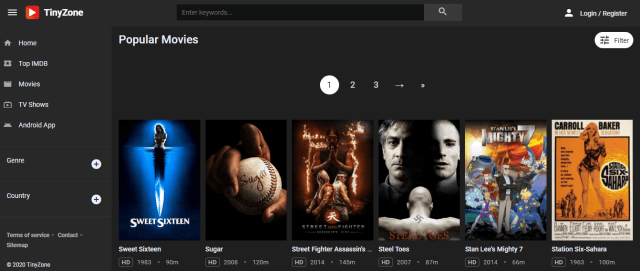
You can watch all the latest movies and TV Shows by using Tiny Zone. Tiny Zone is a free movie streaming website that provides HD Quality Movies and TV Shows. It has good playing speed and a very nice design that is pleasing to the eyes.
Ad Presence: 2 pop-ups will appear when you start watching a video.
123TVNow is a website that is very similar to USTVGo. You can watch your favorite TV Shows and Movies live using this website. It is very kid-friendly because there are a lot of channels that are good for children. You can also enjoy a lot of other categories when you choose to stream with 123TVNow. Because of this, we have listed it as one of the Best Primewire Alternatives.
Are you looking for a website that has Netflix content? Vumoo is the right website for you. It is a website that can be used to watch free movies and TV Shows alike. The best thing about it is that it is free of charge. You don’t have to worry about paying for a monthly subscription. Vumoo also gives streamers Asian content, so for those who are into Asian Drama, Vumoo will surely do the job right.
Click here to get the lowest price on SurfShark through our exclusive limited-time offer.
The Movie Bay
Watchability: 9/10
Ad Presence: There are 2 pop-ups when you click on a video. These can be avoided by signing up.
Movie Bay is an excellent site to watch movies and TV shows. If you register and sign up for the membership, it will remove unwanted ads. This will also allow you to interact with other streamers and talk about how the movies and TV Shows are. It is one of the best primewire alternatives because of the content that it features on-site.
Ad Presence: One pop-up appears when clicking on a video. Some ads can be seen on the side of the screen.
GoMovies is one of the best primewire alternatives because it is very easy to use and the amount of content that it provides is very good. You can quickly catch up on the latest movies and watch recently released TV Show episodes. Most of the videos are very high in quality that is why you are going to enjoy this site for sure.
Features:
Free of charge
Navigating through the website is very easy
Updated movies and TV shows
High-Definition Media Content
You have the choice to download videos on your device.
GoStream
Watchability: 9/10
Ad Presence: Zero pop-ups but some ads can be seen on the right side of the website.
Just like the other Best Primewire Alternatives, GoStream is a pretty neat website that offers a bunch of content. If you want to do movie marathons, GoStream is one of the top candidates because it provides only the latest releases and updates. Kindly check it out and experience it yourself.
Features:
No pop-up ads
Information regarding IMDb rating is included
Gives 720p video quality
Favorites feature for quick access to movies or tv shows you bookmark
Click here to get the lowest price on SurfShark through our exclusive limited-time offer.
AZMovies
Watchability: 9/10
Ad Presence: There will be 2 pop-ups when you click on a thumbnail.
AZMovies provides an unlimited amount of movies. Streamers will be able to select their movie of choice and have an awesome viewing time. This website does not require any payment so that is a big bonus. The media content that it offers is scraped by third-party entities. Just be sure to use a VPN whenever you decide to stream using this website.
Ad Presence: You will notice 2 pop-ups. There are ads that you can skip in the video. It also has some ads that appear on the screen that you can close.
Aside from being an excellent source of torrents, Yify Movies provides a huge amount of movies for cord-cutters. You can watch the latest movie releases on this website. The best thing about this site is it offers nothing but the highest quality of videos. This makes it one of the best Primewire alternatives. Enjoy streaming 720p and 1080p videos.
Features:
Minimal Ads
Free of charge
You do not have to sign-up or register for an account
Ad Presence: Youtube-like ads that are skippable can be traced.
Probably one of the best Primewire Alternatives that is legit is IMDb TV. If we compare to other websites, the contents are not as updated. The good thing about this site is that you do not have to worry about streaming illegally. If you want to use this site and you are outside the US, you will have to use a trustworthy VPN to gain access to the content.
Crackle is one of the best primewire alternatives because it is also a legit way to watch movies and TV Shows for free. It has a collection of more than 700 movies and more than 100 TV Shows. It is a simple website to use because of its interface. The website itself also has a very nice-looking design. Just like IMDb TV, Sony Crackle has location-locked content. If you are outside the US, please use SurfShark to access movies and TV Shows on the website.
Ad Presence: Zero pop-ups coupled with Youtube-like advertisements.
If you are looking for licensed media content that is free to watch, Tubi TV is one of your best options. It contains more than 20,000 TV series and free movies. It has a partnership with MGM, Lionsgate, Paramount, Lifetime, Starz, and A&E. Genres included are Action, Sci-Fi, Martial Arts, Drama, and a lot more. Although the content that it presents are not as updated as other Best Primewire alternatives, you can still have a lot of fun watching on this website. SurfShark is also needed to unlock content for those outside the US.
Features:
Free of charge
Youtube-like Ads
Good playing speeds
It requires registration to view movies and TV Shows
Ad Presence: Zero pop-ups with ads that are similar to Youtube ads.
Owned by ViacomCBS, Pluto TV is one of the best Primewire Alternatives because you can watch movies and TV shows legally with no cost at all. You can watch media content that is available on Nickelodeon, MTV, and Comedy Central because it supports live TV too. We suggest that you use SurfShark with it to unblock content if you are outside the US.
Ad Presence: You will notice that there is only one pop-up that you will encounter.
Vidcloud9 is a premier website that offers the latest movies and TV Shows. We have included it in the list of Best Primewire alternatives simply because of the little to no pop-ups, unlike other streaming websites. You can enjoy the latest movie releases and TV Shows using this website. It also has a cool design that makes it look really good.
Ad Presence: You will notice that 2 pop-ups will appear after you click on a video.
Also known as Letmewatchthis, 123Movies is a good option to watch movies and TV Shows without having to pay for anything. You can watch all of the latest movies and tv show episodes with this website. We also like that it only produces 2 pop-ups. In this way, you can really enjoy watching everything without interruptions.
Features:
It has video subtitles
Videos can be downloaded to your device
Dark Mode
Good playing speeds
You can search for specific movies and TV Shows
Afdah
Watchability: 9/10
Ad Presence: A window will appear but it will shut down by itself.
Afdah is a website where you can watch movies and TV Shows for free. Keep up with the latest media content with this website. Streamers are also able to watch high-quality videos. This is why we included it in the list of Best Primewire alternatives.
Last in our list of best Primewire alternatives is Internet Archive. Although it does not have ads, the content that you will find here is so outdated. But if you like this type of media, the Internet Archive is the best source for old movies online.
Features:
1920-1930s movies and videos
Nice playing speeds
No lags
YOUR INTERNET ACTIVITY IS BEING WATCHED
ReviewVPN cannot attest to the legality, security and privacy of the applications discussed on this site. It is highly recommended that you use a VPN service while streaming or using Kodi.
Currently, your IP 216.73.216.109 is visible to everyone and your Browser is being tracked by Advertisers & ISP Provider.
Your activities are hidden from your ISP, the government, and from the apps you are using.
You can access additional movies and TV streams.
ISP attempts to throttle are thrwarted thus reducing buffering issues.
Geographically restricted content like Netflix and Hulu can be unblocked.
A VPN works be replacing your ISP-assigned IP address and creating an encrypted tunnel. We recommend the no log service offered by IPVanish. It works well on a Firestick and offers the fastest possible speeds.
Legal Disclaimer: ReviewVPN.com does not encourage or endorse any illegal activity involved in the usage of services and applications referenced on this site. We do not verify the licensing agreements of services. The end-user is wholly responsible for ensuring that any media accessed through these services does not violate copyright and/or licensing laws. ReviewVPN does not promote, link to, or receive compensation from any Apps and IPTV services.
The websites that are listed above are really good sources of free content. If ever you like streaming apps more, you can read our Best Firestick Apps Review. Free streaming apps that are worth mentioning are:
How to Install Surfshark on Firestick with Screenshots
If your Firestick still has the older interface, read this article to learn how to update it: Update Firestick Interface.
You can download Surfshark directly from the Amazon App store. It will be easy for you to find Surfshark with your Firestick’s Find feature. Refer to our screenshots below.
Follow our screenshots below to install the SurfShark VPN app on your Fire TV stick.
1. Go to the Home screen of your Firestick.
2. Navigate towards the Find tab. Press the Search button from the resulting dropdown.
3. Type in the keyword of SurfShark and select from the suggestions that will appear.
4. Click the official SurfShark icon from your search results.
5. Press the Download (You own it) button.
6. The SurfShark VPN installer will download on your device.
7. SurfShark VPN’s app will automatically install itself on your Fire TV stick.
8. Press the Open button after completing SurfShark VPN’s installation process.
9. Please wait for the SurfShark VPN to load its user interface.
10. You can now log in with your SurfShark VPN account credentials.