In this article, we will guide you on how to install VIPRow Sports on Firestick.
Have you ever considered having a user-friendly platform that caters to free live streaming channels that is all about Sports? Many apps offer the same features, but not everything is available online for free.
Some require a subscription, and some have restrictions.
VIPRow Sports is a free streaming site that provides tons of categories that includes Football, Wrestling, Racing, Basketball, Boxing, Rugby, Tennis, Golf, and more.
It brings you the biggest selection of sports streams available on different devices like your Firestick device.
Everything is easy to use, and all you need is to bookmark or save the link, and you are good to go.
As we move forward, we hope to provide you with the details on how to make better use of VIPRow Sports on Firestick.
How to Install VIPRow Sports on Firestick
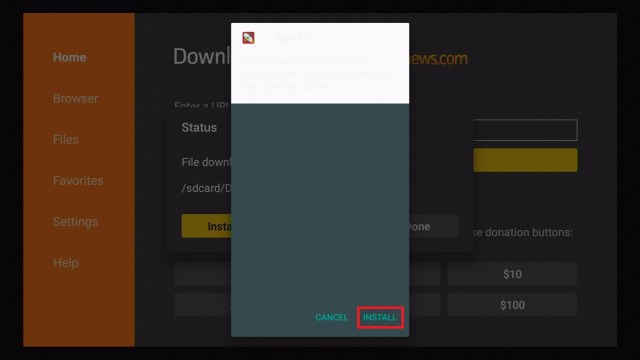
VIPRow Sports services are not available for installation as an application through Amazon App Store or Google Play Store.
The Silk Browser will load the link, and you can now have access to VIPRow Sports on your Firestick.
You can bookmark the site by hitting the star icon that says Add Bookmark.
YOUR INTERNET ACTIVITY IS BEING WATCHED
ReviewVPN cannot attest to the legality, security and privacy of the applications discussed on this site. It is highly recommended that you use a VPN service while streaming or using Kodi.
Currently, your IP 216.73.216.84 is visible to everyone and your Browser is being tracked by Advertisers & ISP Provider.
Your activities are hidden from your ISP, the government, and from the apps you are using.
You can access additional movies and TV streams.
ISP attempts to throttle are thrwarted thus reducing buffering issues.
Geographically restricted content like Netflix and Hulu can be unblocked.
A VPN works be replacing your ISP-assigned IP address and creating an encrypted tunnel. We recommend the no log service offered by IPVanish. It works well on a Firestick and offers the fastest possible speeds.
Legal Disclaimer: ReviewVPN.com does not encourage or endorse any illegal activity involved in the usage of services and applications referenced on this site. We do not verify the licensing agreements of services. The end-user is wholly responsible for ensuring that any media accessed through these services does not violate copyright and/or licensing laws. ReviewVPN does not promote, link to, or receive compensation from any Apps and IPTV services.
Several channels about sports that you can stream live
Cons
There are ads while streaming.
Some channels do not work with the use of a VPN
The remote stick of your Fire TV is not always compatible with the site; you need a third-party device as an alternative.
Stream Safely with a VPN
VPN or Virtual Private Networks helps a lot when you are streaming online. It is noteworthy if you are also trying to sideload or jailbreak your Firestick device. For everything that you do online, you can guarantee safer and more secure monitoring because of a VPN. The reminder here is: Do Not Get Clipped.
There are a lot of VPNs available online. But not everything guarantees a 100% free and accurate rate. Good thing, we can recommend Surfshark. It is a VPN that has more successful rates and reviews on its previous accounts.
Reasons why Surfshark is an excellent VPN:
Keeps your data from harmful malware and viruses
VPN blocks hackers to make your identity remain safe
It helps secure IPS on your devices while you stream.
You will stay anonymous. Any data, while you are streaming, is protected.
VIPRow Sports is one of the reliable streaming sites if you are a big sports fan. You should know that there are a lot of apps that are available out there. But, not everything has easy access and is for free.
If you are currently looking for an all-in-one place for your sports binge-watching time, this is the perfect site for you. All you need is to consider using a VPN so that you can stream safely and provide security while you are watching.
We hope we provide you with a helpful installation process and a detailed review of VIPRow Sports on FIrestick.
In this article, we will show you how to install Frndly TV on Amazon Firestick.
Frndly TV is a family-friendly streaming service. Stream family-oriented shows and movies with the app. One thing that new users enjoy is the app’s no-commitment requirement. It offers a free 7-day trial featuring all its capabilities.
This app provides three plans: Basic, Classic, and Premium. You can view all the channels with all the subscription plans. The basic plan has a 72-hour LookBack ability with on-demand videos. The classic adds unlimited DVR cloud storage, and the premium has cloud storage of shows you can view for nine months.
You can watch on top-rated channels such as Game Show Network, Hallmark Channel, The Weather Channel, and Outdoor Channel. Hallmark expansion channels like Hallmark Movies and Mysteries and Hallmark Drama are also included. There are a total of fifteen family-friendly channels offered with the app.
We have provided a basic installation guide for the Frndly TV application on Firestick.
Install Frndly TV on Firestick
Open your Firestick’s Home screen.
Press your remote’s scroll-right button to the Find tab.
Select Search from the dropdown.
Type in Frndly TV with your on-screen keyboard.
If no results appear: Type Frndly TV app for accurate results.
Choose the official Paramount Plus app.
Click on the Get (Free to Download) button.
Wait until the app downloads itself.
The Frndly TV app will install automatically.
Go back to your Home screen.
You can now open the app and view Frndly TV channels and programs.
YOUR INTERNET ACTIVITY IS BEING WATCHED
ReviewVPN cannot attest to the legality, security and privacy of the applications discussed on this site. It is highly recommended that you use a VPN service while streaming or using Kodi.
Currently, your IP 216.73.216.84 is visible to everyone and your Browser is being tracked by Advertisers & ISP Provider.
Your activities are hidden from your ISP, the government, and from the apps you are using.
You can access additional movies and TV streams.
ISP attempts to throttle are thrwarted thus reducing buffering issues.
Geographically restricted content like Netflix and Hulu can be unblocked.
A VPN works be replacing your ISP-assigned IP address and creating an encrypted tunnel. We recommend the no log service offered by IPVanish. It works well on a Firestick and offers the fastest possible speeds.
Legal Disclaimer: ReviewVPN.com does not encourage or endorse any illegal activity involved in the usage of services and applications referenced on this site. We do not verify the licensing agreements of services. The end-user is wholly responsible for ensuring that any media accessed through these services does not violate copyright and/or licensing laws. ReviewVPN does not promote, link to, or receive compensation from any Apps and IPTV services.
Live and on-demand television shows can be viewed with the Frndly TV app. The software specializes in providing family-oriented series and films. You can watch live and the most requested videos on Frndly TV.
Family-oriented media content.
User-friendly interface.
Three Subscription Plans: Basic, Classic, and Premium.
72-hour Playback function (Basic).
DVR Cloud Storage (Classic).
Unlimited Recording of favorite shows and movies (Premium).
9-month duration of viewing recorded films and series (Premium).
Stream Live featured content.
On-demand shows and movies.
15 different channels.
Features expansions: Movies, Mysteries, and Drama.
Interface
User-friendly basic interface
Highly Organized sections
Tab Selections (On-Demand, Recordings, Settings)
Quick Search Tab
Detailed show schedules
Displays Live Videos on air
Has a Go-Live button
Calendar style Library
Content
Family-friendly Media Content
On-demand shows and movies
Classical films
Detailed Schedule of television shows
Channels
Hallmark Channel
Movies & Mysteries
Hallmark Drama
Game Show Network
The Weather Channel
Outdoor Channel
Sportsman Channel
World Fishing Network
Baby First TV
PixL
UPtv
Insp
CuriosityStream
QVC
Pros and Cons
Pros
Family-friendly content
No commitment Payment scheme
Affordable Fees with a 7-day Free trial
It has a DVR Cloud Storage extension (Classic and Premium Package)
Watch On-demand television shows and most requested movies
Updated library selections
Calendar-style Interface
Excellent Customer service
Cons
Some rare issues with installation and functionality.
Stream Frndly TV with a VPN
Internet Service Providers (ISP) can monitor your online viewing activities. The quality streaming of exclusive content from Frndly TV can strain your internet connectivity. Your IP requests subsequent loads from the main server. It results in lags, stuttering, and buffering.
A slow connection may ruin your TV streaming experience. It is why we recommend an efficient VPN like SurfShark. Several VPNs are available on the web. SurfShark is designed for the safe streaming of high-quality television shows and films.
SurfShark is the best guardian while streaming diverse media content.
Here are the benefits that SurfShark can offer you:
ISP monitoring is prevented.
Geo-block limits are surpassed with the use of virtual tunnels.
Hides your personal information and credentials.
Shields your device from viruses and malware.
Protects your network, online activities, and personal data.
Improves your internet speed.
Streaming television shows are made faster.
Prevents the onset of Firestick and Kodi buffering.
Note: For more information about SurfShark, please read our SurfShark REVIEW.
How to Install Surfshark on Firestick with Screenshots
If your Firestick still has the older interface, read this article to learn how to update it: Update Firestick Interface.
You can download Surfshark directly from the Amazon App store. It will be easy for you to find Surfshark with your Firestick’s Find feature. Refer to our screenshots below.
Follow our screenshots below to install the SurfShark VPN app on your Fire TV stick.
1. Go to the Home screen of your Firestick.
2. Navigate towards the Find tab. Press the Search button from the resulting dropdown.

3. Type in the keyword of SurfShark and select from the suggestions that will appear.
4. Click the official SurfShark icon from your search results.
5. Press the Download (You own it) button.
6. The SurfShark VPN installer will download on your device.
7. SurfShark VPN’s app will automatically install itself on your Fire TV stick.
8. Press the Open button after completing SurfShark VPN’s installation process.
9. Please wait for the SurfShark VPN to load its user interface.
10. You can now log in with your SurfShark VPN account credentials.
For more VPN discounts, go to ReviewVPN Deals and purchase the best VPN for you.
The Best Firestick Browser
Streaming quality videos online can require the use of effective browsers. If you are using a Firestick, then Amazon’s Silk Browser is highly recommended. You can follow our guide for the installation of the Amazon Silk Browser on Firestick. You can also learn more about its capabilities.
Alternative Apps
App developers have developed software for OTT platform compatibility. You can use several apps for streaming excellent TV shows and favorite movies. For alternative apps in case your Frndly TV malfunctions, we have a list of software for you:
Frndly TV was founded in 2017 and launched for OTT devices in 2019.
Is Frndly TV for free?
Frndly TV offers a 7-day free trial. It has three subscription plans (Basic, Classic, and Premium). The Basic plan costs $5.99 that has a 72-hour playback. The Classic plan costs $7.99 with a DVR cloud storage of 3 months duration. Its Premium plan costs $9.99 with an extended 9 month DVR cloud storage recording ability.
Does Frndly TV have ads?
Frndly TV has the same commercial frequency as other online television services.
Conclusion
Frndly TV is quite new in the online streaming platform. It is one of the few streaming apps with excellent services. Users enjoy its family-friendly content and immediate response to customer difficulties and issues.
We hope this article helps with your installation of Frndly TV on Amazon Firestick.
In this article, I will show how to install the Local Now App on your Firestick device.
Local Now App is an American internet television service owned by The Weather Group Channel that provides free local news, weather updates, movies, and TV shows.
Its content is targeted to your location, ensuring that you receive the most up-to-date news and information.
You can set up to six locations and gain access to over 200 local streams as well as thousands of free movies and TV shows in just one application.
Install Local Now App on Firestick Guide
Local Nowis an official app on the Amazon App Store so you can directly download the app without having to jailbreak your Firestick. For the steps on how to install Local Now on your Firestick device, you may follow the guide below:
On the Home screen, Go to “Find”.
Then scroll down click on “Search”.
You may use the Alexa voice command or simply type in “Local Now”.
Tap on the icon of the application to download.
Select “Get”.
Then wait for the app to be installed.
Once done, click “Open” to launch the app.
There you have it, Local Now is now installed on your Firestick device and you can now start browsing the app.
YOUR INTERNET ACTIVITY IS BEING WATCHED
ReviewVPN cannot attest to the legality, security and privacy of the applications discussed on this site. It is highly recommended that you use a VPN service while streaming or using Kodi.
Currently, your IP 216.73.216.84 is visible to everyone and your Browser is being tracked by Advertisers & ISP Provider.
Your activities are hidden from your ISP, the government, and from the apps you are using.
You can access additional movies and TV streams.
ISP attempts to throttle are thrwarted thus reducing buffering issues.
Geographically restricted content like Netflix and Hulu can be unblocked.
A VPN works be replacing your ISP-assigned IP address and creating an encrypted tunnel. We recommend the no log service offered by IPVanish. It works well on a Firestick and offers the fastest possible speeds.
Legal Disclaimer: ReviewVPN.com does not encourage or endorse any illegal activity involved in the usage of services and applications referenced on this site. We do not verify the licensing agreements of services. The end-user is wholly responsible for ensuring that any media accessed through these services does not violate copyright and/or licensing laws. ReviewVPN does not promote, link to, or receive compensation from any Apps and IPTV services.
Once the app launches, you’ll see the weather update for your location
It has tabs for Today, Explores, and Movies & TV
You can add up to 6 items to your location list
There are free movies and TV shows
Over 200 local streams for news
Thousands of free movies and TV show content
Fast-loading and buffer-free movies
Has subtitle support
Playing Speed
The app is fast-loading so you wouldn’t have to worry about waiting for its videos to play
Pros and Cons
Pros
It’s a one-stop-shop for free news, weather update, and movies
You can set up to 6 locations for more content
There are thousands of free movies that you can stream for free
Buffer-free streaming
Cons
The app is geo-restricted so users outside the US will not be able to download and access the Local Now app
There are ads
Stream Safely with a VPN
Just in case you are unaware, your data privacy is at risk every time you access public content online or connect to public wifi. Yes, streaming whenever and wherever you like is great, but only until hackers and phishers pose a threat to your personal information. The reason is that your IP address leaves tracks on all your online activities, making your information vulnerable to online attacks.
And so to prevent that from happening while streaming your favorite content online, you will be needing a VPN (Virtual Private Network) like SurfShark. A VPN will encrypt your internet connection by providing you with an anonymous IP address so you can browse and stream any content without the fear of exposing your online information. It will help you maintain your anonymity and keep your online information hidden so you can avoid possible threats from third parties. Aside from that, you can take advantage of the following benefits of SurfShark:
An anonymous IP address from 65+ locations.
Avoid phishers and hackers from accessing your personal information.
Ensure zero logs and no IP address leaks.
Avoid ISP throttling by preventing your ISP from tracking down your internet activity.
Watch and download unlimited torrents.
Unlimited simultaneous VPN connections.
Prevent your device from getting infected by malware and ransomware.
Note: For more information about SurfShark, please read our SURFSHARK REVIEW.
How to Install Surfshark on Firestick with Screenshots
If your Firestick still has the older interface, read this article to learn how to update it: Update Firestick Interface.
You can download Surfshark directly from the Amazon App store. It will be easy for you to find Surfshark with your Firestick’s Find feature. Refer to our screenshots below.
Follow our screenshots below to install the SurfShark VPN app on your Fire TV stick.
1. Go to the Home screen of your Firestick.
2. Navigate towards the Find tab. Press the Search button from the resulting dropdown.
3. Type in the keyword of SurfShark and select from the suggestions that will appear.
4. Click the official SurfShark icon from your search results.
5. Press the Download (You own it) button.
6. The SurfShark VPN installer will download on your device.
7. SurfShark VPN’s app will automatically install itself on your Fire TV stick.
8. Press the Open button after completing SurfShark VPN’s installation process.
9. Please wait for the SurfShark VPN to load its user interface.
10. You can now log in with your SurfShark VPN account credentials.
For more VPN discounts, go to ReviewVPN Deals and purchase the best VPN for you.
FAQs
What is Local Now?
Local Now is an application that lets you stream local news and movies for free. It is owned by The Weather Channel so the app also gives you a weather update on your location.
Is Local Now safe?
Yes, Local Now is safe for streaming. But for safer and more secured internet activity, we always recommend our readers to have a VPN like SurfShark.
Is Local Now legal?
Yes, Local Now is legal and it is a verified app that you can download on the Amazon App store
Is Local Now free?
Yes, you can stream Local Now’s news and movie content for free
Is there a need for registration?
No, there’s no need for registration to install and access the Local Now app.
What other device is it available for streaming?
Local Now is also available on Apple TV, Android and Roku.
For audiences in the United States, the Local Now App is a highly recommended free streaming service. What I like about this app is that it provides viewers with exclusive news based on their location. It only provides the most relevant news and information in your area, so you’ll always be up to date on what’s going on within your location. There are also free movies and TV shows to watch, making it a one-stop shop for all of your streaming needs.
Thank you for reaching the end of this article. We hope we were able to help you in installing the Local Now app on your Firestick device and provide you with an overview of the app’s features. Enjoy streaming.
This article will show you the best legal live world news app on Firestick.
Nowadays, being digitally updated with 24/7 breaking news and hot issues around the world is necessary.
These networks let us know the current situations and other happenings worldwide. They are a useful source that gives us reliable and quality news every day.
This article will show you all of the best legal live world news apps you can have on your Firestick.
They cover news and stories worldwide to let us know what is happening around us and globally.
You can get these apps on your Firestick, and the good thing is they are an official Amazon app that is why there is no need to Jailbreak Firestick and Install Downloader to have it on Firestick.
Best Legal Live World News Apps on Firestick
NBC News
National Broadcasting Company or NBC is the famous and oldest TV network in the US. It is one of the networks that brings breaking news, videos on demons, the latest top stories in world news, Livestream content, and more.
The NBC app also offers the cheapest and affordable subscription that you can have to access on their daily fresh content and reports. However, you can download this app inside the US area only.
Features:
User-friendly interface.
Sync account across multiple devices.
An up-to-date episode of current shows from the NBC family.
It has category filters, dedicated brand pages, and video thumbnails.
Watch on a live stream of national and local news.
Full HD quality from 720p to 1080p
It covers different Live channels and popular shows.
Install NBC app on Firestick Guide
Go to Find and click on Search.
Type in NBC.
Click on the suggestion.
Tap the NBC icon.
Select the Get or Download button.
Wait for the app to be installed.
Click Open to launch the app.
To know more about this app, kindly read our article on NBC.
YOUR INTERNET ACTIVITY IS BEING WATCHED
ReviewVPN cannot attest to the legality, security and privacy of the applications discussed on this site. It is highly recommended that you use a VPN service while streaming or using Kodi.
Currently, your IP 216.73.216.84 is visible to everyone and your Browser is being tracked by Advertisers & ISP Provider.
Your activities are hidden from your ISP, the government, and from the apps you are using.
You can access additional movies and TV streams.
ISP attempts to throttle are thrwarted thus reducing buffering issues.
Geographically restricted content like Netflix and Hulu can be unblocked.
A VPN works be replacing your ISP-assigned IP address and creating an encrypted tunnel. We recommend the no log service offered by IPVanish. It works well on a Firestick and offers the fastest possible speeds.
Legal Disclaimer: ReviewVPN.com does not encourage or endorse any illegal activity involved in the usage of services and applications referenced on this site. We do not verify the licensing agreements of services. The end-user is wholly responsible for ensuring that any media accessed through these services does not violate copyright and/or licensing laws. ReviewVPN does not promote, link to, or receive compensation from any Apps and IPTV services.
Channel NewsAsia or CNA is an English-language news channel that broadcast free-to-air domestically and a subscription network across 29 territories in Asia. This network is the sixth-largest TV news channel that covers indigenous content all over Asia.
It also has an official online portal that provides news broadcasts and live streaming of world news. CNA is run by Mediacorp News Pte Ltd, which is currently based in Singapore.
Features:
Easy to use interface.
Easy sign-up process.
Updated 24/7 news from all over the world.
It covers stories from Asia.
Live stream of national and local news.
HD quality of videos.
Article spread on their website.
CNA inside and Lifestyle available.
Videos-on-demand
Install CNA app on Firestick Guide
Go to Find and click on Search
Type in CNA
Click on the suggestion
Tap the CNA icon
Select the Get or Download button
Wait for the app to be installed
Click Open to launch the app
MSNBC News
MSNBC is also one of the trusted networks that provide clips and videos from NBC News, Today, and MSNBC. It brings you breaking news and the latest news from local news reporters and world news updates. This network was founded in 1996 under the partnership of Microsoft and the General Electrics NBC unit. It also offers live TV news and lifestyle shows for everyone.
Features:
Clean and easy to use interface.
It does not require its users to sign up.
Updated content daily.
Allows you to sync accounts across all devices.
It has four categories such as Watch, Shows, Search, and Settings.
Impressive security features.
High definition contents.
Install MSNBC app on Firestick Guide
Go to Find and click on Search.
Type in MSNBC.
Click on the suggestion.
Tap the MSNBC icon.
Select the Get or Download button
Wait for the app to be installed.
Click Open to launch the app.
Kindly read our article on MSNBC to know more about it.
CBS News
Columbia Broadcasting System or CBS is an American commercial broadcast TV and radio network that brings live 24/7 breaking news and headline stories worldwide. It has different categories such as U.S News, World News, Crime, Politics, Entertainment, Health, and Moneywatch. They also hosted ten (10) local live news channels, and the best part is these are all for free.
Features:
It is a Free and legal network.
Provides an updated content
HD quality of videos
Easy-to-use interface
No registration needed
Live TV and informative shows
Available local and international news
50 titles of popular shows
32 topics of playlist
Install CBS app on Firestick Guide
Go to Find and click on Search
Type in CBS News
Click on the suggestion
Tap the CBS News icon
Select the Get or Download button
Wait for the app to be installed
Click Open to launch the app
Learn more about this app and read our article on CBS News.
Fox News
Fox News Channel or FNC is a popular American cable channel based in New York City that provides news services in over 86 countries. It offers you up-to-date latest news, exclusive videos of events and events happening around the world.
However, this channel had a bad image to some viewers because of some opinion on politics, which favors the Republican Party over the Democratic. You can get this app on any device for free but be aware that this network serves with ads.
Features:
Easy to navigate UI.
100% Free and legal.
Updated shows and ongoing live.
Different shows tabs.
Alert Notification button.
HD quality of videos.
Available original and Live news
Lots of topics to choose from.
Install Fox News app on Firestick Guide
Go to Find and click on Search
Type in Fox News
Click on the suggestion
Tap the Fox News icon
Select the Get or Download button
Wait for the app to be installed
Click Open to launch the app
Learn more about this app and read our article on Fox News
CBN News
Christian Broadcasting Network or CBN is an American Conservative evangelical Christian religious TV network and production company owned by Pat Robertson. It was known as the forefront of the culture wars. This app provides a variety of timely and relevant shows to stream, including Politics, Health, Crime, and other issues worldwide.
Features:
Free and No Registration needed
Simple and easy to navigate interface.
Available search menu.
The high definition of videos.
Watch 24/7 live news
Lots of supported channels
News on the 700 club
Variety of contents to view.
Install CBN News app on Firestick Guide
Go to Find and click on Search
Type in CBN News App.
Click on the suggestion
Tap the CBN News App icon
Select the Get or Download button
Wait for the app to be installed
Click Open to launch the app
To know more about this network, kindly read our article on CBN News.
Euro News
Euro News is a pan-European pay-TV news network headquartered in Lyon, France, and also one of the most-watched news channels in Europe. This network brings you up-to-date breaking news, the latest stories, and free video on demand available to view in HD quality. This network also supports 13 languages for everyone. Stay updated with world news on the economy, health, politics, diplomacy, and more.
Features:
User friendly and easy to navigate UI.
100% free
No registration needed
Available in a different language
Latest uploads of content on the homepage.
You can see the date, day, and time for each news.
Watch the Later button for every video.
Autoplay of next video.
Good quality of videos.
Install Euro News app on Firestick Guide
Go to Find and click on Search
Type in Euro News App.
Click on the suggestion
Tap the Euro News App icon
Select the Get or Download button
Wait for the app to be installed
Click Open to launch the app
Kindly read our article on Euro News to learn more about it.
Haystack News
Haystack News is an app that brings you local and world news to watch for free. This app provides 300+ TV channels with different topics to choose from and its sources available depending on your location.
It will bring you all of the latest news on weather, sci-tech, health, politics, international entertainment, business, and more events happening worldwide. This app has a user-friendly and easy-to-navigate interface that works well on any device such as Firestick.
Features:
Easy to use UI.
100% Free
Lots of popular channels.
Updated headlines
Auto full screen after a few minutes
You can configure Headlines
Allows you to mute topics and sources
Enable the AutoPlay button.
You can send feedback
Available Watch History
Install Haystack News app on Firestick Guide
Go to Find and click on Search
Type in Haystack News App.
Click on the suggestion
Tap the Haystack News App icon
Select the Get or Download button
Wait for the app to be installed
Click Open to launch the app
Kindly read our article on Haystack News to learn more about it.
Do I need a VPN?
There are some networks/channels that are geo-blocks, which means you cannot use nor download them if you are outside a certain area. This is why we recommend using a Virtual Private Network on your device to destroy any geo-block and bypass any censorship or restriction on it to access their content. This VPN will safely destroy it by hiding your IP address and letting you connect on any servers of your choice.
A VPN will also give you the privacy and security you deserve every time you are using a public network which is a good thing nowadays. One of the proven and tested VPNs that we highly recommend is Surfshark, where it is also committed to giving its users the quality of service they deserve.
Here are other reasons why it is our VPN of choice:
Destroys geo-block and gains access to different content globally.
3200+ servers in 65 countries
Zero logs and no IP address leaks.
A high standard of AES 256-bit encryptions will safeguard all of your data.
Bypass censorship and restrictions.
Prevent ISPs from interfering with your connection and speed up your internet.
It provides a secure environment for everyday internet activity.
Keep your file protected from harmful malware.
It gives you unlimited bandwidth and makes your internet speed faster.
Keep your identity anonymous to protect you from hackers, especially when you are using public wi-fi.
Note: For more information about Surfshark, please read our Surfshark Review.
For more VPN discounts, go to ReviewVPN Deals and purchase the best VPN for you.
Click here to get the lowest price on Surfshark through our exclusive limited-time offer.
Wrap Up
News is really important and a good source to know what was happening all around the world. You must choose the best and reliable network that will give you the quality of news. All of the apps that we mentioned above are reliable, legal, and trusted networks that provide good information and factual news for everyone. We hope that this article gives you information about the best legal live world news app that you can have on your Firestick.
In this article, I will be showing you a list of the Yes! Movies alternatives.
Yes! Movies is a popular free movie and TV-series streaming platform with content from Asia, China, Europe, France, Hong Kong, India, the United Kingdom, and the United States.
It includes action, adventure, animation, comedy, fantasy, drama, and several other genres. As a result, it has a large library of content that movie streamers can browse for free in exchange for advertising.
However, since this platform is not a verified movie and TV show provider, these types of streaming services run the risk of being taken offline, either immediately or permanently. So, just in case the situation occurs, it’s always a good idea to have backups. And here, we have listed down the best alternatives for Yes! Movies
But first, if you’re using a Firestick, you may read this article on how to use the Silk Browser to access these websites.
Tubi TV has the most content in its catalog, with over 20,000 movies and TV shows available to stream for free. Tubi has LGBTQ content, Bollywood movies, and Cult Classics, wherein only a few streaming sites offer. It has the normal genres that you can find on other streaming sites like comedy, horror, romance, and drama, but it also has so much more. You can choose whether or not to build an account and you are free to view all of the movies on the website.
Features:
Has categories for Comedy, Drama, Action, Romance, and LGBTQ
Search function
Ad-free
Subtitle-support
HD quality videos
Free movies and TV shows
Fast-playing website
YOUR INTERNET ACTIVITY IS BEING WATCHED
ReviewVPN cannot attest to the legality, security and privacy of the applications discussed on this site. It is highly recommended that you use a VPN service while streaming or using Kodi.
Currently, your IP 216.73.216.84 is visible to everyone and your Browser is being tracked by Advertisers & ISP Provider.
Your activities are hidden from your ISP, the government, and from the apps you are using.
You can access additional movies and TV streams.
ISP attempts to throttle are thrwarted thus reducing buffering issues.
Geographically restricted content like Netflix and Hulu can be unblocked.
A VPN works be replacing your ISP-assigned IP address and creating an encrypted tunnel. We recommend the no log service offered by IPVanish. It works well on a Firestick and offers the fastest possible speeds.
Legal Disclaimer: ReviewVPN.com does not encourage or endorse any illegal activity involved in the usage of services and applications referenced on this site. We do not verify the licensing agreements of services. The end-user is wholly responsible for ensuring that any media accessed through these services does not violate copyright and/or licensing laws. ReviewVPN does not promote, link to, or receive compensation from any Apps and IPTV services.
123Movies is one of the most popular free streaming apps since it offers free access to the latest movies and TV shows. It also includes the top IMDb series, indicating that this platform provides high-quality content to its viewers. Aside from providing content from 57 countries, 123Movies also has a section on their website dedicated to the most requested movies.
Features:
Genres include Horror, Action, Comedy, Animation, Thriller, Crime, Drama, Adventure, History, and Biography
Content from countries like United States, France, Korea, United Kingdom, Japan, India, Taiwan, Thailand, Italy, and Germany
Tab for Top IMDb films
Turn on night mode when browsing the site
Fast-playing videos
Go Stream
https://gostream.site/
Since it is ad-free and has no pop-ups, Go Stream is one of the best free streaming sites online. Its User Interface is also quite basic, as the Homescreen only shows the most recent movies. However, compared to other streaming sites with a large library of content in various genres, Go Stream only has a small amount of content.
Features:
Animation, Action, Comedy, Drama, Fantasy, Horror, Mystery, Romance, Science Fiction, Thriller, and War
Popcornflix is also known for its free and legal movie, TV show, and viral video content, making it one of the most popular streaming apps online. Apart from that, it has an APK for devices like the Amazon Fire Stick, which has allowed it to attract a large number of visitors over time.
Features:
Content for Movies, TV shows, and Viral Videos
Popcornflix Originals
Geo-restricted contents for viewers outside the US
You can leave a comment while the video is playing
Primewire
https://primewire.st
Primewire is a free movie and TV show streaming platform that allows you to view and download movies and TV shows at no cost. The nice thing about this website is that you don’t have to register to watch your favorite shows online.
Features:
Easy to navigate User Interface
Has content for Movies, TV series, Animation, and top IMDb
Countries of movie origin are the USA, UK, Canada, Australia, and Germany
Genres include Action, Adventure, Comedy, Crime, Documentary, Drama, Family, Fantasy, Horror, Music, Mystery, Romance, Sci-Fi, Thriller, War and Western
Solar Movie has a large library of contents that you can look at and download without having to sign up. The website is also simple to use since the movies available for streaming are shown on the Homescreen as soon as you open it.
Features:
Easy to navigate User Interface
IMDb rating of the video can be seen on the thumbnail
Flixtor is one of the best streaming sites on the internet since you can watch and download its content for free. Flixtor’s library includes thousands of full-length films in genres including Action, Crime, Family, Romance, Thriller, and Western, so you’ll have plenty of choices when you use it.
Features:
Genres include Action, Adventure, Animation, Biography, Crime, Comedy, Costume, Documentary, Drama, Family, Fantasy, Game-show, History, Horror, Kungfu, Music, Mystery, Reality-tv, Romance, Sci-Fi, Sport, Thriller, TV Show, War, and Western
Content from countries like United States, United Kingdom, Canada, France, West Germany, Japan, Australia, Italy, Hongkong, Spain, and China
MusicHQ was once a website dedicated exclusively to music streaming. Fortunately, it has found a way to provide free movies and TV shows online, so we now have another choice for our streaming needs. It also has an Android APK for those who want to watch movies from an app rather than on the website.
Features:
Has Movies, TV Shows, and Top IMDb content
Content from countries like Argentina, Australia, Austria, Belgium, Brazil, Canada, China, Czech Republic, Denmark, Finland, France, Germany, Hongkong, etc.
Go Movies is a well-known free video service with one of the largest web portals. The website offers a diverse range of material that is always up to date, making it one of the best streaming sites available. Apart from that, it adheres to the Copyright Law, allowing you to report DMCA violations via their website or email.
Features:
Tabs for Genres, Release, Country, Last Added, Movies, TV-Series, Top IMDb, and Top Watched
Contents for Action, Adventure, Animation, Benefit Concert, Christmas, Comedy, Costume, Crime, Documentary, Drama, Family, Fantasy, and so much more
Filter option will let you browse contents easier
Add movies and TV shows to favorite
Subtitle support
HD quality films
Send feedback about the website
Subscribe to the Go Movies mailing list to get updates
Cineb.net has a variety of categories where you can watch movies online for free. You will not be required to register or sign up to browse or check for the movie you are searching for. It also has a large library of material, as you can find both blockbuster and mainstream films on the website.
Features:
Hamburger menu for Home, Top IMDb, Movies, TV Shows, Android App, Genre, and Country
VexMovies is a free streaming website that allows its users to stream and download its content for free. You can even request videos that aren’t on their site and if you’d like to report copyright violations, you can file a DMCA (Digital Millenium Copyright Act) notice.
Features:
Play and download movies in HD
Contact Feature for requesting movies and filing of DMCA
Tinyzone offers over 10,000 free movies and TV shows to watch online. Apart from not requiring registration or payment, this website streams without advertising, allowing you to watch your favorite movies and TV shows without interruption.
Features:
Content for Movies, TV Shows, and Top IMDb
Genres include Action, Adventure, Animation, Comedy, Crime, Drama, Fantasy, Horror, Kids, Soap, Talk, War & Politics, and Western
Countries of movie origin are Argentina, Austria, Brazil, China, Denmark, France, Hong Kong, India, Israel, Japan, Mexico, New Zealand, Poland, Russia, South Korea, Sweden, Taiwan, and United Kingdom
Vumoo’s Homescreen still has films from 2018, but the website’s search bar will help you locate newer material. They may not update their user interface as often as other streaming sites, but you can still expect new movies and TV shows to be available for free.
Vidcloud users can watch their favorite movies and TV shows on any platform, at any time, and from any place. Its user interface is quick and easy to navigate through the tabs at the top, as its Homescreen only shows Recent Movies.
Features:
Tabs for Movies, TV Series, Cinema Movies, and Featured Series
HD quality videos
Enable night mode
Download content for free
Like and comment on videos
Share a link to your social media accounts
There are pop-ups
The site has banners
AZMovies
https://azm.to/
AZMovies allows you to watch the best films from A to Z on any screen, at any time. The nice thing about this website is that you can do a lot on the screen/video while it’s watching, such as fast-forwarding, turning off the volume, and changing the screen ratio. It’s similar to personalizing your streaming experience when watching your favorite movies and TV shows.
Features:
Content for Action, Adventure, Animation, Bio, Comedy, Crime, Drama, Family, Fantasy, History, Horror, Mystery, Romance, Sci-Fi, Thriller, and War
One of the good streaming applications that you can use for free is Themoviebay. Apart from the regular videos that you see on other streaming sites, it has material for movies, TV shows, and Reality TV, so you’ll have plenty to choose from. It also has a basic User Interface that makes it easy to navigate the app.
Features:
Content for Movies, TV Shows, and Reality-TV
Add to Watchlist
Like videos
Leave comments
It has pop-ups
There are banners
Should I Access These Websites with a VPN?
There are websites mentioned above that have geo-restricted content, so if you’re streaming from outside the US, you’ll need a VPN like Surfshark. With Surfshark, you can instantly connect to an anonymous IP address in one of 75 countries, allowing you to access geo-restricted content, websites, and applications. Furthermore, since you are using an unsecured link if you visit public websites like the ones mentioned above, a VPN can ensure your online security. It protects you from potential threats such as phishers and hackers by encrypting your online activity and providing you with an anonymous IP address that hides your data.
Other benefits of Surfshark are:
3200+ servers in 65 countries
Ensure zero logs and no IP address leaks
Avoid lags and buffers by hiding your internet activity hidden from your ISP
Speed up your internet connection with the use of a VPN
Enjoy unlimited torrenting and downloading
Have unlimited simultaneous connections
Prevents your device from ransomware and malware
Note: For more information about Surfshark, please read our Surfshark Review.
For more VPN discounts, go to ReviewVPN Deals and purchase the best VPN for you.
Click here to get the lowest price on Surfshark through our exclusive limited-time offer.
Conclusion
Even though the majority of the websites mentioned above have nearly identical content, they have different settings and functions. Some only have HD videos, while others also have CAM and SD. Others have a large library of content for different genres and countries, while others only have a small library. Others only provide basic video streaming and do not have night mode, screen ratio, fast-forwarding, picture-in-picture, or the ability to switch off sounds. But bottom line is, that the viewer would still be the one to decide which function best suits him or her. So, hopefully, we’ve covered all of the essential features you’re looking for.
Thank you for reaching the end of this article. We hope we were able to help you find the best alternative for Soap2day. Enjoy streaming.
In this article, we will guide you on how to install the Apple TV App on your Firestick devices
Did you know that Apple TV is now available on your Firestick devices? We all know that Amazon Firestick is a handy device that acquires different streaming services that are not limited to film alone.
Using Firestick allows you to gain access to music, the latest content, and even games. Now, one of the services that are worth considering is having Apple TV on your Firestick.
Apple TV App is the premium on-demand streaming service of Apple. It provides you with premium channels and original Apple TV content that you can find in one app. The only thing you need to do is sign in to the application using Apple ID. It will give you access to your previous purchases and rentals.
Using Firestick gives you a better watching experience because of the neat and clutter-free dashboard that is perfect on your TV. As we go on, we will discuss further the Apple TV app. We will understand how we can use it and how we can benefit from it.
How to Install Apple TV Application on your Firestick (Video)
How to Install Apple TV Application on your Firestick
There is no need for you to sideload or use a third-party app to install it in your Firestick. It is already available on Amazon App Store, and you only need to download it for direct installation.
Here are the steps you need to follow to install Apple TV on your device
On your Firestick home screen, check the top left corner and select the Find button.
Scroll down and click the search button.
Type in Apple TV.
On the search results, click Apple TV. It will direct you to the Apple TV icon. Select the Apple TV icon.
Click Get/Download.
The download of the app will depend on how fast your internet connection is.
After the download and installation are complete, you can now launch the Apple TV.
Start streaming and enjoy Apple TV App.
There is a limitation and restriction where the application is not available on the Amazon App store or not available for download. You can only install the application if you are not geo-blocked or there are no geo-restrictions in your area.
How to Activate your Apple TV App on Firestick
On your home screen, go to the top right and select Apps & Games in the Menu bar.
From the list of your apps and games, select Apple TV.
Wait for the Apple TV to load and then click Start Watching.
A Device Analytics will pop up, and you can either choose between Send to Apple or the Don’t Send option. It means that all the data, crash reports, and other related app data in Apple will be sent or depend on your course of action.
You will now see the main screen of your Apple TV.
On its menu bar on the upper part of the screen, select Settings.
Click on the Accounts.
Select Sign In.
YOUR INTERNET ACTIVITY IS BEING WATCHED
ReviewVPN cannot attest to the legality, security and privacy of the applications discussed on this site. It is highly recommended that you use a VPN service while streaming or using Kodi.
Currently, your IP 216.73.216.84 is visible to everyone and your Browser is being tracked by Advertisers & ISP Provider.
Your activities are hidden from your ISP, the government, and from the apps you are using.
You can access additional movies and TV streams.
ISP attempts to throttle are thrwarted thus reducing buffering issues.
Geographically restricted content like Netflix and Hulu can be unblocked.
A VPN works be replacing your ISP-assigned IP address and creating an encrypted tunnel. We recommend the no log service offered by IPVanish. It works well on a Firestick and offers the fastest possible speeds.
Legal Disclaimer: ReviewVPN.com does not encourage or endorse any illegal activity involved in the usage of services and applications referenced on this site. We do not verify the licensing agreements of services. The end-user is wholly responsible for ensuring that any media accessed through these services does not violate copyright and/or licensing laws. ReviewVPN does not promote, link to, or receive compensation from any Apps and IPTV services.
This option will ask you to open this website URL https://activate.apple.com on another device, or you can scan the QR code on your screen. There is a code on your screen that you need to enter to match the device and sign in.
Using TV
This option will ask for your credentials. You need to type in your Apple ID and sign-in on the app by clicking Continue.
Creating an Apple ID
This option will ask you to open https://activate.apple.com, where you will register for a new Apple ID. After typing in the needed information, you can go back to your Firestick device and click Sign In.
If your Firestick still has an old interface, you can read this article to learn how you can update your Firestick:How To Update Firestick Interface
App Features
Contents
Watch new exclusive Apple Originals that are renewable monthly.
Access your previous channel subscriptions by signing in using Apple ID.
A new list of movies and TV shows of over 100,000, including HD resolution films.
Interface
High-quality resolution of films and shows.
Easy to browse items depending on recently added genres and other show categories.
You can choose a watch later option so that you can watch wherever and whenever you want to.
Pros and Cons
Pros
Syncs streaming history of information across Apple TV apps on all your devices.
New contents and loads of shows on its catalog.
Easy to use interface.
Clean and neat dashboard.
Cons
Only Apple users can find the app fascinating.
Limited or not available in other areas.
Stream Safely with the use of a VPN
VPN or Virtual Private Networks helps a lot when you are streaming online. It does prevent your identity from unsafe hackers, and it also gives protection to your data.
There are a lot of VPNs available online. But not everything guarantees a 100% free and accurate rate. Good thing, we can recommend Surfshark. It is a VPN that has more successful rates and reviews on its previous accounts.
The reason why you need to choose Surfshark:
VPN blocks hackers to make your identity remain safe.
You will stay anonymous, and any data, while you are streaming, is protected.
Keeps your data from harmful malware and viruses.
Faster use of internet connection.
Note: For more information about Surfshark, please read our Surfshark Review.
For more VPN discounts, go to ReviewVPN Deals and purchase the best VPN for you.
Click here to get the lowest price on Surfshark through our exclusive limited-time offer.
Best Alternatives for Apple TV App
Apple TV is not the only application that offers on-demand videos. There are other applications you can check for reference. Some of these apps do not have location restrictions.
Apple TV is the video-on-demand app that gives access to streaming services provided by Apple.
Is it free of use?
You have to have an Apple ID account to use the app. You can create an Apple ID if you don’t have one.
Where can I download Apple TV for Amazon Firestick?
You can check the Amazon App Store and download the application there.
Conclusion
Apple TV is known for bringing high-resolution streaming services to its subscribers. Now that it is available on Firestick, it only does not guarantee more users but several people experiencing a high-quality end of the streaming experience.
The only downside is that it is not available in other regions. Nonetheless, it is still an excellent app and is easier to use.
We hope we provided you with the details you need to install and better use the Apple TV Application.
In this article, we will share the best websites to watch Action and Crime movies online.
The adrenaline surge of watching action movies is quite an exciting experience. Premeditated action scenes, combined with the mystery of crime movies create a remarkable formula. Following each character, as their story unfolds puts us in their shoes.
Modern-day action scenes are superbly dynamic and mix realism and grit. The suspenseful ride that comes with the crime movies puts us on our toes. We gladly join along the sequence to learn about the fates of our favorite actors and actresses.
Movie streaming websites have become widely popular in the past few years. The generosity of uploaders and web providers has given way to free streaming. For action and crime enthusiasts, many websites exist for streaming films. Beware of visiting some websites that might contain cyber threats.
To ensure the safe streaming of action and crime movies, avail of a proactive VPN like Surfshark. Suppose you are looking for streaming websites free of charge, we have just compiled the best websites for watching action and crime movies.
Best Websites to Watch Action and Crime Movies
The action genre has become a staple for many of us. We all relish the experience of hyperactive scenarios, car chases, close-quarter combat, street shoot-outs, and situations from real life. Several movies and franchises make revenue by creating action-filled flicks.
On the other hand, crime movies add layers of mystery and drama. Sometimes, crime movies do include action-packed sequences. Nothing beats the tense build-up of a story unfolding before us. We all grab to our seats hoping that some killer, crime lord, or villain answers to the mayhem they’ve unleashed.
Below is a list of the best streaming websites for action and crime movies that you can visit to watch online.
Popcornflix is a free streaming website for watching movies from different categories. The site is develop by Screen Media Ventures for providing quality films. Screen Media Ventures was bought by Chicken Soup for the Soul Entertainment in 2017. Today, the website is still known as Popcornflix and features a wide variety of videos. Packed with movies and series. You won’t run out of material to view.
Popcornflix has many film genres on its site. It includes action, drama, crime, horror, and fantasy. Popcornflix is the best website to find hidden gems such as independent films and original start-ups. Popcornflix does not require any account but requires the disabling of an AdBlock browser extension.
MoviesFoundOnline is a free streaming website that acts as a central hub. The website collects a variety of films all over the internet. The online addresses are then link within its primary homepage.
Users of MoviesFoundOnline can pick media materials from its dropdown tabs. You can choose from their wide selection of movies, documentaries, animations, series, short films, and TV shows. It also allows you to search by typing any title within its search bar. MoviesFoundOnline delivers a plethora of quality online content. Fans of action and crime movies can watch films available on their website.
Ads:
Does not contain pop-up ads on the site. Ads may appear from different film links.
Sony Crackle is an online site for streaming movies and videos. The website is a result of a joint venture of Sony and Chicken Soup for Soul Entertainment. Existing since 2004, Crackle constantly grows in popularity for free movie provision.
Crackle’s website has been a staple for many cord-cutters. You can visit it on any browser and has an official app that can be installed on many device platforms. Crackle is the best choice for watching online movies with a budget.
The website of Sony Crackle has a diverse collection of original films. Several movies whose rights are owned by Sony can be viewed with Crackle. Some movies are only presented at a limited duration of time.
Ads:
Crackle has ads that ensure its free streaming in some regions.
YOUR INTERNET ACTIVITY IS BEING WATCHED
ReviewVPN cannot attest to the legality, security and privacy of the applications discussed on this site. It is highly recommended that you use a VPN service while streaming or using Kodi.
Currently, your IP 216.73.216.84 is visible to everyone and your Browser is being tracked by Advertisers & ISP Provider.
Your activities are hidden from your ISP, the government, and from the apps you are using.
You can access additional movies and TV streams.
ISP attempts to throttle are thrwarted thus reducing buffering issues.
Geographically restricted content like Netflix and Hulu can be unblocked.
A VPN works be replacing your ISP-assigned IP address and creating an encrypted tunnel. We recommend the no log service offered by IPVanish. It works well on a Firestick and offers the fastest possible speeds.
Legal Disclaimer: ReviewVPN.com does not encourage or endorse any illegal activity involved in the usage of services and applications referenced on this site. We do not verify the licensing agreements of services. The end-user is wholly responsible for ensuring that any media accessed through these services does not violate copyright and/or licensing laws. ReviewVPN does not promote, link to, or receive compensation from any Apps and IPTV services.
Internet Archive is an American website that functions as a digital library. The website collects software apps, video games, films, tv shows, music files, and documentaries. All the media files available on the Internet Archive are from all over the internet.
Apart from entertainment purposes, the Internet Archive website features numerous books and moving images. Its vault is comparable to an open-source homepage. Internet Archive is an activist site that promotes free internet for everyone.
Fans of action and crime can choose from several titles from the site. It features a quick search bar. The categories of media files are well organized making it a user-friendly interface.
The Internet Movie Database (IMDB) is a free site for viewing records of movies and tv shows. Its website details all the cast available alongside the critical rating of each video. You can also search for actors and actresses.
Apart from collecting crucial information about films and shows, IMDB also features its official streaming site. IMDB TV is the primary streaming service of the IMDB website. It is the best choice for catching up with feature films and celebrity information.
This TV also provides all movie industry-related content. You can learn about trivia, famous quotes, actor experiences, and all the films and television shows they perform. IMDB TV is a geo-restricted website and available for viewers in the United States.
Ads:
IMDB TV has ads sponsored by AT&T, PepsiCo, Capital One, Procter & Gamble, and Verizon.
Kanopy is a popular streaming service for free. It is the primary online viewing platform for public libraries and universities. Educational films and documentaries are the staples of the website. Kanopy is the main site to upload original films.
You can expect a wide variety of films with Kanopy. It has a lots of Intriguing video clips, mind puzzling documentaries, and classic films. For action and crime enthusiasts, Kanopy lists films from the Criterion collection and remarkable classics. Foreign and domestic films are also found with Kanopy. Accessing Kanopy requires the creation of an account and a subscription plan.
Ads:
Ads are not supported by Kanopy user accounts.
Vudu
Vudu is an American digital video store. It is owned by the company known as Fandango Media, a subsidiary of NBCUniversal. Users can rent or buy movies from Vudu. The film library featured by Vudu has a wide selection of categories.
Free online streaming is also enabled with limited shows and videos. However, ads are supported when streaming free with Vudu’s website. Vudu can be access with computers, tablets, and Android devices.
Vudu also provides on-demand films and tv shows. The movies can be stream right away since it has a 24/7 support structure. Vudu’s movie quality is top of the line since it uses Ultraviolet technology that stores digital versions of Blu-rays and DVDs.
Ads:
Ads are present with Vudu’s free streaming platform.
Pluto TV is an American-base streaming service. It is a geo-restricted channel that is only available in select countries like the United States. Pluto TV is owned by the widely known ViacomCBS streaming company.
Pluto TV provides a wide library of television shows and select movies. Users can find any title they want with Pluto TV channel streaming. Live sports events and news updates can also be expected from Pluto TV.
There are over one thousand movies available for streaming on Pluto TV. Action and crime enthusiasts can choose from their wide selection. Users can enjoy streaming films and tv shows for free.
MyBundle is an online television service. It combines several internet links within its main website. Users can visit any media file by clicking on any affiliated link. MyBundle collects diverse movies and television shows from the internet. Each film feature is organize base upon its genre. It also provides the latest movies and films as well as classic and remarkable collections.
Action and Crime movies are feature in each section. MyBundle has a user-friendly interface. It has a quick search bar for easier detection of results. Several movie titles are present primarily on its homepage.
Showtime is a popular online streaming platform. The website has an excellent vault of remarkable movies. Showtime also features creations from independent filmmakers and straight-to-video media files.
There are several movie choices such as Hollywood-craft films and movies. You may recognize films made with widely known celebrities. Action and crime movies can also be found with Showtime’s collection of movie genres.
Showtime offers quality movie viewing. The website has a smart interface with a quick search tab. You can input any movie title you want. Showtime also provides the latest news, sports events, and crucial updates.
Veoh is a well-known distributor of independent films and major studio content. The website is an internet-based television service based in San Diego, California. Users can access exclusive online content provided on the website. Veoh has a huge collection of independent videos, original creations, and a plethora of watchable videos.
Veoh is owned by the Israeli company known as Qlipso. It has garnered public attention since Michael Eisner, a prominent Disney chairman join its board. Veoh has a quick search tab beside its icon. All its media files are highly organized. Action and Crime movies can be found with their vast library of films.
Ads:
Veoh supports behavioral ads on its homepage. Behavioral ads are controversially known since they are based upon a user’s viewing history.
Tubi TV is an online streaming service owned by Fox corporation. It enables the free viewing of movies and television shows. Tubi TV is a California-based online platform.
This Tv is working on lots of devices. It is compatible with the Amazon Firestick, Android, iOS, Apple, Roku, Xbox, Samsung Smart TVs, Sony Smart TVs, Playstation.
Tubi TV has an independent streaming service for free online streaming purposes. Action and Crime enthusiasts can watch action and crime thrillers. It requires its users to create an account and avail of a subscription plan. Tubi TV has a quick search tab in front of its homepage. Users can type any movie title belonging to different genres.
Ads:
Tubi TV supports ads for users without subscriptions.
Stream Action and Crime Movies with a VPN
Many movie streaming websites are geo-restricted. Access to the website’s features as well as copyright movies and films are blocked. These websites are available only in selected locations and their country of origin.
Geo-blocks ruin your mood to watch action and crime movies because they limit the media files you can stream. To surpass these digitized obstacles, we recommend an effective VPN like Surfshark.
You can find lots of VPNs in the market but the Surfsharkis the best choice for streaming action and crime movies. Surfsharkis designed to neutralize the effects of geo-blocks.
Here are the benefits that Surfshark can offer you:
Destroys Geo-block restrictions using digital tunnel connectivity.
Free movie streaming websites can be accessed.
Prevents your ISP from monitoring your online activity.
Conceals information and personal credentials.
Guards devices from viruses and malware.
Hides your private network, device connection, and personal data.
Enhances your streaming speeds.
Movie viewing quality and efficiency are improved.
Prevents the onset of Firestick and Kodi buffering.
Note: For more information about Surfshark, please read our Surfshark Review.
Streaming sports videos online can require the use of effective browsers. If you are using a Firestick, we highly recommend using the Amazon’s Silk Browser. You can follow our guide for the installation of the Amazon Silk Browser on Firestick. You can also learn more about its capabilities.
Conclusion
Action and crime movies are exciting videos to watch. Nothing can match watching high-resolution action sequences and suspenseful plot lines. Several online websites offer free streaming of movies and television shows. The movie categories are highly organized combine with a quick search tab.
We hope that this article has provided you with free movie streaming websites to watch action and crime movies.
In this article, I will be showing you a list of the best websites to watch Asian Movies.
Asian Movies have a lot of new and fresh genres that make their content unique and addictive to its viewers. But unfortunately, there aren’t a lot of websites that solely offer content for Asian movies, dramas, and shows.
Most streaming sites online just have few to limited Asian content since they are focused on American films and blockbuster hits. Asian movie content is a gem and one proof of that is the movie Parasite which won an Oscar Award.
Aside from that, Korean drama and variety shows have already reached a wide range of viewers globally. Japanese and Thai films are also not an exception since they are also offering competitive content that is being supported by viewers all over the globe.
So now, let’s begin with the list of best Asian movie websites. But first, if you are using a Firestick, you may read this article on how to use the Silk Browser to access these websites.
Best Asian Movies Websites Lists
KissAsian
https://kissasian.li/
KissAsian is among the top most popular Asian movie streaming sites available online. It is almost the go-to website of most streamers since it has the most updated content compared to other streaming websites. It also has a wide library of content in different genres from countries like Korea, Japan, Taiwan, and Thailand so it has gained a huge amount of viewing.
Features:
Its genres include Action, Adventure, Animals, Business, Comedy, Crime, Detective, Documentary, Drama, Family, Fantasy, Food, Friendship, Game-show, Historical, Horror, Investigation, Law, LGBT, Life, Makjang, Political, Reality TV, and so much more.
It has content for Drama, Variety Shows, and Cartoons.
The site has tabs for New Drama, Top Day, Top Week, Top Month, and Most Popular.
It has movies and TV shows from China, Hong Kong, India, Indonesia, Japan, Malaysia, North Korea, Singapore, South Korea, Taiwan, and Thailand.
Ability to Report Errors on website.
You can request a Drama.
You can either use the Desktop or Mobile Mode.
There’s a tab for FAQs.
It has a Search bar for Drama and Actors.
It has tables for Ongoing series and the Latest update.
You can sort videos by alphabet, popularity, latest update, and new drama.
ReviewVPN cannot attest to the legality, security and privacy of the applications discussed on this site. It is highly recommended that you use a VPN service while streaming or using Kodi.
Currently, your IP 216.73.216.84 is visible to everyone and your Browser is being tracked by Advertisers & ISP Provider.
Your activities are hidden from your ISP, the government, and from the apps you are using.
You can access additional movies and TV streams.
ISP attempts to throttle are thrwarted thus reducing buffering issues.
Geographically restricted content like Netflix and Hulu can be unblocked.
A VPN works be replacing your ISP-assigned IP address and creating an encrypted tunnel. We recommend the no log service offered by IPVanish. It works well on a Firestick and offers the fastest possible speeds.
Legal Disclaimer: ReviewVPN.com does not encourage or endorse any illegal activity involved in the usage of services and applications referenced on this site. We do not verify the licensing agreements of services. The end-user is wholly responsible for ensuring that any media accessed through these services does not violate copyright and/or licensing laws. ReviewVPN does not promote, link to, or receive compensation from any Apps and IPTV services.
New Asian TV is a free streaming website that has Korean, Chinese, Taiwanese, Japanese, and Thai content. It offers HD quality videos and has the latest movies, dramas, and TV shows online. What I like about this website is that it has a column for ongoing and completed series with the country of origin so you can always keep track of shows whether you are a KDrama, JDrama, or CDrama fan.
Features:
There are tabs for Genre, Country, Movies, Drama, and Shows.
Genres include Action, Adventure, Horror, Romance, Animation, Comedy, Crime, Fantasy, Mystery, History, War, Music, and TV Show.
It has content from Korea, China, Taiwan, Japanese, Thailand, Hong Kong, US-UK, others.
There’s a search bar.
It has movie content from 2014 to 2020.
Shows On-Air and Completed Series including country of origin.
It has Daily, Weekly, and Monthly recommendations.
DramaNice has one of the cutest interfaces on the list. It is pink and cute so it matches the vibe of Asian movies and TV shows. It has content from Asian countries like Korea, Japan, Taiwan, Hong Kong, and Japan. And aside from providing video content for movies and shows, it also features articles with updates on your favorite shows and celebrities.
Features:
It has tabs Daily Updates, Drama List, Movie List, KShow list, Popular Dramas, and Upcoming Dramas.
There’s a column for New Episodes, Ongoing, and Upcoming.
The site features blogs on Asian Dramas.
It has a search bar.
Drama & Movies include Korean, Japanese, Taiwanese, Hong Kong (TVB), Chinese, and Thai.
You can filter the content per category, country, genre, and release year.
It has content for genres like Comedy, Drama, Fantasy, Romance, Historical, and Political.
The site has multiple servers for video streaming (Standard, Streamtape, Cloud9, StreamSB, Doodstream, and XstreamCDN).
Compared to other Asian movie websites, ViewAsian’s interface is a bit similar to other leading free streaming sites for American content. It has a carousel on the Homepage that features top and new content which is good for those who are looking for movie suggestions. ViewAsian also has a lot of genres available for streaming and some are even uncommon and cannot be seen on other sites. These genres will give the viewers the feeling that they are on the right Asian website because Asians are usually the ones who create content which are Comic Based, Manga, Gumiho, BL, etc.
Features:
Tab for Home, Genre, Country, TV-Series, and Request.
Has carousel for featured series.
Has a lot genre of genre and uncommon ones like Ancient Legend, Based on a Comic, BL, Manga, Indie, Supernatural, Underworld, Web Series, and so much more.
Countries: America, Chinese, Hong Kong, India, Japanese, Korea, Philippines, Taiwan, Thailand, and Other Asia.
Free movies and TV shows.
Has a search bar.
Can request content.
Categories are Suggestions, Latest Movies, and Latest TV series.
Multiple servers (Standard, KVID, StreamSB, XstreamCDN, Streamtape, Mixdrop, and Doodstream).
Can turn off light.
Add to favorite.
Leave a comment.
Fast-playing.
HD quality content.
Can download content.
Fast-forward 2x.
Full-screen.
No need to log in to get free content.
Ability to send a report for a broken or wrong movie, not synced or no audio, and not synced or wrong subtitle.
True to its name, Dramacool is a cool website for dramas because of its content as well as its interface. Dramacool’s blue interface will give you a cool vibe and the site is quite easy to navigate too. I also like that new drama can easily be seen once you open the website so you’ll always be updated on new content available for streaming.
Features:
It has tabs for Home, Latest Updates, Drama, Movies, K-Show, A-Z Index, Popular Dramas, and Upcoming Dramas.
There’s a column for Popular Ongoing and Upcoming.
It has tabs for Recently Added Drama, Recent Movie, and Recent K-Show.
The site has movie and TV show content from Korea, Japan, Taiwan, Hong Kong, Chinese Mainland, and Thailand.
It has a Search function.
You can download videos.
Fast-forward videos up to 2x.
Option to view in full-screen.
Multiple servers that include Standard, Streamtape, StreamSB, Doodstream, and XStreamCDN.
WeTV is a free streaming application that has movie and TV show content from countries like China, South Korea, Thailand, the USA, and the Philippines. And unlike other streaming sites that only offer English subtitles, WeTV has wide subtitle support so viewers from any part of Asia can watch their favorite Asian shows conveniently through their language.
Features:
It has content for Drama, Entertainment, Films, and Anime.
Free movies and TV shows from countries like China, South Korea, Thailand, the USA, and the Philippines.
Genres that you can stream include Romance, Fantasy, Period Costumes, Idol, Comedy, Suspense, Horror, and Action.
Wide subtitle support (English, Arabic, Malay, Indonesian, Thai, Traditional Chinese, and Simplified Chinese).
Option to choose your preferred video quality from 144P, 270P, 480P, 720P, and 1080P.
Adjust video speed up to 2x.
Watch in full-screen.
QR code is available onsite to download the WeTV app.
iQIYI is the only website included in this list that has the option to change the language on the screen. I think this setting is good especially since countries in Asia have different languages per country and not everyone understands the English language. This site also has unique content that only they offer, which is their Miss Universe channel.
Features:
Option to change the language to English, Chinese, Bahasa Indonesia, Bahasa Malaysia, Thai, Vietnamese, Taiwanese, Korean, Portuguese, and Spanish.
The site has content for Drama, Movie, Variety Show, and Anime.
Its categories include Sweet Romance, Ancient Costume, Hot K-drama, Suspense, Adventure, Kung Fu, Fantasy Adventure, Zombie & Horror, Action and Adventure, Comedy, Musical Entertainment, Reality Show, and Anime Classics.
It has content from countries like Mainland China, Taiwan, South Korea, Thailand, Malaysia, America, and Japan.
iQIYI features Love, Youth, and Comedy.
The site shows their Top 24 videos.
You can download the iQIYI app if you prefer watching through an app.
It has Miss Universe content.
There’s a search bar.
You can see your iQIYI History.
You can Add to watch later.
Share videos.
Subtitle support English, Simplified & Traditional Chinese, Thai, Bahasa Malaysia, Vietnamese, and Indonesian.
Option to turn on skip intro.
Choose from 360P, 480P, 720P, and 1080 (VIP) video quality.
Fast-loading website.
It has ads but you can upgrade to VIP to remove ads.
Click here to get the lowest price on Surfshark through our exclusive limited-time offer.
Should I Access These Websites with a VPN?
There are some contents included in this article that are geo-restricted so you will need a VPN (Virtual Private Network) like Surfsharkto access them. With the use of Note: For more information about Surfshark, please read our Surfshark Review., you will be able to connect to anonymous IP addresses from 75+ countries so you can bypass these restrictions with just one click. Aside from that, a VPN will give you added protection by encrypting your internet connection so your online activity will not be tracked by hackers and phishers, and not even your ISP (Internet Service Provider).
Aside from that, here are some other benefits that you’ll enjoy with Surfshark:
Connect to 3200+ servers in 65 countries every time you use Surfshark
Ensure zero logs and no IP address leaks.
Avoid your ISP from tracking down your internet activity which would lead to lags and buffers.
Helps you maintain your online identity hidden.
Prevents hackers and phishers from acquiring your personal information.
Speed up your internet connection with the use of a VPN.
Enjoy unlimited torrenting and downloads.
Prevent your device from malware and ransomware.
Have the best VPN available for Firestick and Kodi.
Have unlimited simultaneous connections from different devices.
Note: For more information about Surfshark, please read our Surfshark Review.
For more VPN discounts, go to ReviewVPN Deals and purchase the best VPN for you.
Conclusion
Luckily, some websites let us watch our favorite Asian Movies and TV series online through any of our chosen devices anytime and anywhere. We can even choose the video quality to match the speed of our internet connection so that we can avoid lags and buffers. Aside from that, some of these websites offer downloadable content so you can easily download videos and watch it for later.
Thank you for taking the time to read our article on the best websites for Asian Movies. We hope we were able to make it easier for you to search for a website where your favorite Asian movies and TV series can be streamed. Enjoy streaming.
In this article, we will discuss how to Play Retro Games on your Firestick.
There is nothing much like reliving your old habits by going back to your childhood favorites and playing these awesome cool games you spent hours at your home before. How cool to know that there is a way for you to continue playing Retro Games using a Firestick device.
Most gamers nowadays prefer graphics and content more than ever. Only those who have lived their 80s and 90s can say that they find it cool to play classic games or retro games. Retro Games concepts are so unique that developers work nonstop to keep these old games on the latest platform that kids enjoy now.
Retro Games are continually under development to be available on different devices such as Android, iOS, Amazon TV, and other apps that can exist. Applications provide emulators to play games like NES, PlayStation One, SEA Genesis, and others.
If you want to have access to these games, it is worth noting that it works better with a controller and a TV. Firestick allows you to sideload these games without hassle. It lets you attach controllers for your better Retro Gaming experience.
As we discuss furthermore, you will understand better about Retro Games. We will also guide you on how you can install Retro Games on your device.
How to Install Retro Games on Firestick with Screenshots
In this guide, we will be using a Kodi App to sideload Retro Games. It serves as an emulator to have a better gaming experience.
15. A page will appear. Scroll down and look for the Android device. Click on it once.
16. Click on the 32-bit ARM version.
17. Once the download is complete, select Install.
18. Click OK.
19. Click the delete button twice on the two pop-up boxes that will appear.
20. Go to your home screen, and in the Apps & Games category, launch the Kodi App.
YOUR INTERNET ACTIVITY IS BEING WATCHED
ReviewVPN cannot attest to the legality, security and privacy of the applications discussed on this site. It is highly recommended that you use a VPN service while streaming or using Kodi.
Currently, your IP 216.73.216.84 is visible to everyone and your Browser is being tracked by Advertisers & ISP Provider.
Your activities are hidden from your ISP, the government, and from the apps you are using.
You can access additional movies and TV streams.
ISP attempts to throttle are thrwarted thus reducing buffering issues.
Geographically restricted content like Netflix and Hulu can be unblocked.
A VPN works be replacing your ISP-assigned IP address and creating an encrypted tunnel. We recommend the no log service offered by IPVanish. It works well on a Firestick and offers the fastest possible speeds.
Legal Disclaimer: ReviewVPN.com does not encourage or endorse any illegal activity involved in the usage of services and applications referenced on this site. We do not verify the licensing agreements of services. The end-user is wholly responsible for ensuring that any media accessed through these services does not violate copyright and/or licensing laws. ReviewVPN does not promote, link to, or receive compensation from any Apps and IPTV services.
After successfully installing your Kodi App on Firestick, we can now download Retro Games on your device. It is worth noting to follow these steps and do every direction in its proper order. Once you miss something, it will not work, or there may be an issue.
On the Apps & Games section of your Firestick device, Launch the Kodi app.
Click the Settings icon on the top left of the Kodi home screen.
Select on System.
Under the System category, click on Add ons.
Turn on the Unknown Sources.
A warning pop-up box will appear. Click Yes.
Go back to your system page on the Settings and click File Manager.
Click Add Source.
On the <None>, type this URL: https://fusion.tvaddons.co and then click OK.
Next, under the box where you put in your source, you can type in anything as a name for your media source.
Click OK.
Go back again on your System screen in Settings and select Addons
Select Install from ZIP File.
Choose the name you assigned as your media source.
Click Kodi-Repos.
Select English.
Scroll down and look for a zip file named repository.zachmorris-1.0.0.zip
Wait for a dialogue box that says that Zach Morris Add-on Installed.
Click Install from a repository.
Select Zach Morris Add ons.
Click Game Addons.
Choose Game Providers.
Select Internet Archive Game Launcher.
Click on Install.
A dialogue box will appear that states an installation of add-ons. Click OK.
Wait until a message appears that Internet Archive Game Launcher is Installed.
A prompt message from Kodi about executing a wizard setup will appear, and you have to click No.
Select the Internet Archive Game Launcher Addons.
Choose Configure.
On its General category, you can change the cache data entry from zero depending on how much MB you think you need.
On its external launchers, click on My System Type.
Choose the platform from the provided list. In this case, you can click Android.
Click OK.
Return on the home screen of Kodi and select Games.
Click Game Addons.
Select Internet Archive Game Launcher.
Click Agree.
You may also notice a downloaded Game List on your Kodi App, but you do not have to worry about it. In most cases, there is a need to execute wizard to make some add ons work. You have to prepare the installation for several minutes.
You can test the game archive by selecting the browse listing and choosing your preferred console game. Once you decide what game to play, you only need to click Launch and install the emulation file.
It is important to note that most of the games in the archive only work with a controller. As long as you have a Bluetooth Game Controller, you can set it up on Kodi App and Firestick devices. In case you are using an old Firestick device, you can also read this article on how you can update your device: How to Update your Firestick Device.
App Features
It only requires this single download to access every game console you wanted to play.
The contents available are not limited to one single file emulator. But, there are a lot of emulator files included in the app.
The application is easy to use, and there is a simple navigation process. You only need your remote control to toggle the device or use a controller to access everything on the app.
It comes free and does not include any banners or advertisements.
It has a quality level of HD graphics despite its old game features.
Pros and Cons
Pros
Everything is free
Thousands of contents of classical games such as Sega Genesis, Atari, Playstation One, Game boy, and other game classic consoles
Easy access and simple feature
Good graphics
Cons
You cannot access an emulator without using a Bluetooth controller.
Stream Safely with the Use of a VPN
It is hard to stream something online without the scare of having everything safe and secured. Online streaming also needs a fast internet connection if you are sideloading apps and downloading add-ons.
What can make you comfortable with your online activity is by having a VPN. VPN or Virtual Private Network improves internet connection and protects you from harmful malware and viruses as you stream using Firestick or other devices.
We recommend the use of Surfshark. There are a lot of VPN servers that can accommodate you. But, not everyone offers a guaranteed 100% free accuracy. Surfshark extends its protection limits up to the best care of your internet usage. Also, it is free.
Benefits of using Surfshark:
Keeps your information protected and anonymous
Keep everything on your file protected from hackers
Can bypass censorship and other restrictions
High level of security if you are using a public WiFi
Has a total of 3,200 VPN servers in 65 countries to choose from
It works on all unlimited simultaneous devices
High standard of AES
256-bit encryptions that provide high security on your date
Internet connection up to 84mbs and zero lags
Note: For more information about SurfShark, please read our SURFSHARK REVIEW.
If your Firestick still has the older interface, read this article to learn how to update it: Update Firestick Interface.
You can download Surfshark directly from the Amazon App store. It will be easy for you to find Surfshark with your Firestick’s Find feature. Refer to our screenshots below.
1. Go to the Home screen of your Firestick.
2. Navigate towards the Find tab. Press the Search button from the resulting dropdown.
3. Type in the keyword of SurfShark and select from the suggestions that will appear.
4. Click the official SurfShark icon from your search results.
5. Press the Download (You own it) button.
6. The SurfShark VPN installer will download on your device.
7. SurfShark VPN’s app will automatically install itself on your Fire TV stick.
8. Press the Open button after completing SurfShark VPN’s installation process.
9. Please wait for the SurfShark VPN to load its user interface.
10. You can now log in with your SurfShark VPN account credentials.
For more VPN discounts, go to ReviewVPN Deals and purchase the best VPN for you.
Best Alternatives
Kodi App is not the only application that can help you sideload an emulator file for your game console experience. You can check out this list:
ADBLink
Happy Chick
RetroArch
Antstream
There are also different APKs available online that you can use as an alternative URL for Internet Archive Game Launcher. You have to make sure that it does not come with any costs and extra subscriptions for your gaming experience.
FAQs
Is playing Retro Games in Firestick legal?
Using Kodi App as a sideloading app is not illegal. However, you might want to use a VPN because Amazon has restrictions on the apps you installed on your Firestick device.
Is it necessary to use a VPN while playing Retro Games on Firestick?
Yes. It not only keeps your data secure but also allows a fast streaming service.
Do I need a gamepad to play Retro Games in Kodi?
Yes. You need a controller that you can set up on your Firestick to make your emulator accessible.
Does the Firestick Remote device work on the emulator?
No. It does not work. A third-party device is necessary.
Conclusion
Retro Games is an addictive list of consoles that most 90s kids are in a deep interest in before. Developers are continually doing optimization to keep these classical games available on today’s gaming platform.
Using the Kodi app is an excellent function if you want to access these kinds of games. It will only require you a gaming controller, but the rest of your gaming experience is possible using Firestick, and it works on TV.
It is a good application that everyone can use who has an interest in Retro Games. You only need to follow the guidelines we provided, and you can use them directly right in the comfort of your home.
We hope we have given you the information you needed about Retro Games and everything that comes with having it on your devices.
This article will show you some Typhoon TV Alternatives.
Typhoon TV was one of the best streaming apps that allows you to watch movies and TV shows for free. It was an android app with a simple and user-friendly interface that works well across all android devices.
This app offered you thousands of content in different categories such as Thriller, Drama, Comedy, War, Action, Documentary, and more from all over the world. The impressive thing about this app is it has been downloaded over 10 million times around the start of 2019.
Typhoon TV was listed as one of the Best Free Movie Apps and Best Firestick Apps. Unfortunately, this app is currently not working now, which is why we list down some alternative apps for it.
This article consists of the alternative apps for Typhoon TV, but before that, we will first show you how to jailbreak the Firestick to install these apps. Since they are still not an official amazon app, you need to use a third-party app to install them on your Firestick.
Installation Process
Follow the simple steps below:
1. Click Home on your remote and scroll once to your Right. Click Setting (Gear Wheel Icon).
2. Scroll down and to the right until you get to My Fire TV. Click on it.
3. Select Developer options.
4. Turn on ADB debugging and Apps from Unknown Sources.
5. Click Turn On when the pop-up appears.
6. Click Home, click FIND.
7. Click Search.
8. You can either say Downloader to your Alexa voice-enabled remote or start typing it. If you typed it, click on the suggestion when it appears.
9. Click on the Downloader Icon.
10. Click Download.
11. Click on Open.
12. Click on Allow.
13. Use the Downloader search tab.
YOUR INTERNET ACTIVITY IS BEING WATCHED
ReviewVPN cannot attest to the legality, security and privacy of the applications discussed on this site. It is highly recommended that you use a VPN service while streaming or using Kodi.
Currently, your IP 216.73.216.84 is visible to everyone and your Browser is being tracked by Advertisers & ISP Provider.
Your activities are hidden from your ISP, the government, and from the apps you are using.
You can access additional movies and TV streams.
ISP attempts to throttle are thrwarted thus reducing buffering issues.
Geographically restricted content like Netflix and Hulu can be unblocked.
A VPN works be replacing your ISP-assigned IP address and creating an encrypted tunnel. We recommend the no log service offered by IPVanish. It works well on a Firestick and offers the fastest possible speeds.
Legal Disclaimer: ReviewVPN.com does not encourage or endorse any illegal activity involved in the usage of services and applications referenced on this site. We do not verify the licensing agreements of services. The end-user is wholly responsible for ensuring that any media accessed through these services does not violate copyright and/or licensing laws. ReviewVPN does not promote, link to, or receive compensation from any Apps and IPTV services.
Cinema HD is a popular and outstanding streaming app with lots of TV shows, movies, and other great content. This app has been updating its list of contents on a daily basis to give the latest and updated list of contents.
It is known for its extensive liberty of media that are all available to view in high quality. This app interface is clean and easy to use with a categorized list of contents.
Features:
Huge collection of content.
100% Free without in-application adverts.
User-friendly and simple interface.
Supported Kids Mode that allows parents to block inappropriate movies for minors.
Links to your Trak. tv account.
Supports Real Debrid.
Allows you to download any movies in the library for offline viewing.
It supports subtitles in multiple languages.
HD quality of videos.
Easy to navigate categories.
Cinema HD APK Download for Android
Note: ReviewVPN.com does not host this APK file. It is hosted by Archive.org
If your Firestick still has the older interface, read this article to learn how to update it: Update Firestick Interface.
Install Cinema HD APK on Firestick with Screenshots
Click here to get the lowest price on SurfShark through our exclusive limited-time offer.
2. Nova TV
Nova TV APK is another outstanding app that offers non-stop streaming entertainment as they provide you with a large collection of movies and TV shows. It is one of the apps that has a stunning interface with no clutter.
This app is also easy to navigate that lets you browse their library without hassle. Nova TV is also considered one of the great alternatives for Typhoon TV.
Features:
Simple and user-friendly interface.
Massive library of movies and TV shows.
You can customize your playlist.
It has different fast serves to use.
Synchronized your account with Trakt TV.
High quality of media.
Supports Real-Debrid Account.
You can send a request for your favorite content.
It has subtitles in multiple languages.
Different genres.
Nova TV APK Download for Android
Note: ReviewVPN.com does not host this APK file. It is hosted by Archive.org
2. Open Downloader App. Type https://reviewvpn.com/novaaf and click Go.
3. Wait for the file download to finish.
4. Click Install.
5. Select Open to launch the app.
Know more about this app by reading our article on Nova TV
3. Tea TV
Tea TV is one of the oldest Android TV applications that offers a great lineup of movies until now. This app is now on its 9th major version and has improved a lot every time it is updated. The good thing is you can watch their content without registration needed, and it also allows you to download them for free. It has a simple and user-friendly interface that works well on Android, iOS, and Windows.
Features:
No registration needed.
Unlimited and free content.
HD quality of 1080p videos.
Supports external media player.
It has fast servers and providers.
Multiple language support.
Supports subtitles in multi-language.
Real Debrid and Trakt account support.
You can sort and filter contents.
Auto Play and Auto Next.
Tea TV APK Download for Android
Note: ReviewVPN.com does not host this APK file. It is hosted by Archive.org
Click here to get the lowest price on SurfShark through our exclusive limited-time offer.
4. Bee TV
Bee TV is another great alternative to typhoon TV because it has a sleek interface and has a great lineup of movies and TV shows. This app content is well-categorized according to their type, and the good thing with this app is it also provides you a good selection of Animes. The Bee TV developers have been working hard in improving this app by actively engaging in community feedback.
Features:
Simple and user-friendly interface.
Compatible with external media players like MX Player Pro.
Supporters Real-Debrid.
Sync your account with Trakt.tv
Well categorized contents.
Auto Play and Auto Next.
Supported different link providers.
HD quality of videos.
It has fast servers.
Complete episode lists.
It provides subtitles from multi-languages.
Bee TV APK Download for Android
Note: ReviewVPN.com does not host this APK file. It is hosted by Archive.org
2. Open Downloader App. Type https://reviewvpn.com/bee and click Go.
3. Click Install.
4. Click Open to launch the app.
To know more about this app, kindly read our article on Bee TV
5. UnlockmyTTV
UnlockmyTTV is an impressive and beautifully designed app that looks like Terrarium but has an updated list of content. This app collects and uses web scrapers links to provide the best content to its users.
The good thing about this app is it offers unlimited content in different languages to watch for free. They also provide a list of on-demand videos to watch in high quality.
Features:
Simple and beautifully designed interface.
Free but serves ads in the application.
Massive collection of contents.
Provide trailer videos.
Compatible with Real Debrid and Trak.tv
Watch on contents in HD and Ultra HD quality.
Supports Kid’s mode that allows parents to block unsuitable content.
Excellent search function.
Allow you to mark favorite movies and TV Show to watch later.
You can download content and watch it offline.
UnlockmyTTV APK Download for Android
Note: ReviewVPN.com does not host this APK file. It is hosted by Archive.org
Install UnlockmyTTV APK on Firestick with Screenshots
Click here to get the lowest price on SurfShark through our exclusive limited-time offer.
6. ZiniTevi
ZiniTevi is a streaming service that offers TV shows, movies, and trailers to watch and download. This app is completely free and compatible across all different devices. It also has an easy-to-use interface with a wide range of organized list of movies and TV shows to watch in high quality.
Features:
Simple and beautifully designed interface.
A huge database of contents.
Search button categories.
Contents are categorized according to their genre type.
Supports Real Debrid.
Sync your account with Trakt.tv
Allows you to download content for offline viewing.
HD quality of videos.
Mark on your favorite movies and TV Show altogether.
ZiniTevi APK Download for Android
Note: ReviewVPN.com does not host this APK file. It is hosted by Archive.org
Install ZiniTevi APK on Firestick with Screenshots
2. Open Downloader App. Type https://reviewvpn.com/zin and click Go.
3. Select INSTALL.
4. Select OPEN.
5. Click Get Started
6. Select the language of your choice.
7. Click Done
8. Select the TV logo.
9. Select Allow
10. ZiniTevi is installed. Enjoy Watching!
Learn more about this app by reading our article on ZiniTevi
7. VivaTV
VivaTV is a free streaming application that provides a great lineup of movies and TV shows. It has good features and an easy-to-use interface that works well on all Android platforms. You can select from a wide range of genres that are suitable in over 15+ languages to accommodate everyone watching in this app. This app also offers not just English movies but also Korean drama, anime, and other animation movies.
Features:
Simple and user-friendly interface.
A huge database of Movies and TV shows.
Free and does not serve any ads.
Supports subtitles in multi-language.
Excellent Search button.
Provide info about the videos, such as summary, release date, genre, and more.
1080p and 4K video formats.
Supports Real-debrid and Trakt.tv
Viva TV APK Download for Android
Note: ReviewVPN.com does not host this APK file. It is hosted by Archive.org
2. Open Downloader App. Type https://reviewvpn.com/viva and click Go.
3. Click on Install.
4. Click Open
5. Enjoy Watching Viva TV
Know more about this app by reading our article on Viva TV
Fast Streaming with a VPN
Streaming online requires lots of data to enjoy a smooth streaming experience. However, you cannot use more than the normal bandwidth because your ISP will notice it and might give you buffering. That is why we recommend using a Virtual Private Network to give unlimited bandwidth and a high-speed connection to enjoy online streaming.
The best VPN that we can recommend is SurfShark, which is known as the fastest and most reliable VPN committed to giving its users the quality of service they deserve.
Here are other reasons why it is our VPN of choice:
Destroys geo-block and gains access to different content globally.
An anonymous IP address from 65+ locations.
Zero logs and no IP address leaks.
A high standard of AES 256-bit encryptions will safeguard all of your data.
Bypass censorship and restrictions.
Prevent ISPs from interfering with your connection and speed up your internet.
It provides a secure environment for everyday internet activity.
Keep your file protected from harmful malware.
It gives you unlimited bandwidth and makes your internet speed faster.
Keep your identity anonymous to protect you from hackers, especially when you are using public wi-fi.
Note: For more information about SurfShark, please read our SurfShark REVIEW.
How to Install Surfshark on Firestick with Screenshots
If your Firestick still has the older interface, read this article to learn how to update it: Update Firestick Interface.
You can download Surfshark directly from the Amazon App store. It will be easy for you to find Surfshark with your Firestick’s Find feature. Refer to our screenshots below.
Follow our screenshots below to install the SurfShark VPN app on your Fire TV stick.
1. Go to the Home screen of your Firestick.
2. Navigate towards the Find tab. Press the Search button from the resulting dropdown.
3. Type in the keyword of SurfShark and select from the suggestions that will appear.
4. Click the official SurfShark icon from your search results.
5. Press the Download (You own it) button.
6. The SurfShark VPN installer will download on your device.
7. SurfShark VPN’s app will automatically install itself on your Fire TV stick.
8. Press the Open button after completing SurfShark VPN’s installation process.
9. Please wait for the SurfShark VPN to load its user interface.
10. You can now log in with your SurfShark VPN account credentials.
For more VPN discounts, go to ReviewVPN Deals and purchase the best VPN for you.
Conclusion
These are some of the best streaming services alternatives to Typhoon TV that you can install on your Firestick. However, all of these are still not official Amazon apps, which is why you must jailbreak your Firestick first to install them. They also provide the best and unlimited contents that you can watch on HD quality and other apps that allow you to download them for offline viewing. However, jailbreaking your Firestick is not illegal, but we recommend using SurfShark to keep your device protected. We hope that this article gives you information about some of the best alternative apps for Typhoon TV.
Special offer
Get 80% Off for 29-Month Subscription + 5 Months Free on Surfshark VPN!