How To Install STIRR App On Firestick

STIRR App on Firestick

This article will give you information on how you can install the STIRR App on your Firestick. We will also provide details about this app.


About STIRR App

STIRR is a free, ad-supported streaming service by Sinclair Broadcast Group, a live TV application available on the Google Play Store and the Amazon App Store.

This app provides access to local news, sports, and entertainment from dozens of channels to stream all for free. 

This service offers you access to national news, sport, the latest entertaining videos, live music performances from your favorite artist, digital-first channels, video on demand, and over 200+ channels to enjoy. 

One amazing feature of the STIRR app is it allows you to choose your location for streaming so you have the chance to access content both local, national and international news broadcast live.

STIRR has been growing rapidly this January and has 1.3 million downloads over the past month, and to satisfy its users the service offers the addition of STIRR’s native channels that include High School Sports, Classics, Biographies, Horror, Drama, Westerns, and Comedy.


How to Install STIRR App on Firestick Guide

  1. From the home screen of your firestick look for the magnifying glass icon.
  2. Type in STIRR and click on the suggestion.
  3. Tap the icon of the STIRR app.
  4. Click on the Get or Download button to install the app.
  5. Wait a few minutes for the app to be installed.
  6. Select Open to launch the app.


ANONYMOUSLY


Features of STIRR

 1. Suggested Cities

  • One unique feature is, it allows you to choose your location to access both local and national content. STIRR app-supported cities are: Alabama, Alaska, Arizona, Arkansas, California, Colorado, Connecticut, Delaware, District of Columbia, Florida, Georgia, Hawaii, Idaho, Illinois, Indiana, Iowa, Kansas, Kentucky, Louisiana, Maine, Maryland, Massachusetts, Michigan, Minnesota, Mississippi, Missouri, Montana, Nebraska, Nevada, New Hampshire, New Mexico, North Carolina, North Dakota, Ohio, Oklahoma, Oregon, Pennsylvania, Rhode Island, South Carolina, South Dakota, Tennessee, Texas, Utah, Vermont, Virginia, Washington, West Virginia, Wisconsin, Wyoming.


2. STIRR Channels

This service offers you three of their own branded live streams such as: 

  • STIRR Sports – stream your favorite sports with quality videos such as high school football and more sports events. 
  • STIRR Movies – stream aggregated contents and access to STIRR’s collection of great movies.
  • STIRR Life – Enjoy the life channel that shows a local lifestyle like “Seattle Refined.”


3. Five Categories of VOD

  • This app offers you five categories of Videos on demand such as Best of the Week, Browse All Films, TV Shows & Web Series,  Games & Highlights, and Food, Fitness & More. 

4. STIRR offers you more than 200+ live channels of local news, sports, entertainment, and movies.

Channels in the rollout include: 

  • STIRR Comedy
  • STIRR Westerns
  • STIRR Action
  • STIRR Drama
  • STIRR Horror
  • STIRR Classics
  • Britcom
  • Black Cinema
  • Baeble Music
  • Classic TV
  • Edge Sports
  • InsightTV
  • FilmRise
  • FilmRise Free Movies
  • LiveXLive
  • Newsy
  • Made In Hollywood TV
  • People TV


5. The Interface of this app is very simple and user-friendly that provides you the quality videos and great sound on all channels.


6. Electronic Program Guide or EPG

  •  stay up to date and check all the upcoming programs for every channel using its EPG complete with the total viewing time and details about the program. 


Grab your subscription now!

Click here to get the lowest price on Surfshark through our exclusive limited-time offer.


Alternative for STIRR App on Firestick

Here is the alternative application for the STIRR app you can have if this all does not work on your Firestick.


YOUR INTERNET ACTIVITY IS BEING WATCHED

ReviewVPN cannot attest to the legality, security and privacy of the applications discussed on this site. It is highly recommended that you use a VPN service while streaming or using Kodi.

Currently, your IP 216.73.216.144 is visible to everyone and your Browser is being tracked by Advertisers & ISP Provider.

Save 65% Now

Limited Time Offer

Here are the main reasons why you must use a VPN:

  • Your activities are hidden from your ISP, the government, and from the apps you are using.
  • You can access additional movies and TV streams.
  • ISP attempts to throttle are thrwarted thus reducing buffering issues.
  • Geographically restricted content like Netflix and Hulu can be unblocked.

A VPN works be replacing your ISP-assigned IP address and creating an encrypted tunnel. We recommend the no log service offered by IPVanish. It works well on a Firestick and offers the fastest possible speeds.

Special Limited Time Offer - Get IPVanish


Compatible Devices for STIRR App

STIRR is also available on any web browser as long as you have a stable connection. You just need to go to their official website. https://www.stirr.com/ 

Smart TVs

  • Roku
  • Fire TV
  • tvOS
  • Apple tv
  • Chromecast w/ google tv
  • My bundle TV


Smartphones

  • iOS
  • Android


STIRR App Genres

This app offers you numerous genres for you to enjoy. Here is the of genres for you to choose:  

  • Spanish
  • Sitcom
  • Sci-Fi 
  • Reality
  • News
  • Music
  • Local
  • History/Non-Fiction
  • General Entertainment 
  • Food/Home/ Travel
  • Family
  • Educational
  • Drama
  • Crime
  • Comedy
  • Children 
  • Cartoon
  • Action
  • Adventure


Why do you need a VPN for the STIRR App?

STIRR is only available within the United States area only. However, there’s a way for you to enjoy STIRR even if you’re outside the US area.

To gain access to STIRR you need a Virtual Private Network that will hide your IP address.

We highly recommend that you use Surfshark because it provides a lot of benefits to its users.

Where in terms of encryption, Surfshark uses AES 256-bit encryption which is the same standard encryption as the United States that safeguards all your data. 

Here are the reasons why it is our VPN of choice:

  • Stop ISPs interfering with your internet connection
  • Fast Network and Secure Connections
  • Bypass Restrictions and Censorship
  • Automatically hide your IP Address to ensure your privacy.
  • Bypass Geo-Blocking


Install Surfshark on Firestick

Best Surfshark Deal


How to Install Surfshark VPN on Firestick

If your Firestick still has the older interface, read this article to learn how to update it: Update Firestick Interface.

Follow our screenshots below to install the SurfShark VPN app on your Fire TV stick.

1. Go to the Home screen of your Firestick.

step 1 Install Surfshark VPN on Firestick


2. Navigate towards the Find tab. Press the Search button from the resulting dropdown.

step 2 Install Surfshark VPN on Firestick


3. Type in the keyword of SurfShark and select from the suggestions that will appear.

step 3 Install Surfshark VPN on Firestick


4. Click the official SurfShark icon from your search results.

step 4 Install Surfshark VPN on Firestick


5. Press the Download (You own it) button.

step 5 Install Surfshark VPN on Firestick


6. The SurfShark VPN installer will download on your device.

step 6 Install Surfshark VPN on Firestick


7. SurfShark VPN’s app will automatically install itself on your Fire TV stick.

step 7 Install Surfshark VPN on Firestick


8. Press the Open button after completing SurfShark VPN’s installation process.

step 8 Install Surfshark VPN on Firestick


9. Please wait for the SurfShark VPN to load its user interface.

step 9 Install Surfshark VPN on Firestick


10. You can now log in with your SurfShark VPN account credentials.

step 10 Install Surfshark VPN on Firestick

Learn more about Surfshark and Grab the Best Surfshark Deal Now!


Install Surfshark on Firestick

Best Surfshark Deal


Other VPNs to Consider

NordVPN (Best for Streaming)

Best Features

  • 5000+ Server in 50+ Countries 
  • Military-Grade Encryption
  • Fast Connection Speed
  • Suitable to a lot of devices
  • No-Log Policy

Prices
  • Complete $5.89 per month (64% Discount)
  • Plus $4.59 per month (56% Discount)
  • Standard $3.69 per month (55% Discount)

Best Features

  • 750+ High-speed VPN Servers in 43 Locations
  • Military-Grade Encryption
  • Fastest HD Streaming and Gaming
  • 30-Day Money-Back Guarantee
  • Unlimited Data & Devices
  • No-Log Policy

Prices
  • 3 Years $1.99 per month (82% Discount)
  • 1 Years $3.29 per month (70% Discount)
  • 1 Month $10.99 per month

IPVanish VPN (Most Secure)

Best Features

  • 1200+ Servers in 60+ Countries around the world
  • Unlimited Connections
  • No-Log Policy
  • Top Notch Military-Grade VPN Protocols and Encryptions
  • 100% Safe and Secured
  • Most Trusted VPN
  • Best VPN for Firestick
  • 30-Day Money-Back Guarantee

Prices
  • Yearly $3.99 per month (63% Discount) – 30 days risk free + Ransomware & Malware Protection
  • Quarterly $5.32 per month (51% Discount)
  • Monthly $10.99 per month


For more VPN discounts, go to ReviewVPN Deals and purchase the best VPN for you.

Click here to get the lowest price on Surfshark through our exclusive limited-time offer.


Pros and Cons

Pros

  • Free Service with numerous TV channels
  • No need to sign up
  • User Friendly interface
  • High quality Videos


Cons

  • Geo-blocking
  • Ad-supported
  • Buffering


Frequently Asked Questions

History 

STIRR app was developed by Sinclair Broadcast Group and launched on January 16, 2019.


Do I need to pay a monthly fee to watch channels?

No, STIRR is a free live TV service.


Do I need to sign up for an account to access STIRR?

NO, there’s no need for an account, you can use it right away.


Is this app legal?

Yes, this app is 100% legal. 


What is the official website of this app?

The official website of this app is: http://stirr.com/ 


Final Thoughts

STIRR TV is an amazing app that lets you stream Live TV Channels and choose a city to gain access to their content.

This app is very simple to use that offers you lots of channels with good quality videos. 

One of the best free streaming services that you can have on your Firestick. 

We hope that this article guides you on how to install STIRR TV on FireStick and provides you with information about this app.


What Is Your Favorite Streaming App? Cast Your Vote Below.

How to Watch FMovies on Firestick, Android, Windows and iOS

FMovies Overview

This article will help you stream fmovies on your firestick, android, windows, and iOS.


FMovies is a streaming website where you can watch movies for free.

Most movies are in high definition and the best part is, there is no need to register for you to watch any movie.

Like other streaming websites, FMovies has downtime as well. So sometimes, when you check for fmovies.to, you won’t be able to find it. This is mainly because sites like FMovies often have domain changes.

There will be times when you experience having advertisements, even when you click on a specific title. All you need to do is just use your remote to exit out the pop-up.

FMovies is available on any browser. You can use any devices like Amazon Firestick, Android devices, Windows, and iOS.

This website is part of our list of Best Free Movie Streaming Websites. You can find 49 other streaming websites to stream your favorite shows and movies when you read our article.


ANONYMOUSLY


If your Firestick still has the older interface, read this article to learn how to update it: Update Firestick Interface.


How to Watch FMovies on Firestick (Video)


How to Watch FMovies on Firestick

You can use the Silk Browser or Firefox to stream this website on your firestick device. It is also better to have a Mouse Toggle installed as well.

Do not forget to activate or connect your VPN before streaming through this website.


1. Click FIND.

Movie Nite 1

2. Click Search.

Movie Nite2


3. Type in Silk Browser and click on the suggestion

Watch TheMovieBay1


4. Tap on the Silk Browser icon when it appears

fmovies


5. Click on the Get or Download button

fmovies


6. Wait  for the app to be installed

fmovies


7. Select Open to launch the app

fmovies


8. Hover to the search bar of the app

fmovies


9. Type in fmovies.to and then click on Go.

FMovies (1)


10. Click Cancel when the suggestion box appears.

FMovies (2)


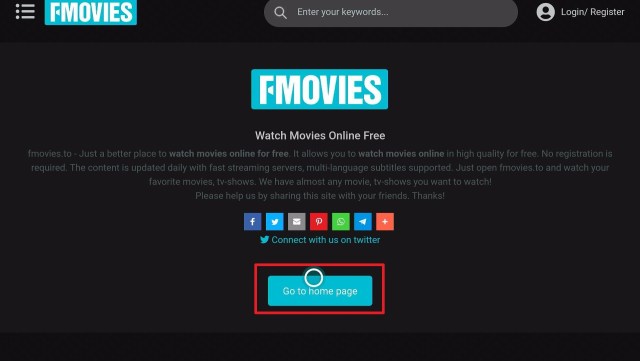
11. Tap on Go to Home Page button at the lower part of the website

FMovies (4)


12. You can now stream through the FMovies site

FMovies (5)


Click here to get the lowest price on Surfshark through our exclusive limited-time offer.


How to Watch FMovies on Android

Make sure to have a VPN running on your device before streaming this website.

1. Launch any browser on your device. For this example, we will use google.

fmovies


2. Type fmovies.to in the search bar and click on GO.

fmovies 1


3. There you go, you now have FMovies on your android device.

fmovies 2


How to Watch FMovies on Windows

Do not forget to activate or connect your VPN before streaming through this website.


1. Launch any browser on your computer, PC, or Windows. For this one, we are going to use Google.

fmovies


2. Type in fmovies.to on the search bar, and click on Go to Home Page.

fmovies 1


3. You can now stream on FMovies on your Windows.

fmovies


How to Stream FMovies using iOS Device

Make sure to have a VPN running on your device before streaming this website.


1. Launch the safari browser on your iOS device.

fmovies


2. Type fmovies.to and click on Go.

fmovies 1


3. Click on Go to Home Page

fmovies 2


4. You can now stream movies on your iOS device using FMovies

fmovies 3


YOUR INTERNET ACTIVITY IS BEING WATCHED

ReviewVPN cannot attest to the legality, security and privacy of the applications discussed on this site. It is highly recommended that you use a VPN service while streaming or using Kodi.

Currently, your IP 216.73.216.144 is visible to everyone and your Browser is being tracked by Advertisers & ISP Provider.

Save 65% Now

Limited Time Offer

Here are the main reasons why you must use a VPN:

  • Your activities are hidden from your ISP, the government, and from the apps you are using.
  • You can access additional movies and TV streams.
  • ISP attempts to throttle are thrwarted thus reducing buffering issues.
  • Geographically restricted content like Netflix and Hulu can be unblocked.

A VPN works be replacing your ISP-assigned IP address and creating an encrypted tunnel. We recommend the no log service offered by IPVanish. It works well on a Firestick and offers the fastest possible speeds.

Special Limited Time Offer - Get IPVanish


Legal Disclaimer: ReviewVPN.com does not encourage or endorse any illegal activity involved in the usage of services and applications referenced on this site. We do not verify the licensing agreements of services. The end-user is wholly responsible for ensuring that any media accessed through these services does not violate copyright and/or licensing laws. ReviewVPN does not promote, link to, or receive compensation from any Apps and IPTV services.


Install Surfshark on Firestick

Best Surfshark Deal


FMovies Features

Interface

  • Features popular and on-demand movies on the home page of the website
  • Gives plot and description for every title
  • Easy to navigate with a mouse toggle
  • Hard to click the play button even with a mouse toggle
  • Pop-up of advertisement present on the home page
  • Search engine available
  • Tabs for Genre, Country, Movies, TV-Series, Top IMDb, and Request
  • Leave this page suggestion for every action taken within the site


Content

  • Popular Titles available
  • Supports subtitles
  • Good quality movies and tv series
  • Advertisements are present


Genres available on FMovies

  • Action
  • Biography
  • Crime
  • Family
  • History
  • Music
  • Romance
  • Thriller
  • Western
  • Adventure
  • Costume
  • Documentary
  • Fantasy
  • Horror
  • Mystery
  • Sci-Fi
  • TV Show
  • Animation
  • Comedy
  • Drama
  • Game-Show
  • Kungfu
  • Reality-TV
  • Sport
  • War


Shows and Movies Divided into Countries on FMovies:

  • United States
  • Canada
  • West Germany
  • Australia
  • International
  • Hong Kong
  • Ireland
  • India
  • Denmark
  • New Zealand
  • South Africa
  • Mexico
  • Austria
  • Brazil
  • Argentina
  • Poland
  • Israel
  • Luxembourg
  • Taiwan
  • United Kingdom
  • France
  • Japan
  • Italy
  • Spain
  • China
  • Korea
  • Belgium
  • Sweden
  • Netherlands
  • Norway
  • Switzerland
  • Czech Republic
  • Russia
  • Hungary
  • Finland
  • Romania
  • Thailand


Pros and Cons

Pros

  • Free movies and tv shows
  • No registration needed
  • Popular and famous titles available
  • Easy to navigate interface
  • High-quality videos


Cons

  • Lots of advertisements
  • Pop-up for every action done


Stream Safely with a VPN

surfshark logo


There are websites that sometimes contain malicious and suspicious data and domains. It is always better to use a VPN whenever you are going to stream through different sites especially if they are for free.

A VPN will keep you protected and secured when you surf the internet.

We always suggest using Surfshark. It is the best VPN that guarantees security, especially while streaming.

Here are some of the many benefits that Surfshark gives to its users:

  • Gives you an additional wall of protection especially from your ISP while surfing and streaming.
  • Serves as a bridge that connects you to other servers and destroys geo-blocks that hinder you from accessing different contents.
  • Protects your online identity from hackers, especially when you are using public wi-fi
  • Keeps your data and files from harmful malware
  • Your connections and data will be kept encrypted and anonymous
  • Makes your internet speed faster
  • Gives easy access and downloads from different torrent sites without being caught.
  • Prevents Firestick Buffering and Kodi Buffering


Grab your subscription now!

Click here to get the lowest price on Surfshark through our exclusive limited-time offer.


How to Install Surfshark VPN on Firestick

If your Firestick still has the older interface, read this article to learn how to update it: Update Firestick Interface.

Follow our screenshots below to install the Surfshark VPN app on your Fire TV stick.

1. Go to the Home screen of your Firestick.

step 1 Install Surfshark VPN on Firestick


2. Navigate towards the Find tab. Press the Search button from the resulting dropdown.

step 2 Install Surfshark VPN on Firestick


3. Type in the keyword of Surfshark and select from the suggestions that will appear.

step 3 Install Surfshark VPN on Firestick


4. Click the official Surfshark icon from your search results.

step 4 Install Surfshark VPN on Firestick


5. Press the Download (You own it) button.

step 5 Install Surfshark VPN on Firestick


6. The Surfshark VPN installer will download on your device.

step 6 Install Surfshark VPN on Firestick


7. Surfshark VPN’s app will automatically install itself on your Fire TV stick.

step 7 Install Surfshark VPN on Firestick


8. Press the Open button after completing Surfshark VPN’s installation process.

step 8 Install Surfshark VPN on Firestick


9. Please wait for the Surfshark VPN to load its user interface.

step 9 Install Surfshark VPN on Firestick


10. You can now log in with your Surfshark VPN account credentials.

step 10 Install Surfshark VPN on Firestick

Learn more about Surfshark and Grab the Best Surfshark Deal Now!


Install Surfshark on Firestick

Best Surfshark Deal


Other VPNs to Consider

NordVPN (Best for Streaming)

Best Features

  • 5000+ Server in 50+ Countries 
  • Military-Grade Encryption
  • Fast Connection Speed
  • Suitable to a lot of devices
  • No-Log Policy

Prices
  • Complete $5.89 per month (64% Discount)
  • Plus $4.59 per month (56% Discount)
  • Standard $3.69 per month (55% Discount)

Best Features

  • 750+ High-speed VPN Servers in 43 Locations
  • Military-Grade Encryption
  • Fastest HD Streaming and Gaming
  • 30-Day Money-Back Guarantee
  • Unlimited Data & Devices
  • No-Log Policy

Prices
  • 3 Years $1.99 per month (82% Discount)
  • 1 Years $3.29 per month (70% Discount)
  • 1 Month $10.99 per month

IPVanish VPN (Most Secure)

Best Features

  • 1200+ Servers in 60+ Countries around the world
  • Unlimited Connections
  • No-Log Policy
  • Top Notch Military-Grade VPN Protocols and Encryptions
  • 100% Safe and Secured
  • Most Trusted VPN
  • Best VPN for Firestick
  • 30-Day Money-Back Guarantee

Prices
  • Yearly $3.99 per month (63% Discount) – 30 days risk free + Ransomware & Malware Protection
  • Quarterly $5.32 per month (51% Discount)
  • Monthly $10.99 per month


For more VPN discounts, go to ReviewVPN Deals and purchase the best VPN for you.


Alternatives for FMovies

There are some other sites where you can also have free movies.

In this part, we listed down different websites and even applications where you can stream movies and shows for free.


Websites with the same name as FMovies.to:

  • fmovies.com
  • fmovies.ru
  • fmovies.net

These websites are different from fmovies.to


Best Free Streaming Websites for Movies and TV Shows:

You can learn more about these websites when you read about the 50 Best Free Movie Stream Websites article.


Additional Information: You can also watch live tv from USTVGO. You can read about our USTVGo Review to learn more about the website.


Applications for Free Movies and TV:

There are many free shows and movie apps that you can also install on your firestick device. Take a look at our list of possible alternative apps for FMovies:


FAQs

Is FMovies safe?

Since this website provides free movies that should be paid for on other applications or websites, we are not 100% sure that FMovies is safe. It is still better to have a VPN running on your device when you stream for FMovies.


Is Don’t Be a Menace full movie available on FMovies?

On our last checking, Don’t Be a Menace is not available on FMovies.to


Is FMovies legal?

We are unable to confirm if FMovies has acquired the proper licensing to movies and films. Just to be on the safer side of things, always use a VPN when streaming on FMovies.

How to Download movies from FMovies?

You can easily download movies from FMovies if you have a browser extension.

You can have the full details of the process on this website: https://www.videoconverterfactory.com/tips/download-from-fmovies.html


Is A Bronx Tale movie available on FMovies?

Yes. A Bronx Tale movie is available on FMovies.


Is there an FMovies app?

There is a fmovies app but it is not connected or the same as the FMovies website.


Opinion

People have sometimes mistaken FMovies with fmoviez, fmovies8, and wemovies. But all of these websites are different from each other.

Overall this website is great since there are a lot of free movies. But the ads and pop-up suggestions present are so bothersome at some point.

To make sure that you are safe while streaming this app, please use a VPN. It is a must while streaming and surfing the net, especially with sites the same as fmovies.


Final Thoughts

We hope that this article helped you with streaming FMovies on your firestick, android, windows, and iOS devices.


Note: ReviewVPN.com does not own or operate any app nor does it endorse any. The main purpose of this article is strictly for educational purposes only.


Must Read:

Best Firestick Apps

50 Best Free Movie Streaming Sites

40 Best TV Show Websites

Top Filelinked Codes

Best Adult Apps for Firestick

The Best Live TV Apps for Amazon Fire TV

Best Kissanime.RU Alternatives 

Install Swift Streamz on Firestick

The Best Adult Apps for Android

Install Live Lounge APK for Free Live TV, Sports, Adult Section, and Movies

Best Live TV (IPTV) Apps on Firestick and Android

How To Install Stranger Things Game On Firestick

Stranger Things Game on Firestick

This article is going to guide you to install the Stranger Things Game on your Firestick device in just very simple steps.

Every millennial and Gen Z is quite familiar with the Stranger Things series on Netflix, and BonusXP, Inc. has made a brilliant move in developing a game inspired by this show.

Unlike many modern games available in the market today, this action-adventure game is 1984-inspired like how you used to play your Super Mario games of almost the same graphic quality.

In this game, you will unlock challenges just like you’re watching the show while you explore Hawkins Lab, Mirkwood Forest, and a lot more on your devices, even on your Fire and Smart TVs.

Since Stranger Things Game is available on the Amazon App Store, you do not have to type in any URL to download and install this app on your Firestick. You can directly install the game from the Amazon App Store for free.


How to Install Stranger Things Game App on Firestick

  1. On your Firestick home screen, press the center button of your remote directional pad to click the magnifying glass or the “Search” icon on the top left corner of the screen.
  2. Type in “Stranger Things Game” on the Search field, then click on the “Stranger Things Game” from the suggested list below.
  3. Select the Stranger Things Game by pressing the center button of the directional pad.
  4. Click “Get” to finally download the app.
  5. Once the app download is completed, it will be automatically installed on your Firestick.
  6. Select the “Open” button to launch the Stranger Things Game app.


ANONYMOUSLY


If your Firestick still has the older interface, read this article to learn how to update it: Update Firestick Interface.


How to Install Stranger Things Game App on Firestick with Screenshots

1. Click FIND.

Movie Nite 1

2. Click Search.

Movie Nite2


3. Search for the Stranger Things Game.

Step 2 Install Stranger Things Game on Firestick


4. Select the icon of Stranger Things Game..

Step 3 Install Stranger Things Game on Firestick


5. Click Download.

Step 4 Install Stranger Things Game on Firestick


6. Click Open.

Step 5 Install Stranger Things Game on Firestick


7. Enjoy playing.

Step 6 Install Stranger Things Game on Firestick


Grab your subscription now!

Click here to get the lowest price on Surfshark through our exclusive limited-time offer.


Legal Disclaimer: ReviewVPN.com does not encourage or endorse any illegal activity involved in the usage of services and applications referenced on this site. We do not verify the licensing agreements of services. The end-user is wholly responsible for ensuring that any media accessed through these services does not violate copyright and/or licensing laws. ReviewVPN does not promote, link to, or receive compensation from any Apps and IPTV services.

YOUR INTERNET ACTIVITY IS BEING WATCHED

ReviewVPN cannot attest to the legality, security and privacy of the applications discussed on this site. It is highly recommended that you use a VPN service while streaming or using Kodi.

Currently, your IP 216.73.216.144 is visible to everyone and your Browser is being tracked by Advertisers & ISP Provider.

Save 65% Now

Limited Time Offer

Here are the main reasons why you must use a VPN:

  • Your activities are hidden from your ISP, the government, and from the apps you are using.
  • You can access additional movies and TV streams.
  • ISP attempts to throttle are thrwarted thus reducing buffering issues.
  • Geographically restricted content like Netflix and Hulu can be unblocked.

A VPN works be replacing your ISP-assigned IP address and creating an encrypted tunnel. We recommend the no log service offered by IPVanish. It works well on a Firestick and offers the fastest possible speeds.

Special Limited Time Offer - Get IPVanish

Stranger Things Game App Features

Interface

  • Shows Game Controller guides for Play Station and Firestick/Fire TV remote
  • Normal and Classic game modes
  • Clear graphics and music


Pros and Cons

Pros

  • Smooth running game on Fire TV/Firestick


Cons

  • Though there is a guide for the Firestick remote displayed when you open the app, some might be confused about the orientation of the remote when you use it for playing. It will be better if they indicate or note to turn the remote control horizontally instead of normal vertical orientation.
  • Needs to turn off Mouse Toggle (if installed) since pressing “Play” or “Attack” button in the game will disable navigations (Up, Down, Left, Right)


FAQs

History

The Stranger Things game has been available on the Amazon Store since July 2017.


Is it free?

Yes, you can enjoy playing this app for free. 


Is there a premium version?

The best thing about this app is that it’s absolutely a free app, so there is no premium version. 


Is the app legal?

Yes, it is 100% legal and you can download them from Android, Apple, and Amazon App Stores.


Are there ads?

No, there are no ads while playing this game. 


Where can I use the app?

You can enjoy playing this game with your Android and iOS devices, Play Station, and even on Amazon Fire TV/Firestick.


Is there an app website?

Yes, there is a developer’s website that you can visit to know some details about the Stranger Things Game: https://bonusxp.com/#games.


Why Use Stranger Things Game on Firestick with Surfshark

Poor game quality and speed are a major no-no when it comes to playing your favorite games. Buffering or lagging is often caused by a poor internet connection where your Internet Service Provider (ISP) gets notified when you stream and then throttles your bandwidth. With Surfshark, this problem is given a solution, and you can get additional benefits when you subscribe to this VPN service:


  • Secures Your Internet Connection

When connecting to free public WiFi, the risk of your personal information being leaked is high. Using Surfshark advanced encryption system will prevent any middleman from hacking your information.


  • Access to Apps and Websites with Geo-Restriction

Installing Surfshark will enable you to watch your favorite series or access some blocked websites with country/regional restrictions.


  • Prevent Packet Stealing

Your personal information can be collected, stolen, and sold to advertising companies, then your data is scanned upon crossing its network. ISPs use deep packet inspection to monitor your internet usage and throttle your internet speed. Your connection in turn slows down and makes it difficult to play online games or stream your favorite media. With Surfshark, your traffic is encrypted and at the same time, you will be able to enjoy a smooth and lag-free streaming experience on your Firestick.


  • Protects Your Online Privacy

Installing Surfshark on your Firestick will remove all your digital fingerprints. It boosts up your online anonymity while streaming on Firestick and other streaming apps. When using a VPN, your real IP address is masked by an IP address that is used and shared by other users. 


  • Get Censorship Filters

With Surfshark, you have the power to explore the web without being censored online. This is usually taken advantage of by government agencies, employers, and universities from across the world.

If you want to get protected and enjoy a flawless and above-standard gaming experience, you may read and learn more in Surfshark


Install Surfshark on Firestick

Best Surfshark Deal


How to Install Surfshark VPN on Firestick

If your Firestick still has the older interface, read this article to learn how to update it: Update Firestick Interface.

Follow our screenshots below to install the SurfShark VPN app on your Fire TV stick.

1. Go to the Home screen of your Firestick.

step 1 Install Surfshark VPN on Firestick


2. Navigate towards the Find tab. Press the Search button from the resulting dropdown.

step 2 Install Surfshark VPN on Firestick


3. Type in the keyword of SurfShark and select from the suggestions that will appear.

step 3 Install Surfshark VPN on Firestick


4. Click the official SurfShark icon from your search results.

step 4 Install Surfshark VPN on Firestick


5. Press the Download (You own it) button.

step 5 Install Surfshark VPN on Firestick


6. The SurfShark VPN installer will download on your device.

step 6 Install Surfshark VPN on Firestick


7. SurfShark VPN’s app will automatically install itself on your Fire TV stick.

step 7 Install Surfshark VPN on Firestick


8. Press the Open button after completing SurfShark VPN’s installation process.

step 8 Install Surfshark VPN on Firestick


9. Please wait for the SurfShark VPN to load its user interface.

step 9 Install Surfshark VPN on Firestick


10. You can now log in with your SurfShark VPN account credentials.

step 10 Install Surfshark VPN on Firestick

Learn more about Surfshark and Grab the Best Surfshark Deal Now!


Install Surfshark on Firestick

Best Surfshark Deal


Other VPNs to Consider

NordVPN (Best for Streaming)

Best Features

  • 5000+ Server in 50+ Countries 
  • Military-Grade Encryption
  • Fast Connection Speed
  • Suitable to a lot of devices
  • No-Log Policy

Prices
  • Complete $5.89 per month (64% Discount)
  • Plus $4.59 per month (56% Discount)
  • Standard $3.69 per month (55% Discount)

Best Features

  • 750+ High-speed VPN Servers in 43 Locations
  • Military-Grade Encryption
  • Fastest HD Streaming and Gaming
  • 30-Day Money-Back Guarantee
  • Unlimited Data & Devices
  • No-Log Policy

Prices
  • 3 Years $1.99 per month (82% Discount)
  • 1 Years $3.29 per month (70% Discount)
  • 1 Month $10.99 per month

IPVanish VPN (Most Secure)

Best Features

  • 1200+ Servers in 60+ Countries around the world
  • Unlimited Connections
  • No-Log Policy
  • Top Notch Military-Grade VPN Protocols and Encryptions
  • 100% Safe and Secured
  • Most Trusted VPN
  • Best VPN for Firestick
  • 30-Day Money-Back Guarantee

Prices
  • Yearly $3.99 per month (63% Discount) – 30 days risk free + Ransomware & Malware Protection
  • Quarterly $5.32 per month (51% Discount)
  • Monthly $10.99 per month


For more VPN discounts, go to ReviewVPN Deals and purchase the best VPN for you.

Click here to get the lowest price on Surfshark through our exclusive limited-time offer.


Stranger Things Game Alternative Apps

We know that you can’t get enough of the Stranger Things Game, so we think you might also want to enjoy these games on your Firestick:

  • Radiant Galaga
  • PBA Bowling Challenge
  • Galax Zero
  • Blippi
  • Ticket to Ride


Conclusion

Both gamers and nongamers will definitely enjoy playing this game with lots of adventures and challenges. The Stranger Things Game runs smoothly with Firestick based on our test, and its users with verified purchases also loved the game from its graphic quality up to its smooth performance and amazing features. However, if you are still undone watching the Stranger Things series, then you may choose not to play this game first if you do not want any spoiler. This game is outstanding, and it’s a great addition to your entertainment apps on your Firestick.


Final Words

We hope you were able to install the Stranger Things Game on your Firestick using this article. Thank you for reading!

Note: ReviewVPN.com is not affiliated with any App or IPTV Service nor are we endorsing or promoting any. The sole purpose of this article is for educational purposes only.

How To Install Screen Mirroring On Firestick

Screen Mirroring on Firestick

In this article, we are going to give you the easiest way to download and install the Screen Mirroring app on your Firestick device.

You surely wouldn’t want to laugh or cry alone, or even interpret graphs and documents all on your own with your device. With Screen Mirroring app, you can share your photos, videos, apps, games, and documents on a much bigger screen – Amazon Fire TV, and other compatible smart TVs in your homes or offices. With just scanning the QR code from your TV, you can connect your favorite devices in just a matter of seconds to start screen mirroring. The Screen Mirroring App is available on the Amazon App Store, so you can just install it on your Firestick with just six easy steps.


How to Install Screen Mirror on Your Firestick

  1. On your Firestick home screen, press the center button of your remote directional pad to click the magnifying glass or the “Search” icon on the top left corner of the screen.
  2. Type in “Screen Mirroring” on the Search field, then click on the “Screen Mirroring” from the suggested list below.
  3. Select the Screen Mirroring by pressing the center button of the remote directional pad.
  4. Click “Get” to finally download the app.
  5. Once the app download is completed, it will be automatically installed on your Firestick.
  6. Select the “Open” button to launch the Screen Mirroring app.


ANONYMOUSLY


How to Install Screen Mirroring App on Firestick with Screenshots

1. From your home screen, go to the magnifying glass icon to search.

 Step 1 Install Screen Mirroring on Firestick

2. Search for the Screen Mirroring.

Step 2 Install Screen Mirroring on Firestick


3.Select the icon of Screen Mirroring.

Step 3 Install Screen Mirroring on Firestick


4. Click Download.

Step 4 Install Screen Mirroring on Firestick


5. Click Open.

Step 5 Install Screen Mirroring on Firestick


6. Scan the QR Code to download Screen Mirroring for Fire TV.

Step 6 Install Screen Mirroring on Firestick


Grab your subscription now!

Click here to get the lowest price on Surfshark through our exclusive limited-time offer.


Screen Mirroring App Features

Interface

  • Classy background and interface.
  • Large texts that make it legible for users.
  • QR code is displayed right when you open the app.

Premium Version

  • No ads.
  • Prioritized customer service support.
  • Unlimited supported devices and mirroring sessions.

Legal Disclaimer: ReviewVPN.com does not encourage or endorse any illegal activity involved in the usage of services and applications referenced on this site. We do not verify the licensing agreements of services. The end-user is wholly responsible for ensuring that any media accessed through these services does not violate copyright and/or licensing laws. ReviewVPN does not promote, link to, or receive compensation from any Apps and IPTV services.


YOUR INTERNET ACTIVITY IS BEING WATCHED

ReviewVPN cannot attest to the legality, security and privacy of the applications discussed on this site. It is highly recommended that you use a VPN service while streaming or using Kodi.

Currently, your IP 216.73.216.144 is visible to everyone and your Browser is being tracked by Advertisers & ISP Provider.

Save 65% Now

Limited Time Offer

Here are the main reasons why you must use a VPN:

  • Your activities are hidden from your ISP, the government, and from the apps you are using.
  • You can access additional movies and TV streams.
  • ISP attempts to throttle are thrwarted thus reducing buffering issues.
  • Geographically restricted content like Netflix and Hulu can be unblocked.

A VPN works be replacing your ISP-assigned IP address and creating an encrypted tunnel. We recommend the no log service offered by IPVanish. It works well on a Firestick and offers the fastest possible speeds.

Special Limited Time Offer - Get IPVanish


Pros and Cons

Pros

  • Wireless setup via connecting your device with QR code when you mirror your device’s screen.
  • HD quality screen mirroring.
  • Can view a wide range of your multimedia including photos, apps, games, videos, websites, and even documents.
  • No lags.


Cons

  • The download is free on Firestick, but you also have to download the app for $4.10 on your paired device (iPhone tested for this review).
  • Not guaranteed to have a smooth mirroring with videos.


FAQs

History

Screen Mirroring has been launched on Amazon App Store last June 2019.


Is it free?

Yes, the download and installation of this app are free on Fire TV/Firestick. 


Is there a premium version?

Yes, you need to subscribe to the premium version if you want to mirror your device on your Fire TV/Firestick.


Is the app legal?

Yes, Screen Mirroring is 100% legal and available on different App Stores such as Amazon, Apple, and Android.


Are there ads?

Yes, there are ads for the free version. If you wish to get rid of these, subscribe to their premium version.


Where can I use the app?

You can use the app on Smart TVs, Fire TV/Firestick, iOS, Android, Windows, Mac, Chromebooks, Chromecast, Roku, Smart TVs, Gaming Consoles,s and any modern Web Browser (Chrome, Firefox, Safari, Opera, Edge).


Is there an app website?

Yes, you can learn more about this app and its developer at https://screenmirroring.app/. 


Why Use Screen Mirroring on Firestick with Surfshark

Video mirroring from your devices into your Fire TV or Firestick might not interest you since the Screen Mirroring app is made more for mirroring rather than casting, but using a VPN may somehow help you if you would want to mirror your videos using this app. You have certainly heard of VPN, but what does it really do? With Surfshark, you don’t only get online protection and security, but also these perks:

  • Log-free browsing and streaming to prevent hackers from stealing your sensitive data by encrypting your internet data, preventing hackers, advertisers, and data thieves.
  • Faster streaming speed by protecting you from your Internet Service Provider (ISP).
  • Access to some apps with geo-restriction anywhere by masking your IP address and making it look like you are streaming in an allowed location.
  • Protected identity to stay anonymous online where your ISP can’t track you online.
  • Anti-detection of anti-VPN technology by regularly refreshing IP address.
  • Secured personal data and information even when connected to public WiFi networks.
  • By using a great VPN such as Surfshark, you will now enjoy a smooth streaming experience on your Firestick.


Install Surfshark on Firestick

Best Surfshark Deal


How to Install Surfshark VPN on Firestick

If your Firestick still has the older interface, read this article to learn how to update it: Update Firestick Interface.

You can download Surfshark directly from the Amazon App store. It will be easy for you to find Surfshark with your Firestick’s Find feature. Refer to our screenshots below.

1. Go to the Home screen of your Firestick.

step 1 Install Surfshark VPN on Firestick


2. Navigate towards the Find tab. Press the Search button from the resulting dropdown.

step 2 Install Surfshark VPN on Firestick


3. Type in the keyword of SurfShark and select from the suggestions that will appear.

step 3 Install Surfshark VPN on Firestick


4. Click the official SurfShark icon from your search results.

step 4 Install Surfshark VPN on Firestick


5. Press the Download (You own it) button.

step 5 Install Surfshark VPN on Firestick


6. The SurfShark VPN installer will download on your device.

step 6 Install Surfshark VPN on Firestick


7. SurfShark VPN’s app will automatically install itself on your Fire TV stick.

step 7 Install Surfshark VPN on Firestick


8. Press the Open button after completing SurfShark VPN’s installation process.

step 8 Install Surfshark VPN on Firestick


9. Please wait for the SurfShark VPN to load its user interface.

step 9 Install Surfshark VPN on Firestick


10. You can now log in with your SurfShark VPN account credentials.

step 10 Install Surfshark VPN on Firestick

Learn more about Surfshark and Grab the Best Surfshark Deal Now!


Other VPNs to Consider

NordVPN (Best for Streaming)

Best Features

  • 5000+ Server in 50+ Countries 
  • Military-Grade Encryption
  • Fast Connection Speed
  • Suitable to a lot of devices
  • No-Log Policy

Prices
  • Complete $5.89 per month (64% Discount)
  • Plus $4.59 per month (56% Discount)
  • Standard $3.69 per month (55% Discount)

Best Features

  • 750+ High-speed VPN Servers in 43 Locations
  • Military-Grade Encryption
  • Fastest HD Streaming and Gaming
  • 30-Day Money-Back Guarantee
  • Unlimited Data & Devices
  • No-Log Policy

Prices
  • 3 Years $1.99 per month (82% Discount)
  • 1 Years $3.29 per month (70% Discount)
  • 1 Month $10.99 per month

IPVanish VPN (Most Secure)

Best Features

  • 1200+ Servers in 60+ Countries around the world
  • Unlimited Connections
  • No-Log Policy
  • Top Notch Military-Grade VPN Protocols and Encryptions
  • 100% Safe and Secured
  • Most Trusted VPN
  • Best VPN for Firestick
  • 30-Day Money-Back Guarantee

Prices
  • Yearly $3.99 per month (63% Discount) – 30 days risk free + Ransomware & Malware Protection
  • Quarterly $5.32 per month (51% Discount)
  • Monthly $10.99 per month


For more VPN discounts, go to ReviewVPN Deals and purchase the best VPN for you.


Screen Mirroring Alternative Apps

We have mentioned in the features section of this article that Screen Mirroring needs a subscription for you to download and connect your devices with your Firestick, so here are some alternative apps that you might want to try for free:

  • AirScreen
  • AirPlayMirror Receiver
  • AirReceiver
  • Video& TV Cast for Fire TV
  • AllCast for Fire TV
  • Replica:  Screen Mirroring from iOS to Fire TV
  • AirBeamTV Screen Mirroring Receiver
  • All Screen Receiver
  • AirPin(PRO)
  • ApowerMirror
  • SendToScreen for Fire TVMirrorMeister
  • Mirroring360 – AirPlay ReceiverLetsView
  • ScreenSharing


Conclusion

We definitely love the Screen Mirroring app’s easy-to-use interface. However, just like typical users, anyone would go for a free app. You would have to download the app on your devices depending also on the service features you wish to avail yourself of. Also, as we’ve recommended, you can use a VPN to enjoy the app at its maximum offer.

We hope we have helped you install the Screen Mirroring app successfully on your Firestick. For any comments or feedback, please feel free to write them down below. Thank you for reading!

Note: ReviewVPN.com is not affiliated with any App or IPTV Service nor are we endorsing or promoting any. The sole purpose of this article is for educational purposes only.

How To Install Atlanta Falcons Kodi Build

Atlanta Falcons Kodi Build

In this article, I will teach you how to install the Atlanta Falcons Kodi build on iOS, Windows, Android, iOS TV, fire stick tv, Raspberry Pi, Chromecast, Roku, and MAC OS devices.


This is a third part build within the Twisted Wizard Repository. Atlanta Falcons is specifically designed for Atlanta Falcons Fans.

It allows you to stream and watch live Atlanta Falcons game shows and matches.

This build also houses other entertainment such as movies, tv shows and lots more.

It comes with a unique customizable AEON TERRO skin and theme. 

This is a lightweight build with less than 300 MB making it suitable for low memory devices like Firestick TV and Roku.

Sections include movies, tv shows, kids, sports, live tv, wizard, fav, add ons, and system.


ANONYMOUSLY


Installation Guide of Atlanta Falcons Kodi Build

Step 1. Open your Kodi app.

Step 2. On the home screen, click on the setting icon.

Step 3. Click on the systems option.

Step 4. Click on add-ons.

Step 5. Click on unknown sources, and select Yes. Return to the home screen. 

Step 6. On the home screen, select the setting icon.

Step 7. Click on the file manager.

Step 8. Click on add source.

Step 9. Click on <none> .

Step 10. Type the media source file URL: http://twistedbuilds.xyz/repo and then click OK.

Step 11. Click on “enter a name for this media source” and type Atlanta Falcons.

Step 12. Return to the home screen and then select add-ons.

Step 13. Click on the addon installer icon.

Step 14. Click on install from zip file.

Step 15. Click on Atlanta Falcons.

Step 16. Click on repository.twisted-1.1.0.zip.

Step 17. Wait for the Twisted add-on installed notification.

Step 18. Click on Install from the repository.

Step 19. Click on Twisted Repository.

Step 20. Click on program add-ons.

Step 21. Click on Twisted Wizard.

Step 22. Click on install.

Step 23. Wait for the twisted Wizard Add-On installed notification.

Step 24. Click on Dismiss and click on Continue.

Step 25. Click on the Build menu.

Step 26. Click on Builds.

Step 27. Click on Atlanta Falcons.

Step 28. Click on fresh install.

Step 29. Select Yes and click OK to force close.


Install Surfshark on Firestick

Best Surfshark Deal


Features of Atlanta Falcons Kodi Build

  • Comes resume watching.
  • Daily build update.
  • Less than 300 MB of space on your device.
  • User-friendly interface.
  • Customizable skin and themes (you can download and install as many skin and themes as you wish).
  • Works well on all hardware platform and operating system that supports kodi.
  • Comes with AEON TERRO skin and theme.

Review of Atlanta Falcons Kodi Build

System Sections:

  • Interface, skin setting, file manager, add ons, player, media, live tv, games, profiles, services, system, and system info.


Movie Sections:

  • New movies, kids (animation, comedy, family, fantasy, sci-fi: animation, animation ii, comedy, family, fantasy, science fiction), genres (action, adventure, animation, comedy, crime, docos, western, war, thriller, sports, science fiction, romance, mystery, music, horror, fantasy, family, drama) requested, 20p top classics, year’s, pantomimes, movie trailers, actor/movie search.


Live TV Section

  • Sports, Fluxus, IPTV list


Addons within Atlanta Falcons Kodi Build

  • Twisted
  • Rising tides
  • YouTube
  • LivestreamPro
  • The Loop
  • Aliens
  • Evil
  • tvOne1112
  • The crew
  • Tempest


How to Integrate Real Debrid

Step 1. Sign in to your RD account or create an account here if you don’t have it yet.

Step 2. Open Atlanta Falcons Kodi build. On sections that require RD authorization, copy the codes that show on your screen.

Step 3. Launch your browser and then go to this URL: https//real-debrid.com/device.

Step 4. Enter the code you copied in step 2. And click OK. You are allowed to link only 5 times.


YOUR INTERNET ACTIVITY IS BEING WATCHED

ReviewVPN cannot attest to the legality, security and privacy of the applications discussed on this site. It is highly recommended that you use a VPN service while streaming or using Kodi.

Currently, your IP 216.73.216.144 is visible to everyone and your Browser is being tracked by Advertisers & ISP Provider.

Save 65% Now

Limited Time Offer

Here are the main reasons why you must use a VPN:

  • Your activities are hidden from your ISP, the government, and from the apps you are using.
  • You can access additional movies and TV streams.
  • ISP attempts to throttle are thrwarted thus reducing buffering issues.
  • Geographically restricted content like Netflix and Hulu can be unblocked.

A VPN works be replacing your ISP-assigned IP address and creating an encrypted tunnel. We recommend the no log service offered by IPVanish. It works well on a Firestick and offers the fastest possible speeds.

Special Limited Time Offer - Get IPVanish


How to Activate Trakt TV

Step 1. Log in to your Trakt TV account. If you don’t have an account yet, create one here.

Step 2. Open Atlanta Falcons Kodi build. On any section that requires Trakt TV activation, copy the code that you will see on your screen.

Step 3. Now, open your browser and then go to https://trakt.tv/activate and then click Activate.


What is Kodi?

Kodi is an open-source media software that gives you access to stream and watches entertainment in various categories and subcategories. You can download this software free from the official Kodi website. With Kodi, you can cut cords and watch free movies, listen to the latest music, live tv events, docos, sports events, prerecorded news, and live news, animes, cartoons, and many more. However, Kodi as a standalone application only offers limited content. You need to install a build from a third-party repository. A Kodi build is an application where addons, settings, wizards, entertainment, and lots more are accessed after installation. 


Frequently Asked Questions

Is it legal and safe to install the Atlanta Falcons Kodi Build?

Installing and streaming with Atlanta Falcons build is legal and safe. There are no reported legal issues as regards installing and streaming with this build.


Is it free to use the Atlanta Falcons Kodi Build?

It is completely free to install and use this build.


Alternative Kodi Builds

No Kodi build lasts for a longer time. Consequently, having alternative builds is important. I have compiled the list of our best kodi builds for 2021. Check it out here.


Pros and Cons

Pros

  • Scrapes streaming ling from different sources in HD video quality
  • Easy to use 
  • Beautiful UI

Cons

  • This build works well. All the sections play videos in HD quality.


Why do you need a VPN while streaming?

A VPN will encrypt and mask your IP address to appear as a private, secure, and anonymous user on the internet service provider network. When this happens, no one on the network will be able to track or monitor whatever activities you are doing online. A VPN is software designed to keep/hide your IP address on the internet service provider (ISP) network. There are tons of VPN service providers out there, however, a VPN like Surfshark will offer you the best VPN service.


Install Surfshark on Firestick

Best Surfshark Deal


How to Install Surfshark VPN on Firestick

If your Firestick still has the older interface, read this article to learn how to update it: Update Firestick Interface.

Follow our screenshots below to install the SurfShark VPN app on your Fire TV stick.

1. Go to the Home screen of your Firestick.

step 1 Install Surfshark VPN on Firestick


2. Navigate towards the Find tab. Press the Search button from the resulting dropdown.

step 2 Install Surfshark VPN on Firestick


3. Type in the keyword of SurfShark and select from the suggestions that will appear.

step 3 Install Surfshark VPN on Firestick


4. Click the official SurfShark icon from your search results.

step 4 Install Surfshark VPN on Firestick


5. Press the Download (You own it) button.

step 5 Install Surfshark VPN on Firestick


6. The SurfShark VPN installer will download on your device.

step 6 Install Surfshark VPN on Firestick


7. SurfShark VPN’s app will automatically install itself on your Fire TV stick.

step 7 Install Surfshark VPN on Firestick


8. Press the Open button after completing SurfShark VPN’s installation process.

step 8 Install Surfshark VPN on Firestick


9. Please wait for the SurfShark VPN to load its user interface.

step 9 Install Surfshark VPN on Firestick


10. You can now log in with your SurfShark VPN account credentials.

step 10 Install Surfshark VPN on Firestick

Learn more about Surfshark and Grab the Best Surfshark Deal Now!


Install Surfshark on Firestick

Best Surfshark Deal


Other VPNs to Consider

NordVPN (Best for Streaming)

Best Features

  • 5000+ Server in 50+ Countries 
  • Military-Grade Encryption
  • Fast Connection Speed
  • Suitable to a lot of devices
  • No-Log Policy

Prices
  • Complete $5.89 per month (64% Discount)
  • Plus $4.59 per month (56% Discount)
  • Standard $3.69 per month (55% Discount)

Best Features

  • 750+ High-speed VPN Servers in 43 Locations
  • Military-Grade Encryption
  • Fastest HD Streaming and Gaming
  • 30-Day Money-Back Guarantee
  • Unlimited Data & Devices
  • No-Log Policy

Prices
  • 3 Years $1.99 per month (82% Discount)
  • 1 Years $3.29 per month (70% Discount)
  • 1 Month $10.99 per month

IPVanish VPN (Most Secure)

Best Features

  • 1200+ Servers in 60+ Countries around the world
  • Unlimited Connections
  • No-Log Policy
  • Top Notch Military-Grade VPN Protocols and Encryptions
  • 100% Safe and Secured
  • Most Trusted VPN
  • Best VPN for Firestick
  • 30-Day Money-Back Guarantee

Prices
  • Yearly $3.99 per month (63% Discount) – 30 days risk free + Ransomware & Malware Protection
  • Quarterly $5.32 per month (51% Discount)
  • Monthly $10.99 per month


For more VPN discounts, go to ReviewVPN Deals and purchase the best VPN for you.

Click here to get the lowest price on Surfshark through our exclusive limited-time offer.


Importance of a VPN

  • Encrypts your IP address to appear anonymous, private, and secure while streaming or accessing the internet.
  • Bypass location restriction.
  • Minimize throttling.
  • Stream without being monitored by your ISP network.


Conclusion

I recommend you install the Atlanta Falcons Kodi build. It is a new build within the Twisted Wizard Repository with a huge collection of content from Atlanta Falcon FC. This builds also houses movies, tv shows, live tv shows, documentaries, kids shows, animes, and more. 

How To Install Green Bay Packers Build

Green Bay Packers Build


In this tutorial, you will learn how to install and use Green Bay Packers on Firestick TV, Raspberry Pi, Android, iOS, Roku, Chromecast, Windows, Mac OS, Etc.

Green Bay Packers is a new build within the Twisted Wizard Repository.

This is a feature-rich build with approximately 200 MB of space.

One good side of this build is that each section has dedicated addons for links. 

The interface of Green Bay Packers is easy to navigate and it comes with AEON Green Bay skin and theme.

Sections within this build include: 1 click kids, 1 click movies, sports, fav, wizard, settings, add ons, 1 click tv, etc.


ANONYMOUSLY


Installing Green Bay Packers Kodi Build

Step 1. Launch your Kodi app.

Step 2. On the home screen, select the setting icon.

Step 3. Select systems option.

Step 4. Select add-ons and, click unknown sources, and select Yes.

Step 5. Return to the home screen.

Step 6. Select the setting icon.

Step 7. Select the file manager.

Step 8. Select add source.

Step 9. Select <none> .

Step 10. Enter the media source file URL: http://twistedbuilds.xyz/repo and then click OK.

Step 11. Select “enter a name for this media source” and type Green Bay Packers.

Step 12. Return to the home screen and select add-ons.

Step 13. Select the addon installer icon.

Step 14. Select install from zip file.

Step 15. Select Green Bay Packers.

Step 16. Select repository.twisted-1.1.0.zip.

Step 17. Wait for the Twisted add-on installed notification.

Step 18. Select Install from the repository.

Step 19. Select Twisted Repository.

Step 20. Select program add-ons.

Step 21. Select Twisted Wizard.

Step 22. Select install.

Step 23. Wait for the twisted Wizard Add-On installed notification.

Step 24. Select Dismiss and then select continue.

Step 25. Select Build Menu.

Step 26. Select builds.

Step 27. Select Green Bay Packers.

Step 28. Select fresh install.

Step 29. Select Yes and Wait for the installation to complete. Click OK.


Grab your subscription now!

Click here to get the lowest price on Surfshark through our exclusive limited-time offer.


Features of Green Bay Packers

  • The Meta description for movies and tv shows.
  • Unique Green Bay skin.
  • User-friendly interface.
  • Works on low memory devices such as firestick, Roku, etc.
  • Regular build update.

How to Integrate Real Debrid

Step 1. Sign in to your real debrid account or create an account here if you don’t have one.

Step 2. Launch Atlanta Falcons kodi build. On any section that requires Real Debrid integration, copy out the code that will appear on your screen.

Step 3. Launch your browser and then go to https://real-debrid.com/device and then enter the code from step 2. Click OK/GO/Connect.

Note: you can only link up to 5 times consecutively after which you will be required to purchase a subscription.


YOUR INTERNET ACTIVITY IS BEING WATCHED

ReviewVPN cannot attest to the legality, security and privacy of the applications discussed on this site. It is highly recommended that you use a VPN service while streaming or using Kodi.

Currently, your IP 216.73.216.144 is visible to everyone and your Browser is being tracked by Advertisers & ISP Provider.

Save 65% Now

Limited Time Offer

Here are the main reasons why you must use a VPN:

  • Your activities are hidden from your ISP, the government, and from the apps you are using.
  • You can access additional movies and TV streams.
  • ISP attempts to throttle are thrwarted thus reducing buffering issues.
  • Geographically restricted content like Netflix and Hulu can be unblocked.

A VPN works be replacing your ISP-assigned IP address and creating an encrypted tunnel. We recommend the no log service offered by IPVanish. It works well on a Firestick and offers the fastest possible speeds.

Special Limited Time Offer - Get IPVanish


Pros and Cons

Pros

  • Beautiful UI
  • Easy installation process
  • Navigable UI


Cons

  • Green Bay Packers build works fine.


Addons within Green Bay Packers Kodi Build

  • The Loop
  • Aliens
  • YouTube
  • The crew
  • Evil
  • tvOne1112
  • Twisted
  • Rising tides
  • Tempest
  • LivestreamPro


Frequently Asked Questions

Is it safe and legal to use Green Bay Packers Kodi Build?

It is safe to install and stream with this build. After installing the Green Bay Packers, I found no harmful links or sections within this build. That said, I recommend using Kodi with a VPN for security and privacy reasons.


Can I install Green Bay Packers on my Fire Stick TVand Android Device?

You can easily install Green Bay Packers Kodi build on your fire stick tv and Android devices by following the above installation guide. Green Bay Packers build can also be installed on other hardware platforms and operating systems such as Windows, iOS, Chromecast, iOStv, smart TV, Roku, Raspberry Pi, and lots more.


Do I need to pay to use the Green Bay Packers Build?

You can install and stream with this build free of charge. No commitment, no credit card, no billing required to use Atlanta Falcons Kodi build. However, for a smooth streaming experience, you need a reliable and fast internet connection to use this build.


Best Alternative Build

It is very important to have alternative builds ready. This is because you don’t know when your current Kodi build will stop working. Click here to see the list of our best alternative builds for 2021.


Install Surfshark on Firestick

Best Surfshark Deal


How to Install Surfshark VPN on Firestick

If your Firestick still has the older interface, read this article to learn how to update it: Update Firestick Interface.

Follow our screenshots below to install the SurfShark VPN app on your Fire TV stick.

1. Go to the Home screen of your Firestick.

step 1 Install Surfshark VPN on Firestick


2. Navigate towards the Find tab. Press the Search button from the resulting dropdown.

step 2 Install Surfshark VPN on Firestick


3. Type in the keyword of SurfShark and select from the suggestions that will appear.

step 3 Install Surfshark VPN on Firestick


4. Click the official SurfShark icon from your search results.

step 4 Install Surfshark VPN on Firestick


5. Press the Download (You own it) button.

step 5 Install Surfshark VPN on Firestick


6. The SurfShark VPN installer will download on your device.

step 6 Install Surfshark VPN on Firestick


7. SurfShark VPN’s app will automatically install itself on your Fire TV stick.

step 7 Install Surfshark VPN on Firestick


8. Press the Open button after completing SurfShark VPN’s installation process.

step 8 Install Surfshark VPN on Firestick


9. Please wait for the SurfShark VPN to load its user interface.

step 9 Install Surfshark VPN on Firestick


10. You can now log in with your SurfShark VPN account credentials.

step 10 Install Surfshark VPN on Firestick

Learn more about Surfshark and Grab the Best Surfshark Deal Now!


Install Surfshark on Firestick

Best Surfshark Deal


Other VPNs to Consider

NordVPN (Best for Streaming)

Best Features

  • 5000+ Server in 50+ Countries 
  • Military-Grade Encryption
  • Fast Connection Speed
  • Suitable to a lot of devices
  • No-Log Policy

Prices
  • Complete $5.89 per month (64% Discount)
  • Plus $4.59 per month (56% Discount)
  • Standard $3.69 per month (55% Discount)

Best Features

  • 750+ High-speed VPN Servers in 43 Locations
  • Military-Grade Encryption
  • Fastest HD Streaming and Gaming
  • 30-Day Money-Back Guarantee
  • Unlimited Data & Devices
  • No-Log Policy

Prices
  • 3 Years $1.99 per month (82% Discount)
  • 1 Years $3.29 per month (70% Discount)
  • 1 Month $10.99 per month

IPVanish VPN (Most Secure)

Best Features

  • 1200+ Servers in 60+ Countries around the world
  • Unlimited Connections
  • No-Log Policy
  • Top Notch Military-Grade VPN Protocols and Encryptions
  • 100% Safe and Secured
  • Most Trusted VPN
  • Best VPN for Firestick
  • 30-Day Money-Back Guarantee

Prices
  • Yearly $3.99 per month (63% Discount) – 30 days risk free + Ransomware & Malware Protection
  • Quarterly $5.32 per month (51% Discount)
  • Monthly $10.99 per month


For more VPN discounts, go to ReviewVPN Deals and purchase the best VPN for you.

Click here to get the lowest price on Surfshark through our exclusive limited-time offer.


Why should you use a VPN while streaming with Kodi?

A VPN is software that hides and keeps your IP address secure and private while streaming content online or accessing the internet. After reviewing several VPN service providers, I present to you Surfshark


Benefits of Installing Surfshark

Protection and Security

Surfshark will encrypt your IP address to appear as a secure and anonymous user on the ISP network. For someone fond of using a public internet connection, it may interest you to know that anyone on the network can see your activities.


Geolocation

Surfshark will offer you over 3200+ servers in 65 countries worldwide locations to choose from. Consequently, you need not worry about being restricted due to location. You can easily bypass geolocation and stream from anywhere around the world by installing Surfshark


Features of Surfshark

  • Compatible on different hardware platforms and operating systems.
  • Over 3200+ servers in 65 countries worldwide locations
  • Fast and unthrottled speed: Surfshark does not meter your internet speed 
  • Uses 256 bit AES standard encryption.
  • Offers maximum security for web proxy using socks5
  • Allows you to access apps and websites with censorship
  • OpenVPN, IKEv2, IPsec VPN/L2TP protocols
  • Unlimited connections
  • 24/7 live customer care support.


Conclusion

Green Bay Packers offers you 24/7 nonstop streaming of free movies, sports events, tv shows, live tv shows, kids shows, and lots more. It is a feature-rich build with easy to navigate interface and sections. I recommend you try this build and share your thoughts.

Stream Einthusan on Firestick, Android, Windows and iOS – 2023

Einthusan Overview

This article will help you stream Einthusan on your firestick, android, windows, and iOS devices.


Einthusan.tv is a streaming website where you can watch tons of South Asian films.

You can select movies from eight different Indian languages present on Einthusan like Tamil, Hindi, Malayalam, and Punjabi.

This website works by searching links for the title you wish to stream.

The service of Einthusan is free but you need to log in to your account to enjoy watching the latest movies on this website.

You can stream this website on firestick, android, windows, and iOS, but make sure to have a VPN running on your device while streaming.

If you are going to use firestick for this website, it is better to have Mouse Toggle installed on your device.

Einthusan is a streaming website that doesn’t need a downloader app. It does not also require jailbreaking your firestick for you to watch Einthusan’s latest movies.


ANONYMOUSLY

If your Firestick still has the older interface, read this article to learn how to update it: Update Firestick Interface.


How to Watch Einthusan on Firestick

In using firestick for this website, you will be needing a browser application such as Silk Browser or Firefox installed on your device.

Do not forget to activate or connect your VPN before streaming through this website.

1. Click FIND.

Movie Nite 1


2. Click Search.

Movie Nite2


3. Type in Silk Browser and click on the suggestion

Watch TheMovieBay


4. Tap on the Silk Browser icon when it appears

ustvgo


5. Click on the Get or Download button

ustvgo


6. Wait  for the app to be installed

ustvgo


7. Select Open to launch the app

ustvgo


8. Hover to the search bar of the app

ustvgo


9. Type in einthusan.tv and then click on Go.

einthusan (9)


10. When the suggestion box appears, click on Cancel.

einthusan (10)


11. You will now see the einthusan tv website on your firestick.

einthusan (11)


12. Use your remote as the mouse toggle for navigating through the site.

einthusan (8)


How to Watch Einthusan on Android

Make sure to have a VPN running on your device before streaming this website.


1. Launch any browser on your device. For this example, we will use google.

einthusan 1


2. Type einthusan.tv in the search bar and click on Agree.

einthusan 2


3. There you go, you now have Einthusan on your android device.

einthusan 3


How to Watch Einthusan on Windows

Do not forget to activate or connect your VPN before streaming through this website.


1. Launch any browser on your computer, PC, or Windows. For this one, we are going to use Google.

einthusan 1


2. Type in einthusan.tv on the search bar and click on Agree.

einthusan 2


3. Now you can stream through the Einthusan website.
einthusan 3


Install Surfshark on Firestick

Best Surfshark Deal


How to Stream Einthusan using iOS Device

Make sure to have a VPN running on your device before streaming this website.


1. Launch the safari browser on your iOS device.

einthusan 1


2. Type einthusan.tv and click on Go.

einthusan 2


3. You can now stream Einthusan on your iOS device.

einthusan 3


YOUR INTERNET ACTIVITY IS BEING WATCHED

ReviewVPN cannot attest to the legality, security and privacy of the applications discussed on this site. It is highly recommended that you use a VPN service while streaming or using Kodi.

Currently, your IP 216.73.216.144 is visible to everyone and your Browser is being tracked by Advertisers & ISP Provider.

Save 65% Now

Limited Time Offer

Here are the main reasons why you must use a VPN:

  • Your activities are hidden from your ISP, the government, and from the apps you are using.
  • You can access additional movies and TV streams.
  • ISP attempts to throttle are thrwarted thus reducing buffering issues.
  • Geographically restricted content like Netflix and Hulu can be unblocked.

A VPN works be replacing your ISP-assigned IP address and creating an encrypted tunnel. We recommend the no log service offered by IPVanish. It works well on a Firestick and offers the fastest possible speeds.

Special Limited Time Offer - Get IPVanish


Legal Disclaimer: ReviewVPN.com does not encourage or endorse any illegal activity involved in the usage of services and applications referenced on this site. We do not verify the licensing agreements of services. The end-user is wholly responsible for ensuring that any media accessed through these services does not violate copyright and/or licensing laws. ReviewVPN does not promote, link to, or receive compensation from any Apps and IPTV services.


Website Features

Interface

  • Easy to navigate through the use of mouse toggle.
  • Advertisements are present on the website itself
  • Login/Register option available
  • Provides Categories by language


Content

  • Good quality of videos and audio
  • Different languages available
  • Multiple advertisements present while streaming
  • Supports the use of subtitles


Languages of movies available:

  • Tamil
  • Hindi
  • Telugu
  • Malayalam
  • Kannada
  • Bengali
  • Marathi
  • Punjabi


Pros and Cons

Pros

  • Login and Registration for free service is available
  • Lots of South Asian Films
  • subtitles available (in English)
  • 8 out of 22 Indian languages available


Cons

  • Advertisements are present
  • You cannot continue watching unless you register for an account
  • Lots of buffering time


Stream Safely with a VPN

Streaming through different websites is always safer with the use of s VPN. Some websites are hosted by hackers and some may contain malware.

A VPN will protect your identity and your files while navigating the internet.

Here at reviewvpn.com, we always recommend the use of Surfshark. It is the safest and the best VPN for streaming.

You will receive different benefits when you use Surfshark such as:

  • Gives you an additional wall of protection especially from your ISP while surfing and streaming.
  • Serves as a bridge that connects you to other servers and destroys geo-blocks that hinder you from accessing different contents.
  • Protects your online identity from hackers, especially when you are using public wi-fi
  • Keeps your data and files from harmful malware
  • Your connections and data will be kept encrypted and anonymous
  • Makes your internet speed faster
  • Gives easy access and downloads from different torrent sites without being caught.
  • Prevents Firestick Buffering and Kodi Buffering


Grab your subscription now!

Click here to get the lowest price on Surfshark through our exclusive limited-time offer.


How to Install Surfshark VPN on Firestick

If your Firestick still has the older interface, read this article to learn how to update it: Update Firestick Interface.

Follow our screenshots below to install the SurfShark VPN app on your Fire TV stick.

1. Go to the Home screen of your Firestick.

step 1 Install Surfshark VPN on Firestick


2. Navigate towards the Find tab. Press the Search button from the resulting dropdown.

step 2 Install Surfshark VPN on Firestick


3. Type in the keyword of SurfShark and select from the suggestions that will appear.

step 3 Install Surfshark VPN on Firestick


4. Click the official SurfShark icon from your search results.

step 4 Install Surfshark VPN on Firestick


5. Press the Download (You own it) button.

step 5 Install Surfshark VPN on Firestick


6. The SurfShark VPN installer will download on your device.

step 6 Install Surfshark VPN on Firestick


7. SurfShark VPN’s app will automatically install itself on your Fire TV stick.

step 7 Install Surfshark VPN on Firestick


8. Press the Open button after completing SurfShark VPN’s installation process.

step 8 Install Surfshark VPN on Firestick


9. Please wait for the SurfShark VPN to load its user interface.

step 9 Install Surfshark VPN on Firestick


10. You can now log in with your SurfShark VPN account credentials.

step 10 Install Surfshark VPN on Firestick

Learn more about Surfshark and Grab the Best Surfshark Deal Now!


Install Surfshark on Firestick

Best Surfshark Deal


Other VPNs to Consider

NordVPN (Best for Streaming)

Best Features

  • 5000+ Server in 50+ Countries 
  • Military-Grade Encryption
  • Fast Connection Speed
  • Suitable to a lot of devices
  • No-Log Policy

Prices
  • Complete $5.89 per month (64% Discount)
  • Plus $4.59 per month (56% Discount)
  • Standard $3.69 per month (55% Discount)

Best Features

  • 750+ High-speed VPN Servers in 43 Locations
  • Military-Grade Encryption
  • Fastest HD Streaming and Gaming
  • 30-Day Money-Back Guarantee
  • Unlimited Data & Devices
  • No-Log Policy

Prices
  • 3 Years $1.99 per month (82% Discount)
  • 1 Years $3.29 per month (70% Discount)
  • 1 Month $10.99 per month

IPVanish VPN (Most Secure)

Best Features

  • 1200+ Servers in 60+ Countries around the world
  • Unlimited Connections
  • No-Log Policy
  • Top Notch Military-Grade VPN Protocols and Encryptions
  • 100% Safe and Secured
  • Most Trusted VPN
  • Best VPN for Firestick
  • 30-Day Money-Back Guarantee

Prices
  • Yearly $3.99 per month (63% Discount) – 30 days risk free + Ransomware & Malware Protection
  • Quarterly $5.32 per month (51% Discount)
  • Monthly $10.99 per month


For more VPN discounts, go to ReviewVPN Deals and purchase the best VPN for you.


Alternatives for Einthusan

This website offers movies in different Indian languages. It is one of the best attributes of this site. However, there are also other apps that you may use to stream South Asian Films.

  • hotstar.com (Hindi and Tamil)
  • yupptv.com (Hindi, Malayalam, Telugu, Tamil, and Kannada)
  • sonyliv.com
  • voot.com (Tamil, Bengali, Kannada, and Punjabi)
  • airtelxstream.in


If you like using applications instead of websites, you can check out this list of apps that offers Indian movies as well.

These apps may require using the downloader app and jailbreaking your firestick for them to be installed.


FAQs

Is Einthusan Legal?

We are unable to confirm if Einthusan has acquired the proper licensing to movies and films. Just to be on the safer side of things, always use a VPN when streaming on Einthusan.


Is de de Pyaar de available on Einthusan?

The last time we check, de de Pyaar de is not yet available on einthusan. Most new movies on einthusan are Tamil and Hindi movies in 2018.


Is Kesari available on Einthusan?

Yes. Kesari is available on Einthusan.


Is Masaan available on Einthusan?

Yes. Masaan is available on einthusan


How to download videos from einthusan?

If you like to download movies and videos from einthusan, you can copy the link and use the following websites:

  • https://keepv.id/download-einthusan-videos
  • https://www.savethevideo.com/einthusan-tv-downloader


How to install Einthusan on Kodi?

To better have the answer you can read our article: How to Install Einthusan on Kodi


Is Einthusan.tv the same as Einthusan.com Hindi?

If you search for einthusan.com, you will also be directed to einthusan.tv


Is Einthusan Safe?

We have scanned Einthusan on Virus Total and found that the website does not have any malicious or suspicious domain or data. But it is still better to use a VPN while streaming on any site.


Opinion

This website is quite good because it has 8 different movie languages to choose from.

We never knew an Indian website with more than what this site has. And the good thing is, movies are divided depending on language, and yet you can stream them with English subtitles.

What’s bothering us is the presence of advertisements throughout the website, even during streaming.

You can log in or register immediately on the website, and experience the best of what this site has to offer.

Furthermore, if this streaming site does not work for you, you can still look for other alternatives to stream South Asian movies. Just make sure to use a VPN while streaming through the internet.


Final Thoughts

We hope that this article helped you with streaming Einthusan on your devices.


Note: ReviewVPN.com does not own or operate any app nor does it endorse any. The main purpose of this article is strictly for educational purposes only.


Must Read:

Best Firestick Apps

50 Best Free Movie Streaming Sites

40 Best TV Show Websites

Top Unlinked Codes

Best Adult Apps for Firestick

The Best Live TV Apps for Amazon Fire TV

Best Kissanime.RU Alternatives 

Install Swift Streamz on Firestick

The Best Adult Apps for Android

Install Live Lounge APK for Free Live TV, Sports, Adult Section, and Movies

Best Live TV (IPTV) Apps on Firestick and Android

How To Install Solid Explorer On Firestick

Overview

This article will give information about the Solid Explorer app and how to install it on your Firestick. 


What is a Solid Explorer?

If you are looking for a file manager that is easy to use and has amazing modern designs, this article is for you. One of the amazing file explorers with a modern interface and variety of features is the Solid Explorer.

A great file explorer that supports cloud storage such as  Dropbox, Box, Google Drive, OneDrive, Skydrive, Mega, and Owncloud. It is also one of the best-looking explorers with two independent panels that will give you the best experience in browsing your files. 

It serves you with a Solid, faster, and better experience in file browsing, whereas you can customize the look of your interface by themes, icon sets, and color schemes.  This file explorer is not just for storing your files, with this, you can also play some music, view your media such as photos and videos. 

One of the good File explorers that you can have on your Firestick to organize your files. This app will give you the service that you deserve.


ANONYMOUSLY

How To Install Solid Explorer App on Firestick

Note: Solid Explorer is unfortunately not available on Amazon App Store, so you need to sideload the app to install it on your Firestick. 

Follow these steps to successfully install the app.

1.  Click Home on your remote and scroll once to your Right. Click Setting (Gear Wheel Icon).

Step 1 Install Solid Explorer App on Firestick

2. Scroll down and to the right until you get to My Fire TV. Click on it.

Step 2 Install Solid Explorer App on Firestick


3. Select Developer options.

Step 3 Install Solid Explorer App on Firestick


4. Turn on ADB debugging and Apps from Unknown Sources.

Step 4 Install Solid Explorer App on Firestick


5. Click Turn On when the pop-up appears.

Step 5 Install Solid Explorer App on Firestick


6. Click Home, click FIND.

Step 6 Install Solid Explorer App on Firestick


7. Click Search.

Step 7 Install Solid Explorer App on Firestick


8. You can either say Downloader to your Alexa voice-enabled remote or start typing it. If you typed it, click on the suggestion when it appears.

Step 8 Install Solid Explorer App on Firestick


9. Click on the Downloader Icon.

Step 9 Install Solid Explorer App on Firestick


10. Click Download.

Step 10 Install Solid Explorer App on Firestick


step 10 Install Solid Explorer App on Firestick


11. Click on Open.

Step 11 Install Solid Explorer App on Firestick


12. Click on Allow.

Step 12 Install Solid Explorer App on Firestick


13. Use the Downloader search tab.

Step 13 Install Solid Explorer App on Firestick


14. Type in https://reviewvpn.com/soex & Tap on the Go button.

Step 14 Install Solid Explorer App on Firestick


15.  Wait for the file download to finish.

Step 15 Install Solid Explorer App on Firestick


16. Click Install.

Step 16 Install Solid Explorer App on Firestick


17. The Solid Explorer App will install on Firestick.

Step 17 Install Solid Explorer App on Firestick


18. Open the Solid Explorer App to view television channels.

Step 18 Install Solid Explorer App on Firestick


YOUR INTERNET ACTIVITY IS BEING WATCHED

ReviewVPN cannot attest to the legality, security and privacy of the applications discussed on this site. It is highly recommended that you use a VPN service while streaming or using Kodi.

Currently, your IP 216.73.216.144 is visible to everyone and your Browser is being tracked by Advertisers & ISP Provider.

Save 65% Now

Limited Time Offer

Here are the main reasons why you must use a VPN:

  • Your activities are hidden from your ISP, the government, and from the apps you are using.
  • You can access additional movies and TV streams.
  • ISP attempts to throttle are thrwarted thus reducing buffering issues.
  • Geographically restricted content like Netflix and Hulu can be unblocked.

A VPN works be replacing your ISP-assigned IP address and creating an encrypted tunnel. We recommend the no log service offered by IPVanish. It works well on a Firestick and offers the fastest possible speeds.

Special Limited Time Offer - Get IPVanish


Legal Disclaimer: ReviewVPN.com does not encourage or endorse any illegal activity involved in the usage of services and applications referenced on this site. We do not verify the licensing agreements of services. The end-user is wholly responsible for ensuring that any media accessed through these services does not violate copyright and/or licensing laws. ReviewVPN does not promote, link to, or receive compensation from any Apps and IPTV services.


Install Surfshark on Firestick

Best Surfshark Deal


Features of Solid Explorer

Here are the amazing features of Solid Explorer that you will enjoy.

  • Root Explorer –  Solid Explorer will assist you in system-level operations, such as editing configuration, changing permissions, and more.
  • Cloud Account support –  with Solid Explorer you don’t need to install a separate app for you to manage your files stored in your cloud accounts such as Dropbox, Box, Google Drive, Mega, OneDrive, Sugarsync, Copy, Mediafire, Owncloud, and Yandex. 
  • Dual Pane interface – Make your browsing experience easier by having a Dual pane interface that lets you browse on multiple locations at once and give you a side to side view to quickly transfer your files. It also lets you move your files in the easiest way to drag and drop from one place to another. 
  • Rich Customization 
  • Appearance – Design the look of your interface that fits your taste. Choose your UI color scheme, themes, icon sets, and colorful navigation. 
  • View Options –  this allows you to choose how you want to view your files such as List, Grid, Gallery, or Compact. 
  • Sort Mode – this is where you can organize your files view type in sorting them by “Name, Date, Suze, and Type. 
  • Archive Support – Compress and archive your files using two formats – Zip, 7Zip and you can also set your password that will encrypt the content of your archive.  Each format has adjustable compression strength, but in 7ZIP you can use only the two lowest levels.
  • Chromecast Support –  with Solid  Explorer you can cast your media files to the Chromecast from any location. You can do things with your files such as playing songs stored on Dropbox or Stream a movie from a PC, all you have to do is to navigate into your desired directory and open the file with  SE Music player, SE Image Viewer, or SE Video Cast. 
  • Collection –  organize your files in four categories like Photos, Music, Videos, and Apps. This feature allows you to quickly browse your files according to their type. You can also manage your files such as move, copy, delete but you can create new directories. 
  • File Encryption – the files manager that will protect your files with fingerprint and password protections, that even if you uninstall the app your files will stay protected and secured on your device. So worry no more about your private files!
  • FTP Support – This feature allows you to share files via FTP. 
  • Indexed Search – this feature made it easy for you to find files on your devices. 
  • NAS or Network Attached Storage – this app supports major network protocols such as FTP, SFTP, SMB, and WebDav. 


Pros and Cons

Pros

  • Easy to use
  • Modern Material Design
  • Two-panel Browsing
  • Cloud Services Support
  • Plug-Ins Support
  • Strong Protection for Files


Cons

  • Cost Money
  • Slow SMB Connections


FAQs

History

Company NeatBytes’ new launch product is Solid Explorer in 2015. 


Is this app free?

No, Solid Explorer cozy $3 after a free 14-day trial. 


Are there any advertisements?

Ads can be shown based on your activities.


Is this app legal?

This application is 100% legal.


Is it available on Amazon App Store?

Unfortunately not, so you need to sideload the app. 


What are the Compatible Devices for this app? 

The compatible devices for Solid Explorer are iOS Android, Windows PC, Android TV, Chrome OS, and Firestick. 


What is the Latest Version of this app?

On February 12, 2021, the Solid Explorer latest version of 2.8.8.


Alternative Application for Solid Explorer on Firestick.

Here are the alternative applications that you can have on your firestick in managing your files. 

  • X-plore File Manager
  • Astro File Browser
  • FileLinked
  • Solid Explorer
  • TV Explorer
  • ES File Explorer
  • Total File Commander
  • File Commander
  • Download Manager for Fire TV
  • Wireless File Manager
  • File Linked
  • Amaze File Manager


Why Do I Need a VPN for Solid Explorer?

Solid Explorer supports NAS or Network Attached Storage such as FTP, SFTP, SMB, and WebDav. A NAS  is connected to your network and to secure your internet connection you need a VPN. Surfshark is the most recommended in which having this VPN installed on your devices that support NAS will ensure your files remain private and secure.

Note: For more information about Surfshark, please read our Surfshark Review.


Install Surfshark on Firestick

Best Surfshark Deal


How to Install Surfshark VPN on Firestick

If your Firestick still has the older interface, read this article to learn how to update it: Update Firestick Interface.

Follow our screenshots below to install the SurfShark VPN app on your Fire TV stick.

1. Go to the Home screen of your Firestick.

step 1 Install Surfshark VPN on Firestick


2. Navigate towards the Find tab. Press the Search button from the resulting dropdown.

step 2 Install Surfshark VPN on Firestick


3. Type in the keyword of SurfShark and select from the suggestions that will appear.

step 3 Install Surfshark VPN on Firestick


4. Click the official SurfShark icon from your search results.

step 4 Install Surfshark VPN on Firestick


5. Press the Download (You own it) button.

step 5 Install Surfshark VPN on Firestick


6. The SurfShark VPN installer will download on your device.

step 6 Install Surfshark VPN on Firestick


7. SurfShark VPN’s app will automatically install itself on your Fire TV stick.

step 7 Install Surfshark VPN on Firestick


8. Press the Open button after completing SurfShark VPN’s installation process.

step 8 Install Surfshark VPN on Firestick


9. Please wait for the SurfShark VPN to load its user interface.

step 9 Install Surfshark VPN on Firestick


10. You can now log in with your SurfShark VPN account credentials.

step 10 Install Surfshark VPN on Firestick

Learn more about Surfshark and Grab the Best Surfshark Deal Now!


Install Surfshark on Firestick

Best Surfshark Deal


Other VPNs to Consider

NordVPN (Best for Streaming)

Best Features

  • 5000+ Server in 50+ Countries 
  • Military-Grade Encryption
  • Fast Connection Speed
  • Suitable to a lot of devices
  • No-Log Policy

Prices
  • Complete $5.89 per month (64% Discount)
  • Plus $4.59 per month (56% Discount)
  • Standard $3.69 per month (55% Discount)

Best Features

  • 750+ High-speed VPN Servers in 43 Locations
  • Military-Grade Encryption
  • Fastest HD Streaming and Gaming
  • 30-Day Money-Back Guarantee
  • Unlimited Data & Devices
  • No-Log Policy

Prices
  • 3 Years $1.99 per month (82% Discount)
  • 1 Years $3.29 per month (70% Discount)
  • 1 Month $10.99 per month

IPVanish VPN (Most Secure)

Best Features

  • 1200+ Servers in 60+ Countries around the world
  • Unlimited Connections
  • No-Log Policy
  • Top Notch Military-Grade VPN Protocols and Encryptions
  • 100% Safe and Secured
  • Most Trusted VPN
  • Best VPN for Firestick
  • 30-Day Money-Back Guarantee

Prices
  • Yearly $3.99 per month (63% Discount) – 30 days risk free + Ransomware & Malware Protection
  • Quarterly $5.32 per month (51% Discount)
  • Monthly $10.99 per month


For more VPN discounts, go to ReviewVPN Deals and purchase the best VPN for you.


Final Thought

Solid Explorer is one of the most recommended file explorers on Firestick with a Material design that will attract your eyes. This app has a lot of features that you’ll enjoy. A good place to store your files with strong security protection. 

We hope that this article gives you a clear vision of what is a Solid Explorer app and helps you on how to install it on your Firestick.

Install Total File Commander on Firestick

Total File Commander Overview

This article will give information about the Total File Commander app and how to install it on your Firestick. 


What is a Total File Commander?

Total File Commander is an incredible file manager that you can have on your firestick. It offers great support for Google Drive, Microsoft OneDrive, and more. The file manager interface is simple and user-friendly and very easy to use.

This app lets you organize your files and the quickest ways for you to navigate your directories. One of the unique features of this app is that you can add several features by downloading different kinds of plug-ins. 

It also offers multiple language support, search, file comparison, directory synchronization, and more. You can see all of this app’s features below. 


ANONYMOUSLY

Is File Commander Safe and Virus-free?

We tested this application using VirusTotal and found that there is/are malicious file/files. You can see the above result for your reference.

Because of this, we highly recommend using a VPN that can protect your privacy against any threat from File Commander.

Here’s how you can Install The Best VPN For Firestick and All Devices.


How to Install Total File Commander on Firestick Guide

  1. From the home screen of your firestick look for the magnifying glass icon.
  2. Type in Total File Commander and click on the suggestion.
  3. Tap the icon of the Total File Commander 
  4. Click on the Get or Download button to install the app
  5. Wait a few minutes for the app to be installed
  6. Select open to launch the app


If your Firestick still has the older interface, read this article to learn how to update it: Update Firestick Interface.


How to Install Total File Commander on Firestick with Screenshots

1. Click FIND.

Movie Nite 1


2. Click Search.

Movie Nite2


3. Search for the Total File Commander.

Step 2 Install Total File Commander On Firestick


4. Select the icon of Total File Commander.

Step 3 Install Total File Commander On Firestick


5. Click Download.

Step 4 Install Total File Commander On Firestick


6. Click Open.

Step 5 Install Total File Commander On Firestick


7. Click Allow.

Step 6 Install Total File Commander On Firestick


8. Total File Commander is Installed.

Step 7 Install Total File Commander On Firestick

YOUR INTERNET ACTIVITY IS BEING WATCHED

ReviewVPN cannot attest to the legality, security and privacy of the applications discussed on this site. It is highly recommended that you use a VPN service while streaming or using Kodi.

Currently, your IP 216.73.216.144 is visible to everyone and your Browser is being tracked by Advertisers & ISP Provider.

Save 65% Now

Limited Time Offer

Here are the main reasons why you must use a VPN:

  • Your activities are hidden from your ISP, the government, and from the apps you are using.
  • You can access additional movies and TV streams.
  • ISP attempts to throttle are thrwarted thus reducing buffering issues.
  • Geographically restricted content like Netflix and Hulu can be unblocked.

A VPN works be replacing your ISP-assigned IP address and creating an encrypted tunnel. We recommend the no log service offered by IPVanish. It works well on a Firestick and offers the fastest possible speeds.

Special Limited Time Offer - Get IPVanish


Legal Disclaimer: ReviewVPN.com does not encourage or endorse any illegal activity involved in the usage of services and applications referenced on this site. We do not verify the licensing agreements of services. The end-user is wholly responsible for ensuring that any media accessed through these services does not violate copyright and/or licensing laws. ReviewVPN does not promote, link to, or receive compensation from any Apps and IPTV services.


Install SurfShark on Firestick

Best SurfShark Deal


Features of Total File Commander

There are plenty of unique and interesting features of this app that you will surely love.

  • Customizable Toolbar

 This app has many options for customization where you can change colors, icon sizes, menus, fonts, and more that you want to insert. You can also add your buttons on your toolbar such as the “Create new file”, “Create new folder” buttons and provide a huge set of file management actions. 


  • Dual Pane UI

If you have lots of files that you need to organize quickly and easily, Total File Commander is the right app for you. It offers a dual-pane interface that you can view on a side-by-side window. This layout control helps you to manage your files, whereas it provides you a wide range of double-pane interfaces. The good thing about having a Double Pane is when you want to check some files but don’t want to leave the current file, you can use the second pane to look for them and monitor them at the same time. 


  • Built-In Archiver

This feature allows you to manage compressed files and archive tools to organize your files. This built-in archive helps you to manage your files in one folder by archiving and compressing them together into a single file to use less storage and have an organized file manager. 


  • Built-In Editor

This useful feature allows you to edit and customize your files the way you want them to be.


  • Built-In Music Player

An interesting feature of this app is it has a Built-In music player that allows you to play musics from your local storage and even online. Stream directly from LAN, WebDAV, and cloud plug-ins. 


  • Customize Toolbar

You can customize the toolbar on how you want it to be, add bookmarks, save folders as shortcuts. 


  • Plugins

Total Commander supports a variety of downloadable extensions and plugins that are useful. With cloud plugins, you can access your files on multiple cloud services. Here are the following plugins that you can have:

  1. WiFi/WLAN Plugin 
  2. FTP Plugin
  3. SFTP Plugin
  4. WebDAV Plugin
  5. Google Drive
  6. Microsoft OneDrive
  7. Microsoft Azure Datalake Store
  8. Dropbox
  9. Box
  10. Yandex Drive


  • Help Functions

Total commander provides you simple help functions translated in English, German, Russian,  Ukrainian, Czech and more languages that will guide you on how to properly use the app. 


Supported Languages

The program has a variety of supported languages suited for its users this includes: 

  • Albanian
  • Arabic
  • Armenian
  • Belarussian
  • Bulgarian
  • Catalan
  • Chinese (Simplified and Traditional)
  • Croatian
  • Czech
  • Danish
  • Dutch
  • English
  • Esperanto
  • Estonian
  • French
  • German
  • Georgian
  • Greek
  • Hebrew
  • Hungarian
  • Indonesian
  • Italian
  • Japanese
  • Korean
  • Polish
  • Portuguese
  • Romanian
  • Russian
  • Slovak
  • Slovenian
  • Spanish
  • Swedish
  • Turkish
  • Ukrainian
  • Vietnamese


Alternative Apps

Here are the alternative applications that you can have in your firestick to help you in managing your files. 

  • X-plore File Manager
  • Astro File Browser
  • FileLinked
  • Solid Explorer
  • TV Explorer
  • ES File Explorer
  • Total File Commander
  • File Commander
  • Downloader
  • Download Manager for Fire TV
  • Wireless File Manager
  • File Linked


Safe Plugins with a VPN

Surfshark vpn

Total Commander supports a variety of downloadable extensions and plugins, and to install plugins safely, you need a VPN. The best VPN that will automatically conceal your IP address and encrypt your connection to keep you away from identity thieves is SurfShark. This VPN is committed to giving its users the quality of care and safety they deserve. 

SurfShark is one of the most recommended VPNs that has a lot of impressive features including: 

  • Geo-Blocking
  • Bypass Censorship
  • Hide your Identity Information to protect you from online hackers
  • Prevent ISPs from interfering with your connection.
  • Unlimited Bandwidth

Note: For more information about SurfShark, please read our SurfShark Review.


Grab your subscription now!


How to Install Surfshark on Firestick with Screenshots

If your Firestick still has the older interface, read this article to learn how to update it: Update Firestick Interface.

You can download Surfshark directly from the Amazon App store. It will be easy for you to find Surfshark with your Firestick’s Find feature. Refer to our screenshots below.

Follow our screenshots below to install the SurfShark VPN app on your Fire TV stick.

1. Go to the Home screen of your Firestick.

step 1 Install Surfshark VPN on Firestick


2. Navigate towards the Find tab. Press the Search button from the resulting dropdown.

step 2 Install Surfshark VPN on Firestick


3. Type in the keyword of SurfShark and select from the suggestions that will appear.

step 3 Install Surfshark VPN on Firestick


4. Click the official SurfShark icon from your search results.

step 4 Install Surfshark VPN on Firestick


5. Press the Download (You own it) button.

step 5 Install Surfshark VPN on Firestick


6. The SurfShark VPN installer will download on your device.

step 6 Install Surfshark VPN on Firestick


7. SurfShark VPN’s app will automatically install itself on your Fire TV stick.

step 7 Install Surfshark VPN on Firestick


8. Press the Open button after completing SurfShark VPN’s installation process.

step 8 Install Surfshark VPN on Firestick


9. Please wait for the SurfShark VPN to load its user interface.

step 9 Install Surfshark VPN on Firestick


10. You can now log in with your SurfShark VPN account credentials.

step 10 Install Surfshark VPN on Firestick

Learn more about Surfshark and Grab the Best Surfshark Deal Now!


Install Surfshark on Firestick

Best Surfshark Deal

Other VPNs to Consider

NordVPN (Best for Streaming)

Best Features

  • 5000+ Server in 50+ Countries 
  • Military-Grade Encryption
  • Fast Connection Speed
  • Suitable to a lot of devices
  • No-Log Policy

Prices
  • Complete $5.89 per month (64% Discount)
  • Plus $4.59 per month (56% Discount)
  • Standard $3.69 per month (55% Discount)

Best Features

  • 750+ High-speed VPN Servers in 43 Locations
  • Military-Grade Encryption
  • Fastest HD Streaming and Gaming
  • 30-Day Money-Back Guarantee
  • Unlimited Data & Devices
  • No-Log Policy

Prices
  • 3 Years $1.99 per month (82% Discount)
  • 1 Years $3.29 per month (70% Discount)
  • 1 Month $10.99 per month

IPVanish VPN (Most Secure)

Best Features

  • 1200+ Servers in 60+ Countries around the world
  • Unlimited Connections
  • No-Log Policy
  • Top Notch Military-Grade VPN Protocols and Encryptions
  • 100% Safe and Secured
  • Most Trusted VPN
  • Best VPN for Firestick
  • 30-Day Money-Back Guarantee

Prices
  • Yearly $3.99 per month (63% Discount) – 30 days risk free + Ransomware & Malware Protection
  • Quarterly $5.32 per month (51% Discount)
  • Monthly $10.99 per month

For more VPN discounts, go to ReviewVPN Deals and purchase the best VPN for you.


Pros and Cons

Pros

  • Support Plugins
  • Lifetime License
  • Built-in Utility Tools
  • Useful multiple advanced options
  • Dual Pane Interface
  • Easy for language translation
  • Easy and Convenient to Use

Cons

  • Very slow on loading network shares
  • Classic Interface
  • It is a Shareware
  • No recycle bin


FAQs

History

Total File Commander was then called as Windows Commander in 2002 and it was developed by the Swiss Christian Ghisler. The initial release of this app was on September 25, 1993.

Is this app free?

No, it has 30 days free trial but after you’re prompted to buy a license for €37.

Are there any advertisements?

This app does not contain any ads. However, it contains a link “Add Plugins” in the home folder.

Is this app legal?

This application is 100% legal

Where can I get this app? 

This app is available on iOS, Android, Amazon.

Is there a Linux version?

None.


Conclusion

Total File Commander is a file manager program to copy, move or delete files in the easiest and quickest way. It has a variety of features that are suitable for you, this app can help you in multiple ways. We hope that this article gives you a clear vision of what is a Total File Commander app and helps you on how to install it on your Firestick. 

How To Install Securza On Firestick

Securza on Firestick Overview

This article will give information about the Securza app and how to install it on your Firestick

Amazon’s Fire TV or Fire TV Stick devices have recently reportedly been hit with a crypto-mining virus that causes massive slowdown, long install times, an unexpected crash in the middle of streaming, which can be frustrating!

This virus is called ADB.miner that comes from unsafe apps that have been downloaded from untrusted sources. It is one of the viruses that you cannot avoid because some applications are not available on Amazon App Store, so you need to sideload apps and download them from other downloading sites.

However, to secure your firestick from viruses you need a tool for Cleaning and Security. One of the good cleaning tools for viruses and Security apps is the Securza or Security  Tool for Fire Tabs & TV. This article will provide you information about Securza and will help you on how to install it on your Firestick. 


What is Securza or Security Tool for Fire Tabs & TV?

Security Tool for Fire Tablets & Fire TV is a purchase Security tool for Fire Devices that will clean your devices and help you to protect your Firestick from viruses. This app allows you a one-tap scanning and cleaning of Garbage, Trash, Log & Temp Files coming from constructed sources. Securza enables you to have more secure device usage, where it alerts you whenever it detects viruses and gives you the warning to avoid apps that bring viruses. Securza alerts whenever apps from unknown sources are installed on your devices and about the apps that are using high-level privacy permission. You will know the apps that are not compatible with your device and the apps that give makes your device slow down. I recommend you to have protection software because your device is not secure without this. 


ANONYMOUSLY


How to Install Security Tool for Fire Tablets & Fire TV on Firestick Guide

  1. On your Homescreen look for the search button or the magnifying glass icon.
  2. Type in Securza and click on the suggestion.
  3. Click on the icon of Securza.
  4. Click on the Get or Download button to install the app.
  5. Wait a few minutes for the app to be installed.
  6. Select Open to launch the app and start the scan. 


If your Firestick still has the older interface, read this article to learn how to update it: Update Firestick Interface.


How to Install Securza or Security Tool App on Firestick with Screenshots

1. Click FIND.

Movie Nite 1

2. Click Search.

Movie Nite2


3. Search for the Securza.

Step 2 Install Securza or Security  Tool App On Firestick


4. Select the icon of Securza.

Step 3 Install Securza or Security  Tool App On Firestick


5. Click Download.

Step 4 Install Securza or Security  Tool App On Firestick


6. Click Open.

Step 5 Install Securza or Security  Tool App On Firestick


7. Click Allow.

Step 6 Install Securza or Security  Tool App On Firestick


8. Securza or Security  Tool App is Installed.

Step 7 Install Securza or Security  Tool App On Firestick


YOUR INTERNET ACTIVITY IS BEING WATCHED

ReviewVPN cannot attest to the legality, security and privacy of the applications discussed on this site. It is highly recommended that you use a VPN service while streaming or using Kodi.

Currently, your IP 216.73.216.144 is visible to everyone and your Browser is being tracked by Advertisers & ISP Provider.

Save 65% Now

Limited Time Offer

Here are the main reasons why you must use a VPN:

  • Your activities are hidden from your ISP, the government, and from the apps you are using.
  • You can access additional movies and TV streams.
  • ISP attempts to throttle are thrwarted thus reducing buffering issues.
  • Geographically restricted content like Netflix and Hulu can be unblocked.

A VPN works be replacing your ISP-assigned IP address and creating an encrypted tunnel. We recommend the no log service offered by IPVanish. It works well on a Firestick and offers the fastest possible speeds.

Special Limited Time Offer - Get IPVanish


Grab your subscription now!

Click here to get the lowest price on Surfshark through our exclusive limited-time offer.


Features of Security Tool for Fore Tablets & Fire TV (Securza)

  • Unlimited VPN for anonymous browsing – this app offers you a Lifetime free VPN  that lets you browse privately, access blocked websites, and make you secure from online advertisers and intruders. 
  • Remove Garbage – a cleaning tool that will remove all unnecessary files and issues to have a smooth experience and support the new OS version for you to enjoy. 
  • Complete Scanning Detail – after the scanning, this app will show you complete details in which you can see about the garbage and unnecessary applications. It will give you a choice on what you want to delete. 
  • Stay Secure – this will protect your information to maintain privacy.
  • Connect Servers without lag – This app also allows you to connect with a wide range of servers globally. 
  • Rich UI Integration – A simple but elegant interface with a new navigation menu to easily access the app.


How to use Securza?

Note: This is an in-app purchase, so in order to enjoy the full service of this app you need to subscribe. 

  1. Open the Securza app.
  2. Click the Start Scan
  3. From there you will see your device information, Click Scan Now.
  4. Wait for the scanning to be completed.
  5. After the scanning completed you will see the Junks and other files that need to delete, Click the Clean & Secure Device Now.
  6. Continue the Deleting and wait for a free minute to finish the process.
  7. That’s it! Your device is now optimized and Trash is gone. 

Note: To continue the scanning you need to Subscribe to enjoy the full features of it. 


Why Do I Need a VPN for Security Tool for Fire Tablets & Fire TV (Securza)?

Securza offers you a Lifetime VPN for anonymous browsing, and the best VPN that you can have is the Surfshark, this will give you security and protection from online advertisers and intruders. 

Surfshark is committed to giving its users the quality of care and safety they deserve. This VPN ensures you are safe while using Amaze File Manager in which some of Surfshark benefits are: 

  • Geo-blocking
  • Bypass Censorship
  • Protection from Public Wifi
  • Stop ISPs from interfering with your connection
  • Protection from identity theft


Install Surfshark on Firestick

Best Surfshark Deal


How to Install Surfshark VPN on Firestick

If your Firestick still has the older interface, read this article to learn how to update it: Update Firestick Interface.

Follow our screenshots below to install the SurfShark VPN app on your Fire TV stick.

1. Go to the Home screen of your Firestick.

step 1 Install Surfshark VPN on Firestick


2. Navigate towards the Find tab. Press the Search button from the resulting dropdown.

step 2 Install Surfshark VPN on Firestick


3. Type in the keyword of SurfShark and select from the suggestions that will appear.

step 3 Install Surfshark VPN on Firestick


4. Click the official SurfShark icon from your search results.

step 4 Install Surfshark VPN on Firestick


5. Press the Download (You own it) button.

step 5 Install Surfshark VPN on Firestick


6. The SurfShark VPN installer will download on your device.

step 6 Install Surfshark VPN on Firestick


7. SurfShark VPN’s app will automatically install itself on your Fire TV stick.

step 7 Install Surfshark VPN on Firestick


8. Press the Open button after completing SurfShark VPN’s installation process.

step 8 Install Surfshark VPN on Firestick


9. Please wait for the SurfShark VPN to load its user interface.

step 9 Install Surfshark VPN on Firestick


10. You can now log in with your SurfShark VPN account credentials.

step 10 Install Surfshark VPN on Firestick

Learn more about Surfshark and Grab the Best Surfshark Deal Now!


Install Surfshark on Firestick

Best Surfshark Deal


Other VPNs to Consider

NordVPN (Best for Streaming)

Best Features

  • 5000+ Server in 50+ Countries 
  • Military-Grade Encryption
  • Fast Connection Speed
  • Suitable to a lot of devices
  • No-Log Policy

Prices
  • Complete $5.89 per month (64% Discount)
  • Plus $4.59 per month (56% Discount)
  • Standard $3.69 per month (55% Discount)

Best Features

  • 750+ High-speed VPN Servers in 43 Locations
  • Military-Grade Encryption
  • Fastest HD Streaming and Gaming
  • 30-Day Money-Back Guarantee
  • Unlimited Data & Devices
  • No-Log Policy

Prices
  • 3 Years $1.99 per month (82% Discount)
  • 1 Years $3.29 per month (70% Discount)
  • 1 Month $10.99 per month

IPVanish VPN (Most Secure)

Best Features

  • 1200+ Servers in 60+ Countries around the world
  • Unlimited Connections
  • No-Log Policy
  • Top Notch Military-Grade VPN Protocols and Encryptions
  • 100% Safe and Secured
  • Most Trusted VPN
  • Best VPN for Firestick
  • 30-Day Money-Back Guarantee

Prices
  • Yearly $3.99 per month (63% Discount) – 30 days risk free + Ransomware & Malware Protection
  • Quarterly $5.32 per month (51% Discount)
  • Monthly $10.99 per month


For more VPN discounts, go to ReviewVPN Deals and purchase the best VPN for you.

Click here to get the lowest price on Surfshark through our exclusive limited-time offer.


Alternative Application

Here are some of the Security Tools for your Firestick:

  • McAfee
  • Webroot
  • Bitdefender


Pros and Cons

Pros

  • Easy to use
  • Secure Scanning
  • Free Lifetime VPN
  • Obsolete APK files cleaning
  • Support New OS version
  • Performance Improvement


Cons

  • In-app purchase
  • No free trial
  • Too much Information Unavailable
  • It does not tell what are the “Security Threats”


FAQs

History

Securza was developed by Tanzilon Tech on December 17, 2018.


Is this app legal?

This app is 100% legal.


Where can I get this app?

This app is available on Amazon App Store.


Is it free?

Securza is not free, it is an in-app purchase. To access the full features of this app you need to subscribe for 3.89 quarterly or $4.89 yearly. 


Are there Ads?

This app does not contain ads. 


What other devices does it work on?

It works on Fire Tab and Fire TV Stick.


 Final Thoughts

Securza is a good security and cleaning tool that you need to optimize the good performance of your Firestick, and to be aware of the Viruses installed in your devices. This app is worth paying for because logs and slow down will fix and protect your devices from Malware. We hope that this article gives you the knowledge about Securza app and guides you on how to install it on your Firestick. Thank you for reading! Godbless.