How To Install RedDawn Kodi Build

RedDawn Kodi Build


In this tutorial, I will teach you how to install Red Dawn Kodi build on Firestick, fire tv, Android, iOS, Smart TV, Raspberry Pi, and lots more.

The RedDawn build was developed by Red 79. This build is within the cMaN Wizard repository.

It is a lightweight build with approximately 200 MB and offers you the following sections: Music, Fav, Addons, Red Dawn, weather, sports, Live Tv, More, Family, Movie/show, and more. RedDawn has a user-friendly interface with customizable themes and skins.


ANONYMOUSLY

Installing RedDawn Kodi Build

Step 1. Open your Kodi app

Step 2. On the new window, click on the setting icon.

Step 3. Click on the systems option.

Step 4. Click on add-ons

Step 5. Click on unknown sources, and select Yes.

Step 6. Go back to the home screen 

Step 7. Click on the setting icon.

Step 8. Click on the file manager.

Step 9. Click on add source 

Step 10. Click on <none> 

Step 11. Type the media source file URL: http://cmanbuilds.com/repo and click OK

Step 12. Click on “enter a name for this media source” and use the onscreen keyboard and type TOPIX BUILD 

Step 13. Return to the home screen and select add-ons

Step 14. Click on the addon installer icon.

Step 15. Click on install from zip file

Step 16. Click on TOPIX BUILD  

Step 17. Click on repository.cMaNWizard.zip

Step 18. Wait for the CManWizard add-on installed notification.

Step 19. Click on Install from the repository

Step 20. Click on CMan’s wizard Repository 

Step 21. Click on program add-ons

Step 22. Click on cMaN Wizard 

Step 23. Click on install

Step 24. Wait for the cMaN Wizard Add-On installed notification.

Step 25. Click on continue

Step 26. Go back to the home screen

Step 27. Click on addons.

Step 28. Click on program addons.

Step 29. Click on cMan wizard.

Step 30. Click on builds

Step 31. Click on Topix build

Step 32. Click on fresh install

Step 33. Click on Yes and Wait for the installation to complete. Force close by clicking OK.


Grab your subscription now!

Click here to get the lowest price on Surfshark through our exclusive limited-time offer.


How to Integrate Real Debrid

Step 1. Click here to create a Real Debrid.

Step 2. Launch RedDawn build 

Step 3. Select any section you want to access and when prompted authorize Real Debrid.

Step 4. Copy the code that will appear on your screen. 

Step 5. Open your browser and enter https://real-debrid.com/device

Step 6. Enter the code you received in step 4 and select Continue.


Features of Tony Kodi Build

  • Intelligent search
  • Easy to customizable theme and skins
  • A huge database of free movies, tv shows, and lots more.
  • Fast and Easy to install
  • Well-arranged interface and sections


YOUR INTERNET ACTIVITY IS BEING WATCHED

ReviewVPN cannot attest to the legality, security and privacy of the applications discussed on this site. It is highly recommended that you use a VPN service while streaming or using Kodi.

Currently, your IP 216.73.216.102 is visible to everyone and your Browser is being tracked by Advertisers & ISP Provider.

Save 65% Now

Limited Time Offer

Here are the main reasons why you must use a VPN:

  • Your activities are hidden from your ISP, the government, and from the apps you are using.
  • You can access additional movies and TV streams.
  • ISP attempts to throttle are thrwarted thus reducing buffering issues.
  • Geographically restricted content like Netflix and Hulu can be unblocked.

A VPN works be replacing your ISP-assigned IP address and creating an encrypted tunnel. We recommend the no log service offered by IPVanish. It works well on a Firestick and offers the fastest possible speeds.

Special Limited Time Offer - Get IPVanish


Pros and Cons

Pros

  • Less than 200 MB of space
  • Daily build update
  • Customizable themes and interface

Cons

  • Everything wor just so fine.


What is Kodi? 

Kodi allows you to stream and watch free documentaries, TV shows, animes, cartoons, live tv shows, news, music, radio, and lots more. You can also stream adult content in different categories and subcategories with Kodi.


What is a Kodi Build?

A Kodi build is an app that allows you to access many addons, settings, tools, systems, and entertainment after installation. 


Frequently Asked Questions

Do I have to pay or purchase any subscription to use the RedDawn Build?

No. Installing and streaming with this build is free. You do not have to use Tony build. No subscription, no credit card, no PayPal, no billing, no commitment.


Is it legal to use the RedDawn Kodi Build?

It is legal to install this build. That said, the RedDawn build is a third-party build, and as such, most of the content may have copyright issues. I recommend using this build with a VPN like Surfshark.


How do I need a VPN to use the RedDawn Kodi Build?

Yes. You need a VPN like Surfshark to to use this build. This is because RedDawn is a third-party build and as you and I know, third-party builds do not have the copyright to most of the content they offer. 


Is it free to use RedDawn Build?

Yes, it is free to install and stream with this build.


Why do you need a VPN while streaming with Kodi?

These days, accessing the internet or streaming movies online has become something else. There’s no privacy while you are online even though you may have a personal computer and your internet connection. A VPN is software that uses masking and encryption to protect and hide your identity on the internet service provider network. When this happens, no one will be able to track or keep a log of your online activities. Your Internet service provider spies and keeps track of all your browsing history. However, using a VPN to access the net or stream movies online offers you much-needed privacy, security, and anonymity.


Importance of using a VPN

Location Restriction

Movie streaming websites and apps use location restrictions to limit their content to unwanted audiences. Location restriction is restricting people or someone who is not within the stipulated region or location from streaming and accessing content within a website or an app. A VPN like Surfshark allows you to choose from 3,200 VPN servers in 65 countries. What this means is that you have tons of choices in whatever location you want to choose. 


Bypass Tracking and Monitoring

Your internet service provider network monitors and keeps a log of all your online activities. This means that whatever data or site you visited or will visit is monitored. However, with a VPN, you can bypass monitoring and stream without the fear of being tracked.


Best Alternative Kodi Builds

I recommend having alternative builds handy. This is because Kodi builds are very unpredictable. Consequently, I have made the list of our best alternative builds for 2022. Click here to check it out.


Install Surfshark on Firestick

Best Surfshark Deal


How to Install Surfshark VPN on Firestick

If your Firestick still has the older interface, read this article to learn how to update it: Update Firestick Interface.

You can download Surfshark directly from the Amazon App store. It will be easy for you to find Surfshark with your Firestick’s Find feature. Refer to our screenshots below.

1. Go to the Home screen of your Firestick.

step 1 Install Surfshark VPN on Firestick


2. Navigate towards the Find tab. Press the Search button from the resulting dropdown.

step 2 Install Surfshark VPN on Firestick


3. Type in the keyword of SurfShark and select from the suggestions that will appear.

step 3 Install Surfshark VPN on Firestick


4. Click the official SurfShark icon from your search results.

step 4 Install Surfshark VPN on Firestick


5. Press the Download (You own it) button.

step 5 Install Surfshark VPN on Firestick


6. The SurfShark VPN installer will download on your device.

step 6 Install Surfshark VPN on Firestick


7. SurfShark VPN’s app will automatically install itself on your Fire TV stick.

step 7 Install Surfshark VPN on Firestick


8. Press the Open button after completing SurfShark VPN’s installation process.

step 8 Install Surfshark VPN on Firestick


9. Please wait for the SurfShark VPN to load its user interface.

step 9 Install Surfshark VPN on Firestick


10. You can now log in with your SurfShark VPN account credentials.

step 10 Install Surfshark VPN on Firestick

Learn more about Surfshark and Grab the Best Surfshark Deal Now!


Install Surfshark on Firestick

Best Surfshark Deal


Other VPNs to Consider

NordVPN (Best for Streaming)

Best Features

  • 5000+ Server in 50+ Countries 
  • Military-Grade Encryption
  • Fast Connection Speed
  • Suitable to a lot of devices
  • No-Log Policy

Prices
  • Complete $5.89 per month (64% Discount)
  • Plus $4.59 per month (56% Discount)
  • Standard $3.69 per month (55% Discount)

Best Features

  • 750+ High-speed VPN Servers in 43 Locations
  • Military-Grade Encryption
  • Fastest HD Streaming and Gaming
  • 30-Day Money-Back Guarantee
  • Unlimited Data & Devices
  • No-Log Policy

Prices
  • 3 Years $1.99 per month (82% Discount)
  • 1 Years $3.29 per month (70% Discount)
  • 1 Month $10.99 per month

IPVanish VPN (Most Secure)

Best Features

  • 1200+ Servers in 60+ Countries around the world
  • Unlimited Connections
  • No-Log Policy
  • Top Notch Military-Grade VPN Protocols and Encryptions
  • 100% Safe and Secured
  • Most Trusted VPN
  • Best VPN for Firestick
  • 30-Day Money-Back Guarantee

Prices
  • Yearly $3.99 per month (63% Discount) – 30 days risk free + Ransomware & Malware Protection
  • Quarterly $5.32 per month (51% Discount)
  • Monthly $10.99 per month


For more VPN discounts, go to ReviewVPN Deals and purchase the best VPN for you.

Click here to get the lowest price on Surfshark through our exclusive limited-time offer.


Conclusion

Red Dawn is a new build with huge collections of movies, sports events, tv shows, and lots more. It is a feature-rich build with easy-to-customize themes and skin. This build works well on low-memory devices like firesticks and fire tv. I recommend installing this build.

How To Install Tony Kodi Build

Tony Kodi Build


Tony Kodi build is a new build within the Twisted Wizard repository. It scrapes streaming links from different sources for you to choose from.

This is a lightweight build with approximately 200 Mb making it ideal for low memory devices such as firesticks, etc. This build depends on add-ons within to offer you free movies and tv shows. The interface is easy and sleek when navigating.

It has a unique dark theme and skin. The section within this build includes addons, fav, tools, and system.


ANONYMOUSLY


Installing Tony Kodi Build

Step 1. Open the Kodi app, and click on the setting icon.

Step 2. Click on the System option.

Step 3. Click on add-ons 

Step 4. Click on unknown sources.

Step 5. On the warning dialogue box that will appear, click on Yes.

Step 6. Go back to the home screen. Now from the home screen, scroll up and click on the setting icon.

Step 7. Click on the file manager.

Step 8. Click on add source 

Step 9. Click on <none> 

Step 10. Next, use the onscreen keyboard and type the media source URL: https://twistedbuilds.xyz/repo and then click OK

Step 11. Click on “Enter a name for this media source” and use the onscreen keyboard and type Tony 

Step 12. Go back to the home screen and select add-ons

Step 13. On the home screen, scroll up and click on the addon installer icon.

Step 14. Click on install from zip file

Step 15. Click on Tony  

Step 16. Select repository.twisted-1.1.0.zip

Step 17. Wait for the “Twisted add-on installed” notification that will appear at the top right corner of your screen.

Step 18. Click on Install from the repository

Step 19. Click on Twisted Repository 

Step 20. Select program add-ons

Step 21. Select Twisted Wizard 

Step 22. On the new window that will appear, scroll down and click install.

Step 23. Wait for the Twisted Wizard Add-On installed notification at the top right-hand side of your screen. 

Step 24. Select continue

Step 25. Click on the Build menu.

Step 26. Click on builds (Twisted wizard)

Step 27. Click on Tony.

Step 28. Click on a fresh install 

Step 29. Click on Continue

Step 29. Click OK to force close when the installation is done.


Grab your subscription now!

Click here to get the lowest price on Surfshark through our exclusive limited-time offer.


Features of Tony Kodi Build

  • A large collection of free movies, tv shows, and lots more.
  • Easy installation
  • Well organized interface and sections
  • Intelligent search
  • Customizable theme and skins


YOUR INTERNET ACTIVITY IS BEING WATCHED

ReviewVPN cannot attest to the legality, security and privacy of the applications discussed on this site. It is highly recommended that you use a VPN service while streaming or using Kodi.

Currently, your IP 216.73.216.102 is visible to everyone and your Browser is being tracked by Advertisers & ISP Provider.

Save 65% Now

Limited Time Offer

Here are the main reasons why you must use a VPN:

  • Your activities are hidden from your ISP, the government, and from the apps you are using.
  • You can access additional movies and TV streams.
  • ISP attempts to throttle are thrwarted thus reducing buffering issues.
  • Geographically restricted content like Netflix and Hulu can be unblocked.

A VPN works be replacing your ISP-assigned IP address and creating an encrypted tunnel. We recommend the no log service offered by IPVanish. It works well on a Firestick and offers the fastest possible speeds.

Special Limited Time Offer - Get IPVanish


Pros and Cons

Pros

  • Regular build update
  • Easy to navigate interface

Cons

  • No issues with this build.


What is Kodi?

Kodi is an open-source media software that was released in 2002 as an Xbox media player. It was later renamed Xbox media center in 2003. However, when the XBMC Foundation took over this software, the name was changed to Kodi in 2014. Since then, Kodi has evolved into a world-class streaming media software used by all and sundry. It allows you to stream and watch free documentaries, TV shows, animes, cartoons, live tv shows, news, music, radio, and lots more. You can also stream adult content in different categories and subcategories with Kodi. The good side of this software is that you can install it on major operating systems and hardware platforms such as Raspberry Pi, Android smartphone, iOS TV Android TV, windows computer, Mac OS, tablet, Chromecast, firestick, fire tv, and many more.

What is a Kodi Build?

A Kodi build is an app that allows you to access many addons, settings, tools, systems, and entertainment after installation. You can install and use a build on any operating system or hardware platform that supports Kodi such as a computer, firestick, and many more.


Frequently Asked Questions

Do I need a VPN to use Tony Kodi Build?

Yes. You need a VPN like Surfshark to use this build. This is because Tony is a third-party build and as you and I know, third-party builds do not have the copyright to most of the content they offer. Consequently, you may be in trouble for accessing and streaming content with copyright issues. However, using a VPN will encrypt and mask your IP address to appear secure and anonymous when streaming with this build.


Is it safe to use Tony Kodi Build?

It is safe to install and stream with this build. No hidden files or viruses.


Is it free to use Tony Build?

Yes, it is free to install and stream with this build.


Why do you need a VPN while streaming with Kodi?

Nowadays, streaming movies online or accessing the internet has become something else. There’s no privacy while you are online even though you may have a personal computer and your internet connection. Your Internet service provider spies and keeps track of all your browsing history. However, using a VPN to access the net or stream movies online offers you much-needed privacy, security, and anonymity. A VPN is software that uses masking and encryption to protect and hide your identity on the internet service provider network. When this happens, no one will be able to track or keep a log of your online activities.


Importance of using a VPN

Geolocation

Movie streaming websites and apps use geolocation to limit their content to unwanted audiences. Geolocation is restricting people or someone who is not within the stipulated region or location from streaming and accessing content within a website or an app. A VPN like Surfshark allows you to choose from over 2,000 servers in 70+ countries. What this means is that you have tons of choices in whatever location you want to choose. 


Best Alternative Kodi Builds

It is good to have alternative builds ready. This is because you don’t know when a Kodi build will stop functioning. That said, I have compiled the list of our best alternative builds for 2021. Click here to access the list.


Install Surfshark on Firestick

Best Surfshark Deal


How to Install Surfshark VPN on Firestick

If your Firestick still has the older interface, read this article to learn how to update it: Update Firestick Interface.

Follow our screenshots below to install the SurfShark VPN app on your Fire TV stick.

1. Go to the Home screen of your Firestick.

step 1 Install Surfshark VPN on Firestick


2. Navigate towards the Find tab. Press the Search button from the resulting dropdown.

step 2 Install Surfshark VPN on Firestick


3. Type in the keyword of SurfShark and select from the suggestions that will appear.

step 3 Install Surfshark VPN on Firestick


4. Click the official SurfShark icon from your search results.

step 4 Install Surfshark VPN on Firestick


5. Press the Download (You own it) button.

step 5 Install Surfshark VPN on Firestick


6. The SurfShark VPN installer will download on your device.

step 6 Install Surfshark VPN on Firestick


7. SurfShark VPN’s app will automatically install itself on your Fire TV stick.

step 7 Install Surfshark VPN on Firestick


8. Press the Open button after completing SurfShark VPN’s installation process.

step 8 Install Surfshark VPN on Firestick


9. Please wait for the SurfShark VPN to load its user interface.

step 9 Install Surfshark VPN on Firestick


10. You can now log in with your SurfShark VPN account credentials.

step 10 Install Surfshark VPN on Firestick

Learn more about Surfshark and Grab the Best Surfshark Deal Now!


Install Surfshark on Firestick

Best Surfshark Deal


Other VPNs to Consider

NordVPN (Best for Streaming)

Best Features

  • 5000+ Server in 50+ Countries 
  • Military-Grade Encryption
  • Fast Connection Speed
  • Suitable to a lot of devices
  • No-Log Policy

Prices
  • Complete $5.89 per month (64% Discount)
  • Plus $4.59 per month (56% Discount)
  • Standard $3.69 per month (55% Discount)

Best Features

  • 750+ High-speed VPN Servers in 43 Locations
  • Military-Grade Encryption
  • Fastest HD Streaming and Gaming
  • 30-Day Money-Back Guarantee
  • Unlimited Data & Devices
  • No-Log Policy

Prices
  • 3 Years $1.99 per month (82% Discount)
  • 1 Years $3.29 per month (70% Discount)
  • 1 Month $10.99 per month

IPVanish VPN (Most Secure)

Best Features

  • 1200+ Servers in 60+ Countries around the world
  • Unlimited Connections
  • No-Log Policy
  • Top Notch Military-Grade VPN Protocols and Encryptions
  • 100% Safe and Secured
  • Most Trusted VPN
  • Best VPN for Firestick
  • 30-Day Money-Back Guarantee

Prices
  • Yearly $3.99 per month (63% Discount) – 30 days risk free + Ransomware & Malware Protection
  • Quarterly $5.32 per month (51% Discount)
  • Monthly $10.99 per month


For more VPN discounts, go to ReviewVPN Deals and purchase the best VPN for you.

Click here to get the lowest price on Surfshark through our exclusive limited-time offer.


Conclusion

Tony Kodi build offers you a huge collection of free movies in different categories and subcategories. It is a feature-rich build with an easy-to-navigate interface with nice skin and theme. I recommend you try out this build and share your thoughts.

How To Install Houston Texans v1 Kodi Build

Houston Texans v1.3 Kodi Build


In this article, you are going to learn how to install Houston Texans v1.3 Kodi builds on smartphones (Android and iOS), tablets, Raspberry Pi, chrome cast, computer (Windows and MAC OS), and lots more.

This is a build designed for Houston Texans American football fans and comes with AEON NOX SLVO skin and theme. It is a feature-rich build and will only consume a small amount of your device storage space. Sections within this build include systems, movies, tv shows, live tv, sports, fav, and more.

Also, you will find within this build subsections such as the skin settings file. Manager, new movies, genres, in theatre, search, and lots more.


ANONYMOUSLY


Installation Guide of Houston Texans v1.3 Kodi Build

Step 1. Open your Kodi app

Step 2. On the home screen, click on the setting icon.

Step 3. Click on the systems option.

Step 4. Click on add-ons and click unknown sources, and select Yes.

Step 5. Return to the home screen 

Step 6. Click on the setting icon.

Step 7. Click on the file manager.

Step 8. Click on add source 

Step 9. Click on <none> 

Step 10. Type the media source file URL: http://twistedbuilds.xyz/repo and then click OK

Step 11. Click on “enter a name for this media source” and use the onscreen keyboard and type Houston Texans v1.3 

Step 12. Return to the home screen and then select add-ons

Step 13. Click on the addon installer icon.

Step 14. Click on install from zip file.

Step 15. Click on Houston Texans v1.3 

Step 16. Click on repository.twisted-1.1.0.zip

Step 17. Wait for the Twisted add-on installed notification.

Step 18. Click on Install from the repository

Step 19. Click on Twisted Repository 

Step 20. Click on program add-ons

Step 21. Click on Twisted Wizard 

Step 22. Click on install

Step 23. Wait for the twisted Wizard Add-On installed notification. 

Step 24. Click on dismiss and then select continue

Step 25. Click on the Build menu.

Step 26. Click on builds

Step 27. Click on Houston Texans v1.3.

Step 28. Click on fresh install

Step 29. Select Yes and Wait for the installation to complete. Click OK to force close when the installation is done.


Install Surfshark on Firestick

Best Surfshark Deal


Features of Houston Texans v1.3 Kodi Build

  • Beautiful UI
  • Customizable themes and skin
  • Well organized sections
  • search


How to Integrate Real Debrid

Step 1. Click here to create a Real Debrid account if you don’t already have one.

Step 2. Open Houston Texans build. Choose any sections you want and when prompted with “Authenticate Real Debrid”

Step 3. When prompted with a code, copy it 

Step 4. Launch your browser and then go to https://real-debrid.com/device

Step 5. Now, input the code you received in step 3 and click Continue


How to Activate the Trakt TV Account

Step 1. Create a Trakt TV account here if you don’t have one already. If you have already, just log in your details: password and username.

Step 2. Open Houston Texans v1.3 Kodi build and on any section that requires Trakt activation, copy the code that will appear on your screen.

Step 3. Launch your browser and go to https://trakt.tv/activate 

Step 4. Enter the code you received in step 2 and click Go/Ok.


YOUR INTERNET ACTIVITY IS BEING WATCHED

ReviewVPN cannot attest to the legality, security and privacy of the applications discussed on this site. It is highly recommended that you use a VPN service while streaming or using Kodi.

Currently, your IP 216.73.216.102 is visible to everyone and your Browser is being tracked by Advertisers & ISP Provider.

Save 65% Now

Limited Time Offer

Here are the main reasons why you must use a VPN:

  • Your activities are hidden from your ISP, the government, and from the apps you are using.
  • You can access additional movies and TV streams.
  • ISP attempts to throttle are thrwarted thus reducing buffering issues.
  • Geographically restricted content like Netflix and Hulu can be unblocked.

A VPN works be replacing your ISP-assigned IP address and creating an encrypted tunnel. We recommend the no log service offered by IPVanish. It works well on a Firestick and offers the fastest possible speeds.

Special Limited Time Offer - Get IPVanish


Pros and Cons

Pros

  • Comes with regular build updates with the latest movies, tv shows, documentaries, and many more.
  • Easy to install
  • User-Friendly interface

Cons

This build works well.


Addons within Houston Texans v1.3 Build

  • Evil
  • Loop
  • Aliens
  • Twisted
  • Tempest
  • Scrubs
  • Rising Tides 
  • Tvone1112
  • The Crew movies
  • The Crew sports

What is Kodi?

Oftentimes, the amount of money spent on cable TV subscriptions does not match the quality of service received. Consequently, the need to cut cords. With Kodi, you can cut cords and still enjoy your favorite tv shows, movies, sports events, documentaries, and lots more. One good side of Kodi is that it offers you free content. You don’t have to pay to use this software.Kodi is an open-source software media. It has been around for the past two decades and still does a good job. You can install Kodi on any hardware platform or operating system. Compatible devices include but are not limited to computers, smartphones, tablets, firesticks, fire tv, Chromecast, Raspberry Pi, and more.

However, Kodi itself only offers limited content. In that case, you need an auxiliary application like a third-party Kodi build or addon. A Kodi build can come from the official Kodi or third-party repository. It is an application that allows you to access a huge collection of movies, tv shows, add-ons, tools, and many more after installation.


Frequently Asked Questions

Can I install the Houston Texans v1.3 Kodi Build on my Firestick and Fire Device?

You can easily install this build on your firestick and fire tv device just by following the above tutorial. That said, you can as well install this build on computers (Windows and MAC OS), tablets, Raspberry Pi, smartphones (Android and iOS), and more.


Is it safe to install the Houston Texans v1.3 Kodi Build?

Yes. Although this is a third-party build, it is safe to install Houston Texans v1.3 on your streaming devices.


Is it legal to install the Houston Texans v1.3 Kodi Build?

Installing and streaming with this build is legal. However, being a third-party build, I recommend using a VPN like Surfshark.


Do I need a VPN to use the Houston Texans v1.3 Kodi Build?

Yes. I recommend using a VPN while streaming with this build. This is because of privacy and security purposes.


Best Kodi Build Alternatives

I recommend installing an alternative build as you and I don’t know when a build will stop working. Click here to see the list of our best alternative Kodi builds for 2022.


Use a VPN Always

I recommend using a VPN each time you stream with Kodi for privacy and security reasons. After reviewing several VPN service providers, I recommend Surfshark


Features of Surfshark

  • Unlimited bandwidth
  • Over 3200+ servers in 65 countries
  • Unlimited simultaneous connections
  • 30 day money-back guarantee
  • Zero log policy and lots more.


Grab your subscription now!

Click here to get the lowest price on Surfshark through our exclusive limited-time offer.


How to Install Surfshark VPN on Firestick

If your Firestick still has the older interface, read this article to learn how to update it: Update Firestick Interface.

Follow our screenshots below to install the SurfShark VPN app on your Fire TV stick.

1. Go to the Home screen of your Firestick.

step 1 Install Surfshark VPN on Firestick


2. Navigate towards the Find tab. Press the Search button from the resulting dropdown.

step 2 Install Surfshark VPN on Firestick


3. Type in the keyword of SurfShark and select from the suggestions that will appear.

step 3 Install Surfshark VPN on Firestick


4. Click the official SurfShark icon from your search results.

step 4 Install Surfshark VPN on Firestick


5. Press the Download (You own it) button.

step 5 Install Surfshark VPN on Firestick


6. The SurfShark VPN installer will download on your device.

step 6 Install Surfshark VPN on Firestick


7. SurfShark VPN’s app will automatically install itself on your Fire TV stick.

step 7 Install Surfshark VPN on Firestick


8. Press the Open button after completing SurfShark VPN’s installation process.

step 8 Install Surfshark VPN on Firestick


9. Please wait for the SurfShark VPN to load its user interface.

step 9 Install Surfshark VPN on Firestick


10. You can now log in with your SurfShark VPN account credentials.

step 10 Install Surfshark VPN on Firestick

Learn more about Surfshark and Grab the Best Surfshark Deal Now!


Install Surfshark on Firestick

Best Surfshark Deal


Other VPNs to Consider

NordVPN (Best for Streaming)

Best Features

  • 5000+ Server in 50+ Countries 
  • Military-Grade Encryption
  • Fast Connection Speed
  • Suitable to a lot of devices
  • No-Log Policy

Prices
  • Complete $5.89 per month (64% Discount)
  • Plus $4.59 per month (56% Discount)
  • Standard $3.69 per month (55% Discount)

Best Features

  • 750+ High-speed VPN Servers in 43 Locations
  • Military-Grade Encryption
  • Fastest HD Streaming and Gaming
  • 30-Day Money-Back Guarantee
  • Unlimited Data & Devices
  • No-Log Policy

Prices
  • 3 Years $1.99 per month (82% Discount)
  • 1 Years $3.29 per month (70% Discount)
  • 1 Month $10.99 per month

IPVanish VPN (Most Secure)

Best Features

  • 1200+ Servers in 60+ Countries around the world
  • Unlimited Connections
  • No-Log Policy
  • Top Notch Military-Grade VPN Protocols and Encryptions
  • 100% Safe and Secured
  • Most Trusted VPN
  • Best VPN for Firestick
  • 30-Day Money-Back Guarantee

Prices
  • Yearly $3.99 per month (63% Discount) – 30 days risk free + Ransomware & Malware Protection
  • Quarterly $5.32 per month (51% Discount)
  • Monthly $10.99 per month


For more VPN discounts, go to ReviewVPN Deals and purchase the best VPN for you.

Click here to get the lowest price on Surfshark through our exclusive limited-time offer.


Conclusion

Install Houston Texans v1.3 for nonstop streaming of free sports and movie content. However, the interface is user-friendly and it has tons of features to improve the streaming experience. I recommend you check out this build and share your thoughts.

Install RFD-TV Now on Amazon Firestick – 2023

RFD-TV Now Overview

This article will help you install the RFD-TV Now on your firestick device.


RFD-TV Now is a live TV app that offers original TV shows and podcasts about western rural culture. It is the official streaming app for the Rural American lifestyle.

Using this app, you can watch shows about Entertainment, Lifestyle, Agriculture, Equine, and Western Sports. You can also stream the Rural Amerca Live channel. RFD-TV Now provides the schedules or the dates of the shows from when they became available.

You can install it for free, but you need a subscription to stream the shows on RFD-TV Now. The app offers a process to sign up on an account, or you can go to www.watchrfdtv.com.

It is very clear on the website of this app that the Wrangler National Finals Rodeo or NFR 2020 is not included in the RFD-TV Now’s paid subscription.

Although this app is a paid subscription, you can install it for free and directly from the Amazon App Store. You don’t need to Jailbreak your Firestick or Install the Downloader App for this one.


ANONYMOUSLY


Install RFD-TV Now on Firestick Guide

  1. Go to Search
  2. Search for RFD-TV Now
  3. Tap the icon of the application when it appears
  4. Select the Get or Download button
  5. Wait for the app to be installed
  6. Click Open to launch the app


If your Firestick still has the older interface, read this article to learn how to update it: Update Firestick Interface.

How to Install RFD-TV Now on Firestick with Screenshots

1.   Click FIND.

Step 6 jailbreak firestick

2. Click Search.

Step 7 jailbreak firestick


3. Search for the RFD-TV Now.

RFD-TV Now 2


4. Select the icon of RFD-TV Now.

RFD-TV Now 3


5. Click the Get or Download button

RFD-TV Now 4


6. Wait for the app to be installed

RFD-TV Now 5


7. Launch the app by clicking the Open button

RFD-TV Now 6


YOUR INTERNET ACTIVITY IS BEING WATCHED

ReviewVPN cannot attest to the legality, security and privacy of the applications discussed on this site. It is highly recommended that you use a VPN service while streaming or using Kodi.

Currently, your IP 216.73.216.102 is visible to everyone and your Browser is being tracked by Advertisers & ISP Provider.

Save 65% Now

Limited Time Offer

Here are the main reasons why you must use a VPN:

  • Your activities are hidden from your ISP, the government, and from the apps you are using.
  • You can access additional movies and TV streams.
  • ISP attempts to throttle are thrwarted thus reducing buffering issues.
  • Geographically restricted content like Netflix and Hulu can be unblocked.

A VPN works be replacing your ISP-assigned IP address and creating an encrypted tunnel. We recommend the no log service offered by IPVanish. It works well on a Firestick and offers the fastest possible speeds.

Special Limited Time Offer - Get IPVanish


Legal Disclaimer: ReviewVPN.com does not encourage or endorse any illegal activity involved in the usage of services and applications referenced on this site. We do not verify the licensing agreements of services. The end-user is wholly responsible for ensuring that any media accessed through these services does not violate copyright and/or licensing laws. ReviewVPN does not promote, link to, or receive compensation from any Apps and IPTV services.


Install Surfshark on Firestick

Best Surfshark Deal


RFD-TV Now App Features

Interface

  • Easy to navigate interface
  • Search engine is available
  • Menu bar for Live, Programs, and Favorites
  • Categories for content
  • Setting menu for account and UUID is present
  • Background of the home screen changes depending on what tab you are navigating


Categories of Shows on RFD-TV Now

  • Featured Shows
  • Entertainment
  • Lifestyle
  • Agriculture
  • Equine
  • Western Sports
  • Specials
  • Rural America Live


Registration and Signing Up Subscription for RFD-TV Now:

  • Monthly = $9.99
  • Annually = $89.99


Pros and Cons for RFD-TV Now

Pros

  • Can install the app for free
  • Lots of content about rural American culture
  • The interface is easy to use


Cons

  • Paid subscriptions


Stream RFD-TV Now Safely with a VPN

surfshark logo

Streaming could be a little bit challenging on a poor internet connection. There are some video qualities that aren’t applicable to a slower internet speed.

When you tend to stream those videos, your Internet Service Provider or ISP will be notified and they will throttle your bandwidth.

This activity will result in major buffering on your end.

A VPN will help you with this kind of problem. And the best VPN to use is none other than Surfshark.

Surfshark is the best VPN for streaming. It is safe and can improve your internet speed.

Take a look at some of the benefits it gives you when you subscribe to Surfshark:

  • Gives you an additional wall of protection especially from your ISP while surfing and streaming.
  • Serves as a bridge that connects you to other servers and destroys geo-blocks that hinder you from accessing different contents.
  • Protects your online identity from hackers, especially when you are using public wi-fi
  • Keeps your data and files from harmful malware
  • Your connections and data will be kept encrypted and anonymous
  • Makes your internet speed faster
  • Gives easy access and downloads from different torrent sites without being caught.
  • Prevents Firestick Buffering and Kodi Buffering


Grab your subscription now!

Click here to get the lowest price on Surfshark through our exclusive limited-time offer.


How to Install Surfshark VPN on Firestick

If your Firestick still has the older interface, read this article to learn how to update it: Update Firestick Interface.

Follow our screenshots below to install the SurfShark VPN app on your Fire TV stick.

1. Go to the Home screen of your Firestick.

step 1 Install Surfshark VPN on Firestick


2. Navigate towards the Find tab. Press the Search button from the resulting dropdown.

step 2 Install Surfshark VPN on Firestick


3. Type in the keyword of SurfShark and select from the suggestions that will appear.

step 3 Install Surfshark VPN on Firestick


4. Click the official SurfShark icon from your search results.

step 4 Install Surfshark VPN on Firestick


5. Press the Download (You own it) button.

step 5 Install Surfshark VPN on Firestick


6. The SurfShark VPN installer will download on your device.

step 6 Install Surfshark VPN on Firestick


7. SurfShark VPN’s app will automatically install itself on your Fire TV stick.

step 7 Install Surfshark VPN on Firestick


8. Press the Open button after completing SurfShark VPN’s installation process.

step 8 Install Surfshark VPN on Firestick


9. Please wait for the SurfShark VPN to load its user interface.

step 9 Install Surfshark VPN on Firestick


10. You can now log in with your SurfShark VPN account credentials.

step 10 Install Surfshark VPN on Firestick

Learn more about Surfshark and Grab the Best Surfshark Deal Now!


Install Surfshark on Firestick

Best Surfshark Deal


Other VPNs to Consider

NordVPN (Best for Streaming)

Best Features

  • 5000+ Server in 50+ Countries 
  • Military-Grade Encryption
  • Fast Connection Speed
  • Suitable to a lot of devices
  • No-Log Policy

Prices
  • Complete $5.89 per month (64% Discount)
  • Plus $4.59 per month (56% Discount)
  • Standard $3.69 per month (55% Discount)

Best Features

  • 750+ High-speed VPN Servers in 43 Locations
  • Military-Grade Encryption
  • Fastest HD Streaming and Gaming
  • 30-Day Money-Back Guarantee
  • Unlimited Data & Devices
  • No-Log Policy

Prices
  • 3 Years $1.99 per month (82% Discount)
  • 1 Years $3.29 per month (70% Discount)
  • 1 Month $10.99 per month

IPVanish VPN (Most Secure)

Best Features

  • 1200+ Servers in 60+ Countries around the world
  • Unlimited Connections
  • No-Log Policy
  • Top Notch Military-Grade VPN Protocols and Encryptions
  • 100% Safe and Secured
  • Most Trusted VPN
  • Best VPN for Firestick
  • 30-Day Money-Back Guarantee

Prices
  • Yearly $3.99 per month (63% Discount) – 30 days risk free + Ransomware & Malware Protection
  • Quarterly $5.32 per month (51% Discount)
  • Monthly $10.99 per month


For more VPN discounts, go to ReviewVPN Deals and purchase the best VPN for you.

Click here to get the lowest price on Surfshark through our exclusive limited-time offer.


Alternative Applications for RFD-TV Now

RFD-TV Now offers live TV with original content, but the problem is it is not free. So if you are not into paying a lot of money for live TV, you might like to consider using these free live TV apps.

We listed down 12 free live TV apps as our best picks for your streaming needs.


For more live TV apps, you can read our articles about The Best Free Live TV Apps for Firestick, and Best LIVE TV (IPTV) Apps for Firestick and Android.


FAQ for RFD-TV Now

History

RFD-TV Now was launch on Amazon last January 2020.


Is this app free?

No, although you can install it for free from the app store, you will be needing a paid subscription to stream the app.


Is this app safe?

RFD-TV now App has been run on Virus Total, so it is 100% safe to use on  Firestick.


Is this app legal?

This application is 100% legal and available on the Amazon App Store


Is this app available for Android?

This app is available for android. It is also available on the Google Play Store.


Is there an official website for this app?

You can visit the following websites for RFD-TV Now: www.watchrfdtv.com; www.rfdtv.comm; www.rfdcc.com


How To Watch RFD-TV Now Online without cable?

You can watch some of the RFD-TV Shows on Sling TV and AT&T TV Now through the use of skinny bundle.


Can I watch RFD-TV Now on Roku, Apple TV, and Chromecast?

You can watch RFD-TV Now on Roku through the use of Sling TV; on the other hand, both Sling TV and AT&T TV support Apple TV and Chromecast.


Opinion

If you are into the wildest, cowboys, cowboy sports, agriculture, and all those kind of stuff, then you might want to consider streaming the RFD-TV Now. It has all the things that you need and more for those topics and shows.

The sad part is, it is not for free. You need to pay for the subscription for $9.99 a month.

Because of this, we suggest using other free legal apps that offer live tv as well. But maybe agricultural or rural content may not be available on some live tv apps.

If you really like to watch and stream live tv about rural America, it is not bad to subscribe to this app.


Final Thoughts

We hope that this article helped you install the RFD-TV Now on your firestick device.


Must Read:

Best Firestick Apps

50 Best Free Movie Streaming Sites

40 Best TV Show Websites

Top Unlinked Codes

Best Adult Apps for Firestick

The Best Live TV Apps for Amazon Fire TV

Best Kissanime.RU Alternatives 

Install Swift Streamz on Firestick

The Best Adult Apps for Android

Install Live Lounge APK for Free Live TV, Sports, Adult Section, and Movies

Best Live TV (IPTV) Apps on Firestick and Android


What Is Your Favorite Streaming App? Cast Your Vote Below.

How To Install Free Movies Plus on Firestick

Free Movies Plus on Firestick

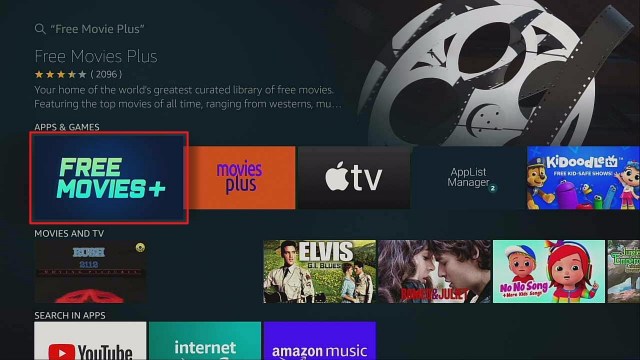
This article will help you download the Free Movies Plus app on your Firestick device.

Video streaming is becoming a norm nowadays, and everyone willingly pays for watching their favorite movies and shows. Certainly, viewers will love watching movies more especially when it’s for free, and with Free Movies Plus, you can enjoy streaming movies for free on any of your Android devices, web, mobile web, Fire TV, and Roku. 


 You will never have to leave home for the cinema and to pay for a premium streaming subscription. With this app of curated free movie library, you can have access to categorized top movies of all time ranging from musicals, hits of the past, western movies, funny films, big stars, classic comedies, the classic action, mystery movies, class adventure flix, classic drama, old school romance, crime, history, hit comedies, war movies, award-winning international films, thriller, silent, documentary, dramatic series, and cartoon legends.

However, given that it’s a free app, you can expect advertisements frequently playing while streaming. Also, only 17 countries aside from the US have access to this app via Roku and Fire TV. 


Legal Disclaimer: ReviewVPN.com does not encourage or endorse any illegal activity involved in the usage of services and applications referenced on this site. We do not verify the licensing agreements of services. The end-user is wholly responsible for ensuring that any media accessed through these services does not violate copyright and/or licensing laws. ReviewVPN does not promote, link to, or receive compensation from any Apps and IPTV services.


ANONYMOUSLY


Free Movies Plus Installation Guide

The Free Movies Plus app is available on Amazon, so it would be easy for you to download this app on your Firestick. Just follow these steps:

  1. On your Firestick home screen, click the “Search”.
  2. Type in “Free Movies Plus” on the Search field, then click on the “Free Movies Plus” from the suggested list below.
  3. Select the Free Movies Plus by pressing the center button of the directional pad.
  4. Click “Get” to finally download the app.
  5. Once the app download is completed, it will be automatically installed on your Firestick.
  6. Select the “Open” button to launch the Free Movies Plus app.


Grab your subscription now!

Click here to get the lowest price on SurfShark through our exclusive limited-time offer.


If your Firestick still has the older interface, read this article to learn how to update it: Update Firestick Interface.


Video on How to Install Free Movie Plus on Firestick


How to Install Free Movie Plus on Firestick with Screenshots

1.   Click FIND.

Step 6 jailbreak firestick

2. Click Search.

Step 7 jailbreak firestick


3.  Search for the Free Movie Plus

Step 2 Install Free movie plus


4.  Select the icon of Free Movie Plus.

Step 3 Install Free movie plus


5. Click Download.

Step 4 Install Free movie plus


6. Click OPEN.

Step 5 Install Free movie plus


7. Enjoy Watching.

Step 6 Install Free movie plus


YOUR INTERNET ACTIVITY IS BEING WATCHED

ReviewVPN cannot attest to the legality, security and privacy of the applications discussed on this site. It is highly recommended that you use a VPN service while streaming or using Kodi.

Currently, your IP 216.73.216.102 is visible to everyone and your Browser is being tracked by Advertisers & ISP Provider.

Save 65% Now

Limited Time Offer

Here are the main reasons why you must use a VPN:

  • Your activities are hidden from your ISP, the government, and from the apps you are using.
  • You can access additional movies and TV streams.
  • ISP attempts to throttle are thrwarted thus reducing buffering issues.
  • Geographically restricted content like Netflix and Hulu can be unblocked.

A VPN works be replacing your ISP-assigned IP address and creating an encrypted tunnel. We recommend the no log service offered by IPVanish. It works well on a Firestick and offers the fastest possible speeds.

Special Limited Time Offer - Get IPVanish


Why Use VPN for Free Movies Plus

Surfshark vpn

As previously mentioned in the features section, Free Movies Plus app in Firestick is only available in 17 countries. This restriction will be unblocked by a VPN, but using this service is not only limited to performing this function. With SurfShark, you will get the following benefits with your streaming:

  • Access to Free Movies Plus app anywhere by masking your IP address and making it look like you are streaming in an allowed location
  • Anti-detection of anti-VPN technology by refreshing IP address regularly
  • Protected identity to stay anonymous online where your Internet Service Provider (ISP) can’t track you online or limit your streaming speed
  • Secured personal information even when connected to public WiFI networks
  • Log-free browsing to ensure hackers will not steal your sensitive data by encrypting your internet data, preventing hackers, advertisers, and data thieves 
  • By using a great VPN such as SurfShark, you will now get access and a smooth streaming experience using your Free Movie Plus app content library on your Firestick.


How to Install Surfshark on Firestick with Screenshots

If your Firestick still has the older interface, read this article to learn how to update it: Update Firestick Interface.

You can download Surfshark directly from the Amazon App store. It will be easy for you to find Surfshark with your Firestick’s Find feature. Refer to our screenshots below.

Follow our screenshots below to install the SurfShark VPN app on your Fire TV stick.

1. Go to the Home screen of your Firestick.

step 1 Install Surfshark VPN on Firestick


2. Navigate towards the Find tab. Press the Search button from the resulting dropdown.

step 2 Install Surfshark VPN on Firestick


3. Type in the keyword of SurfShark and select from the suggestions that will appear.

step 3 Install Surfshark VPN on Firestick


4. Click the official SurfShark icon from your search results.

step 4 Install Surfshark VPN on Firestick


5. Press the Download (You own it) button.

step 5 Install Surfshark VPN on Firestick


6. The SurfShark VPN installer will download on your device.

step 6 Install Surfshark VPN on Firestick


7. SurfShark VPN’s app will automatically install itself on your Fire TV stick.

step 7 Install Surfshark VPN on Firestick


8. Press the Open button after completing SurfShark VPN’s installation process.

step 8 Install Surfshark VPN on Firestick


9. Please wait for the SurfShark VPN to load its user interface.

step 9 Install Surfshark VPN on Firestick


10. You can now log in with your SurfShark VPN account credentials.

step 10 Install Surfshark VPN on Firestick

Learn more about Surfshark and Grab the Best Surfshark Deal Now!


Install Surfshark on Firestick

Best Surfshark Deal

Other VPNs to Consider

NordVPN (Best for Streaming)

Best Features

  • 5000+ Server in 50+ Countries 
  • Military-Grade Encryption
  • Fast Connection Speed
  • Suitable to a lot of devices
  • No-Log Policy

Prices
  • Complete $5.89 per month (64% Discount)
  • Plus $4.59 per month (56% Discount)
  • Standard $3.69 per month (55% Discount)

Best Features

  • 750+ High-speed VPN Servers in 43 Locations
  • Military-Grade Encryption
  • Fastest HD Streaming and Gaming
  • 30-Day Money-Back Guarantee
  • Unlimited Data & Devices
  • No-Log Policy

Prices
  • 3 Years $1.99 per month (82% Discount)
  • 1 Years $3.29 per month (70% Discount)
  • 1 Month $10.99 per month

IPVanish VPN (Most Secure)

Best Features

  • 1200+ Servers in 60+ Countries around the world
  • Unlimited Connections
  • No-Log Policy
  • Top Notch Military-Grade VPN Protocols and Encryptions
  • 100% Safe and Secured
  • Most Trusted VPN
  • Best VPN for Firestick
  • 30-Day Money-Back Guarantee

Prices
  • Yearly $3.99 per month (63% Discount) – 30 days risk free + Ransomware & Malware Protection
  • Quarterly $5.32 per month (51% Discount)
  • Monthly $10.99 per month

For more VPN discounts, go to ReviewVPN Deals and purchase the best VPN for you.


Free Movies Plus Alternative Apps

We will also provide you with some of the best and tested free movie apps for you to take a look at and enjoy:

With over 200 partners, this app streams regularly updated actions, comedy, horror, classics, and documentaries with subtitles. You can synchronize your collections across different devices just by registering. Tubi TV is available in Android, Amazon Kindle Fire, Fire TV, iOS, Roku, PlayStation 4, and Xbox One for free.


Unlike any other streaming app, Kodi is not an online watching platform but you can stream a lot of movies using the Kodi files for storage. You just have to access these files by downloading the repository file in Kodi and then installing the add-on. 


This app offers more than 1,500 movies available on Android, Amazon Fire TV, Xbox One, PlayStation 4, Roku, and iOS. If you love to watch foreign movies, action, horror, comedy, documentary, and entertainment. 


Previously known as Grouper, Crackle is a popular free streaming app supported in Android, Amazon Fire TV, Roku, Xbox One, PlayStation 4, iOS, and Windows. You can pause videos on one device then resume them on another. As a normal free app, Crackle plays advertisements after every 10 minutes of a video.


Pluto TV broadcasts over 100 live channels including TV shows, movies, and internet videos available on Amazon Fire TV, Android, Roku, iOS, PlayStation4, Windows, and Mac. If you wish to hide channels for any purpose, this app allows such a function. Like any other cable service, descriptions of movies playing later and not live at the time being are provided. 


Install SurfShark on Firestick

Best SurfShark Deal


FAQs

Is an account needed to access the content?

No account is needed to access Free Movies Plus. If you wish to have an enhanced user experience, you may sign up for a free account using any computer on a web browser.


Where is Free Movies Plus available?

Free Movies Plus streams globally on the web and is available in over 17 countries on Roku and Fire TV aside from the US.  


How often does Free Movies Plus update its content?

New content and titles are regularly added weekly. Often check back to the website/app and you may sign up for our newsletter here to stay updated on everything new.


Conclusion

Free Movies Plus is a must-try for its free latest and old movie content. Playing ads is normal for a free app, and using a VPN service to access the app in restricted locations enables you to enjoy these movies. Most of the shows available are quite old as well as the quality, so if you love or dislike such content, then download and install this app on your devices at your own risk.

We hope that we have helped you install the Free Movies Plus app on your Firestick. Now, help us improve by commenting on your feedback below. Thanks for reading!

Note: ReviewVPN.com is not affiliated with any App or IPTV Service nor are we endorsing or promoting any. The sole purpose of this article is for educational purposes only.


What Is Your Favorite Streaming App? Cast Your Vote Below.


Scifi Movie Channel On Firestick

Scifi Movie Channel on Firestick

In this article, we will provide Sci-Fi fans with an overview of the Scifi Movie Channel and a guide on its installation on your Firestick device.

With this app, you can explore the best science fiction films from vintage to modern cult classics and indie favorites on its website, Amazon Fire TV, Firestick device, Roku, and other Android devices.

Its contents are curated by Sci-Fi film enthusiasts to showcase the best of this genre. The app’s catalog contains films growing every week from dozens of countries. It displays featured content, recently added films, “coming soon” films, films by decade and region, classic Sci-Fi series in black and white, UFO documentaries, Midwest gaming classics, and other footage films. Just like other streaming apps, Scifi Movie Channel offers a free trial for the app download.

However, if you would want to stream without ads, you will have to subscribe to access the premium films for $5.99 per month, or $49.99 per year. 


Legal Disclaimer: ReviewVPN.com does not encourage or endorse any illegal activity involved in the usage of services and applications referenced on this site. We do not verify the licensing agreements of services. The end-user is wholly responsible for ensuring that any media accessed through these services does not violate copyright and/or licensing laws. ReviewVPN does not promote, link to, or receive compensation from any Apps and IPTV services.


ANONYMOUSLY


How to Install Scifi Movie Channel on Firestick Guide

It’s even more exciting to watch your favorite Sci-Fi movies on a larger screen. Fortunately, Scifi Movie Channel is available on the Amazon Firestick, and we will provide you a step-by-step guide to install this app on your Firestick:

1.  Access the Firestick Home Screen. Beside “Home”, select  “Search”.

2. Using the directional pad, type in “Scifi Movie Channel

 While you type, click on the “Scifi Movie Channel” from the search results by pressing the center button of the directional pad.

3. When the app is highlighted, press the center button of the directional pad to select the app.

4. Select “Download, then press the center button of the directional pad.

5. Once the download is complete, launch the Scifi Movie Channel app, or if you wish to use it later, you may return to the Apps section.


If your Firestick still has the older interface, read this article to learn how to update it: Update Firestick Interface.

How to Install Scifi Movie Channel on Firestick with Screenshots

1.   Click FIND.

Step 6 jailbreak firestick

2. Click Search.

Step 7 jailbreak firestick


3.  Search for the SciFi Movie Channel

step 2 install scifi movie channel


4. Select the icon of SciFi Movie Channel

step 3 install scifi movie channel


5. Click Download.

step 4 install scifi movie channel


6. Click OPEN.

step 5 install scifi movie channel


7. Select Watch Free With ADS.

step 6 install scifi movie channel


8. Enjoy Watching.

step 7 install scifi movie channel


Grab your subscription now!

Click here to get the lowest price on Surfshark through our exclusive limited-time offer.


Why Use Surfshark with Your Firestick

In streaming your favorite shows on your Firestick, installing the Surfshark service is best for the following reasons:

1. Secures your internet connection

When connecting to free public WiFi, the risk of your personal information being leaked is high. Using an Surfshark advanced encryption system will prevent any middleman from hacking your information.


2. Protects your online privacy

Installing Surfshark on your Firestick will remove all your digital fingerprints. It boosts up your online anonymity while streaming on Firestick, Morpheus, Popcorn Time, Kodi, ShowBox, Terrarium, and other streaming apps. When using a VPN, your real IP address is masked by an IP address that is used and shared by other users. 


3.  Get censorship filters

With Surfshark, you have the power to explore the web without being censored online. This is usually taken advantage of by government agencies, employers, and universities from across the world.


4. Access to apps and websites with geo-restriction

Surfshark will enable you to watch your favorite series or access some blocked websites with country/regional restrictions.


5. Prevent packet sniffing

Little did you know, your personal information starting from your location, shopping records, and up to your age can be collected, stolen, and sold to advertising companies. As you browse the internet, your ISP uses deep packet inspection, which means that your data is scanned upon crossing its network. ISPs even use deep packet inspection to monitor your internet usage and throttle your internet speed. This then slows down your connection and makes it difficult to play online games or stream your favorite media. With Surfshark, your traffic is encrypted and at the same time, you will be able to enjoy a smooth and lag-free streaming experience on your Firestick.

If you want to take advantage of all this outstanding protection and security, you may read more in Surfshark


Install Surfshark on Firestick

Best Surfshark Deal


How to Install Surfshark VPN on Firestick

If your Firestick still has the older interface, read this article to learn how to update it: Update Firestick Interface.

Follow our screenshots below to install the SurfShark VPN app on your Fire TV stick.

1. Go to the Home screen of your Firestick.

step 1 Install Surfshark VPN on Firestick


2. Navigate towards the Find tab. Press the Search button from the resulting dropdown.

step 2 Install Surfshark VPN on Firestick


3. Type in the keyword of SurfShark and select from the suggestions that will appear.

step 3 Install Surfshark VPN on Firestick


4. Click the official SurfShark icon from your search results.

step 4 Install Surfshark VPN on Firestick


5. Press the Download (You own it) button.

step 5 Install Surfshark VPN on Firestick


6. The SurfShark VPN installer will download on your device.

step 6 Install Surfshark VPN on Firestick


7. SurfShark VPN’s app will automatically install itself on your Fire TV stick.

step 7 Install Surfshark VPN on Firestick


8. Press the Open button after completing SurfShark VPN’s installation process.

step 8 Install Surfshark VPN on Firestick


9. Please wait for the SurfShark VPN to load its user interface.

step 9 Install Surfshark VPN on Firestick


10. You can now log in with your SurfShark VPN account credentials.

step 10 Install Surfshark VPN on Firestick

Learn more about Surfshark and Grab the Best Surfshark Deal Now!


Install Surfshark on Firestick

Best Surfshark Deal


Other VPNs to Consider

NordVPN (Best for Streaming)

Best Features

  • 5000+ Server in 50+ Countries 
  • Military-Grade Encryption
  • Fast Connection Speed
  • Suitable to a lot of devices
  • No-Log Policy

Prices
  • Complete $5.89 per month (64% Discount)
  • Plus $4.59 per month (56% Discount)
  • Standard $3.69 per month (55% Discount)

Best Features

  • 750+ High-speed VPN Servers in 43 Locations
  • Military-Grade Encryption
  • Fastest HD Streaming and Gaming
  • 30-Day Money-Back Guarantee
  • Unlimited Data & Devices
  • No-Log Policy

Prices
  • 3 Years $1.99 per month (82% Discount)
  • 1 Years $3.29 per month (70% Discount)
  • 1 Month $10.99 per month

IPVanish VPN (Most Secure)

Best Features

  • 1200+ Servers in 60+ Countries around the world
  • Unlimited Connections
  • No-Log Policy
  • Top Notch Military-Grade VPN Protocols and Encryptions
  • 100% Safe and Secured
  • Most Trusted VPN
  • Best VPN for Firestick
  • 30-Day Money-Back Guarantee

Prices
  • Yearly $3.99 per month (63% Discount) – 30 days risk free + Ransomware & Malware Protection
  • Quarterly $5.32 per month (51% Discount)
  • Monthly $10.99 per month


For more VPN discounts, go to ReviewVPN Deals and purchase the best VPN for you.

Click here to get the lowest price on Surfshark through our exclusive limited-time offer.


Scifi Movie Channel Alternative Apps

Even popular streaming services contain Sci-Fi movies and TV shows, but just like the Scifi Movie Channel, a lot of apps are specialized for Sci-Fi content or genre alone. Here are some of them:

  • FilmRise Sci-Fi offers 50 full-length Sci-Fi movies.
  • SyFlix streams classic films like Dracula vs. Frankenstein20,000 Leagues Under The Sea, and Attack from Space.
  • SyFy streams science fiction, fantasy, and supernatural horror news and original reporting about movies, TV, games, books, genre figures, and more. 
  • Comet TV comes with cult classic films and episodes of Andromeda and Stargate SG-1. You can see next-day schedules from their channel guide.
  • Sci-Fi Collection includes content about monsters and aliens, space and time travel, experiments, and much more.
  • DUSTx streams thought-provoking science fiction films, cutting-edge movies, series, and more.
  • Sci-Fi Classics Channel currently streams films like DraculaLittle Shop of Horrors, and Night of the Living Dead along with episodes of Space Patrol.
  • Retro Sci-Fi and Horror Films offers more than 100 Sci-Fi flicks for free, including FrankensteinThe House on Haunted Hill, and more.
  • Sci-Fi Films by Fawesome.tv streams hundreds of Sci-Fi films and TV episodes by genres like horror, thriller, future-noir, space opera, and more.


YOUR INTERNET ACTIVITY IS BEING WATCHED

ReviewVPN cannot attest to the legality, security and privacy of the applications discussed on this site. It is highly recommended that you use a VPN service while streaming or using Kodi.

Currently, your IP 216.73.216.102 is visible to everyone and your Browser is being tracked by Advertisers & ISP Provider.

Save 65% Now

Limited Time Offer

Here are the main reasons why you must use a VPN:

  • Your activities are hidden from your ISP, the government, and from the apps you are using.
  • You can access additional movies and TV streams.
  • ISP attempts to throttle are thrwarted thus reducing buffering issues.
  • Geographically restricted content like Netflix and Hulu can be unblocked.

A VPN works be replacing your ISP-assigned IP address and creating an encrypted tunnel. We recommend the no log service offered by IPVanish. It works well on a Firestick and offers the fastest possible speeds.

Special Limited Time Offer - Get IPVanish


Conclusion

Overall, the Scifi Movie Channel is one of the most wonderful streaming apps for every single person interested in science-based fiction films. If you love vintage-quality films, then this app is perfect for you. However, if you are not a fan of too old movie content, then you will not entirely get hooked on this app. There are also some playback issues from Amazon and Google Play app stores as per user reviews. 


Final Words

We hope that with this article, we have got you the most convenient steps for installing the Scifi Movie Channel app on your Firestick. If there is something we missed mentioning in this article, please help us improve by commenting on your feedback below. Thank you for reading!

Note: ReviewVPN.com is not affiliated with any App or IPTV Service nor are we endorsing or promoting any. The sole purpose of this article is for educational purposes only.


What Is Your Favorite Streaming App? Cast Your Vote Below.

How To Install Spartan Build

Spartan Kodi Build Overview

In this article, we will help you install Spartan Kodi Build on Firestick.


In this article, you are going to learn how to install the Spartan build on different streaming devices such as firestick, fire tv, a computer (Windows, MAC OS), tablets, smartphones (iOS, Android) Raspberry Pi, and many more. Spartan is one of the best builds you find out there in recent times.

This is a feature-rich build with beautiful skin and theme. The interface is easy to navigate. It is a lightweight build with approximately 200 MB. Major sections within this build include add-ons, search, kids, systems, tools, and TV shows.


ANONYMOUSLY

Installation Guide of Spartan Build

Step 1. Open your Kodi app. 

Step 2. From the home screen, select the setting icon and then click on the System option.

Step 3. Select add-ons 

Step 4. Select unknown sources.

Step 5. Select Yes.

Step 6. Return to the home screen and click on the setting icon.

Step 7. Select the file manager.

Step 8. Select  add source 

Step 9. Select  <none> 

Step 10. Enter the media source URL: http://ezzer-mac.com/sgwizard and click OK

Step 11. Select “Enter a name for this media source” and type Spartan.

Step 12. Return to the home screen and click on add-ons

Step 13. Select addon installer icon.

Step 14. Select install from zip file

Step 15. Select Spartan

Step 16. Select  plugin.program.sgwizard-x.x.x.zip

Step 17. Wait for the “SgWizard repo add-on installed” notification 

Step 18. Select Install from the repository

Step 19. Select SgWizard Repository 

Step 20. Select program add-ons

Step 21. Select SgWizard Wizard 

Step 22. Select install and select OK

Step 23. Wait for the SgWizard Add-On installed notification.

Step 24. Select continue 

Step 25. Select build menu

Step 26. Click on Build and then select Spartan

Step 26. Click on Fresh install and click Yes and Select OK to force close after installation.


YOUR INTERNET ACTIVITY IS BEING WATCHED

ReviewVPN cannot attest to the legality, security and privacy of the applications discussed on this site. It is highly recommended that you use a VPN service while streaming or using Kodi.

Currently, your IP 216.73.216.102 is visible to everyone and your Browser is being tracked by Advertisers & ISP Provider.

Save 65% Now

Limited Time Offer

Here are the main reasons why you must use a VPN:

  • Your activities are hidden from your ISP, the government, and from the apps you are using.
  • You can access additional movies and TV streams.
  • ISP attempts to throttle are thrwarted thus reducing buffering issues.
  • Geographically restricted content like Netflix and Hulu can be unblocked.

A VPN works be replacing your ISP-assigned IP address and creating an encrypted tunnel. We recommend the no log service offered by IPVanish. It works well on a Firestick and offers the fastest possible speeds.

Special Limited Time Offer - Get IPVanish


Legal Disclaimer: ReviewVPN.com does not encourage or endorse any illegal activity involved in the usage of services and applications referenced on this site. We do not verify the licensing agreements of services. The end-user is wholly responsible for ensuring that any media accessed through these services does not violate copyright and/or licensing laws. ReviewVPN does not promote, link to, or receive compensation from any Apps and IPTV services.


Install Surfshark on Firestick

Best Surfshark Deal


Features of Spartan Build

  • Beautiful user-friendly interface
  • The search bar; allows you to search any content within the build
  • Resume watching; allows you to continue from where you stopped off.
  • Well-organized sections and subsections.
  • Detailed information for each movie and tv show. 


Pros and Cons

Pros

  • A large collection of free-to-stream movies, tv shows, and subcategories of entertainment.
  • Provides streaming links from over 26 different streaming sources.
  • Regular update of build with new and latest movies, tv shows, tv-series, and lots more.

Cons

  • This build wor well


What is Kodi?

Kodi is an open-source media streaming software. With this software, you can access, stream and watch free movies, tv shows, documentaries, sports, live tv series, animes, pre-recorded news, and many more.It is a streaming media software that allows you to access a huge database of free entertainment in various categories and subcategories. Kodi was developed way back in 2002 as an “Xbox media player” and since then, has transformed into a well-known application running currently on version 18.9 Leia. Kodi can be installed on any operating system or hardware platforms such as tablets, Raspberry Pi, computers; Windows and MAC OS, smartphones Android and iOS, ETC.


What is a Kodi Build?

A Kodi build is a packaged setup file where you can access many add-ons, settings, tools, systems, and many more after installation. Kodi itself only offers limited content. You need to have an auxiliary app like a Kodi build. A build works well on any platforms or operating systems that support Kodi such as computers, tablets, smartphones, Raspberry Pi, Chromecast, and more.


FAQs

Do I need a VPN to use Spartan Kodi Build?

I recommend using Kodi with a VPN especially when you stream with third-party builds. This is because you and I knew that third-party builds do not have the copyright to most of the content they offer and as such, you may be in big trouble for accessing copyrighted content. 


Do I have to pay to use Spartan Kodi Build?

It is entirely free Install and stream with the Spartan build is free of charge. No credit card, PayPal, billing details are required. Just ensure you have a fast and reliable internet connection before using this build.


Can I install Spartan Kodi Build on my Firestick and Fire TV Devices?

Yes, you can easily install this build on your firestick and fire TV device following the above step-by-step guide. You can as well, install and use The last Kingdom build on the computer, smartphones, tablets, Raspberry Pi, Chromecast, and many more.


Is it safe to use Spartan Kodi Build?

It is safe to install and stream with this build. Although this build is within the SGwizard repository which is a third-party repo., there have not been any reports of viruses or hidden files within the Spartan build.


Best Alternative Kodi Builds

I recommend having an alternative build. It is because you and I don’t know when a build will stop working. Consequently, it is very crucial to have an alternative build. . Click here to see the list of our best alternative Kodi builds for 2021.


Importance of a VPN while streaming?

A VPN is software that uses encryption and masking to hide and protect your identity while online. The sole aim of using a VPN while online is for security and privacy purposes. Installing a VPN will offer you security, privacy and anonymity while online. 

It may interest you to know that every time you access the internet or stream free movies online, your internet service provider network keeps records of whatever activities you are doing online. You may be using your internet connection with your computer, you are not still secure, private, and anonymous on the network without a VPN.

That said, installing a VPN like Surfshark will hide your identity while you are online.


Importance of a VPN

Location Restrictions

Movie apps and websites use location restrictions to limit their content to a particular set of people or jurisdictions. This means that someone outside of the stipulated location or region will not be able to access such a website or stream from such an app. That said, installing a VPN as Surfshark offers you over 3200+ servers in 65 countries.


Minimize Throttling

Installing a will minimize throttling caused by your internet service provider network. That said, with a VPN, it can be reduced to a minimum.


Anonymity, Security, and Privacy

Streaming with a VPN will encrypt your IP address to be hidden each time you are streaming free movies or accessing the Internet.

Note: For more information about Surfshark, please read our Surfshark Review.


Grab your subscription now!

Click here to get the lowest price on Surfshark through our exclusive limited-time offer.


How to Install Surfshark VPN on Firestick

If your Firestick still has the older interface, read this article to learn how to update it: Update Firestick Interface.

Follow our screenshots below to install the SurfShark VPN app on your Fire TV stick.

1. Go to the Home screen of your Firestick.

step 1 Install Surfshark VPN on Firestick


2. Navigate towards the Find tab. Press the Search button from the resulting dropdown.

step 2 Install Surfshark VPN on Firestick


3. Type in the keyword of SurfShark and select from the suggestions that will appear.

step 3 Install Surfshark VPN on Firestick


4. Click the official SurfShark icon from your search results.

step 4 Install Surfshark VPN on Firestick


5. Press the Download (You own it) button.

step 5 Install Surfshark VPN on Firestick


6. The SurfShark VPN installer will download on your device.

step 6 Install Surfshark VPN on Firestick


7. SurfShark VPN’s app will automatically install itself on your Fire TV stick.

step 7 Install Surfshark VPN on Firestick


8. Press the Open button after completing SurfShark VPN’s installation process.

step 8 Install Surfshark VPN on Firestick


9. Please wait for the SurfShark VPN to load its user interface.

step 9 Install Surfshark VPN on Firestick


10. You can now log in with your SurfShark VPN account credentials.

step 10 Install Surfshark VPN on Firestick

Learn more about Surfshark and Grab the Best Surfshark Deal Now!


Install Surfshark on Firestick

Best Surfshark Deal


Other VPNs to Consider

NordVPN (Best for Streaming)

Best Features

  • 5000+ Server in 50+ Countries 
  • Military-Grade Encryption
  • Fast Connection Speed
  • Suitable to a lot of devices
  • No-Log Policy

Prices
  • Complete $5.89 per month (64% Discount)
  • Plus $4.59 per month (56% Discount)
  • Standard $3.69 per month (55% Discount)

Best Features

  • 750+ High-speed VPN Servers in 43 Locations
  • Military-Grade Encryption
  • Fastest HD Streaming and Gaming
  • 30-Day Money-Back Guarantee
  • Unlimited Data & Devices
  • No-Log Policy

Prices
  • 3 Years $1.99 per month (82% Discount)
  • 1 Years $3.29 per month (70% Discount)
  • 1 Month $10.99 per month

IPVanish VPN (Most Secure)

Best Features

  • 1200+ Servers in 60+ Countries around the world
  • Unlimited Connections
  • No-Log Policy
  • Top Notch Military-Grade VPN Protocols and Encryptions
  • 100% Safe and Secured
  • Most Trusted VPN
  • Best VPN for Firestick
  • 30-Day Money-Back Guarantee

Prices
  • Yearly $3.99 per month (63% Discount) – 30 days risk free + Ransomware & Malware Protection
  • Quarterly $5.32 per month (51% Discount)
  • Monthly $10.99 per month


For more VPN discounts, go to ReviewVPN Deals and purchase the best VPN for you.


Conclusion

Install Spartan build for 24/7 streaming of movies and lots more. It is a feature-rich build with beautiful themes and a user-friendly interface. I recommend you check out this build and let me know your thoughts.

How To Install The LastKingdom Build

The LastKingdom Build


This tutorial will teach you how to install The LastKingdom build. The LastKingdom Build – Family Leia is within the LastKingdom repository.

It is a new build with approximately 305 MB of storage space with unique AEON NOX SLVO skin and theme.

The interface is user-friendly and easy to navigate as well. This build is currently running on version 1.2.3 and scrapes streaming links from different sources. Sections you will find within this build include TV shows, addons, systems, tools, search, and kids.


ANONYMOUSLY


Installation Guide of The LastKingdom build

Step 1. Launch your Kodi app. 

Step 2. On the home screen, click on the setting icon and then click on the System option.

Step 3. Click on add-ons 

Step 4. Click on unknown sources.

Step 5. Click on Yes.

Step 6. Return to the home screen and click on the setting icon.

Step 7. Click on the file manager.

Step 8. Click on add source 

Step 9. Click on <none> 

Step 10. Enter the media source URL: https://pedrokingdom.com/repo and click OK

Step 11. Click “Enter a name for this media source” and type The LastKingdom.

Step 12. Return to the home screen and click on addons

Step 13. Click on the addon installer icon.

Step 14. Click on install from zip file

Step 15. Click The LastKingdom

Step 16. Click on repository.lk-1.1.zip

Step 17. Wait for the “last kingdom repo add-on installed” notification 

Step 18. Click on Install from the repository

Step 19. Click on last kingdom Repository 

Step 20. Click on program add-ons

Step 21. Click on last kingdom Wizard 

Step 22. Click on install and select OK

Step 23. Wait for the Last kingdom Wizard Add-On installed notification.

Step 24. Click on continue and then select build menu 

Step 25. Click on The LastKingdom – family Leia version v1.2.3

Step 26. Click on Fresh install and click Yes

Step 27. Click on OK to force close


Install Surfshark on Firestick

Best Surfshark Deal


Features of The LastKingdom Build

  • Resume watching
  • Amazing UI
  • Well-arranged sections
  • Intelligent search
  • The meta description for each movie 


YOUR INTERNET ACTIVITY IS BEING WATCHED

ReviewVPN cannot attest to the legality, security and privacy of the applications discussed on this site. It is highly recommended that you use a VPN service while streaming or using Kodi.

Currently, your IP 216.73.216.102 is visible to everyone and your Browser is being tracked by Advertisers & ISP Provider.

Save 65% Now

Limited Time Offer

Here are the main reasons why you must use a VPN:

  • Your activities are hidden from your ISP, the government, and from the apps you are using.
  • You can access additional movies and TV streams.
  • ISP attempts to throttle are thrwarted thus reducing buffering issues.
  • Geographically restricted content like Netflix and Hulu can be unblocked.

A VPN works be replacing your ISP-assigned IP address and creating an encrypted tunnel. We recommend the no log service offered by IPVanish. It works well on a Firestick and offers the fastest possible speeds.

Special Limited Time Offer - Get IPVanish


Pros and Cons

Pros

  • Regular build update
  • Huge collection of movies, tv shows and lots more
  • Scrapes streaming links from different sources

Cons

  • No issues with this build for now.

What is Kodi?

Kodi is a streaming media software that allows you to access a huge database of free entertainment in various categories and subcategories. It was developed way back in 2002 as an Xbox media player and since then, has transformed into a well-known application used and cherished by all and sundry. Kodi is an open-source media streaming software. With this software, you can access, stream and watch free movies, tv shows, documentaries, sports, live tv series, animes, pre-recorded news, and many more. You can install kodi on any operating system or hardware platforms such as smartphones; Android and iOS. Computer; Windows and MAC OS, tablets, Raspberry Pi, and many more.


What is a Kodi Build?

Kodi itself only offers limited content. You need to have an auxiliary app like a Kodi build. A Kodi build is a packaged set up file where you can access many add-ons, settings, tools, systems, and many more after installation. A build works well on any platforms or operating systems that support Kodi such as computers, tablets, smartphones, Raspberry Pi, Chromecast, and more.


FAQs

Is it safe to use The LastKingdom Kodi Build?

Yes, it is safe to install and stream with The LastKingdom Kodi build. Although this build is within the Last Kingdom repository which is a third-party repo., there have not been any reports of viruses or hidden files within this build.


Is it free to install and stream with The LastKingdom Kodi Build?

Installing and streaming with this build is free of charge. No credit card, PayPal, billing details are required. Just ensure you have a fast and reliable internet connection before using this build.


Can I install The LastKingdom Kodi Build on my Firestick and Fire TV Devices?

Yes, you can easily install this build on your firestick and fire TV device following the above step-by-step guide. You can as well, install and use The LastKingdom build on the computer, smartphones, tablets, Raspberry Pi, Chromecast, and many more.


Do I need a VPN to use The LastKingdom Kodi Build?

I recommend using Kodi with a VPN especially when you stream with third-party builds. This is because you and I knew that third-party builds do not have the copyright to most of the content they offer and as such, you may be in big trouble for accessing copyrighted content. 


Best Alternative Kodi Builds

Having an alternative build handy is good. This is because you don’t know when the build you are streaming with currently will stop working. As a result, it is important to have an alternative build. I have made it easier for you by compiling the list of our best alternative Kodi builds for 2022. Click here to check it out.


Why should you use Kodi with a VPN?

Each time you access the internet or stream free movies online, your internet service provider network monitors whatever activities you are doing online. Even though you may be using your computer with an internet connection, you are not still secure, private, and anonymous on the network. However, using a VPN while streaming or accessing the internet will enable you to stay anonymous and private while on the internet. A VPN is software that uses encryption and masking to hide and protect your identity while online. The sole aim of using a VPN while online is for security and privacy purposes. Installing a VPN will offer you security, privacy and anonymity while online. 


Benefits of using a VPN while Online

Security, anonymity, and privacy

Installing a VPN will encrypt your IP address to be hidden each time you are streaming free movies or accessing the Internet.


Minimize Throttling

Your internet service provider network slows down your internet connection each time you stream or play online games. However, with a VPN, you can minimize this challenge and stream smoothly.


Location Restrictions

Movie apps and websites use location restrictions to limit their content to a particular set of people or jurisdictions. This means that someone outside of the stipulated location or region will not be able to access such a website or stream from such an app. That said, installing a VPN as Surfshark offers you over 3200+ servers in 65 countries to choose from.


Grab your subscription now!

Click here to get the lowest price on Surfshark through our exclusive limited-time offer.


How to Install Surfshark VPN on Firestick

If your Firestick still has the older interface, read this article to learn how to update it: Update Firestick Interface.

Follow our screenshots below to install the SurfShark VPN app on your Fire TV stick.

1. Go to the Home screen of your Firestick.

step 1 Install Surfshark VPN on Firestick


2. Navigate towards the Find tab. Press the Search button from the resulting dropdown.

step 2 Install Surfshark VPN on Firestick


3. Type in the keyword of SurfShark and select from the suggestions that will appear.

step 3 Install Surfshark VPN on Firestick


4. Click the official SurfShark icon from your search results.

step 4 Install Surfshark VPN on Firestick


5. Press the Download (You own it) button.

step 5 Install Surfshark VPN on Firestick


6. The SurfShark VPN installer will download on your device.

step 6 Install Surfshark VPN on Firestick


7. SurfShark VPN’s app will automatically install itself on your Fire TV stick.

step 7 Install Surfshark VPN on Firestick


8. Press the Open button after completing SurfShark VPN’s installation process.

step 8 Install Surfshark VPN on Firestick


9. Please wait for the SurfShark VPN to load its user interface.

step 9 Install Surfshark VPN on Firestick


10. You can now log in with your SurfShark VPN account credentials.

step 10 Install Surfshark VPN on Firestick

Learn more about Surfshark and Grab the Best Surfshark Deal Now!


Install Surfshark on Firestick

Best Surfshark Deal


Other VPNs to Consider

NordVPN (Best for Streaming)

Best Features

  • 5000+ Server in 50+ Countries 
  • Military-Grade Encryption
  • Fast Connection Speed
  • Suitable to a lot of devices
  • No-Log Policy

Prices
  • Complete $5.89 per month (64% Discount)
  • Plus $4.59 per month (56% Discount)
  • Standard $3.69 per month (55% Discount)

Best Features

  • 750+ High-speed VPN Servers in 43 Locations
  • Military-Grade Encryption
  • Fastest HD Streaming and Gaming
  • 30-Day Money-Back Guarantee
  • Unlimited Data & Devices
  • No-Log Policy

Prices
  • 3 Years $1.99 per month (82% Discount)
  • 1 Years $3.29 per month (70% Discount)
  • 1 Month $10.99 per month

IPVanish VPN (Most Secure)

Best Features

  • 1200+ Servers in 60+ Countries around the world
  • Unlimited Connections
  • No-Log Policy
  • Top Notch Military-Grade VPN Protocols and Encryptions
  • 100% Safe and Secured
  • Most Trusted VPN
  • Best VPN for Firestick
  • 30-Day Money-Back Guarantee

Prices
  • Yearly $3.99 per month (63% Discount) – 30 days risk free + Ransomware & Malware Protection
  • Quarterly $5.32 per month (51% Discount)
  • Monthly $10.99 per month


For more VPN discounts, go to ReviewVPN Deals and purchase the best VPN for you.

Click here to get the lowest price on Surfshark through our exclusive limited-time offer.


Conclusion

I believe this article has widened your understanding of The LastKingdom build. With this build, you will access a huge collection of free movies, tv shows, and more. The interface is user-friendly with an amazing AEON NOX SLVO theme and sKin. Install this build and share your thoughts in the comment section.

How to watch 123TVNow on Any Device – Firestick, Android, IOS – 2023

123TVNow Website Overview

In this article, I’ll be showing you how to watch 123TVNow on any device – Firestick, Android, and IOS.


123TVNow is one of the best live streaming sites available online since it’s one of the most popular cable TV alternatives in the US.

It is a go-to streaming site for those who want to get access to live US TV shows with the use of their laptops, tablets, and cellphones.


ANONYMOUSLY

If your Firestick still has the older interface, read this article to learn how to update it: Update Firestick Interface.


How to Watch 123TVNow on Firestick (Video)


How to Watch 123TVNow on Firestick with Screenshots

Since 123TV is a website, you’ll be needing the Amazon Silk – Web Browser on your Firestick to go to the URL. Simply follow the guide below just in case you haven’t used the Amazon Silk – Web Browser yet: 

We suggest having a VPN running on your firestick device before you stream on 123TVNow


1.   Click FIND.

Step 6 jailbreak firestick


2. Click Search.

Step 7 jailbreak firestick


3. Type in Silk Browser and click on the suggestion

123TVNow


4. Tap on the Silk Browser icon when it appears

123TVNow


5. Click on the Get or Download button

123TVNow


6. Wait  for the app to be installed

123TVNow


7.  Select Open to launch the app

123TVNow


8. Hover to the search bar of the app

123TVNow


9. Type in http://123tvnow.com and then select Go

123TVNow


10. Click Cancel if the suggestion pops-up

123TVNow


11. You are now on the 123TVNow website

123TVNow


Aside from Silk Browser, you can also use Firefox to stream different websites on your Firestick.

To learn more about Firefox App on firestick, read our Firefox Review.


How to Watch 123TVNow on Android

Watching on your Android device is easy. Just go directly to your web browser and type in “http://123tvnow.com” and enter. Once the site loads, you can start searching for the TV show that you are planning to stream. 


How to Watch 123TVNow on IOS

If you are an IOS user, just go to your Safari web browser and simply type in the URL bar “http://123tvnow.com” and tap on Go. Just wait for the site to load then you can already start browsing and accessing your favorite US TV shows online.


YOUR INTERNET ACTIVITY IS BEING WATCHED

ReviewVPN cannot attest to the legality, security and privacy of the applications discussed on this site. It is highly recommended that you use a VPN service while streaming or using Kodi.

Currently, your IP 216.73.216.102 is visible to everyone and your Browser is being tracked by Advertisers & ISP Provider.

Save 65% Now

Limited Time Offer

Here are the main reasons why you must use a VPN:

  • Your activities are hidden from your ISP, the government, and from the apps you are using.
  • You can access additional movies and TV streams.
  • ISP attempts to throttle are thrwarted thus reducing buffering issues.
  • Geographically restricted content like Netflix and Hulu can be unblocked.

A VPN works be replacing your ISP-assigned IP address and creating an encrypted tunnel. We recommend the no log service offered by IPVanish. It works well on a Firestick and offers the fastest possible speeds.

Special Limited Time Offer - Get IPVanish

Legal Disclaimer: ReviewVPN.com does not encourage or endorse any illegal activity involved in the usage of services and applications referenced on this site. We do not verify the licensing agreements of services. The end-user is wholly responsible for ensuring that any media accessed through these services does not violate copyright and/or licensing laws. ReviewVPN does not promote, link to, or receive compensation from any Apps and IPTV services.


Install Surfshark on Firestick

Best Surfshark Deal


Features 

Interface

Once the site loads, you’ll be seeing a Homescreen carousel featuring Live TV shows available on 123TV. Tabs on the Homescreen are Home, United States (USA), Top Streams, Latest Streams, and NFL Live.

123TVNow Interface


Video Quality

Videos are in SD and HD quality depending on the channel that you will be streaming. 


Selections

It has live streaming content for BBC America, Disney XD, Disney Junior, SEC Network, Fox News, Fox Sports, FOX Network, ESPN, ABC, HBO, CBS, NBC, NBC Sports Network (NBCSN), NHL Network, CMT (Country Music Television), Nickelodeon, AHC (American Heroes Channel), Cartoon Network, CNN, TNT, The CW, MTV, History Channel, and NBA TV.

123TVNow Selections 123TVNow Selections 2 123TVNow Selections 3 123TVNow Selections 4


Playing Speed

The site will take some time to load depending on your internet connection. Buffers will also occur depending on the speed of your internet connection.


Pros and Cons

Pros

  • The schedule of shows on the channel is posted on the site
  • There’s a live update on covid-19 coronavirus cases in the world. And you have the option to view by country
  • The video quality of their live TV is good
  • The site can be accessed through the use of any device


Cons

  • There are ads. You get redirected to another website once in a while when you click on something.
  • Some links have errors so you cannot stream the channel.


Is there a need for a VPN?

To have a more secure streaming activity, we would recommend you to have a VPN like Surfshark.

Since you are accessing public content while streaming, your security may be at risk since your data is also being used publicly through your device.

With the use of Surfshark, you can stream anonymously so your streaming activity will not be logged or tracked by potential hackers.

Surfshark conceals your IP address so it avoids hackers from getting your data which can be used to gain money or for malicious content.

It also prevents your ISP from tracking your internet activity so ISP throttling will be avoided.

It gives you an endless streaming experience since you would not have lags and buffers caused by your ISP.


Grab your subscription now!

Click here to get the lowest price on Surfshark through our exclusive limited-time offer.


How to Install Surfshark VPN on Firestick

If your Firestick still has the older interface, read this article to learn how to update it: Update Firestick Interface.

1. Go to the Home screen of your Firestick.

step 1 Install Surfshark VPN on Firestick


2. Navigate towards the Find tab. Press the Search button from the resulting dropdown.

step 2 Install Surfshark VPN on Firestick


3. Type in the keyword of SurfShark and select from the suggestions that will appear.

step 3 Install Surfshark VPN on Firestick


4. Click the official SurfShark icon from your search results.

step 4 Install Surfshark VPN on Firestick


5. Press the Download (You own it) button.

step 5 Install Surfshark VPN on Firestick


6. The SurfShark VPN installer will download on your device.

step 6 Install Surfshark VPN on Firestick


7. SurfShark VPN’s app will automatically install itself on your Fire TV stick.

step 7 Install Surfshark VPN on Firestick


8. Press the Open button after completing SurfShark VPN’s installation process.

step 8 Install Surfshark VPN on Firestick


9. Please wait for the SurfShark VPN to load its user interface.

step 9 Install Surfshark VPN on Firestick


10. You can now log in with your SurfShark VPN account credentials.

step 10 Install Surfshark VPN on Firestick

Learn more about Surfshark and Grab the Best Surfshark Deal Now!


Install Surfshark on Firestick

Best Surfshark Deal


Other VPNs to Consider

NordVPN (Best for Streaming)

Best Features

  • 5000+ Server in 50+ Countries 
  • Military-Grade Encryption
  • Fast Connection Speed
  • Suitable to a lot of devices
  • No-Log Policy

Prices
  • Complete $5.89 per month (64% Discount)
  • Plus $4.59 per month (56% Discount)
  • Standard $3.69 per month (55% Discount)

Best Features

  • 750+ High-speed VPN Servers in 43 Locations
  • Military-Grade Encryption
  • Fastest HD Streaming and Gaming
  • 30-Day Money-Back Guarantee
  • Unlimited Data & Devices
  • No-Log Policy

Prices
  • 3 Years $1.99 per month (82% Discount)
  • 1 Years $3.29 per month (70% Discount)
  • 1 Month $10.99 per month

IPVanish VPN (Most Secure)

Best Features

  • 1200+ Servers in 60+ Countries around the world
  • Unlimited Connections
  • No-Log Policy
  • Top Notch Military-Grade VPN Protocols and Encryptions
  • 100% Safe and Secured
  • Most Trusted VPN
  • Best VPN for Firestick
  • 30-Day Money-Back Guarantee

Prices
  • Yearly $3.99 per month (63% Discount) – 30 days risk free + Ransomware & Malware Protection
  • Quarterly $5.32 per month (51% Discount)
  • Monthly $10.99 per month


For more VPN discounts, go to ReviewVPN Deals and purchase the best VPN for you.

Click here to get the lowest price on Surfshark through our exclusive limited-time offer.


FAQs

Is 123TVNow safe?

Yes, 123TVNow is safe. But we always encourage our readers to secure a VPN for a more secure and safe streaming experience.


Is 123TVNow live?

Yes, 123TVNow provides Live streaming shows that you can access freely through the comfort of your preferred devices.


Is 123TVNow free to use?

Yes, 123TVNow is free.


Are there ads?

Yes, there are ads. You get redirected to another website when you click on something on their site.


Is it available for streaming on Firestick?

Yes, 123TVNow is available on the Amazon Firestick.


Is it available for streaming on Android?

Yes, 123TVNow is available on Android.


Is it available for streaming on IOS?

Yes, it is available on IOS via Safari.


Alternatives


Conclusion

123TVNow is a good streaming site since it gives you a whole lot of access to live TV shows from the US.

You’ll have a lot of channels to choose from with links mostly working so 123TV is recommendable whether you are streaming through your Firestick, Android, or IOS.

What I like about this 123TVNow is that whenever you open a live TV, you’ll be seeing the TV show schedule of the channel.

It gives you information on what’s next and the shows that you can watch the following day.

I also like that it has a live update on the Coronavirus status worldwide since this disease is spreading like wildfire in some countries.

Most of us have relatives and friends who are currently living in other countries or states so this part helps us have an overview of the situation in their area. 


Final Thoughts

Thank you for taking the time to read this article.

We hope that we helped you with how to watch 123TVNow on any device – Firestick, Android, IOS.

I also hope that you enjoyed searching and discovering new TV shows that would soothe your preference. 


See Also:

Best Firestick Apps

50 Best Free Movie Streaming Sites

40 Best TV Show Websites

Top Unlinked Codes

Best Adult Apps for Firestick

The Best Live TV Apps for Amazon Fire TV

Best Kissanime.RU Alternatives 

Install Swift Streamz on Firestick

The Best Adult Apps for Android

Install Live Lounge APK for Free Live TV, Sports, Adult Section, and Movies

Best Live TV (IPTV) Apps on Firestick and Android

How to Install AppList Manager v2 on Firestick

AppList Manager v2 Overview

This article will help you install AppList Manager v2 on your firestick device.


AppList Manager v2 is one of the best ways to manage your apps on your firestick. It has a simple yet great feature where you can go directly to the Manage Installed Application section of your firestick. There is no need for long navigation from your home screen to your Settings and applications.

It has other special features where you can sort your apps, search for them, switch their layout, and many more.

This app has a live memory monitor where you can use for other advanced features. Some of these are yet to be installed in your app. Selecting a certain feature will direct you to the app store.

One good thing is, AppList Manager v2 is a free legal app that you can install directly from the Amazon App Store.

There is no need to Jailbreak Firestick or sideload it using a Downloader App.


ANONYMOUSLY

Install AppList Manager v2 on Firestick Guide

  1. Go to Search
  2. Search for AppList Manager v2
  3. Tap the icon of the application when it appears
  4. Select the Get or Download button
  5. Wait for the app to be installed
  6. Click Open to launch the app


If your Firestick still has the older interface, read this article to learn how to update it: Update Firestick Interface.

How to Install AppList Manager v2 on Firestick with Screenshots

1.   Click FIND.

Step 6 jailbreak firestick


2. Click Search.

Step 7 jailbreak firestick


3. Search for the AppList Manager v2.

AppList Manager v2


4. Select the icon of AppList Manager v2

AppList Manager v2 3


5. Click the Get or Download button

AppList Manager v2 4


6. Wait for the app to be installed

AppList Manager v2 5


7. Launch the app by clicking the Open button

AppList Manager v2 6


8. Click on the Got It button

AppList Manager v2 7


YOUR INTERNET ACTIVITY IS BEING WATCHED

ReviewVPN cannot attest to the legality, security and privacy of the applications discussed on this site. It is highly recommended that you use a VPN service while streaming or using Kodi.

Currently, your IP 216.73.216.102 is visible to everyone and your Browser is being tracked by Advertisers & ISP Provider.

Save 65% Now

Limited Time Offer

Here are the main reasons why you must use a VPN:

  • Your activities are hidden from your ISP, the government, and from the apps you are using.
  • You can access additional movies and TV streams.
  • ISP attempts to throttle are thrwarted thus reducing buffering issues.
  • Geographically restricted content like Netflix and Hulu can be unblocked.

A VPN works be replacing your ISP-assigned IP address and creating an encrypted tunnel. We recommend the no log service offered by IPVanish. It works well on a Firestick and offers the fastest possible speeds.

Special Limited Time Offer - Get IPVanish


Legal Disclaimer: ReviewVPN.com does not encourage or endorse any illegal activity involved in the usage of services and applications referenced on this site. We do not verify the licensing agreements of services. The end-user is wholly responsible for ensuring that any media accessed through these services does not violate copyright and/or licensing laws. ReviewVPN does not promote, link to, or receive compensation from any Apps and IPTV services.


Install Surfshark on Firestick

Best Surfshark Deal


AppList Manager v2 App Features

  • Quick Navigation
  • Sort and Serch
  • Switch Layout
  • Live Memory Monitor
  • Manage Applications
  • Shows Internal Storage of your device
  • Full list of apps


Sort Apps by the following options:

  • Alphabetical (A-Z)
  • By name (Z-A)
  • Small to Big memory
  • Big to Small memory


Live Memory Monitor

  • Netspeed Speed
  • Network Scanner
  • IP Address, Location & VPN Status
  • List Background Apps & Process
  • Taotlus Launcher for TV
  • Take Notes
  • Developer Tools Menu
  • Notification Centre
  • Monitor TV Usage
  • Calculator
  • Calendar
  • Memory Monitor


Pros and Cons

Pros

  • Easy to use interface
  • Easily add new apps directly from the Amazon App Store
  • No registration
  • Easy access to some other features


Cons

  • Some features are to be added
  • More on adding new apps but no feature for eliminating


Should I Use AppList Manager v2 with a VPN?

Surfshark vpn

Absolutely. Part of the advanced features of this app is to check the IP Address, Location, and VPN Status. It is one of the apps that support the use of VPNs.

A VPN is best known for giving a lot of benefits while using the internet. It is a very useful tool while surfing the net and streaming some videos.

Although not all VPNs are safe, so you need to be mindful. That is why it is still best to choose Surfshark for your VPN service.

Here are some of the many benefits that you can have when you subscribe to Surfshark:

  • Gives you an additional wall of protection especially from your ISP while surfing and streaming.
  • Serves as a bridge that connects you to other servers and destroys geo-blocks that hinder you from accessing different contents.
  • Protects your online identity from hackers, especially when you are using public wi-fi
  • Keeps your data and files from harmful malware
  • Your connections and data will be kept encrypted and anonymous
  • Makes your internet speed faster
  • Gives easy access and downloads from different torrent sites without being caught.
  • Prevents Firestick Buffering and Kodi Buffering

Note: For more information about Surfshark, please read our Surfshark Review.


Install Surfshark on Firestick

Best Surfshark Deal


How to Install Surfshark VPN on Firestick

If your Firestick still has the older interface, read this article to learn how to update it: Update Firestick Interface.

Follow our screenshots below to install the SurfShark VPN app on your Fire TV stick.

1. Go to the Home screen of your Firestick.

step 1 Install Surfshark VPN on Firestick


2. Navigate towards the Find tab. Press the Search button from the resulting dropdown.

step 2 Install Surfshark VPN on Firestick


3. Type in the keyword of SurfShark and select from the suggestions that will appear.

step 3 Install Surfshark VPN on Firestick


4. Click the official SurfShark icon from your search results.

step 4 Install Surfshark VPN on Firestick


5. Press the Download (You own it) button.

step 5 Install Surfshark VPN on Firestick


6. The SurfShark VPN installer will download on your device.

step 6 Install Surfshark VPN on Firestick


7. SurfShark VPN’s app will automatically install itself on your Fire TV stick.

step 7 Install Surfshark VPN on Firestick


8. Press the Open button after completing SurfShark VPN’s installation process.

step 8 Install Surfshark VPN on Firestick


9. Please wait for the SurfShark VPN to load its user interface.

step 9 Install Surfshark VPN on Firestick


10. You can now log in with your SurfShark VPN account credentials.

step 10 Install Surfshark VPN on Firestick

Learn more about Surfshark and Grab the Best Surfshark Deal Now!


Install Surfshark on Firestick

Best Surfshark Deal


Other VPNs to Consider

NordVPN (Best for Streaming)

Best Features

  • 5000+ Server in 50+ Countries 
  • Military-Grade Encryption
  • Fast Connection Speed
  • Suitable to a lot of devices
  • No-Log Policy

Prices
  • Complete $5.89 per month (64% Discount)
  • Plus $4.59 per month (56% Discount)
  • Standard $3.69 per month (55% Discount)

Best Features

  • 750+ High-speed VPN Servers in 43 Locations
  • Military-Grade Encryption
  • Fastest HD Streaming and Gaming
  • 30-Day Money-Back Guarantee
  • Unlimited Data & Devices
  • No-Log Policy

Prices
  • 3 Years $1.99 per month (82% Discount)
  • 1 Years $3.29 per month (70% Discount)
  • 1 Month $10.99 per month

IPVanish VPN (Most Secure)

Best Features

  • 1200+ Servers in 60+ Countries around the world
  • Unlimited Connections
  • No-Log Policy
  • Top Notch Military-Grade VPN Protocols and Encryptions
  • 100% Safe and Secured
  • Most Trusted VPN
  • Best VPN for Firestick
  • 30-Day Money-Back Guarantee

Prices
  • Yearly $3.99 per month (63% Discount) – 30 days risk free + Ransomware & Malware Protection
  • Quarterly $5.32 per month (51% Discount)
  • Monthly $10.99 per month


For more VPN discounts, go to ReviewVPN Deals and purchase the best VPN for you.


Alternative Applications for AppList Manager v2

If you still find it hard to use AppList Manager v2 in managing your firestick apps, there are still other apps that might want to consider.

Check out this list of apps that you can use as alternatives for AppList Manager v2:


Normal Process in Managing your App on Firestick

1. Go to Settings

kill 1


2.Click Applications

kill 2


3. Select Manage Installed Applications

kill 3


4. Choose the specific application that you want to manage

kill 4


5. You can choose Force stop, Clear data, or Clear cache to kill the running application

kill 5


FAQ

History

This app was introduced last June 2018.


Is this app free?

This app is 100% free.


Are there any advertisements?

There are no advertisements present on this app.


Is this app safe?

AppList Manager v2 App has been run on Virus Total, so it is 100% safe to use on  Firestick.


Opinion

AppList Manager v2 has an easy-to-use interface. It is really a useful app to add the best tools you can use on your firestick device. Through this, you can know how to install apps on firestick easily because when you click on the feature, you will be directed to the install button of a certain app.

As we always say, as long as the app is free, it is worth checking out.


Final Thoughts

We hope that this article helped you install the AppList Manager v2 on your Firestick device.


Note: ReviewVPN.com does not own or operate any app nor does it endorse any. The main purpose of this article is strictly for educational purposes only.


Must Read:

Best Firestick Apps

50 Best Free Movie Streaming Sites

40 Best TV Show Websites

Top Filelinked Codes

Best Adult Apps for Firestick

The Best Live TV Apps for Amazon Fire TV

Best Kissanime.RU Alternatives 

Install Swift Streamz on Firestick

The Best Adult Apps for Android

Install Live Lounge APK for Free Live TV, Sports, Adult Section, and Movies

Best Live TV (IPTV) Apps on Firestick and Android