In this article, we will show you how you can install Epix Now on your Firestick device. We will also show you how to activate your account and enjoy watching on the app.
Epix Now is a network that offers a large library of movies, TV shows, Original titles, Comedy, and more. It is an American satellite TV and Pat-television network.
Metro-Goldwyn-Mayer, also known as MGM Productions owns the Epix network.
Epix Now is not for free. Users can enjoy this channel through a Cable TV provider, Digital Provider, or Subscription plan. The subscription plan for Epix Now is $5.99 a month.
Epix Now is an official Amazon app. You can install it directly on your Firestick device. There is no need to jailbreak your Firestick and use the Downloader app to install it.
If you are located outside the USA, make sure to use a reliable VPN service to access the Epix Now app.
How to Install and Activate Epix Now on Firestick
From your Home screen, go to Find.
Scroll down to Search.
Search for the Epix Now app.
Click on the app icon once it appears on the screen.
Select the Get or Download button
Wait for the app to be installed
Click Open once it is installed
Select Activate
Take note of the code that will appear on your screen
Go to https://epixnow.com/activate
Enter the given code and then you are good to go.
YOUR INTERNET ACTIVITY IS BEING WATCHED
ReviewVPN cannot attest to the legality, security and privacy of the applications discussed on this site. It is highly recommended that you use a VPN service while streaming or using Kodi.
Currently, your IP 216.73.216.109 is visible to everyone and your Browser is being tracked by Advertisers & ISP Provider.
Your activities are hidden from your ISP, the government, and from the apps you are using.
You can access additional movies and TV streams.
ISP attempts to throttle are thrwarted thus reducing buffering issues.
Geographically restricted content like Netflix and Hulu can be unblocked.
A VPN works be replacing your ISP-assigned IP address and creating an encrypted tunnel. We recommend the no log service offered by IPVanish. It works well on a Firestick and offers the fastest possible speeds.
Legal Disclaimer: ReviewVPN.com does not encourage or endorse any illegal activity involved in the usage of services and applications referenced on this site. We do not verify the licensing agreements of services. The end-user is wholly responsible for ensuring that any media accessed through these services does not violate copyright and/or licensing laws. ReviewVPN does not promote, link to, or receive compensation from any Apps and IPTV services.
Requires payment through subscription, digital provider, or cable TV provider.
Available in Amazon App Store
Huge library of content
Requires activation
Pros and Cons
Pros
HD quality videos
Easy to install on Firstick
Cons
Geo-restricted
Not for free
Stream Safely With A VPN
Since Epix Now is available only in the US, you won’t access the app if you are located in other countries. Geo-restriction is one of the major problems that viewers face when streaming on Firestick. There are apps, features, and content that are not available in other regions. If you are going to travel outside the country, you will have a hard time accessing some of your favorite apps.
The best way to bypass geo-restriction is by using a Virtual Private Network or VPN. A VPN can mask your IP address, and connect you to a different server so you are digitally located in the country that you choose. A VPN provides a new and secure IP address that can block trackers from profiling and locating you.
Surfshark VPN is the best VPN for streaming. It provides the best security with the best VPN protocols so that you can use it to be as safe as possible. It is also the only VPN to unblock most numbers of streaming platforms, including popular ones like Netflix, Hulu, YouTube TV, and many more.
How to Install Surfshark on Firestick with Screenshots
If your Firestick still has the older interface, read this article to learn how to update it: Update Firestick Interface.
You can download Surfshark directly from the Amazon App Store. It will be easy for you to find Surfshark with your Firestick’s Find feature. Refer to our screenshots below.
Follow our screenshots below to install the SurfShark VPN app on your Fire TV stick.
1. Go to the Home screen of your Firestick.
2. Navigate toward the Find tab. Press the Search button from the resulting dropdown.
3. Type in the keyword of SurfShark and select from the suggestions that will appear.
4. Click the official SurfShark icon from your search results.
5. Press the Download (You Own it) button.
6. The SurfShark VPN installer will download on your device.
7. SurfShark VPN’s app will automatically install itself on your Fire TV stick.
8. Press the Open button after completing SurfShark VPN’s installation process.
9. Please wait for the SurfShark VPN to load its user interface.
10. You can now log in with your SurfShark VPN account credentials.
Epix Now is an American Pay-Television and satellite television network owned by MGM Productions. It offers movies, TV shows, Original titles, Comedy, and more.
Is The Epix Now App legal?
ReviewVPN.com cannot determine the legality of any app or website. This article is for educational purposes only. To make sure that you are safe from any legal matters regarding the apps and websites you are using, use a VPN service like Surfshark.
Is the Epix Now App safe?
To ensure your safety and security when using the Epix Now App use a reliable VPN service like Surfshark VPN.
Is Epix Now Free?
No. You need a subscription or cable TV provider in order to watch shows on Epix Now.
Conclusion
The Epix Now app is an amazing app although it is not 100% free. It requires a subscription or cable TV provider in order to use it. This app is geo-restricted, make sure to use a reliable VPN like Surfshark to use it outside of the USA.
This article will show you how to install DebridFlix Kodi Build on Firestick/Fire TV.
DebridFlix is a Kodi build available from The Diggz Repository that gives users the ability to stream movies, TV shows, live TV, sports, and music. It already has several of the most well-known add-ons preinstalled, including Daddylive, POV, Seren, The Loop, Umbrella, and Youtube. These add-ons allow access to the most popular movies as well as the most popular networks available today.
Additionally, DebridFlix enables the use of debrid services like Real Debrid, Premiumize, and All Debrid to give you access to the highest-quality streaming links. You might also access your watchlist, calendar, and collection by syncing your Trakt account.
However, we’d want to inform you that DebridFlix is a third-party Kodi Build before we start the installation. By enabling unknown sources, Kodi will no longer be responsible for any Builds that you install from sources other than its official repository.
To prevent data breaches and other internet threats, it is best to equip a VPN like Surfshark before installing it on your device.
How To Install DebridFlix Kodi Build on Firestick
You can find the detailed steps on how you can install DebridFlix Kodi Build on Firestick below:
1. Launch the Kodi app on your Firestick. Click on the gear wheel icon (Settings)
2. Select “System”
3. Scroll down to “Add-ons” Then Go to “Unknown sources” then toggle it on.
4. Select “Yes”. Then using your Firestick remote, press the return button to go back to the System page
5. Now choose “File Manager”
6. Scroll down and select “Add source”
7. Click “<None>”
8. Type in “https://diggz1.me/diggzrepo” then click “OK”
9. Highlight the box under the source to give the media source a name, and put “diggzrepo” or any other name that will help you identify it quickly. Click “OK”. Return to the System page by pressing the return button on your remote
10. Select “Add-ons”
11. Choose “Install from zip file”
12. Click “Yes”
13. Select “diggzrepo”
14. Then click on the zip file URL – zip
15. Wait for the notification “Diggz Repository Add-on installed” to appear on the upper right part of the screen
16. Then click “Install from repository”
17. Select “Diggz Repository”
18. Then choose “Program add-ons”
19. Click on “Chef Nexus Wizard”
20. Then click “Install”
21. Click “OK” for the additional add-ons to be installed
22. Simply wait for the “Chef Nexus Wizard Add-on installed” notification
23. Click “Chef Nexus Wizard”. Then choose “Open”
24. Select “Build Menu”
25. Click “DebridFlix”
26. Then click “Continue”
27. The Build will then start to install. Once done, click “OK” to force close Kodi
Then simply relaunch Kodi. That’s it, DebridFlix is already installed on your device
YOUR INTERNET ACTIVITY IS BEING WATCHED
ReviewVPN cannot attest to the legality, security and privacy of the applications discussed on this site. It is highly recommended that you use a VPN service while streaming or using Kodi.
Currently, your IP 216.73.216.109 is visible to everyone and your Browser is being tracked by Advertisers & ISP Provider.
Your activities are hidden from your ISP, the government, and from the apps you are using.
You can access additional movies and TV streams.
ISP attempts to throttle are thrwarted thus reducing buffering issues.
Geographically restricted content like Netflix and Hulu can be unblocked.
A VPN works be replacing your ISP-assigned IP address and creating an encrypted tunnel. We recommend the no log service offered by IPVanish. It works well on a Firestick and offers the fastest possible speeds.
Legal Disclaimer: ReviewVPN.com does not encourage or endorse any illegal activity involved in the usage of services and applications referenced on this site. We do not verify the licensing agreements of services. The end-user is wholly responsible for ensuring that any media accessed through these services does not violate copyright and/or licensing laws. ReviewVPN does not promote, link to, or receive compensation from any Apps and IPTV services.
Its Search feature allows you to look up movies, TV shows, people, IMDb Keywords, and Movie Collections.
Movie Genres available include Action, Animation, Comedy, Documentary, Drama, Fantasy, History, Horror, Music, Romance, Sci-Fi, Western, and more.
Additional TV genres available include Reality, News, Soap, Family, and others.
There are many networks accessible, such as truTV, Apple TV+, BBC, Crackle, Discovery Channel, Disney+, Hulu, Netflix, and Showtime.
Its Live TV Section gives users access to PBS Live, NewsON, Plex Live, Pluto TV, STIRR, Samsung TV Plus, and Daddylive USA, UK, and Sports Channels.
You may access Dash Radio, MP3 Streams, Pandoko, and Mixcloud via the “Music” tab.
It contains a Favorites page so you can quickly access the movies and TV series you’ve bookmarked.
Supports All Debrid, Real Debrid, and Premiumize
You can access your watchlist, calendar, and collection through Trakt.
Video Addons
Daddylive
POV
Seren
The Loop
Umbrella
Youtube
Pros & Cons
Pros
Several streaming options are free.
Supports the services of Trakt and Debrid.
Cons
Comparatively speaking to other builds, I find this one to be more challenging to stream from and navigate.
Some live TV channels require add-ons that you must download in order to watch them.
The majority of streaming content needs a debrid account.
Stream Safely with a VPN
When utilizing unofficial Kodi builds, such as the DebridFlix Kodi Build, it is always advised to secure your connection. By doing this, you can use these unofficial Builds without worrying about data breaches or unauthorized third-party logging.
Since you don’t know who is running and maintaining these unauthorized Kodi Builds, you shouldn’t be complacent about the security of your data when using them.
A VPN like Surfshark will provide you with an anonymous IP address and route all of your traffic through a secure tunnel to assist you with this. As a result, your actual IP address will not be associated with any of your traffic, which will be encrypted with AES-256 GCM.
Here are a couple more Surfshark features:
3,200+ servers in 100 locations
Blocks ads, trackers, and malware
Cookie consent pop-up blocker
Unblocks geo-restrictions
Camouflage mode
Unlimited simultaneous connections
Kill switch
Auto connect
Unlimited bandwidth
30-day money-back guarantee
Note: For more information about Surfshark, please read our Surfshark Review.
DebridFlix is a Kodi Build from the Diggz Repository that enables you to stream movies, TV shows, live TV, sports, and other content. It also allows you to stream music to any Kodi-compatible device.
Is DebridFlix Kodi Build safe?
Yes, DebridFlix Kodi Build is safe. To prevent data breaches, it is still advised to activate your VPN when installing it. Additionally, you can help stop malware and other internet hazards from infiltrating your device by using an antivirus like TotalAV.
Is DebridFlix Kodi Build legal?
The legality of the streams provided by DebridFlix is not something we can guarantee.
Wrapping Up
Some of the best Kodi Addons are pre-installed with DebridFlix, however, the majority of them require a debrid service to access their content. So it might not work for you if you’re seeking free stuff. To see which other Kodi builds might work best for you, have a look at our list of the best Kodi Builds.
Nevertheless, you might want to check out DebridFlix if you have a Real Debrid or other Debrid account. Enjoy the stream!
In this article, we will show you how you can install the A&E History App on your Android and Firestick devices.
The History app is a popular streaming channel applicable on different devices like Android, Amazon, and Apple. It offers so many great titles and documentaries about history, industry-driven non-fiction stories, and many more. You will really enjoy and learn a lot from the History app.
The History app is available in different app stores like Amazon App Store, Google Play Store, and Apple App Store. You can install it directly on your device. But the version of the app that we will show you is a third-party version. It is mostly applicable as an apk for Android devices although you can also install this on your Firestick device. In order to install it on Firestick, you need to Jailbreak your Firestick first and use the Downloader app.
We recommend using a reliable VPN service when using third-party applications like the History App.
The History App APK Download for Android Devices
Note: ReviewVPN.com does not host this APK file. It is hosted by Archive.org
How to Install The HISTORY App on Firestick
1. From your home screen, go to Settings.
2. Scroll down and to the right until you get to My Fire TV. Click on it.
3. Select Developer options.
4. Turn on ADB debugging and Apps from Unknown Sources.
5. Click Turn On when the pop-up appears.
6. Click Home, click FIND.
7. Click Search.
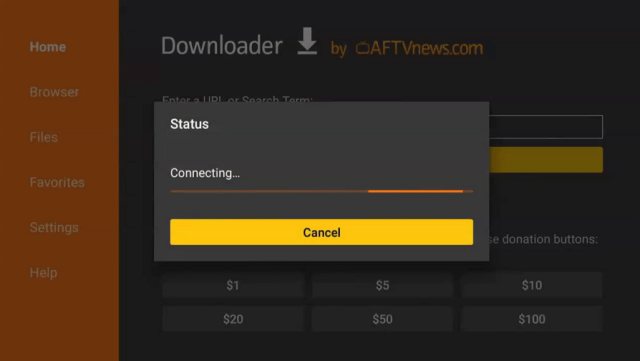
8. You can either say Downloader to your Alexa voice-enabled remote or start typing it. If you typed it, click on the suggestion when it appears.
9. Click on the Downloader Icon.
10. Click Download.
11. Click on Open.
12. Click on Allow.
13. Use the Downloader search tab.
14. Type https://reviewvpn.com/hist and click go.
15. Wait for the APK to be downloaded.
16. Click install
17. Click open.
18. That’s it! Enjoy watching.
YOUR INTERNET ACTIVITY IS BEING WATCHED
ReviewVPN cannot attest to the legality, security and privacy of the applications discussed on this site. It is highly recommended that you use a VPN service while streaming or using Kodi.
Currently, your IP 216.73.216.109 is visible to everyone and your Browser is being tracked by Advertisers & ISP Provider.
Your activities are hidden from your ISP, the government, and from the apps you are using.
You can access additional movies and TV streams.
ISP attempts to throttle are thrwarted thus reducing buffering issues.
Geographically restricted content like Netflix and Hulu can be unblocked.
A VPN works be replacing your ISP-assigned IP address and creating an encrypted tunnel. We recommend the no log service offered by IPVanish. It works well on a Firestick and offers the fastest possible speeds.
Legal Disclaimer: ReviewVPN.com does not encourage or endorse any illegal activity involved in the usage of services and applications referenced on this site. We do not verify the licensing agreements of services. The end-user is wholly responsible for ensuring that any media accessed through these services does not violate copyright and/or licensing laws. ReviewVPN does not promote, link to, or receive compensation from any Apps and IPTV services.
This apk is mostly compatible with Android phones and tablets
Need to use Mouse Toggle when streaming on Firestick
Pros and Cons
Pros
Educational content
100% free
No registration
Applicable on different devices
Cons
This apk version is not much compatible with Firestick
Stream Safely With A VPN
There are so many trackers online. The devices you use, social media, websites, apps, and even your Internet Service Provider (ISP) can track your every move. They all can profile you, know your algorithm, locate you, and even gather your information. This is dangerous to your privacy. Most trackers use this information and sell them to third-party advertisers. You need to stream safely using a Virtual Private Network or VPN.
A VPN can hide your real IP address which trackers use to profile you. If your IP address is hidden, all trackers won’t be able to know your information. A VPN can provide a safe, and new IP address that you can use to stream anonymously. It can even help you bypass geo-restrictions so that you can access certain movies, shows, features, and apps that are not available in your area or country. This is how powerful a VPN is.
Surfshark VPN is the best VPN for streaming. It provides the best security with the best VPN protocols so that you can use it to be as safe as possible. It is also the only VPN to unblock most numbers of streaming platforms, including popular ones like Netflix, Hulu, YouTube TV, and many more.
How to Install Surfshark on Firestick with Screenshots
If your Firestick still has the older interface, read this article to learn how to update it: Update Firestick Interface.
You can download Surfshark directly from the Amazon App Store. It will be easy for you to find Surfshark with your Firestick’s Find feature. Refer to our screenshots below.
Follow our screenshots below to install the SurfShark VPN app on your Fire TV stick.
1. Go to the Home screen of your Firestick.
2. Navigate toward the Find tab. Press the Search button from the resulting dropdown.
3. Type in the keyword of SurfShark and select from the suggestions that will appear.
4. Click the official SurfShark icon from your search results.
5. Press the Download (You Own it) button.
6. The SurfShark VPN installer will download on your device.
7. SurfShark VPN’s app will automatically install itself on your Fire TV stick.
8. Press the Open button after completing SurfShark VPN’s installation process.
9. Please wait for the SurfShark VPN to load its user interface.
10. You can now log in with your SurfShark VPN account credentials.
For more VPN discounts, go to ReviewVPN Deals and purchase the best VPN for you.
Click here for the lowest price on Surfshark through our exclusive limited-time offer.
FAQs
What is The History App?
The History App is a popular streaming platform that offers so many great titles and documentaries about history, industry-driven non-fiction stories, and many more.
Is The History App legal?
ReviewVPN.com cannot determine the legality of any app or website. This article is for educational purposes only. To make sure that you are safe from any legal matters regarding the apps and websites you are using, use a VPN service like Surfshark.
Is the History App safe?
To ensure your safety and security when using the History App use a reliable VPN service like Surfshark VPN.
Is the History App Free?
The History App is 100% free.
Conclusion
For educational, documentary, nonfiction, and history content, the History app is the best choice for you. It is best since it is actually available on different app stores, and devices.
The apk version included in this article is best applicable for Android devices like mobile phones and tablets rather than use it on your Firestick.
Make sure to use a reliable VPN service like Surfshark when streaming on any apps and devices.
This article will show you how to install GoNoodle on Firestick and Android devices.
A streaming program called GoNoodle offers ready-to-use activities that are suitable for educational settings and encourage pupils to move around. It is helpful for teachers and parents to provide quick interactive activities to engage children. Additionally, it is a free resource focused on information that anyone may utilize for their child.
But, before we get into how to install it on your device, we’d like to point out that GoNoodle requires cookies for its functionality. In other words, it keeps track of everything you do inside the app to enhance your experience. And, while this is only to better its service, it is still best to remain anonymous when using this app to prevent all of your online behavior from being linked to your real IP.
To do so, a VPN is necessary, and the best VPN we can recommend is Surfshark.
How to Install GoNoodle on Firestick (Video)
How to Install GoNoodle on Firestick
1. From your home screen, go to Settings.
2. Scroll down and to the right until you get to My Fire TV. Click on it.
3. Select Developer options.
4. Turn on ADB debugging and Apps from Unknown Sources.
5. Click Turn On when the pop-up appears.
6. Click Home, click FIND.
7. Click Search.
8. You can either say Downloader to your Alexa voice-enabled remote or start typing it. If you typed it, click on the suggestion when it appears.
9. Click on the Downloader Icon.
10. Click Download.
11. Click on Open.
12. Click on Allow.
13. Use the Downloader search tab.
14. Type https://reviewvpn.com/gnod and click go.
15. Wait for the APK to be downloaded.
16. Click install
17. Click open.
18. That’s it! Enjoy watching.
GoNoodle APK Download for Android Devices
Note: ReviewVPN.com does not host this APK file. It is hosted by Archive.org
YOUR INTERNET ACTIVITY IS BEING WATCHED
ReviewVPN cannot attest to the legality, security and privacy of the applications discussed on this site. It is highly recommended that you use a VPN service while streaming or using Kodi.
Currently, your IP 216.73.216.109 is visible to everyone and your Browser is being tracked by Advertisers & ISP Provider.
Your activities are hidden from your ISP, the government, and from the apps you are using.
You can access additional movies and TV streams.
ISP attempts to throttle are thrwarted thus reducing buffering issues.
Geographically restricted content like Netflix and Hulu can be unblocked.
A VPN works be replacing your ISP-assigned IP address and creating an encrypted tunnel. We recommend the no log service offered by IPVanish. It works well on a Firestick and offers the fastest possible speeds.
Legal Disclaimer: ReviewVPN.com does not encourage or endorse any illegal activity involved in the usage of services and applications referenced on this site. We do not verify the licensing agreements of services. The end-user is wholly responsible for ensuring that any media accessed through these services does not violate copyright and/or licensing laws. ReviewVPN does not promote, link to, or receive compensation from any Apps and IPTV services.
GoNoodle Go Summer, Channels, GoNoodle Mixes, and Featured in School are among its Main Categories.
More films can be found by browsing its sections, which include GoNoodle Junior, Moose Tube, Summertime, Vamos GoNoodle, The Great Outdoors, Every Body All Together, All The Feels, and more.
Divisions are available for various interests, such as Gorillas, Shoes, Tennis, Rainbows, and Mathlete.
There are options if you’re looking for something sporty, loud, dynamite, or stretchy.
Contains a search feature where you can simply type in a query or skim through different sponsored videos within GoNoodle.
The settings are pre-configured to include a Parent Control where you can enter your birth year.
For Android and Amazon devices, closed captioning is available.
Allows you to create a family account.
Pros & Cons
Pros
Videos and activities that are interactive and free
Its settings are preconfigured with parental control.
Short clips keep it interesting and engaging for children.
Cons
There are occasional buffers.
No configurable options in its settings.
There isn’t a way to bookmark your favorite videos.
Do I Need a VPN to Use This App?
To preserve your privacy when using GoNoodle, you’ll certainly need a VPN to protect your connection. Particularly considering that it maintains track of your activity within the program by logging cookies of your usage.
Additionally, employing a VPN will provide you access to unrestricted GoNoodle video streaming. We are all aware that our ISPs are constantly watching what we do online to find ways to slow down the speed of our internet connection. They monitor and record our online actions only to cause our streaming to lag and buffer.
However, a VPN like Surfshark will provide us with an anonymous IP address, allowing us to access anything we want to watch or access online without worrying that our ISP is keeping an eye on us. We can view anything available on our favorite streaming platform with ease thanks to it. In addition, a VPN would provide you with the following advantages:
It enables you to access geo-restricted content from anywhere in the world
More than 3,200+ servers in 100 locations
Your internet behavior and data will be kept private
Hackers, phishers, and other online threats won’t be able to obtain your personal information
It contains a Cleanweb which prevents ads and malware
A cookie consent pop-up blocker is available
Two factor authentication
Camouflage mode
30 day money back guarantee
Note: For more information about Surfshark, please read our Surfshark Review.
GoNoodle is a streaming application that encourages children to get moving. Anyone can use it for their children’s engagement because it is free to use.
Are GoNoodle Videos free?
Yes, GoNoodle videos are free to stream on Firestick and Android devices.
Is GoNoodle safe?
GoNoodle is safe but it logs your activity. Therefore, using Surfshark for anonymous streaming is the best option.
Is GoNoodle legal?
Since it offers original content in its genre, GoNoodle is legal.
Wrapping Up
GoNoodle is a fantastic tool that you may use with children or students. You can choose from a wide variety of streaming options to suit your preferences and moods. It is also free to use and doesn’t require a subscription, making it very simple to use.
Interestingly, if you’re searching for a kids streaming app to get your kids involved and moving, this one is a good choice. Enjoy your streaming!
This article will show you how to install AccuRadio on Firestick and Android.
AccuRadio is a music streaming app that gives you access to over 1,400+ hand-crafted music channels. It is completely free to use; however, you must first register to make an account and access its content. Additionally, even though it’s free, you can enjoy unlimited skips and there aren’t any annoying ads while using it.
Categories in its Genres section include “Summertime Channel of the Day,” “This Week’s Throwback Year,” “Newest crowd-sourced channel,” “Adult Contemporary,” “Adult Rock,” “Americans,” “Artist Features,” “Beautiful Music,” and more.
Furthermore, we’d like to point out that AccuRadio is a music app that isn’t available in the official Amazon Appstore. That is, it is a third-party program that requires you to jailbreak your Firestick and utilize the Downloader app to sideload it on your device.
To avoid any undesired leaks and data breaches, it is advised to utilize a VPN like Surfshark when installing it on your device.
How to Install AccuRadio On Firestick & Fire TV
1. Click Home on your remote and scroll once to your Right. Click Setting (Gear Wheel Icon).
2. Scroll down and to the right until you get to My Fire TV. Click on it.
3. Select Developer options.
4. Turn on ADB debugging and Apps from Unknown Sources.
5. Click Turn On when the pop-up appears.
6. Click Home, click FIND.
7. Click Search.
8. You can either say Downloader to your Alexa voice-enabled remote or start typing it. If you typed it, click on the suggestion when it appears.
9. Click on the Downloader Icon.
10. Click Download.
11. Click on Open.
12. Click on Allow.
13. Use the Downloader search tab.
14. Open the Downloader App. Type https://reviewvpn.com/accr and click Go.
15. Wait for the APK to be downloaded.
16. Click install
17. Click open.
18. AccuRadio is already installed! That’s it, Enjoy!
AccuRadio APK Download for Android Devices
Note: ReviewVPN.com does not host this APK file. It is hosted by Archive.org
YOUR INTERNET ACTIVITY IS BEING WATCHED
ReviewVPN cannot attest to the legality, security and privacy of the applications discussed on this site. It is highly recommended that you use a VPN service while streaming or using Kodi.
Currently, your IP 216.73.216.109 is visible to everyone and your Browser is being tracked by Advertisers & ISP Provider.
Your activities are hidden from your ISP, the government, and from the apps you are using.
You can access additional movies and TV streams.
ISP attempts to throttle are thrwarted thus reducing buffering issues.
Geographically restricted content like Netflix and Hulu can be unblocked.
A VPN works be replacing your ISP-assigned IP address and creating an encrypted tunnel. We recommend the no log service offered by IPVanish. It works well on a Firestick and offers the fastest possible speeds.
Legal Disclaimer: ReviewVPN.com does not encourage or endorse any illegal activity involved in the usage of services and applications referenced on this site. We do not verify the licensing agreements of services. The end-user is wholly responsible for ensuring that any media accessed through these services does not violate copyright and/or licensing laws. ReviewVPN does not promote, link to, or receive compensation from any Apps and IPTV services.
Home, Genres, History, Favorites, and Settings are its primary tabs.
You can view the most recently played, favorited, suggested, and most popular channels.
Genres available include Adult Contemporary, Adult Rock, Dance, Electronic, Disco, Hip Hop, Indie, K-pop, Latino, Long Songs, Metas, Opera, Smooth Jazz, Soul, and more.
By giving at least 20 songs five stars, you can activate your own personal Five-star Radio.
Contains a Search tool to look for channels directly.
Your favorite music can be added to your favorites list.
Allows you to ban an artist or a song from a channel.
You can play, pause, or play the next song.
Its player options allow you to set a sleep timer, add a channel as a favorite, ban artists and songs, and close the player.
Sleep timers are available for 15 minutes, 30 minutes, 1 hour, and 2 hours.
Pros & Cons
Pros
Immediately starts playing music.
Provides free music streaming.
There are no advertisements.
Skips without limit.
Cons
When using it with a Firestick, you cannot scroll down.
A mouse toggle is required to click on some of the sections.
To enjoy its services, you must first register.
Stretched out screen.
Stream Safely with a VPN
We can do a variety of things with the Firestick, including access to music streams through our television. However, while these apps allow you to stream your favorite material online, you never know when cyber threats like hackers and phishers are present. The next thing you know, your data is being exploited online for illegal and unethical activities without your knowledge.
Because of this, a VPN like Surfshark can assist you in protecting your online identity so you never have to worry about using both secured and unsecured apps. In this manner, you can stream worry-free on any Firestick-accessible app without having to worry about data breaches. Here are some of its extra advantages as well:
3,200+ servers in 100 locations
Next-generation AES 256 GCM encryption
Unlimited simultaneous device connections
Its Cleanweb prevents ads and malware
Cookie consent pop-up blocker
Camouflage mode
Zero logs
Unlimited bandwidth
30-day money-back guarantee
Note: For more information about Surfshark, please read our Surfshark Review.
AccuRadio is a music streaming service that offers 1,400+ tracks of handcrafted music for free.
How to access five star radio in AccuRadio?
All you have to do is to give at least 20 songs five stars to access five star radio.
Is AccuRadio Safe?
It is safe to use AccuRadio. However, it is best to use an antivirus like TotalAV to ensure virus-free streaming to guarantee your safety at all times.
Is AccuRadio free?
AccuRadio is available for free download and usage on Firestick and Android devices.
Are there ads?
Even though it’s free, there aren’t any advertisements, which is a plus.
Is AccuRadio legal?
Yes, AccuRadio is legal. Their offerings are licensed, owned, and/or otherwise protected by international and domestic law.
You might want to check out AccuRadio if you’re seeking free music. You may stream thousands of free songs from it for free online. It also contains tons of music in different genres to choose from. Moreover, what I appreciate best about it is that it is ad-free. As a result, even though you’re streaming free music online, you won’t encounter the usual bothersome ads. Enjoy the stream!
In this article, we will show you how you can watch CFL on Firestick.
CFL stands for Canadian Football League. It is the official professional football league in Canada. If the US has NFL, CFL is its Canadian version. This means that CFL is the highest level of football competition in Canada. It consists of 9 teams which are divided in two. The Western Conference has five teams while the Eastern Division has four.
Football fans in Canada and other countries can watch the games on their devices like Firestick, Android, Roku, and more. We list down all of the apps or platforms that stream CFL.
The best apps where you can watch CFL on Firestick are ESPN Plus, Hulu with Live TV, YouTube TV, Sling TV, and AT&T TV. You can also stream on the official CFL website using the Amazon Silk Browser on your Firestick device. You may also use other applicable browsers on any device that you prefer.
Using the Amazon Silk Browser on Firestick is easy. It is an official Amazon app. You can install it directly on your device. There is no need for you to Jailbreak your Firestick and use the Downloader app to install it.
The CFL is sometimes geo-restricted. It means that it is only available in Canada and other selected countries. Use a reliable VPN service to watch CFL from anywhere safe and easily.
Best Apps To Watch CFL on Firestick
ESPN +
One of the oldest channels and platforms that stream CFL is ESPN. It has been streaming the biggest Canadian football event ever since 1980. Until it acquire the streaming rights to Steam CFL in the US back in 2013. ESPN Plus is indeed the best app to use when streaming CFL on your Firestick device.
ESPN Plus is not for free. The subscription plan is $4.99 a month. Read the article below to know more about this app and how you can install it on your Firestick device.
You can also watch CFL on Firestick using YouTube TV. This app really has it all. It streams movies, TV shows, live TV, and sports. Since there are ESPN channels on YouTube TV, it only means that you can watch CFL as well.
Like ESPN Plus, YouTube TV is not for free. It offers more or less 85 live TV channels for $64.99 a month. Quite expensive compared to other competitors but this platform offers a lot as well. Read the article below t know how you can download the YouTube TV app on your Amazon Firestick.
Hulu with Live TV is the major competitor of YouTube TV. It also offers movies, TV shows, and live TV channels where you can watch a lot like sports. One of its channels is ESPN as well, which means users can also stream CFL on Hulu with Live TV.
The Price of Hulu with Live TV is cheaper compared with YouTube TV, although it also offers fewer channels at around 65. Hulu requires a monthly payment of $54.99 a month.
Users may pay an additional fee if they want to purchase or enhance their DVR storage for up to 50 more hours.
You can also watch the CFL on Sling. Like the other 2 apps above, Hulu with Live TV and YouTube TV, Sling TV also offers live channels like ESPN, ESPN 2, and the ESPN 3 channel, along with 27+ other channels.
Sling TV is more affordable compared to YouTube TV and Hulu with Live TV. It only costs $30 per month. Although, subscription may vary depending on the plan that you choose.
Another app where you can stream CFL is AT&T TV Now. You can also use this app if you are using Roku. AT&T TV Now offers two types of subscription plans. The AT&T TV Now Plus Package costs $55 a month, while the AT&T TV Now Max Package costs $80 a month. Whichever plan you choose, they both offer ESPN channels that let you stream CFL.
YOUR INTERNET ACTIVITY IS BEING WATCHED
ReviewVPN cannot attest to the legality, security and privacy of the applications discussed on this site. It is highly recommended that you use a VPN service while streaming or using Kodi.
Currently, your IP 216.73.216.109 is visible to everyone and your Browser is being tracked by Advertisers & ISP Provider.
Your activities are hidden from your ISP, the government, and from the apps you are using.
You can access additional movies and TV streams.
ISP attempts to throttle are thrwarted thus reducing buffering issues.
Geographically restricted content like Netflix and Hulu can be unblocked.
A VPN works be replacing your ISP-assigned IP address and creating an encrypted tunnel. We recommend the no log service offered by IPVanish. It works well on a Firestick and offers the fastest possible speeds.
Legal Disclaimer: ReviewVPN.com does not encourage or endorse any illegal activity involved in the usage of services and applications referenced on this site. We do not verify the licensing agreements of services. The end-user is wholly responsible for ensuring that any media accessed through these services does not violate copyright and/or licensing laws. ReviewVPN does not promote, link to, or receive compensation from any Apps and IPTV services.
How to Stream CFL on Firestick Using Amazon Silk Browser
Aside from using the apps stated above, you can stream CFL on Firestick using the Amazon Silk Browser. You can also apply this process on other streaming devices. Just open your browser, and go to the website that we will show below.
1. Go to the Home screen of your Firestick.
2. Click on Find.
3. Tap on the Search tab.
4. Type in Silk Browser and choose the item that appears on the results.
5. Click on the Silk Browser Icon.
6. Choose Download.
7. Silk Browser is Downloading into your Firestick.
8. The Silk Browser app will Install on Firestick.
9. Select Open to launch the browser.
10. You can now start using Amazon Silk Browser.
11. Type livetv.sx/enx or https://reddit.nflbite.com/ on the search bar and click Go
Reminder: ReviewVPN does not host any of these links, this is just for educational purposes only.
12. We chose the Live TV website
13. Search for CFL on the search located on the upper left portion of the website
14. Click Canada CFL
15. Choose the links of CFL to start watching
Stream Safely With A VPN
Since CFL is only available in Canada, and other selected countries, you can watch the games from anywhere with the help of a Virtual Private Network or VPN. A VPN is a powerful tool that can help you bypass geo-restrictions by connecting you to a different server from a different country.
VPN can also hide your real IP address and make your stream anonymous. It is safe and secure with all VPN protocols that can get rid of all trackers that can profile and locate you.
Surfshark VPN is the best VPN for streaming. It has thousands of available servers from different locations. This way, you will hide your identity ad has a new one that is secured. Surfshark is also the best when it comes to security. As a great VPN, Surfshark offers top-notch, military-grade VPN protocols that can secure the user’s information from any online threats and trackers. Read our SurfShark review to know more about this amazing VPN.
How to Install Surfshark on Firestick with Screenshots
If your Firestick still has the older interface, read this article to learn how to update it: Update Firestick Interface.
You can download Surfshark directly from the Amazon App Store. It will be easy for you to find Surfshark with your Firestick’s Find feature. Refer to our screenshots below.
Follow our screenshots below to install the SurfShark VPN app on your Fire TV stick.
1. Go to the Home screen of your Firestick.
2. Navigate toward the Find tab. Press the Search button from the resulting dropdown.
3. Type in the keyword of SurfShark and select from the suggestions that will appear.
4. Click the official SurfShark icon from your search results.
5. Press the Download (You Own it) button.
6. The SurfShark VPN installer will download on your device.
7. SurfShark VPN’s app will automatically install itself on your Fire TV stick.
8. Press the Open button after completing SurfShark VPN’s installation process.
9. Please wait for the SurfShark VPN to load its user interface.
10. You can now log in with your SurfShark VPN account credentials.
For more VPN discounts, go to ReviewVPN Deals and purchase the best VPN for you.
Click here for the lowest price on Surfshark through our exclusive limited-time offer.
Conclusion
Football fans all over the world will love watching CFL on their Firestick and other devices. By using ESPN Plus, and other applications like YouTube TV, Hulu With Live TV, Sling TV, and AT&T TV Now, you can watch CFL on your device.
Another way to watch CFL on Firestick is by using the Amazon Silk Browser and streaming on live TV for free sports.
Make sure to use a VPN like Surfshark to stream CFL from anywhere with the best VPN security from all malicious trackers.
Firestick is one of the most popular streaming devices available at the moment. But if you are looking for the best Firestick experience, then you need to sideload apps to watch movies, TV shows, documentaries at zero cost as compared to other paid applications.
Sideloading means adding third-party apps to the Fire TV Stick that you install manually through apps like FileLinked.FileLinked is a popular application on Firestick and Android devices that lets you sideload Android APKs, HD Movies, TV Shows, Live Shows, Sports TV, and other miscellaneous media that are not available on the Appstore.
It has been around for several years, with a variety of stores that are constantly upgrading their content libraries to provide their users with the most up-to-date applications and versions available online. But first, if you don’t have the FileLinked app installed on your Firestick device yet, then let’s get started with the installation.
If your Firestick still has the older interface, read this article to learn how to update it: Update Firestick Interface.
Install Filelinked on Firestick Guide (with Screenshots)
1. Click Home on your remote and scroll once to your Right. Click Setting (Gear Wheel Icon).
2. Scroll down and to the right until you get to My Fire TV. Click on it.
3. Select Developer options.
4. Turn on ADB debugging and Apps from Unknown Source.
5. Click Turn On when the pop-up appears.
6. Click Home, click FIND.
7. Click Search.
8. You can either say Downloader to your Alexa voice-enabled remote or start typing it. If you typed it, click on the suggestion when it appears.
9. Click on the Downloader icon
10. Click Download
11. Click on Open.
12. Click on Allow.
13. Open Downloader. Type http://get.filelinked.com and click GO.
14. Click Install.
15. Click Open.
16. Click Enter Code.
17. Type Code Number and Click Next.
18. Click Continue.
19. There you go, Filelinked is now installed.
YOUR INTERNET ACTIVITY IS BEING WATCHED
ReviewVPN cannot attest to the legality, security and privacy of the applications discussed on this site. It is highly recommended that you use a VPN service while streaming or using Kodi.
Currently, your IP 216.73.216.109 is visible to everyone and your Browser is being tracked by Advertisers & ISP Provider.
Your activities are hidden from your ISP, the government, and from the apps you are using.
You can access additional movies and TV streams.
ISP attempts to throttle are thrwarted thus reducing buffering issues.
Geographically restricted content like Netflix and Hulu can be unblocked.
A VPN works be replacing your ISP-assigned IP address and creating an encrypted tunnel. We recommend the no log service offered by IPVanish. It works well on a Firestick and offers the fastest possible speeds.
Legal Disclaimer: ReviewVPN.com does not encourage or endorse any illegal activity involved in the usage of services and applications referenced on this site. We do not verify the licensing agreements of services. The end-user is wholly responsible for ensuring that any media accessed through these services does not violate copyright and/or licensing laws. ReviewVPN does not promote, link to, or receive compensation from any Apps and IPTV services.
Since it has the largest FileLinked store with 500+ apps, Stream Tech & Now is one of the most popular and advanced FileLinked codes you’ll find on the web. You’ll find everything in this repository a lot of applications and services, including Movies, TV Shows, Live TV, Video players, and utility apps. Stream & Tech Now has just about every free streaming app and service you might imagine so if you’re searching for shows and movies or live TV apps, then you might want to visit their Filelinked store. It includes popular FireStick Apps like Cinema HD, CineHub, CyberFlix, Bee TV, Cuco TV, Mobdro, FilmPlus, Kyte TV, Syncler, Live Net TV, and Nova TV, and is updated regularly, allowing you to stay up to date on the latest versions of your favorite apps as well as new ones.
67664537
StreamItAll
StreamItAll is another Filelinked favorite, with over 200 popular applications in different categories available for free download. It has Movies, TV Shows, Live TV, Music, Anime, Free and Paid IPTV, Adult apps, and utility apps, making it a one-stop-shop for all your Firestick and Android needs. Popular apps like ZiniTevi, PikaShow, Sofa TV, Cinema HD, Media Lounge, CyberFlix, Bee TV, Strix, Mobdro, Smart YouTube TV, Cuco TV, Movies Time, Weyd, UK Turks, Stremio, FilmPlus, and USTVGO are available in their store, along with access to the best streaming websites.
95030652
Review on This and That
If you choose to access Review This and That on Filelinked, you can select from over 270 movie and utility apps in categories like Movies, Sports, Live TV, Kodi, TV shows, video players, and web browsers. It includes popular apps like BeeTV, Cinema HD, Crackle, Nova TV, YouTube Vanced, FX File Explorer, and VirusTotal, making it a useful Filinked store for getting the latest apps on your Firestick device. It also includes direct links to Amazon products, making shopping easier for those who use this Filelinked Store.
76705196 (Pin: 3223)
Kevin Porteous
This filelinked code is one of the best Filelinked stores since it has a large variety of quality applications for Movies, TV Shows, Live TV, Media Players, IPTV Players, Music, Utilities, and Sports TV. Kevin Porteous is a Youtube content creator who makes tutorials on apps and websites for the most up-to-date and requested APKs, making him one of the most trusted people when it comes to your favorite apps and websites, and his store one of the best. Because of his Youtube account, his Filelinked store is also reliable, and among its over 140 apps are common ones like Cinema APK, Aptoide, APKTime, Aurora Store, CCleaner, Mouse Toggle, Puffin Browser, SD Maid, Ace Stream Engine, GSE Smart IPTV Player, Ludio Media Player, and MX Player.
YOUR INTERNET ACTIVITY IS BEING WATCHED
ReviewVPN cannot attest to the legality, security and privacy of the applications discussed on this site. It is highly recommended that you use a VPN service while streaming or using Kodi.
Currently, your IP 216.73.216.109 is visible to everyone and your Browser is being tracked by Advertisers & ISP Provider.
Your activities are hidden from your ISP, the government, and from the apps you are using.
You can access additional movies and TV streams.
ISP attempts to throttle are thrwarted thus reducing buffering issues.
Geographically restricted content like Netflix and Hulu can be unblocked.
A VPN works be replacing your ISP-assigned IP address and creating an encrypted tunnel. We recommend the no log service offered by IPVanish. It works well on a Firestick and offers the fastest possible speeds.
New Tech Evolution is one of the longest-running Filelinked stores that have over 100 applications for Movies, TV Shows, Live TV, IPTV, Media Players, Utility, Launchers, Web Browsers, and Kodi Builds. Its applications available in-store include XUMO, BeeTV, CucoTV, Cinema APK, ZiniTevi, ATV Launcher, and Mouse Toggle. You can also get modded, ad-free versions of several popular apps from this FileLinked store.
11039868
NxtLvlTech
NxtLvLTech is also one of the oldest FileLinked stores that offer all of the important apps as well as the best free streaming apps available today. It provides free access to movies, TV shows, Live TV, and utility applications for your Firestick and Android device. It contains nearly 300 apps, including well-known ones such as Cinema APK, BeeTV, Cinehub, Cyberflix, FilmPlus, Flixoid, PikaShow, Morpheus TV, Peacock TV, Sofa TV, Strix, MV Cast Player, Roku Channel, Syncler, AdGuard, ATV Launcher, Blokada, CCleaner Pro, and many others. The best thing about this FileLinked store is that its owner is committed to keeping it up to date.
10093418
Rohas
Rohas is another trustworthy YouTube content creator who offers tech and media reviews, as well as simple tutorials and overviews on how to install apps on the Amazon Firestick. So you’ll find popular apps for Movies, TV Shows, Media Players, Tools, Utilities, and Kodi Builds in Rohas’ FileLinked store. These include Bee TV, Cinema APK, Cyberflix, FilmPlus, Nova TV, Peacock TV, PikaShow, One Box HD, MV Cast Player, Syncler, Tea TV, UK Turks, Viva TV, Youtube TV Smart, CCleaner, VLC, Clean Master, Speedtest Premium, TeamViewer, AdGuard, Blokada. And aside from the modded versions of these apps, there are also Kodi apps available for downloads such as Krypton, Leia, and Matrix.
85810914
Electrical MD
Electrical MD is one of the best FileLinked codes because, even though it only has over 50 apps, it has really useful ones. It has applications for Movies, TV Shows, Live TV, Media Players, Utilities, and Kodi Builds, all of which are up to date since the store is updated regularly. Cinema APK, Viva TV, Bee TV, CyberFlix, VLC, SD Maid, Mobdro, Quick Task Killer, Oreo TV, AstonCine, Live Net TV, and many other famous apps are available in this store. You can also get various Kodi models, including those that come with pre-installed Kodi builds like Xanax and Xenon. To top it off, he’s another Youtuber with a significant collection on his FileLinked store.
71607934
FireTVSticks
Since it has over 200 superb paid and free applications, FireTVStick’s FileLinked code is certainly one that you should try. Movies, TV Shows, Live TV, Media Players, Web browsers, Utility, and Ad Blockers are among the applications available on the store. Meanwhile, Blokada, Cetus Play, Mouse Toggle, and MX Player are some of its utility apps, while Peacock TV APK, Cinema HD, Morpheus TV, FilmPlus, CyberFlix, FunPlay, Sofa TV, Stremio, Mobdro, Live Net TV, are some of its on-demand movie apps and Live TV. FireTVSticks is also one of the best FileLinked codes to have for your Fire TV and Android TV devices since it has modded versions of many apps.
33627466
Stream Doctor
Stream Doctor is another one of the best FileLinked codes that features the best apps that are compatible with Firestick. It has a lot of apps for Movies, TV shows, Live TV, Media Player, Adult Apps, Alternative App Stores, and Kodi builds that you can download for free. The apps that you can find on Stream Doctor are Cinema APK, Nova TV, Viva TV, Stremio, FilmPlus, UnlockMyTTV, Morpheus TV, Cat Mouse, Cyberflix, Magellan TV, Weyd, Smart Youtube TV, ZiniTevi, Sofa TV, PTV Max, UK Turks, Rokkr, TV Tap Pro, SwiftStreamz, and Mouse Toggle.
Stream Safely With a VPN
Thanks to applications such as FileLinked, we can download apps for movies, TV Shows, Live TV, Sporting events, IPTV, as well as for tools and utilities. But while we have unlimited access to these apps and websites, we also have to make sure that our internet connection is still protected and secured. That’s why, whenever our readers access content online, we always recommend using a VPN like Surfshark. Before engaging in any internet activity, you should always make sure to turn on a VPN to ensure that your personal information is not leaked to third-party servers or even to threats like hackers and phishers. Here are some of the Surfshark advantages to offer you more detail:
Has a total of 3,200 VPN servers in 65 locations to choose from
To safely access online media from anywhere, Internet traffic encryption and anonymous IP addresses are used
With anonymous IP addresses, you can keep your internet activity private and keep network hackers, ISPs, and advertisers out of your connection
With no connection caps, unmetered connections will secure every device you own
Customer service is available 24 hours a day, 7 days a week via phone, email, and live chat.
Note: For more information about SurfShark, please read our SURFSHARK REVIEW.
You can download Surfshark directly from the Amazon App store. It will be easy for you to find Surfshark with your Firestick’s Find feature. Refer to our screenshots below.
1. Go to the Home screen of your Firestick.
2. Navigate towards the Find tab. Press the Search button from the resulting dropdown.
3. Type in the keyword of SurfShark and select from the suggestions that will appear.
4. Click the official SurfShark icon from your search results.
5. Press the Download (You own it) button.
6. The SurfShark VPN installer will download on your device.
7. SurfShark VPN’s app will automatically install itself on your Fire TV stick.
8. Press the Open button after completing SurfShark VPN’s installation process.
9. Please wait for the SurfShark VPN to load its user interface.
10. You can now log in with your SurfShark VPN account credentials.
Yes, FileLinked codes are safe. But to ensure that you are downloading and accessing content safely, then we recommend you to use Surfshark.
Are FileLinked Codes Legal?
Yes, it is legal if you are installing and streaming content within the public domain
Are FileLinked Codes Free?
Yes, FileLinked codes are free. But there are some apps and products (such as Amazon Fire devices) within FileLinked stores that can be purchased.
What are the best FileLinked Codes?
Our top FileLinked Codes are 51829986, 67664537, 95030652, and the 7 others that we’ve included in our list.
On what devices can FileLinked be used?
FileLinked can also be used on Fire TV, Chromecast, NVIDIA Shield, and other Android devices.
Conclusion
You can use a variety of free FileLinked codes to download your favorite movie apps, TV show apps, live tv apps, and other miscellaneous apps. However, getting up-to-date apps and updated versions that you can download is the most important factor in determining what the best FileLinked code is. Most codes have the same downloadable apps, but what makes them unique is their tool and utility variation. And even if some codes have only a few apps available for download, it’s always a good idea to double-check if these are important and useful apps, because quality always outweighs quantity.
Thank you for reaching the end of this article. We hope we were able to provide you with the best FileLinked codes so you could download and discover new apps on your Firestick device. Enjoy!
Special offer
Get 80% Off for 29-Month Subscription + 5 Months Free on Surfshark VPN!