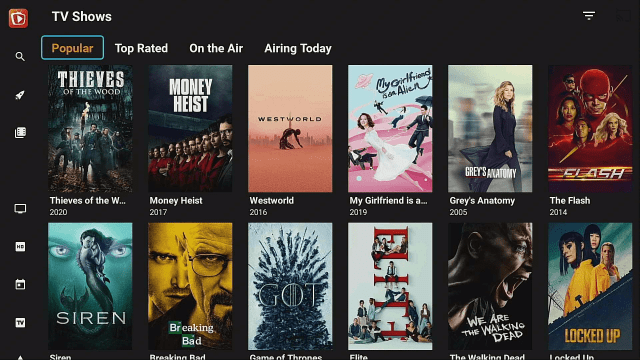
8 Best Cinema HD Alternatives for Firestick and Android

Cinema HD Alternatives

This article aims to provide its readers with the best Cinema HD Alternatives for Firestick and Android.

Cinema HD is one of the best free movie streaming apps for Firestick and Android. It is still working at the moment but is not available for download. It is just a matter of time to declare that Cinema HD is 100% not working anymore.

Since this is the case for Cinema HD, we decided to list down the best Cinema HD alternatives that you can also use for streaming. All of these apps are applicable for Firestick and Android TV. Like Cinema HD, these are third-party applications. You need to Jailbreak your Firestick first and use the Downloader app to install each one of them.

In streaming with third-party apps like the best Cinema HD alternatives, we suggest using a VPN. This will protect you from trackers while streaming on different links from unknown sources on the internet. We will discuss more of this later in this article.

ANONYMOUSLY


Why are Cinema HD Alternatives Important?

It is imperative to always have a decent list of alternatives whenever our go-to streaming app malfunctions. Looking for the right ones is a task we took upon ourselves to make everything easier for our dear readers. We have tested several apps and websites and came to this compilation of Top Cinema HD Alternatives.


How to Jailbreak Firestick and Install The Downloader App

This part is essential with all the best Titanium TV alternatives because you use this process to install all of them.


1.  Click Home on your remote and scroll once to your Right. Click Setting (Gear Wheel Icon)

Titanium TV alternatives


2. Scroll down and to the right until you get to My Fire TV. Click on it.

Titanium TV alternatives


3. Select Developer options.

Titanium TV alternatives


4. Turn on ADB debugging and Apps from Unknown Sources.

Titanium TV alternatives


5. Click Turn On when the pop-up appears.

Titanium TV alternatives


6.  Go back to the Home page and click FIND.

Titanium TV alternatives


7. Click Search.

Titanium TV alternatives


8. Search for the Downloader app.

Titanium TV alternatives


9. Click on the Downloader icon

Titanium TV alternatives


10. Click Download

Titanium TV alternatives


11. Click on Open.

Titanium TV alternatives


12. Click on Allow.

Titanium TV alternatives


10 Best Cinema HD Alternatives

All of these apps are free to install on your Firestick and Android devices. Follow the link below to know how to jailbreak your Firestick and use the Downloader app to install the best Cinema HD alternatives.

Kodi

Kodi

Kodi is the most popular streaming platform today. It is applicable to many devices like Firestick, Android, and Windows. Different Kodi addons provide great content to stream. Most of them work like Cinema HD which provides links from unknown sources on the internet.

Kodi is an open-source app that also offers Music, Sports, Live TV, photo streaming, and more.

Best Kodi Addons

Best Kodi Builds

Learn how you can Install Kodi on Firestick.

1. Install the Downloader app and jailbreak your firestick by enabling unknown sources. To learn more about the procedure, you may read How to Install the Downloader App and Enable Unknown Sources.


2. Open the Downloader App. Type https://kodi.tv/download and click Go.

 Install Kodi


3. Scroll down the screen and select the Android icon once. Be patient because it might take it 30 seconds or so to load the next screen

 Install Kodi 1


4. Click on the 32-bit ARM version in the middle between Google Play and 64-bit ARM

 Install Kodi 2


5. The download should start (if it doesn’t, kick the screen a few times for good measure)

 Install Kodi 3


6. Click INSTALL.

 Install Kodi 4


7. After the Kodi App is installed, click OPEN (note, you will want to delete the APK in Downloader. You can do that at any point by going to Files and holding down on the APK file.)

 Install Kodi 5


8. Click Continue. 

 Install Kodi 6


9. Click Allow allowing Kodi to access files on your device.

 Install Kodi 7


10. Your new Kodi installed on your firestick should now load. Enjoy!

 Install Kodi 8


TeaTV

Tea TV Logo

TeaTV works very similarly to Cinema HD. This is why it has a spot when we say the best Cinema HD alternatives It works by providing links to stream free movies and TV shows.

As of the moment TeaTV is being sued by ACE. If it is not working, make sure to read the best TeaTV Alternatives.


How to Install TeaTV on Firestick

1. Install the Downloader app and jailbreak your firestick by enabling unknown sources. To learn more about the procedure, you may read How to Install the Downloader App and Enable Unknown Sources.


2.Open Downloader App. Type https://reviewvpn.com/tea and click Go.

TeaTV


3. TeaTV will start to download onto your Firestick!

teatv downloading on firestick step 12


4. Click on Install to start the installation process

installing teatv on a firestick step 13


5. Click on Open to open TeaTV on your Firestick

open teatv on a firestick step 14


6. Select your preferred language for subtitles on TeaTV

select you preferred language in teatv step 17


7. TeaTV installed on a Firestick!

teatv installed on a firestick step 17


ZiniTevi

ZiniTevi is fairly new to the scene but has grown in popularity since its launch. It gives users the same quality and quantity of content that a lot of people enjoy. This is why we include it as one of the best Cinema HD alternatives.

Features:

  • One-Click Play
  • High Definition Videos
  • Fast and Speedy Loading and Playing Time
  • Simple UI
  • Downloadable videos for Android users
  • Favorites allow users to bookmark videos
  • Pick up where you left off with Trak TV
  • No need to use Ad Guard because it is Ad-Free

How to Install ZiniTevi on Firestick

1. Install the Downloader app and jailbreak your firestick by enabling unknown sources. To learn more about the procedure, you may read How to Install the Downloader App and Enable Unknown Sources.


2. Open Downloader App. Type https://reviewvpn.com/zin and click Go.

install Top Cinema HD


3. Click Install.

Step 13 Install Zini Tevi on Firestick


4. Click Open.

Step 14 Install Zini Tevi on Firestick


5. ZiniTevi is installed. Enjoy Watching!

Step Install Zini Tevi on Firestick


Nova TV

Nova-TV-apk-mod-android

Nova TV has always been there when it comes to great apps for movies and TV series. Some say that it has similar features to Netflix. What’s amazing about it is that Nova TV also offers live TV. Nova TV is one of the best Cinema HD alternatives because of similar quality and features they provide

You can easily find the title you want to stream while using this app.

How to Install Nova TV on Firestick

1. Install the Downloader app and jailbreak your firestick by enabling unknown sources. To learn more about the procedure, you may read How to Install the Downloader App and Enable Unknown Sources.


2. Type https//reviewvpn.com/nova and click Go. (Note: ReviewVPN.com does not host this APK file)

Install Nova TV


3. Click Install.

Step 13 Install Nova TV on Firestick


4. Click Open.

Step 14 Install Nova TV on Firestick


5. Click Allow

Step 15 Install Nova TV on Firestick


6. Choose Default Player

Step 16 Install Nova TV on Firestick


7. Choose a Language

Step 17 Install Nova TV on Firestick


8. Enjoy Nova TV

Step 18 Install Nova TV on Firestick


FilmPlus

filmplus logo

FilmPlus is one of the best Cinema HD alternatives that offers content not only in English, but also in other languages also like Spanish, and Indian.

This app houses a wide variety of titles to stream on your device. It is also compatible with any Android device like mobile phones, and tablets.

How to Install FilmPlus on Firestick

1. Install the Downloader app and jailbreak your firestick by enabling unknown sources. To learn more about the procedure, you may read How to Install the Downloader App and Enable Unknown Sources.


2. Open Downloader. Type https://reviewvpn.com/film and click GO.


3. Click Install.


4. Click Open.


5. Select Allow


6. Click on Update


7. Wait for the Update to Finish


8. Select Install


9. Enjoy streaming with FilmPlus APK.


YOUR INTERNET ACTIVITY IS BEING WATCHED

ReviewVPN cannot attest to the legality, security and privacy of the applications discussed on this site. It is highly recommended that you use a VPN service while streaming or using Kodi.

Currently, your IP 216.73.216.102 is visible to everyone and your Browser is being tracked by Advertisers & ISP Provider.

Save 65% Now

Limited Time Offer

Here are the main reasons why you must use a VPN:

  • Your activities are hidden from your ISP, the government, and from the apps you are using.
  • You can access additional movies and TV streams.
  • ISP attempts to throttle are thrwarted thus reducing buffering issues.
  • Geographically restricted content like Netflix and Hulu can be unblocked.

A VPN works be replacing your ISP-assigned IP address and creating an encrypted tunnel. We recommend the no log service offered by IPVanish. It works well on a Firestick and offers the fastest possible speeds.

Special Limited Time Offer - Get IPVanish


Legal Disclaimer: ReviewVPN.com does not encourage or endorse any illegal activity involved in the usage of services and applications referenced on this site. We do not verify the licensing agreements of services. The end-user is wholly responsible for ensuring that any media accessed through these services does not violate copyright and/or licensing laws. ReviewVPN does not promote, link to, or receive compensation from any Apps and IPTV services.


Install Surfshark on Firestick

Get the Best Surfshark Deal


Terrarium TV

TerrariumTV-Logo

Terrarium TV is back and it is one of the best Cinema HD alternatives. It became popular for giving us the latest movies and TV shows. Not only that, you can easily find videos on-demand (VOD) to stream for free.

You also don’t have to worry about ads since the Terrarium TV app does not show any. 


How to Install Terrarium TV on Firestick

1. Use your downloader app’s Search Engine bar. 

Install the Terrarium TV app on your Fire TV Stick 13


2. Type in: reviewvpn.com/ter and press the Go button.

Install the Terrarium TV app on your Fire TV Stick 14


3. The installer APK of The Terrarium TV app will download.

Install the Terrarium TV app on your Fire TV Stick 15


4. Click on the Install button.

Install the Terrarium TV app on your Fire TV Stick 16


5. The Terrarium TV app will automatically install on your Fire TV stick.

Install the Terrarium TV app on your Fire TV Stick 17


6. Press the Open button to launch the Terrarium TV app.

Install the Terrarium TV app on your Fire TV Stick 18


7. Tap on the Allow button letting the Terrarium TV app access your media files.

Install the Terrarium TV app on your Fire TV Stick 19


8. Press on the OK button after viewing the app’s Change Log.

Install the Terrarium TV app on your Fire TV Stick 20


9. Choose any titles from the wide library of the Terrarium TV app.

Install the Terrarium TV app on your Fire TV Stick 21


Titanium TV

Titanium Logo

Titanium TV is easily one of the best Cinema HD alternatives. It is also compatible with Android TV box, Android Mobile, Amazon Fire Stick, Smart Amazon Fire TV, Amazon Kindle, Android TV, Nvidia Shield TV, etc. You can stream movies and TV shows on Titanium TV.

The Titanium TV app plays high-quality videos by fetching links. You can also find videos of better quality after linking the app with your Real Debrid account.

Providing us with videos of great quality and having an impressive collection, the Titanium TV app is unique. Also, the app is easy to use and features a user interface similar to Cinema HD.


How to Install Titanium TV on Firestick

1. Open Downloader App. Type https://reviewvpn.com/tit and click the Go button.

Install Titanium TV on Firestick Step 14


2. Press the Install button.

Install Titanium TV on Firestick Step 15


3. Click the Open button.

Install Titanium TV on Firestick Step 16


4. Enjoy Titanium TV!

Install Titanium TV on Firestick Step 17


Bee TV

beetv-app logo

Bee TV is one of the best Cinema HD alternatives since it gives us a wide library of content, such as movies and TV shows. The only problem is BeeTV along with TeaTV is being sued by ACE.

Bee TV has a lot of great features like built-in subtitles, real debris, trakt, and many more. It is applicable to  Android TV box, Android Mobile, Amazon Fire Stick, Smart Amazon Fire TV, Amazon Kindle, Android TV, NVidia Shield TV, etc.


How to Install Bee TV on Firestick 

1. Use your downloader app’s Search Engine bar. 

Install Bee TV on Firestick 13


2. Open Downloader App. Type https://reviewvpn.com/bee and click the Go button.

Install Bee TV on Firestick 14


3. Click the Install button.

Install Bee TV on Firestick 15


4. Press the Open button.

Install Bee TV on Firestick 16


5. Click the Allow button.

Install Bee TV on Firestick 17


6. Enjoy streaming media files with the Bee TV app!

Install Bee TV on Firestick 18


Use a VPN with The Best Cinema HD Alternatives

Surfshark vpn

Third-party streaming apps often require a huge amount of data to operate especially when viewing 4k content. ISPs do not turn a blind eye to this type of online activity. It will always result in throttling that will surely make your streaming experience intolerable. To circumvent this dilemma, you must use a premium VPN service like Surfshark. It will mask all of your online activity and also provide you protection from online threats that are invisible to the naked eye.

Best SurfShark Features

  • Has 3,200+ servers from 100+ locations worldwide
  • Top-notch security features
  • Unblocks all popular streaming platforms like Netflix, and Hulu
  • Connects unlimited devices simultaneously
  • Follows the zero-log policy
  • 30-day money-back guarantee
  • Cloud Storage
  • P2P friendly VPN
  • SOCKS5 Proxy
  • Allows Torrenting
  • Kill Switch
  • Split Tunneling
  • DNS Leak Protection
  • Prevents Firestick Buffering and Kodi Buffering

For more details about this VPN, read our SurfShark review.


Grab your subscription now!

Best Surfshark Deal

Click here to get the lowest price on Surfshark through our exclusive limited-time offer.


How to Install Surfshark VPN on Firestick

If your Firestick still has the older interface, read this article to learn how to update it: Update Firestick Interface.

Follow our screenshots below to install the SurfShark VPN app on your Fire TV stick.

1. Go to the Home screen of your Firestick.

step 1 Install Surfshark VPN on Firestick


2. Navigate toward the Find tab. Press the Search button from the resulting dropdown.

step 2 Install Surfshark VPN on Firestick


3. Type in the keyword of SurfShark and select from the suggestions that will appear.

step 3 Install Surfshark VPN on Firestick


4. Click the official SurfShark icon from your search results.

step 4 Install Surfshark VPN on Firestick


5. Press the Download (You own it) button.

step 5 Install Surfshark VPN on Firestick


6. The SurfShark VPN installer will download on your device.

step 6 Install Surfshark VPN on Firestick


7. SurfShark VPN’s app will automatically install itself on your Fire TV stick.

step 7 Install Surfshark VPN on Firestick


8. Press the Open button after completing SurfShark VPN’s installation process.

step 8 Install Surfshark VPN on Firestick


9. Please wait for the SurfShark VPN to load its user interface.

step 9 Install Surfshark VPN on Firestick


10. You can now log in with your SurfShark VPN account credentials.

step 10 Install Surfshark VPN on Firestick

Learn more about Surfshark and Grab the Best Surfshark Deal Now!


Install Surfshark on Firestick

Best Surfshark Deal


Other VPNs to Consider

NordVPN (Best for Streaming)

Best Features

  • 5000+ Server in 50+ Countries 
  • Military-Grade Encryption
  • Fast Connection Speed
  • Suitable to a lot of devices
  • No-Log Policy

Prices
  • Complete $5.89 per month (64% Discount)
  • Plus $4.59 per month (56% Discount)
  • Standard $3.69 per month (55% Discount)

Best Features

  • 750+ High-speed VPN Servers in 43 Locations
  • Military-Grade Encryption
  • Fastest HD Streaming and Gaming
  • 30-Day Money-Back Guarantee
  • Unlimited Data & Devices
  • No-Log Policy

Prices
  • 3 Years $1.99 per month (82% Discount)
  • 1 Years $3.29 per month (70% Discount)
  • 1 Month $10.99 per month

IPVanish VPN (Most Secure)

Best Features

  • 1200+ Servers in 60+ Countries around the world
  • Unlimited Connections
  • No-Log Policy
  • Top Notch Military-Grade VPN Protocols and Encryptions
  • 100% Safe and Secured
  • Most Trusted VPN
  • Best VPN for Firestick
  • 30-Day Money-Back Guarantee

Prices
  • Yearly $3.99 per month (63% Discount) – 30 days risk free + Ransomware & Malware Protection
  • Quarterly $5.32 per month (51% Discount)
  • Monthly $10.99 per month


For more VPN discounts, go to ReviewVPN Deals and purchase the best VPN for you.

Click here to get the lowest price on Surfshark through our exclusive limited-time offer.


FAQs

Does Cinema HD Still Work?

Yes, the Cinema HD app is still working but it is not available for download. It will come a time when it is completely not working.


Are the Best Cinema HD Alternatives Legal?

ReviewVPn cannot determine the legality of any apps. It is better to use a VPN like Surfshark to protect you from any legal issues.


What are the best Cinema HD Alternatives?

The best Cinema HD alternatives are:

  • Kodi
  • TeaTV
  • ZiniTevi
  • Nova TV
  • FilmPlus
  • Terrarium TV
  • Titanium TV
  • BeeTV


Conclusion

The TV Shows section of Cinema HD is currently down. We know it is unpleasant because this app has been reliable since day one. This shows the imperfect side of free streaming applications but what we can do is choose a worthy alternative to maintain our enjoyment. It is up to you what app you choose as an alternative because everything that is listed above is working and very competent.


Final Thoughts

We hope that this article helps you in choosing the Top Cinema HD Alternative for your Firestick. Thank you for reading!


Note: ReviewVPN.com does not own or operate any app nor endorse any. The main purpose of this article is strictly for educational purposes only.


What Is Your Favorite Streaming App? Cast Your Vote Below.

Amazon Firestick Vs Roku Streaming Stick

Amazon Firestick vs Roku Streaming Stick +

In this article, we will be giving you detailed information regarding Firestick vs Roku.


When it comes to small and cheap streaming devices, the market is dominated by 2 names. Amazon and Roku.
These 2 have dominated the industry, and not even Google’s Chromecast can make a dent in their supremacy in the streaming realm.

Both are cost-effective, cheap, and highly versatile. So how can you choose between the two?

In this Firestick vs Roku guide, we have an in-depth look at 11 different categories picking a winner for each and seeing who comes out on top.


Specifications

Feature

Amazon Fire TV Stick 4K

Roku Streaming Stick +

Size

3.4” x 1.2” x 0.5” 3.7” x 0.8” x 0.5”

Weight

32g 32g

Processor

Quad-Core ARM 1.7 GHz with 1GB RAM Quad-Core with 512MB RAM

Remote

Yes Yes + Controller

Storage

8 GB Internal + Cloud for Amazon bought media 256MB

Picture Quality

1080p 4K HDR

Supported Audio

Dolby Atmos Dolby Atmos

Voice

Amazon Alexa Roku Voice Assist


ANONYMOUSLY

Firestick vs Roku in Terms of Price

Both Amazon and Roku have pursued the same strategy of offering low-cost consumer devices which come in at $50-60 or less.

In terms of price, the Fire Stick tends to come in slightly cheaper than the Roku.  But both often have giveaways with more expensive items, good brand integration with lots of other brands, and an aggressive pricing strategy which has made them numbers 1 and 2.

But you are going to get a lot of bang for your buck with both devices.

Winner: Draw

Firestick vs Roku in Terms of Reviews

Based on Amazon:

Roku Streaming Stick +: 4.3/5 with 1,100+ reviews

Amazon Fire Stick:  4.7/5 with 7,000+ reviews

The Firestick was always going to have the most reviews on Amazon, it’s a parent. And of course, it is heavily pushed and marketed by Amazon as a top search term if anyone searches for a streaming device.

That hasn’t stopped Roku from still selling heavily through Amazon.

The reviews are most helpful when we look at the worst reviews and the most helpful of them. With people upvoting ideas that they agree with.

The Firestick had quite a lot of less bad reviews of 1- and 2-star ratings, as well as a much better rating overall. Though both scored over 4.

The Firestick had only 6% of its ratings as 1 and 2 stars, with the biggest reported problems being:

  • Poorly constructed remote control which is difficult to put batteries in
  • Connectivity issues with the Amazon Echo
  • A basic interface that can be confusing

Roku faired worse, with 11% of its reviews at 1 star and 4% at 2 stars, with the biggest problems being:

  • Devices failing after a few months and then being charged shipping to send it back under warranty
  • Having to sign up countless times for different streaming services
  • The locked nature of their operating system
  • Geo-Blocking, make sure to check services are available in your country before ordering a Roku

Amazon comes out on top as the clear winner when it comes to customer satisfaction and reviews.

Winner: Amazon

Firestick vs Roku in Terms of Operating System

The Amazon Firestick runs on Android Oreo 8.0 and runs its own system through Amazon TV.

The interface is basic, and you will need to sideload the application, plus not have access to the Google Play Store. An inconvenience but at least it has a workaround.

Roku has its own proprietary operating system. Now on Roku OS 7.0. This is a completely closed system, which means you cannot download and install 3rd party applications.

Great if you want to take advantage of the 5,000+ channels as opposed to the Firesticks 3,000+. Not so good if you want to do anything else with it.

The Roku interface is a cleaner layout and is nicer to interact with and use.

We call it a draw, as Amazon wins for using third-party software, but Roku wins for the ease of use of its OS.

Winner: Draw


YOUR INTERNET ACTIVITY IS BEING WATCHED

ReviewVPN cannot attest to the legality, security and privacy of the applications discussed on this site. It is highly recommended that you use a VPN service while streaming or using Kodi.

Currently, your IP 216.73.216.102 is visible to everyone and your Browser is being tracked by Advertisers & ISP Provider.

Save 65% Now

Limited Time Offer

Here are the main reasons why you must use a VPN:

  • Your activities are hidden from your ISP, the government, and from the apps you are using.
  • You can access additional movies and TV streams.
  • ISP attempts to throttle are thrwarted thus reducing buffering issues.
  • Geographically restricted content like Netflix and Hulu can be unblocked.

A VPN works be replacing your ISP-assigned IP address and creating an encrypted tunnel. We recommend the no log service offered by IPVanish. It works well on a Firestick and offers the fastest possible speeds.

Special Limited Time Offer - Get IPVanish


Install Surfshark on Firestick

Best Surfshark Deal


Firestick vs Roku in Terms of Hardware

First, Roku is frustrating when it comes to finding out the technical specifications of its device. It doesn’t list the processor or cores that it has which makes a pound-for-pound comparison hard. As a technical user, we found this suspicious and irritating.

The devices seem similar and have the same number of ports, 1 for USB and 1 for HDMI.

But the Firestick delivers much bigger RAM and storage, what you get with the Roku is laughable, and again part of having a closed system. They don’t want you to store stuff on the device. They want you to stream

But this means the Roku is not as flexible when it comes to processing a high graphics load, thus it’s more prone to freeze or stall.

The new Streaming Stick + promised a WIFI extender to increase range up to 4 times from your router. But it doesn’t make up for woefully small specs and a lack of transparency on the device.

Winner: Amazon


Firestick vs Roku in Terms of Performance

Both devices perform well, and there is a negligible difference between them.

The Streaming Stick + is designed to stream 4K and HD just like the newer Amazon Firestick 4K, and the reduced RAM seems to make no difference to actual streaming.

Both feature Dolby Surround Sound and Atmos as standard.

Winner: Draw


Firestick vs Roku in Terms of Storage

The Roku doesn’t have any storage, and it doesn’t even have a native browser, unlike Amazon Firestick where you can use Facebook and play some simple games.

Roku is a missile fixed on course for streaming and nothing else. You don’t even have the option to download content. Which is a shame. Though for someone just wanting to stream the amount of storage should make no difference.

The 8GB that Amazon gives isn’t massive, but at least you could download a film or 2 to watch offline.

Winner: Amazon


Firestick vs Roku in Terms of Speed

Both are fast and responsive considering the price tag. Amazon Firestick used to have an advantage with Alexa, but the newest version of Roku now has voice control.

Both do exactly what they say on the tin and do it well

Winner: Draw

Firestick vs Roku in Terms of Voice Control

Though Roku has introduced voice control, Alexa still wins. With a wider range of commands and a more sophisticated AI, not to mention more data points.

Roku is catching up, but only Google is in any position to defy Alexa’s dominance when it comes to voice control

Winner: Amazon


Firestick vs Roku in Terms of Sound

Both devices run Dolby Atmos. But Roku has a sneaky trick up its sleeve. Like the Nvidia Shield, you can plug your headphones into the remote and watch TV quietly while the kids sleep.

A nice touch.

Winner: Roku


Firestick vs Roku in Terms of Accessories

Both devices come with a remote, though Roku does have the major streamers buttons on the remote.

That’s fine for Netflix, but I wouldn’t want Hulu and Sling on my remote.

The problem with pre-defined buttons is that it assumes you are using that service, plus the button is useless for anything else.

We find Amazon’s remote to be much simpler and to the point, placing instead the emphasis on using Alexa instead.

Winner: Amazon


Firestick vs Roku in Terms of Kodi Compatibility

Amazon Firestick may be frustrating in that you need to sideload applications, but at least you can. It’s not too much fuss to get Kodi up and running on your Fire Stick. Even though you don’t want to overload it with too many add ons or big builds over 250MB.

On Roku, you can’t use Kodi at all. You could cast an Android device to Roku, but for us, this is just more gaffe than it’s worth. Considering most Smart TVs you can cast directly to them anyway.

Winner: Amazon


Firestick vs Roku Final Score

Amazon:8.5

Roku: 7.5

Best VPN For Firestick And Roku

surfshark logo

Whichever device you like to use for streaming, you should always protect your privacy. Firestick and Roku are both great devices but they are also both prone to trackers. The best thing you can do is to use a Virtual Private Network that will help you destroy geo-restrictions while having peace of mind that there will be no one monitoring your every move.

Surfshark VPN is the best VPN you can use with both Firestick and Roku. It has great security ability and speed for streaming. You don’t have to worry about your ISP throttling your internet whenever you are watching some high-definition videos on these two devices.

Here are some of the best Surfshark VPN features:

  • 3200+ servers all over the world
  • Bypass Geo-restrictions
  • Gives you an additional wall of protection from your ISP
  • Allows you to access content from other countries
  • Protects your online privacy
  • Keeps your data and files from harmful malware with its very own Surfshark Antivirus software
  • Your connections and data will be kept encrypted and anonymous
  • No log policy
  • Makes your internet speed faster
  • Gives easy access and downloads from different torrent sites without being caught.
  • Prevents Firestick Buffering and Kodi Buffering

To learn more, read our Surfshark VPN review.


Install Surfshark on Firestick

Best Surfshark Deal

Other VPNs to Consider

NordVPN (Best for Streaming)

Best Features

  • 5000+ Server in 50+ Countries 
  • Military-Grade Encryption
  • Fast Connection Speed
  • Suitable to a lot of devices
  • No-Log Policy

Prices
  • Complete $5.89 per month (64% Discount)
  • Plus $4.59 per month (56% Discount)
  • Standard $3.69 per month (55% Discount)

Best Features

  • 750+ High-speed VPN Servers in 43 Locations
  • Military-Grade Encryption
  • Fastest HD Streaming and Gaming
  • 30-Day Money-Back Guarantee
  • Unlimited Data & Devices
  • No-Log Policy

Prices
  • 3 Years $1.99 per month (82% Discount)
  • 1 Years $3.29 per month (70% Discount)
  • 1 Month $10.99 per month

IPVanish VPN (Most Secure)

Best Features

  • 1200+ Servers in 60+ Countries around the world
  • Unlimited Connections
  • No-Log Policy
  • Top Notch Military-Grade VPN Protocols and Encryptions
  • 100% Safe and Secured
  • Most Trusted VPN
  • Best VPN for Firestick
  • 30-Day Money-Back Guarantee

Prices
  • Yearly $3.99 per month (63% Discount) – 30 days risk free + Ransomware & Malware Protection
  • Quarterly $5.32 per month (51% Discount)
  • Monthly $10.99 per month


For more VPN discounts, go to ReviewVPN Deals and purchase the best VPN for you.

Click here to get the lowest price on Surfshark through our exclusive limited-time offer.


Our Overall Winner and Final Thoughts

On the face of it, it doesn’t seem like there is much to choose between the two, but they could not be more different.

In short, Roku offers a great closed system that is fixated on doing one thing and doing it well. Namely, get a Roku stick if you just want access to the most TV channels and streaming services that you can. And you don’t care about storage, Kodi, internet explorer, games, or anything apart from streaming. Roku is great at that.

But, if like us you want a bit of variability and would like the choice of browsing online from your device or downloading Kodi and getting some cool add-ons, or God forbid, downloading something you have paid for onto your device then Amazon wins.

Personally, we found Roku to be really, really limited. Plus, the slew of bad reviews about it breaking after a few months. To have so little RAM and storage is just a poor show, and there are glaring hallmarks of cutting corners when it comes to the device.

You would pay less for more by buying the Amazon Fire Stick. Roku may be great for grandma, but for anyone who is even a little tech-savvy, save your money.

We really don’t understand the appeal that Roku has and why it has gone on to be so successful.

Best Kodi Addons to Watch Football (Soccer)

Best Kodi Addons to Watch Football (Soccer)

This article will provide a list of the best Kodi Addons to watch Football.

Generally speaking, it can be harder to locate a Kodi addon for sports than it is to find addons for other categories like movies and TV series. It’s because there aren’t many add-ons that give Kodi users access to content exclusively related to sports.

But, thankfully, there are now reputable Sports Kodi Addons that you can install to watch your favorite Football (soccer) teams. And we’ve made it a point to identify the best Kodi Addons to watch Football for your next streaming.

So, if you’re looking for an addon to watch the VIPLeague, Premier League, Champions League, La Liga, Bundesliga, League 1, Serie A, or any other live soccer feeds, you can find a stream on the addons that we’ll highlight in this article.


List of Best Kodi Addons to Watch Football

Sportowa

Sportowa is the first on our list of the best Kodi Addons to watch Football. Since they are not shown in the main categories, you might first be unsure of where to look for their specific sports material. However, by selecting the LiveTV category, you can access a wealth of sporting events. It starts with football, which offers live streaming of current football matches as well as other sporting events including handball, baseball, combat sport, bandy, ice hockey, volleyball, rugby league, futsal, and much more.

Additionally, there are numerous Football streaming links available. It offers several links that cater to various ethnicities, since it is available in English, Russian, German, French, Italian, Arabic, Polish, Dutch, and Romanian. So, regardless of where in the world you live, you can be guaranteed to locate a working streaming link that will enable you to completely enjoy the live football game.

Aside from that, it provides Live On Score for sporting events such as football, basketball, motorsports, boxing, and soccer. Furthermore, it contains a category specifically for VipLeague.

URL Repository: http://mbebe.github.io/blomqvist/


TapTv

taptv

TapTv or commonly known as TvTap is a popular Android application that provides live streaming from hundreds of channels. And fortunately for people who like streaming Live TV from Kodi, it has a Kodi Addon available. You can get it from the well-known TheWareHouse Repository, where you can be guaranteed to obtain a dependable functional Kodi Addon.

Furthermore, it allows you to effortlessly and efficiently watch Football on your Kodi-compatible device. It includes the most prominent sports networks, like ESPN, CBS Sports, Fox, Bein, Sky Sports, La Liga, and more. Additionally, it is divided into categories according to country, such as the US, UK, Italy, France, Argentina, Canada, Germany, Spain, and Others. As a result, you may locate practically any Sports channel you want.

URL Repository: https://tinyurl.com/TWHrepo


Rising Tides

Rising Tides is an established Kodi addon that has a solid reputation for giving its users access to sports programming. It’s also a terrific addon for watching Football because it has Football-specific sections like Football Highlights and Live Football. Additionally, it offers live PPV events as well as sports networks in many sports categories. Additionally, it offers stations from a variety of nations, including US TV, UK TV, Canada TV, French TV, Spanish TV, German TV, Indian TV, Turkish TV, and many more.

Aside from that, live sporting events are listed at least 45 minutes before they begin, giving you adequate time to prepare. Furthermore, this addon’s content is constantly updated, so you can be guaranteed to find the most recent and up-to-date sports content. So, whether you want to watch live events, news, broadcasts, highlights, or anything else, the Rising Tides Kodi Addon will have something for you.


URL Repository: http://mullafabz.xyz/Repository/K19/

YOUR INTERNET ACTIVITY IS BEING WATCHED

ReviewVPN cannot attest to the legality, security and privacy of the applications discussed on this site. It is highly recommended that you use a VPN service while streaming or using Kodi.

Currently, your IP 216.73.216.102 is visible to everyone and your Browser is being tracked by Advertisers & ISP Provider.

Save 65% Now

Limited Time Offer

Here are the main reasons why you must use a VPN:

  • Your activities are hidden from your ISP, the government, and from the apps you are using.
  • You can access additional movies and TV streams.
  • ISP attempts to throttle are thrwarted thus reducing buffering issues.
  • Geographically restricted content like Netflix and Hulu can be unblocked.

A VPN works be replacing your ISP-assigned IP address and creating an encrypted tunnel. We recommend the no log service offered by IPVanish. It works well on a Firestick and offers the fastest possible speeds.

Special Limited Time Offer - Get IPVanish


Legal Disclaimer: ReviewVPN.com does not encourage or endorse any illegal activity involved in the usage of services and applications referenced on this site. We do not verify the licensing agreements of services. The end-user is wholly responsible for ensuring that any media accessed through these services does not violate copyright and/or licensing laws. ReviewVPN does not promote, link to, or receive compensation from any Apps and IPTV services.


Install Surfshark on Firestick

Best Surfshark Deal


Stream Safely With a VPN

Surfshark vpn

There are numerous benefits to watching football on streaming platforms like Kodi. Kodi gives you access to the matches you desire, whether you’re away from home or just want to watch them without paying for an expensive IPTV subscription. However, given these advantages, we would want to make you aware of the dangers that come with streaming via free streaming apps and third-party add-ons. This is because using these services leaves you uncertain as to whether they are tracking or logging your internet activities. So it’s always recommended to use a VPN to encrypt your connection.

A VPN, such as Surfshark, will offer you with an anonymous IP address, ensuring that no one on the internet can track your real IP address. As a result, it will avoid any undesired data breaches or IP address leaks because it will not link your IP to the device that you are using.

Here are a few more benefits of utilizing Surfshark:

  • You can access material from anywhere in the world since it circumvents censorship and geographic restrictions.
  • It contains a CleanWeb function that will stop viruses and advertisements.
  • It provides unlimited bandwidth, allowing you to stream and download any content from the internet.
  • It safeguards an unlimited number of concurrent connections.
  • A cookie consent popup blocker is included with it.
  • You may further secure your account by using two-factor authentication.
  • 256-bit military-grade encryption is used.
  • There is a 30-day money-back guarantee offered.

Note: For more information about Surfshark, please read our Surfshark Review.


How to Install Surfshark VPN on Firestick

If your Firestick still has the older interface, read this article to learn how to update it: Update Firestick Interface.

Follow our screenshots below to install the Surfshark VPN app on your Fire TV stick.

1. Go to the Home screen of your Firestick.

step 1 Install Surfshark VPN on Firestick


2. Navigate toward the Find tab. Press the Search button from the resulting dropdown.

step 2 Install Surfshark VPN on Firestick


3. Type in the keyword of Surfshark and select from the suggestions that will appear.

step 3 Install Surfshark VPN on Firestick


4. Click the official SurfShark icon from your search results.

step 4 Install Surfshark VPN on Firestick


5. Press the Download (You own it) button.

step 5 Install Surfshark VPN on Firestick


6. The Surfshark VPN installer will download on your device.

step 6 Install Surfshark VPN on Firestick


7. SurfShark VPN’s app will automatically install itself on your Fire TV stick.

step 7 Install Surfshark VPN on Firestick


8. Press the Open button after completing Surfshark VPN’s installation process.

step 8 Install Surfshark VPN on Firestick


9. Please wait for the SurfShark VPN to load its user interface.

step 9 Install Surfshark VPN on Firestick


10. You can now log in with your Surfshark VPN account credentials.

step 10 Install Surfshark VPN on Firestick

Learn more about Surfshark and Grab the Best Surfshark Deal Now!


Install Surfshark on Firestick

Best Surfshark Deal


FAQs

What is the best Kodi Addon to watch Football?

This article lists the top Kodi addons for watching football. You can compare them to discover which one best suits your preferences because each of them has unique features. Sportowa, however, is what I preferred more because of how many streaming links it offers in various languages and how simple it is to use.

What is a Kodi Addon?

Watching movies, TV shows, live TV, and sports is possible with the Kodi Addon. Furthermore, the Kodi Addons we’ve featured in this article are for Sports, specifically the best Kodi Addons to watch football.


Are Kodi Addons safe?

Kodi Addons’ safety relies on the URL repository from which they are downloaded. It’s best to use Surfshark VPN to prevent data breaches and an anti-virus tool to provide a virus-free connection to assure your safety when using these add-ons.


Are Kodi Addons legal?

In general, Kodi Addons are legal. However, we can never guarantee that all the streams offered by an addon are legal. Therefore, if you are unsure whether an addon is legal, it is advisable to just remain anonymous to prevent any legal complications.


Wrapping Up

There aren’t many Addons that provide football streaming. Fortunately, we were able to obtain and test the currently available functioning addons. And hopefully, we were able to present you with the best ones for your next Football streaming on your Kodi-compatible device, such as the Firestick.

How to Install VPN Monitor Dot on Firestick – Best Alternative for VPNSafety Dot

VPN Monitor Dot

In this article, we will help you install the VPN Monitor Dot on your Firestick and Android devices.

It is very important that we protect our privacy when streaming. Most of us are using a VPN to keep our online presence hidden from trackers. How about our VPN? Who or what should track it? VPN Monitor Dot is another alternative to VPNSafety Dot like VPN Privacy Dot. It works by monitoring our VPN services to make sure they are working fine.

When you activate your VPN Monitor Dot, you will find a small dot or light on the side. Green means your VPN is protecting your while red means it is not working.

With the recent update of VPNSafety Dot, it requires payment. It is amazing that free VPN monitoring applications such as VPN Monitor Dot are available.

VPN Monitor Dot is a third-party app, which means you need to Jailbreak your Firestick first and use the Downloader app to install it.


ANONYMOUSLY


VPN Monitor Dot APK for Android Devices


VPN Monitor Dot

Note: ReviewVPN.com does not host this APK file. It is hosted by Archive.org


If your Firestick still has the older interface, read this article to learn how to update it: Update Firestick Interface.


How to Install VPN Monitor Dot on Firestick

1.  From your home screen, go to Settings.

VPN Monitor Dot


2. Scroll down and to the right until you get to My Fire TV. Click on it.

VPN Monitor Dot


3. Select Developer options.

VPN Monitor Dot


4. Turn on ADB debugging and Apps from Unknown Sources.

VPN Monitor Dot


5. Click Turn On when the pop-up appears.

VPN Monitor Dot


6. Click Home, click FIND.

VPN Monitor Dot


7. Click Search.

VPN Monitor Dot


8. You can either say Downloader to your Alexa voice-enabled remote or start typing it. If you typed it, click on the suggestion when it appears.

VPN Monitor Dot


9. Click on the Downloader Icon.

VPN Monitor Dot


10. Click Download.

VPN Monitor Dot


VPN Monitor Dot


11. Click on Open.

VPN Monitor Dot


12. Click on Allow.

VPN Monitor Dot


13. Use the Downloader search tab.

VPN Monitor Dot


14. Type https://reviewvpn.com/vpnmon and click go.

VPN Monitor Dot


15. Wait for the APK to be downloaded.

VPN Monitor Dot

VPN Monitor Dot


16. Click install

VPN Monitor Dot


17. Click open.

VPN Monitor Dot


18. Click OK for the Beta Version message.

VPN Monitor Dot


19. Click the blue button at bottom of the screen to turn on VPN Monitor Dot.

VPN Monitor Dot


20. Click OK after reading the VPN Monitor Dot Service info.

VPN Monitor Dot


21. Click OK after reading the Important message

VPN Monitor Dot


22. Now that VPN Monitor Dot is activated, you will see a red or green icon in the top right corner of the screen.

VPN Monitor Dot


YOUR INTERNET ACTIVITY IS BEING WATCHED

ReviewVPN cannot attest to the legality, security and privacy of the applications discussed on this site. It is highly recommended that you use a VPN service while streaming or using Kodi.

Currently, your IP 216.73.216.102 is visible to everyone and your Browser is being tracked by Advertisers & ISP Provider.

Save 65% Now

Limited Time Offer

Here are the main reasons why you must use a VPN:

  • Your activities are hidden from your ISP, the government, and from the apps you are using.
  • You can access additional movies and TV streams.
  • ISP attempts to throttle are thrwarted thus reducing buffering issues.
  • Geographically restricted content like Netflix and Hulu can be unblocked.

A VPN works be replacing your ISP-assigned IP address and creating an encrypted tunnel. We recommend the no log service offered by IPVanish. It works well on a Firestick and offers the fastest possible speeds.

Special Limited Time Offer - Get IPVanish


Legal Disclaimer: ReviewVPN.com does not encourage or endorse any illegal activity involved in the usage of services and applications referenced on this site. We do not verify the licensing agreements of services. The end-user is wholly responsible for ensuring that any media accessed through these services does not violate copyright and/or licensing laws. ReviewVPN does not promote, link to, or receive compensation from any Apps and IPTV services.


Install Surfshark on Firestick

Get the Best Surfshark Deal


VPN Monitor Dot Features

  • 100% free
  • Works fine with Surfshark VPN
  • Monitors your VPN if it is really working


Why Do You Need a VPN?

surfshark logo

There are a lot of trackers and hackers on the web. When we are streaming, we tend to use links that we don’t exactly know the source and the host domain. This is the way how trackers and hackers were able to penetrate our privacy. Even Google, for example, can manipulate search results depending on our algorithm. So if you are going to ask why you need a VPN, the answer is for your peace of mind. A VPN should really focus on privacy. Aside from its ability to bypass geo-restrictions, a VPN works well by incorporating safety protocols, tools, and software to help keep your device safe from spying eyes.

The best VPN to use is Surfshark VPN. It is one of the best VPNs in the market today. IT can unblock almost all streaming platforms while providing a top-notch, military-grade security protocol.

Here are some of the best Surfshark VPN features:

  • 3200+ servers all over the world
  • Gives you an additional wall of protection from your ISP
  • Connects you to other servers and destroys geo-restrictions that hinder you from accessing different contents.
  • Protects your online privacy
  • Keeps your data and files from harmful malware with its very own Surfshark Antivirus software
  • Your connections and data will be kept encrypted and anonymous
  • No log policy
  • Makes your internet speed faster
  • Gives easy access and downloads from different torrent sites without being caught.
  • Prevents Firestick Buffering and Kodi Buffering

To learn more, read our Surfshark VPN review.


Install Surfshark on Firestick

Best Surfshark Deal


How to Install Surfshark VPN on Firestick

If your Firestick still has the older interface, read this article to learn how to update it: Update Firestick Interface.

Follow our screenshots below to install the SurfShark VPN app on your Fire TV stick.

1. Go to the Home screen of your Firestick.

step 1 Install Surfshark VPN on Firestick


2. Navigate toward the Find tab. Press the Search button from the resulting dropdown.

step 2 Install Surfshark VPN on Firestick


3. Type in the keyword of SurfShark and select from the suggestions that will appear.

step 3 Install Surfshark VPN on Firestick


4. Click the official SurfShark icon from your search results.

step 4 Install Surfshark VPN on Firestick


5. Press the Download (You own it) button.

step 5 Install Surfshark VPN on Firestick


6. The SurfShark VPN installer will download on your device.

step 6 Install Surfshark VPN on Firestick


7. SurfShark VPN’s app will automatically install itself on your Fire TV stick.

step 7 Install Surfshark VPN on Firestick


8. Press the Open button after completing SurfShark VPN’s installation process.

step 8 Install Surfshark VPN on Firestick


9. Please wait for the SurfShark VPN to load its user interface.

step 9 Install Surfshark VPN on Firestick


10. You can now log in with your SurfShark VPN account credentials.

step 10 Install Surfshark VPN on Firestick

Learn more about Surfshark and Grab the Best Surfshark Deal Now!


Install Surfshark on Firestick

Best Surfshark Deal


Other VPNs to Consider

NordVPN (Best for Streaming)

Best Features

  • 5000+ Server in 50+ Countries 
  • Military-Grade Encryption
  • Fast Connection Speed
  • Suitable to a lot of devices
  • No-Log Policy

Prices
  • Complete $5.89 per month (64% Discount)
  • Plus $4.59 per month (56% Discount)
  • Standard $3.69 per month (55% Discount)

Best Features

  • 750+ High-speed VPN Servers in 43 Locations
  • Military-Grade Encryption
  • Fastest HD Streaming and Gaming
  • 30-Day Money-Back Guarantee
  • Unlimited Data & Devices
  • No-Log Policy

Prices
  • 3 Years $1.99 per month (82% Discount)
  • 1 Years $3.29 per month (70% Discount)
  • 1 Month $10.99 per month

IPVanish VPN (Most Secure)

Best Features

  • 1200+ Servers in 60+ Countries around the world
  • Unlimited Connections
  • No-Log Policy
  • Top Notch Military-Grade VPN Protocols and Encryptions
  • 100% Safe and Secured
  • Most Trusted VPN
  • Best VPN for Firestick
  • 30-Day Money-Back Guarantee

Prices
  • Yearly $3.99 per month (63% Discount) – 30 days risk free + Ransomware & Malware Protection
  • Quarterly $5.32 per month (51% Discount)
  • Monthly $10.99 per month


For more VPN discounts, go to ReviewVPN Deals and purchase the best VPN for you.

Click here to get the lowest price on Surfshark through our exclusive limited-time offer.


VPN Monitor Dot Alternatives

There are two other options that work well like VPN Monitor Dot. As mentioned above you can use VPNSafety Dot but it is not free anymore. The other one, which is a very great alternative is VPN Privacy Dot. It works well like VPN Monitor Dot and is 100% free as well.


FAQs

What is VPN Monitor Dot?

VPN Monitor Dot works by checking if our VPN connection is working or not.


Does VPN Monitor Dot Work with Surfshark?

Yes. This app is applicable to Surfshark VPN.


Is VPN Monitor Dot Free?

Yes. The VPN Monitor Dot is 100% free.


Is VPN Monitor Dot Safe?

The VPN Monitor Dot is safe to install and use on your Firestick and Android devices.


Conclusion

It is great that we also monitor our VPN connections. We pay for these tools so they must be working well for us. Good thing, the VPN Monitor Dot is great and helpful too to check our VPNs.

What we really like is that VPN Monitor Dot is 100% free. Unlike its alternative app, VPNSafety Dot requires payment. VPN Monitor App is available for Firestick and Android devices. It also works well with Surfshark VPN.

We hope that we are able to help you install and use the VPN Monitor Dot on your streaming device.

Netflix Secret Codes

Overview

Learn all of the Netflix Secret Codes to stream all of the best-hidden Netflix movies and TV shows.

As all Netflix subscribers or users realize the streaming portal has exceptionally particularized sub-genres of movies & TV shows.

However, the sub-genres are sometimes difficult to access. The streaming service will only recommend particular genres and films if you have previously streamed something similar.

It all depends on the algorithm the streaming platform uses, which gathers information about what users are watching.

If Netflix has not recommended a particular subgenre, it is a bit hard to find the content on your own. Fortunately, there’s an easy way to find available subgenres by using these Netflix secret codes.


ANONYMOUSLY

Netflix Secret Codes

With tons of movies packed into generic genre categories such as Horror, Children, and Drama – you could be spending hours trying to find a movie you want to watch. Fortunately, Netflix has over 70,000 very precise sub-genres that are associated with a certain number code – for instance, 2535 is the Netflix code for Witty movies helmed by Woody Allen.

Other secret categories are Campy Zombie Movies, Heartfelt Tearjerkers, Mind-Bending Fantasy Movies, Film Noir, Scary Italian Crime Movies from the 1970s, and Quirky Independent Movies Based on Books.  Now, we present you a list of Netflix secret codes that you can try on your home. 


How to Use Netflix Secret Codes

The numeric code that goes with every Netflix genre or subgenre lets you get a list of all Netflix movies within that category. For instance, Spanish-Language Biographical Documentaries have a 52855 code, and the 4571 code is for Dramas directed by Sidney Lumet.

Netflix has a webpage for every genre or code, and users can either use the links or type the code on the page. For the Spanish-Language Biographical Documentaries, the webpage URL would be https://www.netflix.com/browse/genre/52855

Just change the code at the end of the webpage URL for whichever Netflix code you wish to watch, and you will see the available content in your country in the same category.


YOUR INTERNET ACTIVITY IS BEING WATCHED

ReviewVPN cannot attest to the legality, security and privacy of the applications discussed on this site. It is highly recommended that you use a VPN service while streaming or using Kodi.

Currently, your IP 216.73.216.102 is visible to everyone and your Browser is being tracked by Advertisers & ISP Provider.

Save 65% Now

Limited Time Offer

Here are the main reasons why you must use a VPN:

  • Your activities are hidden from your ISP, the government, and from the apps you are using.
  • You can access additional movies and TV streams.
  • ISP attempts to throttle are thrwarted thus reducing buffering issues.
  • Geographically restricted content like Netflix and Hulu can be unblocked.

A VPN works be replacing your ISP-assigned IP address and creating an encrypted tunnel. We recommend the no log service offered by IPVanish. It works well on a Firestick and offers the fastest possible speeds.

Special Limited Time Offer - Get IPVanish


Legal Disclaimer: ReviewVPN.com does not encourage or endorse any illegal activity involved in the usage of services and applications referenced on this site. We do not verify the licensing agreements of services. The end-user is wholly responsible for ensuring that any media accessed through these services does not violate copyright and/or licensing laws. ReviewVPN does not promote, link to, or receive compensation from any Apps and IPTV services.


Install Surfshark on Firestick

Get the Best Surfshark Deal


Netflix Secret Codes (Video)


List of Netflix Secret Codes Per Genre

Action & Adventure (1365)

  • Classic Action and Adventure (46576)
  • Asian Action Movies (77232)
  • Action Thrillers (43048)
  • Adventures (7442)
  • Action Comedies (43040)
  • Comic Book and Superhero Movies (10118)
  • Spy Action & Adventure (10702)
  • Westerns (7700)
  • Foreign Action and Adventure (11828)
  • Military Action and Adventure (2125)
  • Crime Action and Adventure (9584)
  • Martial Arts Movies (8985)


Children and Family Movies (783)

  • Aime for Kids (4698)
  • Movies
    • ages 11 to 12 (6962)
    • 8 to 10 (561)
    • 5 to 7 (5455)
    •  2 to 4 (6218)
    • 0 to 2 (6796)
  • Disney (67673)
  • Education for Kids (10659)
  • Family Features (51056)
  • Kids Music (52843)
  • Movies based on children’s books (10056)
  • Kids’ TV (27346)
  • TV Cartoons (11177)
  • Animal Tales (5507)


Comedies (6548)

  • Foreign Comedies (4426)
  • Dark Comedies (869)
  • Mockumentaries (26)
  • Late Night Comedies (1402)
  • Screwball Comedies (9702)
  • Political Comedies (2700)
  • Stand-up Comedy (11559)
  • Romantic Comedies (5475)
  • Sports Comedies (5286)
  • Satires (4922)
  • Teen Comedies (3519)
  • Slapstick Comedies (10256)


Documentaries (6839)

  • Crime Documentaries (9875)
  • Biographical Documentaries (3652)
  • Historical Documentaries (5349)
  • Foreign Documentaries (5161)
  • Sports Documentaries (180)
  • Military Documentaries (4006)
  • Travel & Adventure Documentaries (1159)
  • Music & Concert Documentaries (90361
  • Science & Nature Documentaries (2595))
  • Religious Documentaries (10005)
  • Political Documentaries (7018)
  • Social & Cultural Documentaries (3675)


Dramas (5763)

  • Classic Dramas (29809)
  • Biographical Dramas (3179)
  • Crime Dramas (6889)
  • Courtroom Dramas (528582748)
  • Dramas based on real-life (3653)
  • Foreign Dramas (2150)
  • Dramas based on Books (4961)
  • Tearjerkers (6384)
  • Gay & Lesbian Dramas (500)
  • Sports Dramas (7243)
  • Social Issue Dramas (3947)
  • Independent Dramas (384)
  • Military Dramas (11)
  • Teen Dramas (9299)
  • Political Dramas (6616)
  • Period Pieces (12123)
  • Showbiz Dramas (5012)
  • Romantic Dramas (1255)


Foreign Movies (7462)

  • Foreign Action & Adventure (11828)
  • Art House Movies (29764)
  • Foreign Comedies (4426)
  • Classic Foreign Movies (32473)
  • Foreign Dramas (2150)
  • Romantic Foreign Movies (7153)
  • Foreign Gay & Lesbian Movies (8243)
  • Latin American Movies (1613)
  • Foreign Sci-Fi & Fantasy (6485)
  • African Movies (3761)
  • Foreign Horror Movies (8654)
  • Belgian Movies (262)
  • Foreign Documentaries (5161)
  • Australian Movies (5230)
  • Korean Movies (5685)
  • Foreign Thrillers (10306)
  • New Zealand Movies (63782)
  • Middle Eastern Movies (5875)
  • Scandinavian Movies (9292)
  • Russian (11567)
  • Spanish Movies (58741)
  • British Movies (10757)
  • Southeast Asian Movies (9196)
  • German Movies (58886)
  • Greek Movies (61115)
  • Eastern European Movies (5254)
  • French Movies (58807)
  • Irish Movies (58750)
  • Dutch Movies (10606)
  • Italian Movies (8221)
  • Japanese Movies (10398)
  • Chinese Movies (3960)
  • Indian Movies (10463)


Horror Movies (8711)

  • Creature Features (6895)
  • B-Horror Movies (8195)
  • Deep-Sea Horror Movies (45028)
  • Cult Horror Movies (10944)
  • Horror Comedy (89585)
  • Foreign Horror Movies (8654)
  • Slasher & Serial Killer Movies (8646)
  • Monster Movies (947)
  • Zombie Horror Movies (75405)
  • Teen Screams (52147)
  • Supernatural Horror Movies (42023)
  • Werewolf Horror Movies (75930)
  • Vampire Horror Movies (75804)
  • Satanic Stories (6998)


Sci-Fi & Fantasy (1492)

  • Alien Sci-Fi (3327)
  • Action Sci-Fi & Fantasy (1568)
  • Cult Sci-Fi & Fantasy (4734)
  • Sci-Fi Thrillers (11014)
  • Classic Sci-Fi & Fantasy (47147)
  • Sci-Fi Adventure (6926)
  • Fantasy Movies (9744)
  • Sci-Fi Horror Movies (1694)
  • Foreign Sci-Fi & Fantasy (6485)
  • Sci-Fi Dramas (3916)


Sports Movies (4370)

  • Basketball Movies (12762)
  • Sports Documentaries (180) 
  • Baseball Movies (12339)
  • Sports Dramas (7243)
  • Boxing Movies (12443)
  • Sports Comedies (5286)
  • Football Movies (12803)
  • Martial Arts, Boxing, and Wrestling (6695)
  • Soccer Movies (12549)
  • Sports & Fitness (9327)


Netflix Alternatives

  • Amazon Prime Video – comes along with TV shows and movie options.
  • Sky – you can get Entertainment packages for £22 or $30.28 per month. It is the home to shows such as the big HBO series & Big Little Lies.
  • iTunes – lets you download TV series, TV shows, and movies.


Always Use A VPN While Streaming Online

You should always use a Virtual Private Network or VPN when streaming movies or TV shows on the internet to protect you as well as your data. With a VPN service, like Surfshark, you will be protected from any legal issue because your Internet Service provider (ISP) can’t trace your internet activities. VPN services will help in concealing whatever you do on the internet. Also, a VPN service unlocks more add-ons and television channels, particularly for content with geo-restrictions.

Note: For more information about Surfshark, please read our Surfshark Review.


Grab your subscription now!


How to Install Surfshark VPN on Firestick

If your Firestick still has the older interface, read this article to learn how to update it: Update Firestick Interface.

Follow our screenshots below to install the SurfShark VPN app on your Fire TV stick.

1. Go to the Home screen of your Firestick.

step 1 Install Surfshark VPN on Firestick


2. Navigate towards the Find tab. Press the Search button from the resulting dropdown.

step 2 Install Surfshark VPN on Firestick


3. Type in the keyword of SurfShark and select from the suggestions that will appear.

step 3 Install Surfshark VPN on Firestick


4. Click the official SurfShark icon from your search results.

step 4 Install Surfshark VPN on Firestick


5. Press the Download (You own it) button.

step 5 Install Surfshark VPN on Firestick


6. The SurfShark VPN installer will download on your device.

step 6 Install Surfshark VPN on Firestick


7. SurfShark VPN’s app will automatically install itself on your Fire TV stick.

step 7 Install Surfshark VPN on Firestick


8. Press the Open button after completing SurfShark VPN’s installation process.

step 8 Install Surfshark VPN on Firestick


9. Please wait for the SurfShark VPN to load its user interface.

step 9 Install Surfshark VPN on Firestick


10. You can now log in with your SurfShark VPN account credentials.

step 10 Install Surfshark VPN on Firestick

Learn more about Surfshark and Grab the Best Surfshark Deal Now!


Install Surfshark on Firestick

Best Surfshark Deal


Other VPNs to Consider

NordVPN (Best for Streaming)

Best Features

  • 5000+ Server in 50+ Countries 
  • Military-Grade Encryption
  • Fast Connection Speed
  • Suitable to a lot of devices
  • No-Log Policy

Prices
  • Complete $5.89 per month (64% Discount)
  • Plus $4.59 per month (56% Discount)
  • Standard $3.69 per month (55% Discount)

Best Features

  • 750+ High-speed VPN Servers in 43 Locations
  • Military-Grade Encryption
  • Fastest HD Streaming and Gaming
  • 30-Day Money-Back Guarantee
  • Unlimited Data & Devices
  • No-Log Policy

Prices
  • 3 Years $1.99 per month (82% Discount)
  • 1 Years $3.29 per month (70% Discount)
  • 1 Month $10.99 per month

IPVanish VPN (Most Secure)

Best Features

  • 1200+ Servers in 60+ Countries around the world
  • Unlimited Connections
  • No-Log Policy
  • Top Notch Military-Grade VPN Protocols and Encryptions
  • 100% Safe and Secured
  • Most Trusted VPN
  • Best VPN for Firestick
  • 30-Day Money-Back Guarantee

Prices
  • Yearly $3.99 per month (63% Discount) – 30 days risk free + Ransomware & Malware Protection
  • Quarterly $5.32 per month (51% Discount)
  • Monthly $10.99 per month


For more VPN discounts, go to ReviewVPN Deals and purchase the best VPN for you.

Click here to get the lowest price on Surfshark through our exclusive limited-time offer.


Conclusion

If you’re bored of re-viewing your most-like shows on Netflix or you wish for some inspiration for the next time you binge-watch, this article has given you the solution. There are tons of hidden subgenres that you can access on Netflix by using 4 or 5-digit codes. We hope that this article helps you in discovering the Netflix Secret Codes.

USTV Go Shut Down – Complete Details Plus The Best Working Alternatives

USTV GO Shut Down

USTV Go shut down and we finally know the reason why.

When you check their website, you will only see these words: “This site can’t be reached”.

USTV Go was a popular streaming service provider that offered lots of US channels for streaming. It was available on different devices like Windows, Mac, iOS, Android, and Firestick.

It appears that the Anti-Piracy Coalition ACE seized the domain of USTV Go. This shutdown does not only affect the main website of USTV Go but also its alternative sites like ustv247.tv and watchnewslive.tv.

The Alliance for Creativity and Entertainment (ACE) announced that USTV Go is shut down for good.

Most people who Jailbreak their Firestick device are fond of using free streaming websites like USTV Go.

Months before this sudden shutdown of USTV Go, we already write about the Best USTV Go alternatives.

For better protection against threats, malicious domains, and hackers, use a reliable VPN and Antivirus service such as Surfshark.

Read the article to learn more.

ANONYMOUSLY


USTV GO Shut Down – Best Alternatives


123TVNow

ustvgo alternatives 1


Like USTV Go, 123TVNow provides live tv for sports, news, documentary, kids’ shows, and entertainment. The only problem is there are a lot of ads like pop-ups before you can finally watch any show.

The top stream channels in 123TVNos include FOX News, ESPN, ABC, CBS, HBO HD, NBC, and FOX Sports.

There is no registration needed to watch any channel on this website. And we tested its URL using Virus Total, and there were no threats on the result for this site. But to be safer, we can always use a VPN like Surfshark while streaming.


ustvgo alternatives


TV247

ustvgo alternatives 2


The next best USTV Go alternative is TV247. It offers FOX News, BBC America, Discovery Channel, National Geographic Channel, Animal Planet, Fox Sports 1, HBO, NFL Network, ESPN, Disney XD, ABC, and CBS

This website has numerous ad banners, although there are fewer pop-ups. When we tried watching through some channels, most of them are broken streams. This is a bad quality for the website.

It seems like there is also too much buffering before watching any channel.


Time 4 TV

ustvgo alternatives 3


Time 4 TV offers a lot of popular tv channels not only in the USA but also in the UK. This info alone makes it a better fit to be an alternative for ustvgo. You can see categories mostly for news, and sports. From the home page of the website, you will see tabs for Schedule, All Channels, Sports Channels, UK Channels, USA Channels, and News Channels.

There aren’t any advertisements present which are great.

The top channels are Sky Sports, BBC One, Racing UK, ESPN, Bein, and many more.


ustvgo alternatives


The Roku Channel

ustvgo alternatives 4


We all know that Roku is a top-rated streaming provider in the US. It is also a free streaming channel available on the internet.

Roku Channel requires no registration, and no payment, all you need to do is to pick a title and play it.

There are a lot of shows as well. The website also offers movies and tv shows. Although some features require a premium subscription.


ustvgo alternatives


YOUR INTERNET ACTIVITY IS BEING WATCHED

ReviewVPN cannot attest to the legality, security and privacy of the applications discussed on this site. It is highly recommended that you use a VPN service while streaming or using Kodi.

Currently, your IP 216.73.216.102 is visible to everyone and your Browser is being tracked by Advertisers & ISP Provider.

Save 65% Now

Limited Time Offer

Here are the main reasons why you must use a VPN:

  • Your activities are hidden from your ISP, the government, and from the apps you are using.
  • You can access additional movies and TV streams.
  • ISP attempts to throttle are thrwarted thus reducing buffering issues.
  • Geographically restricted content like Netflix and Hulu can be unblocked.

A VPN works be replacing your ISP-assigned IP address and creating an encrypted tunnel. We recommend the no log service offered by IPVanish. It works well on a Firestick and offers the fastest possible speeds.

Special Limited Time Offer - Get IPVanish


Legal Disclaimer: ReviewVPN.com does not encourage or endorse any illegal activity involved in the usage of services and applications referenced on this site. We do not verify the licensing agreements of services. The end-user is wholly responsible for ensuring that any media accessed through these services does not violate copyright and/or licensing laws. ReviewVPN does not promote, link to, or receive compensation from any Apps and IPTV services.


Install Surfshark on Firestick

Get the Best Surfshark Deal


US Streams

ustvgo alternatives 5


US Streams is most similar to USTV Go. It offers 148 live tv channels to stream for free. This is a great alternative for ustvgo. It only offers around 80 tv channels.

There are some advertisements before you can really watch live tv on this website. You can surely ask for the help of a good ad blocker software or apps to destroy the ads.

A few of the many channels present are ESPN, Eurosports, Disney Jr., Sky Sports, BT Sports, Fox News, Fox Sports, and many more.


ustvgo alternatives


OK Live TV

ustvgo alternatives 6


The OK Live TV provides channels from different countries and genres. There are some categories like Music TV Channels, UK TV Channels, USA TV Channels, German TV Channels, Italy TV Channels, and other random ones.

But you have to take note that in order to play some channels you need to have a VLC Media Player installed on your device.


ustvgo alternatives


TV Player

ustvgo alternatives 7


TV Player is not 100%. It has a monthly subscription of $9 per month. But there is a free trial available for this website.

It offers about 80 live tv channels to stream. This website is mostly available in the UK, but if you use a VPN connection to a server from which it is not restricted, you can stream it.


ustvgo alternatives


Hulu

ustvgo alternatives 8


As we all are familiar that Hulu is a paid subscription to watch great content. We listed it down as an alternative to USTVGO because it has a free trial that you can try.

But if you like to subscribe to it, the price is $5.99 per month.

Aside from live TV, Hulu also offers movies and tv series.

There are also popular channels to stream on Hulu. Some of these are HBO Max, SHOWTIME, CINEMAX, and STARZ, but these serve as add-ons with extra payment.

Also, be aware that there are advertisements present while streaming.


ustvgo alternatives


Stream Safely with a VPN

Surfshark vpn

When you are streaming online, keep your privacy protected with the help of a VPN. There are tens of thousands of trackers online. Every time you click on links, there may be trackers and domains that will try to profile and locate you.

With the help of Surfshark VPN, you can add an extra layer of protection to your online privacy. It can connect you to a different server from a different location. It means, your IP address will change. No one can track your exact location even if you access geo-restricted content, even your internet service provider.

Read this Surfshark VPN review to learn more.

Best Surfshark VPN Features

  • Has 3,200+ servers from 100+ locations all over the world
  • Military-grade VPN protocols and encryption
  • Unblocks all popular streaming platforms like Netflix, Hulu, YouTube, and more
  • Connects unlimited devices simultaneously
  • Follows the Zero-log policy
  • Offers 30-day money-back guarantee
  • Provides an extra Cloud Storage
  • P2P-friendly VPN for Torrenting
  • SOCKS5 Proxy features
  • Has a Kill Switch function
  • Provides Split Tunneling
  • Guaranteed DNS Leak Protection
  • Prevents Firestick Buffering and Kodi Buffering


Grab your subscription now!

Best Surfshark Deal


How to Install Surfshark on Firestick with Screenshots

If your Firestick still has the older interface, read this article to learn how to update it: Update Firestick Interface.

You can download Surfshark directly from the Amazon App store. It will be easy for you to find Surfshark with your Firestick’s Find feature. Refer to our screenshots below.

Follow our screenshots below to install the Surfshark VPN app on your Fire TV stick.

1. Go to the Home screen of your Firestick.

step 1 Install Surfshark VPN on Firestick


2. Navigate toward the Find tab. Press the Search button from the resulting dropdown.

step 2 Install Surfshark VPN on Firestick


3. Type in the keyword of Surfshark and select from the suggestions that will appear.

step 3 Install Surfshark VPN on Firestick


4. Click the official Surfshark icon from your search results.

step 4 Install Surfshark VPN on Firestick


5. Press the Download (You own it) button.

step 5 Install Surfshark VPN on Firestick


6. The Surfshark VPN installer will download on your device.

step 6 Install Surfshark VPN on Firestick


7. Surfshark VPN’s app will automatically install itself on your Fire TV stick.

step 7 Install Surfshark VPN on Firestick


8. Press the Open button after completing Surfshark VPN’s installation process.

step 8 Install Surfshark VPN on Firestick


9. Please wait for the Surfshark VPN to load its user interface.

step 9 Install Surfshark VPN on Firestick


10. You can now log in with your Surfshark VPN account credentials.

step 10 Install Surfshark VPN on Firestick

Learn more about Surfshark and Grab the Best Surfshark Deal Now!


Install Surfshark on Firestick

Best Surfshark Deal


Other VPNs to Consider

NordVPN (Best for Streaming)

Best Features

  • 5000+ Server in 50+ Countries 
  • Military-Grade Encryption
  • Fast Connection Speed
  • Suitable to a lot of devices
  • No-Log Policy

Prices
  • Complete $5.89 per month (64% Discount)
  • Plus $4.59 per month (56% Discount)
  • Standard $3.69 per month (55% Discount)

Best Features

  • 750+ High-speed VPN Servers in 43 Locations
  • Military-Grade Encryption
  • Fastest HD Streaming and Gaming
  • 30-Day Money-Back Guarantee
  • Unlimited Data & Devices
  • No-Log Policy

Prices
  • 3 Years $1.99 per month (82% Discount)
  • 1 Years $3.29 per month (70% Discount)
  • 1 Month $10.99 per month

IPVanish VPN (Most Secure)

Best Features

  • 1200+ Servers in 60+ Countries around the world
  • Unlimited Connections
  • No-Log Policy
  • Top Notch Military-Grade VPN Protocols and Encryptions
  • 100% Safe and Secured
  • Most Trusted VPN
  • Best VPN for Firestick
  • 30-Day Money-Back Guarantee

Prices
  • Yearly $3.99 per month (63% Discount) – 30 days risk free + Ransomware & Malware Protection
  • Quarterly $5.32 per month (51% Discount)
  • Monthly $10.99 per month


For more VPN discounts, go to ReviewVPN Deals and purchase the best VPN for you.

Click here to get the lowest price on Surfshark through our exclusive limited-time offer.


FAQs

What was USTV GO?

USTV Go was an online streaming service that provides live TV channels to stream.


Was USTV Go Legal?

ReviewVPN.com cannot distinguish the legality of any other website. This is why you need to use a trust-worthy VPN service like Surfshark to make your connection safe and secure from any legal matters that a certain website experiences.


Conclusion

USTV Go was indeed one of the most popular streaming services out there. The ACE is working its way to shut down almost all streaming websites like USTV Go. In the meantime, most cord-cutters who loved USTV Go now use these similar websites: 23tvnow, 123tv, tv247, and others. Some of these sites are also questionable and might be the next ones to be shut down by the ACE.

What do you think about this sudden shutdown of USTV Go? Let us know your thoughts in the comment section below.