How to Install Vevo on Amazon Firestick

Vevo

In this article, we will show you how you can install the Vevo app on your Amazon Firestick device.

Vevo is a popular music video provider. It lets users stream about 500,000 songs, and music videos from various artists in the US, and other countries. This app is so well-known that it boasts monthly visitors of over 26 billion.

Vevo has a massive library of songs, videos, and even live performances. This app also provides filters depending on genre, artist, and even mood. The Vevo app is very easy to use. You can skip easily to a new song, and even add one to your list of favorites.

The Vevo app is available to install on Amazon Firestick. It is an official Amazon app that you can install directly on your device. There is no need to jailbreak your Firestick and use the Downloader app to install it.

Vevo is only available if you are in the USA, Canada, Brazil, and the UK. It is geo-restricted. You need to use a reliable VPN service to access it outside of these countries. Continue reading for more.


ANONYMOUSLY


How to Install VEVO on Firestick

1. Go to the Home screen of your Firestick.

VidAngel


2. Click on Find.

VidAngel


3. Tap on the Search tab.

VidAngel


4. Search for the Vevo app

Install VEVO on Firestick


5. Click the icon of the app

Install VEVO on Firestick


6. Select Get or Download to install the app. Wait for the app to be installed

Install VEVO on Firestick


7. Downloading the app will take a few seconds or minutes, depending on your internet connection.

Install VEVO on Firestick


8. After downloading the app, click Open to launch and set up the app. That’s it! Enjoy!

Install VEVO on Firestick


YOUR INTERNET ACTIVITY IS BEING WATCHED

ReviewVPN cannot attest to the legality, security and privacy of the applications discussed on this site. It is highly recommended that you use a VPN service while streaming or using Kodi.

Currently, your IP 216.73.216.1 is visible to everyone and your Browser is being tracked by Advertisers & ISP Provider.

Save 65% Now

Limited Time Offer

Here are the main reasons why you must use a VPN:

  • Your activities are hidden from your ISP, the government, and from the apps you are using.
  • You can access additional movies and TV streams.
  • ISP attempts to throttle are thrwarted thus reducing buffering issues.
  • Geographically restricted content like Netflix and Hulu can be unblocked.

A VPN works be replacing your ISP-assigned IP address and creating an encrypted tunnel. We recommend the no log service offered by IPVanish. It works well on a Firestick and offers the fastest possible speeds.

Special Limited Time Offer - Get IPVanish


Legal Disclaimer: ReviewVPN.com does not encourage or endorse any illegal activity involved in the usage of services and applications referenced on this site. We do not verify the licensing agreements of services. The end-user is wholly responsible for ensuring that any media accessed through these services does not violate copyright and/or licensing laws. ReviewVPN does not promote, link to, or receive compensation from any Apps and IPTV services.


Install Surfshark on Firestick

Get the Best Surfshark Deal


Vevo App  Features

  • Massive library of content
  • Easy to install
  • Only available in the US, Canada, Brazil, and the United Kingdoms
  • Offers original songs, music videos, and live performances
  • Filters songs according to singer, genre, and mood
  • Skip song easily
  • Add song to favorite
  • Daily uploads
  • Additional features like Special Mix
  • Ad-supported


Pros and Cons

Pros

  • Massive library of content
  • Easy to use
  • Offers great features to users


Cons

  • geo-restricted
  • ad-supported


Vevo is Geo-restricted – What to Do?

Surfshark vpn

Geo-restriction happens when you are not allowed to access a certain app, website, feature, content, etc. because o your location. Most apps, websites, etc. are only available in other countries. You need to bypass geo-restriction in order to access these.

By using a Virtual Private Network or VPN you will be connected to a different server from another country. This will help you bypass geo-restrictions. This can also help you get rid of annoying trackers.

Surfshark VPN can bypass all streaming apps and is applicable on any device. It has thousands of servers that you can connect to to get rid of trackers and bypass geo-restrictions.

To know more about this amazing VPN, read our  SurfShark review.

Other SurfShark Features

  • 3200 servers available in 100+ countries
  • Best VPN for torrenting
  • Destroys geo-restriction
  • Dedicated IP
  • 30-day money-back guarantee
  • Cloud Storage
  • P2P friendly VPN
  • SOCKS5 Proxy
  • Allows Torrenting
  • Kill Switch
  • Split Tunneling
  • DNS Leak Protection
  • Prevents Firestick Buffering and Kodi Buffering

For more details about this VPN, read our SurfShark review.


Grab your subscription now!

Best Surfshark Deal


How to Install Surfshark on Firestick with Screenshots

If your Firestick still has the older interface, read this article to learn how to update it: Update Firestick Interface.

You can download Surfshark directly from the Amazon App Store. It will be easy for you to find Surfshark with your Firestick’s Find feature. Refer to our screenshots below.

Follow our screenshots below to install the SurfShark VPN app on your Fire TV stick.

1. Go to the Home screen of your Firestick.

step 1 Install Surfshark VPN on Firestick


2. Navigate toward the Find tab. Press the Search button from the resulting dropdown.

step 2 Install Surfshark VPN on Firestick


3. Type in the keyword of SurfShark and select from the suggestions that will appear.

step 3 Install Surfshark VPN on Firestick


4. Click the official SurfShark icon from your search results.

step 4 Install Surfshark VPN on Firestick


5. Press the Download (You Own it) button.

step 5 Install Surfshark VPN on Firestick


6. The SurfShark VPN installer will download on your device.

step 6 Install Surfshark VPN on Firestick


7. SurfShark VPN’s app will automatically install itself on your Fire TV stick.

step 7 Install Surfshark VPN on Firestick


8. Press the Open button after completing SurfShark VPN’s installation process.

step 8 Install Surfshark VPN on Firestick


9. Please wait for the SurfShark VPN to load its user interface.

step 9 Install Surfshark VPN on Firestick


10. You can now log in with your SurfShark VPN account credentials.

step 10 Install Surfshark VPN on Firestick

Learn more about Surfshark and Grab the Best Surfshark Deal Now!


Install Surfshark on Firestick

Best Surfshark Deal


Other VPNs to Consider

NordVPN (Best for Streaming)

Best Features

  • 5000+ Server in 50+ Countries 
  • Military-Grade Encryption
  • Fast Connection Speed
  • Suitable to a lot of devices
  • No-Log Policy

Prices
  • Complete $5.89 per month (64% Discount)
  • Plus $4.59 per month (56% Discount)
  • Standard $3.69 per month (55% Discount)

Best Features

  • 750+ High-speed VPN Servers in 43 Locations
  • Military-Grade Encryption
  • Fastest HD Streaming and Gaming
  • 30-Day Money-Back Guarantee
  • Unlimited Data & Devices
  • No-Log Policy

Prices
  • 3 Years $1.99 per month (82% Discount)
  • 1 Years $3.29 per month (70% Discount)
  • 1 Month $10.99 per month

IPVanish VPN (Most Secure)

Best Features

  • 1200+ Servers in 60+ Countries around the world
  • Unlimited Connections
  • No-Log Policy
  • Top Notch Military-Grade VPN Protocols and Encryptions
  • 100% Safe and Secured
  • Most Trusted VPN
  • Best VPN for Firestick
  • 30-Day Money-Back Guarantee

Prices
  • Yearly $3.99 per month (63% Discount) – 30 days risk free + Ransomware & Malware Protection
  • Quarterly $5.32 per month (51% Discount)
  • Monthly $10.99 per month


For more VPN discounts, go to ReviewVPN Deals and purchase the best VPN for you.

Click here for the lowest price on Surfshark through our exclusive limited-time offer.


Best Vevo Alternatives

Here are the best Vevo alternatives that you can use on your Amazon Firestick device.


FAQs

What is Vevo?

Vevo is an app that offers songs, music videos, and live performances to stream on your device.


Is The Vevo App legal?

ReviewVPN.com cannot determine the legality of any app or website. This article is for educational purposes only. To ensure that you are safe from any legal matters regarding the apps and websites you are using, use a VPN service like Surfshark.


Is The Vevo App safe?

It is safe to install and use the Vevo app on your Amazon Firestick device.


Is The Vevo App Free?

Yes, the app is 100% free to use.


Are there any Ads?

Yes, there are ads present on the Vevo app.


Conclusion

The Vevo is so popular. This might be because it is free to use. The only problem is that there are ads present when you stream music on Vevo. Ads help apps to gain money even though they are free.

What’s amazing with Vevo is the massive library of content it has plus the billions of users per month.

Vevo is only available in the USA, Canada, Brazil, and the UK. If you are not located in any of these countries, you need to use a reliable VPN service like Surfshark.

How to Install VH1 on Amazon Firestick

VH1

In this article, we will show you how you can install VH1 on your Amazon Firestick device.

The VH1 is a popular platform that offers original reality shows. Some of the most popular titles on VH1 are The Love and Hip Hop franchise, and Basketball Wives.

VH1 is owned by Paramount Global, one of the most popular mass media entertainment production companies in the USA.

The VH1 app is available and free to install on Amazon Firestick, but only if you are in the USA. To access the app outside of the country, you need to use a reliable VPN service. This is to bypass geo-restriction and watch your favorite VH1 shows wherever you are.

VH1 is an official Amazon app. There is no need to jailbreak your Firestick and use the Downloader app when you install it. Continue reading to find out how you can easily install it on your device.


ANONYMOUSLY


How to Install VH1 on Firestick

1. Go to the Home screen of your Firestick.

VidAngel


2. Click on Find.

VidAngel


3. Tap on the Search tab.

VidAngel


4. Search for VH1

Install VH1 on Firestick


5. Click the icon of the app

Install VH1 on Firestick


6. Select Get or Download to install the app. Wait for the app to be installed

Install VH1 on Firestick


7. After downloading the app, click Open to launch and set up the app. That’s it! Enjoy!

Install VH1 on Firestick


YOUR INTERNET ACTIVITY IS BEING WATCHED

ReviewVPN cannot attest to the legality, security and privacy of the applications discussed on this site. It is highly recommended that you use a VPN service while streaming or using Kodi.

Currently, your IP 216.73.216.1 is visible to everyone and your Browser is being tracked by Advertisers & ISP Provider.

Save 65% Now

Limited Time Offer

Here are the main reasons why you must use a VPN:

  • Your activities are hidden from your ISP, the government, and from the apps you are using.
  • You can access additional movies and TV streams.
  • ISP attempts to throttle are thrwarted thus reducing buffering issues.
  • Geographically restricted content like Netflix and Hulu can be unblocked.

A VPN works be replacing your ISP-assigned IP address and creating an encrypted tunnel. We recommend the no log service offered by IPVanish. It works well on a Firestick and offers the fastest possible speeds.

Special Limited Time Offer - Get IPVanish


Legal Disclaimer: ReviewVPN.com does not encourage or endorse any illegal activity involved in the usage of services and applications referenced on this site. We do not verify the licensing agreements of services. The end-user is wholly responsible for ensuring that any media accessed through these services does not violate copyright and/or licensing laws. ReviewVPN does not promote, link to, or receive compensation from any Apps and IPTV services.


Install Surfshark on Firestick

Get the Best Surfshark Deal


VH1 App  Features

  • This app allows users to stream live TV in real time
  • The app offers episodes of a day ahead before they are available on cable TV
  • VH1 app also offers added content like behind-the-scenes, bonus clips, deleted scenes, and cast reactions
  • The app allows viewers to pause videos and play where they left off easily
  • Offers great hit reality shows to stream


Hit Reality Shows Available on VH1

  • Basketball Wives
  • Love &HipHop Atlanta
  • Love & HipHop Miami
  • Black Ink Crew Chicago
  • Black Ink Crew Compton
  • Love & HipHop Hollywood
  • Love & HipHop New York
  • RuPaul’s Drag Race
  • Cartel Crew
  • Wild ‘N Out
  • Black Ink Crew New York
  • VH1 Couples Retreat


VH1 is Geo-restricted – What to Do?

Surfshark vpn

VH1 is only available in the USA. You won’t be able to access it if you are located outside the country. This is one of the major problems that cord-cutters face nowadays. If you are traveling and don’t want to miss out on your favorite shows, you need to bypass geo-restrictions.

The best way to bypass geo-restriction is by using a Virtual Private Network or VPN. A VPN is a powerful tool that can hide your real IP and connect you to a different server in a different country. This can make you look like you are in the US even though you are not. You just have to use a reliable VPN service that can ensure your privacy while streaming.

Surfshark is the best VPN to bypass geo-restrictions using an encrypted and safe IP address. It allows you to choose your own location with its military-grade protection servers. This can also help you get rid of any trackers that would like to locate and know your information.

Surfshark is the only VPN that can unblock all streaming platforms even the most popular ones like Netflix, Hulu, YouTube TV, and many more.

To know more about this amazing VPN, read our  SurfShark review.

Other SurfShark Features

  • 3200 servers available in 100+ countries
  • Best VPN for torrenting
  • Destroys geo-restriction
  • Dedicated IP
  • 30-day money-back guarantee
  • Cloud Storage
  • P2P friendly VPN
  • SOCKS5 Proxy
  • Allows Torrenting
  • Kill Switch
  • Split Tunneling
  • DNS Leak Protection
  • Prevents Firestick Buffering and Kodi Buffering

For more details about this VPN, read our SurfShark review.


Grab your subscription now!

Best Surfshark Deal


How to Install Surfshark on Firestick with Screenshots

If your Firestick still has the older interface, read this article to learn how to update it: Update Firestick Interface.

You can download Surfshark directly from the Amazon App Store. It will be easy for you to find Surfshark with your Firestick’s Find feature. Refer to our screenshots below.

Follow our screenshots below to install the SurfShark VPN app on your Fire TV stick.

1. Go to the Home screen of your Firestick.

step 1 Install Surfshark VPN on Firestick


2. Navigate toward the Find tab. Press the Search button from the resulting dropdown.

step 2 Install Surfshark VPN on Firestick


3. Type in the keyword of SurfShark and select from the suggestions that will appear.

step 3 Install Surfshark VPN on Firestick


4. Click the official SurfShark icon from your search results.

step 4 Install Surfshark VPN on Firestick


5. Press the Download (You Own it) button.

step 5 Install Surfshark VPN on Firestick


6. The SurfShark VPN installer will download on your device.

step 6 Install Surfshark VPN on Firestick


7. SurfShark VPN’s app will automatically install itself on your Fire TV stick.

step 7 Install Surfshark VPN on Firestick


8. Press the Open button after completing SurfShark VPN’s installation process.

step 8 Install Surfshark VPN on Firestick


9. Please wait for the SurfShark VPN to load its user interface.

step 9 Install Surfshark VPN on Firestick


10. You can now log in with your SurfShark VPN account credentials.

step 10 Install Surfshark VPN on Firestick

Learn more about Surfshark and Grab the Best Surfshark Deal Now!


Install Surfshark on Firestick

Best Surfshark Deal


Other VPNs to Consider

NordVPN (Best for Streaming)

Best Features

  • 5000+ Server in 50+ Countries 
  • Military-Grade Encryption
  • Fast Connection Speed
  • Suitable to a lot of devices
  • No-Log Policy

Prices
  • Complete $5.89 per month (64% Discount)
  • Plus $4.59 per month (56% Discount)
  • Standard $3.69 per month (55% Discount)

Best Features

  • 750+ High-speed VPN Servers in 43 Locations
  • Military-Grade Encryption
  • Fastest HD Streaming and Gaming
  • 30-Day Money-Back Guarantee
  • Unlimited Data & Devices
  • No-Log Policy

Prices
  • 3 Years $1.99 per month (82% Discount)
  • 1 Years $3.29 per month (70% Discount)
  • 1 Month $10.99 per month

IPVanish VPN (Most Secure)

Best Features

  • 1200+ Servers in 60+ Countries around the world
  • Unlimited Connections
  • No-Log Policy
  • Top Notch Military-Grade VPN Protocols and Encryptions
  • 100% Safe and Secured
  • Most Trusted VPN
  • Best VPN for Firestick
  • 30-Day Money-Back Guarantee

Prices
  • Yearly $3.99 per month (63% Discount) – 30 days risk free + Ransomware & Malware Protection
  • Quarterly $5.32 per month (51% Discount)
  • Monthly $10.99 per month


For more VPN discounts, go to ReviewVPN Deals and purchase the best VPN for you.

Click here for the lowest price on Surfshark through our exclusive limited-time offer.


Best VH1 Alternatives

Aside from VH1, here are some of the apps that you can check out to watch live TV, and other shows.


FAQs

What is VH1?

VH1 is an app that offers reality TV streaming in real-time.


Is VH1 legal?

ReviewVPN.com cannot determine the legality of any app or website. This article is for educational purposes only. To ensure that you are safe from any legal matters regarding the apps and websites you are using, use a VPN service like Surfshark.


Is VH1 safe?

It is safe to install and use the VH1 app on your device.


Is VH1 Free?

You can install VH1 for free but you need to log in with your TV provider in order to stream your favorite shows on this app.


Can I Watch VH1 on Firestick?

Yes, VH1 is available on Firestick if you are in the US. If you are located outside the country, you need to use a VPN like Surfshark to watch VH1 on your device.


Conclusion

VH1 is a popular streaming platform in the US. If you are a reality TV enthusiast, you will surely enjoy watching this app.

You can install VH1 on your Firestick for free, but you need to log in using your TV provider account to watch any show on this app.

VH1 is only available in the US. You need to use a reliable VPN like Surfshark to stream the app from anywhere.

Cpasbien Torrent Shut Down – What are the Best Alternatives

Cpasbien Shut Down

In this article, we will show you all the best Cpasbien alternatives.

Cpasbien was a popular torrent website that most French-speaking countries love to use.

It has been quite some time since the Cpasbien torrent website shut down. There are some alternative URL, or mirror site that has been circulating the internet. Although they use the name Cpasbien, they are not the original domain of this once-popular torrent site.

Most cord-cutters use torrent sites for free file sharing. Though there are so many websites that you can use, we do not promote torrenting. We created this article for educational purposes only. If you really like to use torrent sites, make sure to have a reliable VPN service to protect your identity and privacy while streaming.

We list down all of the best Cpasbien alternatives below. Check out which is the best one for you.


ANONYMOUSLY


Cpasbien URL Mirrors

These websites are not the first Cpasbien torrent sites, but here are some of the alternative URLs that use the domain of Cpasbien.

  • cpasbien.sh
  • cpasbien.tf
  • cpasbien.to
  • cpasbien.ph
  • cpasbien.reviews


Best Cpasbien Alternatives

Here are some of the best torrent sites that you can also use as Cpasbien alternatives.

The Pirate Bay

1200px-The_Pirate_Bay_logo.svg

https://thepiratebay.org/

The Pirate Bay is one of the most popular torrent sites. It is also one of the oldest torrent sites in the world. As a result, it is ranked top among the best Cpasbien torrent site alternatives.

The Pirate Bay has fought battles against the most powerful governments, regulators, and jurisdictions all over the world. This torrent site has changed domain names plenty of times. According to SimilarWeb data, the torrent site has over 100 million users every month and ranks 209th in traffic worldwide.

The Pirate Bay, sometimes referred to as TPB, showcases more than 3 million torrents. It allows users to download eBooks, games, software, audio, videos, and adult content torrents.


YTS

YTS.am picture

https://yts.am/

Another best Cpasbien alternative is YTS. This torrent site is the successor of the YIFY torrent website, which is now defunct. YIFY was shut down by the MPAA (Motion Picture Association of America) back in 2015.

YTS torrent site features movies with the best video quality. It lists movies with improved storage space and great quality. This is why it’s not surprising that it’s experienced an increase in popularity over the past few months.


1337x.to

1337x.to pic

https://1337x.to/

1337x is another top-notch site for Cpasbien alternatives. It has been known to be one of the most reliable torrent sites when it comes to torrent downloads. It continues to persevere even though it has encountered plenty of ISP blocks in different countries.

The 1337x torrent site provides a directory of magnet links and torrents for TV shows, movies, music, games, documents, and software.


KickassTorrents

katcr

https://katcr.to/

Katcr.co may seem relatively new to some, but it has been around for a while. It’s a revival of a much older torrent site, KickAssTorrent. It also gains its spot as one of the best Cpasbien alternatives.

katcr.co. showcases a huge collection of torrents divided into different categories. Their categories are anime, applications, books, games, movies, music, and TV shows. They have arranged their torrents according to detail: by the number of seeds, leeches, age, and size.


EZTV

eztv

https://eztv.re/

EZTV is a torrent distribution group that focuses on TV. It is also considered one of the best Cpasbien alternatives. However, after a hostile takeover by EZCLOUD LIMITED, the group was dissolved. EZCLOUD LIMITED was the original brand and domain name.

Even with all the problems the site has encountered, it has continued to endure. Up to this day, plenty of users still continue to enjoy finding its torrents. The torrent site showcases a massive amount of verified torrents that you can take advantage of.


YOUR INTERNET ACTIVITY IS BEING WATCHED

ReviewVPN cannot attest to the legality, security and privacy of the applications discussed on this site. It is highly recommended that you use a VPN service while streaming or using Kodi.

Currently, your IP 216.73.216.1 is visible to everyone and your Browser is being tracked by Advertisers & ISP Provider.

Save 65% Now

Limited Time Offer

Here are the main reasons why you must use a VPN:

  • Your activities are hidden from your ISP, the government, and from the apps you are using.
  • You can access additional movies and TV streams.
  • ISP attempts to throttle are thrwarted thus reducing buffering issues.
  • Geographically restricted content like Netflix and Hulu can be unblocked.

A VPN works be replacing your ISP-assigned IP address and creating an encrypted tunnel. We recommend the no log service offered by IPVanish. It works well on a Firestick and offers the fastest possible speeds.

Special Limited Time Offer - Get IPVanish


Legal Disclaimer: ReviewVPN.com does not encourage or endorse any illegal activity involved in the usage of services and applications referenced on this site. We do not verify the licensing agreements of services. The end-user is wholly responsible for ensuring that any media accessed through these services does not violate copyright and/or licensing laws. ReviewVPN does not promote, link to, or receive compensation from any Apps and IPTV services.


Install Surfshark on Firestick

Get the Best Surfshark Deal


Limetorrents

limetorrents

https://www.limetorrents.lol/

This torrent is one of the torrent indexers that users love to visit. It has a sizable database of close to 10 million torrents. This is why we also include this as one of the best Cpasbien alternatives.

LimeTorrents showcases all kinds of files. You can enjoy sharing TV shows, movies, documents, games, software, audio, and anime. This website features different web pages where they have updated lists. Their lists contain the latest torrent uploaded to their site and their 100 torrents.

Furthermore, LimeTorrents has been slowly building a solid reputation in the torrent industry. And it has managed to dodge the regulators all this time.


Torrentz2

Torrentz2

https://2torrentz2eu.in/

Torrentz2 is one of the popular torrent meta-search engines. As a result, it is also listed in our best Cpasbien website alternatives. It was first launched as a Torrentz.eu reincarnation in 2016. Torrentz.eu was shut down that same year.

The torrent search engine Torrentz2 has the same appearance, functionality, and design as Torrentz.eu. It features ten additional torrent sites, unlike its predecessor.

Torrentz2 hosts millions of torrents from more than 75 domains that specialize in torrenting.


TorrentGalaxy

torrent-galaxy

https://torrentgalaxy.to

TorrentGalaxy is also one of the best Cpasbien alternatives. This torrent site has a directory for the latest releases, BlueRay/DVDs, and a torrent of the week area. Given these features, we have considered it one of the best torrent sites as well.


Torrent Downloads

Torrentdownloads

https://www.torrentdownloads.pro/

The Torrent Downloads website is another great Cpasbien alternative. It has one of the biggest torrent databases on the web. This torrent site has more than 16 million torrent files under its belt.

The website is now regaining its popularity. It suffered a fallout a few years ago due to a number of safety concerns.


GloTorrents

glotorrents

https://www.gtdb.to/home.php

GloTorrents is also one of the most remarkable alternatives for Cpasbien. You can browse and download torrents for TV/Movie Packs, Software, Music, Games, Books, Anime, Mobile Apps/Games, and Movies and TV Shows using this website. It includes the most recent torrents that are currently available for those categories, as well as tutorial and anime torrents.

Additionally, GloTorrents includes a community forum where you may ask questions, give answers, or get in touch with support. The forum has areas for FAQs, applications that have been approved or denied, problems with torrents, fake torrents, features and add-ons, troubleshooting, and more. You can therefore be aware of the most recent events on GloTorrents.


Stream Safely With A VPN

Surfshark vpn

When you are torrenting, your IP address is exposed. It serves as your online identity. Since most torrent sites reveal your IP address when you are using them, your personal information and location are leaked to so many trackers.

In order to be safe while torrenting, you need to use a Virtual Private Network or VPN. You will also see on most torrent websites that you should use a VPN while torrenting or else your IP is exposed.

A VPN hides your real IP address and provides an encrypted one so that you are safe and secure when using any torrent site.

The best VPN for torrenting is Surfshark. It has features and protocols that are perfect when torrenting. It keeps your information safe and secure. Surfshark also provides thousands of servers from different parts of the world.

If you want to know more, read our  SurfShark VPN review.

Other SurfShark Features

  • 3200 servers available in 100+ countries
  • Best VPN for torrenting
  • Destroys geo-restriction
  • Dedicated IP
  • 30-day money-back guarantee
  • Cloud Storage
  • P2P friendly VPN
  • SOCKS5 Proxy
  • Allows Torrenting
  • Kill Switch
  • Split Tunneling
  • DNS Leak Protection
  • Prevents Firestick Buffering and Kodi Buffering

For more details about this VPN, read our SurfShark review.


Grab your subscription now!

Best Surfshark Deal


How to Install Surfshark on Firestick with Screenshots

If your Firestick still has the older interface, read this article to learn how to update it: Update Firestick Interface.

You can download Surfshark directly from the Amazon App Store. It will be easy for you to find Surfshark with your Firestick’s Find feature. Refer to our screenshots below.

Follow our screenshots below to install the SurfShark VPN app on your Fire TV stick.

1. Go to the Home screen of your Firestick.

step 1 Install Surfshark VPN on Firestick


2. Navigate toward the Find tab. Press the Search button from the resulting dropdown.

step 2 Install Surfshark VPN on Firestick


3. Type in the keyword of SurfShark and select from the suggestions that will appear.

step 3 Install Surfshark VPN on Firestick


4. Click the official SurfShark icon from your search results.

step 4 Install Surfshark VPN on Firestick


5. Press the Download (You Own it) button.

step 5 Install Surfshark VPN on Firestick


6. The SurfShark VPN installer will download on your device.

step 6 Install Surfshark VPN on Firestick


7. SurfShark VPN’s app will automatically install itself on your Fire TV stick.

step 7 Install Surfshark VPN on Firestick


8. Press the Open button after completing SurfShark VPN’s installation process.

step 8 Install Surfshark VPN on Firestick


9. Please wait for the SurfShark VPN to load its user interface.

step 9 Install Surfshark VPN on Firestick


10. You can now log in with your SurfShark VPN account credentials.

step 10 Install Surfshark VPN on Firestick

Learn more about Surfshark and Grab the Best Surfshark Deal Now!


Install Surfshark on Firestick

Best Surfshark Deal


Other VPNs to Consider

NordVPN (Best for Streaming)

Best Features

  • 5000+ Server in 50+ Countries 
  • Military-Grade Encryption
  • Fast Connection Speed
  • Suitable to a lot of devices
  • No-Log Policy

Prices
  • Complete $5.89 per month (64% Discount)
  • Plus $4.59 per month (56% Discount)
  • Standard $3.69 per month (55% Discount)

Best Features

  • 750+ High-speed VPN Servers in 43 Locations
  • Military-Grade Encryption
  • Fastest HD Streaming and Gaming
  • 30-Day Money-Back Guarantee
  • Unlimited Data & Devices
  • No-Log Policy

Prices
  • 3 Years $1.99 per month (82% Discount)
  • 1 Years $3.29 per month (70% Discount)
  • 1 Month $10.99 per month

IPVanish VPN (Most Secure)

Best Features

  • 1200+ Servers in 60+ Countries around the world
  • Unlimited Connections
  • No-Log Policy
  • Top Notch Military-Grade VPN Protocols and Encryptions
  • 100% Safe and Secured
  • Most Trusted VPN
  • Best VPN for Firestick
  • 30-Day Money-Back Guarantee

Prices
  • Yearly $3.99 per month (63% Discount) – 30 days risk free + Ransomware & Malware Protection
  • Quarterly $5.32 per month (51% Discount)
  • Monthly $10.99 per month


For more VPN discounts, go to ReviewVPN Deals and purchase the best VPN for you.

Click here for the lowest price on Surfshark through our exclusive limited-time offer.


FAQs

What are the Best Cpasbien Alternatives?

The best Cpasbien alternatives are:

  • Pirate Bay
  • YTS
  • 1337X
  • KickAss Torrent
  • EZTV
  • LimeTorrents
  • Torrentz2
  • TorrentGalaxy
  • Torrent Downloads
  • Glo Torrents


Are The Best Cpasbien Alternatives Legal?

ReviewVPN.com cannot determine the legality of any app or website. This article is for educational purposes only. To ensure that you are safe from any legal matters regarding the apps and websites you are using, use a VPN service like Surfshark.


Are The Best Cpasbien Alternatives safe?

To ensure your safety and security when using any torrent website, use a reliable VPN service like Surfshark VPN.


Are The Best Cpasbien Alternatives Free?

It is free to use all Cpasbiien alternatives


Conclusion

Cpasbien shut down a few years ago. Here are the best alternatives that you can check out. Among these 10 best alternatives, Pirate Bay, and YTS are the best options although you can check them out.

Make sure to use a reliable VPN like Surfshark to be safe and secure while torrenting.

How to Install YoWindow on Firestick and Android

YoWindow

In this article, we will show you how you can install YoWindow on your Firestick and Android devices.

YoWindow is a weather application that you can install on your Android devices. This also includes your Amazon Firestick. The YoWindow app tracks your location and forecasts the weather for the upcoming days in a week. It has a simple and cute interface that changes if it is sunny or rainy.

YoWindow offers great features that will help you know the temperature, humidity, and more. It even gives precise weather conditions for each time of the day.

It is hard to say that the forecast of YoWindow is 100% accurate, although you can use it on a daily basis to know the weather.

YoWindow is a third-party application that you can install on your device. You need to jailbreak your Firestick first and use the Downloader app to install it.

You can also use a reliable VPN service to avoid tracking if it is too much for your privacy.


ANONYMOUSLY


YoWindow APK Download for Android Devices


YoWindow

Note: ReviewVPN.com does not host this APK file. It is hosted by Archive.org


How to Install YoWindow On Firestick & Fire TV (Video)


How to Install YoWindow On Firestick & Fire TV

1.  Click Home on your remote and scroll once to your Right. Click Setting (Gear Wheel Icon).

YoWindow


2. Scroll down and to the right until you get to My Fire TV. Click on it.

YoWindow


3. Select Developer options.

YoWindow


4. Turn on ADB debugging and Apps from Unknown Sources.

YoWindow


5. Click Turn On when the pop-up appears.

YoWindow


6. Click Home, click FIND.

YoWindow


7. Click Search.

YoWindow


8. You can either say Downloader to your Alexa voice-enabled remote or start typing it. If you typed it, click on the suggestion when it appears.

YoWindow


9. Click on the Downloader Icon.

YoWindow


10. Click Download.

YoWindow

YoWindow


11. Click on Open.

YoWindow


12. Click on Allow.

YoWindow


13. Use the Downloader search tab.

YoWindow


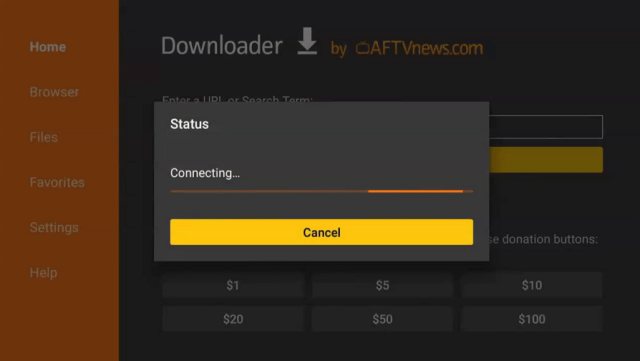
14. Open the Downloader App. Type https://reviewvpn.com/yow and click Go.

YoWindow


15. Wait for the APK to be downloaded.

YoWindow

YoWindow


16. Click install

YoWindow


17. Click open.

YoWindow


18. YoWindow is already installed on your device.

YoWindow


YOUR INTERNET ACTIVITY IS BEING WATCHED

ReviewVPN cannot attest to the legality, security and privacy of the applications discussed on this site. It is highly recommended that you use a VPN service while streaming or using Kodi.

Currently, your IP 216.73.216.1 is visible to everyone and your Browser is being tracked by Advertisers & ISP Provider.

Save 65% Now

Limited Time Offer

Here are the main reasons why you must use a VPN:

  • Your activities are hidden from your ISP, the government, and from the apps you are using.
  • You can access additional movies and TV streams.
  • ISP attempts to throttle are thrwarted thus reducing buffering issues.
  • Geographically restricted content like Netflix and Hulu can be unblocked.

A VPN works be replacing your ISP-assigned IP address and creating an encrypted tunnel. We recommend the no log service offered by IPVanish. It works well on a Firestick and offers the fastest possible speeds.

Special Limited Time Offer - Get IPVanish


Legal Disclaimer: ReviewVPN.com does not encourage or endorse any illegal activity involved in the usage of services and applications referenced on this site. We do not verify the licensing agreements of services. The end-user is wholly responsible for ensuring that any media accessed through these services does not violate copyright and/or licensing laws. ReviewVPN does not promote, link to, or receive compensation from any Apps and IPTV services.


Install Surfshark on Firestick

Get the Best Surfshark Deal


YoWindo App Features

  • 100% Free
  • Shows the weather for today
  • Weather forecast for the upcoming days
  • Humidity
  • Pressure
  • Time
  • Weather per time of the day
  • Tracks location
  • Cute background
  • Lets users edit the background
  • Take a longer time to install the apk

Pros and Cons

Pros

  • 100% Free
  • cute features for the weather forecast of the day


Cons

  • Hard to install the apk
  • Tracks your location


Stream Safely With A VPN

Surfshark vpn

Beware of trackers. Most applications, websites, and devices can track your location and even your online activities. Too much tracking is dangerous to your privacy. They are using your IP address to know your personal information.

To ensure your privacy, you need to use a Virtual Private Network or VPN. A VPN can help you change your online location. It can make you seem like you are in another country without hopping on a plane and traveling.

In terms of privacy, VPN provides an encrypted IP address that is safe with protocols that will help you avoid trackers and bypass geo-restrictions.

Surfshark VPN is the best VPN for security and streaming. It has thousands of servers from all over the world and provides security with its protocols. Surfshark is the only VPN to unblock all streaming platforms like Netflix, Hulu, and many more.

If you want to know more, read our  SurfShark VPN review.

Other SurfShark Features

  • 3200 servers available in 100+ countries
  • Best VPN for torrenting
  • Destroys geo-restriction
  • Dedicated IP
  • 30-day money-back guarantee
  • Cloud Storage
  • P2P friendly VPN
  • SOCKS5 Proxy
  • Allows Torrenting
  • Kill Switch
  • Split Tunneling
  • DNS Leak Protection
  • Prevents Firestick Buffering and Kodi Buffering

For more details about this VPN, read our SurfShark review.


Grab your subscription now!

Best Surfshark Deal


How to Install Surfshark on Firestick with Screenshots

If your Firestick still has the older interface, read this article to learn how to update it: Update Firestick Interface.

You can download Surfshark directly from the Amazon App Store. It will be easy for you to find Surfshark with your Firestick’s Find feature. Refer to our screenshots below.

Follow our screenshots below to install the SurfShark VPN app on your Fire TV stick.

1. Go to the Home screen of your Firestick.

step 1 Install Surfshark VPN on Firestick


2. Navigate toward the Find tab. Press the Search button from the resulting dropdown.

step 2 Install Surfshark VPN on Firestick


3. Type in the keyword of SurfShark and select from the suggestions that will appear.

step 3 Install Surfshark VPN on Firestick


4. Click the official SurfShark icon from your search results.

step 4 Install Surfshark VPN on Firestick


5. Press the Download (You Own it) button.

step 5 Install Surfshark VPN on Firestick


6. The SurfShark VPN installer will download on your device.

step 6 Install Surfshark VPN on Firestick


7. SurfShark VPN’s app will automatically install itself on your Fire TV stick.

step 7 Install Surfshark VPN on Firestick


8. Press the Open button after completing SurfShark VPN’s installation process.

step 8 Install Surfshark VPN on Firestick


9. Please wait for the SurfShark VPN to load its user interface.

step 9 Install Surfshark VPN on Firestick


10. You can now log in with your SurfShark VPN account credentials.

step 10 Install Surfshark VPN on Firestick

Learn more about Surfshark and Grab the Best Surfshark Deal Now!


Install Surfshark on Firestick

Best Surfshark Deal


Other VPNs to Consider

NordVPN (Best for Streaming)

Best Features

  • 5000+ Server in 50+ Countries 
  • Military-Grade Encryption
  • Fast Connection Speed
  • Suitable to a lot of devices
  • No-Log Policy

Prices
  • Complete $5.89 per month (64% Discount)
  • Plus $4.59 per month (56% Discount)
  • Standard $3.69 per month (55% Discount)

Best Features

  • 750+ High-speed VPN Servers in 43 Locations
  • Military-Grade Encryption
  • Fastest HD Streaming and Gaming
  • 30-Day Money-Back Guarantee
  • Unlimited Data & Devices
  • No-Log Policy

Prices
  • 3 Years $1.99 per month (82% Discount)
  • 1 Years $3.29 per month (70% Discount)
  • 1 Month $10.99 per month

IPVanish VPN (Most Secure)

Best Features

  • 1200+ Servers in 60+ Countries around the world
  • Unlimited Connections
  • No-Log Policy
  • Top Notch Military-Grade VPN Protocols and Encryptions
  • 100% Safe and Secured
  • Most Trusted VPN
  • Best VPN for Firestick
  • 30-Day Money-Back Guarantee

Prices
  • Yearly $3.99 per month (63% Discount) – 30 days risk free + Ransomware & Malware Protection
  • Quarterly $5.32 per month (51% Discount)
  • Monthly $10.99 per month


For more VPN discounts, go to ReviewVPN Deals and purchase the best VPN for you.

Click here for the lowest price on Surfshark through our exclusive limited-time offer.


FAQs

What is the YoWindow App?

YoWindow is a weather app that tells the current weather and forecast for the upcoming days.


Is the YoWindow App legal?

ReviewVPN.com cannot determine the legality of any app or website. This article is for educational purposes only. To ensure that you are safe from any legal matters regarding the apps and websites you are using, use a VPN service like Surfshark.


Is the YoWindow App safe?

To ensure your safety and security when using the YoWindow app on your devices, use a reliable VPN service like Surfshark VPN.


Is The YoWindow App Free?

The YoWindow app is 100% free.


Conclusion

YoWindow is a cute and relevant application that can help you know about the weather forecast for the week. It is somehow useful to some but we cannot determine the precision of the forecasts. The app is also hard to install. It took longer time than we expect when we are installing it on Firestick.

Make sure to use a reliable VPN like Surfshark when streaming on different apps and devices to avoid trackers and online threats.

How to Install Cache Cleaner Pro on Firestick

Cache Cleaner Pro

In this article, we will tell you how to install the Cache Cleaner Pro on your Amazon Firestick device.

The Cache Cleaner Pro is a premium app that is simple and easy to use. It is available to all Android devices including the Amazon Firestick.

Cache Cleaner Pro helps devices to have more memory, and battery by cleaning and clearing all caches running at the back of the device. It helps devices to work faster, have more storage, and a lot more.

For some countries, teh Cache Cleaner Pro is not free. It requires a fine of $1.99 in order to install it. There are countries where you can easily install this app for free.

Cache Cleaner Pro supports different languages. As an official Amazon app, you can install it directly on your device. There is no need to jailbreak your Firestick and use the Downloader app.

Use a reliable VPN service to bypass geo-restriction and stream privately on different apps and websites.


ANONYMOUSLY


How to Install Cache Cleaner Pro on Firestick

1. Go to the Home screen of your Firestick.

VidAngel


2. Click on Find.

VidAngel


3. Tap on the Search tab.

VidAngel


4. Type in Cache Cleaner Pro and choose the item that appears on the results.

Cache Cleaner Pro


5. Click on the Cache Cleaner Pro Icon.

Cache Cleaner Pro


6. Choose Download or Get.

Cache Cleaner Pro


7. Wait for the app to be installed.

Cache Cleaner Pro


8. Select Open to launch the browser.

Cache Cleaner Pro


YOUR INTERNET ACTIVITY IS BEING WATCHED

ReviewVPN cannot attest to the legality, security and privacy of the applications discussed on this site. It is highly recommended that you use a VPN service while streaming or using Kodi.

Currently, your IP 216.73.216.1 is visible to everyone and your Browser is being tracked by Advertisers & ISP Provider.

Save 65% Now

Limited Time Offer

Here are the main reasons why you must use a VPN:

  • Your activities are hidden from your ISP, the government, and from the apps you are using.
  • You can access additional movies and TV streams.
  • ISP attempts to throttle are thrwarted thus reducing buffering issues.
  • Geographically restricted content like Netflix and Hulu can be unblocked.

A VPN works be replacing your ISP-assigned IP address and creating an encrypted tunnel. We recommend the no log service offered by IPVanish. It works well on a Firestick and offers the fastest possible speeds.

Special Limited Time Offer - Get IPVanish


Legal Disclaimer: ReviewVPN.com does not encourage or endorse any illegal activity involved in the usage of services and applications referenced on this site. We do not verify the licensing agreements of services. The end-user is wholly responsible for ensuring that any media accessed through these services does not violate copyright and/or licensing laws. ReviewVPN does not promote, link to, or receive compensation from any Apps and IPTV services.


Install Surfshark on Firestick

Get the Best Surfshark Deal


Cache Cleaner Pro  Features

  • Supports Different Languages such as English, French, Portuguese, and Spanish
  • Applicable to all Android devices
  • Helps devices to perform faster
  • Adds more internal storage
  • Offers more use of your device’s memory and battery
  • Not for free


Pros and Cons

Pros

  • Lots of great functions and features to help your device perform fast


Cons

  • Not for free


Stream Safely With a VPN

Surfshark vpn

You might not be aware that you devices and apps that you use track your location and online activities. They use your own IP address to know your information. You need to be careful because some apps are not safe to let them know your personal data.

That is why it is always better to use a reliable VPN service that can make you stay safe, secure, and private while streaming. A VPN can mask your identity by concealing your IP address, and providing an encrypted so that you are safe from any threats and trackers online.

Surfshark VPN is the best VPN for streaming. It provides thousands of available IPs from different parts of the world. This VPN is also the best when it comes to security. Surfshark offers top-notch, military-grade VPN protocols that can secure the user’s information from any online threats and trackers.

To know more about this amazing VPN, read our  SurfShark review.

Other SurfShark Features

  • 3200 servers available in 100+ countries
  • Best VPN for torrenting
  • Destroys geo-restriction
  • Dedicated IP
  • 30-day money-back guarantee
  • Cloud Storage
  • P2P friendly VPN
  • SOCKS5 Proxy
  • Allows Torrenting
  • Kill Switch
  • Split Tunneling
  • DNS Leak Protection
  • Prevents Firestick Buffering and Kodi Buffering

For more details about this VPN, read our SurfShark review.


Grab your subscription now!

Best Surfshark Deal


How to Install Surfshark on Firestick with Screenshots

If your Firestick still has the older interface, read this article to learn how to update it: Update Firestick Interface.

You can download Surfshark directly from the Amazon App Store. It will be easy for you to find Surfshark with your Firestick’s Find feature. Refer to our screenshots below.

Follow our screenshots below to install the SurfShark VPN app on your Fire TV stick.

1. Go to the Home screen of your Firestick.

step 1 Install Surfshark VPN on Firestick


2. Navigate toward the Find tab. Press the Search button from the resulting dropdown.

step 2 Install Surfshark VPN on Firestick


3. Type in the keyword of SurfShark and select from the suggestions that will appear.

step 3 Install Surfshark VPN on Firestick


4. Click the official SurfShark icon from your search results.

step 4 Install Surfshark VPN on Firestick


5. Press the Download (You Own it) button.

step 5 Install Surfshark VPN on Firestick


6. The SurfShark VPN installer will download on your device.

step 6 Install Surfshark VPN on Firestick


7. SurfShark VPN’s app will automatically install itself on your Fire TV stick.

step 7 Install Surfshark VPN on Firestick


8. Press the Open button after completing SurfShark VPN’s installation process.

step 8 Install Surfshark VPN on Firestick


9. Please wait for the SurfShark VPN to load its user interface.

step 9 Install Surfshark VPN on Firestick


10. You can now log in with your SurfShark VPN account credentials.

step 10 Install Surfshark VPN on Firestick

Learn more about Surfshark and Grab the Best Surfshark Deal Now!


Install Surfshark on Firestick

Best Surfshark Deal


Other VPNs to Consider

NordVPN (Best for Streaming)

Best Features

  • 5000+ Server in 50+ Countries 
  • Military-Grade Encryption
  • Fast Connection Speed
  • Suitable to a lot of devices
  • No-Log Policy

Prices
  • Complete $5.89 per month (64% Discount)
  • Plus $4.59 per month (56% Discount)
  • Standard $3.69 per month (55% Discount)

Best Features

  • 750+ High-speed VPN Servers in 43 Locations
  • Military-Grade Encryption
  • Fastest HD Streaming and Gaming
  • 30-Day Money-Back Guarantee
  • Unlimited Data & Devices
  • No-Log Policy

Prices
  • 3 Years $1.99 per month (82% Discount)
  • 1 Years $3.29 per month (70% Discount)
  • 1 Month $10.99 per month

IPVanish VPN (Most Secure)

Best Features

  • 1200+ Servers in 60+ Countries around the world
  • Unlimited Connections
  • No-Log Policy
  • Top Notch Military-Grade VPN Protocols and Encryptions
  • 100% Safe and Secured
  • Most Trusted VPN
  • Best VPN for Firestick
  • 30-Day Money-Back Guarantee

Prices
  • Yearly $3.99 per month (63% Discount) – 30 days risk free + Ransomware & Malware Protection
  • Quarterly $5.32 per month (51% Discount)
  • Monthly $10.99 per month


For more VPN discounts, go to ReviewVPN Deals and purchase the best VPN for you.

Click here for the lowest price on Surfshark through our exclusive limited-time offer.


Cache Cleaner Pro Alternatives

Aside from Cache Cleaner Pro, here are the apps that can help you make your devices perform faster and have more internal storage:


FAQs

What is Cache Cleaner Pro?

Cache Cleaner Pro is a premium app that can help your Android devices to have more storage, perform faster, and more.


Is The Cache Cleaner Pro legal?

ReviewVPN.com cannot determine the legality of any app or website. This article is for educational purposes only. To ensure that you are safe from any legal matters regarding the apps and websites you are using, use a VPN service like Surfshark.


Is The Cache Cleaner Pro safe?

It is safe to install and use the Cache Cleaner Pro app on your device.


Is The Cache Cleaner Pro Free?

No. This app requires $1.99 in order to install it on your Amazon Firestick.


Conclusion

One of the most important things that we should do on our devices is to always clear the cache, and kill ongoing applications running at the back of our devices.

There are many ways to do this. Actually, there are also a lot of apps that can help you clean your device, and one of them is Cache Cleaner Pro. The only problem that we see is that this app is not free. There are a lot of free apps that can offer the same function as Cache Cleaner Pro.

Make sure to always use a VPN like Surfshark when streaming and using any app or device.

9Anime Rebrands to AniWave After Legal Issues

9Anime Rebrands to AniWave

In this article, we will discuss the new brand of 9Anime website called, AniWave.

9Anime is one of the most popular anime streaming sites. It allows users to watch and download their favorite titles. As we all know that any form of downloading copyrighted content is piracy. 9Anime faces a lot of issues about this and so the developers decided to rebrand their domains to AniWave.

Millions of streamers and viewers use 9Anime. Let’s see if they will be happy with the rebranding made by the developers.

The ACE has been targeting piracy apps, and websites for quite some time now. Recently, it shut down AnimeDao, another anime piracy website. It has shut down a lot of streaming websites as well like USTV Go, Putlocker, FMovies, and many more.

In line with this, we suggest that you should use verified, and legal streaming platforms instead of 9Anime or AniWave.

Make sure to use a reliable VPN service when streaming on different websites and platforms. Continue reading for more.


ANONYMOUSLY


Legal Issues on 9Anime or AniWave

Due to some legal issues and pressures, 9Anime needed to rebrand to AniWave. These pressures result in ISP blockades all over the world. This blockade will make millions of users have a hard time accessing the website.

When you check the official website of 9Anime, you will see their message that says, they are being targeted by the DMCA, and that their official website will be redirected to AniWave.to.

9Anime also claims that there multiple websites that try to still their identity, and content. These fake 9Anime sites will steal your data and information.

The website also clarifies the official list of 9Anime domains. If you are using any 9Anime domains that are not listed below, they are dangerous and will leak your DNS.

AniWave


Here is what you can see when you visit the official website of 9Anime, 9anime.to.

AniWave


YOUR INTERNET ACTIVITY IS BEING WATCHED

ReviewVPN cannot attest to the legality, security and privacy of the applications discussed on this site. It is highly recommended that you use a VPN service while streaming or using Kodi.

Currently, your IP 216.73.216.1 is visible to everyone and your Browser is being tracked by Advertisers & ISP Provider.

Save 65% Now

Limited Time Offer

Here are the main reasons why you must use a VPN:

  • Your activities are hidden from your ISP, the government, and from the apps you are using.
  • You can access additional movies and TV streams.
  • ISP attempts to throttle are thrwarted thus reducing buffering issues.
  • Geographically restricted content like Netflix and Hulu can be unblocked.

A VPN works be replacing your ISP-assigned IP address and creating an encrypted tunnel. We recommend the no log service offered by IPVanish. It works well on a Firestick and offers the fastest possible speeds.

Special Limited Time Offer - Get IPVanish


Legal Disclaimer: ReviewVPN.com does not encourage or endorse any illegal activity involved in the usage of services and applications referenced on this site. We do not verify the licensing agreements of services. The end-user is wholly responsible for ensuring that any media accessed through these services does not violate copyright and/or licensing laws. ReviewVPN does not promote, link to, or receive compensation from any Apps and IPTV services.


Install Surfshark on Firestick

Get the Best Surfshark Deal


Official Anime Websites – Best Alternatives to AniWave

Instead of using anime piracy websites like AniWave, it is better to use premium platforms and sites for anime streaming. Here are the best AniWave alternatives that you should use:

Crunchyroll 

  crunchyroll logo

Crunchyroll is the best anime website that you can use instead of AniWave. It features a complete entertainment selection for avid anime fans. You can enjoy the latest anime, featured shows, simulcasts, Crunchyroll news, and soon-to-be-released episodes and seasons.

Crunchyroll is a paid subscription-based site. Some of its features are ad-free, and on-time episode release.

This platform also offers a 14-day free trial period so that you can stream full videos, use its offline viewing feature, and you can stream the site on up to four different devices.

Install Crunchyroll on Firestick and Android.


Funimation

funimation logo

Funimation is another popular anime streaming site that you can use instead of AniWave. 

It offers different genres such as fantasy, comedy, shoujo, sci-fi, drama, horror, live-action, action, harem, romance, and shounen. 

Funimation is not available everywhere, and you will need a VPN in order to stream it under geo-restricted regions.


Viz

viz logo

Viz offers the latest anime shows as well as all-time favorite classics. It offers great features and content, making it one of the best alternatives for AniWave.

What’s great about Viz is that its anime collection has English subtitles.


VRV

vrv logo

VRV is another premium website that you can use instead of AniWave. Its ad-free package costs $9.99 which enables you to access exclusive series, ad-free entertainment, and the latest episodes

 A great thing about VRV is that it offers a 30-day trial period which is considerably longer than other free trials offered on other streaming websites.


Stream Safely With a VPN

Surfshark vpn

The danger of using pirated websites affects most viewers. The end-users are really responsible for all the content they watch, or download.

If your IP address is exposed, trackers will know your information and location. Even your internet service provider or ISP, and the government can track you using your IP address.

This is why it is important to stream safely with a Virtual Private Network or VPN. A VPN can hide your IP address and provide an encrypted one that will hide your identity from trackers. It can also help you bypass geo-restriction. This will give you access to apps, websites, content, etc. that are originally not available in your region or country.

Surfshark VPN is the best VPN to stream safely on any device. It can help you with its great security features and military-grade VPN protocols that will surely make you secure when streaming. This VPN is also the best for bypassing geo-restrictions even on the most popular streaming apps like Netflix, Hulu, and many more.

Read our  SurfShark review to know more about this amazing VPN.

Other SurfShark Features

  • 3200 servers available in 100+ countries
  • Best VPN for torrenting
  • Destroys geo-restriction
  • Dedicated IP
  • 30-day money-back guarantee
  • Cloud Storage
  • P2P friendly VPN
  • SOCKS5 Proxy
  • Allows Torrenting
  • Kill Switch
  • Split Tunneling
  • DNS Leak Protection
  • Prevents Firestick Buffering and Kodi Buffering

For more details about this VPN, read our SurfShark review.


Grab your subscription now!

Best Surfshark Deal


How to Install Surfshark on Firestick with Screenshots

If your Firestick still has the older interface, read this article to learn how to update it: Update Firestick Interface.

You can download Surfshark directly from the Amazon App Store. It will be easy for you to find Surfshark with your Firestick’s Find feature. Refer to our screenshots below.

Follow our screenshots below to install the SurfShark VPN app on your Fire TV stick.

1. Go to the Home screen of your Firestick.

step 1 Install Surfshark VPN on Firestick


2. Navigate toward the Find tab. Press the Search button from the resulting dropdown.

step 2 Install Surfshark VPN on Firestick


3. Type in the keyword of SurfShark and select from the suggestions that will appear.

step 3 Install Surfshark VPN on Firestick


4. Click the official SurfShark icon from your search results.

step 4 Install Surfshark VPN on Firestick


5. Press the Download (You Own it) button.

step 5 Install Surfshark VPN on Firestick


6. The SurfShark VPN installer will download on your device.

step 6 Install Surfshark VPN on Firestick


7. SurfShark VPN’s app will automatically install itself on your Fire TV stick.

step 7 Install Surfshark VPN on Firestick


8. Press the Open button after completing SurfShark VPN’s installation process.

step 8 Install Surfshark VPN on Firestick


9. Please wait for the SurfShark VPN to load its user interface.

step 9 Install Surfshark VPN on Firestick


10. You can now log in with your SurfShark VPN account credentials.

step 10 Install Surfshark VPN on Firestick

Learn more about Surfshark and Grab the Best Surfshark Deal Now!


Install Surfshark on Firestick

Best Surfshark Deal


Other VPNs to Consider

NordVPN (Best for Streaming)

Best Features

  • 5000+ Server in 50+ Countries 
  • Military-Grade Encryption
  • Fast Connection Speed
  • Suitable to a lot of devices
  • No-Log Policy

Prices
  • Complete $5.89 per month (64% Discount)
  • Plus $4.59 per month (56% Discount)
  • Standard $3.69 per month (55% Discount)

Best Features

  • 750+ High-speed VPN Servers in 43 Locations
  • Military-Grade Encryption
  • Fastest HD Streaming and Gaming
  • 30-Day Money-Back Guarantee
  • Unlimited Data & Devices
  • No-Log Policy

Prices
  • 3 Years $1.99 per month (82% Discount)
  • 1 Years $3.29 per month (70% Discount)
  • 1 Month $10.99 per month

IPVanish VPN (Most Secure)

Best Features

  • 1200+ Servers in 60+ Countries around the world
  • Unlimited Connections
  • No-Log Policy
  • Top Notch Military-Grade VPN Protocols and Encryptions
  • 100% Safe and Secured
  • Most Trusted VPN
  • Best VPN for Firestick
  • 30-Day Money-Back Guarantee

Prices
  • Yearly $3.99 per month (63% Discount) – 30 days risk free + Ransomware & Malware Protection
  • Quarterly $5.32 per month (51% Discount)
  • Monthly $10.99 per month


For more VPN discounts, go to ReviewVPN Deals and purchase the best VPN for you.

Click here for the lowest price on Surfshark through our exclusive limited-time offer.


Conclusion

Even though 9Anime rebranded to AniWave, it does not change the fact that the website is designated for piracy. It is still unsafe to use this domain, especially when the ACE/MPA or DMCA is targeting this website.

Make sure to use the premium platforms when streaming your favorite shows, and movies. It is also important that you always use a VPN like Surfshark to ensure your privacy from all threats and trackers.

How to Install Nat Geo TV on Firestick

Nat Geo TV

In this article, we will show you how you can install the Nat Geo TV app on your Amazon Firestick device.

Nat Geo TV is an online streaming application that offers different content about wildlife, science, and more. Most of its content is documentaries about different animals, the environment, phenomena, and more. When you install this app on your Amazon Firestick, you will have access to over 3000 videos.

Some of the best documentary series and shows on Nat Geo Tv are Free Solo, Life Below Zero, Hostile Planet, Great Migration, and many more.

The Nat Geo app is an easy-to-use app that has a straightforward interface and offers high-definition content. The only problem is that this app is not available in every country. This app is geo-restricted, so if you are not in the US, you need to use a reliable VPN service to access it.

Nat Geo TV is an official Amazon app. You don’t need to jailbreak your Firestick and use the Downloader app to install it. Continue reading for more information.


ANONYMOUSLY


How to Install Nat Geo TV on Firestick

1. Go to the Home screen of your Firestick.

VidAngel


2. Click on Find.

VidAngel


3. Tap on the Search tab.

VidAngel


4. Type in Geo Nat TV and choose the item that appears on the results.

Nat Geo TV


5. Click on the Geo Nat TV Icon.

Nat Geo TV


6. Choose Download or Get.

Nat Geo TV


7. Wait for the app to be installed.

Nat Geo TV


8. Select Open to launch the browser.

Nat Geo TV


YOUR INTERNET ACTIVITY IS BEING WATCHED

ReviewVPN cannot attest to the legality, security and privacy of the applications discussed on this site. It is highly recommended that you use a VPN service while streaming or using Kodi.

Currently, your IP 216.73.216.1 is visible to everyone and your Browser is being tracked by Advertisers & ISP Provider.

Save 65% Now

Limited Time Offer

Here are the main reasons why you must use a VPN:

  • Your activities are hidden from your ISP, the government, and from the apps you are using.
  • You can access additional movies and TV streams.
  • ISP attempts to throttle are thrwarted thus reducing buffering issues.
  • Geographically restricted content like Netflix and Hulu can be unblocked.

A VPN works be replacing your ISP-assigned IP address and creating an encrypted tunnel. We recommend the no log service offered by IPVanish. It works well on a Firestick and offers the fastest possible speeds.

Special Limited Time Offer - Get IPVanish


Legal Disclaimer: ReviewVPN.com does not encourage or endorse any illegal activity involved in the usage of services and applications referenced on this site. We do not verify the licensing agreements of services. The end-user is wholly responsible for ensuring that any media accessed through these services does not violate copyright and/or licensing laws. ReviewVPN does not promote, link to, or receive compensation from any Apps and IPTV services.


Install Surfshark on Firestick

Get the Best Surfshark Deal


Nat Geo TV  Features

  • High Definition Content
  • Content about Science, Environment, Animals, and more
  • Geo-restricted
  • Works well with Surfshark
  • Supported by ads
  • Subscription Plan needed


Pros and Cons

Pros

  • High-definition content
  • No ads


Cons

  • Not for free
  • Geo-restricted


Stream Safely With a VPN

Surfshark vpn

Geo-restriction is one of the many problems that cord-cutters face today. Many apps, websites, and content are not available in their country or region. Since these platforms can track the user’s location, they know if a certain app or content is available for you. This is because your IP address is exposed. It tells you locations and trackers also use it to know your personal information.

To avoid suspicious and malicious trackers from locating and profiling you, you need to hide your IP address. Using a Virtual Private Network or VPN can mask your IP address while providing a new and encrypted one so that trackers will no longer know your information.

Surfshark VPN is the best VPN for streaming. It has thousands of available servers from different locations. This way, you will hide your identity ad has a new one that is secured. Surfshark is also the best when it comes to security. As a great VPN, Surfshark offers top-notch, military-grade VPN protocols that can secure the user’s information from any online threats and trackers. Read our  SurfShark review to know more about this amazing VPN.

Other SurfShark Features

  • 3200 servers available in 100+ countries
  • Best VPN for torrenting
  • Destroys geo-restriction
  • Dedicated IP
  • 30-day money-back guarantee
  • Cloud Storage
  • P2P friendly VPN
  • SOCKS5 Proxy
  • Allows Torrenting
  • Kill Switch
  • Split Tunneling
  • DNS Leak Protection
  • Prevents Firestick Buffering and Kodi Buffering

For more details about this VPN, read our SurfShark review.


Grab your subscription now!

Best Surfshark Deal


How to Install Surfshark on Firestick with Screenshots

If your Firestick still has the older interface, read this article to learn how to update it: Update Firestick Interface.

You can download Surfshark directly from the Amazon App Store. It will be easy for you to find Surfshark with your Firestick’s Find feature. Refer to our screenshots below.

Follow our screenshots below to install the SurfShark VPN app on your Fire TV stick.

1. Go to the Home screen of your Firestick.

step 1 Install Surfshark VPN on Firestick


2. Navigate toward the Find tab. Press the Search button from the resulting dropdown.

step 2 Install Surfshark VPN on Firestick


3. Type in the keyword of SurfShark and select from the suggestions that will appear.

step 3 Install Surfshark VPN on Firestick


4. Click the official SurfShark icon from your search results.

step 4 Install Surfshark VPN on Firestick


5. Press the Download (You Own it) button.

step 5 Install Surfshark VPN on Firestick


6. The SurfShark VPN installer will download on your device.

step 6 Install Surfshark VPN on Firestick


7. SurfShark VPN’s app will automatically install itself on your Fire TV stick.

step 7 Install Surfshark VPN on Firestick


8. Press the Open button after completing SurfShark VPN’s installation process.

step 8 Install Surfshark VPN on Firestick


9. Please wait for the SurfShark VPN to load its user interface.

step 9 Install Surfshark VPN on Firestick


10. You can now log in with your SurfShark VPN account credentials.

step 10 Install Surfshark VPN on Firestick

Learn more about Surfshark and Grab the Best Surfshark Deal Now!


Install Surfshark on Firestick

Best Surfshark Deal


Other VPNs to Consider

NordVPN (Best for Streaming)

Best Features

  • 5000+ Server in 50+ Countries 
  • Military-Grade Encryption
  • Fast Connection Speed
  • Suitable to a lot of devices
  • No-Log Policy

Prices
  • Complete $5.89 per month (64% Discount)
  • Plus $4.59 per month (56% Discount)
  • Standard $3.69 per month (55% Discount)

Best Features

  • 750+ High-speed VPN Servers in 43 Locations
  • Military-Grade Encryption
  • Fastest HD Streaming and Gaming
  • 30-Day Money-Back Guarantee
  • Unlimited Data & Devices
  • No-Log Policy

Prices
  • 3 Years $1.99 per month (82% Discount)
  • 1 Years $3.29 per month (70% Discount)
  • 1 Month $10.99 per month

IPVanish VPN (Most Secure)

Best Features

  • 1200+ Servers in 60+ Countries around the world
  • Unlimited Connections
  • No-Log Policy
  • Top Notch Military-Grade VPN Protocols and Encryptions
  • 100% Safe and Secured
  • Most Trusted VPN
  • Best VPN for Firestick
  • 30-Day Money-Back Guarantee

Prices
  • Yearly $3.99 per month (63% Discount) – 30 days risk free + Ransomware & Malware Protection
  • Quarterly $5.32 per month (51% Discount)
  • Monthly $10.99 per month


For more VPN discounts, go to ReviewVPN Deals and purchase the best VPN for you.

Click here for the lowest price on Surfshark through our exclusive limited-time offer.


FAQs

What is Nat Geo TV?

The Nat Geo TV is an app that offers documentaries and shows about science, the environment, animals, and the like.


Is The Nat Geo TV legal?

ReviewVPN.com cannot determine the legality of any app or website. This article is for educational purposes only. To make sure that you are safe from any legal matters regarding the apps and websites you are using, use a VPN service like Surfshark.


Is The Nat Geo TV safe?

It is safe to install and use the Nat Geo TV app on your device.


Is The Nat Geo TV Free?

You can install the Nat Geo TV for free but you need a subscription plan in order to enjoy streaming on this app.


Are There Any Ads?

The Nat Geo TV app has some advertisements present while streaming


Conclusion

If you like content about Science, Nat Geo TV is one of the best choices. This app offers high-definition videos that you will surely enjoy.

The problem with this app is that it is geo-restricted, not for free, and has very few ad portions. But overall, this app is worth the try.

Make sure to use a reliable VPN service like Surfshark when streaming on your Amazon Firestick device.

How to Install The Zeus Network on Firestick

The Zeus Network

In this article, we will show you how you can install the Zeus Network app on your Amazon Firestick device.

The Zeus Network is a popular video-on-demand (VOD) entertainment network that is based in Burbank, California. It streams original premium subscription video programming generated by popular social media influencers around the world.

You need to have an account in order to enjoy the Zeus Network. It is a subscription-based digital platform that highlights reality TV shows, comedy, talk shows, and even Boxing matches.

A lot of social media influencers are present on the Zeus Network such as Power, Amanda Cerny, and King Bach.

Zeus Network is such a great app with a fabulous user interface, a well-sectioned home screen, and a search icon. You can also review different creators if you love their content.

In order to have the Zeus Network activated, you need to have an account and subscription plan. We will show you the process later in this article.

Zeus Network is an official Amazon app. There is no need for you to jailbreak your Firestick, and use the Downloader app to install this app.

Make sure to use a reliable VPN service when streaming on different apps like Zeus Network. Continue reading for more.


ANONYMOUSLY


How to Install The Zeus Network on Firestick (Video)


How to Install The Zeus Network on Firestick

1. Go to the Home screen of your Firestick.

VidAngel


2. Click on Find.

VidAngel


3. Tap on the Search tab.

VidAngel


4. Type in Zeus Network and choose the item that appears on the results.

Zeus Network


5. Click on the Zeus Network Icon.

Zeus Network


6. Choose Download or Get.

Zeus Network


7. Wait for the app to be installed.

Zeus Network


8. Select Open to launch the browser.

Zeus Network


YOUR INTERNET ACTIVITY IS BEING WATCHED

ReviewVPN cannot attest to the legality, security and privacy of the applications discussed on this site. It is highly recommended that you use a VPN service while streaming or using Kodi.

Currently, your IP 216.73.216.1 is visible to everyone and your Browser is being tracked by Advertisers & ISP Provider.

Save 65% Now

Limited Time Offer

Here are the main reasons why you must use a VPN:

  • Your activities are hidden from your ISP, the government, and from the apps you are using.
  • You can access additional movies and TV streams.
  • ISP attempts to throttle are thrwarted thus reducing buffering issues.
  • Geographically restricted content like Netflix and Hulu can be unblocked.

A VPN works be replacing your ISP-assigned IP address and creating an encrypted tunnel. We recommend the no log service offered by IPVanish. It works well on a Firestick and offers the fastest possible speeds.

Special Limited Time Offer - Get IPVanish


Legal Disclaimer: ReviewVPN.com does not encourage or endorse any illegal activity involved in the usage of services and applications referenced on this site. We do not verify the licensing agreements of services. The end-user is wholly responsible for ensuring that any media accessed through these services does not violate copyright and/or licensing laws. ReviewVPN does not promote, link to, or receive compensation from any Apps and IPTV services.


Install Surfshark on Firestick

Get the Best Surfshark Deal


How to Activate The Zeus Network Account

To activate your Zeus Network Account, you need to subscribe first to a plan. Here is the easy step to do it.

  1. Go to https://www.thezeusnetwork.com/
  2. Click on Subscribe Now
  3. Select a subscription plan
  4. Create your account
  5. Enter your payment details
  6. Click Start Subscription


Zeus Network Features

  • Premium Service
  • Offers great content
  • Not geo-restricted
  • Does not have any ads


Pros and Cons

Pros

  • Amazing content
  • No ads
  • Not geo-restricted


Cons

  • Not for free


Stream Safely With a VPN

Surfshark vpn

When streaming on different apps, you should always be aware of trackers. apps, websites, and devices are examples of these trackers. Even your search engine, internet service providers, and government can track you using your IP address.

In order to get rid of trackers, you need to hide your IP address. The best way to do that is to use a Virtual Private Network or VPN. A VPN is a powerful tool that can conceal your IP address, and provide an encrypted IP to avoid trackers and any online threat. This is also a great tool to bypass geo-restriction and access content, apps, websites, features, etc. that are not available in your country or region.

Surfshark VPN is the best VPN for streaming. It has thousands of available servers from different locations. This way, you will hide your identity ad has a new one that is secured. Surfshark is also the best when it comes to security. As a great VPN, Surfshark offers top-notch, military-grade VPN protocols that can secure the user’s information from any online threats and trackers. Read our  SurfShark review to know more about this amazing VPN.

Other SurfShark Features

  • 3200 servers available in 100+ countries
  • Best VPN for torrenting
  • Destroys geo-restriction
  • Dedicated IP
  • 30-day money-back guarantee
  • Cloud Storage
  • P2P friendly VPN
  • SOCKS5 Proxy
  • Allows Torrenting
  • Kill Switch
  • Split Tunneling
  • DNS Leak Protection
  • Prevents Firestick Buffering and Kodi Buffering

For more details about this VPN, read our SurfShark review.


Grab your subscription now!

Best Surfshark Deal


How to Install Surfshark on Firestick with Screenshots

If your Firestick still has the older interface, read this article to learn how to update it: Update Firestick Interface.

You can download Surfshark directly from the Amazon App Store. It will be easy for you to find Surfshark with your Firestick’s Find feature. Refer to our screenshots below.

Follow our screenshots below to install the SurfShark VPN app on your Fire TV stick.

1. Go to the Home screen of your Firestick.

step 1 Install Surfshark VPN on Firestick


2. Navigate toward the Find tab. Press the Search button from the resulting dropdown.

step 2 Install Surfshark VPN on Firestick


3. Type in the keyword of SurfShark and select from the suggestions that will appear.

step 3 Install Surfshark VPN on Firestick


4. Click the official SurfShark icon from your search results.

step 4 Install Surfshark VPN on Firestick


5. Press the Download (You Own it) button.

step 5 Install Surfshark VPN on Firestick


6. The SurfShark VPN installer will download on your device.

step 6 Install Surfshark VPN on Firestick


7. SurfShark VPN’s app will automatically install itself on your Fire TV stick.

step 7 Install Surfshark VPN on Firestick


8. Press the Open button after completing SurfShark VPN’s installation process.

step 8 Install Surfshark VPN on Firestick


9. Please wait for the SurfShark VPN to load its user interface.

step 9 Install Surfshark VPN on Firestick


10. You can now log in with your SurfShark VPN account credentials.

step 10 Install Surfshark VPN on Firestick

Learn more about Surfshark and Grab the Best Surfshark Deal Now!


Install Surfshark on Firestick

Best Surfshark Deal


Other VPNs to Consider

NordVPN (Best for Streaming)

Best Features

  • 5000+ Server in 50+ Countries 
  • Military-Grade Encryption
  • Fast Connection Speed
  • Suitable to a lot of devices
  • No-Log Policy

Prices
  • Complete $5.89 per month (64% Discount)
  • Plus $4.59 per month (56% Discount)
  • Standard $3.69 per month (55% Discount)

Best Features

  • 750+ High-speed VPN Servers in 43 Locations
  • Military-Grade Encryption
  • Fastest HD Streaming and Gaming
  • 30-Day Money-Back Guarantee
  • Unlimited Data & Devices
  • No-Log Policy

Prices
  • 3 Years $1.99 per month (82% Discount)
  • 1 Years $3.29 per month (70% Discount)
  • 1 Month $10.99 per month

IPVanish VPN (Most Secure)

Best Features

  • 1200+ Servers in 60+ Countries around the world
  • Unlimited Connections
  • No-Log Policy
  • Top Notch Military-Grade VPN Protocols and Encryptions
  • 100% Safe and Secured
  • Most Trusted VPN
  • Best VPN for Firestick
  • 30-Day Money-Back Guarantee

Prices
  • Yearly $3.99 per month (63% Discount) – 30 days risk free + Ransomware & Malware Protection
  • Quarterly $5.32 per month (51% Discount)
  • Monthly $10.99 per month


For more VPN discounts, go to ReviewVPN Deals and purchase the best VPN for you.

Click here for the lowest price on Surfshark through our exclusive limited-time offer.


FAQs

What is The Zeus Network?

The Zeus Network is a popular video-on-demand (VOD) entertainment network that streams original videos by popular social media influencers around the world.


Is The Zeus Network legal?

ReviewVPN.com cannot determine the legality of any app or website. This article is for educational purposes only. To make sure that you are safe from any legal matters regarding the apps and websites you are using, use a VPN service like Surfshark.


Is The Zeus Network safe?

It is safe to install and use the Zeus Network on your device.


Is The Zeus Network Free?

You can install the Zeus Network for free but you need a subscription plan in order to enjoy streaming on this app.


Conclusion

The Zeus Network is actually popular in the US and other countries. It offers amazing premium content from different social media influencers, and content creators.

You can install this app easily on your Amazon Firestick device. It is ad-free, and not geo-restricted. You just need to have a subscription plan in order to stream on Zeus Network.

Make sure to always use a VPN to avoid trackers and stream anonymously.

10 Best IPTV Players for Live TV Streaming on Any Device

IPTV Players for Live TV

In this article, we will show you the best IPTV players when watching live TV on any device.

IPTV Players are different from IPTV services. If you are looking for platforms where you can watch shows, then you should use IPTV services. IPTV Players do not offer any content, they work with IPTV services in order to provide a better experience for the viewers like navigation, and no buffering.

We list down the top 10 best IPTV Players that are compatible if you want to watch live TV on your device. These IPTV Players work well with any IPTV services, especially if they are verified.

The top 10 best IPTV Players when watching live TV on your device are TiviMate, IPTV Smarters, Perfect Player, Sparkle TV, iMPlayer, IPTV Extreme Pro, Smart IPTV, SOPlayer, XCIPTV, and MXL TV. We will discuss each one of them in this article to help you choose which is the best one for you. (Please take note that we do not own, nor endorse any of these IPTV Players. This article is for educational purposes only.)

Most of these IPTV Players are available on different App Stores like Amazon App Store, and Google Play Store. You can install them directly on your device.

Make sure to use a reliable VPN service when you are using and streaming on different IPTV services. This is for the protection of your privacy and information. Always be aware of unverified, fraudulent, and scam IPTV services. Continue reading to learn more.


ANONYMOUSLY


Top 10 Best IPTV Players When Watching Live TV

TiviMate

TiviMate is one of the most popular IPTV Players today. Many IPTV users are relying on this app to have a better streaming experience.

TiviMate offers a lot of added features like EPG, schedule recording, different playlist capabilities, and many more.

This app offers both free and paid services. Free service has limited features.

The paid subscription cost $4.99 a month. You can also choose the lifetime subscription amounting to $19.99.

To use TiviMate on your device, you need to install the TiviMate Companion App. Read the article below to learn more.

How to Install TiviMate


IPTV Smarters

Another popular IPTV Player for live TV is IPTV Smarters. It is compatible with many devices, and IPTV services. This app is very easy to install. You can even use it on Apple devices like iPhones and iPad.

IPTV Smarters is one of the best IPTV Players to help you watch live TV on the go.

How to Install IPTV Smarters


Perfect Player

Since most IPTV Players are only available in the US, the Perfect Player is the best option outside of the country.

This IPTV player supports different languages. You can even watch live TV channels in Greek, Russian, Portuguese, Spanish, Ukrainian, and many more.

Perfect Player is one of the best choices for IPTV Player on live TV because of its amazing features like TV guide (EPG), and wide channel selection.

This IPTV Player is available on many streaming devices. Read the article to know more about Perfect Player.

How to Install Perfect Player


Sparkle TV

This IPTV Player is newer compared to the others in this list. Even though it is relatively new, Sparkle TV gains its spot as the 4th best IPTV Player for live TV.

If you used TiviMate before, you will notice that Sparkle TV has a similar vibe and interface.

Some of its features include DVR, Picture in Picture, Multiview, and many more.

Sparkle TV also offers premium services for users to purchase.


iMPlayer

One of the many features that is iMPlayer known for is its ability to play buffer-free. It is also one of the best IPTV Players for live TV.

Some of its great features include rewind, multiview, catch-up, locking channels, and many more. You will enjoy all of these features if you subscribe to its premium version.

Like other IPTV Players, iMPlayer offers free and paid subscriptions. The free version has fewer features. You can choose which you prefer. Whatever you like to use, iMPlayer provides buffer-free streaming with any IPTV service you are using.

Read the article below to know more about iMPlayer

How to Install iMPlayer


YOUR INTERNET ACTIVITY IS BEING WATCHED

ReviewVPN cannot attest to the legality, security and privacy of the applications discussed on this site. It is highly recommended that you use a VPN service while streaming or using Kodi.

Currently, your IP 216.73.216.1 is visible to everyone and your Browser is being tracked by Advertisers & ISP Provider.

Save 65% Now

Limited Time Offer

Here are the main reasons why you must use a VPN:

  • Your activities are hidden from your ISP, the government, and from the apps you are using.
  • You can access additional movies and TV streams.
  • ISP attempts to throttle are thrwarted thus reducing buffering issues.
  • Geographically restricted content like Netflix and Hulu can be unblocked.

A VPN works be replacing your ISP-assigned IP address and creating an encrypted tunnel. We recommend the no log service offered by IPVanish. It works well on a Firestick and offers the fastest possible speeds.

Special Limited Time Offer - Get IPVanish


Legal Disclaimer: ReviewVPN.com does not encourage or endorse any illegal activity involved in the usage of services and applications referenced on this site. We do not verify the licensing agreements of services. The end-user is wholly responsible for ensuring that any media accessed through these services does not violate copyright and/or licensing laws. ReviewVPN does not promote, link to, or receive compensation from any Apps and IPTV services.


Install Surfshark on Firestick

Get the Best Surfshark Deal


IPTV Extreme Pro

The IPTV Extreme Pro is one of the most popular IPTV Players today. It is also one of the best IPTV Players for live TV.

Most users like IPTV Extreme Pro because it is user-friendly, and works great with a lot of IPTV services.

Some of the best IPTV Extreme Pro features include external players, parental controls, Chromecast, recording, and many more.


Smart IPTV

The Smart IPTV is a premium IPTV Player that has an excellent user interface. You only need to pay once for lifetime access to this IPTV Player.

One of the best features of Smart IPTV is that it can integrate several playlists into one. This is why it is a good choice if you want to have an IPTV Player for live TV.


SOPlayer

SOPlayer is another premium IPTV Player that is best for live TV. It costs $25 a month, and $140 for six months. Given its price, it is actually not that high but you will get so much from this IPTV Player. This will truly improve your live TV experience.

SOPlayer is available on many different devices including Android, and Firestick.


XCIPTV

Many IPTV Players included on this list are premium ones. XCIPTV is different in terms of price. This IPTV Player is 100% free.

The XCIPTV is one of the best IPTV Players for live TV. It works well with many IPTV services and providers. It is also compatible with many streaming devices.

One of the many features it offers is its TV Guide. It also has a great and easy-to-use interface.

When you are using the XCIPTV Player, you need to have a separate external player which is MX Player.

To know more about XCIPTV, read the article below.

How to Install XCIPTV


MXL TV

MXL TV is also one of the best IPTV Players for live TV that you can use. You can use it with any device when paired with the M3U URL of any IPTV provider or service.

Not most IPTV Players work with iOS. Impressively for MXL TV, it works well with any Apple device. This is also an IPTV Player on the go.

When you use the MXL TV IPTV Player, you will see some of its amazing functions and features like TV, Favorites, Movies, Series, View lists, Delete lists, Settings, and many more.


Stream Safely With A VPN

Surfshark vpn

Online trackers are everywhere. You might not be aware of them. The device you are using, the apps you are streaming, and the websites you visit are just a few of the many examples of online trackers. This also includes IPTV services and providers. Especially if you are using unverified IPTV brands.

Most IPTV providers are included in issues like piracy. To be safe from trackers and any legal matters concerning your IPTV provider, you should always use a Virtual Private Network or VPN.

A VPN is a powerful tool that can hide your IP address. It is your online identity, and trackers are using this to know your location and personal information. A VPN provides an encrypted IP address from a different location which makes you secure while streaming. This can also bypass geo-restrictions.

Surfshark is the best VPN for streaming. It works with any IPTV service, making you anonymous while streaming, and watching your favorite shows and channels. Surfshark has military-grade VPN protocols that can ensure your privacy online.

If you want to know more, read our  SurfShark VPN review.

Other SurfShark Features

  • 3200 servers available in 100+ countries
  • Best VPN for torrenting
  • Destroys geo-restriction
  • Dedicated IP
  • 30-day money-back guarantee
  • Cloud Storage
  • P2P friendly VPN
  • SOCKS5 Proxy
  • Allows Torrenting
  • Kill Switch
  • Split Tunneling
  • DNS Leak Protection
  • Prevents Firestick Buffering and Kodi Buffering

For more details about this VPN, read our SurfShark review.


Grab your subscription now!

Best Surfshark Deal


How to Install Surfshark on Firestick with Screenshots

If your Firestick still has the older interface, read this article to learn how to update it: Update Firestick Interface.

You can download Surfshark directly from the Amazon App Store. It will be easy for you to find Surfshark with your Firestick’s Find feature. Refer to our screenshots below.

Follow our screenshots below to install the SurfShark VPN app on your Fire TV stick.

1. Go to the Home screen of your Firestick.

step 1 Install Surfshark VPN on Firestick


2. Navigate toward the Find tab. Press the Search button from the resulting dropdown.

step 2 Install Surfshark VPN on Firestick


3. Type in the keyword of SurfShark and select from the suggestions that will appear.

step 3 Install Surfshark VPN on Firestick


4. Click the official SurfShark icon from your search results.

step 4 Install Surfshark VPN on Firestick


5. Press the Download (You Own it) button.

step 5 Install Surfshark VPN on Firestick


6. The SurfShark VPN installer will download on your device.

step 6 Install Surfshark VPN on Firestick


7. SurfShark VPN’s app will automatically install itself on your Fire TV stick.

step 7 Install Surfshark VPN on Firestick


8. Press the Open button after completing SurfShark VPN’s installation process.

step 8 Install Surfshark VPN on Firestick


9. Please wait for the SurfShark VPN to load its user interface.

step 9 Install Surfshark VPN on Firestick


10. You can now log in with your SurfShark VPN account credentials.

step 10 Install Surfshark VPN on Firestick

Learn more about Surfshark and Grab the Best Surfshark Deal Now!


Install Surfshark on Firestick

Best Surfshark Deal


Other VPNs to Consider

NordVPN (Best for Streaming)

Best Features

  • 5000+ Server in 50+ Countries 
  • Military-Grade Encryption
  • Fast Connection Speed
  • Suitable to a lot of devices
  • No-Log Policy

Prices
  • Complete $5.89 per month (64% Discount)
  • Plus $4.59 per month (56% Discount)
  • Standard $3.69 per month (55% Discount)

Best Features

  • 750+ High-speed VPN Servers in 43 Locations
  • Military-Grade Encryption
  • Fastest HD Streaming and Gaming
  • 30-Day Money-Back Guarantee
  • Unlimited Data & Devices
  • No-Log Policy

Prices
  • 3 Years $1.99 per month (82% Discount)
  • 1 Years $3.29 per month (70% Discount)
  • 1 Month $10.99 per month

IPVanish VPN (Most Secure)

Best Features

  • 1200+ Servers in 60+ Countries around the world
  • Unlimited Connections
  • No-Log Policy
  • Top Notch Military-Grade VPN Protocols and Encryptions
  • 100% Safe and Secured
  • Most Trusted VPN
  • Best VPN for Firestick
  • 30-Day Money-Back Guarantee

Prices
  • Yearly $3.99 per month (63% Discount) – 30 days risk free + Ransomware & Malware Protection
  • Quarterly $5.32 per month (51% Discount)
  • Monthly $10.99 per month


For more VPN discounts, go to ReviewVPN Deals and purchase the best VPN for you.

Click here for the lowest price on Surfshark through our exclusive limited-time offer.


FAQs

What is the best IPTV Player for Live TV?

There are several choices. We concluded with the ten most popular, and best to use for live TV. You can choose from TiviMate, IPTV Smarters, Perfect Player, Sparkle TV, iMPlayer, IPTV Extreme Pro, Smart IPTV, SOPlayer, XCIPTV, and MXL TV.


What is the best Free IPTV Player?

Most IPTV Players are premium, but there are a few that offers free service like TiviMate, iMPlayer, and XCIPTV. Free IPTV Players offer a few features compared to premium ones. It is still better to have a premium subscription to have the best streaming experience.


Are The Best IPTV Players for Live TV Applicable on Firestick?

Yes. You can install IPTV Players on Firestick. Almost all of the best IPTV Players for live TV in this article are available on Firestick.


Are IPTV Players Legal?

ReviewVPN.com cannot determine the legality of any app or website. This article is for educational purposes only. To make sure that you are safe from any legal matters regarding the apps and websites you are using, use a VPN service like Surfshark.


Conclusion

IPTV Players do not provide any content to stream. They work with IPTV services and providers in order for you to have a better experience when streaming. Some of the features that an IPTV Player can provide are EPG, parental controls, multiview, TV guide, and many more.

The top 10 Best IPTV Players for Live TV are TiviMate, IPTV Smarters, Perfect Player, Sparkle TV, iMPlayer, IPTV Extreme Pro, Smart IPTV, SOPlayer, XCIPTV, and MXL TV.

Make sure to use a reliable VPN service like Surfshark when streaming on any IPTV services online.

Does Surfshark Work With Netflix?

Does Surfshark Work With Netflix?

Not all VPN services can bypass or unblock Netlix’s geo-restrictions. In this article, we will find out if Surfshark works with Netflix. Continue reading for more.

Surfshark VPN is one of today’s most popular VPN brands. It has great features and security functions that most cord-cutters love.

Netflix, on the other hand, is the most famous streaming platform all over the world.

The relevance of using a VPN on Netflix is that some content is only available in a certain country. US Netflix is different from Japan Netflix, or UK Netflix. If you want to watch a certain title that is not available in your region, you need to use a VPN to bypass geo-restrictions.

There are hundreds of VPN brands out there. The truth is, not all VPNs can unblock Netflix. Netflix is one of those apps that can detect if the user is using a VPN or not. Only a few VPNs can unblock Netflix and one of them is Surfshark VPN.


ANONYMOUSLY


Netflix Geo-restrictions

All over the world, Netflix is popular. It is available in 190 countries. Every country has its own Netflix library of content. As we have mentioned before, US Netflix is different compared to UK Netflix and other countries.

Netflix is also great at blocking the use of VPNs. This is why only a few can bypass this platform.

To bypass geo-restrictions, you need to change your IP address. Using a VPN that is compatible with Netflix is the best way to bypass geo-restrictions.


YOUR INTERNET ACTIVITY IS BEING WATCHED

ReviewVPN cannot attest to the legality, security and privacy of the applications discussed on this site. It is highly recommended that you use a VPN service while streaming or using Kodi.

Currently, your IP 216.73.216.1 is visible to everyone and your Browser is being tracked by Advertisers & ISP Provider.

Save 65% Now

Limited Time Offer

Here are the main reasons why you must use a VPN:

  • Your activities are hidden from your ISP, the government, and from the apps you are using.
  • You can access additional movies and TV streams.
  • ISP attempts to throttle are thrwarted thus reducing buffering issues.
  • Geographically restricted content like Netflix and Hulu can be unblocked.

A VPN works be replacing your ISP-assigned IP address and creating an encrypted tunnel. We recommend the no log service offered by IPVanish. It works well on a Firestick and offers the fastest possible speeds.

Special Limited Time Offer - Get IPVanish


Surfshark Can Unblock Netflix

Surfshark vpn

Surfshark is one of the few VPNs that can unblock Netflix. When we tested this on Netflix, it can unblock any country we connect to it.

Most VPNs are disappointing, claiming that they can unblock Netflix.

Surfshark VPN is one of the most popular, safest, and fastest VPNs in the market today. It has military-grade VPN security and protocols, providing encrypted IP addresses from thousands of servers worldwide.

Using Surfshark VPN is also the best way to get rid of trackers that want to know your location and personal information. A VPN will hide your IP address, making you safe while streaming.

Surfshark can also unblock other streaming platforms aside from Netflix. Most Netflix competitors like Hulu, YouTube TV, etc. can be unblocked by Surfshark.

Read our  SurfShark review to know more about this amazing VPN.

Other SurfShark Features

  • 3200 servers available in 100+ countries
  • Best VPN for torrenting
  • Destroys geo-restriction
  • Dedicated IP
  • 30-day money-back guarantee
  • Cloud Storage
  • P2P friendly VPN
  • SOCKS5 Proxy
  • Allows Torrenting
  • Kill Switch
  • Split Tunneling
  • DNS Leak Protection
  • Prevents Firestick Buffering and Kodi Buffering

For more details about this VPN, read our SurfShark review.


Grab your subscription now!

Best Surfshark Deal


How to Install Surfshark on Firestick with Screenshots

If your Firestick still has the older interface, read this article to learn how to update it: Update Firestick Interface.

You can download Surfshark directly from the Amazon App Store. It will be easy for you to find Surfshark with your Firestick’s Find feature. Refer to our screenshots below.

Follow our screenshots below to install the SurfShark VPN app on your Fire TV stick.

1. Go to the Home screen of your Firestick.

step 1 Install Surfshark VPN on Firestick


2. Navigate toward the Find tab. Press the Search button from the resulting dropdown.

step 2 Install Surfshark VPN on Firestick


3. Type in the keyword of SurfShark and select from the suggestions that will appear.

step 3 Install Surfshark VPN on Firestick


4. Click the official SurfShark icon from your search results.

step 4 Install Surfshark VPN on Firestick


5. Press the Download (You Own it) button.

step 5 Install Surfshark VPN on Firestick


6. The SurfShark VPN installer will download on your device.

step 6 Install Surfshark VPN on Firestick


7. SurfShark VPN’s app will automatically install itself on your Fire TV stick.

step 7 Install Surfshark VPN on Firestick


8. Press the Open button after completing SurfShark VPN’s installation process.

step 8 Install Surfshark VPN on Firestick


9. Please wait for the SurfShark VPN to load its user interface.

step 9 Install Surfshark VPN on Firestick


10. You can now log in with your SurfShark VPN account credentials.

step 10 Install Surfshark VPN on Firestick

Learn more about Surfshark and Grab the Best Surfshark Deal Now!


Install Surfshark on Firestick

Best Surfshark Deal


Other VPNs to Consider

NordVPN (Best for Streaming)

Best Features

  • 5000+ Server in 50+ Countries 
  • Military-Grade Encryption
  • Fast Connection Speed
  • Suitable to a lot of devices
  • No-Log Policy

Prices
  • Complete $5.89 per month (64% Discount)
  • Plus $4.59 per month (56% Discount)
  • Standard $3.69 per month (55% Discount)

Best Features

  • 750+ High-speed VPN Servers in 43 Locations
  • Military-Grade Encryption
  • Fastest HD Streaming and Gaming
  • 30-Day Money-Back Guarantee
  • Unlimited Data & Devices
  • No-Log Policy

Prices
  • 3 Years $1.99 per month (82% Discount)
  • 1 Years $3.29 per month (70% Discount)
  • 1 Month $10.99 per month

IPVanish VPN (Most Secure)

Best Features

  • 1200+ Servers in 60+ Countries around the world
  • Unlimited Connections
  • No-Log Policy
  • Top Notch Military-Grade VPN Protocols and Encryptions
  • 100% Safe and Secured
  • Most Trusted VPN
  • Best VPN for Firestick
  • 30-Day Money-Back Guarantee

Prices
  • Yearly $3.99 per month (63% Discount) – 30 days risk free + Ransomware & Malware Protection
  • Quarterly $5.32 per month (51% Discount)
  • Monthly $10.99 per month


For more VPN discounts, go to ReviewVPN Deals and purchase the best VPN for you.

Click here for the lowest price on Surfshark through our exclusive limited-time offer.


Conclusion

Not all VPNs can unblock Netflix. The question of a lot of cord-cutters is how can they bypass Netflix geo-restrictions. Surfshark is the best VPN to unblock Netflix. It gives access to US Netflix, even if you are not in the USA.

Make sure to use a VPN not only for Netflix but also for other streaming platforms whenever you are watching your favorite shows, and channels.