Best VPN for Firestick

Best VPN on Firestick

In this article, we will feature the best VPN for Firestick.

The Amazon Firestick and the only Fire Tv series have brought online tv to millions of households. Also popular among the streaming community because it unlocks the potential to use thousands of free streaming application which allow you to watch the latest movies and TV shows.

But before you think about installing any apps which may operate in a great area of legality when it comes to copyright infringement you should install a VPN first

Let’s have a look at our top 3 choices for the best VPN on Firestick.


ANONYMOUSLY


List of the Best VPN for Firestick

SurfShark
Surfshark vpn

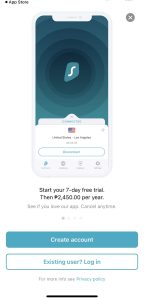
SurfShark is our best VPN for Firestick. It works well with any Android device and Firestick is no different. This VPN offers great features that can really boost and secure your streaming on Firestick.

SurfShark has over 3,200+ available servers in 65+ countries worldwide that you can connect to. It unblocks a lot of streaming platforms like Kodi, Netflix, Hulu, Amazon Prime, YouTube, ESPN, Disney, DAZN, and many more. Making it really the best for Fire TV streaming

This VPN offers top-notch VPN protocols and encryptions that can protect your identity while torrenting, and streaming.

SurfShark does not log any of the users’ data which is important when choosing a VPN

This is a very affordable VPN and has a 30-day “risk-free” money-back guarantee.

Other amazing and advanced features of SurfShark include: Cloud Storage, P2P friendly, SOCKS5 Proxy, best for Torrenting, Kill Switch, Split Tunneling, DNS Leak Protection, and prevents Firestick Buffering and Kodi Buffering

If you want to learn more, read this Surfshark VPN review.

Install Surfshark on Firestick


Grab your subscription now!

Best Surfshark Deal


How to Install Surfshark VPN on Firestick

If your Firestick still has the older interface, read this article to learn how to update it: Update Firestick Interface.

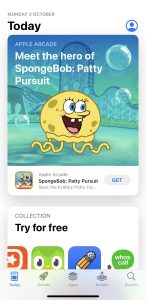
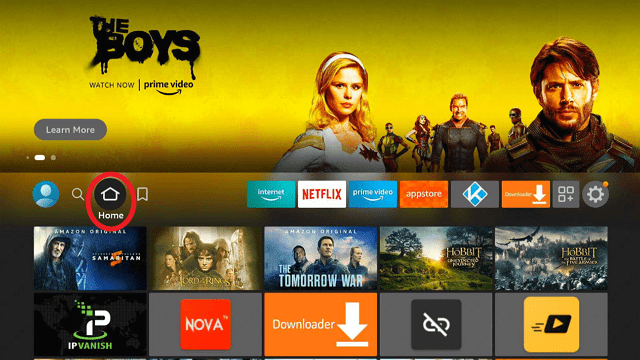
You can download Surfshark directly from the Amazon App store. It will be easy for you to find Surfshark with your Firestick’s Find feature. Refer to our screenshots below.

1. Go to the Home screen of your Firestick.
step 1 Install Surfshark VPN on Firestick


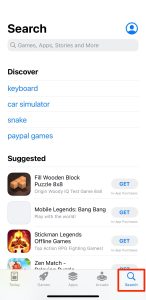
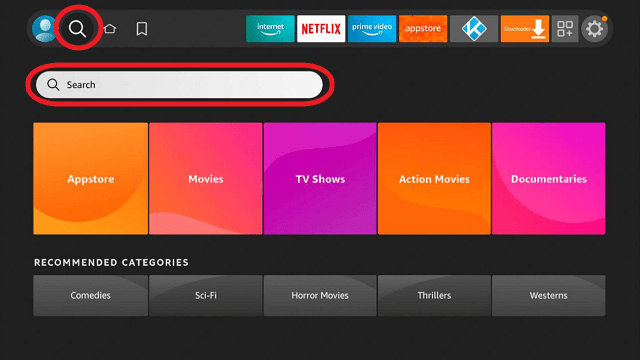
2. Navigate towards the Find tab. Press the Search button from the resulting dropdown.
step 2 Install Surfshark VPN on Firestick


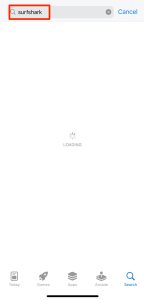
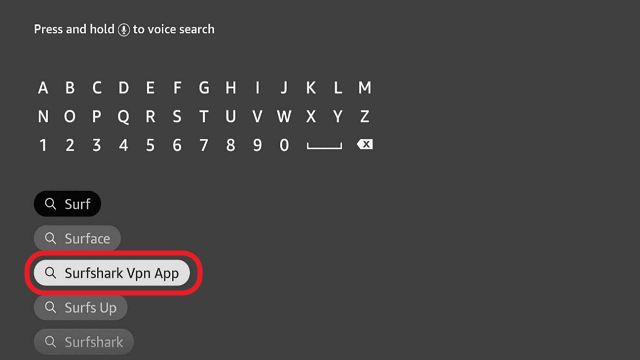
3. Type in the keyword of SurfShark and select from the suggestions that will appear.
step 3 Install Surfshark VPN on Firestick


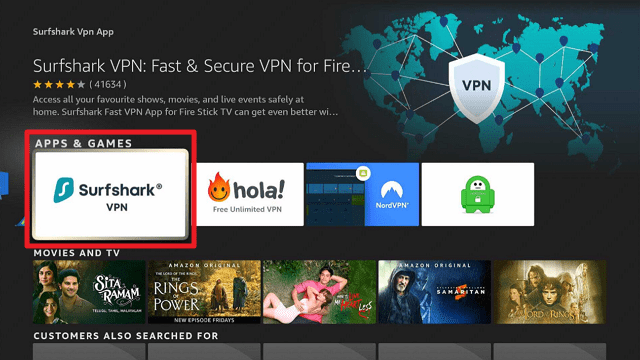
4. Click the official SurfShark icon from your search results.
step 4 Install Surfshark VPN on Firestick


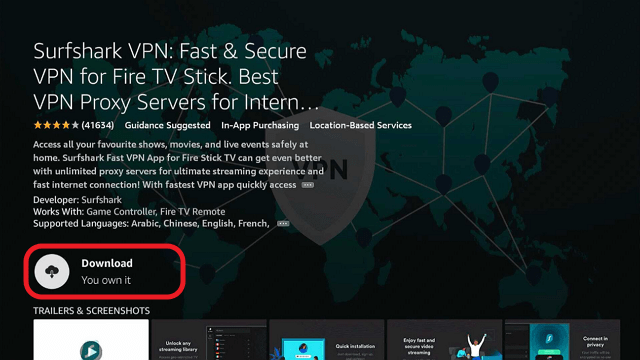
5. Press the Download (You own it) button.
step 5 Install Surfshark VPN on Firestick


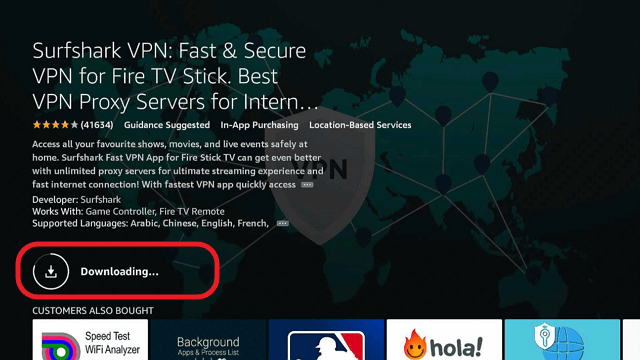
6. The SurfShark VPN installer will download on your device.
step 6 Install Surfshark VPN on Firestick


7. SurfShark VPN’s app will automatically install itself on your Fire TV stick.
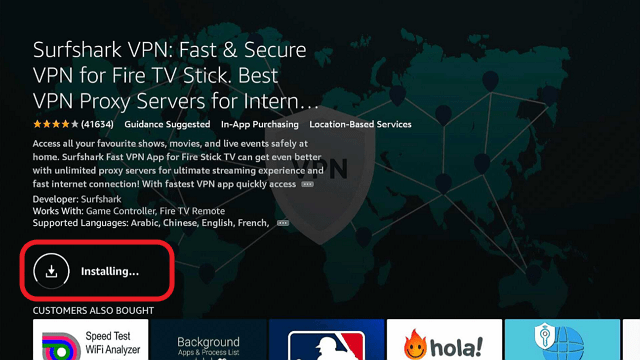
step 7 Install Surfshark VPN on Firestick


8. Press the Open button after completing SurfShark VPN’s installation process.
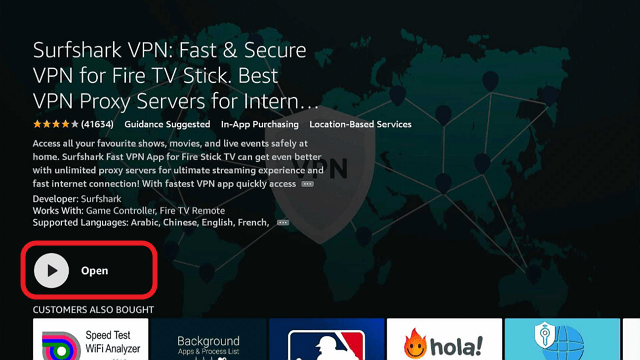
step 8 Install Surfshark VPN on Firestick


9. Please wait for the SurfShark VPN to load its user interface.
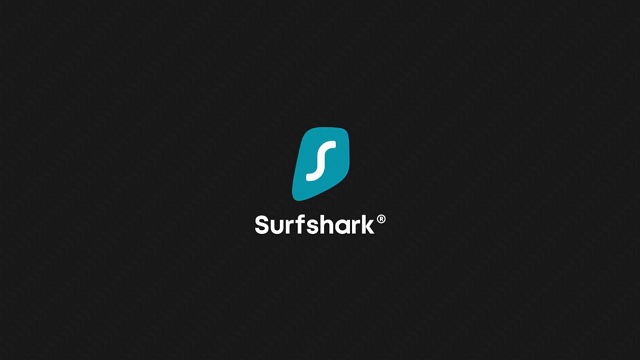
step 9 Install Surfshark VPN on Firestick


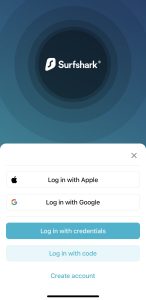
10. You can now log in with your SurfShark VPN account credentials.
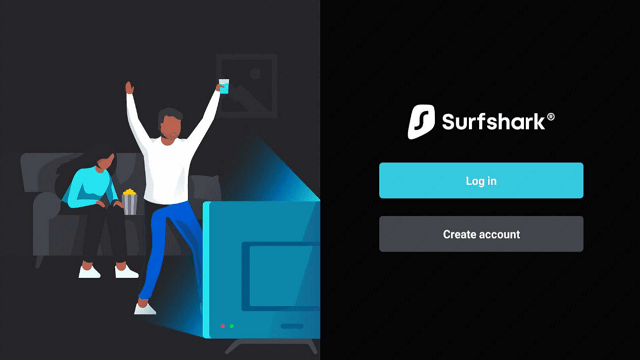
step 10 Install Surfshark VPN on Firestick

Learn more about Surfshark and Grab the Best Surfshark Deal Now!


NordVPN
218,000 reviews with an average rating of 4.6/5

NordVPN is the word on everyone’s lips when they think about the best providers in the industry. Just like IPVanish, they are a Tier 1 VPN provider, owning all of their infrastructure in-house including their DNS servers. Which reduced the risk of leaks and means your data is secure point to point. They are trusted by millions of users around the world including China which has one of the strictest censorship policies globally.

With 5,400+ servers in 59 countries, NordVPN has one of the largest server parks of any VPN company, with many of the servers configured for high speed. They welcome P2P file sharing and streaming and have built a reputation on stability and also speed. Their VPN servers offer some of the fastest speeds and are consistent wherever you are in the world. Using some VPNs can slow down your connection but up to 30% but with NordVPN it may fall as little as 5%.

NordVPN uses cutting-edge OpenVPN with its military-grate AES 256-bit encryption. On top of that, it fields the original NordLynx protocol. A combination of WireGuard and Double NAT. To test local server speeds before connecting to find the best server available, use their algorithm to connect to the best match.

Learn more by reading our NordVPN Review.

How to Install NordVPN on Firestick


Grab your subscription now!

Best NordVPN Deal


YOUR INTERNET ACTIVITY IS BEING WATCHED
ReviewVPN cannot attest to the legality, security and privacy of the applications discussed on this site. It is highly recommended that you use a VPN service while streaming or using Kodi.

Currently, your IP 216.73.217.150 is visible to everyone and your Browser is being tracked by Advertisers & ISP Provider.

Save 65% Now

Limited Time Offer

Here are the main reasons why you must use a VPN:

  • Your activities are hidden from your ISP, the government, and from the apps you are using.
  • You can access additional movies and TV streams.
  • ISP attempts to throttle are thrwarted thus reducing buffering issues.
  • Geographically restricted content like Netflix and Hulu can be unblocked.

A VPN works be replacing your ISP-assigned IP address and creating an encrypted tunnel. We recommend the no log service offered by IPVanish. It works well on a Firestick and offers the fastest possible speeds.

Special Limited Time Offer - Get IPVanish


IPVanish

IPVanish Logo

3,700+ reviews with an average 3.6/5 rating

IPVanish has built a reputation as one of the top Tier 1 providers in the industry. A fully integrated service means that the company owns all of its own infrastructures. Meaning that all their servers are in the house and therefore not susceptible to data leaks or third-party influence. Also, they are one of the few providers that have a toll-free number, as well as live chat and a ticket system. This means that you can contact anyone anytime you have a problems

They have a huge range with access to 40,000+ IP addresses in 70+ countries. IPs are shared between users meaning that no one’s data or browsing activity can be tracked or attributed to any individual. This means that in the slim chance you’re your IP is tracked there is a way that your traffic can be distinguished from anyone else, securing your anonymity when streaming.

They also have a number of great additional functions including an easy-to-use mobile application. You can test the speed and latency and servers within the application to find the best server speed for you as well as automatically secure any public WiFi connection.

They embrace streaming and torrenting with unlimited bandwidth as well as a solid zero logs policy which means that your activity will remain anonymous even when scrutinized by a government agency.

They offer 256-bit AES encryption which is the same level of security used by the US military meaning that your data is secured and unbreakable.


Read our IPVanish review to know more.

How to Install IPVanish on Firestick

Grab your subscription now!

Best IPVanish Deal


Atlas VPN

atlas vpn

The newest addition to our list is Atlas VPN. Despite being new against competitors, it shows remarkable features. It also offers a free but limited service.

Atlas VPN only has 750+ servers but it does not matter. What matters is that all of them are working great.

Just like other great VPNs, Atlas VPN does not record any of the user’s data plus it also provides a faster connection for streaming and playing games. This makes it one of the best VPNs for Firestick.

Another amazing feature is that you can use Atlas VPN simultaneously on an unlimited number of devices.

To learn more, read our Atlas VPN review.


Grab your subscription now!

Best Atlas VPN Deal


VPNs You Should Avoid

There are a number of VPNs to avoid. Some are providers that are ok to use, but just don’t have the money or time to invest in getting an Amazon App. These include ibVPN, Buffered, Hidemyass, Ivacy VPN, Private Internet Access, and Norton VPN.

There are 2 applications we also want to highlight that are indicative of the market. They aren’t actually VPNs but provide misleading information. Let’s face it. If it says it’s free and it’s a VPN they have to be making money somehow and generally that’s either adverts or logging and selling on your data to advertisers.


Blokada

Blokada is actually a nice piece of open-source software. Acting as an ad blocker and also as a DNS server. This means that it spoofs your IP showing you as connecting from different countries.

DNS are great for accessing things like US Netflix. However, they don’t give the security of a VPN as your connection is not encrypted. Crucially this means that if you use an android streaming application they will be able to monitor your traffic.

Great for accessing geographically restricted content but useless for anonymity and privacy.


X-VPN

90+ reviews with an average rating of 2.6/5

X VPN offers a premium service and advertises itself as a free proxy service. Free proxies are to be treated with caution. As this could be an endpoint coming out of the port of an unknown computer. This means that your traffic can be traced and also can be infected with malware.

A lot of free VPNs are simply free proxies. Like DNS they simply help you to show up as accessing the website in a different country. But it doesn’t offer any anonymity or security. Even worse horror stories of Hola VPN have gone on to sell residential proxies for commercial use.

How do you install a VPN on Amazon Firestick?

Like the Google Play and Apple App store, installing an Amazon App is really straightforward.

  1. Connect your Amazon Fire device to your TV
  2. Navigate to the Amazon App Store
  3. Browse for the app you want to download
  4. Download and install
  5. Click and Go!


FAQs

Is the VPN for Firestick free?

No, but you can use their free trial versions.


Why use a VPN on Firestick?

A Virtual Private Network (VPN) encrypts your entire internet traffic making you anonymous while browsing the internet. Using a VPN can keep you safe by altering your IP address. As a result, you can use any Firestick application safely while being invisible to your ISP’s radar.

Conclusion

The Firestick lends us the ability to stream a variety of online media content. You can install or sideload official or third-party apps after jailbreaking your Firestick. However, your ISP can decrease your streaming speed resulting in buffering, stuttering, and lagging issues. We suggest using a VPN service to prevent these problems from happening.


Final Words

We hope this article shares with you the Best VPN for Firestick. Thank you for reading!

How To Jailbreak an iPhone

How to Jailbreak an iPhone?

iPhones are great until you want to install a third-party application which either isn’t in the Apple App Store, or their certificate is not supported by Apple.

Then you either need to find an alternative or if you want to say put in a trusted Android TV streaming app, or simply an app that chooses not to use the App store then it’s time to investigate jailbreaking your phone.

Jailbreaking these days is easy and straightforward. Follow our simple step-by-step guide to install the two best jailbreaking programmes around now for the latest version of iOS.


What is Jailbreaking?

What is Jailbreaking Image

iPhone’s usage is heavily restricted by Apple’s operating system iOS. It gives you great functionality but also controls what can and cannot be used on your iPhone. Unlike Linux which is open-ended and highly compatible with third-party applications, Apple wants to use their software only.

Jailbreaking modifies your phone by allowing you to run unsigned code and access the root file system. Essentially giving your super administrator privileges. Also, any apps which Apple’s developer certificate doesn’t have aren’t featured in the App store.

This means that you can download and run any applications, of course, it also increases the risk of your phone being infected with malware if you are not careful.

Once you jailbreak your iPhone you can gain access to unofficial App stores the biggest of which is known as Cydia.

Cydia is an accumulation of free tweaks, apps, themes, and much more. Created in 2008 by Jay Freeman it has become the unofficial store of choice for app developers who want to make their programmes available. It’s worth noting many of these apps are unauthenticated and you should always make sure you download from a trusted source that you have verified or run a Malware scanner on any downloads.


ANONYMOUSLY


Different Types of Jailbreaking

There are four types of jailbreak:

  • Tethered: The least desirable of all the type, it requires you to connect your phone to a PC every time you restart so that the jailbreak programme can be rerun. Without it your phone won’t work. Tethered jailbreaking is worth avoiding because if your phone restarts while your out and about it just becomes an expensive brick
  • Semi-Tethered: Your phone can reboot, but there will some functions which may not work until you connect it to a PC and rerun the jailbreak programme. The lack of functionality varies depending on the programme. Again, worth avoiding as your phone may have reduced functionality and not be usable if you get caught short away from a computer
  • Semi-Untethered: Good news is, you don’t need access to a PC when you reboot your phone, but you will need to rerun the jailbreak app on your phone to get everything working again. Most jailbreaks fall into this category
  • Untethered: The Holy Grail of jailbreaks and increasingly rare these days. Your phone can be rebooted at will and never has to be reconfigured with the jailbreak programme. The reason it has become rare since iOS 9.3.4 is the increasing number of security features built into iOS which reinitialize upon reboot


The Difference Between Jailbreaking and Unlocking

Difference Between Jailbreaking and Unlocking Image

Jailbreaking is often confused with unlocking. Unlocking an iPhone simply means that it is no longer bound to a carrier. For example, a Spring iPhone will only accept a Spring sim card, but an unlocked iPhone can be bound to any carrier.

You can install an app through Cydia when you jailbreak your phone to then unlock it. So, if you want to unlock your phone you can save yourself the money of taking it to a shop and just do it yourself.


Why Would I Want to Jailbreak my iPhone?

The simplest reason is you want to do something that iOS in its current format won’t let you. From changing the user interface of your phone to running an application that doesn’t have an Apple Developer certificate.

Though of course app stores like Cydia will have several pirated and illegal or dangerous apps. There are also plenty of apps that just aren’t allowed on the Apple App Store because of their terms of use. One popular reason is wanting to install an Android or iOS TV streaming app that isn’t mainstream.

Jailbreaking gives you more options, while still allowing you to use the Apple App store as normal.

Just bear in mind that when you update your iOS you will need to download a new jailbreak; plus, modern jailbreak apps will need to be re-run every time you reboot your iPhone.


Is Jailbreaking Legal?

Yes! There has been a lot of misinformation over the years about jailbreaking, but truthfully most governments simply state that jailbreaking is only illegal if used to pirate copyrighted materials.

Quite like Kodi in many ways. The application itself is legal, what you do with the application may not be.


Does Jailbreaking Void my iPhone’s Warranty?

No! Again, this is another common piece of misinformation. 

Don’t get us wrong, if you try to use the Apple App Store to communicate with Apple Customer Support or ask for a warranty while your phone is showed to be jailbroken your request would be refused.

Apple is clear that any hacking or changing of the iOS software invalidates the end-user agreement and your warranty.

But a simple solution is prior to asking for help or taking your phone to an Apple store, just restore the phone to its factory settings.


Could Jailbreaking Make My Phone Unusable?

Highly unlikely but possible. We list several great programmes for jailbreaking which have been tried and tested.

Just a computer, a badly written app does have the potential to render your iPhone unusable. In extreme cases.

But like any kind of major system alteration that’s why you should always verify the source and read extensively on the programme before using it.

Don’t believe the scare stories of people complaining that their phones have been turned into unusable bricks when they tried to jailbreak them. Chances are pretty good they downloaded crappy software, or they just weren’t smart enough to do a little research and follow many of the easy guides around for jailbreaking iPhones.


Does One Programme Work for All iPhones?

No. There is no one “best” programme to jailbreak iPhones. Every time their iOS update there is a scramble from companies to create a jailbreak that can work with the new iOS and its operating system protection.

Another important point to remember is that jailbreaks are generally free. If you find an app that promises to unlock any phone for $X that you should think “scam”

Developers may ask for donations but remember to check our best-jailbreaking programmes first.

But if we had to pick one that is most up to date and being updated consistently including working with the latest iOS we would pick unc0ver by pwn20wndstuff, whose Git Hub repository can be found here: https://github.com/pwn20wndstuff/Undecimus/releases

Also, Chimera is pretty cutting edge. These are the only 2 contenders who have successful and stable jailbreaks for the latest version of iOS.


YOUR INTERNET ACTIVITY IS BEING WATCHED

ReviewVPN cannot attest to the legality, security and privacy of the applications discussed on this site. It is highly recommended that you use a VPN service while streaming or using Kodi.

Currently, your IP 216.73.217.150 is visible to everyone and your Browser is being tracked by Advertisers & ISP Provider.

Save 65% Now

Limited Time Offer

Here are the main reasons why you must use a VPN:

  • Your activities are hidden from your ISP, the government, and from the apps you are using.
  • You can access additional movies and TV streams.
  • ISP attempts to throttle are thrwarted thus reducing buffering issues.
  • Geographically restricted content like Netflix and Hulu can be unblocked.

A VPN works be replacing your ISP-assigned IP address and creating an encrypted tunnel. We recommend the no log service offered by IPVanish. It works well on a Firestick and offers the fastest possible speeds.

Special Limited Time Offer - Get IPVanish


Best Jailbreaking Programme by iOS

iOS 12.2-12.3

uncOver: Now working for the most recent releases of iOS, exploiting the tfp0 exploit. Being consistently updated as recently as this week. The jailbreak works in less than 2 seconds

Chimera: Awesome app and development team with skin in the game. Currently in Beta for 12.3, but has a stable version for 12.2


iOS 12.0-12.1.2

unc0ver: Works on all devices including the A12 and A12X chip and is recommended for iPhone X. Stable version available.

Chimera: Stable version working on all devices including A12 and A12X chip. Recommended for all iPhone X devices and the latest iPad Pro


Other Applications and Older iOS Versions

There are tonnes of other apps out there, but none as good as unc0ver and Chimera for the best, quickest, and most stable jailbreaks. All are semi-untethered so require you to rerun the application once you.

Other recommended applications for older iOS versions include:


iOS 11.0-11.4.1

unc0ver, Electra1141


iOS 10.0-10.3.3

TotallyNotSpyware, doubleh3lix, Meridian, h3lix

If you have an iOS version earlier than 10.0 chances are lots of stuff isn’t working, so just upgrade to the latest version of iOS. It’s worth noting that iOS 13 is in Beta and there are no known jailbreaks for it. iOS 12.3 is the sweet spot.


How to Jailbreak your iPhone

Let’s go through the steps to jailbreak your iPhone using one of these two apps. A word of caution if you are not technology savvy. We would not recommend you jailbreak the phone you use every day. It may pay to try to jailbreak an older iPhone first, as it can affect the functionality of other applications on your phone.


Unc0ver

You’re going to need an internet-connected computer and an iPhone USB Cable

  1. On your computer download the latest stable version of unc0ver from: https://github.com/pwn20wndstuff/Undecimus/releases . It should be a .ipa file
  2. Install the latest version of Cydia Impactor: http://www.cydiaimpactor.com/
  3. Before connecting your iPhone turn off Find my iPhone as well as the need to enter a passcode
  4. Launch Cydia Impactor on your computer
  5. Using the USB cable connect your phone to your computer
  6. Cydia impactor should recognize that your device is connected, if it cannot be found you may need to check your settings to allow your computer to “Trust” the new device
  7. Drag the downloaded .ipa file into Cydia Impactor
  8. Enter your Apple ID when prompted and then sign in using your Apple ID password
  9. Cydia Impactor will then begin sideloading unc0ver onto your phone
  10. On your iPhone to Settings > General > Device Management and make the unc0ver app profile trusted
  11. Launch the unc0ver app from your iPhone home screen and wait for it to be completed. The first time jailbreaking an iPhone can take a few minutes
  12. You’ll know that the jailbreak has worked when you see the Cydia app on your home screen. Keep rerunning the jailbreak until it appears
  13. As unc0ver is semi-untethered you will need to re-run the jailbreak every time you reboot the phone, but it should take less than 2 seconds


Chimera

Chimera uses Sileo instead of Cydia, another unofficial app store and package manager

  1. On your computer download the latest stable version of Chimera from: https://chimera.sh/ . It should be a .ipa file
  2. Install the latest version of Cydia Impactor: http://www.cydiaimpactor.com/
  3. Before connecting your iPhone turn off Find my iPhone as well as the need to enter a passcode
  4. Launch Cydia Impactor on your computer
  5. Using the USB cable connect your phone to your computer
  6. Cydia impactor should recognize that your device is connected, if it cannot be found you may need to check your settings to allow your computer to “Trust” the new device
  7. Drag the downloaded .ipa file into Cydia Impactor
  8. Enter your Apple ID when prompted and then sign in using your Apple ID password
  9. Cydia Impactor will then begin sideloading unc0ver onto your phone
  10. On your iPhone to Settings > General > Device Management and make the Chimera app profile trusted
  11. Launch the Chimera app from your iPhone home screen and wait for it to be completed. The first time jailbreaking an iPhone can take a few minutes
  12. You’ll know that the jailbreak has worked when you see the Sileo app on your home screen. Keep rerunning the jailbreak until it appears
  13. As Chimera is semi-untethered you will need to re-run the jailbreak every time you reboot the phone, but it should take less than 2 seconds


A word of Warning

Whether you go on to use Sileo or Chimera App Store bear in mind that there are thousands of malicious applications available. Always proceed with caution and read extensive reviews on Reddit or online before installing these apps.

As they have not been Apple Developer signed you become increasingly vulnerable to malicious software being installed.

We recommend using Malwarebytes to scan any downloads which you do not trust.

Install TVZion on Firestick and Android for Free Movies and TV

Is It Any Good?

TVZion is fast becoming one of the heirs apparent to Terrarium TV. Featuring both a free download and a paid-for version with a TVZion subscription. It offers an intuitive UI reminiscent of Netflix, giving you access to content from across multiple applications and finding the best links for you to watch it from.

Considered the application isn’t even a year old, it has made rapid traction since 2018 and is now being mentioned in the same sentence as CyberFlix.


What Does It Do?

The application puts a number of streaming sites all in one place. Through Trakt you can track what you are watching and receive lists of content suited to your viewing tastes. With Real Debrid you can access the best torrent files with the highest quality and connection speed.

Essentially you can watch hundreds of channels and streaming content like Netflix in one place for free. The application is becoming popular as it is highly featured rich and also has a number of premium features that allow you to find the best links and watch at high speeds.


ANONYMOUSLY


What Platforms Does It Work On?

Works on all devices which support Android including mobile phones, and Android TV-ready devices like Amazon Fire Stick. Can be downloaded directly from the Amazon Store and doesn’t need to be sideloaded.

Features

  • Fully customizable TVZion Home screen with tailored suggestions and infinity scroll
  • Integration with Trakt.tv allowing you to continue watching a movie where you left off and create favorites and playlists
  • Stream direct from torrents using Real Debrid
  • Optimized for Android TV with a 10-foot user interface
  • Autoplay and Auto Next
  • Custom link filtering for torrents
  • Advanced metadata connection to choose the best link
  • Easy to navigate genres and categories
  • Watch trailers
  • View detailed link statistics including ping rate, bit rate, and file size to find the best link to watch
  • Search and find subtitles in multiple languages
  • Compatible with Pemiumize and Google Chromecast as well as a number of other external media players
  • Anime support (it’s becoming increasingly hard to find links to anime after the disappearance of 9anime and many sites banning anime due to sexually explicit content


How to Install TVZion

install image

You can download the application directly from their website: https://zionapp.live/

Note: ReviewVPN.com does not host this APK file. It is hosted on Archive.org.  


YOUR INTERNET ACTIVITY IS BEING WATCHED

ReviewVPN cannot attest to the legality, security and privacy of the applications discussed on this site. It is highly recommended that you use a VPN service while streaming or using Kodi.

Currently, your IP 216.73.217.150 is visible to everyone and your Browser is being tracked by Advertisers & ISP Provider.

Save 65% Now

Limited Time Offer

Here are the main reasons why you must use a VPN:

  • Your activities are hidden from your ISP, the government, and from the apps you are using.
  • You can access additional movies and TV streams.
  • ISP attempts to throttle are thrwarted thus reducing buffering issues.
  • Geographically restricted content like Netflix and Hulu can be unblocked.

A VPN works be replacing your ISP-assigned IP address and creating an encrypted tunnel. We recommend the no log service offered by IPVanish. It works well on a Firestick and offers the fastest possible speeds.

Special Limited Time Offer - Get IPVanish


Install Surfshark on Firestick

Best Surfshark Deal


Download TVZion


Install TVZion on Firesticks with Screenshots

1. Install the Downloader app and jailbreak your firestick by enabling unknown sources. To learn more about the procedure, you may read How to Install the Downloader App and Enable Unknown Sources.

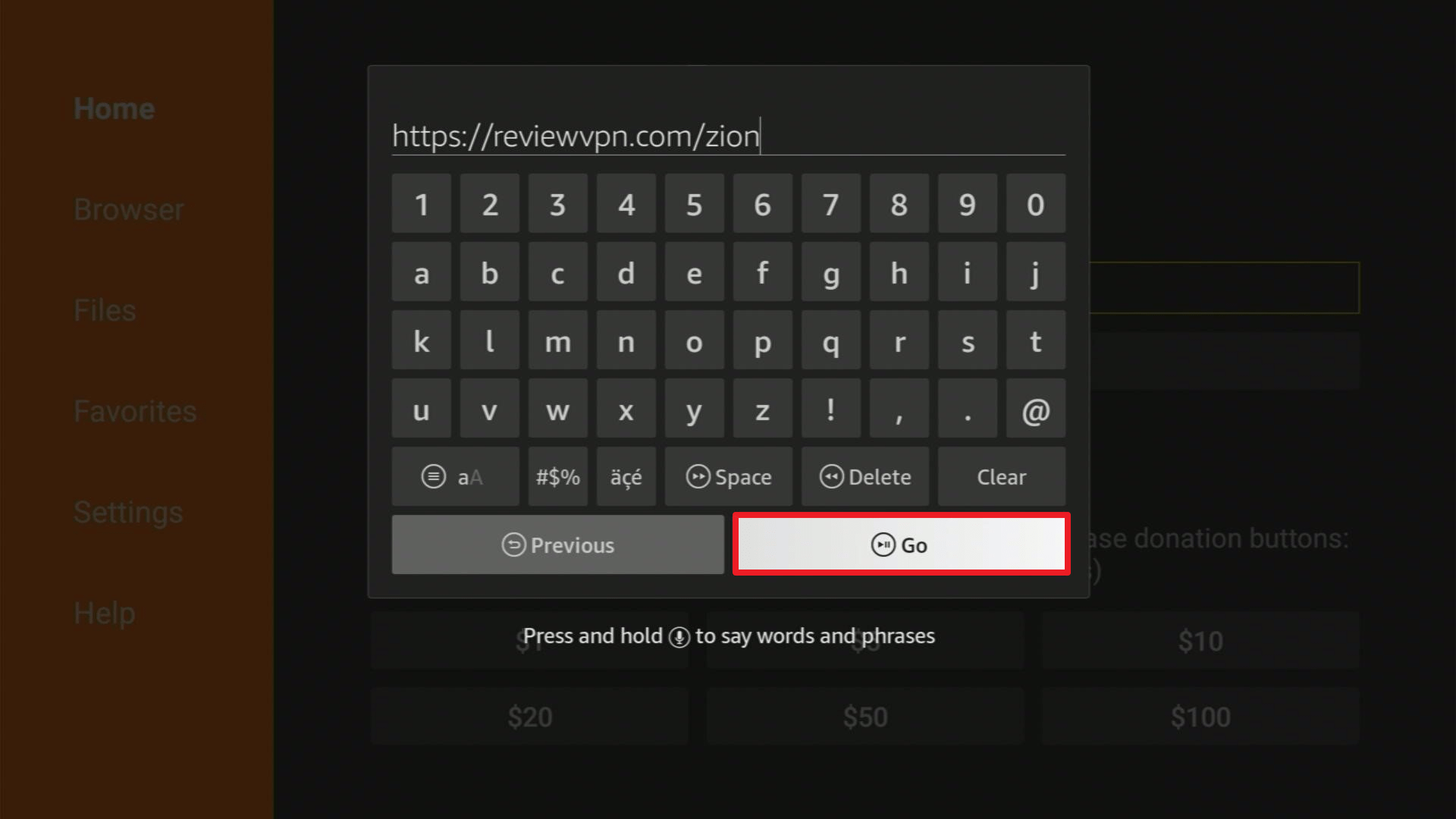
2. Open Downloader App. Type https://reviewvpn.com/zion and click Go.

TVZion1


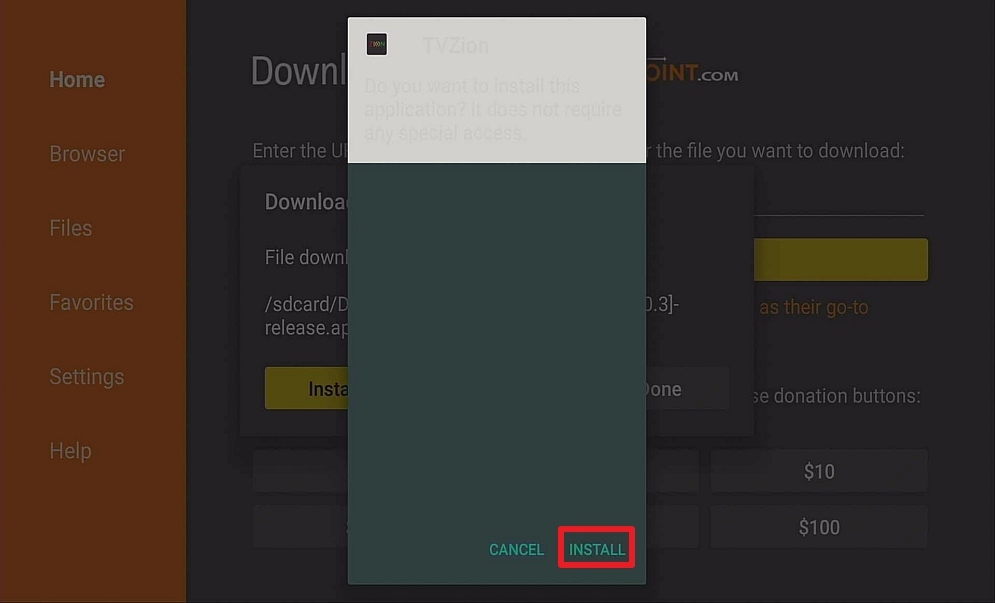
3. Click Install

Step 13 Install TVZion on Firestick


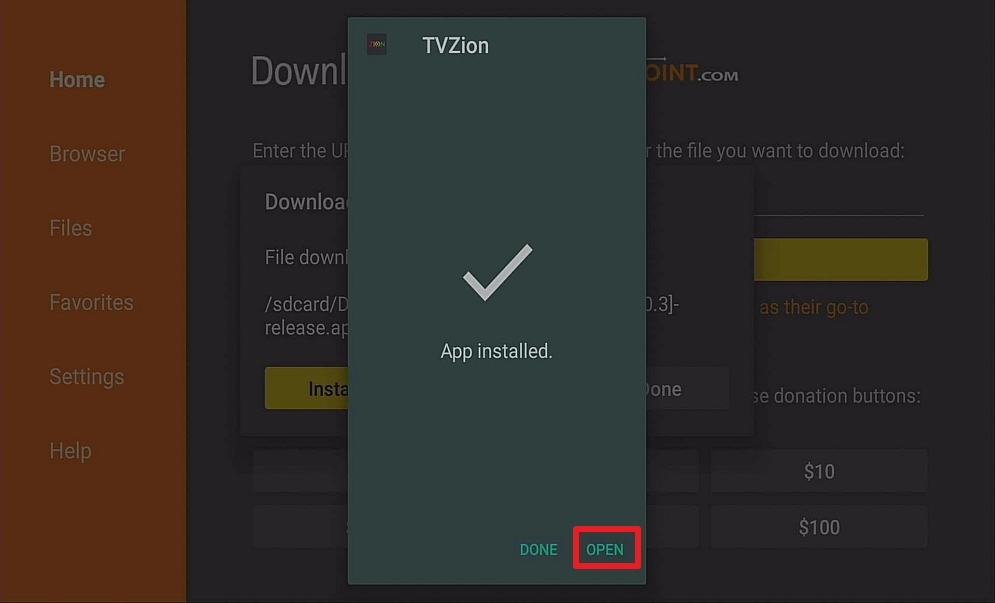
4. Click Open

Step 14 Install TVZion on Firestick


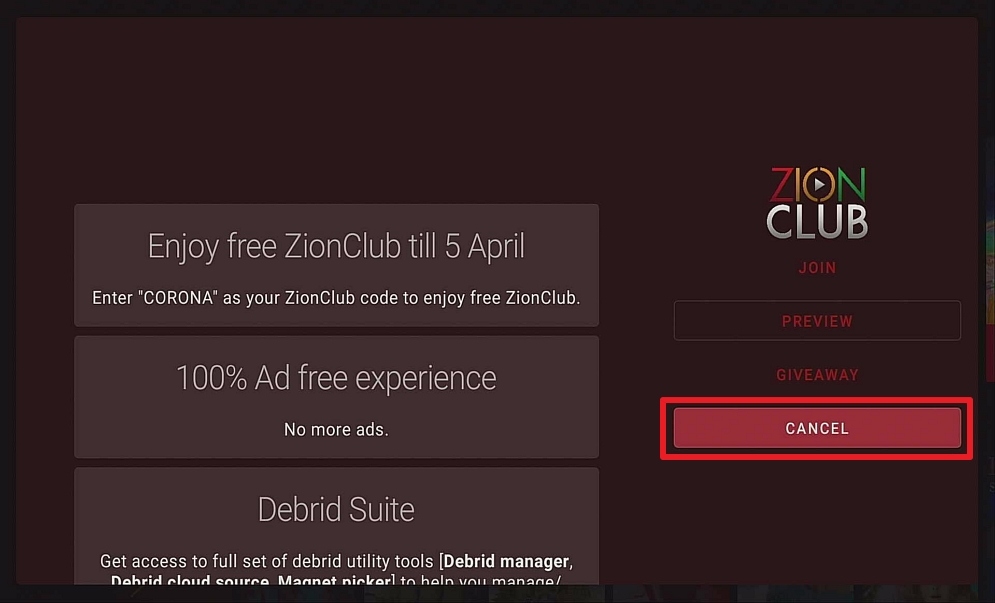
5. Click Cancel.

Step 15 Install TVZion on Firestick


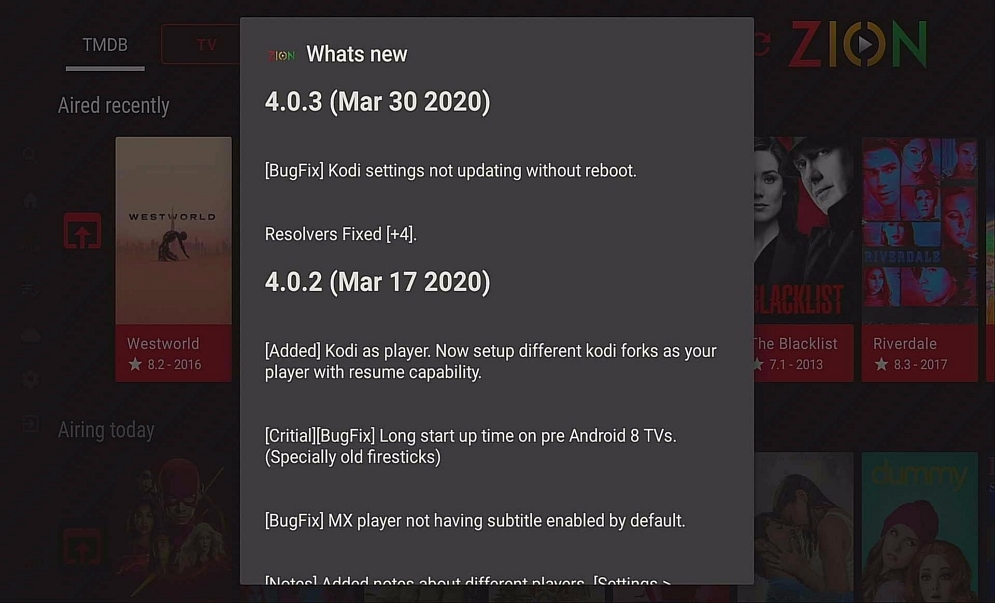
6. Click the Back Button on your remote.

Step 16 Install TVZion on Firestick


7. TVZion is installed. Enjoy watching.

Step 17 Install TVZion on Firestick


Click here to get the lowest price on Surfshark through our exclusive limited-time offer.


Pros and Cons

Pros

  • Slick design with a customized home screen
  • Great Features
  • Integrated with Trakt and Real Debrid for a real “Netflix” style feel
  • Made for Android TV
  • Dedicated SubReddit and active community
  • Stream straight from torrents
  • Premium features, allowing you to stream straight from torrents, sort and filter, and find the best links
  • Hard-working developer (application is on v44)

Cons

  • The developer has threatened to log IP’s for modded users who are downloading a premium version without paying
  • High server load due to popularity


FAQs

Is It Safe to Use?

Absolutely, it is widely used and driven by a community of thousands of members.


Is It Legal or Grey?

Grey, the application allows you to access pirated content. It’s not blank software like Kodi where the add-ons make it grey.


Should I Use This App with a VPN?

surfshark logo

Always use a VPN when using Zion TV, not only will it protect your identity and obscure your IP, but also it will mean you will be able to access a wide range of content that otherwise would be blocked by your internet service provider.


Grab your subscription now!

Click here to get the lowest price on Surfshark through our exclusive limited-time offer.


How to Install Surfshark VPN on Firestick

If your Firestick still has the older interface, read this article to learn how to update it: Update Firestick Interface.

Follow our screenshots below to install the SurfShark VPN app on your Fire TV stick.

1. Go to the Home screen of your Firestick.

step 1 Install Surfshark VPN on Firestick


2. Navigate towards the Find tab. Press the Search button from the resulting dropdown.

step 2 Install Surfshark VPN on Firestick


3. Type in the keyword of SurfShark and select from the suggestions that will appear.

step 3 Install Surfshark VPN on Firestick


4. Click the official SurfShark icon from your search results.

step 4 Install Surfshark VPN on Firestick


5. Press the Download (You own it) button.

step 5 Install Surfshark VPN on Firestick


6. The SurfShark VPN installer will download on your device.

step 6 Install Surfshark VPN on Firestick


7. SurfShark VPN’s app will automatically install itself on your Fire TV stick.

step 7 Install Surfshark VPN on Firestick


8. Press the Open button after completing SurfShark VPN’s installation process.

step 8 Install Surfshark VPN on Firestick


9. Please wait for the SurfShark VPN to load its user interface.

step 9 Install Surfshark VPN on Firestick


10. You can now log in with your SurfShark VPN account credentials.

step 10 Install Surfshark VPN on Firestick

Learn more about Surfshark and Grab the Best Surfshark Deal Now!


Install Surfshark on Firestick

Best Surfshark Deal


Other VPNs to Consider

NordVPN (Best for Streaming)

Best Features

  • 5000+ Server in 50+ Countries 
  • Military-Grade Encryption
  • Fast Connection Speed
  • Suitable to a lot of devices
  • No-Log Policy

Prices
  • Complete $5.89 per month (64% Discount)
  • Plus $4.59 per month (56% Discount)
  • Standard $3.69 per month (55% Discount)

Best Features

  • 750+ High-speed VPN Servers in 43 Locations
  • Military-Grade Encryption
  • Fastest HD Streaming and Gaming
  • 30-Day Money-Back Guarantee
  • Unlimited Data & Devices
  • No-Log Policy

Prices
  • 3 Years $1.99 per month (82% Discount)
  • 1 Years $3.29 per month (70% Discount)
  • 1 Month $10.99 per month

IPVanish VPN (Most Secure)

Best Features

  • 1200+ Servers in 60+ Countries around the world
  • Unlimited Connections
  • No-Log Policy
  • Top Notch Military-Grade VPN Protocols and Encryptions
  • 100% Safe and Secured
  • Most Trusted VPN
  • Best VPN for Firestick
  • 30-Day Money-Back Guarantee

Prices
  • Yearly $3.99 per month (63% Discount) – 30 days risk free + Ransomware & Malware Protection
  • Quarterly $5.32 per month (51% Discount)
  • Monthly $10.99 per month


For more VPN discounts, go to ReviewVPN Deals and purchase the best VPN for you.

Click here to get the lowest price on Surfshark through our exclusive limited-time offer.


Is It Free?

Yes.


Are There Ads?

Yes, there are ads inbuilt into the free version. There is also a modded version that has been heavily publicized by several popular YouTubers. Be warned the developer is actively seeking out those using modded versions without paying.


Is There a Premium Version?

Yes, some of the features can only be accessed through the premium version. Also, you can get an ad-free experience by joining the TVZion Club.

With their premium subscription you are able to:

  • Stream directly from torrents
  • Access more link sources including HQ high-speed servers
  • Access their advanced metadata detection service giving you the best links
  • Filter and sort links
  • Autoplay


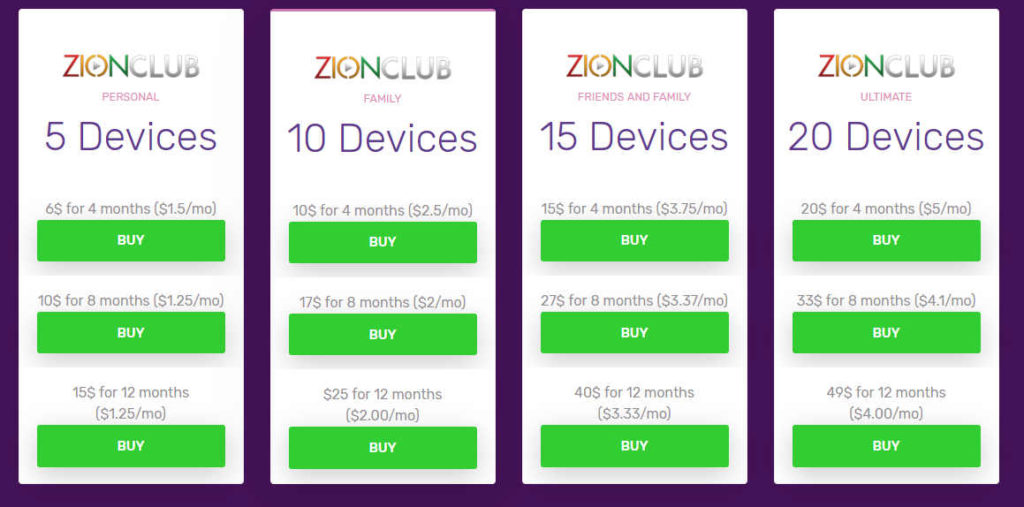
Zion Club Prices

tvzion zion club prices


Zion Club Personal – 5 devices

  • 4 months – $1.50 per month
  • 8 months – $1.25 per month
  • 12 months – $1.25 per month


Zion Club Family – 10 devices

  • 4 months – $2.50 per month
  • 8 months – $2.00 per month
  • 12 months – $2.00 per month


Zion Club Friends and Family – 15 devices

  • 4 months – $3.75 per month
  • 8 months – $3.37 per month
  • 12 months – $3.33 per month


Zion Club Ultimate– 20 Devices

  • 4 months – $5.00 per month
  • 8 months – $4.10 per month
  • 12 months – $4.00 per month


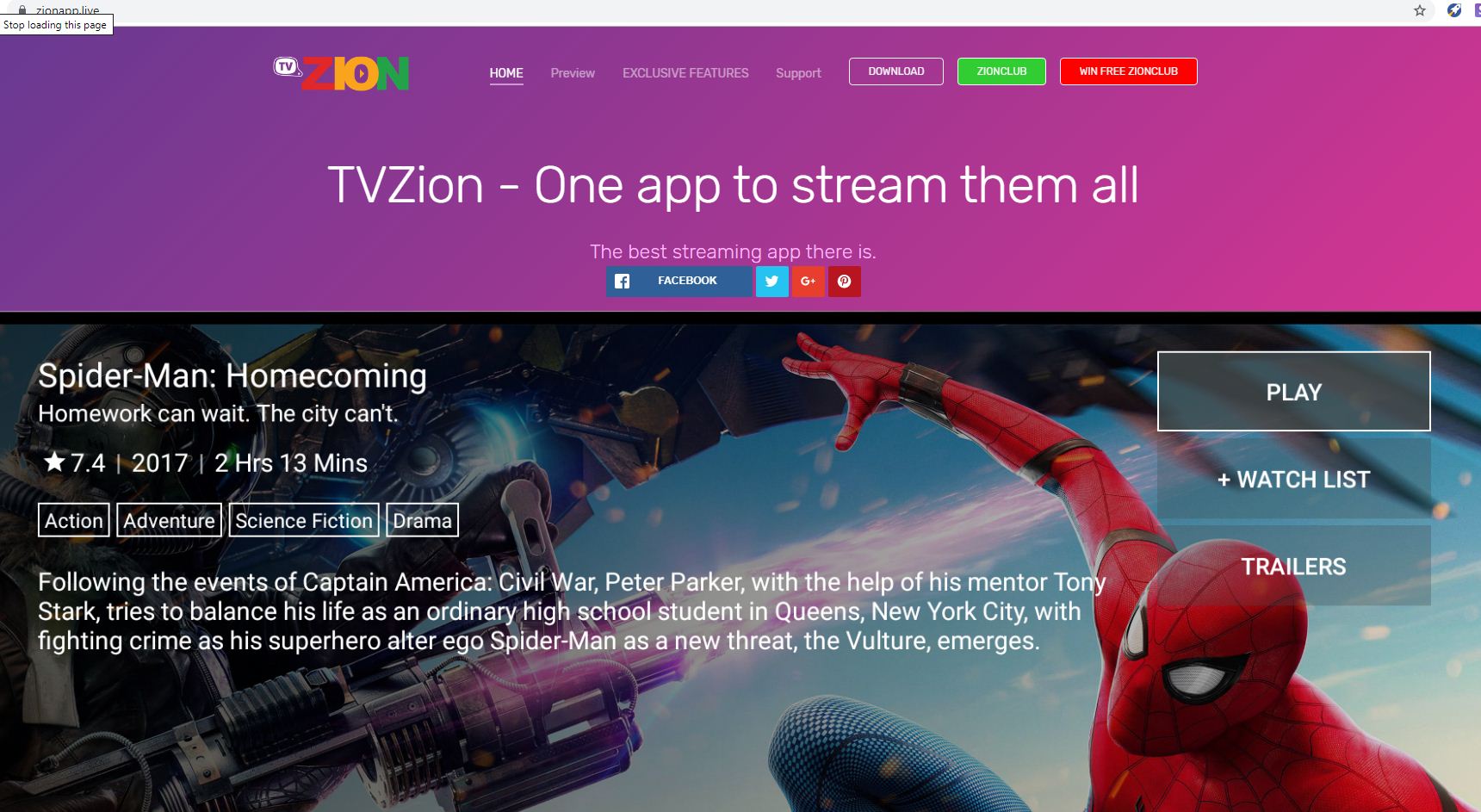
Is There an Official Website?

TVZion Website Image

Yes, you can find them here. We have to say the website is pretty slickly designed and looks professional.


What Other Devices Does It Work On?

TVZion will work on any Android devices that support apk files, as long as they have Android 5.0 or greater. So, all the Amazon Fire Devices, Nvidia Shield as well as Android-based phones and tablets.


How Does The App Work?

The app works by finding sites all over the Internet hosting movies and TV shows. They provide access to the streams while other sites actually host the content.


What is the Minimum Version of Android I Need?

Android Lollipop (5.0).


History

How Long Has It Been Around?

According to TVZion’s sub reddit, a thread from the developer shows that amazingly Zion has only been around since September 2018


Is It a Terrarium Clone?

No.


What Is the Development Team Like?

The entire app is run by a developer team of 1. A guy based in Asia doing it in his spare time. Recently he hit the news on some sites because he estimated that 35% of his users were using a modded premium account. Meaning they get all the functions without paying. As he rightly points out if this number increases the server will overload.

But the irony is not lost, when a developer who has written an app specialized in pirating materials, then complains about being pirated.


Best Alternatives

Mentioned in the same sentence. Tea TV, Apollo TV, and Cinema HD. There are a number of similar applications in the same style of TV Zion, though admittedly few which are offering the same functionality and frequency of updates.


Our Opinion

Though some would disagree we think that TVZion is really the best in class when it comes to Terrarium and Kodi alternatives. It has many features that even good providers like Cyberflix cannot offer.

The paid feature is super cheap and gives you some really cool functionality including Auto Next and AutoPlay as well as being able to stream from torrents and automatically find the best link. A real-time saver.


Who Is Privax LTD?

Privax LTD

privax ltd

Privax LTD and Hide My Ass have been purchased by AVG, the antivirus company. Read our Hide My Ass Review for more updated information on the company. Consider the below article as historical.

Privax LTD or Privax Limited was the parent company behind the HideMyAss VPN service. Privax is based in Great Britain with additional offices in the Ukraine and Serbia. More than seventy-five employees work for the company.


Privax LTD Stats

  • 661 Servers
  • 177 Locations
  • 79 Countries
  • 83,650 IP Addresses


Privax LTD History

Privax LTD was founded by Jack Cator. Cator started the company in 2005 when he was just 16 years old. As of this writing in 2014 Mr. Cator is the ripe old age of 24. His email is listed as jack @ privax.com. Again, good luck getting someone to respond should you decide to email this address.

jack cator hide my ass founder

One of the main growth strategies of Privax was to provide a free proxy service. Free products tend to garner interest and traffic. The company was then able to convert many of these free proxy users into paying users of their vastly superior VPN service.


ANONYMOUSLY


Privax Contact Information

The address is listed as:

54 Poland Street
London W1F7NJ

The telephone and fax numbers are:

 telephone +447896667569
fax:  +447896667569

I wouldn’t hold my breath waiting for someone to answer though. The traditional support channels are likely to be far more effective.

HideMyAss Email – info@hidemyass.com

HideMyAss Support Page – https://support.hidemyass.com/hc/en-us

What Does Privax Software Look Like

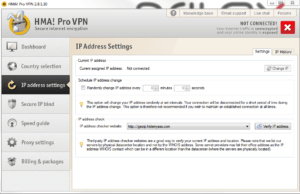
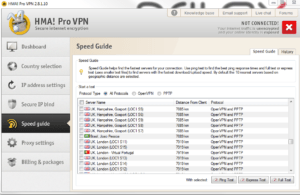
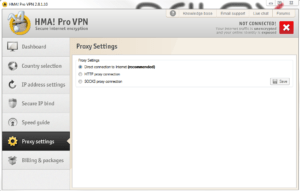
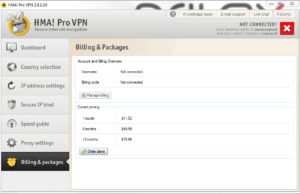
Free and simple software was one of the main ways Privax was able to distinguish itself from the pack early. Testing HideMyAss servers to find the best speeds is easy with the HMA Pro software. Here are some screenshots:


old hide my ass software


YOUR INTERNET ACTIVITY IS BEING WATCHED

ReviewVPN cannot attest to the legality, security and privacy of the applications discussed on this site. It is highly recommended that you use a VPN service while streaming or using Kodi.

Currently, your IP 216.73.217.150 is visible to everyone and your Browser is being tracked by Advertisers & ISP Provider.

Save 65% Now

Limited Time Offer

Here are the main reasons why you must use a VPN:

  • Your activities are hidden from your ISP, the government, and from the apps you are using.
  • You can access additional movies and TV streams.
  • ISP attempts to throttle are thrwarted thus reducing buffering issues.
  • Geographically restricted content like Netflix and Hulu can be unblocked.

A VPN works be replacing your ISP-assigned IP address and creating an encrypted tunnel. We recommend the no log service offered by IPVanish. It works well on a Firestick and offers the fastest possible speeds.

Special Limited Time Offer - Get IPVanish


What Is My Favorite Aspect Of Privax LTD?

Personally, I love the graphics used by Privax. All the companies I’ve worked for have been rather dull. Not offending the 1% of prudes in the world with a stick up their bum was more important than entertaining the 80% of people who have a good sense of humor. Most HMA graphics revolve around the use of a nefarious looking donkey. The donkey always wears sun glasses and a hat. He is frequently clad in a trench coat to make the overall picture even more ominous.

Here are some of my favorite HMA donkey illustrations:

This is the logo that started it all. I would put it in the old but great category. If you look closely enough, you can see that the illustrator actually put an asshole on that donkey. This additional is even more humorous when you compare it to other illustrations sans asshole. Any real VPN lover is likely to prefer the asshole.


Is Privax LTD The Largest VPN Provider?

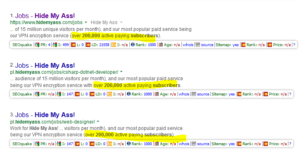
Most VPN services are privately held companies. As a result, it is hard to find statistics on the number of users. That said, there is a good chance that HideMyAss is the largest VPN service. They boast having more than 15 million unique visitors to their site each month and 200,000 paying subscribers. Let’s assume the average subscriber pays around $7 per month. That puts annual revenue right around 17 million dollars.


Is Privax LTD The Largest VPN Provider?

Most VPN services are privately held companies, making it hard to find statistics on the number of users. That said, there is a good chance that HideMyAss is the largest VPN service with more than 15 million unique visitors to their site each month and 200,000 paying subscribers. Let’s assume the average subscriber pays around $7 per month. That puts annual revenue right around 17 million dollars.

HMA also has more than 75 employees with offices in London, Belgrade and Kiev.


Want To Know More About Privax LTD?

If you would like to learn more about Privax LTD, I highly recommend reading my full HideMyAss review. It’s highly informative with a dash of humor to keep boredom at bay. If you would like to visit the main HMA website, you can click here.

Top Kodi Addons

Top Kodi Add-ons

In this article, we are going to explore the top Kodi add-ons to help you have the richest media experience possible. Kodi puts all your home entertainment needs at the click of a remote or mouse. With over 50 million users to prove it, Kodi is the best place to find the latest TV shows, films, and sporting events as well as any other media you can think of no matter how obscure.


But Kodi by itself won’t do much. What really makes Kodi sparkle are the thousands of add-ons that you can download to access great content.

A big problem with add-ons is that they are constantly reappearing, disappearing, breaking, changing, and being created which makes it tricky to keep tabs on the best Kodi add-ons out there.

Here we try and give you a comprehensive list of our top 10 add-ons. Some are newer add-ons for this year that you might want to try, as well as our best in category for things like live streaming, sports, kids, anime, fitness, and music.

Make sure to keep coming back and checking this list as we update it. Like we said, every month the best may be gone, and the list can change a lot week on week.


ANONYMOUSLY


Top 10  Kodi Addons

  • Exodus Redux

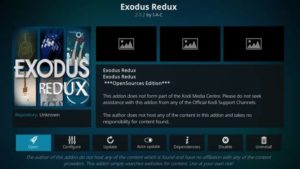
This is a reboot of the popular Exodus addon that was abandoned in 2018. After a few months without updates, people are not flocking to Redux which is backed by a team.

Popular because of the wide range of content that it offers driven as it’s powered by powerful custom coded scrapers which allows Exodus Redux to find the latest titles as they are released.

Many add-ons are driven by the quality of their scrapers in terms of their ability to find the best and latest content, as well as getting rid of dead links and finding high-quality content instead of low-grade media files.

The design is sleek and intuitive with the scrapers fetching reviews and the latest cover art.

  • Magic Dragon

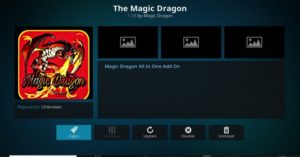
Magic Dragon offers a tremendous amount of content from movies and tv shows to live sports and radio channels. It has also become more widely used after another popular addon The Dog’s Bollocks has become less stable in recent months.

The scrapers are always looking for new links meaning that you have always got more links to access. It also serves as a super addon by giving you access to a wide range of content rather than a single category.

The design is easy to use, with well-laid out categories, menus, and options screens.


  • Grease Lightning

When choosing add-ons we always try to look out for top Kodi addons developed by a team with a pedigree. Grease Lightning comes from the makers of Movie Theatre Buffet which has become popular for finding the best quality content for the latest movie releases.

Grease Lightning is popular because it is multi-device compatible and is powered by cutting-edge scrapers. The main addon searches specifically for films and tv shows. The add one also has an inbuilt autoplay function, which means just like Amazon and Netflix you can set TV shows to continuously play and binge a box set to your heart’s content.

The addon is well laid out and also has easy-to-access categories as well as special sections to see what’s trending and currently hot. 

A great addon with some superadded functionality.


  • I Am Ego

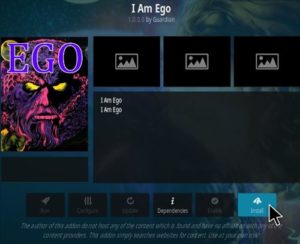
I Am Ego is a relatively new addon which has become a fan favorite. Dedicated specifically for tv shows and movies. The addon is compatible with Real Debrid allowing you to access high-quality media links. You can also get movies in 1080p and HD.

The app has a simple if slightly basic outlay with easy-to-navigate categories and sections.


  • Scrubs

Scrubs was a popular addon in years gone by but wen dark. Only to return under a different development team with Scrubs v2.

Another addon dedicated solely to movies and tv shows, you can also access multiple categories for a wide range of content, as well as smart and intuitive filters to find content that you are looking for.


  • Deathstar

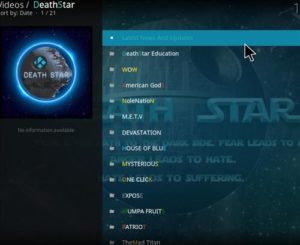
Deathstar is actually more like a repository, in that it is a merge of 30 different add-ons including One-Click, Leviticus, and House of Blue. This means you get an enormous library all under the guise of one add one. Their media library is one of the biggest of any addon out there.

Deathstar is also integrated with Real Debrid and Trakt as well as giving you access to a number of paid websites. Meaning you have access to high-quality streams and an endless stream of media.


  • Numbers

One drawback of many add-ons is that they don’t offer the same kind of search functionality and intelligent browsing offered by mainstream media sites like Netflix.

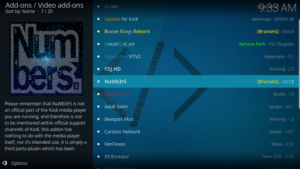
Numbers put all of that to rest with a really cracking design. The user interface is one of the best of any add-on around for Kodi. You can choose from a massive library of TV shows and movies.

Each category is then further broken down so that you can look by genre, see what is popular of most voted as well as finding the newest content that has been recently added. Or even follow other users to see what they are watching or favoriting. We like the social function which is unique to Numbers.

You can even access ratings in IMDB by pairing your Numbers account with your IMDB account. We love Numbers because a lot of thought has been put into the user and how they would want to watch and browse.


  • Seren

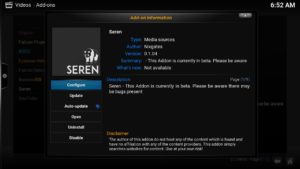
Seren is unique because it specifically only displays high-quality links and streams. It’s compatible with Real Debrid and Premiumize which allows you to access paid live streams and ultra-high-quality content.

You can access a smaller range of media you could find on other add-ons like Deathstar but there is something to be said for choosing quality over quantity.


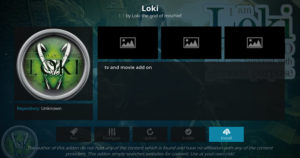
  • Loki

Loki has demonstrated good staying power by being around well over a year now, which is decades in normal time. Add-ons have a habit of being incredibly frustrating when they disappear in a matter of months.

A great addon with a simple interface it also serves as an all-in-one for media offering everything from the latest films to cartoons.


  • Destiny

Like Seren, Destiny limits itself to offering only high-quality content as well as giving you access to an extensive number of torrent streams meaning that you can find links to the newest released content.

Destiny concentrates on movies and tv shows and also has the M3U8 option which means that you can access live television inside the addon.


YOUR INTERNET ACTIVITY IS BEING WATCHED

ReviewVPN cannot attest to the legality, security and privacy of the applications discussed on this site. It is highly recommended that you use a VPN service while streaming or using Kodi.

Currently, your IP 216.73.217.150 is visible to everyone and your Browser is being tracked by Advertisers & ISP Provider.

Save 65% Now

Limited Time Offer

Here are the main reasons why you must use a VPN:

  • Your activities are hidden from your ISP, the government, and from the apps you are using.
  • You can access additional movies and TV streams.
  • ISP attempts to throttle are thrwarted thus reducing buffering issues.
  • Geographically restricted content like Netflix and Hulu can be unblocked.

A VPN works be replacing your ISP-assigned IP address and creating an encrypted tunnel. We recommend the no log service offered by IPVanish. It works well on a Firestick and offers the fastest possible speeds.

Special Limited Time Offer - Get IPVanish


Newer Kodi Addons

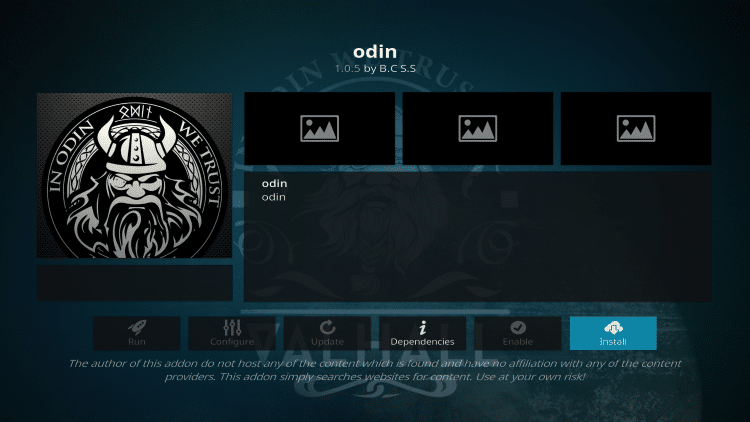
Odin

Odin Image

Odin is a top trending addon that has recently started extending its selections beyond movies and tv shows. They are now rolling out services for anime and even radio stations.

The addon has a newer-looking interface after being revived by a new developer. Though older users of Kodi will remember Odin from the Hell Hound repository.


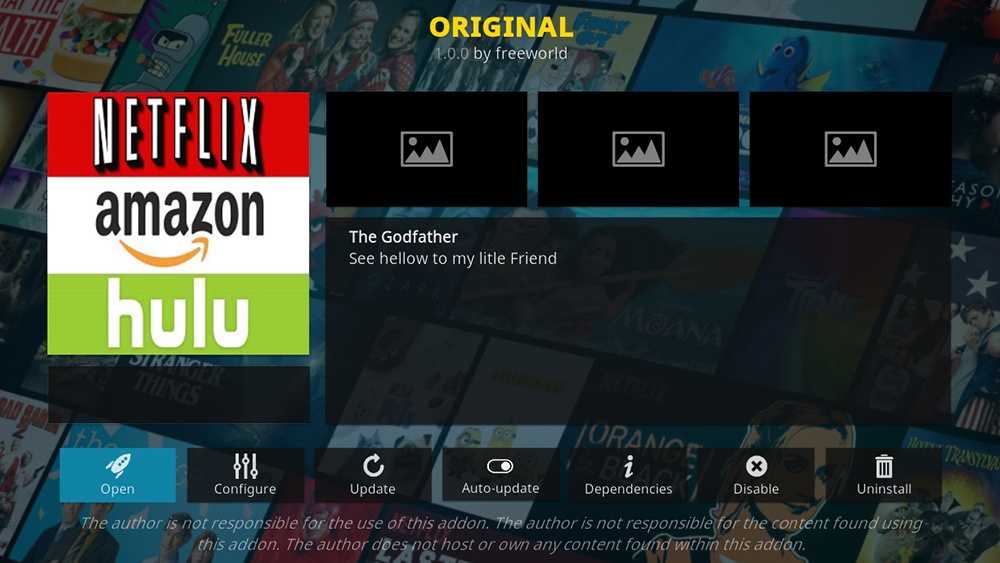
Original

Original Image

This new addon is gaining traction because it is full of content that is otherwise hard to find. Bringing together content from Netflix, Amazon, and Hulu all under the same roof. Something that other add-ons have found hard to do.

Though it doesn’t have the biggest library this is expanding rapidly and is gaining a reputation for stability and always having working links.


Gaia

Gaia isn’t exactly new, but it is making a comeback after spending some time being up and down in terms of connectivity.

If Gaia can stay active then it’s sure to re-grow an impressive user base as it is a force to be reckoned with. Gaia has an enormous library of media in all categories and over the past months has been rapidly upgrading and adding content and different types of media.

The UI is fast and intuitive, with a handy watched tab as well as fast performance and responsiveness.


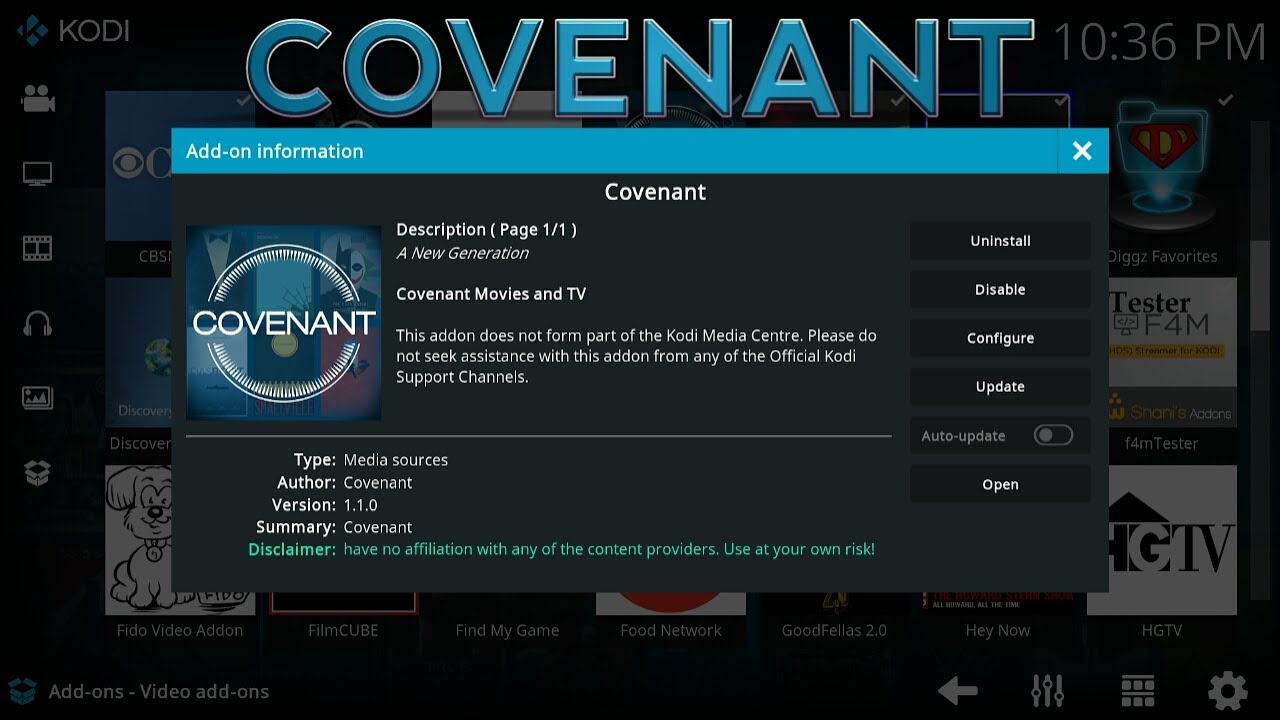
Covenant

One of the all-time favorites add-ons for Kodi is making a comeback, after being shut down earlier this year. Covenant is back fully functional through a working mirror and offers one of the biggest media libraries of any addon.

It is also integrated with Track.TV allowing you to import shows you want to watch from torrent sites. The interface is clean and easy to use, as Covenant has been around many years and its quality stands out from newer add-ons with limited development time.


Movie Theater Butter

Movie Theater Butter Image

Again, another addon that isn’t necessarily new but has had some downtime. Movie Theatre Butter is a clone of Exodus so you might be fooled into thinking it’s the same addon.

But Movie Theatre Butter has made one simple key improvement. In most add-ons when you click on a title you will be presented with a host of different links which you may have to spend 5-10 minutes wading through finding the one that works and then has the highest quality.

With Movie Theatre Butter the best link automatically plays, saving some valuable entertainment time. This is a really neat feature that is well worth checking out, alongside an extensive library of movies and tv shows.


Top Kodi Addons for Obscure Categories

Live Streaming

Mobdro

Mobdro Logo

Mobdro is the go-to addon for anyone who wants to access the live stream and pay-per-view TV. They also have an extensive back catalog of media in terms of tv shows, films, and documentaries.

Finding working links for live streams can be frustrating but Mobdro is an add on that has consistently delivered over the years. Just be aware that it is also a prime target for ISP blocking, and often goes down to be quickly replaced by a mirror site.

It also gives you ad-free viewing through the addon as opposed to the Android version.


Sports

Sports365

Sports365 Image

One of the main reasons for using Kodi is finding live sports streams. In 2019 this has become increasingly difficult as big cable providers have quickly cracked down on add-ons.

Sports365 is dedicated solely to live sports where you can watch any of the live games being streamed today. Stable and with working links this is a great addon for sports nuts.

For those more into live fights consider PlanetMMA.


Kids

Little Kingdom

Little Kingdom Image

With the Summer holidays fast approaching if you are a parent using Kodi you will want to consider getting the Little Kingdom.

This Add on is solely dedicated to Kid’s TV and gives you access to a wide range of programs across a broad range of providers and ages. 

Keep the kids quiet all Summer as they churn through endless cartoons and puppet shows.


Anime

Anime Go

Anime Go Image

If your tastes lean more towards anime, then be sure to check out Anime Go. This addon is dedicated solely to anime with a wide range of content. 

Just be aware there are numerous dead links. You can also look into Cypher9 Anime which is a good alternative.


Fitness

Aerobic

Aerobic Image

There was a time when all you needed to watch the latest fitness videos was YouTube. But with an increasing number of providers monetizing their best content, you can find all the latest crazes on Aerobic.

This addon is solely dedicated to fitness covering broad categories from dance fitness to martial arts and even meditation.

Come here to refresh your mind, body, and spirit.


Music

Muzic

Muzic Image

Download Muzic for the latest music videos all in one place.

Their custom scrapers stream directly from YouTube.  You get a well-laid-out menu and categories to many different genres.

What makes Muzic different is the intuitive and easy-to-navigate layout. As well as their recommendation engine.

Best Torrent Apps for Mac, PC, Android

Best Torrent Apps for Mac, PC, Android

We can help you find the best torrent apps regardless of what device you are using and if you prefer to download or stream. 


A torrent file acts like a key to start downloading say a movie online. The file itself has been fragmented among multiple users and you need a piece of software that can open the file, find the location of the seeders who are sharing that file, and then download and compile the different parts into the final file (movie, TV show, software, game, etc).

When choosing the best torrent client, you want a mixture of speed and functionality. You don’t download a massive piece of clunky software that has tons of functions you will never use. You also don’t want something that is so lightweight you can’t do everything you need to do.


ANONYMOUSLY


So, let’s look at our top picks for the best torrent applications

Vuze

(Mac, PC, and Linux)

vuze torrent client

Vuze is built on Azureus clients and is arguably the best free torrent client out there. Still relatively new it is growing in popularity due to its massive library of feature-adding plugins, social features, and intuitive design. The large plugin library allows for the software to come in a lightweight package with maximum customization.

While most people use the free version, you also have the option to pay an annual license fee to enable Vuze Plus if you don’t want to see ads. The list price for the license fee is $39.99, but it is frequently on sale for around $10. Other features include the ability to preview files, and a handy virus scanner function, which is a must-have when downloading unknown files. It is always good to scan a file before you open it.

Vuze offers great functionality, a slick and simple user design that makes it more than amply qualified for our best torrent apps list. For more advanced users you can also integrate Tor. Maybe a bit too complex for a complete beginner but a great package.

You can also connect Vuze to your VPN adapter and search for content, which is a great bonus. Read our article on the best VPNs for torrents if you currently don’t subscribe to a service. This is an area where is better to be safe than sorry. Torrents leave your ISP-assigned IP address visible to the world. This is particularly precarious when uploading as that is what gets you in trouble. ISP’s are legally obligated to send copyright infringement claims when they receive notices from the content owners. If you receive enough of these claims within a given period of time, they will turn off your Internet connection. 

QBittorrent

(Mac, PC, and Linux)

qbittorrent logo
QBittorrent was first created in 2006 and remains a great starter option for someone new to torrenting. It’s ideal because it covers the essentials and not much else. Features include magnet links, private torrents, torrent creation, port forwarding, IPv6 support, super-seeding, and bandwidth scheduler. You can also download additional plug-ins if you want to add more features, just be aware that it doesn’t have the same extensive library of Vuze or uTorrent.
What has made Qbit a community favorite is the fact that all of its code is open-source, which makes it hackable and fixable and also allows developers to design better add ons to complement the existing code and overcome problems. Open source code is great for inspiring a community and encouraging people to crowd share fixes to known bugs.

A massive upside of Qbit is that it has no ads. As a truly open-source piece of software, you can donate if you want to, but it means you are going to get a simpler experience. The software is updated regularly, and it is fast and lightweight.

Although the interface and website are a bit dated, this is still a powerful option. I’d be remiss if I didn’t point out that QBittorent also offers support for IP filtering tools like Peer Guardian and Peer Block. While these tools are better than nothing when it comes to privacy, you should still consider using a VPN or seedbox to be safe. 


Deluge

(Mac, PC, and Linux)

deluge logo
Deluge offers an enormous library of plugins making it one of the more powerful pieces of software available for torrents. Just like Qbit it is open source but seems to have gotten a bit more TLC and community support. It was originally released in 2006 and has supported magnet links since 2009. The developers’ goals are to provide a secure, feature-rich platform in a lightweight package. Deluge is well known for creating methods to defeat bandwidth throttling attempts by ISP’s, like Comcast. 

You can also enjoy the experience ad-free, and gain access to a host of official and unofficial plugins, as well as extensions for Chrome and Firefox.

The user interface is minimalist, smooth, and really easy to use. The software itself is lightweight and offers the capability to either be a simple torrent client or to be customized endlessly by more advanced users who want to adapt this client for daily use.

You also get the option to encrypt your inbound and outbound traffic. Though one drawback of Deluge is that it has no inbuilt search function for content.


YOUR INTERNET ACTIVITY IS BEING WATCHED

ReviewVPN cannot attest to the legality, security and privacy of the applications discussed on this site. It is highly recommended that you use a VPN service while streaming or using Kodi.

Currently, your IP 216.73.217.150 is visible to everyone and your Browser is being tracked by Advertisers & ISP Provider.

Save 65% Now

Limited Time Offer

Here are the main reasons why you must use a VPN:

  • Your activities are hidden from your ISP, the government, and from the apps you are using.
  • You can access additional movies and TV streams.
  • ISP attempts to throttle are thrwarted thus reducing buffering issues.
  • Geographically restricted content like Netflix and Hulu can be unblocked.

A VPN works be replacing your ISP-assigned IP address and creating an encrypted tunnel. We recommend the no log service offered by IPVanish. It works well on a Firestick and offers the fastest possible speeds.

Special Limited Time Offer - Get IPVanish


uTorrent

(Mac, PC, Linux, and Android)

utorrent logo

uTorrent was once the most popular free torrent client online. A lot of users jumped ship when BitTorrent bought uTorrent. Their main complaint was that the software became inundated with a large amount of advertising which really ruined the user experience.

uTorrent still has a lot going for it. It is one of the most lightweight applications going with a tiny 3MB footprint. Making it extremely fast to run, you can also integrate it with your Android device. As well as having a cool auto-shutdown function, which means it will shut down your computer once your downloads have been completed.

What really holds uTorrent back and why it is losing ground is that there are a lot of ads, no search function built into the client. Also, there is a lot of third-party adware, which slows it down if you look under the hood.

Also, since BitTorrent bought it, it doesn’t seem to be getting much love in terms of updates, meaning the software will get more dated over time. It seems BitTorrent bought it more to kill a competitor than integrate it with its own software. That said, one of the nicest features is the ability to play videos within the client itself. This can create an experience similar to Popcorn Time.


BitTorrent

(Mac, PC, Linux, and Android)

bittorrent logo

You would expect a lot from the official BitTorrent client. After all, the name is synonymous with torrent. Unfortunately, apart from the ease of use, there is a lot to be desired. It has become bloated as BitTorrent has moved to really monetize it as much as possible. There are a lot of adverts as well as software packages which are pushed on you as you use the application, though you can avoid a lot of it.

The main feature of BitTorrent is that it is extremely light coming in at around 1MB. It also has excellent search features. Other pluses are that the software is simple and easy to use, which makes it ideal for first time users. It is also highly configurable. For the streamers in the group, it is capable of playing video files once they start downloading from magnet links within the software itself. Streaming on the fly requires paying for the Pro version though.

BitTorrent is great for convenience and as expected you can access a wide library of content, so it’s great for beginners but once you get the hang of it, chances are you will look elsewhere for a less ad bloated piece of software. Prices range from free for the ad-filled version all the way up to $69.95 a year for the Pro version with a VPN included. You can also pay just $4.95 a year to remove the ads or $19.95 for the Pro version sans VPN. 


Flud

(Android – Tablet and Phone)

flud torrent logo

Flud is a great addition to the torrent space out of India. It only comes in an Android version, but it is wildly popular with almost 300,000 reviews currently in the Play Store with an average rating of 4.6. It does contain ads, but they aren’t obnoxious and there is also a version without ads for a very reasonable $1.49.

Features include support for magnet links and RSS feeds. It also has encryption support and support for IP filters, like Peer Guardian and Peer Block. Since many users are on their phones, you can select in the settings whether or not to allow it to download from just WiFi or to also use cellular data.  The app supports large files for 4GB+. It also has UI features designed for tablets and phones. A start-stop timer also allows users to schedule their torrents. All these great features allowed Flud to gain a well-deserved spot on our list of the best torrent apps.

Our biggest concern regarding this app is that the last update was in 2017. As torrents begin to wane in popularity with the rise of Web-based streaming, it wouldn’t be surprising if developers this talented were able to focus on more lucrative efforts. This would be a shame for the community.


BiglyBT

(Android – Tablet, Phone, Chromebook & Android TV)

biglybt torrent logo

BiglyBT is free, open-source, and most importantly ad-free. It is a branch of the open-source Vuze / Azureus clients. The latest update was also just a few months ago, so consider development on this app as highly active. It offers a unique swarm merging feature for faster downloads and repairs without seeds. Users can also pick specific files from within the torrent they want before starting the download. Light and dark themes are available. The app can also be remotely accessed for those in the group who like to control their downloads while they are at work. All these great features combine to make one of the best free torrent apps available.


Other Best Torrent Apps

  • Transdrone – lets you manage torrents on a home server or seedbox.
  • LibreTorrent great free Android app based on libtorrent.
  • aTorrent is another great free Android app.


Final Thoughts

Finding the best torrent apps for your purposes is a daunting process. This is a market that seems to stand still while constantly changing at the same time. In fact, the majority of the clients on our list are more than 10 years old at this point. The good news is most of the apps are consistently adding new features with on-the-fly video streaming becoming an ever more critical component.

Doomsday forecasts about the death of torrents are unlikely to ever be accurate. While popularity has waned from the heyday when it was the most popular way to download movies and music on the Internet, P2P isn’t going anywhere. It is an inexpensive way for the community to share large amounts of data around the world. It is also much vulnerable to the government or other powerful efforts to end the transmission of data.

Whether you are new to torrents or as old school as they come, I say keep it up. I do highly recommend doing it safely though. I strongly recommend using either a VPN or a seedbox to protect your privacy. IPVanish is currently our number one rated VPN service. They offer fast speeds, cheap prices, and zero-logs for maximum privacy. As added bonuses, it can also be used to access geographically restricted content like the BBC, HBO, Hulu, Spotify, etc. Think about it.

How to Watch BBC iPlayer Abroad – Updated 2023

How to Watch BBC iPlayer Abroad

In this article, we will help you on how to stream BBC iPlayer abroad.


BBC iPlayer has been around since 2007 and is the British Broadcasting Corporation’s offering in the UK and a limited number of other countries.

Going for nearly 100 years since 1922, the BBC is synonymous with broadcasting worldwide as a trusted source of unbiased news and entertainment. The BBC is unique because it is state-owned and paid for by subscription from UK license holder who pays an annual “TV License”

Since iPlayer was released it has been widely successful, processing over 3 billion requests per year.


Why is BBC iPlayer has Geo-Restrictrions?

As the BBC is essentially funded by British citizens, iPlayer is only available to UK-based IP addresses. 

You are also asked to make an account and confirm whether you have a TV License. In the UK being caught watching TV without a TV license can make you liable for a fine.

This means that if your IP is not based in the UK, you will be unable to access BBC iPlayer.


ANONYMOUSLY

What Content is Available?

BCC Blue Planet BBC London Kills

The BBC has a long history of producing world-famous shows, many of which were later syndicated by US cable channels for the American market.

Recent years have seen massive hits in the form of Sherlock Holmes, Killing Eve, Luther, Downton Abbey, Mr. Selfridge, Call the Midwife.

American continues to be the biggest market for UK shows, with many American’s finding British TV offering a different type of show to the ones they are used to in the United States.

BBC iPlayer offers an enormous range of shows and boxsets. Some show only stay on the platform for 30 days due to licensing rights, but because the BBC is so old it has a library rivaling Netflix due to the fact it has been around for much longer.

You could watch the famous Blue Planet series by David Attenborough. Check-in with some sport from Wimbledon. Or watch the hundreds of soaps and crime dramas that the British public love from the world-famous EastEnders to Holby City and London Kills.


Crack Down Efforts?

In recent years due to BBC iPlayer’s growing popularity abroad, the BBC has followed Netflix by making it increasingly difficult for their service to be accessed outside of the UK.

In part because if you can show their servers that you reside within the UK then the service is essentially free as it assumes you are a TV license payer.

iPlayer is very popular in the US, as US Cables threatened to pull BBC America if the BBC released iPlayer in the US so they relented.

iPlayer is felt to be almost as difficult as Netflix when trying to connect from a VPN. In part, because the BBC employers over 20,000 people and has significant resources at their disposal to make it harder for people to connect to iPlayer outside of the country.

So, having a VPN is no longer enough to connect to BBC iPlayer, choose from one of our top VPNs to get your latest fix of British TV.


YOUR INTERNET ACTIVITY IS BEING WATCHED

ReviewVPN cannot attest to the legality, security and privacy of the applications discussed on this site. It is highly recommended that you use a VPN service while streaming or using Kodi.

Currently, your IP 216.73.217.150 is visible to everyone and your Browser is being tracked by Advertisers & ISP Provider.

Save 65% Now

Limited Time Offer

Here are the main reasons why you must use a VPN:

  • Your activities are hidden from your ISP, the government, and from the apps you are using.
  • You can access additional movies and TV streams.
  • ISP attempts to throttle are thrwarted thus reducing buffering issues.
  • Geographically restricted content like Netflix and Hulu can be unblocked.

A VPN works be replacing your ISP-assigned IP address and creating an encrypted tunnel. We recommend the no log service offered by IPVanish. It works well on a Firestick and offers the fastest possible speeds.

Special Limited Time Offer - Get IPVanish


Legal Disclaimer: ReviewVPN.com does not encourage or endorse any illegal activity involved in the usage of services and applications referenced on this site. We do not verify the licensing agreements of services. The end-user is wholly responsible for ensuring that any media accessed through these services does not violate copyright and/or licensing laws. ReviewVPN does not promote, link to, or receive compensation from any Apps and IPTV services.


Install Surfshark on Firestick

Best Surfshark Deal


Top 5 VPN’s for BBC iPlayer

All of the providers below have been tested and work comprehensively with BBC iPlayer, the same I also true for Netflix, Hulu, HBO, and Amazon Prime Video.

To connect to BBC iPlayer, simply join one of our Top 5 providers and connect to one of their UK servers, then navigate to BBC iPlayer’s website to access the site, as your IP is now shown to be coming from within the UK.


Surfshark

SurfShark Logo

Our last entry is a newcomer to the VPN industry that is taking off. Surf Shark is one of the fastest-growing VPNs of 2019. Due to its great speeds, a growing number of servers, cheap prices, and great features.

Surf Shark also distinguishes itself by being able to consistently connect to both BBC iPlayer and Netflix with ease.

You get a host of additional features that rivals NordVPN. Including Clean Web, which is an inbuilt adblocker, as well as filtering out suspicious websites and preventing malware injections

You also get several proprietary security protocols. Camouflage Mode makes your traffic look normal by scrambling your metadata. No Borders Mode allows you to circumvent even the strictest firewall and deep packet inspections. You can also route your connection through 2 neighboring countries using MultiHop

What people love most about Surfshark is the price. A 2-year plan starts from $2.99 a month offering unlimited connections. You can also get a 30-day free trial and then a 30-day money-back guarantee.


VisIt Surfshark VPN


How to Install Surfshark VPN on Firestick

If your Firestick still has the older interface, read this article to learn how to update it: Update Firestick Interface.

Follow our screenshots below to install the SurfShark VPN app on your Fire TV stick.

1. Go to the Home screen of your Firestick.

step 1 Install Surfshark VPN on Firestick


2. Navigate towards the Find tab. Press the Search button from the resulting dropdown.

step 2 Install Surfshark VPN on Firestick


3. Type in the keyword of SurfShark and select from the suggestions that will appear.

step 3 Install Surfshark VPN on Firestick


4. Click the official SurfShark icon from your search results.

step 4 Install Surfshark VPN on Firestick


5. Press the Download (You own it) button.

step 5 Install Surfshark VPN on Firestick


6. The SurfShark VPN installer will download on your device.

step 6 Install Surfshark VPN on Firestick


7. SurfShark VPN’s app will automatically install itself on your Fire TV stick.

step 7 Install Surfshark VPN on Firestick


8. Press the Open button after completing SurfShark VPN’s installation process.

step 8 Install Surfshark VPN on Firestick


9. Please wait for the SurfShark VPN to load its user interface.

step 9 Install Surfshark VPN on Firestick


10. You can now log in with your SurfShark VPN account credentials.

step 10 Install Surfshark VPN on Firestick

Learn more about Surfshark and Grab the Best Surfshark Deal Now!


Install Surfshark on Firestick

Best Surfshark Deal


Other VPNs to Consider

NordVPN (Best for Streaming)

Best Features

  • 5000+ Server in 50+ Countries 
  • Military-Grade Encryption
  • Fast Connection Speed
  • Suitable to a lot of devices
  • No-Log Policy

Prices
  • Complete $5.89 per month (64% Discount)
  • Plus $4.59 per month (56% Discount)
  • Standard $3.69 per month (55% Discount)

Best Features

  • 750+ High-speed VPN Servers in 43 Locations
  • Military-Grade Encryption
  • Fastest HD Streaming and Gaming
  • 30-Day Money-Back Guarantee
  • Unlimited Data & Devices
  • No-Log Policy

Prices
  • 3 Years $1.99 per month (82% Discount)
  • 1 Years $3.29 per month (70% Discount)
  • 1 Month $10.99 per month

IPVanish VPN (Most Secure)

Best Features

  • 1200+ Servers in 60+ Countries around the world
  • Unlimited Connections
  • No-Log Policy
  • Top Notch Military-Grade VPN Protocols and Encryptions
  • 100% Safe and Secured
  • Most Trusted VPN
  • Best VPN for Firestick
  • 30-Day Money-Back Guarantee

Prices
  • Yearly $3.99 per month (63% Discount) – 30 days risk free + Ransomware & Malware Protection
  • Quarterly $5.32 per month (51% Discount)
  • Monthly $10.99 per month


For more VPN discounts, go to ReviewVPN Deals and purchase the best VPN for you.

Click here to get the lowest price on Surfshark through our exclusive limited-time offer.


IPVanish

IPVanish Logo

IPVanish offers 40,000+ IP’s across 2,000 servers and 70+ countries. They offer consistent fast speeds and a number of super-fast servers in the UK. As well as Tier 1 architecture meaning they own all their own DNS servers. Ideal for avoiding DNS leaks and making sure your data is secure.

IPVanish had no problem connecting to BBC iPlayer on any of its UK servers.

Prices for their annual plan start from as low as $6.49 per month with a 7-day money-back guarantee. You get limitless data and bandwidth and can connect unlimited devices simultaneously. This means you can connect all of your family’s devices at the same time with multiple people streaming from different locations

They have a trustworthy zero logs policy. This means that none of your browsing or location data is kept on file.

They offer top-of-the-line military-grade security. IPVanish uses 256-bit AES encryption, making your connection unbreakable. You also have the choice of a wide selection of security protocols like OpenVPN and L2TP/IPsec.

IPVanish also has great customer service.  Lodge a support ticket, speak to someone on live chat or call their toll-free number. Meaning any problems connecting to BBC iPlayer you can contact them directly to the best working server.


Visit IPVansih


Grab your subscription now!


NordVPN

NordVPN Logo

NordVPN alongside ExpressVPN and Surfshark is another Tier 1 VPN provider offering enormous value and ease of use. They have the biggest number of servers of any VPN provider with over 5,000 servers across 60+ countries. Making them the best in the industry.

We have no problem connecting to BBC iPlayer with any of their servers.

NordVPN also offers some cool additional features some other providers don’t. Cybersec is their inbuilt adblocker and malware software which makes browsing the internet a dream. They also offer DoubleVPN which routes your connection through 2 VPN servers making it untraceable.

NordVPN modify many of their servers for streaming and P2P file transfer which means you can enjoy a super-fast connection anywhere around the world. Also, they have a great zero logs policy which has been tested in a criminal court.

Because Nord is so big they can offer all of this for one of the lowest prices in the industry, you can get a 3-year pass from $2.29 per month and the ability to connect 6 devices simultaneously. You also get 30 days to cool off and get your money back if NordVPN isn’t for you.


Visit NordVPN


ExpressVPN

Express VPN Logo

ExpressVPN has been consistent as a market leader in the VPN industry for many years. It has also proven to be effective in accessing content with region-restrictions and also circumventing censorship restrictions in countries like China. You know if a company can be utilized in China they will have no problem getting past BBC iPlayer.

All of the servers we tested for ExpressVPN can access BBC iPlayer easily.

People love ExpressVPN because just like Surfshark it is a Tier 1 VPN provider owning all of its own architecture. Your connection will use their DNS servers which masks your traffic to look normal. The reason why many VPN providers fail to access BBC iPlayer is that their firewall inspects the data packets and can see it is coming from a VPN.

As they own all their infrastructure they are also famous for speed. With 1,700+ servers in 94 countries, they offer truly global coverage and will allow you to access a fast connection wherever you want to watch BBC iPlayer. Even in South America and Asia.

They also have top of the line military-grade encryption and an application both mobile and web which is a simple one-click design that even the least tech-savvy user can get their head around

Their annual subscriptions start from $8.32 per month, and though you pay more than most other providers you will get quality. You can connect up to 5 devices at the same time and get a 30-day money-back guarantee.


Visit Express VPN


CyberGhost

CyberGhost Logo

Cyberghost has been around since 2011 and boasts over 30 million users. They consistently deliver great customer service. Reflected in regular updates and a great support team.

CyberGhost’s application is so easy to use. All you have to do is click on the BBC iPlayer tile and you can connect to the best and fastest server. 

You can also enjoy super-fast speeds and continuous streaming. 1,000 of their 3,700+ servers have been specially adapted to allow for super-fast download and upload speeds.

As an added layer of protection, Cyberghost uses a similar system to Surfshark where your IP is shared amongst many different users. IP Pooling makes it impossible for anybody to discern who does what. They have a trusted zero logs policy and military-grade encryption offered by all of the other providers.

Just like NordVPN they are also incredibly competitive on price, with their 3-year package starting from $2.21 a month, allowing you to connect up to 7 devices at the same time. They also offer the longest money-back guarantee period of 45 days.


Visit Cyberghost VPN


Best VPN App for iPhone

Overview: Best VPN for iPhone


Apple product users always enjoy a higher level of security because of its proprietary software and excellent security features. Many iOS products have the reputation for being resilient and less susceptible to viruses and malware. 

If you search for a VPN on the App store, you will be inundated with countless free applications which look too good to be true. So why should you bother to pay for an app if you can just get it for free?


Why Don’t I Just Use a Free App?

Most free applications on the iPhone app store fall into broad categories. These are businesses and they need to make money somehow, so nothing is ever truly free.

Free Trial

Most applications will fall into this category. There is no better way to showcase your service than to deliver a freemium service. You will generally enjoy a 7-day trial with reduced server access and speeds. Also, you may not be able to access additional functionality like ad blockers, multi-hops, or adjusting security protocols amongst others.

After the free trial ends, you will be asked to pay, or the application will stop working on your iPhone. These are great for say a short holiday if you need a VPN.

These types of applications are common and generally trustworthy, but always do some background research on the provider. The VPN provider is incentivized to give you the best service possible so that you start to pay.

Also, try to see if the application is actually produced in-house or has been farmed out to a third-party developer. Running a global VPN is expensive, so you want to get a service that is being monitored and updated. Be wary of applications that are still in Version 1, most apps that have been around some time will be on Version 3-7.


Adverts

The other broad category of free VPN apps for iPhone will be advert driven. Whenever you are connecting, disconnecting, or adjusting a function in the app an advert will pop up. 

One thing to be aware of is what type of log policy they are using. These ads will be targeted at you based on your browsing habits but is that information then being passed on in any way that could personally identify you.

Just be aware that your data may be sold in a non-personally identifiable way, this is exemplified by one of the most popular free VPN providers on iPhone.

Also be aware that free VPN apps are a popular way for hackers to track you, farm your data, and insert malware.


ANONYMOUSLY

FreeVPN.org

4.3/5 with 11K+ ratings

Though FreeVPN state that they do not log your data, they will sell it as part of a package of data to the provider. FreeVPN also can control what adverts you see, and report on engagement and click-through rates. This is why free VPNs are not ideal if you are security conscious or want to retain your anonymity, but if you’re not fussed then crack on.

You can see what data FreeVPN will share from the privacy policy on their website:

We DO NOT sell, trade, or otherwise transfer to outside parties your personally identifiable information. This does not include trusted third parties who assist us in operating our website, conducting our business, or servicing you, so long as those parties agree to keep this information confidential. We may also release your information when we believe release is appropriate to comply with the law, enforce our site policies, or protect our or other rights, property, or safety. However, non-personally identifiable visitor information may be provided to other parties for marketing, advertising, or other uses.

Malicious and Insecure

They say online that if the product is free then the payment is your data. The iPhone app store is littered with big and small companies, as well as hackers who use VPN apps to harvest data, inject ads into your browser, or even worse attempt to put malware scripts into your phone.

Below are two prime examples of companies with questionable histories when it comes to protecting their users.


HolaVPN

2.3/5 with 200+ reviews

Hola has long been a scourge of the VPN industry. They have been outed multiple times for having terrible customer service and selling on customer information. Through their parent company Luminati, they sell residential proxies of their unsuspecting customers, as well as logging everything you do through their application to sell to advertisers.

It’s no surprise the majority of their ratings on the App Store are 1 star. Hola VPN is one to avoid if you don’t want your data compromised and potentially have scripts injected into your browser and even your phone.

Luminati has made a name for itself by selling on proxies and spare bandwidth of their users to commercial outfits and even hackers who go to use them to carry out botnet attacks.

Avoid at all costs.

VPN360

4.5/5 with 22K+ reviews

VPN360 will probably appear at the top of your search if you look for a VPN on your iPhone in the app store. Looks pretty good with that rating and number of reviews right?

In fact, it seems to have double the reviews of the biggest players in the market like Surfshark, IPVanish, and NordVPN. We smelt something fishy, so we decided to dig a little bit.

Their software is developed by Infinity Soft, a company with only 1 page on its website. Dig deeper and it turns out they are owned by an old name we are familiar with. Anchor Free.

Anchor Free owns a number of VPN companies including Hot Spot Shield. Hot Spot Shield was investigated in 2017 by the Fair-Trade Commission in the US for maliciously and repeatedly injecting scripts and advertising cookies into their users’ browsers. 

When you use a VPN, it passes through their DNS before going onto the target website. Anchor Free was manipulating users’ traffic to put in advertisers’ cookies who had paid them. Since then Anchor Free has always been treated with suspicion. 

Also, a number of the reviews looked fake, with one of the developers responding to an angry comment with a charming review entitled “For Blind People”

Why It’s Better to Pay

A VPN essentially handles ALL of your online data and information. Think of them like a bank but for your data. Go with someone that you know and trust who has a reputation. After all, you wouldn’t leave your money with someone just because they were cheaper than a bank. Your data contains valuable information about payments, and browsing history and is a backdoor route into your computer.

A trusted provider will have solid encryption, a tried and tested zero logs policy, a history of keeping people’s data safe, and a whole host of other great features for less than $7 a month. 

Also, a paid provider will develop and run their applications in-house, as well as their technology and servers. Gives you the assurance that the app will work, customer service will be responsive, and also that your data is secured from your phone to their servers and then online.


YOUR INTERNET ACTIVITY IS BEING WATCHED

ReviewVPN cannot attest to the legality, security and privacy of the applications discussed on this site. It is highly recommended that you use a VPN service while streaming or using Kodi.

Currently, your IP 216.73.217.150 is visible to everyone and your Browser is being tracked by Advertisers & ISP Provider.

Save 65% Now

Limited Time Offer

Here are the main reasons why you must use a VPN:

  • Your activities are hidden from your ISP, the government, and from the apps you are using.
  • You can access additional movies and TV streams.
  • ISP attempts to throttle are thrwarted thus reducing buffering issues.
  • Geographically restricted content like Netflix and Hulu can be unblocked.

A VPN works be replacing your ISP-assigned IP address and creating an encrypted tunnel. We recommend the no log service offered by IPVanish. It works well on a Firestick and offers the fastest possible speeds.

Special Limited Time Offer - Get IPVanish


Install Surfshark on Firestick

Best Surfshark Deal


Top 5 Best VPNs for iPhone


Surfshark

Surfshark vpn

Surfshark has been consistent in its support for online rights and privacy. Based in the Netherlands you won’t have to worry about your data being compromised by third parties such as the government. Accordingly, they take their user’s data very seriously and have a solid zero logs policy which has been tested in a criminal trial.

Apart from that, you get access to a wide range of features including advanced security like multiple VPN gateways. Similar to NordVPN’s Double VPN, you can rout your connection through 2 different VPN connections and make your IP untraceable. You can also use a SOCKS5 proxy for VOIP calls and make your FaceTime calls secure.

With its 3,200 servers in 65+ countries, it also helps successfully unblock the most popular streaming apps such as US & UK Netflix, Hulu, Disney+, HBO, BBC iPlayer, DAZN, Hotstar, and more. Furthermore, it has a kill switch functionality that will ensure that there won’t be unexpected data leaks in the event of a sudden VPN disruption.

Surfshark prices start from $2.49 a month giving you the ability to connect unlimited devices simultaneously as well as a 30-day money-back guarantee. It also has fantastic customer service offering 24/7 live chat and email support.


Visit SurfShark


Nord VPN

NordVPN is our most rated of the Top 5, with an impressive 12,000+ reviews. They are one of the biggest and most established companies in the industry. With an industry best of 5,500+ servers in over 60+ countries, their reach is truly global.

Like CyberGhost they give you a 7-day free trial to road test any of the subscriptions with no reduced functionality. Their application is super slick and easy to use, with an intuitive and up-to-date interface, allowing you simple one-click connectivity.

You can also take advantage of their abundant additional functionality. Cybersec is their proprietary ad blocker software which works automatically in the background. Acting like additional anti-virus, it blocks malware and malicious websites. As well as streaming your browsing experience by blocking a whole host of annoying adverts. DoubleVPN gives you increased anonymity; you are able to rout your connection through 2 VPN servers in 2 different countries making your IP untraceable. Just be aware this will slow down your speed.

Their servers are super-fast, and you can get some of the fastest available for any VPN provider, as well as access to a server irrespective of whatever country you travel to around the world.

Subscriptions start from as low as $2.10 per month for their multi-year subscriptions and you can connect 6 devices at the same time. On top of the 7-day free trial, you also get a 30-day money-back guarantee.


Visit NordVPN


IPVanish

IPVanish Logo

IPVanish is based in the US and is a Tier 1 company that operates all of its own DNS servers. Often cheaper providers will rent from third parties who may in turn leak or sell your data. Not so with IPVanish. 

Access 40,000+ shared IP addresses across 2,000 servers in 70+ countries. This means whether you are at home or using their VPN abroad you will never be far away from a fast and stable connection. 

The application is intuitive and easy to use. You can set the app to connect automatically when your phone tries to connect to the internet, which also helps to secure your phone abroad when you are accessing untrusted public Wi-Fi sources. You also get a nice diagnostics tab where you can see upload and download speeds for your chosen server. Also, it has a must-have kill switch which cuts your internet connection if for any reason the VPN app stops working. Meaning that your connection is always secured.

What sets IPVanish apart from the competition is its great customer service. Access ticket support and live chat. As well as a free toll-free US number to call the team any time you get a problem.

Prices start from $6.70 per month, and you can connect unlimited devices at a time, allowing you to connect all of your family’s devices with one subscription. You also get 30-day money-back guarantee with the annual package meaning you can get an instant refund if you decide that IPVanish isn’t for you.

Visit IPVanish


CyberGhost

CyberGhost Logo

Trusted by over 30 million users, CyberGhost is based in Romania and has been going since 2011. They have established themselves as a leading player in the VPN market. They are also one of the few VPNs that consistently are able to crack the hardest region-restricted content like Netflix, meaning you can watch US Netflix anywhere in the world.

With 3,700+ servers across 60+ countries, they have one of the biggest server parks in the industry. With 1,000+ of those servers configured for high-speed P2P file sharing and streaming. Meaning you are always going to get a speedy connection.

One thing we loved about the app was its recent updates, the fact that the application is on Version 7 in the App Store, and also all of the negative comments had received a response from the developer, which shows that their team is responsive and actively looking to fix problems. Something that is often sorely missing from iPhone Apps. That also shows why it pays to have a trusted VPN with an in-house development team rather than a 3rd party app developer team who have 100 other apps they have to deal with.

You also get a 7-day free trial to road-test the app. They have a solid zero logs policy and a great reputation for security and privacy. As well as 24/7 live chat if you have any problems with your connection or app.

Prices start as low as $2.20 per month for a multi-year subscription. Allowing you to connect up to 7 devices at the same time. You also get an industry-busting 45-day money-back guarantee if you change your mind.


Visit CyberGhost VPN


ExpressVPN

Express VPN Logo

ExpressVPN has consistently been rated as the top VPN provider in the industry for years. Like IPVanish they offer a Tier 1 service and own all their own network including their DNS servers. They also have top-of-the-line security protocols, which is why they are commonly used in China which is known to have the strictest censorship policies of any country.

Gain access to 3,700+ servers in 90+ countries. ExpressVPN may not have the most servers in the industry, but they definitely have the widest coverage. Which makes it an ideal VPN for traveling. No matter where you go, you will never be far from an ExpressVPN server.

They consistently offer the fastest speeds of any provider. Many providers struggle outside of the US and Europe to deliver good speeds, but ExpressVPN is consistently fast wherever you go.

Their application couldn’t be easier to use, with simple one-click and connectivity to the smartest server. You can even test server speeds in the application to see if you can find a faster server nearby, or in the country that you wish to connect to.

Like IPVanish and NordVPN you can also use a split tunneling function which white labels certain applications to not use your VPN which shows unencrypted traffic to your ISP. You get an in-built kill switch as well as auto-connectivity. Meaning that your internet won’t connect until your ExpressVPN app is up and running, keeping you secure on unsecured public Wi-Fi.

You get a 7-day free trial to see why ExpressVPN is the best in the industry. Annual packages start from $6.67 per month, allowing you to connect up to 5 devices, and an industry-standard 30-day money-back guarantee. If you get any problems you can chat with an agent 24/7.


Visit ExpressVPN


Use the Best VPN for iPhone

Surfshark vpn

Surfshark is our top pick as the Best VPN for iPhone. It shares with us robust security VPN protocols with excellent encryption.

Here are some benefits of using Surfshark:

  • Conceals everything you do online.
  • Encrypts your entire internet traffic making you invisible to prying eyes.
  • Assign you an anonymous IP address.
  • Hide your data from hackers.

Note: For more information about Surfshark, please read our Surfshark REVIEW.


Grab your subscription now!


How to Install Surfshark on iOS (With Screenshots)

1. Open the Apple App Store

surfshark ios 1


2. Go to Search

surfshark ios 2


3. Search for Surfshark

surfshark ios 3


4. Click the Get button

surfshark ios 4


5. Then click Install

surfshark ios 5


6. Click Open

surfshark ios 6


7. The app will then launch

surfshark ios 7


8. Tap “Log in” then input your Surfshark account details


9. You may choose to log in with Apple, Google, credentials, or code

surfshark ios 9


10. Click Quick-connect

surfshark ios 10


11. Then click Continue

surfshark ios 11


12. Select Allow

surfshark ios 12


13. That’s it, you’re now connected to the fastest server available

surfshark ios 13

Learn more about Surfshark. Get Surfshark now.


Grab the Best Surfshark Deal Now!

Click here to get the lowest price on Surfshark through our exclusive limited-time offer.


FAQs

Are the VPNs above free?

No, but you can try out their free trial versions.


Why use a VPN for your iPhone?

A VPN will encrypt all the online traffic you send with your iPhone. VPNs also make you invisible to hackers, cyber threats, and your Internet Service Provider. You will experience a quick connection without any disturbances.


Our Opinion

The iPhone has the best natural security protocols as an OS. However, there are skilled hackers and cyber threats that can still endanger your device and steal your data. To protect your iOS device, we recommend installing a reliable VPN service.


Final Words

We hope this article shares with you the best VPN for iPhone. Thank you for reading!
How to Get American Netflix – Updated for 2023

How to Get American Netflix

If you want to watch the hottest shows on the planet right now, chances are they are on Netflix. We will show you hoe you can get access to American Netflix even if you are outside the county.

Netflix is a truly global provider available in 190 countries, the problem is not all Netflix are equal. If you want to watch the best shows they may not be available in your country. If the show is primarily English-speaking chances are you will want to connect to American Netflix.


American Netflix has the most available content of any country. They stream all the latest TV shows and Movies in the US first. This is for two reasons, firstly the US is their home turf. It’s a good place to test out content and they have the best penetration in this market. Secondly licensing movies and shows can be expensive, so Netflix will pay for the US license first, before splurging on the other 189 countries.

Most countries only show 30-40% of the content you could get on American Netflix. 

So, if you want to get access to the latest shows as soon as they are out, you either need to live in the United States or find something that makes your Netflix think that you do. Netflix will automatically connect you to the country as designated by your unique IP address.

There are two main ways of doing this. Either use a Smart DNS or a VPN.

american netflix


ANONYMOUSLY

Smart DNS

A Smart DNS (Domain Name Server) allows you to circumvent geographic restrictions on your IP address. It works by simply changing the DNS of your device when trying to access content that is restricted to a particular region.

The good thing about using a SmartDNS is it won’t affect your internet speed. VPNs can slow your internet speed anywhere from 5-30% depending on the provider (unless you use ExpressVPN which seems to make almost no difference)

Also, a SmartDNS is always preferable over a free proxy, because it comes from a trusted provider. Using a free proxy may sound tempting, but you are liable to get your computer infected with malware if the proxy is being operated by a cybercriminal.

Also, many will come with 14-30 day free trials, meaning if you only intend to use it as a one-off you can even get them free. Prices tend to be around $5 per month or $40 for a year.

Though a SmartDNS will not hide your original IP or encrypt your traffic. So, it is a highly specialized tool only to be used with trusted websites.

Most Smart DNS proxies will work well with Netflix, as essentially your traffic type hasn’t changed just your DNS.


VPN

A Virtual Private Network (VPN) works by encrypting the traffic sent from your computer. This traffic is received by the VPN’s DNS and then transmitted to the target website.

VPN providers will have hundreds if not thousands of servers based all around the world, including the US. You simply connect to a server in the US and then use Netflix as normal. 

The advantage of a VPN is that your traffic is encrypted, and your original IP is not revealed, but with some providers, you may see a slow down in your download speed which could affect your streaming quality if your local broadband is bad.

Also, a SmartDNS only has one function. To access region-restricted content. A good VPN provider like IPVanish will allow you to bypass censorship, be accessible all around the world and keep all of your data secure and your identity anonymous.

However, don’t automatically think that every VPN provider will be able to access Netflix. The multi-billion dollar technology giant is always working on ways to block VPNs from accessing Netflix from outside the resident user’s country because it puts their revenue and content at risk.


Best VPNs to Unblock American Netflix

SurfShark

Surfshark vpn

SurfShark is the best VPN to unblock American Netflix. It is the best VPN for streaming because it can unblock not only Netflix but also many great streaming platforms. SurfShark easily unblocks Kodi, Hulu, Disney+, ESPN, DAZN, and many more.

SurfShark has all of the great features and expertise in cybersecurity. Wherever you are located, you can certainly put your trust in SurfShark. It provides top-notch VPN protocols and encryption that unblock geo-restricted content, protect your privacy, secure your connection to public WiFi.

SurfShark has over 3,200 servers globally. It guarantees no logs, provides dedicated RAM-only servers, and offers 24/7 live chat support. And you can use this VPN with all types of devices for streaming.

Features:

  • Connect an unlimited number of devices simultaneously
  • 24/7 customer service support
  • CleanWeb protects your device from malware infections and prevents phishers from gaining access to your account
  • Camouflage Mode makes sure that even your ISP won’t be able to detect that you’re using a VPN
  • MultiHop allows you to connect through numerous countries at the same time to ensure ID protection and footprint masking
  • Strict no-logs policy
  • AES 256 encryption will ensure that your data is secured and private
  • Kill Switch will automatically block your internet connection when your VPN connection fails

For a more detailed review, read our SurfShark VPN review, and also learn How to Install SurfShark on Firestick.


Grab your subscription now!
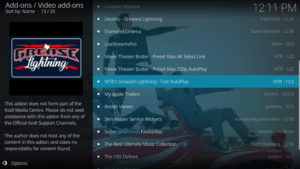
Best Surfshark Deal


NordVPN

NordVPN is a great contender as the best VPN to unblock American Netflix. This VPN encrypts your connection, giving you the best privacy while unblocking all major geo-restrictions for streaming American Netflix. It follows a no-log policy and safeguards your data from hackers. You can also unblock tons of websites safely with NordVPN. 

NordVPN boasts to have a massive number of servers available. It offers 5,400 VPN servers to its users available in 59 global server locations. You can even use one NordVPN account to link up to six devices at once.

Features:

  • Access over 5,400 VPN servers from 59 locations worldwide
  • Ensures to adhere to no logs policy
  • Connect 6 devices in one account simultaneously including your smart TV and router
  • All main platforms are supported, including Windows, macOS, Linux, Android, and iOS
  • Enjoy a fast and stable connection anywhere with no bandwidth limits
  • The advanced CyberSec technology prevents malware from infecting your device by automatically blocking suspicious Websites
  • 24/7 customer support via live chat and e-mail
  • User-friendly and easy-to-use VPN service

Read our NordVPN review to know more about this VPN

How to Isntall NordVPN on Firestick


Grab your subscription now!
Best NordVPN Deal


YOUR INTERNET ACTIVITY IS BEING WATCHED

ReviewVPN cannot attest to the legality, security and privacy of the applications discussed on this site. It is highly recommended that you use a VPN service while streaming or using Kodi.

Currently, your IP 216.73.217.150 is visible to everyone and your Browser is being tracked by Advertisers & ISP Provider.

Save 65% Now

Limited Time Offer

Here are the main reasons why you must use a VPN:

  • Your activities are hidden from your ISP, the government, and from the apps you are using.
  • You can access additional movies and TV streams.
  • ISP attempts to throttle are thrwarted thus reducing buffering issues.
  • Geographically restricted content like Netflix and Hulu can be unblocked.

A VPN works be replacing your ISP-assigned IP address and creating an encrypted tunnel. We recommend the no log service offered by IPVanish. It works well on a Firestick and offers the fastest possible speeds.

Special Limited Time Offer - Get IPVanish


IPVanish

IPVanish Logo

IPVanish can also unblock American Netflix. Just like most premium VPNs, IPVanish uses 256-bit encryption that keeps users safe while streaming.

IPVanish can bypass geo-restrictions with more than 2000 servers available. You can use it on an unlimited number of devices simultaneously. It is really one of the most secure VPNs out there. With IPVanish, users can browse any website from anywhere, enjoy private online browsing, get access to blocked apps, and watch geo-restricted streaming media.

Features:

  • Encrypted cloud storage provides secure access to your files from any device
  • Advanced encryption standards protect your network connection and the data sent from your device over the internet
  • Secures a Wi-Fi network or public hotspot for risk-free personal data handling
  • Works with the majority of operating systems
  • There is no limit to the number of devices you can use for storage and VPN protection
  • Connect to over 2,000 VPN servers in more than 70+ cities around the world
  • Ensures zero logs and no IP address leaks
  • Individual apps and browsers can use the SOCKS5 proxy to hide their IP addresses without encrypting their data
  • 24/7 customer support is available via live chat, email, and phone
  • 30-day money-back guarantee

Read our IPVanish review to know more.

How to Install IPVanish on Firestick

Grab your subscription now!

Best IPVanish Deal


Atlas VPN

atlas vpn

Atlas VPN is a newer VPN in the market that can also unblock American Netflix. It is a simple and easy-to-use VPN that bypasses restrictions and access to geo-restricted content from anywhere. It has excellent apps and supports unlimited devices simultaneously.

The VPN offers a one-click connect option to help you choose the best server for your needs. Some of Atlas VPN’s great features are its no-logs policy and limitless bandwidth. It also offers a free service with a limited number of servers. 

Features:

  • Connect to 750+ VPN servers worldwide
  • AES 256-bit encryption
  • Automatic kill switch
  • Uses IKEv2, and WireGuard protocols
  • Strictly adheres to no logs policy
  • Enjoy unlimited bandwidth and traffic
  • Offers the highest possible VPN speed
  • Protects unlimited devices simultaneously
  • Compatible with Windows, macOS, Linux, Android, and iOS
  • 24/7 live Customer Support
  • Free service is available too

To learn more, read our Atlas VPN review.


Grab your subscription now!

Best Atlas VPN Deal


ExpressVPN

ExpressVPN Logo

ExpressVPN is amongst the best VPNs to unblock American Netflix. Compared to its competitors, it is quite more expensive. Another con of using it compared with others is that it is only limited to 5 devices per account.

Nonetheless, ExpressVPN is a great VPN that thousands of server and great features that helps users unblock and enjoy many streaming platforms.

Features:

  • 160 VPN locations in 94 countries
  • 24/7 live chat support that can help you with set-up and troubleshooting
  • ExpressVPN Speed Test allows you to check the speed of your high-speed VPN server connections
  • Network Lock kill switch
  • VPN split tunneling
  • Uses AES (Advanced Encryption Standard) with 256-bit keys
  • No activity logs nor connection logs
  • Faster DNS queries with no DNS blocking, filtering, or hijacking
  • Connect to 5 devices simultaneously
  • 30-day money-back guarantee

ExpressVPN Review Article

How to Install Express VPN on Firestick


Grab your subscription now!

Best Express VPN Deal


Install SurfShark on Firestick with Screenshots

If your Firestick still has the older interface, read this article to learn how to update it: Update Firestick Interface.

1. Go to the Home screen of your Firestick.

step 1 Install Surfshark VPN on Firestick


2. Navigate towards the Find tab. Press the Search button from the resulting dropdown.

step 2 Install Surfshark VPN on Firestick


3. Type in the keyword of SurfShark and select from the suggestions that will appear.

step 3 Install Surfshark VPN on Firestick


4. Click the official SurfShark icon from your search results.

step 4 Install Surfshark VPN on Firestick


5. Press the Download (You own it) button.

step 5 Install Surfshark VPN on Firestick


6. The SurfShark VPN installer will download on your device.

step 6 Install Surfshark VPN on Firestick


7. SurfShark VPN’s app will automatically install itself on your Fire TV stick.

step 7 Install Surfshark VPN on Firestick


8. Press the Open button after completing SurfShark VPN’s installation process.

step 8 Install Surfshark VPN on Firestick


9. Please wait for the SurfShark VPN to load its user interface.

step 9 Install Surfshark VPN on Firestick


10. You can now log in with your SurfShark VPN account credentials.

step 10 Install Surfshark VPN on Firestick

Learn more about Surfshark and Grab the Best Surfshark Deal Now!


Conclusion

The best VPNs to unblock American Netflix are SurfShark, NordVPN, IPVanish, AtlasVPN, and ExpressVPN. We recommend using SurfShark, but you can also the other VPNs included above.

We hope that we were able to help you learn which VPN can unblock American Netflix. If you have any questions, just put them in the comment section below. Thank you for your time.

15 Best Alternatives to KickAss Torrents

15 Best Alternatives to KickAss Torrents

KickAss Torrents affectionately known as KAT, exploded from being just another torrent site to getting a million users a day at its peak in 2015. Founded in 2008 it overtook Pirate Bay to become the most popular torrent site.

Over the years KAT has been banned in multiple countries, removed from Google rankings and finally taken offline by the FBI in 2016, who also arrested the alleged owner Artem Vaulin.

KAT still lives on through multiple mirrors and proxies supported by a team from around the world.


What are Torrents?

Torrents Image

A torrent is a type of file that comes with the extension .torrent, the file itself contains no information. When used in conjunction with BitTorrent software like uTorrent or BitTorrent to initiate the download of the actual content on a remote server.

BitTorrent is the protocol for P2P (Peer to Peer) file sharing. Commonly used when transferring large amounts of data online. The software works by using a “swarm” of hosts to download or upload. These distributed networks of home computers mean that the more people download the file, the bigger the swarm and the healthier the file is to download. 

The BitTorrent software uses the .torrent file to find the corresponding location of the seeder where the file is located (a seeder is a person who downloaded the file or uploaded the seed/file)

In short torrents are a quick and fast way of distributing files. Particularly useful for large media files.

Other common terms are peers and leeches. Peers are those downloading and uploading multiple files at the same time, and leeches are those who only have part of a file. Once you download 100% of a file you also become a seeder.


ANONYMOUSLY


Are They Legal?

Yes. Torrents are perfectly legal. The illegality arises when someone uses a torrent to either download or upload copyrighted material. Torrents are commonly used for media files because they are large, often 100MB+. Which is time-consuming to download.

Torrents have become infamous as a way for distributing the latest films, TV shows, and music videos which people have to live recorded or copied and then uploaded for others to download for free.


How to Stay Private Using Torrents

Always use a VPN when using Torrents. Though not illegal your ISP will have a record of all the websites you visit and be able to monitor your internet usage. When not using a VPN, they can see spikes in your data usage and that you may be accessing sites where illegal torrents are happening.

If they catch you torrenting you could get a warning letter, have your internet throttled (the speed is limited) or even be liable for a fine or a criminal conviction in extreme cases.

Using a VPN will help to:

  • Obscure your IP
  • Encrypt your data
  • Hide your data usage from your ISP

This is because a VPN reroutes your traffic through a server of your choosing. By changing your IP address this allows you add a layer of anonymity. Also, all traffic from your VPN client to their server is encrypted. Meaning no one can see what you are doing. An ISP can see traffic but has no idea of it’s intended destination and therefore it won’t get flagged by network monitors.

Lastly, most of the main URL’s for the torrent sites in our list will automatically be blocked by your ISP.

Why You Should Use an Ad Blocker When Torrenting

Ads are how torrent sites make money. Every time you click on a new page or go to download a torrent an ad will pop up. Some sites will ask for donations as well. 

Increasingly sites may restrict content if they detect an ad blocker. But if you want a smoother experience without endless pop ups, consider using an ad blocker.


YOUR INTERNET ACTIVITY IS BEING WATCHED

ReviewVPN cannot attest to the legality, security and privacy of the applications discussed on this site. It is highly recommended that you use a VPN service while streaming or using Kodi.

Currently, your IP 216.73.217.150 is visible to everyone and your Browser is being tracked by Advertisers & ISP Provider.

Save 65% Now

Limited Time Offer

Here are the main reasons why you must use a VPN:

  • Your activities are hidden from your ISP, the government, and from the apps you are using.
  • You can access additional movies and TV streams.
  • ISP attempts to throttle are thrwarted thus reducing buffering issues.
  • Geographically restricted content like Netflix and Hulu can be unblocked.

A VPN works be replacing your ISP-assigned IP address and creating an encrypted tunnel. We recommend the no log service offered by IPVanish. It works well on a Firestick and offers the fastest possible speeds.

Special Limited Time Offer - Get IPVanish


Top 15 Alternatives to KAT

Here is our list of the top 15 torrent sites, if for any reason you can’t get onto KAT or the site goes down. Remember that torrent sites will go down, don’t be alarmed just cycle through the list. Thankfully proxies and mirrors give torrent sites endless URL’s you can be redirected to.


Kat.sx – KAT Mirrors

Though the main KAT site maybe down, thankfully KAT’s team run multiple mirror sites and proxies, which are constantly being updated and can at any time be down, and then go back up. A mirror is just a replica of the original site hosted on a different IP address and URL.

Here is an extended list of KAT mirrors and proxies which were currently working:

  • https://kat.li/
  • https://www.kickasstorrents.pw/
  • https://katcr.co/new/full/
  • http://proxyindex.net/
  • https://kickasstorrent.cr/
  • https://katcr.co/new/
  • https://katcr.co/
  • http://katcr.to/
  • https://kickasstorrents.to/
  • https://kat.sx/
  • https://proxyindex.net/
  • https://thekat.info/
  • https://kat.am/
  • https://kickass2.st/ 


The Pirate Bay

The Pirate Bay Logo

One of the oldest Torrent sites still in existence dating back to 2003, the founders were arrested and jailed in 2009 and released in 2015.

Still one of the Top 200 websites in the world, Pirate Bay exists on a series of mirrors and proxies and has the most comprehensive list of torrents apart from KAT.

The site doesn’t offer torrent links since 2012, instead it gives you magnet links which references the source file but means the server does not need to make them constantly available, thus reducing the load on Pirate Bay’s servers.

Due to its popularity just like KAT, expect servers to be down randomly at any time, if so you can keep moving down through the best of our 15 best alternatives to KickAss Torrents.

Pirate Bay does have a lot of ads, be prepared to close a pop up every time you click on something which can get pretty annoying.


1337x

1337x Image

When KAT went down in 2016 and with Pirate Bay consistently being one of the main targets for ISP blocking. 1337x has risen to become one of the top 400 websites on the internet worldwide.

Offering both torrent files and magnet links. 1337x has a clean and simple to use interface and offers a wide array of media. Their Movies and Television sections are arranged in easy access formats, with quick filters like popular today and this week and what’s trending.

Also, you won’t get as many ads as Pirate Bay which is a blessing. 1337x rates highly if you are looking for obscure files or titles in foreign languages.


RARBG

RARBG Image

RARBG is much less well known than KAT or Pirate Bay which is a good thing. The more under the radar a torrent site is, the less likely it is to be blocked. 

They tend to be unblocked in most countries and also have consistent up time, the site itself is pretty basic and looks like a blast from the past. So, you want to get the same type of smooth interface and usability as 1337x.

Also, if you want to become a seeder or upload there are some restrictions on registration. RARBG is also well known for being the favored torrent site if you are looking for high quality movies.


Extra Torrent

Extra Torrent Image

Extra Torrent is another site under the radar. The lay is super basic and is reminiscent of forums from the early 2000s but it’s a solid choice with a good library of content and has been around for over 10 years.

They also have a solid reputation for providing quality torrent links to high-grade material, as well as offering an enormous library of files.

Supports torrents and magnet links.


YTS

YTS Image

YTS caused some controversy in the torrenting community when it took the name of a previously highly popular website YIFY, meaning that many other big players in the torrent industry refused to work with it. The original YTS/YIFY group shut in 2015.

Primarily focused on films, if you are looking for tv shows and adult content you are probably better off using Pirate Bay, KAT, or 1337x.


Grab your subscription now!

Click here to get the lowest price on Surfshark through our exclusive limited-time offer.


Torrentz2

Torrentz2 Image

Torrentz2 is the reincarnation of Torrentz which was shut down last year. The interface is as simple as it gets, a search engine bar allowing you to look for torrents across multiple sites including KAT.

Support Torrents only. If you are looking for a library-style Torrent site you are better off elsewhere, but if you know what you’re looking for then Torrentz2 is fast and snappy with almost no ads.

A drawback is that the interface is so simple, you’ll find you have to click on each link to see the health, downloads, and more information which is pretty time-consuming.


Lime Torrents

Lime Torrents Image

Lime Torrents like Extra Torrent is 10 years old and you have probably never heard of them. The site is one of the best looking out there with a nice interface and simple sections.

If you click into a simple section you get a really nice layout with multiple options and can see the health of the file as well as the number of seeds and leeches. Seeing everything on one page is great because it cuts down the time you need to make searching for the best file.

Also, some files link through to sites where you can watch them hosted online meaning you don’t even need to worry about getting the torrent. 

Supports torrents and magnet links. LimeWire for us is one of the best sites out there for ease of use.


Zooqle

Zooqle Image

Zooqle is almost unique in our list, because not only does it support torrents and magnet links, but you can also download files directly. However, always use caution when downloading files as you don’t know what could be on them.

The interface is a bit dated, but it’s got a nice layout and easy to see what’s popular for TV and film, you can also register and sign up for subscriptions and create an RSS feed to get notified when your favorite shows are out.


Torrent Downloads

Torrent Downloads Image

Torrent Downloads support torrents and direct downloads. The suite is simply intuitive and easy to use. Torrent Downloads have become popular due to their wide range of media. Which includes popular software and more obscure types of media.

You can also easily see the health of a file, as well as the number of seeds and leeches which means easily finding the best file to download.


TorLock

TorLock Image

TorLock has become famous as the best torrent site for verified torrents. One big problem with torrents is that a lot are infected, dead, or have malicious malware installed with the file. So, you could download your favorite movie and end up having your CPU hijacked to mine cryptocurrency (if you’re lucky)

The interface is intuitive and easy to use, with a top list for categories, seeds, and peers as well as file health.

Support torrent files only.


EZTV

EZTV Image

EZTV looks pretty old school and doesn’t have the same selection as many other torrent providers. But that’s for a reason. It has a reputation for pre-screening for quality and binning unsuitable links.

The interface is easy to use, but not so useful in terms of seeing the health of the file you want to download.

Support torrent files and magnet links.


Popcorn Time

Popcorn time Logo

Think of Popcorn Time more like an unofficial Netflix, use the site to stream free movies and tv shows, it does involve downloading their software, and is a good solution for anyone not wanting to torrent but simply watch media directly.


Torrent Hounds

Torrent Hounds Image

Torrent Hounds gives you a rather basic interface but has an enormous library with almost 9 million files, you can also gain better access using their client.

We advise you to join their binary channel to get increased functionality and access torrent files.

This is not uncommon as torrent sites are regularly targeted for breaking copyright laws and consistently have to think of new and innovative ways to avoid ISP blocking.


ISO Hunt

ISO Hunt Image

We suspect that ISO Hunt is run by the same people who run Torrent Hounds, and also requires a client and joining a binary channel to get the best use from their service.

They have a great reputation for high-quality torrents and vetted downloads and offer a wide selection of media in an easy-to-use and modern interface.


Install Surfshark on Firestick

Best Surfshark Deal


How to Install Surfshark VPN on Firestick

Follow our screenshots below to install the SurfShark VPN app on your Fire TV stick.

1. Go to the Home screen of your Firestick.

step 1 Install Surfshark VPN on Firestick


2. Navigate towards the Find tab. Press the Search button from the resulting dropdown.

step 2 Install Surfshark VPN on Firestick


3. Type in the keyword of SurfShark and select from the suggestions that will appear.

step 3 Install Surfshark VPN on Firestick


4. Click the official SurfShark icon from your search results.

step 4 Install Surfshark VPN on Firestick


5. Press the Download (You own it) button.

step 5 Install Surfshark VPN on Firestick


6. The SurfShark VPN installer will download on your device.

step 6 Install Surfshark VPN on Firestick


7. SurfShark VPN’s app will automatically install itself on your Fire TV stick.

step 7 Install Surfshark VPN on Firestick


8. Press the Open button after completing SurfShark VPN’s installation process.

step 8 Install Surfshark VPN on Firestick


9. Please wait for the SurfShark VPN to load its user interface.

step 9 Install Surfshark VPN on Firestick


10. You can now log in with your SurfShark VPN account credentials.

step 10 Install Surfshark VPN on Firestick

Learn more about Surfshark and Grab the Best Surfshark Deal Now!


Other VPNs to Consider

NordVPN (Best for Streaming)

Best Features

  • 5000+ Server in 50+ Countries 
  • Military-Grade Encryption
  • Fast Connection Speed
  • Suitable to a lot of devices
  • No-Log Policy

Prices
  • Complete $5.89 per month (64% Discount)
  • Plus $4.59 per month (56% Discount)
  • Standard $3.69 per month (55% Discount)

Best Features

  • 750+ High-speed VPN Servers in 43 Locations
  • Military-Grade Encryption
  • Fastest HD Streaming and Gaming
  • 30-Day Money-Back Guarantee
  • Unlimited Data & Devices
  • No-Log Policy

Prices
  • 3 Years $1.99 per month (82% Discount)
  • 1 Years $3.29 per month (70% Discount)
  • 1 Month $10.99 per month

IPVanish VPN (Most Secure)

Best Features

  • 1200+ Servers in 60+ Countries around the world
  • Unlimited Connections
  • No-Log Policy
  • Top Notch Military-Grade VPN Protocols and Encryptions
  • 100% Safe and Secured
  • Most Trusted VPN
  • Best VPN for Firestick
  • 30-Day Money-Back Guarantee

Prices
  • Yearly $3.99 per month (63% Discount) – 30 days risk free + Ransomware & Malware Protection
  • Quarterly $5.32 per month (51% Discount)
  • Monthly $10.99 per month


For more VPN discounts, go to ReviewVPN Deals and purchase the best VPN for you.

2