In this tutorial, you will learn how to install MX WING DS Kodi addon.
This is a third-party Kodi addon within the Magnetic repository and offers sections such as movies, Live T.V, documentaries, prerecorded news, and so much more.
Legal Disclaimer: ReviewVPN.com does not encourage or endorse any illegal activity involved in the usage of services and applications referenced on this site. We do not verify the licensing agreements of services. The end-user is wholly responsible for ensuring that any media accessed through these services does not violate copyright and/or licensing laws. ReviewVPN does not promote, link to, or receive compensation from any Apps and IPTV services.
Features of MX WING DS Addon
Utility sections such as wizards, tools, search bar.
Customizable themes and skin
Neat, clutter-free interface.
YOUR INTERNET ACTIVITY IS BEING WATCHED
ReviewVPN cannot attest to the legality, security and privacy of the applications discussed on this site. It is highly recommended that you use a VPN service while streaming or using Kodi.
Currently, your IP 216.73.216.1 is visible to everyone and your Browser is being tracked by Advertisers & ISP Provider.
Your activities are hidden from your ISP, the government, and from the apps you are using.
You can access additional movies and TV streams.
ISP attempts to throttle are thrwarted thus reducing buffering issues.
Geographically restricted content like Netflix and Hulu can be unblocked.
A VPN works be replacing your ISP-assigned IP address and creating an encrypted tunnel. We recommend the no log service offered by IPVanish. It works well on a Firestick and offers the fastest possible speeds.
Step by step instructions on how to MX WING DS Addon
To install MX WING DS Addon, first, you need to enable the unknown sources of your Kodi app.
Step 1. Launch your Kodi app and from the home screen or main menu, click on the setting icon.
Step 2. Scroll down to the system option.
Step 3. Select add-ons.
Step 4. Click on the UNKNOWN SOURCES option. Once you click on it, a warning message will appear on the screen, select YES.
Step 5. Return to the main menu or home screen.
Step 6. Scroll up locate the setting icon, and click it open.
Step 7. Click on the file manager.
Step 8. Scroll down to add source and click on it.
Step 9. select <NONE> and enter the media source link: ‘http://magnetic.website/repo and then click OK.
Step 10. Click on “Enter a name for this media source” textbox and type a name. For this installation tutorial, we are going to use MX WING DS
Step 11. Return to the home menu.
Step 12. Scroll to add-ons and click on it.
Step 13. Click on the add-on browser icon.
Step 14. Select install from the zip file.
Step 15. Scroll to MX WING DS
Step 16. Scroll to repository.magnetic-1.0.8.zip and wait for Add-on enabled notification.
Step 17. Next, click on Install from Repository
Step 18. Select Magnetic repository
Step 19. Select Video addons
Step 20. select MX WING DS
Step 21. select Install
Step 22. If you are using the latest version of Kodi, select YES on the dialog box with “ the following additional add-ons will be installed” and wait for Add-on installed message notification at the top right-hand side of your screen.
Use Kodi with a VPN
Streaming online nowadays has become riskier and riskier with third-party apps coming into play.
The reason why streaming with third-party apps is risky is that third-party apps often don’t have the copyright to the content they offer. This is where the need to protect yourself while streaming with a third party with a VPN comes to play.
A VPN is software that encrypts and masks your IP address to appear on the internet service provider network as a private, secure, and anonymous user.
Bypass Location Restrictions
When you install a VPN on your device, it has a feature that allows you to change your IP address to a different IP address, that way, your internet service provider will not be able to monitor or track your online activities.
Privacy and Security
Installing a VPN will offer you the needed privacy and security. This is achieved by a process called encryption.
Encryption is the process of hiding your IP address on the internet service provider network. When this happens no one on the ISP network will be able to track or monitor whatever activities you are doing.
Beat Throttling
Throttling minimizes the video quality of movies streamed. This throttling is often caused by your internet service provider. However, you can minimize throttling by installing a VPN on your device.
We recommend installing Surfshark on your device. Surfshark offers maximum online privacy and security with affordable subscription plans.
Has a total of 3,200 VPN servers in 65 locations to choose from
Note: OurSurfshark Review will give you a piece of detailed information regarding a premium VPN service.
How to Install Surfshark VPN on Firestick
If your Firestick still has the older interface, read this article to learn how to update it: Update Firestick Interface.
You can download Surfshark directly from the Amazon App store. It will be easy for you to find Surfshark with your Firestick’s Find feature. Refer to our screenshots below.
1. Go to the Home screen of your Firestick.
2. Navigate towards the Find tab. Press the Search button from the resulting dropdown.
3. Type in the keyword of SurfShark and select from the suggestions that will appear.
4. Click the official SurfShark icon from your search results.
5. Press the Download (You own it) button.
6. The SurfShark VPN installer will download on your device.
7. SurfShark VPN’s app will automatically install itself on your Fire TV stick.
8. Press the Open button after completing SurfShark VPN’s installation process.
9. Please wait for the SurfShark VPN to load its user interface.
10. You can now log in with your SurfShark VPN account credentials.
In this article, we will show the best torrent sites for games “game torrents”.
Lately, downloading games has been easier than before. Not only are there tons of games, but PC torrent files for games are available for everyone. However, when it comes to torrenting, users can always experience confusion on where they can find the best torrent websites, only to find out later that the site they are on has been shut down.
Other than that, opening the incorrect website can bring you a lot of trouble. So, if you want the best torrenting websites for games and also be kept secure and safe online, then you have come to the right place.
With that being said, take time to read the list below of the best and top websites for games, and how you can unblock these websites if it is needed.
Legal Disclaimer: ReviewVPN.com does not encourage or endorse any illegal activity involved in the usage of services and applications referenced on this site. We do not verify the licensing agreements of services. The end-user is wholly responsible for ensuring that any media accessed through these services does not violate copyright and/or licensing laws. ReviewVPN does not promote, link to, or receive compensation from any Apps and IPTV services.
How To Safely Download Torrents?
Torrent websites are recognized to be the best and easiest way to get any content that you want. However, there are some risks, but if you carefully follow these precautionary measures, then the risks will be less.
Avoid harmful viruses.
Begin by making sure that your device has already installed an antivirus program. A decent antivirus program will protect your device against viruses. A device such as Windows has its own built-in Windows Defender program, which captures many of the viruses.
As long as there is only one antivirus being installed, then you can easily enable the Windows Defender from your device’s Control Panel. You may also install third-party programs such as Kaspersky or BitDefender instead.
It won’t matter what you choose, as long as there is only one antivirus program installed in your device.
Make sure you look for torrents with many seeders.
Torrent has tons of seeders, this means that it is free from any virus. This may be because other people have used this website and did not find any virus, that is why they then start to share the website with others.
Although this is not an assurance, it does help in lessening the list. With it having a lot of seeders, this makes transferring files faster.
Check on the comment section before downloading it from the website.
This is not a full assured solution. It is known that the review or comment section of a torrent website helps in figuring out if the site stores any viruses. If you read that it does not say anything about viruses, then the website is clean. However, if it does mention viruses, then you should stay clear from that site.
Avoid any file types that are easily transmitting viruses.
Remember not to download any torrents that are meant for programs. You should perhaps avoid downloading files like EXE of BAT. These files are known to transmit viruses easily.
Cracked programs are usually the ones prone to having viruses in their files. Therefore, you should refrain from downloading these files.
Be sure to use a secured VPN to guarantee safety.
The surest way of keeping yourself safe online is by using a VPN while streaming torrent websites. A VPN conceals your IP address and prevents any ISPs from knowing what website you are on or if you are torrenting. The VPN works by placing a tiny piece of its own software into your device, which will then encrypt all your data.
The process makes it hard for the ISP to have any idea of what websites you are using to stream or to download.
Take note, always make sure that you are using a good and secured VPN so that it will impede any logging or tracking on your browsing activities.
YOUR INTERNET ACTIVITY IS BEING WATCHED
ReviewVPN cannot attest to the legality, security and privacy of the applications discussed on this site. It is highly recommended that you use a VPN service while streaming or using Kodi.
Currently, your IP 216.73.216.1 is visible to everyone and your Browser is being tracked by Advertisers & ISP Provider.
Your activities are hidden from your ISP, the government, and from the apps you are using.
You can access additional movies and TV streams.
ISP attempts to throttle are thrwarted thus reducing buffering issues.
Geographically restricted content like Netflix and Hulu can be unblocked.
A VPN works be replacing your ISP-assigned IP address and creating an encrypted tunnel. We recommend the no log service offered by IPVanish. It works well on a Firestick and offers the fastest possible speeds.
If your Firestick still has the older interface, read this article to learn how to update it: Update Firestick Interface.
You can download Surfshark directly from the Amazon App store. It will be easy for you to find Surfshark with your Firestick’s Find feature. Refer to our screenshots below.
1. Go to the Home screen of your Firestick.
2. Navigate towards the Find tab. Press the Search button from the resulting dropdown.
3. Type in the keyword of SurfShark and select from the suggestions that will appear.
4. Click the official SurfShark icon from your search results.
5. Press the Download (You own it) button.
6. The SurfShark VPN installer will download on your device.
7. SurfShark VPN’s app will automatically install itself on your Fire TV stick.
8. Press the Open button after completing SurfShark VPN’s installation process.
9. Please wait for the SurfShark VPN to load its user interface.
10. You can now log in with your SurfShark VPN account credentials.
For more VPN discounts, go to ReviewVPN Deals and purchase the best VPN for you.
Click here to get the lowest price on Surfshark through our exclusive limited-time offer.
Is Torrenting Safe?
Yes, tormenting is safe, but it will be safer if you choose to pair it with a VPN.
If you are using torrent websites, then you already know that not all of the websites are safe and easy to use. That implies that your ISP can trace you anywhere while you are downloading anything copyrighted on any torrent website
That is the sole purpose of using a VPN. It will provide a safer way for you to use any torrent website. Using a VPN is very helpful because it maintains your anonymity while you are online. When using a VPN, it can help you download as much content as you want no matter what time of day, without having to worry about being logged or traced by your ISP.
Best Torrent Sites For Games
The Pirate Bay
Website: https://www.thepiratebay.org/
This list won’t even be complete if The Pirate Bay website is not mentioned first. This website is known to be the largest torrent website where you can download over 10,000 files easily every day.
You can download games using this website and it’s all for free. Just browse through its wide collection apart from apps or movies. The website has evolved so much and now it is one of the most visited and famous torrent websites. You can see speed details for downloading and offer an option to choose the right link to download games.
This famous torrent website is the King of all torrent websites and has all the games torrent files that you want and demand. Generally, Pirate Bay should be your go-to for all your torrenting and downloading needs.
Zooqle
Website: https://zooqle.com/
This website was known as the very first Bitsnoop, which is an internet crawler that fetches the best torrents. You can easily download content such as software for PCs, audiobooks, and HD movies.
You can also find nearly all your favorite games that are perfect for laptops and PCs for you to enjoy. This website is free for anyone to use, so you don’t have to worry about spending money on these games. Just go through the categories or use the search bar and find the game you want.
Apart from games, you can also download TV shows and movies on this website. It is so easy to use that all you have to do is click on the “Games” category and browse through it.
1337X is best known for being a popular torrent website where you can download games and other content such as web series, comics, movies, and even music. This website has a very user-friendly interface and simple options that allow you to find and download games without hassle.
It is a free website, meaning that anyone can use it and it does not need any fees to download content. The website features a peer-to-peer file sharing option and you can use this feature through proxy websites as well.
This website is the next best website right after The Pirate Bay.
Brave Browser is another website and it is the best gaming browser you can play games eight times faster than on any website. Another benefit of this website is that it prevents the charge of useless content and it also has no ads or trackers.
The website can be used on any device, the size of the screen does not matter, and it is free for everyone to use. Another aspect of this website is that you can also earn points with Brave Browser and redeem them to use later.
01Torrent
Website: https://www2.01torrent.net/
If you are looking for the newest music, games, movies, or animes, then the 01Torrent is for you. It is the best option because it works as one and it’s one of the best torrent websites for downloading games and should be considered a go-to website for games.
This website is known to be reliable, especially when you are downloading games. The games you could get are GTA 5 and many more. You can also use your PC, PlayStation, Android Smartphone, or Mac to download free games. It does not require any sign-ups, as it lets you immediately download the games you want.
IsoHunt is known for being one of the best peer-to-peer torrent websites and lets you download various kinds of media content, which includes online games. You can find nearly all of the games when you browse the website, which is very simple.
The website has an advanced search option that allows you to discover games without you wasting any time. IsoHunt is placed as the 5th popular torrent website based on downloads and searches of games and oftentimes it has been browsed through by over 40 million users.
Kickass Torrents
Website: https://kickasstorrents.to/
The new and improved Kickass Torrents is very well-known, and it delivers everything that you need when it comes to games. Apart from that, you can uncover other different contents, too. Using Kickass Torrents, whatever game you want to find, will offer the exact information so that you will have an idea of what you are getting.
The game for renting website is also known as “KAT” and it is part of the veteran torrent websites when it comes to searching torrent websites. It is very popular, and you can discover tons of games, TV shows, movies, or music just by using uTorrent.
On this website, there are games here for you to download that other website doesn’t have and the resolution is great. More importantly, the website is free for anyone to use.
GameTrex
Website: https://gametrex.com/
This torrent website allows you to download games for free which are fixed into multiple categories. You can find games from modern famous games to retro games and be able to download these games on your PC for you to enjoy.
Game Trex is considered to be one of the best torrent websites for game enthusiasts and lovers, and if you can’t look for the games you want, which is very unusual, the admin will upload the game later on.
When it comes to variety, LimeTorrents has tons to give. This website may not look luxurious, but don’t be fooled. You can find lots of torrent files on this site. The website’s platform is great due to it being easy to use when finding games. This site is also very useful for those who have just begun using torrents.
This website is very straightforward. You open up to thousands of games just by going through its categories and downloading them later on to play. LimeTorrents is known to have the best backup source for fetching games as you can see a large collection of these games. This site is free for anyone to use and enjoy.
RARBG
Website: https://rarbg.to/
If you want a reliable and safe torrent website to download games, then all you need is RARBG. This torrent website has been around for many years, and it still continues to provide quality content to its users. RARBG is very reliable and it allows you to download anything such as movies, games, or even ebooks.
Similar to TPB, you are not limited to downloading any type of content on the website. You can look for a game as easily as singing the alphabet on RARBG. All you need to do is browse the “Games” category and find the game you want, then download the torrent file and you won’t have to worry about any annoying redirects.
If you want games that can be easily downloaded and played directly on your PC, then this website is the right one for you. Games World requires registration, however, that is optional, and you can still download the games for free even without any registration.
The magnet links of the games operate well and the website itself is free from any viruses. You won’t have to worry about your device’s software since it won’t get damaged when you download games from this torrent website.
Don’t doubt or think negatively about this site’s name. You can simply see that just like other websites, you can download games and see its large collection of online games. You can also get the latest updated games from this torrent website so quickly just by clicking on the kinks. Enter the game’s title and you can get the link to download the game for free.
Even other users can immediately see the details about the game’s publication. There is no registration required and it’s free for everybody to use.
If you want the latest updated games, and you want to download these games from torrent websites, then you should use Skootie Games. You browse the website and download games once you have searched the game according to its genres like action, fighting, adventure, and a lot more.
The website comes with a single link option. This implies that you will be able to find the game you want and be able to download it for free. It is also free from ads and you can be able to see the game’s set-up size and its requirements before you start downloading the game. Skootie Games is a free torrent website that anyone can use.
This torrent website is known to be one of the best, especially if you want to download games for free. You can download the latest games and it comes with updates, features, and specifications. CroTorrents allows you to access over 100 streaming games just by going through its website, and you will be shocked to know how huge the website’s collection is.
The website is free from viruses, it is very fast, and it is very flexible to use as well. It has a wide collection of various games that certainly keep you or any gamer busy by just playing.
PC Games Lab
Website: https://pcgameslab.net/
If you are worried about memory space while downloading games, then the best option is to download games using PC Games Lab and you will get the full version of the game. You can download arcade games, racing games, or adventure games and you can download them at fast speeds and enjoy playing the game.
PC Games Lab is always updating its games, and you can simply download the newest version of any game you want. What’s even better is that PC Lab Games is free to use by anyone.
Wrap Up
All in all, by browsing through the torrent websites mentioned for downloading games, you will be able to have a great experience in downloading games that are for free and free from any virus. You should at least try out these websites in order to fetch the games you want and start enjoying them.
Well, that is it for the top best 15 torrenting websites for downloading games. Always remember to always use a secured VPN while you are trying these websites.
In this article, we will show the 10 best torrent sites for textbooks.
There are tons of things that are now in a digital form, from movies to food deliveries, to fitness equipment. With that being said, how can great novels and good books be not part of it? A book lover knows that can ever compare to hard bounded, printed books and that’s true. Still, the convenience and comfort of ebooks can’t be disregarded.
Think of a school, for example, that has everything digitized. Then, imagine as well that all of its students could find and download their reading materials or textbooks through Amazon.com or from textbook torrents before their classes start. All.of those textbooks can be saved in their PDA or personal digital assistant.
The primary downfall with printed books is the limited space, although ebooks only use digital space. More importantly, they are really affordable. The procedure of printing books makes them more pricey and heavy to bring around. Luckily, you won’t have to experience this when you use ebooks. Using an ebook reader, you can simply read anything while you are on the road to work or to school. Just download the books you need using the best textbook torrent website anytime.
Since now you know all your textbooks and favorite novels are online, the only thing left to ask is where should you get them and how much will it be? Honestly, you don’t have to worry since the top textbook torrenting websites are always evolving.
Legal Disclaimer: ReviewVPN.com does not encourage or endorse any illegal activity involved in the usage of services and applications referenced on this site. We do not verify the licensing agreements of services. The end-user is wholly responsible for ensuring that any media accessed through these services does not violate copyright and/or licensing laws. ReviewVPN does not promote, link to, or receive compensation from any Apps and IPTV services.
Why Download Textbook Torrents?
There are a lot of books that can be hard to find online, especially if you want the books for free. Textbooks are books that you can easily find on sale on any website such as Amazon.com. However, purchasing one can cut a huge part in your wallet if you are an avid bookworm. So, the question is, where do you buy the books from?
Now, there are tons of torrent sites that are known to be the best textbook torrents. These sites have been used as free sources, not only for downloading textbooks but as well as various contents such as movies, TV shows, games, music, and a lot more.
YOUR INTERNET ACTIVITY IS BEING WATCHED
ReviewVPN cannot attest to the legality, security and privacy of the applications discussed on this site. It is highly recommended that you use a VPN service while streaming or using Kodi.
Currently, your IP 216.73.216.1 is visible to everyone and your Browser is being tracked by Advertisers & ISP Provider.
Your activities are hidden from your ISP, the government, and from the apps you are using.
You can access additional movies and TV streams.
ISP attempts to throttle are thrwarted thus reducing buffering issues.
Geographically restricted content like Netflix and Hulu can be unblocked.
A VPN works be replacing your ISP-assigned IP address and creating an encrypted tunnel. We recommend the no log service offered by IPVanish. It works well on a Firestick and offers the fastest possible speeds.
One of the simplest and best ways to fetch any file that you desire is by downloading it from torrents. However, it’s very easy to get viruses as it is normal when transferring files from torrent, or even worse, you will get caught for downloading illegal or copyrighted files.
Now, if you take extra measures of precautions, then the risks of getting caught or getting viruses will be lower.
Avoiding dangerous viruses.
Be sure that you have installed an antivirus program in your device. A reliable program will easily protect your device from harmful viruses. For example, Windows has its own built-in Windows Defender, which is good for capturing many viruses.
As long as you don’t have more than one antivirus program installed, you can just easily enable the Windows Defender from the Control Panel in your device. You can also choose a third-party antivirus such as BitDefender or Kaspersky. It won’t matter what program you pick, just make sure that there is only one antivirus program being installed while you torrent for textbooks.
Be sure to look for torrents with a lot of seeders.
Tons of seeders generally means that the torrent you picked has no viruses. That may be because other users have tried the website and they did not find any. Then they start to share the torrent website with others.
Still, this is not an entire guarantee, but it can help you lessen the list of worries. With tons of seeders, this will give faster transfer of files.
Carefully check the reviews or comments before downloading them from the site.
Always remember that this is not a solution. Hence, the reviews and comments section of the website can be really helpful when you want to find out if the site has viruses.
If you read in the comments section and it does not say anything about viruses, then chances are that the torrent website is clean. But, if it does talk or mention any virus, then you should refrain from using that website.
Avoid file types that are easily infected by viruses.
Don’t download torrent files that are used for programs, like executable files such as EXE of BAT. These kinds of files should be refrained from being downloaded since they are the easiest way of getting viruses. Cracked programs are the ones that are most prone to having files with viruses.
Use a secured VPN in order to stay safe.
The easiest way of keeping yourself safe online is by using a VPN while you are for rent. A VPN will both hide your IP address and conceal you from your internet service provider, preventing them from seeing what you are using torrents for. A VPN works by putting a small piece of its software in your device which will then encrypt all your data. The encryption process makes it harder for ISPs to check what websites you are on or you are streaming or downloading. Take note, make sure that you are using a secured VPN to avoid any logging of your internet activities.
Install IPVanish on Firestick with Screenshots
If your Firestick still has the older interface, read this article to learn how to update it: Update Firestick Interface.
1. Click Home on your remote and click “Find”.
2. Click “Search”
3. You can either say IPVanish to your Alexa’s voice-enabled remote or start typing it. If you typed it, click on the suggestion when it appears.
Yes, torrenting is safe to use. As was mentioned above, it’s only safe to use torrent when it is being paired with a VPN.
If you love using torrents, then you already know that not everything is easy with all the torrent websites for textbooks. This implies that your ISP can simply trace you while you are using torrent to download copyrighted textbooks.
Hence, the purpose of using a VPN is to give you a safer way to use torrent websites. Using a VPN is very useful and beneficial because it maintains your anonymity online. You can even download your desired textbooks in torrents anywhere without having to worry about being logged or tracked.
10 Best Torrent Sites for Textbooks
There is a wide selection of torrenting websites for you to get textbooks. Although, there are many torrenting websites that are not that credible for downloading textbooks. To make things much easier for you below is a well-gathered list of the top ten best torrent websites for textbooks.
Manybooks.net
This website is best known to be one of the top torrent websites for textbooks. The site has a creative user interface that is made with the microcosm. It also has an easy navigation system on the site. Many books.net features categories or filters like featured authors, recommended, titles, languages, genres, and authors. You may also find many sub-genres such as non-fiction, romance paranormal, young adult, adventure, action, sci-fi, fiction, biographies, and children’s books.
As of today, the website hosts more than 33,000 free ebooks and textbook titles. If you are a writer, then you can also utilize this website as your platform to promote and publish your books and novels.
EBook Share
From the user’s opinions, if you are searching for only ebooks, then this website may be the best torrent website for you. You can find tons of different genres on this website. Genres like business, self-help, fiction, biography, computing, cooking, and history, you can certainly find here.
In addition to that, the website has great lists of various categories for you to browse. You can type the author’s name, the book’s title, or subject, then you can find and get the required textbook. As of writing this article, the website has over 400,000 books in its collection. Isn’t that great?
Yourbitorrent
Made back in the year 2003, this site offers top services. It will allow users to download any ebooks and textbooks for free. They also can download other content through torrents.
This website may not be as well-known as other websites. Now, why is this website part of this list? It’s prominent because it has safer links to download.
To get the ebooks you want, you can browse through its ebook category, and get the roster of ebooks. You won’t have to buy heavy books. The only downfall is contained a few ads. However, this site provides a safe way to download ebook torrents for all avid book readers.
Free-ebooks.net
As the name suggests, Free-ebooks.net delivers a large library of free books. It gives ebooks in multiple categories like audiobooks, non-fiction, textbooks, fiction, classics, and academics.
You can also into its sub-categories like fitness, geography, robotics, travel, politics, career, beauty, history, poetry, drama, youth, mystery, self-improvement, web design, engineering, religion, and science.
The site’s best aspect is about the budding ebook writers. It provides potential writers with the platform for them to publish and advertise their works.
What makes this site even better? It has an option to choose what format you want to download your book with. For example, in ePub, PDF, TXT, and Kindle file. Try out and join their interconnected program and obtain at least 25% of commission on each of the sales.
Limetorrents
Lime torrents are great for downloading any ebook. It offers various content like TV shows, movies, books, games, and a lot more.
Just go on their website and check it out, you can see tons of links and you can download from various regions for your textbook torrent. Browse through the site’s book category and choose either from the menu or the list displayed on the site’s home page.
Lime torrents is a public domain that allows you to download any torrent you want with one click.
Torrentz
This website is based in Finland. It incorporates different sources in order for you to download textbook torrents and also entertainment torrents. The site was known to be the second most visited website in the hears 2012 and 2015.
Torrentz was made to be special for ebook fans. It has tons of links for you to download textbook torrents of nearly all of the known textbook categories.
The site’s user interface is very simple and has a list of the latest torrents in regards to the latest ebooks, TV shows, and a lot more. Just search for the title for your favorite textbook and easily click on the search icon.
FreeBookSpot
Here is another torrent website that specifically attends to the needs of avid readers. FreeBookSpot has over 90 categories divided into multiple genres. You can find genres like hardware, psychology, DIYs, graphics, computers, astronomy, engineering, audiobooks, fiction, architecture, and many more.
Take note that this also has a great collection of fiction titles. However, the site is more known for its collection of educational and non-fiction books. You can browse through their sub-categories or genres like selections, most popular, wanted, and expired. They do have a registration, but it is not needed when accessing content. Aside from downloading ebooks, you can also share and receive feedback from other users.
RARBG
Made back in the year 2008, RARBG has nearly all the different ebook and textbook torrents. It allows you to download while being paired directly with magnet links. This website is recognized by many users but more importantly, this site still delivers you nearly everything to read in regards to textbook torrents.
From the little list of multiple torrent websites that are operating, RARBG is one of them.
This torrent website was made in the year 2008 and it is still functioning to survive without any problems. You can find a huge selection of ebooks, which includes available textbooks for download. Then, you can convert the file into any file format you want.
Take note not to get easily confused with the website’s user interface. It may seem a bit confusing at first, but soon enough you will get used to it.
The Pirate Bay
This website is known to be the world’s number one torrent website. The site is not only used for downloading ebooks, but also for download tons of other content. Here, you can download torrents such as movies, music, games, and many more.
Since 2003, this website has obtained tons of avid torrent users. The website allows you to download, view, and even take part in torrents and magnet links on any site that you want.
Because of negative views towards this website, The Pirate Bag website has now been banned on and off. Many times, this site has been banned because it has multiple proxy websites. These proxy websites have kept avid users hooked, letting them access textbooks anywhere they want. This is because you may be in a place where it is torrent-friendly.
Try to go through the website and download any textbook that you want anytime, without you having to spend a single coin from your wallet.
Extratorrents
For a lot of countries, Extratorrents pinnacles the list of the best torrent website for textbooks. You easily download your textbooks for college on this site for free. Readers such as yourself will also be updated about any important information. You can check information like available seeders and peers with the size of it being a single line.
On the site’s home page, you will be faced with tons of torrents according to various categories. You will find categories like movies, books, games, and many more.
All you need to do is click on the “Books” category and download any textbook you want for free. Users can search as well as the specific title, download it, or share the site with their friends. As long as the torrent pertains to the exact categories. Back in November 2016, this website was the second-largest torrent website right after The Pirate Bay.
Learn About The eBook Format Supported By Your Device
It is very crucial to have an idea about what kind of files are being supported by your device. An Apple or Android device may not support the same file formats. On the other hand, Kindle has a different type of file format to support textbooks or ebooks. So, you being an owner of a smart device like an ebook reader or a PDA, you have to carefully choose what specifications or formats fit your device best.
The Kindle device operates and supports Kindle Package format, TXT, Word, HTML, MOBI, PDF, RTF, ePub, and Adobe.
Apple or iOS devices support and work on formats such as ePub or PDF.
Android devices are compatible and function well with PRC, HTML, MOBI, RTF, PDF, Word, and many others.
Once you have an exact idea in the right format for your device, then you can start choosing the best torrent websites for textbooks.
Wrap Up
Hopefully, you find this detailed article on the best torrent websites for textbooks helpful and useful. Currently, these sites are getting high numbers of seeders. All of these websites have one thing in common and that is they have nearly all the textbooks in various genres. You can simply look for a textbook that has been published or released anywhere in the world.
In this article, we will show the 12 best torrent sites for books.
Approximately everything that can be enjoyed can be experienced on the internet. You can easily go onto a video call, send a message, stream video content, and download TV shows, movies, and especially books. The only difficulty is looking for where you can safely get all these things. Well, now you don’t have to worry if you are in search of the best torrent sites for books, then you are in an ideal place.
Legal Disclaimer: ReviewVPN.com does not encourage or endorse any illegal activity involved in the usage of services and applications referenced on this site. We do not verify the licensing agreements of services. The end-user is wholly responsible for ensuring that any media accessed through these services does not violate copyright and/or licensing laws. ReviewVPN does not promote, link to, or receive compensation from any Apps and IPTV services.
Why Download Book Torrents?
If you are looking for books on the internet, then you already know that there are many books that are hard to find. It’s even more difficult if you wish to obtain these books for free.
There are tons of books that can be found on sale on websites such as Amazon.com. Nevertheless, buying them can cut a large part of your wallet if you are an avid bookworm. So, where should you get and find these books from?
Luckily, there are tons of torrent websites that are recognized to have the best torrent sites for books. These have been used as free sources. These sites are not only used for ebooks but it is also used for tons of content like TV shows, movies, music, games, etc.
YOUR INTERNET ACTIVITY IS BEING WATCHED
ReviewVPN cannot attest to the legality, security and privacy of the applications discussed on this site. It is highly recommended that you use a VPN service while streaming or using Kodi.
Currently, your IP 216.73.216.1 is visible to everyone and your Browser is being tracked by Advertisers & ISP Provider.
Your activities are hidden from your ISP, the government, and from the apps you are using.
You can access additional movies and TV streams.
ISP attempts to throttle are thrwarted thus reducing buffering issues.
Geographically restricted content like Netflix and Hulu can be unblocked.
A VPN works be replacing your ISP-assigned IP address and creating an encrypted tunnel. We recommend the no log service offered by IPVanish. It works well on a Firestick and offers the fastest possible speeds.
Torrents are known to be one of the best and simplest ways to fetch any content that you want to download. However, there are tons of risks, but if you carefully follow these instructions, then there will only be few risks.
Avoid harmful viruses.
The first thing to do is to make sure that you have installed an antivirus program on your device. A good antivirus would protect your device from any kind of virus. A device like Windows comes with its own Windows Defender, which is great for capturing many viruses.
As long as there are no other anti-viruses being installed, then you can enable the Windows Defenders from the Control Panel of your device temporarily. If you desire something else, then you can also install a third-party antivirus program, such as BitDefender or Kaspersky.
It really doesn’t matter what you select, as long as there is only one program installed on your device.
Make sure you look for torrents with many seeders.
A torrent with tons of seeders implies that the torrent you picked is free from viruses. The reason would be is because of other users that have used the site and haven’t found any virus. Then, they begin sharing the site.
However, it is not a complete assurance, but it can help you lessen the list. With tons of seeders, this will deliver faster transfer of files.
Check on the comment section before downloading it from the website.
Always remember that this is not an assured solution. However, the review and comment section of the torrent site can become a good guide for you. It can guide you to find out if the site has viruses. If you’ve checked the comment sections and it doesn’t say anything about viruses, then there is a huge possibility that it doesn’t have one. However, if the comment section does indicate that it contains a virus, then you should probably avoid using that torrent.
Avoid any file types that are easily transmitting viruses.
Remember not to download any torrent that is meant for programs. Resist downloading torrents that are executable files like BAT or EXE. These files are the fastest and easiest way of getting viruses.
Cracked programs are more likely to have harmful files. You should never download these files from torrent sites.
The cautious way of keeping yourself protected online is by using a VPN while you are going through torrents. A VPN, just like Surfshark, operates by hiding your real IP address and hiding you from your internet service provider to avoid them from knowing that you streaming through torrents. It works by placing a small piece of its software onto your device which will begin to encrypt all your data.
The process of encryption makes it difficult for your internet service provider to have knowledge of what websites you are streaming or downloading from.
Note, be sure that you are using a decent and secured VPN to avoid any tracing or logging of your online activities.
For more VPN discounts, go to ReviewVPN Deals and purchase the best VPN for you.
Is Torrenting Safe?
Yes, torrent is safe to use but it is only safe if you partner it with a secured VPN.
If you are using torrent sites all the time, then you already know that not all torrent sites are easy and safe. This implies that your ISP can easily trace you when you’re downloading copyrighted illegal books from a torrent website.
In that case, the reason for using a VPN is to give you a safer way to use any torrent website. A VPN is very useful and beneficial since it maintains your anonymity while you are browsing through the net. Using a VPN, you can download tons of your favorite books as you like anytime and anywhere, without having the fear of being tracked or logged.
12 Best Torrent Sites for Books
There are tons of torrent websites available to fetch eBooks. However, there are few sites that are not that credible and safe to use when downloading eBooks. Below is something that will make things simpler for you, this contains a list that has the best twelve torrent websites for you to download books.
The Pirate Bay
Website: thepiratebay.org
This torrent website is recognized to be on the top of the best torrent sites for books for a really long period of time.
The Pirate Bay site was created back in 2003, and even though it has been through a lot of ups and downs, it still survives to operate today.
This website is outstanding in that it contains all types of torrents, from movies to gaming torrents, from anime to regular eBooks and manga. This website has everything!
Pirate Bay has been decreed by the government because of it having proxy websites, this internet giant still survives to not be blocked from running.
It also functions through tons of proxy websites, which is why users can access this website anytime when the main website is unavailable.
ExtraTorrent
Website: extratorrents.ch
This website is one of the most well-known and the best torrent sites for books available.
ExtraTorrent’s platform is reviewed as the best torrent site for eBooks that can be accessed anywhere.
The website’s users can also download free eBooks alongside all the needed info such as seeds, peer, and available size, in one file.
On its homepage, you can find ebook torrents divided into various categories such as games, books, movies, a lot more.
You can easily choose your desired ebook category to read online or download it from torrent for free.
The site allows you to download eBooks from any ebook category like drama, fantasy, education, a lot more.
Users can also browse through, download, and share ebook torrents amongst their friends.
Wikibooks is one of the earliest and also the best torrent sites for books.
The Wikibooks site is a reliable source for books since it has a large eBook library. Wikibooks is available in the following languages, Hindi, Deutsch, English, Italian, Portuguese, and also other five languages.
The Wikibooks site has a clean user interface. Visitors can also quickly change its appearance.
In order for you to download eBooks from Wikibooks, select the language you understand and search for any eBook title.
Torrentz2
Website: torrentz.io
The Torrentz2 website is a textbook site and is also an online database for movies and anime torrents.
The site’s platform is based in Finland and was recognized to be one of the most visited torrent sites in the years 2014 to 2015.
It is also one of the best ebook torrent sites that provide users access to prominent torrents, as well as those that are no longer famous.
The site has a huge library that includes scores of ebook torrents that book lovers can open anywhere and anytime.
Having a simple user interface, it has no pop-up ads that slow down your data and bandwidth. Torrentz2 stands out as one of the best torrent sites for downloading eBooks.
The site also offers a safe atmosphere with a massive collection of eBook torrent links for its users.
1337X
Website: 1337x.to
Book lovers find 1337X.to as another amazing and one of the best torrent websites for books.
On this site, you can discover all types of great stuff such as game torrents, ebook torrents, movie torrents, and a lot more.
The 1337X platform is recognized to be one of the top torrent sites for audiobooks and eBooks.
On this website, the users can also upload and publish different types of eBooks.
The site offers an advanced user interface that allows users to search for ebook torrents for them to download by using the magnet links provided.
Aside from eBooks, 1337X also allows you to download TV shows, games, movies, anime, apps, documentaries, music, a lot more content.
Kickass Torrents
Website: https://kat2.biz/full/
This site’s domain is a bit like The Party Bay since the Kickass Torrent name is also known to be one of the best torrent sites for books.
Kickass Torrent has more torrents than anyone can probably know. The site offers a wide array of torrents, which are movie torrents, gaming torrents, ebook torrents, anime torrents, comic book torrents, a lot more.
Downloading content through this website is very easy, however, if this site is unavailable, then there are many proxy websites that you can use.
Some of the proxy websites of Kickass Torrents are kickadd.com, kickass.co, and kat.cd.
RARBG.to
Website: rargb.to
Don’t be deceived by this site’s appearance. This website may appear old, but it is rated among the best torrent sites for books in 2020, and it works very well.
RARBG has a user-friendly interface and has tons and tons of users using this platform.
On this website, the contents of eBooks are always being updated.
The site also has a large collection of various torrents such as apps, movies, TV shows, music, and a lot more. Hence, it obtains many users on a daily basis.
Even though it may not have the largest collections of TV shows and movies, the site is still unquestionably the best torrent site for eBooks since it features the best and the most latest ebook torrents available.
The frequent pop-ups of ads might be a problem at first, but you will eventually get used to it.
Free-ebooks.net
Website: free-ebooks.net
Free-ebooks.net is known to be one of the safest and most reliable ebook torrent websites.
Here, you will be able to uncover that the Free-ebooks.net platform is composed of different sections, such as sci-fi, business, fantasy, philosophy, technology, and a lot more.
This website only provides the PDF file format for the available eBooks it has. Additionally, the websites show the number of pages and the size of the book that is being downloaded through this platform.
Still, you are required to have an account made before you can use this site and to be able to download eBooks for free.
LimeTorrents
Website: limetorrents.cc
This website is great for downloading eBooks. It also offers different categories like books, TV shows, movies, games, and many more.
The website’s domain is surely one of the best and is worth checking out this year. Hop onto their web portal, and you can find tons of magnet links to download your needed torrents from various locations.
You may also choose “ebook Torrents” from either of their home webpage menu or from the categories shown.
LimeTorrents is mainly a public domain for downloading all kinds of torrents, which also involves ebook torrents, with just using their one-click-download feature.
Torlock
Website: torlock.com
The Torlock domain is yet another credible torrent website that has a neat and straightforward user interface.
Just like 1337X.to, the Torlock site also has its own unique ebook category. Aside from that, the website is also known to be one of the few ebook torrent websites that provide verified only torrents. It has an immediate process for finding your ebook and for it to be downloaded.
All in all, the Torlock website is an outstanding one for going through ebook torrents. However, there is only one downfall here and it’s the constant ads that may disturb many users.
Books-Share
Website: books-share.com
Introducing Book-Share, it is known to be one of the best eBooks for renting sites that is being used by tons of users.
On this website, nearly all of the eBooks that you want can be found here and all are organized into various categories such as humor, psychology, technology, literary collections, religion, engineering, and many more.
Boom-Share delivers many features like displaying the number of pages the book contains, what language is being used, and it also provides an accurate synopsis of all the eBooks in its collection.
The website has a clean and straightforward user interface that makes the website easier for users to explore and download the eBooks they want.
Note: in order to access this website, you should first make an account before you can download any reading material.
Here is the final website for our list of top torrenting websites. As the name implies for this website, it stores tons of eBooks for book lovers to enjoy and download. Aside from eBooks, there are also various types of torrent websites for you. Torrents such as TV show torrents, movie torrents, and anime torrents. This website is simple to use that users can find different eBooks just by searching the title.
If you are a book lover and you write books, too, then you can surely use the ManyBooks platform to share and publish your work in order to boost up your profile. The domain of ManyBooks is an outstanding torrent website for you to use. However, it is a very crucial ebook torrent platform, you’re also able to publish any of your work manuscripts and have others review them.
Wrap Up
That’s it for our detailed list of the top twelve torrent websites. You can simply go onto any of the sites and search for any book that you want to download and read. All you have to do is go through the “Books” category and go on the provided links to find and download any of your favorite books.
In this article, we will show the best VPN for Raspberry Pi.
Raspberry Pi is applauded by a lot of users as one of the most revolutionary devices out in today’s market. And the device rightly deserves it so.
Unfortunately, one of the device’s downfalls is it needs essential security.
However, you should not instantly ignore the device because of this. With the assistance of a VPN, you’ll be able to withstand this dilemma and enjoy all its features.
What is Raspberry Pi?
Before we go any deeper into this article, let’s first understand what precisely is a Raspberry Pi. Raspberry Pi is a quantity of single-board computers that were built by the Raspberry Pi Foundation. This United Kingdom-based foundation created the device with the objective of improving the learning of fundamental computer science in developing countries and schools.
The Raspberry Pi is an inexpensive computer that will offer you a number of GPIO pins. You will be able to influence electronic components for sifting the internet and computing.
In time, portable computers became prominent and reached locations farther than classrooms. Dabblers began enjoying the devices for various projects such as home automation, robotics, running emulators, and many more.
The Raspberry Pi is competent to run a ton of operating systems such as Ubuntu, Linux distros, Windows, and other technological operating systems. The Raspberry Pi has also given its own operating system, the Raspbian. Yet, the operating system is a Debian-based Linux distribution.
The capacity of the Raspberry to regulate on a Debian-based operating system assists users to effortlessly protect the device. With the aid of apps from numerous VPN providers, you can enjoy security.
What Is A VPN?
A Virtual Private Network, more commonly known as a VPN, is a service that will safeguard your internet connection. It will encrypt your connection and data that enables you to maintain your online activities concealed. Your personal information and activities will be maintained safe from your Internet Service Provider or ISP, from system hackers, and even from your government.
A VPN is also an effective tool for assisting you to explore more entertainment possibilities. It can help you in accessing content that is prohibited from where you are, such as Netflix, Hulu, and many others.
How does a VPN do this?
A VPN will solely make it seem as if you are placed in the region where the content is available. It does this by altering the IP address of your device.
Why Do You Need A VPN For Your patience Raspberry Pi?
If you desire to enjoy your Raspberry Pi to the fullest, you will have to ensure that you’re safeguarded. When you need to be protected when utilizing your Raspberry Pi, you’ll need to install a VPN on your device.
The Raspberry Pi VPN was specifically created for versions 1 and 2 of Raspberry Pi. With this, you’ll be able to directly open your home network wherever you are. Using private and secure connections, you will be safeguarded. Apart from this, you’ll also be competent to obtain other benefits that the device has to offer. You can stream and download content while remaining anonymous.
Once you have installed or plugin Raspberry Pi on your router, then it will be able to serve as a ‘bridge’ between your own network and your devices that are connected to your network.
Benefits Of Using Best VPN for Raspberry Pi
Using a VPN for Raspberry Pi will allow you to enjoy many of its benefits. A VPN is mainly used to deliver you the security to your Raspberry Pi against any uncertain activities.
Access To Home Network From Anyplace
When you have a decent VPN installed on your Raspberry Pi device, you can access your home network. You can also have access anywhere you are located and still maintain full security.
Access To Web Streaming Services
When you are using a decent VPN on your Raspberry Pi device, you will also be able to unblock streaming services. Even though there may be restrictions in your region, you can still have access. You can enjoy any streaming service and stream content without any worries.
Gives You Excellent Security
The reason why using a Raspberry Pi VPN is because of its protection. Your device will be protected from hackers. It will also be safe from those who want to monitor you. All of your data will be encrypted, making it difficult that it can not be viewed easily. This will also enhance your privacy.
So, when you are using a VPN, particularly the best one, you’ll be giving your Raspberry Pi device an extra security layer. You’ll also be eligible to unblock tons of streaming content. Now, all you have to do is select the best VPN for your Raspberry Pi device.
YOUR INTERNET ACTIVITY IS BEING WATCHED
ReviewVPN cannot attest to the legality, security and privacy of the applications discussed on this site. It is highly recommended that you use a VPN service while streaming or using Kodi.
Currently, your IP 216.73.216.1 is visible to everyone and your Browser is being tracked by Advertisers & ISP Provider.
Your activities are hidden from your ISP, the government, and from the apps you are using.
You can access additional movies and TV streams.
ISP attempts to throttle are thrwarted thus reducing buffering issues.
Geographically restricted content like Netflix and Hulu can be unblocked.
A VPN works be replacing your ISP-assigned IP address and creating an encrypted tunnel. We recommend the no log service offered by IPVanish. It works well on a Firestick and offers the fastest possible speeds.
We have tried out a lot of VPNs and have discovered the 7 best VPN for Raspberry Pi.
SurfShark
This VPN service gives your Raspberry Pi a speedy connection. You will not endure from bandwidth constraints or data caps when you are using this VPN service.
SurfShark delivers one of the most secure connections. The VPN comes with kill-switch protection and military-grade encryption. Moreover, it provides a no-logs policy.
The VPN service can access Bitcoin as a means of fee.
NordVPN
NordVPN is one of those VPNs that deliver incredible coverage. The service provides outstanding security for your Raspberry Pi. It uses practical and secure security protocols like OpenVPN and IKEv2/IPsec.
This VPN service does not save any of your log records. It enables you to surf without allowing anyone to track you online. The service also delivers you safety from any hacker. NordVPN has more than 5000 posted servers across 60 countries. The service can also provide you access to geo-restricted content without hassle.
NordVPN offers top-of-the-line customer support. You can also connect it to 6 different devices simultaneously. So, if you have an additional Raspberry Pi device, then you can connect it to the service.
You can select NordVPN if you want a VPN that does not save logs and has high standard security protocols. This service is definitely one of the best.
IPVanish
IPVanish is a VPN service that provides promising features for your device. It does not contain a logs policy, however, it does have a kill switch security from security. This offers you access to unlimited connected devices and high-speed connections. All of these features come at an affordable price.
IPVanish has 2,000 servers that are disseminated in 70+ countries. The service is supported in Android, FireStick, Mac, iOS, and Windows. It also gives a refund within 7 days for users who do not enjoy its service.
IPVanish is the best Raspberry Pi option for newcomers. This VPN is one of the simplest to download, install, and use. Furthermore, they also give set-up guides for various platforms.
ExpressVPN
One of the most outstanding VPN services around is ExpressVPN. The service is prominent because of its ability to unblock Netflix. It also provides you access to other streaming services no matter where your location is. This VPN is friendly with many operating systems like Mac, Windows, Linux, Android, and iOS. ExpressVPN has over 3000 servers across 90 countries.
ExpressVPN delivers a number of tunneling protocols such as SSTP, OpenVPN UDP/TCP, PPTP, L2TP/IPSec jointly with the AES 256-bit military-level encryption. This makes it one of the best VPN to have.
This VPN can also support up to 5 connections simultaneously. It also gives a 30-day refund policy. This allows you to try the VPN and have your payment refunded if you’re not convinced.
PureVPN
PureVPN is asserted to be one of the VPN service providers by Raspberry Pi users. You can enter more than 2000 servers that are scattered across 140 countries. With this service, your information is secure since they use an AES 246 bit military-level encryption and a multitude of protocols.
PureVPN is reliable and has 24/7 customer support. It also has a zero-logs policy, which gives you more certainty.
With this service, you will have access to much online streaming no matter what place you’re in. They can also conquer geo-restrictions, providing you more access.
Private Internet Access
The PIA, also known as Private Internet Access, is a VPN that’s relatively priced and well created. The service provider is one of the few services that give a GUI-based app for Raspbian or Linux.
Private Internet Access’s graphical interface makes it simple for you to select a server and connect to it. Its GUI makes PIA a considerable choice if you’re using a VPN for the first time.
PIA possesses one of the fastest connection speeds. It gives a ton of horsepower that you can game, stream, and more.
Their fast connections are well-protected and have government-grade encryption. It also has a kill-switch that enhances an additional layer of protection to your online activities. PIA also has the capacity to block sites crammed with malware, trackers, and ads.
With PIA, your privacy is secured all due to their no-logs policy. Moreover, it also approves cryptocurrencies like Bitcoin for payment.
The global servers of Private Internet Access have more than 3,300 servers across 30 countries. To guarantee that they have servers in where you presently are, scan the VPN’s server range before clicking the app’s subscribe button.
Unfortunately, Private Internet Access does not possess a live support chat. However, they have a ‘contact us’ selection, where you can deliver a ticket.
VyprVPN
VyprVPN is not your normal choice in assisting you to protect your Raspberry Pi. The VPN service provider offers you an extensive global server range incorporated with strong security and substantial privacy. All these features are available offline and online.
VyprVPN provides you a character-based Linux app that operates well with Raspbian. Although VyprVPN is not as simple as other VPN when utilized as a GUI-based application. However, you will still be eligible to check all of the service’s controls by entering “VyprVPN -h” on the command line.
VyprVPN’s speed connections are well protected with military-grade encryption. The safety of the app also has a no-kill switch feature. While the VPN service doesn’t have any logs saved, they don’t approve cryptocurrencies like Bitcoin and Etherium as a means of payment.
VyprVPN offers you an above-average global server range that allows you to unblock geo-restricted content. You can access Netflix, Hulu, and other streaming services, through the assistance of over 700 self-operated and self-own servers across 70 countries.
The VyprVPN service has 24/7 chat support available. Their available chat support is a searchable knowledge base and a contact form.
How To Set Up VPN on Your Raspberry Pi
Utilizing two distinct methods, you can connect your Raspberry Pi device to a VPN. One method is by connecting your device to a router, while the other method needs you to configure your device.
Now, let’s see what these two methods are.
Method #1: Connect Raspberry Pi to VPN with a Router
The easiest way to attach your Raspberry Pi to a VPN is by utilizing an internet router. When you do this, you can assist in making your online privacy stay safeguarded. Your connection will stay protected since it will be encrypted with the assistance of a good security protocol.
This method will aid you to save time and action. You only have to configure manually your VPN on your Raspberry Pi device.
Method #2: Directly Configure VPN on Raspberry Pi
The following method is to configure a VPN service manually onto your Raspberry Pi device.
It is worth pointing out that every VPN service provider gives a distinct number of protocols. This is why there are several ways to set up VPNs.
For today, we will utilize OpenVPN as our sample.
Here is how you can configure a Raspberry Pi VPN:
Access your device’s terminal, then revamp the package list by typing in: “Sudo apt-get update”.
Launch the package of the OpenVPN by entering in these words: “Sudo apt-get install OpenVPN”.
Next, download the configuration files of OpenVPN given by the VPN service.
Open the downloaded OpenVPN Zip file by entering in: “cd /etc/OpenVPN”.
Then, unzip the OpenVPN package by: “sudo unzip /home/pi/config.zip”
After that, run the configuration file of OpenVPN by typing: “sudo OpenVPN [file name]”.
You will then be inquired by OpenVPN for login details in order to connect. Type in the username and password that you have selected when you have signed up.
By now, you should already be connected to your VPN service on your Raspberry Pi device.
When you need to disconnect from the VPN, then just type in: “sudo killall OpenVPN”.
Note: For more information about Surfshark, please read our Surfshark Review.
There are tons of VPNs that you can discover in the market. However, you need to guarantee that you are only utilizing the best VPN for your Raspberry Pi device. Now, with the roster above, you will certainly have a simpler time discovering the one that fits your needs. Hope you can now begin to enjoy your Raspberry Pi device to its fullest capacity.
Netflix is very famous and it’s known to have a lot of TV shows and movies in its library. It perhaps has more content than any of your current subscriptions. The reason why might be because they do not make all contents available to all their users around the globe. Case in point, subscribers that are located in the Philippines or Singapore can only access regional available content from the US, Japan, or the UK.
When you are using Netflix VPNs, you can easily access and completely experience your subscription and stream a large quantity of available content. All that you need to do is subscribe to a VPN that operates with Netflix, connect to a server from any region you want such as the US, and enjoy streaming that country’s Netflix collection.
Although, there is a small hitch. Netflix tirelessly blocks VPNs and does certain measures to make sure that it cannot be utilized to open other libraries. Because of this, there are only a handful of VPNs that are inclined to access Netflix.
Is there any way around this?
Fortunately, the world we are in today has modern technologies. Skilled IT specialists have created some ways of accessing websites like Netflix. Many of these ways are useful, while there are others that are not so. There are also some that need payments, and while there are others that do not.
Without any doubt, a VPN is the best choice when trying to open sites such as Netflix and enjoy its contents, no matter what your IP address, locations, or the restrictions made by the government.
Below listed are the three main reasons why it is essential to use a VPN with Netflix:
It doesn’t matter where you live, using a VPN that functions with Netflix allow you to bypass what is priced on your subscription. You can enjoy watching TV shows or movies and handle the contents you want to watch and when you want to watch them.
When operating a VPN with Netflix will disguise your IP address and your internet activities from your internet service provider or ISP.
You can experience Netflix’s full content anywhere you want. Since a VPN has the ability to modify the IP address of your device, you can now browse effortlessly on hundreds of contents and have more choices on Netflix.
The only challenge left is looking for a VPN that functions well.
Luckily, experts, users, and critics have assessed VPNs to see if they can operate with Netflix. Many tested them manually through automated trials to obtain results. While the others are based on experience. With the VPNs assessed, we have developed a list of the best VPNs you can use with Netflix.
Legal Disclaimer: ReviewVPN.com does not encourage or endorse any illegal activity involved in the usage of services and applications referenced on this site. We do not verify the licensing agreements of services. The end-user is wholly responsible for ensuring that any media accessed through these services does not violate copyright and/or licensing laws. ReviewVPN does not promote, link to, or receive compensation from any Apps and IPTV services.
YOUR INTERNET ACTIVITY IS BEING WATCHED
ReviewVPN cannot attest to the legality, security and privacy of the applications discussed on this site. It is highly recommended that you use a VPN service while streaming or using Kodi.
Currently, your IP 216.73.216.1 is visible to everyone and your Browser is being tracked by Advertisers & ISP Provider.
Your activities are hidden from your ISP, the government, and from the apps you are using.
You can access additional movies and TV streams.
ISP attempts to throttle are thrwarted thus reducing buffering issues.
Geographically restricted content like Netflix and Hulu can be unblocked.
A VPN works be replacing your ISP-assigned IP address and creating an encrypted tunnel. We recommend the no log service offered by IPVanish. It works well on a Firestick and offers the fastest possible speeds.
The answer to this question is because it is to see if the VPNs have the capacity to function with Netflix lists, especially in certain areas just like the US. But it is not only about if it can work, but there are also tons that go into this in order to discern if it is a decent VPN.
Below is an analysis of standards that a VPN should and must have in order for it to be used with Netflix:
It should be able to unlock the main Netflix libraries.
The VPN should be quick in order to watch in HD.
There should be an abundance of servers and their locations should be available.
The VPN must and should be compatible with numerous devices.
It should have robust customer support to assist users to find other servers that operate.
Enable to deliver an adequate money-back guarantee in order to try it out risk-free.
The VPN should have tons of features and mechanisms that will boost from Netflix.
Now that you have an idea of what to look for when choosing a VPN, here is a list provided for you which are the best VPNs that can unblock any Netflix list.
Has user-friendly applications for all the operating systems and devices.
The VPN comes with a CleanWeb feature to prevent trackers, malware, and ads.
It operates well with Netflix, Amazon Prime, and other streaming services.
The VPN provides 24/7 Live chat support.
It has a split tunneling feature.
Delivers secure encryption and has leak protection features.
Cons
Has altering speeds with some servers.
There is no accessible OpenVPN protocol for the Mac OS.
SurfShark is one of the newest extensions to this list of best Netflix VPNs. It was released back in 2018 and gives a secure and high-performance VPN that functions incredibly with unblocking tons of Netflix regions. The VPN provides infinite connections, also has full support for Netflix streaming, and has remarkable privacy features for a very reasonable price.
SurfShark is a decent choice for all kinds of streaming. Other than its Netflix support, it also works terrific with Hulu, Amazon, Disney+, BBC iPlayer, and other services. It obtained promising results during performance tests, although it is not as fast as ExpressVPN or IPVanish. SurfShark is incredible for Kodi streaming which has committed applications for all the major operating systems and devices.
Security
SurfShark is great with security as well. It is encrypted with an AES-256 cipher, an OpenVPN, and also the IKEv2 protocols. However, there is a shortcoming and that is the Mac OS VPN applications only support the IKEv2 protocol, not the OpenVPN. On the other hand, SurfShark still gives several excellent privacy features:
Has a CleanWeb feature that prevents trackers, malware, and ads.
Comes with double-VPN servers.
It also has browser extensions.
For only $1.99 per month, Surfshark is an inexpensive VPN that is worth pondering. All subscription plans come with a 30-day money-back warranty and 24/7 Live chat support.
Surfshark supports and unblocks ten Netflix regions such as the US, Australia, the UK, Canada, Italy, Singapore, South Korea, Japan, Norway, and Germany. In addition to that, they are also working to unblock Netflix in other regions as well.
How to Install Surfshark VPN on Firestick
If your Firestick still has the older interface, read this article to learn how to update it: Update Firestick Interface.
Follow our screenshots below to install the SurfShark VPN app on your Fire TV stick.
1. Go to the Home screen of your Firestick.
2. Navigate towards the Find tab. Press the Search button from the resulting dropdown.
3. Type in the keyword of SurfShark and select from the suggestions that will appear.
4. Click the official SurfShark icon from your search results.
5. Press the Download (You own it) button.
6. The SurfShark VPN installer will download on your device.
7. SurfShark VPN’s app will automatically install itself on your Fire TV stick.
8. Press the Open button after completing SurfShark VPN’s installation process.
9. Please wait for the SurfShark VPN to load its user interface.
10. You can now log in with your SurfShark VPN account credentials.
It is very user-friendly with all other operating systems and devices.
Gives both the Double-hop VPN servers and the Tor-over-VPN servers.
The VPN provides 24/7 Live chat support.
Has a risk-free 30-day money-back guarantee.
No logs are audited.
Has upgraded network security on all its servers operating on RAM-disk mode.
It has ample WireGuard support at faster speeds.
Functions with any Netflix region around the world.
Cons:
Only offers enormous discounts for greater subscription plans.
IPVanish is yet another VPN that works well with Netflix. IPVanish has a no logs service. It is one of the fastest VPNs sampled that has an enormous network of over 2,000 servers across 70+ countries. For more improved security, IPVanish’s servers operate on steady hardware in RAM-disk mode.
For Netflix streaming, IPVanish is also known as a top performer. They support all major Netflix collections around the globe and have committed apps for all types of streaming devices, from computers, smartphones, and tablets to Android TV boxes, Smart TVs, and many more. They even give an attached app for utilizing a VPN on FireStick and Fire TV.
IPVanish is positioned at the top in the privacy and security category. This VPN has been upheld through security audits for network security and an audit for no-logs administered by PWC AG in Switzerland. In addition to that, IPVanish delivers the following developed privacy features:
It has a double-VPN server that will encrypt and immediate traffic over two distinct regions.
Has Tor-over-VPN servers that will encrypt traffic with its network.
It has obfuscated servers that conceal VPN traffic as ordinary HTTPS encryption.
This VPN is a top performer that comes with dependability and velocities. This will ensure that you will have the best HD quality content being streamed on Netflix.
The IPVanish supports the Wire Guard protocol, which gives faster speeds.
Customer service support
IPVanish also provides customer service support and has a 30-day money-back warranty. This gives you sufficient time to try out the VPN and see if it works well. It also has 24/7 live chat, call, and email support that oversees you immediately to their website.
Aside from Netflix, IPVanish also unblocks other streaming services such as Amazon Prime, BBC iPlayer, Hulu, and many others.
IPVanish presently unblocks the following Netflix regions: Australia, Canada, Germany, France, India, Japan, Netherlands, the UK, the US, and Spain. There are also other regions that are supported but aren’t that complete.
Has reliable apps for operating systems and devices, and it is user-friendly as well.
Outstanding speeds across its server.
Provides a 30-day money-back guarantee, and risk-free.
Has a split tunneling feature for Mac OS, Windows, and routers.
Not only functions with Netflix but also with other streaming services as well.
Has a 24/7 live chat support for users.
Provides outstanding network security and has an active encryption system.
This VPN has no logs whatsoever.
Cons
This VPN is more costly than other VPNs but it does offer a 49% discount.
ExpressVPN is the best VPN option to use with Netflix because it gives the quickest speeds and always operates with the service. The VPN serves well in the sections of online anonymity, security, outstanding privacy features, and an extraordinary encryption system. It is very user-friendly, simple, and arrives with built-in protection from leaks through its own Network Lock feature.
In regards to performance, ExpressVPN is one of the vastly valid and the fastest. This makes sure that watching Netflix content will be in HD quality without any intermissions and mistakes.
ExpressVPN should be the top-recommended VPN for you and the top HD streaming quality for Netflix and quickest speeds as well. Definitely, it is the best VPN for streaming in general, allowing all streaming websites and services to be entered.
ExpressVPN is also the best VPN when utilizing a Smart TV, commonly it doesn’t work with VPNs, but with ExpressVPN you can use its very own MediaStreamer feature, which is an intelligent DNS service. This will assist you to unblock Netflix and other streaming services immediately through a Smart TV. In order to set it up correctly, you may want to contact their support staff.
24/7 Live support
ExpressVPN has a 24/7 Live support chat that is immediately through their website. This will assist you to set up Netflix on your smartphone, tablet, computer, or other devices. To prevent any hazards, ExpressVPN has a 30-day money-back guarantee with all of its available packages. This makes sure that the VPN operates well for you when streaming Netflix or other websites.
With ExpressVPN, you can open the ensuing Netflix regions: US, UK, Australia, Italy, Japan, Canada, Germany, and France. They also support non-English Netflix regions, as well.
ExpressVPN functions on other streaming services like Amazon Prime, BBC iPlayer, Disney+, ESPN, HBO, Hulu, and many others.
Has extraordinary speeds across its server network.
Provides a secure and responsible application.
Offers obfuscation features to win against VPN blocking.
It is an entirely self-owned, and governed server network, and contains a secure DNS.
Has a user-friendly application compatible with tons of devices and platforms.
Cons
The VPN has no cryptocurrency as a payment alternative.
There are only a handful of Netflix regions that are being supported.
VyprVPN is another great VPN that operates with Netflix. The VPN is established in Switzerland and provides top-quality apps and fast speeds. Just like any other Netflix VPNs, VyprVPN has a large collection of customized apps for various operating systems and devices.
VyprVPN offers a remarkable selection of servers from around the world, although it’s not as big as IPVanish or ExpressVPN. When in regards to features, VyprVPN offers obfuscation VPN protocol called Chameleon, a malicious website filter, and an IP/DNS leak protection.
VyprVPN is decent with security and is working to incorporate the WireGuard VPN protocol in their services. It’s one of the VPNs that has taken a no-logs audit to ratify privacy protection regulations and policies.
VyprVPN is now supporting these following regions, the UK, the US, and Germany.
Has no custom VPN for iOS or Mac operating system.
There are limited Netflix regions that are being supported.
The final VPN on this list is Trust.Zone VPN. This is another terrific VPN that fixes Netflix proxy omissions and streams any of your beloved content. This VPN is a privacy-focused VPN established in Seychelles which has a rigorous no-logs policy. An extraordinary advantage with Trust.Zone is that it offers a free 30 day trial period without any expense. All you have to do is just go to their page and make an account to start.
Trust.Zone delivers Netflix servers from the US, France, and Canada. Speeds are extraordinary, it has promising streaming quality, and there are no buffering or interludes. It’s a good VPN to use when streaming, but it also supports free Netflix regions.
Trust.Zone has one disadvantage and it’s that they only give custom VPN apps for Android and Windows operating systems. Other operating systems and devices are only supported through other third-party applications. The configuration wizard directs the set-up procedure.
It also offers reliable IP addresses, which fixes Netflix proxy omissions. The dedicated IP VPN feature can be expanded to your cart when you checkout. The support team is accessible through email and all the subscription plans have a 10-day money-back warranty.
Trust.Zone has assigned Netflix servers for Canadian Netflix, American Netflix, and French Netflix as well.
The impressions of VPN providers and video services become problematic every month. There are tons of IP addresses being barred by Netflix while the providers develop new servers and turn off their streaming support on their plan to expand the vitality of their IP address. It is becoming rarer to unblock contents from various regions. In addition to that, the expenses of the paid services are declining. Today, the rates of VPNs are lower than the courtesies of video subscriptions.
On the other hand, if you want to enjoy the fullest capacity of Netflix, then acquiring a VPN is definitely worth it.
Kodi is a media box player software that is known to be free. This software is compatible with Android devices, but also with PCs and other devices. The app can become a media hub for movies, TV shows, music, and photos. All these contents can be saved in one device and be played on a different device.
Kodi also records streams and Live TV, it supports all types of program guides and turns any smartphones into a remote control.
The app is known to be favorable when it comes to home entertainment. Previously, Kodi was originally called Xbox Media Center, XBMC, where it, later on, left the limited hardware and it was later on called Kodi. From affordable devices to expensive ones like a Fire TV Stick, Kodi can be installed on many different hardware platforms.
Kodi can be installed and used as long as you have a processor, a media center box that is ready-made, it can be used on the app.
Legal Disclaimer: ReviewVPN.com does not encourage or endorse any illegal activity involved in the usage of services and applications referenced on this site. We do not verify the licensing agreements of services. The end-user is wholly responsible for ensuring that any media accessed through these services does not violate copyright and/or licensing laws. ReviewVPN does not promote, link to, or receive compensation from any Apps and IPTV services.
What is a Kodi Repository?
Repositories are websites that house add-ons for it to be later on downloaded. These websites have tons of add-ons and it functions as a storage unit for the add-ons developed by the developer or developers.
A Kodi Repository is known to be a storage for all Kodi add-ons. These add-ons are the source for streaming TV shows, movies, and a lot more. The URL of the site is put into Kodi for it to download add-ons that the repository has. Because there are tons of add-ons and repositories, it’s ideal to have some of them as back-ups in case one of them no longer function.
YOUR INTERNET ACTIVITY IS BEING WATCHED
ReviewVPN cannot attest to the legality, security and privacy of the applications discussed on this site. It is highly recommended that you use a VPN service while streaming or using Kodi.
Currently, your IP 216.73.216.1 is visible to everyone and your Browser is being tracked by Advertisers & ISP Provider.
Your activities are hidden from your ISP, the government, and from the apps you are using.
You can access additional movies and TV streams.
ISP attempts to throttle are thrwarted thus reducing buffering issues.
Geographically restricted content like Netflix and Hulu can be unblocked.
A VPN works be replacing your ISP-assigned IP address and creating an encrypted tunnel. We recommend the no log service offered by IPVanish. It works well on a Firestick and offers the fastest possible speeds.
What can a VPN even do, and is it essential for me to get one? Using a VPN will encrypt all of your data before it leaves your device, it provides privacy and security for you. Here are more further information:
Stream and browse privately.
Internet Service Providers gather data that contains your internet activities. Using a VPN will mask your IP address from them. However, be sure to pick a VPN that doesn’t record any of your internet activities. Basically, a VPN will make sure to maintain the privacy of your online activities.
Torrent is safely used.
Torrent is known to be used as a third-party add-on in order to get the desired content. To avoid getting fooled or getting viruses, make sure that the VPN is running every time you are using a third-party add-on.
Access geographically blocked TV Shows and TV shows.
With a VPN, you can go around restricted regions since your IP address is hidden. Your ISP won’t be able to trace you. Using a VPN will allow you to access add-ons like Tubi TV and BBC iPlayer.
Eliminate internet throttling.
Amongst the streaming community, throttling has now become a huge issue. When using a VPN, it will aid you in fetching fast speeds for streaming and you won’t have to encounter the problem that is throttling anymore.
For more VPN discounts, go to ReviewVPN Deals and purchase the best VPN for you.
Click here to get the lowest price on Surfshark through our exclusive limited-time offer.
How To Install Kodi?
The Kodi application can be installed depending on what hardware you are planning to use it with.
A. On an Android Smartphone or Tablet
For you to install the app on your Android device like a smartphone or tablet in order to stream movies or TV shows, you need to follow this two-step direction in order to install the app.
Make sure that the Kodi app is now installed on your device and then you can install an add-on for you to stream any content.
Note: make sure that you are connected to a WiFi signal or make sure that the unlimited plan you have is strong enough because streaming uses tons of data and bandwidth.
2. Begin by downloading and installing the Kodi app from the Google Play Store. This is the URL: (https://play.google.com/store/apps/details?id=org.xbmc.kodi&hl=en) or you get it from their Kodi website (https://kodi.tv/download).
Note: it’s better to download the app from the Play Store because it’s easier and direct, however, getting the app from their website works fine as well.
B. On Android TV Box
Method #1
Begin by downloading the Kodi 19.1 version APK ARM file.
The app can be downloaded either from their website or from the Play Store.
It’s better to download the app from the Play Store because it’s easier, but going on their website to download it works fine.
If you own an older version of Kodi, then uninstall it and install the latest version. An “Update” feature will be provided for the new version.
The new Kodi 19.1 will immediately be installed when the app is updated or if it’s newly installed.
Method #2
The app can be manually downloaded from the website. All you need to do is open any built-in web browser like Firefox or Chrome.
Open the Kodi download page by entering it onto your browser or just by click here in order to go to the Kodi Main Download Page.
Access on where it says “Android” on it when you have scrolled down the page.
It will depend on what box option you will need, 32 bit or 64 bit, in order for the file to be downloaded.
The majority of the boxes use the ARMV7A 32 bit version.
If you get confused about what option to get, then try to download them both, the wrong file won’t get installed and an error will appear if you attempt to download it.
The ARM file can be copied onto an SD-Card or a USB flash drive.
Open the “File Browser” which is in the “Apps” section when the file has finished its download.
The file will then be placed in the “Download Folder”.
It will start then start the installation process when you click on the file.
If you need to upgrade to an older version of the app, then the settings will have something that is like add-ons, but that is not a guarantee.
It is suggested to update only from a former version, like Kodi 16 Jarvis, as the app’s support page is suggesting. If you have an older version of the app like Kodi 14 or 15, then upgrading to Jarvis is very important in order to maintain all its settings.
Another way to install the Kodi app can be done by uninstalling the former version and just simply install the latest Kodi 17.6 version.
It’s not difficult to install Kodi 18 Leia on a Fire TV Stick and it’s so easy that using a computer is not needed. You may only use a computer when the main installation process is not functioning on the Fire TV Stick version.
Because the installation process does not require a computer, but it does need an Amazon account in order to get a free app called Downloader. You can use a free trial account but only if it’s really needed.
The Downloader’s role is to access the Kodi download page and fetch the installation file that is needed. This process is the easiest and the most used.
There have been updates that were blocked. Many of the former processes, from it being compatible with the Downloader app, operates well.
1. Access the Main Menu of the device and then access the “Settings”.
2. Find the “My Fire TV” icon, and then click it.
3. Access the “Developer options” section.
4. Once the section has been accessed, search for the “Apps from Unknown Sources” and then click on it to open.
5. Click the “Turn On” button at the notification that has emerged.
6. Go back to the Home Screen and look for the “Search” icon.
Note: the icon will look like a tiny magnifying glass.
7. Now, a search bar will appear, and then type in the word “Downloader”. Then, click the “Downloader” when the findings emerge.
8. Click on the application that has the word “Downloader” on it.
9. Here, click the “Download” icon.
10. Nextonnnew page, click on the “Open” icon.
11. A new page will appear and then click the “Allow” button.
12. When the next page emerges, click the “OK” button.
13. Then, click the “OK” button on the remote to access the keyboard and type in the URL for Kodi 19.1, which is: https://reviewvpn.com/kodi19.1.
Click the “Go” button after entering the URL and then Kodi will commence downloading.
14. Once the Kodi set-up page emerges, click the “Install” button.
15. After clicking that, Kodi will proceed to install
16. Click the “Done” button when the Kodi app has completed its installation.
17. Then, click the “Delete” button, in order to remove the Kodi installation file to expand the space on your Fire TV Cube Fire TV, or Fire TV stick device.
18. On the next page, click the “Delete” button once again.
19. Now, return to the Home Screen of your Fire TV, or Firestick, or Fire TV Cube and just beneath the “Apps & Channels” category, and then click the “See All” button.
20. Next, accentuate the Kodi shortcut below the screen and click on the “Options” button on the Fire TV Stick or Fire TV remote, it looks like three horizontal lines on top of each other, and then tap on the “Move to Front” choice after.
Note: there has been a current Fire TV/Stick update, that many of the devices will not give anymore the“Pinto Front” or “Move to Front” choice.
21. Then, shift Kodi to the tip of the apps roster and then click on the “OK” button on the remote to position it where you prefer to have it, this will assure that it will be displayed on your Fire TV stick, or Firestick, or Firestick Cube home screen.
22. Set-up your Kodi app and then tap on the “Continue” button.
23. Next, is to click on the “Allow” button.
24. Now, Kodi will begin to boot up.
Congratulations! You have successfully downloaded and installed the Kodi app on your Firestick device.
D. On a Raspberry Pi 3
Using the right tools, installing the Kodi app on a Raspberry Pi 3 will be easy. For a Pi 3, Kodi is the most useful app for it to be paired with.
A Kodi set-up is affordable, that is why the Pi 3 is something a lot of users can do easily.
The first thing you should do is to download the OSMC Installer program.
Using this Installer program is quick and simple to use. Be sure to download the exact installer for the current operating system you are utilizing.
For example, if you are producing and composing files with a Windows PC, then make sure to launch the Windows Installer program.
Or you can click here and download the newest OSMC Raspberry Pi Installer and build here: https://osmc.tv/download/
2. Next, is to put in the SD-Card that the Kodi application is installed in as the “SD-Card Writer”, then allow the OSMC Installer program to proceed running.
3. From the drop-down box, choose the language you want and either of the Raspberry Pi 2 or 3.
4. Select a Build version. Selecting the latest Build is constantly the best option.
5. Select the media you prefer to write the package to. Here, it’s utilizing an SD-Card, but it is fine if you are utilizing a USB flash drive.
6. Choose the option in order to start the set-up of the wireless connection or in order to utilize the Ethernet Connection.
7. Inspect if the drive that the package has been written to is the exact one and then click it.
8. Next, is to approve on the “License Agreement”.
9. The page will then be downloaded for it to be downloaded later on.
10. Next, on the SD-Card, the OSMC Kodi package will be there.
11. When the download is finished, a “Congratulations” will appear, and now the SD-Card is prepared to be put into the Raspberry Pi.
12. Next, put in the SD-Card into your Raspberry Pi.
13. Now, place in all the cables. The HDMI cable will be plugged into your TV or your monitor.
When the cable has been set-up, plug in the power source, and then it will start up immediately.
14. Then, it will commence to set-up, and the installation will be finished.
15. There will be a few easy set-up queries that will emerge, such as what skin or language you prefer.
16. Kodi will be launched on your Raspberry Pi. One aspect left is to set-up the add-ons.
Step-by-step: How to Watch TV Shows on Kodi
Process #1
You can stream TV Shows on the Kodi app by using its add-ons.
Open the app on your Mac or PC. By using the Kodi add-ons, you can watch tons of shows. Before watching, you have to find an add-on and install it onto your Kodi app.
The Kodi app can be found in the “All Apps” category of the “Start menu” on Windows, and also in the “Applications” category in MacOS.
2. Access the “Add-ons” section.
3. Next, click on the open box icon. A roster of add-on selections will appear.
4. Click on “Install from the repository” section. A roster of add-ons will emerge.
5. Next, select a repository. All of the add-ons in the “Kodi Add-on Repository” are legitimate services. You might need to pay for licenses to stream specific channels.
6. Then, double-click the add-on that you prefer. This reveals more data about the add-on.
7. Click on the “Install” icon to fetch the add-on. This will launch the add-o onto Kodi.
8. Access the Video category. Here you’ll uncover the add-ons.
9. Next, click the “Video Add-ons”. This includes all of the installed video add-ons.
10. Then, double-click the add-on. This will access its directory.
11. Select the TV shows you want to watch. Depending on the add-on, you have to first select the TV Shows folder before you select the TV Shows file.
Congratulations! You can now watch TV Shows on Kodi.
Process #2
You can also watch TV Shows using a DVD/CD/Blu-ray Disc.
Open the Kodi app on your Mac or PC. If you have a CD or DVD of a TV show that you want to watch, then you can use Kodi to watch that show.
Kodi can be found in the “All Apps” section of the “Start menu” on Windows, and also in the “Applications” category in Mac OS.
2. Place it in your computer’s disc drive the CD/DVD/Blu-Ray disc. Wait for a while for the computer to recognize the disc.
3. Next, click on the “Disc”. It’s on the left column of the page.
4. Lastly, click on the Play disc. It’s on the right side. This will display the disc from the beginning.
If the disc shows a menu, then go on and choose an episode or a feature using your remote control, touch screen, or mouse.
Congratulations! You can now stream TV Shows on Kodi.
Click here to get the lowest price on Surfshark through our exclusive limited-time offer.
Wrap Up
The Kodi app does not host any movies or TV shows, it does, however, have an assortment of add-ons that will fulfill your need for watching TV shows. There are two kinds of add-ons in Kodi: the Official and Unofficial, third-party Kodi add-ons. It’s crucial to use a VPN while using Kodi. This provides you privacy in streaming, prevents throttling, and accesses blocked content.
With Kodi having a huge library of add-ons and different ways to stream TV shows that the app offers, you are able to stream any TV show or movie that you want with Kodi and partner it with a secured VPN for an extra layer of protection.
Kodi is known to be a free open-source media box player software. The app can be used on Android devices, PCs, Smart TVs, and other devices as well. Kodi can also be used as a hub for your movies. Kodi can turn any device into a streaming hub, it can be connected via the internet, using a PC, or wireless internet at home.
Kodi lets you host TV shows, movies, photos, and music saved on a device and be able to play it on another device as well. The app also records Live TV and stream, it supports any program guide, and using your smartphone it can be turned into a remote control.
For home entertainment, Kodi is the perfect entertainment system that is available and it is for free. Before, Kodi was called Xbox Media Center or XBMC, where it was later evolved on leaving the hardware restriction of the first Xbox and rebranding it into Kodi. As mentioned before, Kodi can be installed on different hardware platforms from an affordable desktop computer or laptop to a high-end Fire TV Stick.
Using any build available on any product in the market that has a built-in processor, you can purchase media center boxes that are ready-made, to use with the Kodi app.
Legal Disclaimer: ReviewVPN.com does not encourage or endorse any illegal activity involved in the usage of services and applications referenced on this site. We do not verify the licensing agreements of services. The end-user is wholly responsible for ensuring that any media accessed through these services does not violate copyright and/or licensing laws. ReviewVPN does not promote, link to, or receive compensation from any Apps and IPTV services.
What is a Kodi Repository?
Repositories are websites that contain add-ons for them to be downloaded later on. These sites oftentimes have tons of add-ns and serve as a repository for any add-on that is created by the developed or developers.
A Kodi repository is a storehouse for Kodi add-ons. These add-ons are the origins of streaming movies, TV shows, and others. The website’s address or URL is entered onto Kodi in order to download the add-ons that the repository has. There is an assortment of repositories and add-ons, it is best to have a diversity of add-ons for backup in case one doesn’t work.
YOUR INTERNET ACTIVITY IS BEING WATCHED
ReviewVPN cannot attest to the legality, security and privacy of the applications discussed on this site. It is highly recommended that you use a VPN service while streaming or using Kodi.
Currently, your IP 216.73.216.1 is visible to everyone and your Browser is being tracked by Advertisers & ISP Provider.
Your activities are hidden from your ISP, the government, and from the apps you are using.
You can access additional movies and TV streams.
ISP attempts to throttle are thrwarted thus reducing buffering issues.
Geographically restricted content like Netflix and Hulu can be unblocked.
A VPN works be replacing your ISP-assigned IP address and creating an encrypted tunnel. We recommend the no log service offered by IPVanish. It works well on a Firestick and offers the fastest possible speeds.
The Kodi app can be installed based on what hardware you are planning to use.
A. On an Android Smartphone or Tablet
In order to install Kodi on your Android tablet or smartphone for you to stream movies or TV shows, you will have to follow these two steps below:
1. First, you must install the app on your device and then install the add-on program for you to be able to stream the contents.
Note: make sure that you are connected to a strong WiFI signal or that your data plan is sufficient enough because streaming content takes up tons of bandwidth and data.
2. Next, begin to download and install the Kodi app from the device’s Play Store: (https://play.google.com/store/apps/details?id=org.xbmc.kodi&hl=en) or directly from the Kodi website (https://kodi.tv/download).
Note: it is easier to install the app from the Play Store, rather than getting it from the Kodi website, but both options do work.
B. On Android TV Box
Process #1
1. Download the Kodi 19.1 APK ARM file.
2. It may be downloaded either from the Play Store or the Kodi website.
3. It is better to download it from the Play Store because it’s more direct, however, getting it from the website is fine as well.
5. If you own an older version of the app, then uninstall, and install the new version because that will have the “Update” button.
6. Just by clicking it to install or updating the app, it will automatically offer you the latest Kodi 19.1.
Process #2
If you wish to download the app from the website manually, then just follow the steps below. Open up your web browsers such as Chrome or Firefox or any built-in browsers.
1. Access the main Kodi download page by searching it on your web browser.
2. Slowly scroll down the page and click on “Android”.
3. The ARM file will be downloaded depending on your box that comes in a 32-bit option and 64-bit option.
4. Most of the boxes are using the ARMV7A 32-bit version.
5. If you are confused, then download and try both, the wrong file won’t be downloaded.
6. The ARM file may be downloaded or copied go a flash drive or an SD card using a desktop computer and taken automatically to the box.
7. When the file is done downloading, open the ” File Browser” in the “Apps”.
8. The file is located in the ” Download Folder”.
9. Click on the file and it will begin to install the app.
10. If you’re upgrading an older version, then the settings sometimes have add-ons, however, it is not a guarantee.
11. The support page recommends upgrading only the former version, Kodi 16 Jarvis. If you have an older version like 14 or 15 and upgrade to Jarvis may be necessary to keep all its settings.
12. Besides that, a cleaner way to install the app can also be done by uninstalling the older version and just install the latest Kodi 17.6 version.
C. On a FireStick (Without a Computer)
It’s not that hard to install the Kodi 18 Leia a Fire TV Stick and you won’t need a computer or any other devices.
If the primary installation process does not work, then that is when you will use a computer in order to install it.
The method below does require a computer, however, it only needs your Amazon account in order to obtain the free app called “Downloader”.
There is a free trial account for Amazon that can be used if it is needed. The Download app’s function is to access the main Kodi download page and get the required file to install.
The method below is the most used and very well-known method.
There are a few updates that were halted. Some of the previous methods, from working with the Downloader app, works well actually.
1. Access the Main Menu of your device and then open the ” Settings”.
2. Look for the icon that says “My Fire TV” and then open it.
3. When you see the “Developer options”, click on it.
4. After that, look for the ” Apps from Unknown Sources” and then click on it.
5. At the pop-up notification, click on the “Turn On” button to enable the Apps from Unknown Sources”.
6. Return to the home screen and locate the search icon. Note: the icon looks like a small magnifying glass on the upper left corner.
7. Now, go on the search bar and enter the word “Downloader”. Then click on it when the results appear.
8. Now, click on the “Downloader”.
9. Again, click on the ” Download” icon.
10. Click on “Open” when a pop-up appears.
11. Another pop-up will show and this time click on “Allow”.
12. Click on ” OK” at the next pop-up.
13. Next, click on the “OK” button on your remote to access the keyboard and enter in the URL for Kodi 19.1. https://reviewvpn.com/kodi19.1.
14. On its setup page, click on the button that says “Install”.
15. After that, the Kodi app will begin to install.
16. Click on ” Done” once the Kodi app has completed its installation.
17. After that click on “Delete” to discard the Kodi installation file so that there will be a free space on your Fire TV, Fire TV Cube, or Fire TV Stick device.
18. Again, click on “Delete” once more.
19. Return to your Firestick or Fire TV, or Fire TV Cube home screen, and under the “Apps & Channels” section, click the “See All” button.
20. Now, highlight the Kodi shortcut at the bottom of the screen and click on “Options” on the Fire TV Stick or Fire TV remote, which looks like three horizontal lines on top of each other, and then click on “Move to Front”. Note: recently, the latest Fire Stick/TV update, some of them no longer have the option ” Pin to Front”.
21. Drag Kofi to the top of the list and click on “OK on the remote on where you want to drop it. This ensures that the app will be displayed on your Firestick, Fire TV Cube, or Fire TV home screen.
22. Initiate the Kodi app and click on ” Continue”, as shown below.
23. Next, click on “Allow”.
24. Then the Kodi app will start to load.
Congratulations! You have successfully downloaded and installed the Kodi app onto your Firestick device.
D. On a Raspberry Pi 3
In order to install Kodi on a Raspberry Pi 3 is a very simple task when you are using the right tools. The app is known to be one of the most used apps for Pi 3.
For an affordable Kobi setup, Pi 3 is something a lot of people can do.
The first thing to do is download the OSMC Installer programmer. Using the Installer program is very easy and quick. Just download the right installer for your operating system that you are using currently. You can click here and download the latest OSMC Raspberry Pi Installer and build here: https://osmc.tv/download/
1. Now, put in the SD-card that the Kodi app is on as the “Sd-card Writer”, then allow the OSMC Installer program to run.
2. Select the language you want to and Raspberry Pi 2 or 3 from the drop-down box below.
3. Select a Build version. Selecting the newest Build is the best choice.
4. Choose the media you want to write the package to. Here, it is using an SD-Card, but if you plan to use a USB flash drive, that is also usable.
5. Select the option in order to set-up the wireless connection or just use the Ethernet Connection.
6. See if the drive that the package is written to is the correct one and then click on it.
7. Now, accept the “License Agreement”.
8. Next, it will download the page for it to be installed.
9. Here, the OSMC Kodi package is placed on the SD-Card.
10. Once the download has completed, it will display “Congratulations”, and now the SD-Card is ready to be installed onto the Raspberry Pi.
11. Next, is to put in the SD-Card into the Raspberry Pi.
12. Now, plug in all the cables. The HDMI cable will be injected into a monitor or a TV. When all of the cables have been set-up, plug into the power, and then it will directly boot up.
13. Here, it will begin to set-up and then finish the installation.
14. Then there will be some basic questions that will show up, like what language or skin do you want. You may select either from the OSMC Skin or the default Kodi Skin for a basic-looking Kodi interface.
15. The Kodi app will now be installed on your Raspberry Pi. The only thing to do now is to set-up add-ons, which will provide its functionality.
Step-by-step: How to Watch Movies on Kodi
There are two methods in order for you to watch content on Kodi. You can either choose to directly put the content file from your computer or use the app’s add-ons.
Method #1
This method involves add-ons.
Once the Kodi app has been installed, you can get the app through its website, as you can see the library repositories has no add-ons. Start by choosing the ” Add-ons” in the app’s menu.
Here, click on the section that says “Download” on its app’s menu.
A roster of Kodi repositories will display, then scroll down the page and look for “Video add-onsc, then click on it to open.
Below is a list of all the official video add-ons on Kodi. In this case, the chosen add-on is Crackle. In order to get the Crackle add-on to download, just click on it to download.
Next, click on the button that says ” Install”.
Now, click on the “OK” button and wait for it to finish installing.
You can find all your downloaded add-ons in the “Add-ons” section on the Kodi app’s home page.
Finally, click on “Crackle” and find the content you want to watch.
Method #2
Kodi is the same as any other media player, you may stream movies by uploading the file from your PC onto the app.
Scroll down the menu page of the app and look for the “Videos” section.
Access the inc that has “Files” written on it.
Now, choose the section that says “Add videos..”.
Here, click on the “Browse” button.
Click on “OK” when you have found a video file you want to play.
Lastly, click again on the “OK” button to finish.
Congratulations! You have successfully uploaded your file onto the Kodi app. Personalize and organize your content library by adding thumbnails, renaming files, making a playlist, etc.
What does a virtual private network do, and why is it so necessary for me to obtain one? Using a VPN will encrypt your data before it leaves your device, this will ensure privacy and security. Here are more details below:
Stream and browse privately
Your ISP has the power to collect data about your online activities and browsing behaviors. As you are using a VPN, it will hide your IP address from your ISP, you will become invisible to them. However, be careful and choose a VPN that will not log any of your online activities, such as Surfshark. In that way, all of your online activities will be kept private.
Torrent is safely used
Torrents are usually used as a third-party Kodi addon to fetch the contents you want to watch. For you to not be fooled and not to get any viruses on your device, make sure that your VPN is activated and is running every time you utilize an unofficial Kodi add-on.
Access geographically blocked movies and TV shows.
Using a VPN will let you bypass geo-restricted locations by hiding your IP address. When your device is running a VPN, your internet service provider or ISP will only be able to see that your device is at the same location when actually it’s not. A VPN will allow you to open add-ns such as Adult Swim, BBC iPlayer, Tubi TV, and many others.
Eliminate internet throttling.
There are countries, such as the US, throttling has become a big problem within the streaming community. With its imposed regulations, the ISPs have hindered your connection in order to enhance its network performance. Now, using a VPN will help you get better speeds in streaming and you won’t need to worry about throttling.
How to Install Surfshark VPN on Firestick
If your Firestick still has the older interface, read this article to learn how to update it: Update Firestick Interface.
Follow our screenshots below to install the SurfShark VPN app on your Fire TV stick.
1. Go to the Home screen of your Firestick.
2. Navigate towards the Find tab. Press the Search button from the resulting dropdown.
3. Type in the keyword of SurfShark and select from the suggestions that will appear.
4. Click the official SurfShark icon from your search results.
5. Press the Download (You own it) button.
6. The SurfShark VPN installer will download on your device.
7. SurfShark VPN’s app will automatically install itself on your Fire TV stick.
8. Press the Open button after completing SurfShark VPN’s installation process.
9. Please wait for the SurfShark VPN to load its user interface.
10. You can now log in with your SurfShark VPN account credentials.
For more VPN discounts, go to ReviewVPN Deals and purchase the best VPN for you.
Click here to get the lowest price on Surfshark through our exclusive limited-time offer.
Wrap Up
The Kodi app does not carry any movies. It does have numerous add-ons that will fulfill your love for movies. The add-ons are divided into two types, official and unofficial, third party, Kodi add-ons. It is important to use a VPN when using Kodi. This will ensure you can stream privately, enter blocked media, and avoid throttling.
With a large selection of add-ons that the Kodi app provides, you can relish streaming any content or movie you want just by using this media player plus a secured VPN behind it.
The Kodi app is known to be a free open-source media software. The app is compatible and functions well with PCs, especially Android devices, and as well as others. This app can be used as a media hub for movies and TV shows. The Kodi app can host music, TV shows, photos, and movies and you can save the content on one device and play the contents on a different device. It also has the ability to record streams and Live TV, supports all program guides, and turns any of your smartphones into remote controls.
Kodi is known for being one of the most promising entertainment systems for any home and the best part is that it’s all for free. Before, the Kodi app was named Xbox Media Center or XBMC, where it, later on, exited the limited hardware, and then it was dubbed as “Kodi” later on. You can actually use this app on any device. It can be used on an affordable device or on a very high-end device like a Fire TV Stick. This app is known for its being installed on numerous hardware platforms.
Additionally, as long as the device you have has a processor, a built-in, and a ready-made media center box, it can be used with the app.
Legal Disclaimer: ReviewVPN.com does not encourage or endorse any illegal activity involved in the usage of services and applications referenced on this site. We do not verify the licensing agreements of services. The end-user is wholly responsible for ensuring that any media accessed through these services does not violate copyright and/or licensing laws. ReviewVPN does not promote, link to, or receive compensation from any Apps and IPTV services.
How To Install Kodi?
Installing the app actually depends on what hardware you are using and that specifies how Kodi can be installed.
A. On an Android Smartphone or Tablet
For you to install the Kodi app onto your Android device like a tablet or smartphone, and also for you to stream movies and TV shows, it will require you to follow this guide that has two steps in order for you to install the app.
The first thing is to make sure that the Kodi app is already installed on your device before you start installing add-on programs for you to stream with.
Note: always make sure that you are connected to a WiFi signal or you are connected to an unlimited data plan because streaming online consumes tons of bandwidth and data.
2. Start by downloading and installing the Kodi app directly from your device’s Google Play Store: (https://play.google.com/store/apps/details?id=org.xbmc.kodi &hl=en) or you can get it from their website: (https://kodi.tv/download).
Note: it’s better and direct to install the app from the Play Store, rather than fetching it from their website. However, either of the options works either way.
Congratulations! You now have downloaded and installed the Kodi app on your Android tablet or smartphone!
YOUR INTERNET ACTIVITY IS BEING WATCHED
ReviewVPN cannot attest to the legality, security and privacy of the applications discussed on this site. It is highly recommended that you use a VPN service while streaming or using Kodi.
Currently, your IP 216.73.216.1 is visible to everyone and your Browser is being tracked by Advertisers & ISP Provider.
Your activities are hidden from your ISP, the government, and from the apps you are using.
You can access additional movies and TV streams.
ISP attempts to throttle are thrwarted thus reducing buffering issues.
Geographically restricted content like Netflix and Hulu can be unblocked.
A VPN works be replacing your ISP-assigned IP address and creating an encrypted tunnel. We recommend the no log service offered by IPVanish. It works well on a Firestick and offers the fastest possible speeds.
If you own an older version of the app, then just uninstall it and install the latest version of it. An “Update” feature will appear in the new version.
Then the latest version of the app, Kodi 17.6 will automatically be installed once the app is updated or if it’s been installed recently.
Congratulations! You have installed the Kodi app on your Android TV Box by using Method 1.
Method #2
The app can also be downloaded manually from their website and it’s very easy. All you have to do is open any built-in web browser like Google Chrome or Firefox.
Go on the app’s website by entering the name of the site on the browser or just simply click here for you to go to the Kodi Main Download Page.
Next, click on the section that says “Android” once you have scrolled down the page.
It will depend on what box option you want, either the 32 bit or the 64 bit.
Many of the boxes are using the ARMV7A 32 bit version.
If you don’t know which option to get, then try and download both. The wrong file won’t download and an error will appear if you try to download it.
The ARM file can be copied onto a USB flash drive or an SD-Card.
Open the “File Browser” that’s in the “Apps” section when the file has finished downloading.
You can then find the file in the “Download Folder”.
Once you click on the file, it will then automatically start the installation.
If you want to upgrade the version of your older Kodi, then the settings might have something that is similar to an add-on, but that is not a guarantee.
It only suggests updating only the former version, like the Kodi 16 Jarvis, as the app’s support page recommends. If you have other older versions such as Kodi 14 or 15, then upgrading it to Jarvis is important to keep all its settings.
Another way of installing Kodi is to uninstall the former version and install the new Kodi 17.6 version.
Congratulations! You have installed the Kodi app on your Android TV Box by using Method 2.
C. On a Raspberry Pi 3
When you use the right tools, installing the Kodi app on a Raspberry Pi 3 will be very simple. For a Pi 3, Kodi is the most beneficial and easy app to be partnered with.
A Kodi set-up, with it being inexpensive, the Pi 3 is something a lot of users can follow through easily.
1. Download the OSMC Installer program.
Using this Installer program, it is quick and simple to use. But, make sure to download the exact installer program for the operating system that you are now using.
For example, if you are writing and formulating files with a Windows PC, then make sure to install the program called Windows Installer.
Or you can just click here and download the recent OSMC Raspberry Pi Installer and build here: https://osmc.tv/download/
2. Next, place the SD-Card that had the Kodi app installed on it as the ” SD-Card Writer”, then allow the OSMC Installer program to start booting.
3. At the drop-down box, choose the language that you prefer and pick either the Raspberry Pi 2 or 3.
4. Choose a version of the Build that you prefer. Choosing the latest one is always the best option.
5. Select your preferred media to write the package to. Here, it’s using an SD-Card, but a USB flash drive will do just fine.
6. Pick the option to begin the setup, pick if it’s either the wireless connection or if it’s the connection to the Ethernet Connection.
7. Check the drive and see if the package is the right one and click on it.
8. Next, a page will appear and approve with the “License Agreement”.
9. Now, the page will start downloading.
10. Over here, the SD-Card that has the OSMC package will appear.
11. Once the download is done, a ” Congratulation” text will appear and now the SD-Card is prepared to be placed into your Raspberry Pi.
12. Next, place the SD-Card carefully into the Raspberry Pi.
13. Here, plug in all the needed cables. The HDMI cable should be plugged into a TV or a monitor. Once the cables have already been set up, place them in the power, and then it will automatically boot up.
14. Now it will start to set up and the installation process will be done.
15. There are a few easy set-up queries that will appear, it will be like what skin or language would you prefer to use.
16. Patiently wait for the Kodi app to be installed onto your Raspberry Pi, the aspect left is to set up the add-ons.
Congratulations! You have installed the Kodi application onto your Raspberry Pi 3.
Step-by-step: How to Watch Cricket on Kodi
For you to start watching CWC 2019 on the Kodi app, follow these simple steps in order to complete that:
Subscribe first to FastestVPN.
Then download the FastestVPN app on your device which will be used with Kodi.
Try to configure FastestVPN by using a router and connecting the Kodi app with it.
Pick if either the Indian or the US server while it is configuring or connecting, this will depend on the add-on.
Load up the Kodi app.
Now, you have to install the addon that is for Cricket.
Open the said add-on.
Look for a Live stream or any content and enjoy it!
Congratulations! You can now stream Cricket with Kodi!
The Kodi app does not host any movies, TV shows, or other content. However, it does provide users an array of add-ons that will satisfy your need to stream different content. There are two kinds of add-ons in Kodi, the Official and Unofficial, third-party add-ns. For a better experience with the app, better use a VPN with it as it provides you to stream privately preventing throttling, and accessing restricted media that are blocked.
With this app containing a lot of different add-ons and different ways that you easily stream video contents that the Kodi app offers, you are able to watch any content you prefer with the app and make sure to partner it with a good and secured VPN.
Apart from the official Roku Channel Store, where you can find tons of channels that are available for all Roku users, there is another option for you to add on new types of content. In case you didn’t know, the private Roku channels are another option to incorporate third-party services by using your media streaming device.
As you know, this article is focused on displaying the best private Roku channels that can be easily found today, so be sure to stay updated as this article will guide you to find the right private Roku channel for you.
It’s okay if you’re using the Roku Express, Roku Ultra, or the Roku Streaming Stick, all of its users are provided with exact software. You can use both the premium and free Roku channels, which are always updated. However, Roku had a hidden side, this was developed as a way to test out Roku’s services before being introduced to the public. This is what a private Roku channel actually is, but it has one limitation. Anyone can use these channels, as long as they know what code is needed in order to use it.
Before you start looking for the best private channels for Roku, there is one aspect that you should know. You will need to know how to install these private channels, so make sure to click on the provided link. Then, start going through this article and try out the many options and increase your streaming collection.
How Do You Add Private or Hidden Channels To Roku?
Before you start installing any private channel onto your Roku box, you must have two things:
First, the following channels require a specific code, which is also included below.
The other thing is making your own Roku account. You can make one by going on the Roku website.
Once you have made an account and you already know the codes to the channels, then it will be easy for you to add in channels.
Steps on adding Private or Hidden Channels to Roku with screenshots:
1. On your computer, android, tablet, or any device’s browser go to the Roku website and click sign in.
2. Fill out all the needed details.
3. On your account, scroll down and look for the Manage account section and click ‘Add channelwith a code‘.
4. Type in the specific code for the hidden channel of your choice. The MyChannel code is just an example.
5. Click the Add channel button
6. A warning about the non-certified channel will appear, click “OK”
7. Confirm the process by tapping the “Yes, add channel” button
8. If your channel is successfully added to your lineup, you will see a verification letter. After a minute or two, you can now go to your Roku Home screen and look for the added channel.
The channel you want will immediately appear at the bottom of the list of channels on the Roku home screen. If it doesn’t appear, then force a refresh by following this, Settings>Syst>System Update>Check now on your device.
Now that you already know how to add these private channels, all you have to do is choose which channel or channels you want to add.
Click here to get the lowest price on Surfshark through our exclusive limited-time offer.
Best Roku Private Channels
Let’s see what you actually want to learn. Below is a list that has the best private Roku channels for 2020, that provides different kinds of streamable content.
Clikia
Access code: clikia
The Clikia channel provides you a mixture of on-demand videos, Live Channels, and as well as ad-free radio stations. Without having to spend on anything, you can open many of the free content.
If you are willing to pay a certain amount, then there are 3 subscription packages available. If you want to stream cable channels such as Fox News, Sony, TNT, ESPN, and Cartoon Network, then you will have to spend $32.95 a month.
Nowhere TV
Access code: H9DWC
This channel is known to be one of the earliest private channels. It began as a modest channel and grew quickly into an enhanced library of audio and video podcasts. Even though it’s a mixture of different video contents, it’s still very fun and easy to use, and it is suggested to be tried out.
At the moment, you can uncover different kinds of content provided by CBS, HBO, PBS, ABC, BBC, NBC, and others. There are a lot of contents related to motorsports, MLB, NHL, and other contents. Moreover, it has been said that Nowhere TV is legal and uses only available online sources.
Relax Time
Access code: VRQHQ
There are tons of YouTube videos that are made to give out a relaxing environment onto your TV. Now there is a similar treatment available on Roku as well. The channel is called Relax Time, it is known to be one that provides a peacefulness into your home.
You are able to choose from various videos, where its duration can be from 30 minutes or to 8 hours. Once you have chosen a video, you can see a nature setting on your TV and come with the sound of nature, these videos are captured from a stationary camera and are recorded without any disturbances.
Wilderness Channel
Access code: FL821095
Wilderness channel is one of those channels that are concentrated on wilderness relevant shows, which are directed on 3 sections for viewers: outdoor survivalists, nature lovers, and hunters. The channel provides incredible content and encourages users to see nature in a unique way. This channel has both the VOD and Live broadcast of programs like America’s Wilderness, Alone in the Wilderness, Secret of Stealth Camping, and etcetera.
The Silent Movie Channel
Access code: ROLLEM
This article has now cited a handful of the Roku private channels. However, it is constantly best to look for another alternative. With that being said, the Silent Movie Channel is an excellent channel if you adore old classic movies. There are lots of genres for you to select from, and you will also discover tons of classic silent films, too.
For more information, you may also follow the channel’s Facebook page. Although it does not receive updates often, this is, however, an enjoyable way to get a grip on this private Roku channel’s inventors.
iTunes Podcasts
Access code: ITPC
This channel is concentrated on iTunes podcasts, which are free of any payment. You won’t be requiring iTunes to be placed on your device since this channel does not require an iTunes account for it to operate.
You will be able to go through numerous kinds of podcasts, like favorites, top podcasts, and also you can scour for anything more particular. This Roku private channel supports both the audio and video podcasts.
Bloomberg TV+
Access code: BTVPLUS
Bloomberg TV+ does not need any curtain-raiser. Known to be one of the largely prominent TV stations concentrated on financial and business information and news. There’s no question whether this channel is available on Roku since Bloomberg TV+ is convenient on a vast range of various platforms and devices.
It’s worth noting that Bloomberg TV+ delivers the live feed of the channel, also to episodes of the network’s own shows. All in all, a lot of content can be uncovered on this channel and clearly, you will understand why this channel is one of the best Roku private channels in this list. So, give it a try!
RokuMovies
Access code: zb34ac
A lot of the free movies that you can stream on the internet are public property movies. In fact, the RokuMovies channel is concentrated on that kind of content. Not only does it emphasize films from public domains, but it is also completely free and legitimate to use.
At the moment, this channel provides over 140 movie titles. In this channel, you will be able to uncover tons of different movie genres such as action, comedy, mystery, sci-fi, horror, and many others. This channel also has tons of silent films, too.
Red Bull TV
Access code: REDBULLTV
Red Bull TV has built its own name that concentrates on adrenaline-filled sports, and the firm’s TV network has a significant function in that. This channel allows you to browse through the newest exhibitions from MTB, motorsports, high diving, rallying, exports, and skiing. Moreover, these are all free on the internet, and also on different platforms, that includes Roku.
In regards to Red Bull TV being free of payment, there won’t be a need for any subscription for this channel. All that you need to do is just log in to your Roku account, and then you are all set.
SpaceTime Free
Access code: CN6MRTG
For those you love astronomy, this channel is highly suggested. This channel is named “SpaceTime Free”, this is also a private Roku channel that utilizes accessible known content that is replenished by space agencies around the world. Though, many of the content is from NASA, which is famous for its high-resolution clips or footage that has begun evolving popular a while back.
At this very minute, you will be able to discover numerous types of astronomy-related content. The channel now features the following categories: Astrophysics, Deep Sky, Historical, Space Travel, and Solar System.
MultiLive (Weedbox.net)
Access code: DNLMPK
MultiLive is a full pouch of European TV channels. Currently, you will be able to see a number of channels here, that are appearing from Luxembourg, France, Berlin, and the Netherlands. There is also a channel coming from Haiti as well.
Obviously, this might be a niche of Roku channels, but it is confident that tons of users prefer channels that are outside the US, and that is the explanation behind the inclusion of MultiLive in this list.
Lode Runner Remake
Access code: LodeRunnerPreview
Love Runner Remake was founded in 1983. Lode Runner is related to puzzling games. If you enjoy playing games, then you may have already recognized this game as “Miner” or “Kong”. Growing its success, the Lode Runner series expands to a number of games for various kinds of computers and platforms.
Take note that in this game you will need to have an enhanced game remote for your Roku. You can select from 3 different modes: Classic, Championship, or Professional, which has a lot of levels and various types of complicatedness.
RokuCast
Access code: CL9D5D
RokuCast was created to help you to deliver HTML5 content from Chrome to your Roku player. This channel has two important parts: first, you will have to inaugurate the experimental Chrome extension from GitHub. Then the other is
that you need to install the private Roku channel which will help you to check out a record of recently launched videos.
However, this is not an easy way. Just by using a small effort, you can take advantage of a lot of videos on your Roku box, just by only releasing them from a computer that you own.
Update My Channels
Access code: UpdateMyChannels
A lot of users would prefer to manually update Roku channels. There are those who like to update theirs automatically, and this is where Update My Channels enters. This channel is made to assist you in updating Roku channels, without having to look for them on the main screen.
Apart from forcing channels to update with this private channel, it has another role. You can use this channel to continuously update Roku channels so that you can have the latest content.
Weather Radar
Access code: radar
This channel is placed on this list because it is highly suggested. Everyone uses weather apps on their smartphones, and there are others that check the weather on their Smart TV. Well, now there is a private channel on Roku that is available and has a lot of features.
Weather Radar helps you in surveying the weather, tropical cyclones, satellite loops, and also disruption maps. All of these data are coming from the US National Weather Service, so this will guarantee that the date and information you are seeing is legitimate.
There may be a handful of you that are curious about Bitcoin, and certainly, there are many of you that have some type of involvement in this cryptocurrency. As you know, there can be high fluctuations in Bitcoin’s price on an everyday basis, you may even have some references that can track that kind of information. Now, you can put in Nowhere Coin to your storehouse of tools.
The Nowhere Coin channel is a moderately modest Roku channel. This channel is literally a screensaver that helps you to transform your TV into a Bitcoin price-tracker. Nowhere Coin may be modest, but it does get the job accomplished.
Amateurlogic
Access code: Alogic
Just like the name indicates, Amateurlogic is a Roku channel for those who appreciate watching Don’t Yourself (DIY) channels. This is a video channel that directs on beginner computers such as Raspberry Pi, radio, and many other electronic DIY programs. Moreover, there are tons of stuff that you can discover from this channel. Another aspect is that this private channel is that you can stream podcast channels for DIY’s as well.
m3u Black
Access code: m3ublack
This channel must be added in every Roku user’s Roku box. When using m3u Black, you can access over 1000+ channels to stream directly just by searching the m3u file and adding it in the application.
All of the streaming links are placed in the m3u file for many channels. After it’s been installed, it shows up like a playlist that can be altered with various channels by using the functions in the media player on your Roku remote.
Great Chefs
Access code: great chefs
The Roku store does not have that many cooking-related channels. That is why Great Chefs will serve its purpose if you are a fan of cooking and you want to know more while watching from this channel. With the Great Chefs channel, you get to watch numerous varieties of cooking videos using this application.
Today, there are not many cooking-related channels and many do not fill in all the necessary contents. So at times, many users would review it as inadequate content. Well, with Great Chefs, this channel is very prominent with cooking enthusiasts with its enormous variety of cooking videos.
My Channels
Access code: MyChannels
Downloading a lot of channels could be hard, and looking for them on your device one by one could even be harder. You can easily customize your channels using My Channels. This channel can manage all of your other channels into groups and launch them in just one click.
Because of My Channels, you can easily access all of your channels, the most popular ones on your lineup, and even the recently used ones. This is a very helpful tool in sorting your Roku channels.
The Resilient Christian Radio Network
Access Code: RCRNETWORK
The Resilient Christan Radio Network brings the word of God to your Roku device. It is an internet-based live streaming radio station with the purpose to elevate people’s thinking towards God and His works.
You can actually visit their official website to check out their live stream.
Prince of Persia Remake for Roku
Access Code: PoPPreview
The Prince of Persia was one of Jordan Mechner’s first games that were introduced in 1989. It is one of the most famous games ever created. As we know it, the goal is to save the princess from the Grand Vizier Jaffar while exploring the dungeon with medieval Persian settings.
Now it is ported to Roku by Marcelo Lv Cabral. Using the remote control of your Roku device, you can control the character to travel the dungeon and look for the princess. You can choose from 3 different game modes: Classic Mode, 4 Rooms Mode, and 9 Rooms Mode.
Synctrix Beta
Access Code: synctrixbeta
Streaming all of your files from other devices to Roku is now made possible by Synctrix Beta.
Upon launching this channel, you will be asked to go to www.google.com/device and input the given code to link your Roku device to your google account. Through this, you can now sync your files and stream them. Make sure that you also have a Synctrix app on your Android phone or tablet that is also connected to your google account. With this, all your devices are synced and can be streamed on a bigger platform like Roku.
IsraTV
Access Code: IsraTV
Isra TV houses tons of TV and news channels even radio stations from Israel. You can stream Internet Radio with three stations: 1FM, Click Hiphop, and Radio Nostalgia. There is also Regional Radio with 19 stations to choose from. You can also stream National Radio with a total of eight stations. TV contents are divided into Main TV with ten channels, Sometimes Streams with three channels, Religious with seven channels, and Other Languages with six channels.
Click here to get the lowest price on Surfshark through our exclusive limited-time offer.
Deadpit Universe
Access Code: deadpit
Calling all horror enthusiasts out there. Deadpit Universe has something to offer. This channel is a haunted house for B graded horror flicks, commentaries from fans, and the like. Although you can also subscribe to the deadpit youtube channel to watch their content as well for free.
Unlike other channels, deadpit universe only has fewer contents. A total of ten videos to enjoy and be intrigued with. If you like to listen to some horror movie reviews, and horror remixes then you might want to check this channel out.
Area 53 Science Fiction
Access Code: KCB2
Area 53 is a Star Wars-inspired channel with a tagline, “The Galactic Quest to Cash in on Star Wars!”. This channel features B-graded science fiction movies from the late ’70s and early ’80s right when the fame of the first Star Wars movie came to soar.
This channel only has ten movies to offer namely: Starcash (1978), Starship (1984), The Shape of Things to Come (1979), Star Odyssey (1979), War of the Robots (1978), Batte Beyond the Stars (1980), Jason of Star Command, parts 1 to 3, and Message from Space (1978).
SBTV-3
Access Code: fl640718
The provided code was originally for Two Egg Tv but then it was updated to SBTV-3 or Sea Beach Television.
This is a simple channel that offers live streams and videos to watch. You can easily choose between the Live Broadcast or the On-demand Videos from the Seal Beach Community Television.
Cliffcentral
Access Code: cliffcentral
This channel tackles everything about life. Mainly everything under the sun and people’s experiences and the things that make us humans. Cliff Central usually streams audio podcasts of real conversations with relatable topics from Gareth Cliff’s show.
On this channel, you can have four different audio feeds with different contents inside to choose from. Gareth’s Guests has tons of replays to listen to about the recent events. On the Livestream audio feed, you can listen to the most recent live stream by cliffcentral.com. The Gareth Cliff Show audio feed has the latest show of today and replays from the previous days. The last section is the CliffCentral Radio station with up-to-date audio contents about people and other things.
Anime Blast Radio
Access Code: AB2VB7
This is an updated channel for Anime classic radio one. It is a simple channel to listen to the best variety of opening and ending anime songs. With just one click to play the radio and you are all set. One con of this channel is you cannot choose a song to listen to.
KoHoSo Radio 66
Access Code: KICKSON66
This radio channel will bring you back to the past with the vintage and retro song it plays. Most of the songs are from the ‘40s, ‘50s, and ‘60s. The goal of this channel is to make you feel like you are on a good road trip with good music. Most of the genres it plays are Motown, Rock and Roll and RnB.
Wonderful Living TV
Access Code: fl410928
This is an HD lifestyle channel with the purpose to make its viewers live their most wonderful life. This channel offers two options, live stream, and on-demand content. You can really feel positive towards life because of the shows that Wonderful Living TV has.Even the advertisements are designed to make people have a great way of living.
Some of the shows are Firehouse Kitchen, Reader’s Digest, Lifestyle Magazine, Gardening, Small Town Big Deal, Positively Paula, and many more.
DWYER CRIME CHANNEL
Access Code: dwyercrimechannel
This channel tackles about high profile crimes. It is hosted by Richard Dwyer, an attorney from California. On this channel, he explains the outcomes and gives his opinions about every crime he features. If you are into this kind of content, you might want to check out this channel.
PNR Networks
Access Code: pnrnetworks
This channel offers some podcast and video content from 2006 to the present. Most of the videos are from Youtube. It is sub-divided into different categories such as subject:Cinema, Three Minute Weekend, Platinum Rose’s Garden-The Super Natural, Cavebabble, Mirrorball Mayhem, and PNR Video.
If you are familiar with the official channel Picasa that you can get from the Roku Channel Store, then this is an exact replica of that channel. But Picasa 2 fixes the bug that the official channel has. So if you want to enjoy the ability of Picasa without any bug, it is better to check this one out.
Picasa 2 allows users to view their web albums, community photos, slideshows of their own photos, and other photos they want.
Anomaly TV
Access Code: hbeeinc
Anomaly is defined as something different from normal. It is something opposite to what is the standard and expected. With the name itself, Anomaly TV has something different to offer. It provides movies with slightly off descriptions like The Flag, a movie from 1927 that is described by the channel as “Based on a true story…but not really”.
Eventually, this channel has more to give than two years ago. You can now choose from nine sections. Each section has at least one or more videos. These sections are Propaganda, I…Don’t Even Know, Cinema of Transgression, Industrial/Documentary, Grindhouse, Cinema History, Xtians From Hell, Vanity Pure and Simple, and NSFW.
Psychics Live TV
Access Code: psychics
If you like astrology, you might like to check out this channel. The goal of Psychics Live TV channel is to provide the cheapest astrology, psychic, and tarot reading on the demand shows. This is a live TV, the streaming is at the UK standard time from 5:30 am to 10:00 pm. This channel gives you the ability to buy points on the Psychics’ website and have your fate be read.
Although this channel is mostly for entertainment purposes only.
Chonilla Network
Access Code: chonilla
Inside the Chonilla Network lies two websites, the Chonilla Podcast and Taste Like Fried Chicken.
The Chonilla Podcast is hosted by Sherley a.k.a CHO and Cove a.k.a NILLA giving the name CHONILLA. Their goal is to provide a fun but on-point opinion about different topics.
However, an additional podcast was added named “Taste Like Fried Chicken”. This is hosted by Owen and Chill. Their goal is the same as Chonilla with different topics.
Home Movies
Access Code: HomeMovies
The Home Movies is an ever-updating channel that features home movies made right before people invented GoPro, iPhones, Digital Camcorders, and smartphones. The videos were taken by the use of 16mm safety film, 8mm film, and super 8 cassettes. Meaning to say, the videos are all vintage.
The channel only features a few videos every week.
LibriVox
Access Code:Q4DSY
LibriVox channel has a huge library of books in different genres, recorded, and can easily be listened to. The goal of the organization is to provide books available in the public domain for free. These recordings are also available on their website and on iTunes.
The genres present in this channel are Children’s Fiction, Children’s Non-fiction, Action & Adventure Fiction, Crime & Mystery Fiction, Dramatic Readings, Epistolary Fictions, Erotica, Trave Fiction, Family Life, Fantastic Fiction, Fictional Biographies and Memoirs, General Fiction, Historical Fiction, Humorous Fiction, Literary Fiction, Nautical and Marine Fiction, Plays, Poetry, Religious Fiction, Romance, Sagas, Satire, Short Stories, Sports Fiction, Suspense, Espionage, Political & Thrillers, War and Military Fiction, Westerns, Non-fiction, and many more.
The Maximum Threshold TV-Official
Access Code: MaximumThresholdTV
The Maximum Threshold TV-Official focuses more on featuring metal rock bands, even the amateur ones. Sometimes this channel also features comedy stations and other interviews of different personalities.
Arirang TV and radio
Access Code: ArirangTV
The Arirang channel originated from South Korea has two live feeds to offer. These are the Arirang Radio and Arirang TV.
Arirang Radio airs and plays Korean songs.
On the other hand, Arirang TV has English-language Korean shows that feature artists, cultural events, and other content to feature the best of South Korea can offer.
Payout Bingo
Access Code: payoutbingo2
Using this channel to compete with other Roku users by playing Bingo. You can play the game for free but you need to buy the cards. 2 cards are equivalent to $9.99. 10 cards = $29.99, and 20 cards = $49.99.
Goats Live
Access Code: goatslive
Roses are red and Violets are blue, who would have known that they are goats too. On this channel, you can keep up with the weekly activities by two goats namely Rose and Violet. Check out the website, GoatsLive.com to see some other more videos of the goats playing on their pen.
Endless Podcasts
Access Code: ITPC
If you have been familiar with the iTunes Podcasts channel that concentrates on streaming podcasts from iTunes without payment and not requiring an iTunes account, then it changes its name to Endless Podcasts.
Endless Podcast also streams different top audio and video podcasts that you can play on your Roku device.
What’s On?
Access Code: WHATSONCHANNEL
This channel will give you all of the movie listings in your area for today and for the next seven days. All you need to do is to enter your zip code and this channel will give you the information you need before going to the movies.
Take note that this channel is only applicable for US zip codes only.
YOUR INTERNET ACTIVITY IS BEING WATCHED
ReviewVPN cannot attest to the legality, security and privacy of the applications discussed on this site. It is highly recommended that you use a VPN service while streaming or using Kodi.
Currently, your IP 216.73.216.1 is visible to everyone and your Browser is being tracked by Advertisers & ISP Provider.
Your activities are hidden from your ISP, the government, and from the apps you are using.
You can access additional movies and TV streams.
ISP attempts to throttle are thrwarted thus reducing buffering issues.
Geographically restricted content like Netflix and Hulu can be unblocked.
A VPN works be replacing your ISP-assigned IP address and creating an encrypted tunnel. We recommend the no log service offered by IPVanish. It works well on a Firestick and offers the fastest possible speeds.
Legal Disclaimer: ReviewVPN.com does not encourage or endorse any illegal activity involved in the usage of services and applications referenced on this site. We do not verify the licensing agreements of services. The end-user is wholly responsible for ensuring that any media accessed through these services does not violate copyright and/or licensing laws. ReviewVPN does not promote, link to, or receive compensation from any Apps and IPTV services.
Dead Channels
You might search for more articles about private channels for your Roku device. Sometimes, these articles are not that updated, some channels are still part of their list but are no longer in service. We consider these channels as dead ones. To save you some time in adding channels, look for this list of dead ones that are no longer in service as of December 2020.
Roku is very strict when it comes to your location and geo-restriction of contents. Mostly if you are not in the US, you cannot be able to access some channels. The first thing that will come to mind is to have a VPN for this kind of problem. But the sad part is Roku devices do not support VPN.
When you search online, there are a lot of ways for you to have a VPN connection to your Roku device. You can use your computer or laptop with a VPN as a virtual router for your device, or you can have a router that is capable of supporting VPN functionality.
The best way is to download Surfsharkon your computer or laptop. Upon installing, you can go to the Roku website and look for the channels that you like to purchase. The VPN in your laptop will help you defy the Geo-restrictions and you can access more channels that are not available in your region.
Other Benefits of Surfshark:
Gives you safety and privacy while surfing the internet
Secure Cloud Back-up
Encrypt all of your data
Provides immeasurable internet speed
Changes your IP address for online anonymity
How to Install Surfshark VPN on Firestick
If your Firestick still has the older interface, read this article to learn how to update it: Update Firestick Interface.
Follow our screenshots below to install the SurfShark VPN app on your Fire TV stick.
1. Go to the Home screen of your Firestick.
2. Navigate towards the Find tab. Press the Search button from the resulting dropdown.
3. Type in the keyword of SurfShark and select from the suggestions that will appear.
4. Click the official SurfShark icon from your search results.
5. Press the Download (You own it) button.
6. The SurfShark VPN installer will download on your device.
7. SurfShark VPN’s app will automatically install itself on your Fire TV stick.
8. Press the Open button after completing SurfShark VPN’s installation process.
9. Please wait for the SurfShark VPN to load its user interface.
10. You can now log in with your SurfShark VPN account credentials.
For more VPN discounts, go to ReviewVPN Deals and purchase the best VPN for you.
Click here to get the lowest price on Surfshark through our exclusive limited-time offer.
Wrap Up
If you enjoy using Roku and you are tired of the limited channels that are in the Roku Store, then the list above should help you. A lot of these channels provide amazing streams, however, they are private or hidden from the public. This is because of the adult content restriction or maybe it’s because the apps are still being improved, or they just don’t have their own official app yet.
Roku devices come in different types of different classifications and specifications, but at the core, they function the same. You can stream the channels that you want. These private channels offer something for every user. If you are not yet using one, then you are curbing your device’s capability.
Hence, installing these channels from the Roku Store may be difficult and only requires a certain access code to enable your license to add the channels you want onto your Roku box. Hopefully, this article helped you, especially with its simple steps on how to add these private channels onto your Roku box.
Special offer
Get 80% Off for 29-Month Subscription + 5 Months Free on Surfshark VPN!










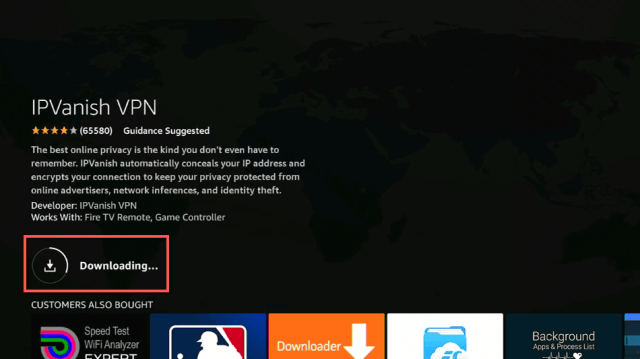


![12 Best Torrent Sites for Books – 2023 Update [Download Books, Studies, and Many More]](https://reviewvpn.com/wp-content/uploads/2020/08/vbf.png)