
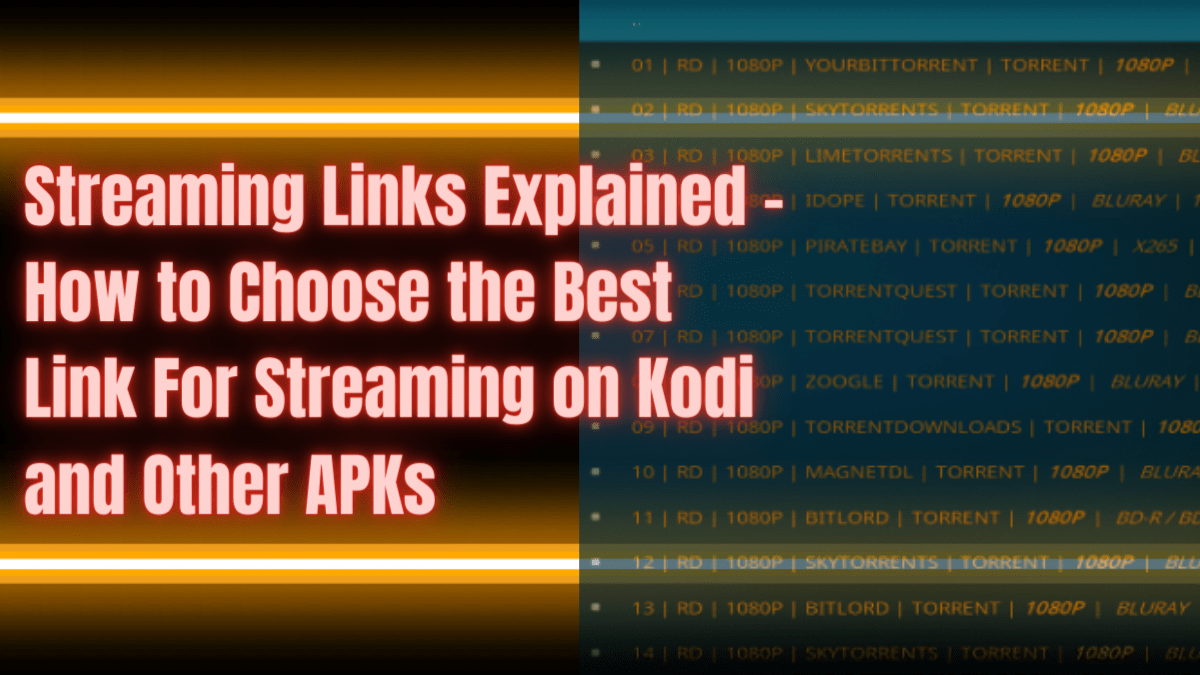
Streaming Links Overview
In this article, we will explain the streaming links you see when using Kodi and other APKs.

When you are searching for a title on Kodi and other streaming apps like Cinema HD, Nova TV, etc. you will be presented with a lot of links. Sometimes you are not sure of what is the best link to pick.
These streaming links are composed of series of text and numbers. We will do our best to explain what they mean. Through this, you will be able to choose the best applicable link on the type of device you are using or any other factors that may affect your streaming.
Real-debrid on the other hand helps in providing more streaming links. The only problem is, it provides links with a more confusing series of text and numbers combined. By the end of the article, we hope that you are able to understand and choose the best link for you.
Streaming could be a little dangerous, especially accessing different streaming links. It is better to use a VPN like SurfShark. We will discuss this later in this article.
In order to install the streaming apks mentioned above, you need to Jailbreak your Firestick first and Install the Downloader App.
If your Firestick still has the older interface, read this article to learn how to update it: Update Firestick Interface.

Streaming Links on Kodi
The first part of this article will tackle one of the most popular streaming apps today which is Kodi. Kodi addons usually use a source-selecting feature to find movies and tv series.
It offers multiple links to choose from. But before you were able to look for streaming links, you will be presented with this: Kodi scrapping for streaming links.

You will then see all the scraped streaming links. If you are using real-debrid, your streaming links will have the word torrent with them. Take a look at this portion:

If you are not using a real-debrid account on your Kodi, you will see the following format of streaming links.

This only shows that using a real-debrid will provide you about 280 plus additional streaming links when you search for the Night of the Living Dead movie.
Color
The links that are in the colors yellow, orange, purple, etc. are considered to be premium, real-debrid, and have better quality than the free ones.
RD
If the beginning of your link has RD in it, it only means that it is from real-debrid.
Video Resolutions
Streaming links have video resolutions with them. This is very important especially if your device or internet speed has limitations when it comes to video resolution. They are presented as 4k, 1080p, 720p, 360p, and SD or standard definition.
Source
The next thing you will notice on your streaming links is the source. This could be a website or torrent site. Examples of this are TORRENTQUEST, SKYTORRENTS, YOURBITTORRENT, LIMETORRENTS, PRIMEWIRE, 123MOVIES, and many more. Typically it follows the video resolution if the streaming link is through real-debrid. If the link is from normal scrapping without real-debrid, the source sometimes comes before the video resolution.
File Format
You should never mislook the file format. This could be the most important and dangerous information on your streaming links. Using a real-debrid account on your Kodi will provide you TORRENT file formats. It is better to use a VPN when accessing this type of file format. Torrent sites are dangerous, without a VPN, your IP Address is exposed to possible spying eyes. Your IP Address serves as your digital fingerprint. Hackers can get information.
You can also see a file format that says BLURAY. This can also come with this type of format BDRip, DVDRip, and BDRip. This means that the format came from an official DVD release of the movie or tv show. We could also expect that the video has a good quality.
File Size
You need to consider your internet speed in choosing the best link to the stream. If you just pick a streaming link without considering the file size and your internet speed then you will experience some buffering. Good thing, you can see the file size on most streaming links. Those with GB description shows the file size.
Let’s say you are a normal user with not so high internet speed, and you are not using a real-debrid, it is best to just choose 2GB or less file size for your streaming link.
Legal Disclaimer: ReviewVPN.com does not encourage or endorse any illegal activity involved in the usage of services and applications referenced on this site. We do not verify the licensing agreements of services. The end-user is wholly responsible for ensuring that any media accessed through these services does not violate copyright and/or licensing laws. ReviewVPN does not promote, link to, or receive compensation from any Apps and IPTV services.
Install SurfShark on Firestick
Streaming Links on Other APKs
For this part, we use Cinema HD as an example apk to discuss streaming links.
Most of the streaming links presented on these types of APKs are pretty much like those in Kodi. You may also see the color if real-debrid, video resolution, file size, etc. But there are also other added information and they are as follows:

Need Resolve
Instead of seeing RD, you will see the words NEED RESOLVE if the streaming links are provided by real-debrid. You may encounter some playing problems when streaming. This may be because of real-rebrid. If this happens, we suggest logging out of your real-debrid and reintegrate. To know more, read Real Debrid Not Working, Things To Do.
Audio Format
Real Debrid on Cinema HD also provides audio format information in the form of numbers. These are 5.1, 5.1 CH, and 7.1 CH. Each of them has its own meaning.
5.1 means 6-channel surround sound. This is very much applicable for those who have soundbars or home theater.

7.1 stands for 8-channel surround sound. These links with this type of audio format provide the best sound experience for those with additional speakers.

Stream Safely With A VPN

As mentioned above, streaming is sometimes dangerous. Especially when you are using torrent sites. Your IP Address is exposed to spying eyes. Because of this, your safety and privacy are at risk. You need to stream safely with a VPN.
The best VPN or streaming is SurfShark. It works well with firestick apks and Kodi. SurfShark has the best VPN safety protocols that will surely hide your identity while streaming.
Look at these some features out of so many wonderful ones offered by SurfShark:
- Has a total of 3,200 servers in 65+ locations to choose from
- SurfShark protocols provide pure safety and satisfaction to users.
- This VPN is under a zero-log policy.
- Mask your identity from your Internet Service Provider or ISP
- Protects you from hackers
- Stops malware from damaging your devices.
- Data encryption
- Provides faster internet speed based on chosen server location
- Supports torrenting
- Prevents Firestick Buffering and Kodi Buffering
Click here to get the lowest price on SurfShark through our exclusive limited-time offer.
How to Install Surfshark on Firestick with Screenshots
If your Firestick still has the older interface, read this article to learn how to update it: Update Firestick Interface.
You can download Surfshark directly from the Amazon App store. It will be easy for you to find Surfshark with your Firestick’s Find feature. Refer to our screenshots below.
Follow our screenshots below to install the SurfShark VPN app on your Fire TV stick.
1. Go to the Home screen of your Firestick.

2. Navigate towards the Find tab. Press the Search button from the resulting dropdown.

3. Type in the keyword of SurfShark and select from the suggestions that will appear.

4. Click the official SurfShark icon from your search results.

5. Press the Download (You own it) button.

6. The SurfShark VPN installer will download on your device.

7. SurfShark VPN’s app will automatically install itself on your Fire TV stick.

8. Press the Open button after completing SurfShark VPN’s installation process.

9. Please wait for the SurfShark VPN to load its user interface.

10. You can now log in with your SurfShark VPN account credentials.

Learn more about Surfshark and Grab the Best Surfshark Deal Now!
Install Surfshark on Firestick


For more VPN discounts, go to ReviewVPN Deals and purchase the best VPN for you.
Final Words
We hope this article was able to help you understand the streaming links provided by Kodi and other streaming APKs on your Firestick.


