

Overview
Quick Navigation
In this article, we will show you how to install the Silent Ghost app on Firestick.
Do you want an app that has HD films and TV shows? then the Silent Ghost app is perfect for you! Here at ReviewVPN, we like to share apps that work on Firestick. Before suggesting these apps to our readers, we test them ourselves first.

Now, we like to introduce you to the Silent Ghost app.
The Silent Ghost app is an online subscription TV service. Explore its entire catalog of the latest movie premieres and television shows. You don’t even need to pay anything to enjoy its special features. The Silent Ghost app is 100% free of charge!
The success of video-on-demand has led to the creation of many viewing apps. Silent Ghost is an app that delivers the best films and TV shows on one platform. You won’t run out of videos to watch.
Media content comes fast when using the Silent Ghost app. You can choose from its large collection of movies and TV channels. It is why many people now use the Silent Ghost app. On top of that, you can also search for titles you want to watch.
We will now teach you how to install the Silent Ghost app on your Firestick. Unfortunately, it is not an official Amazon app. You have to jailbreak your Firestick and install the Downloader app.

Silent Ghost app for Android Devices

Note: ReviewVPN.com does not host this APK file. It is hosted by Archive.org
How to Install the Silent Ghost App on Firestick
You can install the Silent Ghost app on Firestick by using the Downloader app. Follow this simple guide below.
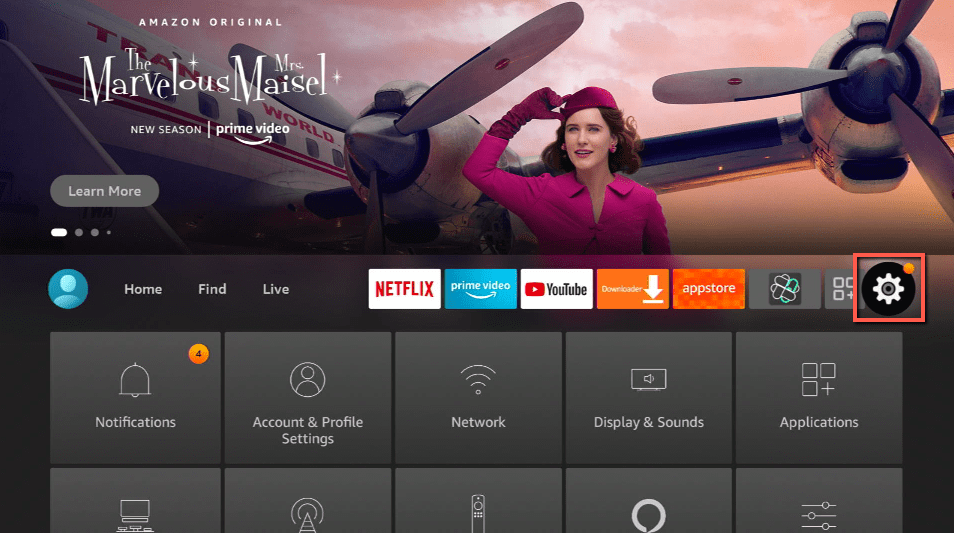
- Open your Firestick Settings Tab.
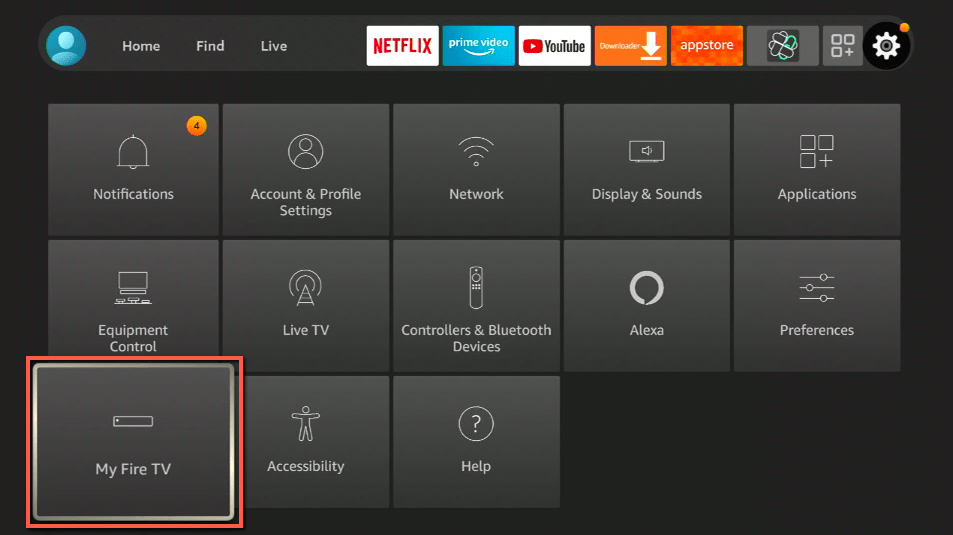
- Choose the My Fire TV icon.
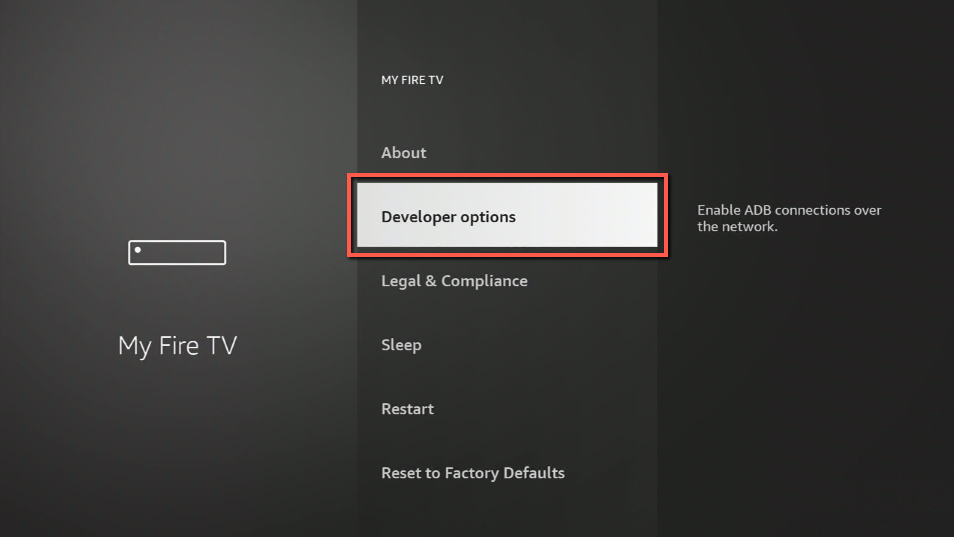
- Go inside the Developer options.
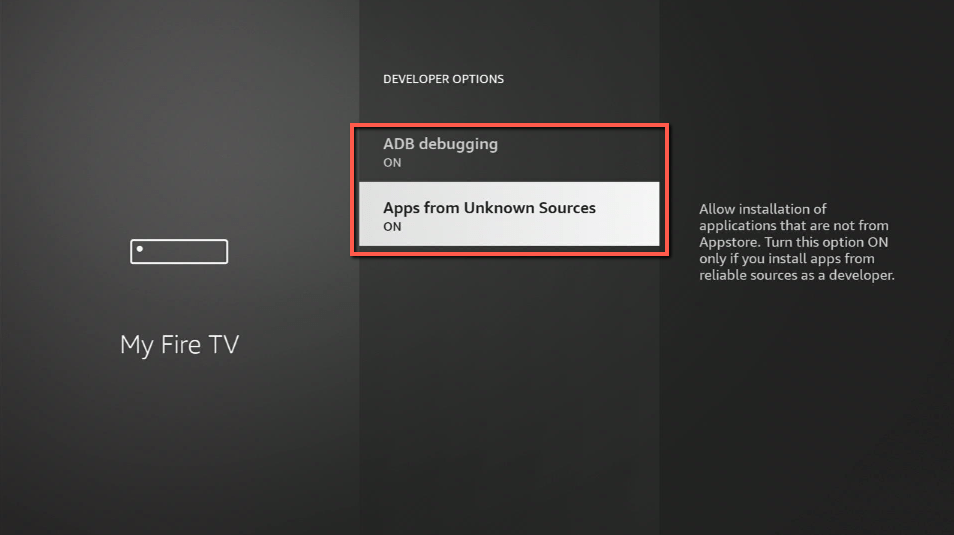
- Turn On ADB Debugging and Apps from Unknown Sources.
- Return to your Home Screen and click on Find.
- Use the Search Bar.
- Input Downloader app.
- Tap on the suggested result.
- Click on the Get or Download button.
- Open the Downloader app.
- Select Allow.
- Use the Downloader search tab.
- Type in: https://reviewvpn.com/sgh
- The Silent Ghost app’s APK file will download.
- Click on Install.
- Complete its installation process.
- You can Open the Silent Ghost app after installing it.
- Use the Silent Ghost app to watch videos on demand.
How to Install the Silent Ghost app on Firestick with Screenshots
1. Click Home on your remote and scroll once to your Right. Click Setting (Gear Wheel Icon).
2. Scroll down and to the right until you get to My Fire TV. Click on it.
3. Select Developer options.
4. Turn on ADB debugging and Apps from Unknown Sources.
5. Click Turn On when the pop-up appears.
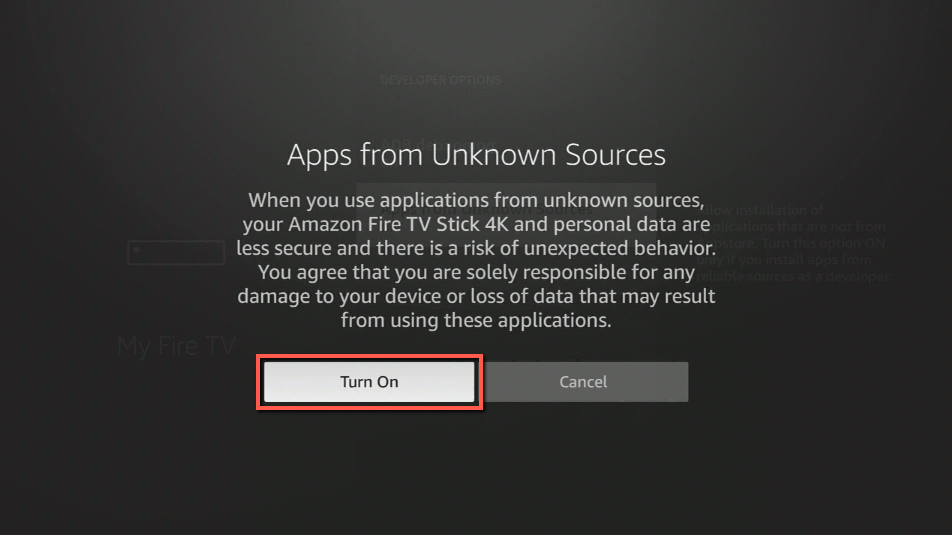
Then, after jailbreaking your Firestick, you’ll need to download the Downloader app to sideload Silent Ghost. This app, which is easily available on the Amazon App Store, allows you to download APK files.
6. Click Home, click FIND.
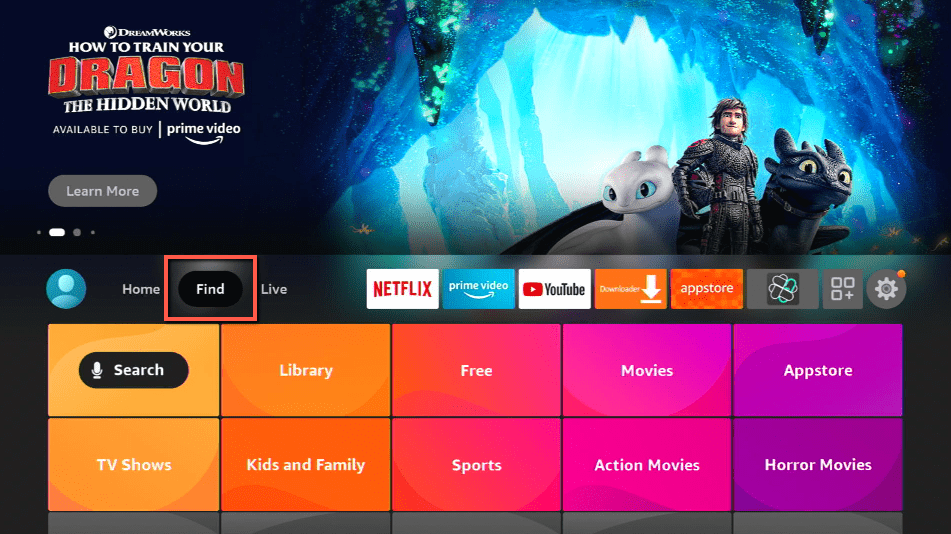
7. Click Search.
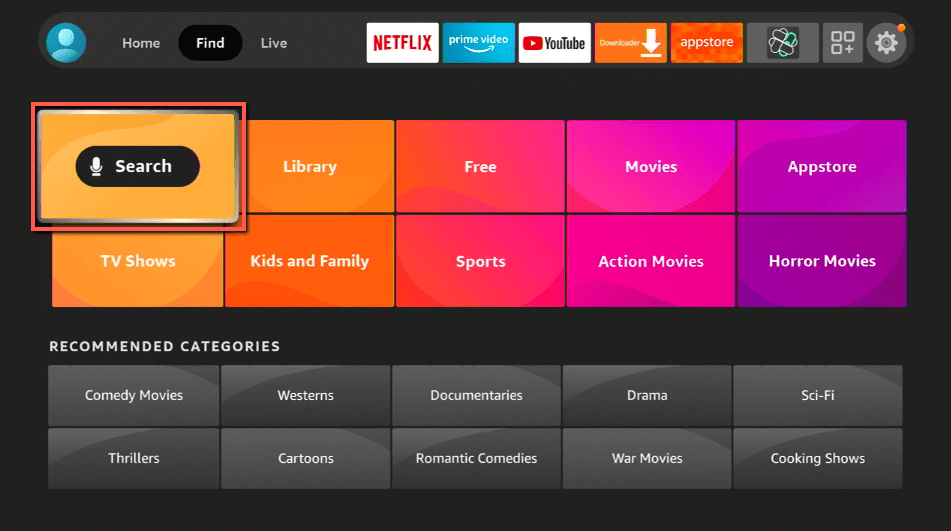
8. You can either say Downloader to your Alexa voice-enabled remote or start typing it. If you typed it, click on the suggestion when it appears.
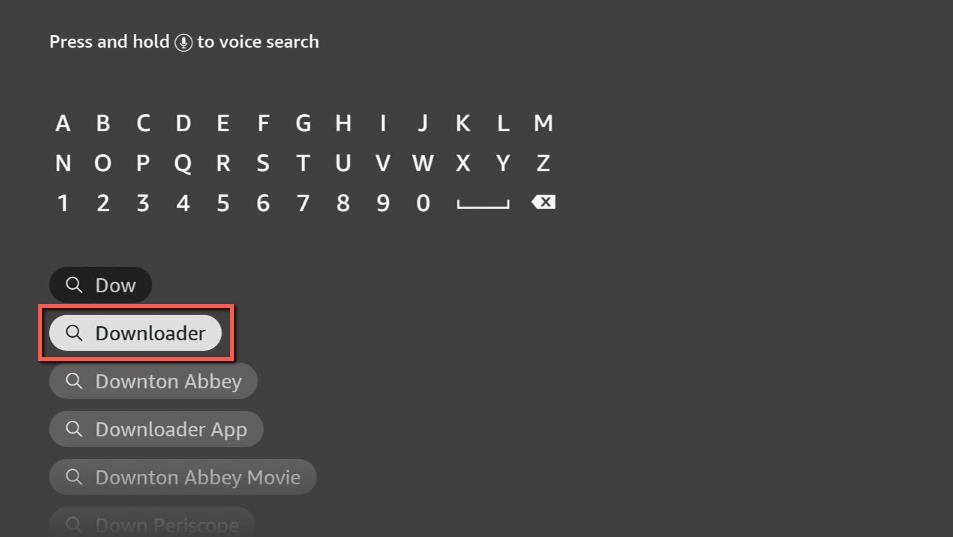
9. Click on the Downloader Icon.
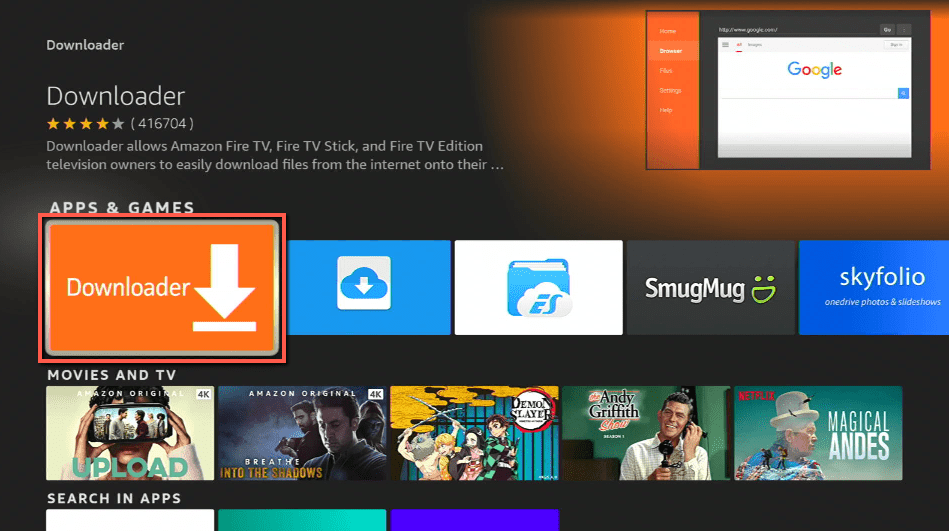
10. Click Download.
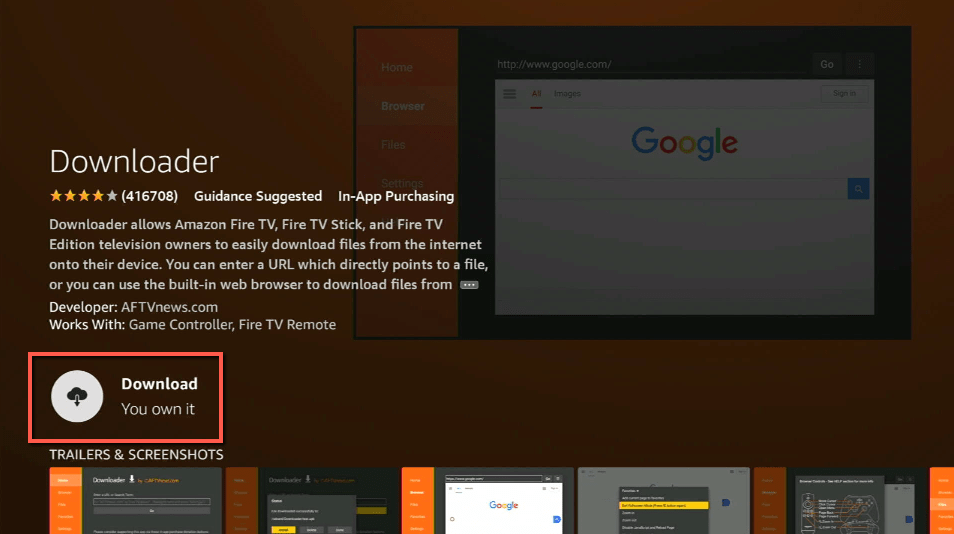
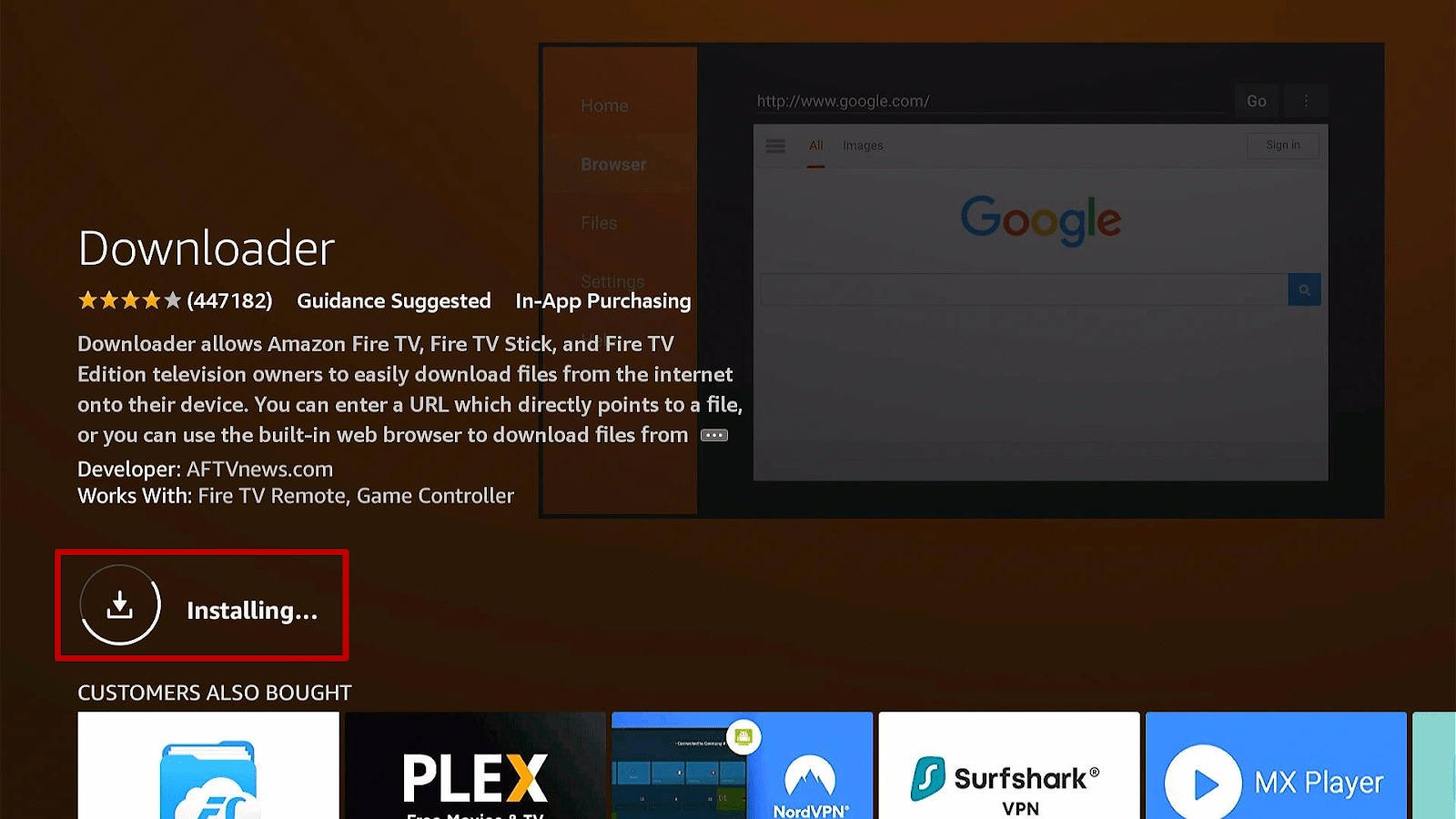
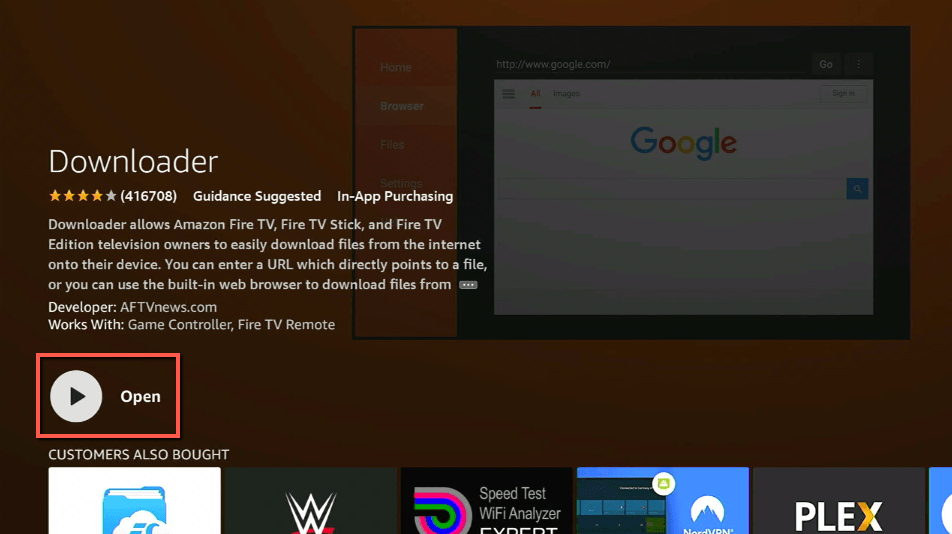
11. Click on Open.
12. Click on Allow.
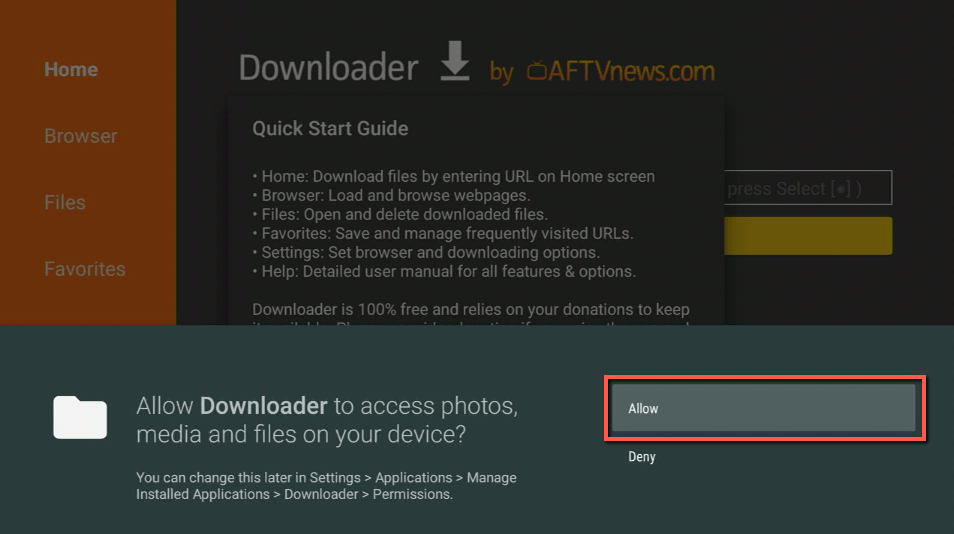
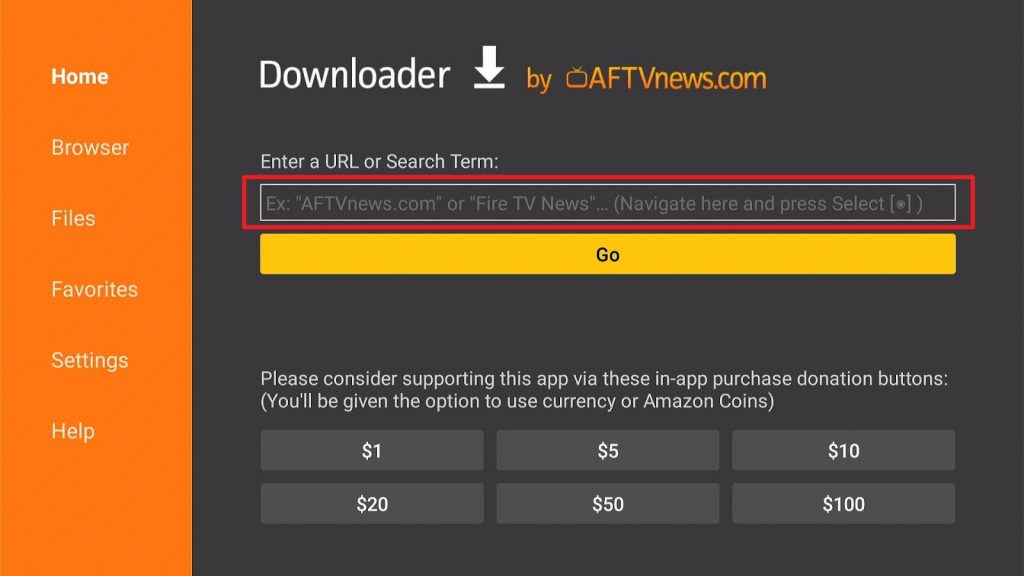
13. Use the Downloader search tab.
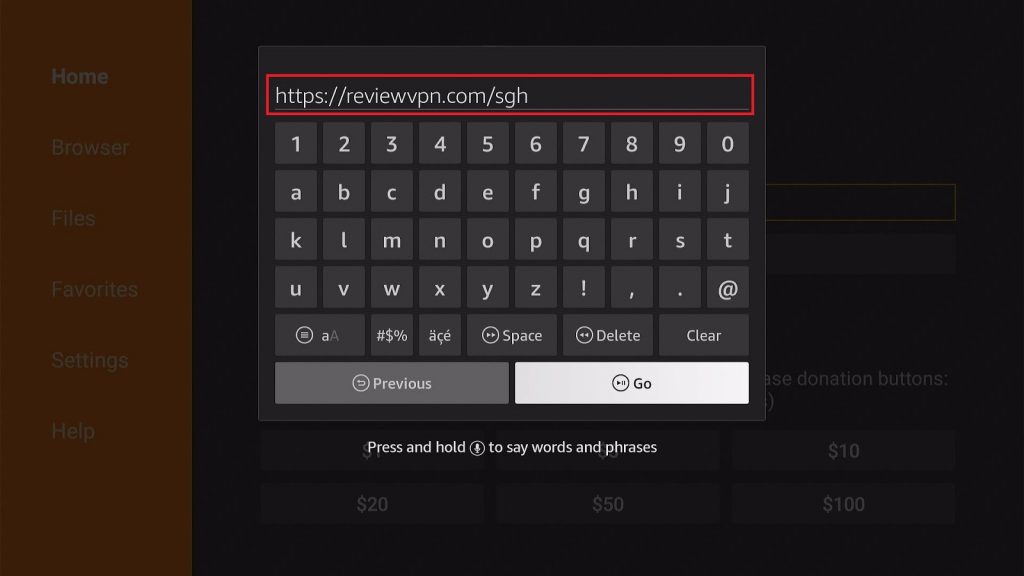
14. Type in: https://reviewvpn.com/sgh
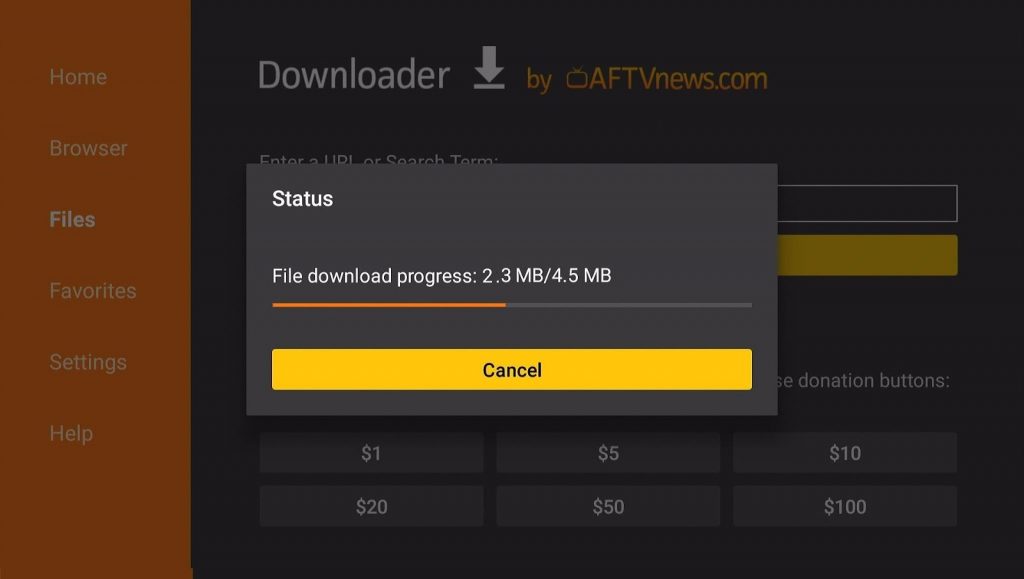
15. The Silent Ghost app’s APK file will download.
16. Click on Install.
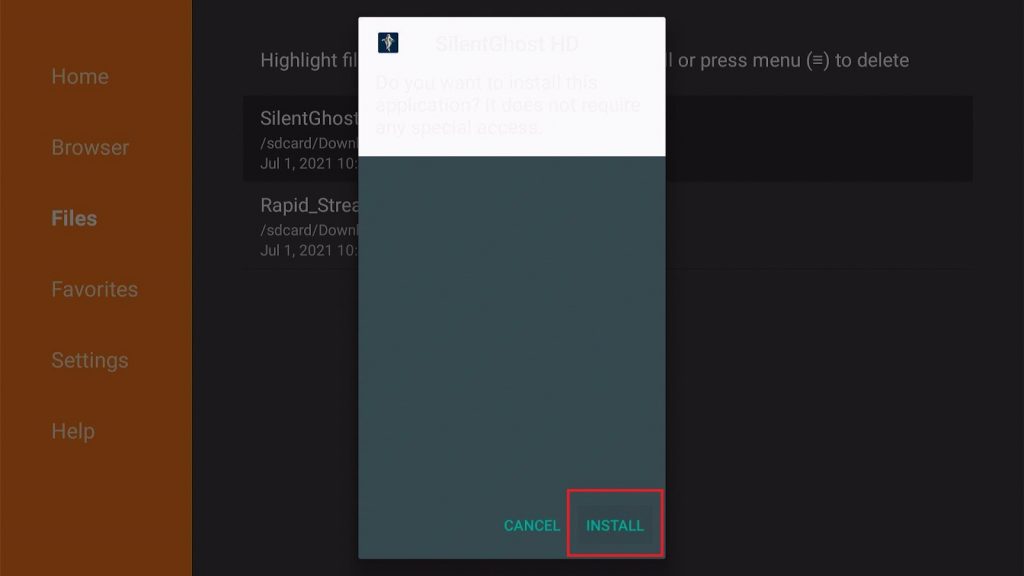
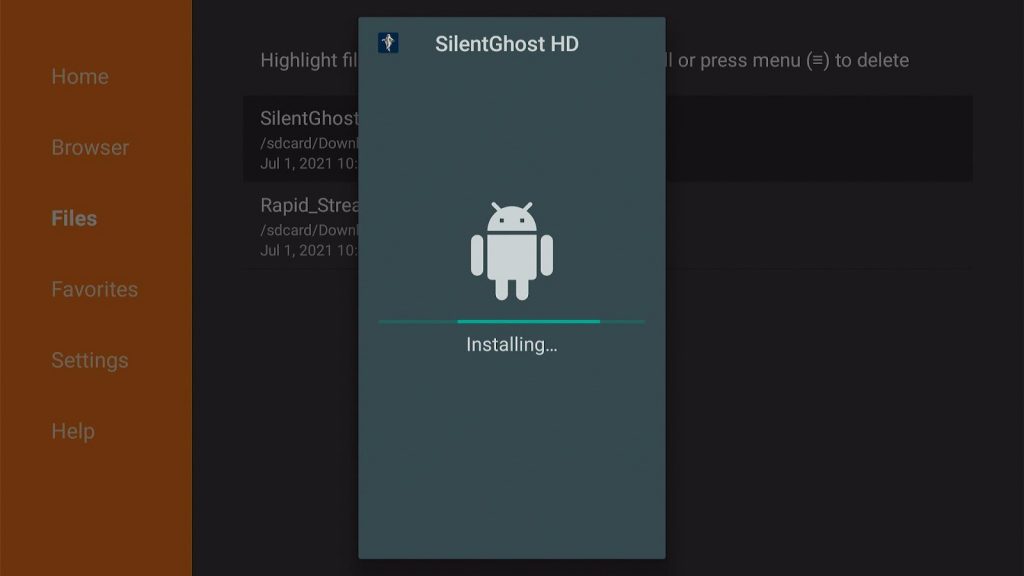
17. Complete its installation process.
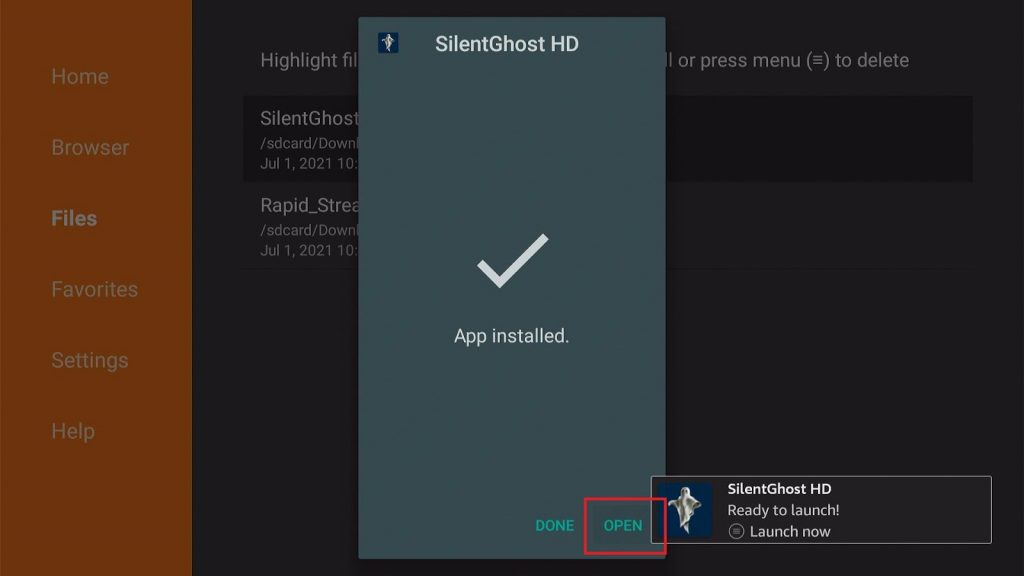
18. You can Open the Silent Ghost app after installing it.
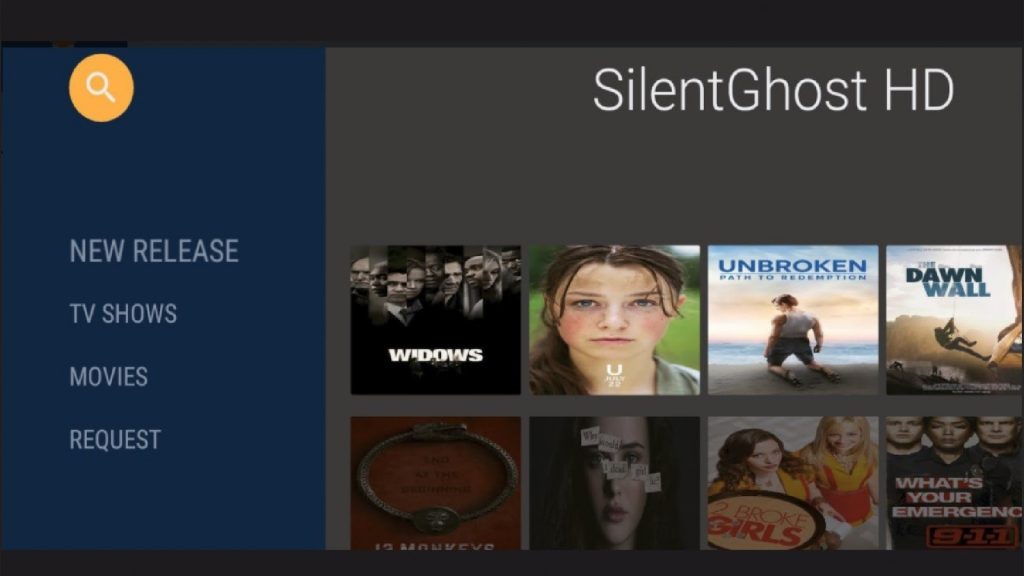
19. Use the Silent Ghost app to watch videos on demand.
ReviewVPN cannot attest to the legality, security and privacy of the applications discussed on this site. It is highly recommended that you use a VPN service while streaming or using Kodi. Currently, your IP 216.73.217.24 is visible to everyone and your Browser is being tracked by Advertisers & ISP Provider. Here are the main reasons why you must use a VPN: A VPN works be replacing your ISP-assigned IP address and creating an encrypted tunnel. We recommend the no log service offered by IPVanish. It works well on a Firestick and offers the fastest possible speeds.
YOUR INTERNET ACTIVITY IS BEING WATCHED
Install Surfshark on Firestick
Silent Ghost App Features
- Optimization for many screen sizes.
- Watch HD videos on a smartphone, tablet, and Fire TV.
- Unique user experience
- The app does not invade more space on your device.
- Download and install the same without worrying about your storage limit.
- Chromecast support available with Silent Ghost HD: Ensures that you can shift your entertainment to a large screen TV whenever you want.
- You can install the application on your PC, Smart TV, set-top-boxes.
- Download movies and TV Shows to your device storage for an offline watching experience.
- No need to root your Android device.
- Installing the latest Silent Ghost HD version is easy with many devices.
- There is no requirement for registration in the application.
- No need to provide your email address or mobile number.
- You don’t need to create any username.
- Simple installation procedure for the application.
- Adding subtitles applies to many media content.
- Choose from a list of international languages present with the app.
- The Silent Ghost HD app has a simple user interface
- Silent Ghost HD home screen is very easy to navigate.
- Comprehensive layout: You won’t have any problems navigating the features of the application.
Silent Ghost App Interface
- Easy-to-Learn Interface
- Basic Layout
- Comprehensive home screen
- Change WiFi connectivity state
- Open network sockets
- Responsive buttons
- Choose from TV Channels or Movies
Media Categories
- Action
- Adventure
- Crime
- Nature
- Kids’ TV
- Documentaries
- Drama
- Fantasy
- Horror
- Lifestyle
- Music
- Mystery
- Science Fiction
- Sports
- Thriller
- Western
Pros and Cons
Pros
- 100% Free
- Legal to use
- Search bar for finding titles
- Easy-to-use interface
- Home screen library
- Request movies from the app’s developers
Cons
- Should add more movie titles.
- The app seems incomplete.
- Navigating back to the home screen after exploring the app is difficult.
- No filtering options.
Watch Videos-on-Demand with a VPN
Silent Ghost is a mysterious yet magnificent app for watching HD premieres of popular movies. You can stream many videos with the app. However, your ISP monitors your traffic for unwanted behavior. They throttle your internet to prevent server overload. It results in stuttering and buffering while watching videos.
Stop your ISP from reducing your connection rate. Install Surfshark for Fire TV stick! It has a lot of abilities to share:
- Makes you seem like a ghost to cyber threats.
- Hides your internet traffic.
- Improves your connection rate.
- Kodi and Firestick will no longer experience stuttering and buffering.
Click here to get the lowest price on Surfshark through our exclusive limited-time offer.
How to Install Surfshark VPN on Firestick
If your Firestick still has the older interface, read this article to learn how to update it: Update Firestick Interface.
Follow our screenshots below to install the SurfShark VPN app on your Fire TV stick.
1. Go to the Home screen of your Firestick.

2. Navigate towards the Find tab. Press the Search button from the resulting dropdown.

3. Type in the keyword of SurfShark and select from the suggestions that will appear.

4. Click the official SurfShark icon from your search results.

5. Press the Download (You own it) button.

6. The SurfShark VPN installer will download on your device.

7. SurfShark VPN’s app will automatically install itself on your Fire TV stick.

8. Press the Open button after completing SurfShark VPN’s installation process.

9. Please wait for the SurfShark VPN to load its user interface.

10. You can now log in with your SurfShark VPN account credentials.

Learn more about Surfshark and Grab the Best Surfshark Deal Now!
Install Surfshark on Firestick



For more VPN discounts, go to ReviewVPN Deals and purchase the best VPN for you.
Click here to get the lowest price on Surfshark through our exclusive limited-time offer.
Alternative apps for Silent Ghost
The Silent Ghost app is yet another subscription-based TV and video streamer. The app seems incomplete with its tedious scrolling interface and lack of media content. If you do not want to use Silent Ghost, then we have other apps for you:
For more live tv apps that you can install on your firestick, see these two other articles: Best Free Live TV Apps for Firestick and Best IPTV Apps for Firestick and Android.
FAQs
Does the Silent Ghost app require payment for its use?
No. It is free to install without any payments or charges.
Are there ads while using the app?
There are no ads present while watching videos with the Silent Ghost app.
Conclusion
The Silent Ghost app has many followers and is growing in popularity. You can find the latest movie premieres and watch TV shows in HD. The only downsides of the app are its difficult navigation and lack of movie lists.
We hope that this article helps with your installation of the Silent Ghost app on Firestick.






