

South Park
Quick Navigation
Do you like watching South Park? There is a way how you can watch it on your Amazon Firestick device. Continue reading to know more.

Before we discuss how you can watch South Park, let us know what South Park is. South Park is a popular American sitcom animated series that is not for kids. The show has a huge following and was able to produce a total of 317 episodes over 25 seasons. South Park uses dark humor in order to create funny lines and episodes for the viewers.
South Park started in the year 1997 and still continues to air with its current contract until 2027. The show already won an Emmy Award for animated classics. It really has taken the hearts of the people most especially, adult viewers.
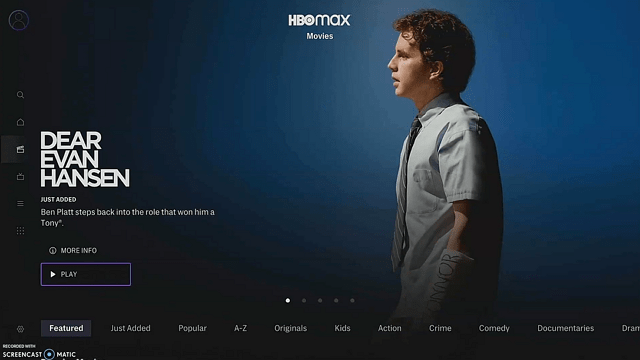
To watch South Park on Firestick, you need to install HBO Max. HBO Max is an official Amazon app, there is no need to jailbreak your Firestick and use the Downloader app to install it unless you are not in the US. We will show you how you can install HBO Max directly if you are in the US, and sideload for those outside of the country. Since the app is geo-restricted, make sure to use a reliable VPN service when streaming HBO Max outside the USA.

Watch South Park on Firestick – How to Install HBO Max on Firestick (If you are in the USA)
1. Click Home on your remote and click “Find”.
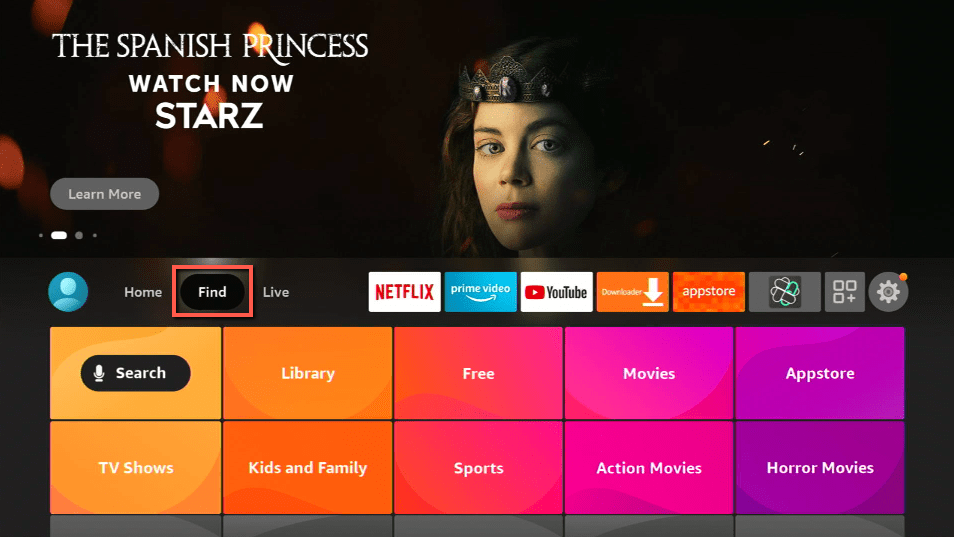
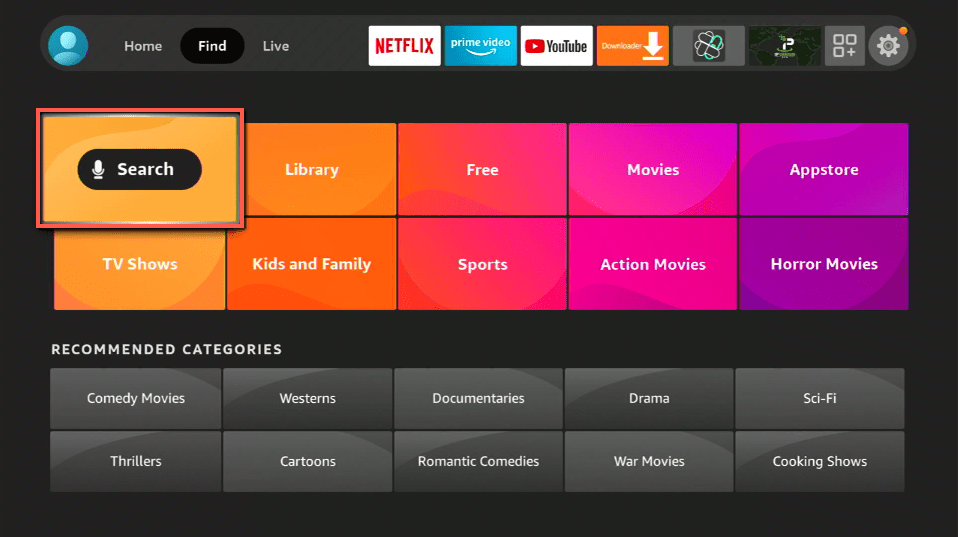
2. Click “Search”
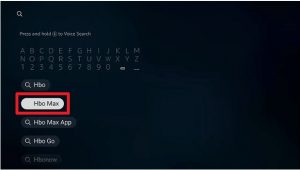
3. Search for HBO Max
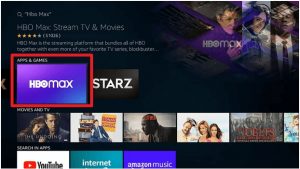
4. Click on the app icon once it appears on your screen.
5. Select Get or Download
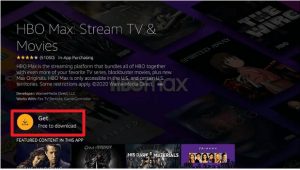
6. Launch the app once it is done installing

7. Select any of the options provided: Start Free Trial, Sign In, or Restore Purchase.
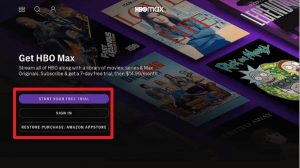
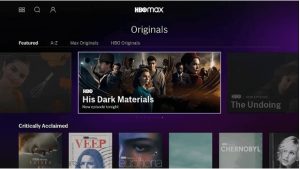
8. You can now enjoy streaming on HBO Max on Firestick
YOUR INTERNET ACTIVITY IS BEING WATCHED
ReviewVPN cannot attest to the legality, security and privacy of the applications discussed on this site. It is highly recommended that you use a VPN service while streaming or using Kodi.
Currently, your IP 216.73.216.193 is visible to everyone and your Browser is being tracked by Advertisers & ISP Provider.
Here are the main reasons why you must use a VPN:
- Your activities are hidden from your ISP, the government, and from the apps you are using.
- You can access additional movies and TV streams.
- ISP attempts to throttle are thrwarted thus reducing buffering issues.
- Geographically restricted content like Netflix and Hulu can be unblocked.
A VPN works be replacing your ISP-assigned IP address and creating an encrypted tunnel. We recommend the no log service offered by IPVanish. It works well on a Firestick and offers the fastest possible speeds.
Legal Disclaimer: ReviewVPN.com does not encourage or endorse any illegal activity involved in the usage of services and applications referenced on this site. We do not verify the licensing agreements of services. The end-user is wholly responsible for ensuring that any media accessed through these services does not violate copyright and/or licensing laws. ReviewVPN does not promote, link to, or receive compensation from any Apps and IPTV services.
Install Surfshark on Firestick

Watch South Park on Firestick – How to Install HBO Max on Firestick (Outside of the USA)
1. Install the Downloader app and jailbreak your firestick by enabling unknown sources. To learn more about the procedure, you may read How to Install the Downloader App and Enable Unknown Sources.
2. Open Downloader App. Type https://reviewvpn.com/hbomx and click Go.
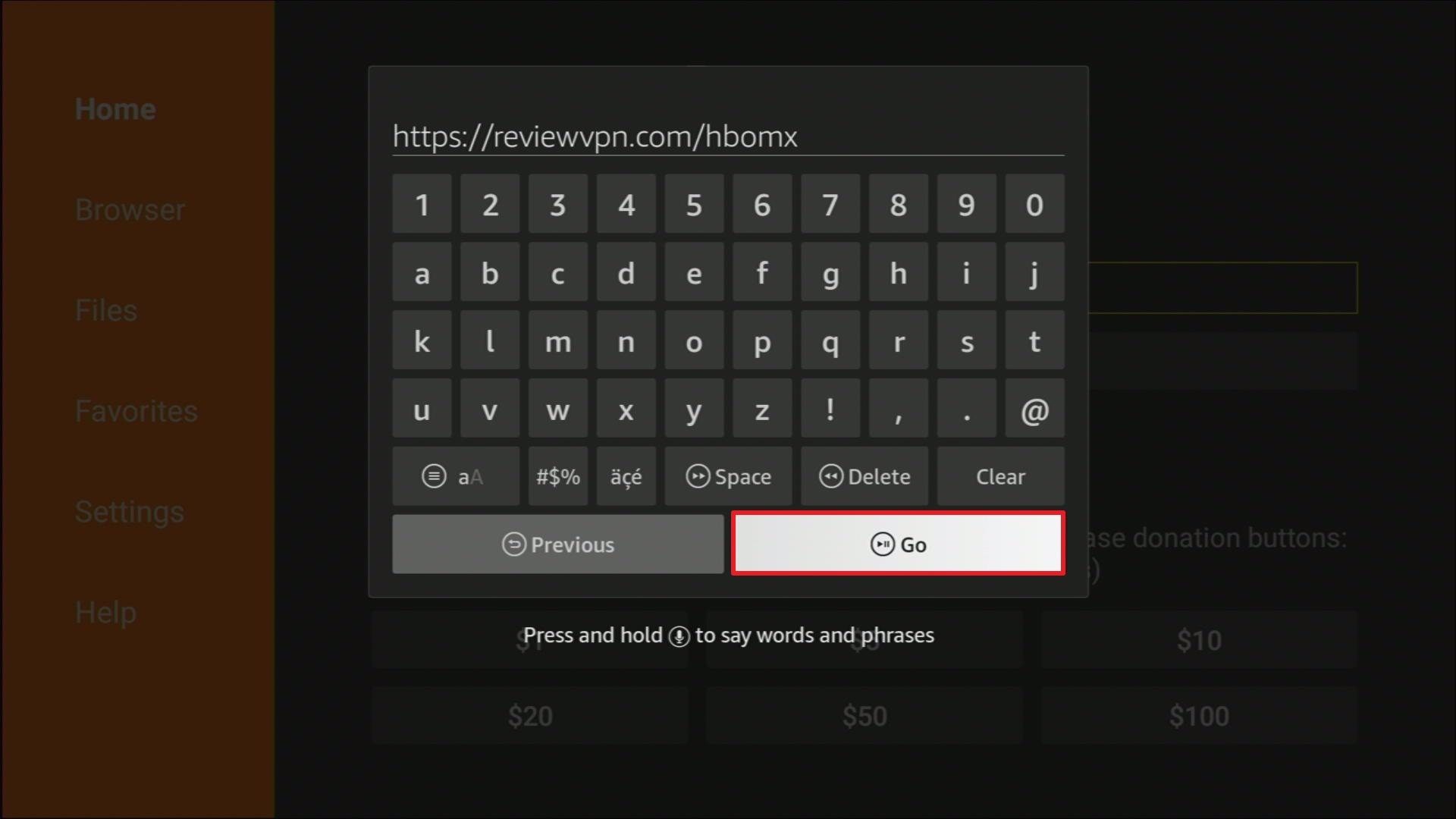
3. Patiently wait for the file to finish downloading.
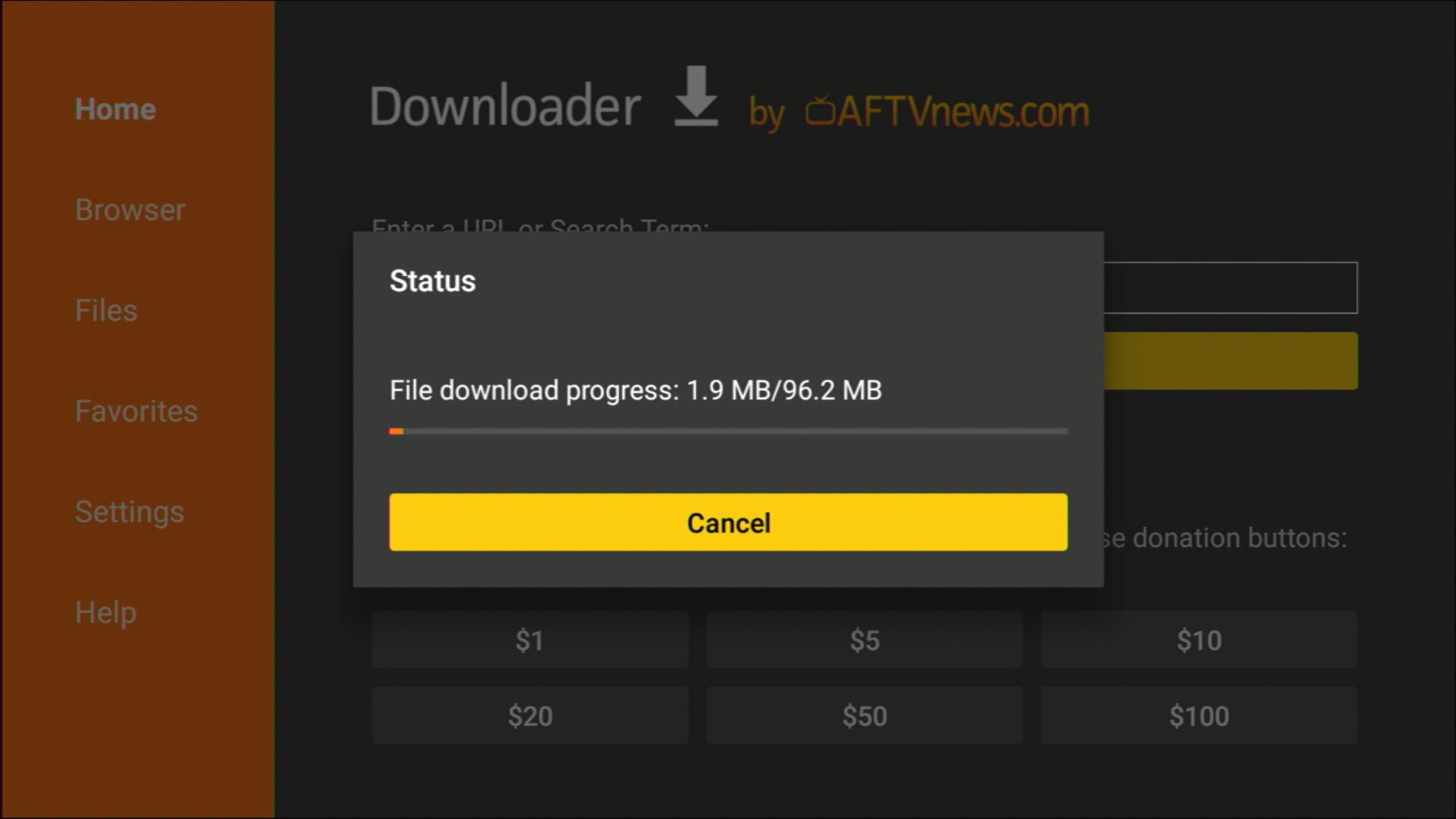
4. Click on INSTALL
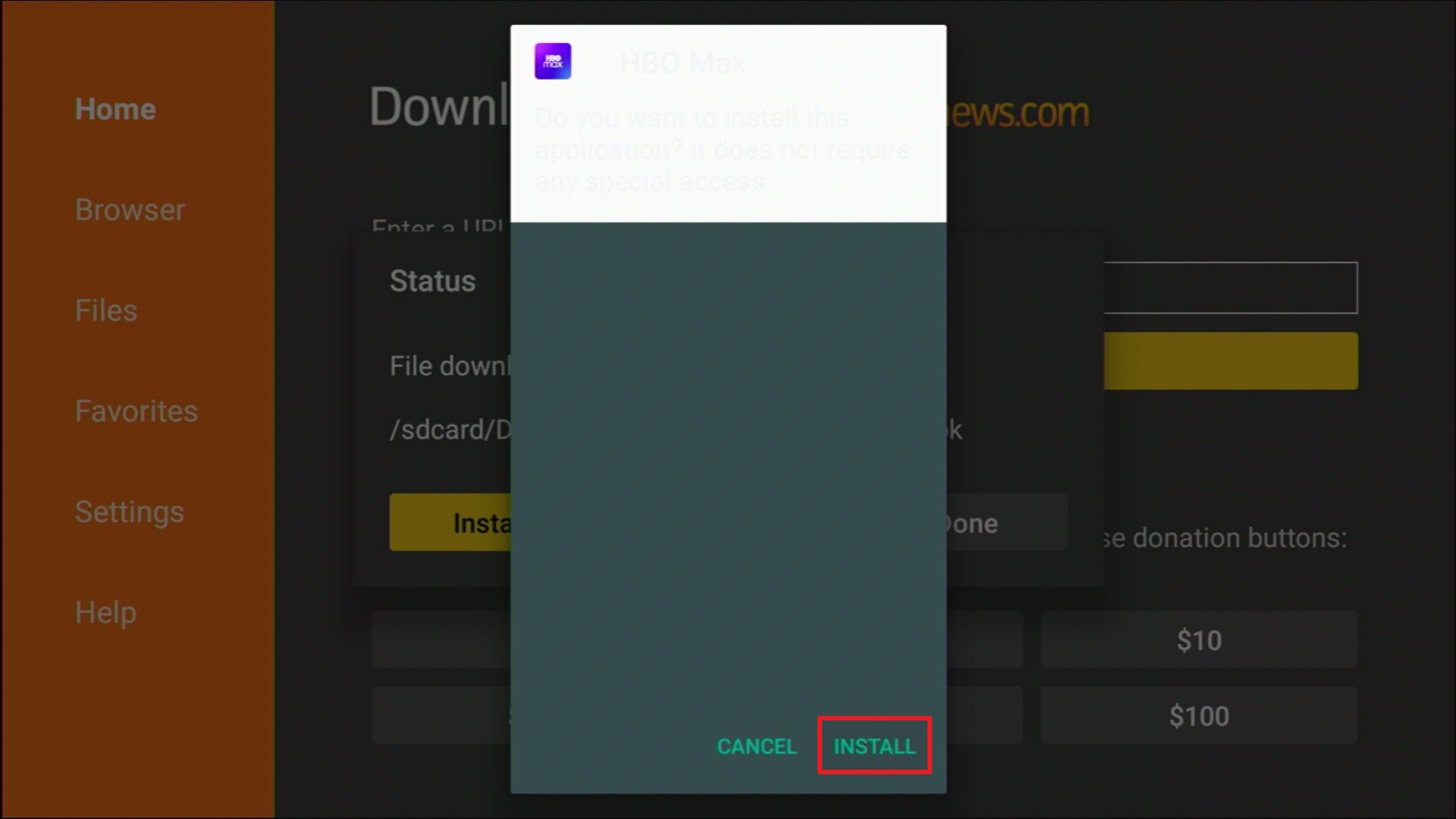
5. HBO Max is now installed. Click Done
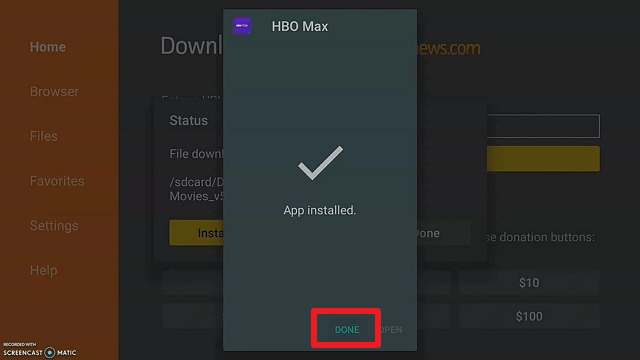
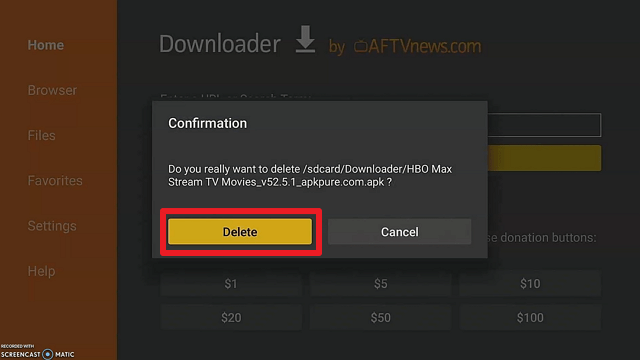
6. Simply delete the apk to save more space.
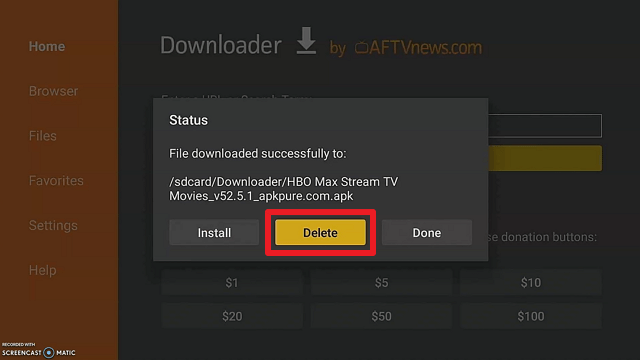
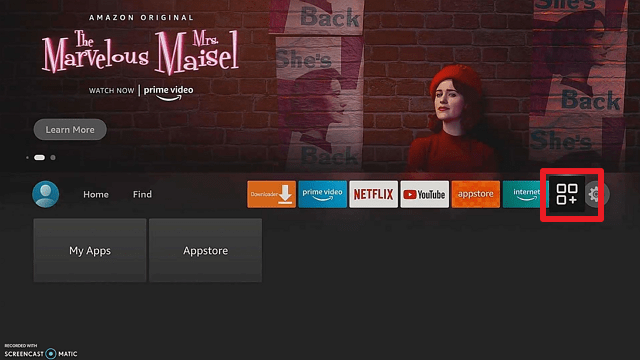
7. Go back to the home page and locate your remote to the apps and games icon and click on it.
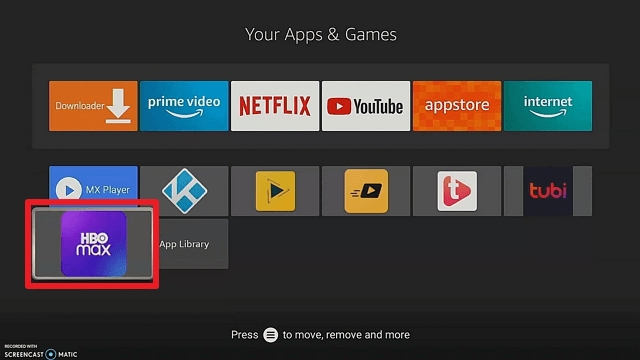
8. Now, scroll down and find the HBO MAX icon app and tap on it.
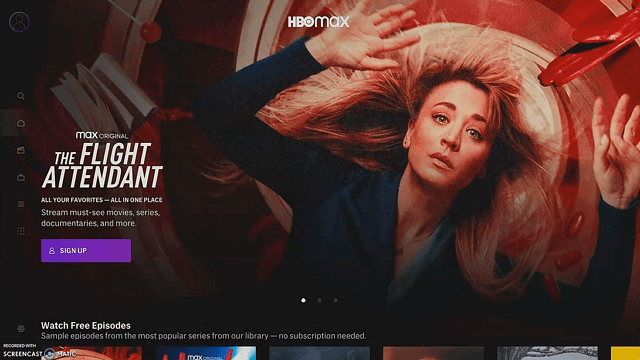
9. That’s it! Have fun watching.
Bypass Geo-Restrictions With the Use of a VPN
Geo-restriction is one of the major problems that viewers face when streaming on Firestick. There are apps, features, and content that are not available in other regions. One of them is HBO Max. Since HBO Max is the best option to watch South Park on Firestick, you need to bypass geo-restrictions to access it.
The best way to bypass geo-restriction is by using a Virtual Private Network or VPN. A VPN can mask your IP address, and connect you to a different server so located in another country, A VPN provides a new and secure IP address that can block trackers from profiling and locating you. You just need to choose the best VPN for streaming.
Surfshark VPN is the best VPN for streaming. It provides the best security with the best VPN protocols so that you can use it to be as safe as possible. It is also the only VPN to unblock most numbers of streaming platforms, including popular ones like Netflix, Hulu, YouTube TV, and many more.
If you want to know more, read our SurfShark VPN review.
Other SurfShark Features
- 3200 servers available in 100+ countries
- Best VPN for torrenting
- Destroys geo-restriction
- Dedicated IP
- 30-day money-back guarantee
- Cloud Storage
- P2P friendly VPN
- SOCKS5 Proxy
- Allows Torrenting
- Kill Switch
- Split Tunneling
- DNS Leak Protection
- Prevents Firestick Buffering and Kodi Buffering
For more details about this VPN, read our SurfShark review.
Grab your subscription now!
How to Install Surfshark on Firestick with Screenshots
If your Firestick still has the older interface, read this article to learn how to update it: Update Firestick Interface.
You can download Surfshark directly from the Amazon App Store. It will be easy for you to find Surfshark with your Firestick’s Find feature. Refer to our screenshots below.
Follow our screenshots below to install the SurfShark VPN app on your Fire TV stick.
1. Go to the Home screen of your Firestick.

2. Navigate toward the Find tab. Press the Search button from the resulting dropdown.

3. Type in the keyword of SurfShark and select from the suggestions that will appear.

4. Click the official SurfShark icon from your search results.

5. Press the Download (You Own it) button.

6. The SurfShark VPN installer will download on your device.

7. SurfShark VPN’s app will automatically install itself on your Fire TV stick.

8. Press the Open button after completing SurfShark VPN’s installation process.

9. Please wait for the SurfShark VPN to load its user interface.

10. You can now log in with your SurfShark VPN account credentials.

Learn more about Surfshark and Grab the Best Surfshark Deal Now!
Install Surfshark on Firestick



For more VPN discounts, go to ReviewVPN Deals and purchase the best VPN for you.
Click here for the lowest price on Surfshark through our exclusive limited-time offer.
Conclusion
South Park is one of the OG comedy animated shows to be ever created. It is part of a generation’s childhood. Good thing that it is still airing on some apps like HBO Max.
HBO Max is one of the most popular streaming platforms today. It is only available in the USA, so if you are abroad, it is better to use a reliable VPN like Surfshark to bypass geo-restrictions.






