

Why is My Firestick So Slow?
Quick Navigation
Are you currently experiencing and asking why is my firestick so slow? With this article, we are hoping that we can be able to help you solve your problem.
Along with this, we might also give you all the possible reasons why you are experiencing this.

Firestick is the official streaming device of Amazon. It has a total of 1GB of RAM for all the data, and apps that you want to install. Sometimes this is not enough for all the things that we want to do with our device. This might result to slow user-device interactions.
Even us here at reviewvpn.com experience such problems. Sometimes, we already click on the remote and it took 2 or more seconds before the device follows. There are also times when we experience Firestick buffering, lags, and glitches. No wonder why so many people also ask the same question we ask ourselves, why is my firestick so slow?

Why is My Firestick So Slow? Possible Reasons and Solutions
Firesticks become slow not just because of a specific reason. There are so many factors that might contribute to this. Here we discuss every possible reason that might answer your question, why is my firestick so slow.
1. Apps Running in the Background
The most common answer to the question, why is my firestick so slow, is because of the number of running apps in the background of your device. When you open an app and just close it, it still runs in the background.
Any application that runs in the background consumes RAM storage. The more apps running the more reason why you have a slow firestick.
One of the ways to kill a running application on your firestick is by using different applications like:
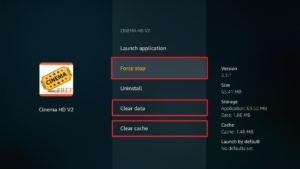
You can also force stop, clear data, and cache to all of your installed applications directly through your firestick setting. Follow these steps:
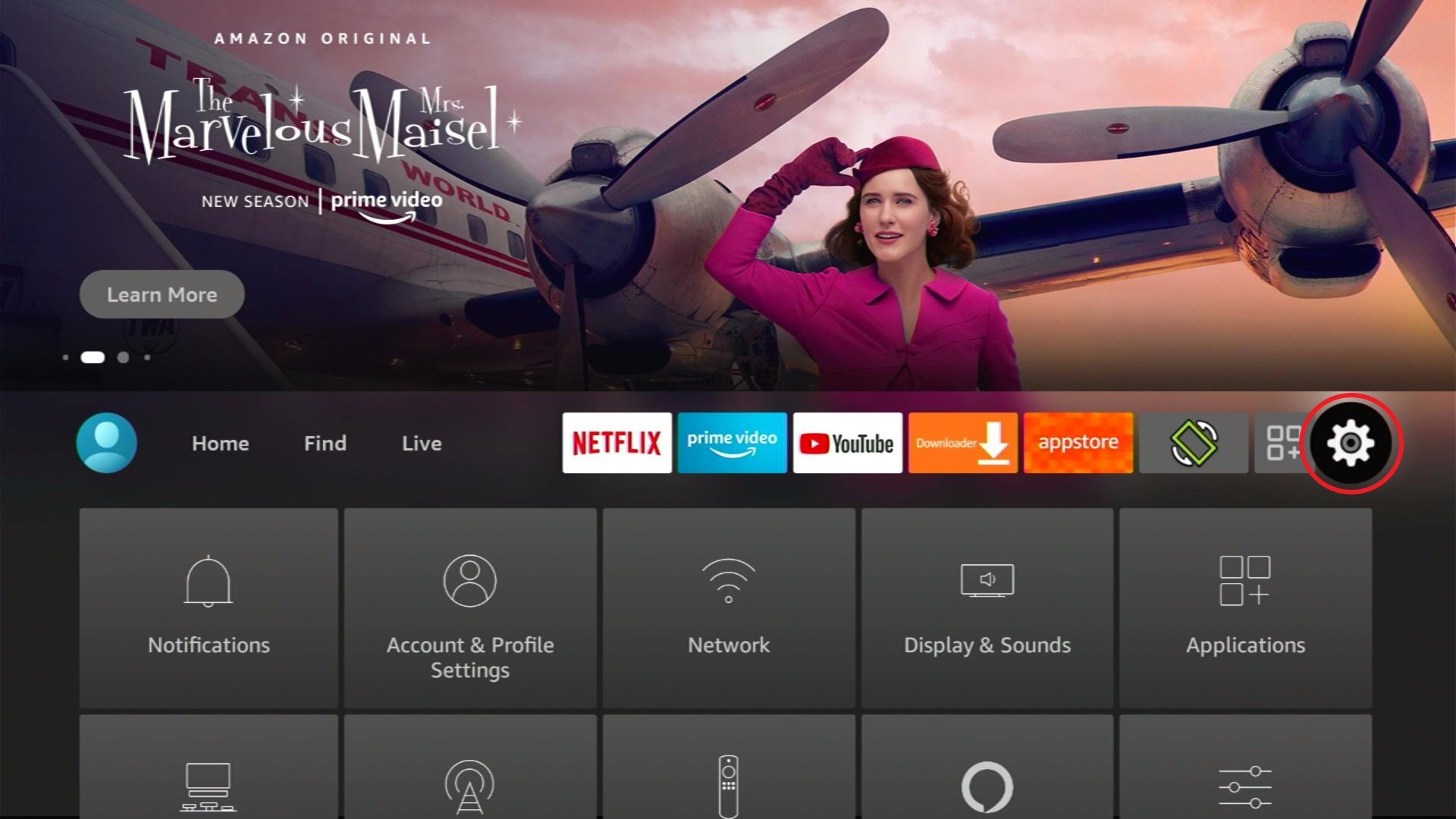
1. Go to Settings
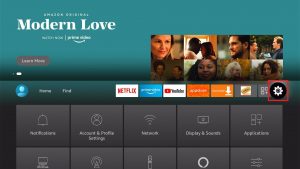
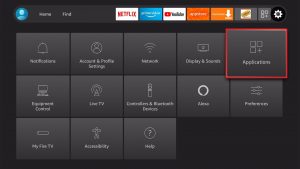
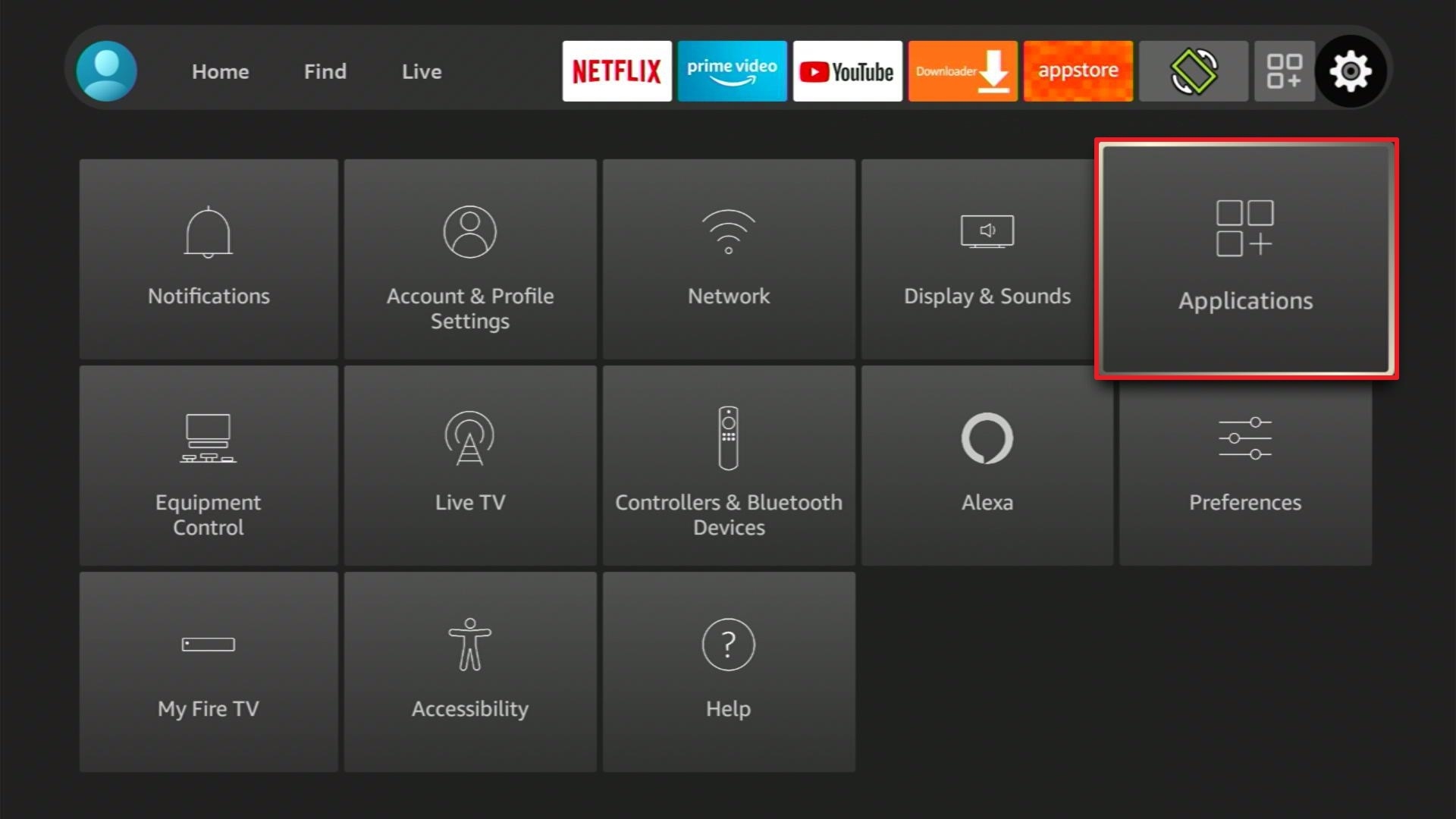
2. Click Applications
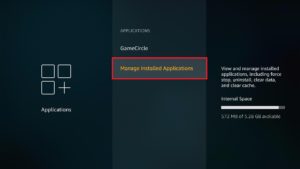
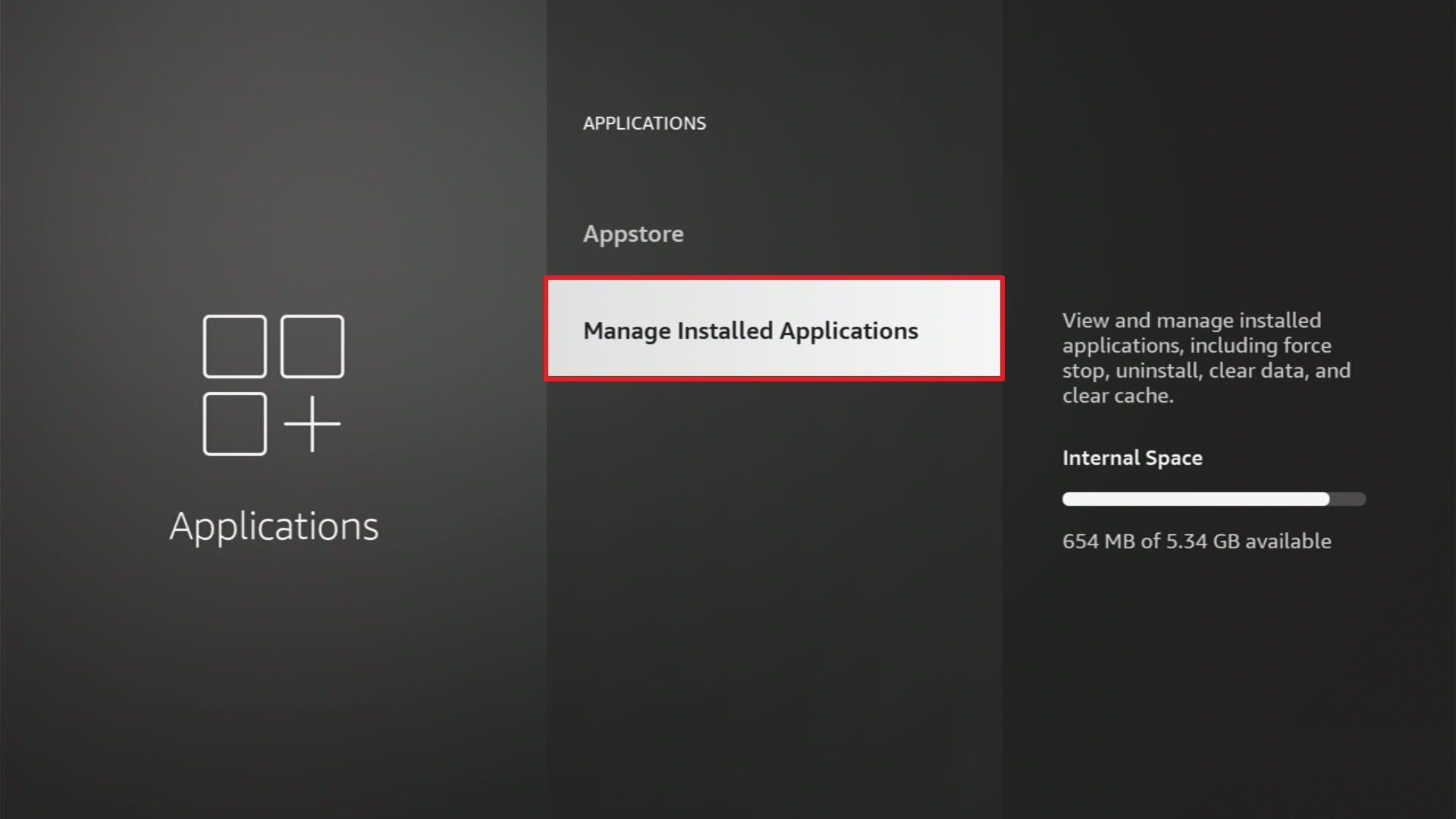
3. Select Manage Installed Applications
4. Choose the specific application that you want to kill
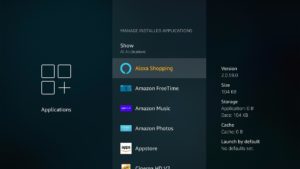
5. You can choose Force stop, Clear data, or Clear cache to kill the running application
2. By Having an Overheated Device
The next reason why you have a slow firestick is that your device might be overheated. If your device is turned on for a long time with even just one running app, it might overheat.
When a device is overheated, the processor works slower than normal.
Here are the ways to stop Firestick overheating:
3. Too much bloatware installed in your device
When you install an app even through direct installation or using Downloader, it requires a lot of space in your device. The more apps you install, the slower your device may go.
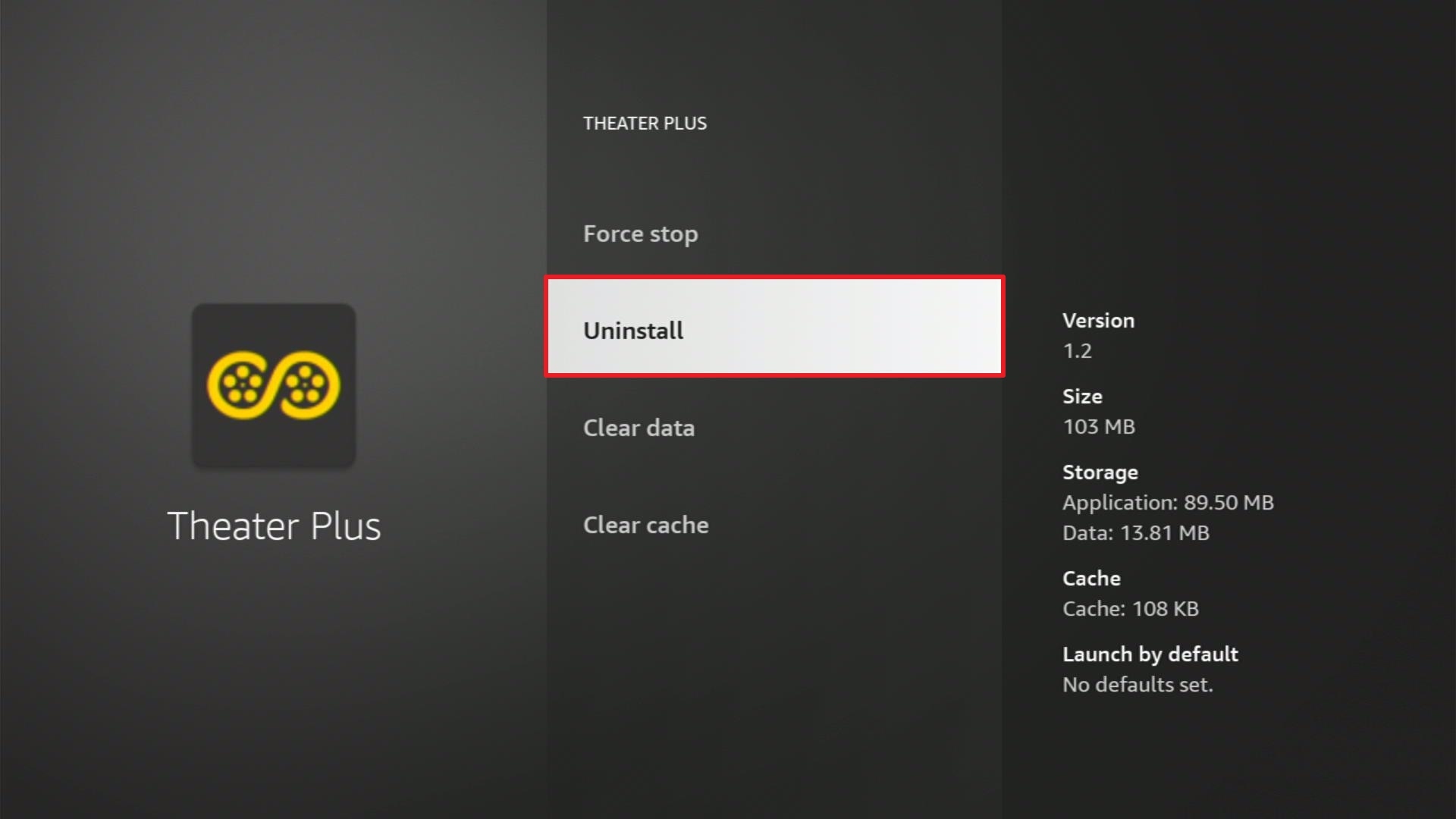
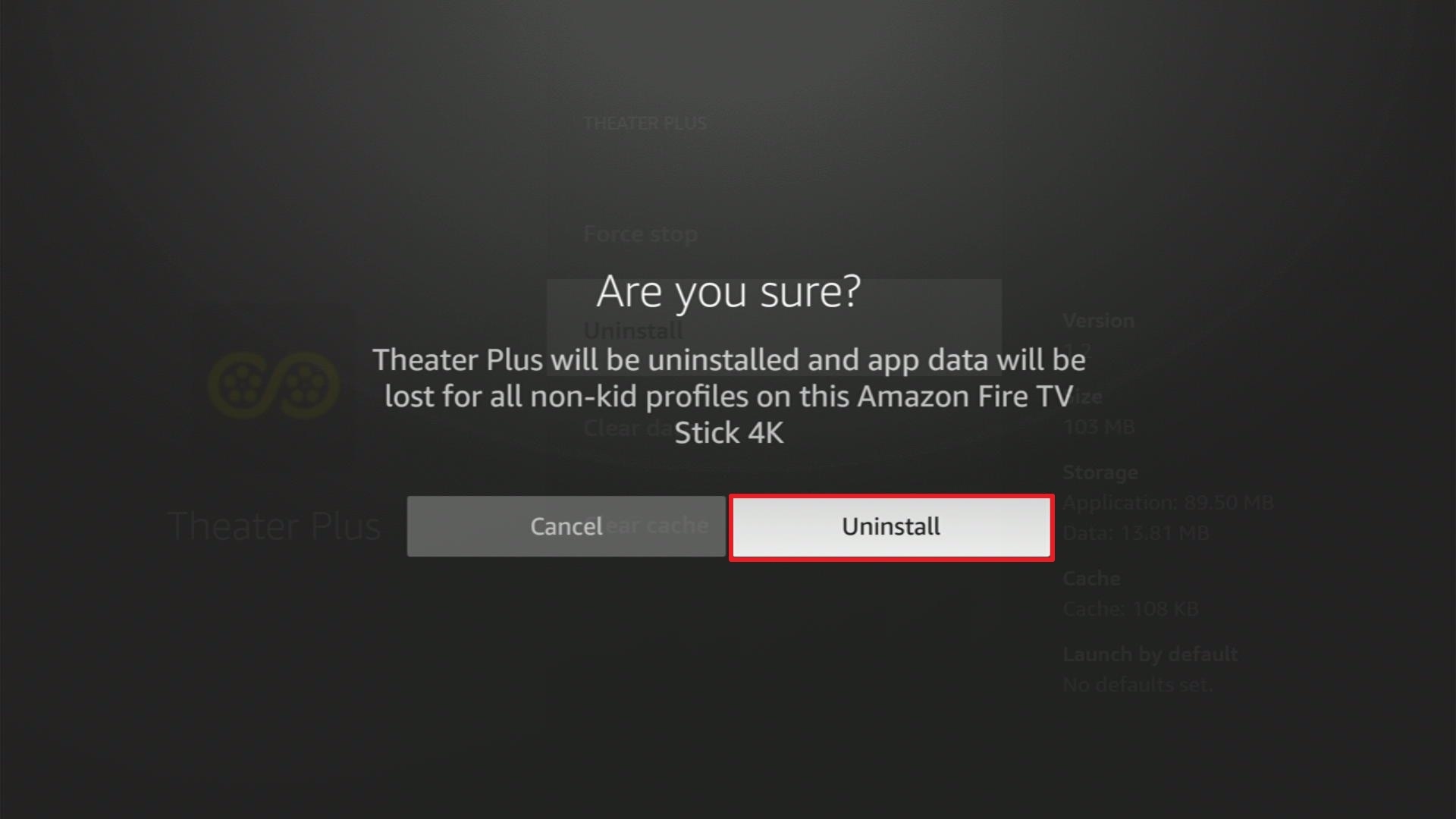
When you are not using an app for a very long time, or you think you are done with it, you can easily uninstall it from Firestick. Follow these simple steps to do so.
1. Go to the Home menu. Scroll to the right and click settings.
2. Select Applications.
3. Click Manage Installed Applications.
4. Select the application you want to delete.
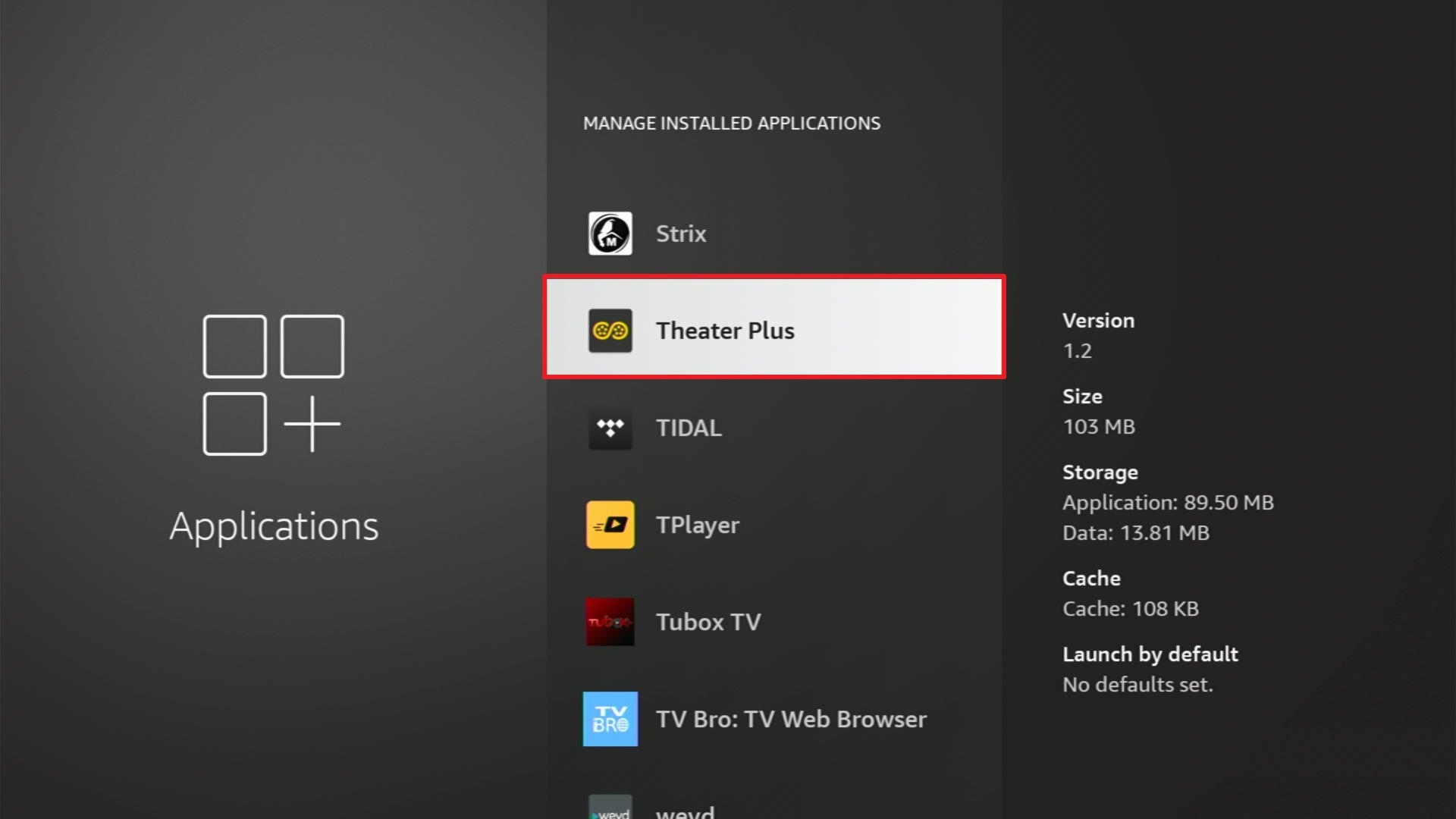
5. Click Uninstall.
6. Click Uninstall.
ReviewVPN cannot attest to the legality, security and privacy of the applications discussed on this site. It is highly recommended that you use a VPN service while streaming or using Kodi. Currently, your IP 216.73.216.72 is visible to everyone and your Browser is being tracked by Advertisers & ISP Provider. Here are the main reasons why you must use a VPN: A VPN works be replacing your ISP-assigned IP address and creating an encrypted tunnel. We recommend the no log service offered by IPVanish. It works well on a Firestick and offers the fastest possible speeds.
YOUR INTERNET ACTIVITY IS BEING WATCHED
Legal Disclaimer: ReviewVPN.com does not encourage or endorse any illegal activity involved in the usage of services and applications referenced on this site. We do not verify the licensing agreements of services. The end-user is wholly responsible for ensuring that any media accessed through these services does not violate copyright and/or licensing laws. ReviewVPN does not promote, link to, or receive compensation from any Apps and IPTV services.
Install Surfshark on Firestick
Other Ways to Improve The Performace of Your Amazon Firestick Device
There are also other ways you can follow to help improve your Firestick’s performance. You won’t be able to say “Why is my firestick so slow?”.
1. Check Your Wifi Connection
By using a better ethernet wire or adapter may be a good way to boost your internet speed. This might also stop slowing your Firestick. Most Firestick buffering is due to poor WiFi connection. So if you would connect your2. TV directly to your internet modem through an adapter, there is a big chance that you won’t have a poor connection.
2. Use the Original Power Adapter/USB
When you buy the Amazon Firestick, it is better to use all the original USB or adapters found inside the box, instead of using other brands. This might not make sense at first but if you are not that technical and o you don’t like to experience having a slow device, we suggest you follow all instructions.
3. Learn about the Firestick Settings
Some settings are set by default, and you need to change them to boost your streaming experience.
Best Amazon Firestick Settings That You Should Know
Stream Safely With a VPN
Firestick buffering is such an annoying problem to deal with. Aside from following all the steps and tips provided above, we suggest using a Virtual Private Network as well. A VPN will boost your internet speed and stop buffering while streaming.
We always suggest using Surfshark as the best VPN for Firestick. We have tested this service and there is no doubt that is 100% useful. It can connect you to a different server from other countries you like. With this, you’ll have access to their content but all of your data and information is stay hidden and safe.
Install Surfshark on Firestick
How to Install Surfshark VPN on Firestick
If your Firestick still has the older interface, read this article to learn how to update it: Update Firestick Interface.
Follow our screenshots below to install the SurfShark VPN app on your Fire TV stick.
1. Go to the Home screen of your Firestick.

2. Navigate towards the Find tab. Press the Search button from the resulting dropdown.

3. Type in the keyword of SurfShark and select from the suggestions that will appear.

4. Click the official SurfShark icon from your search results.

5. Press the Download (You own it) button.

6. The SurfShark VPN installer will download on your device.

7. SurfShark VPN’s app will automatically install itself on your Fire TV stick.

8. Press the Open button after completing SurfShark VPN’s installation process.

9. Please wait for the SurfShark VPN to load its user interface.

10. You can now log in with your SurfShark VPN account credentials.

Learn more about Surfshark and Grab the Best Surfshark Deal Now!
Install Surfshark on Firestick



For more VPN discounts, go to ReviewVPN Deals and purchase the best VPN for you.
Click here to get the lowest price on Surfshark through our exclusive limited-time offer.
Why is my firestick so slow: Executive Summary
To sum up, all of the possible answers to why my firestick is so slow are these reasons, apps running in the background, overheated devices, and too much bloatware.
Follow all the great tips above on how to improve the speed of your device and we hope that you find this article helpful for your query.
Note: ReviewVPN.com does not own or operate any app nor does it endorse any. The main purpose of this article is strictly for educational purposes only.






