

Overview
Quick Navigation
This article will show you how to install Moviesy on Firestick.
Moviesy, which is owned by KaustubhPatange, is a YTS client that enables streaming and downloads on Firestick and Android devices. It contains over 10,000 HD/4k movies that you can watch immediately with their built-in media player or download using their torrent downloader.

It also includes subtitles, which you may also stream or download. Additionally, it lets you cast movies on any Chromecast device, allowing you to enjoy your favorite films on a larger screen. Furthermore, it offers both a free and a premium plan but be assured that both plans include free access to their movies.
However, the premium plan’s advantage is that it is a one-time payment of $2 and includes additional features. This includes unlimited movie downloads, higher-quality streaming, subtitle support when casting, no adverts or pop-ups, and an automatic update.

How To Install Moviesy on Firestick
To begin, if your Firestick has not yet been jailbroken, follow the simple steps below to jailbreak it to install Moviesy on your device:
1. Click Home on your remote and scroll once to your Right. Click Setting (Gear Wheel Icon).
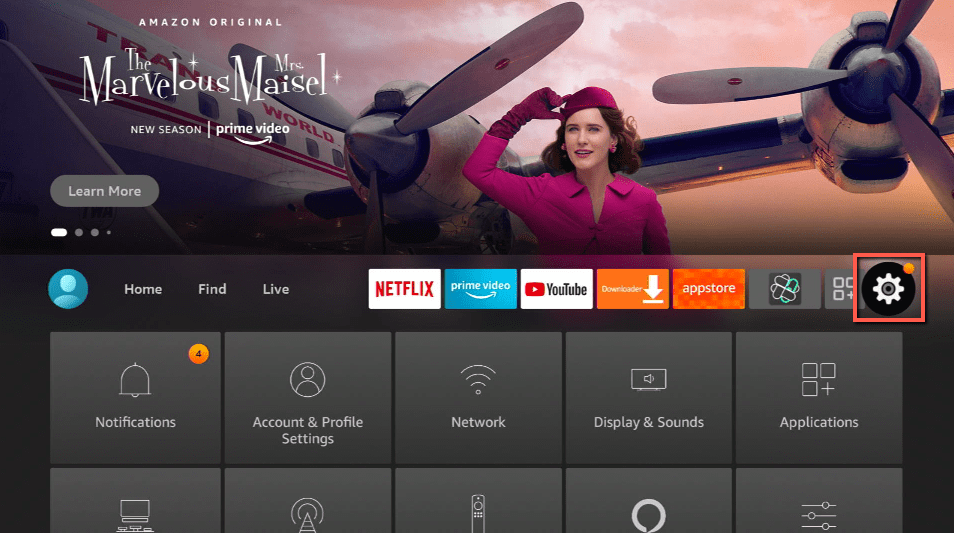
2. Scroll down and to the right until you get to My Fire TV. Click on it.
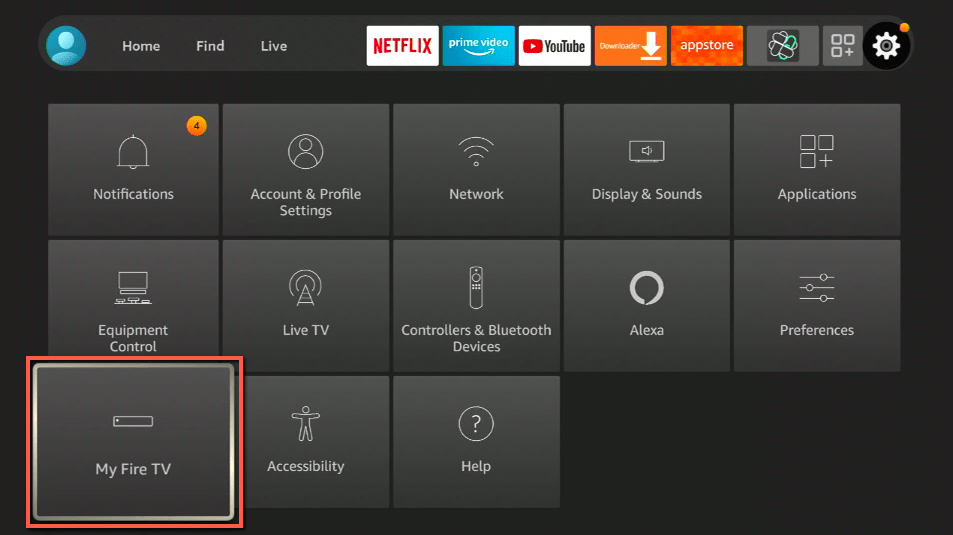
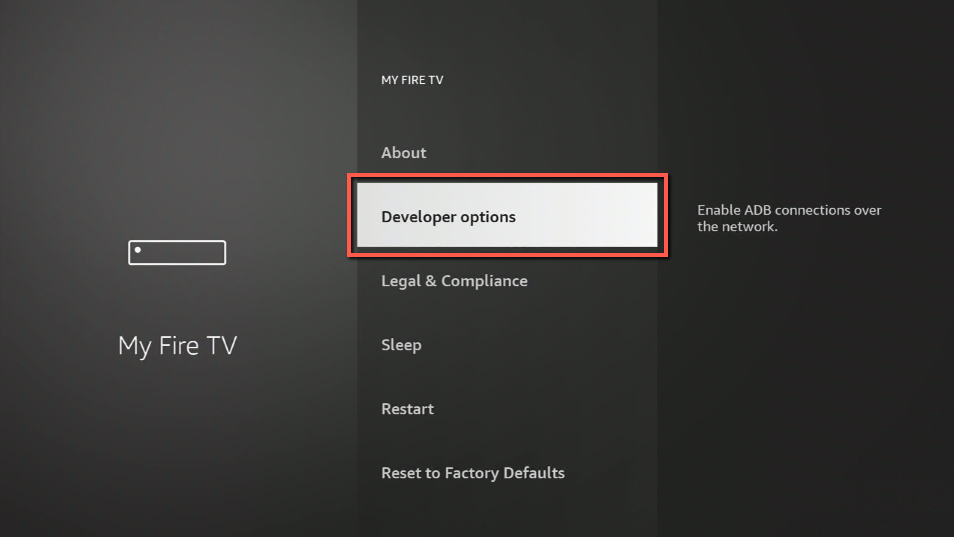
3. Select Developer options.
4. Turn on ADB debugging and Apps from Unknown Sources.
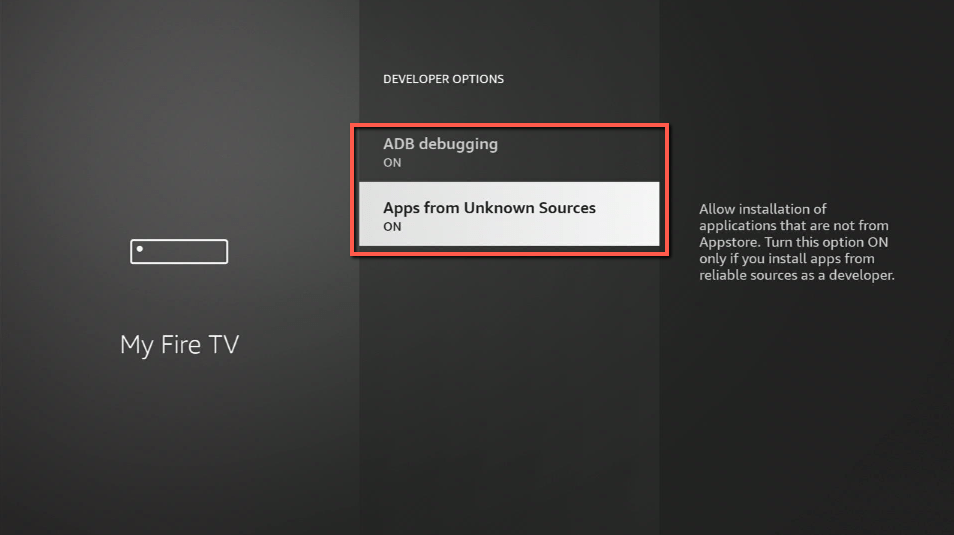
5. Click Turn On when the pop-up appears.
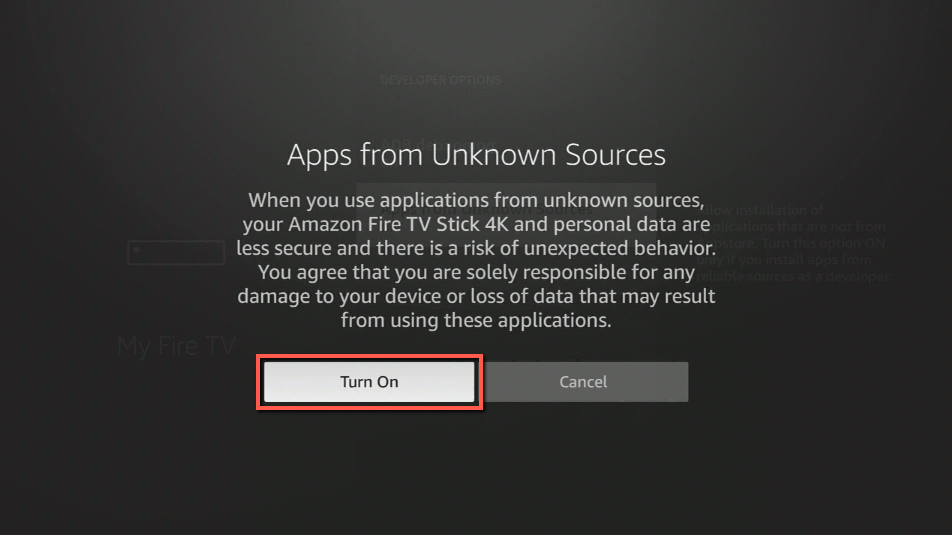
Then, after jailbreaking your Firestick, you’ll need to download the Downloader app to sideload Moviesy. This app, which is easily available on the Amazon App Store, allows you to download APK files.
6. Click Home, click FIND.
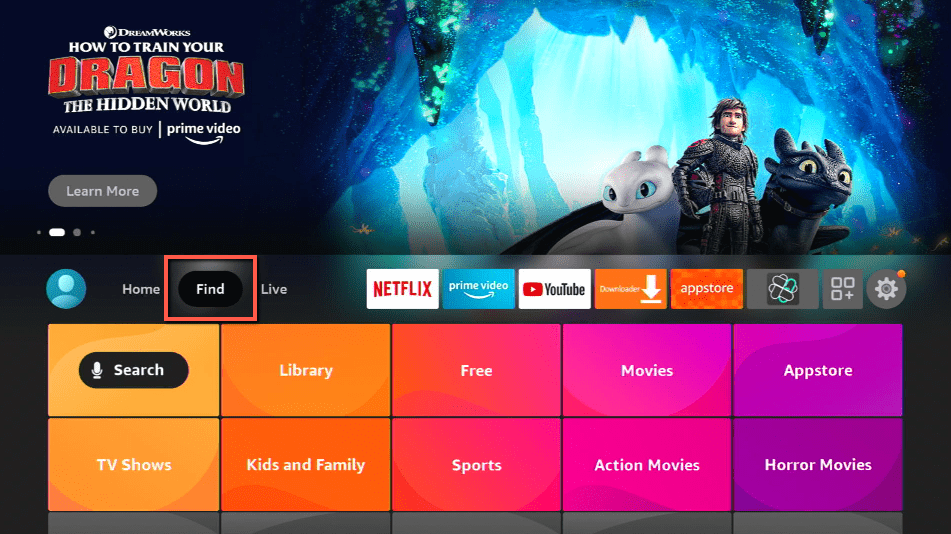
7. Click Search.
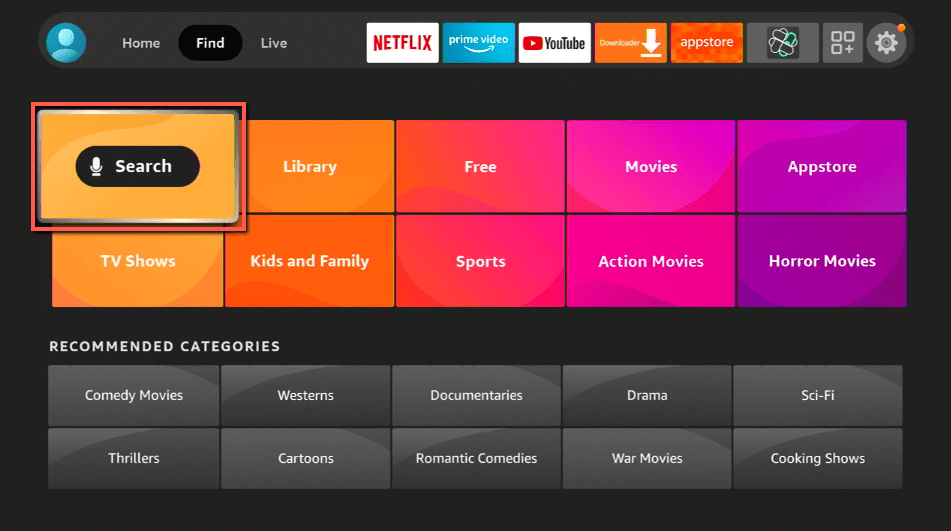
8. You can either say Downloader to your Alexa voice-enabled remote or start typing it. If you typed it, click on the suggestion when it appears.
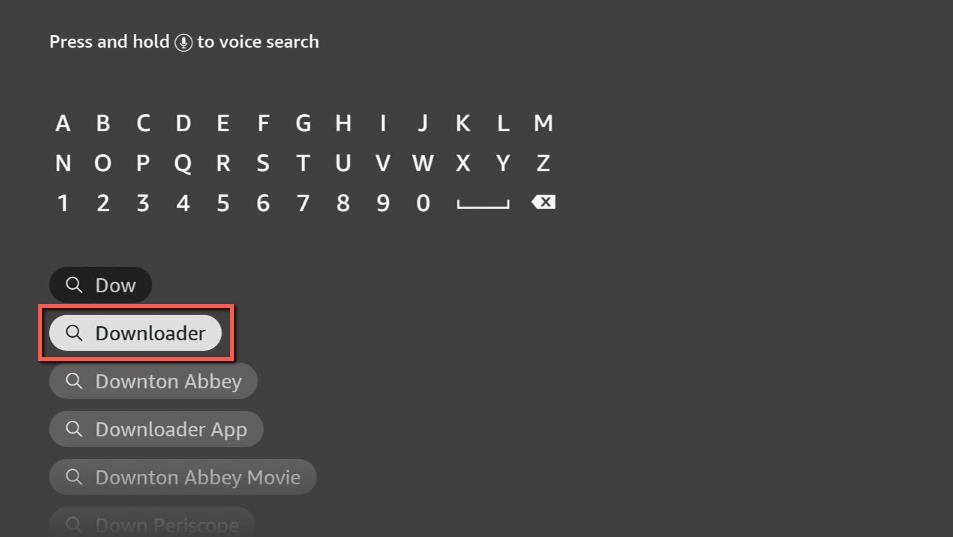
9. Click on the Downloader Icon.
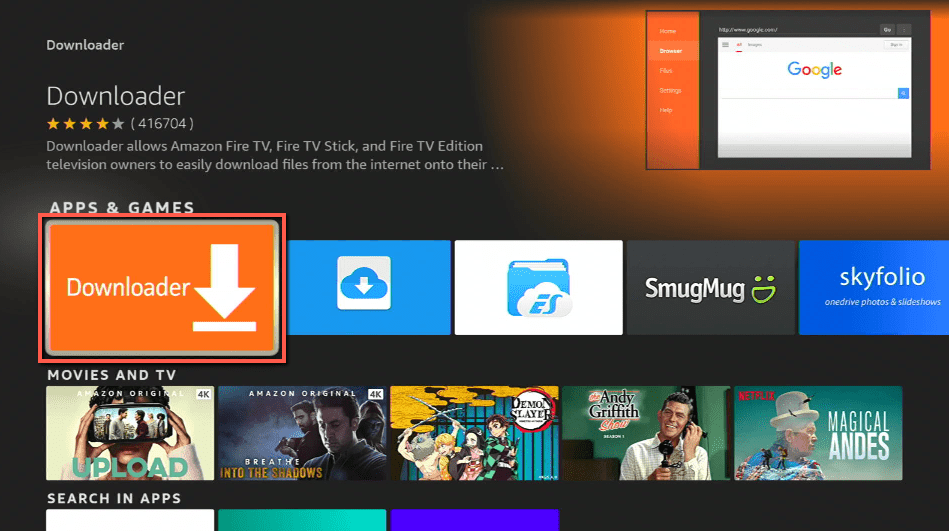
10. Click Download.
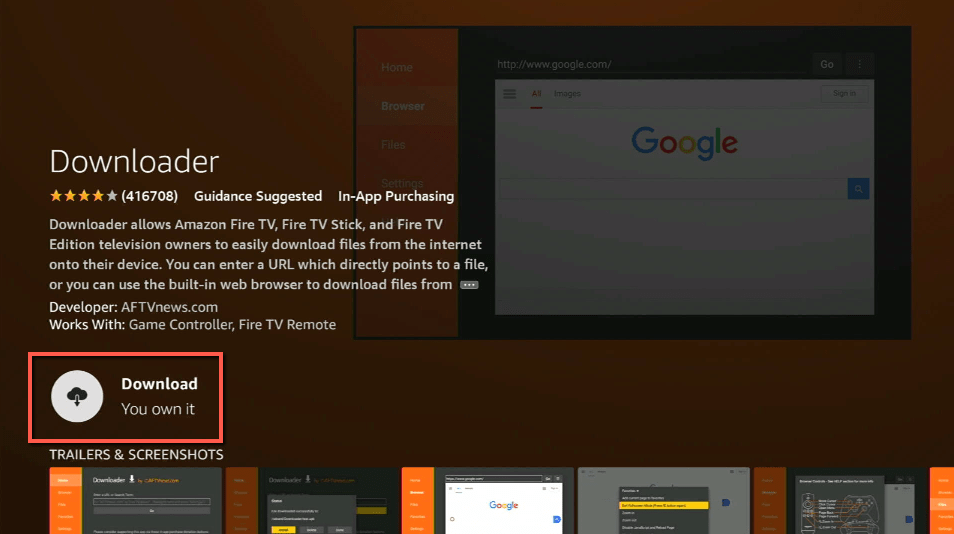
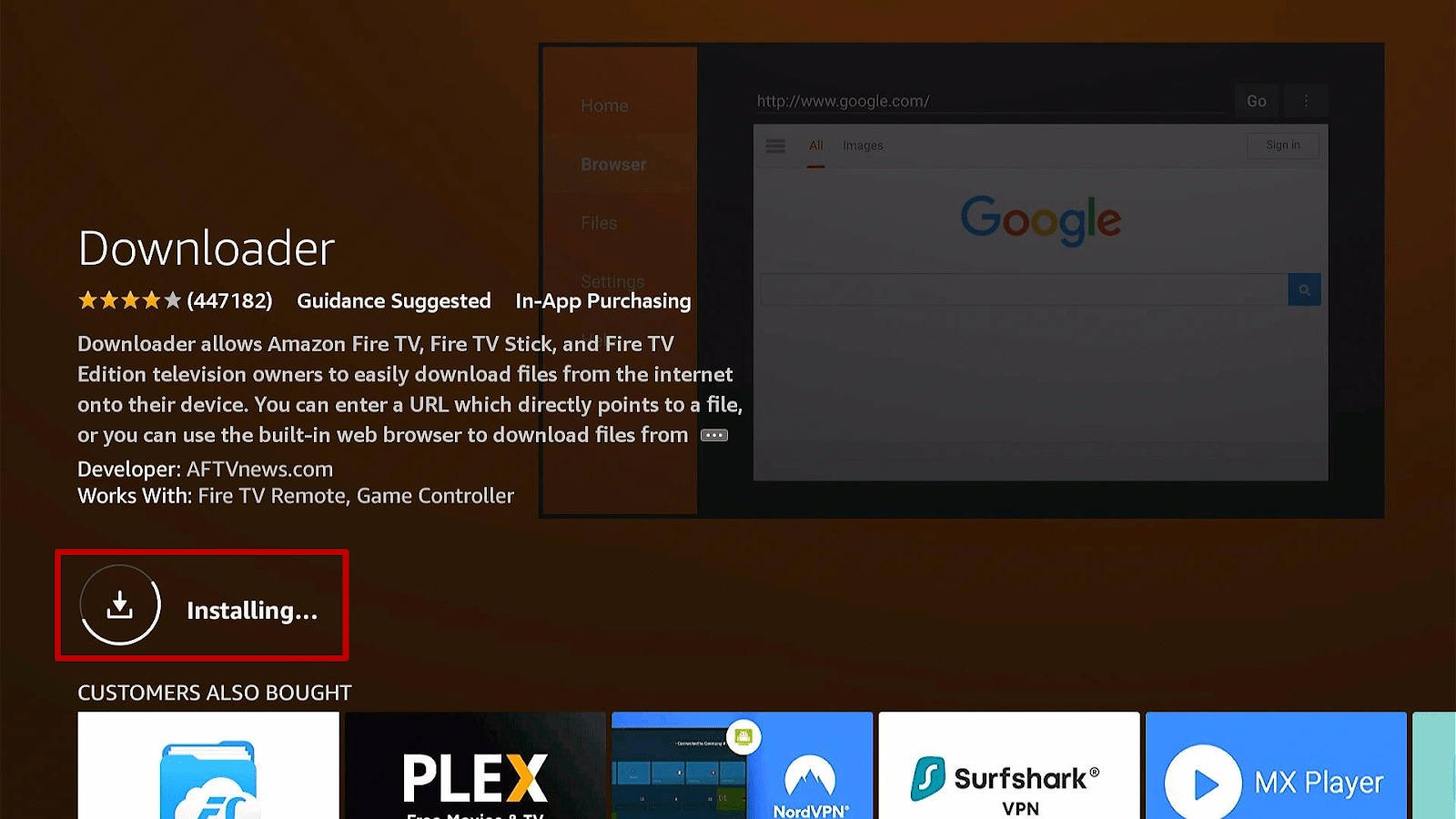
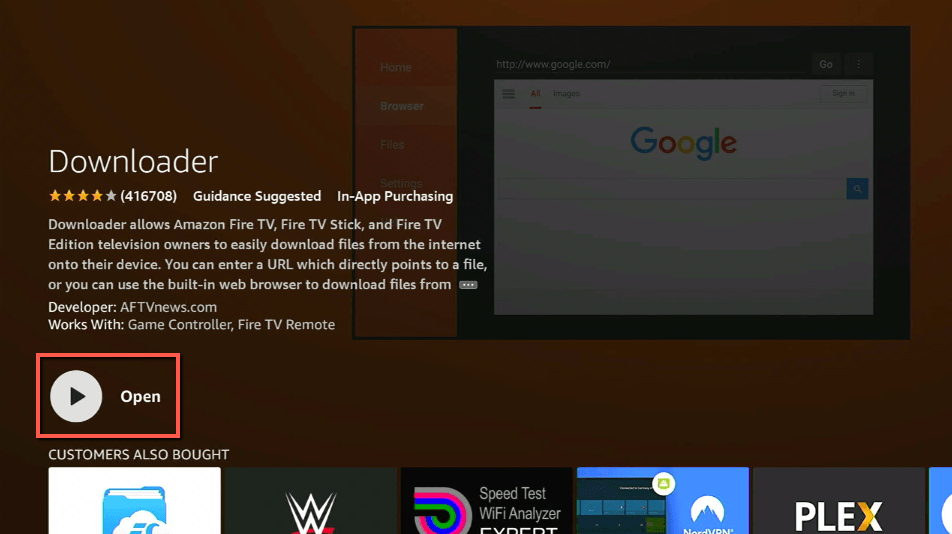
11. Click on Open.
12. Click on Allow.
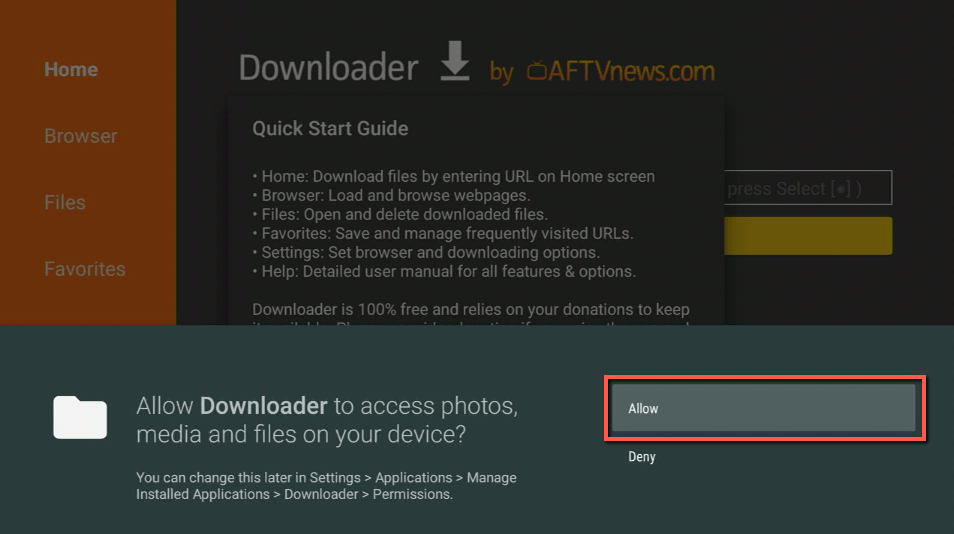
13. Use the Downloader search tab.
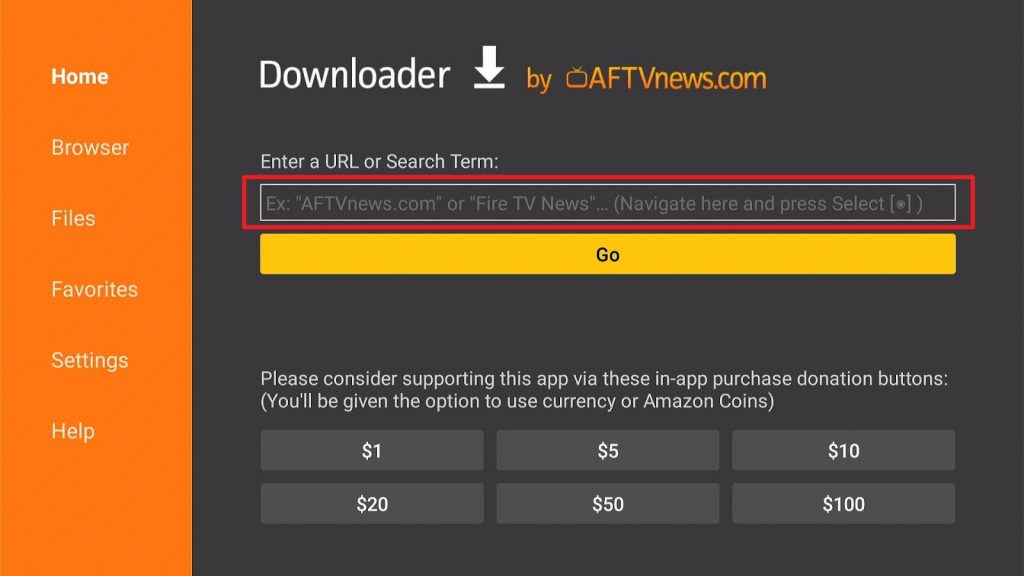
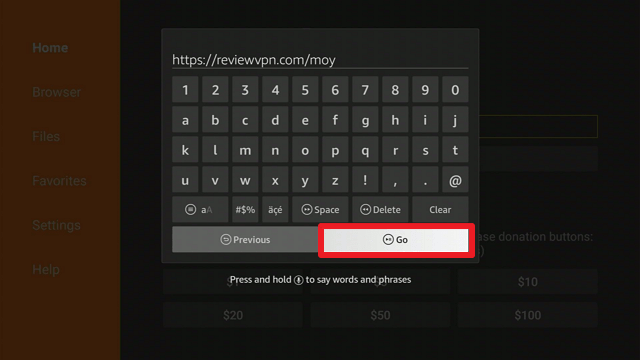
14. You will be asked to enter a download link. Type in “https://reviewvpn.com/moy” and select Go.
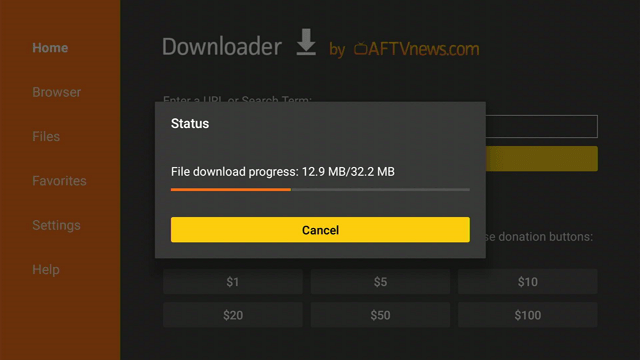
15. Depending on your internet connection, the APK will take a few seconds to download.
16. After that, choose Install.
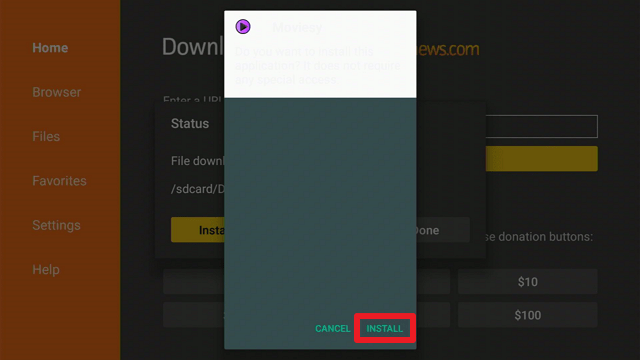
17. Then click Open.
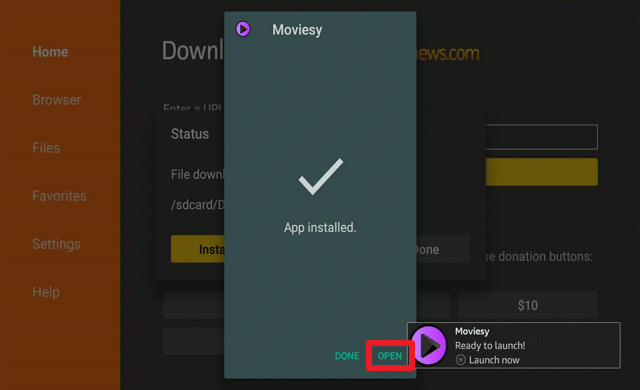
18. Select “No Thanks”.
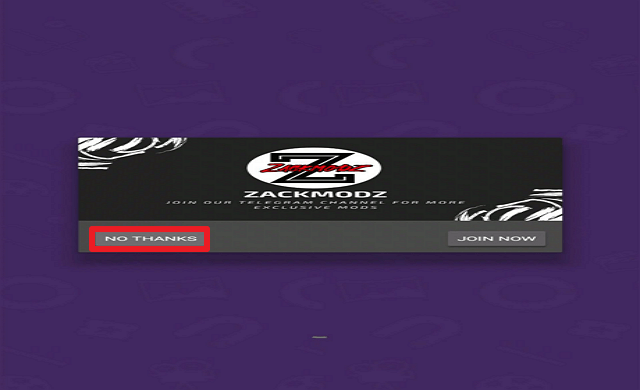
19. Then a disclaimer will appear, click on “Next”.

20. Choose “Agree”.

21. Then click “Alright”.
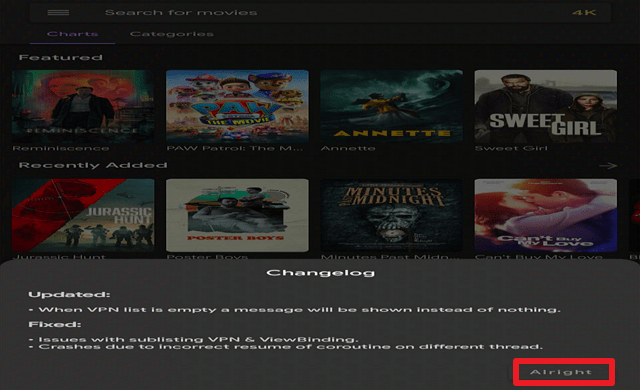
22. That’s it, you can now start browsing Moviesy.
Moviesy APK Download for Android Devices

Note: ReviewVPN.com does not host this APK file. It is hosted by Archive.org
Install Surfshark on Firestick
Legal Disclaimer: ReviewVPN.com does not encourage or endorse any illegal activity involved in the usage of services and applications referenced on this site. We do not verify the licensing agreements of services. The end-user is wholly responsible for ensuring that any media accessed through these services does not violate copyright and/or licensing laws. ReviewVPN does not promote, link to, or receive compensation from any Apps and IPTV services.
ReviewVPN cannot attest to the legality, security and privacy of the applications discussed on this site. It is highly recommended that you use a VPN service while streaming or using Kodi. Currently, your IP 216.73.217.61 is visible to everyone and your Browser is being tracked by Advertisers & ISP Provider. Here are the main reasons why you must use a VPN: A VPN works be replacing your ISP-assigned IP address and creating an encrypted tunnel. We recommend the no log service offered by IPVanish. It works well on a Firestick and offers the fastest possible speeds.
YOUR INTERNET ACTIVITY IS BEING WATCHED
App Features
- It lets users watch and download HD and 4K quality films.
- Filters servers based on their language.
- Allows you to download films anonymously and conceals your IP address.
- It has an adaptive search query that eliminates some common typos.
- Notifies you when a film is included in popular downloads.
- Keeps you informed of all the new movies that are added.
- You can choose between a light or dark theme.
- Allows you to create a Google Drive backup of your data.
- It is possible to restore earlier Google Drive backups.
- You can create a Watchlist for your favorite films.
- It includes a built-in VPN for resolving YTS connection difficulties.
- The Library tab displays all newly downloaded files as well as previously downloaded content.
- Has a search option that enables you to look for movies directly by typing in their titles.
- The video quality is available in 720p, 1080p, 4k, and 3D.
- You can sort films into categories based on their release date, download count, popularity, rating, seeders, and year.
- You can select ascending or ascending in your order.
- Indicates the IMDb rating of the movie
Selections
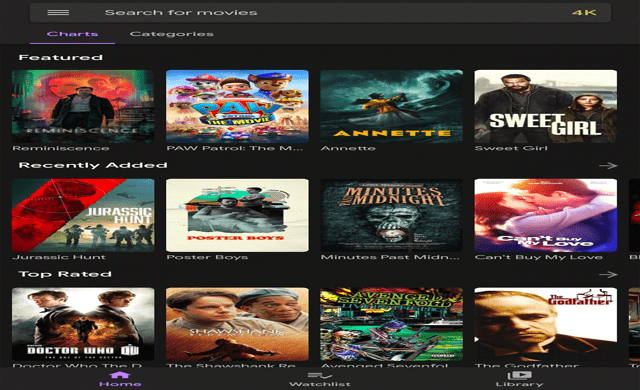
Featured
This section presently contains four films: Snake Eyes, Joe Bell, Beckett, and CODA.
Recently Added
This section contains films such as Stripped to Kill, A Better Tomorrow, Journey to the Center of the Earth, Tommy’s Honour, Circle of Pain, 3 Bad Men, The Squeeze, and Variety.
Top Rated
Films included in this section are Doctor Who, the movie The Shawshank Redemption, and the musical rock concert “Gotterdammerung” in Los Angeles with Avenged Sevenfold.
Popular
Contains Marvel films such as Avengers: Infinity War, Black Panther, Deadpool 2, Avengers: Endgame, Thor: Ragnarok, Doctor Strange, and Big Hero 6 are all available here.
Most liked
The Avengers movies and The Shawshank Redemption are also available here. Other films include Inception, Den of Thieves, Spider-Man: Homecoming, and Prisoners.
Latest
Movies you can find here are Gap Year, The Green Sea, Money Fight, Honor Among Thieves, Heir, Loaded Monday, Lansky, and Gun and a Hotel Bible.
Categories
- Action
- Adventure
- Animation
- Comedy
- Crime
- Documentary
- Drama
- Family
- Fantasy
- History
- Horror
- Musical
- Romance
- Sci-Fi
- Sports
- Thriller
Pros and Cons
Pros
- Movies are available for download
- Offers movie suggestions
- Includes original content from major streaming providers such as Netflix.
Cons
- I needed to use a FireTV remote app on my mobile phone to enable the prompt for access.
- A Mouse Toggle will be needed in clicking on certain options such as the menu bar, categories, and films.
- It takes a while to load since it is a torrent client.
- There are buffers.
- It does not allow you to fast forward or adjust the quality of the video and access other media player settings.
- Difficult to navigate.
Stream Safely With a VPN
Streaming torrent files have long been a staple of the internet. It’s because it enables users to view and download content that is typically unavailable through streaming services. However, it is important to know that viewing torrent files can be significantly more harmful due to a variety of reasons. To begin, you’ll never know where the movies came from, which means you’ll never know who has access to your data when you stream their content. Second, torrenting is prohibited in certain countries. It was expressly mentioned in the disclaimer that certain carriers, such as Airtel (India), do not allow access to any MoviesY content, making the app inaccessible. And apart from the legal implications, you would need to bypass censorships to access Moviesy if you’re using Airtel.
Fortunately, there is a tool known as a VPN that can not only help you encrypt your data but will also allow you to access restricted content. A VPN service, such as Surfshark, will give you an anonymous IP address, enabling you to watch safely without leaving any traces of your activity on the app or content you’re accessing. Additionally, it will make you appear to be from another country, allowing you to access any app or material without worrying about censorship or geo-restrictions. Furthermore, the following are some of its extra protective measures:
- Includes a kill switch that will automatically disconnect you from the internet in the event of a VPN connection interruption.
- Strictly adheres to the zero-log policy and no IP address leaks.
- Utilizes AES 256-bit military-grade encryption to ensure secure end-to-end encryption.
- Implements WireGuard, IKEv2, OpenVPN, L2TP, IPSec, and PPTP protocols to guarantee a safe and fast connection.
- Your data will never be sold to advertising companies or other third parties because Surfshark owns and manages its whole network.
How to Install Surfshark VPN on Firestick
If your Firestick still has the older interface, read this article to learn how to update it: Update Firestick Interface.
1. Go to the Home screen of your Firestick.

2. Navigate towards the Find tab. Press the Search button from the resulting dropdown.

3. Type in the keyword of SurfShark and select from the suggestions that will appear.

4. Click the official SurfShark icon from your search results.

5. Press the Download (You own it) button.

6. The SurfShark VPN installer will download on your device.

7. SurfShark VPN’s app will automatically install itself on your Fire TV stick.

8. Press the Open button after completing SurfShark VPN’s installation process.

9. Please wait for the SurfShark VPN to load its user interface.

10. You can now log in with your SurfShark VPN account credentials.

Learn more about Surfshark and Grab the Best Surfshark Deal Now!
Install Surfshark on Firestick



For more VPN discounts, go to ReviewVPN Deals and purchase the best VPN for you.
Click here to get the lowest price on Surfshark through our exclusive limited-time offer.
App Alternatives
FAQs
What is Moviesy?
Moviesy is a YTS client for your device that enables you to stream and download torrent files. It supports streaming in HD and 4K resolutions and includes an integrated VPN, media player, and subtitle support.
Is Moviesy free?
While Moviesy offers both free and premium options, you can watch free movies on your device regardless of which plan you choose.
Is Moviesy Safe?
Yes, Moviesy is safe to download on your Firestick. However, we cannot guarantee customers’ safety when using torrents, which is why we always advise our readers to use Surfshark when using apps like Moviesy.
Is Moviesy Legal?
It is stated before the app is fully launched that it contains illegal content. So to avoid legal issues, we recommend that you use a VPN service, such as Surfshark, in addition to its built-in VPN to double your protection.
Conclusion
Moviesy is a great option for streaming because it features films in HD and 4K resolution. It also includes a built-in VPN, ensuring that your IP address is concealed while streaming or downloading content from their app.
However, as a frequent streamer, my concern with this app is my safety, as it involves illegal film distribution. As a result, I’d still prefer to use more secure and legitimate streaming apps. However, you may install and try it to determine whether it suits your streaming needs.






