

Documentary Empire Kodi Addon
Quick Navigation
Source: http://luxray.xyz/repo/
Documentary Empire Kodi addon is a cute addon that is Real Debrid compatible. As the name suggests it is highly specific to a genre.
Some people just love watching real-life documentaries and this is for you. With 3 main sections, broken down into a massive range of subsections, there is a documentary here for everyone.
To get the best out of Documentary Empire we do recommend that you link up your Real Debrid account. For as little as $2 a month you can use 50+ paid hosts and their servers to find you the best working link every time, saving your hours of time each month.

Common Errors
These are the 4 most common errors; you are likely to come across when running or installing Adult Hideout:
- Kodi check log error: This error becomes increasingly more likely every time you use Kodi. 9 times out of 10 you will get it from your media cache being full, generally with cover art thumbnails for titles. Every image is cached which can be thousands when you think about the size of your media libraries. A full cache will start chucking off errors. To find out what are the best Kodi maintenance tools for you to download and how to easily flush your Kodi cache read our full guide linked above.
- Source not working/slow/frozen: One of the reasons we love Real Debrid is avoiding the hours spent looking for sources that work. Remember that using Kodi is not like flicking through channels on your TV. It takes time for your device to connect to a server that may be across the world, accesses your source a start to stream it. Be patient and leave the link up to 15 seconds to load. Next, you want to refresh it and use a VPN to make sure that your ISP is not blocking your content from loading. Check here for the best VPN deal. If none of these fixes work, read more of our fix guides linked above.
- Script Error: Script errors occur when there is a missing or corrupted script in either the Documentary Empire add on or your Kodi installation. A script error may prevent the addon from installing or even running. To check the problem doesn’t lie with the add on, try re-installing it and making sure that it is a fresh install. If you try to reinstall the addon and keep getting the same problem, then your Kodi installation may have been corrupted. This sometimes happens if you have tried uploading a corrupted file unknowingly. To find out how to update and reinstall Kodi as well as other fixes read on our fix guides linked above.
- Olpair Streaming Error. If you don’t want to pay for Real Debrid, then at one time or another you’re going to get an error that says “Open Load Stream Authorisation” which means that you need to pair your device through Olpair. Otherwise known as Open load pairing. Each pair will give you 4 hours more streaming time. Simply follow the link to pair, and if you still have problems check out our error fixing guide linked above.

Install Surfshark on Firestick
Legal Disclaimer: ReviewVPN.com does not encourage or endorse any illegal activity involved in the usage of services and applications referenced on this site. We do not verify the licensing agreements of services. The end-user is wholly responsible for ensuring that any media accessed through these services does not violate copyright and/or licensing laws. ReviewVPN does not promote, link to, or receive compensation from any Apps and IPTV services.
ReviewVPN cannot attest to the legality, security and privacy of the applications discussed on this site. It is highly recommended that you use a VPN service while streaming or using Kodi. Currently, your IP 216.73.216.72 is visible to everyone and your Browser is being tracked by Advertisers & ISP Provider. Here are the main reasons why you must use a VPN: A VPN works be replacing your ISP-assigned IP address and creating an encrypted tunnel. We recommend the no log service offered by IPVanish. It works well on a Firestick and offers the fastest possible speeds.
YOUR INTERNET ACTIVITY IS BEING WATCHED
Review
Documentary Empire may not be the best-looking addon, but he has an impressively large selection of Documentaries. As nuts ourselves, we find that mainstream add on documentary sections can be woefully inadequate.
Having the ability to connect to a Real Debrid account makes all the difference as without it you would struggle to find enough content and good links.
This addon serves up plenty of older and more obscure titles. A great niche addon if documentaries are your thing.
Categories Included:
- Crime
- Science
- History
YOUR INTERNET ACTIVITY IS BEING WATCHED
ReviewVPN cannot attest to the legality, security and privacy of the applications discussed on this site. It is highly recommended that you use a VPN service while streaming or using Kodi.
Currently, your IP 216.73.216.72 is visible to everyone and your Browser is being tracked by Advertisers & ISP Provider.
Here are the main reasons why you must use a VPN:
- Your activities are hidden from your ISP, the government, and from the apps you are using.
- You can access additional movies and TV streams.
- ISP attempts to throttle are thrwarted thus reducing buffering issues.
- Geographically restricted content like Netflix and Hulu can be unblocked.
A VPN works be replacing your ISP-assigned IP address and creating an encrypted tunnel. We recommend the no log service offered by IPVanish. It works well on a Firestick and offers the fastest possible speeds.
How to Install Documentary Empire Addon on Kodi with Screenshots
- From the home screen, select the cogwheel at the upper left.

2. Select System in the bottom right corner.

3. Select Add-ons on the left side of the screen.

4. Select Unknown sources.
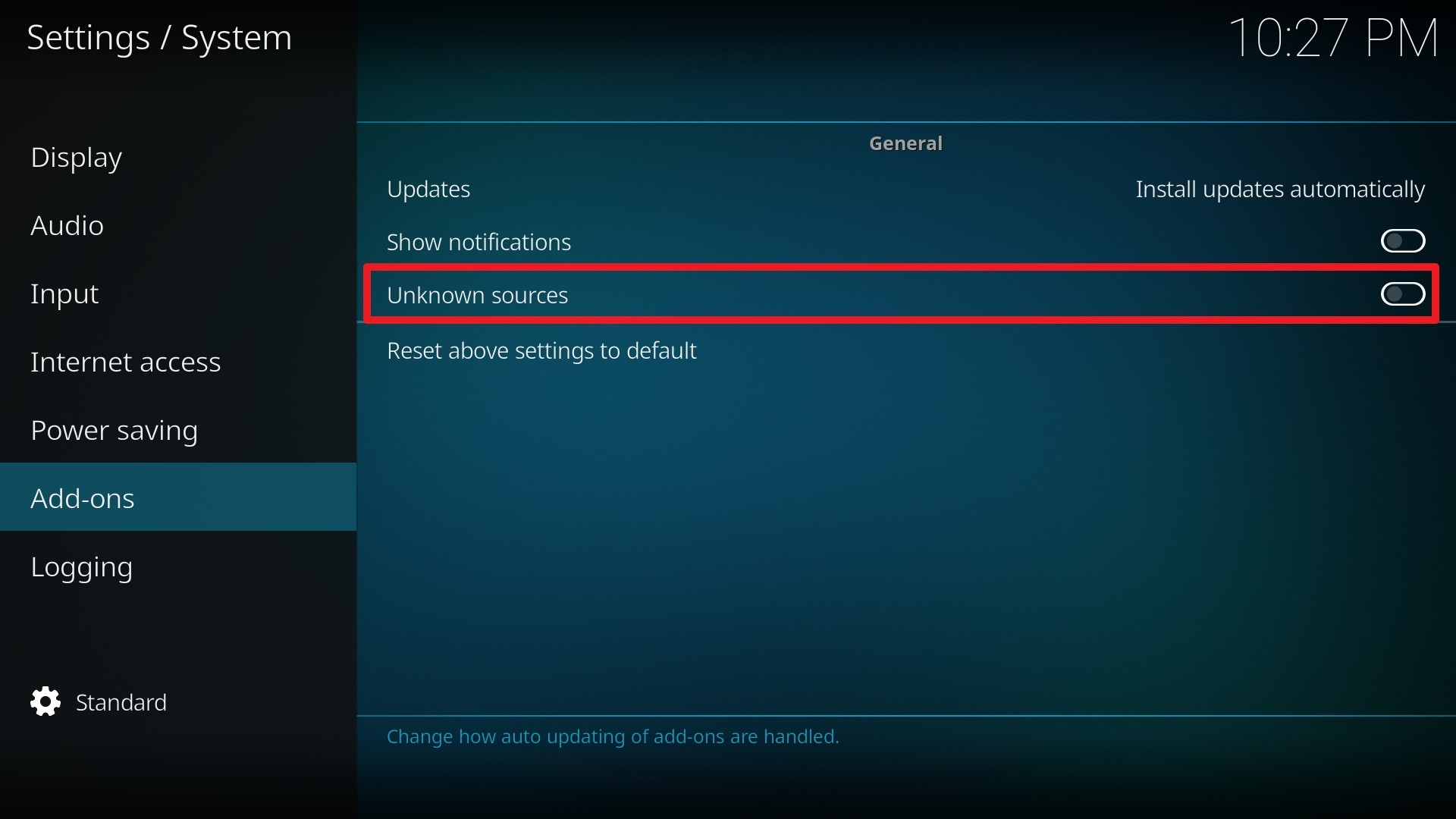
5. Click Yes to allow unknown sources.

6. Select File manager.
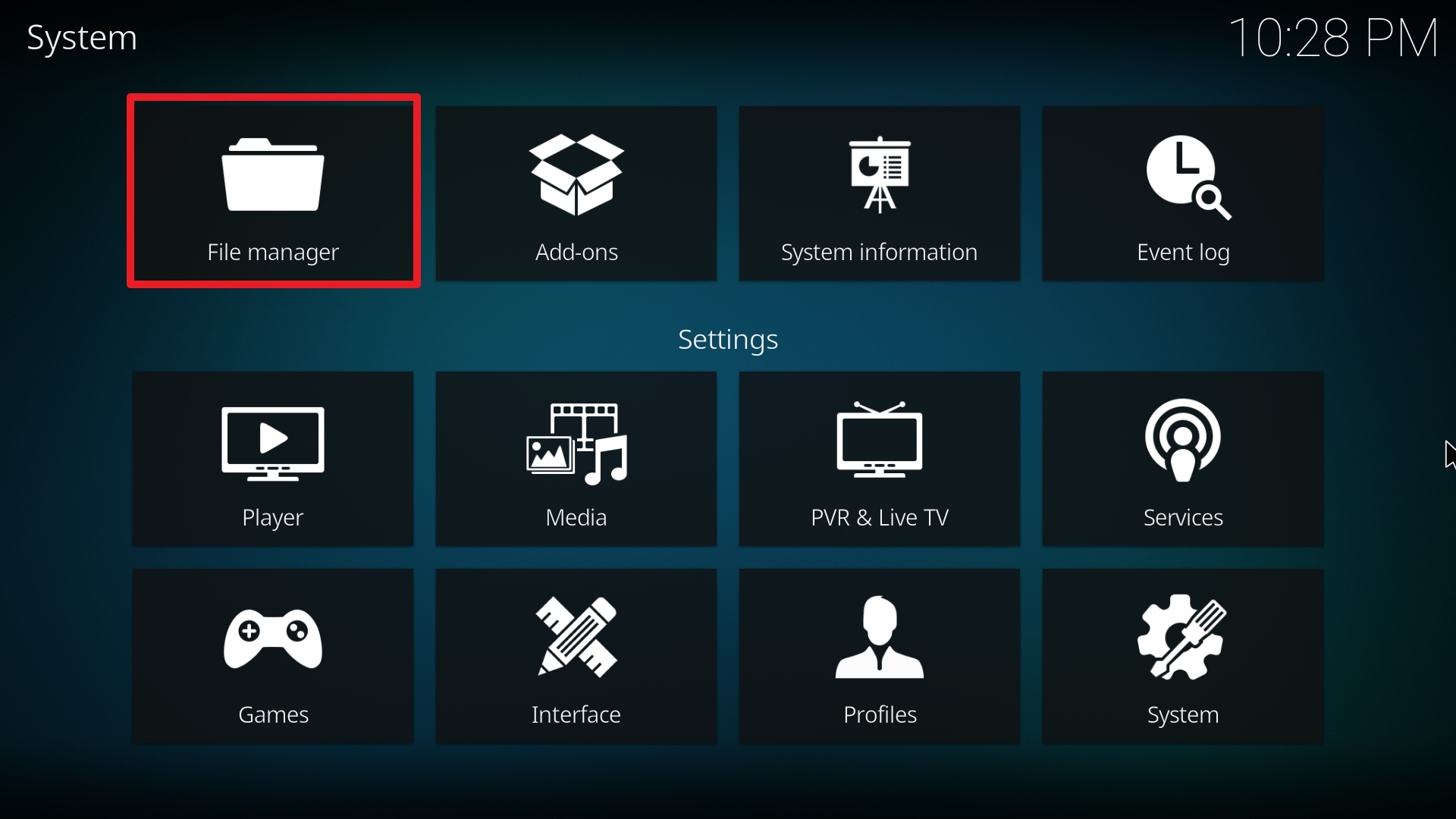
7. Click Add source.

8. Click on <None>.

9. Type exactly: http://luxray.xyz/repo/
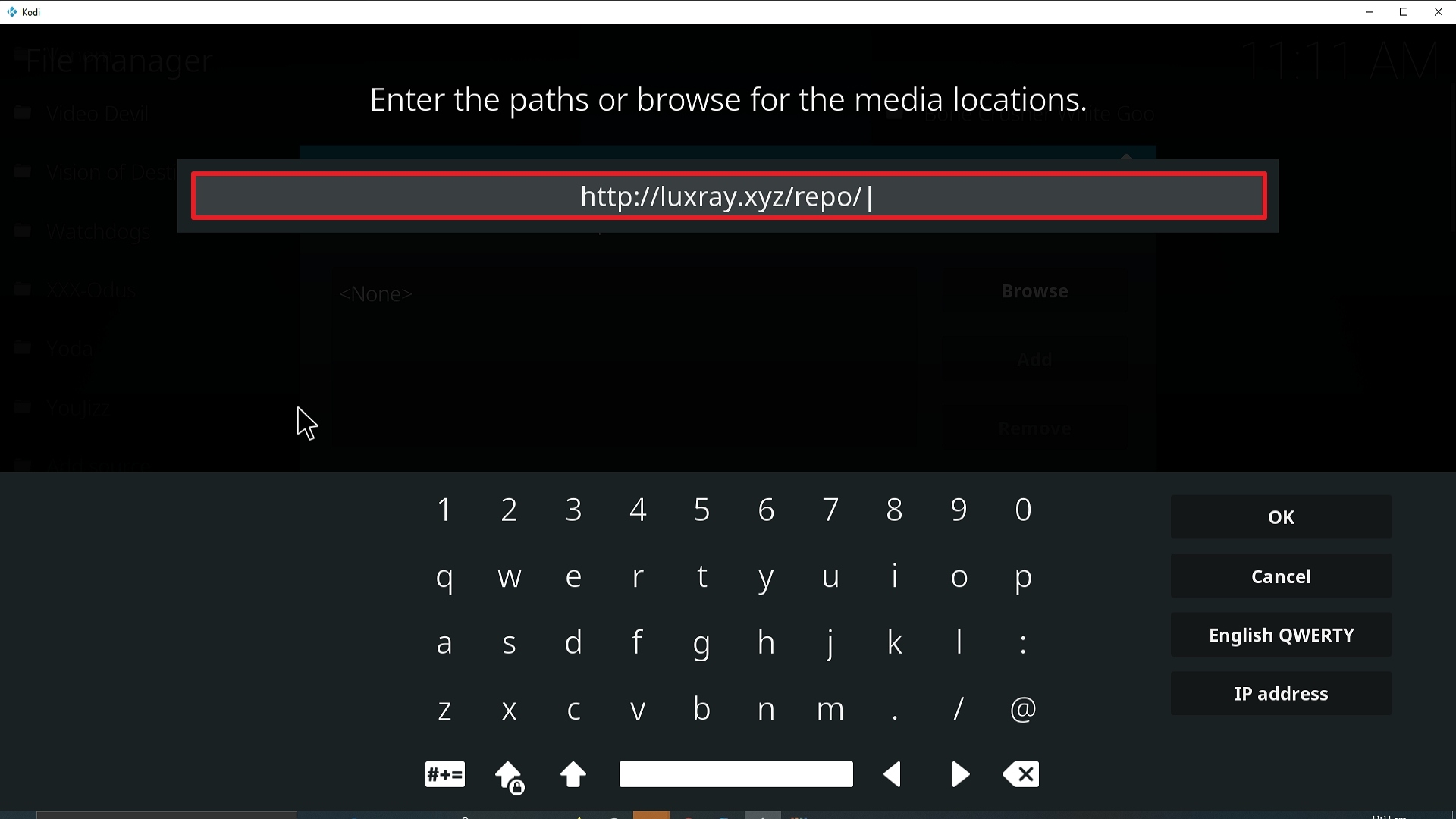
10. Click on OK.
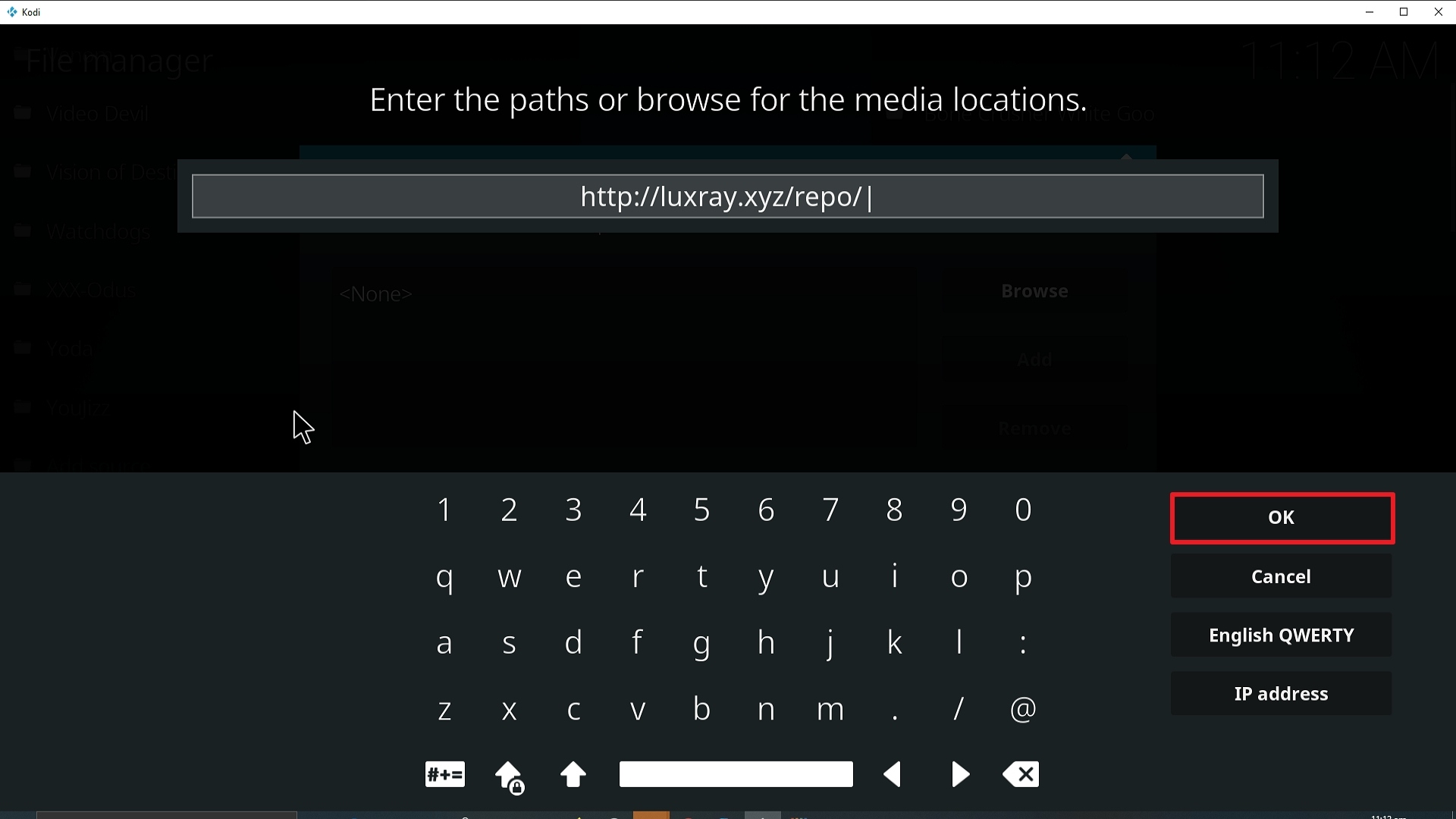
11. Select enter a name for this media source.
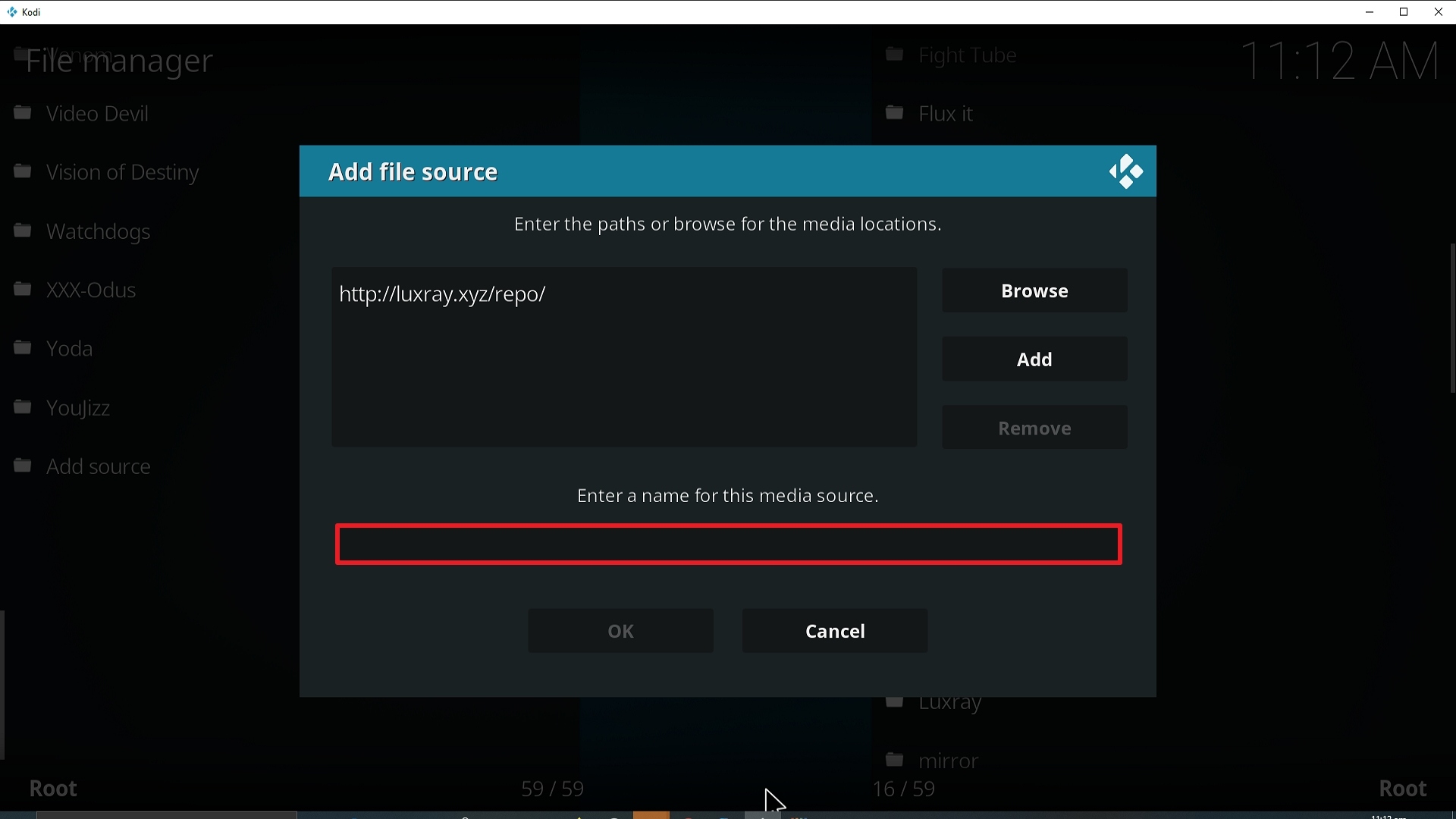
12. Name is Documentary Empire (this part isn’t critical as long as you remember the name).
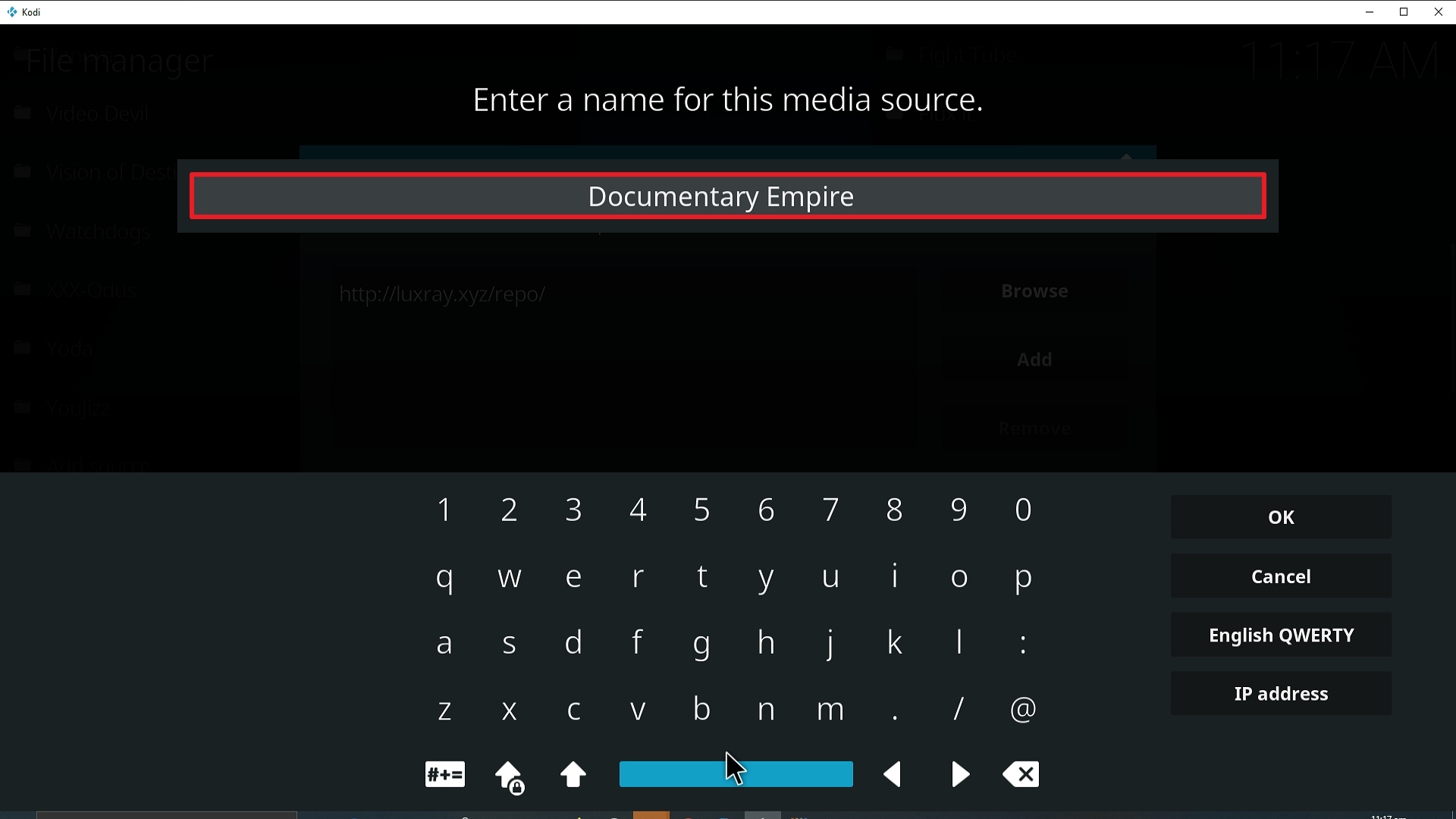
13. Click on OK.
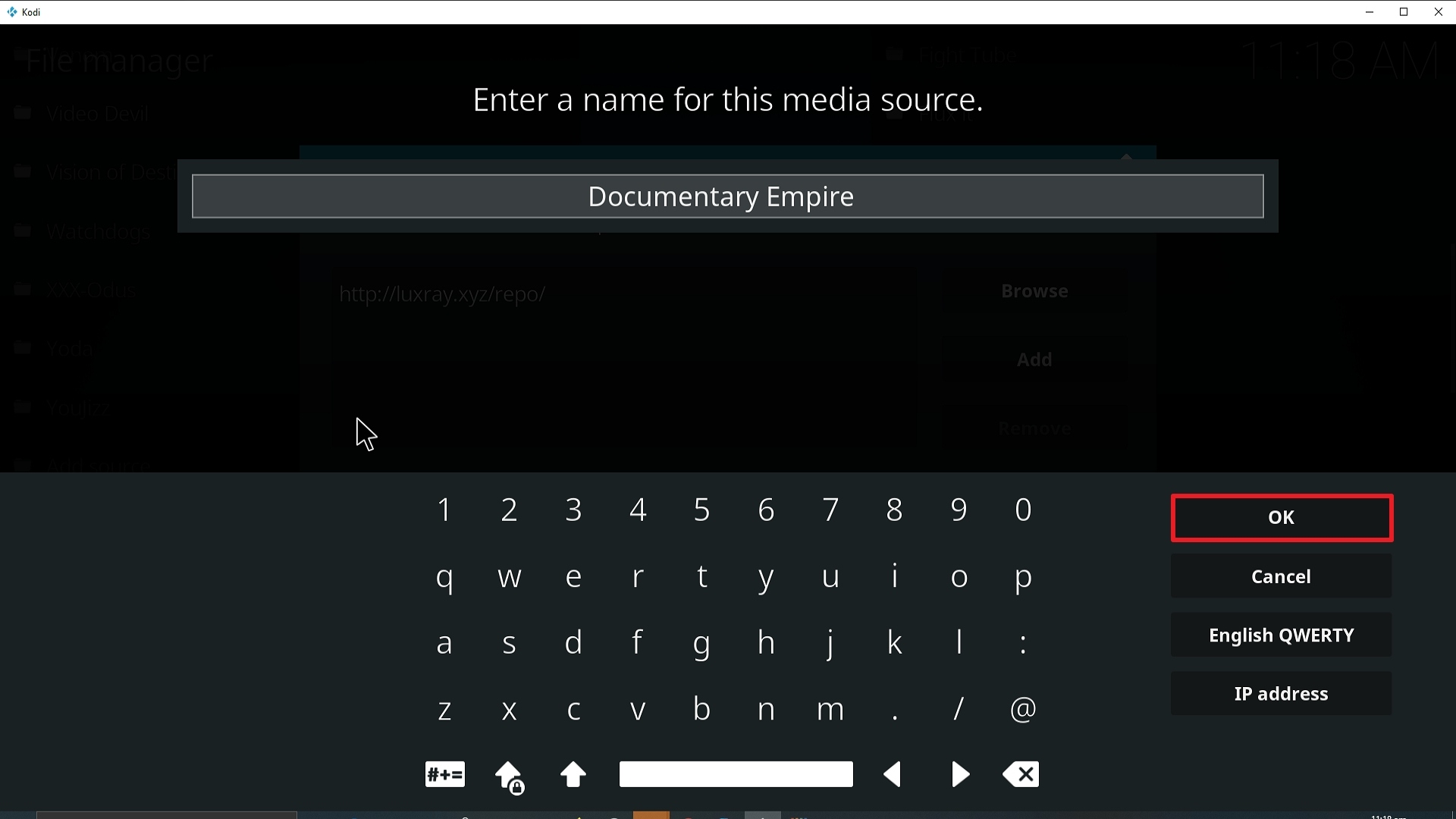
14. Click on OK.
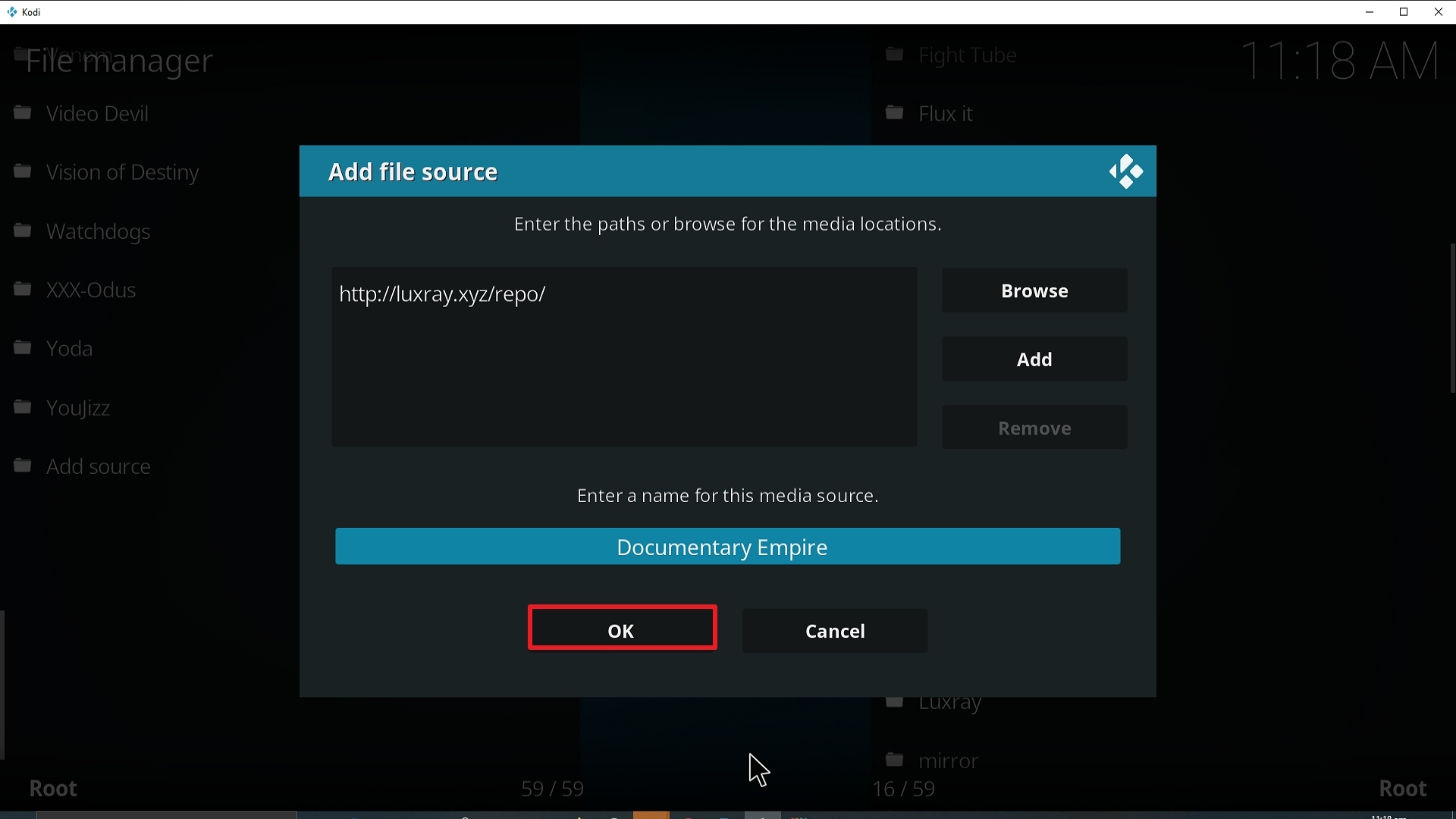
15. Take one step back and click on Add-ons.
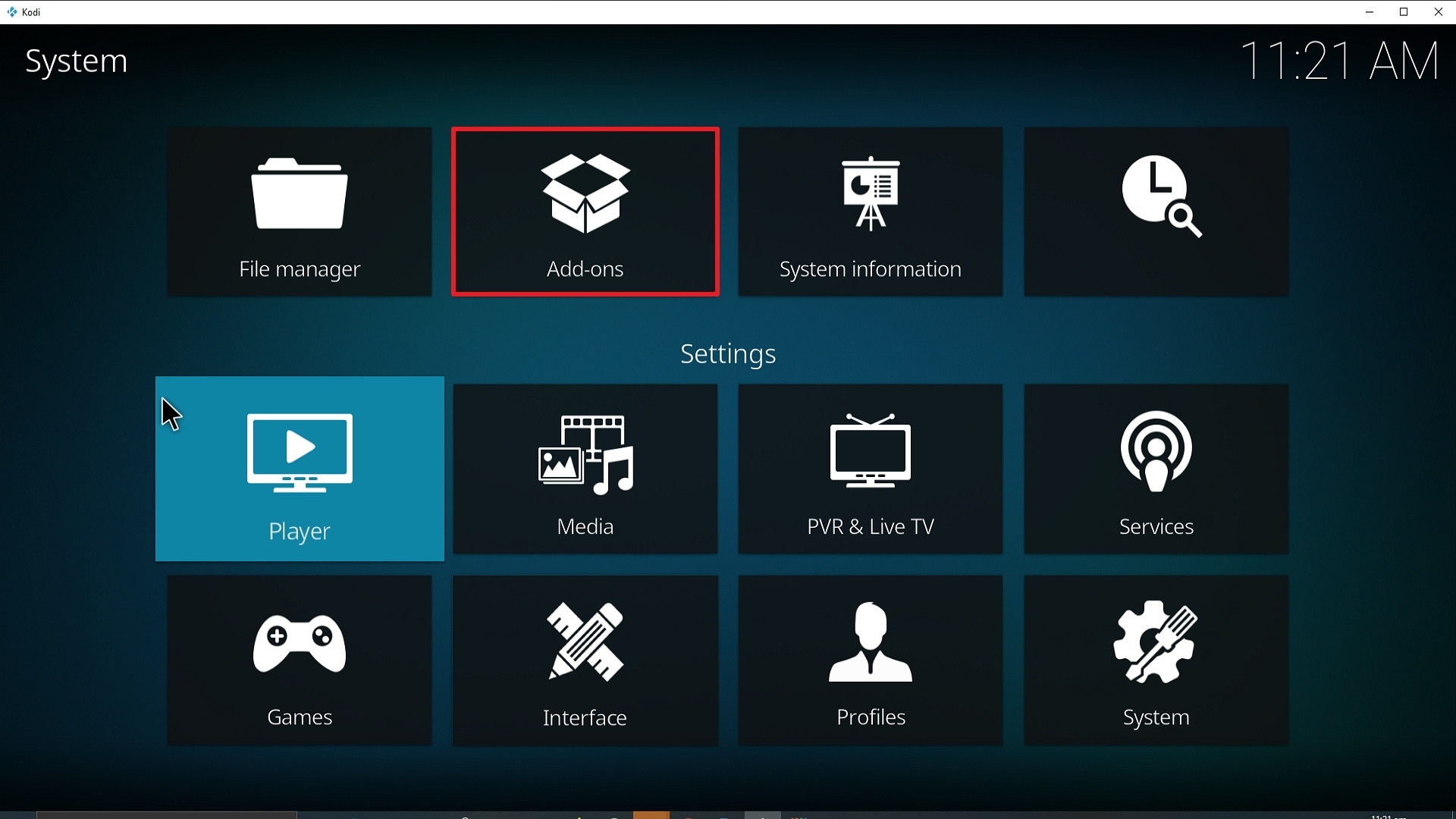
16. Select install from zip file.
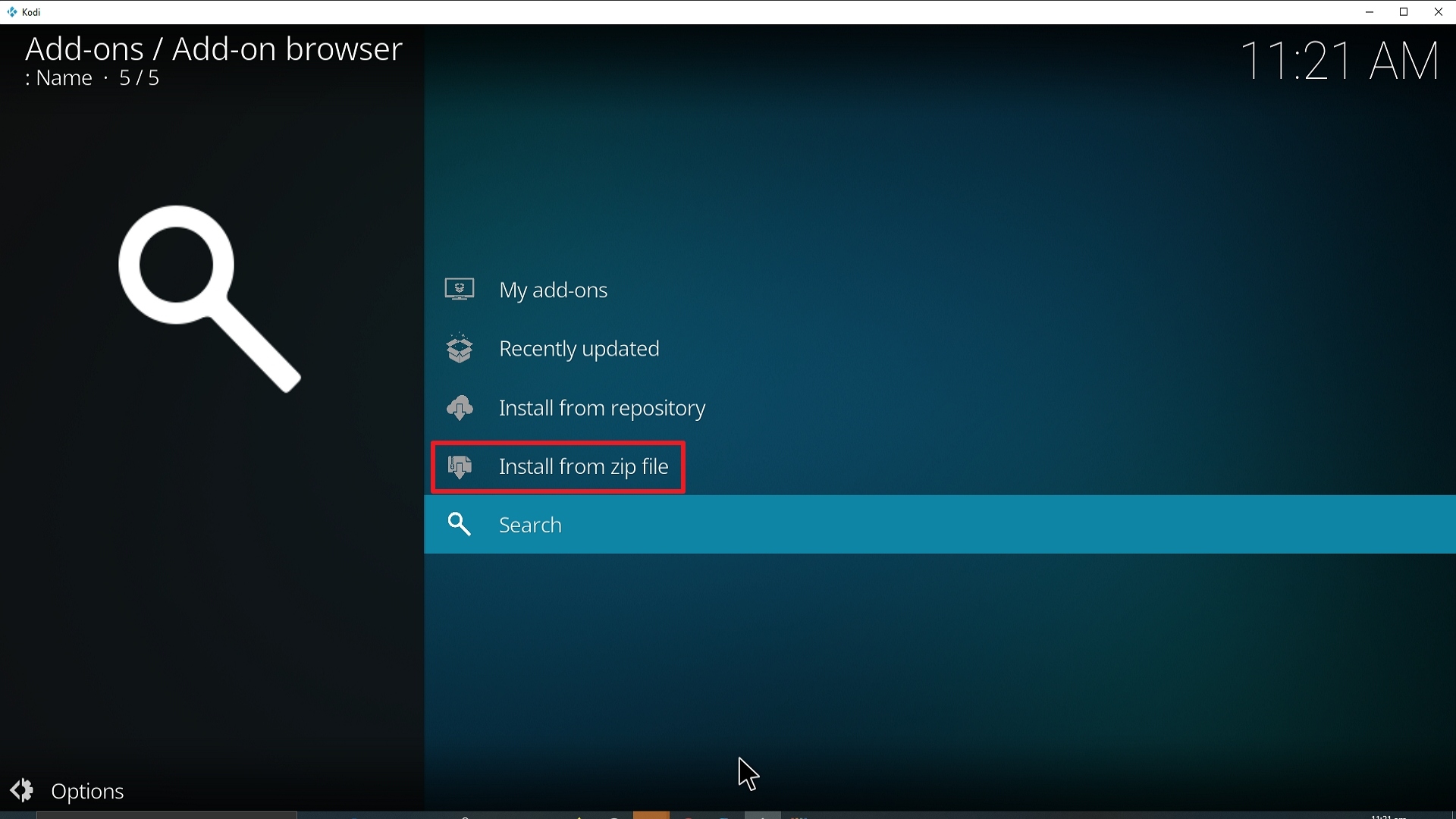
17. Click on Documentary Empire (or whatever you named the source).
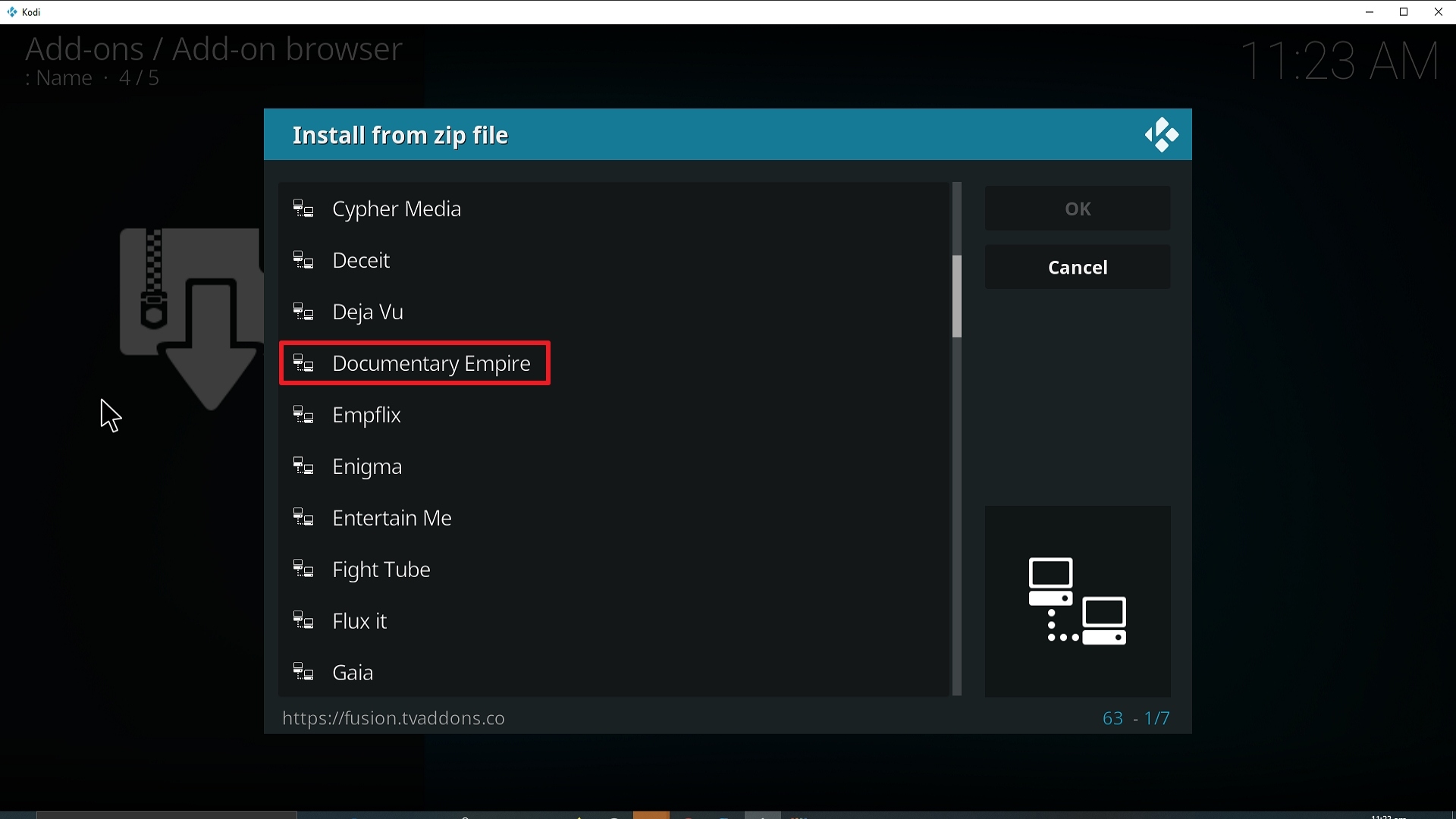
18. Click on repository.luxrayrepo-1.9.zip
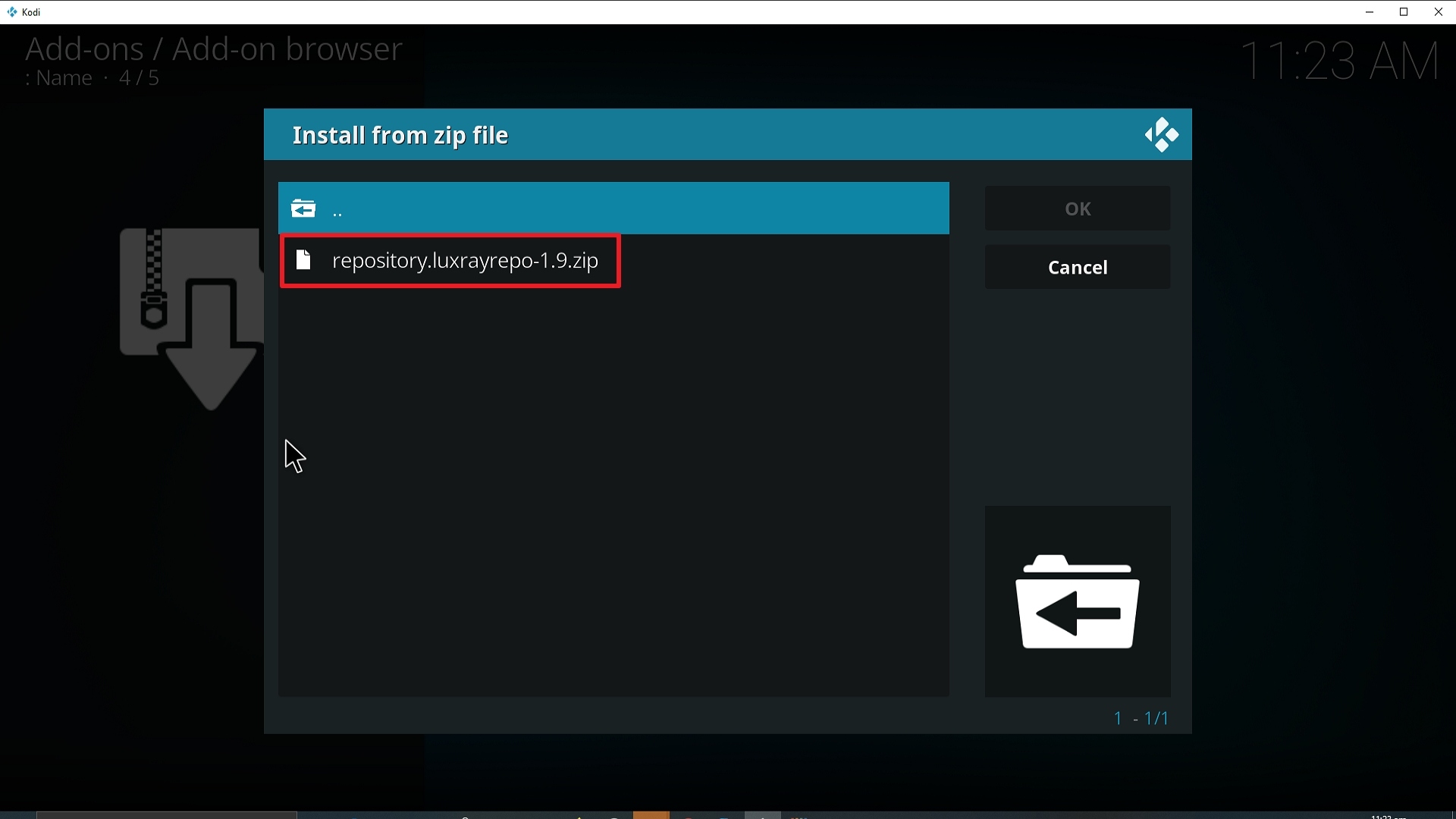
19. Select on Install from repository.
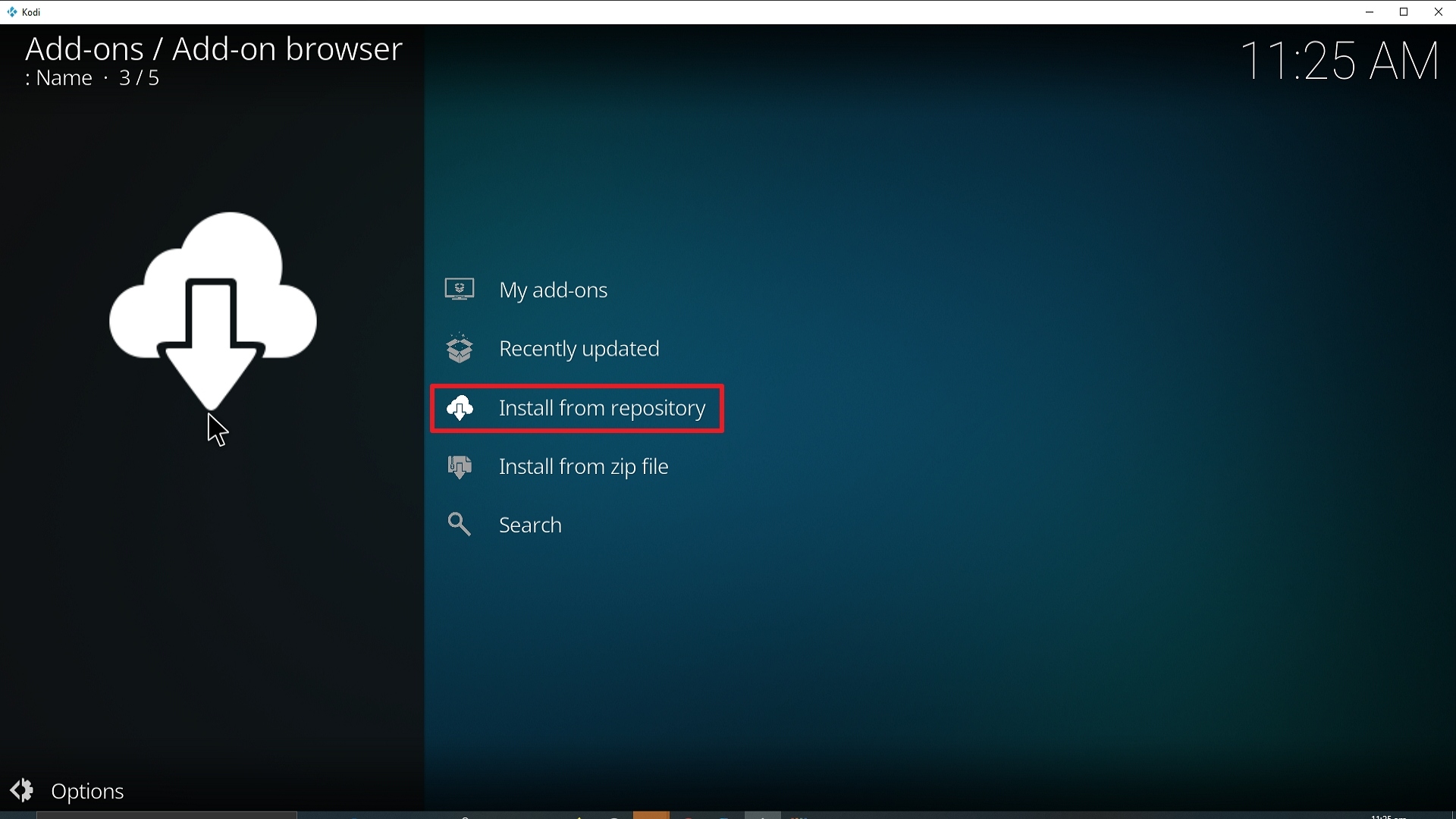
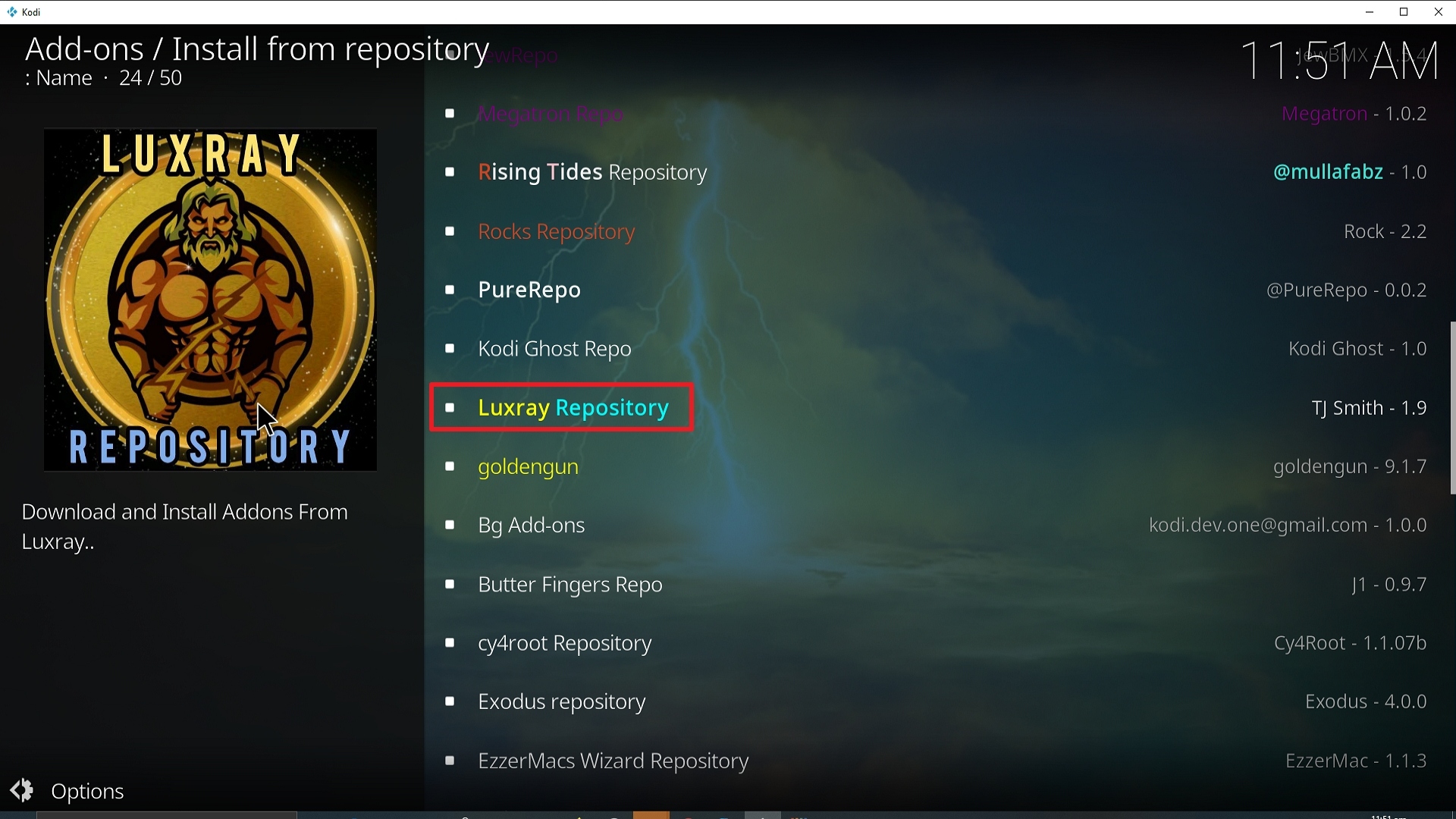
20. Click on Luxray Repo.
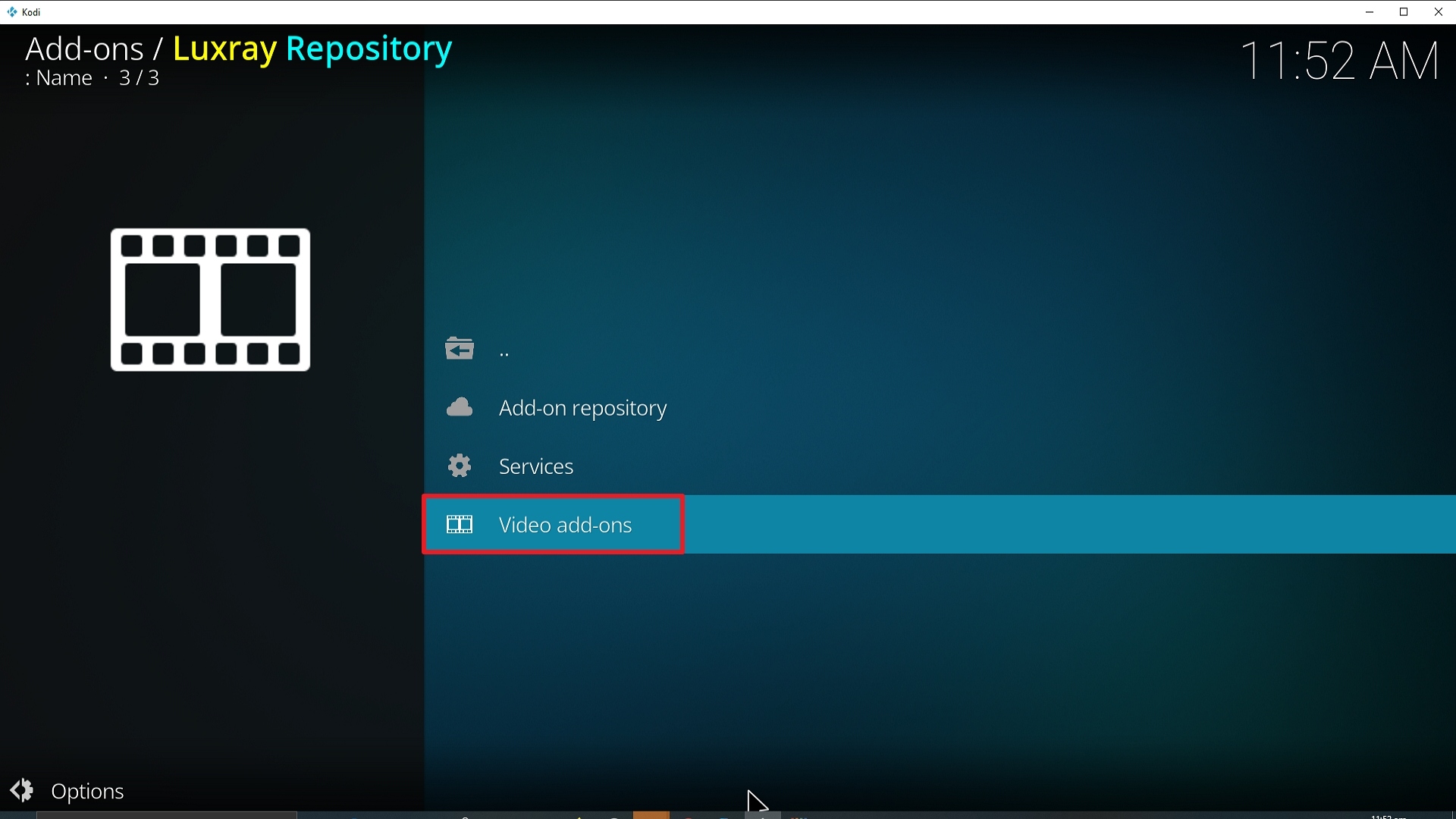
21. Pick Video add-ons.
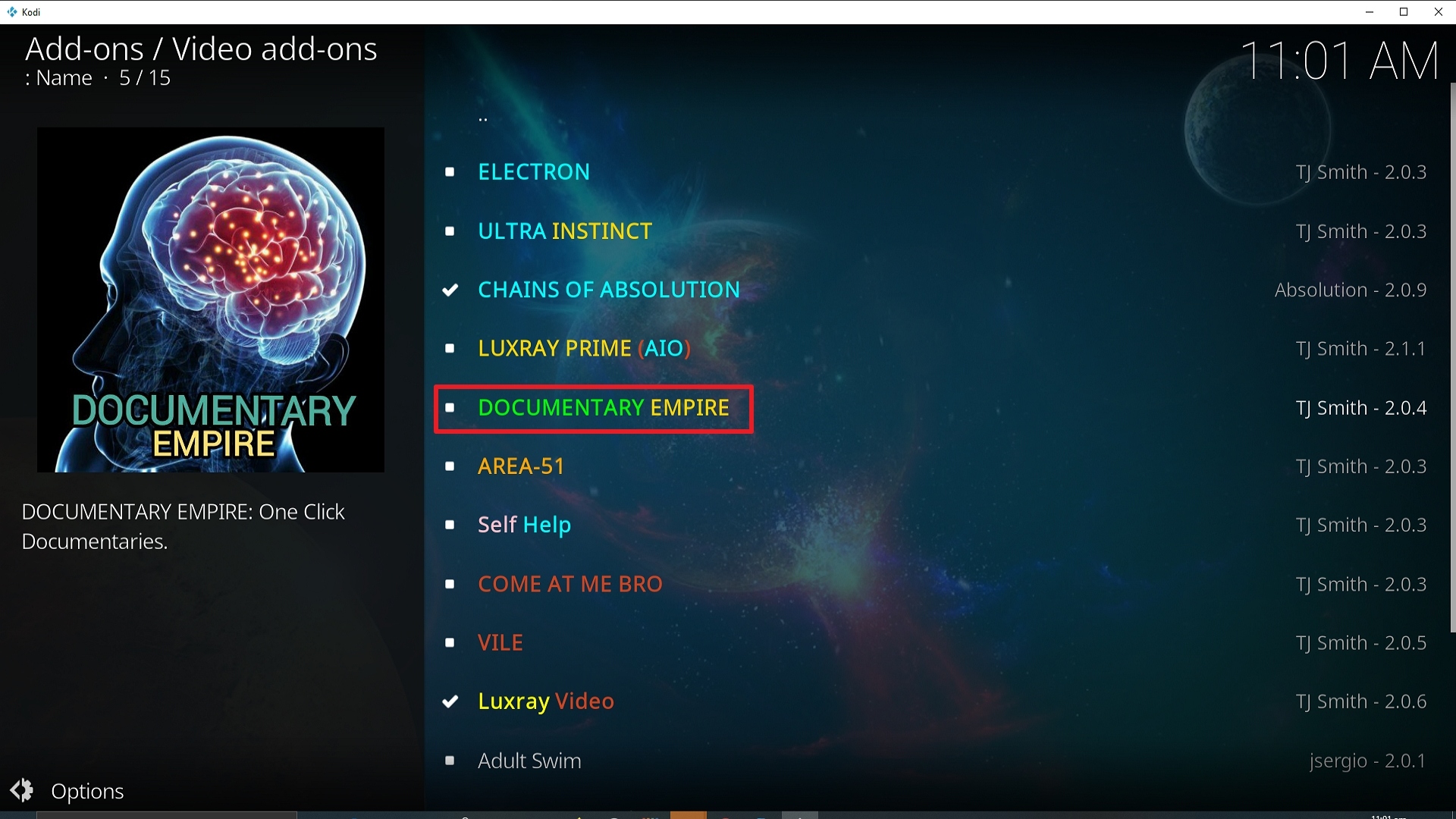
22. Select Documentary Empire again.
23. Click on Install.
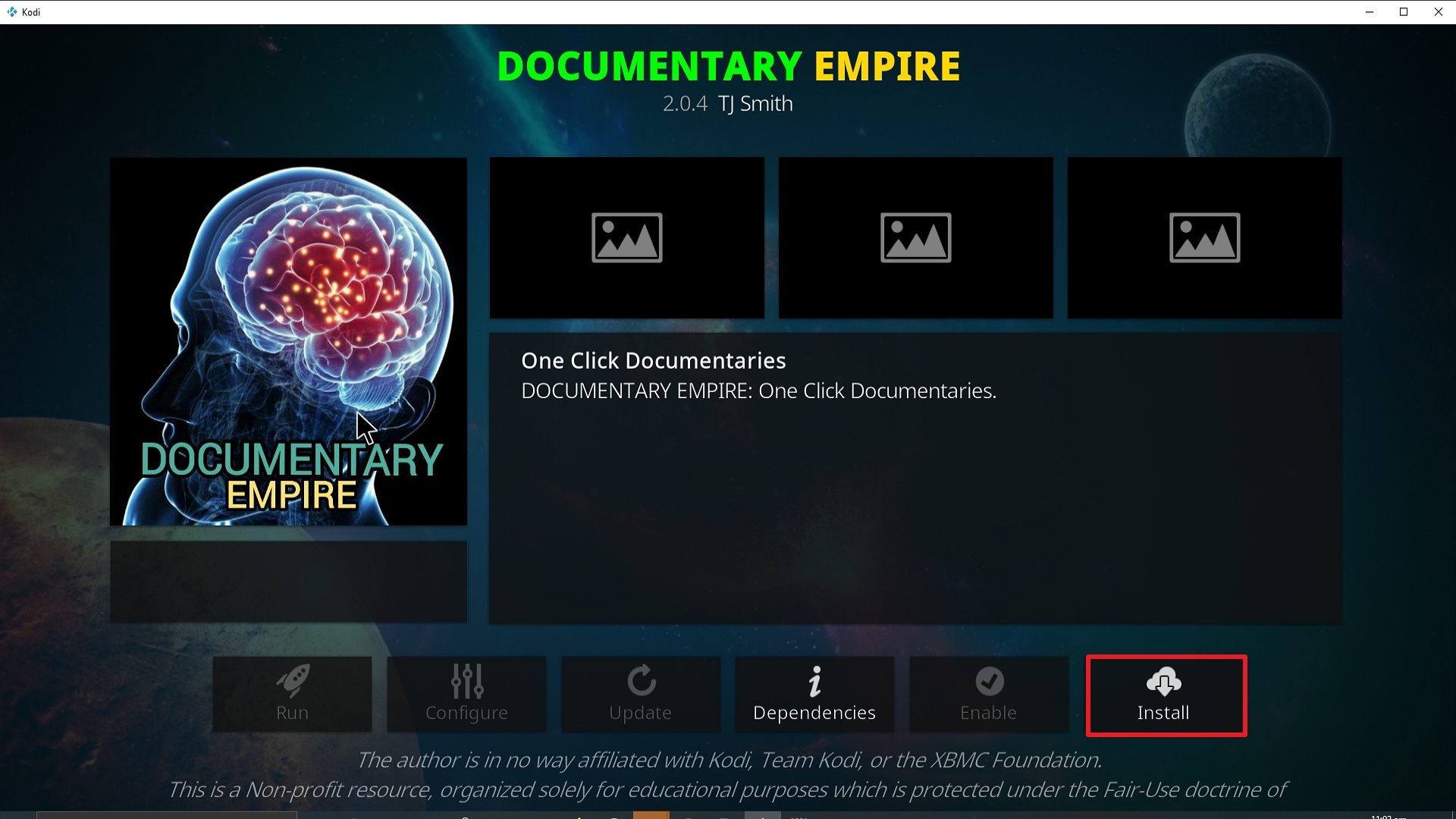
24. Select OK after reviewing the add-ons that will be installed.
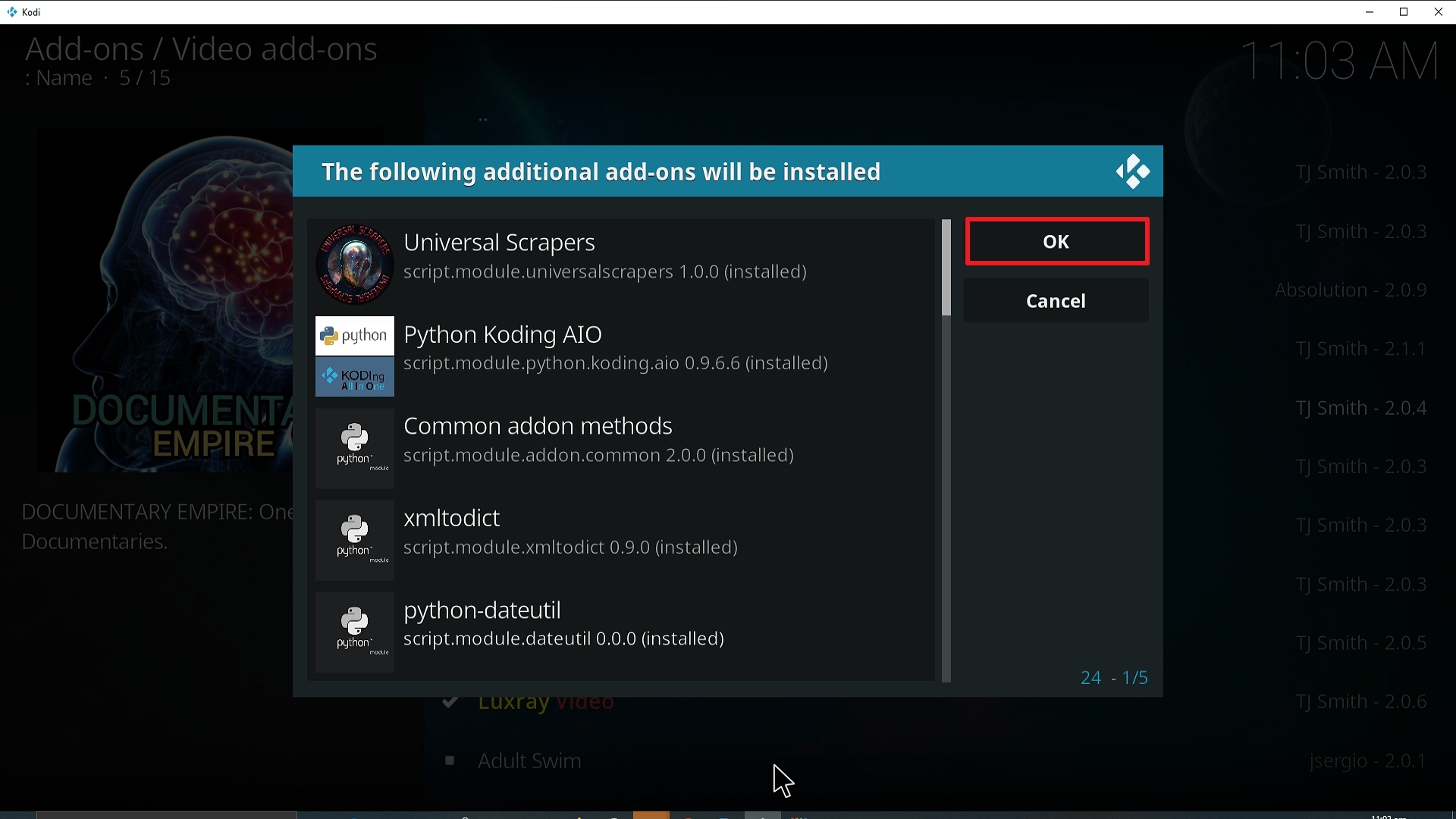
25. You should see a popup in the upper right corner saying Documentary Empire has installed. There will actually be multiple popups for the various components.
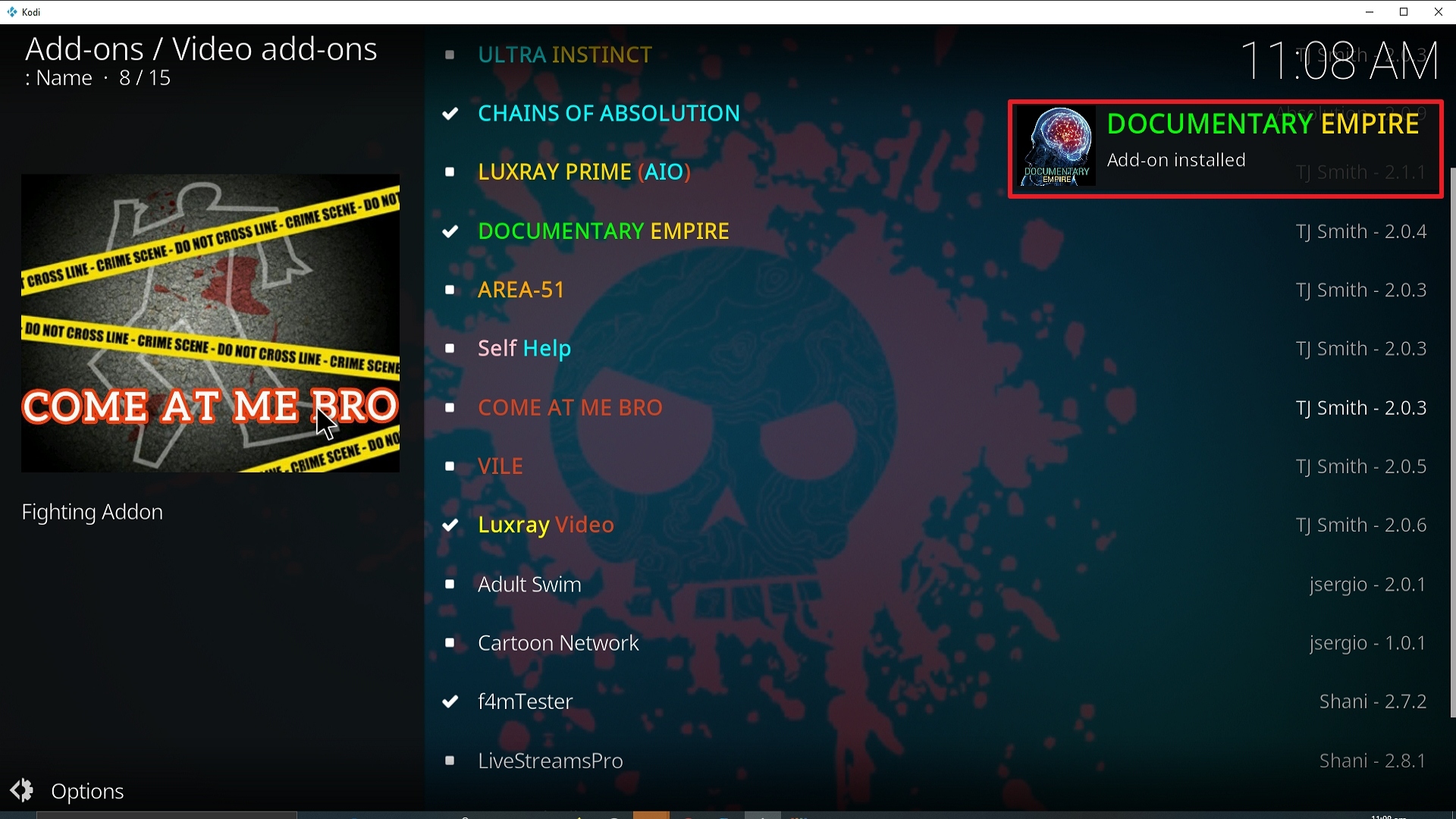
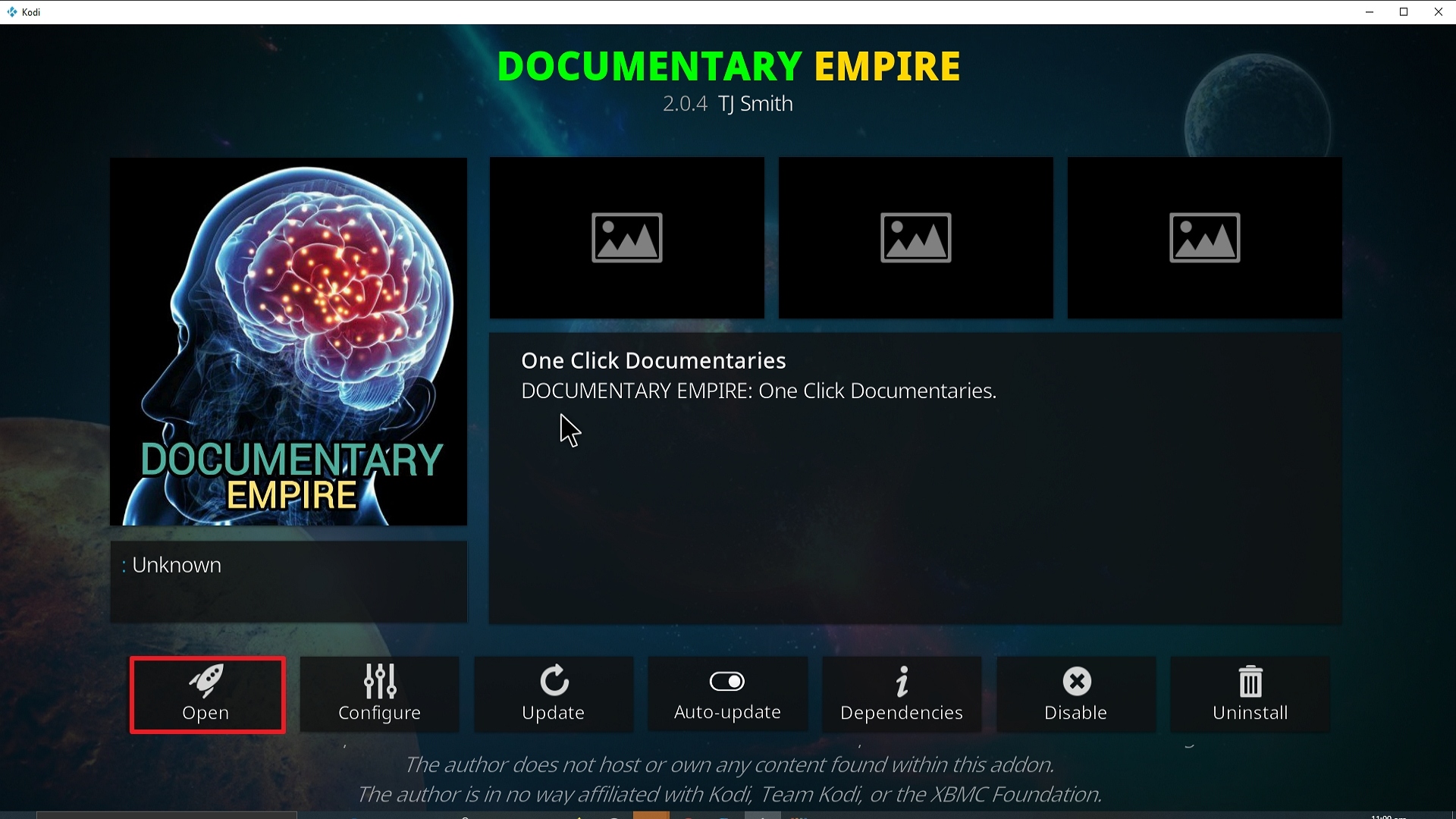
26. Click on Open to start the Documentary Empire add-on.
Grab your subscription now!
Click here to get the lowest price on Surfshark through our exclusive limited-time offer.
How to Install Surfshark VPN on Firestick
If your Firestick still has the older interface, read this article to learn how to update it: Update Firestick Interface.
Follow our screenshots below to install the SurfShark VPN app on your Fire TV stick.
1. Go to the Home screen of your Firestick.

2. Navigate towards the Find tab. Press the Search button from the resulting dropdown.

3. Type in the keyword of SurfShark and select from the suggestions that will appear.

4. Click the official SurfShark icon from your search results.

5. Press the Download (You own it) button.

6. The SurfShark VPN installer will download on your device.

7. SurfShark VPN’s app will automatically install itself on your Fire TV stick.

8. Press the Open button after completing SurfShark VPN’s installation process.

9. Please wait for the SurfShark VPN to load its user interface.

10. You can now log in with your SurfShark VPN account credentials.

Learn more about Surfshark and Grab the Best Surfshark Deal Now!
Install Surfshark on Firestick



For more VPN discounts, go to ReviewVPN Deals and purchase the best VPN for you.
Click here to get the lowest price on Surfshark through our exclusive limited-time offer.






