

Overview
Quick Navigation
Are you searching for free movie apps for Firestick? Then you should think about installing FilmRise British TV on your device.
FilmRise British TV is a free Amazon app that lets you watch British movies and TV shows on your Firestick. It is developed and operated by Future Today Inc., which is a Menlo Park, California-based company.

FilmRise British TV is accessible on the Amazon App Store, which you can install on your Firestick device easily and legally. You won’t even need a subscription because you can start accessing the app immediately after installation. Moreover, it has a wide range of content, from feature films to premium and independent films.
They also provide exclusive and first-run movies and TV episodes, ensuring that you always have access to the most recent and top British shows available online. Furthermore, FilmRise British TV is Coppa certified, ensuring that all of its content is suitable for children. As a result, you won’t have to worry about your children using the app to watch movies and TV series.
So, without further ado, let’s move on with the installation and see what the app has to offer.

How to Install FilmRise British TV on Firestick
- On the Home screen, go to “Find”.
- Then click “Search”.
- You may either use your remote’s Alexa voice command or key in “FilmRise British TV.”
- Simply click on the recommended option.
- Then, when the FilmRise British TV icon is displayed, click on it.
- Click the “Get” button.
- Simply wait for it to download, which will vary depending on your internet connection speed.
- Once the installation is finished, click “Open.”
- That’s it, FilmRise British TV is now accessible on your Firestick device.
Install FilmRise British TV on Firestick with Screenshots
1. On the Home screen, go to “Find”.

2. Click Search.

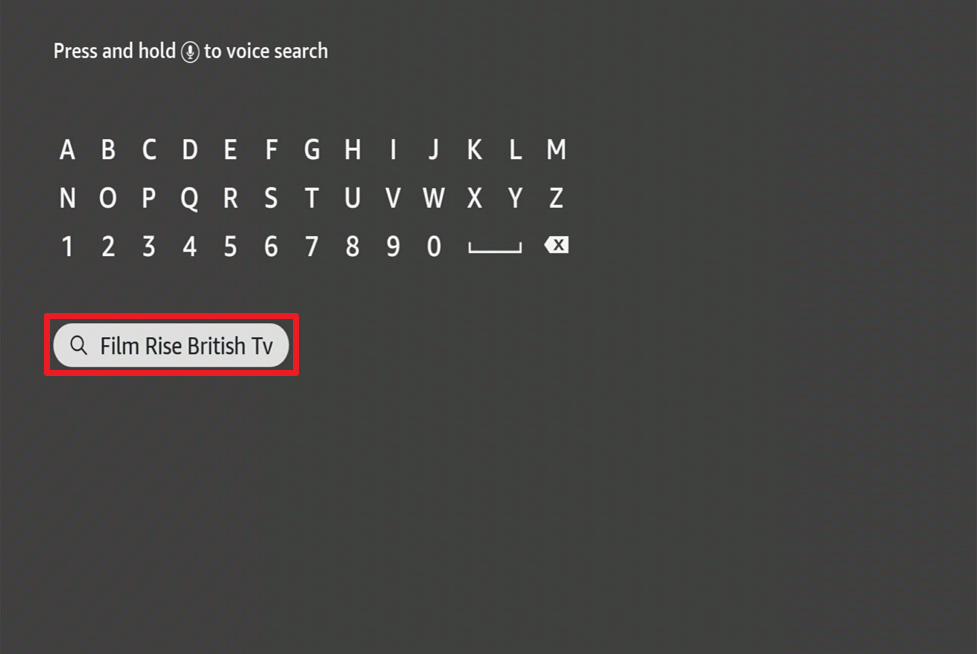
3. You may either use your remote’s Alexa voice command or key in “FilmRise British TV.”
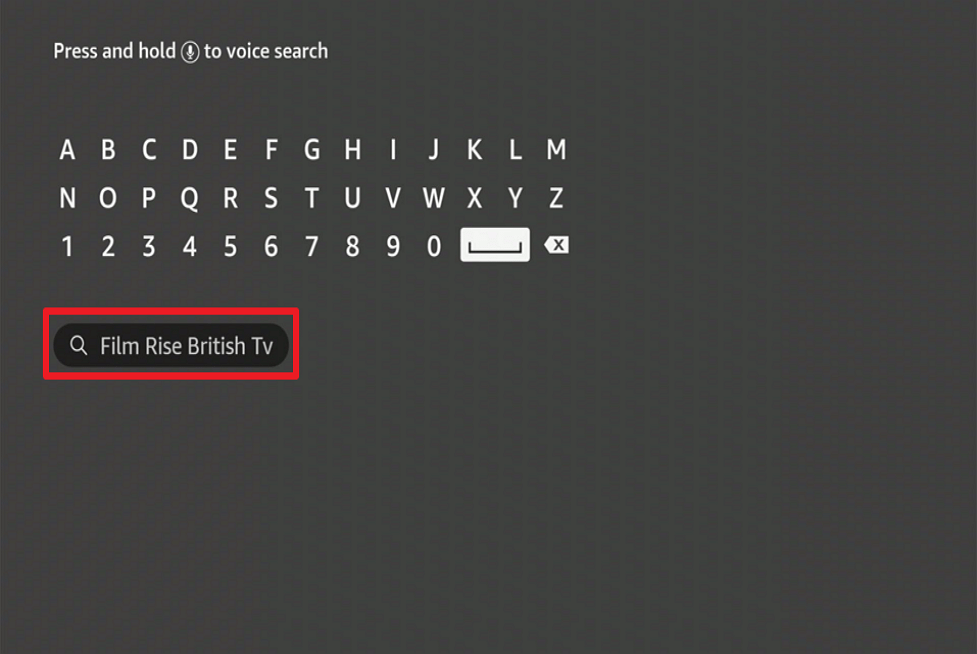
4. Simply click on the recommended option.
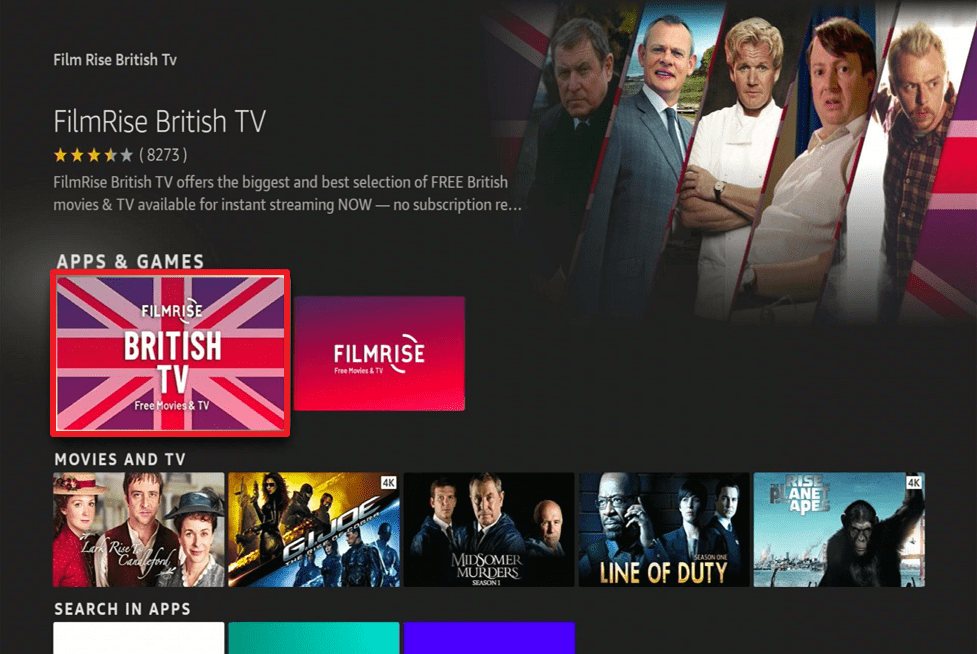
5. Then, when the FilmRise British TV icon is displayed, click on it.
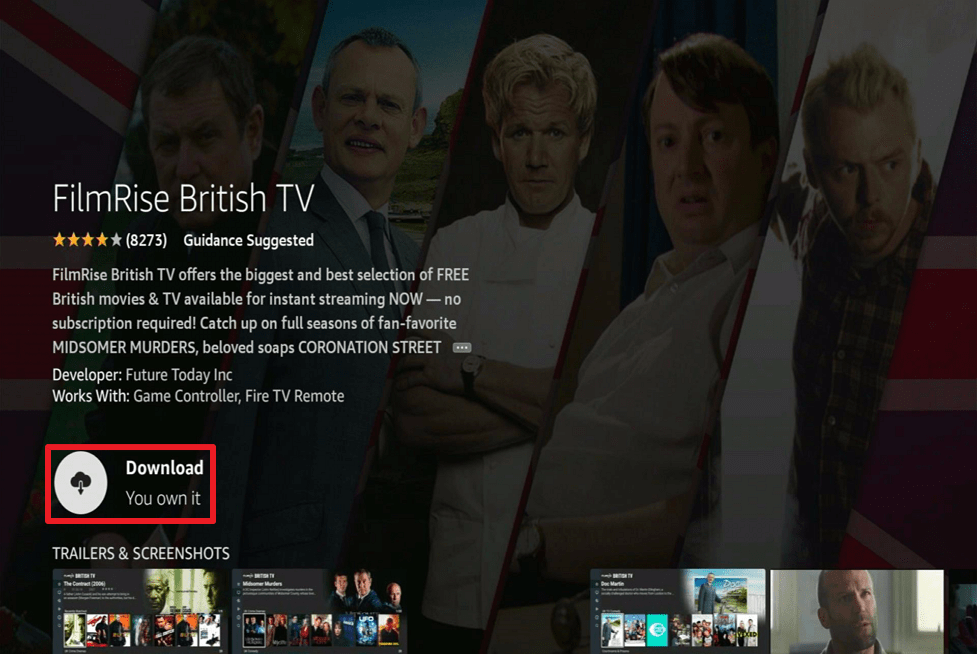
6. Click the “Download” button.
7. Simply wait for it to download, which will vary depending on your internet connection speed.
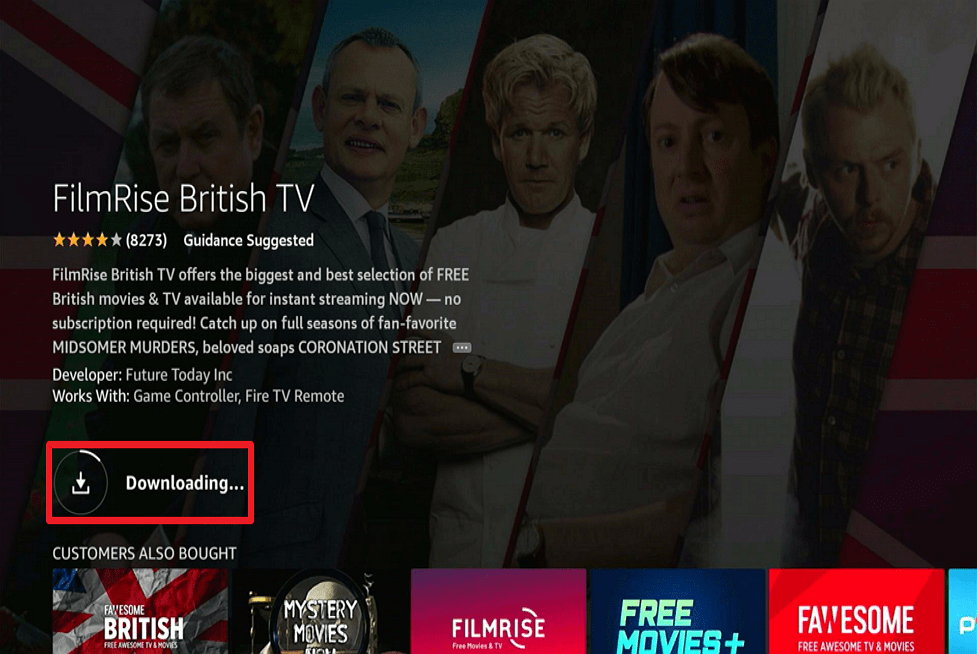
8. Once the installation is done, click “Open.”
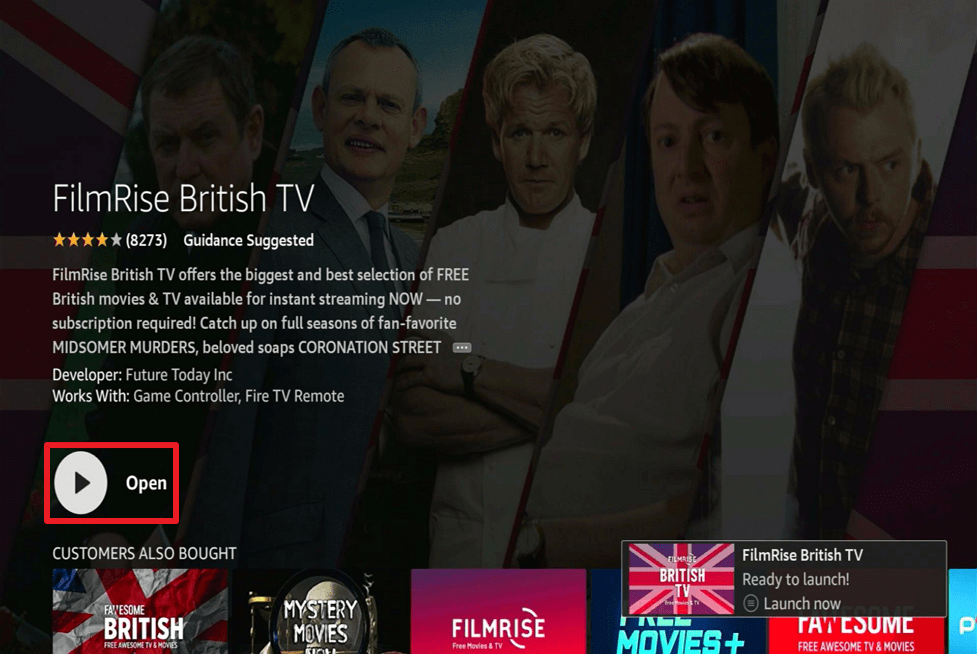
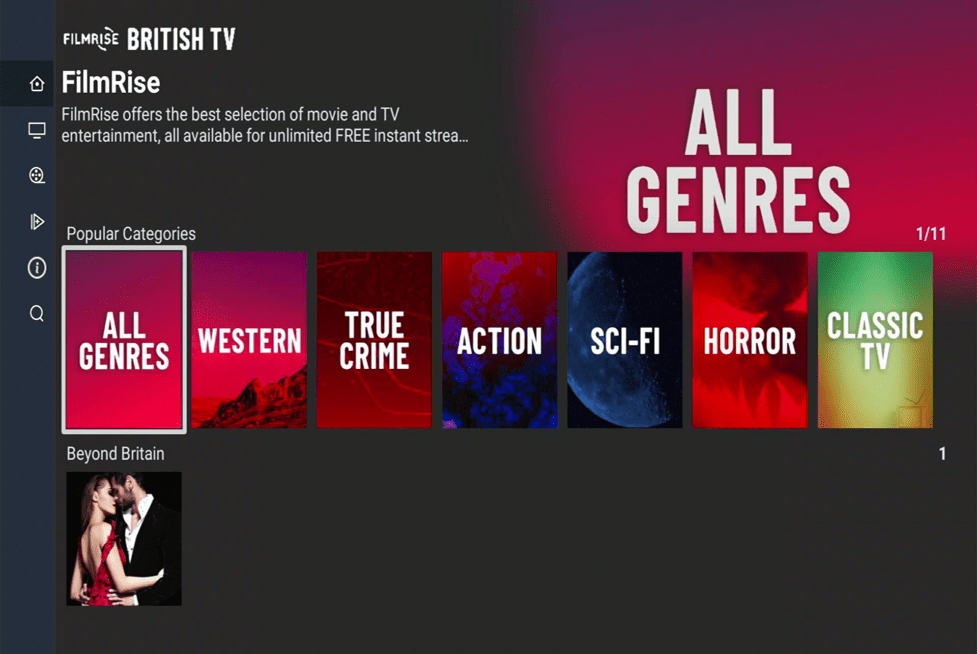
9. That’s it, FilmRise British TV is now accessible on your Firestick device.
Install Surfshark on Firestick
FilmRise British TV App Features
- Provides the most recent UK movies and TV series.
- It has tabs for Home, TV, Movies, Recently Added, About, and Search on its menu.
- The most recently added movies and tv shows are listed alphabetically.
- Recently watched videos are displayed in the upper portion of the Home screen.
- You can pick up where you left off with the video.
- Plays videos with just a single click.
- There is closed captioning available.
Categories
- UK Crime Dramas
- UK Reality TV & Documentary
- Popular Categories
- Popular Categories
- UK TV Comedy
- Now Airing on UK TV
- Medical Dramas
- Action and Fantasy
- Courtrooms & Prisons
- Slice-of-Life
- Beyond Britain
- The Royals
- Star Power TV
- British Classics
- UK Film Action & Crime
- Great British Films
- Irish Cinema
- Film Dramas
- UK Fantasy and Family
- Great British Mysteries
- UK Film Docs
- Great British Crime
- Great British Binges
- FilmRise British TV
- Great British Comedy
- Featured TV Abroad
- Suggested Channels
Genres
- Western
- True Crime
- Action
- Sci-Fi
- Horror
- Classic TV
- Mysteries
- Comedy
- Thriller
- Documentary
Pros and Cons
Pros
- Because it’s a legal app, you can rest assured that everything you’re accessing is legal.
- It’s easy to install because it’s available on the Amazon Appstore.
- It offers a user-friendly interface
- Allows you to watch British TV shows online free
- The app is Coppa certified
- There are no buffers during my test
Cons
- There are advertisements.
- Only English subtitles are available.
YOUR INTERNET ACTIVITY IS BEING WATCHED
ReviewVPN cannot attest to the legality, security and privacy of the applications discussed on this site. It is highly recommended that you use a VPN service while streaming or using Kodi.
Currently, your IP 216.73.217.61 is visible to everyone and your Browser is being tracked by Advertisers & ISP Provider.
Here are the main reasons why you must use a VPN:
- Your activities are hidden from your ISP, the government, and from the apps you are using.
- You can access additional movies and TV streams.
- ISP attempts to throttle are thrwarted thus reducing buffering issues.
- Geographically restricted content like Netflix and Hulu can be unblocked.
A VPN works be replacing your ISP-assigned IP address and creating an encrypted tunnel. We recommend the no log service offered by IPVanish. It works well on a Firestick and offers the fastest possible speeds.
Stream Safely With a VPN
Even if you’re using a verified and legal app, protecting your connection is necessary whenever you’re streaming anything online. It’s always reasonable to ensure that your data is not exposed online, as your account contains a lot of information about you.
That is why a Virtual Private Network (VPN) is needed to help you in securing your connection. A VPN, such as Surfshark, can assist you with this by providing you with an anonymous IP address that masks your true IP address. Furthermore, Surfshark adheres to a strict no-logs policy, ensuring that no IP address leaks or data breaches occur.
This policy ensures that your personal information will not be sold to advertising companies or third-party servers for any reason. Apart from that, Surfshark offers the following additional benefits and protections:
- Your daily internet activity is supported by a connection to 3,200 VPN servers in 65 worldwide locations.
- Enjoy an unlimited number of simultaneous connections so that Surfshark encryption can protect all of your devices.
- Your incoming and outgoing communication will be encrypted end-to-end using AES-256-bit military-grade encryption.
- You’ll have unlimited bandwidth, allowing you to view and download as much content from the internet as you want.
- You can avoid ISP throttling and internet slowdown, lags, and buffers by masking your IP address and hiding your internet activity from your Internet Service Provider.
- Surfshark has a kill switch that disconnects your device from the internet if there is an unexpected interruption of its service.
Click here to get the lowest price on Surfshark through our exclusive limited-time offer.
How to Install Surfshark VPN on Firestick
If your Firestick still has the older interface, read this article to learn how to update it: Update Firestick Interface.
1. Go to the Home screen of your Firestick.

2. Navigate towards the Find tab. Press the Search button from the resulting dropdown.

3. Type in the keyword of SurfShark and select from the suggestions that will appear.

4. Click the official SurfShark icon from your search results.

5. Press the Download (You own it) button.

6. The SurfShark VPN installer will download on your device.

7. SurfShark VPN’s app will automatically install itself on your Fire TV stick.

8. Press the Open button after completing SurfShark VPN’s installation process.

9. Please wait for the SurfShark VPN to load its user interface.

10. You can now log in with your SurfShark VPN account credentials.

Learn more about Surfshark and Grab the Best Surfshark Deal Now!
Install Surfshark on Firestick



For more VPN discounts, go to ReviewVPN Deals and purchase the best VPN for you.
Click here to get the lowest price on Surfshark through our exclusive limited-time offer.
FilmRise British TV Alternatives
FAQs
What is FilmRise British TV?
FilmRise British TV is an app developed by Future Today Inc. It is one of the best apps to watch movies for free on Firestick as it contains the latest and most popular British movies and TV shows that you can stream online.
Is FilmRise British TV free?
Yes, it is entirely free to download and use on your Firestick.
Is FilmRise British TV safe?
FilmRise British TV is safe to use and install on your Firestick. However, we always advise our readers to use Surfshark when streaming anything online to ensure a secure connection.
Is FilmRise British TV legal?
Yes, it is legal. It’s an Amazon-verified app that’s easy to find and install from the App Store.
Are there any advertisements?
Because FilmRise British TV is free to use, you can expect to see advertisements while watching their programs.
What other platforms does it support?
FilmRise British TV is also accessible on Roku, Apple TV, and Comcast Xfinity, among other major OTT platforms.
Final Thoughts
FilmRise British TV is one of the best free British TV apps available on the Amazon Appstore. It’s great to use on your Firestick because it’s free and has a variety of movies and shows to choose from. Apart from that, it’s freely available to use on your Firestick and does not require registration or a subscription.
Finally, we’d like to thank you for taking the time to read our guide to installing FilmRise British TV on your Firestick. We hope we were able to assist you with the installation and show you what the app has to offer its users.
You may also read:
Common Mistakes Firestick Users Commit
Alternatives for Hulu – Free Apps






