

Overview
Quick Navigation
This article will show you how to install Kshaw on Firestick.
If you’re a subscriber to IPTV services, you’re probably constantly on the hunt for the best IPTV players to use with your subscription. Also, you may be a new subscriber and user of IPTV and are looking for an IPTV player that will operate best with your subscription.

Nevertheless, here at ReviewVPN, we are committed to finding the latest services that are ideal for streaming. Kshaw is another IPTV player that joined the market rapidly which is best used for Ola TV. It was developed by Stoysh in California and has been installed on hundreds of thousands of devices.
Moreover, Kshaw is an IPTV Player that enables you to stream your favorite TV shows, VOD content, and much more on your preferred device. It is a viable alternative to several popular IPTV players, including Tivimate, IPTV Smarters, and a few more. However, there aren’t many reviews yet, so read on to discover more about it in addition to figuring out how to install it on your Firestick.

How to Install Kshaw on Firestick
To begin, if your Firestick has not yet been jailbroken, follow the simple steps below to jailbreak it to install Kshaw on your device:
1. Click Home on your remote and scroll once to your Right. Click Setting (Gear Wheel Icon).
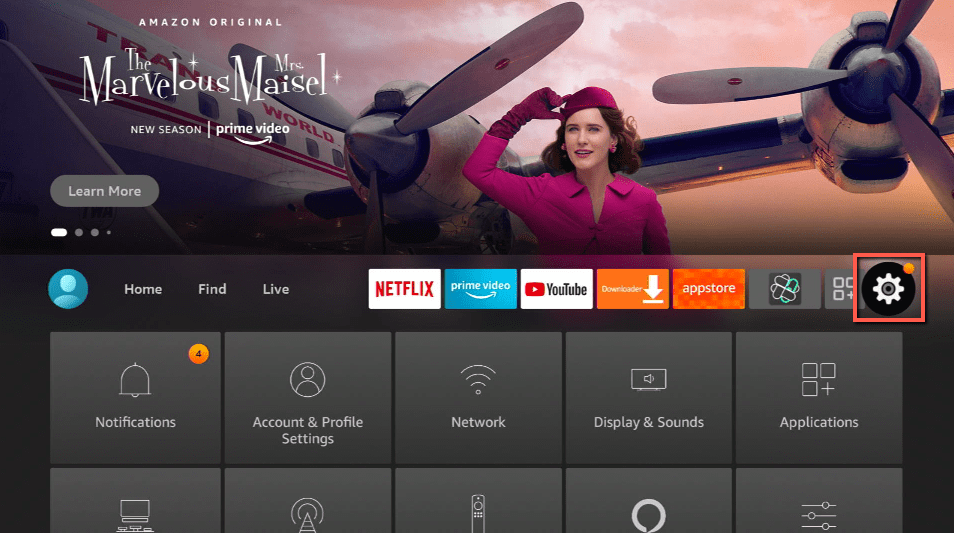
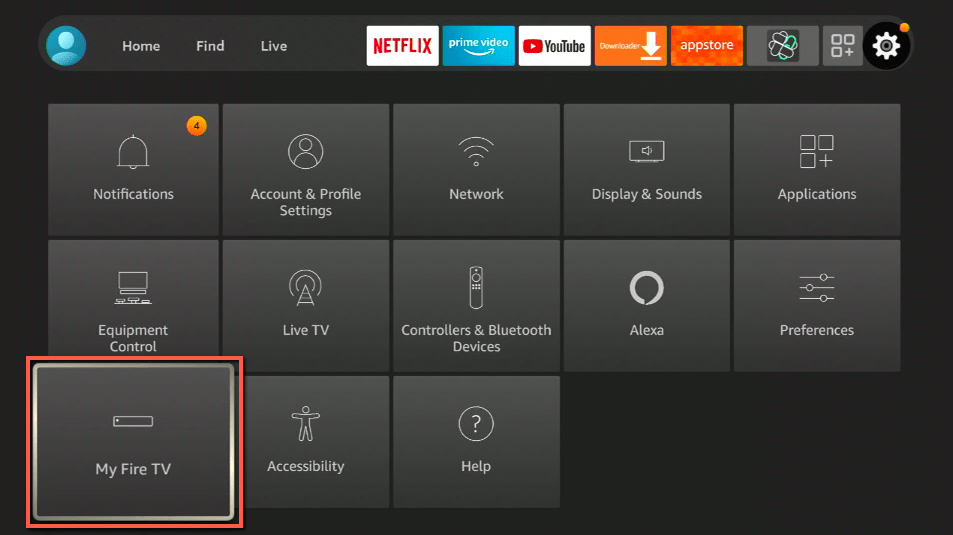
2. Scroll down and to the right until you get to My Fire TV. Click on it.
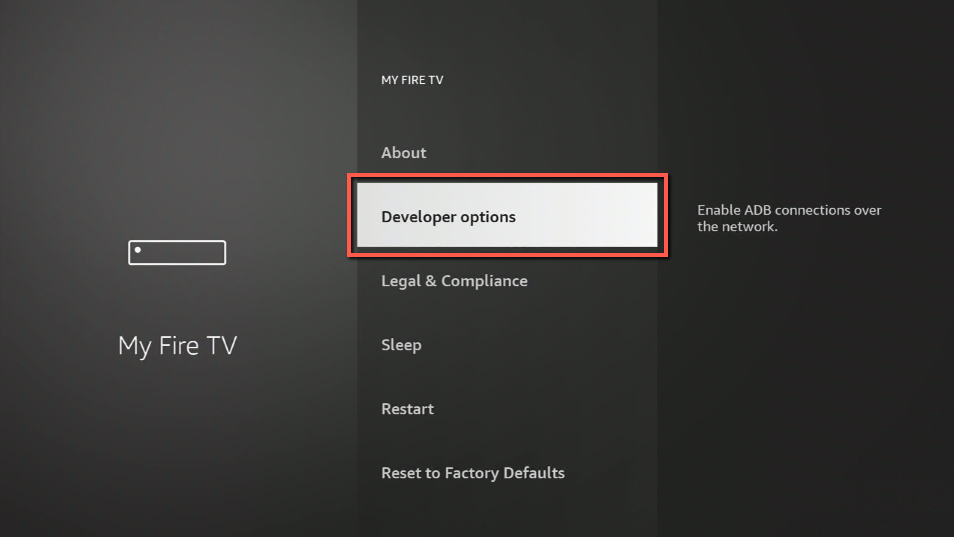
3. Select Developer options.
4. Turn on ADB debugging and Apps from Unknown Sources.
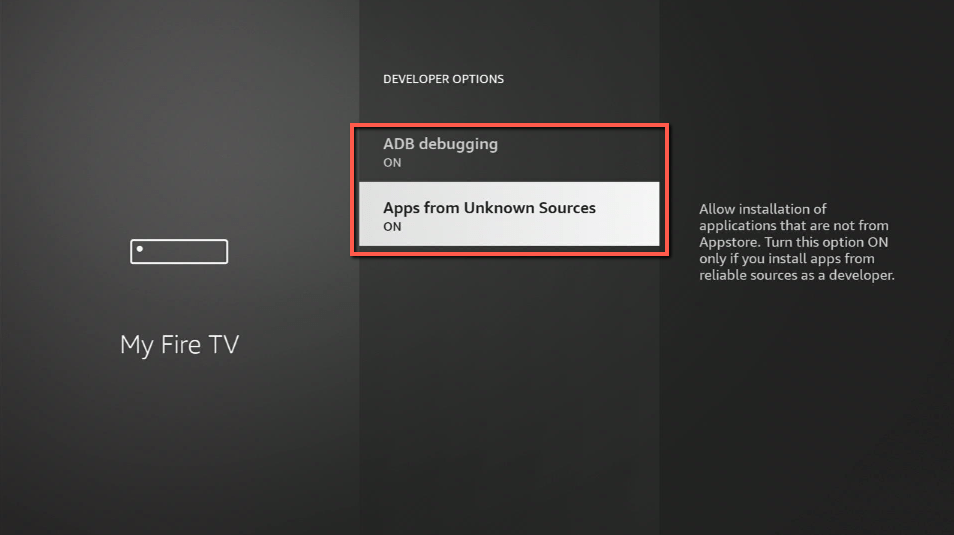
5. Click Turn On when the pop-up appears.
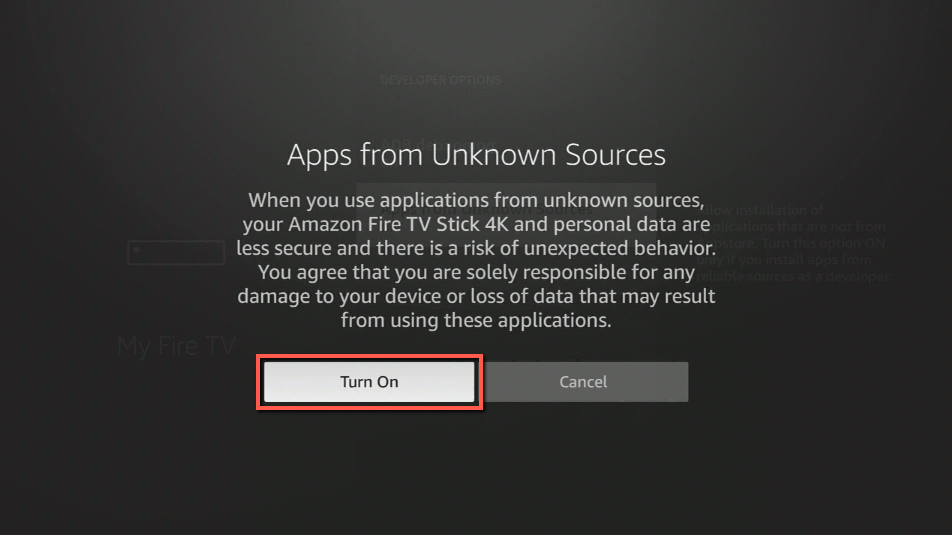
Then, after jailbreaking your Firestick, you’ll need to download the Downloader app to sideload Kshaw. This app, which is easily available on the Amazon App Store, allows you to download APK files.
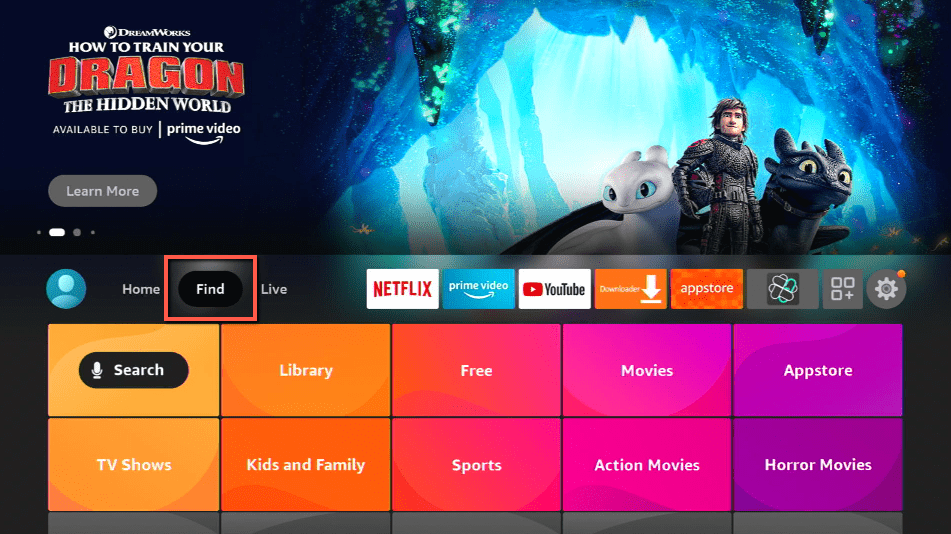
6. Click Home, click FIND.
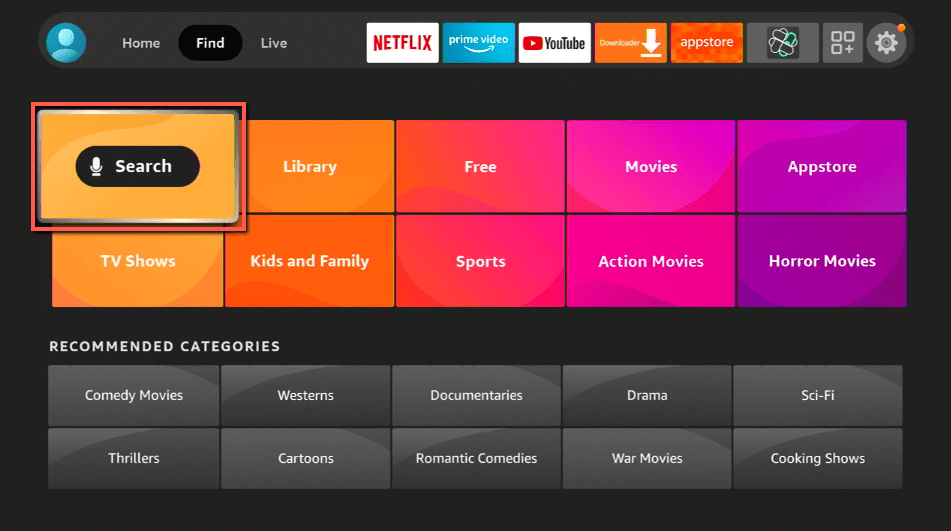
7. Click Search.
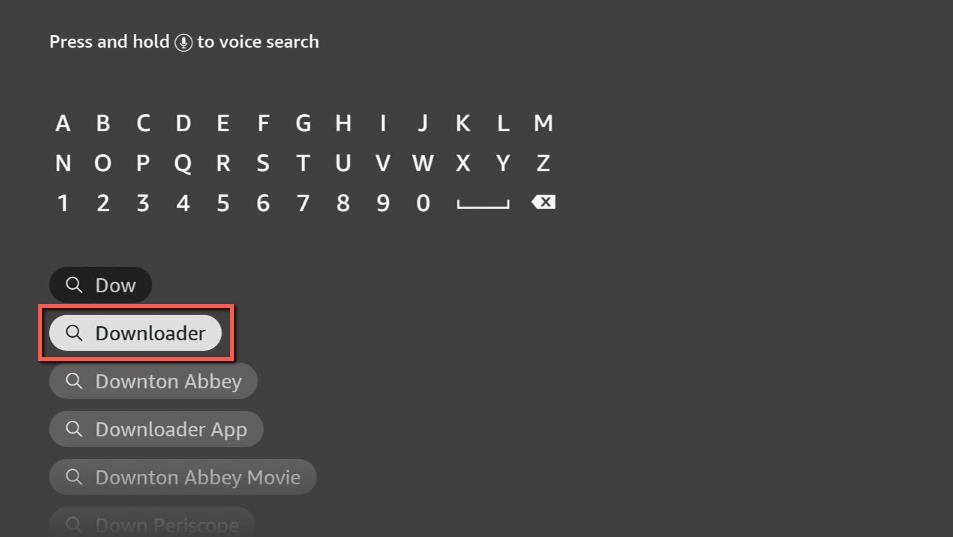
8. You can either say Downloader to your Alexa voice-enabled remote or start typing it. If you typed it, click on the suggestion when it appears.
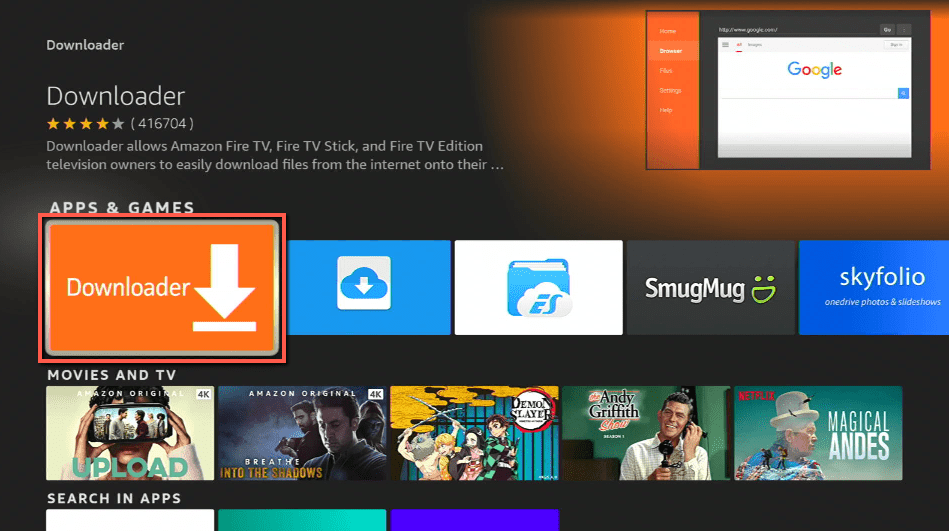
9. Click on the Downloader Icon.
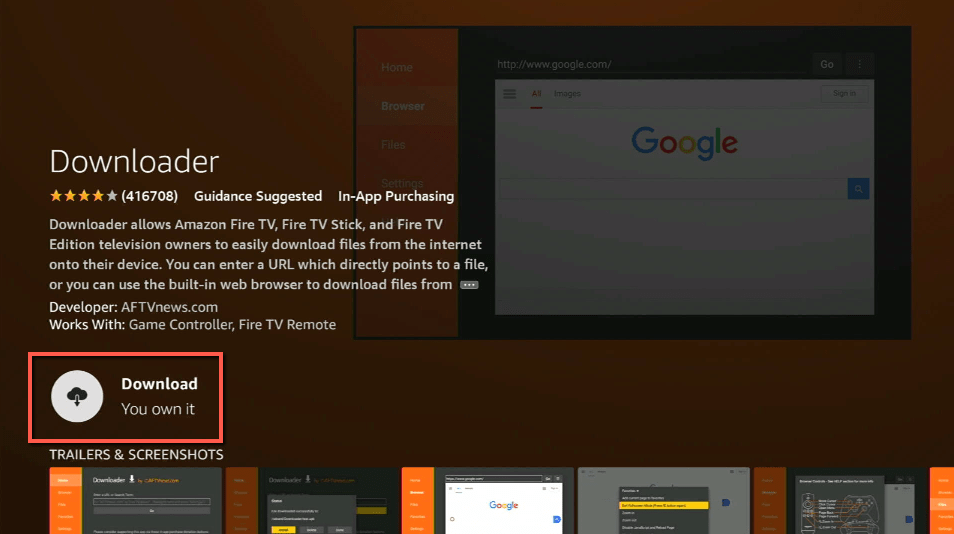
10. Click Download.
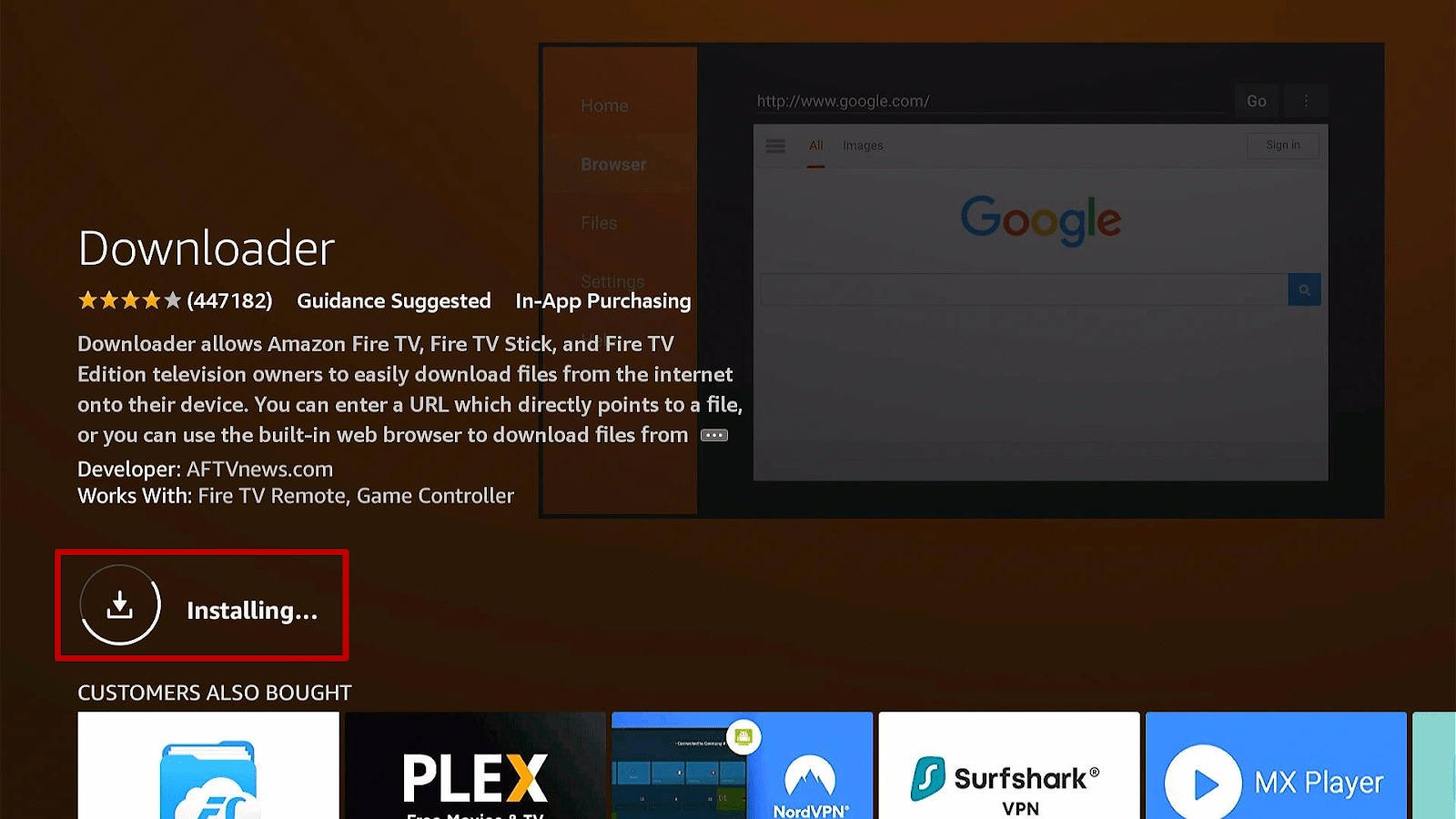
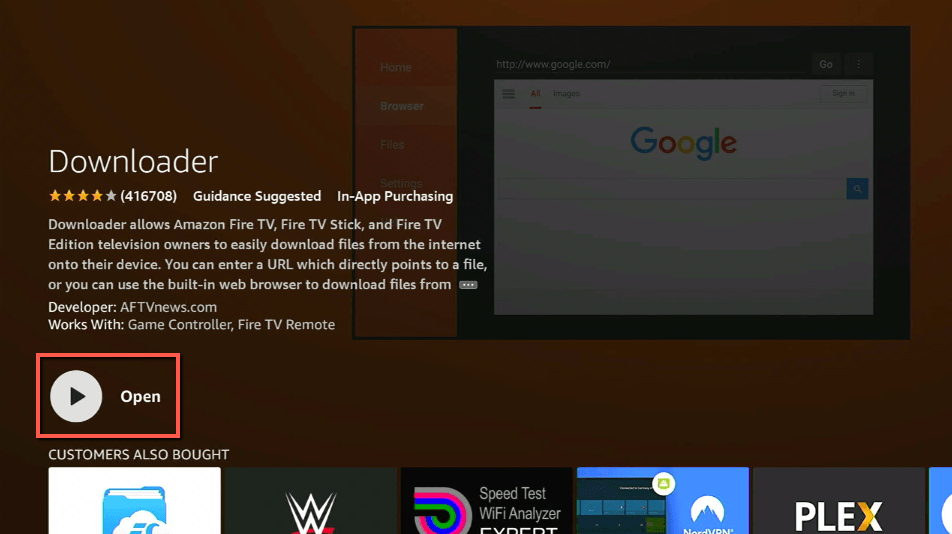
11. Click on Open.
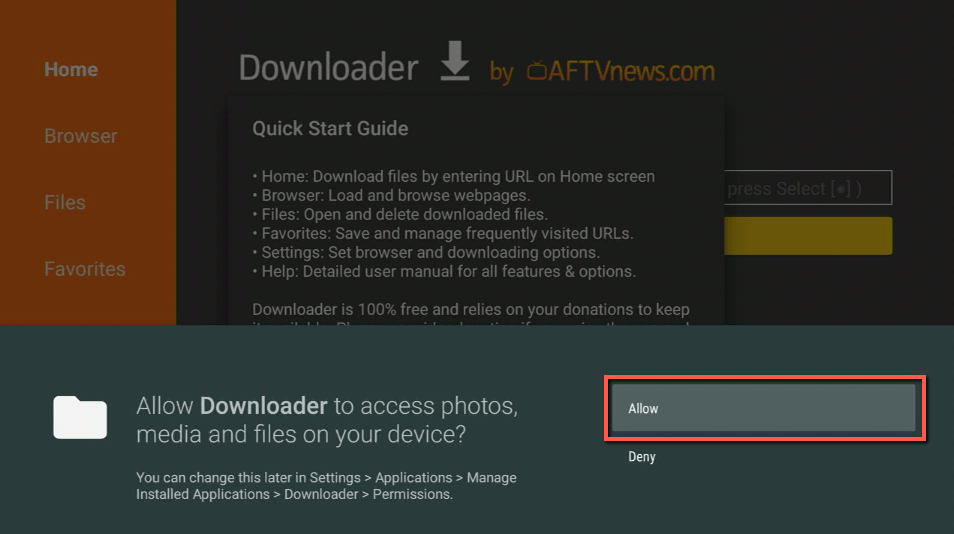
12. Click on Allow.
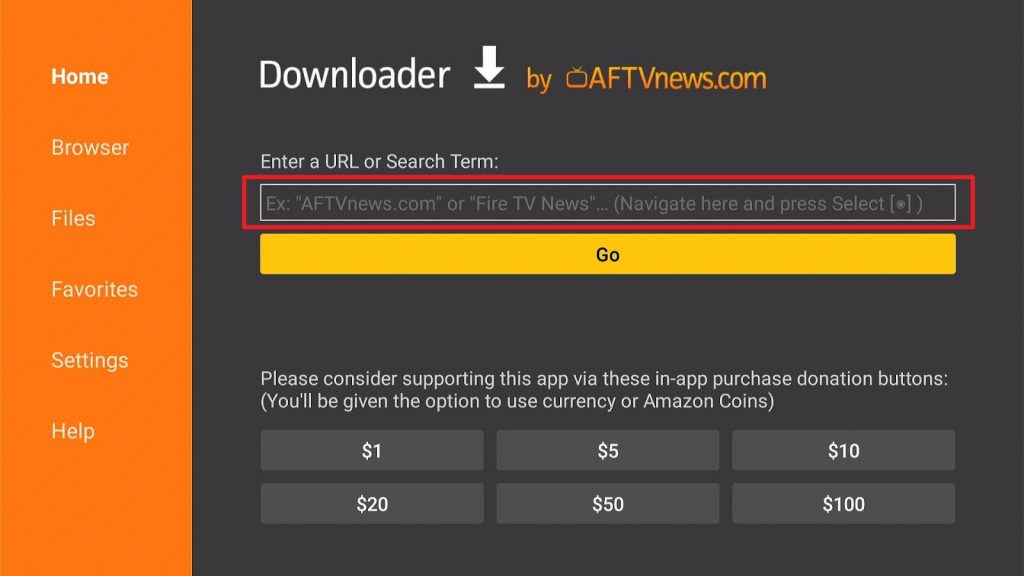
13. Use the Downloader search tab.
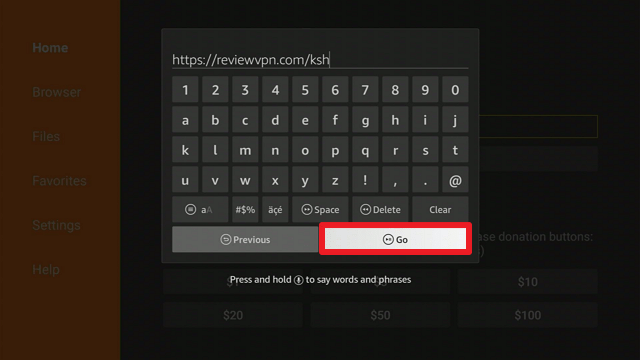
14. You will be asked to enter a download link. Type in “https://reviewvpn.com/ksh” and select Go.
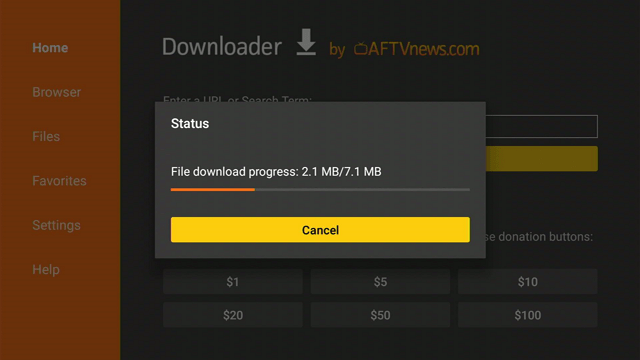
15. Depending on your internet connection, the APK will take a few seconds to download.
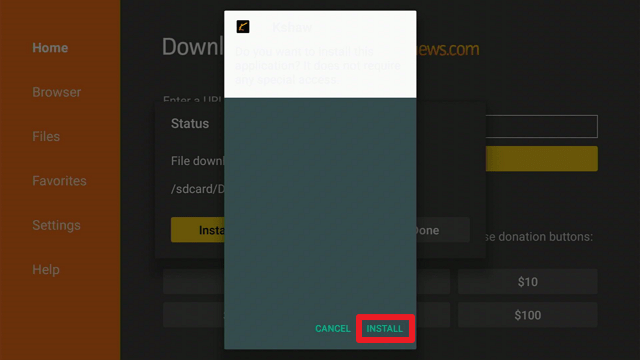
16. After that, choose Install.
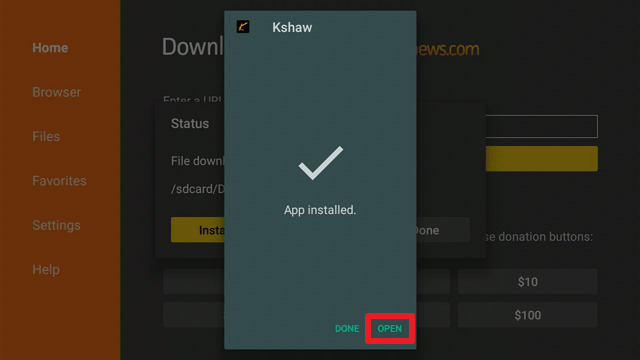
17. Then click Open.
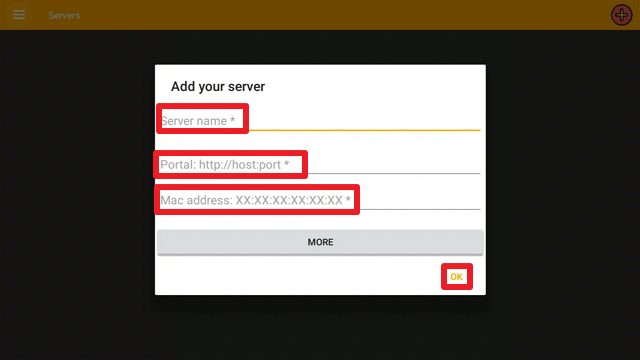
18. Once the Kshaw launches, enter your server’s name, portal’s URL, and Mac address, and click “Ok.”.
Kshaw APK Latest Version for Android Devices

Note: ReviewVPN.com does not host this APK file. It is hosted by Archive.org
Install SurfShark on Firestick
Legal Disclaimer: ReviewVPN.com does not encourage or endorse any illegal activity involved in the usage of services and applications referenced on this site. We do not verify the licensing agreements of services. The end-user is wholly responsible for ensuring that any media accessed through these services does not violate copyright and/or licensing laws. ReviewVPN does not promote, link to, or receive compensation from any Apps and IPTV services.
ReviewVPN cannot attest to the legality, security and privacy of the applications discussed on this site. It is highly recommended that you use a VPN service while streaming or using Kodi. Currently, your IP 216.73.216.193 is visible to everyone and your Browser is being tracked by Advertisers & ISP Provider. Here are the main reasons why you must use a VPN: A VPN works be replacing your ISP-assigned IP address and creating an encrypted tunnel. We recommend the no log service offered by IPVanish. It works well on a Firestick and offers the fastest possible speeds.
YOUR INTERNET ACTIVITY IS BEING WATCHED
App Features
- Allows you to watch your favorite channels and video on demand (VOD) content through your IPTV service such as Ola TV.
- It includes a favorites section where you can keep track of your favorite shows.
- You have the option of displaying the EPG/FAV dialog.
- There are three languages to choose from such as English, French, and Arabic.
- IPTV servers can be browsed by category (for example, Live 24/7 Channels, Live Arabic FTA, Live Canadian, and so forth).
- Allows you to share the application using messenger.
- Originally designed for IPTV subscribers using Android or Firestick
Note: To use its service, you must have an active IPTV subscription, as it does not include its movies, TV series, or VOD.
Pros & Cons
Pros
- Three languages are supported.
- The interface is simple to use.
- It is free to install and use on Firestick
Cons
- It contains advertisements.
- Currently, once you enter a server and add content to your favorites list, you cannot remove it from your list.
Click here to get the lowest price on SurfShark through our exclusive limited-time offer.
Secure Your Data with a VPN

If you read Kshaw’s Policy, you’ll notice that they collect your information and app activity through third-party servers. Moreover, this data logging process records information about your device’s IP address, device name, operating system, app setups, and usage details.
As a result of this sharing of your personal information, you will never know where it ends up. And you probably don’t want your personal information to be sold to advertising businesses or, worse, stolen by cybercriminals. That is why we always advise our readers to use a VPN to ensure their anonymity when using IPTV players such as Kshaw.
A VPN service, such as SurfShark, can assist you in concealing your data by providing you with an anonymous IP address from their network. This way, even if Kshaw logs the IP address you’re using, they’ll never be able to trace your true IP address, which holds all your personal and financial information. Furthermore, it enables you to avoid IP address leaks and data breaches with the use of some of its features including:
- SurfShark uses 256-bit military-grade encryption to ensure that no traces of your activity are left on any website or app that you visit.
- It has a kill switch that disconnects your device from the internet if the VPN service is interrupted, so you’ll never have to access the internet unprotected.
- Strictly adheres to the zero-log policy and prevents the leakage of IP addresses
- It owns the entirety of its network, ensuring that your information is never sold to third parties.
How to Install Surfshark on Firestick with Screenshots
If your Firestick still has the older interface, read this article to learn how to update it: Update Firestick Interface.
You can download Surfshark directly from the Amazon App store. It will be easy for you to find Surfshark with your Firestick’s Find feature. Refer to our screenshots below.
Follow our screenshots below to install the SurfShark VPN app on your Fire TV stick.
1. Go to the Home screen of your Firestick.

2. Navigate towards the Find tab. Press the Search button from the resulting dropdown.

3. Type in the keyword of SurfShark and select from the suggestions that will appear.

4. Click the official SurfShark icon from your search results.

5. Press the Download (You own it) button.

6. The SurfShark VPN installer will download on your device.

7. SurfShark VPN’s app will automatically install itself on your Fire TV stick.

8. Press the Open button after completing SurfShark VPN’s installation process.

9. Please wait for the SurfShark VPN to load its user interface.

10. You can now log in with your SurfShark VPN account credentials.

Learn more about Surfshark and Grab the Best Surfshark Deal Now!
Install Surfshark on Firestick



For more VPN discounts, go to ReviewVPN Deals and purchase the best VPN for you.
App Alternatives
FAQs
What is the Kshaw app?
Kshaw is an IPTV player for IPTV providers such as Ola TV. Moreover, it enables you to watch your favorite IPTV channels, VODs, and much more.
Is Kshaw free?
Yes, installing and using Kshaw on your Firestick is free. You must, however, have an active IPTV subscription for which you have to pay.
Is Kshaw safe?
Yes, Kshaw is a safe application to use and install on Firestick. However, because it collects data and app usage, we always recommend using SurfShark in conjunction with Kshaw to protect your personal information.
Is it legal?
Kshaw is, in fact, legal. It cannot, however, determine the legality of the IPTV service you are using or whether they have the necessary licensing. Therefore, to avoid legal ramifications when unclear of the services you’re utilizing, a VPN can also assist you by offering anonymity.
Are there advertisements?
Yes, Kshaw is a free IPTV player that is ad-supported. As a result, you may encounter advertisements when navigating the app.
Does Kshaw have an official website?
Yes, Kshaw does have an official website, which may be found at “http://kshawiptv.com/.”
Conclusion
If you’re currently subscribed to Ola TV, you might want to consider Kshaw. However, some users have reported difficulties such as being unable to use it with other players or being concerned about how difficult it is to contact the Kshaw developers. Nevertheless, given that Kshaw is free software, it wouldn’t harm to give it a try; who knows, this could be the IPTV service you’re looking for.






