

Overview
Quick Navigation
In this article, we will show you how to install the TED app on your Fire TV stick.
Do you want to enrich your knowledge while streaming? Then install the TED app on your Fire TV stick. Some people love to expand their brains with the latest news, discoveries, and hot topics. Thanks to the internet, we now have an efficient virtual highway for receiving information.

There might be apps and websites that provide quality documentaries. However, they do not compare to the features of the TED app. The TED app manages to raise your curiosity and supply you with more wisdom. Get access to the TED Talks feature by using the TED app.
TED is an app that plays interview videos with remarkable individuals. Whether you are into the Space race, global economy, sociology, psychology, or controversies, the TED app is perfect for your needs. Covering science, tech, and mind-tickling subjects, the TED app will introduce you to fresh topics.

We will now give you a download link for your Android device. Afterward, we will teach you how to install the TED app on your Fire TV stick. You only have to Jailbreak your Fire TV Stick and sideload the app for its successful installation.
TED App for Android Devices

Note: ReviewVPN.com does not host this APK file. It is hosted by Archive.org
How to Install TED App on Your Fire TV Stick
Install the TED app on your Fire TV stick by using the Downloader app. Just follow our simple guide below.
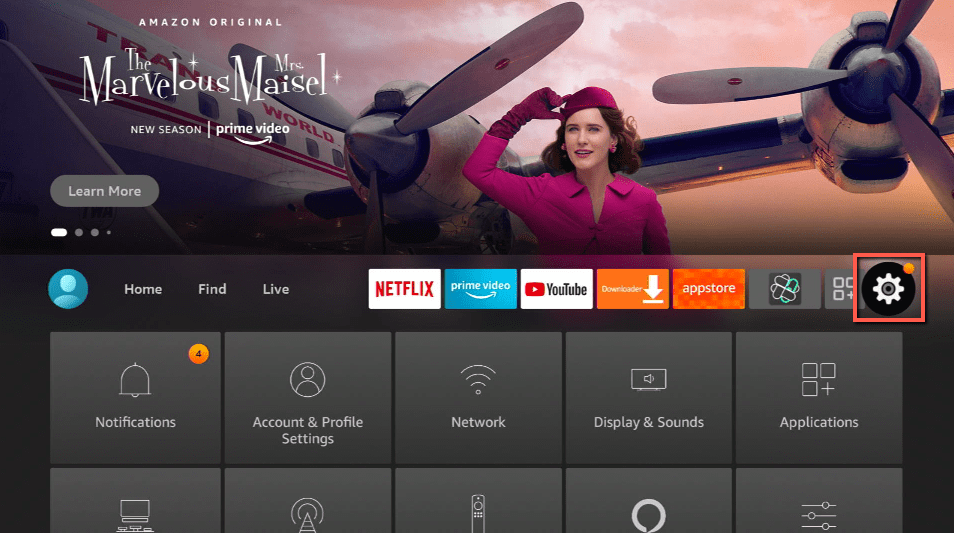
- Open your Firestick Settings Tab. (Gear Wheel Icon).
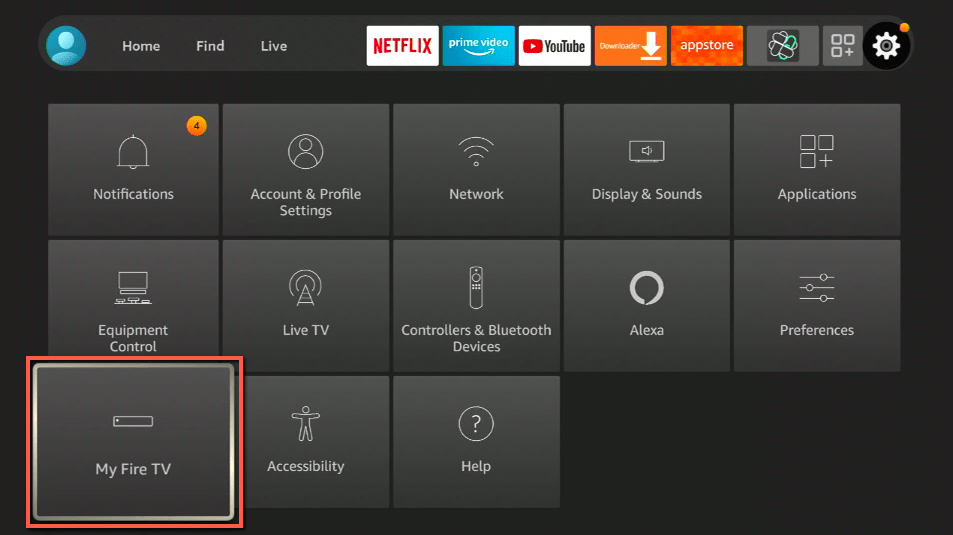
- Scroll down and to the right until you get to My Fire TV. Click on it.
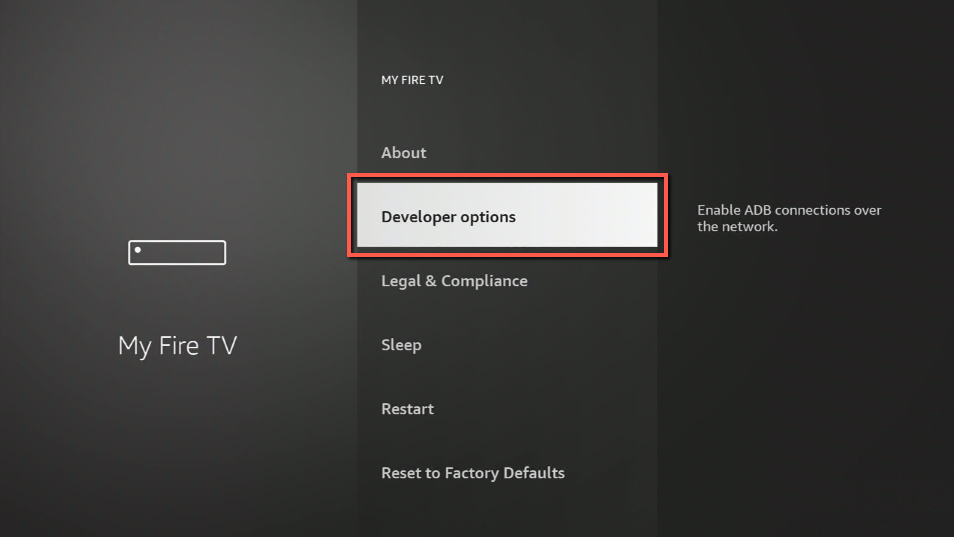
- Select Developer options.
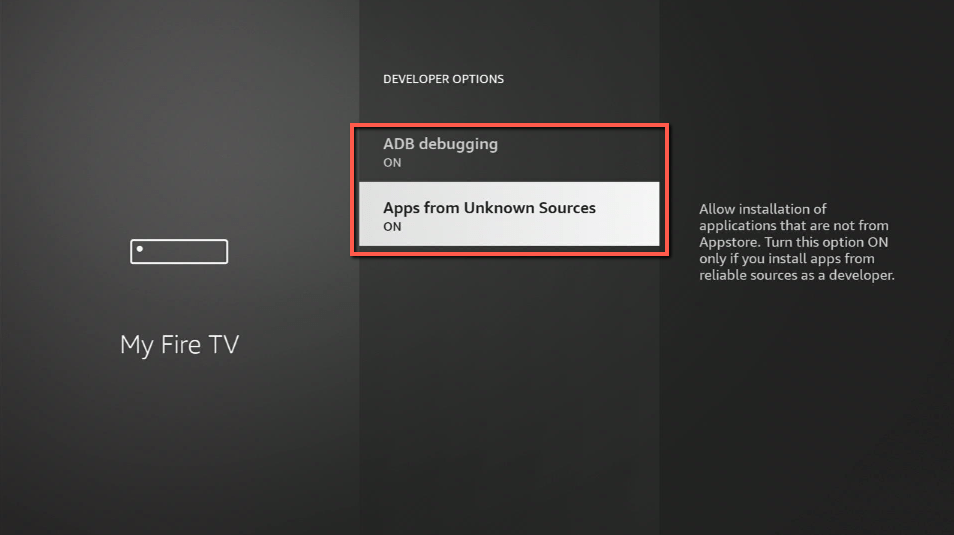
- Turn on ADB debugging and Apps from Unknown Sources.
- Press the Turn On when the pop-up appears.
- Click Home and press on FIND.
- Press on Search.
- You can either say Downloader to your Alexa voice-enabled remote or start typing it. If you typed it, click on the suggestion when it appears.
- Click on the Downloader Icon.
- Tap on Download.
- Click on Open.
- Press on the Allow button.
- Use the Downloader app’s Search tab.
- Type in: reviewvpn.com/ted
- The TED app’s APK file will download.
- Click on Install.
- The TED app will install on Firestick.
- You can now open the TED app after its installation.
- Choose from the latest talks covering different topics while using the TED app.
- Enjoy watching from its wide collection of videos.
How to Install TED App on your Fire TV Stick with Screenshots
For a successful installation of the TED app, follow the screenshots we have for you:
1. Open your Firestick Settings Tab. (Gear Wheel Icon).
2. Scroll down and to the right until you get to My Fire TV. Click on it.
3. Select Developer options.
4. Turn on ADB debugging and Apps from Unknown Sources.
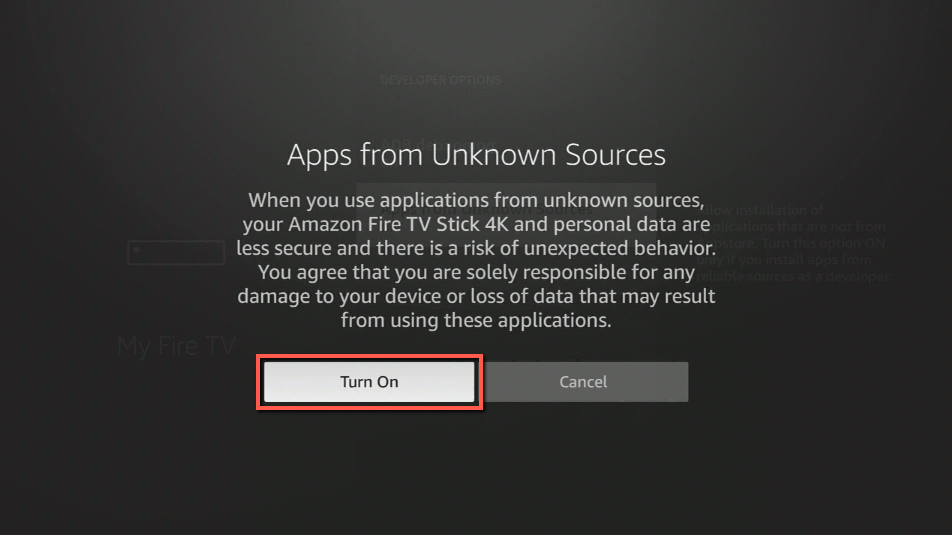
5. Press the Turn On when the pop-up appears.
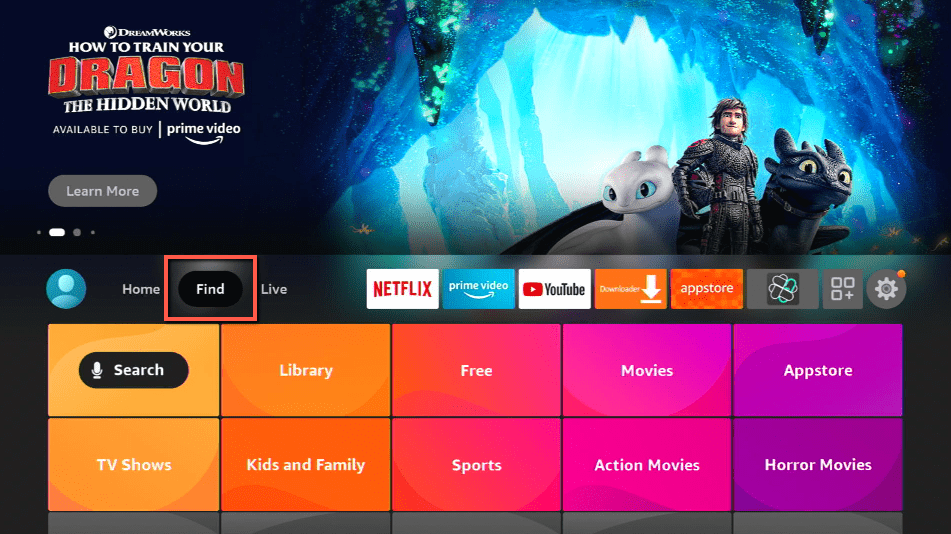
6. Click Home and press on FIND.
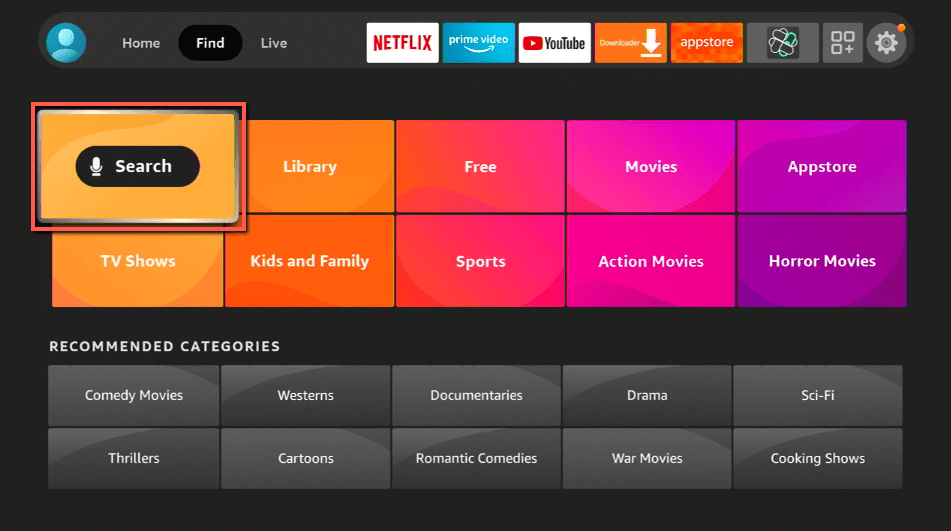
7. Press on Search.
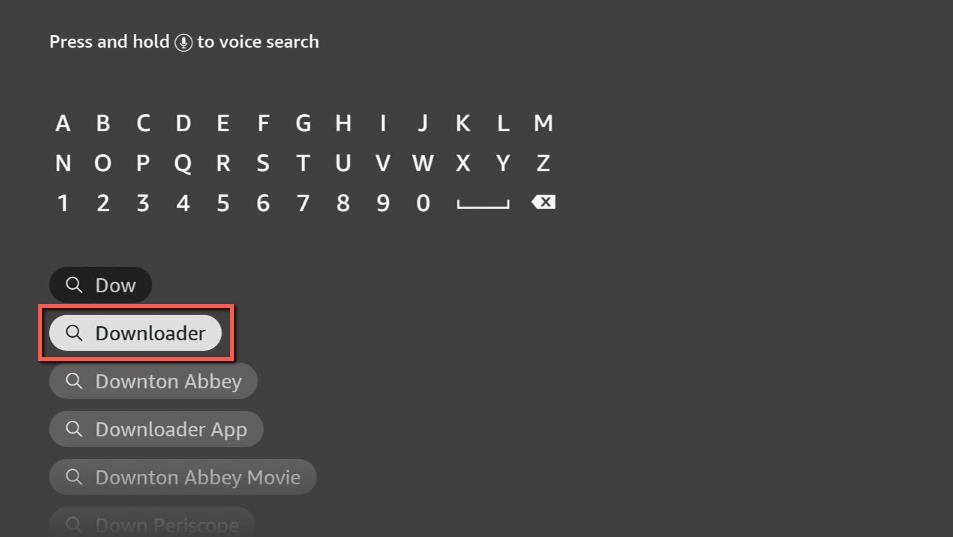
8. You can either say Downloader to your Alexa voice-enabled remote or start typing it. If you typed it, click on the suggestion when it appears.
9. Click on the Downloader Icon.
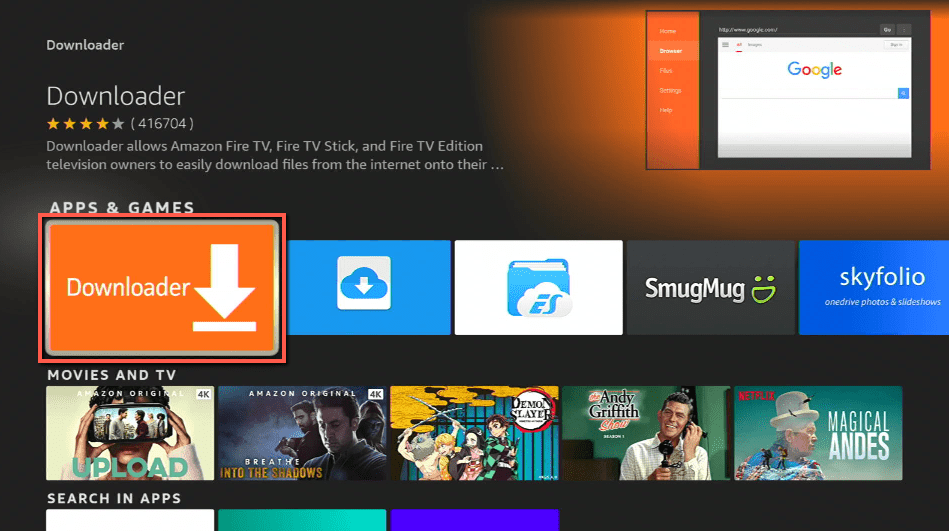
10. Tap on Download.
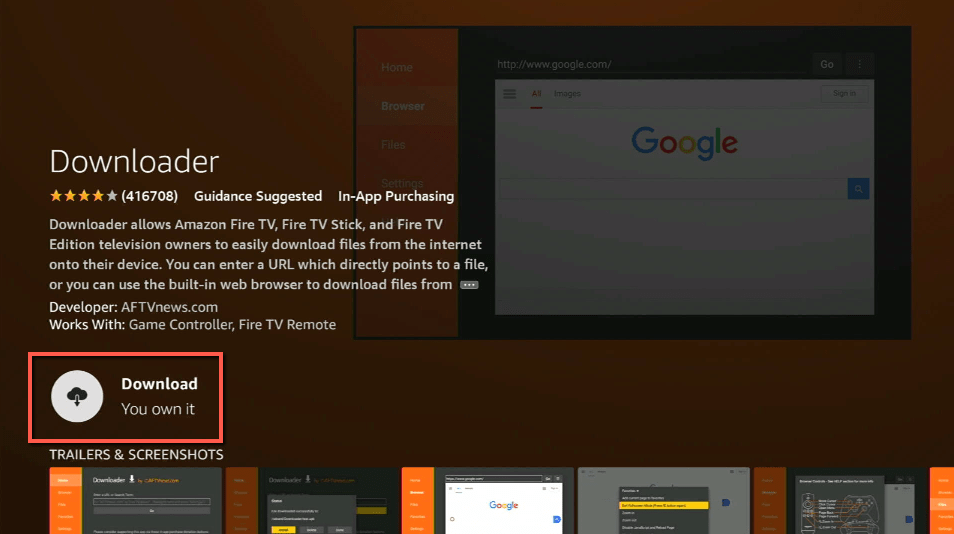
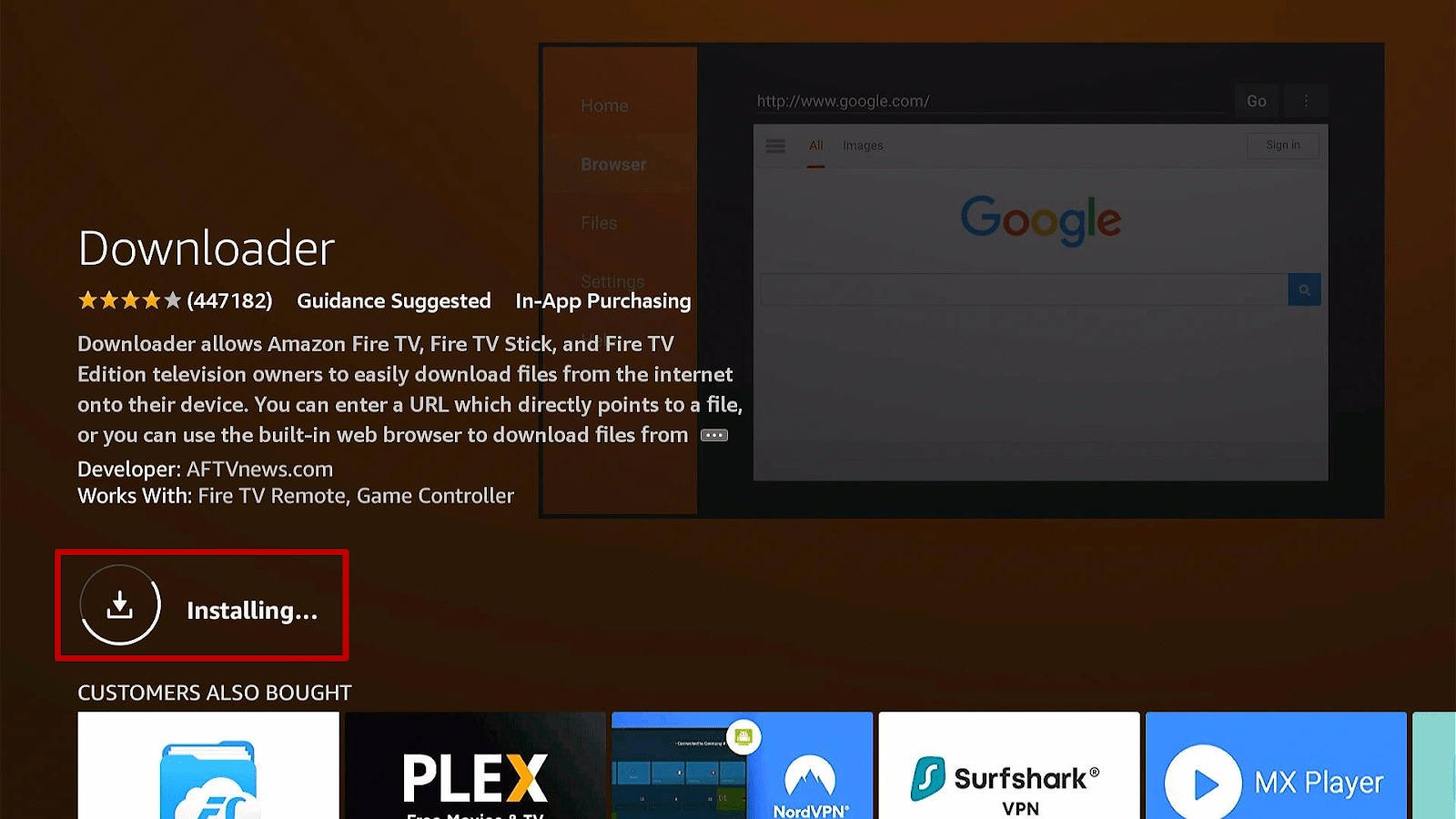
11. Click on Open.
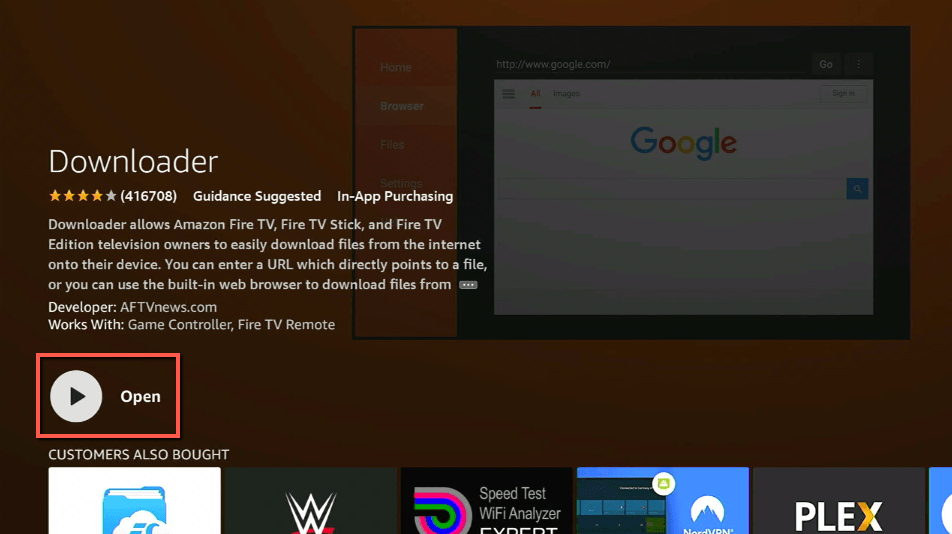
12. Press on the Allow button.
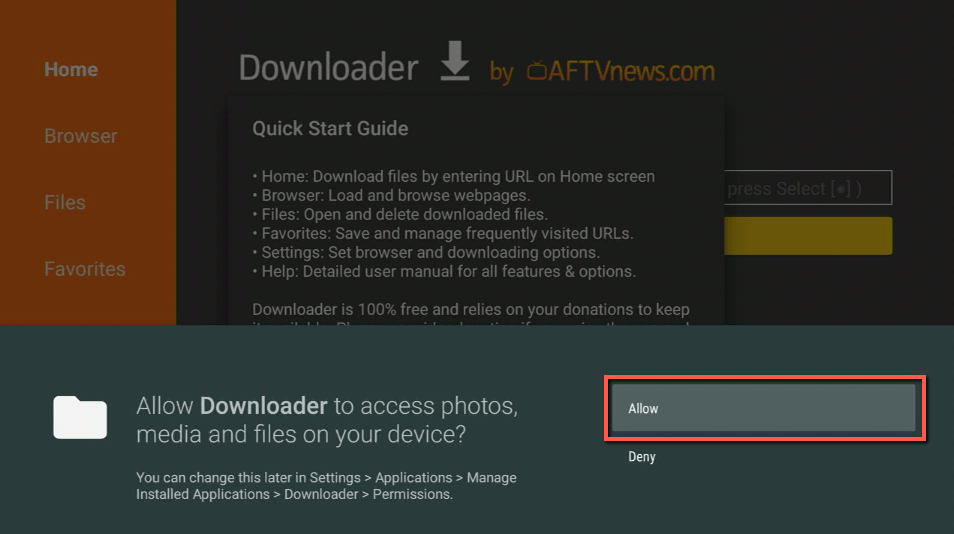
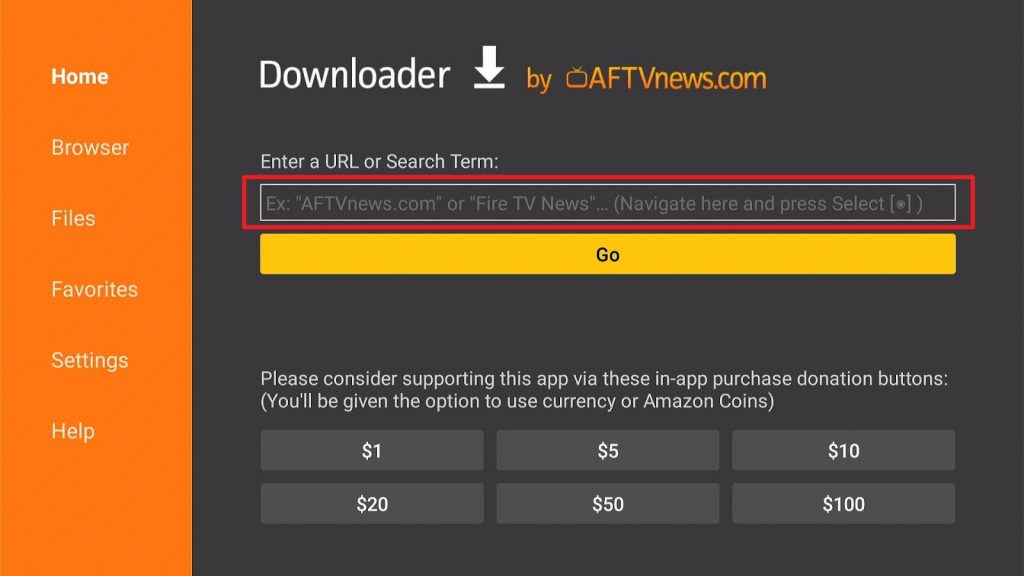
13. Use the Downloader search tab.
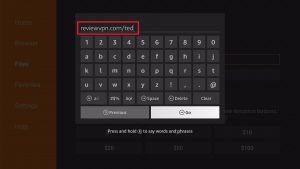
14. Type in: reviewvpn.com/ted
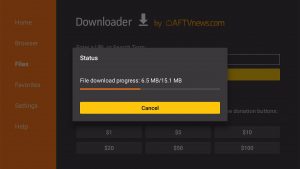
15. The TED app’s APK file will download.
16. Click on Install.
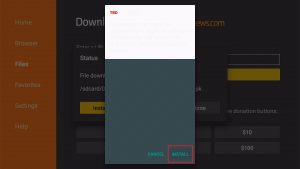
17. The TED app will install on Firestick.
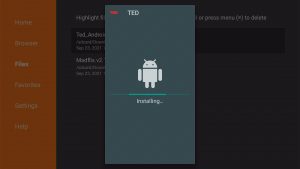
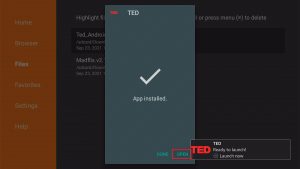
18. You can now open the TED app after its installation.
19. Choose from the latest talks covering different topics while using the TED app.
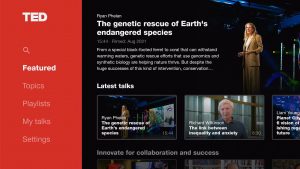
20. Enjoy watching from its wide collection of videos.

Install Surfshark on Firestick
Features of the TED App
- Explore videos from the TED Talk collection.
- Browse Talk videos covering different topics.
- Discover the latest topics from the TED Talk feature.
- Change video subtitles from a selection of over 100 languages.
- Listen to the latest topics from the TED Radio Hour Podcast.
- Explore TED’s new podcast: ‘Sincere, X’
- Sincere, X – A podcast diving into ideas from different personalities.
- Create a TED profile.
- Having a TED profile allows you to sync TED Talk videos on all your devices.
- TED App allows you to download and store Audio and Video files for offline playing.
- Lets users Bookmark a talk video for later viewing.
- Explore inspiring, mind-boggling, funny, and interesting topics from TED App playlists.
- TED App lets you assemble a playlist based on your video preferences.
- Play TED App videos on your mobile device: Android or Fire TV devices.
- Send TED App videos by using the TED App’s Chromecast support
- Video casting is compatible with Android TV.
- Explore TED App’s Brightline Initiative: Check out the most recent business topics.
ReviewVPN cannot attest to the legality, security and privacy of the applications discussed on this site. It is highly recommended that you use a VPN service while streaming or using Kodi. Currently, your IP 216.73.216.193 is visible to everyone and your Browser is being tracked by Advertisers & ISP Provider. Here are the main reasons why you must use a VPN: A VPN works be replacing your ISP-assigned IP address and creating an encrypted tunnel. We recommend the no log service offered by IPVanish. It works well on a Firestick and offers the fastest possible speeds.
YOUR INTERNET ACTIVITY IS BEING WATCHED
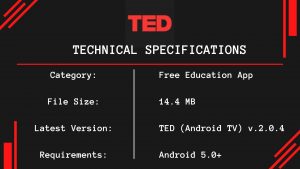
Technical Specifications of TED
Let us show you the technical specifications of the TED app. You learn about its system requirements, the latest version, and the total size of its APK installer.
TED App’s Main Menu
- Featured
- Topics
- My Talks
- Settings
TED App’s Interface
- Features an attractive Bright Red color theme.
- Classy background theme.
- Interactive menu buttons.
- Allows you to create your playlists.
- Supports Chromecast – Cast videos from your mobile device to your Android TV.
Pros and Cons
Pros
- 100% Free.
- Safe and secure to use.
- Lets you learn the latest topics covering different ideas.
- TED is an app for expanding your knowledge.
- Watch high-quality talk show style videos.
- Learn from reputable and reliable individuals from different industries.
- Explore mind-tickling videos from many sources.
- Allows you to bookmark videos you enjoy watching.
- The TED app lets you download video and audio files for offline use.
- Supports video casting between modern devices.
Cons
- Some videos load slow – depending on your internet connection.
Watch TED Talk Videos with a VPN
Streaming videos from online sources is now a daily activity for many of us. Thanks to the convenience of portable gadgets that can connect to the internet. However, streaming videos may reduce our internet speed. To counter the effects of ISP throttling, install Surfshark.
Surfshark is the best VPN while watching videos from the TED app. It will provide you many benefits while it is active:
- Smooth streaming of TED app media files without disturbances.
- Renders you invisible from prying eyes.
- Protects your device from modern cyber threats.
- Prevents buffering and lagging on your Android, Kodi, and Fire TV devices.
Click here to get the lowest price on Surfshark through our exclusive limited-time offer.
How to Install Surfshark VPN on Firestick
If your Firestick still has the older interface, read this article to learn how to update it: Update Firestick Interface.
Follow our screenshots below to install the SurfShark VPN app on your Fire TV stick.
1. Go to the Home screen of your Firestick.

2. Navigate towards the Find tab. Press the Search button from the resulting dropdown.

3. Type in the keyword of SurfShark and select from the suggestions that will appear.

4. Click the official SurfShark icon from your search results.

5. Press the Download (You own it) button.

6. The SurfShark VPN installer will download on your device.

7. SurfShark VPN’s app will automatically install itself on your Fire TV stick.

8. Press the Open button after completing SurfShark VPN’s installation process.

9. Please wait for the SurfShark VPN to load its user interface.

10. You can now log in with your SurfShark VPN account credentials.

Learn more about Surfshark and Grab the Best Surfshark Deal Now!
Install Surfshark on Firestick



For more VPN discounts, go to ReviewVPN Deals and purchase the best VPN for you.
Click here to get the lowest price on Surfshark through our exclusive limited-time offer.
FAQs
Is the TED app free?
Yes, you don’t have to pay for anything. You only have to create an account to sync the videos you have saved.
Is it safe to use the TED app?
Yes, aside from the original ads of the TED app, there are no malicious programs or annoying pop-up ads.
Conclusion
Are you fond of expanding your knowledge during your downtime? Then the TED App is right for you. Unique with its services, the TED app allows you to access its podcasts and videos. You will learn from the brightest minds working in different specializations. Explore topics that raise your interest.
We hope this article helps you install the TED App on your Fire TV stick.






