

Strikes Movie Zone Kodi Addon
Source: http://rockodi.com
Strike’s Movie Zone Kodi Addon is a new add on to hit the scene in 2019, he’s also making waves with his new All Sports Recap and Motor zone. The developer is active on twitter and you can follow him here: https://twitter.com/strike0408
Strike offers some great content, films only and like Nole Cinema offers curated lists of content, with a Halloween section recently added. This means the add on may not have the biggest amount of content added, but it also saves you the hassle of having to trawl through acres of content to find what you are looking for.
A great add on for people who just like to be shown a great playlist and work their way through it. Strike also curates all their content from legal and free sources. So much like Tubi TV you don’t need to worry about where the content is coming from. But now you don’t have to worry about the adverts.

Common Errors
Here are some of the most common errors you might come across when installing or running Strike Movie Zone:
- Script Error: A script error means that there is a vital script missing in either the add-on or the Kodi add-on. Check that you have downloaded the Kodi add-on from the right source. Delete the installation, reinstall and make sure it is a fresh install. If the problem persists then the problem may be with your Kodi installation, which either needs updating or re-installing. To find out how to re-install Kodi and other fixes read our guide linked above.
- Could not connect to URL/Download: Being unable to connect to the URL to download Strike Movie Zone is common. The most common fix is to double-check the URL that you have written out. Next check the repository that the source is coming from. Make sure it’s the one we have given, and not another repository that may be hosting a corrupted file. Also try the URL again if correctly typed, to check that there just isn’t a blip on the server where the file is located. If the problem persists read other methods that you can try to fix the error linked above.
- Source not working/slow/frozen: While you are watching movies on Strike you may get the source, that either doesn’t work, are slow, or freeze intermittently giving you a pixelated screen. If the source doesn’t connect at all, give it 10-15 seconds to connect and begin to buffer. You can also try to reload the source again, to see if that does the trick. Also just try a few other sources and see if you still get the same trouble. If none of the source’s work and the add-on is working, then read more fixes linked above.

Review
The developer behind Strike has put together a cracking add on which offers some well-curated content and all free and legal.
We really like add ons that offer content you can’t find anywhere else because it shows some real thought has gone into the curation. This is a useful and original add on. Not just another copy of someone else’s add on.
It’s a bonus to watch the content without adverts, even if you might not find the most recent titles. For the latest releases, you’d be better off using Cyberflix or Cinema HD.
Strikes Movies Zone categories include:
- Film Is Now Movie Trailers
- Gringo – Western Movies
- Wild West Stories
- Movie Mix
- Action Movies
- Kings of Horror
- Horror Movies
- Kids Movie Playlists
- Kids Animated Movies
- Maverick Movies
- Classic Movies Channel
- Superhero Movies
- Marvel Movies
- Popcorn Flix
ReviewVPN cannot attest to the legality, security and privacy of the applications discussed on this site. It is highly recommended that you use a VPN service while streaming or using Kodi. Currently, your IP 216.73.216.72 is visible to everyone and your Browser is being tracked by Advertisers & ISP Provider. Here are the main reasons why you must use a VPN: A VPN works be replacing your ISP-assigned IP address and creating an encrypted tunnel. We recommend the no log service offered by IPVanish. It works well on a Firestick and offers the fastest possible speeds.
YOUR INTERNET ACTIVITY IS BEING WATCHED
How to Install Strikes Movie Zone Addon on Kodi with Screenshots
- From the home screen, select the cogwheel at the upper left.

2. Select System in the bottom right corner.

3. Select Add-ons on the left side of the screen.

4. Select Unknown sources.
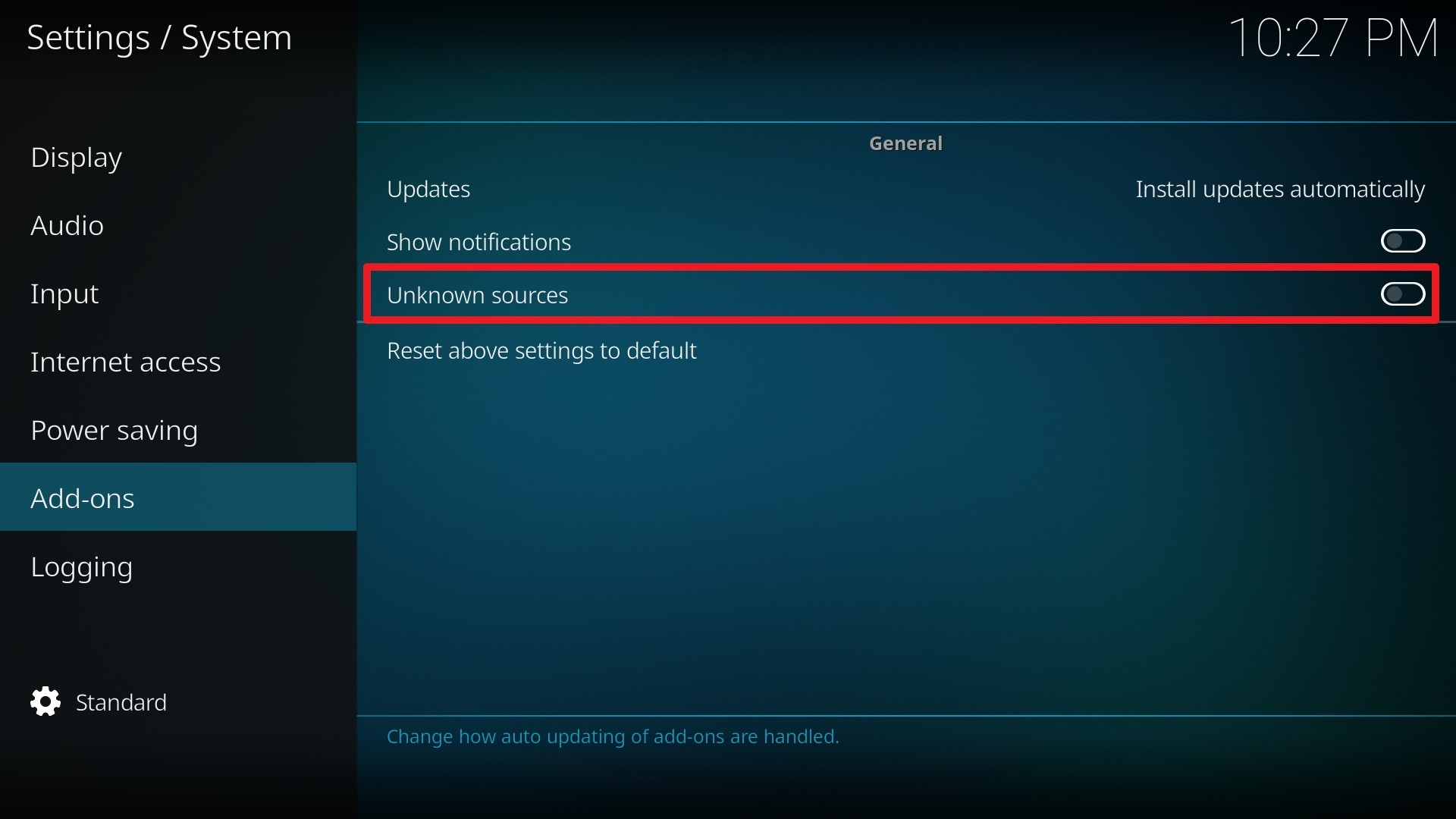
5. Click Yes to allow unknown sources.

6. Select File manager.
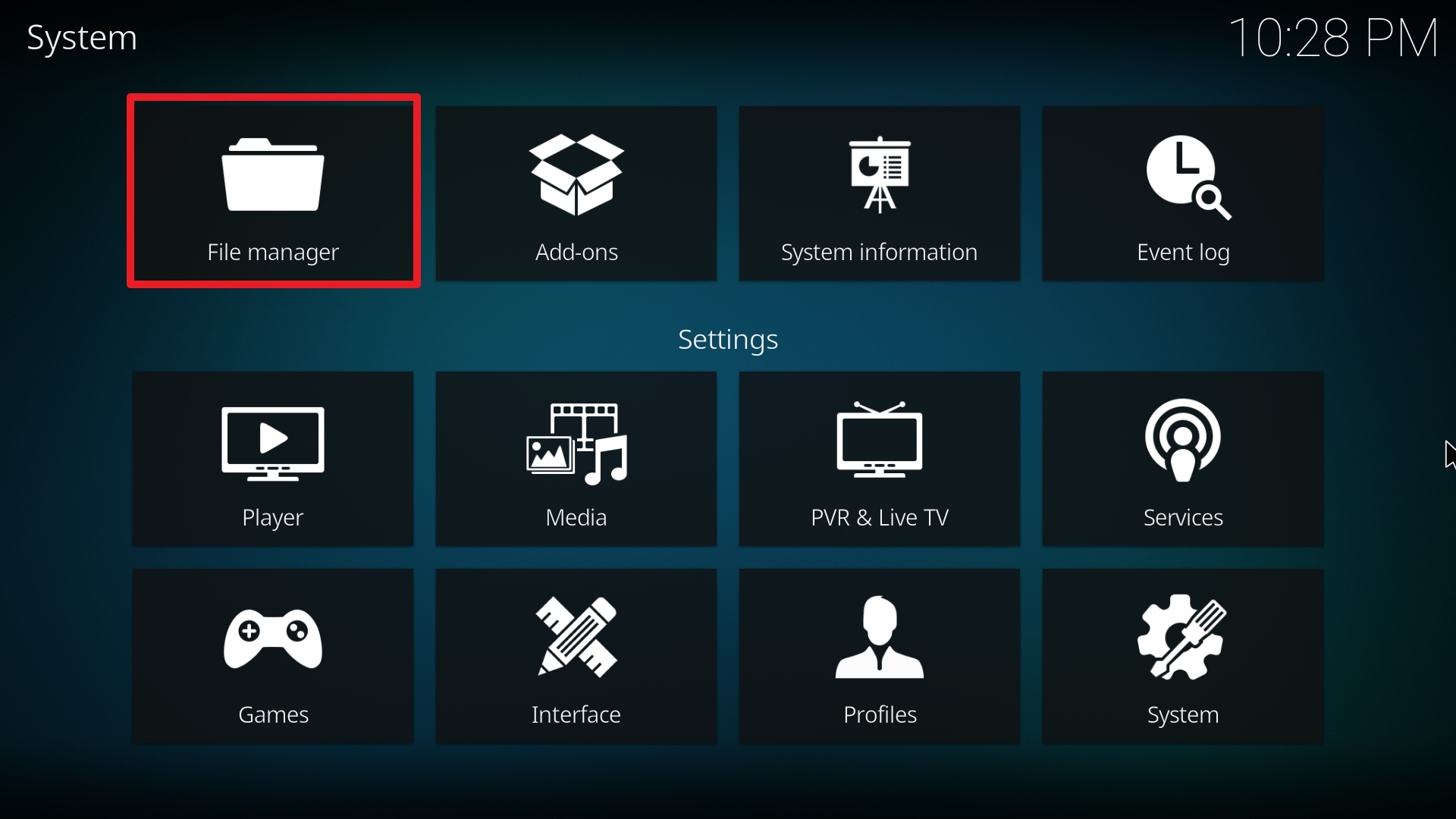
7. Click Add source.

8. Click on <None>.

9. Type exactly: http://rockodi.com
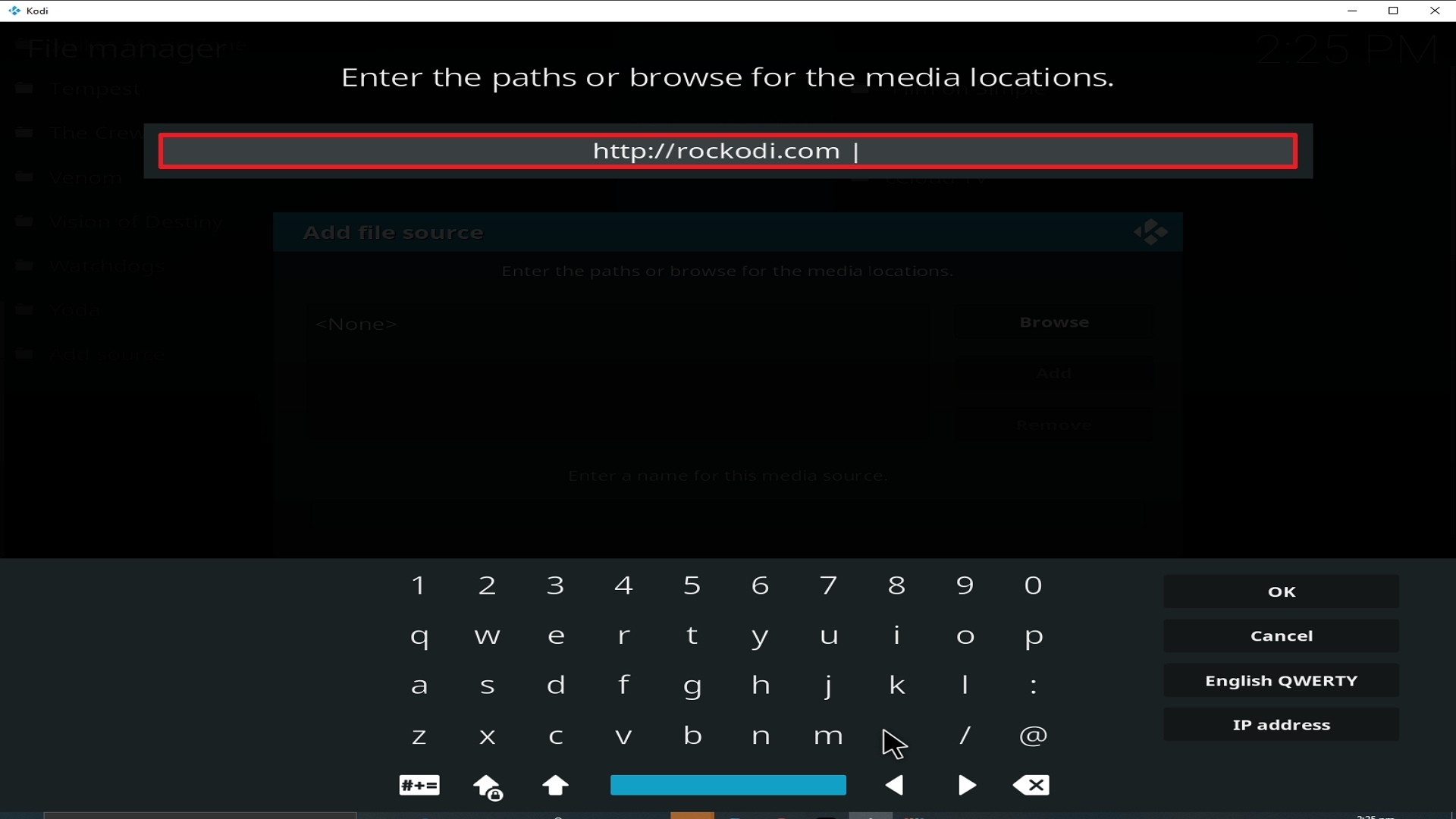
10. Click on OK.
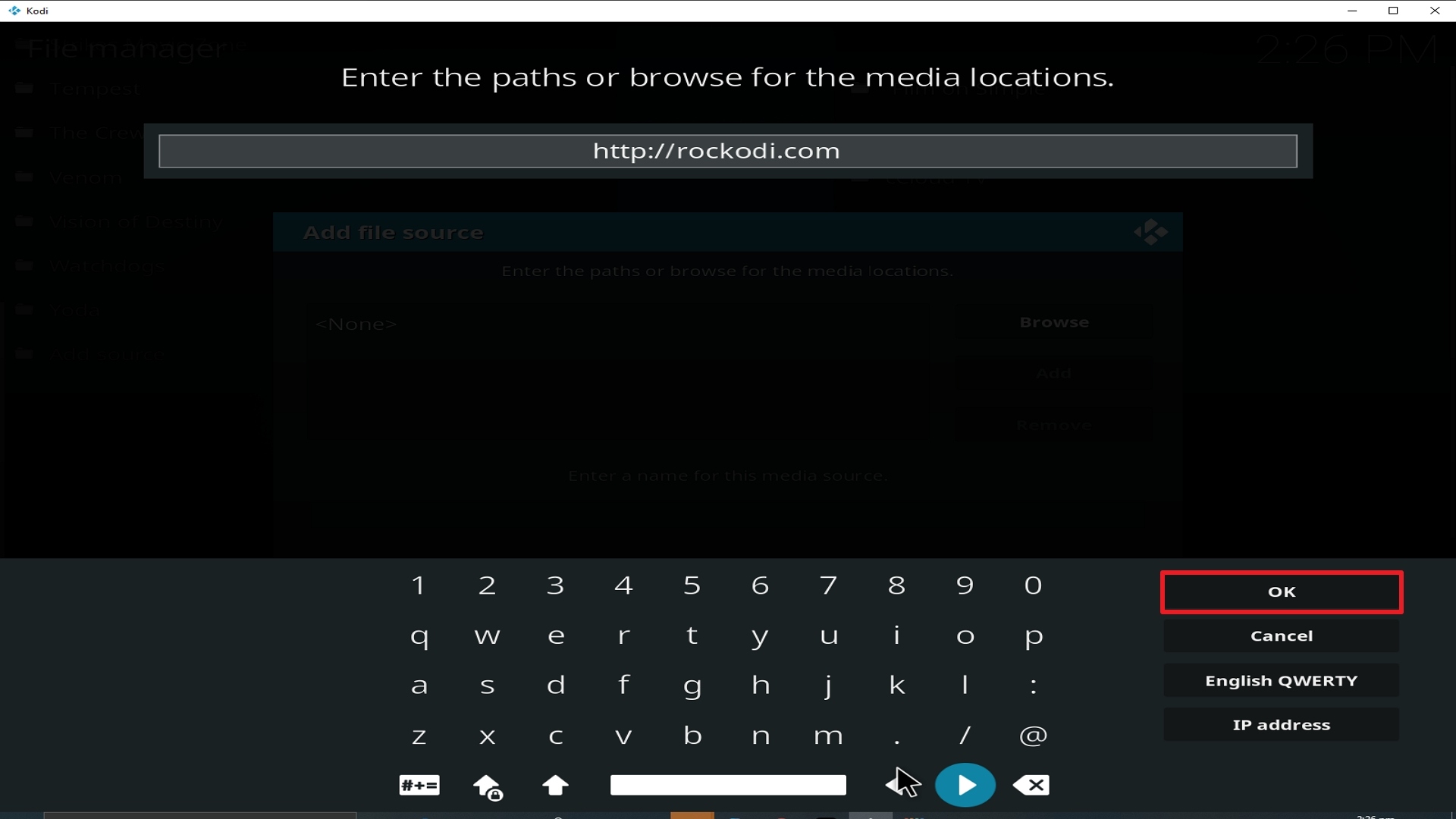
11. Select enter a name for this media source.
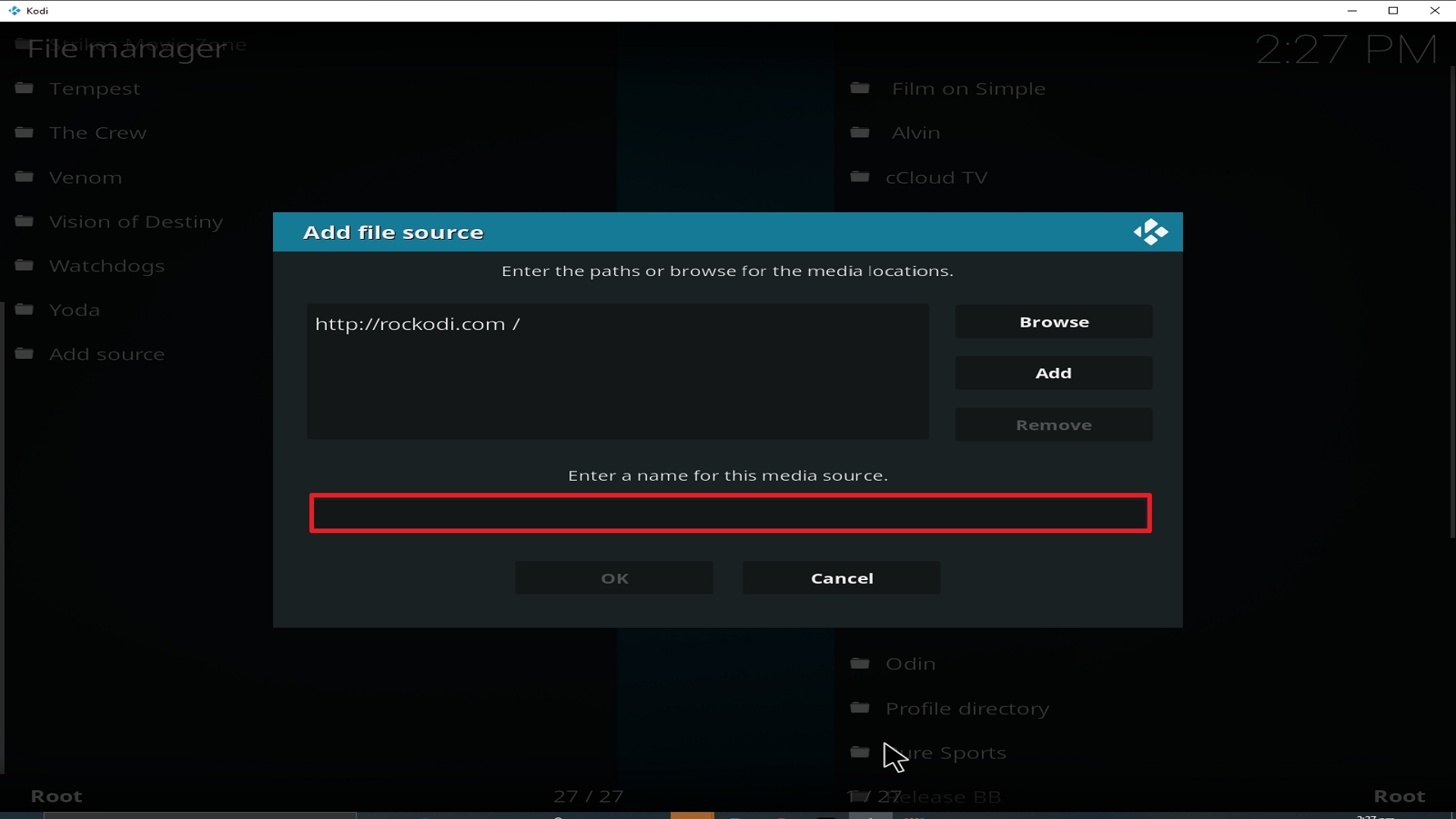
12. Name is Strikes Movie Zone (this part isn’t critical as long as you remember the name).
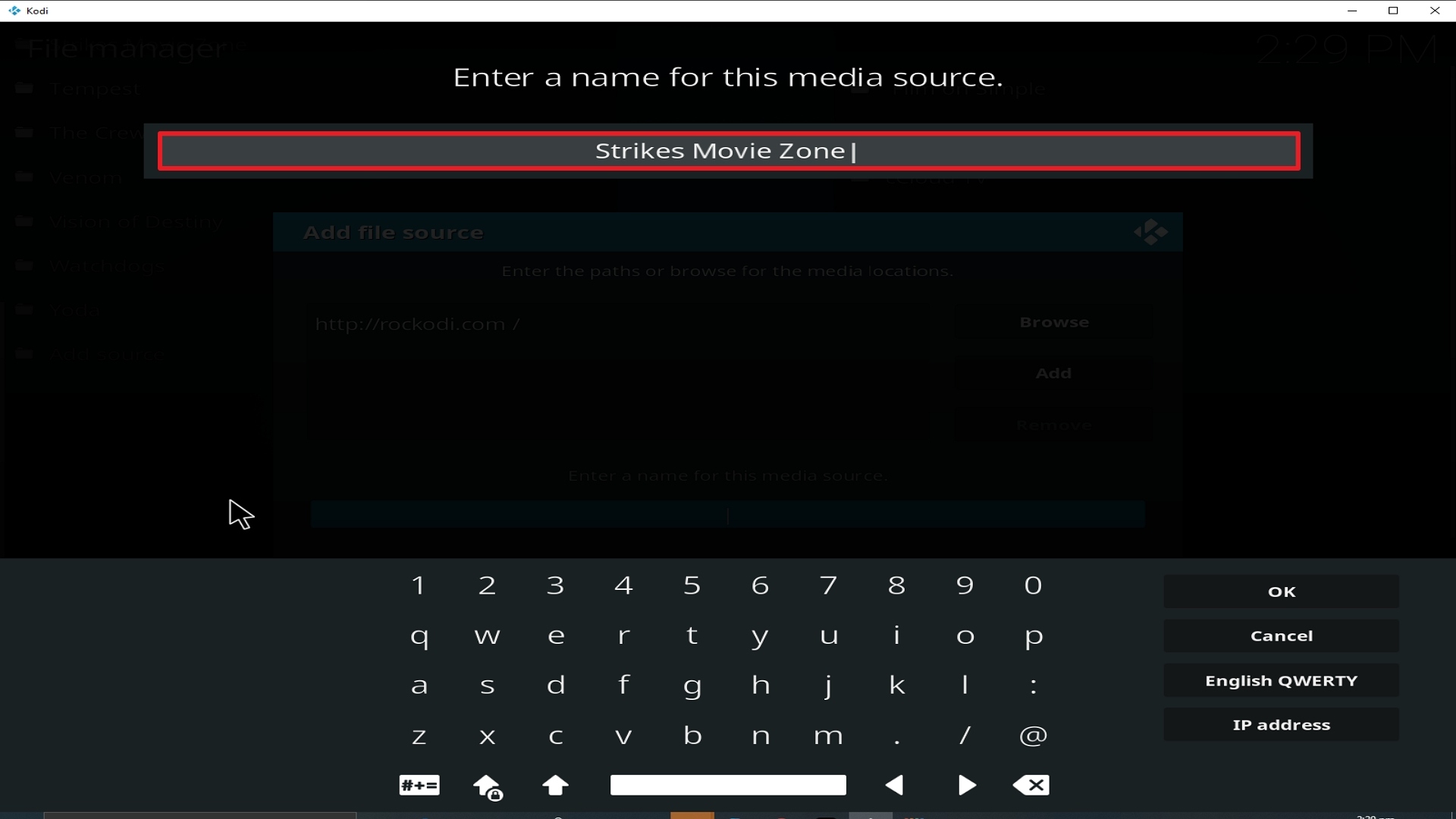
13. Click on OK.
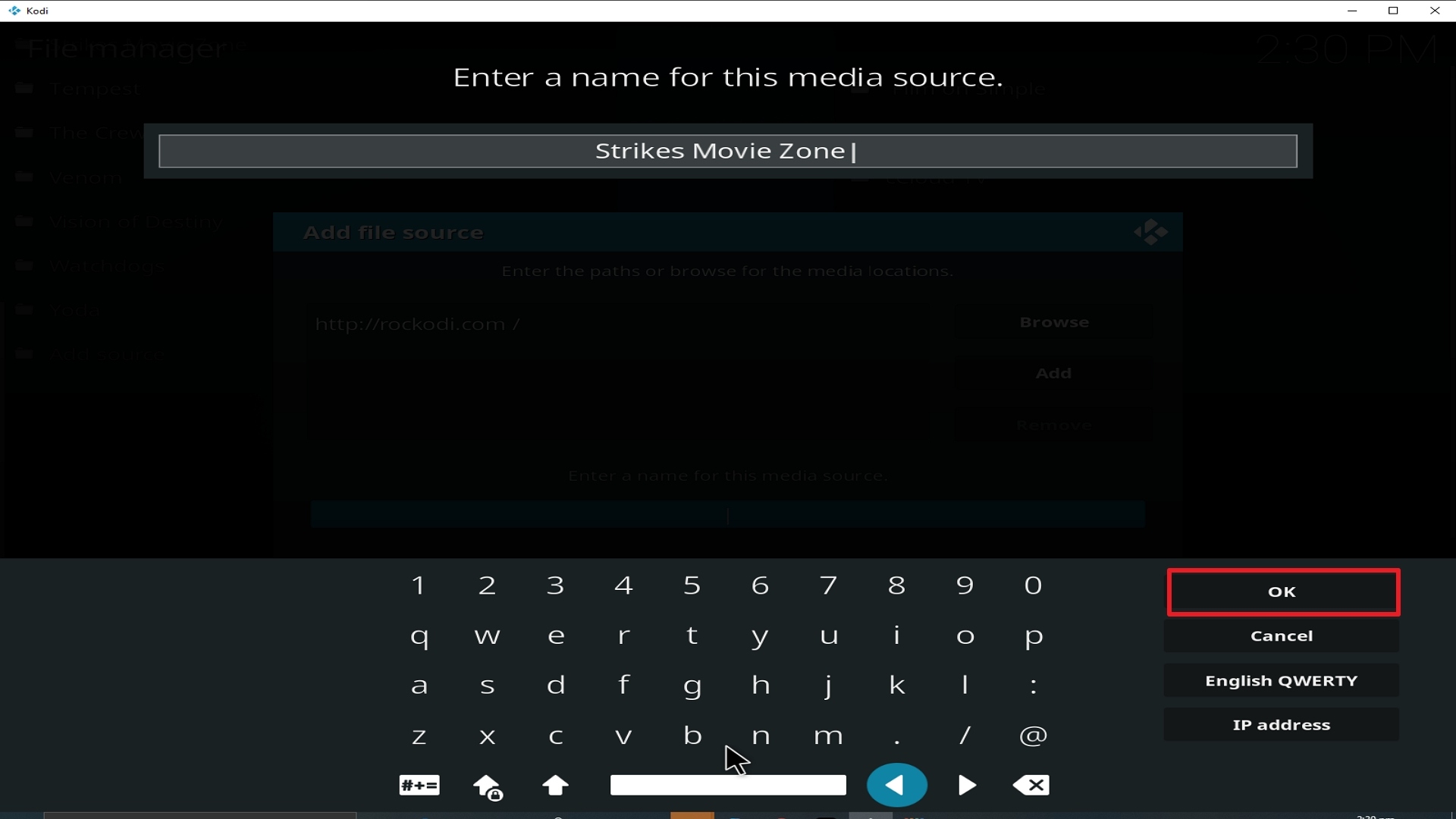
14. Click on OK.
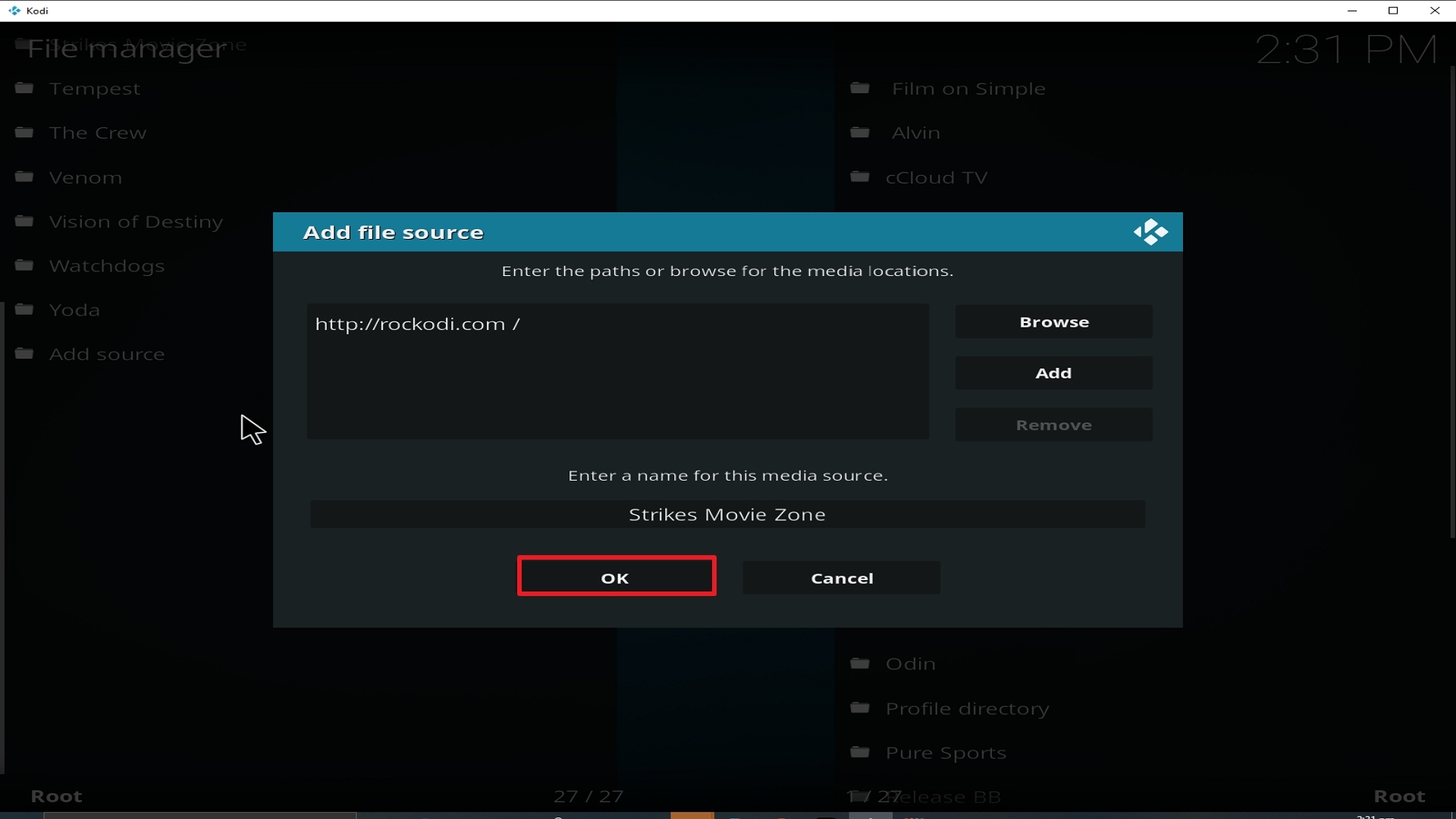
15. Take one step back and click on Add-ons.
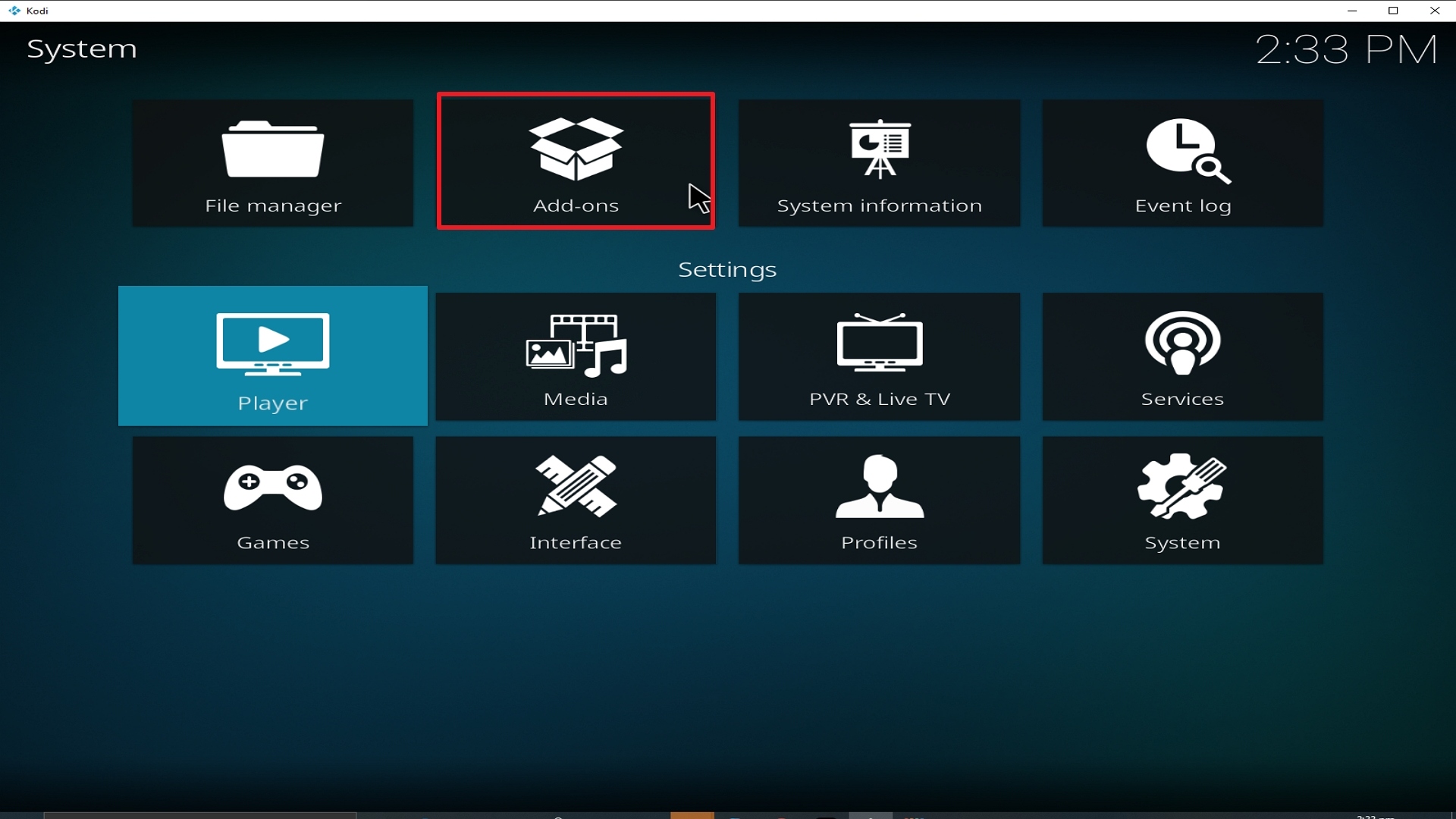
16. Select install from zip file.
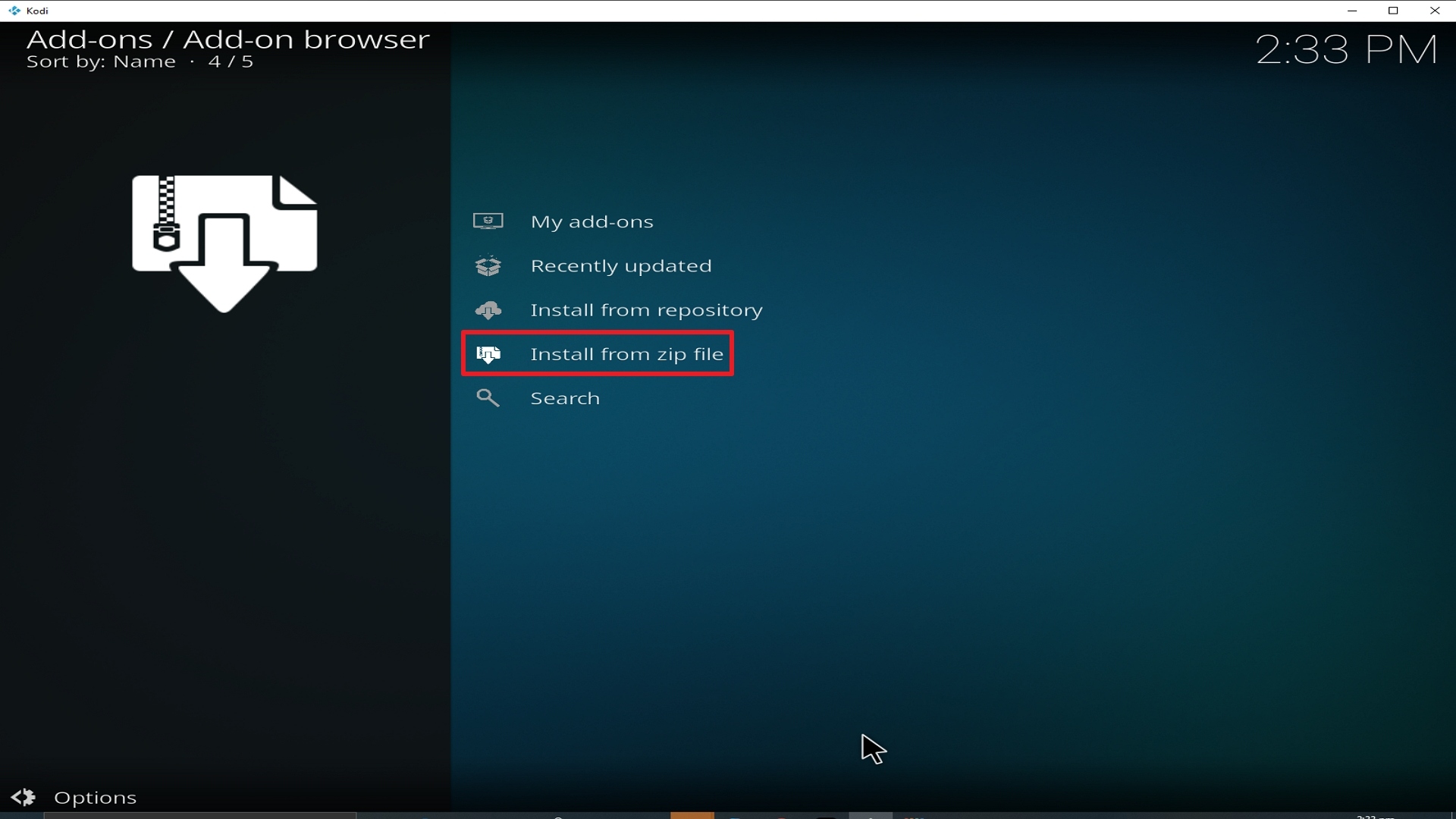
17. Click on Strikes Movie Zone (or whatever you named the source).
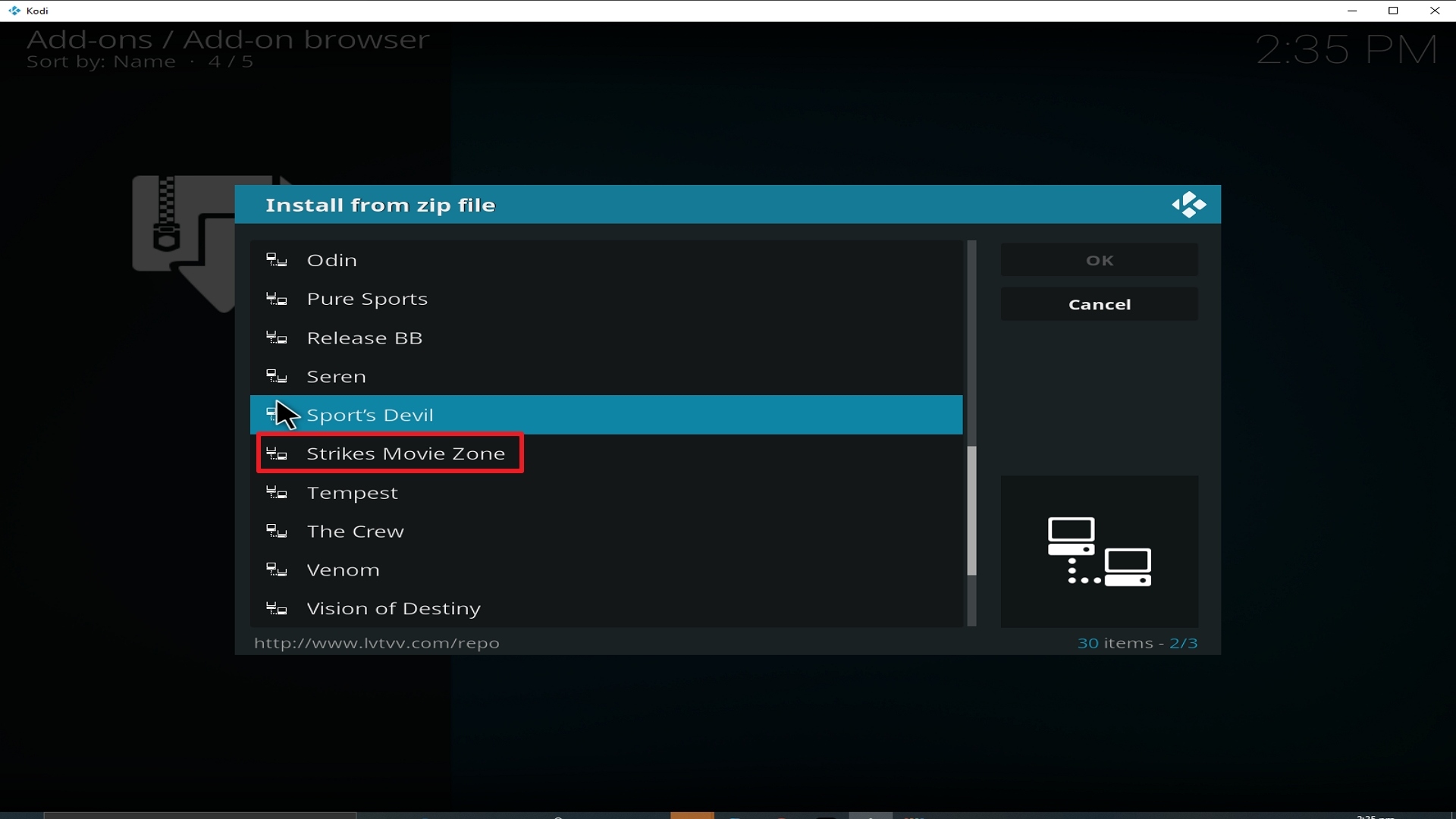
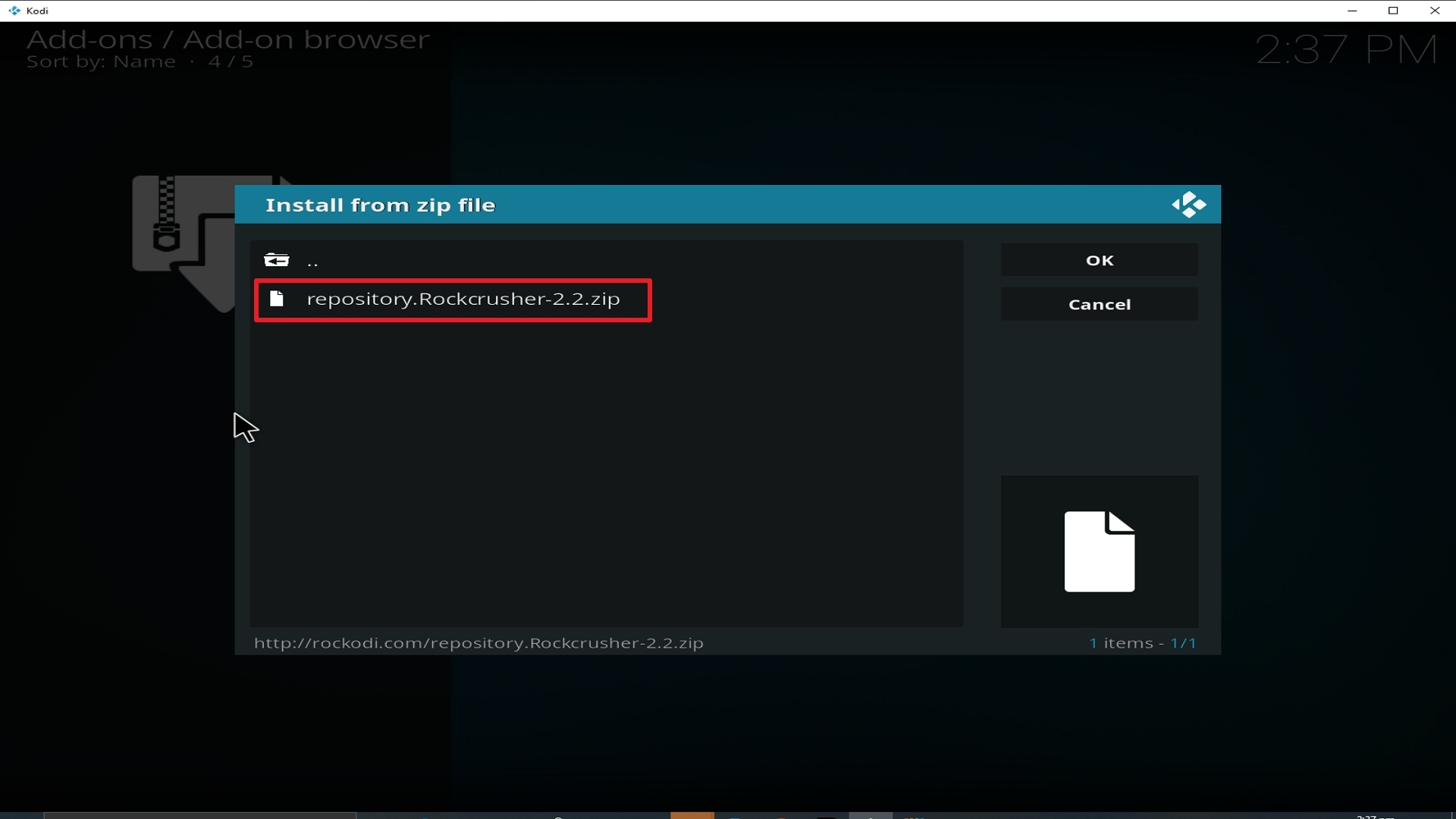
18. Click on repository.Rockcrusher-2.2.zip.
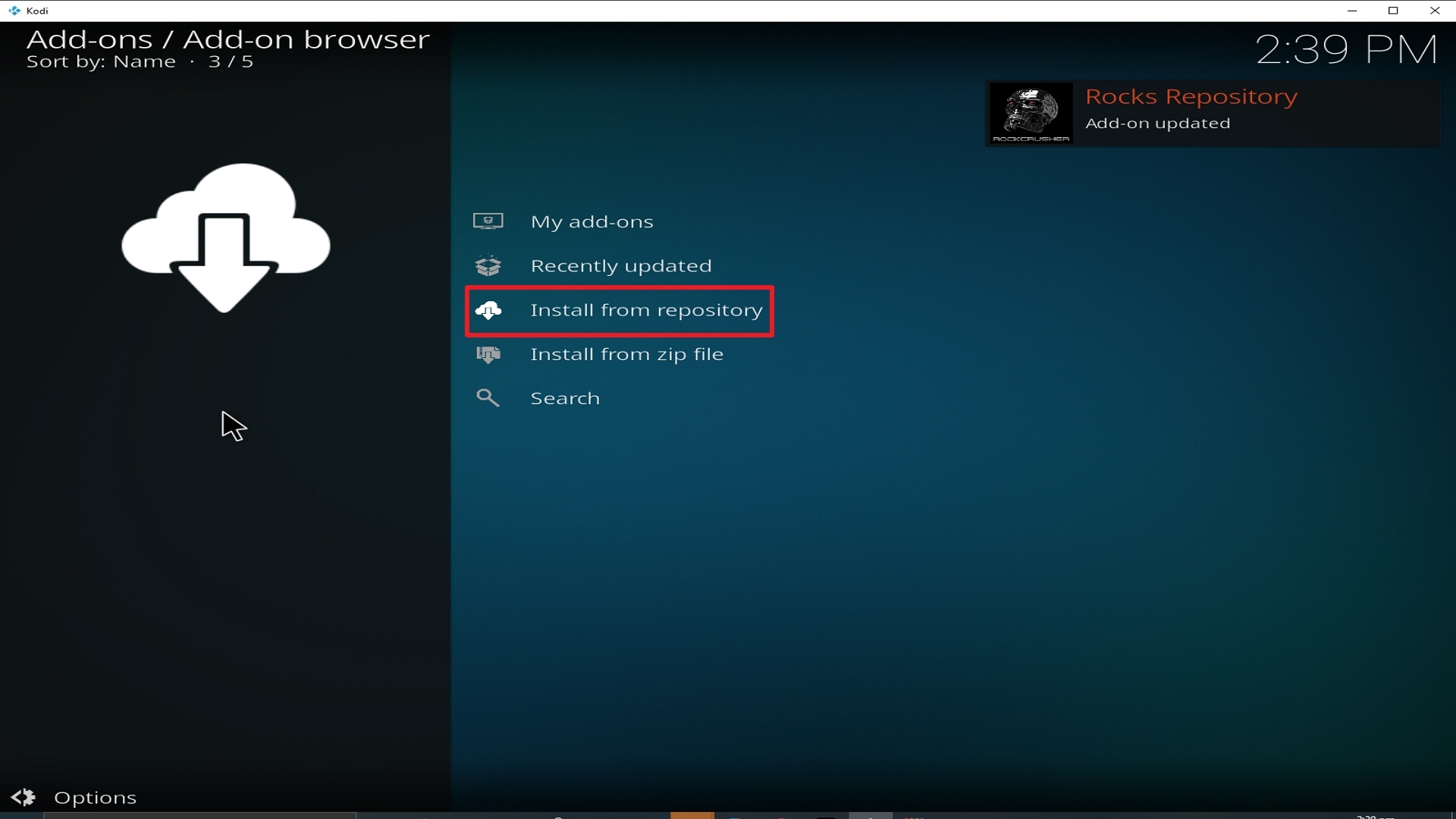
19. Select on Install from repository.
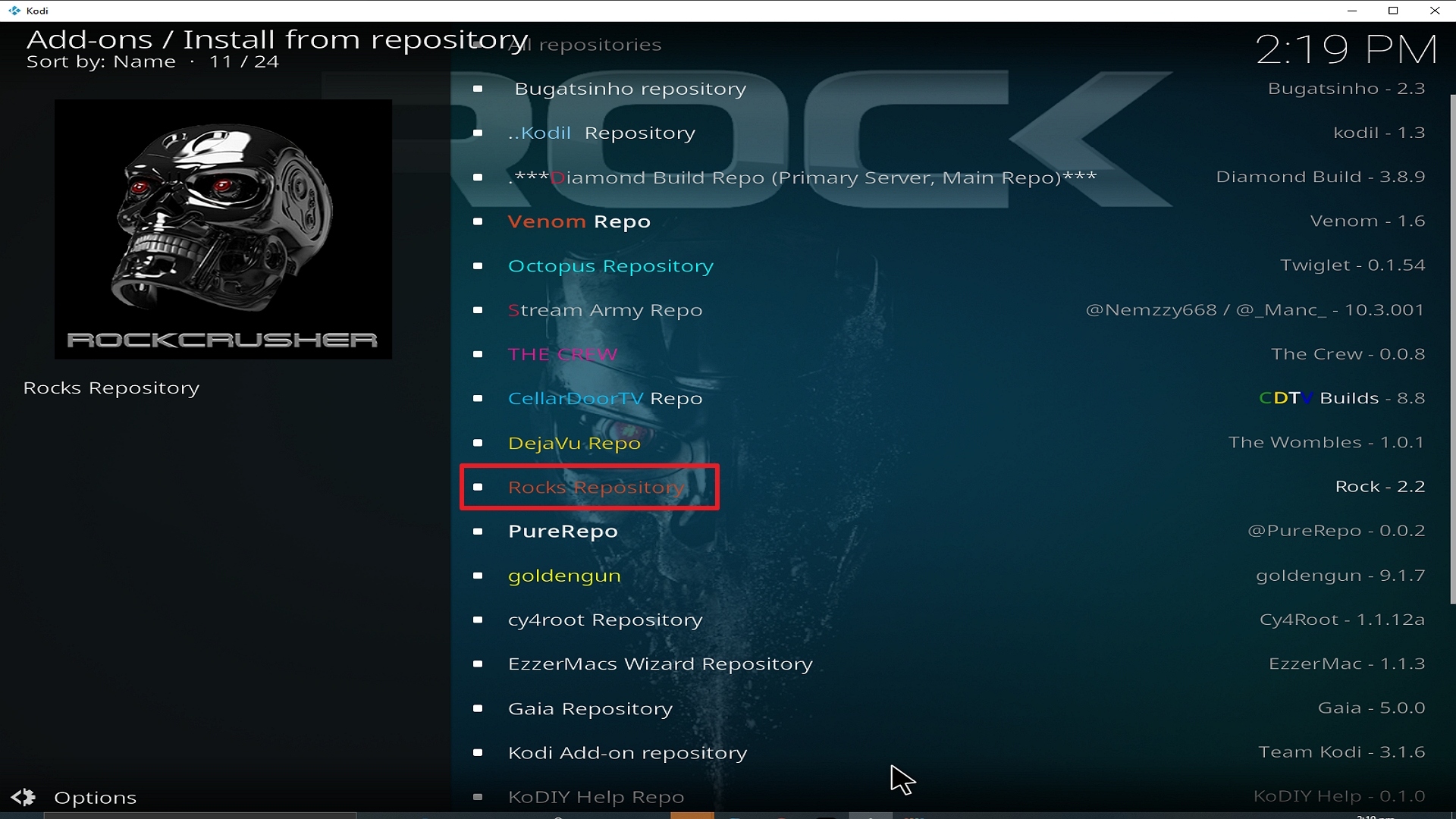
20. Click on Rocks Repo
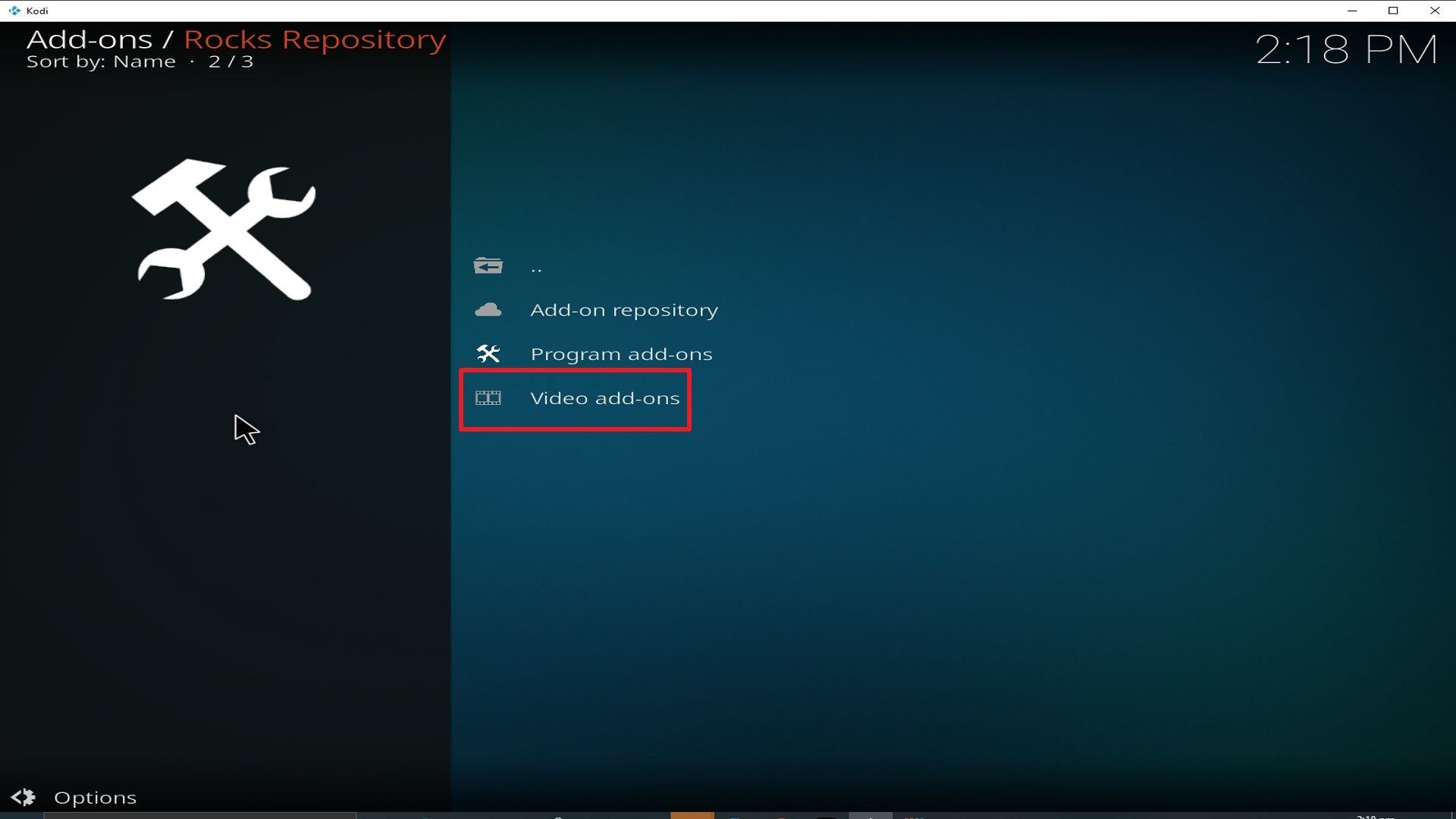
21. Pick Video add-ons.
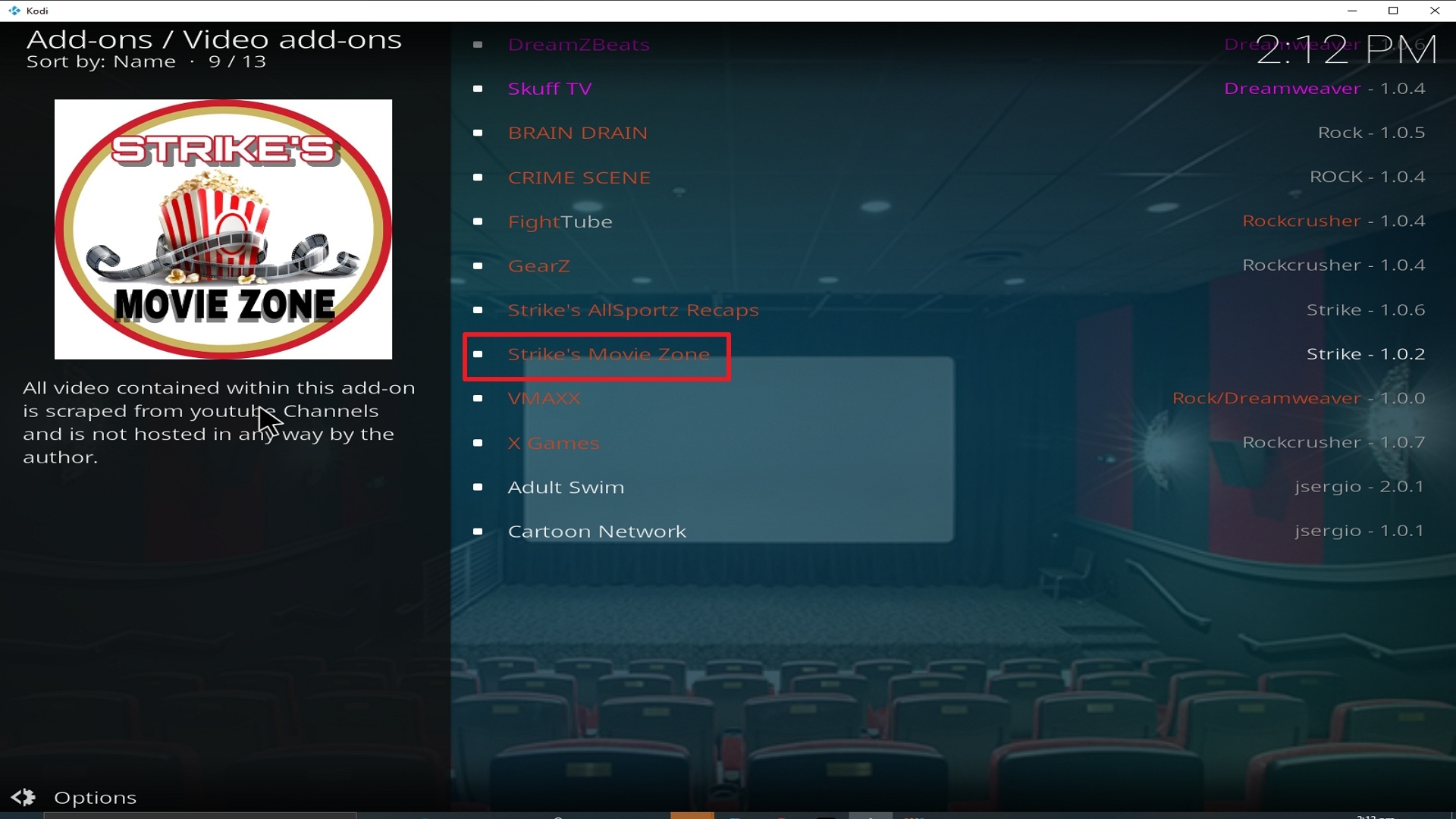
22. Select Strikes Movie Zone again.
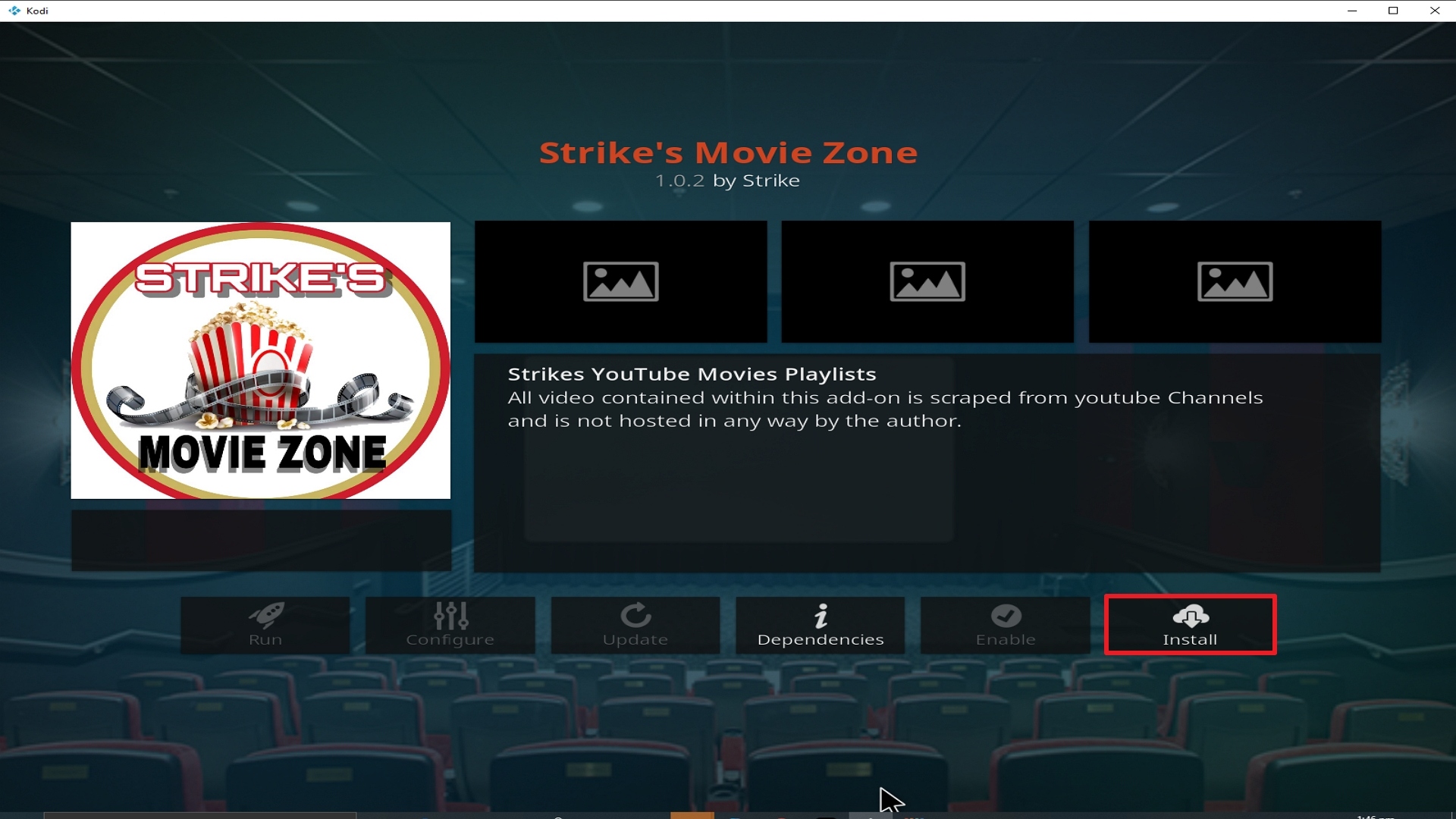
23. Click on Install.
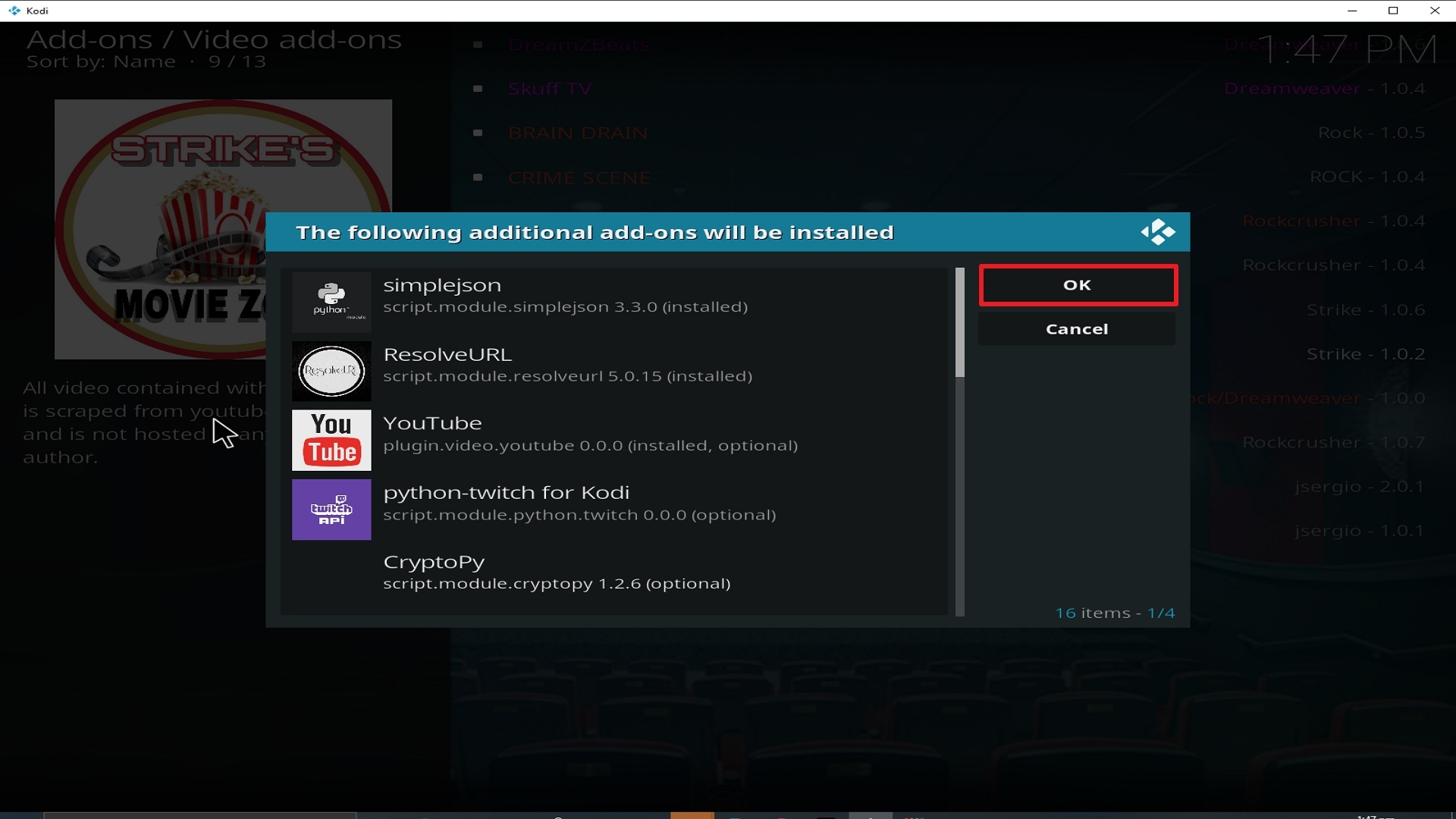
24. Select OK after reviewing the add-ons that will be installed.
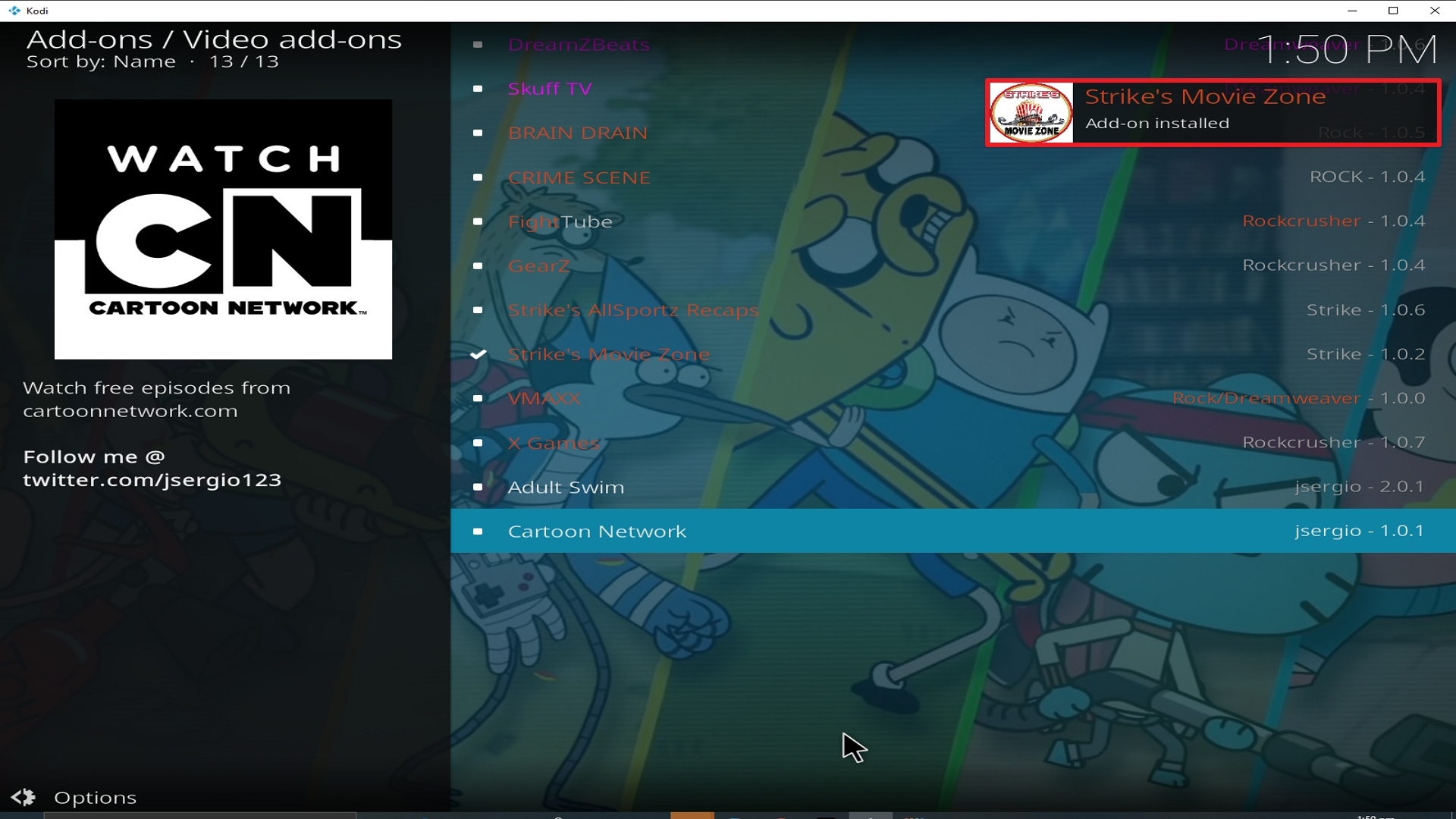
25. You should see a popup in the upper right corner saying Strikes Movie Zone has installed. There will actually be multiple popups for the various components.
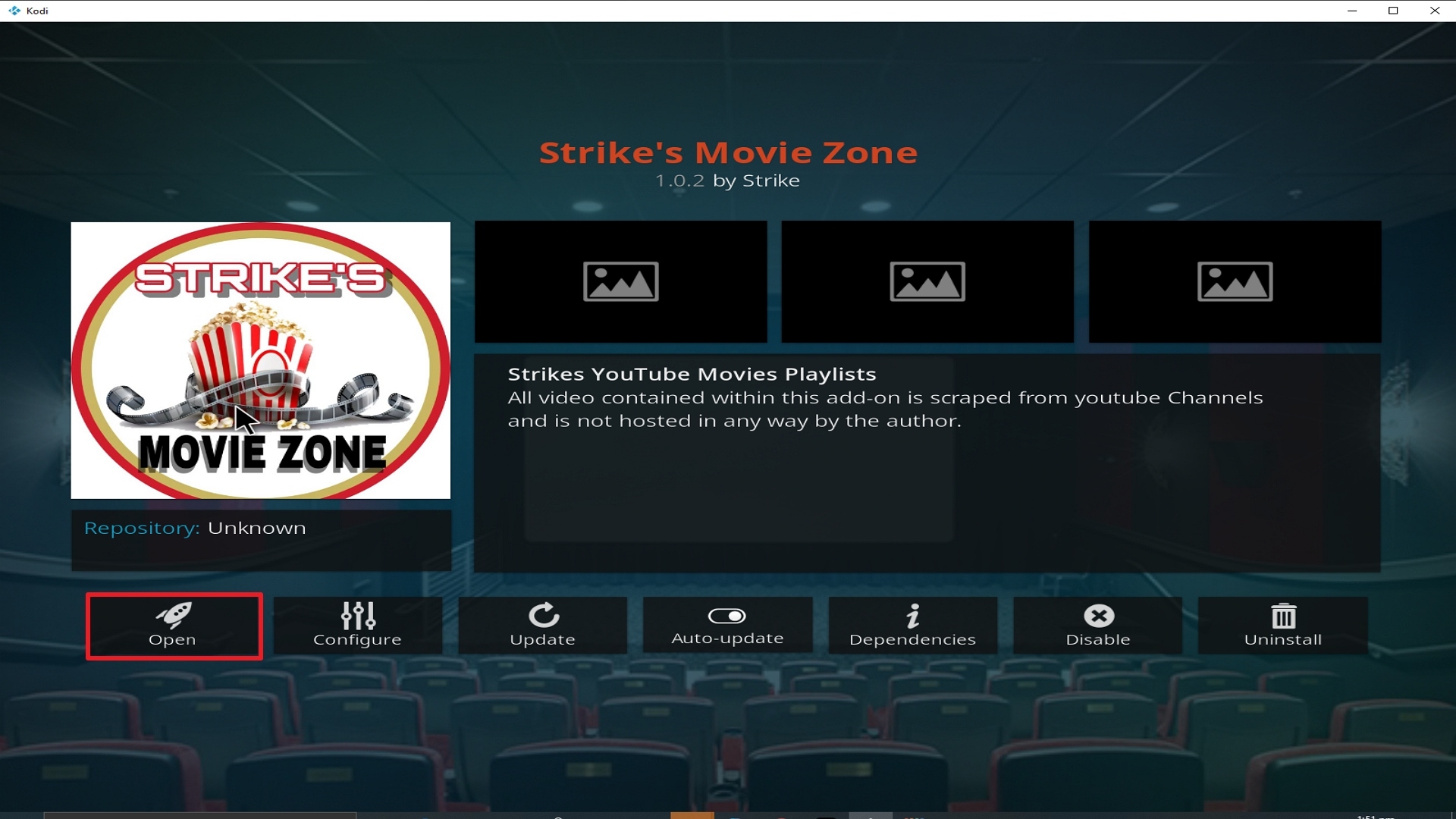
26. Click on Open to start the Strikes Movie Zone add-on.
Install Surfshark on Firestick
How to Install Surfshark VPN on Firestick
If your Firestick still has the older interface, read this article to learn how to update it: Update Firestick Interface.
Follow our screenshots below to install the SurfShark VPN app on your Fire TV stick.
1. Go to the Home screen of your Firestick.

2. Navigate towards the Find tab. Press the Search button from the resulting dropdown.

3. Type in the keyword of SurfShark and select from the suggestions that will appear.

4. Click the official SurfShark icon from your search results.

5. Press the Download (You own it) button.

6. The SurfShark VPN installer will download on your device.

7. SurfShark VPN’s app will automatically install itself on your Fire TV stick.

8. Press the Open button after completing SurfShark VPN’s installation process.

9. Please wait for the SurfShark VPN to load its user interface.

10. You can now log in with your SurfShark VPN account credentials.

Learn more about Surfshark and Grab the Best Surfshark Deal Now!
Install Surfshark on Firestick



For more VPN discounts, go to ReviewVPN Deals and purchase the best VPN for you.
Click here to get the lowest price on Surfshark through our exclusive limited-time offer.






