

STARZ on Your Firestick
Quick Navigation
In this article, we will be helping you in installing the STARZ app on your Firestick device.

STARZ is a cable and satellite television network that offers you a wide range of channels.
Available in the US and its legal territories, it allows you to download your favorite movies and original series anytime and anywhere using your smartphone, tablet, computer, or TV.
You can even download any show and movie that you can watch offline, generate movie recommendations that suit your interests, and link your Spotify account.

Install STARZ on Firestick
Installing the STARZ app on your Firestick is made easy since the app is available on the Amazon app store. To watch your favorite video content on Firestick, follow this step-by-step guide to help you with the installation:
- On your Firestick home screen, click the magnifying glass or the “Search” icon on the top left corner of the screen using your remote control.
- Type in “STARZ” on the Search field, then click on the “STARZ” from the suggested list below.
- Select the STARZ App by pressing the center button of the directional pad.
- Click “Get” to finally download the app.
- Once the app download is completed, it will be automatically installed on your Firestick.
- Select the “Open” button to launch the STARZ app.
How to Install STARZ APK on Firestick
1. From your home screen, go to Settings.

2. Scroll down and to the right until you get to My Fire TV. Click on it.

3. Select Developer options.

4. Turn on ADB debugging and Apps from Unknown Sources.

5. Click Turn On when the pop-up appears.

6. Click Home, click FIND.

7. Click Search.

8. You can either say Downloader to your Alexa voice-enabled remote or start typing it. If you typed it, click on the suggestion when it appears.

9. Click on the Downloader Icon.

10. Click Download.


11. Click on Open.

12. Click on Allow.

13. Use the Downloader search tab.

14. Type https://reviewvpn.com/strz and click go.

15. Wait for the APK to be downloaded.
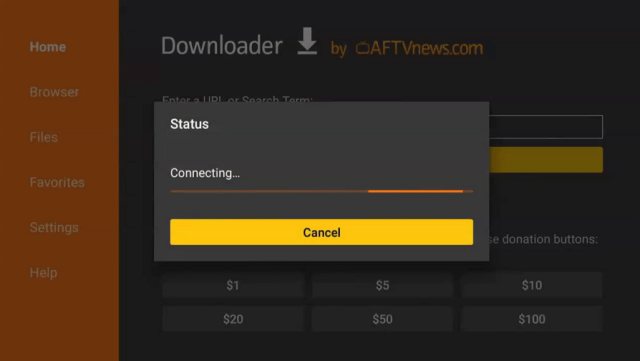

16. Click install

17. Click open.

18. STARZ is already installed! Enjoy!

YOUR INTERNET ACTIVITY IS BEING WATCHED
ReviewVPN cannot attest to the legality, security and privacy of the applications discussed on this site. It is highly recommended that you use a VPN service while streaming or using Kodi.
Currently, your IP 216.73.216.109 is visible to everyone and your Browser is being tracked by Advertisers & ISP Provider.
Here are the main reasons why you must use a VPN:
- Your activities are hidden from your ISP, the government, and from the apps you are using.
- You can access additional movies and TV streams.
- ISP attempts to throttle are thrwarted thus reducing buffering issues.
- Geographically restricted content like Netflix and Hulu can be unblocked.
A VPN works be replacing your ISP-assigned IP address and creating an encrypted tunnel. We recommend the no log service offered by IPVanish. It works well on a Firestick and offers the fastest possible speeds.
Legal Disclaimer: ReviewVPN.com does not encourage or endorse any illegal activity involved in the usage of services and applications referenced on this site. We do not verify the licensing agreements of services. The end-user is wholly responsible for ensuring that any media accessed through these services does not violate copyright and/or licensing laws. ReviewVPN does not promote, link to, or receive compensation from any Apps and IPTV services.
Install Surfshark on Firestick

Setting Up STARZ on Firestick
- Open your recently installed STARZ on your Firestick.
- Opening STARZ the first time after installation will show you an activation link together with activation codes with alphanumeric characters.
- Using your PC or mobile browser, enter this link to visit the STARZ site.
- Enter the activation code flashed on your Firestick on the displayed activation code bar on your browser.
- Enter your login details to activate your device.
- Once the activation is completed, you will be automatically redirected to STARZ main menu.
STARZ App Features
Starz is a US TV network created to stream your favorite popular films and original television series with high-quality content.
It allows you to watch on-demand content on multiple devices simultaneously, with up to 5 registered devices. The app is compatible with Firestick, Roku, Xbox, Kindle Fire, Apple TV, and more devices.
The app download is free but you will need to pay a monthly subscription fee of $8.99 to access all its content after the 7-day free trial.
In addition to the US and its legal territories, STARZ is also available in 17 Middle East and North Africa (MENA) countries.
Pros and Cons
Pros
- Provides a good user experience with its user-friendly layout
- Streams in HD
- Only available in the US and its legal territories, and selected the Middle East and North African countries
- Supports Chrome, Safari, Firefox, and Edge browsers with Windows 7 or higher and OSX 10.5.7. or higher (To see the complete list of devices, visit this page.)
- Works with a direct internet connection, Wi-Fi, or even 4G
- Can be downloaded without cable, telco, or satellite subscription
- Synced streaming from one device to another
Cons
- Country Restrictions
- Subscription plan after 7-day free trial
- Downloaded content will be automatically deleted after 2 weeks.
- Bugs such as black screen, audio failure, and other playback issues are reported by some users.
Why Use VPN for STARZ
As mentioned in the features section, STARZ has geo-restrictions, meaning the service is unavailable to its viewers outside the US and other authorized countries.
This restriction will be unblocked by a VPN, but using it is not only limited to performing this function.
With Surfshark, you will get the following benefits with your streaming:
- Access STARZ anywhere by masking your IP address and making it look like you are streaming in an allowed location
- Anti-detection of anti-VPN technology by refreshing IP address regularly
- Protected identity to stay anonymous online where your Internet Service Provider (ISP) can’t track you online or limit your streaming speed
- Secured personal information even when connected to public WiFI networks
- Log-free browsing to ensure hackers will not steal your sensitive data by encrypting your internet data, preventing hackers, advertisers, and data thieves
By using a great VPN, you will now get unlimited access to your STARZ content library.
How to Install Surfshark VPN on Firestick
If your Firestick still has the older interface, read this article to learn how to update it: Update Firestick Interface.
You can download Surfshark directly from the Amazon App store. It will be easy for you to find Surfshark with your Firestick’s Find feature. Refer to our screenshots below.
1. Go to the Home screen of your Firestick.

2. Navigate towards the Find tab. Press the Search button from the resulting dropdown.

3. Type in the keyword of SurfShark and select from the suggestions that will appear.

4. Click the official SurfShark icon from your search results.

5. Press the Download (You own it) button.

6. The SurfShark VPN installer will download on your device.

7. SurfShark VPN’s app will automatically install itself on your Fire TV stick.

8. Press the Open button after completing SurfShark VPN’s installation process.

9. Please wait for the SurfShark VPN to load its user interface.

10. You can now log in with your SurfShark VPN account credentials.

Learn more about Surfshark and Grab the Best Surfshark Deal Now!
Install Surfshark on Firestick


For more VPN discounts, go to ReviewVPN Deals and purchase the best VPN for you.
Click here to get the lowest price on Surfshark through our exclusive limited-time offer.
STARZ Alternative Apps
We have filtered similar streaming apps to STARZ with remarkable user ratings:
This app lets you enjoy the best lineup of drama, binge-worthy series, comedy, and rom-com shows like The Bold Type, Shadowhunters Everything’s Gonna Be Okay, Motherland, Siren, and many more. You just have to sign in with your TV provider to watch your favorite shows live. You can also have access to behind-the-scenes footage, cast interviews, and sneak peeks. And of course, you can personalize your experience by saving your favorites, continuing where you left off using your free account logged onto your registered devices.
Just sign in with your TV provider (Xfinity, DirecTV, Dish, Time Warner Cable, AT&T U-Verse, and Verizon FiOS) to access new top FOX shows live, local news, and other news specials. If you do not have a provider, you can still view unlocked FOX shows including the latest 5 episodes of new shows. FOX shows unlock 8 days after their airing.
- FandangoNOW
FandangoNOW collects all your movies and TV shows in one place without monthly subscription fees. It enables you to stream and download more than 100,000 shows including newly-released films out of theatres, shows with next-day TV, and relive classics unavailable on Amazon Prime, Hulu, or Netflix. Other app features include:
• Access to hit TV series show from your favorite networks such as HBO, Showtime, and STARZ
• Explore the Rotten Tomatoes list
• Sync your account with devices like Roku, Samsung, LG, and more
• Cast to your TV using Chromecast or Airplay
With AMC, all you have to do is to sign in with your TV provider (AT&T U-Verse, DIRECTV, COX, Verizon FiOS, Optimum, DISH, Xfinity) on your phone or tablet to Chromecast directly to your television. This app brings you some of the most famous programs on television, and users continue to install this app because of its early access to full show seasons before airing, with special content like extended episodes, bonus scenes, uncut movie parts and sneak peeks.
Users commend this app for a fast and hassle-free viewing experience with no registration, signing up, or credit card for a subscription to watch free TV and movies.
This app gives you free access to more than 160 channels and a streaming library with known TV shows, 24/7 network news, sports video coverage, family-friendly and educational films, and thousands of Hollywood movies.
- Prodigal Son
- The Masked Dancer
- Call Me Kat
- Name That Tune
- Last Man Standing (Final Season)
- Bill Hemmer Reports
- Special Report with Bret Baier
FAQs
How can I add or remove content on my playlist?
Just click on the “Playlist” button on the title description page. The button will change to show you if the title has been added or removed. You can view your playlist titles by selecting “My List” from the menu options.
What can I do if my device is not currently supported?
New devices are added all the time. You may check regularly to see if your device has been added to the list.
Can I get a VPN for my mobile device?
Yes, most of the premium VPNs offer apps for mobile devices including iOS, Android, and Windows.
Conclusion
STARZ is a great app for watching your movies and TV shows in HD quality.
Though it does have some playback issues, STARZ gives a good fight with other similar apps.
Aside from its content, it is also an affordable streaming app. Location won’t be a problem after all when you choose to use it with a VPN.
Now that we’ve come to familiarize you with the STARZ app, you can decide if you would install it and enjoy the app offers. Thanks for reading!
Note: ReviewVPN.com is not affiliated with any App or IPTV Service nor are we endorsing or promoting any. The sole purpose of this article is for educational purposes only.


