

Overview Of NBA On Fire
Quick Navigation
This article will guide you on how to install NBA App on Firestick
NBA Season 2020 / 2021 just started, and every sports fan is into it. Luckily, it is highly accessible for people to stream and watches the games from its live playoffs, replays, or all-time favorite games that you missed watching.

It is convenient, and it is available to the public. Well, speaking of convenience, NBA, a famous sports app is now available in Amazon stores. It is the very first live subscription service to be available on Amazon Prime Video Channels.
This ranges from game updates, trade breakdowns, and most importantly analysis from every game that you find so intensely interesting. To be updated on the latest news about sports, there is a lot that the NBA app is offering its public audience.
A variety of details from the highlights of every team you are interested in are on the application. What is also good about this thing is that it is free.

How Can You Install NBA On Fire?
Here are the following steps you can follow to easily download the app on your firestick. NBA officially launched its app and is currently available in Amazon App Store.
1. Go to the homepage of your Firestick device.
2. On the search bar, type NBA.
3. Click the NBA on Fire App on the search result.
4. To download the app, you must click Get.
5. Wait for the application to be downloaded.
6. Click Open to launch the app. Alternative method: you can launch the app in the Apps section.
Install NBA On Fire on Firestick with Screenshots
1. Click FIND.

2. Click Search.

3. Search for the NBA.
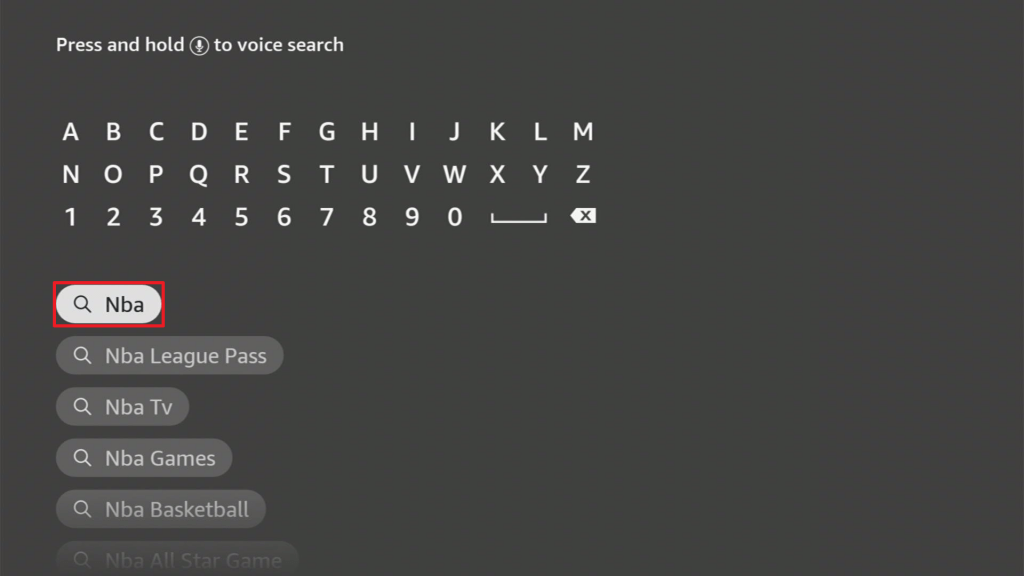
4. Click the NBA on Fire App on the search result.
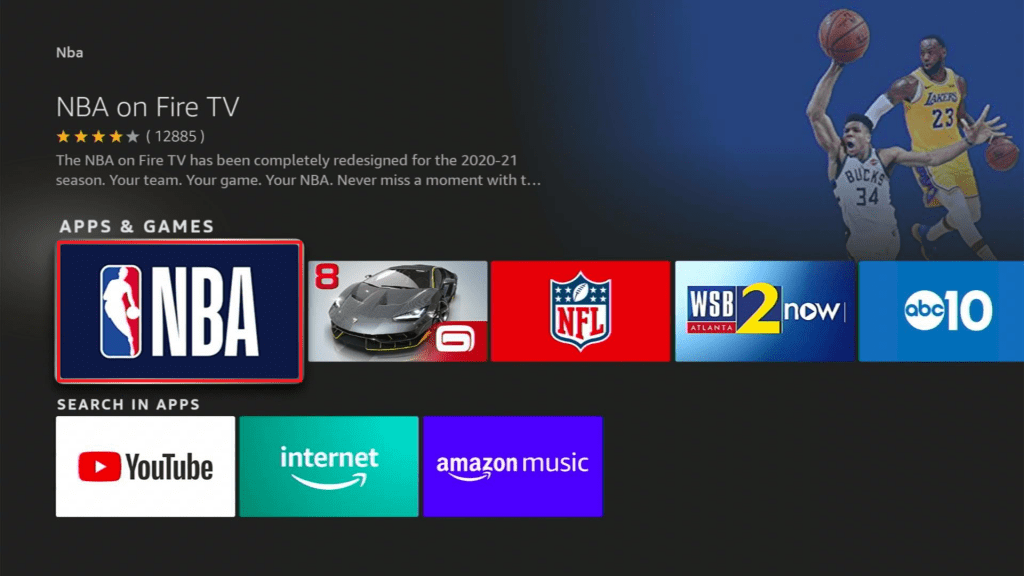
5. To download the app, you must click Get.
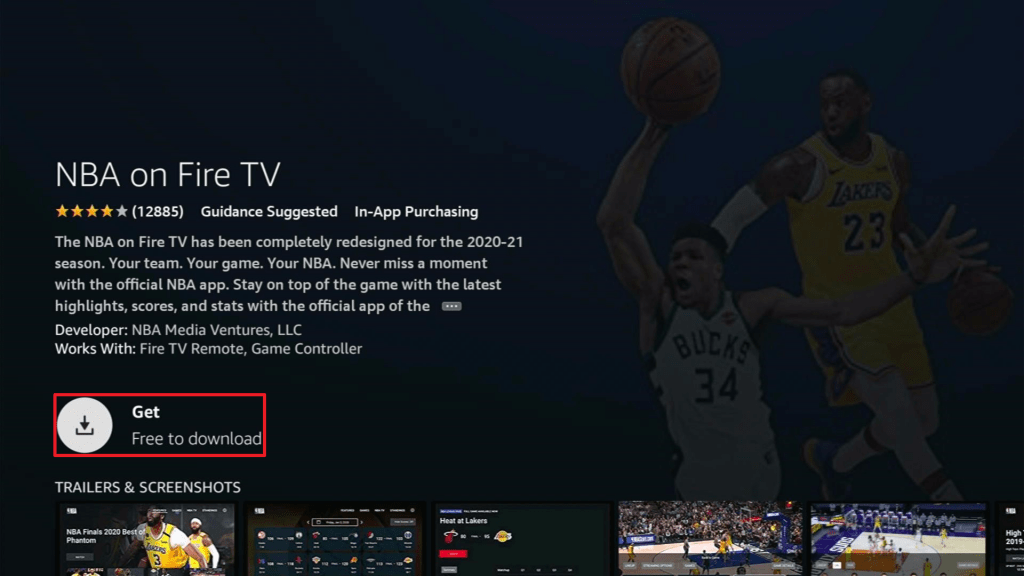
6. Wait for the application to be downloaded.
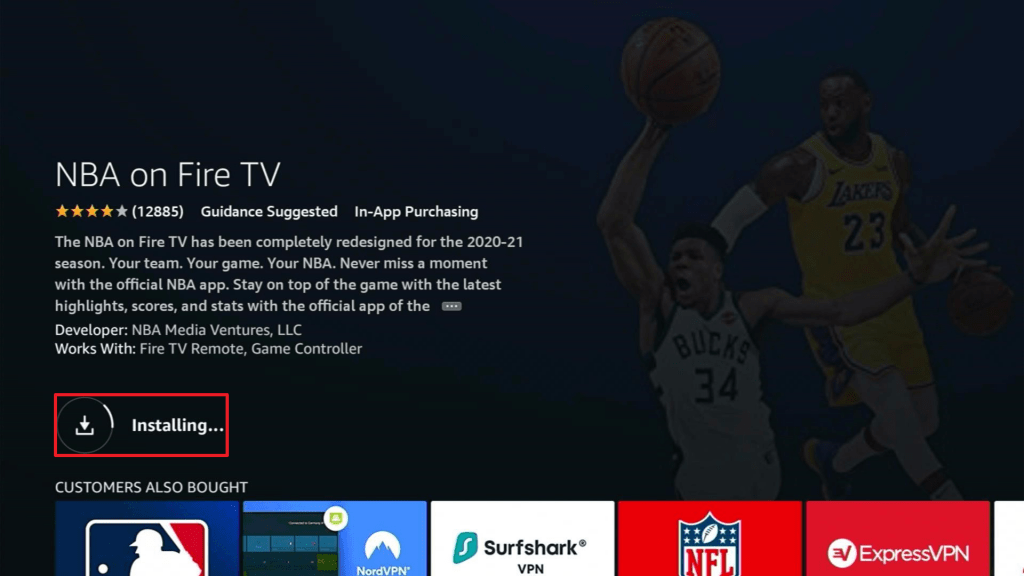
7. Click Open to launch the app. Alternative method: you can launch the app in the Apps section.
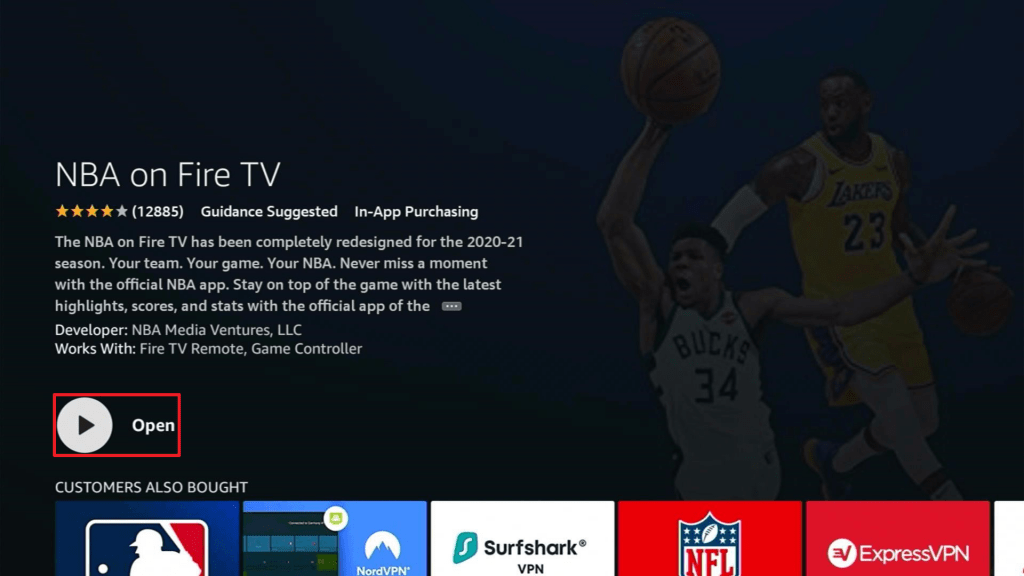
8. Enjoy watching.
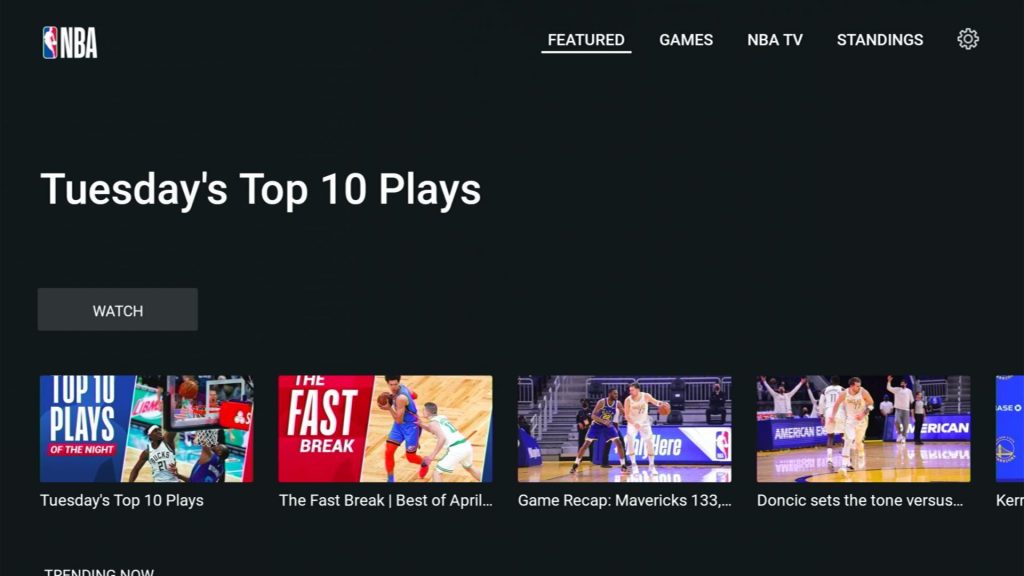
Steps on Activate NBA On Fire
Now, here are the steps to activate NBA App on your Firestick:
1. Launch the NBA App.
2. Click sign in so you can generate an activation code.
3, Visit your browser on either your PC or Mobile and look for the link that directs you to the activation code.
4. Select your device and enter the activation code.
5. Click Continue and proceed on completing the needed log-in details.
6. After activation, NBA App will display the sporting events on your firestick.
How to Activate NBA On Fire using a Downloader App
In any chances that you find these steps complicated or something that you cannot work with ease, here is an alternative process:
1. Click Home on your remote and scroll once to your Right. Click Setting (Gear Wheel Icon).
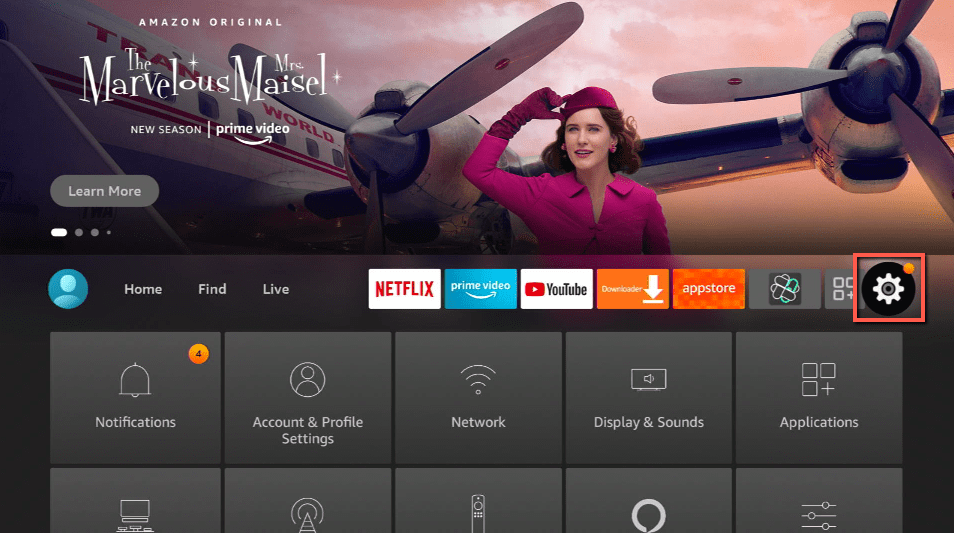
2. Scroll down and to the right until you get to My Fire TV. Click on it.
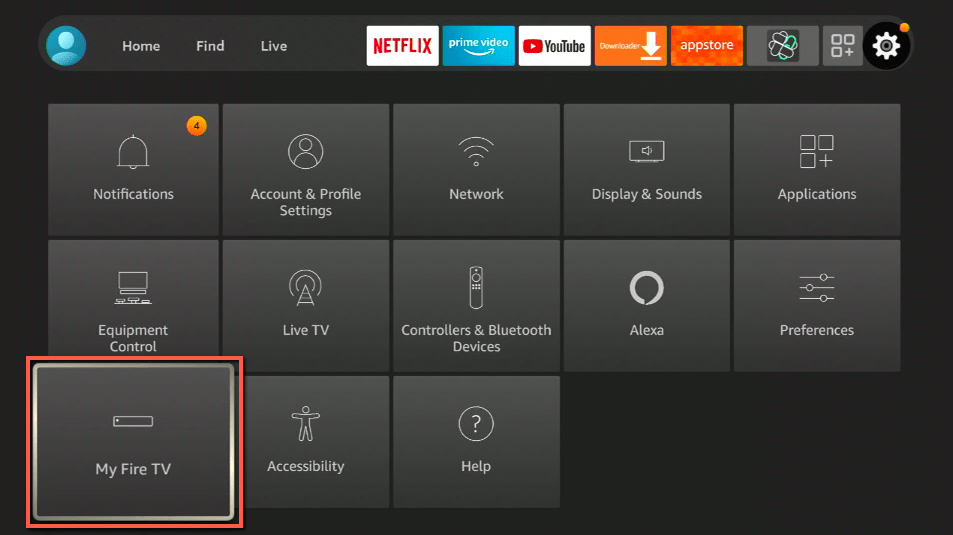
3. Select Developer options.
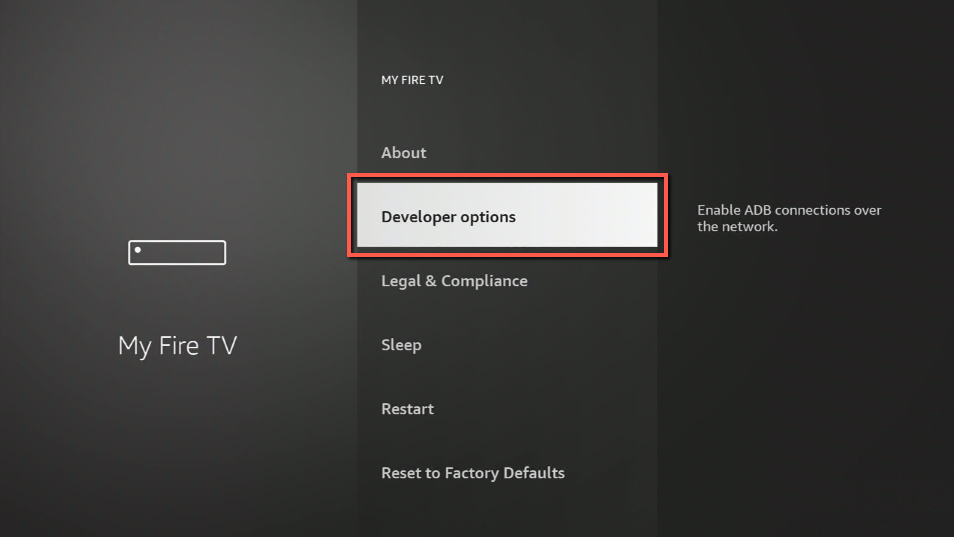
4. Turn on ADB debugging and Apps from Unknown Sources.
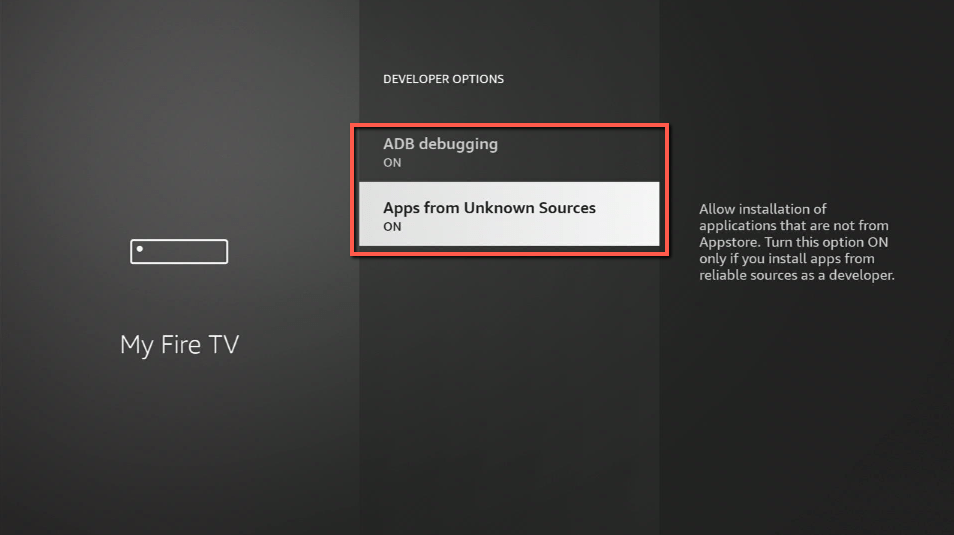
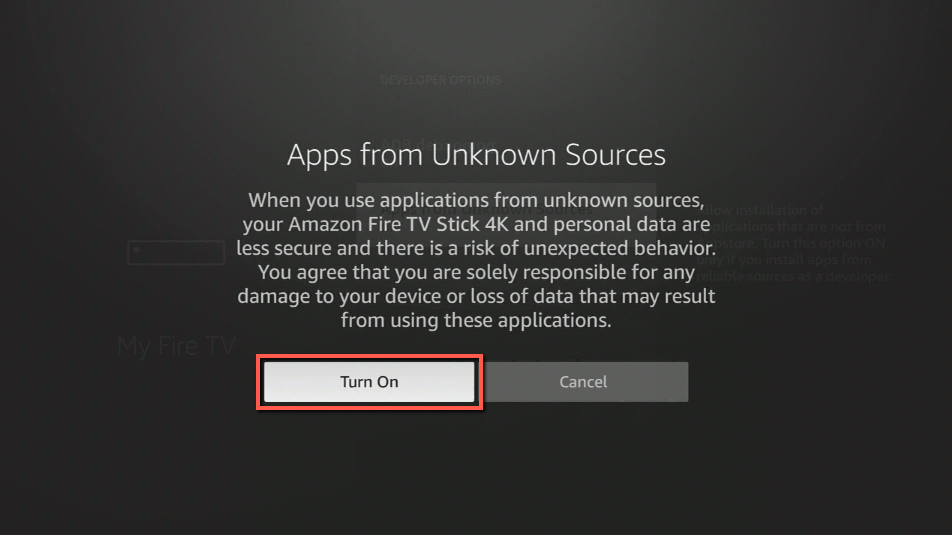
5. Click Turn On when the pop-up appears.
6. Click Home, click FIND.
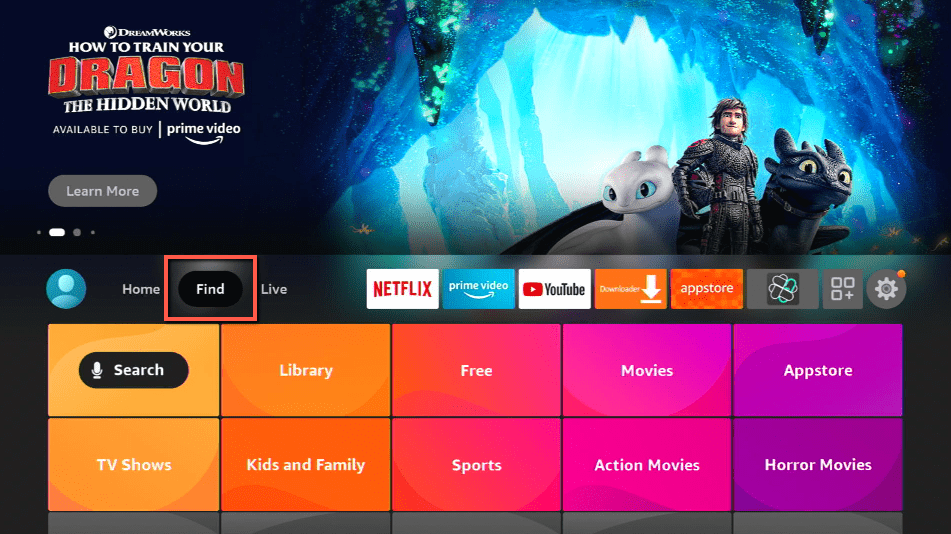
7. Click Search.
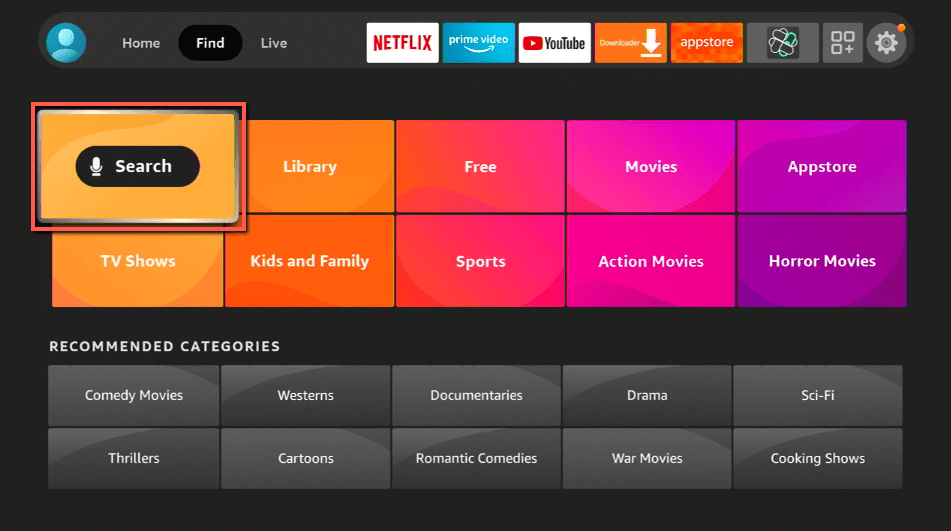
8. You can either say Downloader to your Alexa voice-enabled remote or start typing it. If you typed it, click on the suggestion when it appears.
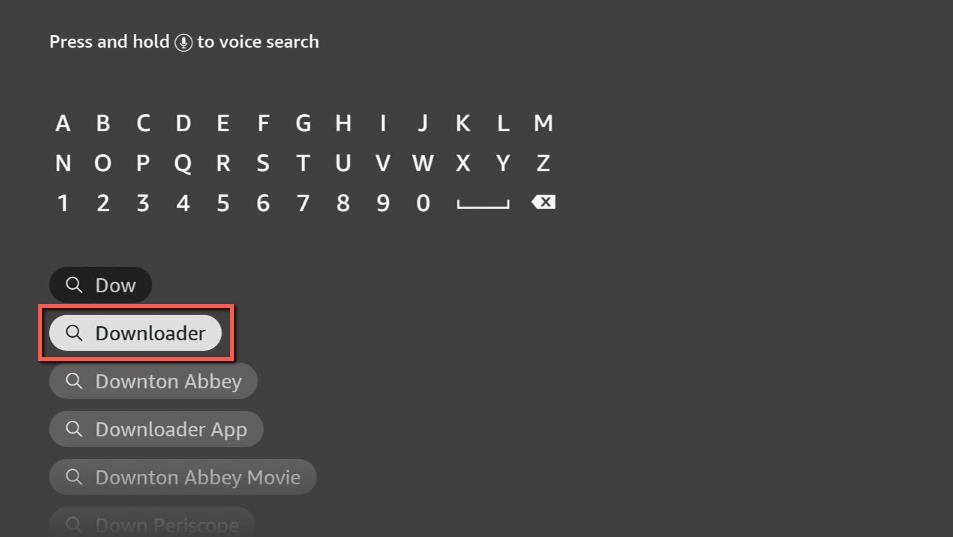
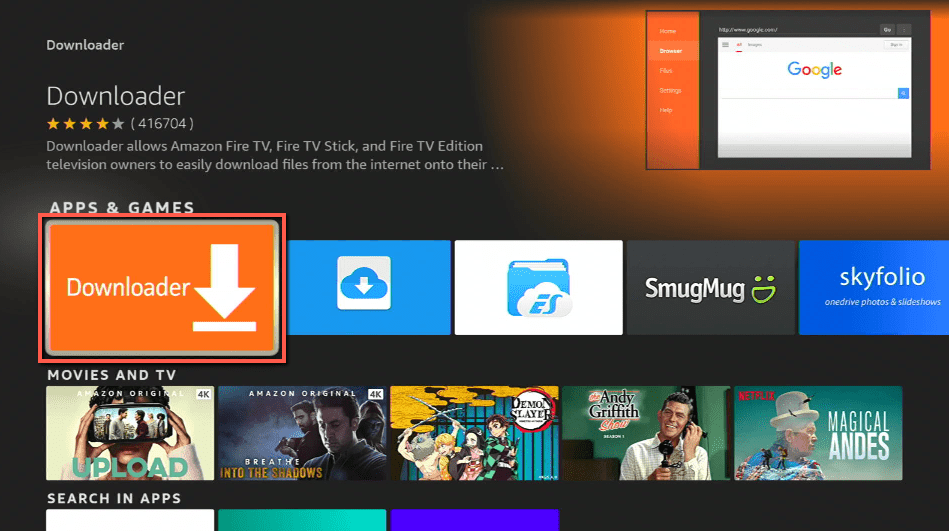
9. Click on the Downloader Icon.
10. Click Download.
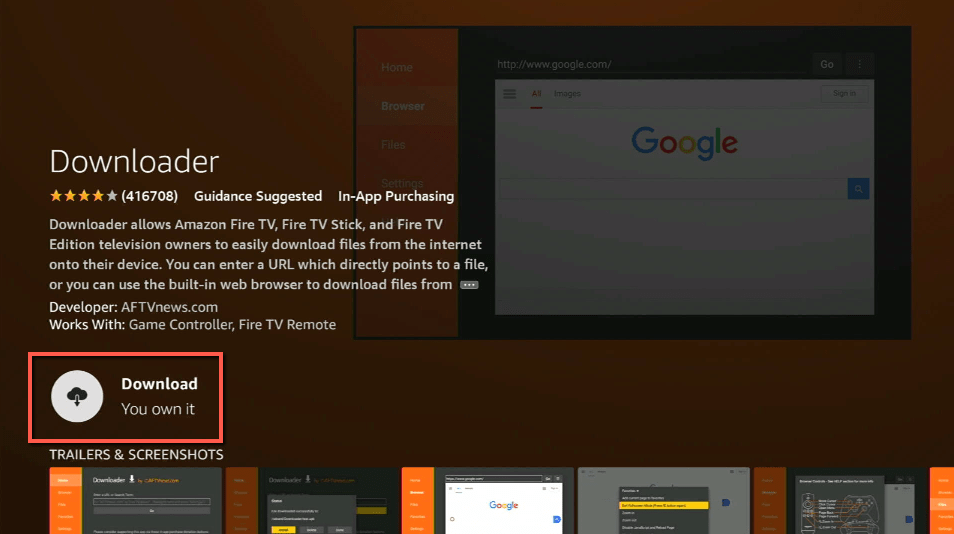
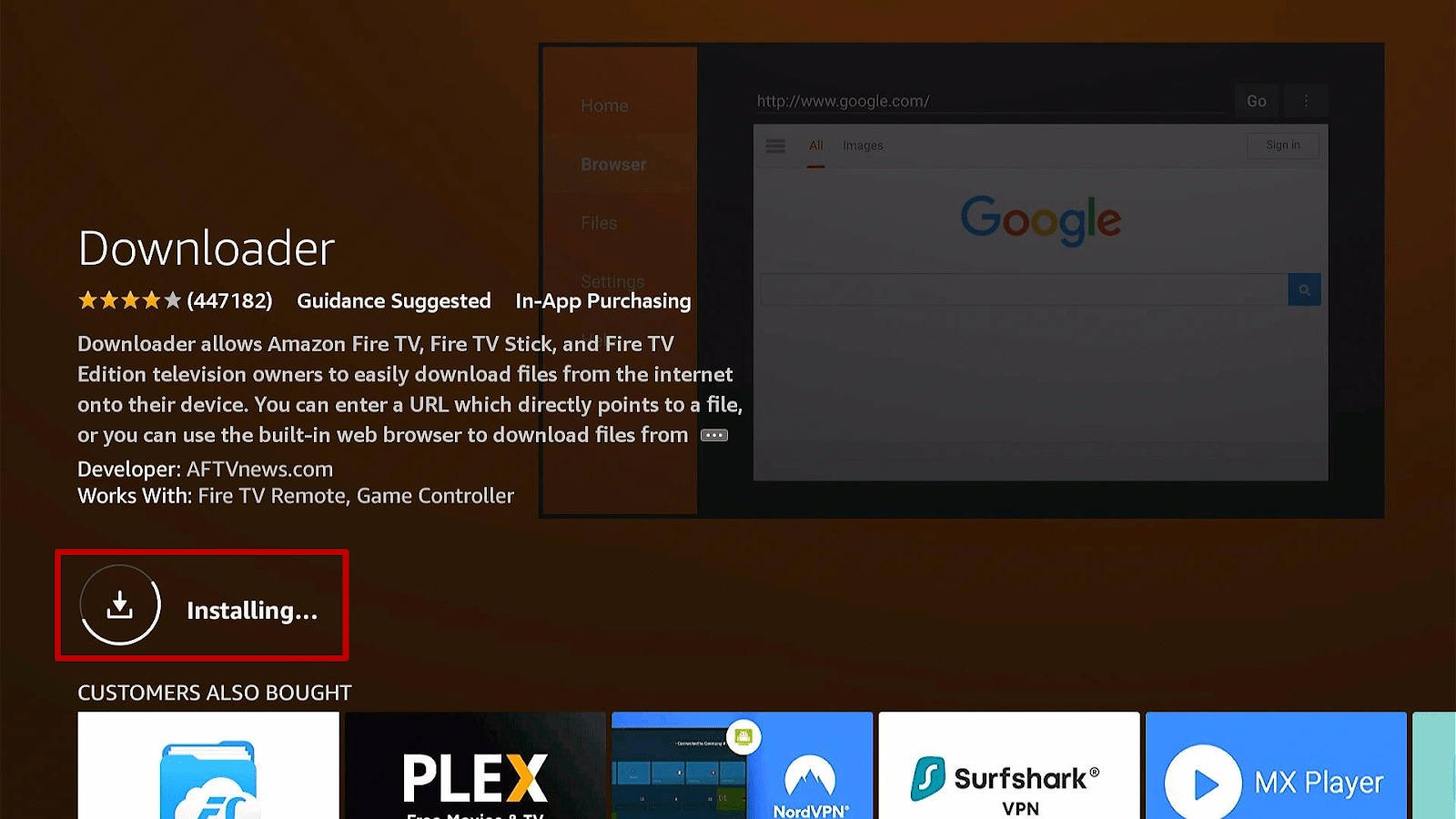
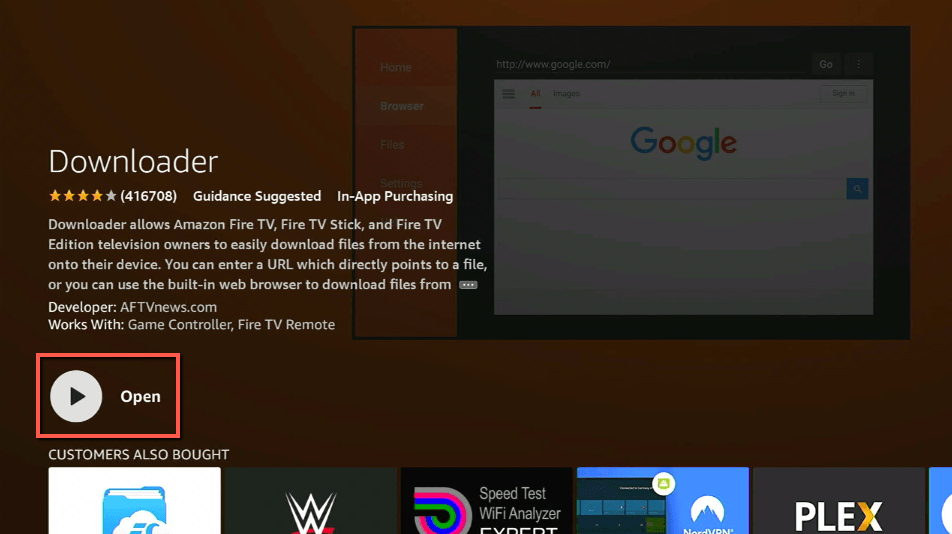
11. Click on Open.
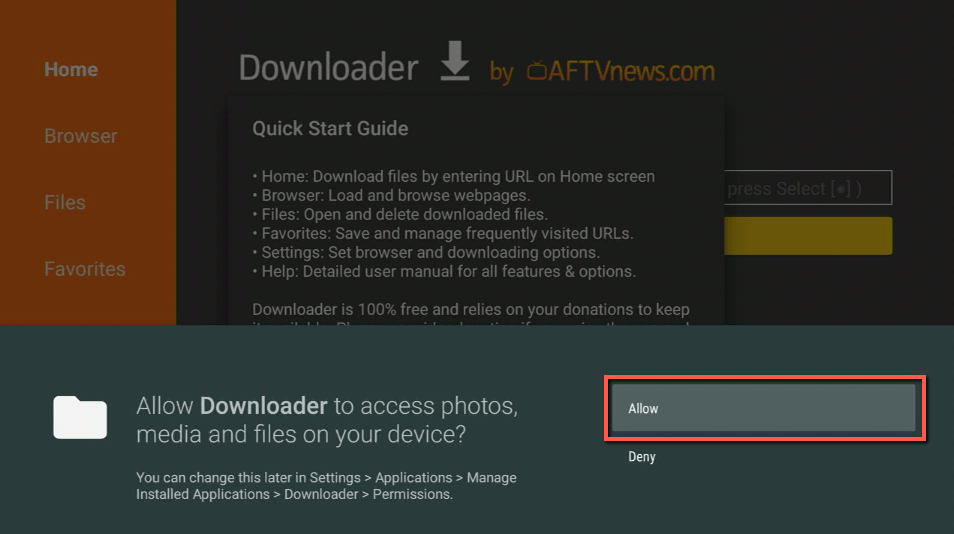
12. Click on Allow.
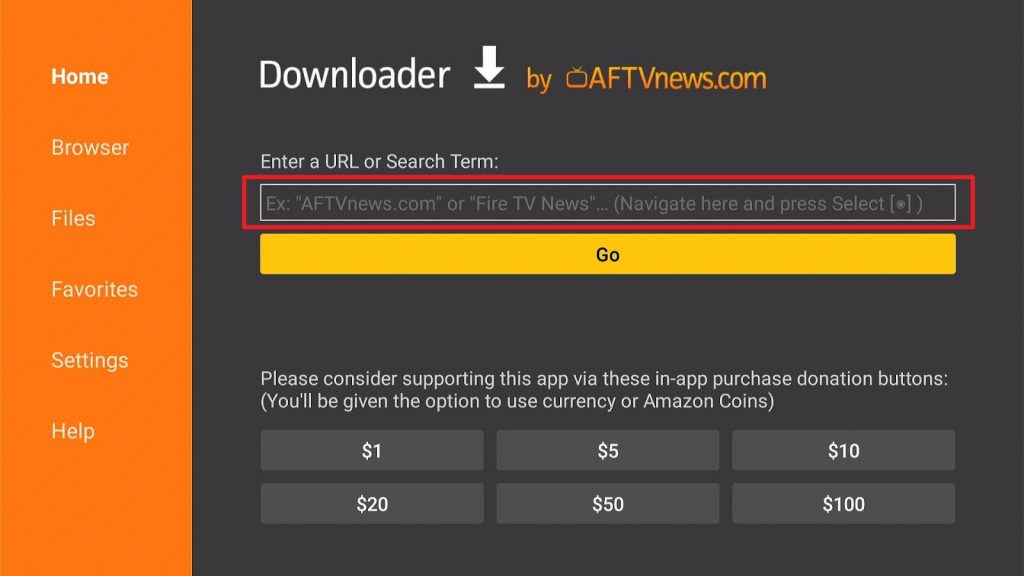
13. Use the Downloader search tab.
ReviewVPN cannot attest to the legality, security and privacy of the applications discussed on this site. It is highly recommended that you use a VPN service while streaming or using Kodi. Currently, your IP 216.73.217.105 is visible to everyone and your Browser is being tracked by Advertisers & ISP Provider. Here are the main reasons why you must use a VPN: A VPN works be replacing your ISP-assigned IP address and creating an encrypted tunnel. We recommend the no log service offered by IPVanish. It works well on a Firestick and offers the fastest possible speeds.
YOUR INTERNET ACTIVITY IS BEING WATCHED
Legal Disclaimer: ReviewVPN.com does not encourage or endorse any illegal activity involved in the usage of services and applications referenced on this site. We do not verify the licensing agreements of services. The end-user is wholly responsible for ensuring that any media accessed through these services does not violate copyright and/or licensing laws. ReviewVPN does not promote, link to, or receive compensation from any Apps and IPTV services.
Install Surfshark on Firestick
App Features
Once you download the whole thing. It is up for a different experience. Let me break it down for you:
Content
- Features the highlights of your favorite game
- Photo inclusions can be perfect as a home screen wallpaper
- Watch pre-game content available before tip-off of selected games
- Several options of pre-games and post-games
Interface
- Interactive stats and good graphics
- High-quality resolution
FAQs
What is the NBA?
National Basketball Association is one of the main professional sports leagues in the United States and Canada. It has been the most-watched sport In the US and it is also being experienced by different supporters from all over the world.
What is an NBA on Fire?
It has been the first live sports subscription that has been available in Amazon Prime Video Channels where you can now install it in your Firestick and get the hang of the latest updates on NBA.
Is it a free download or to be installed?
There are free and premium methods. Premium methods require a subscription.
Is it available on Amazon Firestick/Fire TV?
Yes. It is 100% available.
Streaming NBA App with a VPN
For a continuous experience of using the NBA App on Firestick with no defaults of buffering and constant interruptions from your connection, you can stream safely with the use of a VPN.
Note that this is highly advisable to avoid what we call NBA Blackouts. There are different VPNs that you can use but, we strongly recommend the use of Surfshark. It is the best VPN when streaming and also has the best security with excellent speed.
Here are some of the reasons why:
- It secures protection on your ISP when you are streaming the app.
- It provides safety measures from hackers that can track your identity.
- Your data will be encrypted and be kept anonymous all the time
- Keeps your data from harmful malware
- It makes your internet speed faster
Click here to get the lowest price on Surfshark through our exclusive limited-time offer.
How to Install Surfshark VPN on Firestick
If your Firestick still has the older interface, read this article to learn how to update it: Update Firestick Interface.
Follow our screenshots below to install the SurfShark VPN app on your Fire TV stick.
1. Go to the Home screen of your Firestick.

2. Navigate towards the Find tab. Press the Search button from the resulting dropdown.

3. Type in the keyword of SurfShark and select from the suggestions that will appear.

4. Click the official SurfShark icon from your search results.

5. Press the Download (You own it) button.

6. The SurfShark VPN installer will download on your device.

7. SurfShark VPN’s app will automatically install itself on your Fire TV stick.

8. Press the Open button after completing SurfShark VPN’s installation process.

9. Please wait for the SurfShark VPN to load its user interface.

10. You can now log in with your SurfShark VPN account credentials.

Learn more about Surfshark and Grab the Best Surfshark Deal Now!
Install Surfshark on Firestick



For more VPN discounts, go to ReviewVPN Deals and purchase the best VPN for you.
Click here to get the lowest price on Surfshark through our exclusive limited-time offer.
Alternative App for NBA On Fire
There are other apps that can be an alternative application for NBA on Firestick. It is important to know that firestick features either installed or downloadable applications for different sports channels.
Here are some of the available channels to check on your list that are also worth exploring:
To learn more about these apps, you can read our List of Best Free Sports Apps for Firestick and Android.
Conclusion
There is no other way that a single sports fan will say that “he missed a game”. One way or the other, it will be watched on recaps. That sports fan especially if into Basketball will never try to skip reading stats, analyzing the best team play of their superior basketball heroes, and even make it in their schedule to be on time for the matches of every league.
The NBA has become a tradition to most people. Watching with either friends or family became a habitual experience. Good thing, NBA organizations have been generous enough to make it less hassle for everyone to experience it.
NBA App is available on Amazon and can be downloaded to stream this year’s NBA League. It can be installed in your Fire TV / Fire Stick with ease.
I hope this article can help give you an edge on the up-to-date all-in-one experience, NBA has to offer.