

Overview
Quick Navigation
This article will show you how to install Fox Now on Firestick.
If you enjoy watching live television and Videos on Demand (VOD), you should check out Fox Now. Fox Now enables you to watch your favorite shows, sports, local stations, and news, as well as live tv. This app includes Fox Sports, Fox Now News, and Fox Soul.

Apart from that, you can access the app through your service providers, such as AT&T, Verizon, Cox, Directv, and a lot more. Furthermore, it’s an excellent app if you’re looking to watch news and sports in particular. It provides on-air Fox news channels in your area, ensuring that you have access to the best live sports, entertainment, movies, and news in your area.
It’s also ideal for live sporting events, with WWE, Soccer, Football, NFL, Basketball, MLB, and Boxing all available. Additionally, it offers the Annual Westminster Kennel Club Dog Show for pet lovers, particularly dog lovers.
So without further ado, let’s get started with the Firestick installation guide and the app’s features.

How to Install Fox Now on Firestick
You’re presumably here because the Fox Now app isn’t available on your Firestick. And that is because Fox Now is geo-restricted to the US. As a result, we’ll skip the direct installation through the Amazon App store and proceed with sideloading it on your Firestick through the Downloader app.
To begin, if your Firestick has not yet been jailbroken, follow the simple steps below to jailbreak it to install Fox Now on your device:
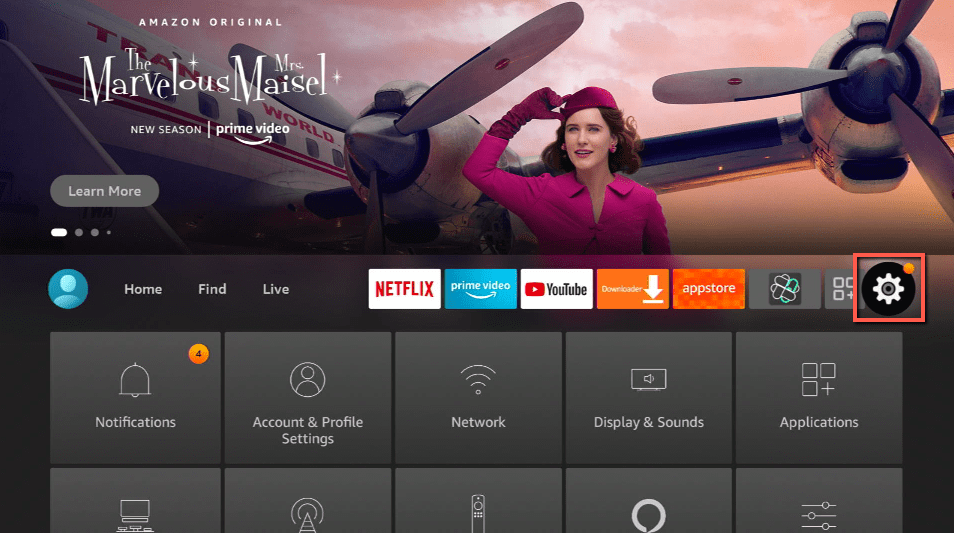
1. Click Home on your remote and scroll once to your Right. Click Setting (Gear Wheel Icon).
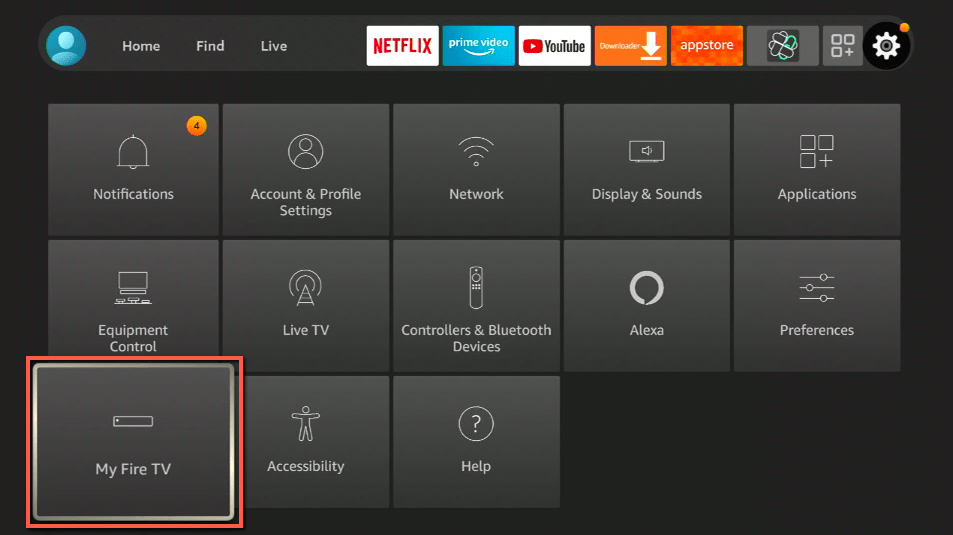
2. Scroll down and to the right until you get to My Fire TV. Click on it.
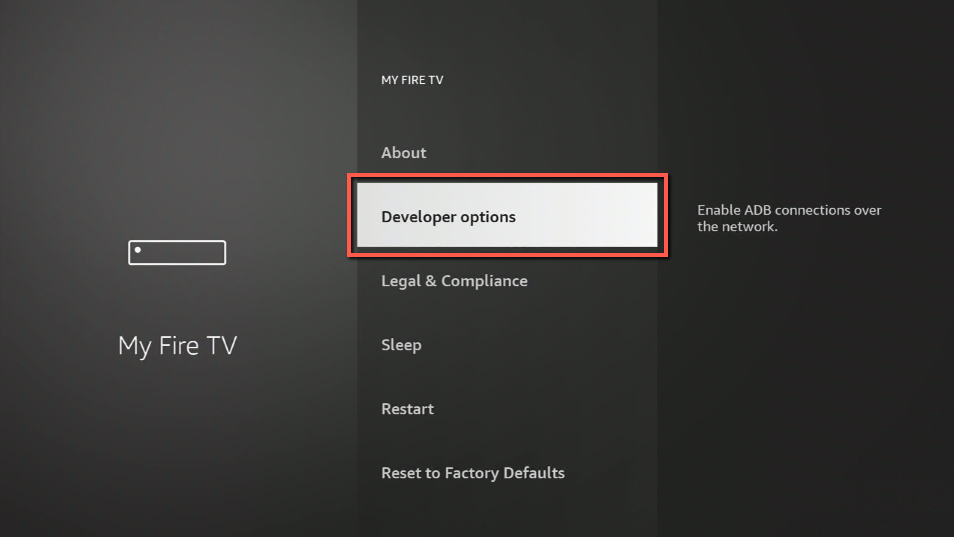
3. Select Developer options.
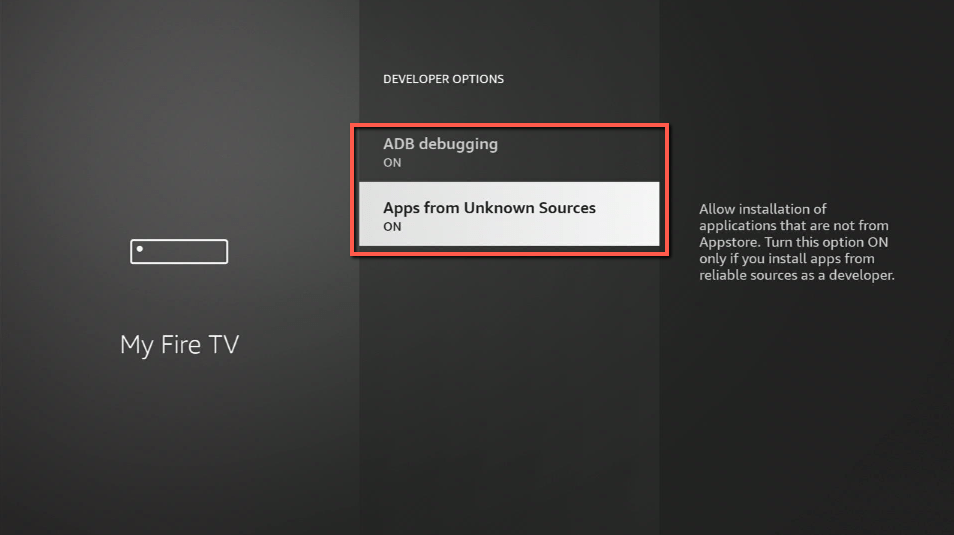
4. Turn on ADB debugging and Apps from Unknown Sources.
5. Click Turn On when the pop-up appears.
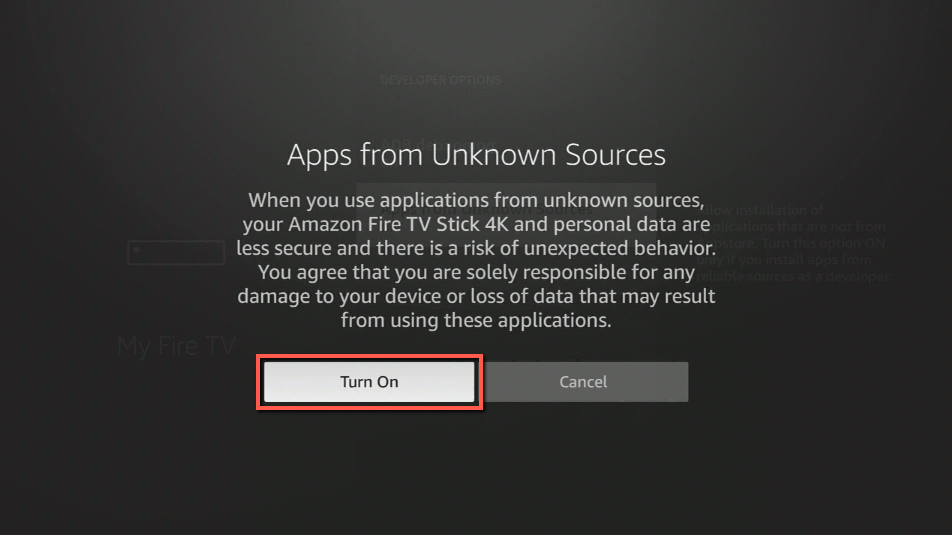
Then, after jailbreaking your Firestick, you’ll need to download the Downloader app to sideload Fox Now. This app, which is easily available on the Amazon App Store, allows you to download APK files.
6. Click Home, click FIND.
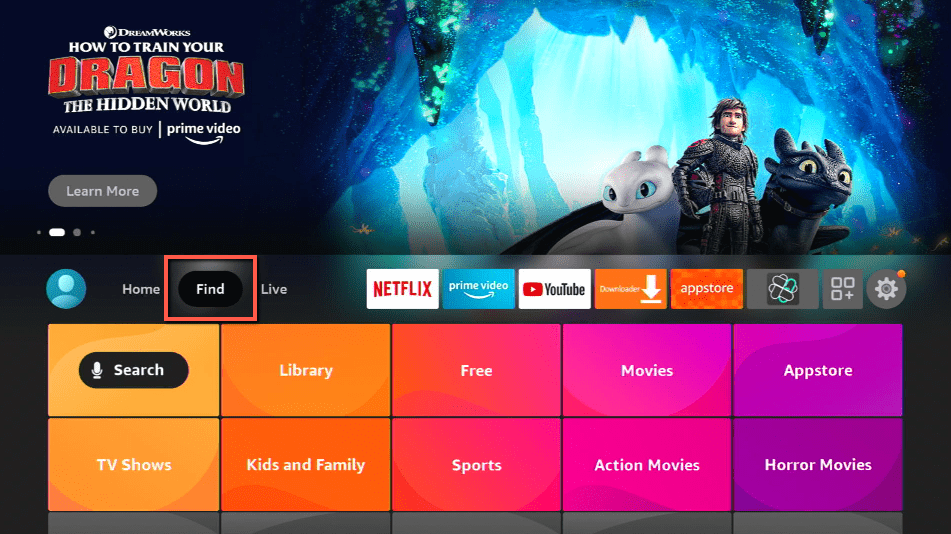
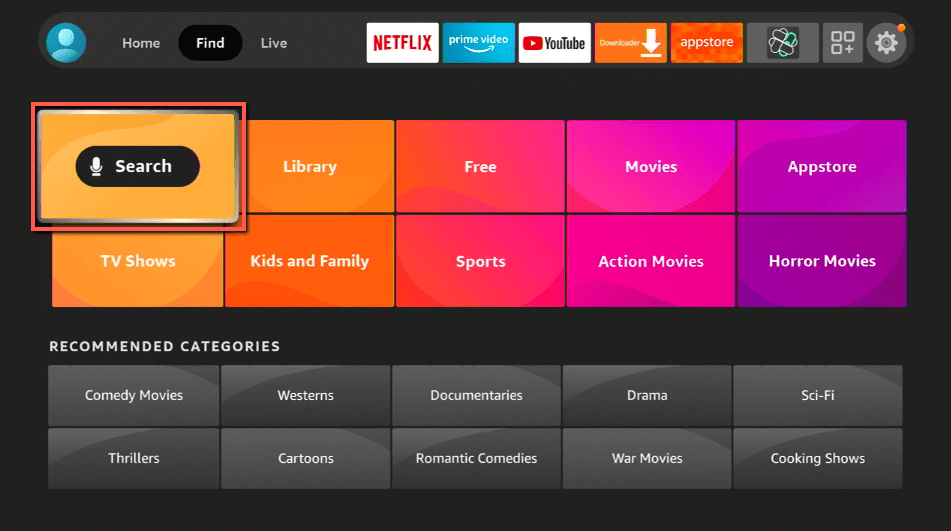
7. Click Search.
8. You can either say Downloader to your Alexa voice-enabled remote or start typing it. If you typed it, click on the suggestion when it appears.
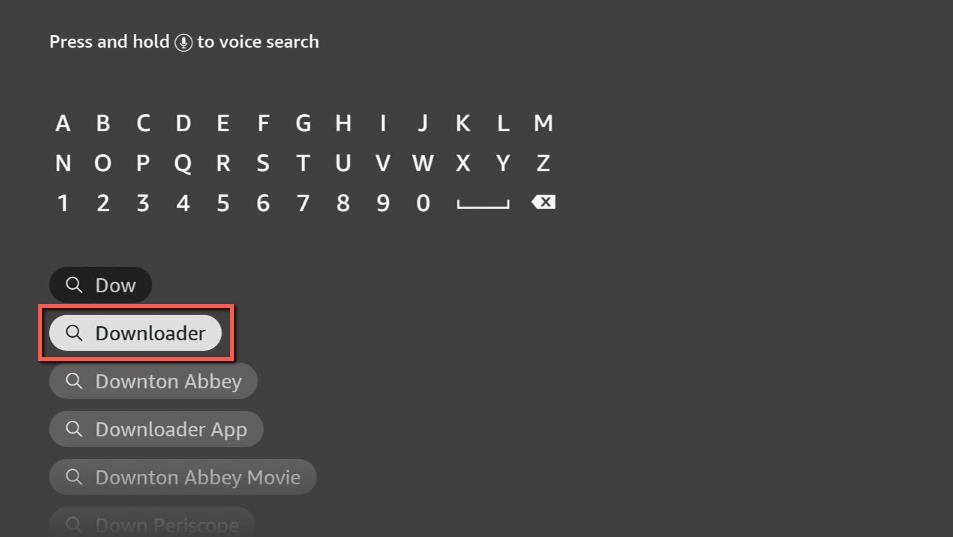
9. Click on the Downloader Icon.
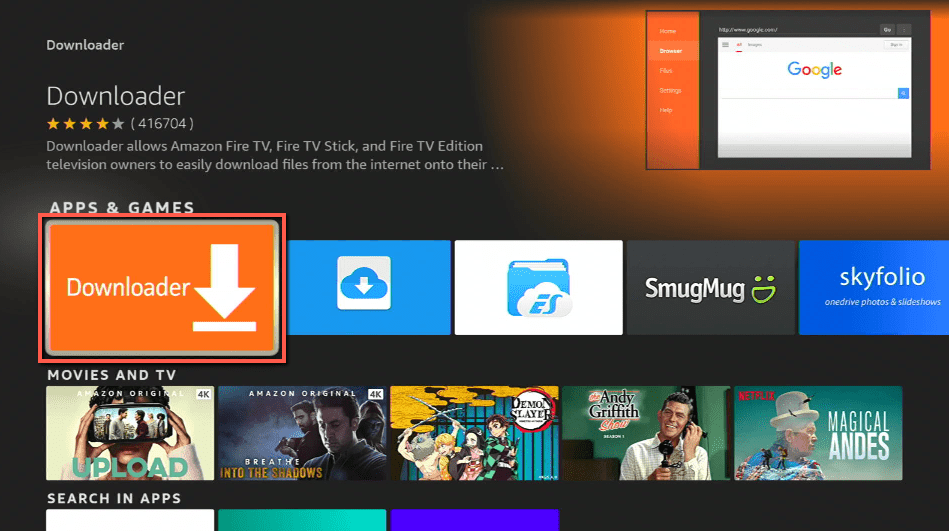
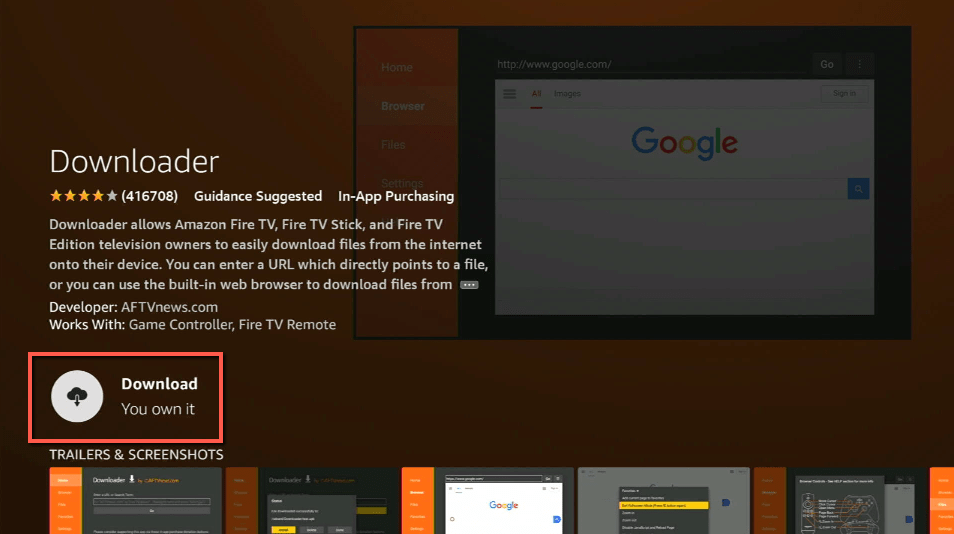
10. Click Download.
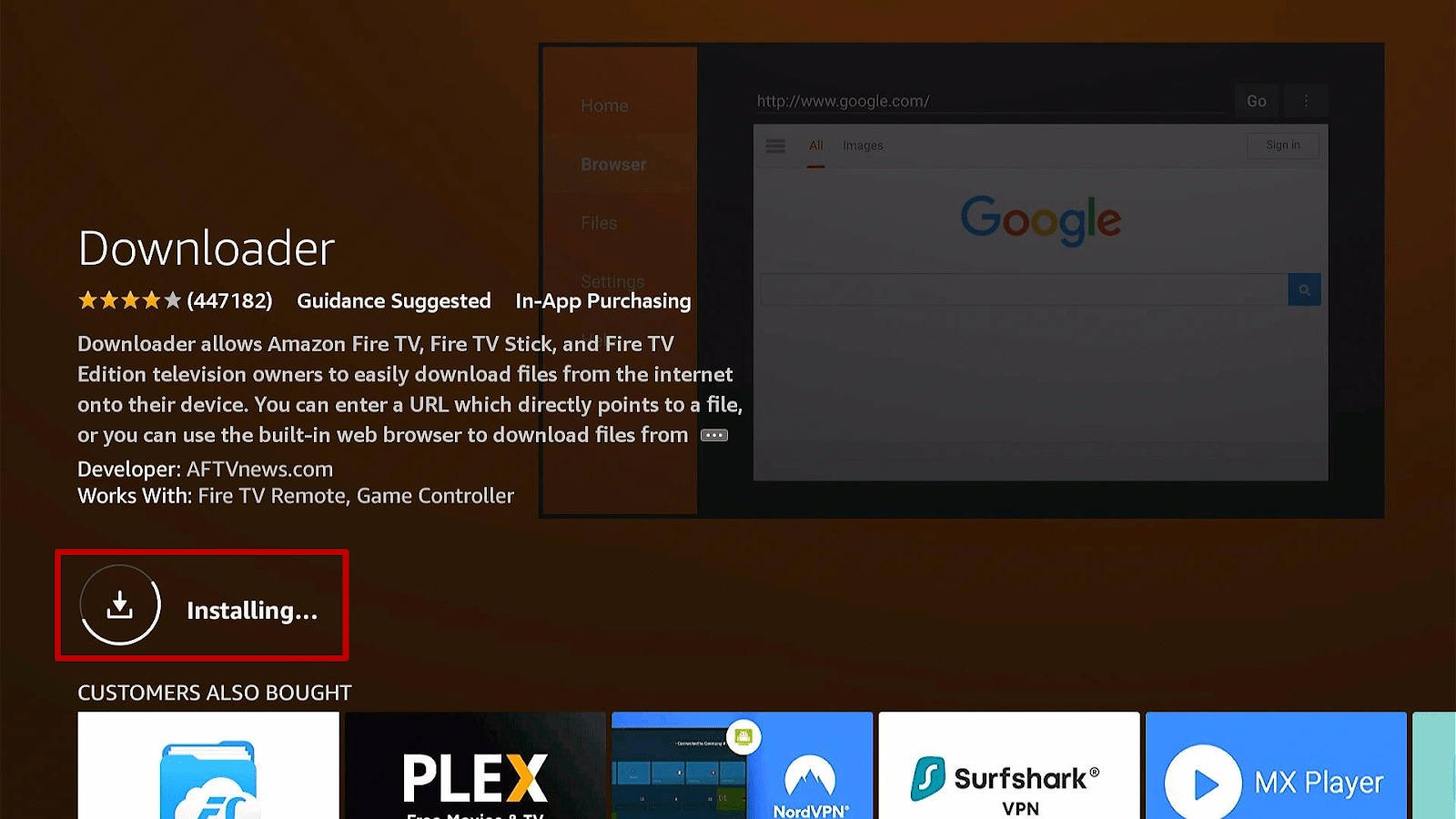
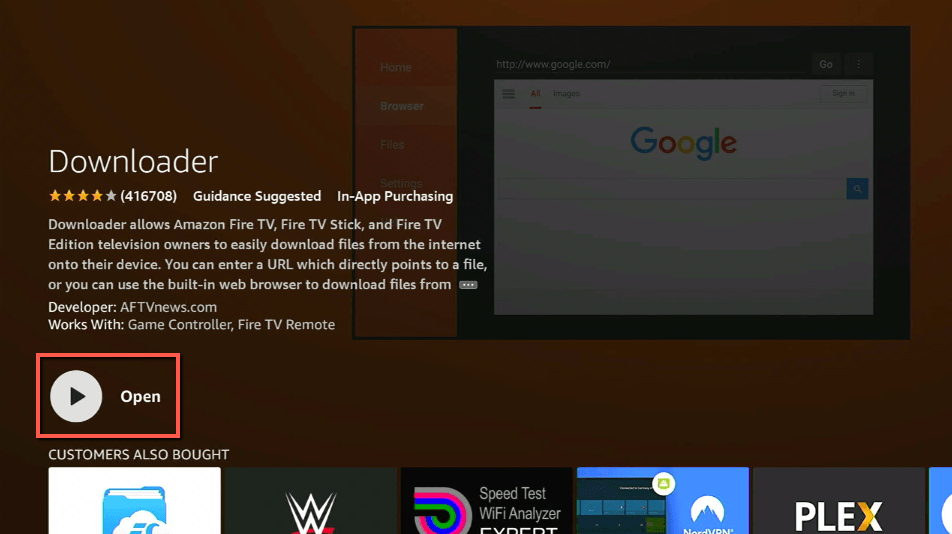
11. Click on Open.
12. Click on Allow.
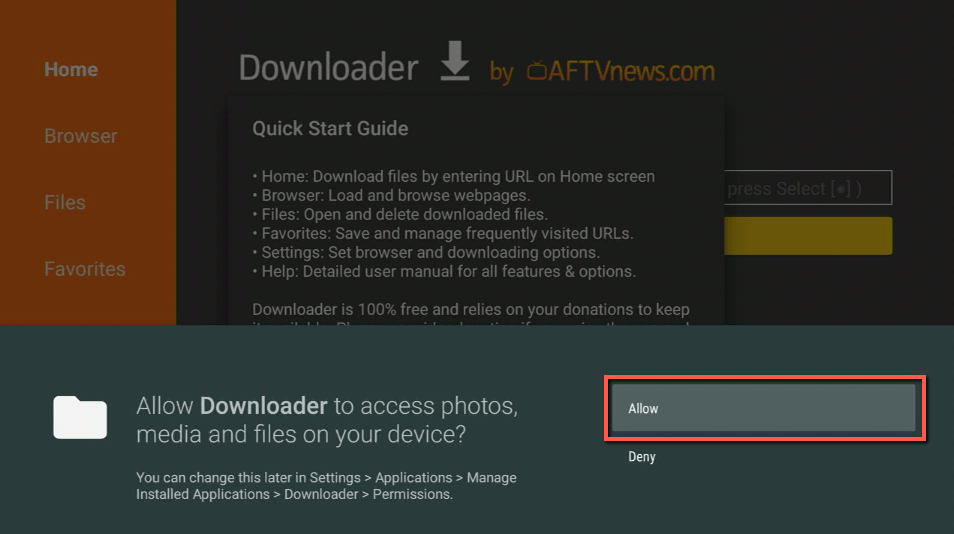
13. Use the Downloader search tab.
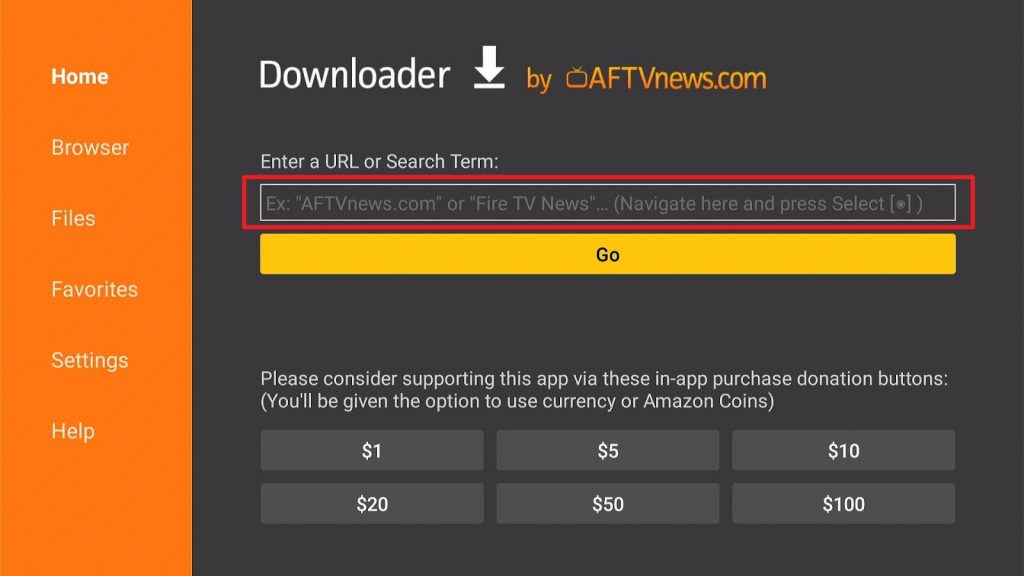
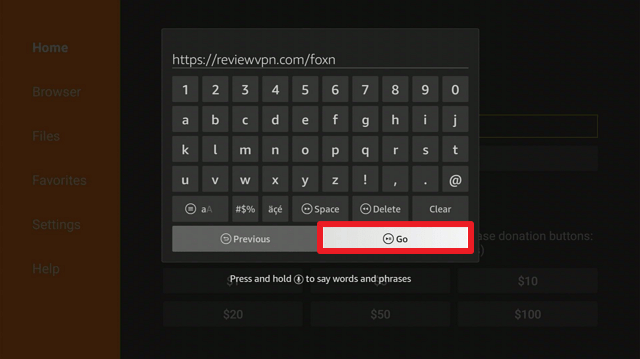
14. You will be asked to enter a download link. Type in “https://reviewvpn.com/foxn” and select Go.
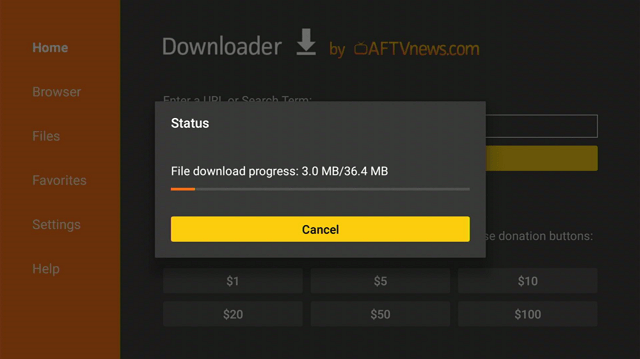
15. Depending on your internet connection, the APK will take a few seconds to download.
16. After that, choose Install.
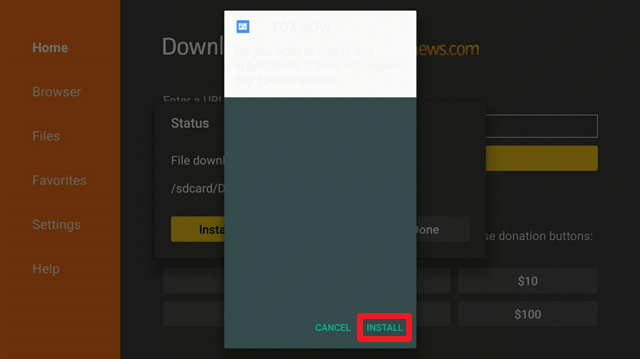
17. Then click Open.
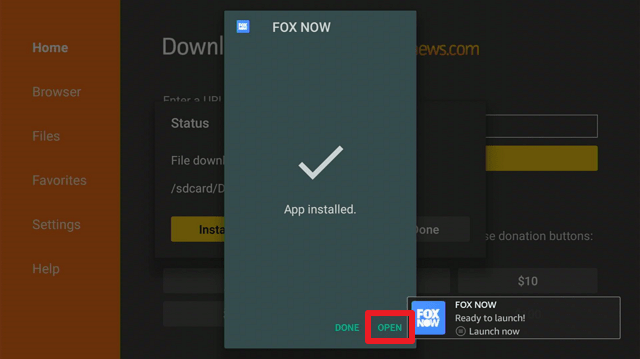
18. You have successfully installed Fox Now. Enjoy watching!

Install Surfshark on Firestick
Fox Now APK Download for Android Devices

Note: ReviewVPN.com does not host this APK file. It is hosted by Archive.org
ReviewVPN cannot attest to the legality, security and privacy of the applications discussed on this site. It is highly recommended that you use a VPN service while streaming or using Kodi. Currently, your IP 216.73.216.72 is visible to everyone and your Browser is being tracked by Advertisers & ISP Provider. Here are the main reasons why you must use a VPN: A VPN works be replacing your ISP-assigned IP address and creating an encrypted tunnel. We recommend the no log service offered by IPVanish. It works well on a Firestick and offers the fastest possible speeds.
YOUR INTERNET ACTIVITY IS BEING WATCHED
App Features
- There are tabs for Home, Shows, Sports, Local, News, Live TV, Search, and Account on the Home page.
- It has categories such as Latest Episodes, Live Now, Welcome to Fantasy Island, Fantastic Dramas, Dream Teams, and Animated Fantasies.
- Its Live TV section will connect you to networks that broadcast live sports, shows, movies, and news according to your area.
- The Search tab enables you to enter a show directly or to browse FOX content from Recent Shows, Fox Sports, Fox News, and Fox Soul.
- You can access your TV provider’s content by logging in (i.e. AT&T U-verse, Cox, Directv, Dish, Frontier Communications, Xtream, Optimum, Spectrum, Suddenlink, Verizon, Xfinity, etc.)
- You may create a watchlist by adding shows to it.
- It enables you to set a reminder to be notified when a new episode is released.
- You can resume watching a video where you left off.
- Trailers are available for some of the content.
- You can toggle the option “Do Not Sell My Personal Information” in the Account settings.
- To sync your data across devices, you can create an account or sign in.
Selections
Shows
Popular Shows, Animation, Drama, Unscripted, and Comedy are all included in this section.
Sports
In their Sports section, you can find upcoming and live sporting events. Apart from that, this section includes Featured Studio Shows, WWE Friday Night Smackdown, Past Events, International Soccer and Rugby Replays, FOX Sports Digital Shows, and the 145th Annual Westminster Kennel Club Dog Show.
Local
When you click on this section, a live feed from FOX 11 Los Angeles is displayed. Additionally, it offers the latest news from Good Day LA, Covid-19 News, Live Around the Country, and Latest News in the U.S.
News
In the News section, you’ll find channels that are now broadcasting. Additionally, it includes sections for Featured Daytime, Latest Primetime, and Weekend Shows.
Pros and Cons
Pros
- Provides live television for entertainment, news, and sports.
- Has content for the Fox Sports, Fox News, and Fox Soul channels.
Cons
- It is not free to use without an active cable or paid streaming subscription.
- There are only a few selections available.
- Geo-restricted to the United States.
- Its user interface could still be enhanced.
- The application is not particularly user-friendly.
- Some of the app’s navigation will require the usage of a Mouse Toggle.
Stream Fox Now Using a VPN
Without a doubt, Firestick provides its customers with an endless number of choices when utilizing the device. You can use live-streaming apps such as Fox Now to stay current on current events and for leisure purposes. However, you should always back up your streaming with a tool that offers security to protect your data when watching your favorite shows on Firestick.
And a Virtual Private Network, or VPN for short, can assist you in doing this. A VPN, such as Surfshark, acts as a shield of safety while you are online, ensuring that your personal information is protected. By just pressing the connect button on your device, Surfshark will offer you an anonymous connection.
It will provide you with online anonymity by allowing you to connect to 3200+ servers in 65 countries. And, with so many connections available, you won’t even have to worry about running out of connections for daily internet use. Apart from that, the following are some of the additional benefits and protections offered:
- Military-grade AES 256 bit encryption will safeguard all of your incoming and outgoing traffic.
- Surfshark adheres to a strong no-logs policy.
- It includes a kill switch that automatically disconnects your device from the internet in the event of a VPN connection failure.
- You may bypass censorship and gain access to geo-restricted content from any location in the world.
- Surfshark enables you to connect an unlimited number of devices simultaneously, ensuring that all of your devices receive the same level of protection.
- It provides you with unlimited available bandwidth, allowing you to stream and download any content from streaming apps and websites.
Click here to get the lowest price on Surfshark through our exclusive limited-time offer.
How to Install Surfshark VPN on Firestick
If your Firestick still has the older interface, read this article to learn how to update it: Update Firestick Interface.
Follow our screenshots below to install the SurfShark VPN app on your Fire TV stick.
1. Go to the Home screen of your Firestick.

2. Navigate towards the Find tab. Press the Search button from the resulting dropdown.

3. Type in the keyword of SurfShark and select from the suggestions that will appear.

4. Click the official SurfShark icon from your search results.

5. Press the Download (You own it) button.

6. The SurfShark VPN installer will download on your device.

7. SurfShark VPN’s app will automatically install itself on your Fire TV stick.

8. Press the Open button after completing SurfShark VPN’s installation process.

9. Please wait for the SurfShark VPN to load its user interface.

10. You can now log in with your SurfShark VPN account credentials.

Learn more about Surfshark and Grab the Best Surfshark Deal Now!
Install Surfshark on Firestick



For more VPN discounts, go to ReviewVPN Deals and purchase the best VPN for you.
Click here to get the lowest price on Surfshark through our exclusive limited-time offer.
Alternatives
FAQs
What is Fox Now?
Fox Now is a streaming application that enables you to watch live entertainment, sports, and news from your favorite Fox programs on your device.
Is Fox Now Free?
While Fox Now is available for free download on your device, you will need to sign in with your service provider to watch its content.
Is Fox Now Safe?
Yes, Fox Now is safe. However, we always advise our readers to use Surfshark to give an extra layer of security to their data when viewing anything online.
Is Fox Now Legal?
Fox Now is, in fact, legal. Additionally, it is a verified app in the Amazon App Store, indicating that it is a legitimate application.
On what other devices is Fox Now available?
Apart from Fire TV, Fox Now is available on iOS, Android, Apple TV, Android TV, Samsung Smart TV, Roku, Google Chromecast, Vizio, and Xbox.
Is Fox Now Free with Amazon Prime?
Unfortunately, Fox Now is not included in Amazon Prime’s list of live TV channels. To access it through Amazon Prime, you must subscribe to a cable or live streaming subscription.
Is Fox Now free on Roku?
No, Fox Now is not available for free on Roku. You can’t access Fox Now without a TV provider so you’ll also need a paid streaming service or active cable subscription to use it on Roku.
Final Thoughts
Fox Now live streaming is a great way to stay current on local shows, news, and sports. Additionally, it is available on all major platforms, making it accessible regardless of which device you own. However, it does not provide free access to its content, since you would need an active subscription to a cable or streaming service to watch anything. Apart from that, it is geo-restricted due to licensing restrictions, which means that only users in the United States can fully utilize the Fox app.
And with that, we’d like to express our gratitude for taking the time to read our article on how to install Fox Now on Firestick. We hope we were able to assist you not just with the installation but also with the app’s functionality.
You may also read:
How To Watch Live TV on Firestick – Paid and Free 2022
Best Free Live TV Apps for Firestick
How to Watch Local Channels and Live TV on Your Firestick






