

Jor-El Kodi Addon Overview
In this article, we will help you install Jor-El Kodi Addon on Firestick.


Jor-El takes its name from Superman’s real father. Part of the Kodi Help repo it offers a wide range of movies and TV shows and is another fork of the Covenant and Exodus addon.
What is Kodi?
Quick Navigation

Kodi is 100% free and legal open-source software. The media player has been downloaded millions of times since it’s first release in 2002. The simple piece of homebrew software that was put together by Xbox enthusiasts who wanted to store media on their original Xbox has grown into a global phenomenon.
Kodi is now on its 18th major version and has continued to evolve and develop offering a wide range of features. Its popularity stems from the wide number of media files that can be played on the same player. Kodi accepts almost all media formats, unlike branded media players which are custom built to accept file extensions relating to their type of file.
In addition, it has a finely tuned ten-foot user interface that allows android applications from devices to be scaled onto a TV and controlled easily by a remote. Of course, what makes Kodi most popular for some are the thousands of unofficial add ons like Jor-El which allow you to watch the latest tv shows and movies.

What is an Add On?

An add on, simply adds to the functionality of Kodi. By giving additional services, altering the look of Kodi or a combination of the two.
What is Jor-El
Jor-El is pretty much a rebranded fork of Covenant with some minor changes mainly in appearance and scrapers. So, you are getting all the functionality of Covenant with a few added extras. Though information on updates and related information on this add on is sparse
Features
- Access to 50+ media sources which are scraped and reviewed each day
- Supports Trakt.tv meaning you can return to the exact point where you left off watching your content
- Integration with Real Debrid, Premiumize, and URL Resolver means that you can access premium services that help you to find the best high-quality links and save yourself the time clicking on dead, spammy, and low-quality links
- Clean and easy-to-use UI
- Wide range of non-English media
- Sort by category and rating as well as easy-to-navigate menus
ReviewVPN cannot attest to the legality, security and privacy of the applications discussed on this site. It is highly recommended that you use a VPN service while streaming or using Kodi. Currently, your IP 216.73.217.24 is visible to everyone and your Browser is being tracked by Advertisers & ISP Provider. Here are the main reasons why you must use a VPN: A VPN works be replacing your ISP-assigned IP address and creating an encrypted tunnel. We recommend the no log service offered by IPVanish. It works well on a Firestick and offers the fastest possible speeds.
YOUR INTERNET ACTIVITY IS BEING WATCHED
Legal Disclaimer: ReviewVPN.com does not encourage or endorse any illegal activity involved in the usage of services and applications referenced on this site. We do not verify the licensing agreements of services. The end-user is wholly responsible for ensuring that any media accessed through these services does not violate copyright and/or licensing laws. ReviewVPN does not promote, link to, or receive compensation from any Apps and IPTV services.
Install Surfshark on Firestick

How to Install Jor-El

Get up and running with Jor-El in a matter of minutes following our simple step by step instructions:
- Start on the Kodi Home Screen
- Click Settings then System
- Turn on Unknown sources, so that Kodi will recognize you add on
- Go back to the previous screen and click File Manager
- Click add source
- Click “Add None”
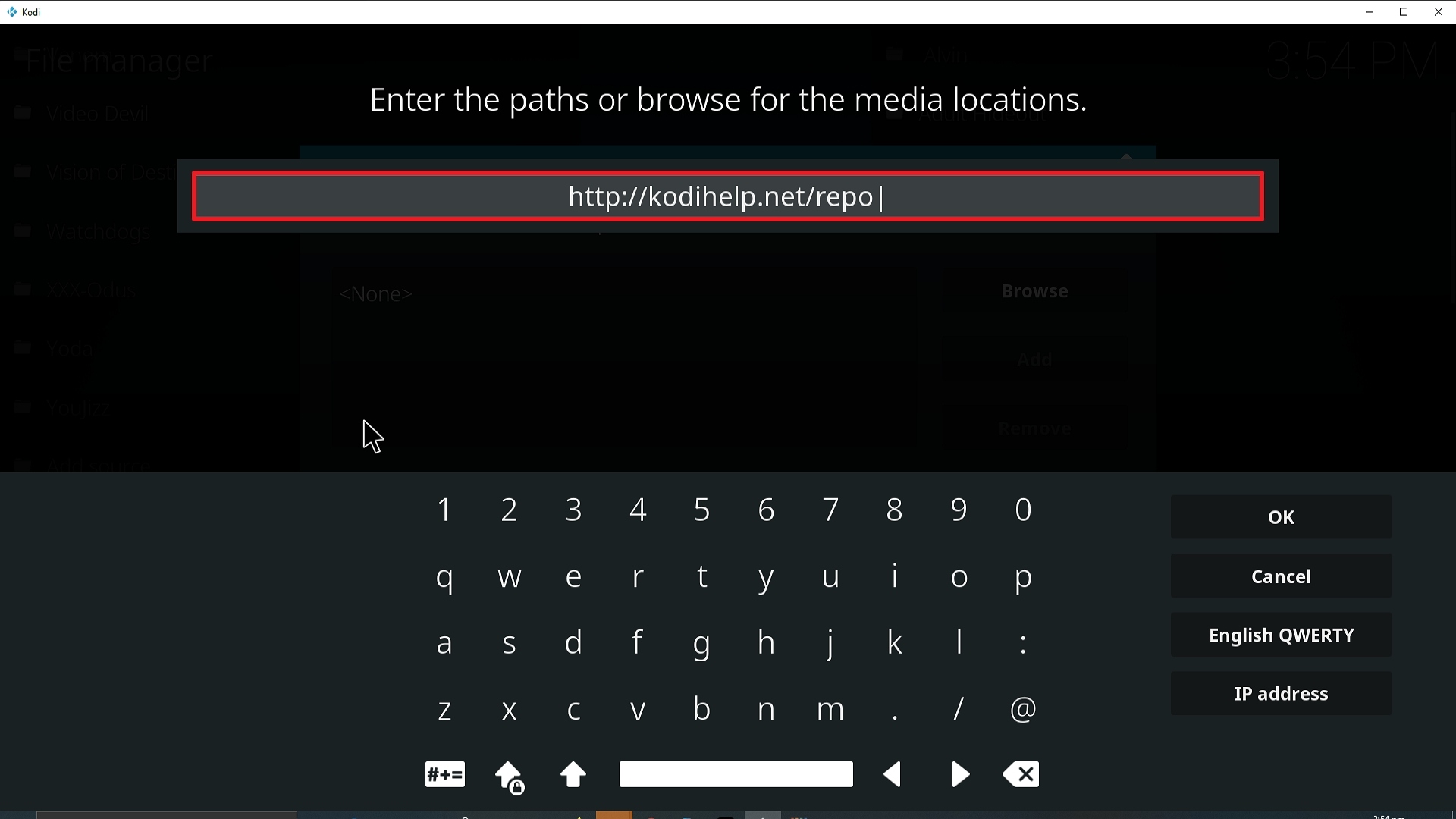
- A URL bar will pop up saying “Enter the paths or browse for the media locations” type this URL into the bar: http://kodihelp.net/repo (If this URL does not work search for a mirror URL of the Kodi Help Repo)
- Name the source JorEL
- Click OK, JorEL will now be added to your Kodi file manager
- Click Add ons and then install from .zip file
- Select your Jor-El file, it will not unzip
- Now click install file from repository
- Click Jor-El Repo
- Click Video Add ons and then install, also click install for additional add ons
- Jor-EL has now been installed and can be accessed from your home screen
How to Install Jor-El on Kodi with Screenshots
- From the home screen, select the cogwheel at the upper left.

2. Select System in the bottom right corner.

3. Select Add-ons on the left side of the screen.

4. Select Unknown sources.
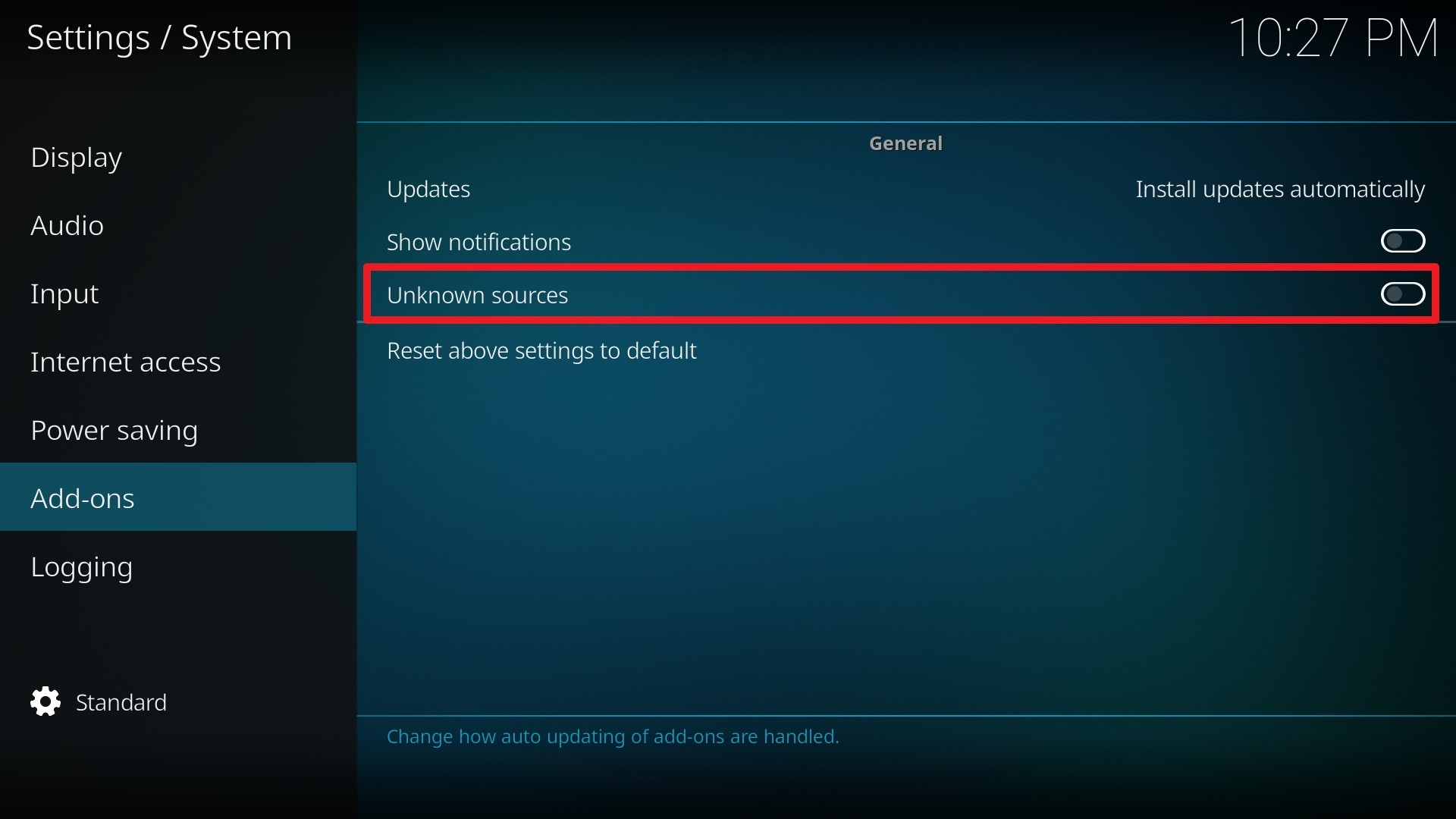
5. Click Yes to allow unknown sources.

6. Select File manager.
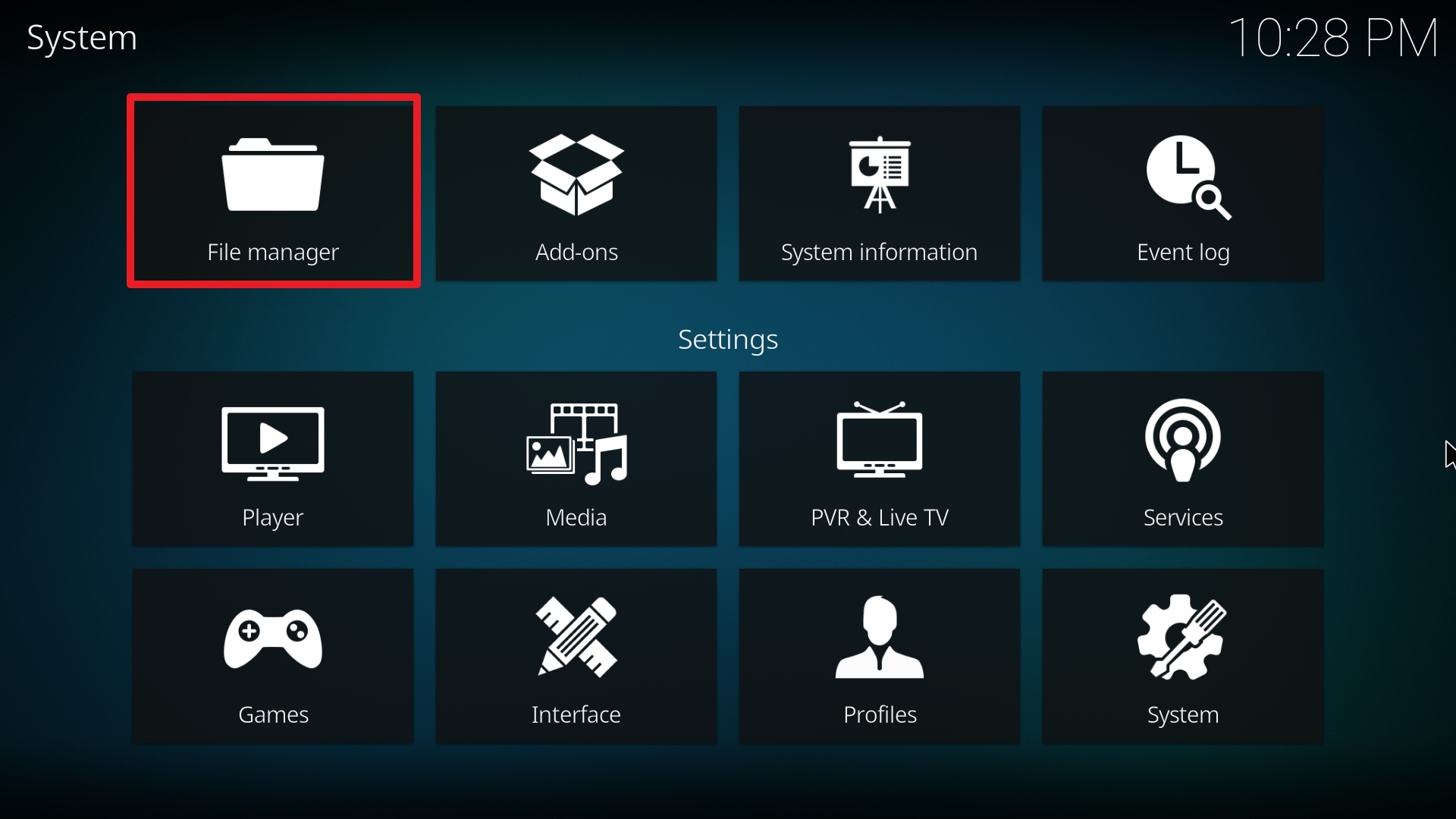
7. Click Add source.

8. Click on <None>.

9. Type exactly: http://kodihelp.net/repo
10. Click on OK.
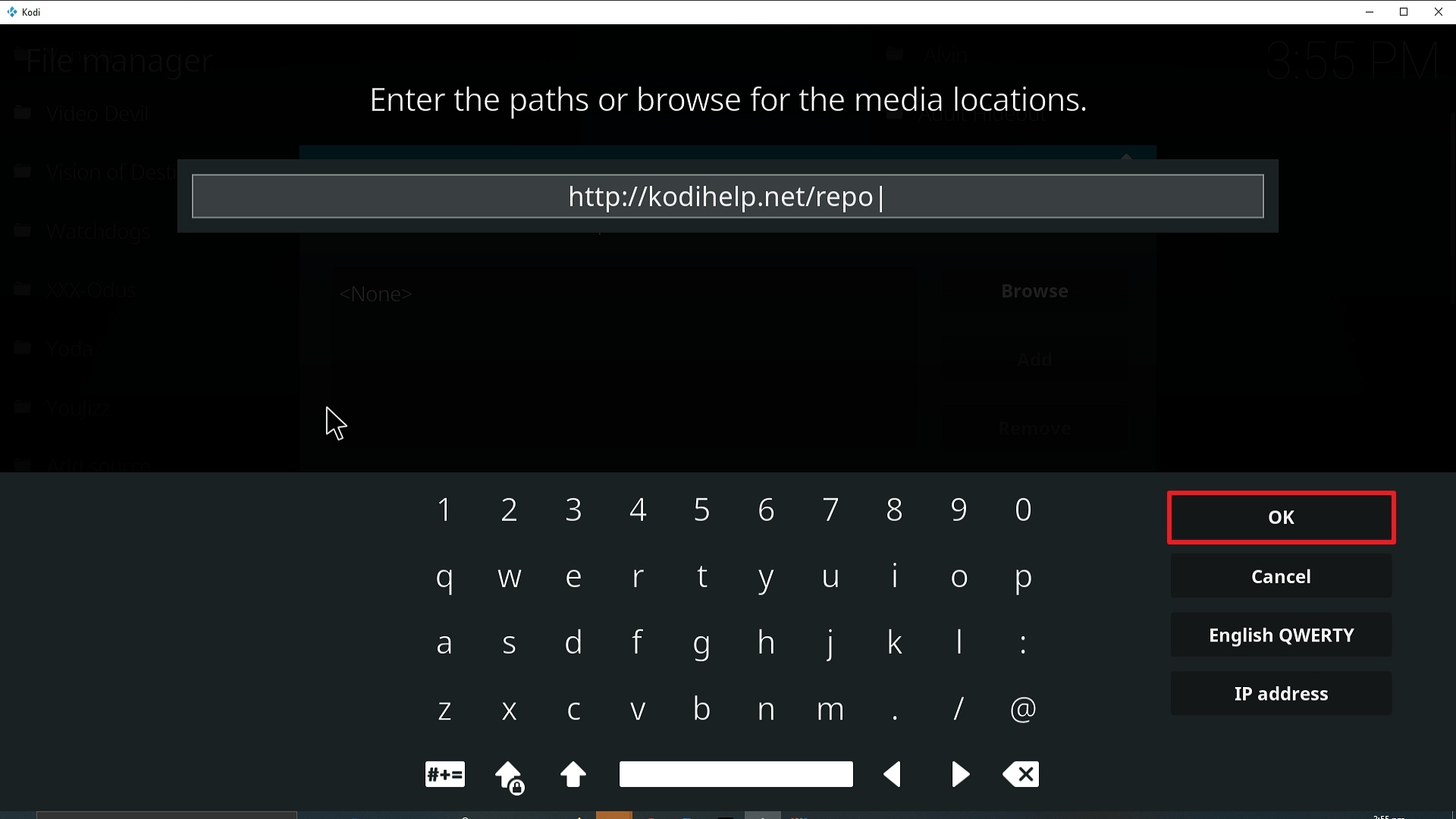
11. Select enter a name for this media source.
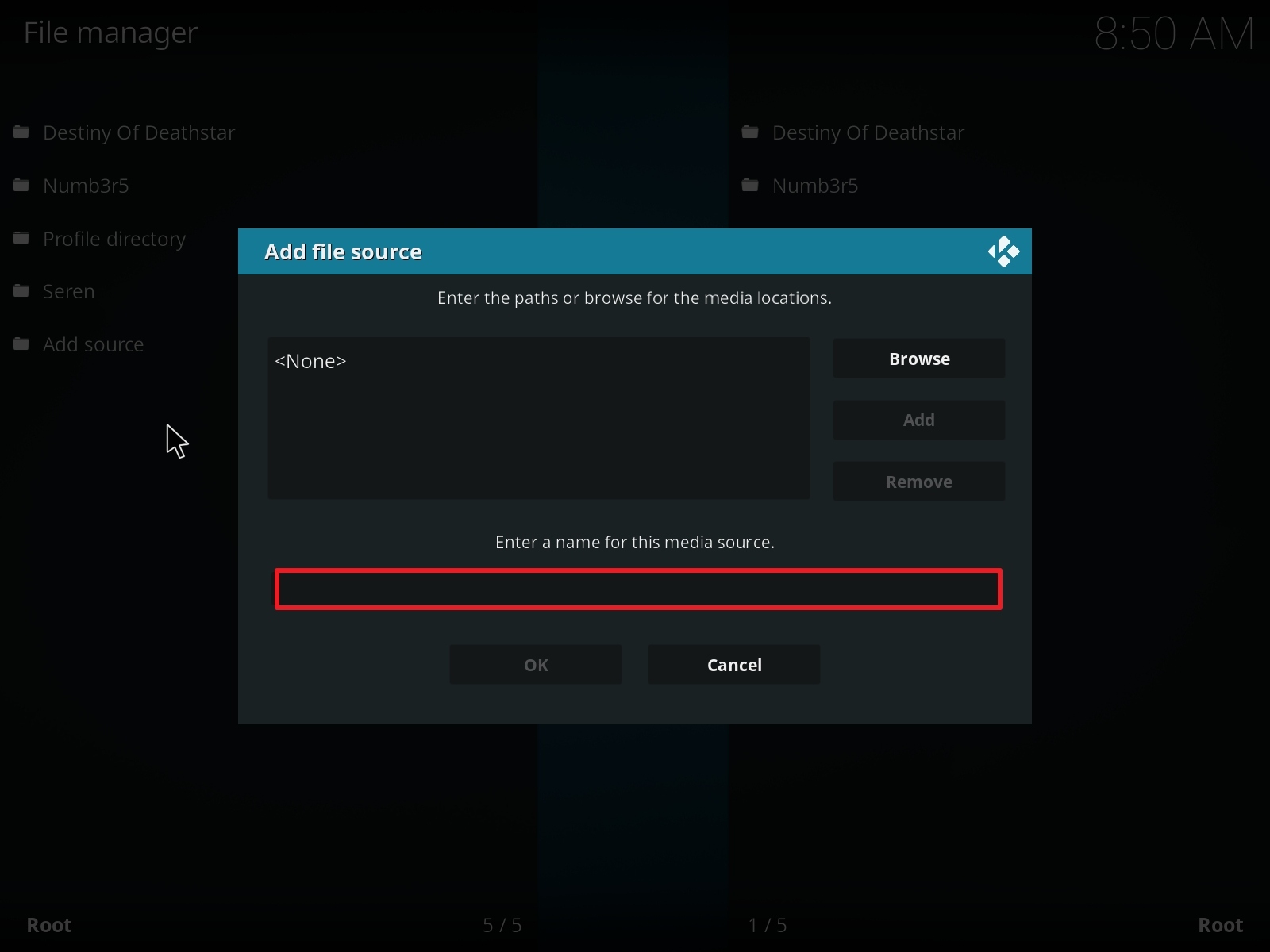
12. Name is Jor-El (this part isn’t critical as long as you remember the name).
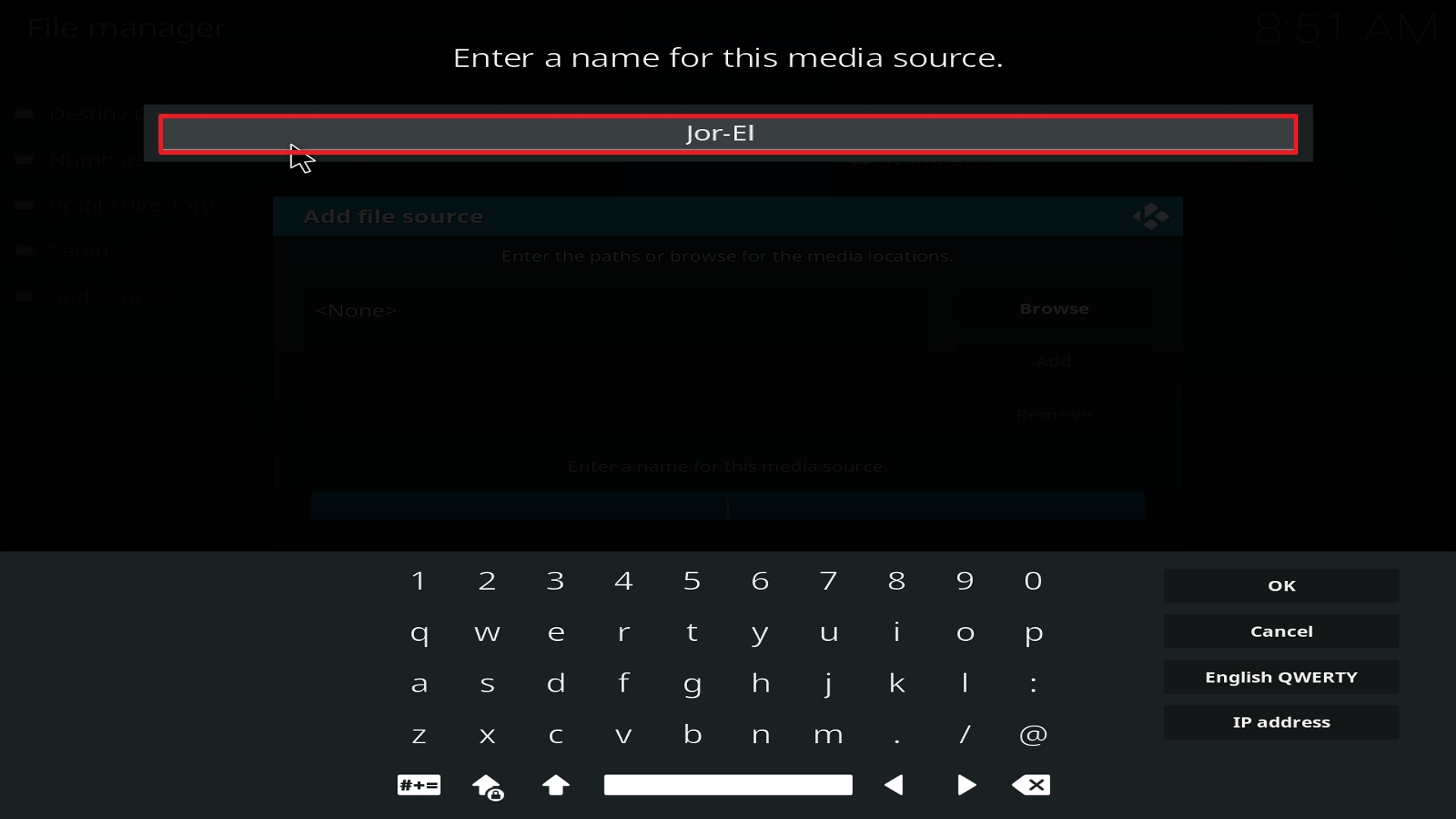
13. Click on OK.
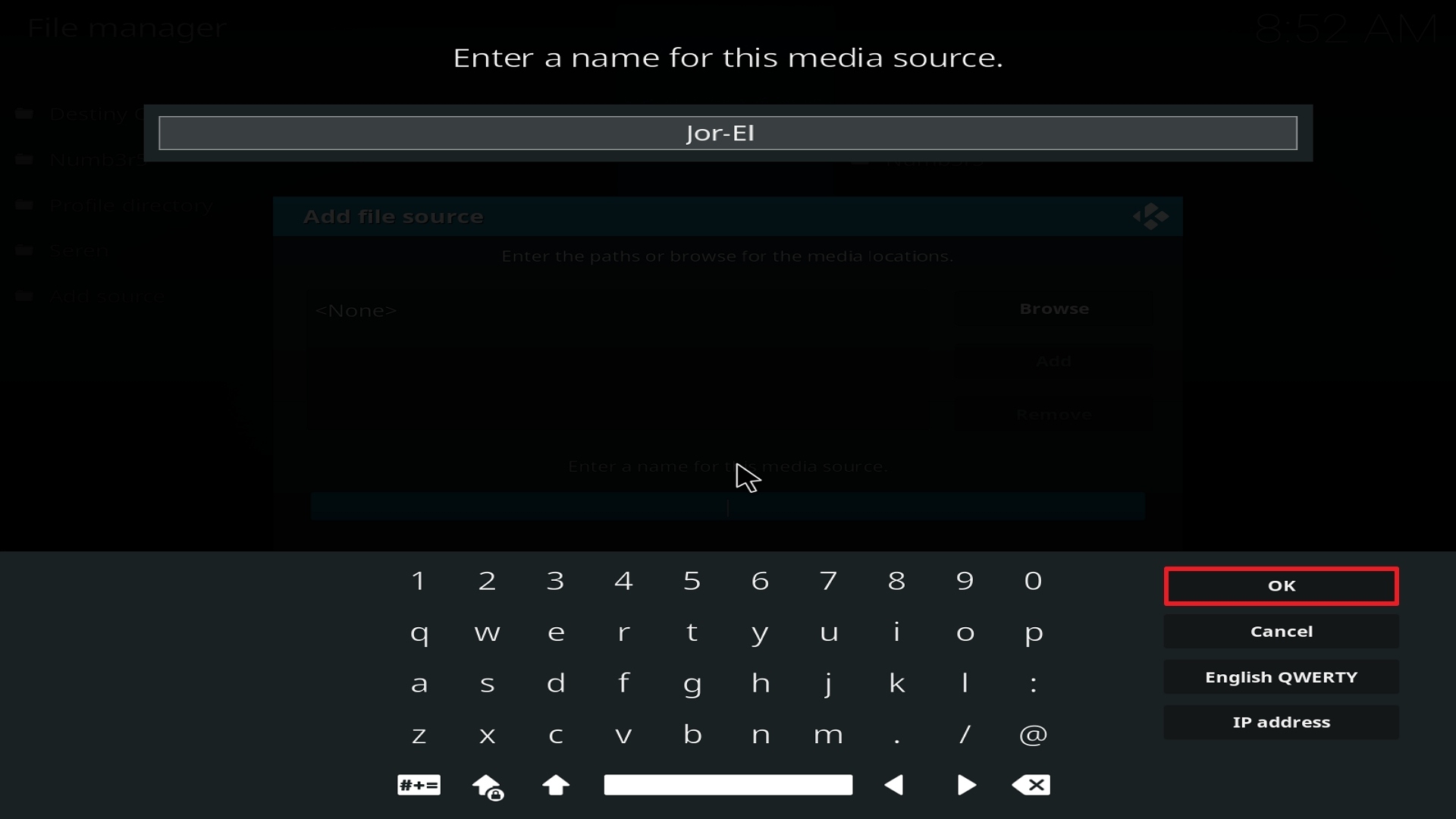
14. Click on OK.
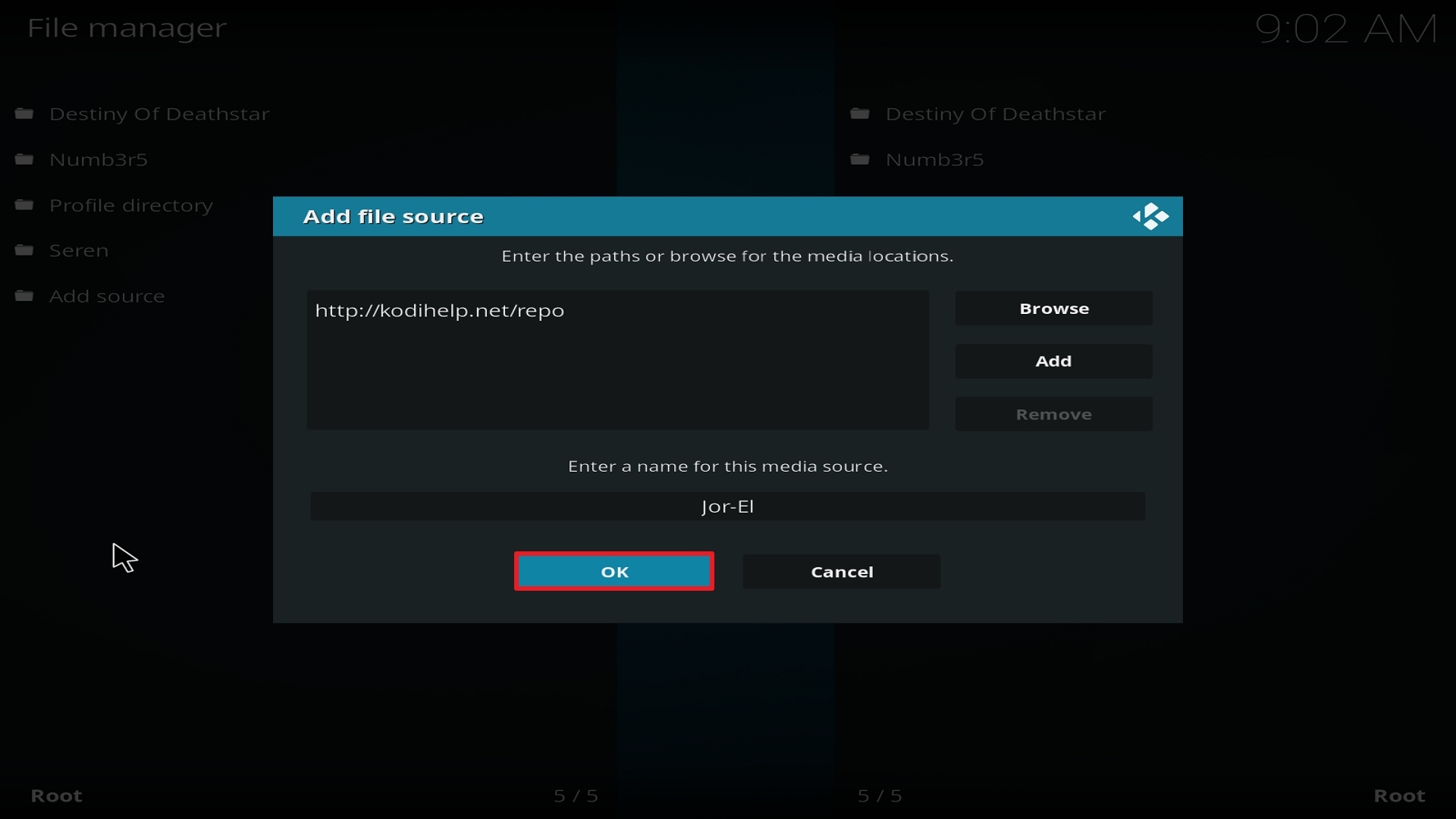
15. Take one step back and click on Add-ons.
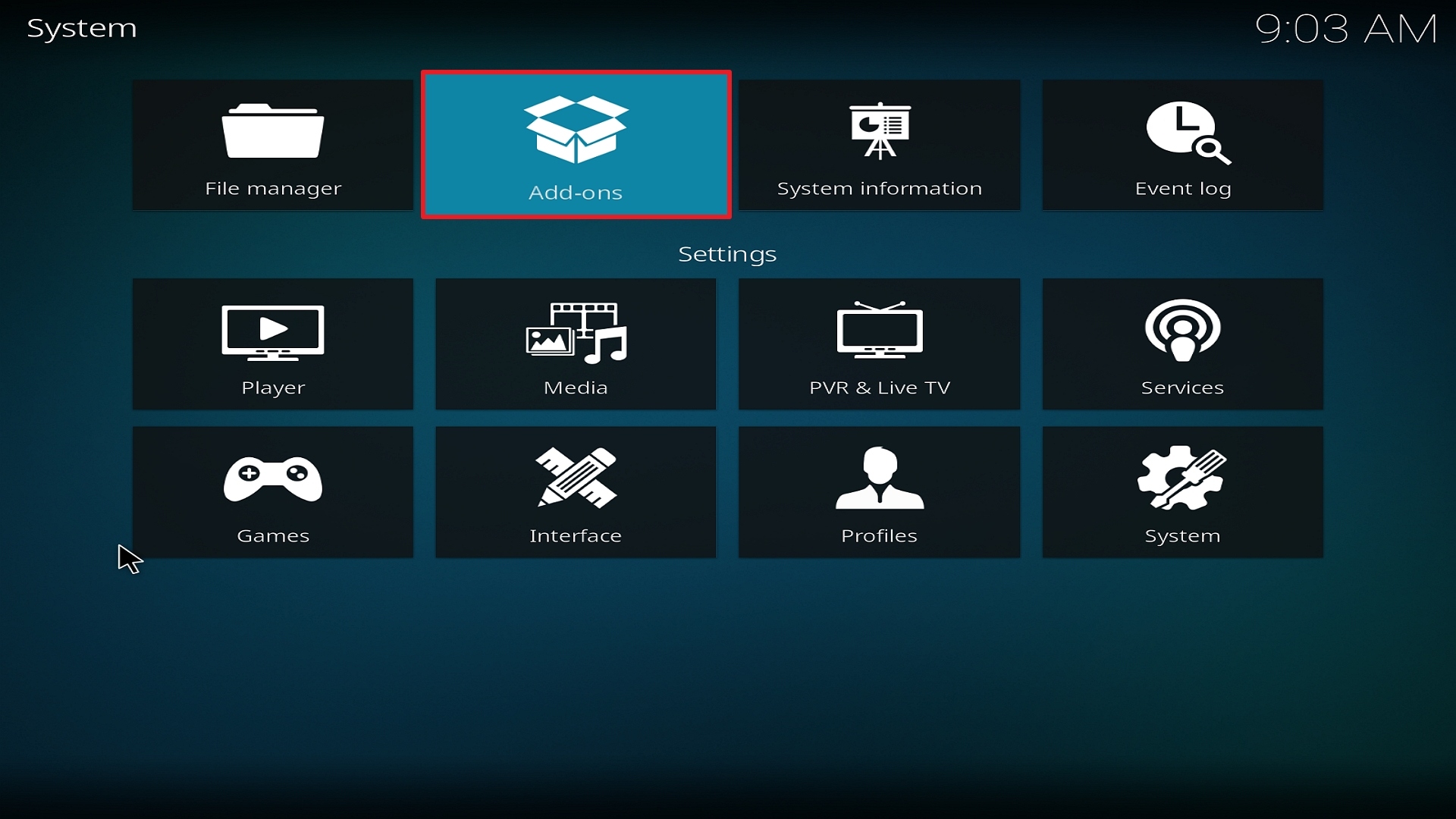
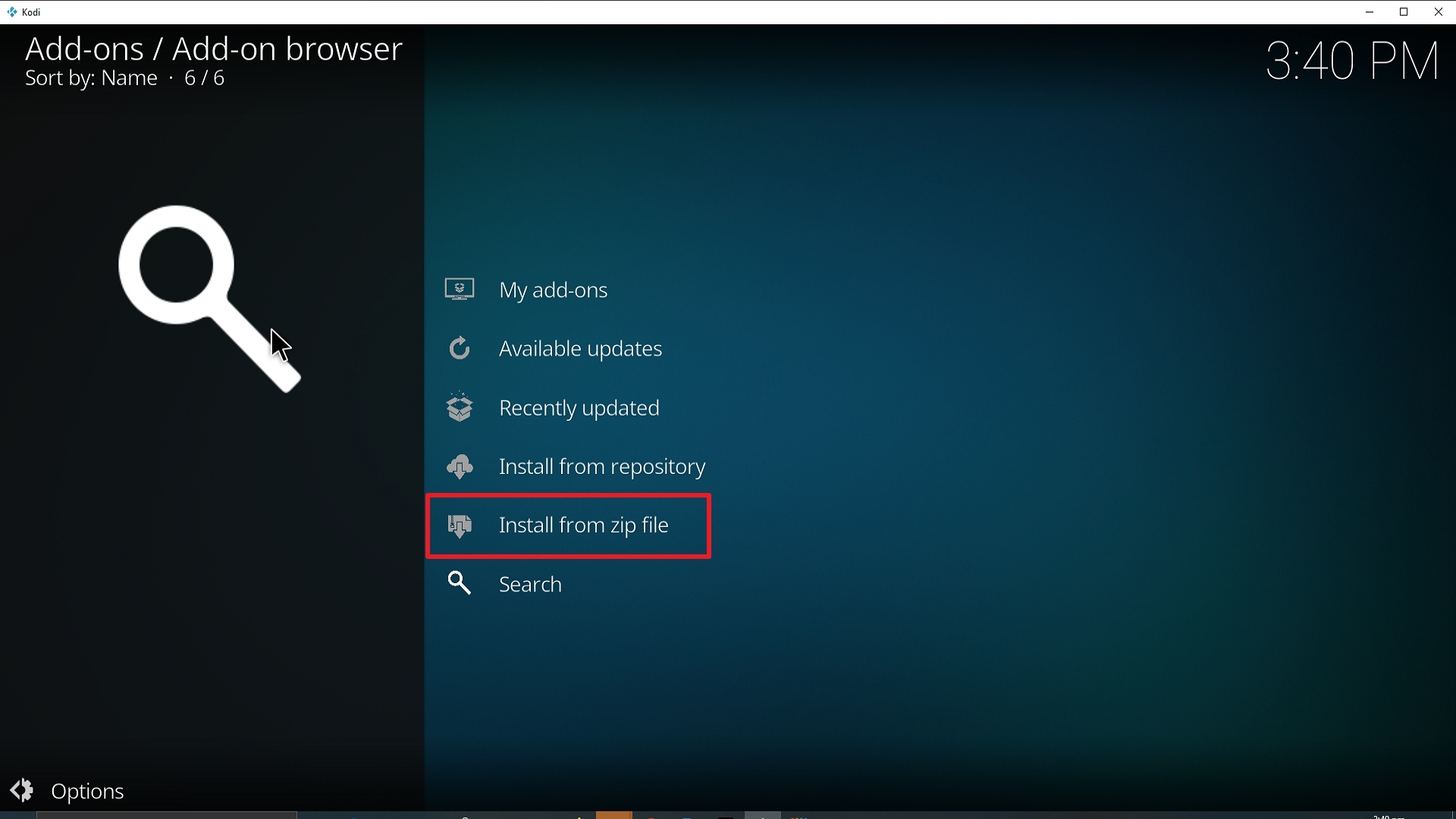
16. Select install from zip file.
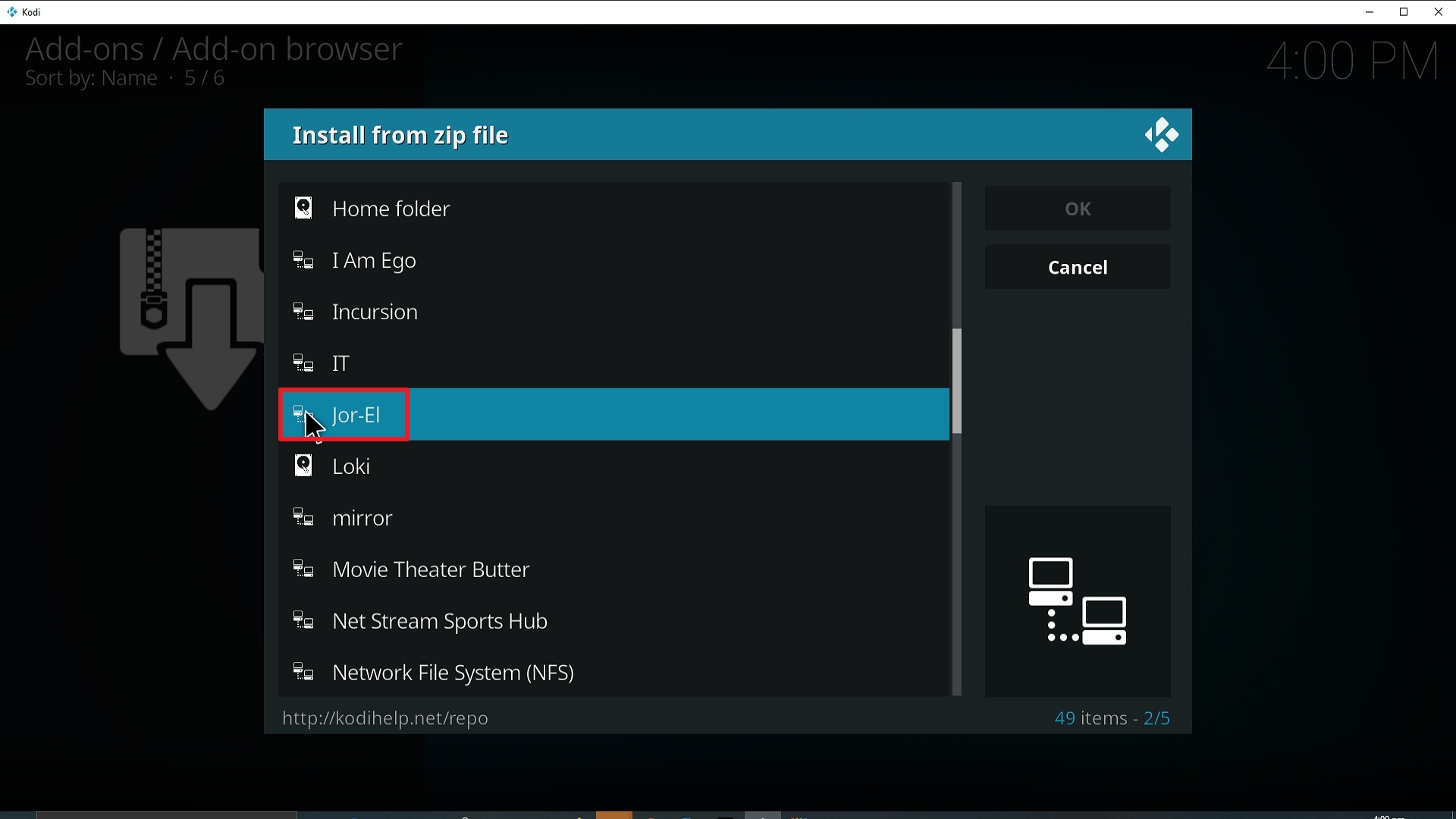
17. Click on Jor-El (or whatever you named the source).
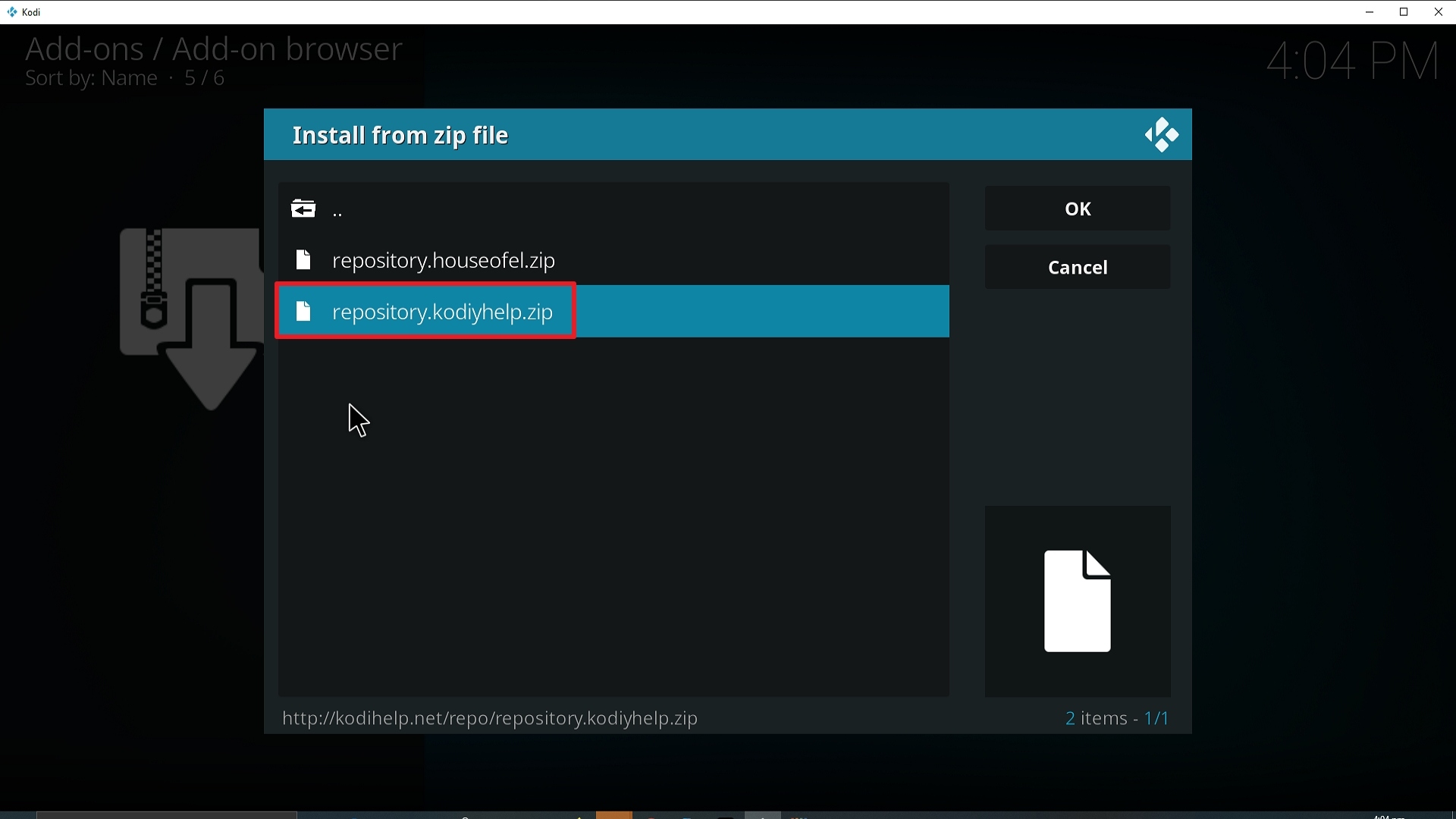
18. Click on repository.kodiyhelp.zip
19. Select on Install from repository.
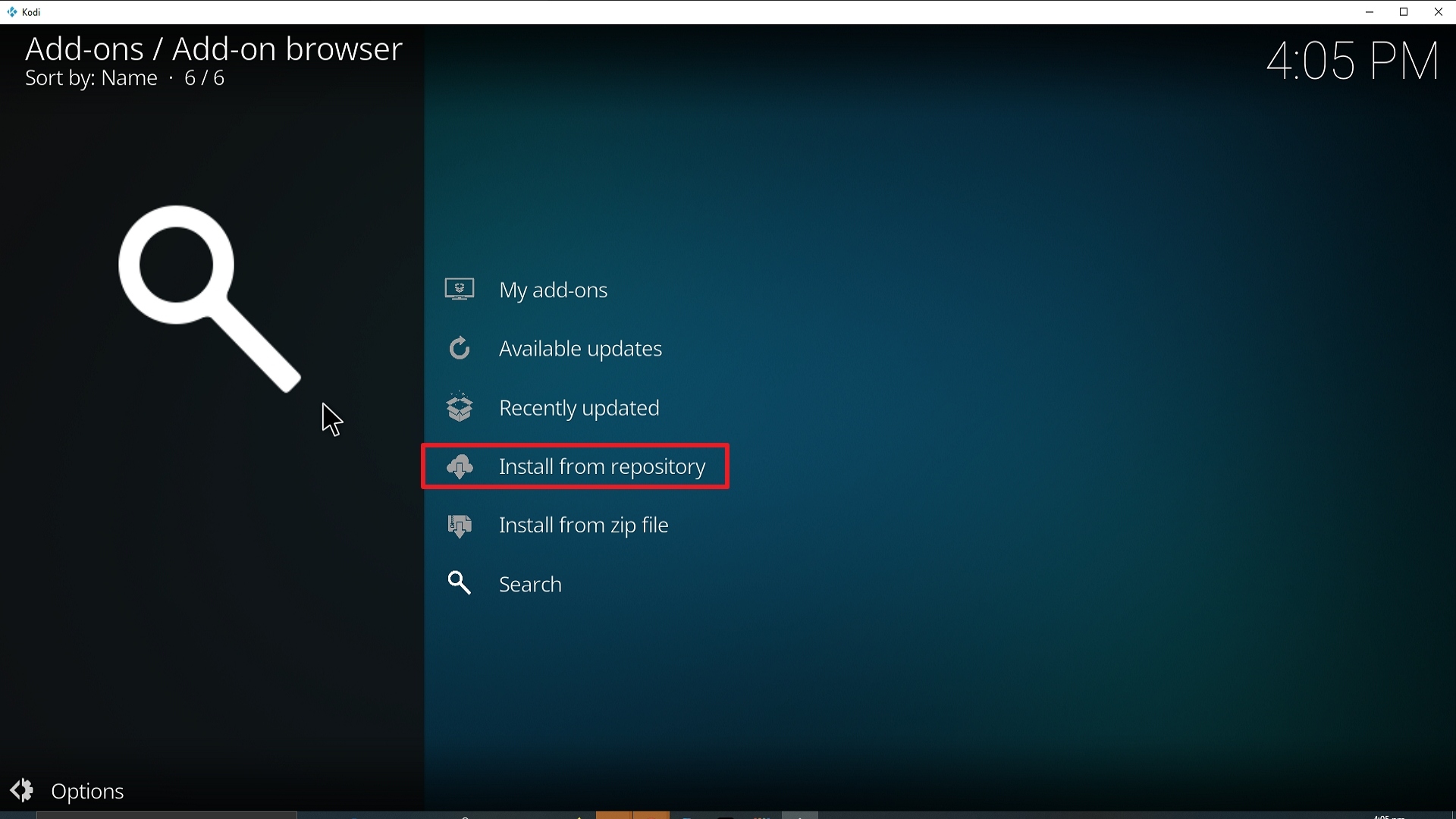
20. Click on KoDIY Help Repo.
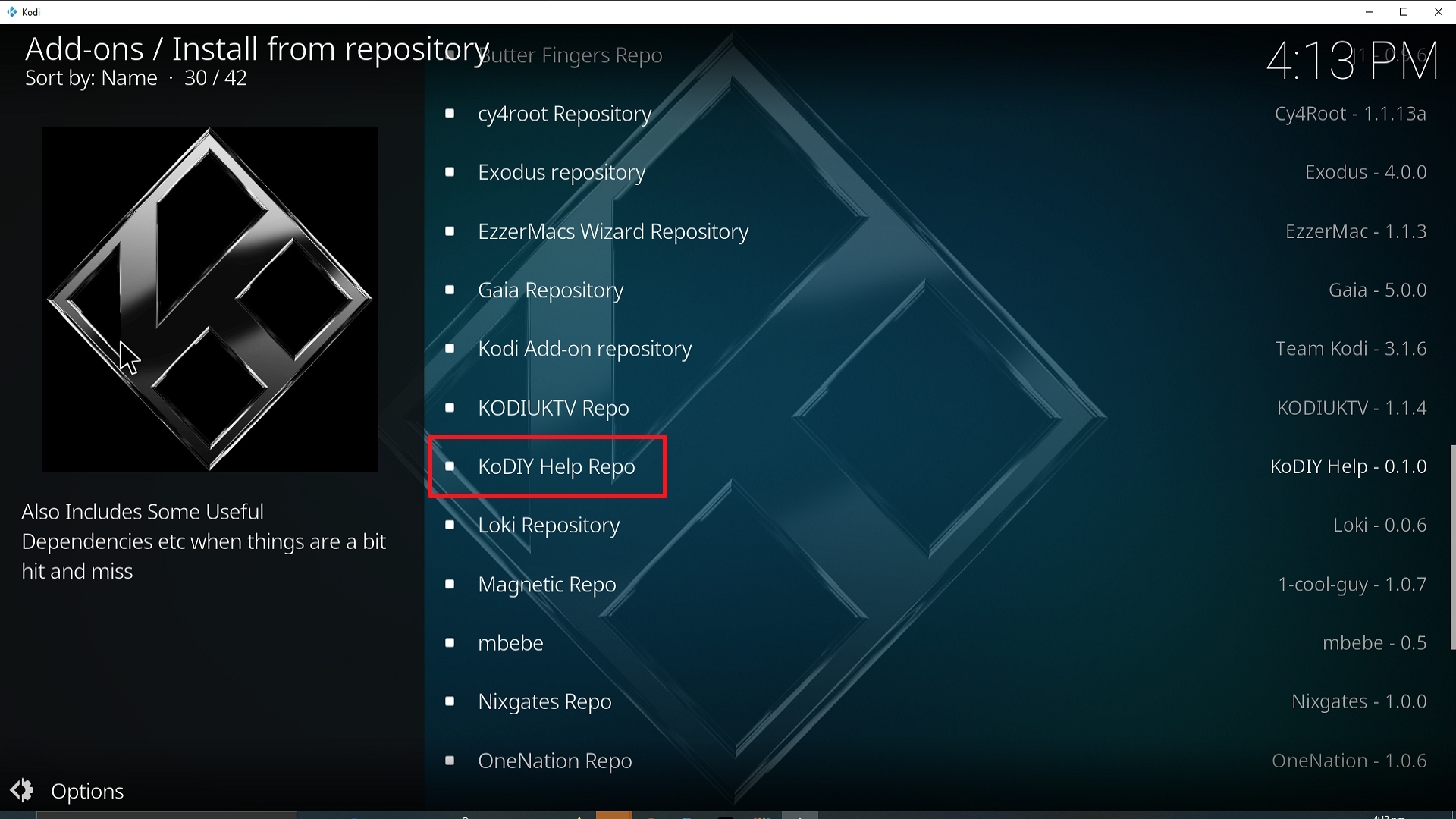
21. Pick Video add-ons.
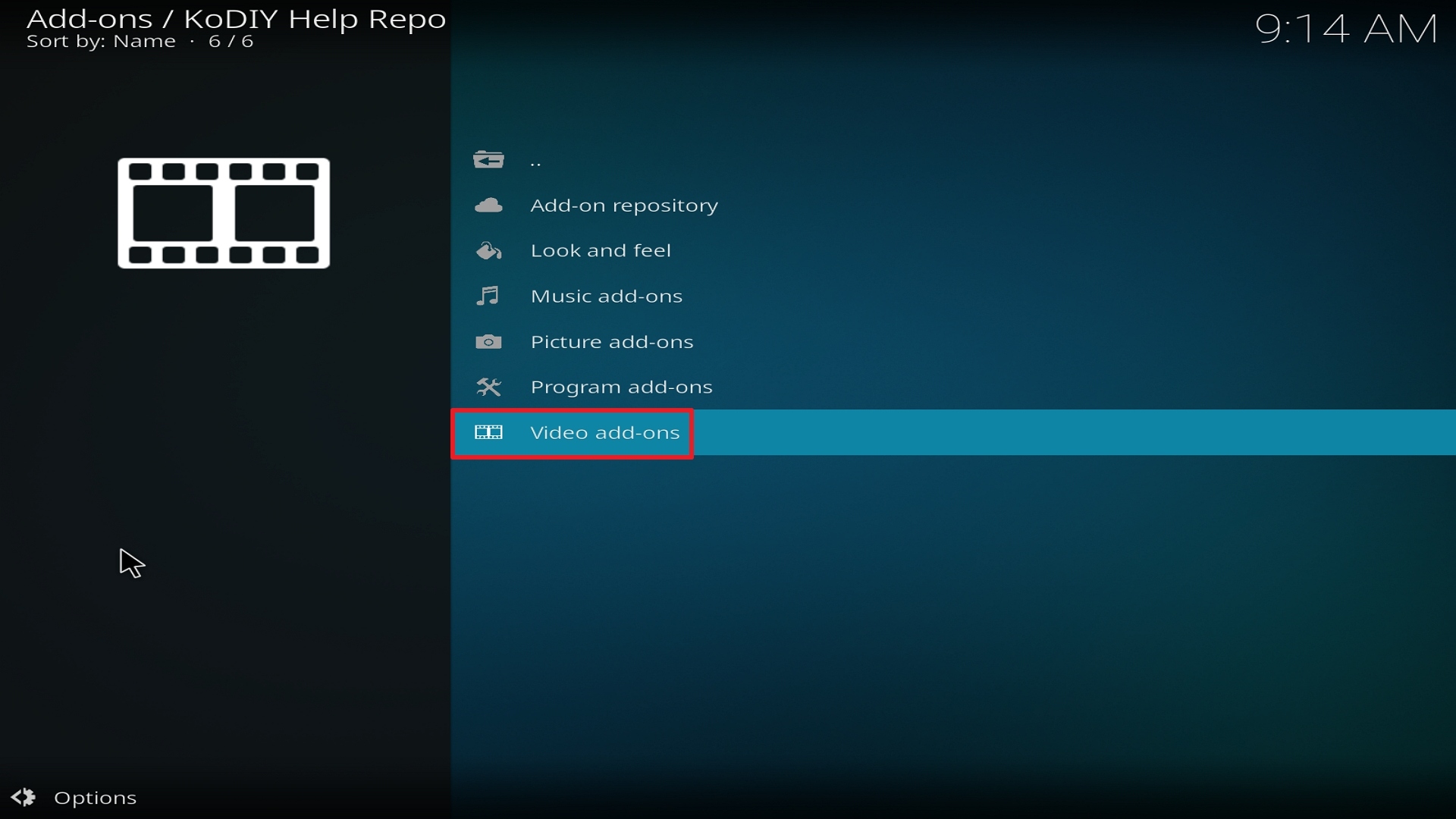
22. Select Jor-El again.
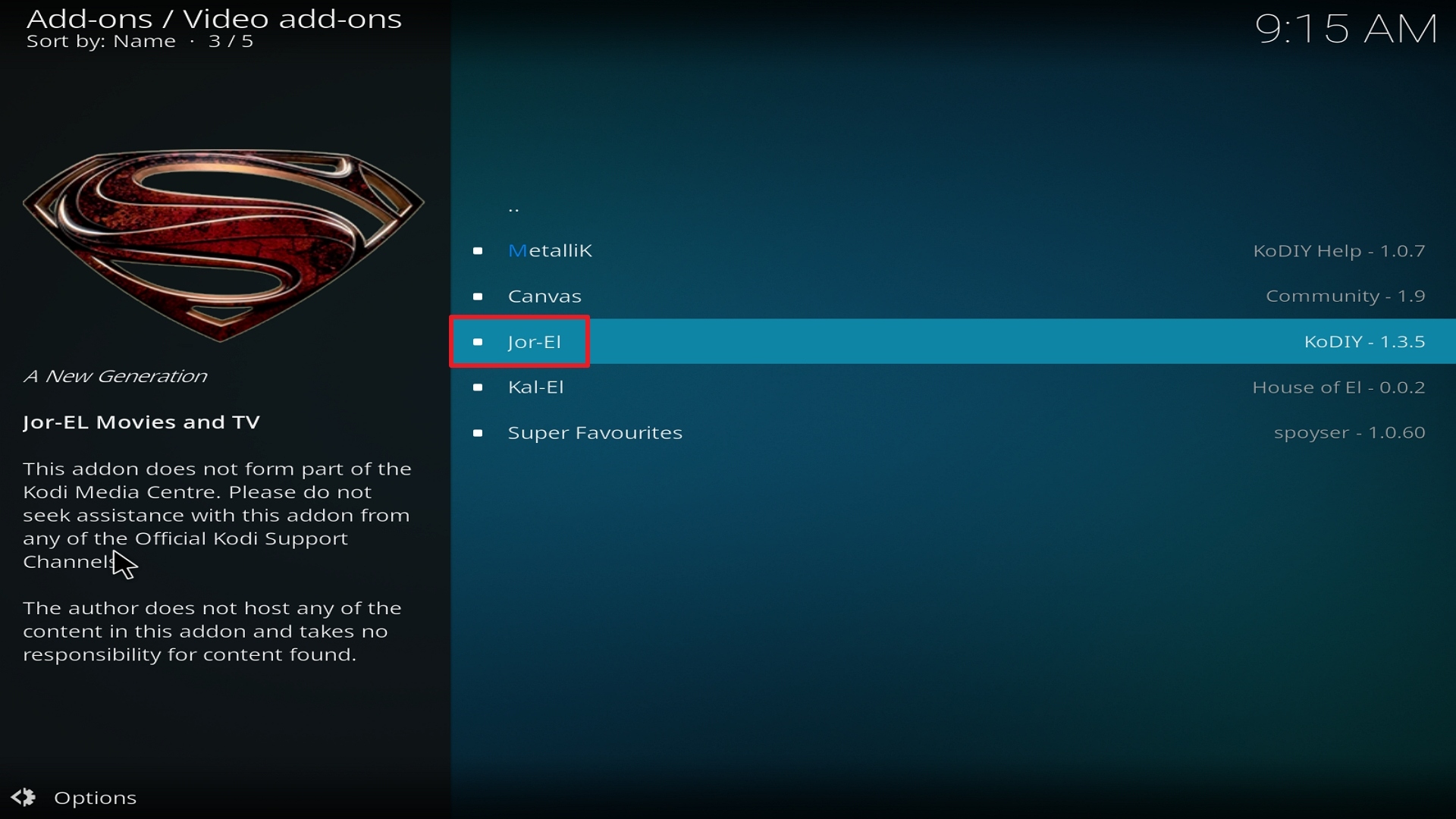
23. Click on Install.

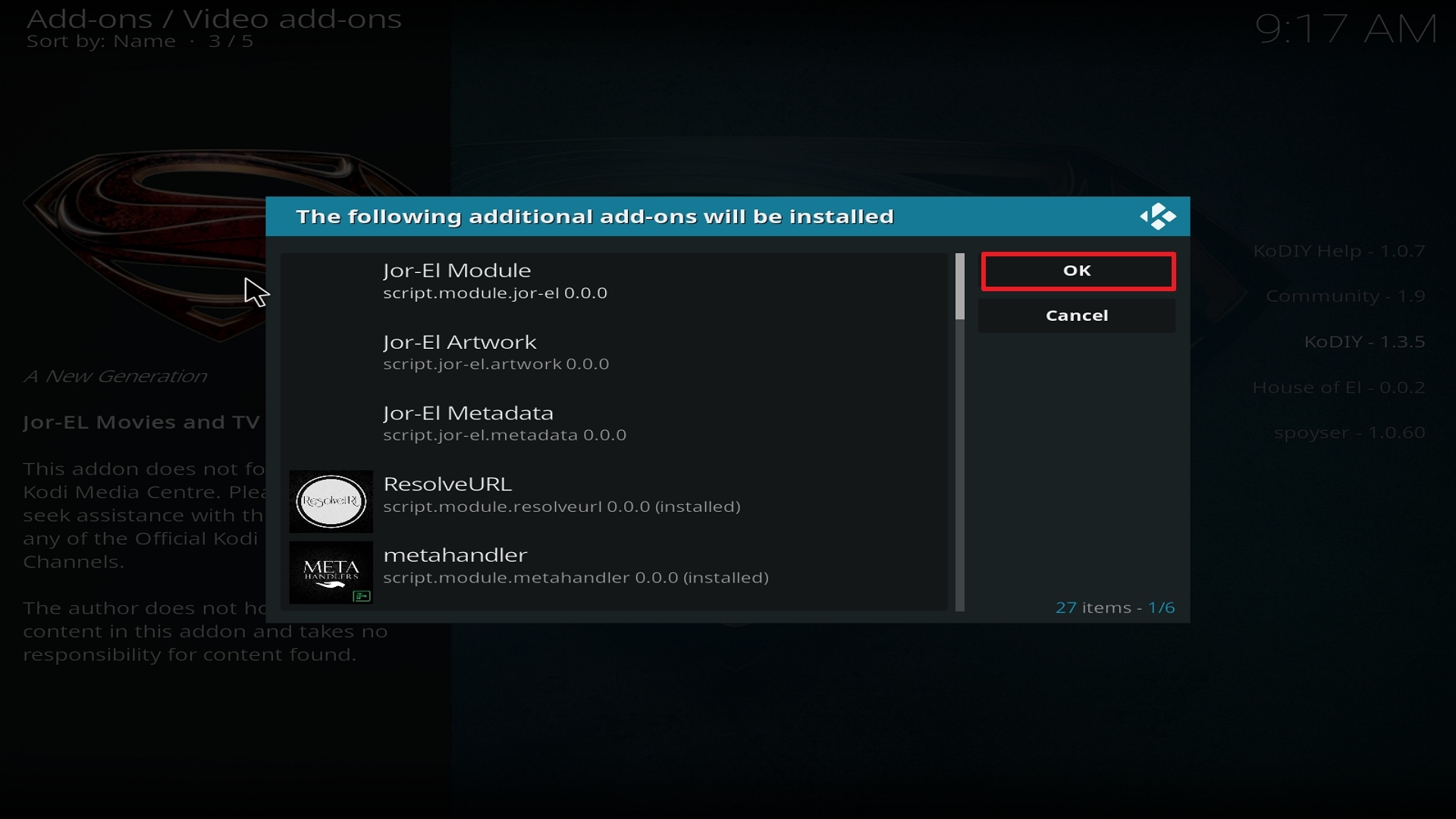
24. Select OK after reviewing the add-ons that will be installed.
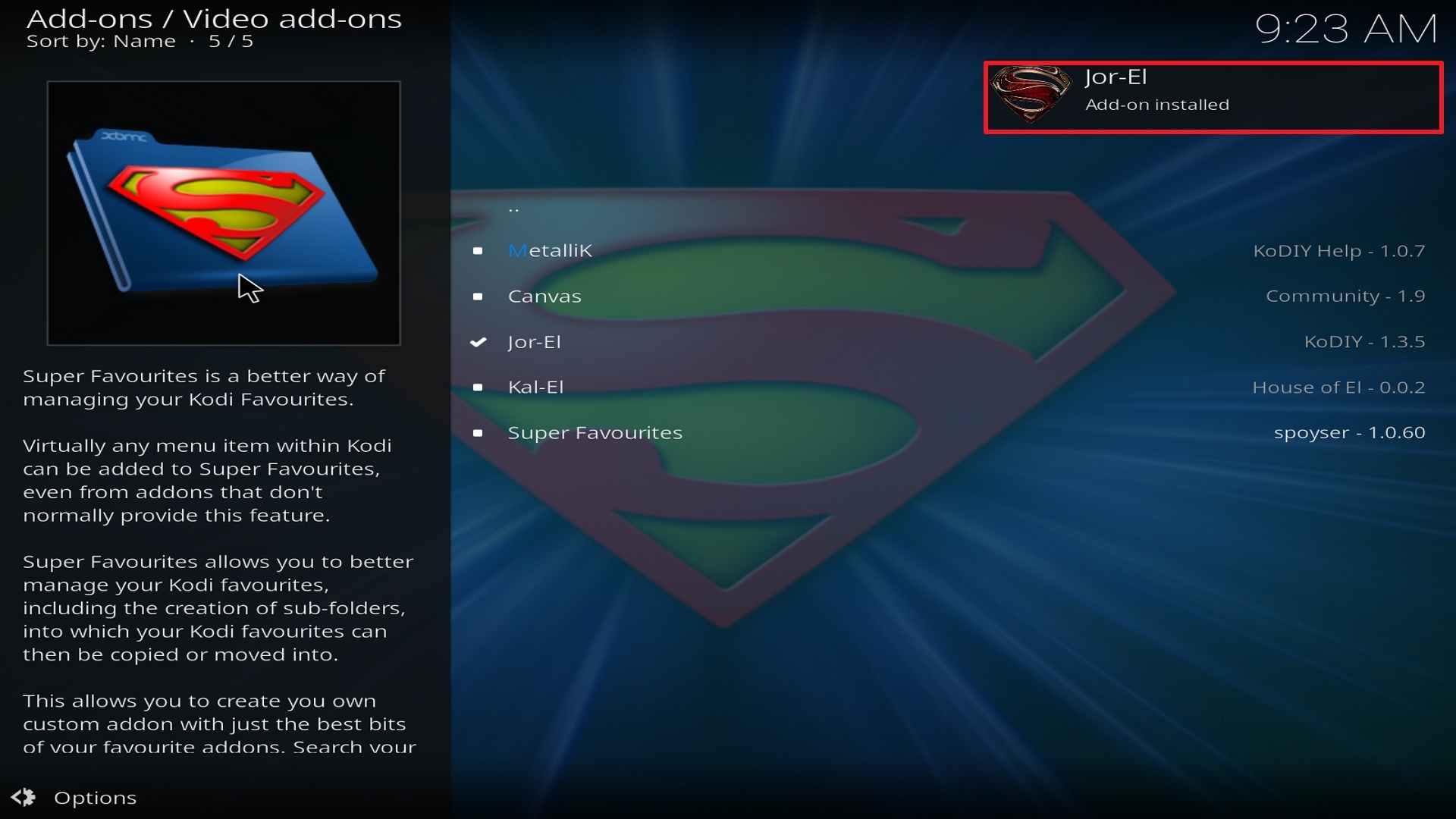
25. You should see a popup in the upper right corner saying Jor-El has installed. There will actually be multiple popups for the various components.
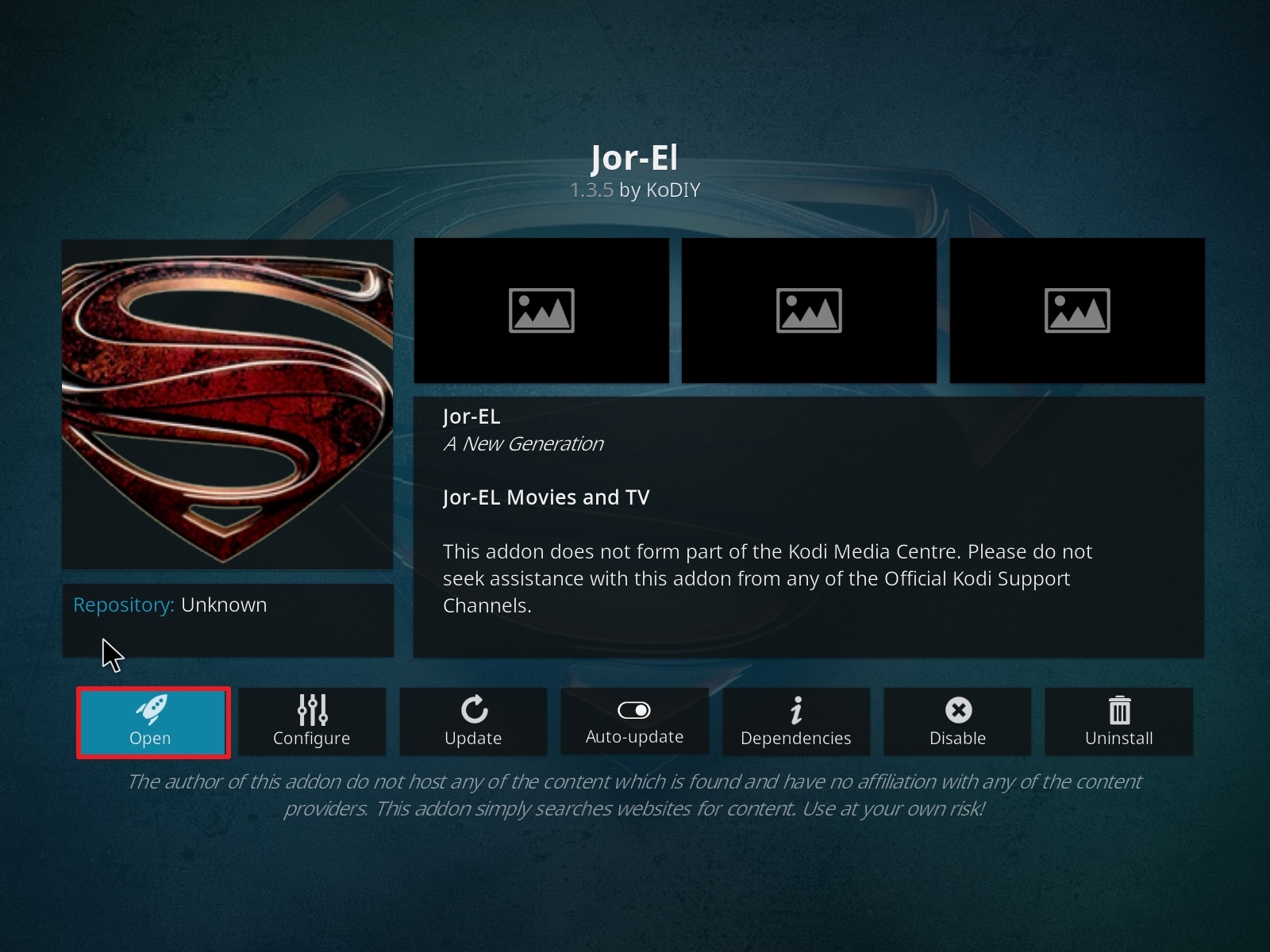
26. Click on Open to start the Jor-El add-on.
FAQ
Is it Safe to Use?
Jor-EL is safe to use, as the Kodi Help Repo is well known. Just make sure that you download and install the add on from their official URL, and not a copycat site that may be serving corrupted files.
Is it Legal or Grey?
Jor-El like many addons operates in a grey area. The content that you watch through the add on is mainly illegal. The content is being distributed without the copywriter’s permission. Needless to say, if you want to avoid your usage being tracked to your IP you are better off using a VPN.
Should I Use This App With a VPN?

We always recommend you use a VPN if you are doing anything where you want to maintain your anonymity and privacy.
Your Internet Service Provider logs everything that you do on the internet, including using Kodi and any addons that come with it. They may also block access to IP addresses that are serving copyrighted content illegally.
In order to circumvent this, you can use a VPN, which works by encrypting your communication between your computer and their DNS server. This means your data cannot be snooped or decoded by your ISP.
You can prevent your data from being tracked by third parties, or snooped by your ISP using Surfshark.
Using a VPN will mean you should be able to freely access all of Kodi’s services.
Note: For more information about Surfshark, please read our Surfshark Review.
How to Install Surfshark VPN on Firestick
If your Firestick still has the older interface, read this article to learn how to update it: Update Firestick Interface.
1. Go to the Home screen of your Firestick.

2. Navigate towards the Find tab. Press the Search button from the resulting dropdown.

3. Type in the keyword of SurfShark and select from the suggestions that will appear.

4. Click the official SurfShark icon from your search results.

5. Press the Download (You own it) button.

6. The SurfShark VPN installer will download on your device.

7. SurfShark VPN’s app will automatically install itself on your Fire TV stick.

8. Press the Open button after completing SurfShark VPN’s installation process.

9. Please wait for the SurfShark VPN to load its user interface.

10. You can now log in with your SurfShark VPN account credentials.

Learn more about Surfshark and Grab the Best Surfshark Deal Now!
Install Surfshark on Firestick



For more VPN discounts, go to ReviewVPN Deals and purchase the best VPN for you.
Click here to get the lowest price on Surfshark through our exclusive limited-time offer.
Is it Free?
Yes
History
When Was It Released?
Jor-El was released in 2018It and is maintained as part of the Kodi Help repository.
Best Alternatives
There are a number of great addons that offer better functionality. We recommend:
- Exodus Redux
- Seren
- Gaia
- Yoda
Also, make sure you have a few addons in your library, builds can also be a good idea which allows you to install some of the best addons available with 1 installation. Use Google to find this month’s best working addons.
Our Opinion
Jor-El has a real lack of information as well as reviews, which tells us it isn’t being widely used and will probably decline over the coming months.
The skin looks nice enough, but we would only recommend using Jor-El as a backup rather than your go-to add on.







Trying to install JOr el and I get
Installation failed
What can I do? Thank you