
Insomniacs Kodi Build Overview
Quick Navigation

Insomniacs Kodi Build is one of the most popular builds in the Kodiverse. It mainly offers three wizards which are Insomniacs Black and Gold, Insomniacs Passion Led US Here, and Kirks Krypton Build Mini Neon-Green. All of these wizards are updated on a regular basis and integrated into websites thus making Insomniacs Kodi Build one of the most popular builds out there.
If you are relatively new to the world of Kodi, we understand that you will find everything confusing at first. But please don’t worry, we will be providing you an easy-to-understand guide which will make things easier for you. It will be a long process but believe us, it will be worth it.
What Is Kodi?
Kodi is a free open-source media player founded by XMBC Foundation back in 2002. It has been integrated into the lives of many streamers over the years because of the nature of its operation. Its main edge among other media players is its ability to adaptively render android applications to larger screens like a Smart TV. It also has a unique feature that allows it to be navigated by the use of remote control. Kodi is also created to work with a lot of other platforms which makes it a very versatile player. Due to its popularity, many open source devs have created a lot of unofficial add-ons that contain thousands upon thousands of content which is comprised of Movies, TV Shows, Music, Live TV, and anything under the sun which are absolutely free.

What Is A Build?
A build is basically a collection of addons that you can install in one go rather than having to install individual add-ons. This spares you from not only installing one-by-one but also going in between addons. It also has themes/skins, a set of optimized settings, and the ability to integrate premium file hosts like Real-Debrid. Inside the build, you will find a few wizards or what we call repos. They come in varying sizes and functions. In terms of size, there are builds that can go as large as 500MB with massive features and content and others that are decently sized up to 200MB and very basic in nature. In simpler terms, there is a Build available that will cater to individual preferences and standards.
What Is Insomniacs Kodi Build?
Insomniacs Kodi build is family-friendly and is mainly composed of three amazing builds which are Black and Gold, Passion Led Us Here, and Kirks Krypton Build. The Insomniacs Build is a host of a plethora of add-ons and they are as follows:
- Mirror V2 Video
- Limitless
- Fractured
- Exodus Redux
- Cryptic
- Cypher Media
- Kingdom
- Numb3r5
- Venom
- Greased Lightning
- The Magic Dragon
- T2k 1 Click Movie
- Delta Quadrant
- IPlayer WWW
- Tempt Tv
- Sports Devil
- Phoenix Rises
- Rising Tides
- UKTV Play
- ITV
- Youtube
- Library Data Provider
- F4m Tester
- ByB ResolveURL Tester
- Big Toons
- The Best Music Collection
- Cyphers Now Music
- Kiddo
- TVTap
- Replay Me
- Crime Scene
- The Loop
- Sport365
- Sportowa TV
- Kids Club
- The End Zone
- Notfilmon
- Great British Music Addon
- Little Kingdom
- Fladnag Cartoons
- Decado Documentaries,
- Dreamzbeats,
- Man Cave Jamz and
- Indio
Insomniacs Features
- 295.08MB in Size
- Has the best Kodi Add-ons
- One-Click everything
- TV Calendar which gives you the schedule of American TV SHows per day
- Simple navigation
- Classy Skins
- Real-Debrid Integration
- Live TV
- TV Shows
- Movies
[videopress tuWCBnqf]
Installation Guide for Insomniacs Build on Kodi
- On your Homescreen, click on the Cogwheel icon and choose System
- Hover over Add-ons on the left. Turn On the Unknown Sources and click on Yes.
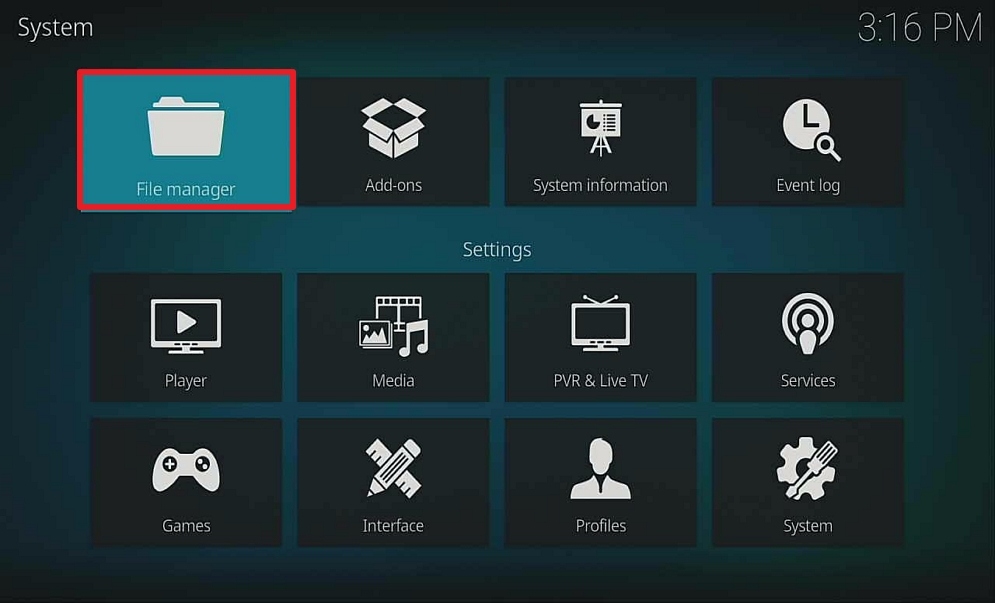
- Head back to the previous screen and select File Manager.
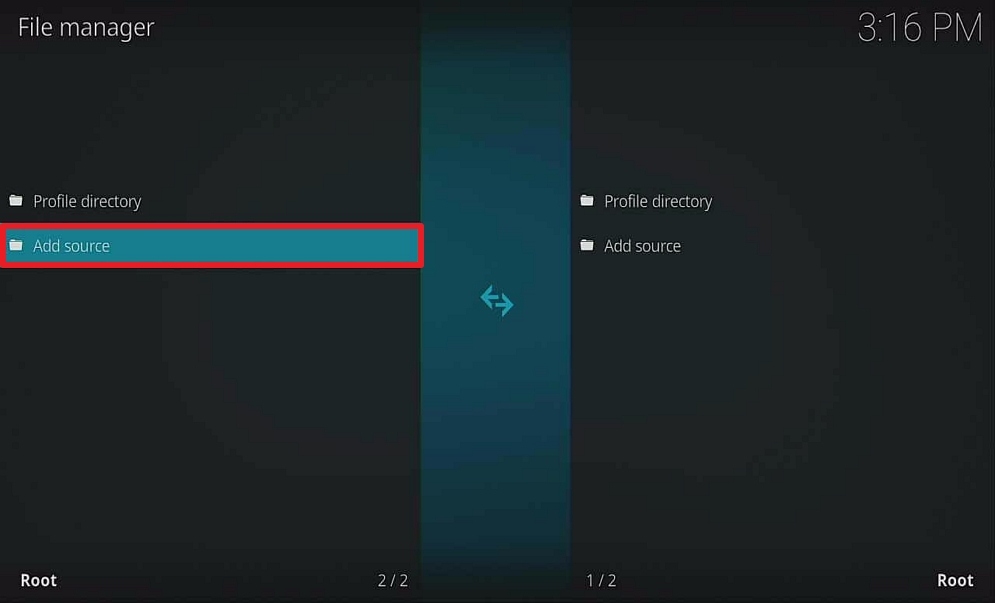
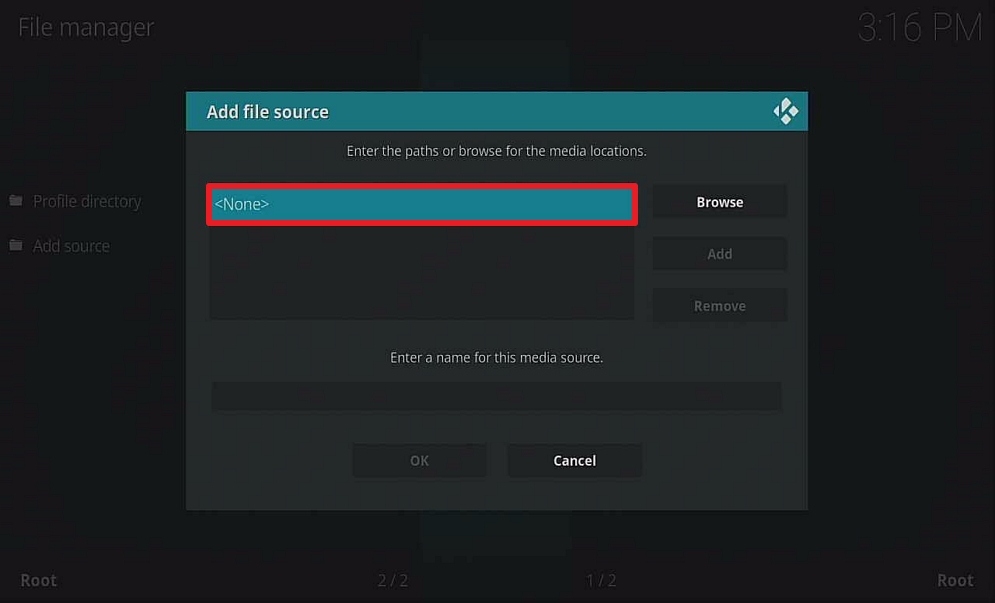
- Choose Add Source and then select None.
- A pop-up browser will then appear, type in this on the URL http://wiz.insomniacs.party. Then click on OK.
- Select “enter a name for this media source” and name the source Insomniacs and click on OK.
- Head back to the main menu and select Add-ons
- Select Install from Zip File. Then click on Insomniacs (or whatever you named the source)
- Click on ClickMeToInstall.zip, a popup in the upper right corner saying Insomniacs-Wizard Addon Updated.
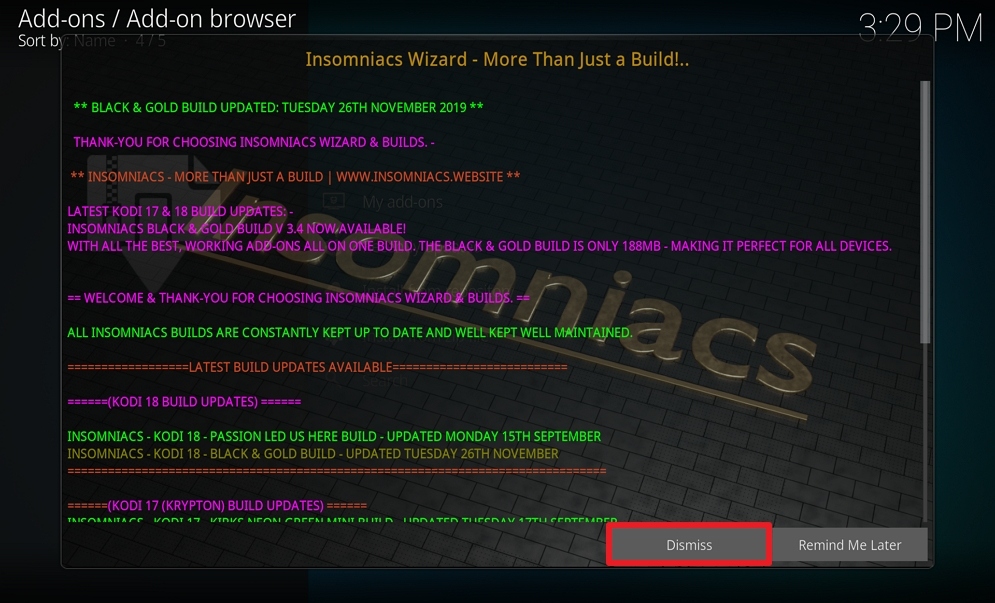
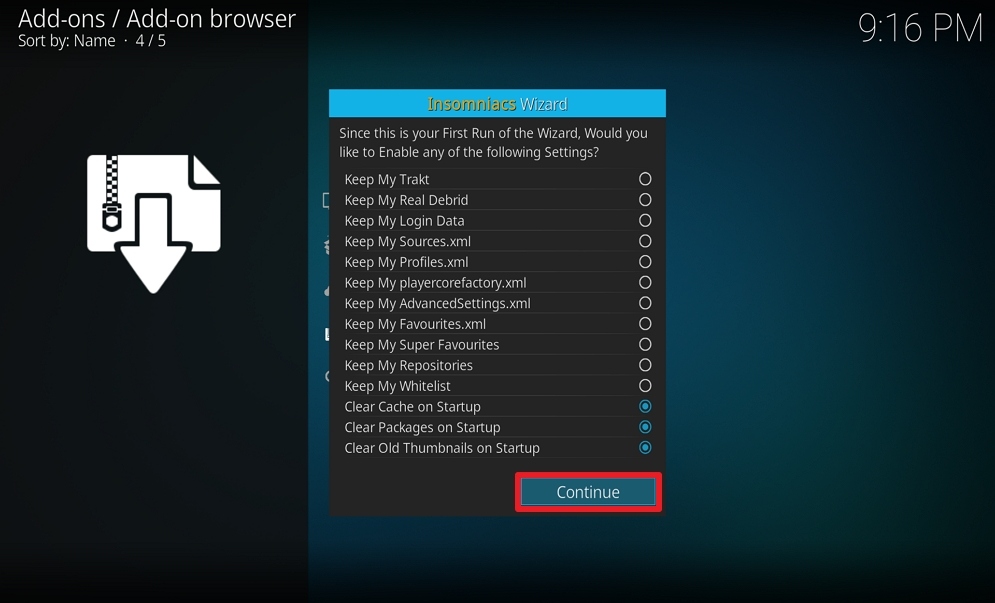
- When the installation finishes, click on Dismiss and Select Continue.
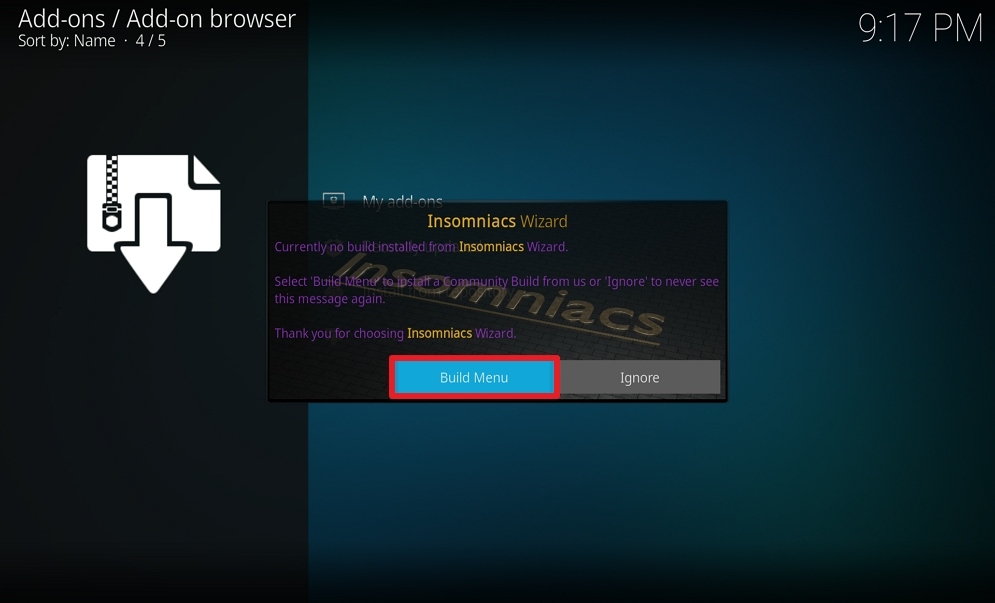
- Select Build Menu and choose Insomniacs – Black & Gold Build – The Ultimate Kodi Build (v3.4)
- Select (Insomniacs) Fresh Install. Insomniacs build will now download and install.
- Automatically back out to Homescreen. Select Kodi Icon
- You can now enjoy the famous Insomniacs Build on Kodi
Screenshots on How to Install Insomniacs Kodi Build
- Select the cogwheel in the upper left corner

2. Select System on the bottom left

3. Hover over or select Add-ons on the left.

4. Select Unknown sources to enable
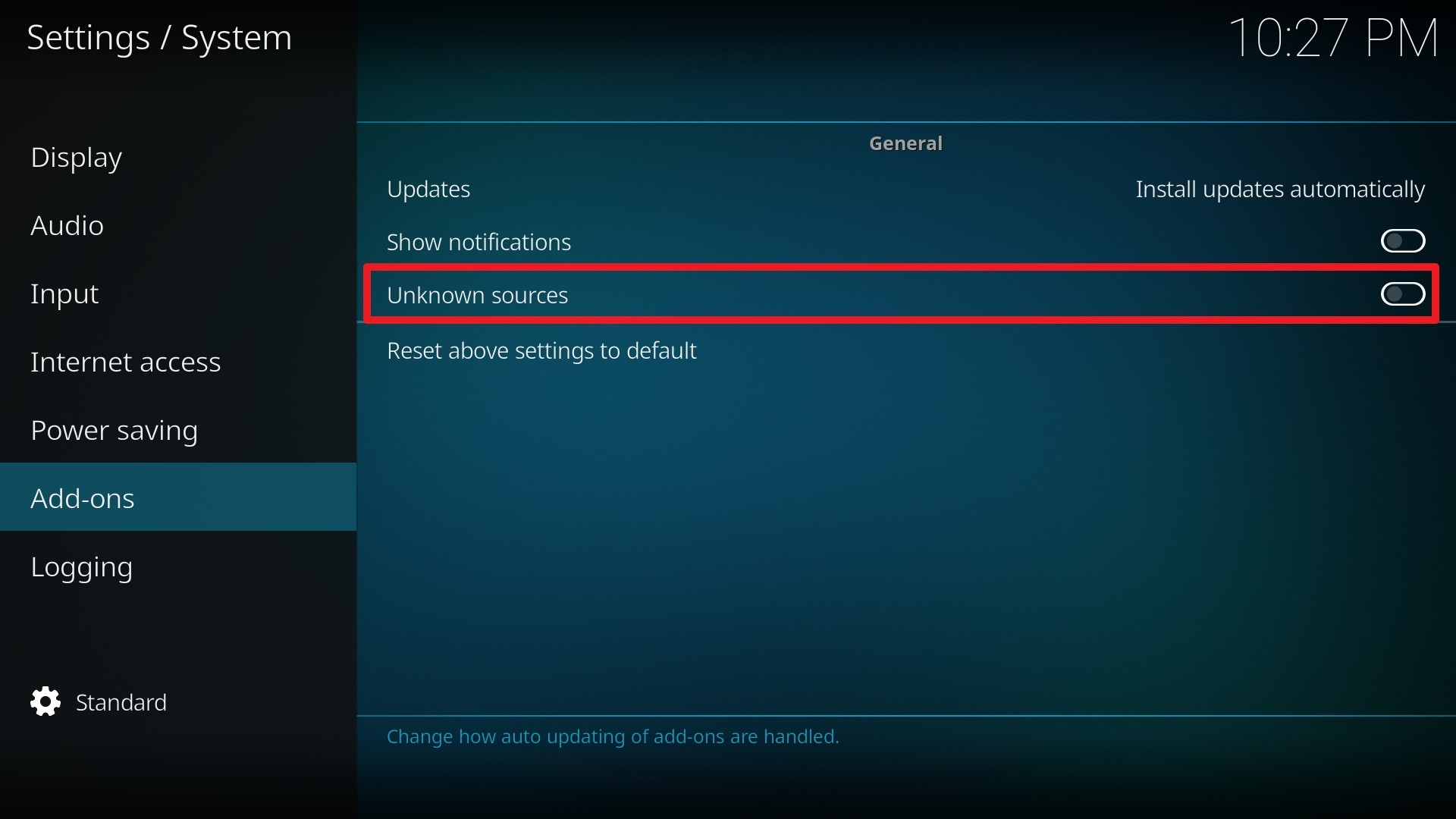
5. Click Yes to enable third-party addons

6. Click on the File manager
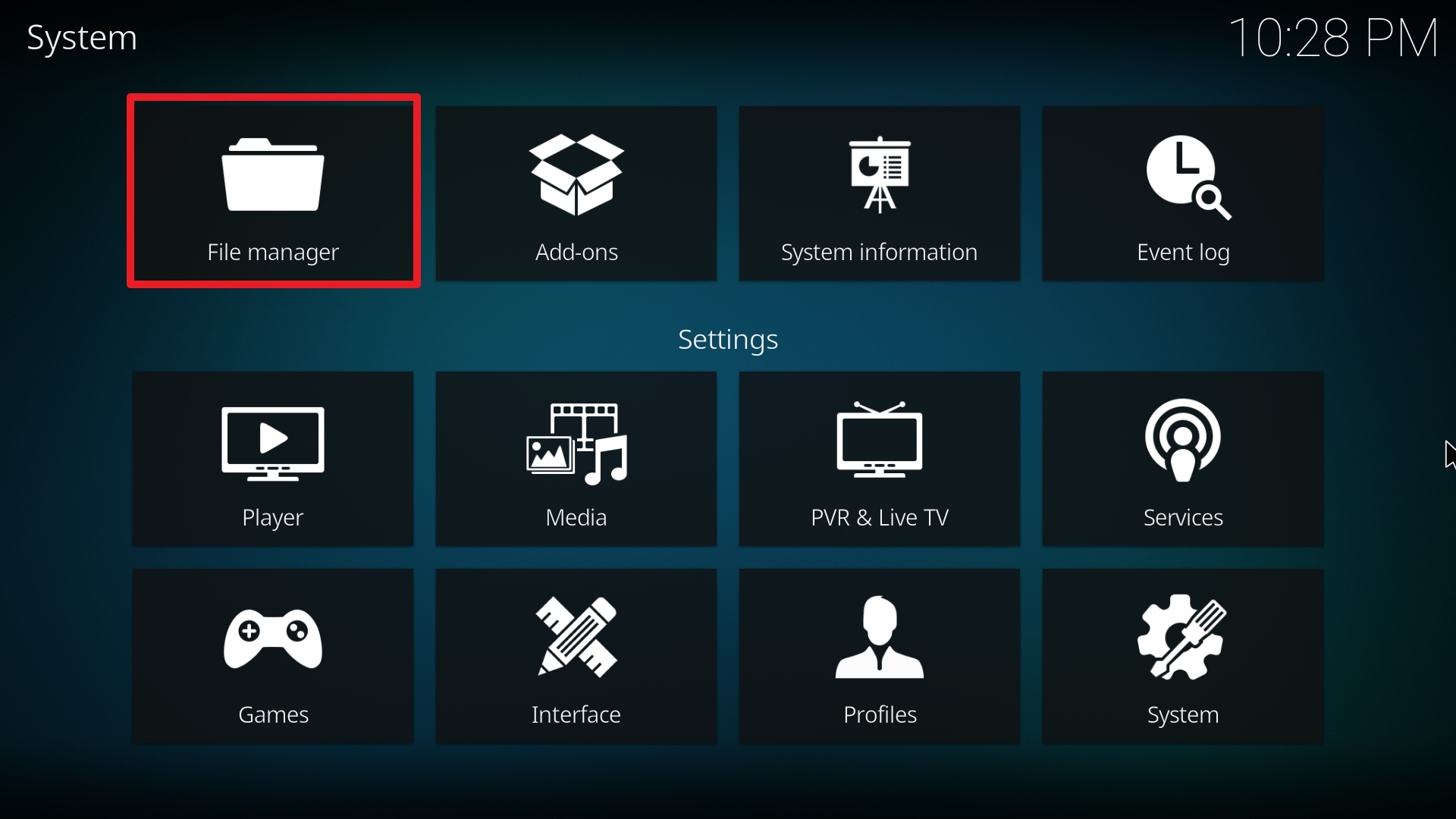
7. Click on Add source

8. Click on None to add the URL path source

9. Type http://wiz.insomniacs.party
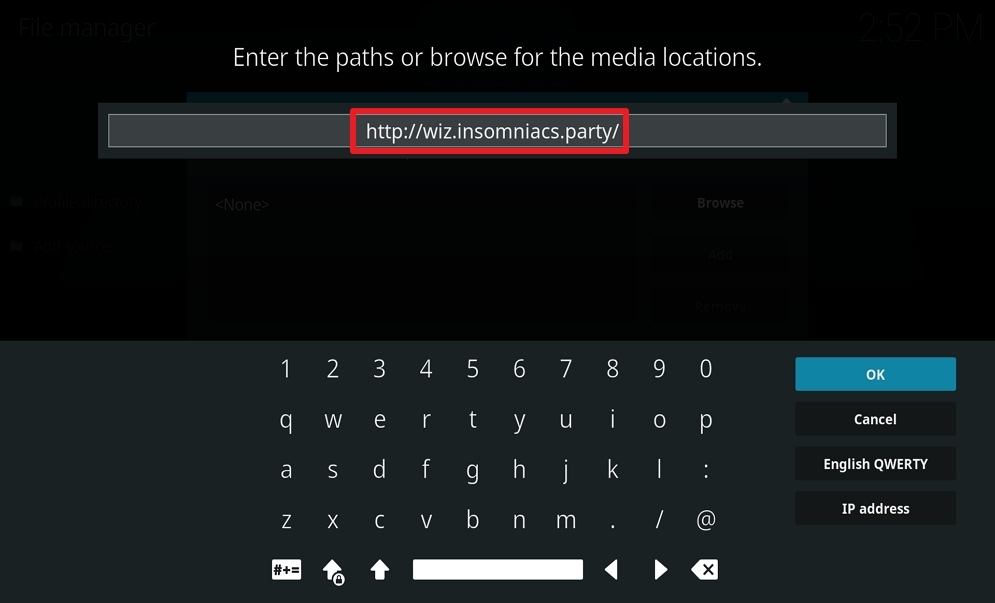
10. Click on OK.
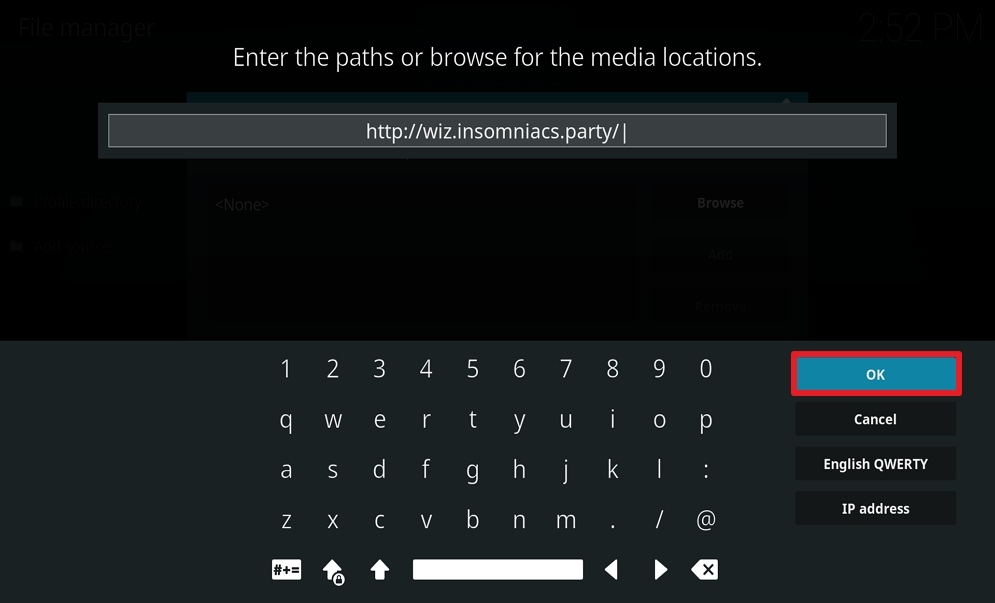
11. Select enter a name for this media source.
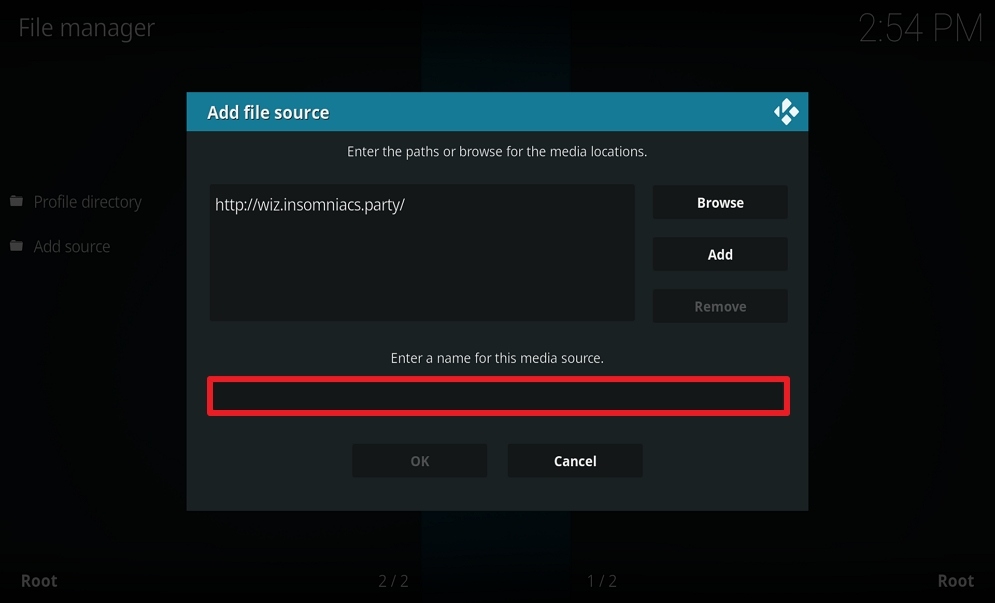
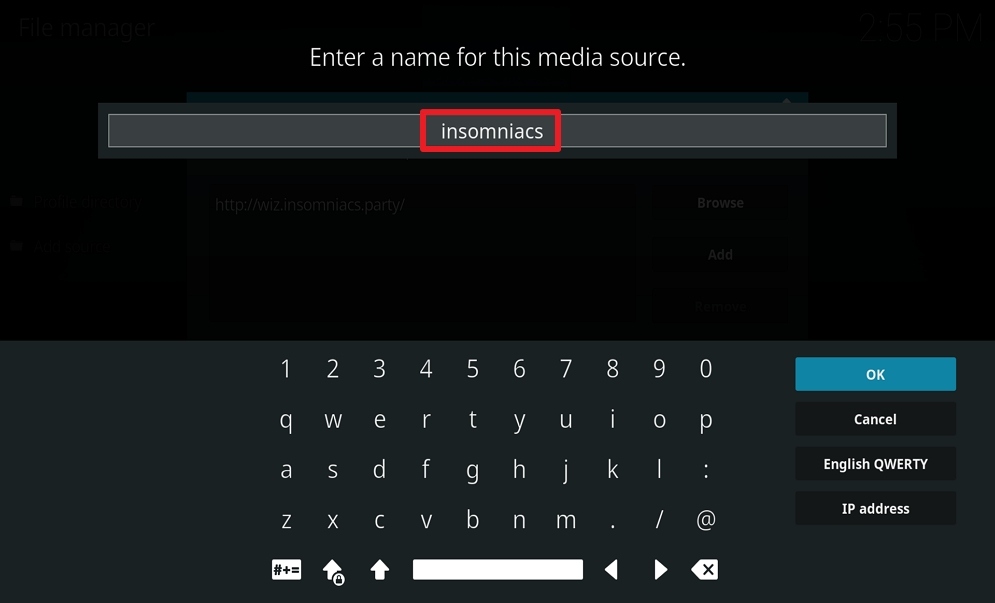
12. Name Insomniacs (this part isn’t critical as long as you remember the name).
13. Click on OK.
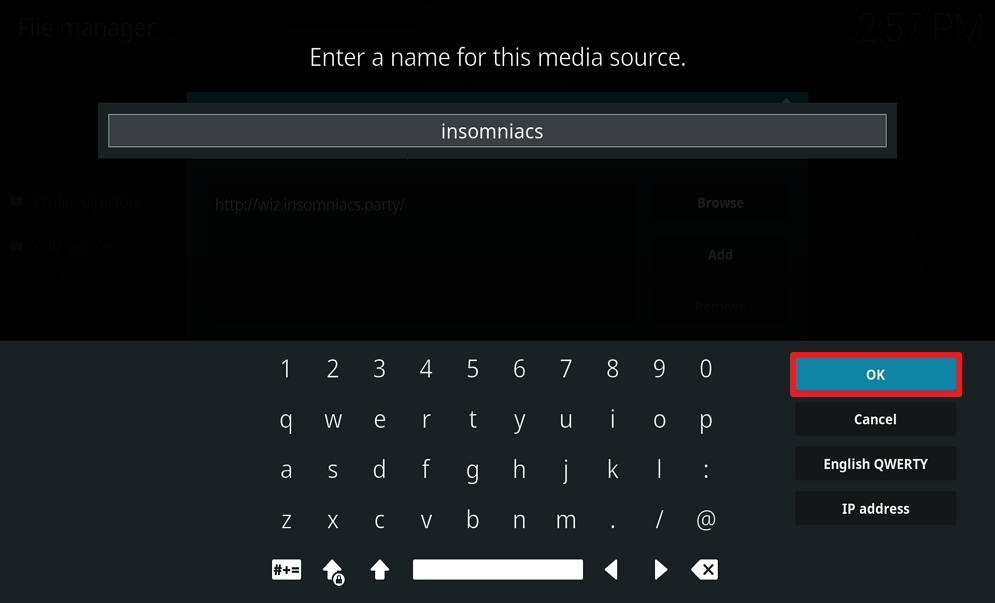
14. Click OK.
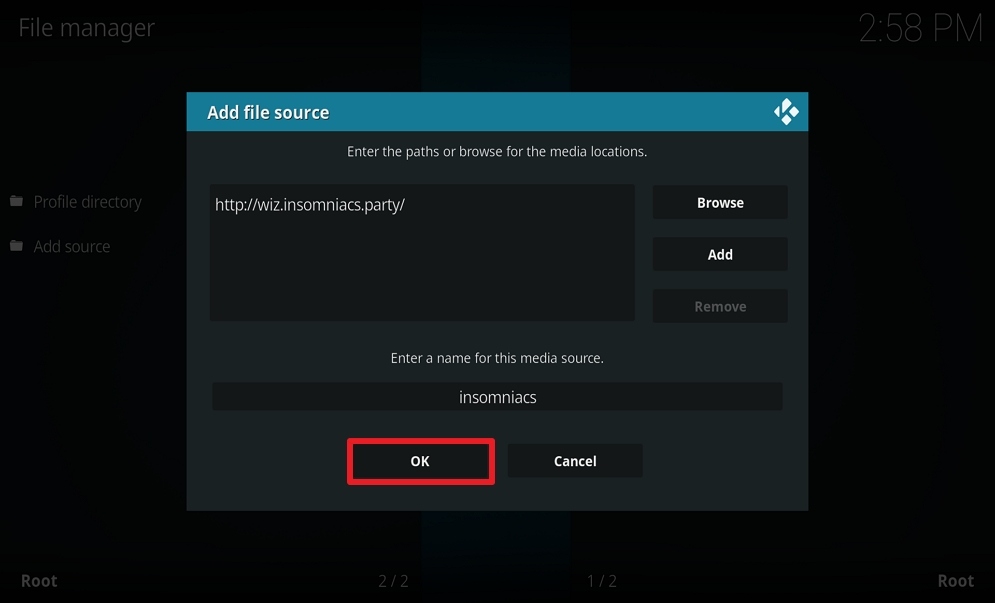
15. Take one step back and click on Add-ons.
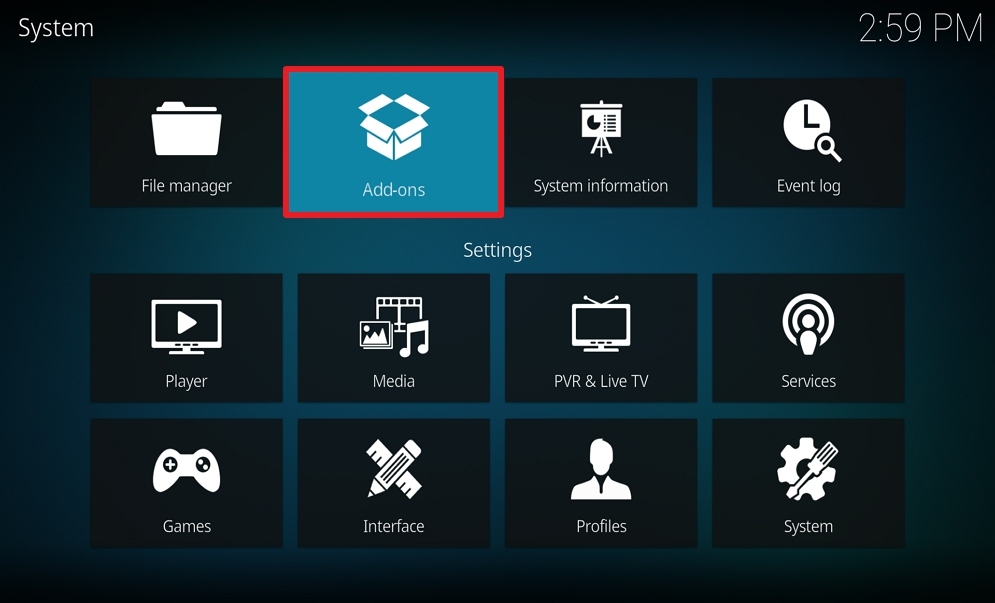
16. Select install from zip file.
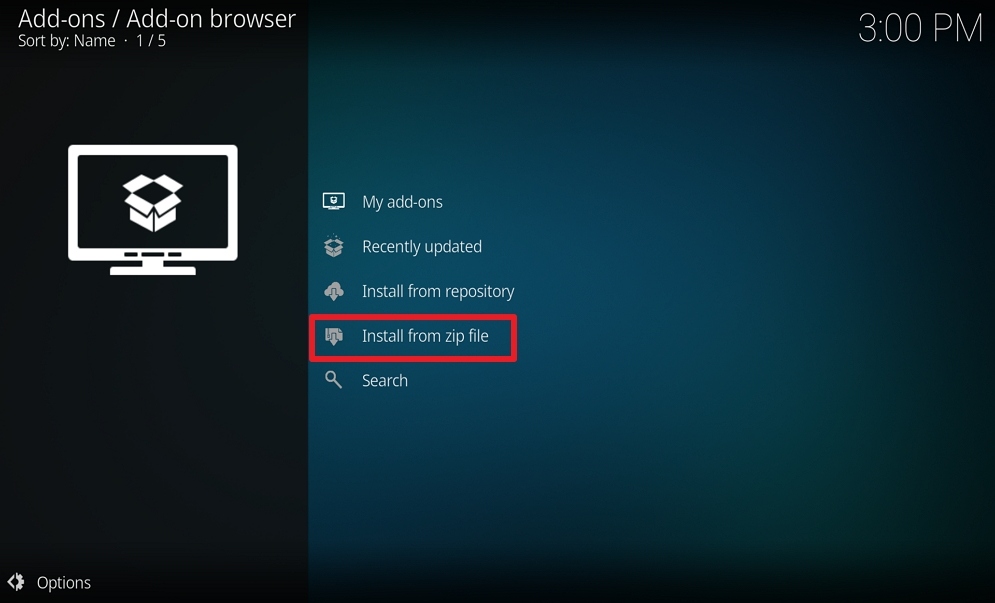
17. Click on Insomniacs (or whatever you named the source).

18. Click on ClickMeToInstall.zip
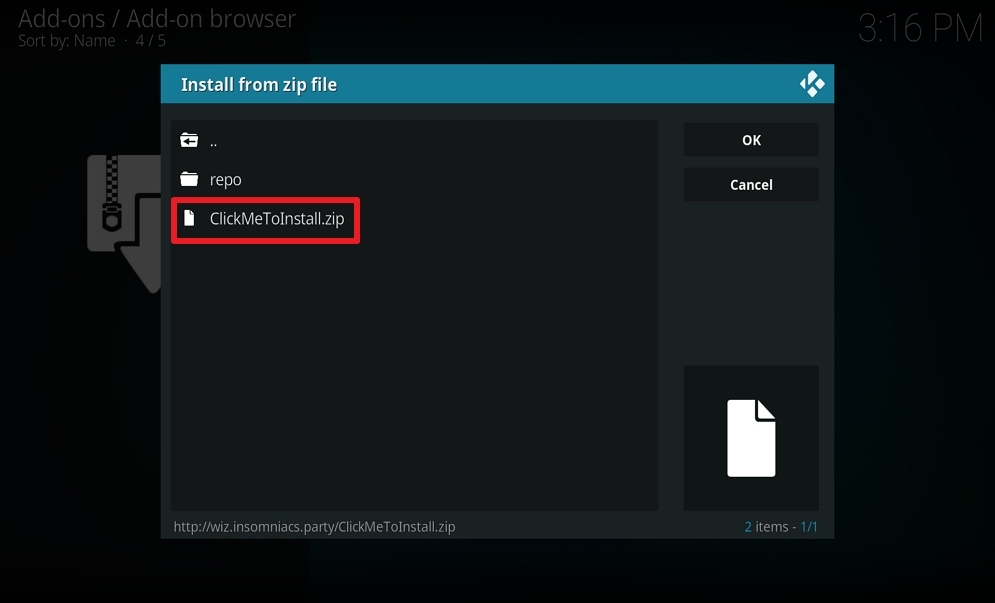
19. Popup in the upper right corner saying Insomniacs-Wizard Addon Updated.
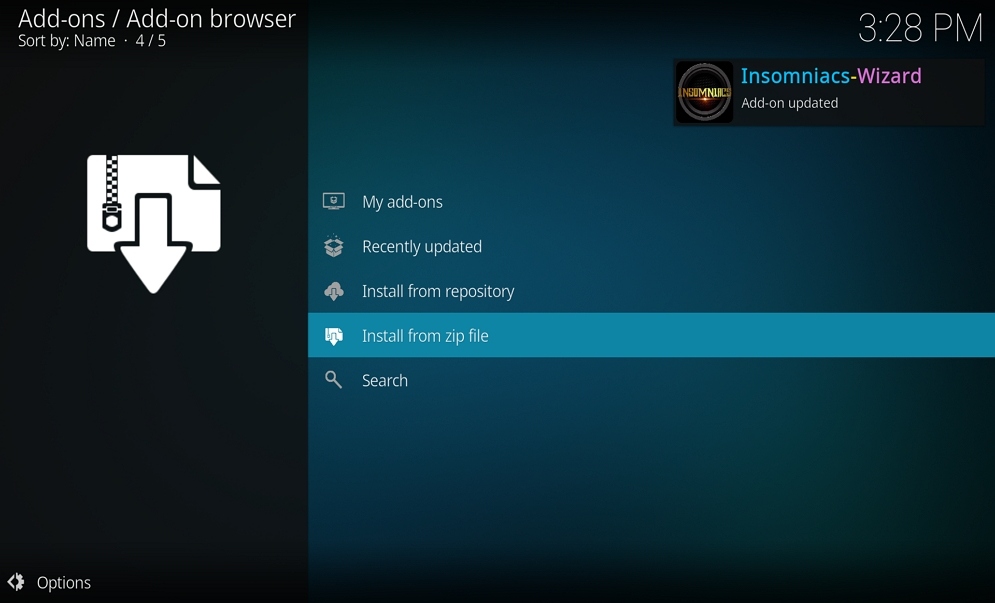
20. Click on Dismiss.
21. Select Continue.
22. Select Build Menu.
23. Select Insomniacs – Black & Gold Build – The Ultimate Kodi Build (v3.4)
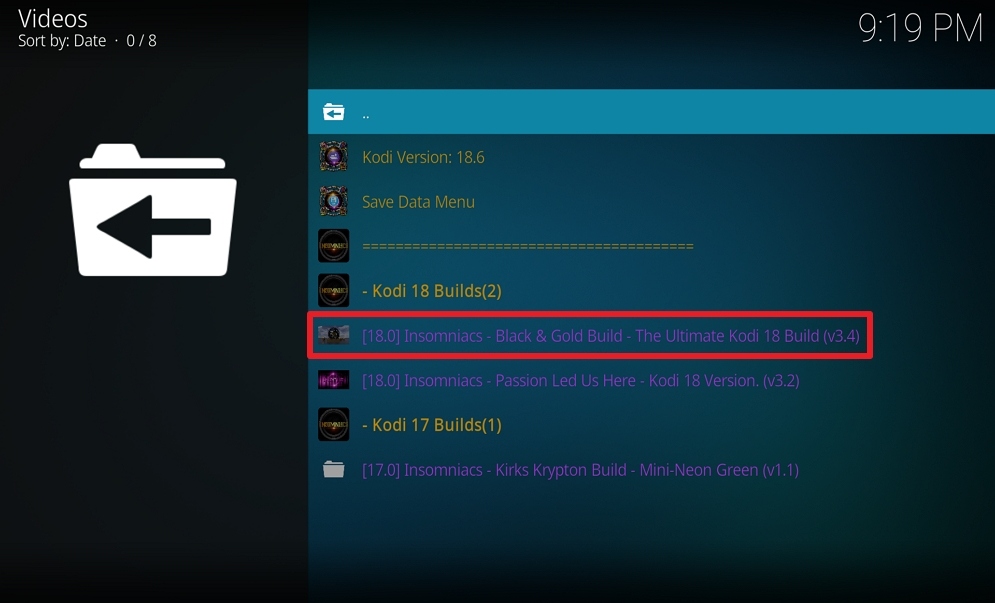
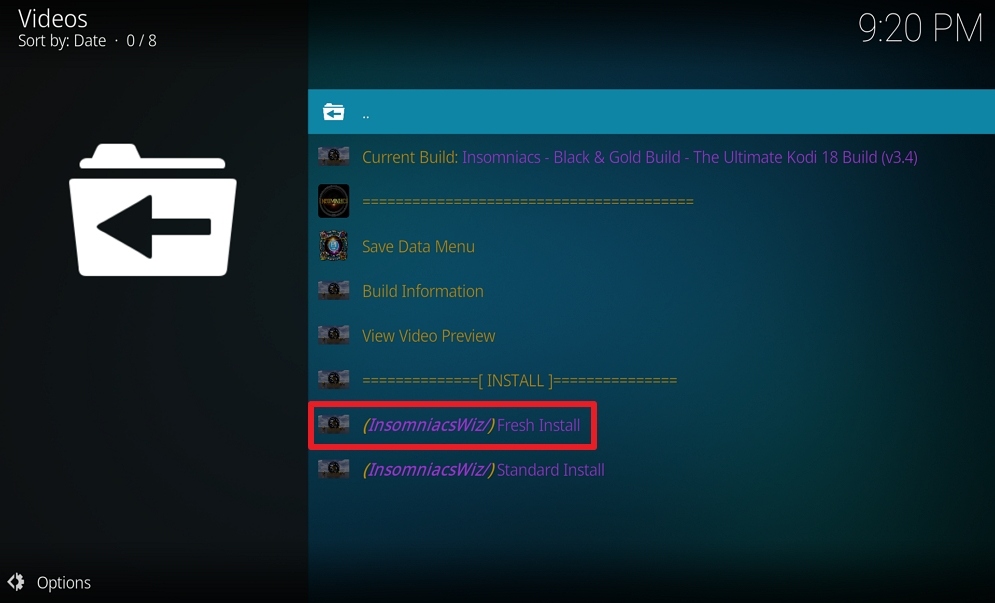
24. Select (Insomniacs) Fresh Install
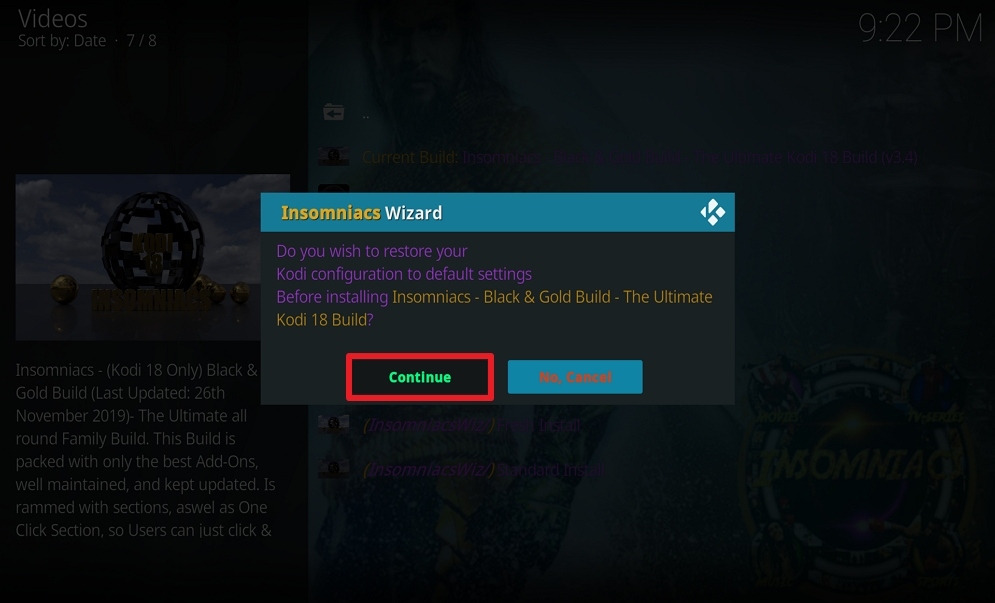
25. Select Continue. Your Insomniacs build will now download and install. Wait for the download to finish.
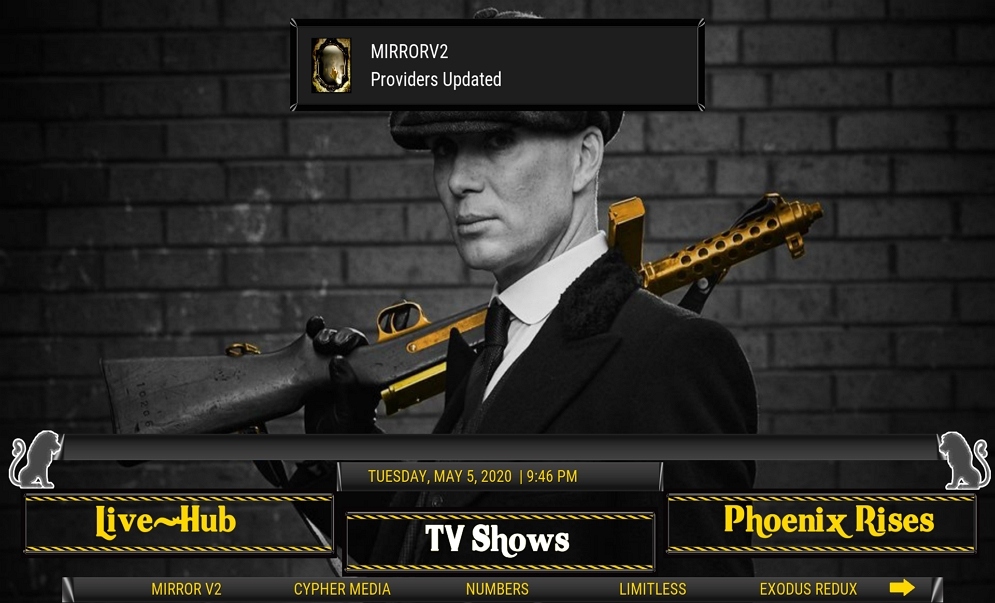
26. Congratulations, your Insomniacs Build is now installed and ready to use.

Installation Guide for Insomniacs Build on A Firestick
- Launch the Kodi App on your Firestick.
- When the Kodi is already opened, click on the Cogwheel icon and choose System.
- Hover over Add-ons on the left. Turn On the Unknown Sources and click on Yes.
- Head back to the previous screen and select File Manager.
- Choose Add Source and then select None.
- A pop-up browser will then appear, type in this on the URL http://wiz.insomniacs.party/repo. Then click on OK.
- Select “enter a name for this media source” and name the source Insomniacs and click on OK.
- Scroll once up where it says Insomniac, click on it. Make sure you have repository.insomniacs.
- Head back and hover to a Cogwheel icon, select Add-ons.
- Click on the Box icon.
- Select Install from Zip File. Then click on Insomniacs (or whatever you named the source)
- Select repository.insomniacs
- Select repository.insomniacs-3.5.0.zip
- Select Install from repository when a popup in the upper-right corner saying Insomniacs-Wizard Addon Updated.
- Select Insomniacs Repository, then Select Program add-ons.
- Select Insomniacs-Wizard and press Install. A popup in the upper-right corner saying Insomniacs-Wizard Add-on Installed.
- When the installation finishes, click on Dismiss and Select Continue.
- Select Build Menu and choose Insomniacs – Black & Gold Build – The Ultimate Kodi Build (v3.4)
- Select (Insomniacs) Fresh Install and press Continue. Insomniacs build will now download and install.
- Automatically back out to Homescreen. Select Kodi icon.
- Voila! It is now installed on your Firestick.
Screenshots on How to Install Insomniacs Build on Firestick
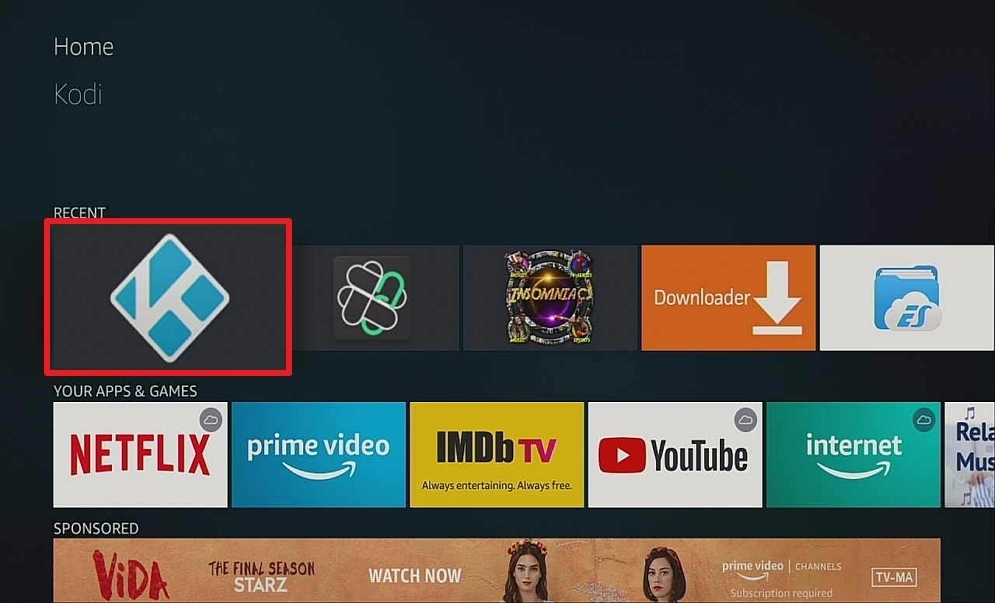
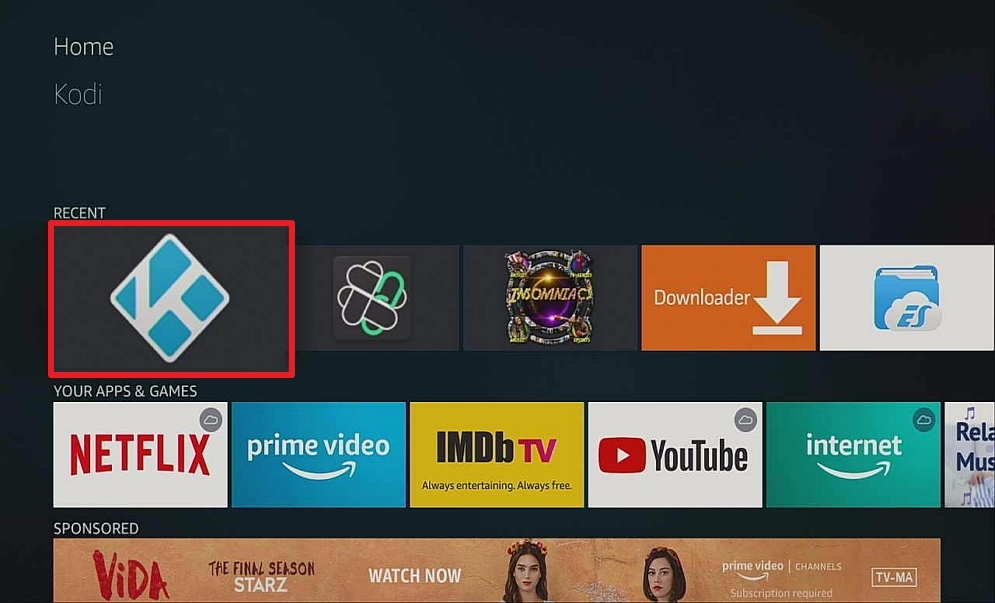
- On Home screen click the Kodi icon.
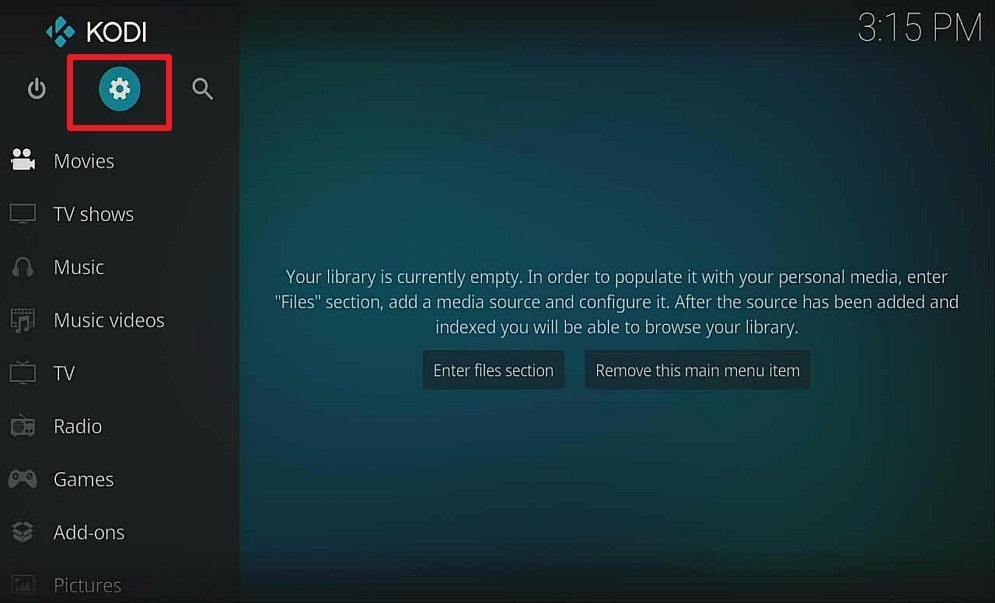
2. Select the cogwheel in the upper left corner
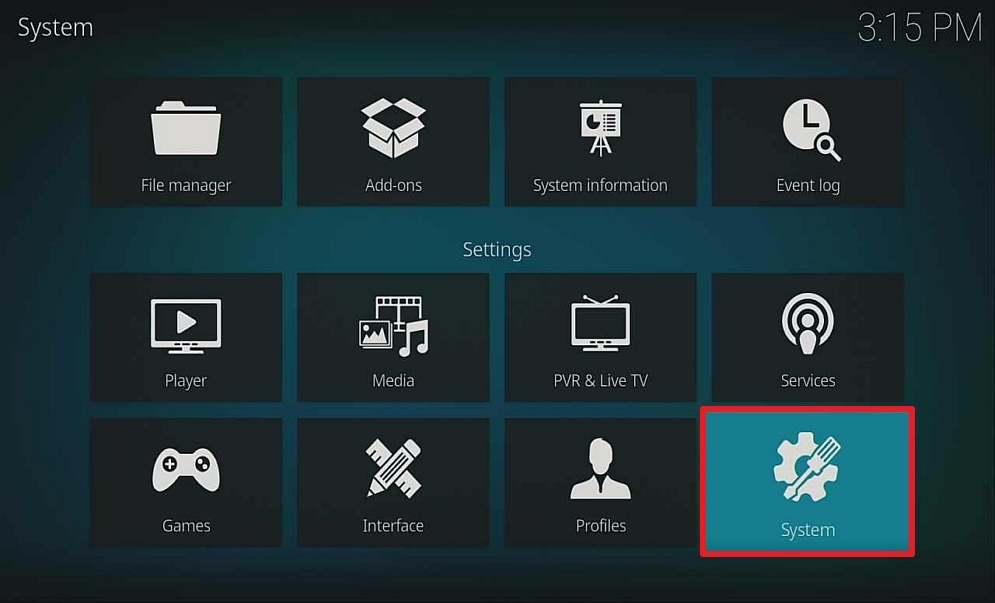
3. Select System on the bottom left.
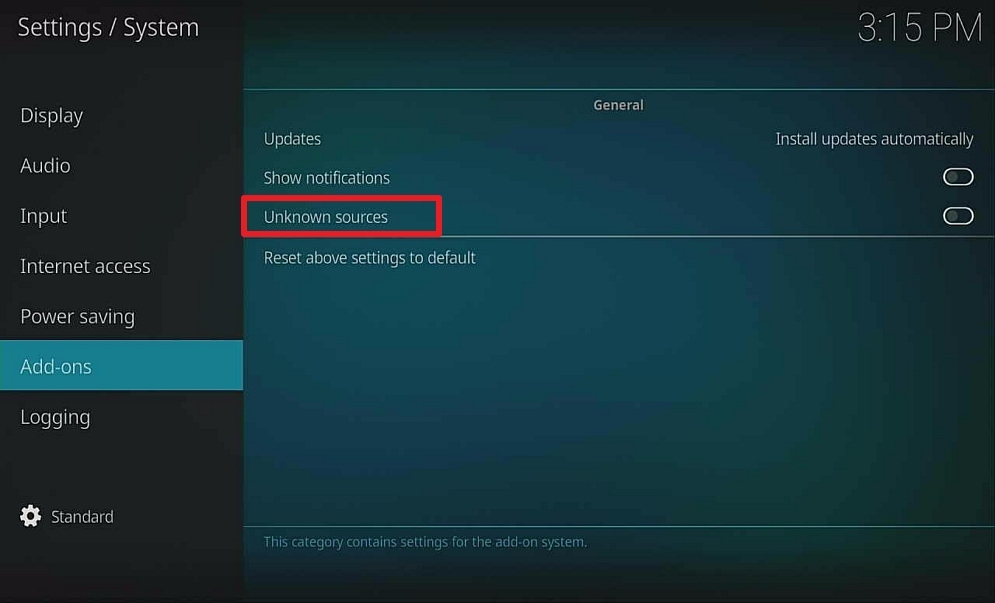
4. Hover over or select Add-ons on the left. Select Unknown sources.
5. Click Yes.
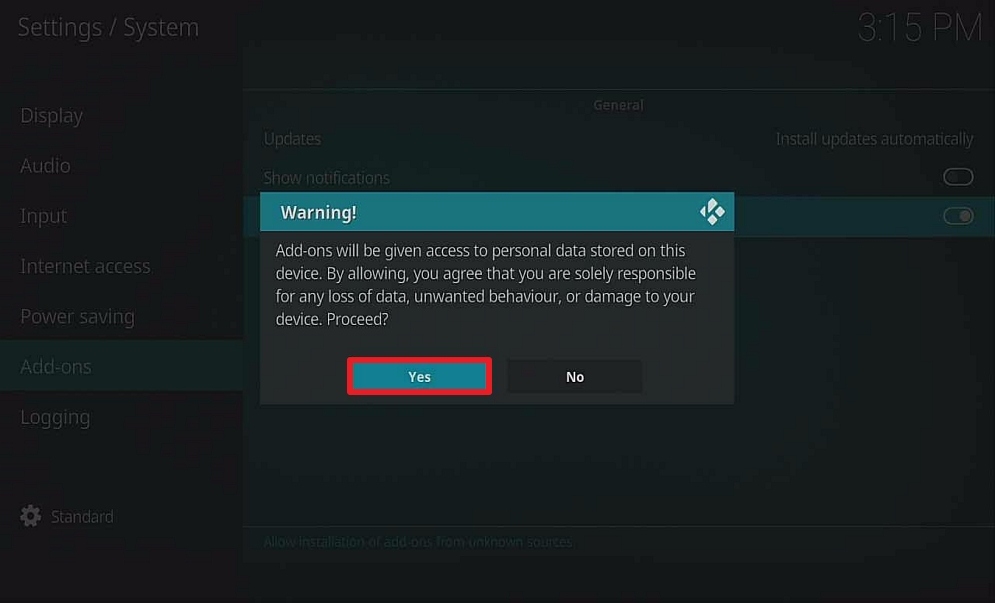
6. Click back one time, and select File Manager.
7. Select Add Source.
8. Select None.
9. Type http://wiz.insomniacs.party/repo
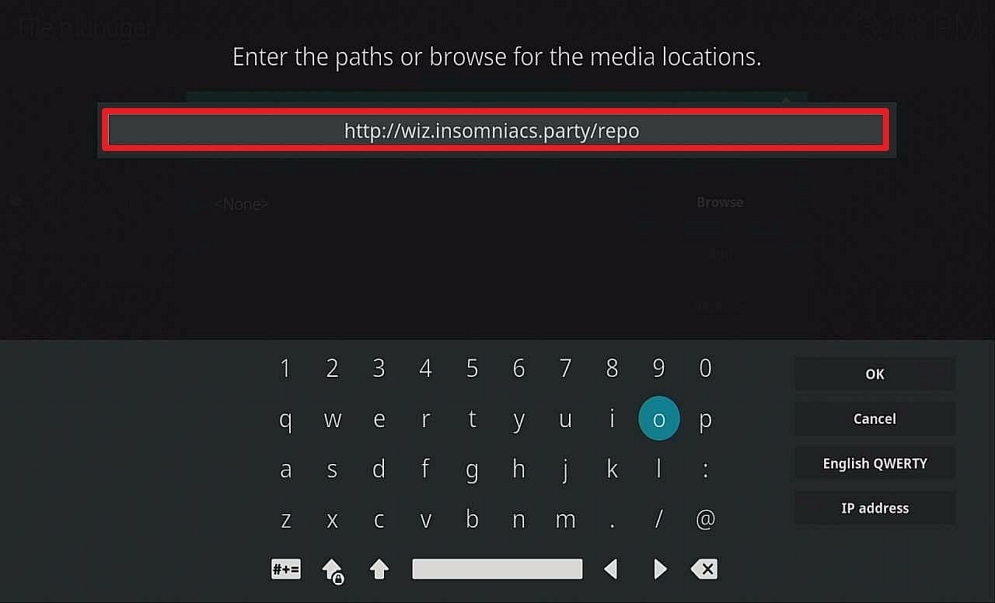
10. Click OK
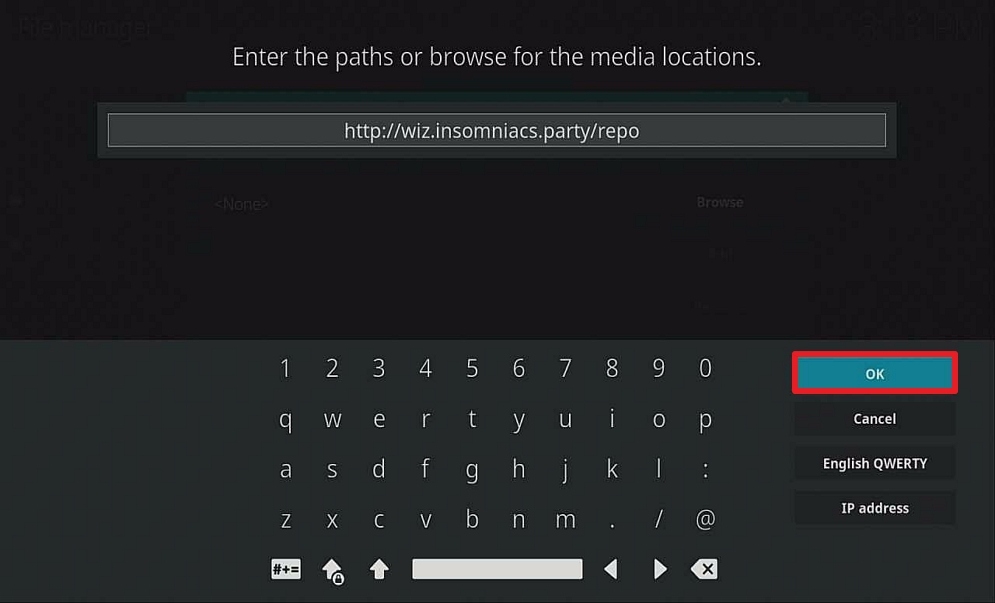
11. Select enter a name for this media source.
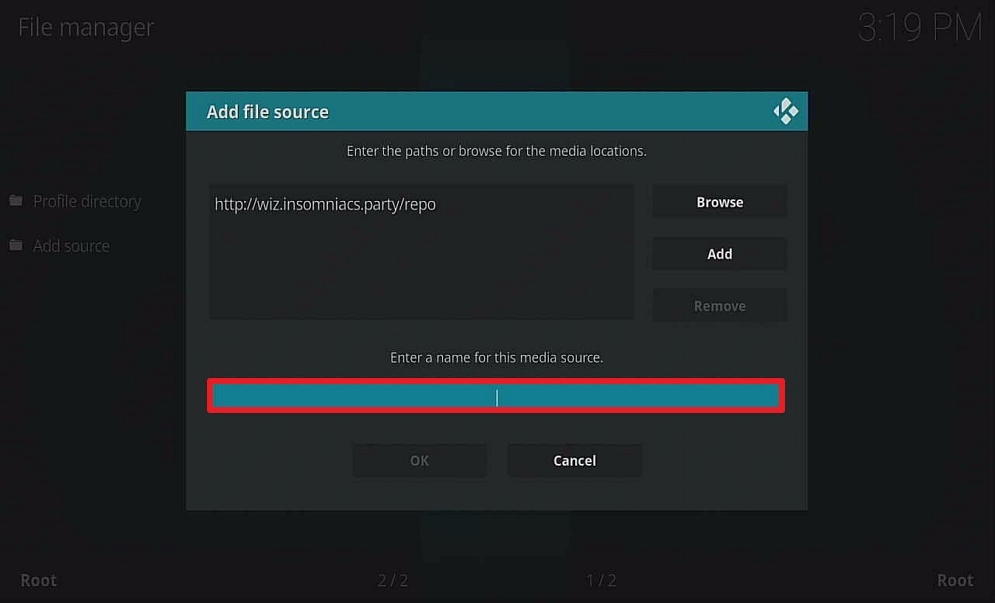
12. Name Insomniacs (this part isn’t critical as long as you remember the name).

13. Clic OK
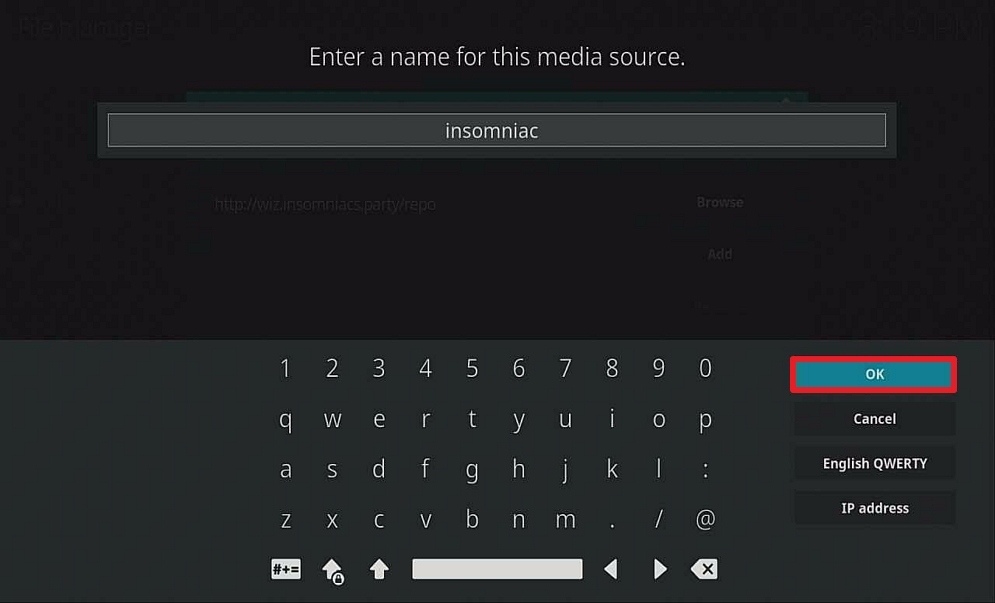
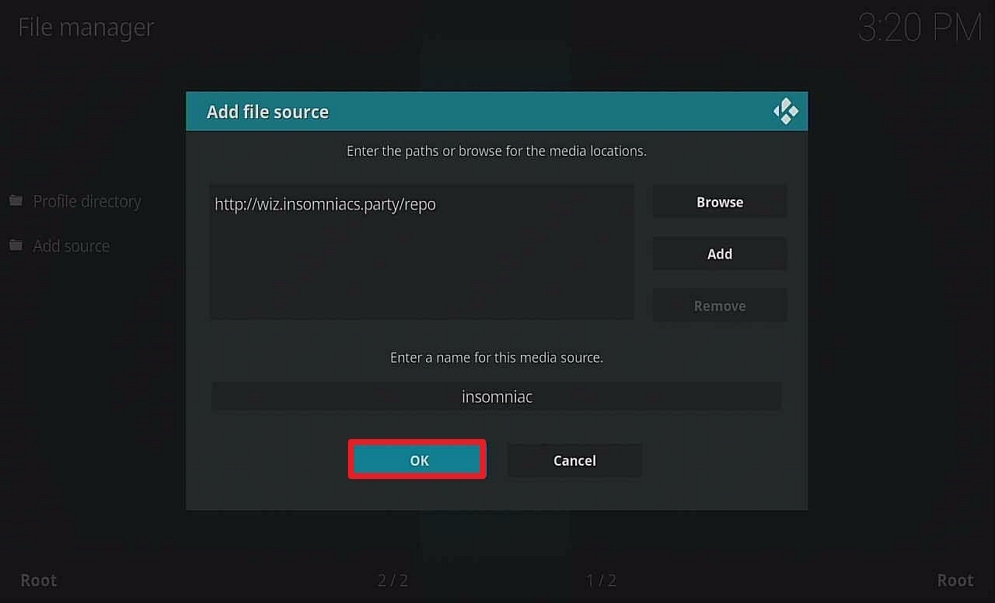
14. Click OK.
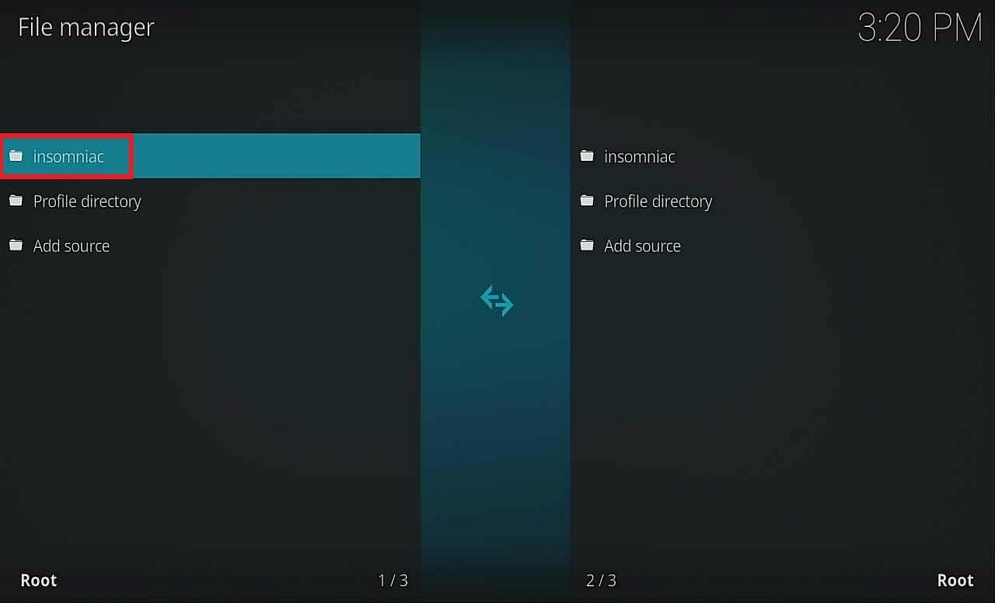
15. Scroll once up where it says Insomniac, click on it.
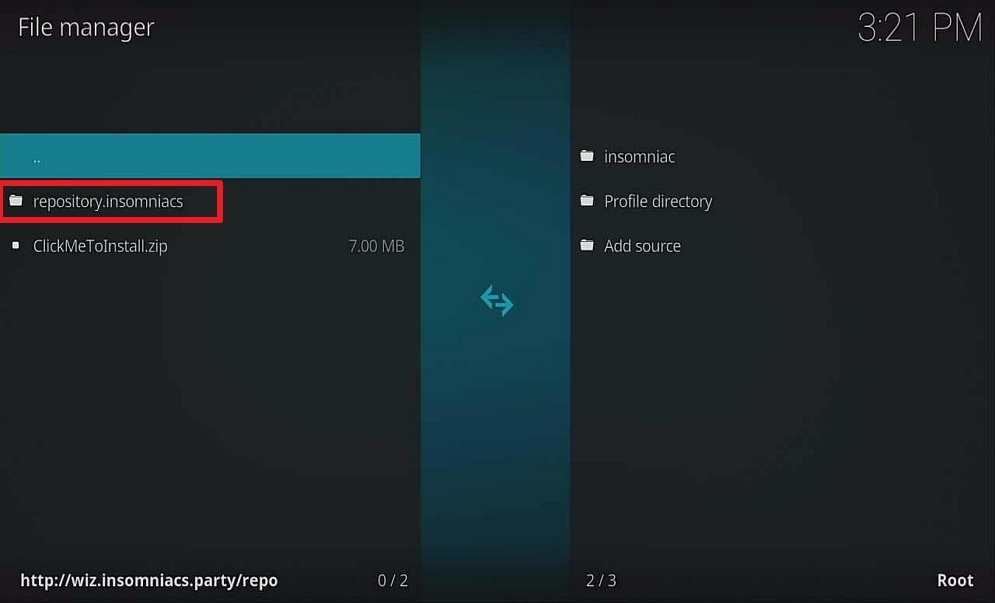
16. Make sure you have repository.insomniacs
17. Hover to a cogwheel, select Add-ons
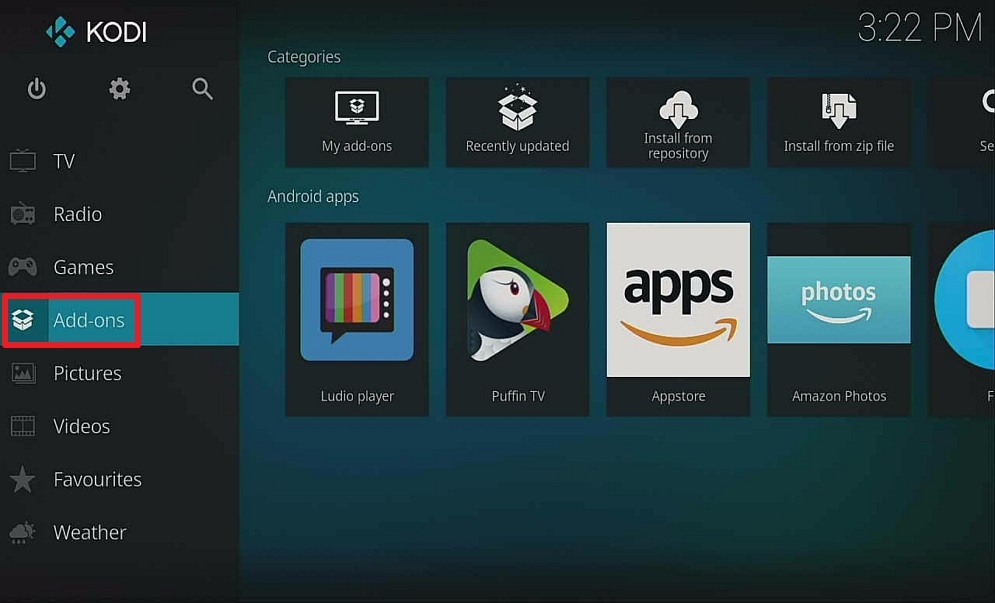
18. Click on the Box Icon.
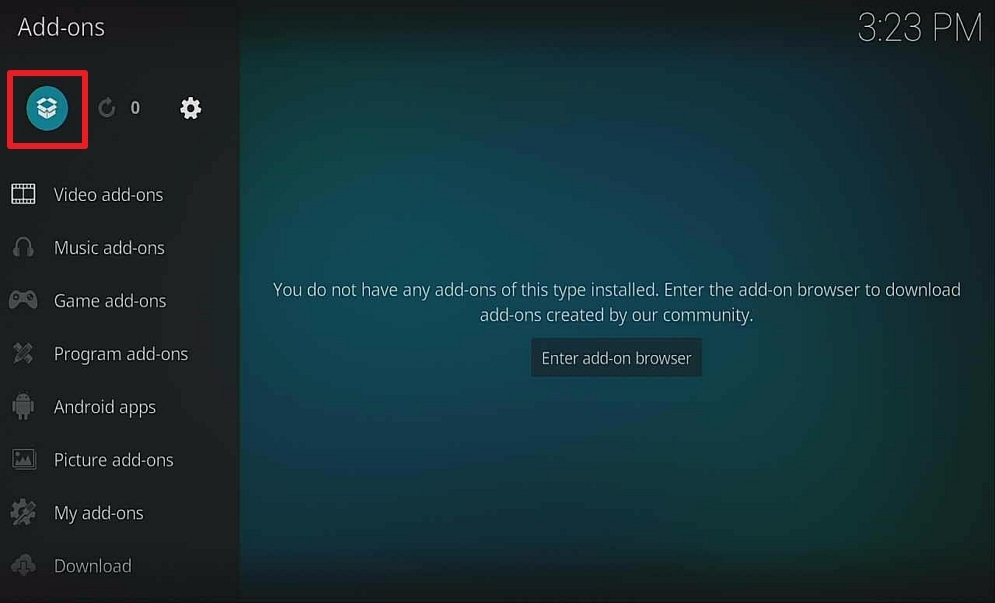
19. Select install from zip file.
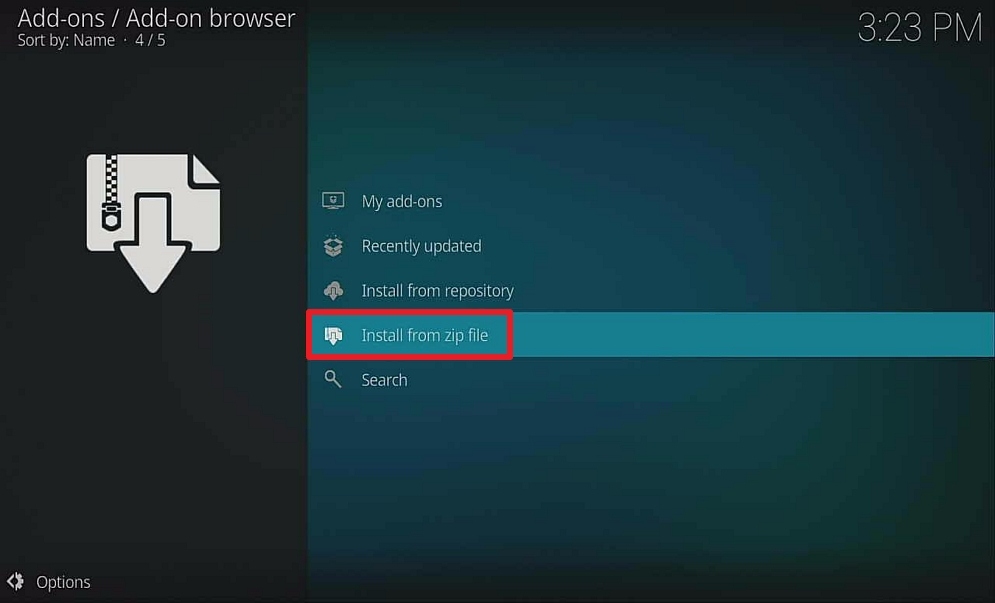
20. Select Insomniac
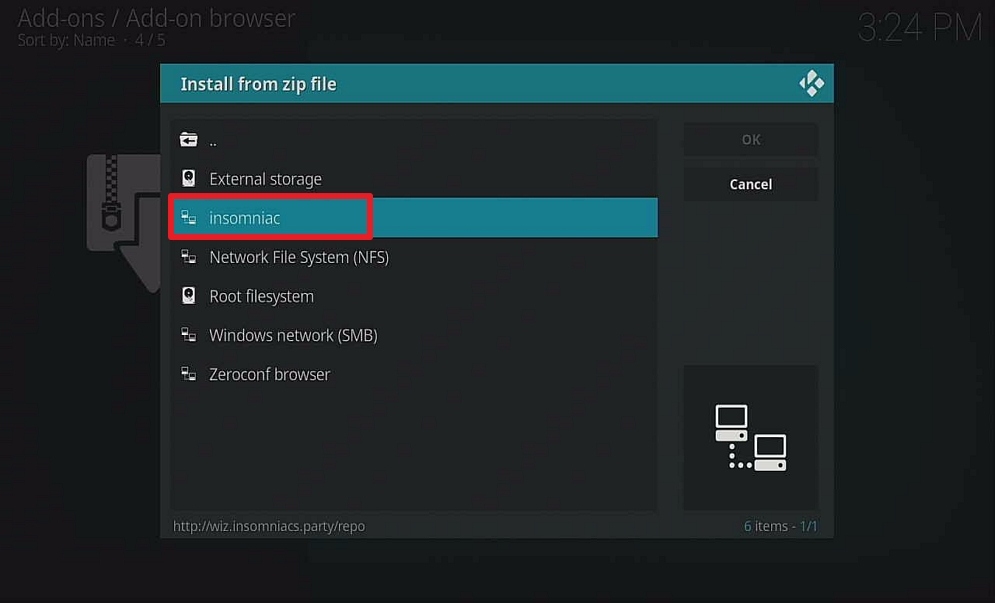
21. Select repository.insomniacs
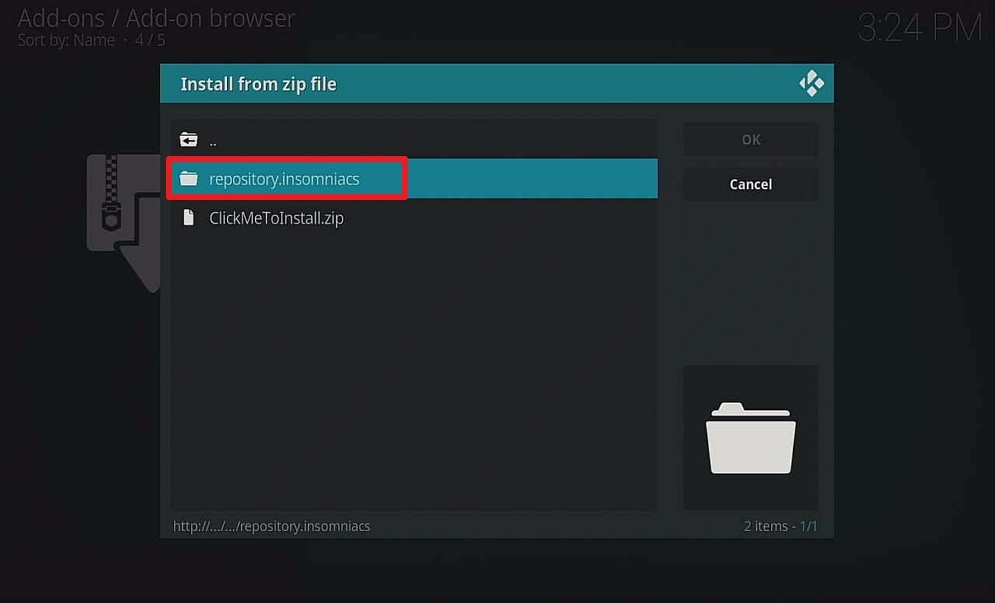
22. Select repository.insomniacs-3.5.0.zip
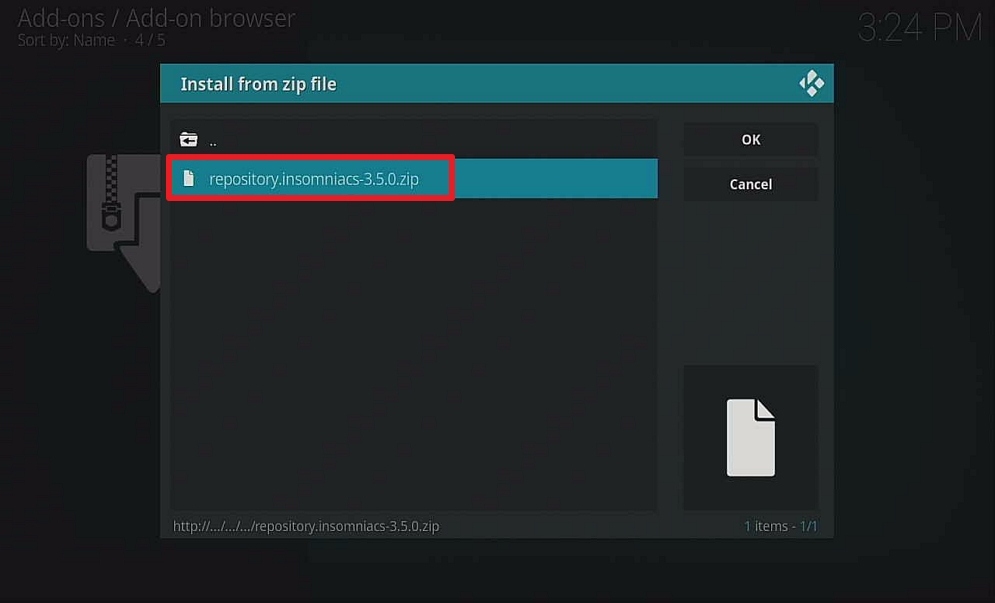
23. Popup in the upper right corner saying Insomniacs Repo Addon Updated.
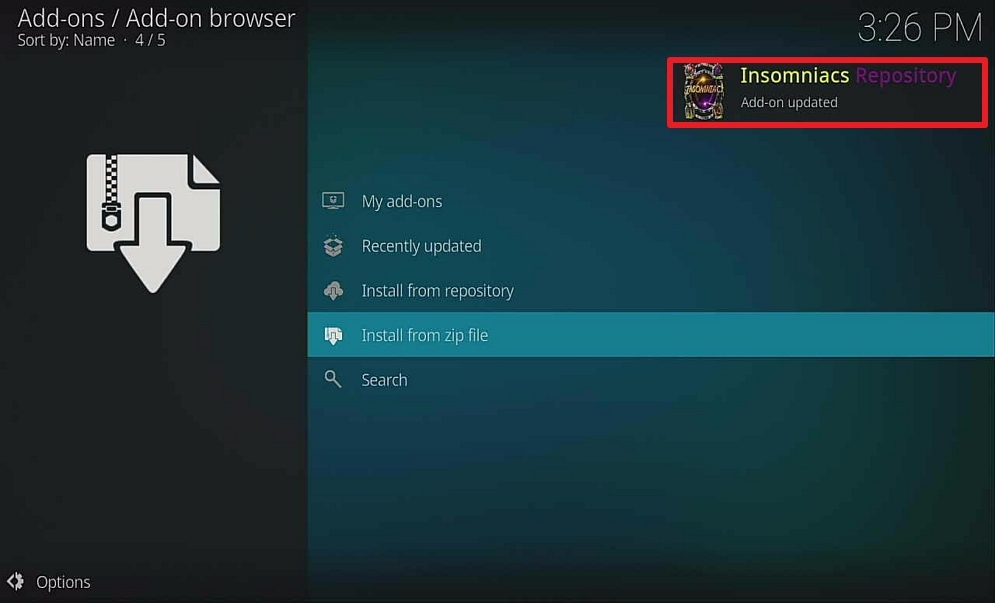
24. Select Install from repository.
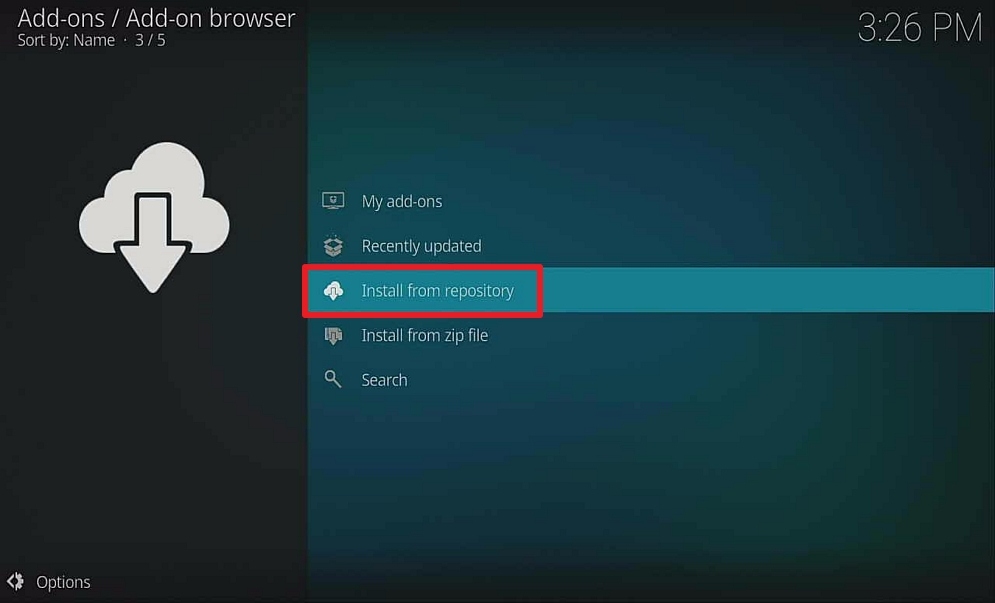
25. Select Insomniacs Repository.

26. Select Program add-ons.
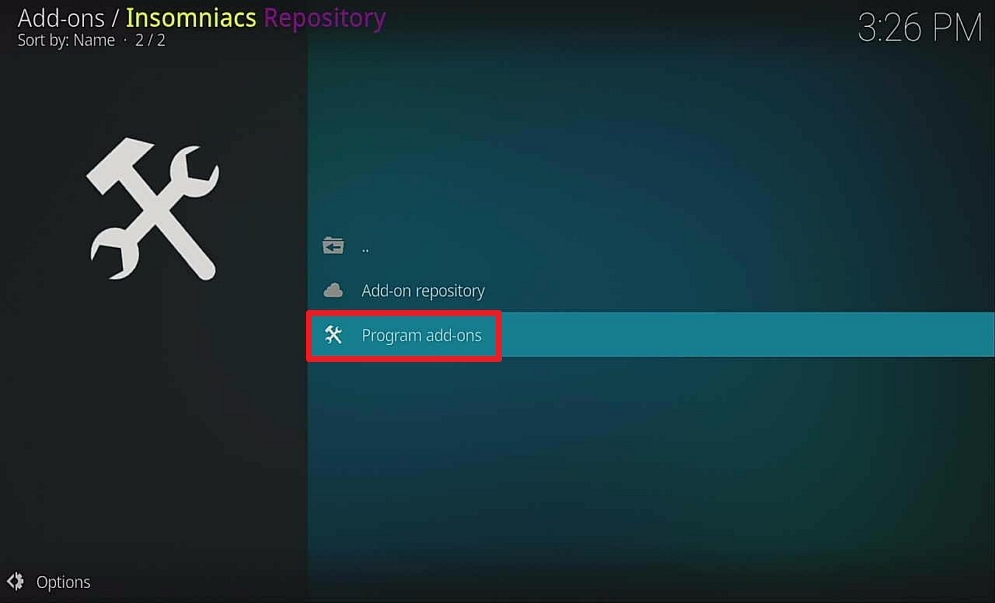
27. Select Insomniacs-Wizard.
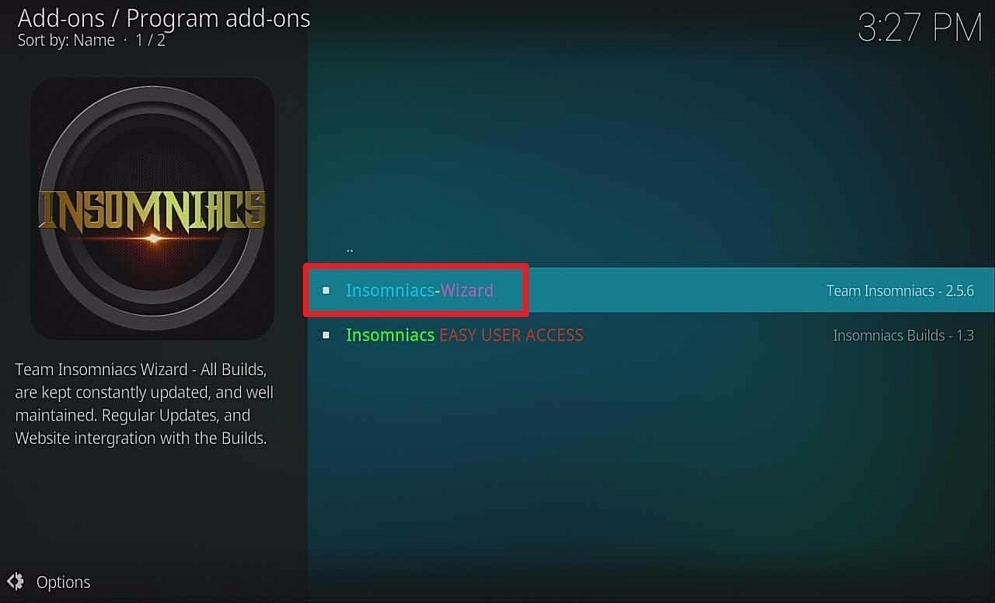
28. Select Install.
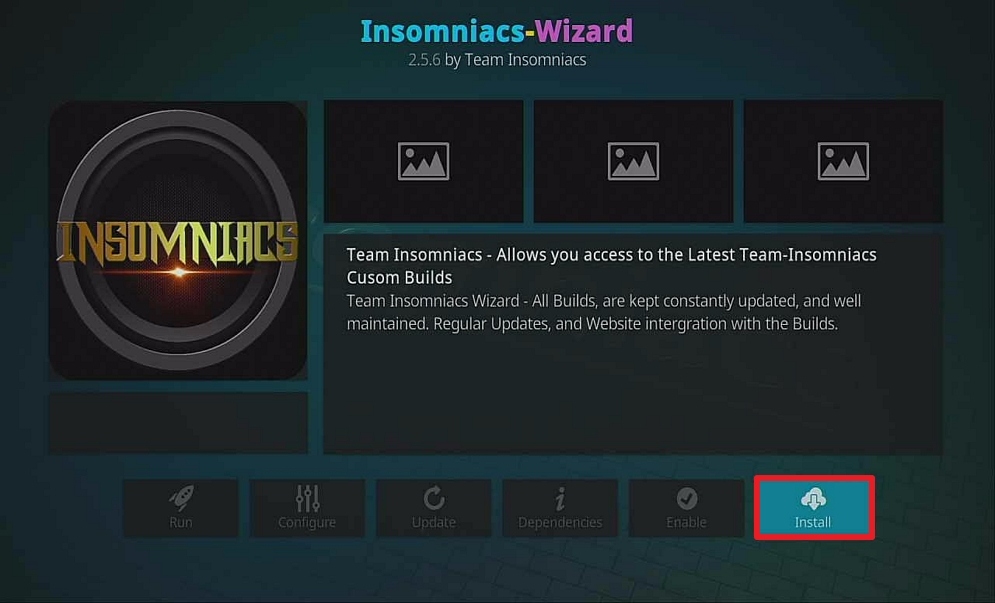
29. Popup in the upper right corner saying Insomniacs-Wizard Addon Installed.

30. Click on Dismiss.

31. Click Continue.
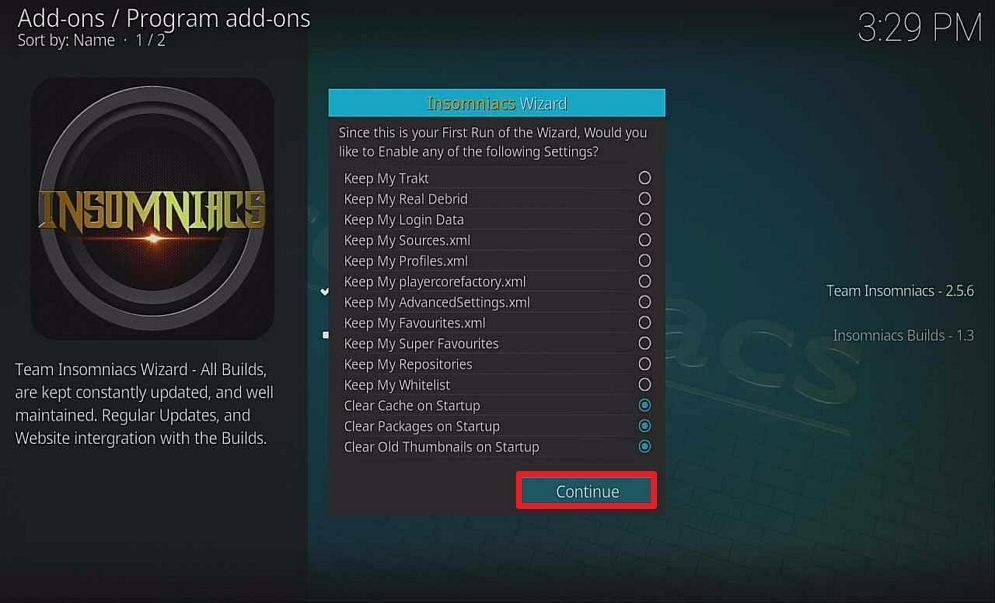
32. Click Build Menu.

33. Select Insomniacs – Black & Gold Build – The Ultimate Kodi Build (v3.4)

34. Select (Insomniacs) Fresh Install.
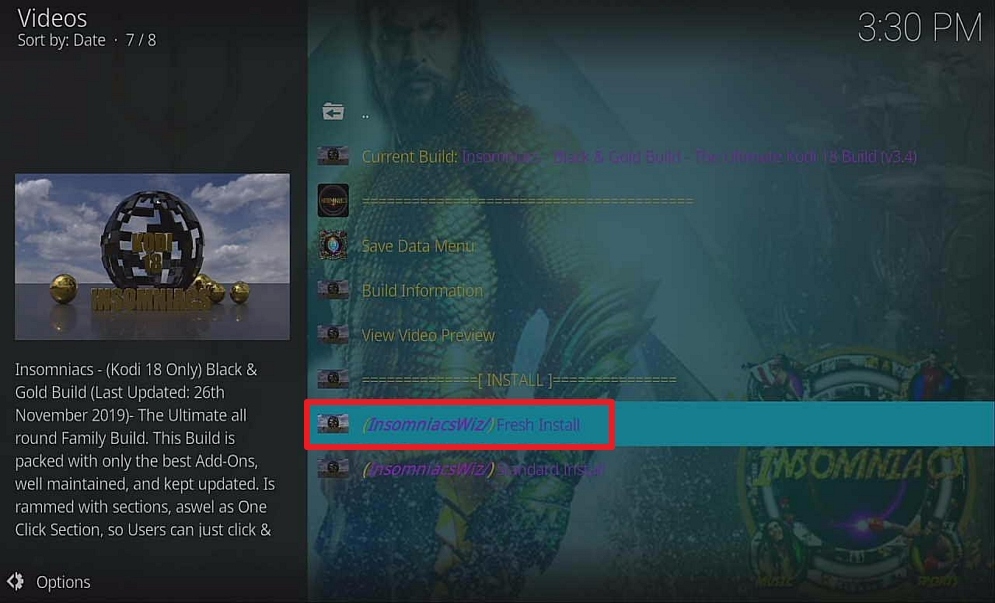
35. Click Continue.

36. Insomniacs build will now download and install. Wait for the download to finish.

37. Automatically back out to Homescreen. Select Kodi Icon.
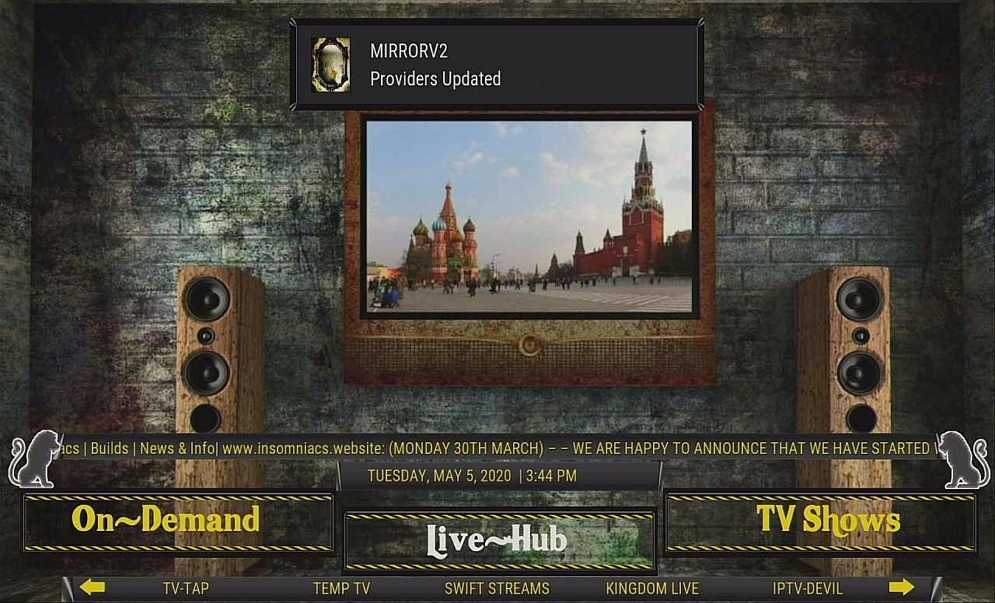
38. Voila! INSOMNIACS BLACK & GOLD Build is now installed on your Firestick.
FAQ
Is It Safe To Use?
Yes, Insomniacs Build is safe to use with your device.
Is It Legal or Grey?
It is safe to say that using Kodi is legal but there are certain add-ons inside Insomniacs Build that have Live TV features and we consider that a grey area. We recommend the use of a trusted VPN in order to be on the safer side of things when we use this build.
YOUR INTERNET ACTIVITY IS BEING WATCHED
ReviewVPN cannot attest to the legality, security and privacy of the applications discussed on this site. It is highly recommended that you use a VPN service while streaming or using Kodi.
Currently, your IP 216.73.216.251 is visible to everyone and your Browser is being tracked by Advertisers & ISP Provider.
Here are the main reasons why you must use a VPN:
- Your activities are hidden from your ISP, the government, and from the apps you are using.
- You can access additional movies and TV streams.
- ISP attempts to throttle are thrwarted thus reducing buffering issues.
- Geographically restricted content like Netflix and Hulu can be unblocked.
A VPN works be replacing your ISP-assigned IP address and creating an encrypted tunnel. We recommend the no log service offered by IPVanish. It works well on a Firestick and offers the fastest possible speeds.
Is A VPN Required?
ReviewVPN cannot guarantee the security and privacy of the applications discussed on this site. We strongly suggest the use of a reliable VPN service while using Kodi for the following reasons:
- Your online activity will be hidden from your ISP.
- You will gain access to geo-restricted content.
- Buffering issues will be eliminated because internet throttling will be purged.
- You can change the location of your IP Address and move it to any part of the world.
Note: For more information about Surfshark, please read our Surfshark Review.
Grab your subscription now!
Click here to get the lowest price on Surfshark through our exclusive limited-time offer.
How to Install Surfshark VPN on Firestick
If your Firestick still has the older interface, read this article to learn how to update it: Update Firestick Interface.
Follow our screenshots below to install the SurfShark VPN app on your Fire TV stick.
1. Go to the Home screen of your Firestick.

2. Navigate towards the Find tab. Press the Search button from the resulting dropdown.

3. Type in the keyword of SurfShark and select from the suggestions that will appear.

4. Click the official SurfShark icon from your search results.

5. Press the Download (You own it) button.

6. The SurfShark VPN installer will download on your device.

7. SurfShark VPN’s app will automatically install itself on your Fire TV stick.

8. Press the Open button after completing SurfShark VPN’s installation process.

9. Please wait for the SurfShark VPN to load its user interface.

10. You can now log in with your SurfShark VPN account credentials.

Learn more about Surfshark and Grab the Best Surfshark Deal Now!
Install Surfshark on Firestick



For more VPN discounts, go to ReviewVPN Deals and purchase the best VPN for you.
Click here to get the lowest price on Surfshark through our exclusive limited-time offer.
Is It Free?
You can enjoy Insomniacs Kodi Build for free.
History
Insomniacs is a very recent addition to the Kodi Family. It was launched back in 2019.
Best Alternatives
Diggz Xenon (most recommended alternative)
Titanium
No Limits Magic
We like Insomniacs very much but should it experience issues during its run, the Builds stated above are all good as well. If you are having second thoughts, you can always search “Top Kodi Builds in Google.
Review
Insomniacs Kodi Build is a reliable build that will give you lots of content. Knowing that it is regularly updated lets us know that the developer is competent and committed to giving us quality content. We hope that this guide helped you in setting up Insomniacs Kodi Build to your Firestick and Kodi Device.






