

Overview
Quick Navigation
This article will show you how to install Podcast Addict on Firestick.
For some people, podcasts have become an additional source of entertainment and education. And fortunately, there are podcast applications such as Podcast Addict that you can easily install and use on your Firestick. That means there’s another option to listen to your favorite podcasts while using the TV.

The Podcast Addict app offers both audio and video podcasts for free streaming on your Firestick. It features a diverse range of content in a variety of genres, including arts, business, education, comedy, leisure, science, and technology.
Moreover, it is easily accessible and usable by people from all over the world, as it is available in a wide range of various languages. Furthermore, Podcast Addict allows you to listen to popular radio stations from around the world. Without further ado, let’s continue with the installation process and then the features that Podcast Addict provides to its users.

How To Install Podcast Addict on Firestick
To begin, if your Firestick has not yet been jailbroken, follow the simple steps below to jailbreak it so you can install Podcast Addict on your device.
Also, you’ll be needing to download the Downloader app to sideload the Podcast Addict APK. It is available on the Amazon App Store which allows you to download APK files easily.
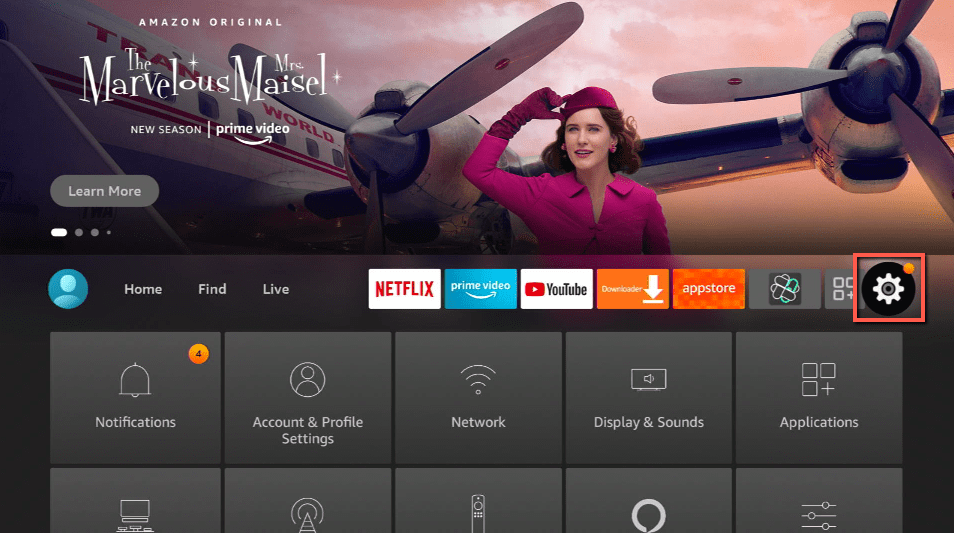
1. Click Home on your remote and scroll once to your Right. Click Setting (Gear Wheel Icon).
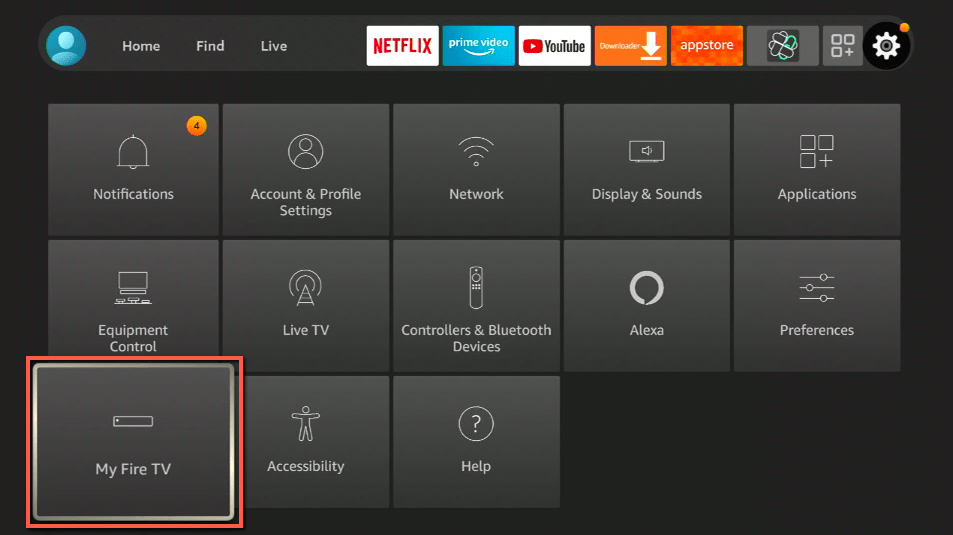
2. Scroll down and to the right until you get to My Fire TV. Click on it.
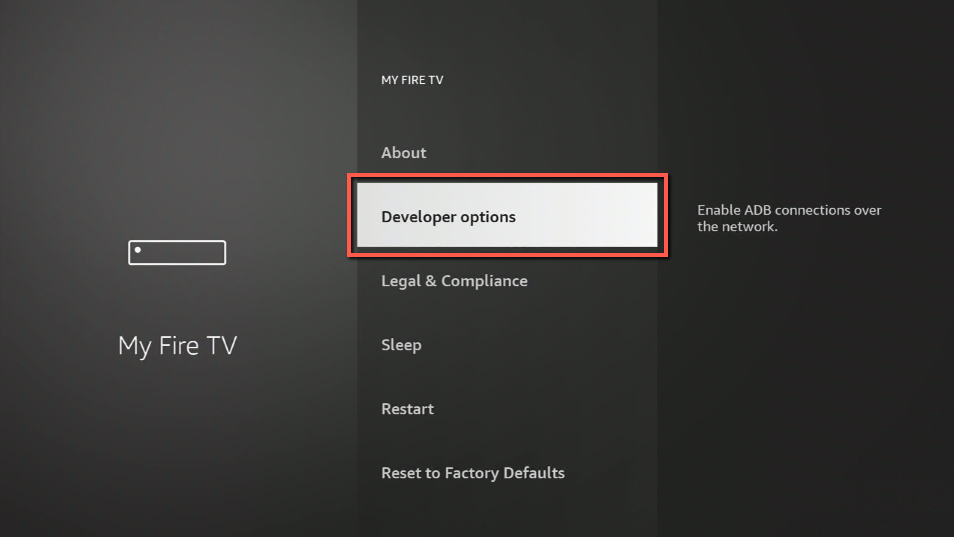
3. Select Developer options.
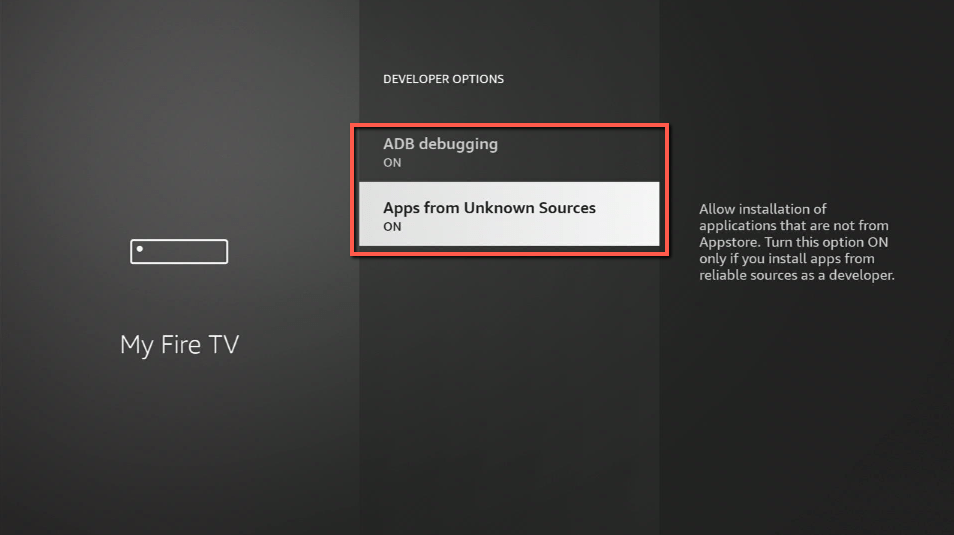
4. Turn on ADB debugging and Apps from Unknown Sources.
5. Click Turn On when the pop-up appears.
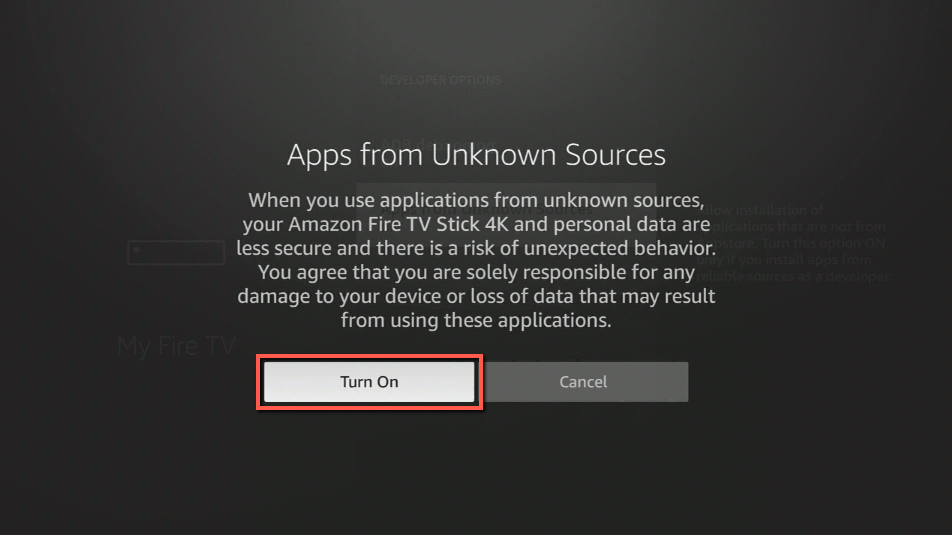
Then, after jailbreaking your Firestick, you’ll need to download the Downloader app to sideload Podcast Addict. This app, which is easily available on the Amazon App Store, allows you to download APK files.
6. Click Home, click FIND.
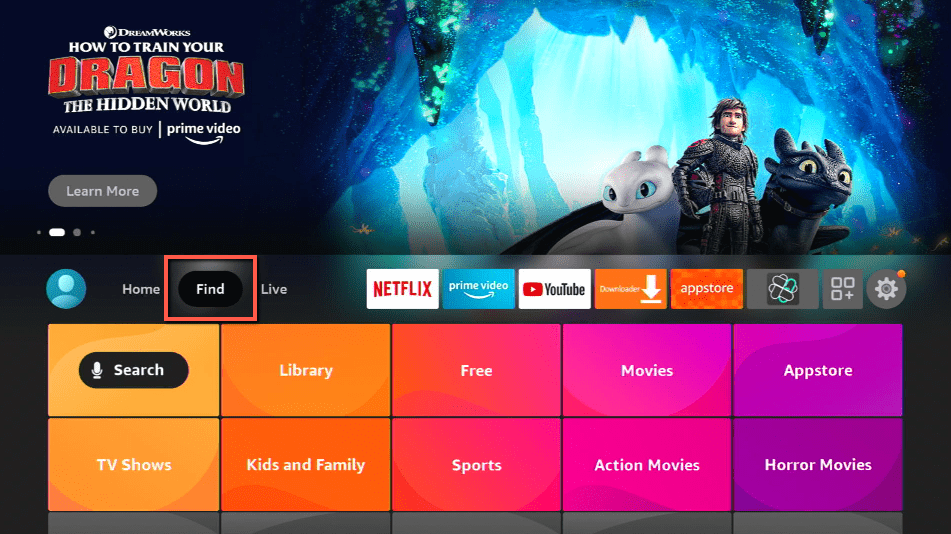
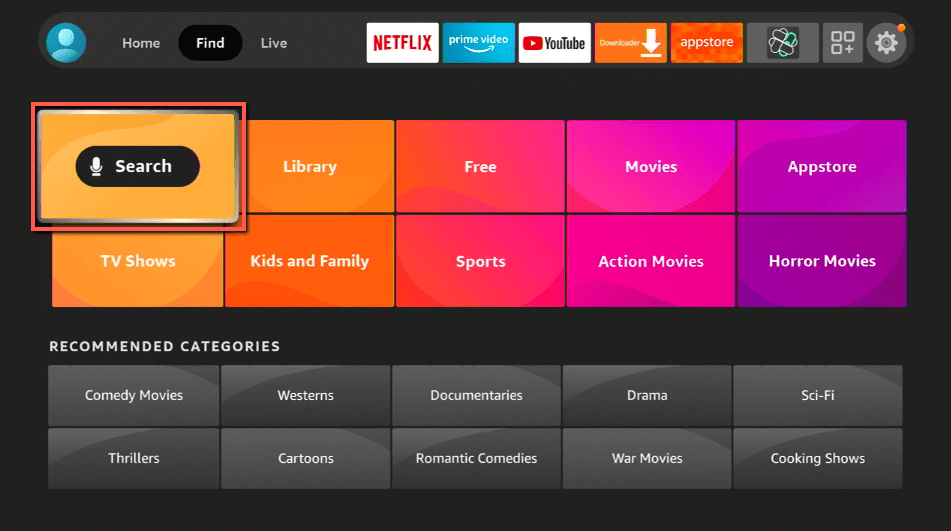
7. Click Search.
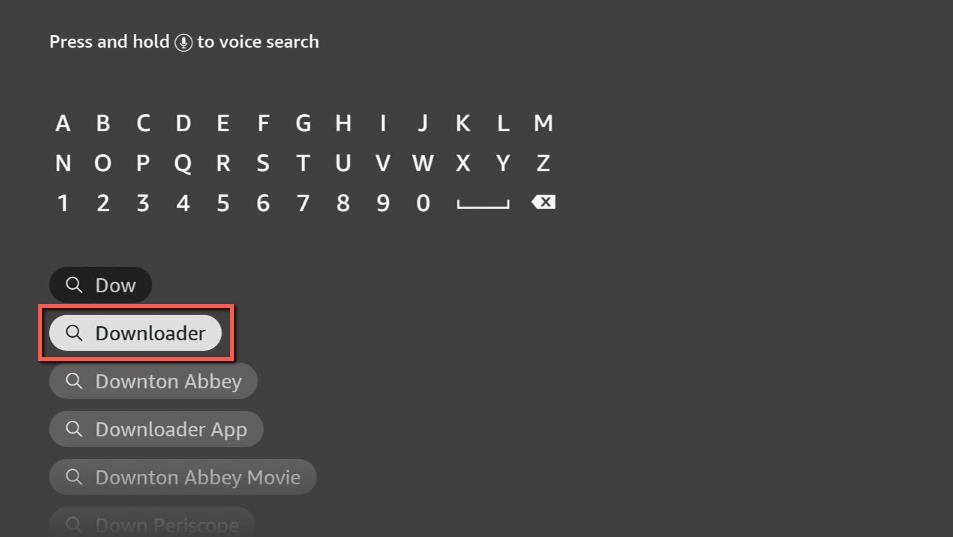
8. You can either say Downloader to your Alexa voice-enabled remote or start typing it. If you typed it, click on the suggestion when it appears.
9. Click on the Downloader Icon.
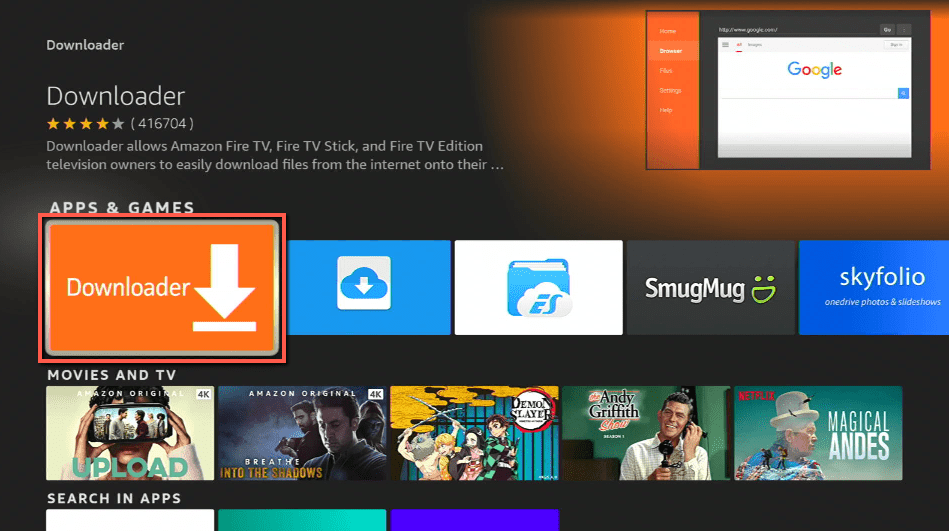
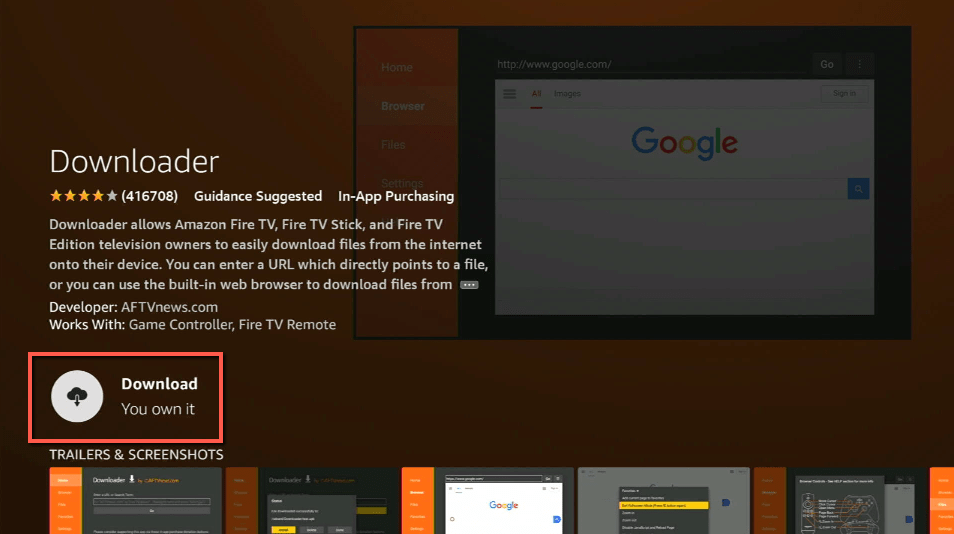
10. Click Download.
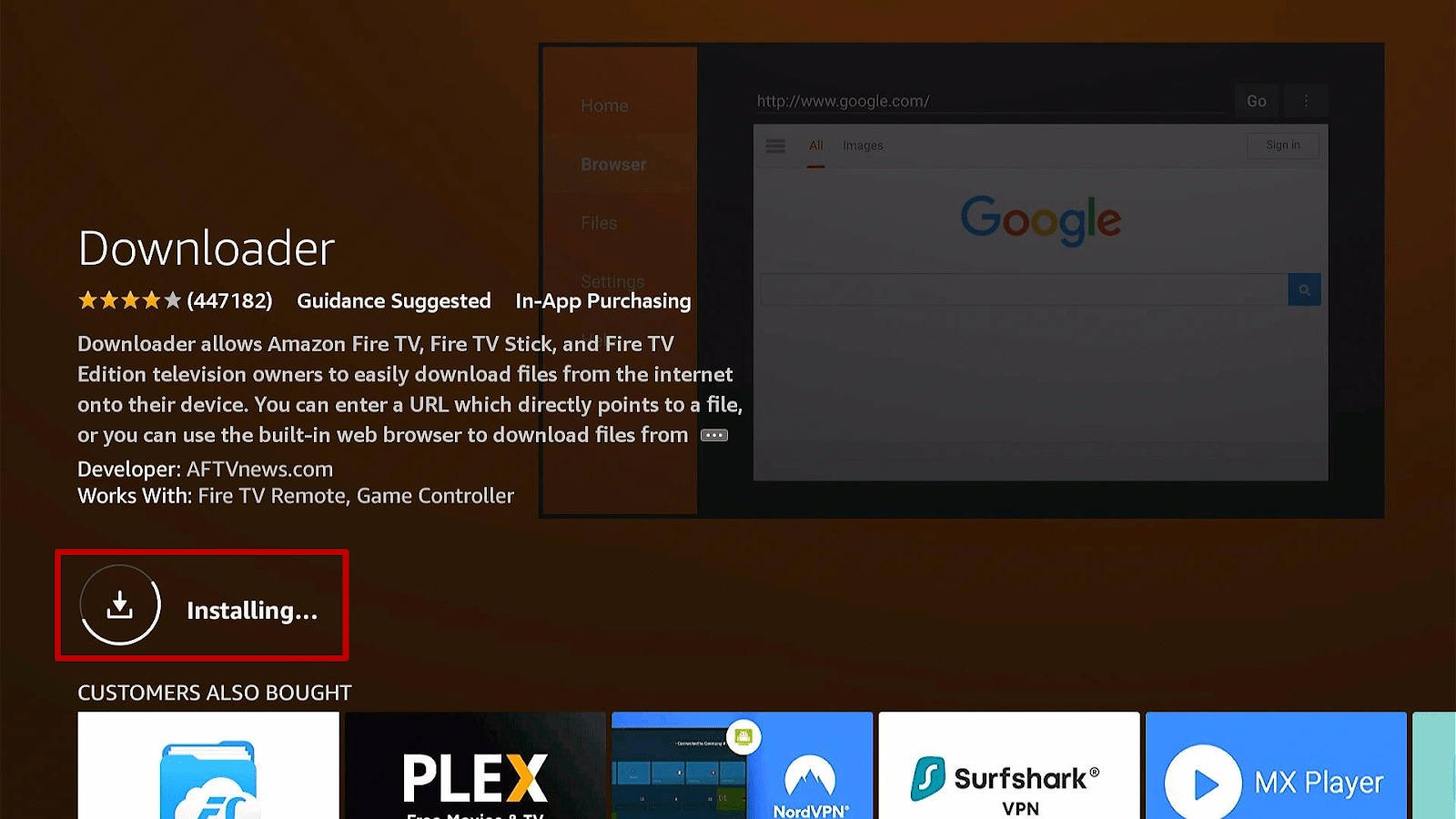
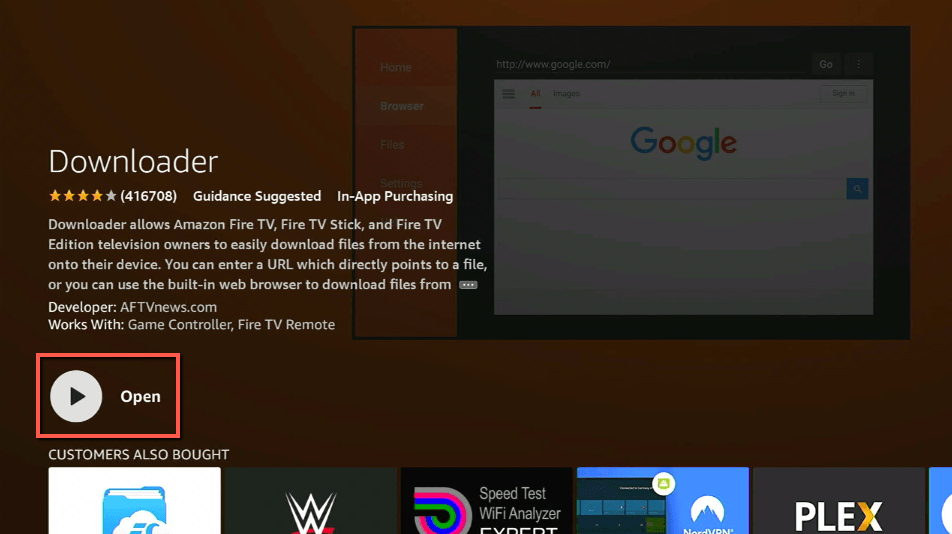
11. Click on Open.
12. Click on Allow.
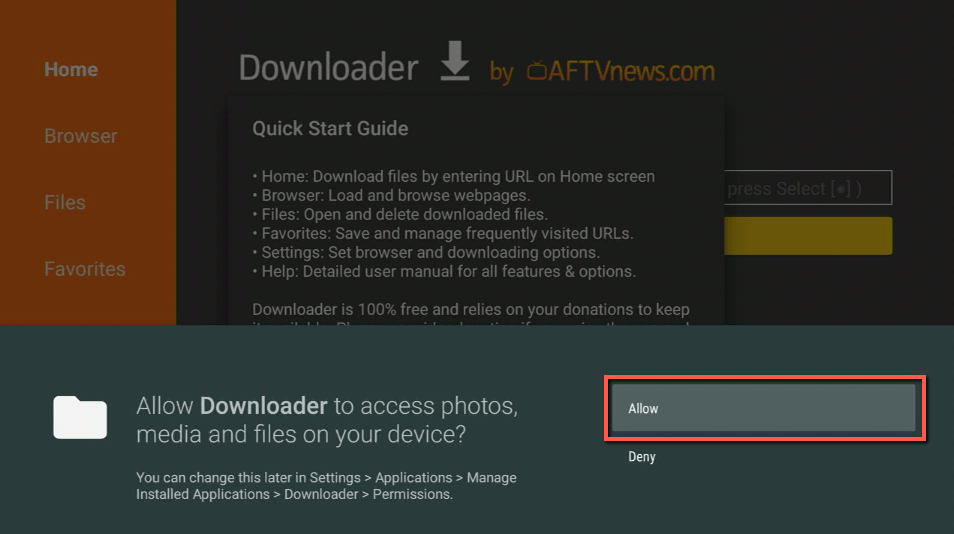
13. Use the Downloader search tab.
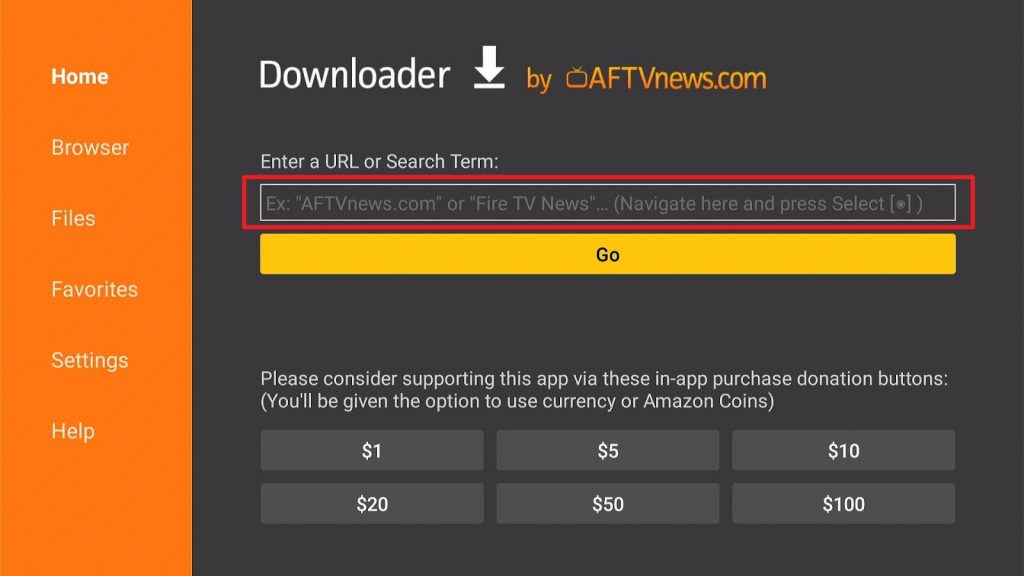
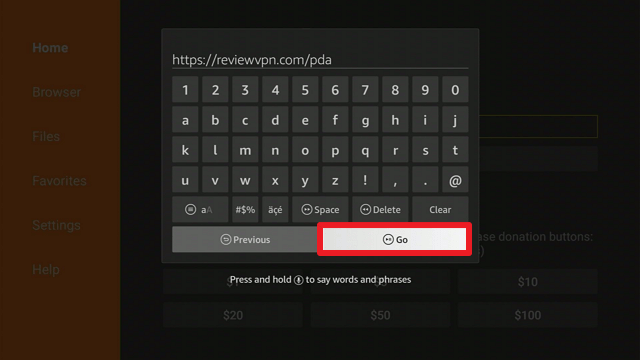
14. You will be asked to enter a download link. Type in “https://reviewvpn.com/pda” and select Go.
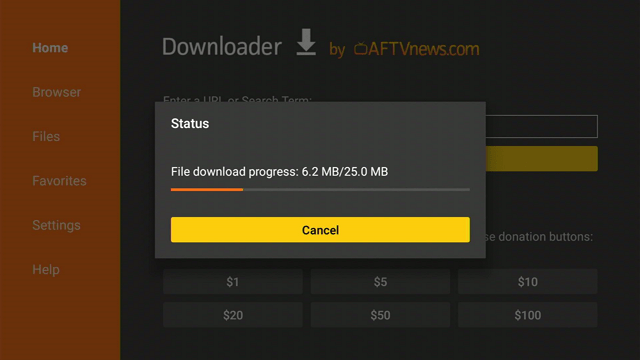
15. Depending on your internet connection, the APK will take a few seconds to download.
16. After that, choose Install.
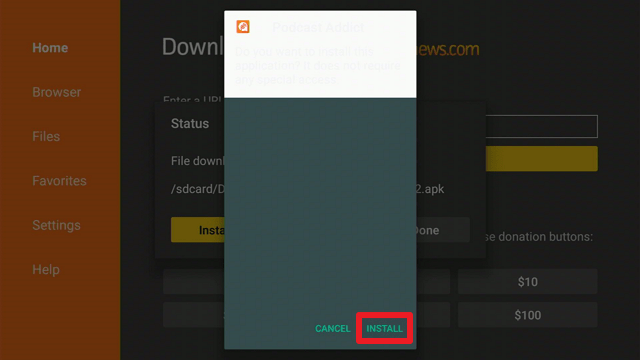
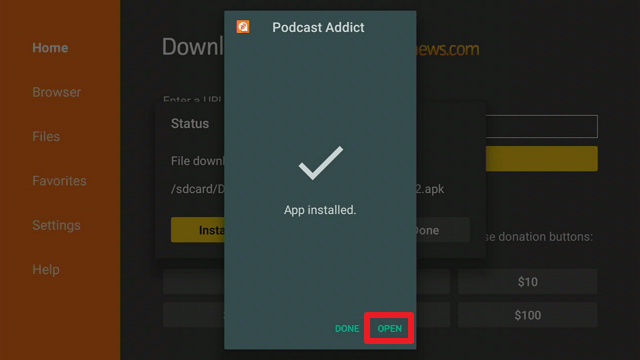
17. Then click Open.
Podcast Addict APK Download for Android Devices

Note: ReviewVPN.com does not host this APK file. It is hosted by Archive.org
Install Surfshark on Firestick
Legal Disclaimer: ReviewVPN.com does not encourage or endorse any illegal activity involved in the usage of services and applications referenced on this site. We do not verify the licensing agreements of services. The end-user is wholly responsible for ensuring that any media accessed through these services does not violate copyright and/or licensing laws. ReviewVPN does not promote, link to, or receive compensation from any Apps and IPTV services.
ReviewVPN cannot attest to the legality, security and privacy of the applications discussed on this site. It is highly recommended that you use a VPN service while streaming or using Kodi. Currently, your IP 216.73.216.193 is visible to everyone and your Browser is being tracked by Advertisers & ISP Provider. Here are the main reasons why you must use a VPN: A VPN works be replacing your ISP-assigned IP address and creating an encrypted tunnel. We recommend the no log service offered by IPVanish. It works well on a Firestick and offers the fastest possible speeds.
YOUR INTERNET ACTIVITY IS BEING WATCHED
App Features
- Allows you to stream and download free audio and video podcasts directly from your device.
- You can create a playlist containing your favorite audio and video podcasts.
- Enables you to create a Favorites list for your favorite episodes.
- Makes it possible to create new podcasts by entering the URL of an RSS feed or a radio station.
- Allows you to configure RSS podcasts as a private feed.
- You can toggle the Light Theme on or off.
- Enables you to manually set a sleep timer or to do so at the end of the current episode or chapter.
- You can also share podcasts via third-party applications such as the Podcast Republic and Dropbox.
- It includes the ability to boost the volume of a podcast.
- Provides information about playback statistics (Global, Podcasts, 2021, 2020)
- You can configure automatic backups and restores.
- The app’s user interface and podcasts can be customized in a variety of languages, including English, Chinese, French, German, Italian, Japanese, Russian, and Spanish.
Categories
- Arts
- Audiobook
- Business
- Comedy
- Education
- Fiction
- Government
- Health & Fitness
- History
- Kids & Family
- Leisure
- Music
- News
- Religion & Spirituality
- Science
- Society & Culture
- Sports
- Technology
- True Crime
- TV & Film
Pros & Cons
Pros
- Provides free podcasts for streaming and downloading on your Firestick.
- Offline streaming is possible.
- Contains a large number of podcasts in a range of genres.
- You can customize the App’s user interface in your preferred language.
Cons
- Certain radio stations prohibit the use of third-party apps (such as Podcast Addict)
- If the alarm is chosen in the menu bar, it cannot be accessed.
Secure Your Data With a VPN
The Firestick allows us to do a variety of things with it, including listening to podcasts on our television. However, you never know when cyber threats such as hackers and phishers are lurking behind these apps that allow you to stream your favorite content online. The next thing you know, your data is being exploited online without your consent for financial and harmful purposes. That is why a VPN such as Surfshark can assist you in maintaining your online privacy, ensuring that you never have to worry about accessing both secured and unsecured applications. Thus, you can stream without fear of data breaches on any apps you access using your Firestick. Furthermore, the following are some of its extra benefits:
- Surfshark offers over 3200+ servers in 65 countries to choose from, ensuring that you’ll always have a reliable source for your daily Podcast Addict streaming.
- It provides limitless bandwidth, which means you won’t have to worry about exceeding your data cap when listening to your favorite Podcast Addict episodes.
- Connects you automatically to the fastest server available in your location, ensuring that you have the best connection possible while connected to Surfshark.
Click here to get the lowest price on Surfshark through our exclusive limited-time offer.
How to Install Surfshark VPN on Firestick
If your Firestick still has the older interface, read this article to learn how to update it: Update Firestick Interface.
Follow our screenshots below to install the SurfShark VPN app on your Fire TV stick.
1. Go to the Home screen of your Firestick.

2. Navigate towards the Find tab. Press the Search button from the resulting dropdown.

3. Type in the keyword of SurfShark and select from the suggestions that will appear.

4. Click the official SurfShark icon from your search results.

5. Press the Download (You own it) button.

6. The SurfShark VPN installer will download on your device.

7. SurfShark VPN’s app will automatically install itself on your Fire TV stick.

8. Press the Open button after completing SurfShark VPN’s installation process.

9. Please wait for the SurfShark VPN to load its user interface.

10. You can now log in with your SurfShark VPN account credentials.

Learn more about Surfshark and Grab the Best Surfshark Deal Now!
Install Surfshark on Firestick



For more VPN discounts, go to ReviewVPN Deals and purchase the best VPN for you.
Click here to get the lowest price on Surfshark through our exclusive limited-time offer.
App Alternatives
- Podcast Republic
- TuneIn Radio Pro
- CastMix Pro
- iHeart Radio
FAQs
What is Podcast Addict?
Podcast Addict is a free application that allows you to listen to podcasts in a variety of categories on your Firestick or Android device. Furthermore, it enables you to download them for offline listening and create playlists and favorites lists.
Is Podcast Addict free?
Yes, Podcast Addict is completely free to download and use on your Firestick. Moreover, it features hundreds of podcasts organized by category that you can stream or download for free.
How to delete podcasts from Podcast Addict?
To remove a podcast from your list of subscribed podcasts, simply navigate to “Podcasts”. Then, click the content you wish to delete from Podcast Addict. Scroll to the bottom of the selections and click “Unsubscribe.” Then, either click “Proceed and keep data” or “Yes” to entirely delete podcasts from your list.
Is Podcast Addict safe?
Yes, Podcast Addict is safe. It is, nevertheless, always advisable to use a VPN such as Surfshark when accessing any online content.
Conclusion
If you enjoy podcasts, you should check out Podcast Addicts. It provides a ton of free content that you can stream or download directly to your device. Apart from that, it comes with many features, including the ability to set an alarm, select languages, favorite episodes, and even create a playlist. Furthermore, it features distinct categories through which it caters to a variety of consumers interested in streaming podcasts. Have fun streaming!






