

The Uss Defiant Kodi Addon
Quick Navigation
In this article, we will help you install The Uss Defiant Kodi Addon on Firestick.

Source: http://repo.rubyjewelwizard.com/
In the world that we live in today, technology has continued to proactively evolve in the service of the many. Our day-to-day lives comprise a lot of stressors that highly contribute to our general well-being. Survival is a must in this world that we live in today and one of the ways we cope up is by having good entertainment whenever we get home from work. Luckily for us, there are platforms that we can use to divert our attention from the busyness of life.
There are social media, entertainment, books, and many more. One of the greatest facets of this century is the creation of Kodi. It aids us by way of entertainment with the fraction of a cost without sacrificing quality and integrity. One of the many advantages of having Kodi is the huge list of add-ons you can download to it and one of those wonderful add-ons happen to be featured in this article and that is The USS Defiant Video Add-on
The USS Defiant is a Kodi Video Add-on that is found under the Diamond Wizard Repository that offers content that ranges from Movies, TV Shows, Documentaries, Music, Podcasts, Kids, and Fitness to name a few.

Features
- Real-Debrid Integration
- A simple UI that makes it easy to navigate through
- A huge library of high-quality movies and tv shows
- Trakt Integration
- Brief Summary of Videos per title
- Retro TV Feature
- Customizable search by content, popularity, and rating
Easy Installation Guide
- Launch Kodi on your device
- Click on the “Gear Icon” and select “System”
- At the add-ons menu, turn on the “Unknown Sources” by clicking “yes”
- Go back to the “systems” page and choose “File Manager”
- Choose Add source and select “none”
- Type in http://repo.rubyjewelwizard.com
- Highlight the source and rename it to “diamond” or any name you would like to use to identify this particular source and click “ok”
- Go back to the System Screen and click “Add-ons”
- Select “Install Zip File” choose “diamond” or whatever you renamed the file.
- Select the zip file URL- repository.Diamond-Wizard-Repo-3.9.6.zip
- Wait for the notification “Diamond Build Add-on Repo Installed” to appear.
- Select “Install Repository”
- Choose “Diamond Build Repo”
- Click on “Video Add-ons” and select “The USS Defiant” and “Install”
- Click “Ok” when a notification “the following add-ons will be installed” appears and wait for The USS Defiant Add-on to install
- Once the add-on is installed go back to the home screen and select “add-ons”
- Choose “Video add-ons” and select “The USS Defiant”
- There you go, The USS Defiant is now installed.
Real-Debrid Integration
- If you don’t possess a Real-Debrid account yet, you must register.
- When Launching The USS Defiant add-on you will be notified with this message. Write down the code that will be given.
- Launch a web browser on a different device and enter https://real-debrid.com/device.
- Type in the code you got and select “Continue”
- You will then be granted your Real-Debrid Account
- Go back to The USS Defiant and a notification that shows another successful authorization message will appear, select “ok”
- If notified with a changelog, just press the “ok” button on your remote and voila! The USS Defiant is now Real-Debrid ready.
ReviewVPN cannot attest to the legality, security and privacy of the applications discussed on this site. It is highly recommended that you use a VPN service while streaming or using Kodi. Currently, your IP 216.73.216.72 is visible to everyone and your Browser is being tracked by Advertisers & ISP Provider. Here are the main reasons why you must use a VPN: A VPN works be replacing your ISP-assigned IP address and creating an encrypted tunnel. We recommend the no log service offered by IPVanish. It works well on a Firestick and offers the fastest possible speeds.
YOUR INTERNET ACTIVITY IS BEING WATCHED
Legal Disclaimer: ReviewVPN.com does not encourage or endorse any illegal activity involved in the usage of services and applications referenced on this site. We do not verify the licensing agreements of services. The end-user is wholly responsible for ensuring that any media accessed through these services does not violate copyright and/or licensing laws. ReviewVPN does not promote, link to, or receive compensation from any Apps and IPTV services.
Install Surfshark on Firestick

How to Install The Uss Defiant on Kodi with Screenshots
1. From the home screen, select the cogwheel at the upper left.

2. Select System in the bottom right corner.

3. Select Add-ons on the left side of the screen.

4. Select Unknown sources.
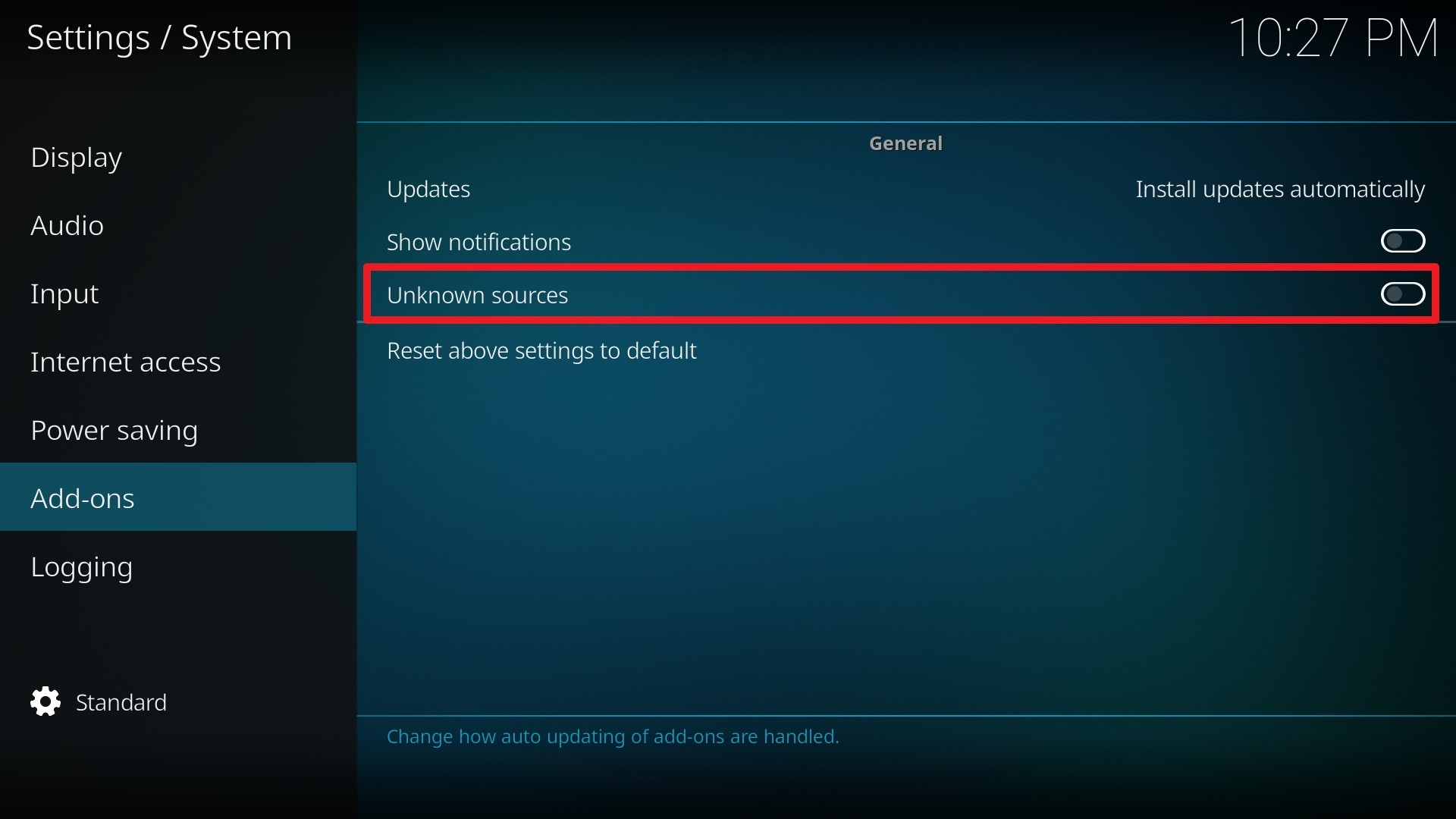
5. Click Yes to allow unknown sources.

6. Select File manager.
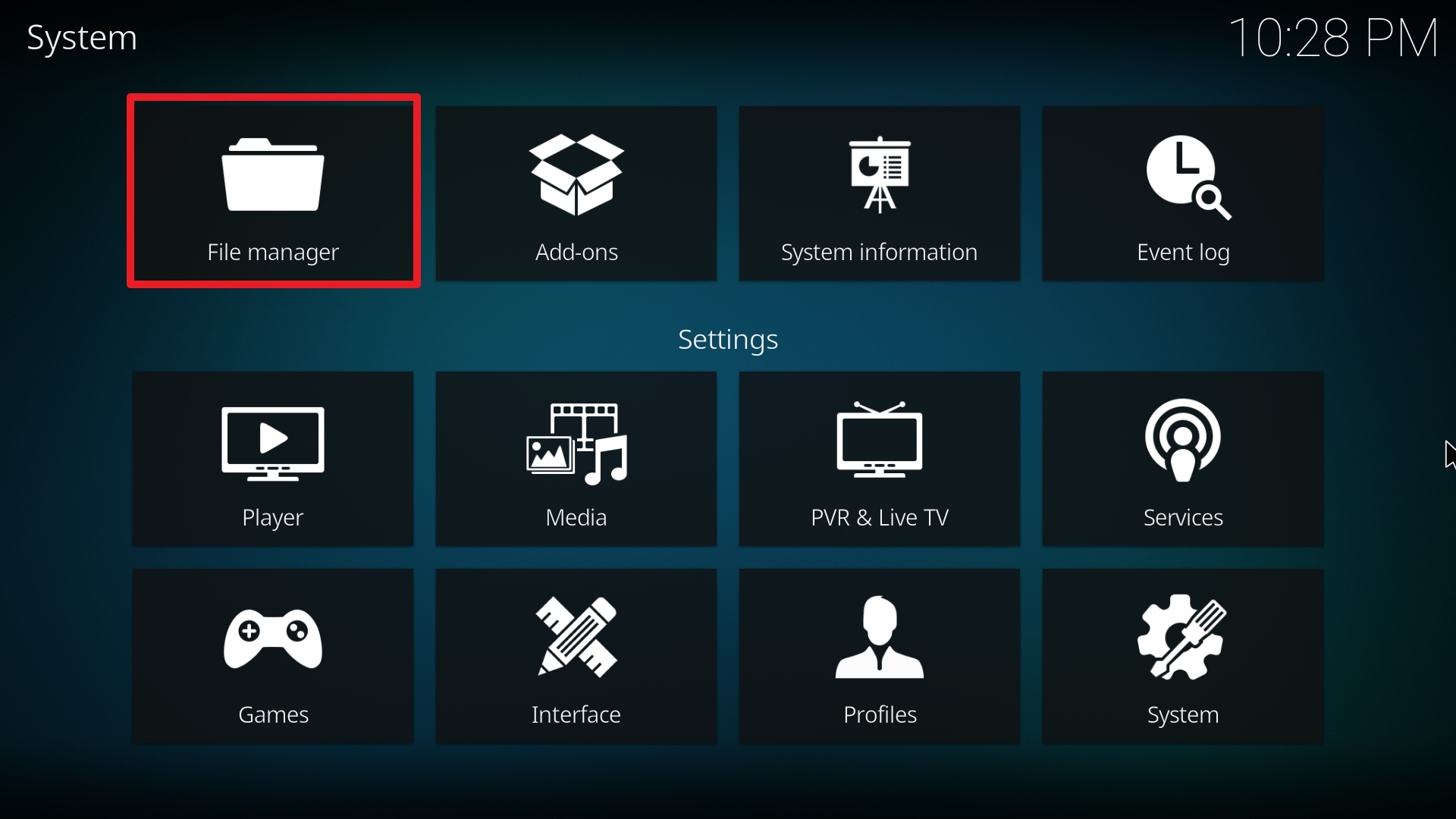
7. Click Add source.

8. Click on <None>.

9. Type exactly: http://repo.rubyjewelwizard.com/
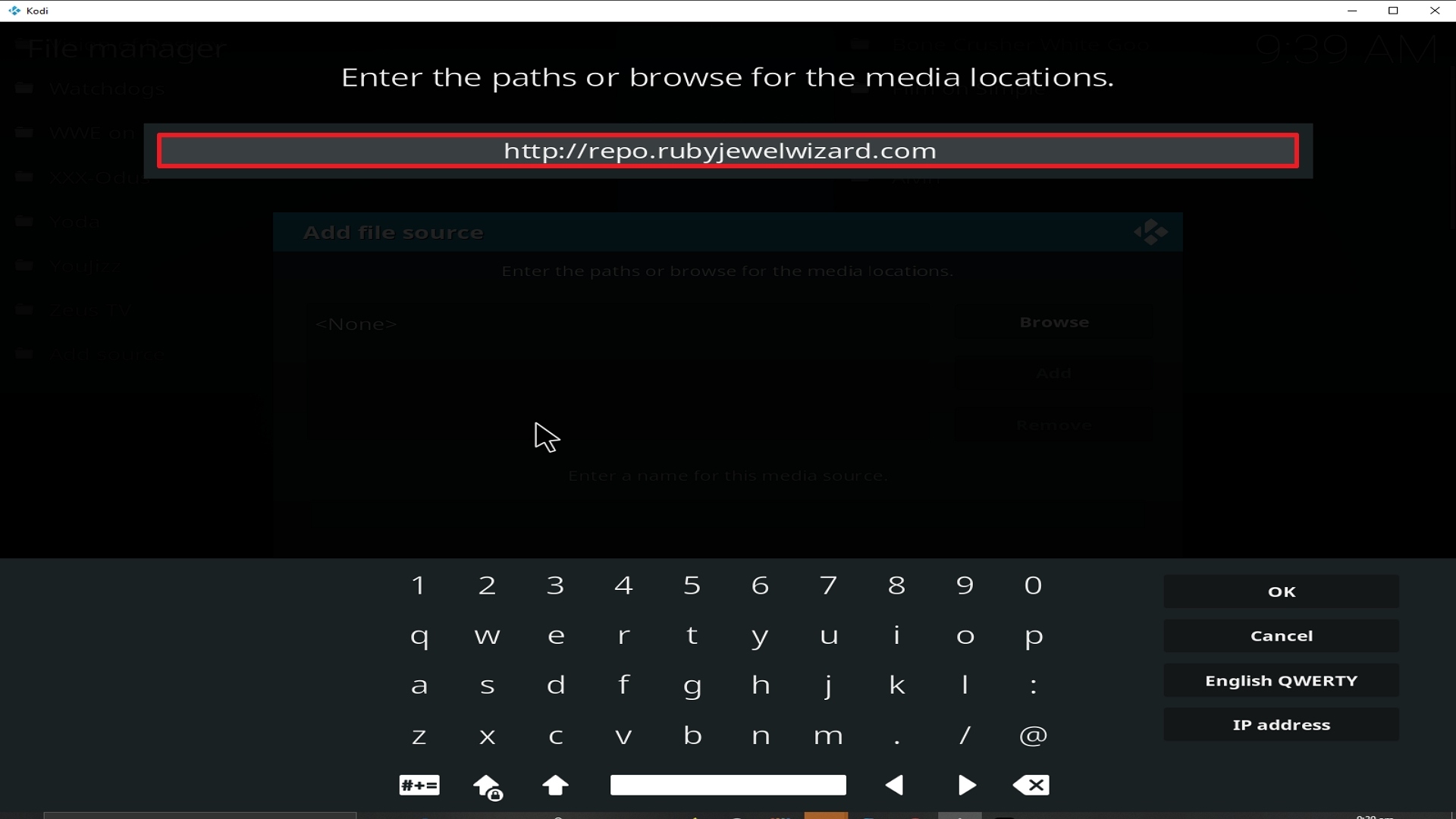
10. Click on OK.
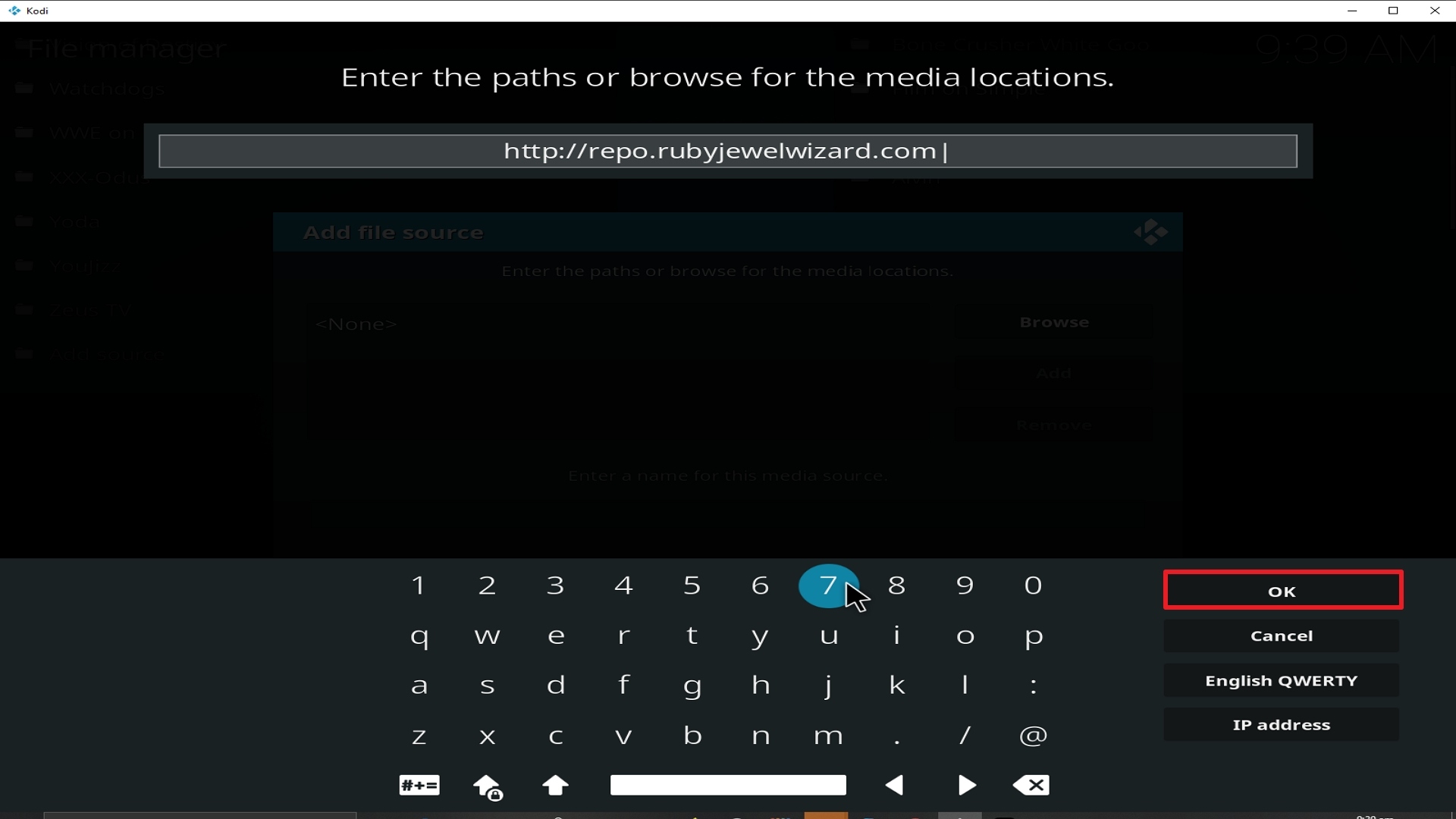
11. Select enter a name for this media source.
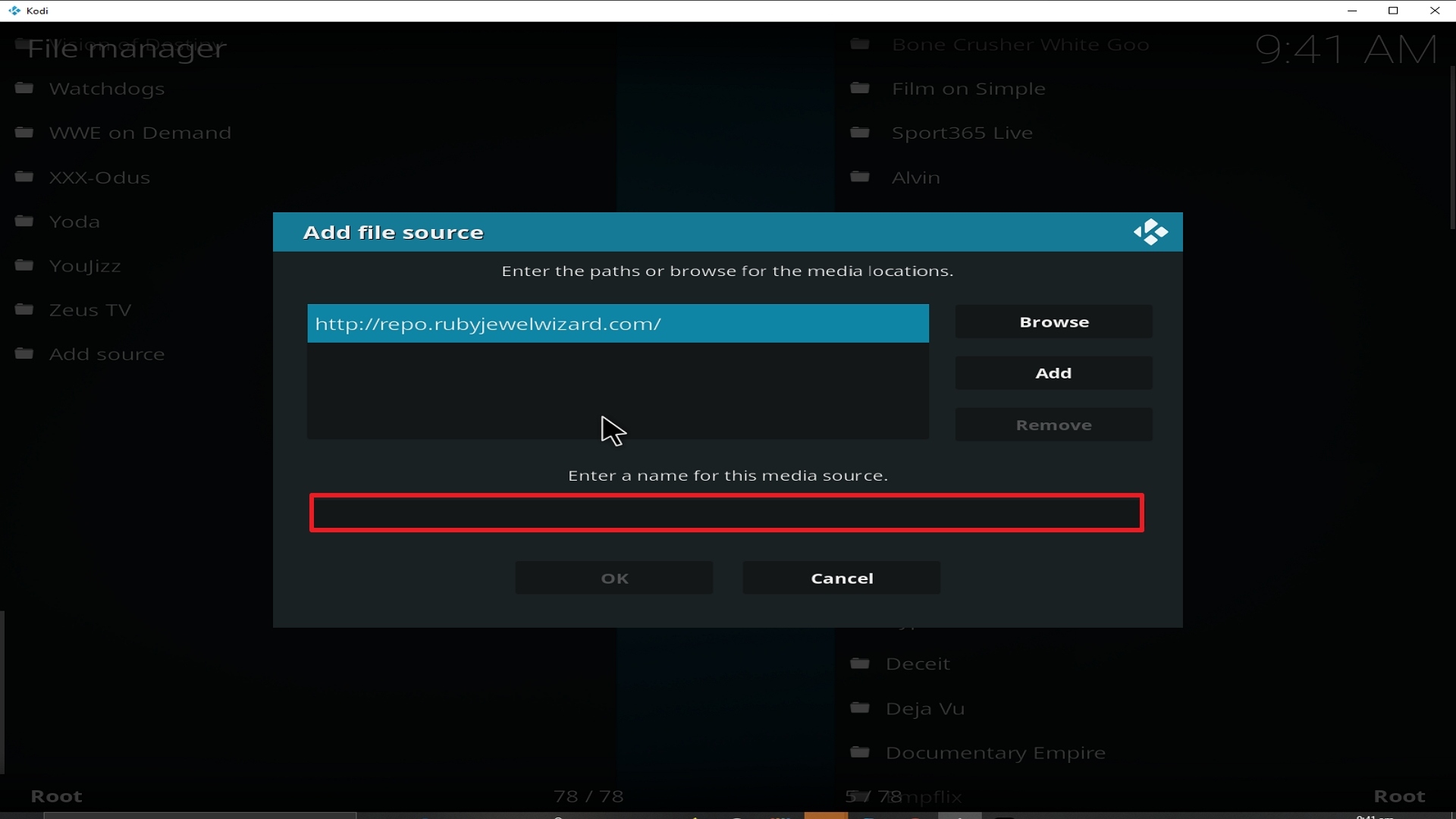
12. Name is The Uss Defiant (this part isn’t critical as long as you remember the name).
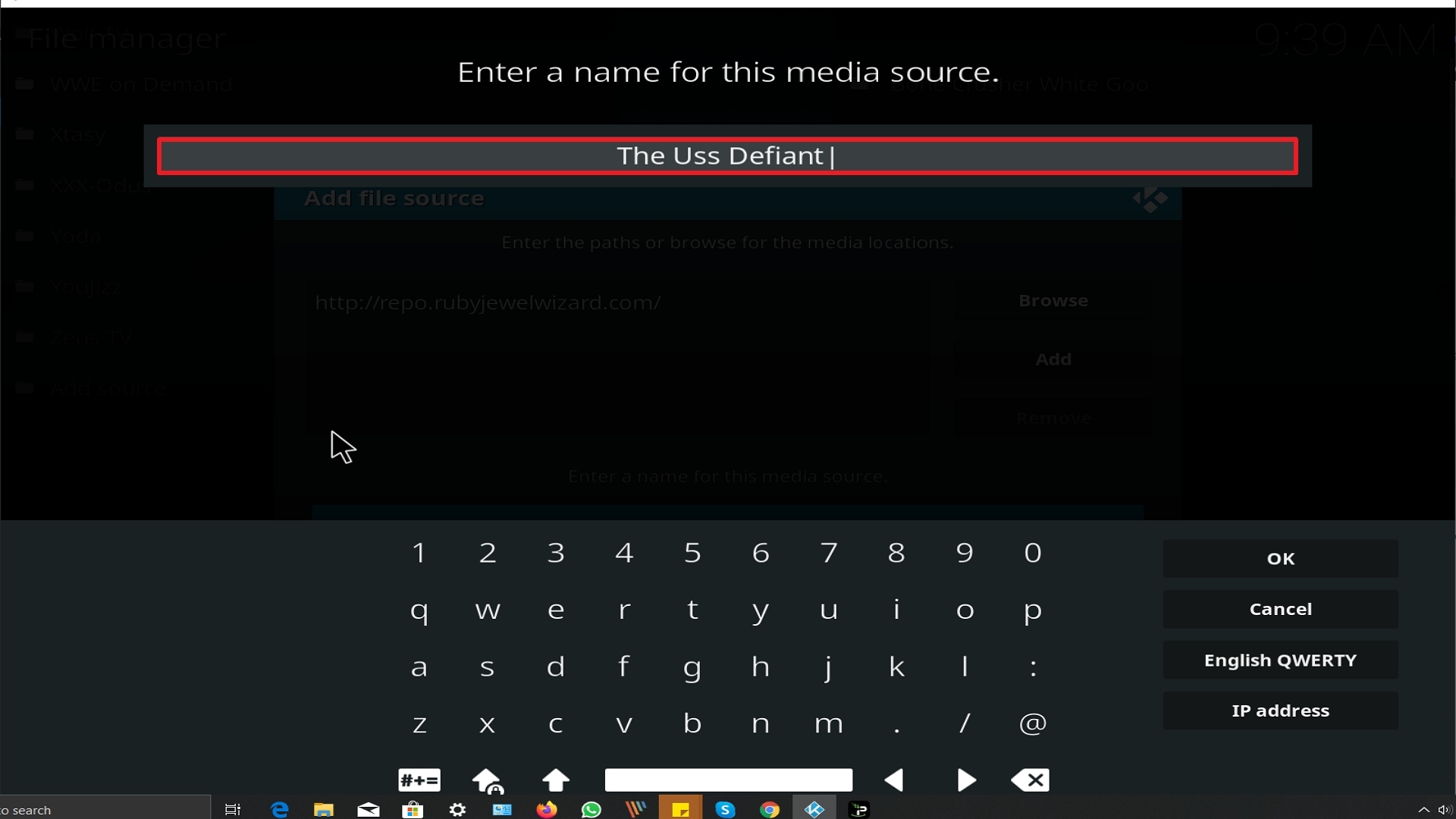
13. Click on OK.
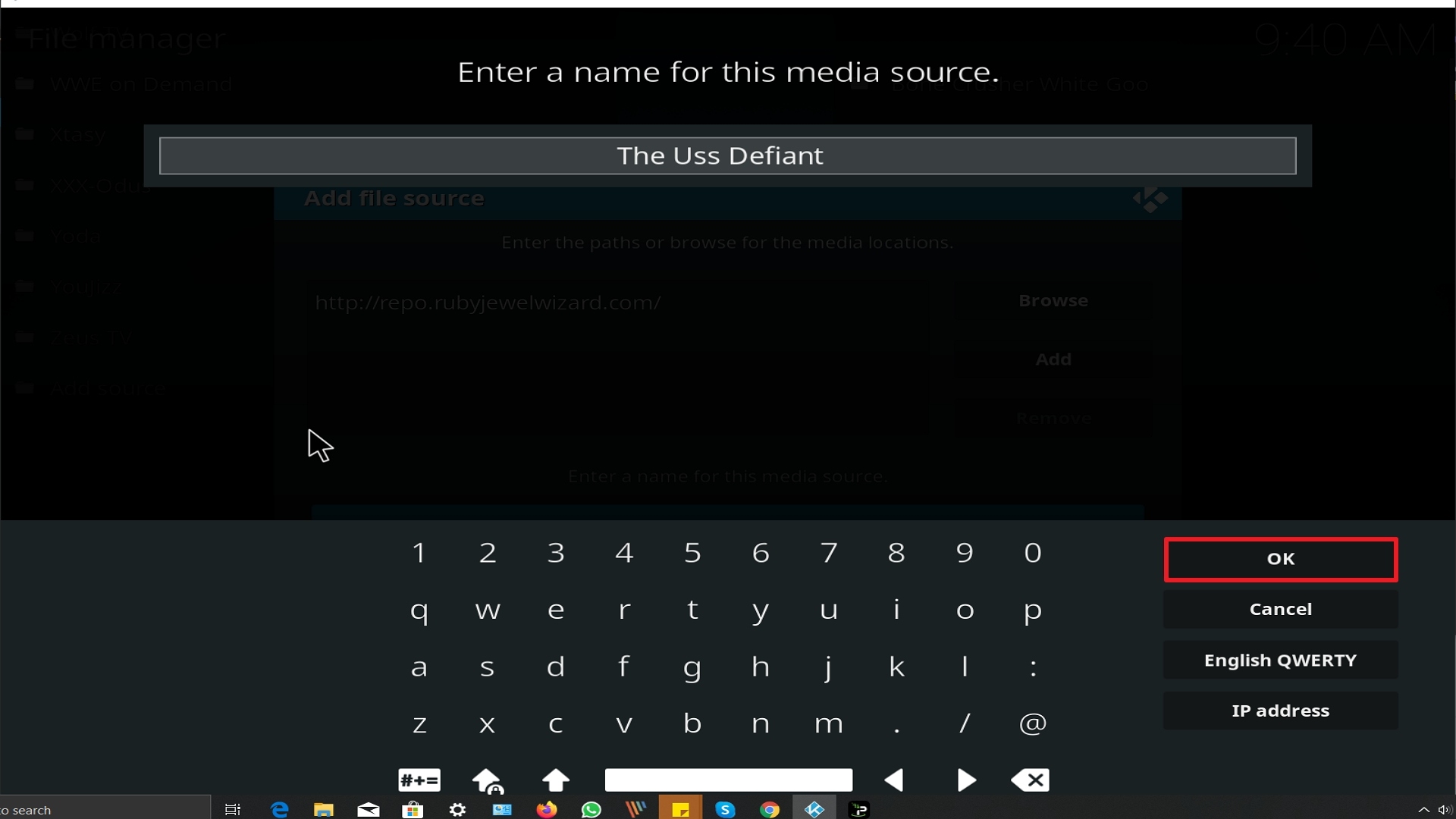
14. Click on OK.
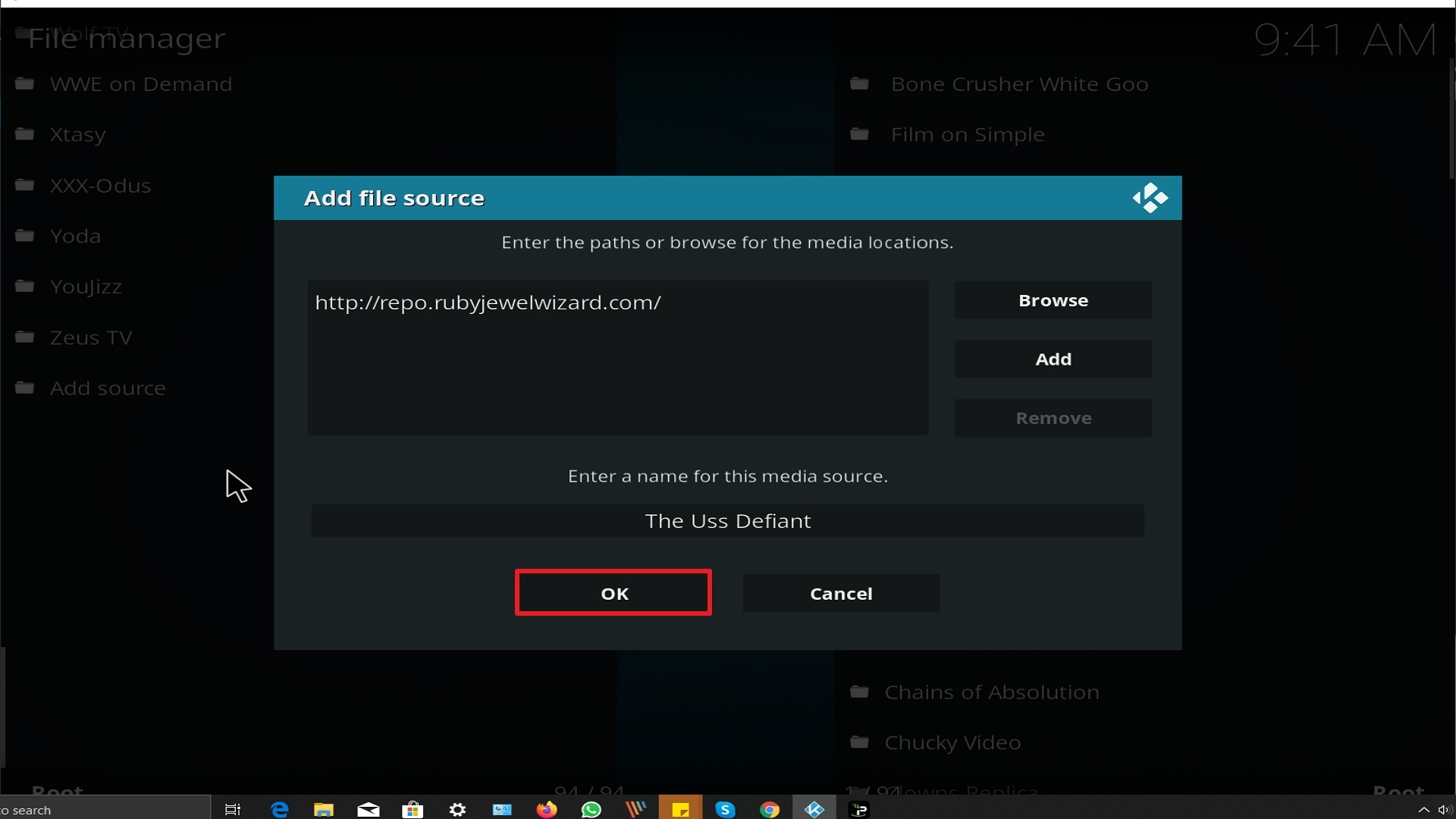
15. Take one step back and click on Add-ons.
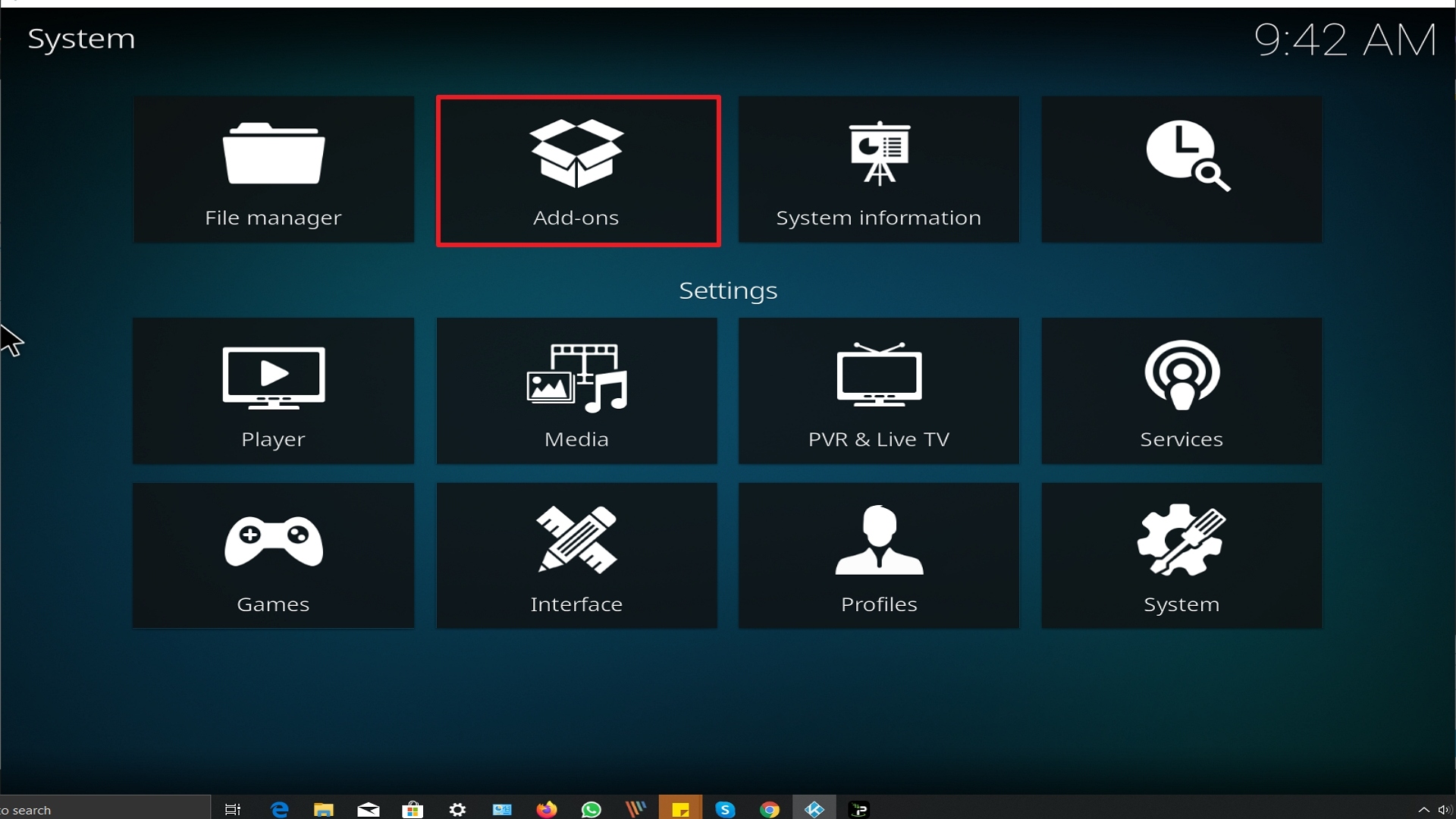
16. Select install from zip file.
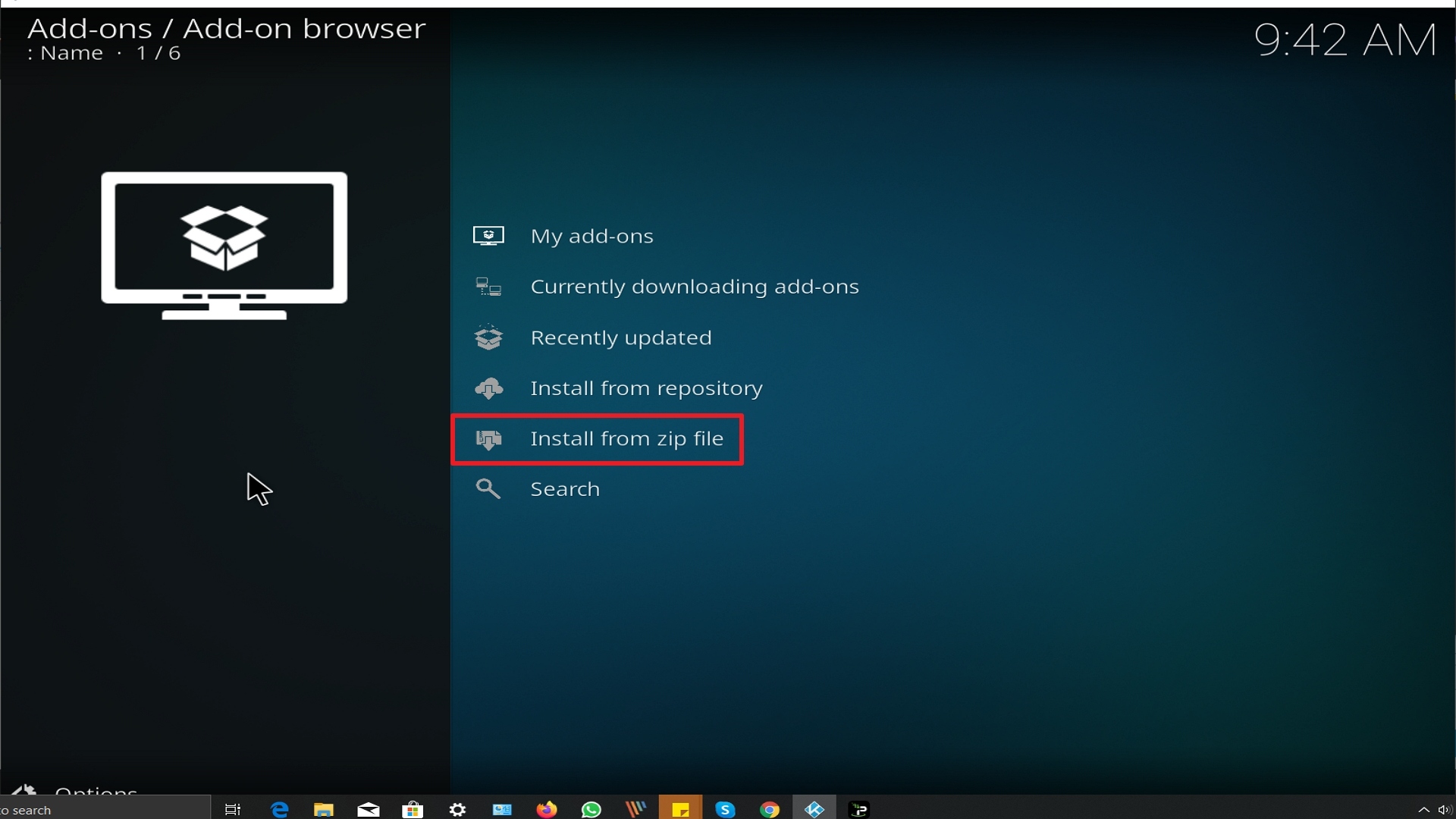
17. Click on The Uss Defiant (or whatever you named the source).
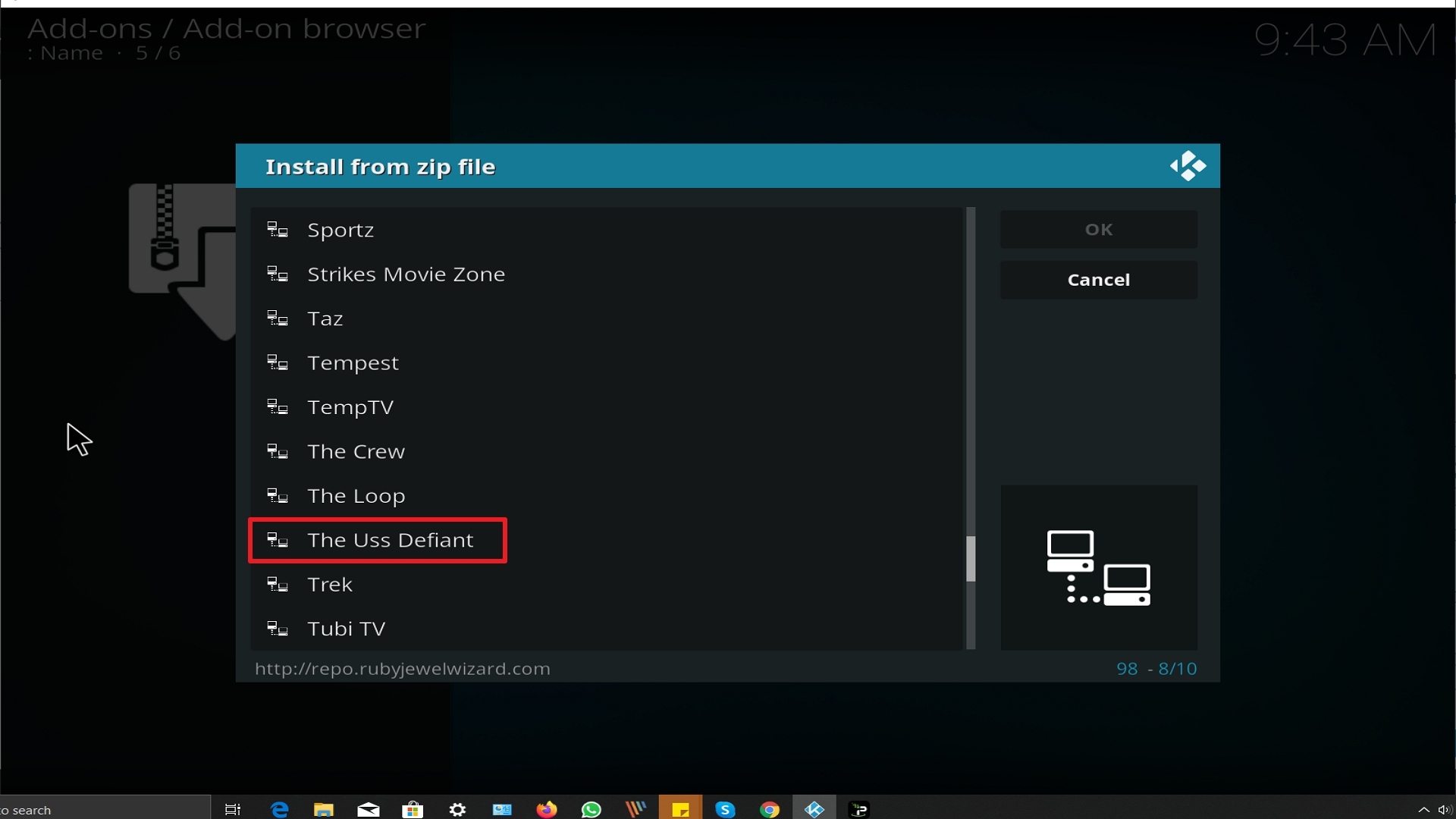
18. Click on repository.Diamond-Wizard-Repo-3.9.6.zip
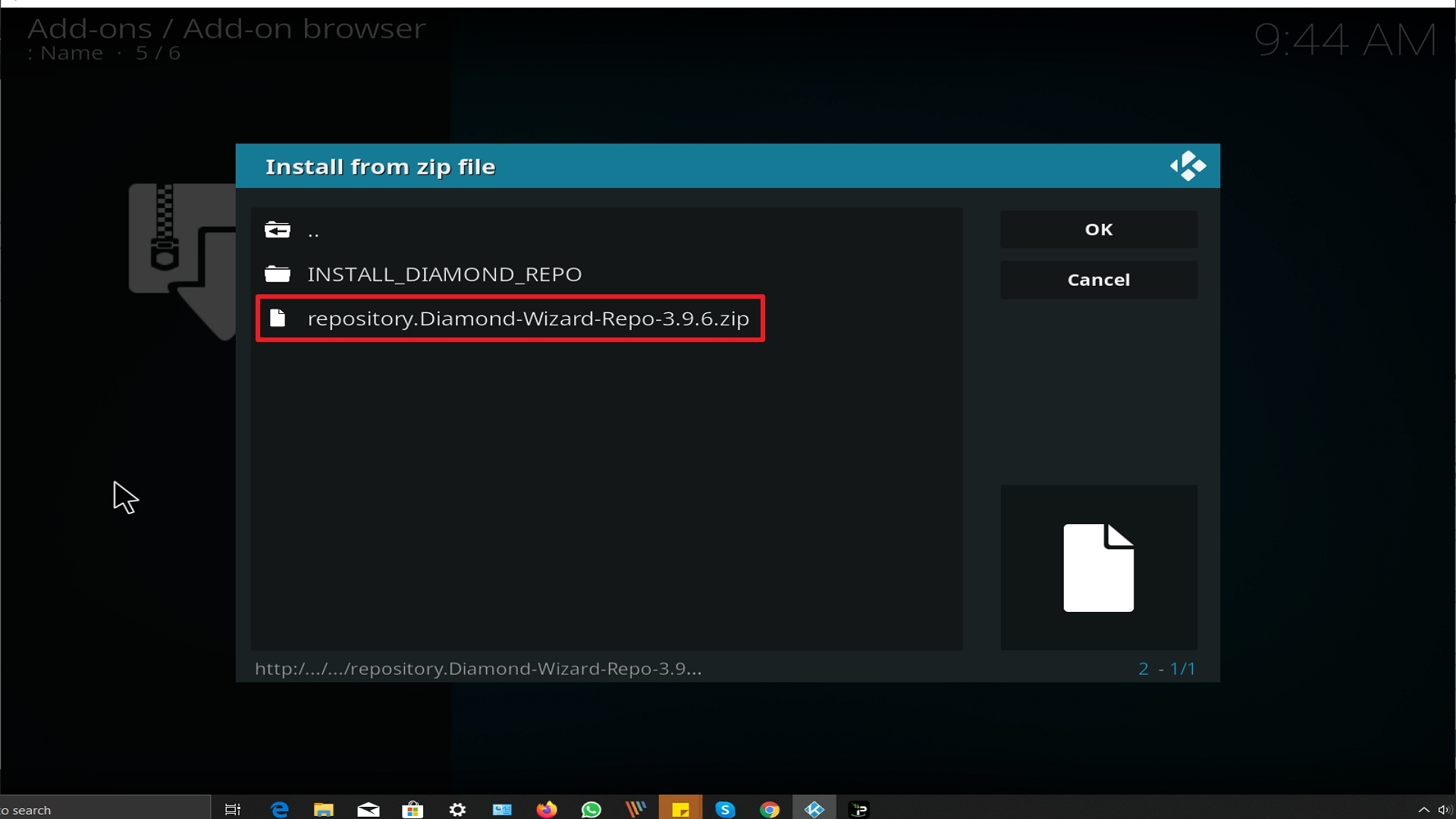
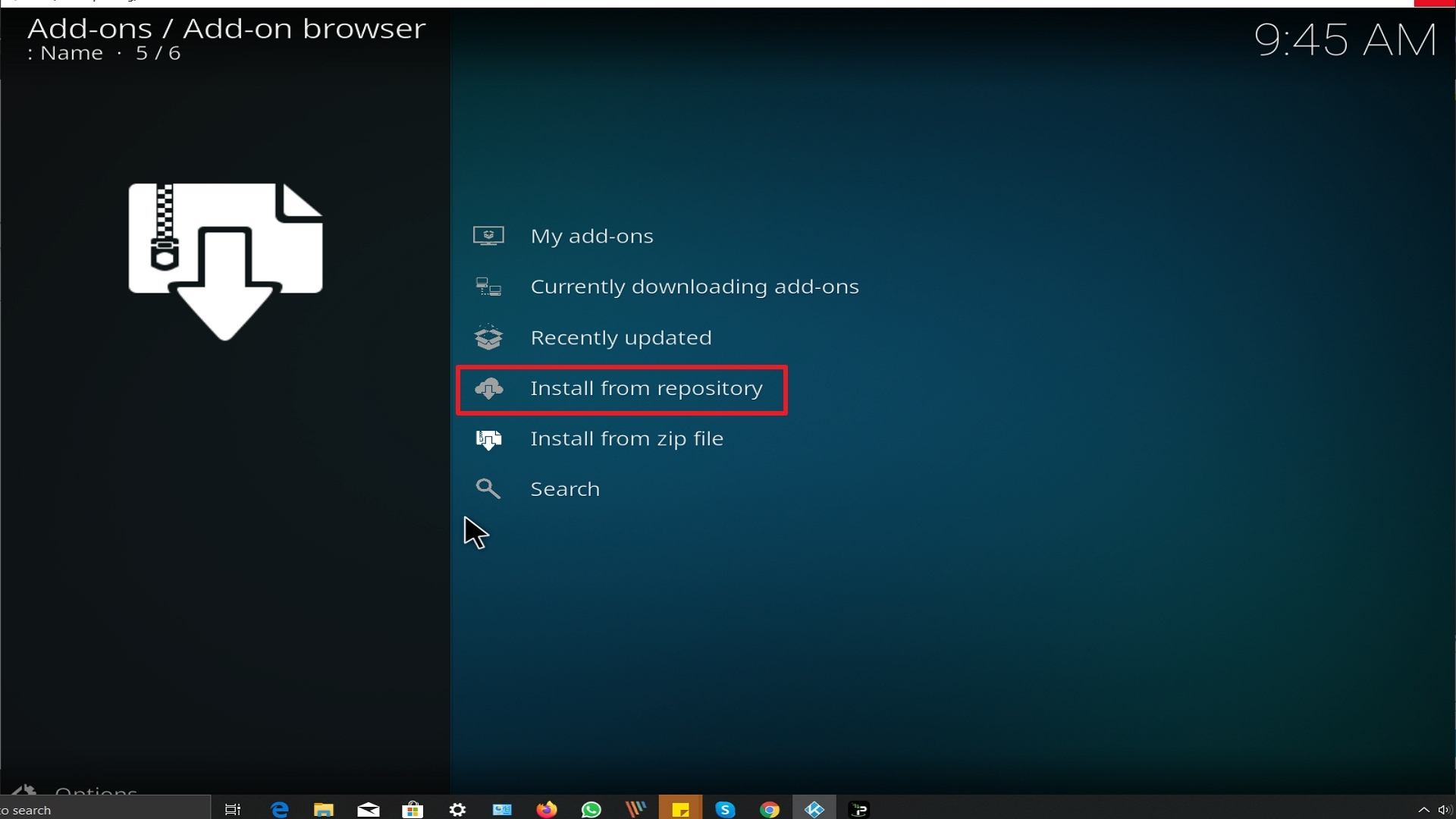
19. Select on Install from repository.
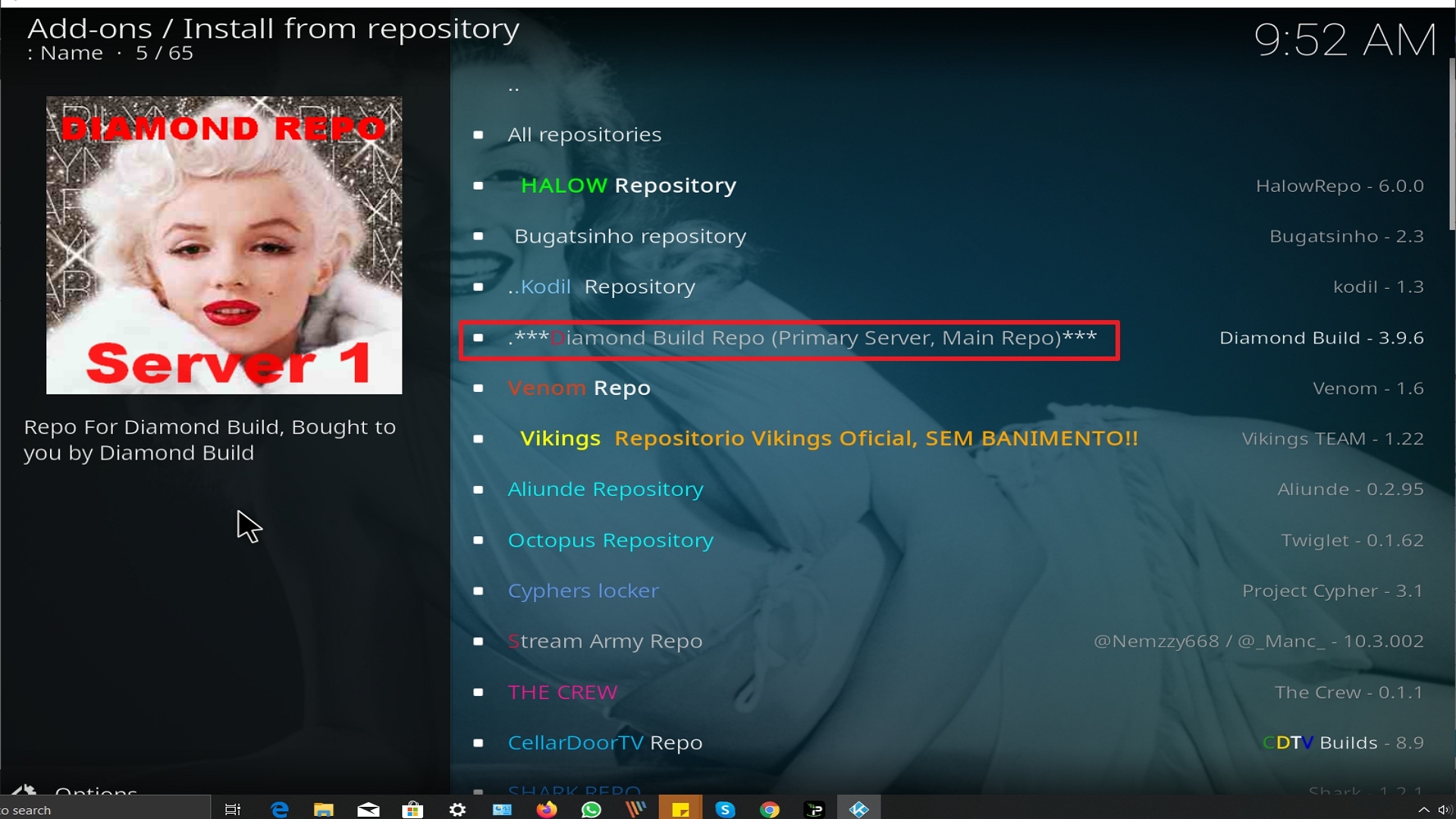
20. Click on Diamond Repo.
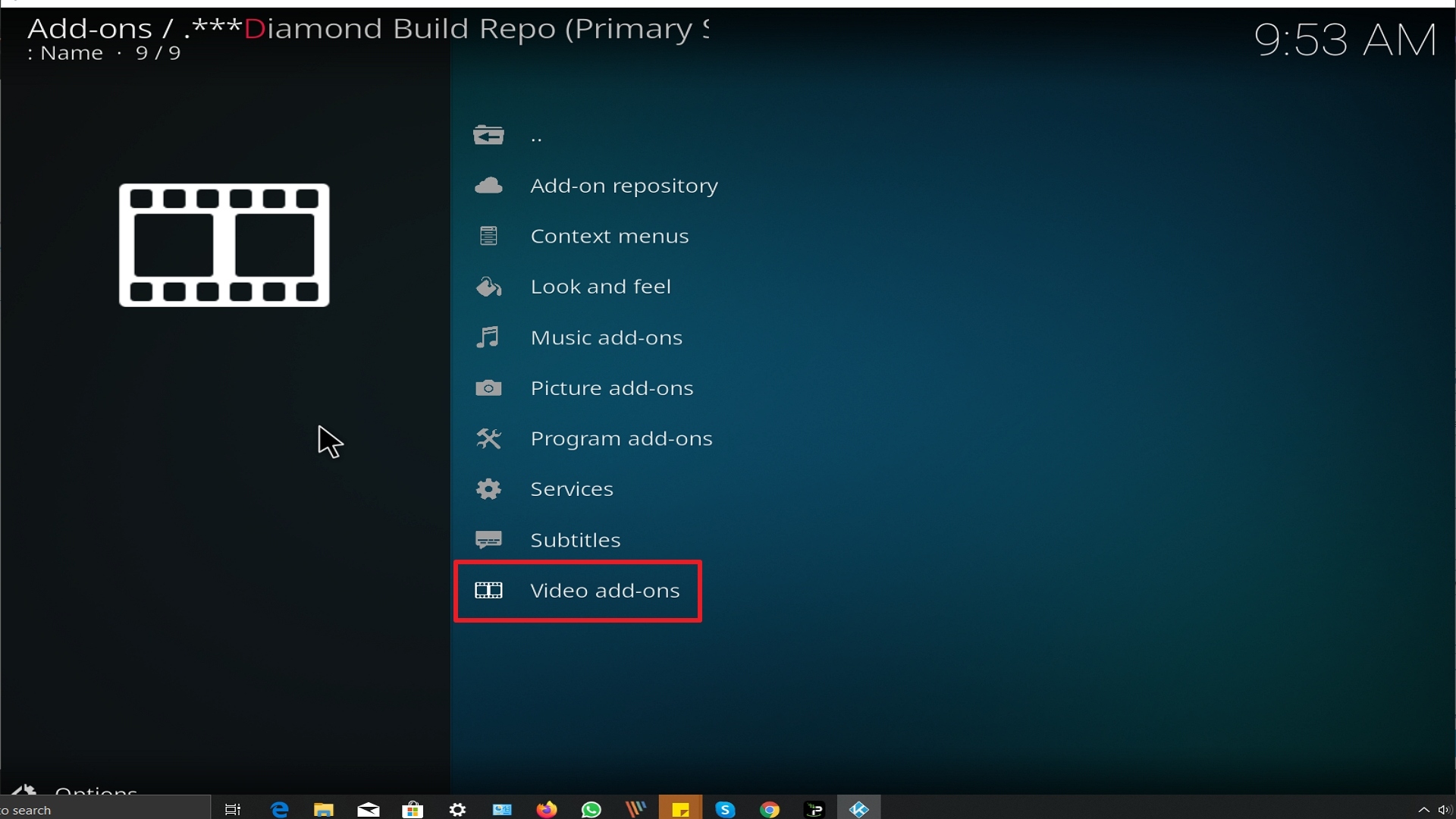
21. Pick Video add-ons.
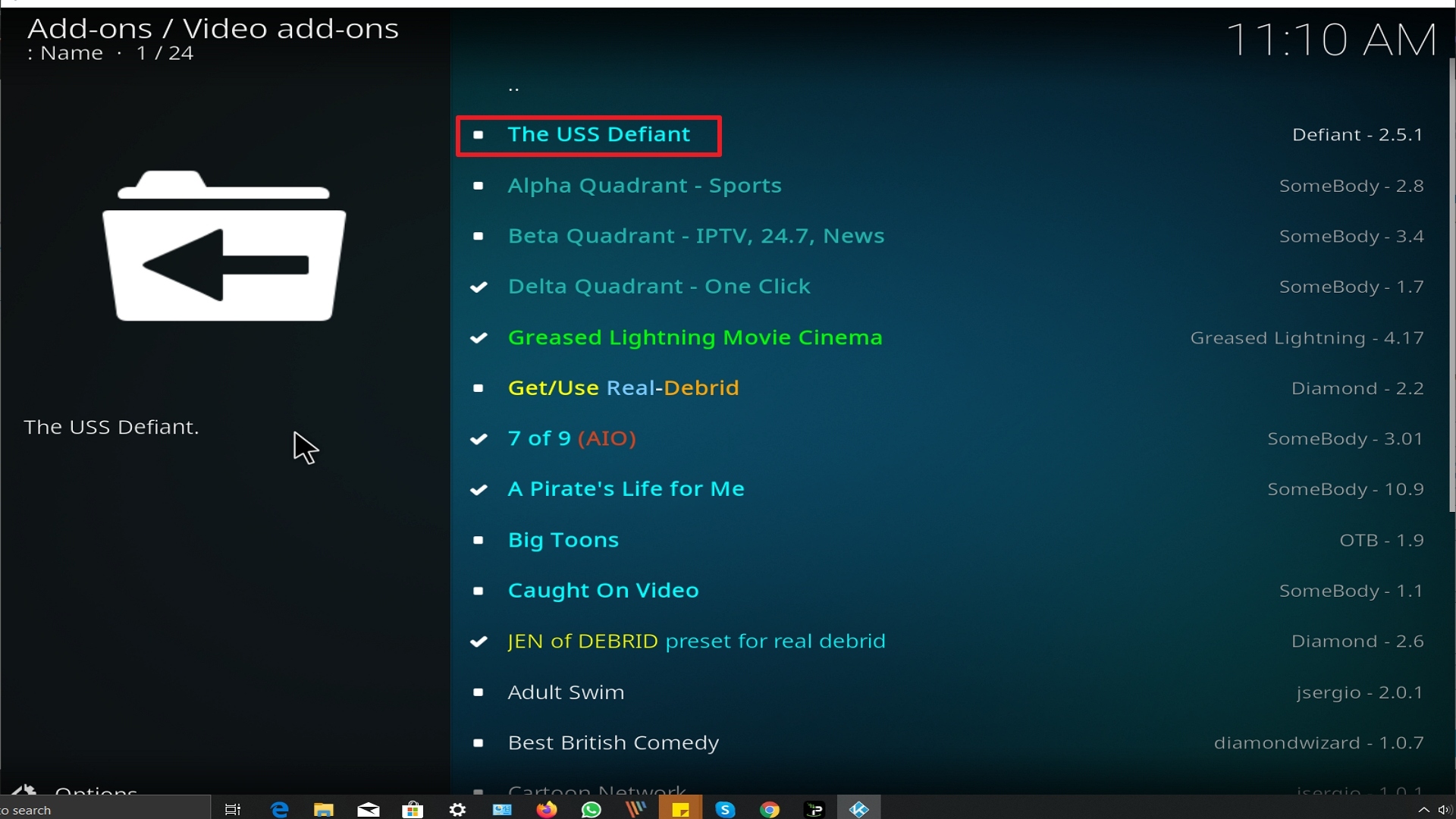
22. Select The Uss Defiant again.
23. Click on Install.
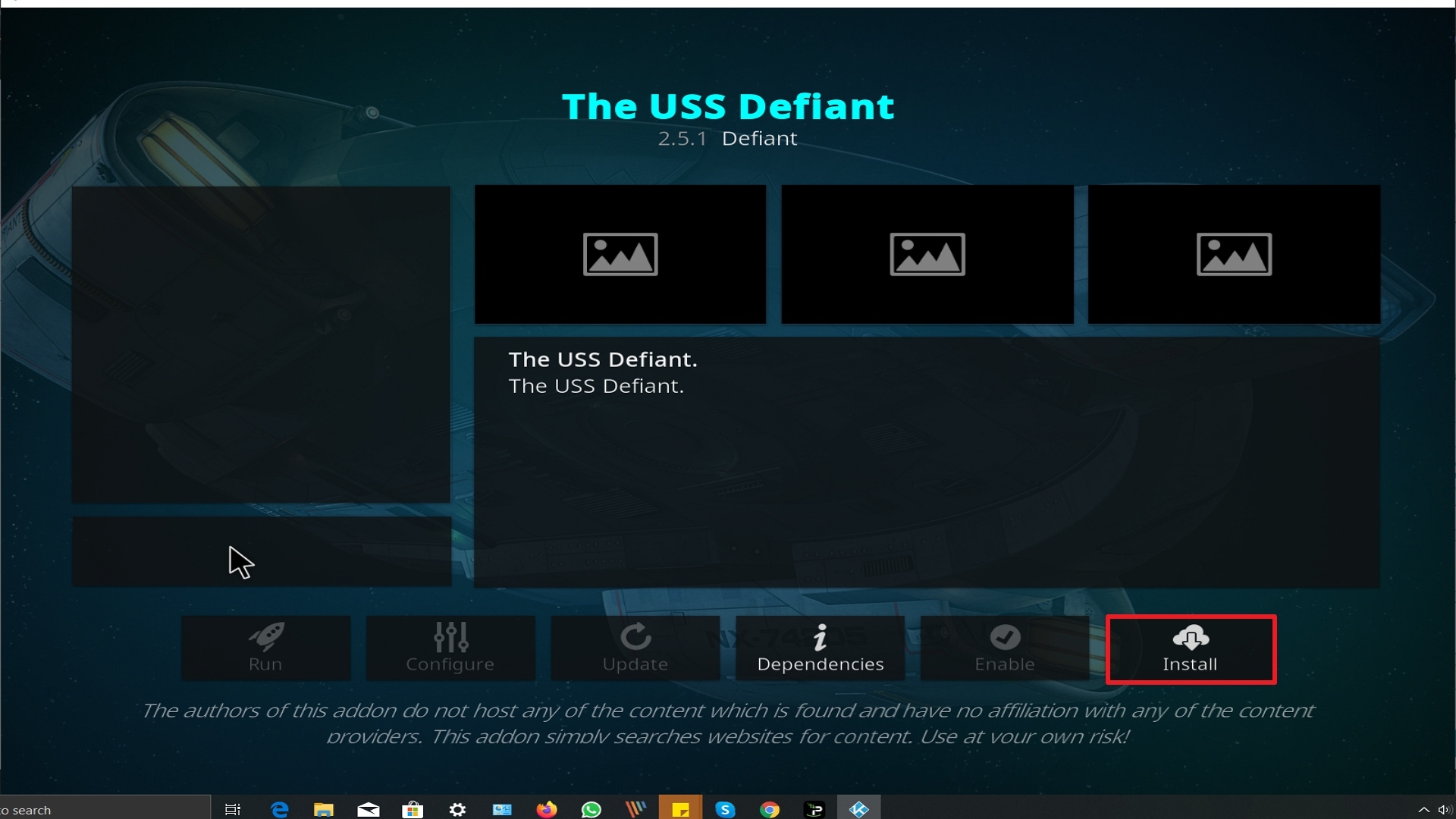
24. Select OK after reviewing the add-ons that will be installed.
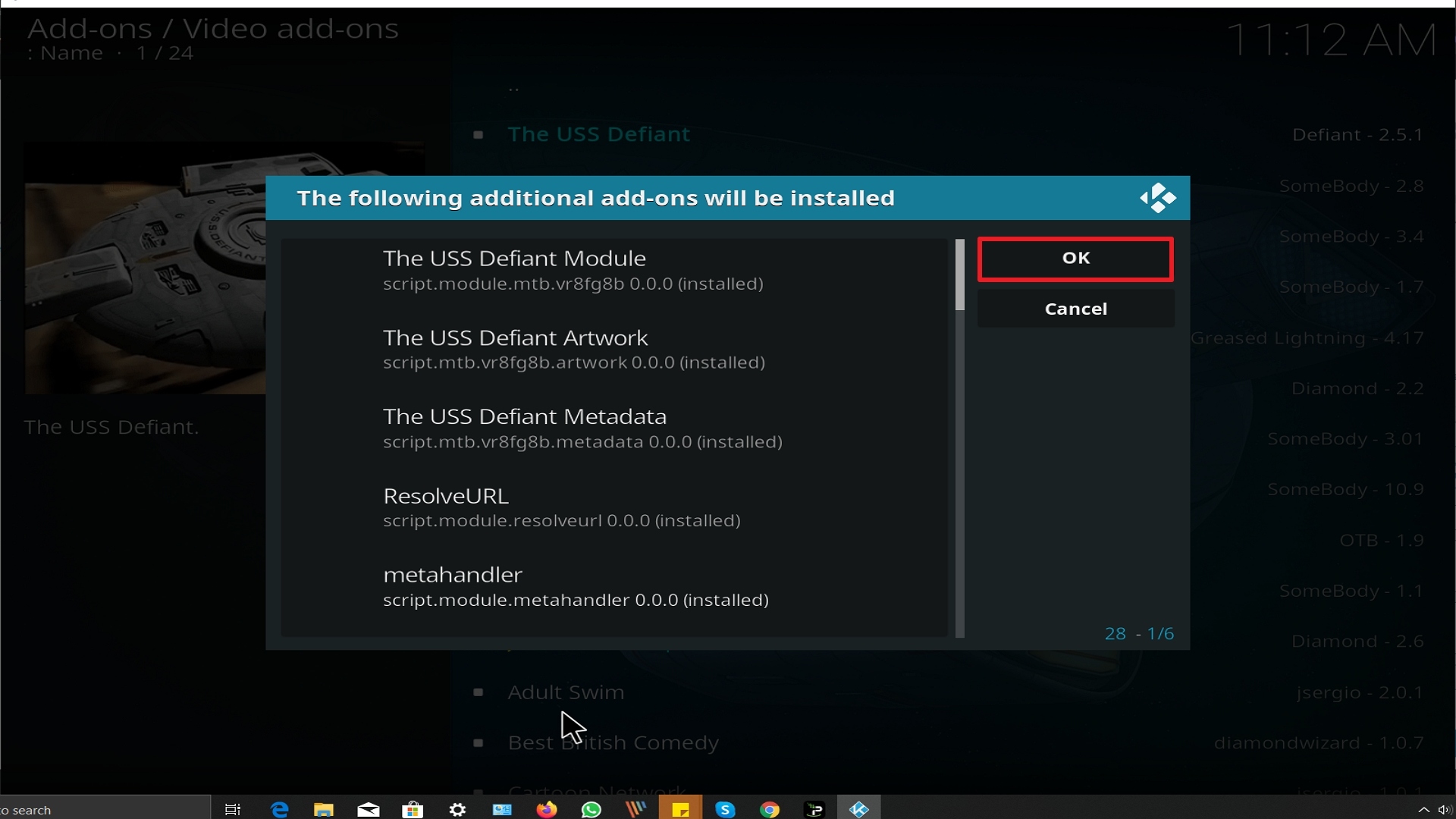
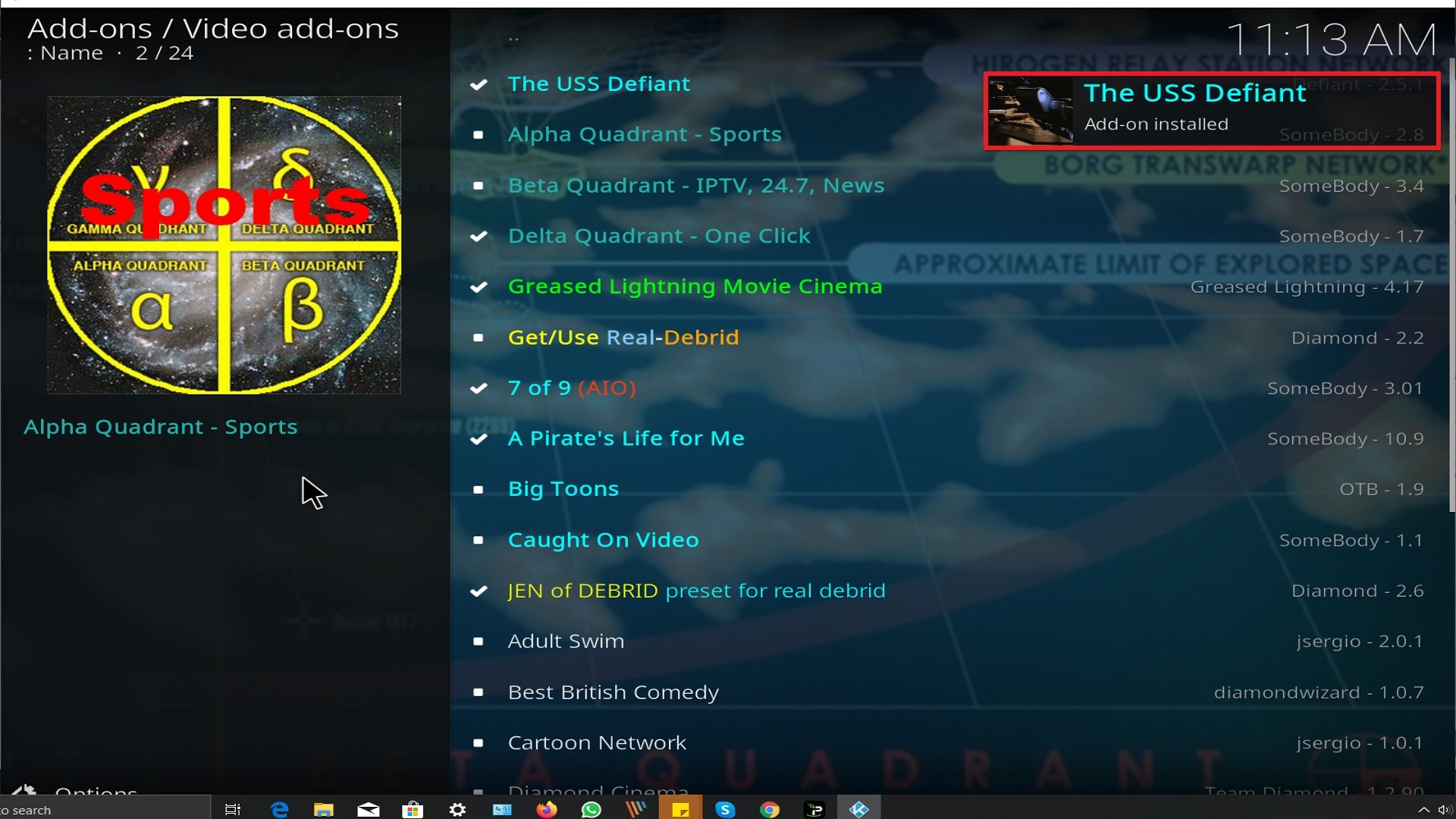
25. You should see a popup in the upper right corner saying The Uss Defiant has installed. There will actually be multiple popups for the various components.
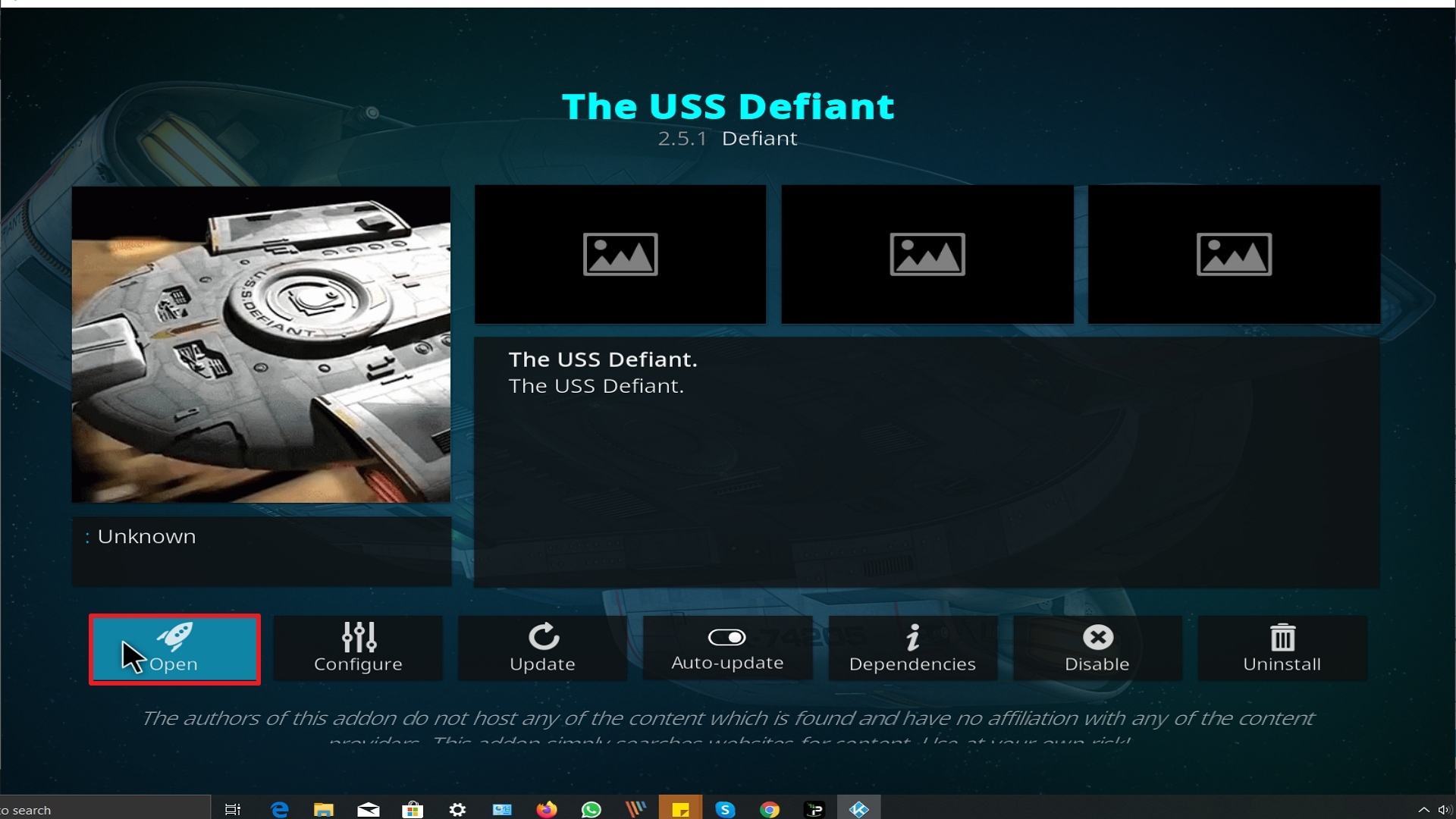
26. Click on Open to start The Uss Defiant add-on.
Alternatives
When The USS Defiant add-on encounters issues rendering it unable to function properly what do we do? We always suggest that our users create a back-up plan so as to have their entertainment experience uninterrupted. This back-up should be procured from a trusted source and here at ReviewVPN, we only suggest the best out of the best. The following add-ons can serve as a stand-in for The USS Defiant:
– Locutus Add-on
– Primal Add-on
– The Magic Dragon
These add-ons have similar capabilities like The USS Defiant due to the fact that they belong to one Repository and creator. So you are guaranteed to have the same viewing experience as compared to The USS Defiant.
Common Errors
These are some of the things that may cause an issue when installing The USS Defiant
One of the main reasons why this happens is that you might have written the wrong URL. Please be careful when typing in the URL because the slightest mistake can totally ruin your download. Secondly, having a stable internet connection is always desired as it does not impend the speed of your download. Lastly, to protect your identity and internet trail, you must have a reliable VPN to mask your online activities and will help you remain anonymous. Check here for the best VPN deal.
This issue usually arises when Kodi is not properly installed or has lacking features for it to work properly. If that is the case, you can redownload Kodi and install it properly. An in-depth guide on how to install the Kodi app is provided on our website. Lastly, if the issue is with the add-on itself, you can reinstall it by following the procedure given above.
A check log error only happens when your media cache is full. You can remedy this situation by emptying your cache.
The USS Defiant does not keep any of the content on its servers. It is distributed by 3rd party apps. Patience is key here, just wait for a couple of seconds for the other suggestions and click on them. For other solutions please take time to read our in-depth guide linked above.
Should I Use This App With a VPN?

We recommend you use a VPN for the following reasons:
- Many of the addons you will access in Streamline will direct you to links for illegally distributed content. Without a VPN you may find many of these links do not work because your ISP is blocking your access
- If you try to access Live TV Channels in other countries through Streamline your access may also be blocked. This is because these channels can detect your IP is not in that country and will block you from accessing their channels.
- Using a VPN, you can encrypt your requests, change your IP, and also the location where your IP originates from. Thus, allowing you to circumvent any blocks or firewalls in place to do your accessing most restricted content
- A VPN also helps you maintain anonymity, safety, and privacy online from unwanted third parties.
Note: For more information about Surfshark, please read our Surfshark Review.
How to Install Surfshark VPN on Firestick
If your Firestick still has the older interface, read this article to learn how to update it: Update Firestick Interface.
Follow our screenshots below to install the SurfShark VPN app on your Fire TV stick.
1. Go to the Home screen of your Firestick.

2. Navigate towards the Find tab. Press the Search button from the resulting dropdown.

3. Type in the keyword of SurfShark and select from the suggestions that will appear.

4. Click the official SurfShark icon from your search results.

5. Press the Download (You own it) button.

6. The SurfShark VPN installer will download on your device.

7. SurfShark VPN’s app will automatically install itself on your Fire TV stick.

8. Press the Open button after completing SurfShark VPN’s installation process.

9. Please wait for the SurfShark VPN to load its user interface.

10. You can now log in with your SurfShark VPN account credentials.

Learn more about Surfshark and Grab the Best Surfshark Deal Now!
Install Surfshark on Firestick



For more VPN discounts, go to ReviewVPN Deals and purchase the best VPN for you.
Click here to get the lowest price on Surfshark through our exclusive limited-time offer.
Conclusion
Being under the Diamond Wizard Repository, there is no wonder why The USS Defiant is capable of such performance. Add-ons under this repository are one of the best out there and it is very dynamic that a lot of users are actually enjoying using them. Its extensive library and customized search set it apart from other add-ons that have similar capabilities. We are giving it a two thumbs up because of this. Should there be comments, questions, or suggestions, please feel free to do so by dropping them here on our website or any of our other social media platforms. Thank you for your time in reading this guide! God Speed!






