
Overview
Quick Navigation
This article will show you how to install Cloudflare 1.1.1.1 on Firestick.
If you’ve been looking for a means to keep your DNS queries private, then Cloudflare 1.1.1.1 is the answer. Cloudflare 1.1.1.1 is a DNS extension service provided by Cloudflare that accelerates and secures your internet connection.

Moreover, it resolves domain name queries privately and swiftly, in comparison to your ISP’s or network provider’s default DNS server. In addition, you’ll benefit from traffic encryption, IPv6 support, the elimination of malware and botnet risks, and other security benefits when accessing websites.
Furthermore, it tunnels your DNS queries through Cloudflare’s servers, enabling you to experience secure, unrestricted browsing while maintaining the privacy of your connection. Finally, Cloudflare does not keep track of which websites you visit, making it one of the best DNS servers for protecting you from harmful websites.

How to Install Cloudflare 1.1.1.1 on Firestick
1. Click Home on your remote and scroll once to your Right. Click Setting (Gear Wheel Icon).
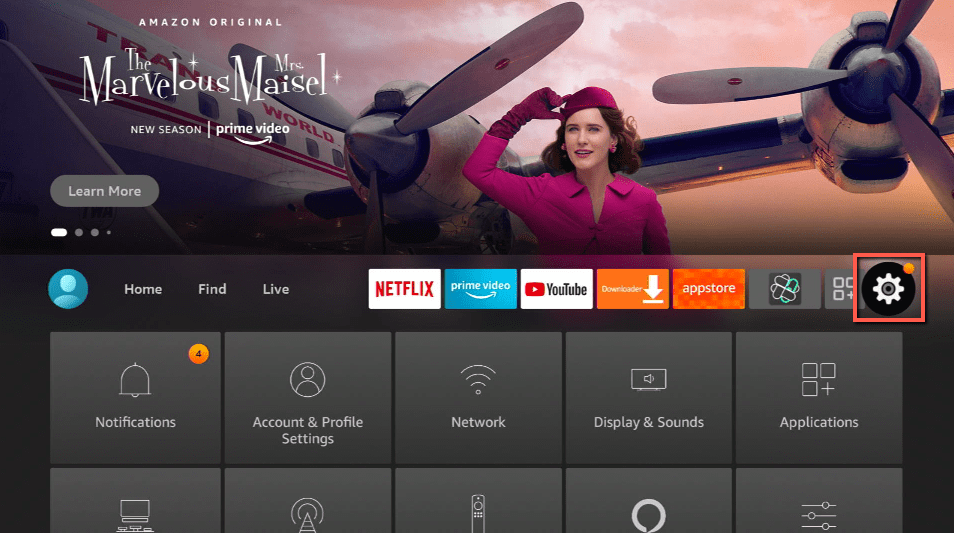
2. Scroll down and to the right until you get to My Fire TV. Click on it.
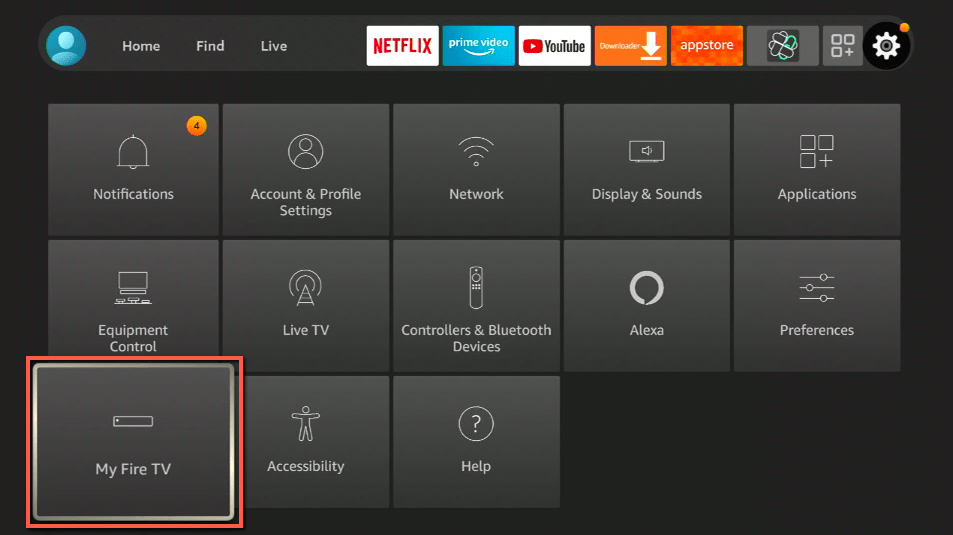
3. Select Developer options.
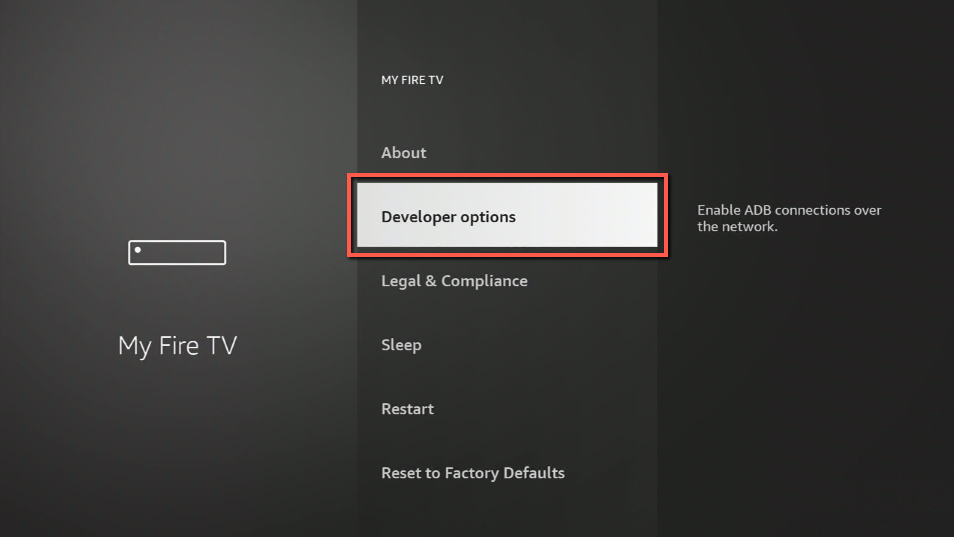
4. Turn on ADB debugging and Apps from Unknown Sources.
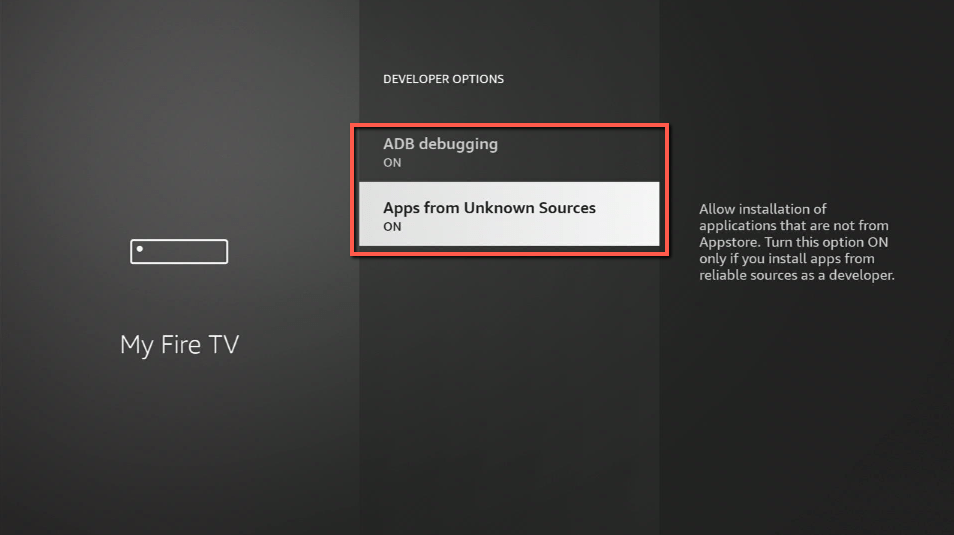
5. Click Turn On when the pop-up appears.
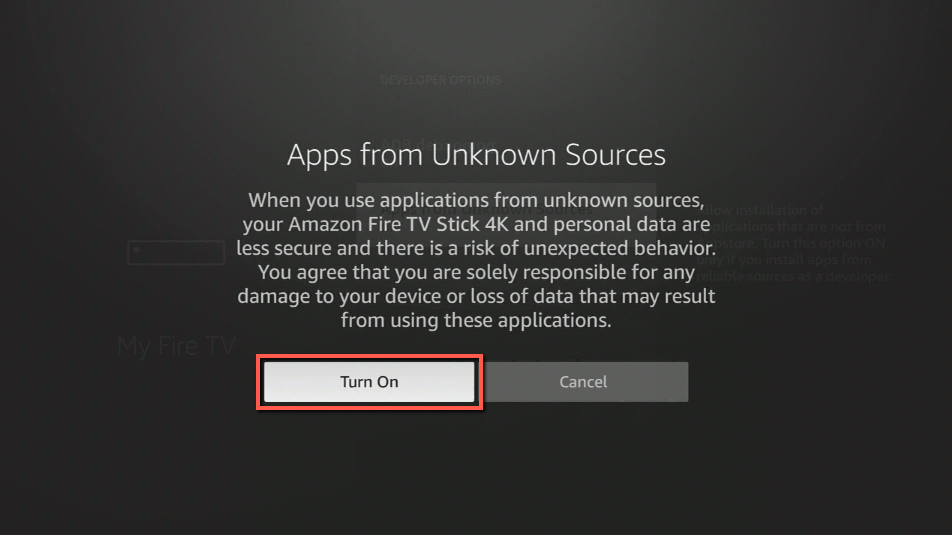
Then, after jailbreaking your Firestick, you’ll need to download the Downloader app to sideload Cloudflare 1.1.1.1. This app, which is easily available on the Amazon App Store, allows you to download APK files.
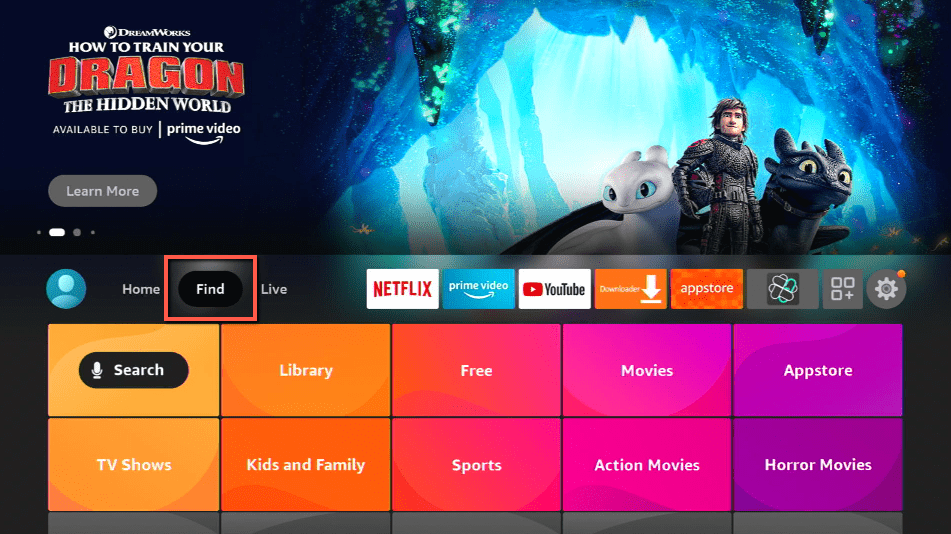
6. Click Home, click FIND.
7. Click Search.
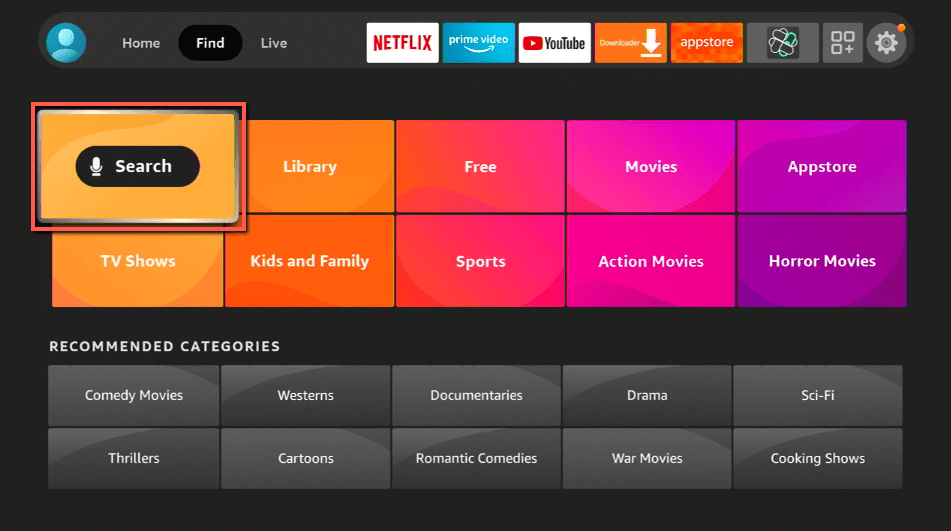
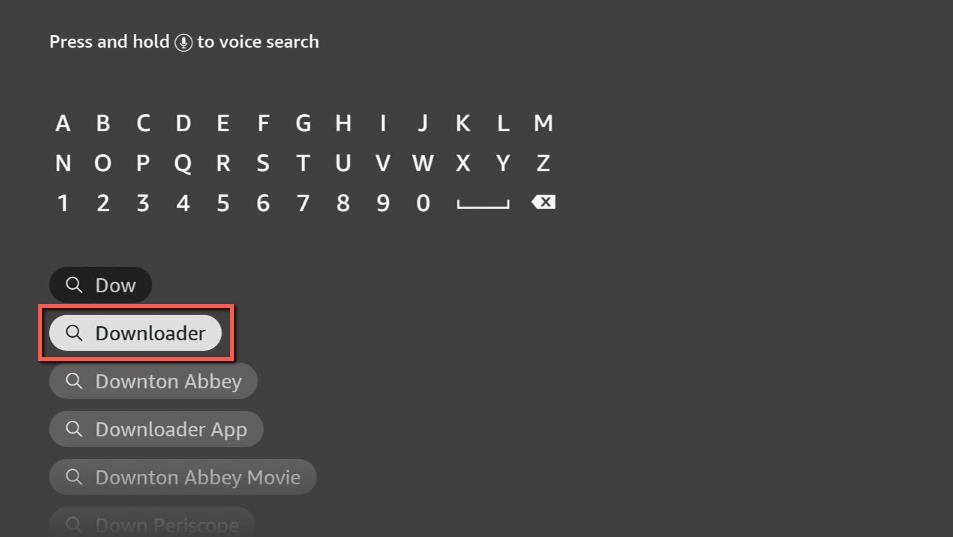
8. You can either say Downloader to your Alexa voice-enabled remote or start typing it. If you typed it, click on the suggestion when it appears.
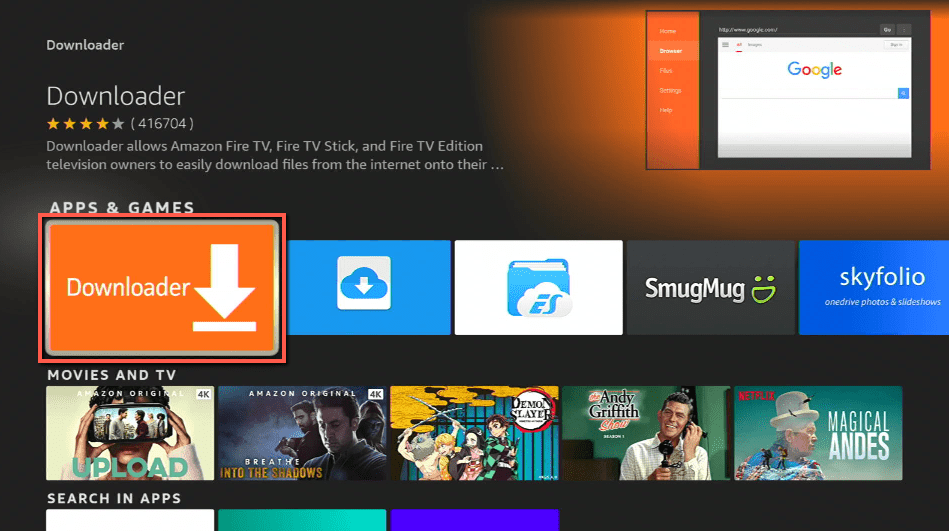
9. Click on the Downloader Icon.
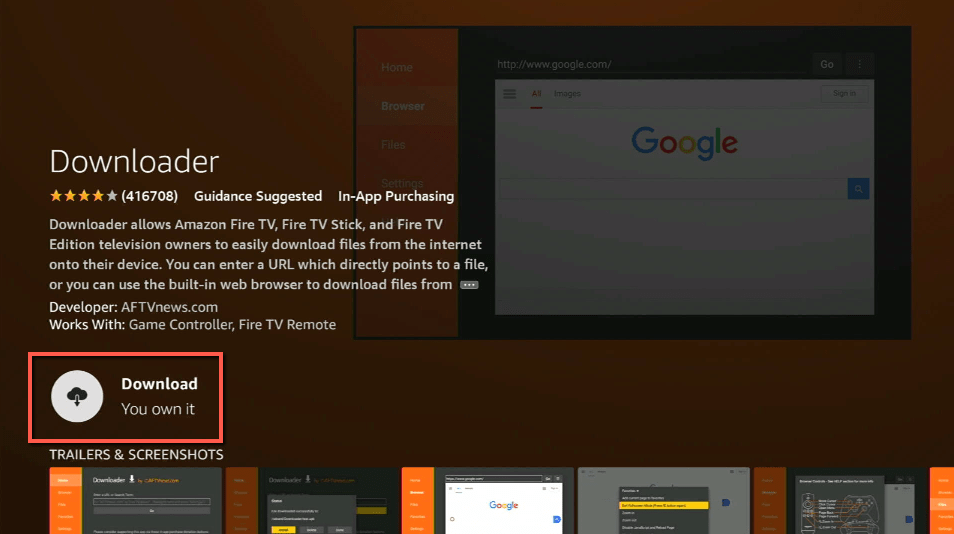
10. Click Download.
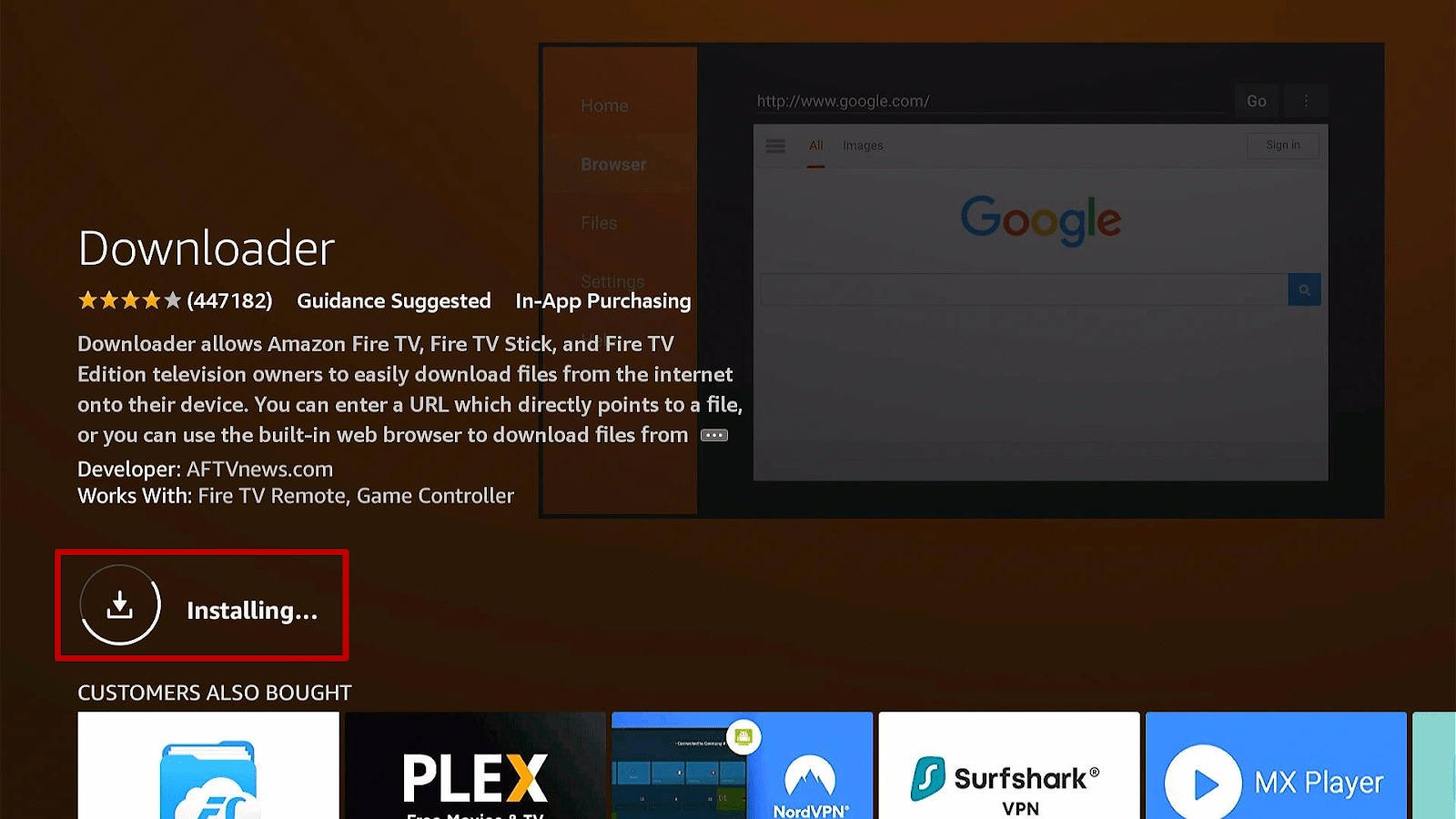
11. Click on Open.
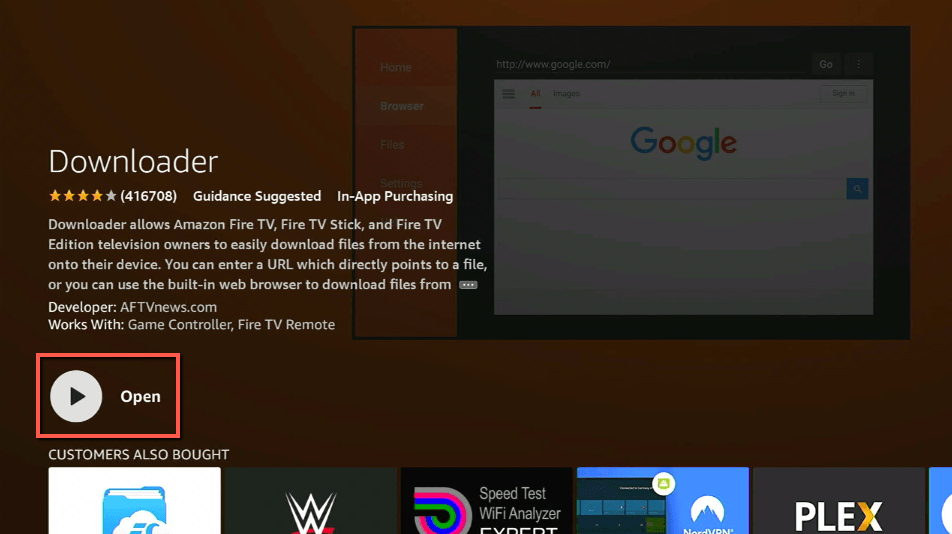
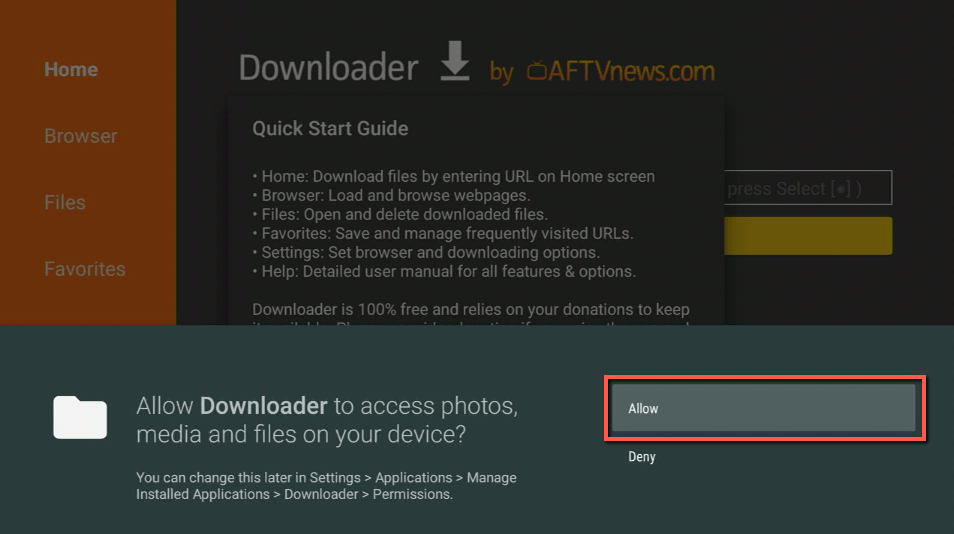
12. Click on Allow.
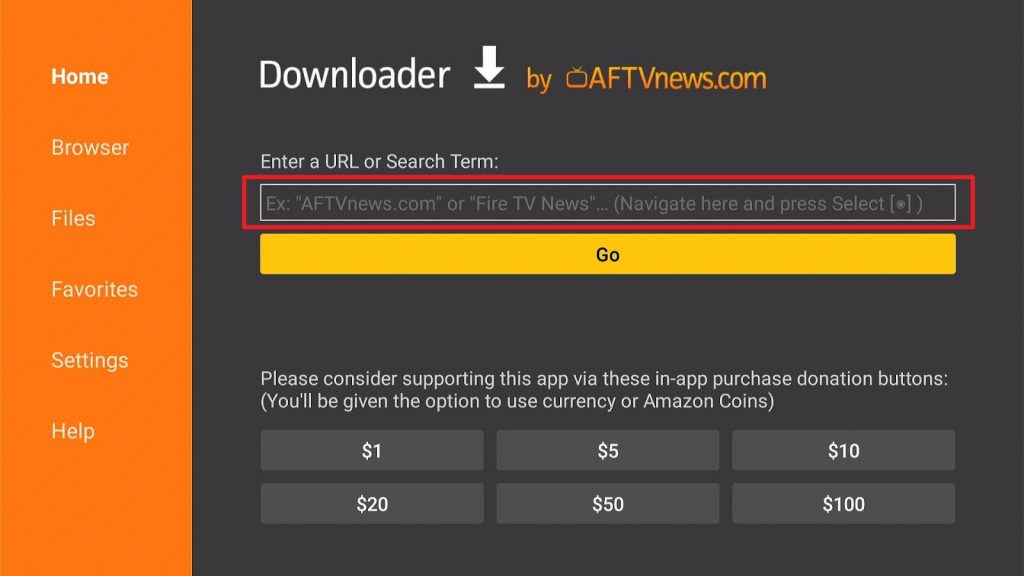
13. Use the Downloader search tab.
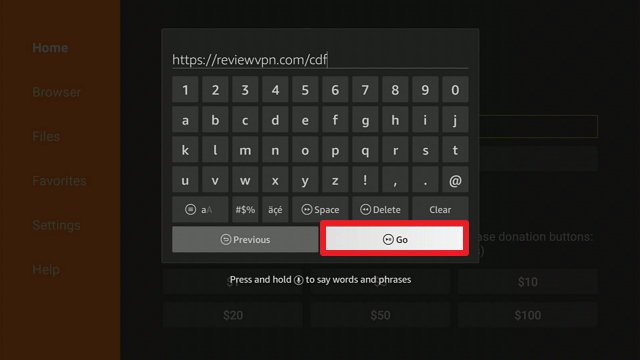
14. You will be asked to enter a download link. Type in “https://reviewvpn.com/cdf” and select Go.
15. Depending on your internet connection, the APK will take a few seconds to download.
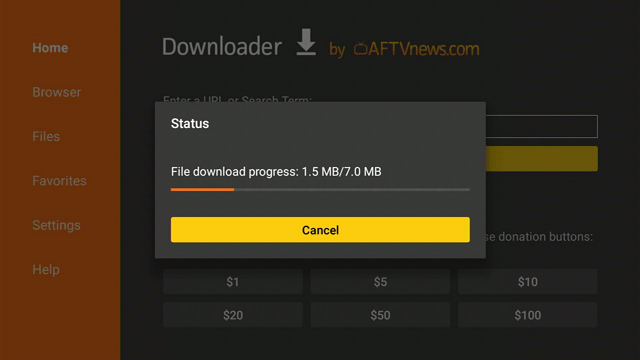
16. After that, choose Install.
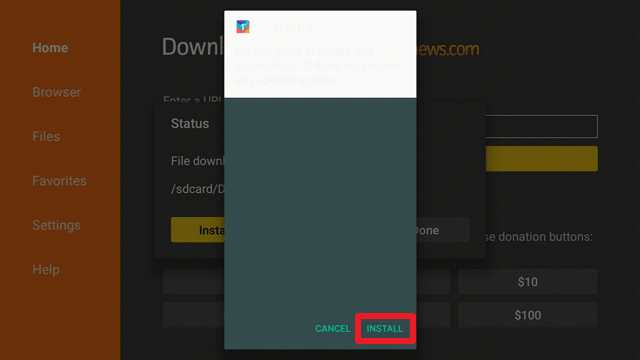
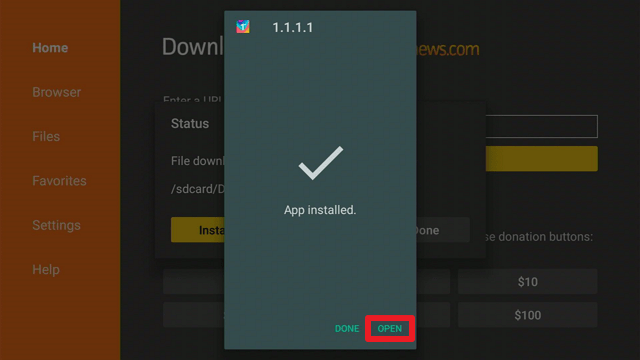
17. Then click Open.
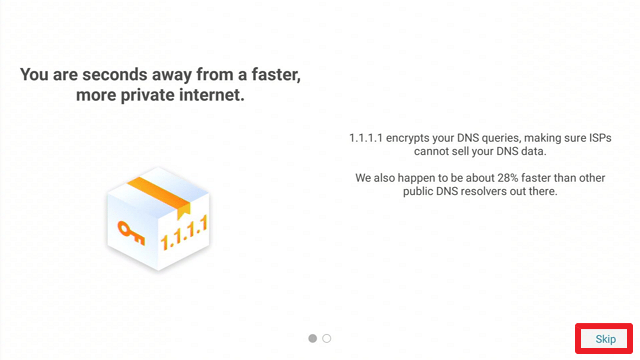
18. Once the app launches, click on “Skip.”
Cloudflare 1.1.1.1 APK Download for Android Devices

Note: ReviewVPN.com does not host this APK file. It is hosted by Archive.org
Install Surfshark on Firestick
Legal Disclaimer: ReviewVPN.com does not encourage or endorse any illegal activity involved in the usage of services and applications referenced on this site. We do not verify the licensing agreements of services. The end-user is wholly responsible for ensuring that any media accessed through these services does not violate copyright and/or licensing laws. ReviewVPN does not promote, link to, or receive compensation from any Apps and IPTV services.
ReviewVPN cannot attest to the legality, security and privacy of the applications discussed on this site. It is highly recommended that you use a VPN service while streaming or using Kodi. Currently, your IP 216.73.216.193 is visible to everyone and your Browser is being tracked by Advertisers & ISP Provider. Here are the main reasons why you must use a VPN: A VPN works be replacing your ISP-assigned IP address and creating an encrypted tunnel. We recommend the no log service offered by IPVanish. It works well on a Firestick and offers the fastest possible speeds.
YOUR INTERNET ACTIVITY IS BEING WATCHED
App Features
- Encrypts the DNS queries made by your device
- It claims that it is 28% faster than other public DNS resolvers.
- Allows you to route your network traffic via one of two tunnel types: Full Tunnel or Split Tunnel
- DNS over HTTPS and DNS over TLS are two options for encryption.
- Option to exclude applications that will bypass Cloudflare 1.1.1.1
- If you enable DNS query logging, it provides a log of all your DNS requests (moreover, you can disable logging and get the same private DNS traffic)
- Reports errors that occur when DNS requests are sent.
- The app enables you to submit feedback to the developer, whether to report a problem, suggest an improvement, or simply to communicate with them.
- It is available in two color schemes: light and dark.
Pros & Cons
Pros
- Installation and usage are completely free.
- Simple to use
- Secures your DNS requests
- Enhances the security of your internet activity
Cons
- If you do not check the advanced options, you may be unaware that the default setting is for DNS requests to be logged.
- Does not operate within China
- There are times when you cannot enable it because another application is running on top of the dialog.
Top Up Your Internet Protection With a VPN

Although Cloudflare protects your internet by encrypting DNS requests, it does not provide the same service as a VPN. A VPN service, such as Surfshark, can ensure a more secure connection by encrypting your entire network, not just your DNS traffic. And if these two security tools function in conjunction, you can rest assured that your internet activity will be as safe and secure as possible. Moreover, Surfshark ensures that your data, including DNS queries and your IP address, is not logged. It encrypts your connection using AES 256-bit military-grade encryption, ensuring that all browser activity is encrypted from end to end. Moreover, it provides you these additional benefits:
- It has over 3,200 VPN servers in 65 worldwide locations located throughout the world, assuring that you will never run out of connections for your daily internet browsing.
- Allows you to bypass censorship, enabling you to view geo-restricted material from anywhere in the globe without having your IP address traced.
- It works on Firestick, macOS, Android, iOS, Windows, and Linux.
- Encrypts your connection even when utilizing public wifi and hotspots, ensuring that you always have a secure connection.
Click here to get the lowest price on Surfshark through our exclusive limited-time offer.
How to Install Surfshark VPN on Firestick
If your Firestick still has the older interface, read this article to learn how to update it: Update Firestick Interface.
1. Go to the Home screen of your Firestick.

2. Navigate towards the Find tab. Press the Search button from the resulting dropdown.

3. Type in the keyword of Surfshark and select from the suggestions that will appear.

4. Click the official SurfShark icon from your search results.

5. Press the Download (You own it) button.

6. The Surfshark VPN installer will download on your device.

7. SurfShark VPN’s app will automatically install itself on your Fire TV stick.

8. Press the Open button after completing Surfshark VPN’s installation process.

9. Please wait for the SurfShark VPN to load its user interface.

10. You can now log in with your Surfshark VPN account credentials.

Learn more about Surfshark and Grab the Best Surfshark Deal Now!
Install Surfshark on Firestick



For more VPN discounts, go to ReviewVPN Deals and purchase the best VPN for you.
Click here to get the lowest price on Surfshark through our exclusive limited-time offer.
App Alternatives
- Trust DNS
- DNSFilter
- OpenDNS
- Nebulo – DNS Changer
FAQs
What is Cloudflare 1.1.1.1?
Cloudflare 1.1.1.1 is a secure, private DNS service that encrypts your DNS requests and accelerates the load time of your website.
Who uses Cloudflare?
Individuals who wish to encrypt their DNS traffic use Cloudflare. In addition, it is used to achieve a faster response time when receiving DNS requests.
Is Cloudflare a VPN?
Cloudflare is not a VPN service. While it secures the DNS traffic on your device, it does not secure your entire internet traffic. However, you can use Cloudflare combined with a VPN service such as Surfshark.
What is the Warp feature in Cloudflare 1.1.1.1?
Cloudflare uses Warp as a proxy between your device and the internet, providing an encrypted protocol for your traffic. Mainly, it is the protocol that Cloudflare employs to accelerate and secure the internet when it is used with Cloudflare.
Is Cloudflare 1.1.1.1 safe?
Yes, using and installing Cloudflare on your Firestick or other device is completely safe. Cloudflare, on the other hand, is best paired with Surfshark to ensure a more secure connection.
Is Cloudflare 1.1.1.1 free?
Yes, the Cloudflare DNS service is completely free to use.
Final Thoughts
If you’re searching for a simple way to encrypt your DNS traffic, Cloudflare 1.1.1.1 is an excellent choice. Furthermore, It enables you to select the encryption method that is most appropriate for your needs. Apart from that, it speeds up your browsing and internet connection when compared to using your ISP’s default services. Finally, Cloudflare’s best feature is its convenience; all you have to do is turn it on and you’re good to go.






