
Fractured Kodi Video Addon
In this article, we will help you install Fractured Kodi Addon on Firestick.

Source: http://insanity-builds.tk/fracturedrepo/
There may be well around 100 add-ons out there on the web to search for, but you don’t have any idea where to start let alone know which are the best ones. Some users prefer a very simple list while others who are more detail-oriented prefer a long list. It will always depend upon the user on which add-on is the perfect fit for him/her. If you are a very detailed person and search content based on a lot of factors this may well be the perfect fit for you. We introduce to you Fractured Kodi Video Add-on.
Fractured comes from the Repository under the same name. It offers pretty decent Movies and Tv Shows with a broad category to choose from. It also provides boxset collections that bundles of movies that have prequels or sequels which makes it convenient if you are on a movie marathon.

Features
Quick Navigation
– TMDB Movies and TV Shows
- Popular Movies, Movies, Top Rated Movies, Movie Genres, Boxset Collection, Horror Boxset Collection, Kid and Family Boxset Collection, Movie Years, Actors, Actresses, Directors, Productions, Movie Calendars, Popular TV Shows, Top Rated TV Shows, TV Shows Airing Todays, TV Shows on the air in the next 7 days, TV Shows Genre, TV Show Networks, Search TMDB
– Trakt Movies and TV Shows
- Trending Movies, Popular Movies, Various Movie Lists, B-Movie Lists, 1001 Movies You Must See Before You Die, Actors, Actresses, Decades 1910s to 2010s, TV Shows Calendar, Trending TV Shows, Popular TV Shows, TV Networks, TV Shows List, Decades 1960s to 2010s, Search Trakt
– Real-Debrid Movies
- New Released Movies, Movies of all Genres and Years
– Fanatics
- A section that is devoted to Movie Fans of Star Wars and Harry Potter. Also has a subcategory for Stoner Movies, Forgotten Movies, CBS Radio Mystery Theater, Black and White Movies, Creative Feature, and The Duke
– Watch Your TV
– Assorted Youtube Playlists
– Moviefone Trailers
– Search Moviefone Trailers
– Live TV
– Fractured Music
– Kids
– Documentaries
– 24/7
– Newscasts by State
– Just For Kicks
ReviewVPN cannot attest to the legality, security and privacy of the applications discussed on this site. It is highly recommended that you use a VPN service while streaming or using Kodi. Currently, your IP 216.73.216.72 is visible to everyone and your Browser is being tracked by Advertisers & ISP Provider. Here are the main reasons why you must use a VPN: A VPN works be replacing your ISP-assigned IP address and creating an encrypted tunnel. We recommend the no log service offered by IPVanish. It works well on a Firestick and offers the fastest possible speeds.
YOUR INTERNET ACTIVITY IS BEING WATCHED
Legal Disclaimer: ReviewVPN.com does not encourage or endorse any illegal activity involved in the usage of services and applications referenced on this site. We do not verify the licensing agreements of services. The end-user is wholly responsible for ensuring that any media accessed through these services does not violate copyright and/or licensing laws. ReviewVPN does not promote, link to, or receive compensation from any Apps and IPTV services.
Install Surfshark on Firestick

Installation Guide
- Launch Kodi on your device
- Open the “Gear Icon” and choose “System”
- Select the add-ons menu, turn on the “Unknown Sources” by clicking “Yes”
- Go back to the “Systems” page and choose “File Manager”
- Choose Add source and select “None”
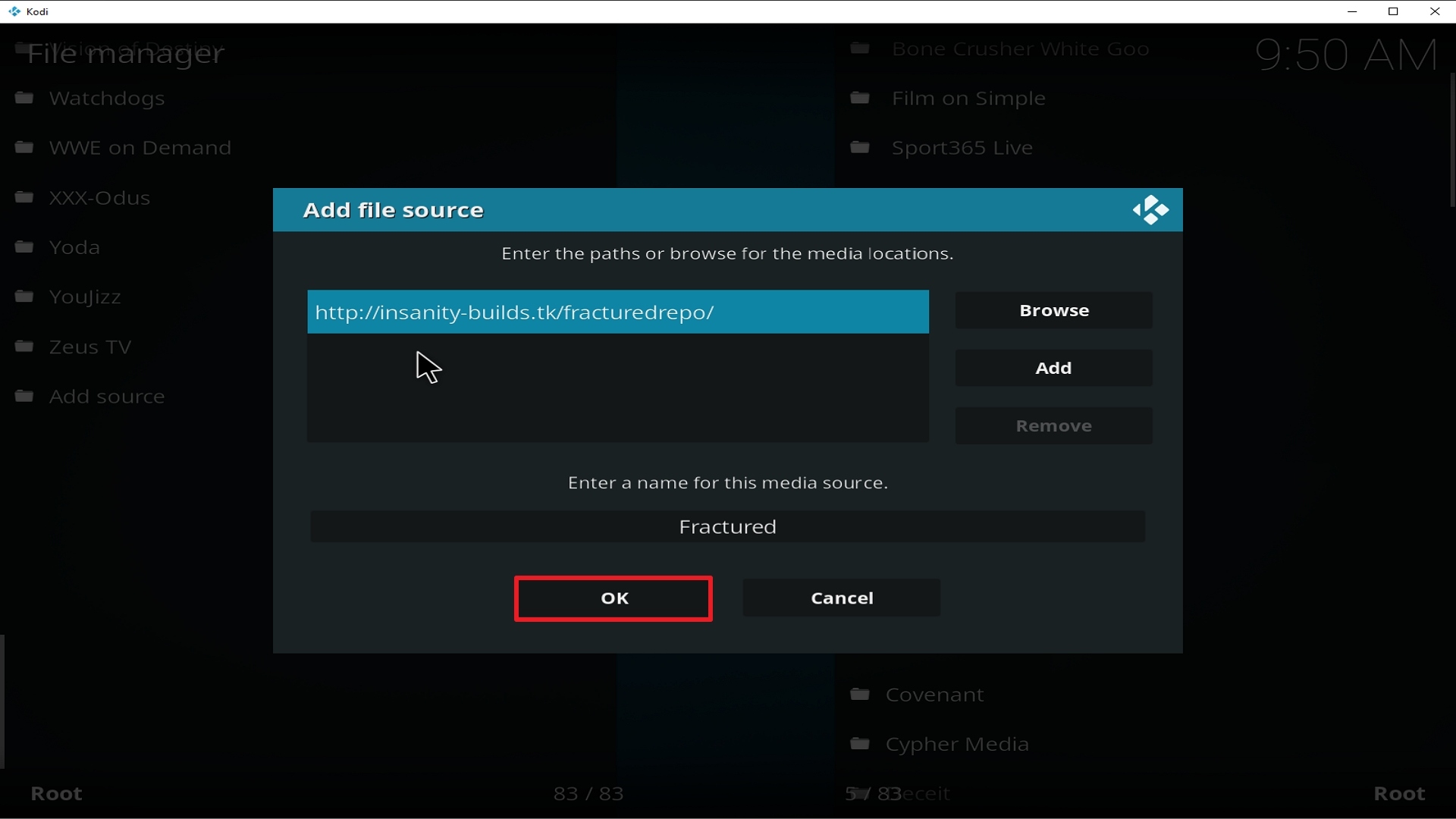
- Go to http://insanity-builds.tk/fracturedrepo/
- Highlight the source and rename it to “Fractured Repo” or any name you would like to use to identify this particular source and click “Ok”
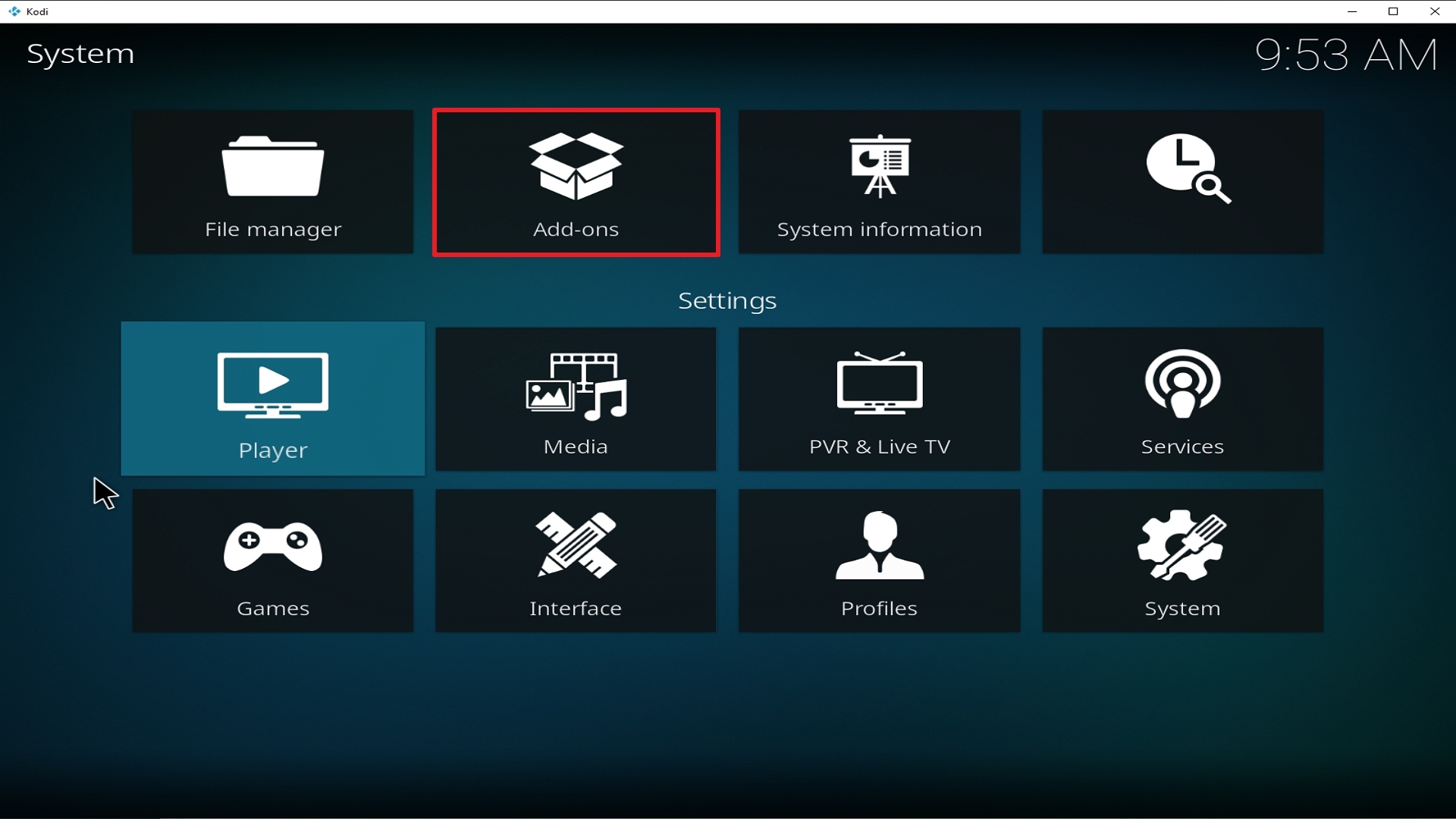
- Go back to the System Screen and click “Add-ons”
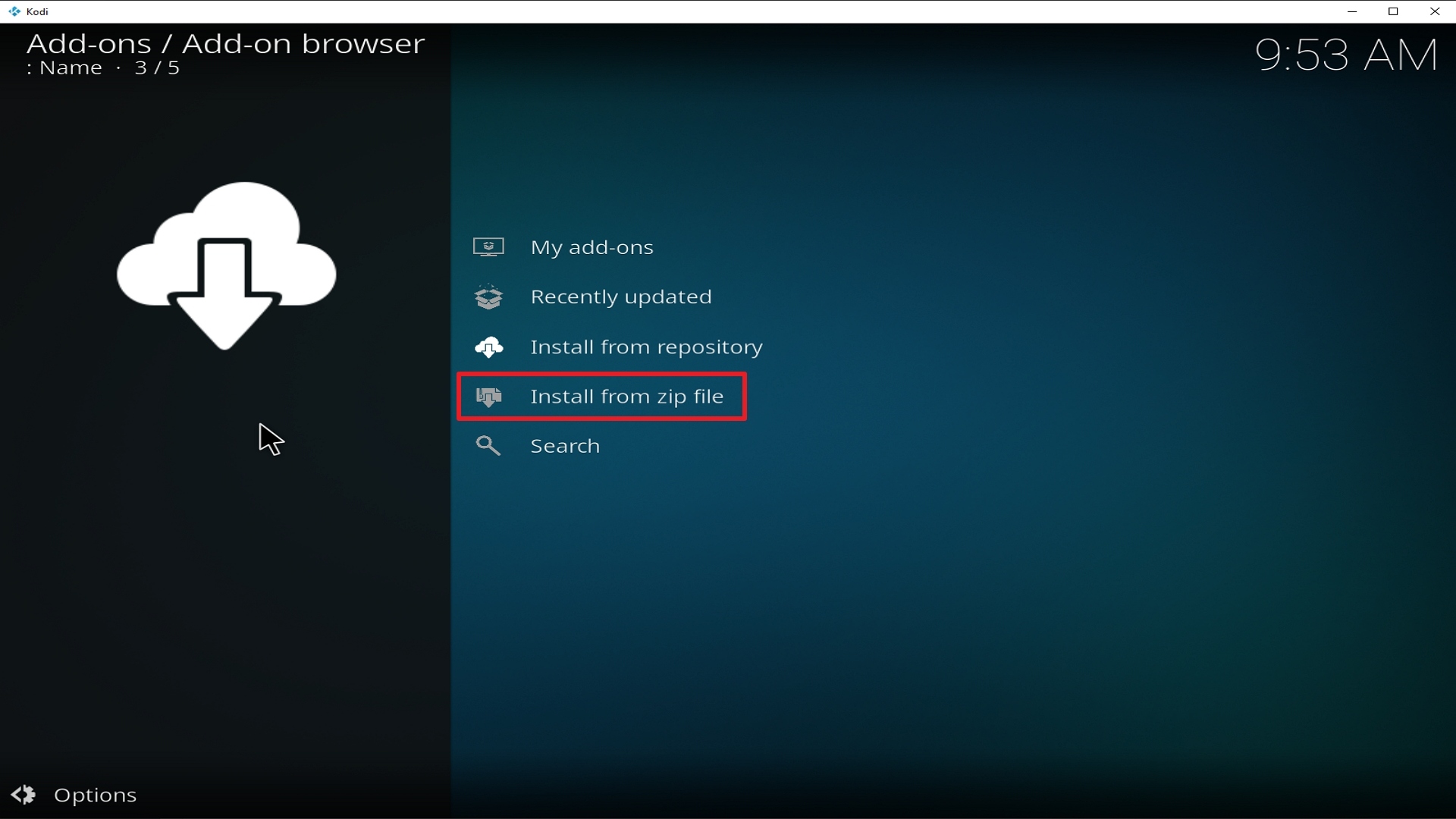
- Choose “Install Zip File” and choose “Fractured Repo” or whatever you renamed the file.
- Choose the zip file URL– repository.fracturedrepo-0.1.5.zip
- Wait for the notification “Fractured Add-on Repo Installed” to appear.
- Click on “Install Repository”
- Select “Fractured Repo”
- Open “Video Add-ons” and Choose “Fractured” and “Install”
- Select “Ok” when a notification “the following add-ons will be installed” appears and wait for Fractured Add-on to install
- Once the add-on is installed go back to the home screen and select “Add-ons”
- Choose “Video add-ons” and select “Fractured”
- There you go, Fractured is now installed.
How to Install Fractured on Kodi with Screenshots
1. From the home screen, select the cogwheel at the upper left.

2. Select System in the bottom right corner.

3. Select Add-ons on the left side of the screen.

4. Select Unknown sources.
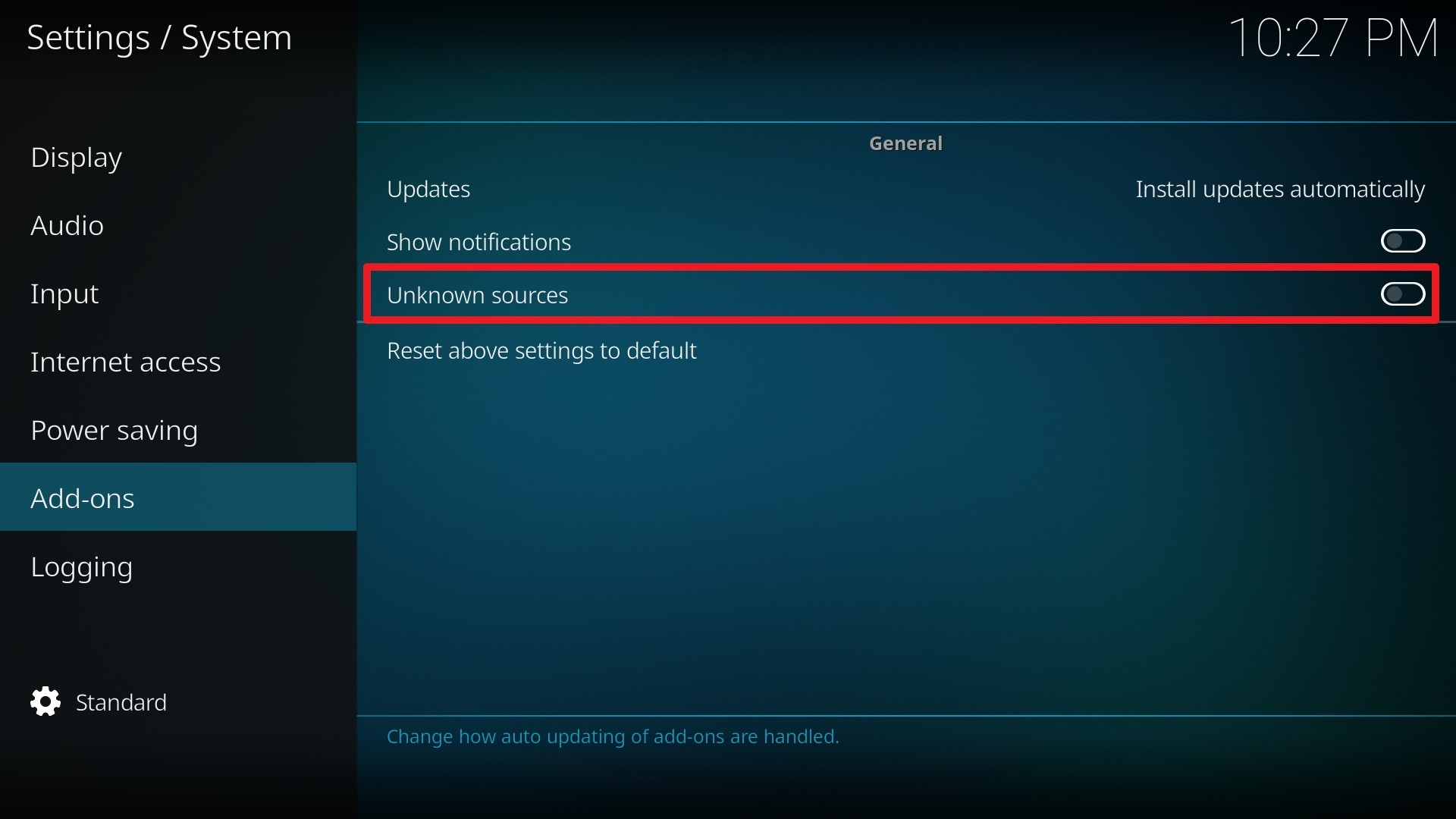
5. Click Yes to allow unknown sources.

6. Select File manager.
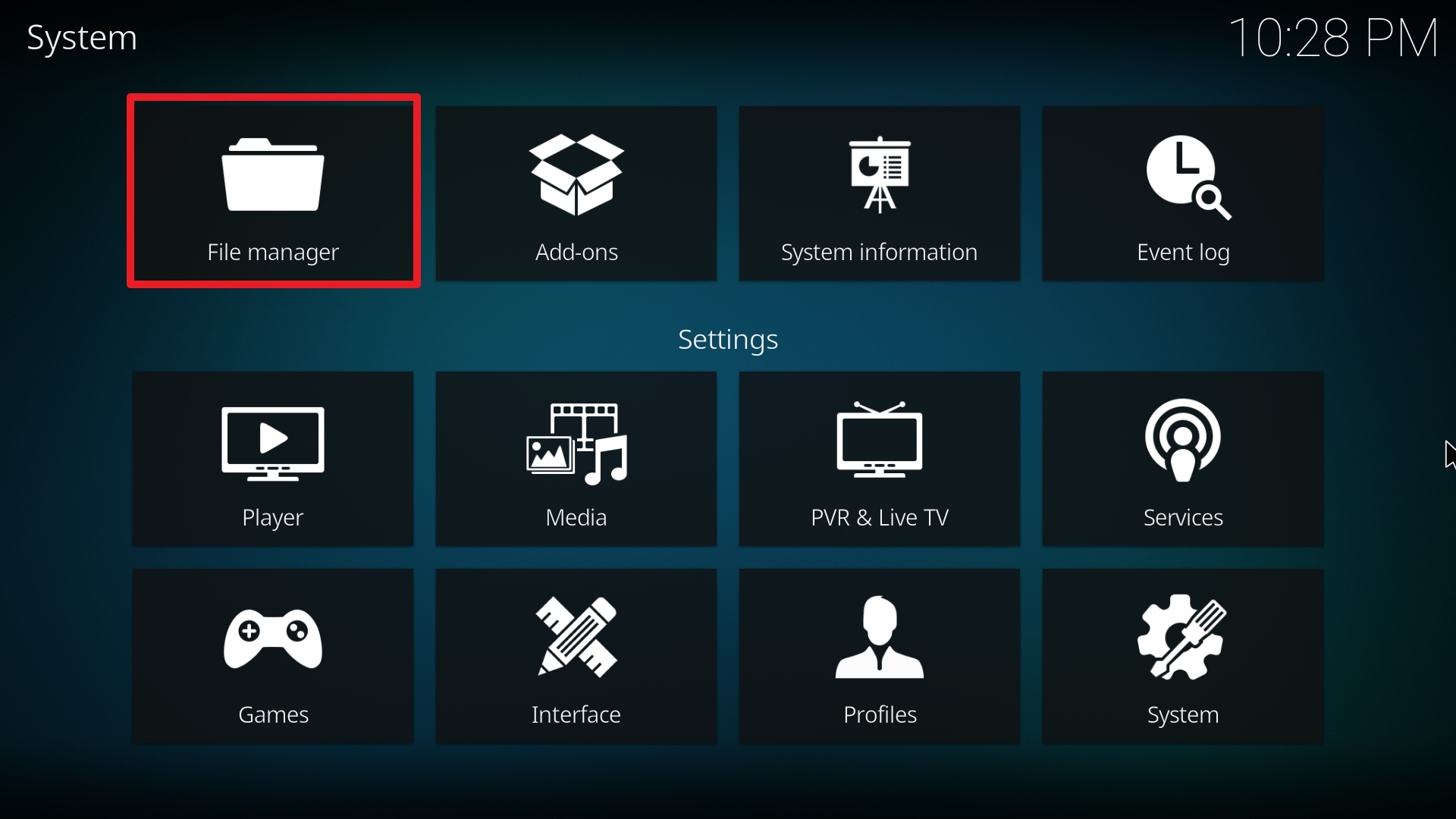
7. Click Add source.

8. Click on <None>.

9. Type exactly: http://insanity-builds.tk/fracturedrepo/
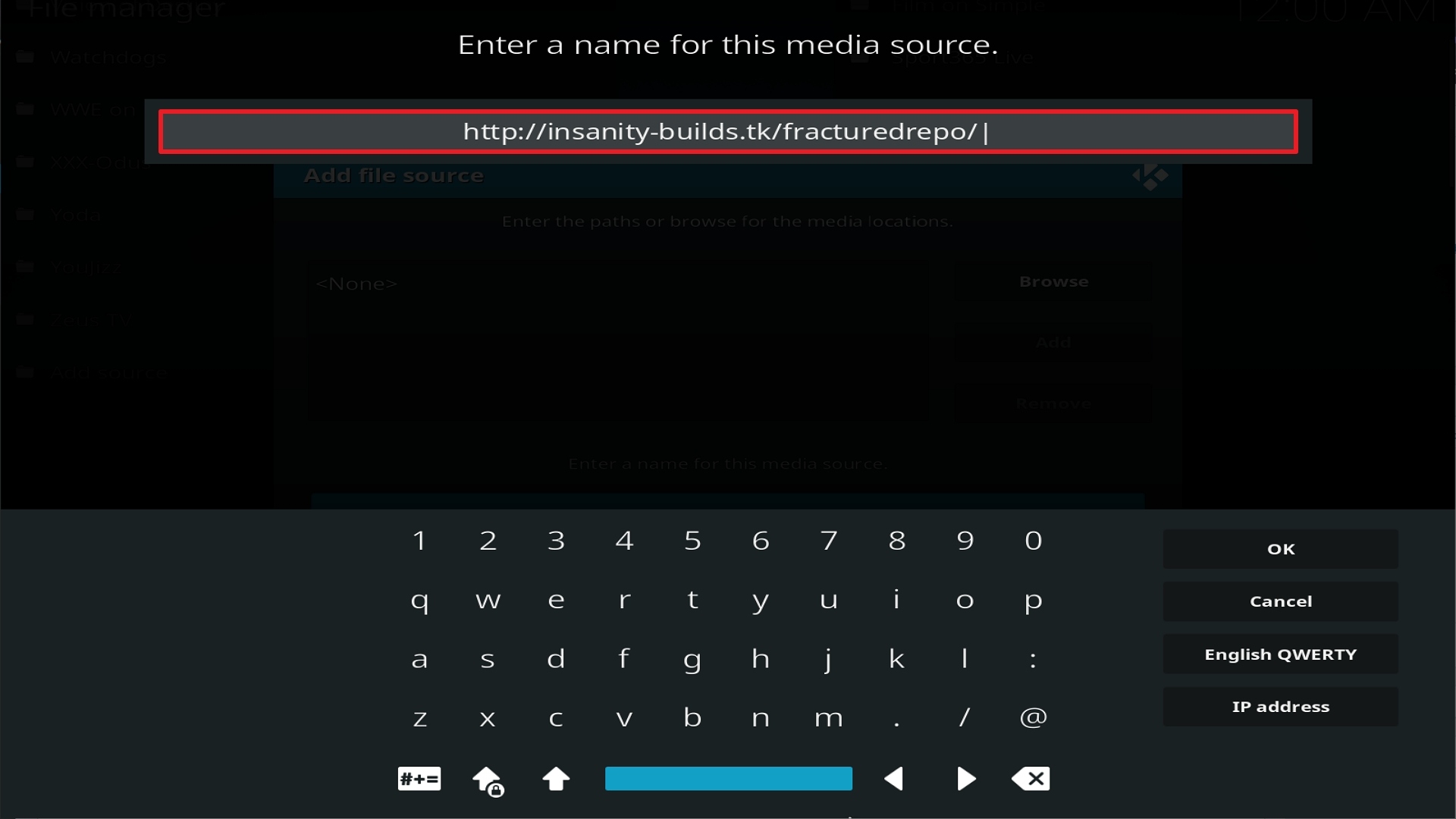
10. Click on OK.
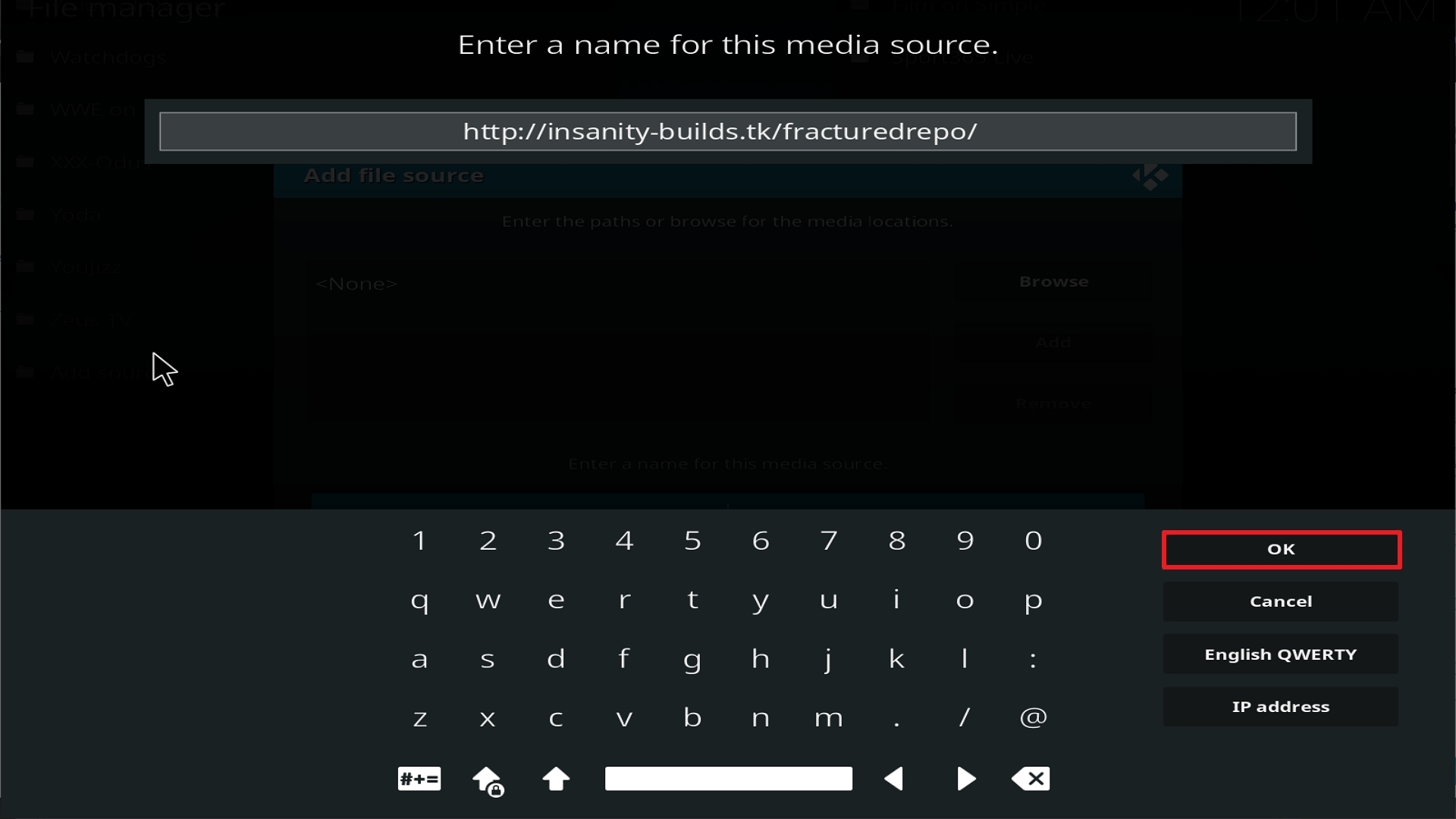
11. Select enter a name for this media source.
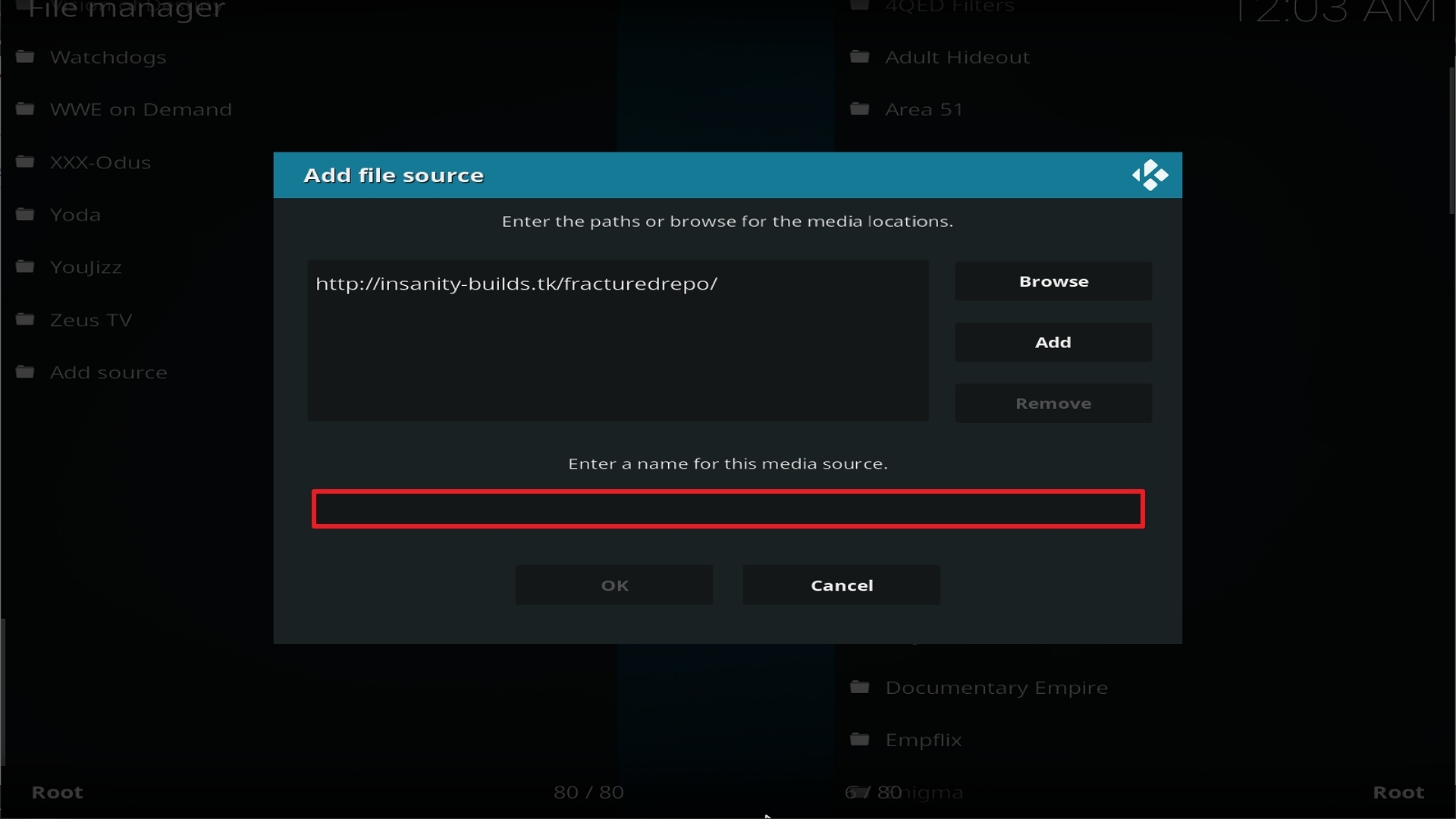
12. Name is Fractured (this part isn’t critical as long as you remember the name).
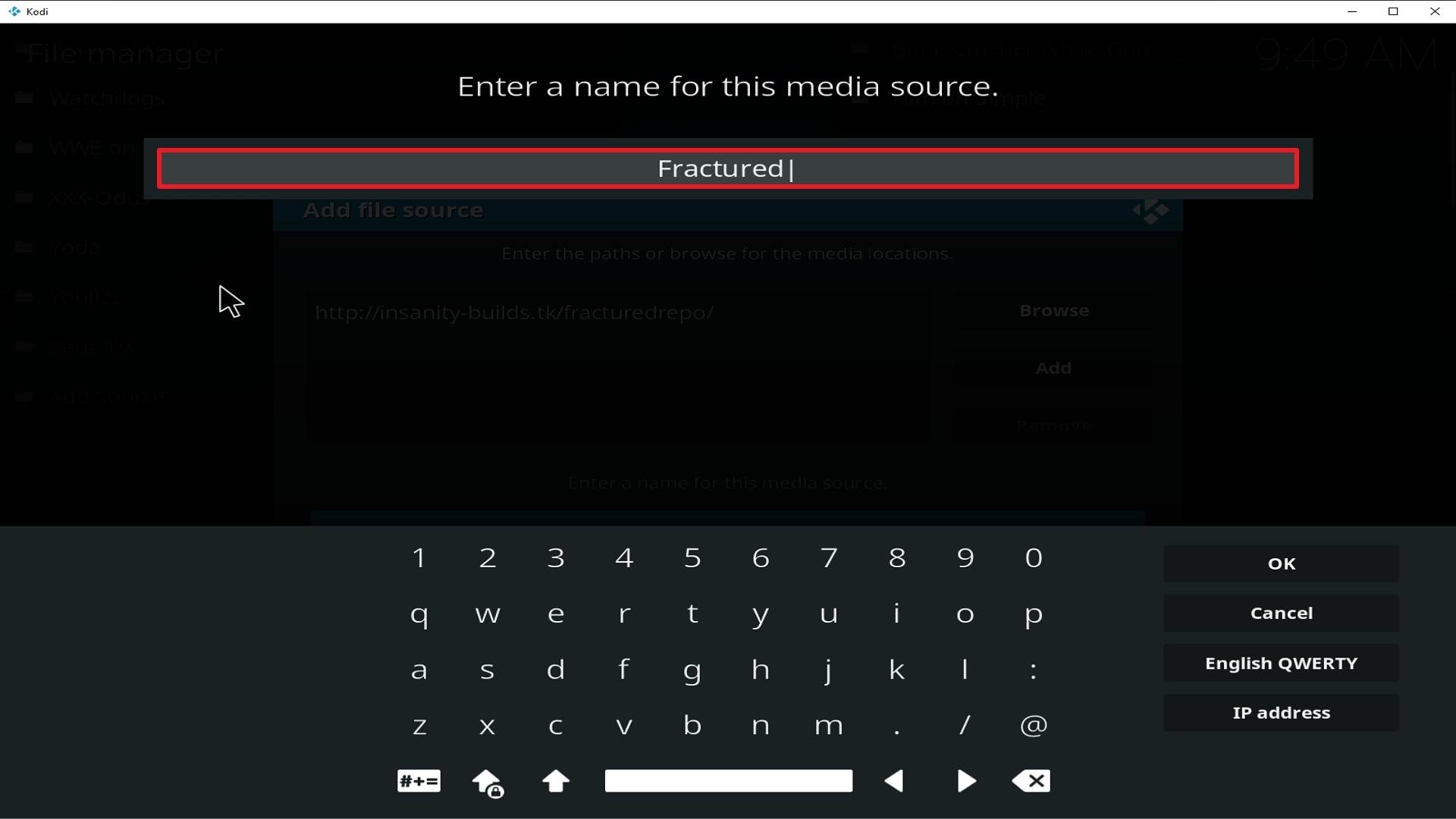
13. Click on OK.
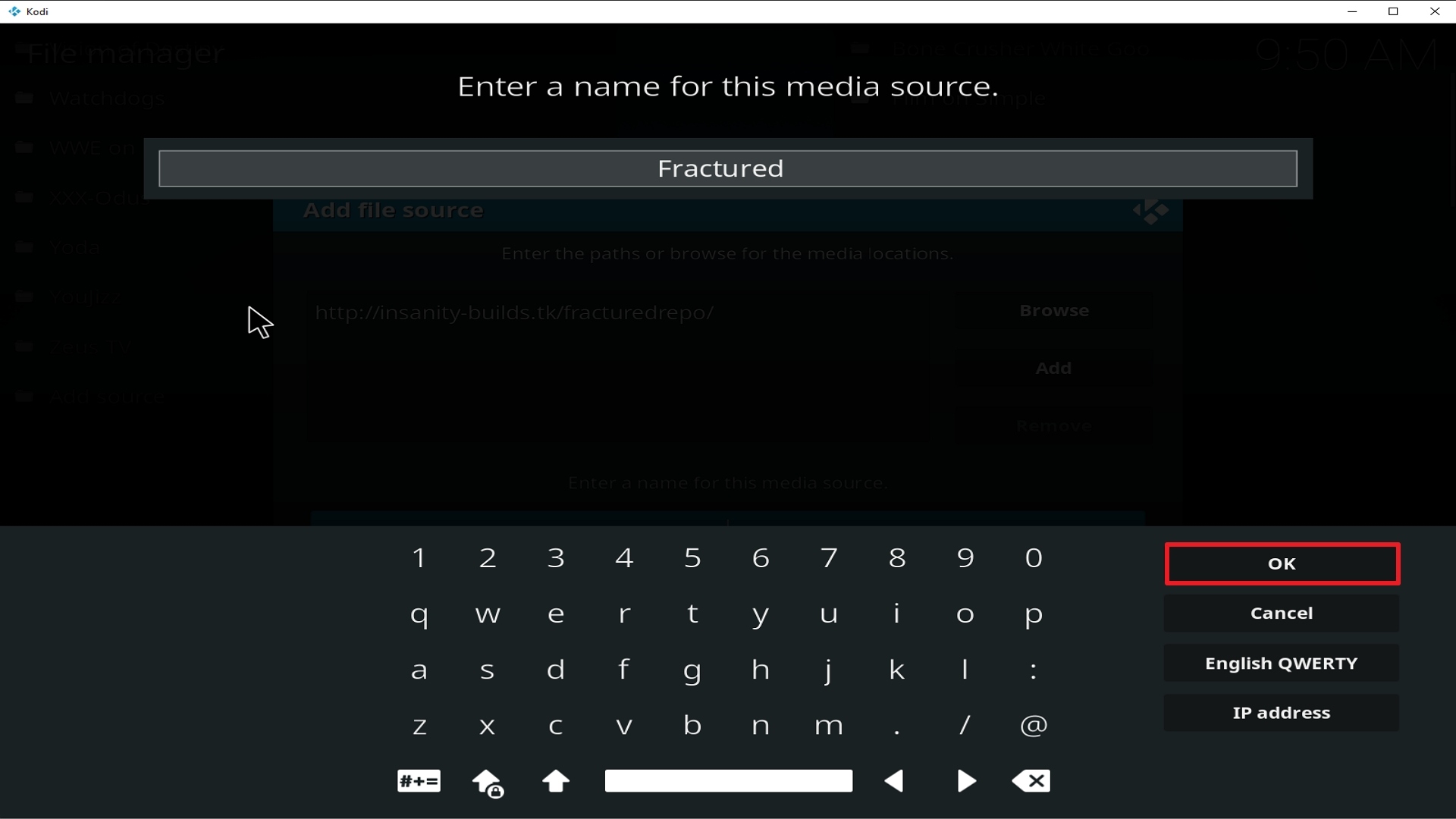
14. Click on OK.
15. Take one step back and click on Add-ons.
16. Select install from zip file.
17. Click on Fractured (or whatever you named the source).
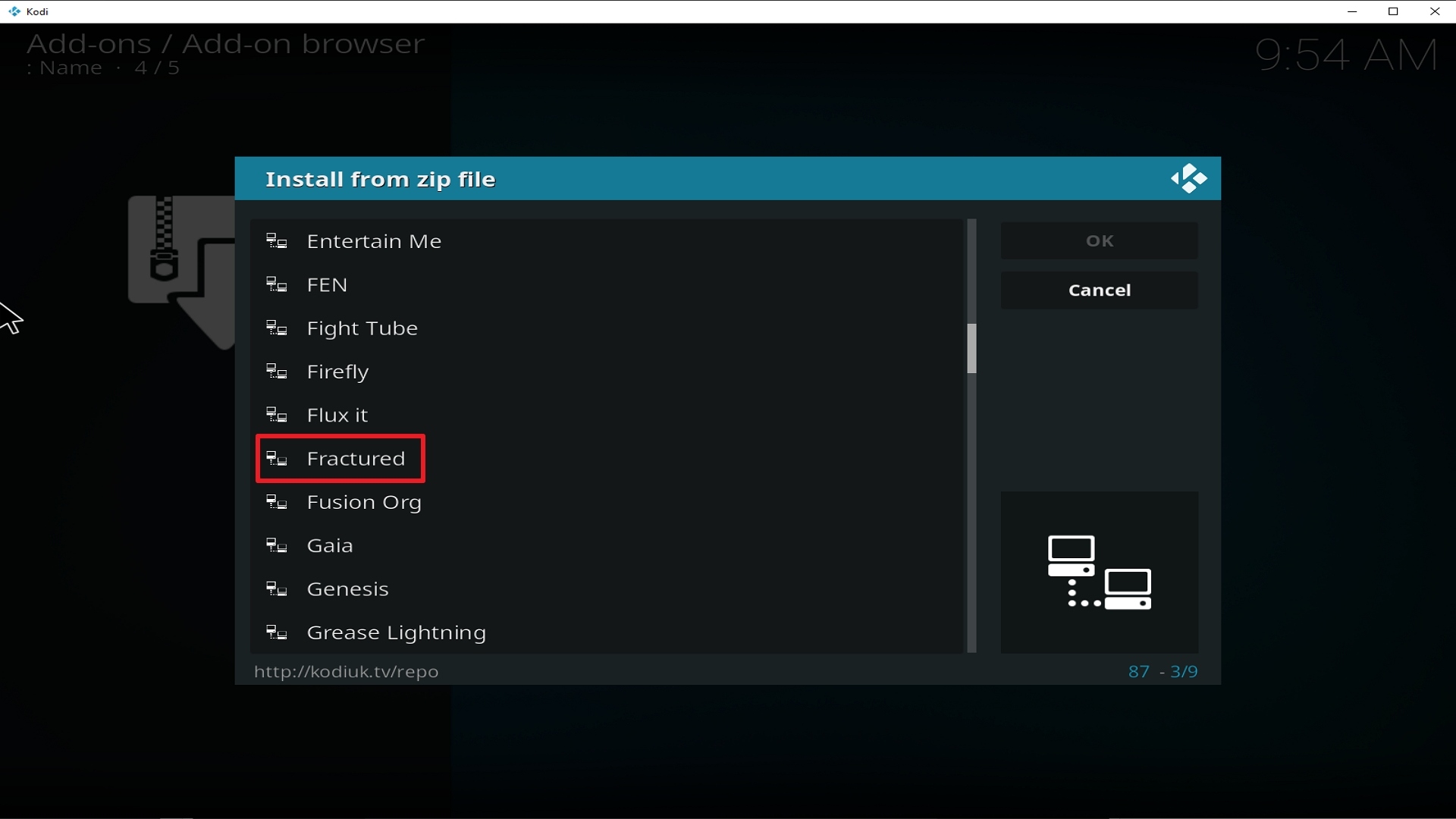
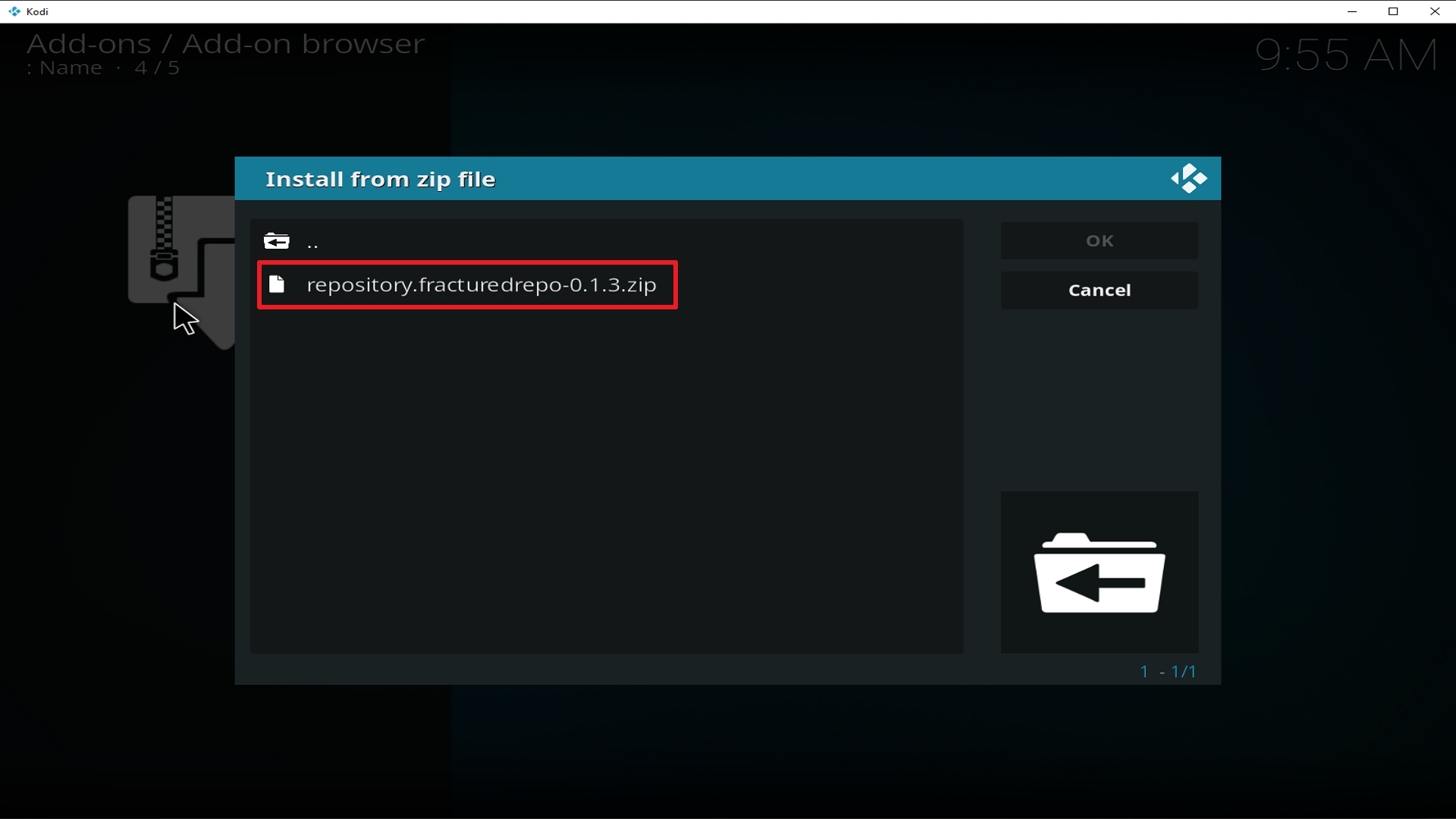
18. Click on repository.fracturedrepo-0.1.3.zip
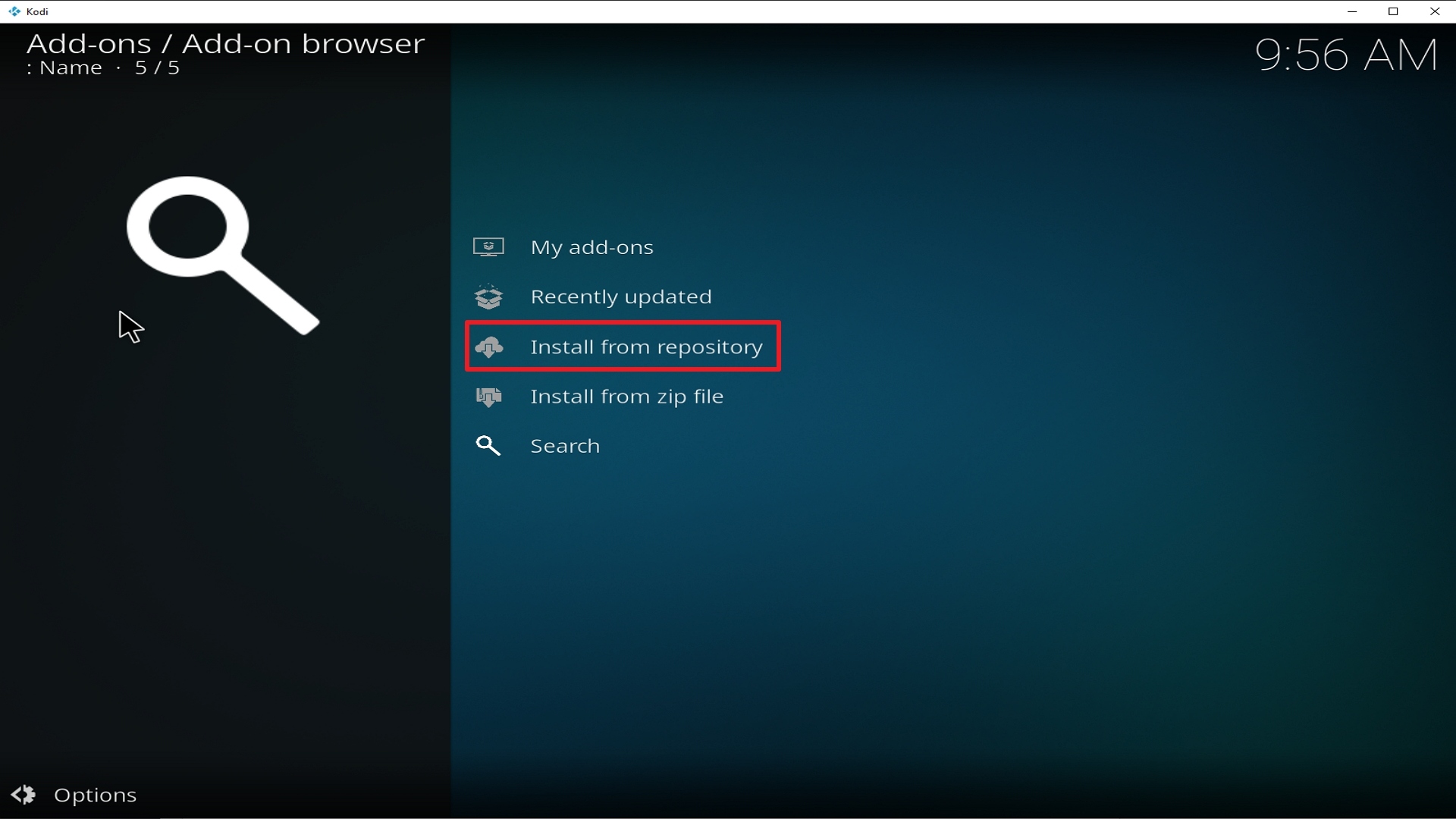
19. Select on Install from repository.
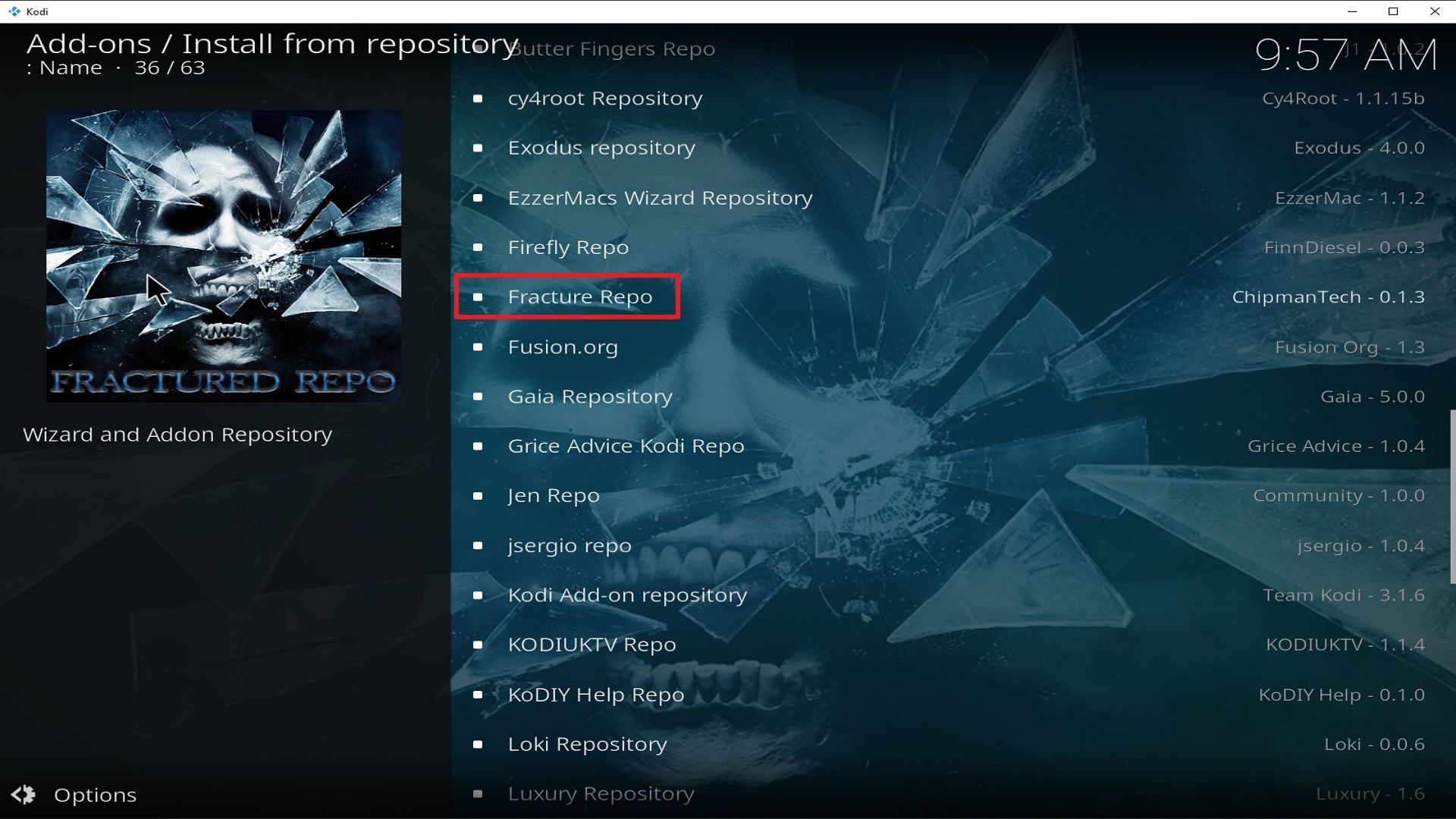
20. Click on Fracture Repo.
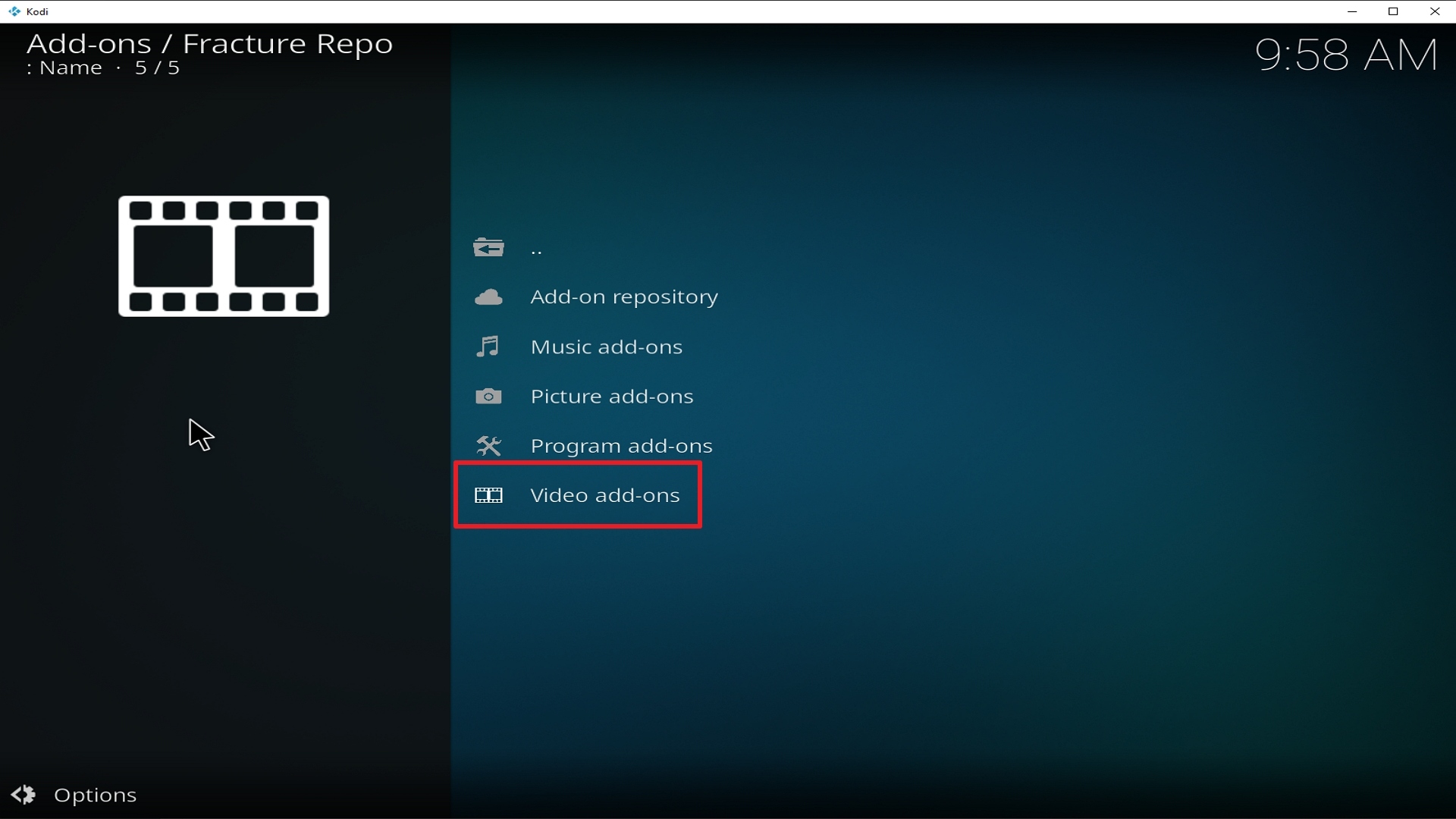
21. Pick Video add-ons.
22. Select Fractured Video again.
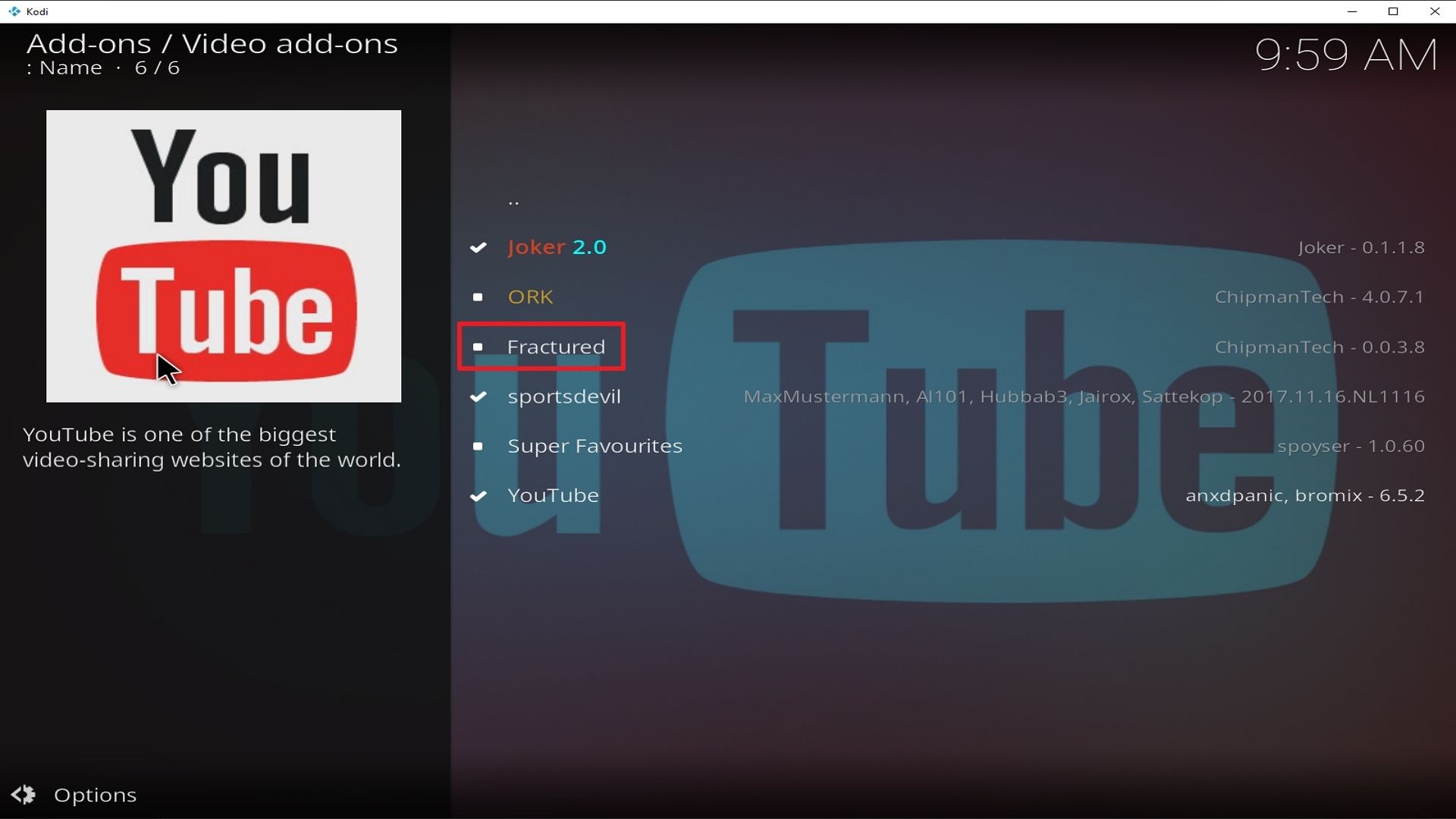
23. Click on Install.
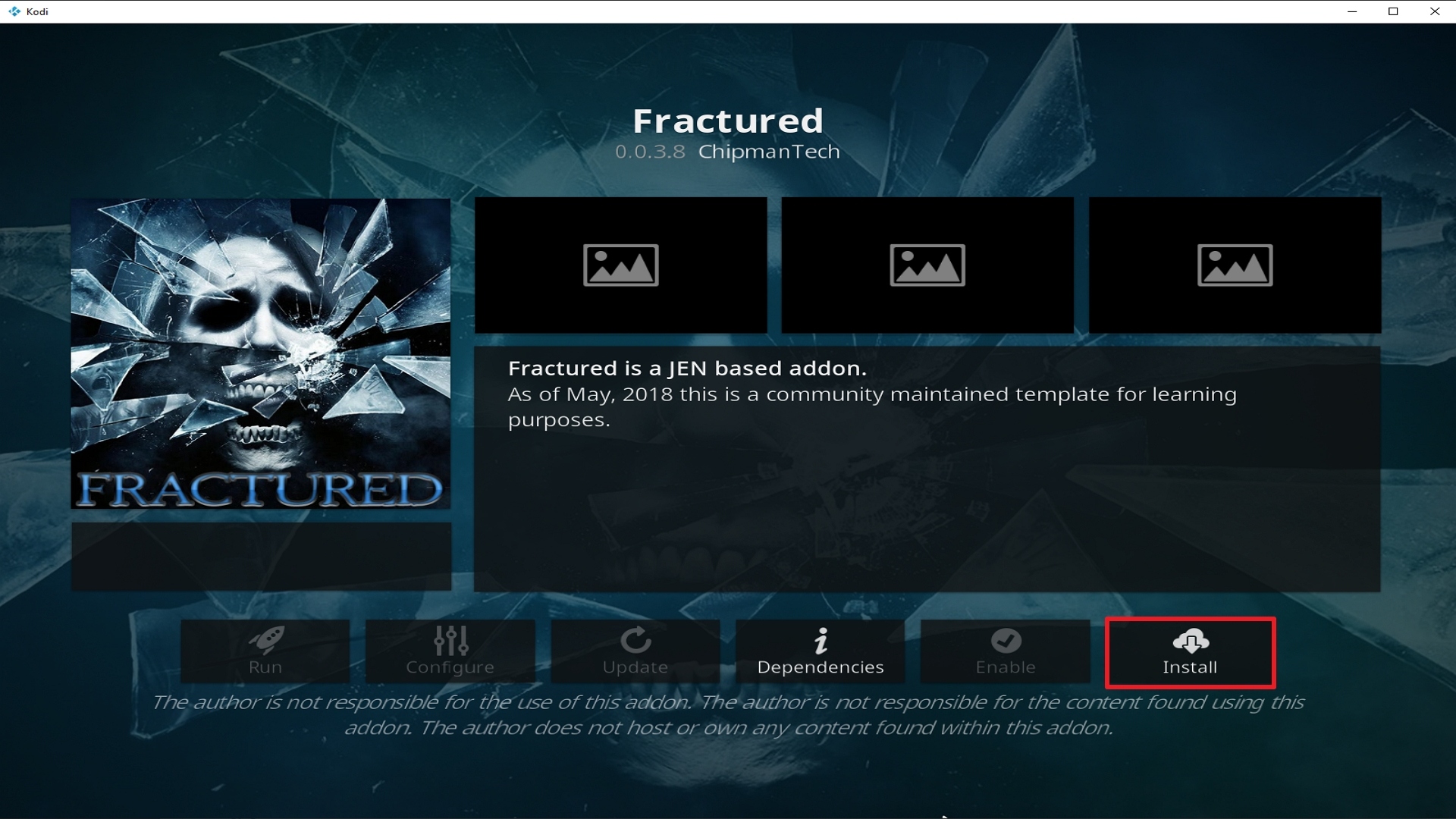
24. Select OK after reviewing the add-ons that will be installed.
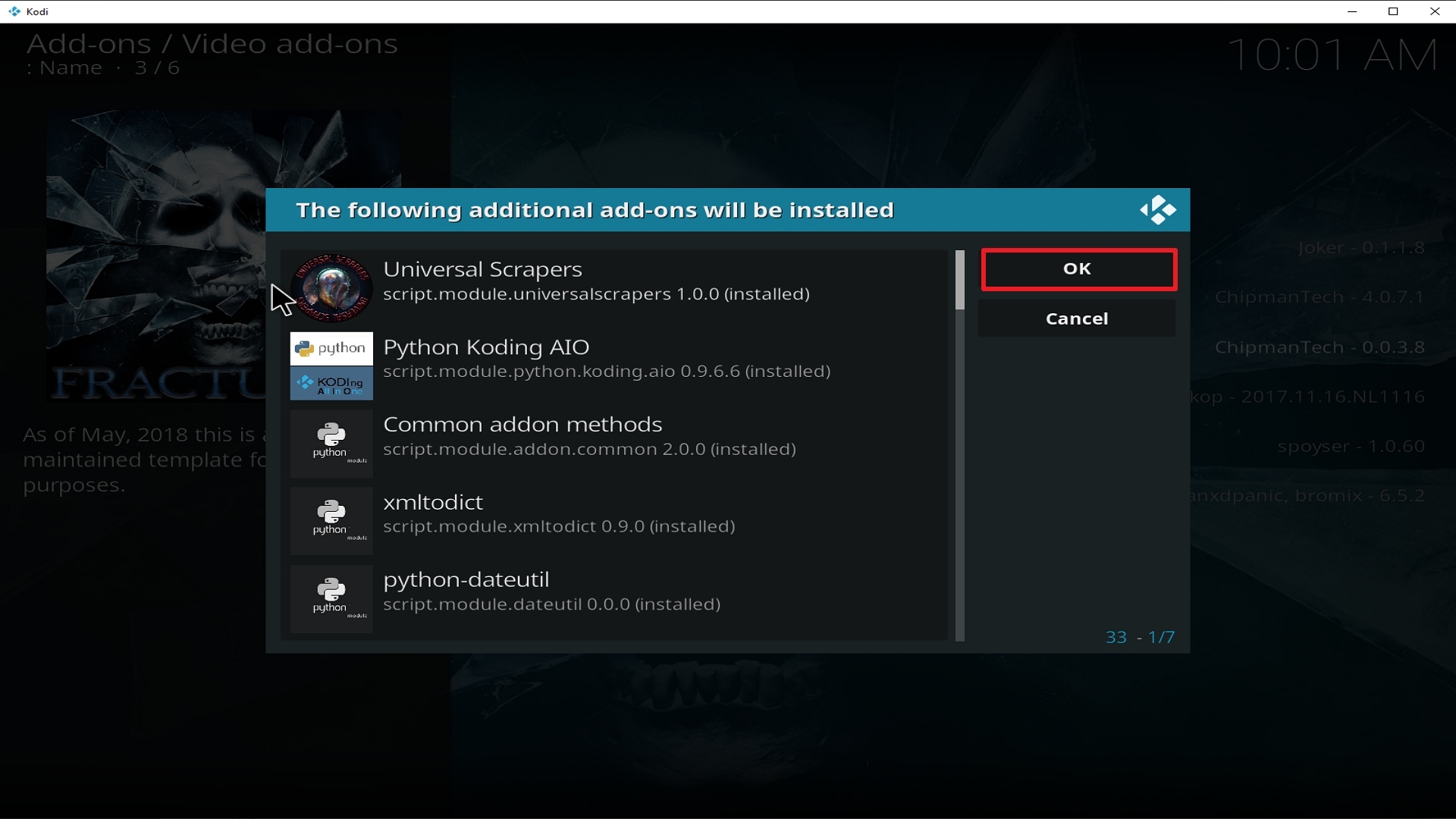
25. You should see a popup in the upper right corner saying Fractured has installed. There will actually be multiple popups for the various components.
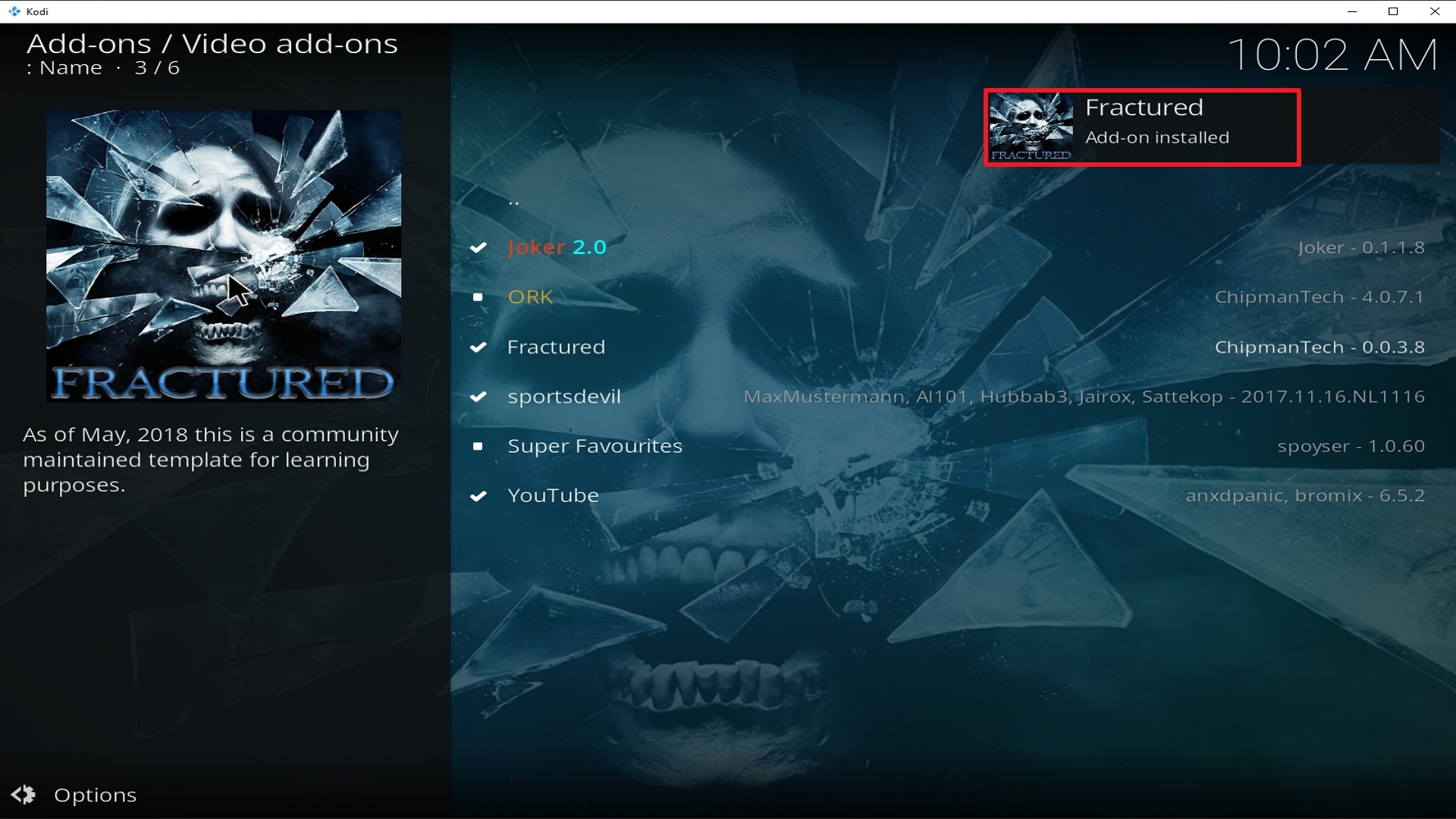
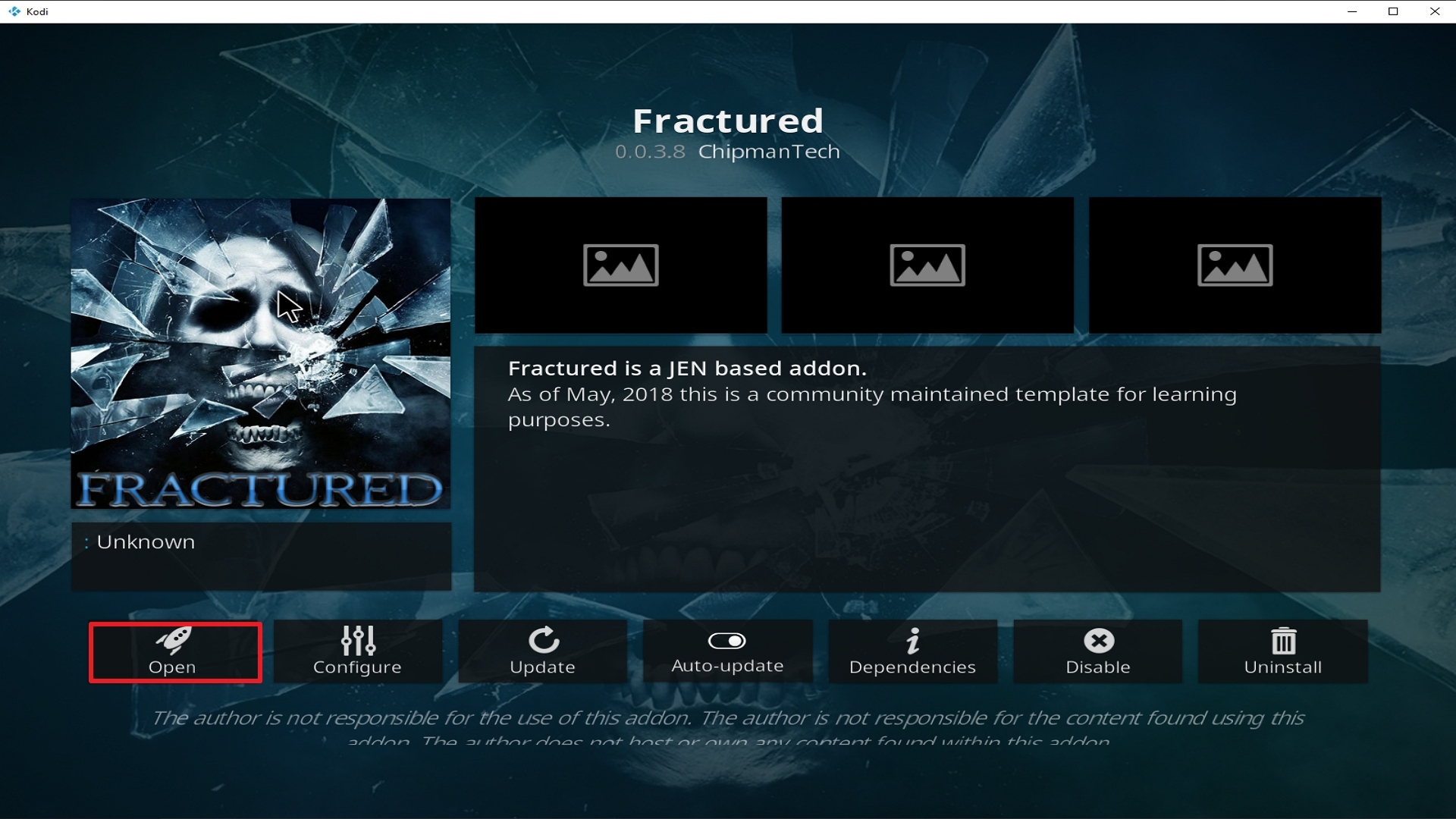
26. Click on Open to start the Fractured add-on.
Alternatives
There will be times when a Kodi Add-on wouldn’t work properly and that is inevitable. It may be due to some glitch or your connection is not very stable. What we always suggest is to always have an alternative so that your viewing experience doesn’t get interrupted. We always remind our subscribers to get their content from trusted and reliable sources. We always strive to give an honest review regarding add-ons and as much as possible, we only give you the best out there. Given the huge scope that Fractured Add-on covers, there are only a few add-ons that can match its capabilities and they are as follows:
- The USS Defiant Add-on
- Leviathan Add-on
- Chain Reaction Add-on
- Chucky Add-on
- Bumblebee Add-on
- Midian Add-on
Common errors
These are some of the things that may cause an issue when installing Fractured Add-on:
If you are having difficulties downloading Fractured add-on this may mean that the repository is unstable and that the IP may be unavailable. It is also worth checking out if you have typed the correct URL that you have downloaded Fractured from the right repository. Also, make sure that you have a stable internet connection and that you are secured by a VPN. If your country has stricter rules regarding censorship, you may find that it is blocked because it may contain adult content and that it is collected illegally. Your ISP constantly monitors your activity and may block certain websites from being accessed. To fix this, use a VPN to make your connection encrypted and anonymous so that your tracks will be covered. Check here for the best VPN deal.
This error occurs due to the add-on itself or on the manner Kodi has been installed. Make sure that you have installed everything properly. If this problem persists, try reinstalling the add-on or there may be a need to update or reinstall Kodi. To figure out how to do this and other fixes read our in-depth guide linked above.
Check Log Errors usually happen often as you use Kodi until you get familiar with it. This usually happens when your media cache is full. Your device will always cache a clip every time you watch media to allow faster loading time. In the long run, this cache gets full thus creating this issue. An in-depth guide on how to empty your cache is provided at the link above.
Fractured add-on does not store any of the content on its servers, these are all accumulated through 3rd party sites. Give the source up to 15 seconds to load and then you can try other suggestions. For other solutions please take time to read our in-depth guide linked above.
Always Use a VPN On Kodi
It is advisable to install a VPN on your streaming device. This is because any time you are streaming content online, your online data is vulnerable and you are being monitored on the internet service provider’s network.
Not only that, but you will also experience location restrictions. Using a VPN will save you that headache and stress and you will be safe and secure while streaming content online. We recommend Surfshark as it offers high security and privacy with a zero-log policy with DNS leak protection.
Note: For more information about Surfshark, please read our Surfshark Review.
How to Install Surfshark VPN on Firestick
If your Firestick still has the older interface, read this article to learn how to update it: Update Firestick Interface.
Follow our screenshots below to install the SurfShark VPN app on your Fire TV stick.
1. Go to the Home screen of your Firestick.

2. Navigate towards the Find tab. Press the Search button from the resulting dropdown.

3. Type in the keyword of SurfShark and select from the suggestions that will appear.

4. Click the official SurfShark icon from your search results.

5. Press the Download (You own it) button.

6. The SurfShark VPN installer will download on your device.

7. SurfShark VPN’s app will automatically install itself on your Fire TV stick.

8. Press the Open button after completing SurfShark VPN’s installation process.

9. Please wait for the SurfShark VPN to load its user interface.

10. You can now log in with your SurfShark VPN account credentials.

Learn more about Surfshark and Grab the Best Surfshark Deal Now!
Install Surfshark on Firestick



For more VPN discounts, go to ReviewVPN Deals and purchase the best VPN for you.
Click here to get the lowest price on Surfshark through our exclusive limited-time offer.
Conclusion
We believe that one of the many attractive features of Fractured is that it is Real-Debrid and Trakt Integrated. This was you can always get updated on your favorite shows. Also, there is the boxset feature that lessens the need to go back and forth within the app searching for the next installment.
One other thing is that the Fanatic Feature lets you watch movies that have sequels without running around within the App. Also worth mentioning is the Retro section which features movies and TV Shows from the 1950s up to 2010s, it lets you get a glimpse of the past without the hassle of searching everywhere.
Ultimately, Fractured is an all-around add-on that you can rely on in terms of content. You just have to be patient and diligent in navigating its interface. We hope that this article has been educational and helpful to you. If you have questions or suggestions, please do drop us a message on the comments section below or on any of our other social media platforms. Thank you and happy watching!






