

Taz Kodi Addon
In this article, we will help you install Taz Kodi Addon on Firestick/Android.

Taz Kodi addon is named after the Tasmanian Devil cartoon which was all the rage in the noughties. This add-on deals solely with Movies and TV Shows.
It’s a clone of the newer Exodus Redux so it has a great user interface and is simple and intuitive to use.

Taz is a pretty straightforward addon that gets the job done. Also, you can integrate it with Trakt or Real Debrid.
Trakt allows you to access the playlists and content of thousands of users around the world. You can get a free or a paid account. We recommend you have one of these accounts, as well as a Real Debrid account.
Real Debrid allows you to overcome a big headache many Kodi users have, namely needing to sift through tonnes of dead links, broken links that don’t load, or low-quality links that aren’t watchable. They find links from 50+ paid host servers. This means you always get the best link every time you use Real Debrid.
Source: http://octopus246.esy.es/octopus/

Review
Taz is a good addon but nothing special, there are quite a few Exodus clone addons out there doing the same thing. The Real Debrid compatibility is a bonus, but you’ll get a better addon with features that will blow your mind with Seren.
A good back up but that’s about it.
Categories Included:
- Movies
- TV Shows
- My Movies
- My TV Shows
- New Movies
- New Episodes
- Tools
- Search
ReviewVPN cannot attest to the legality, security and privacy of the applications discussed on this site. It is highly recommended that you use a VPN service while streaming or using Kodi. Currently, your IP 216.73.216.72 is visible to everyone and your Browser is being tracked by Advertisers & ISP Provider. Here are the main reasons why you must use a VPN: A VPN works be replacing your ISP-assigned IP address and creating an encrypted tunnel. We recommend the no log service offered by IPVanish. It works well on a Firestick and offers the fastest possible speeds.
YOUR INTERNET ACTIVITY IS BEING WATCHED
Legal Disclaimer: ReviewVPN.com does not encourage or endorse any illegal activity involved in the usage of services and applications referenced on this site. We do not verify the licensing agreements of services. The end-user is wholly responsible for ensuring that any media accessed through these services does not violate copyright and/or licensing laws. ReviewVPN does not promote, link to, or receive compensation from any Apps and IPTV services.
Install Surfshark on Firestick
How to Install Taz Kodi Addon on Kodi with Screenshots
- From the home screen, select the cogwheel at the upper left.

2. Select System in the bottom right corner.

3. Select Add-ons on the left side of the screen.

4. Select Unknown sources.
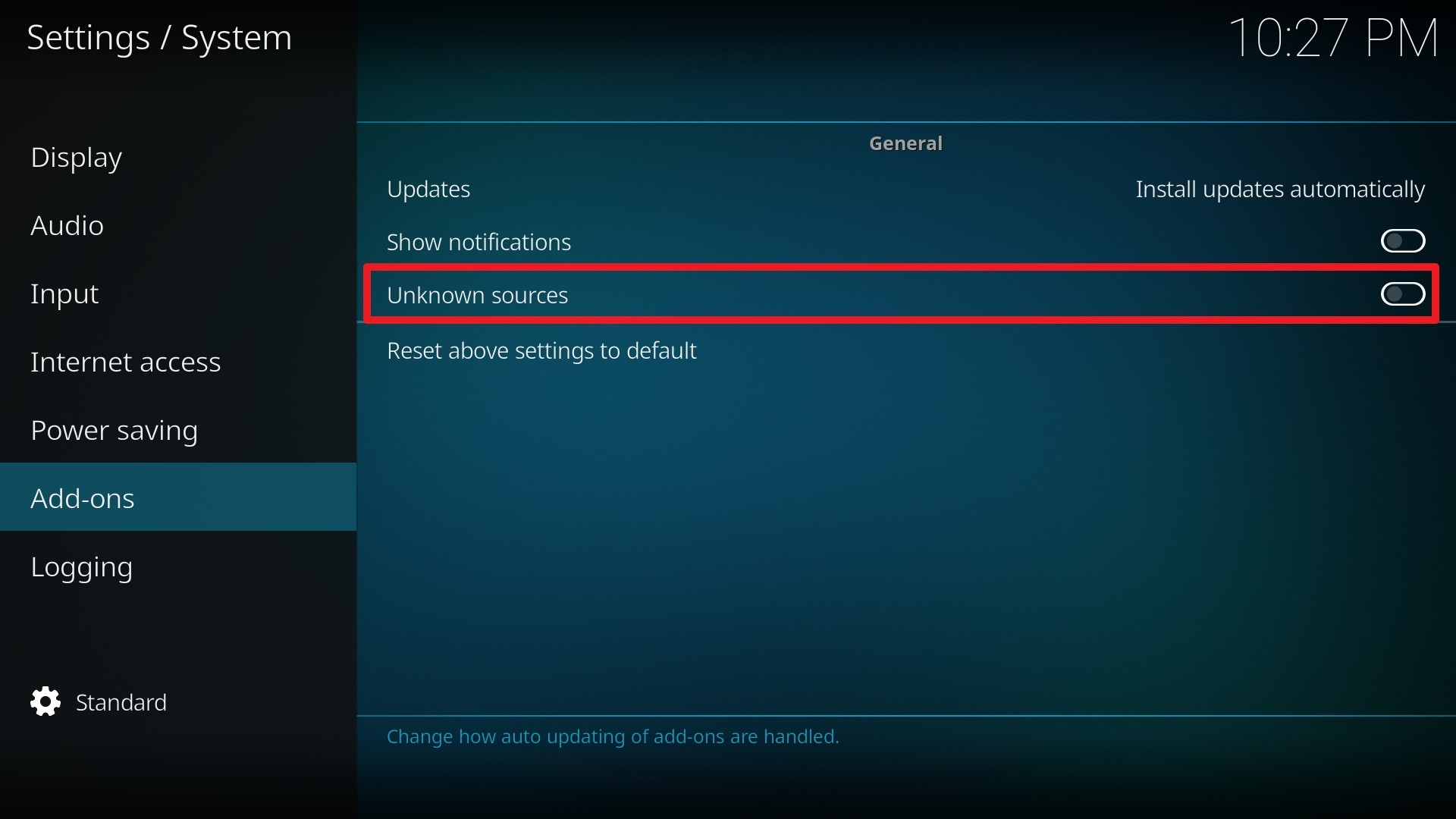
5. Click Yes to allow unknown sources.

6. Select File Manager.
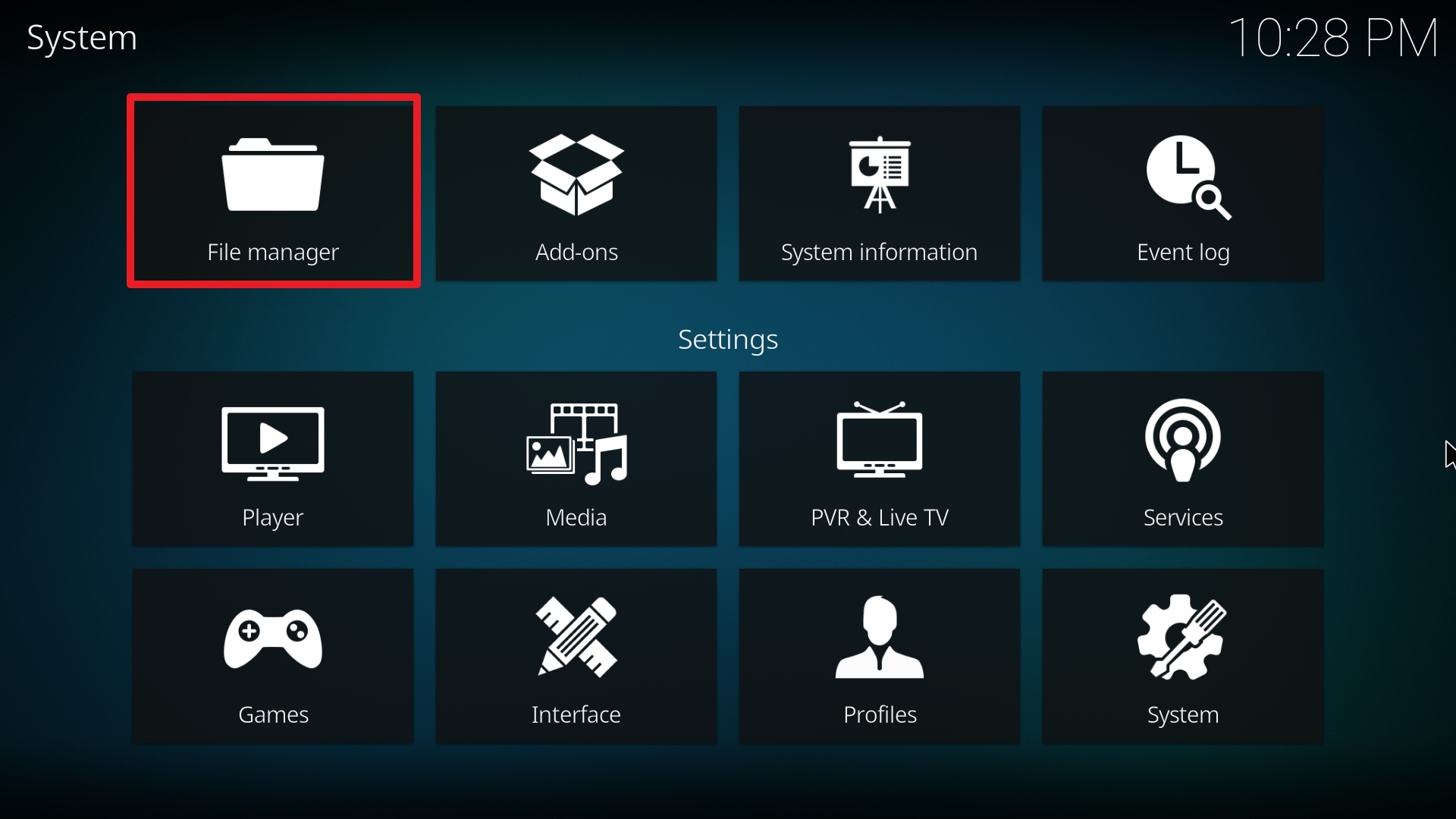
7. Click Add source.

8. Click on <None>.

9. Type exactly: http://octopus246.esy.es/octopus/
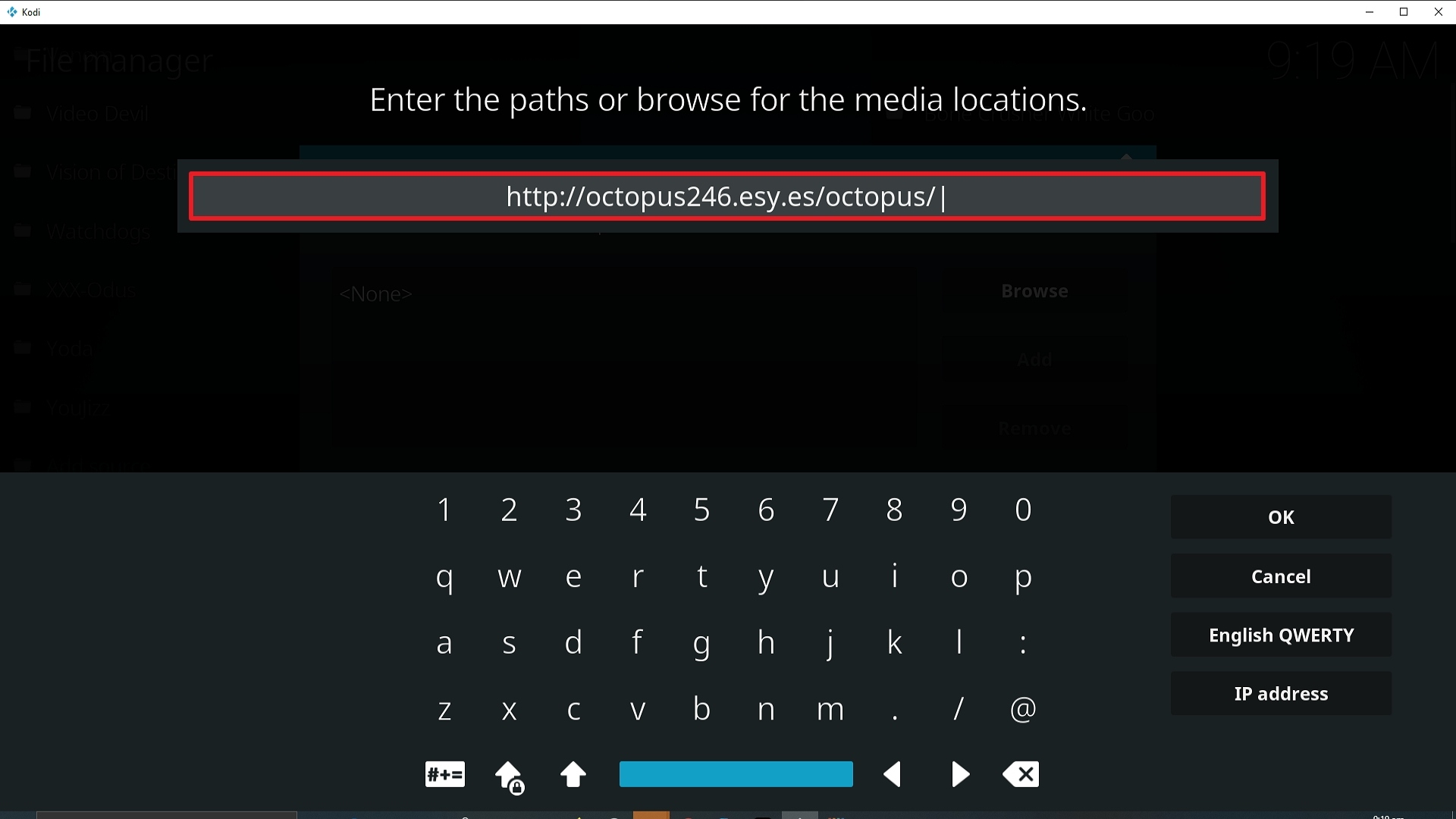
10. Click on OK.
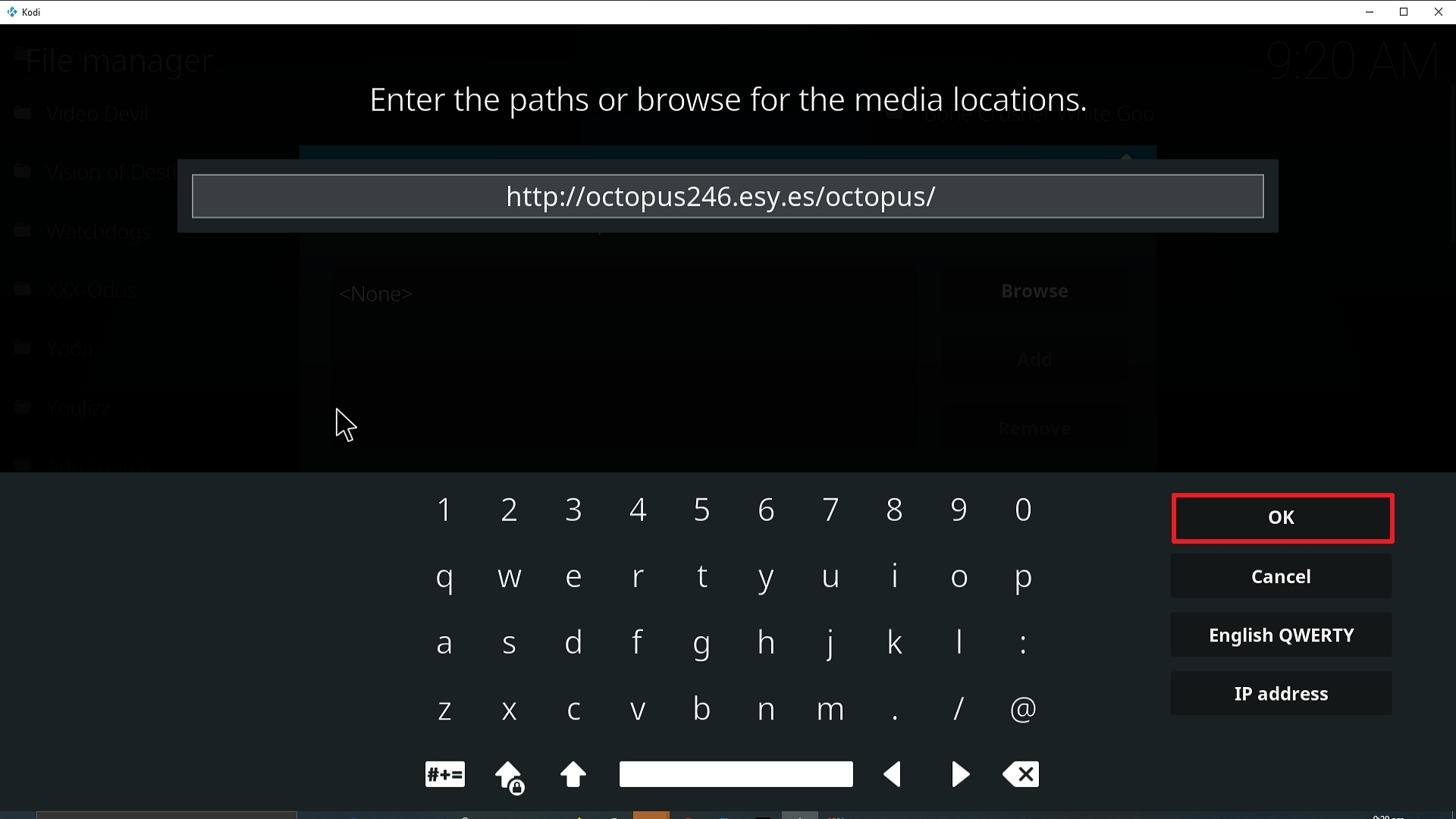
11. Select enter a name for this media source.
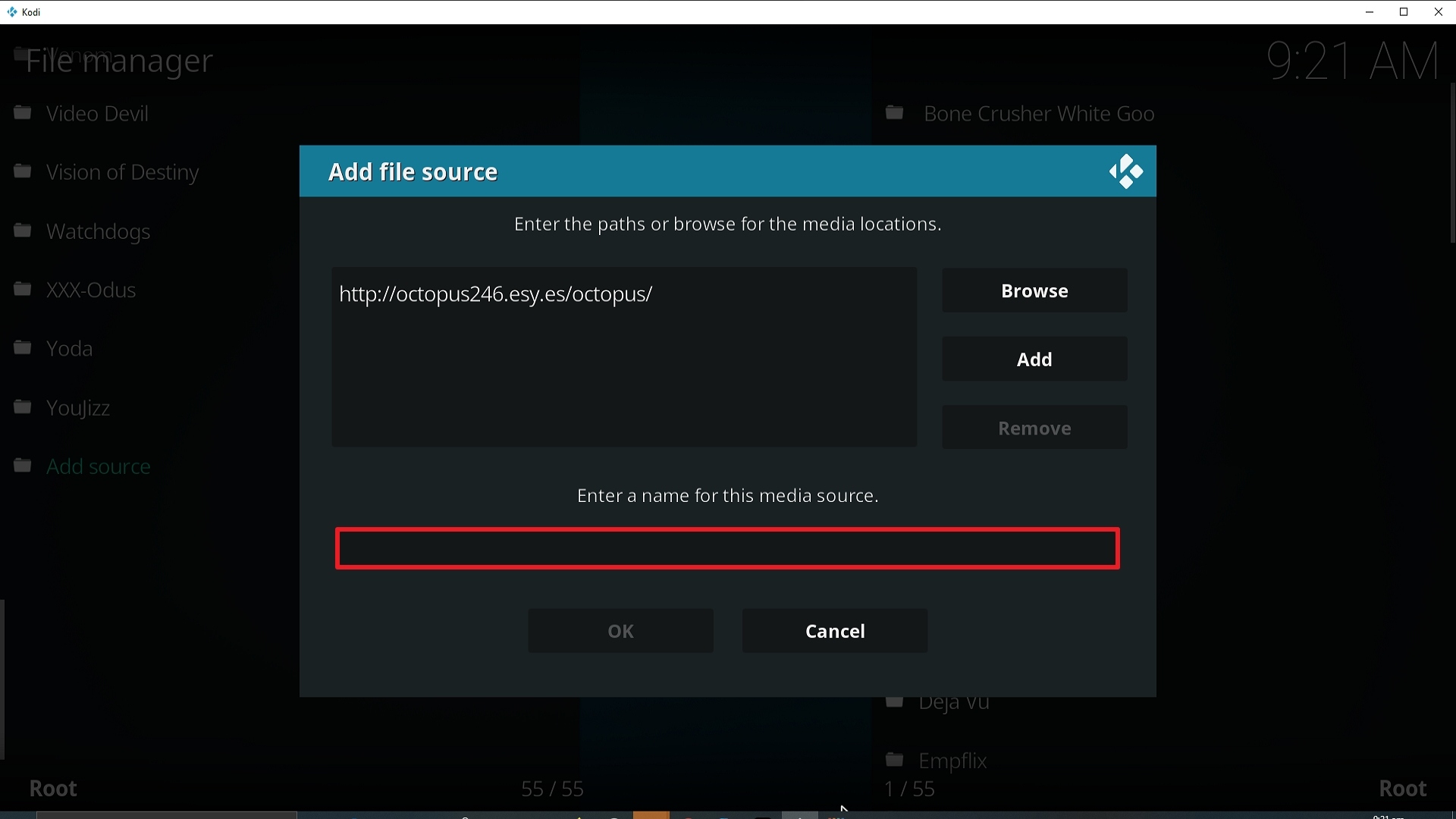
12. The name is Taz (this part isn’t critical as long as you remember the name).
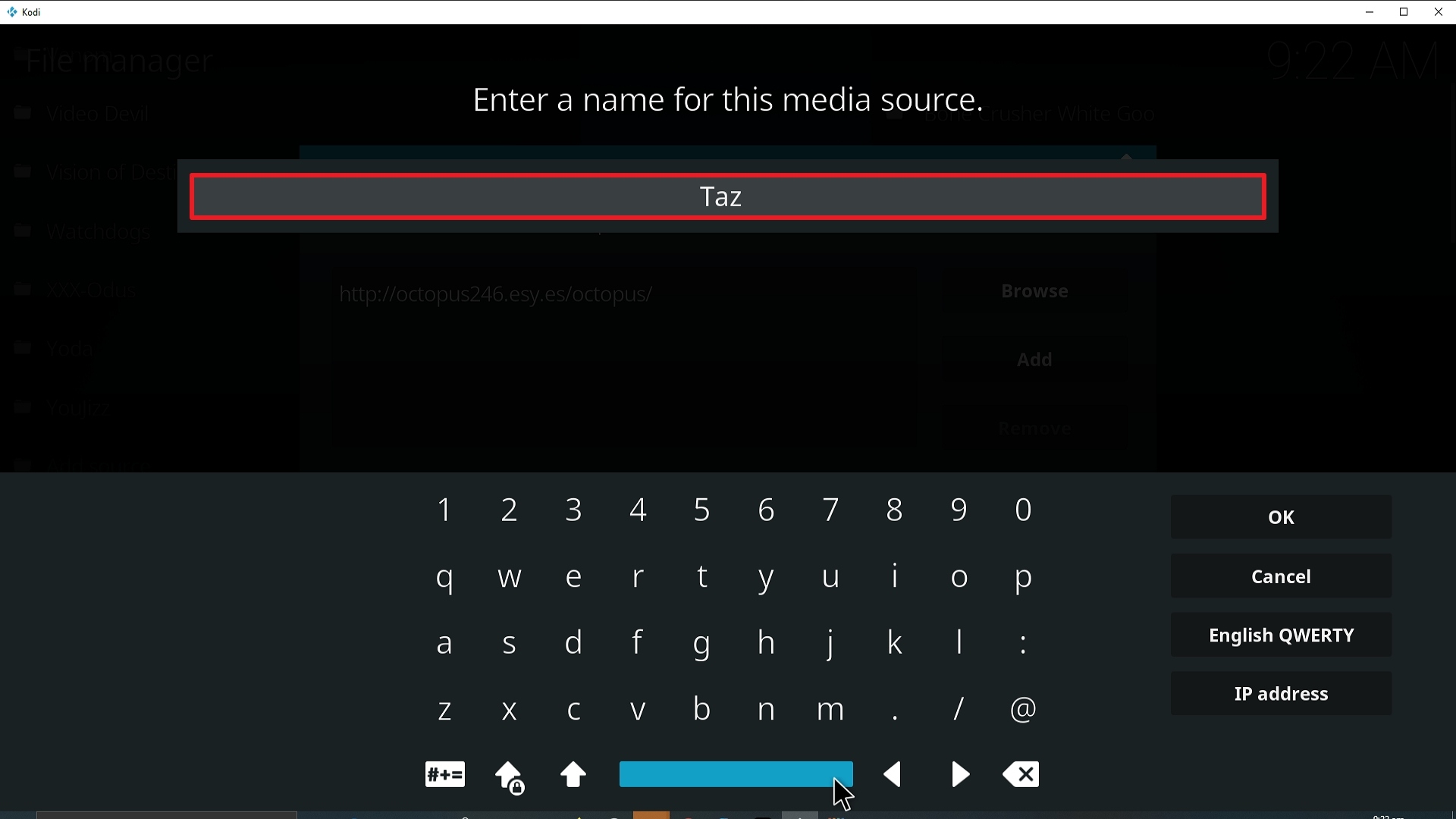
13. Click on OK.
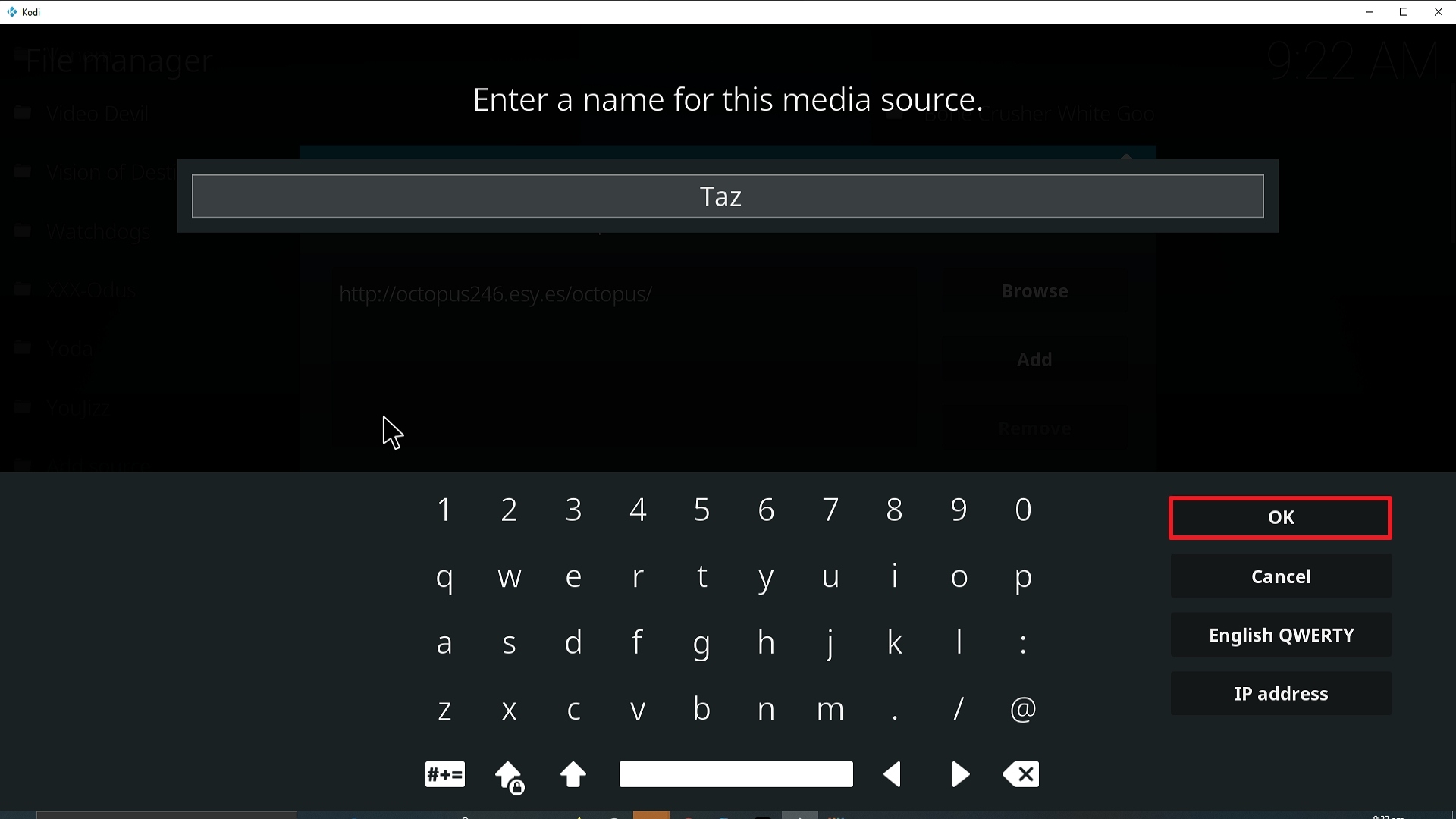
14. Click on OK.
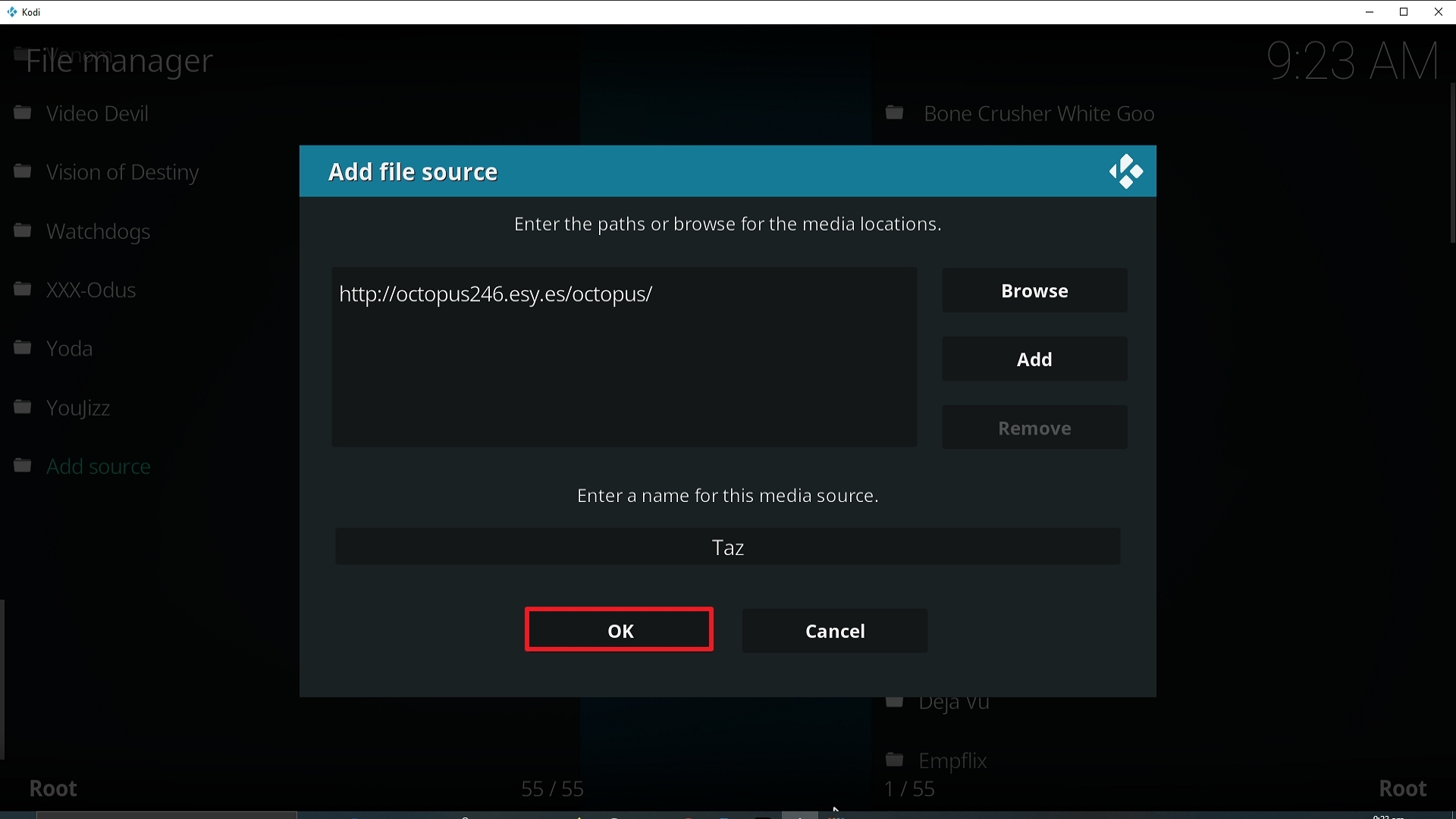
15. Take one step back and click on Add-ons.
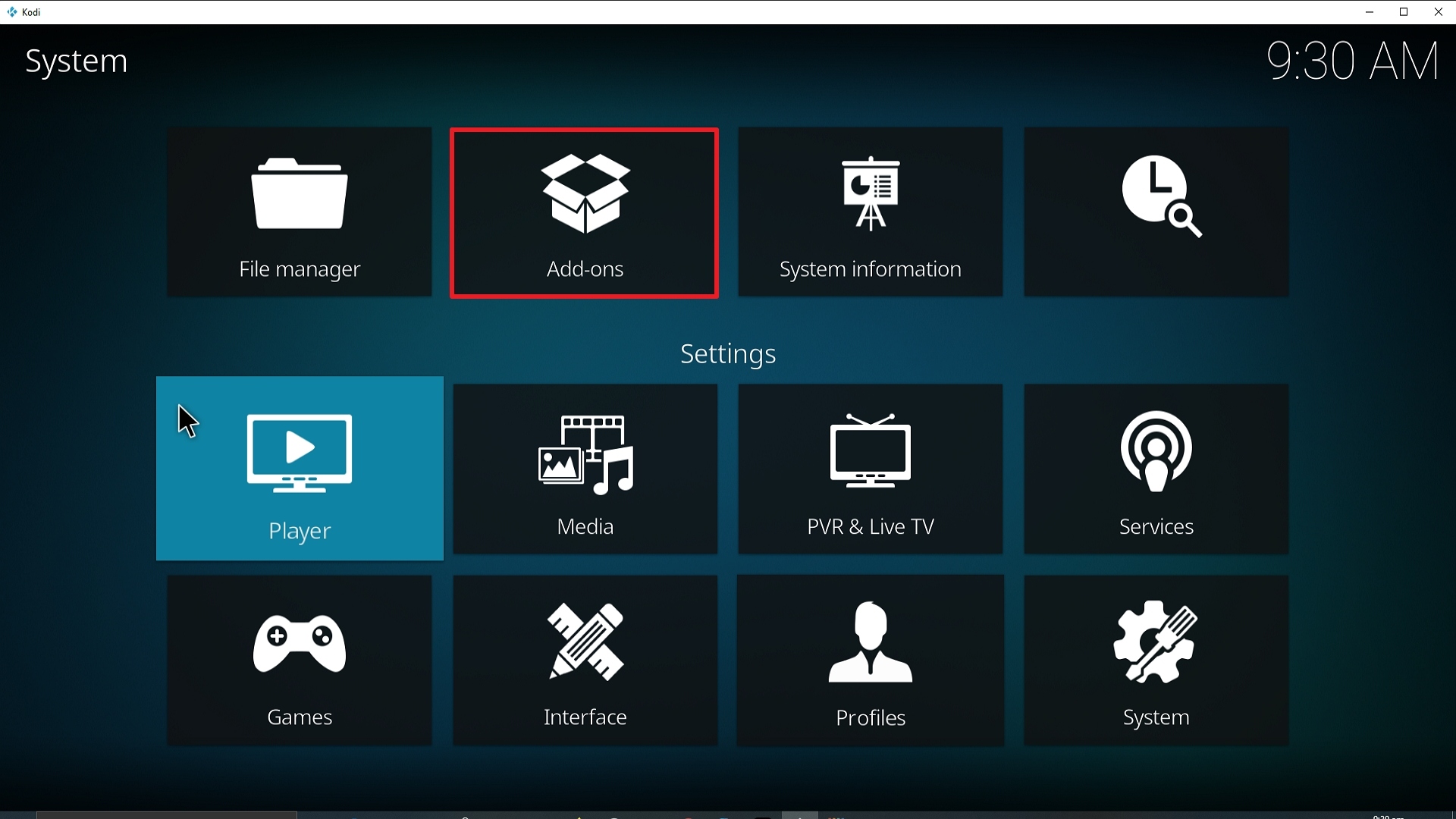
16. Select Install from zip file.
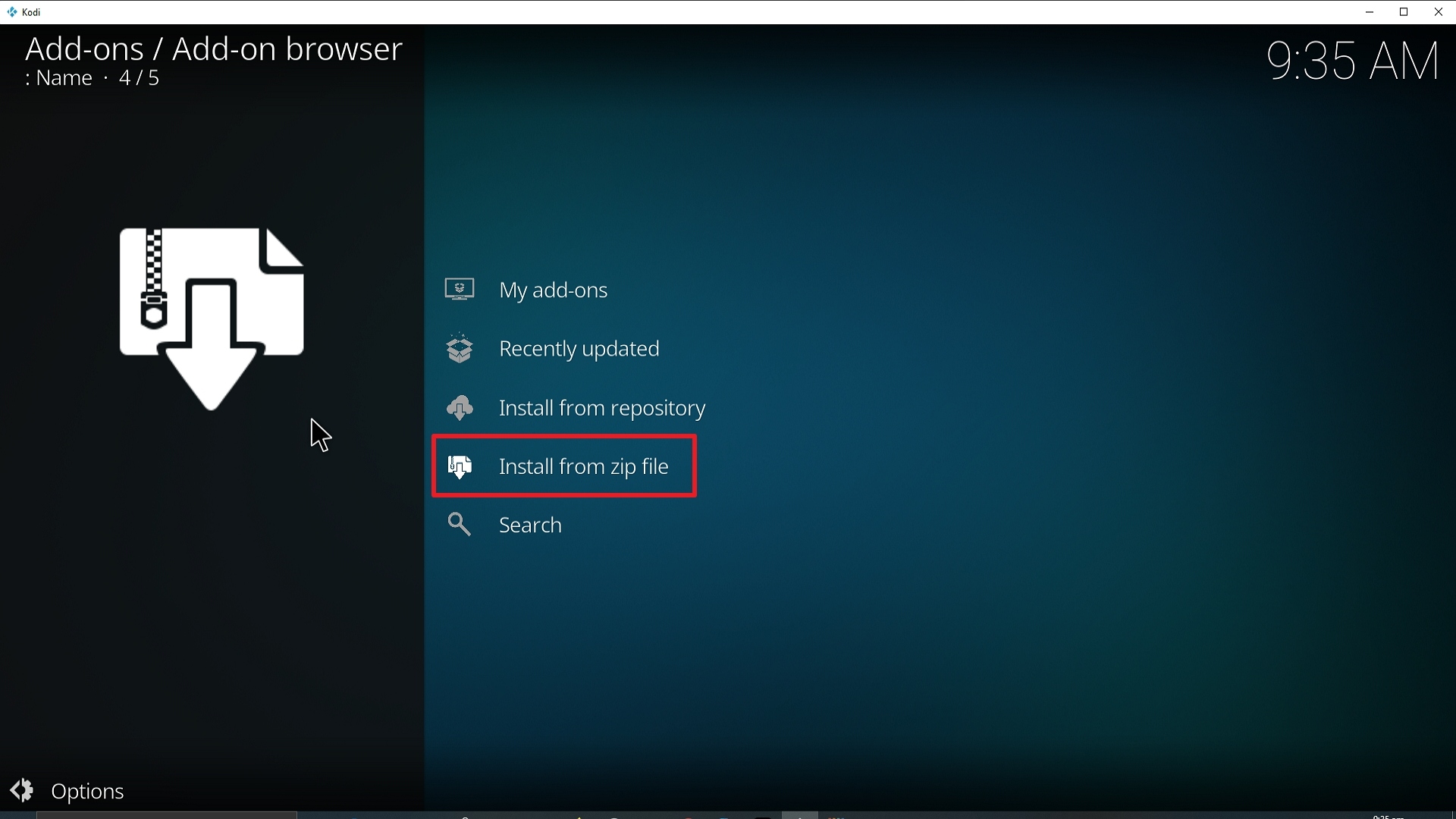
17. Click on Taz (or whatever you named the source).
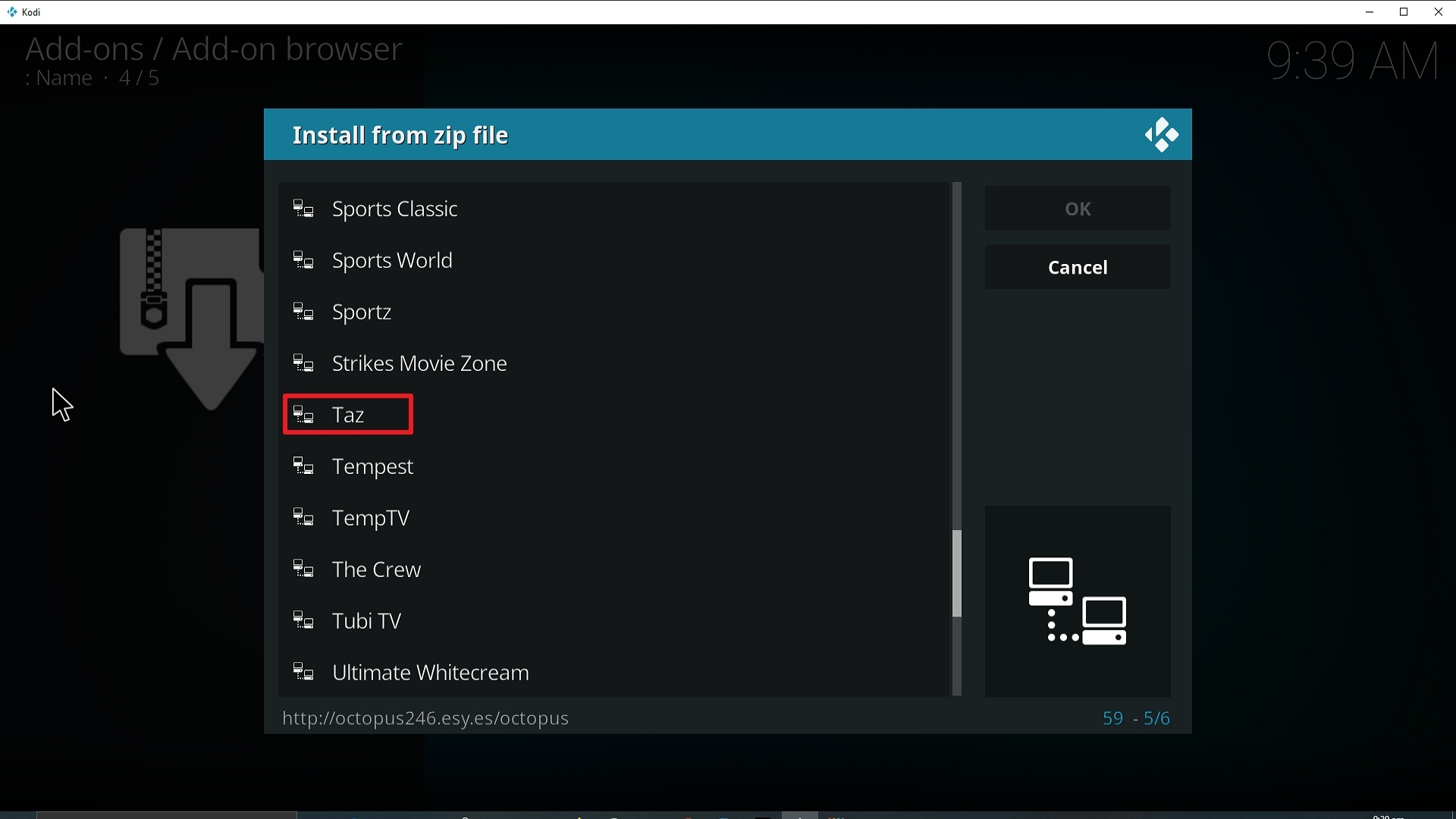
18. Click on repository.octopus-0.1.54.zip
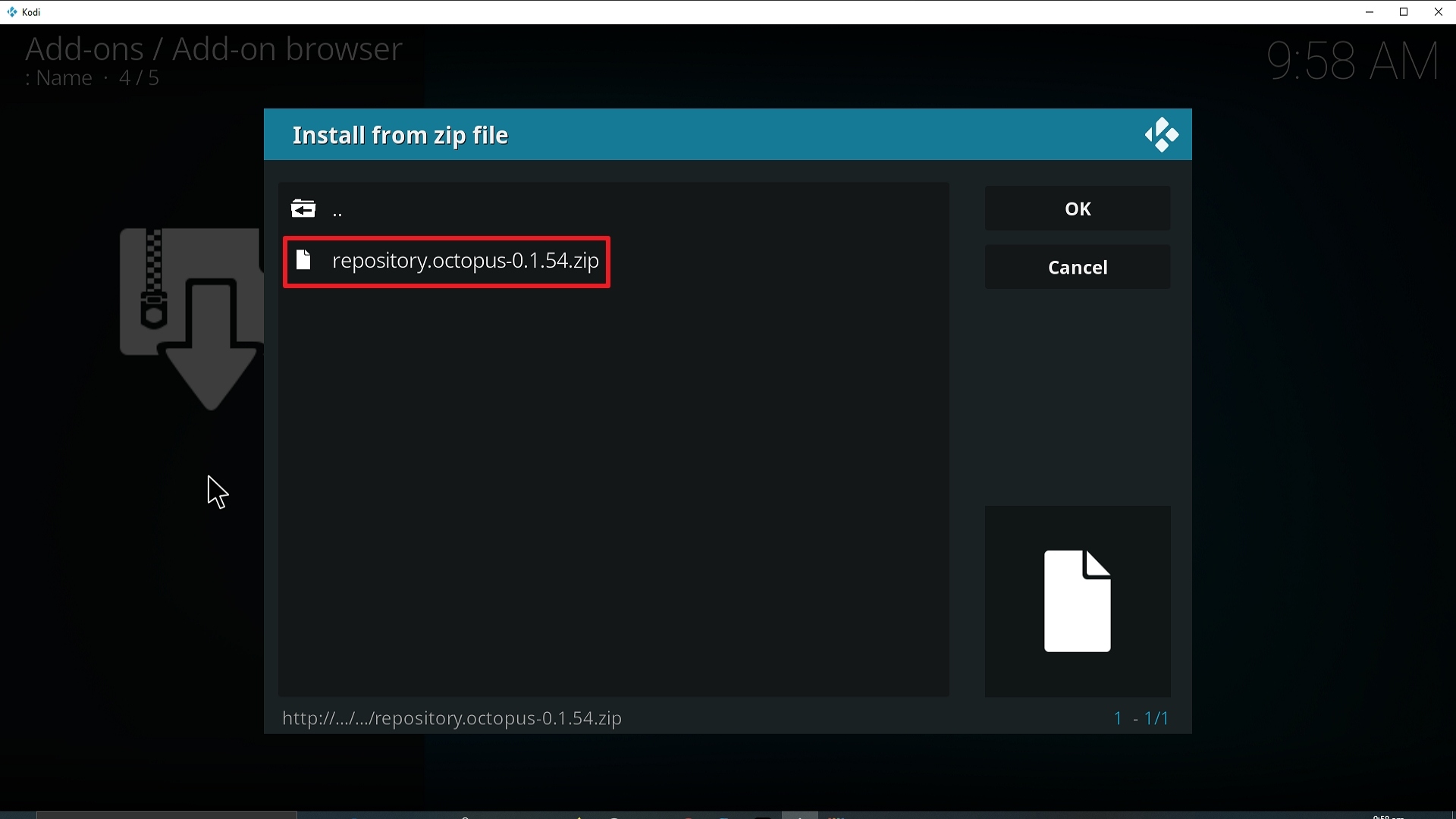
19. Select Install from repository.
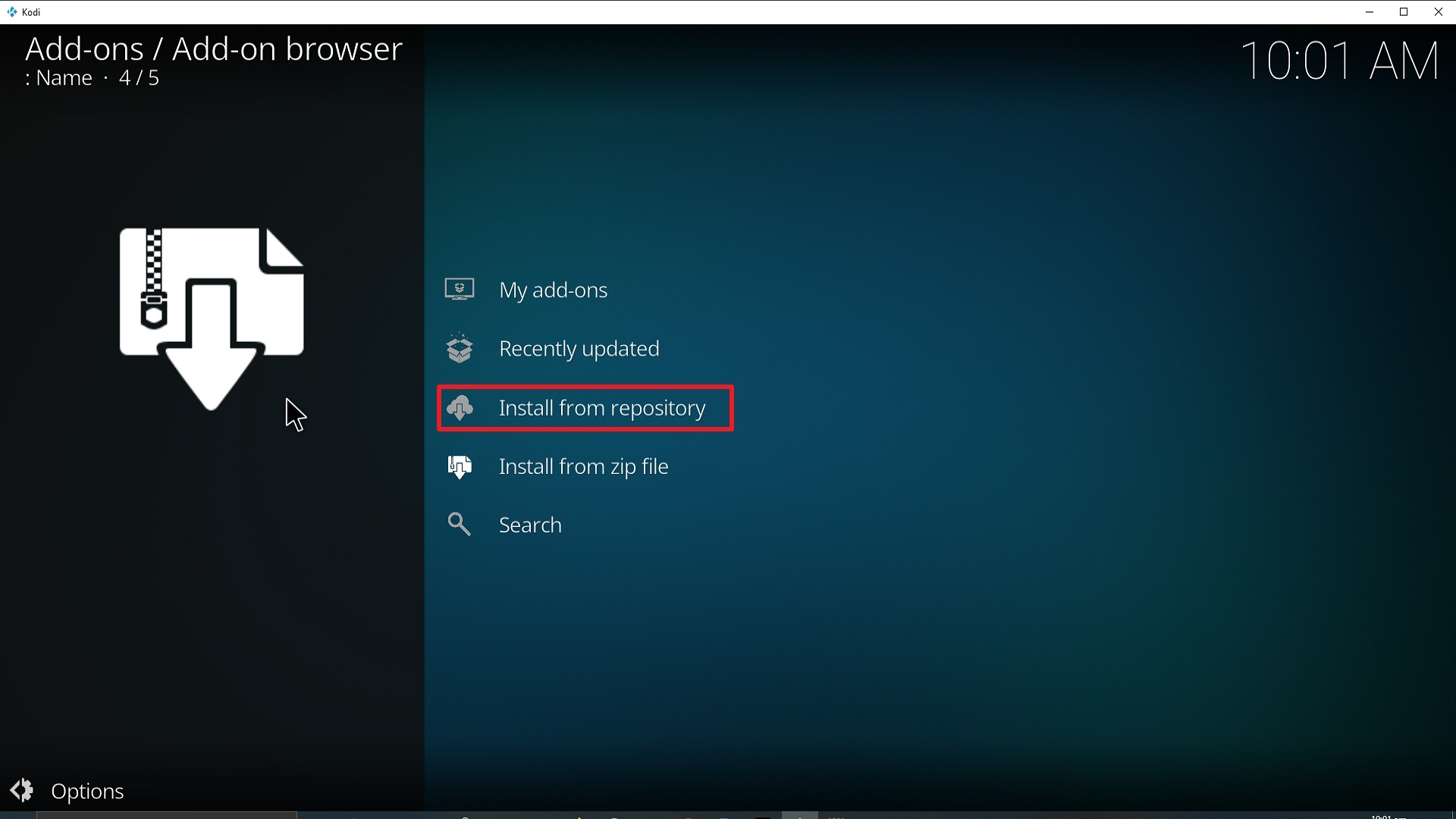
20. Click on Octopus Repo.
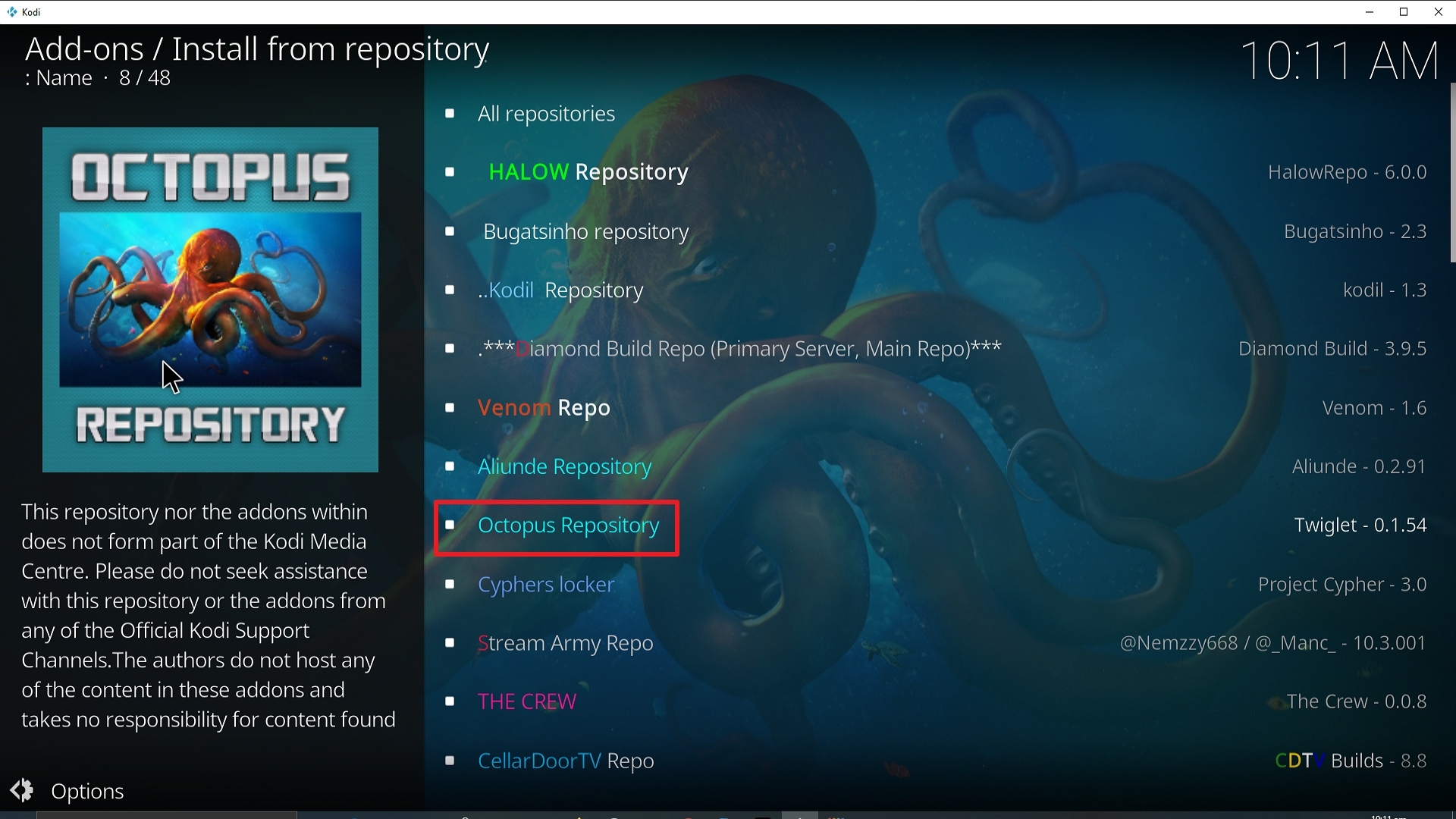
21. Pick Video add-ons.
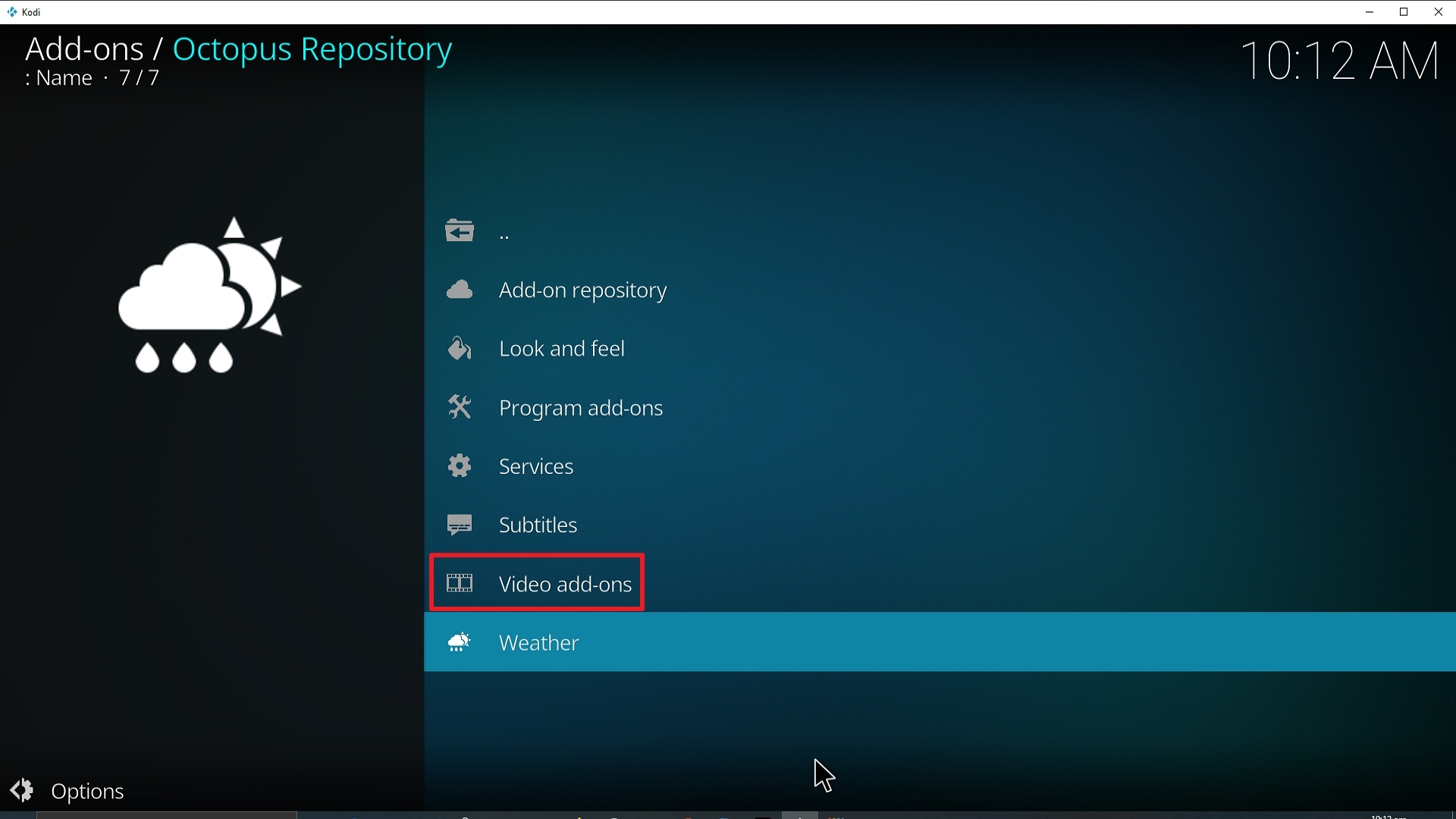
22. Select Taz again.
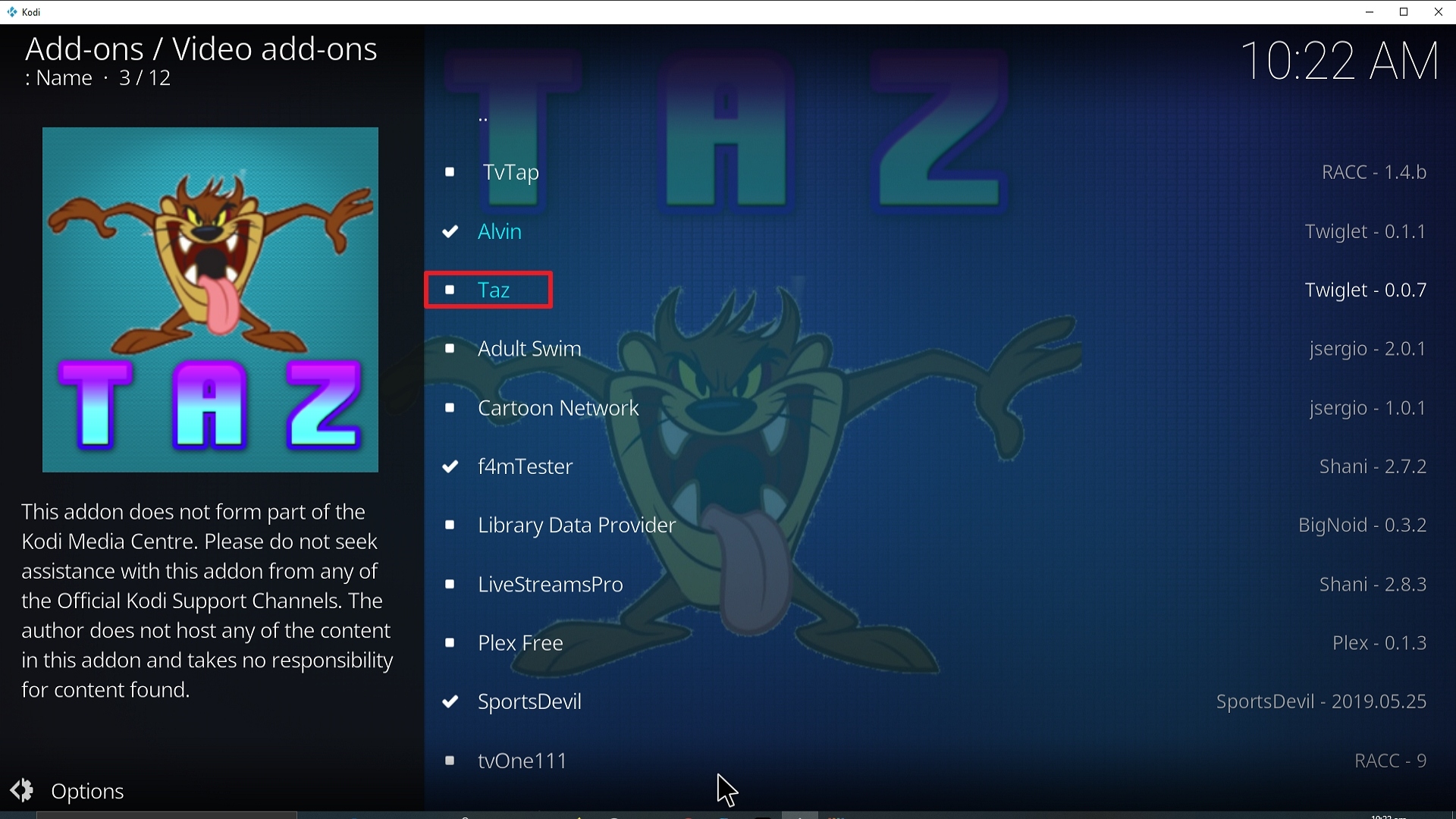
23. Click on Install.
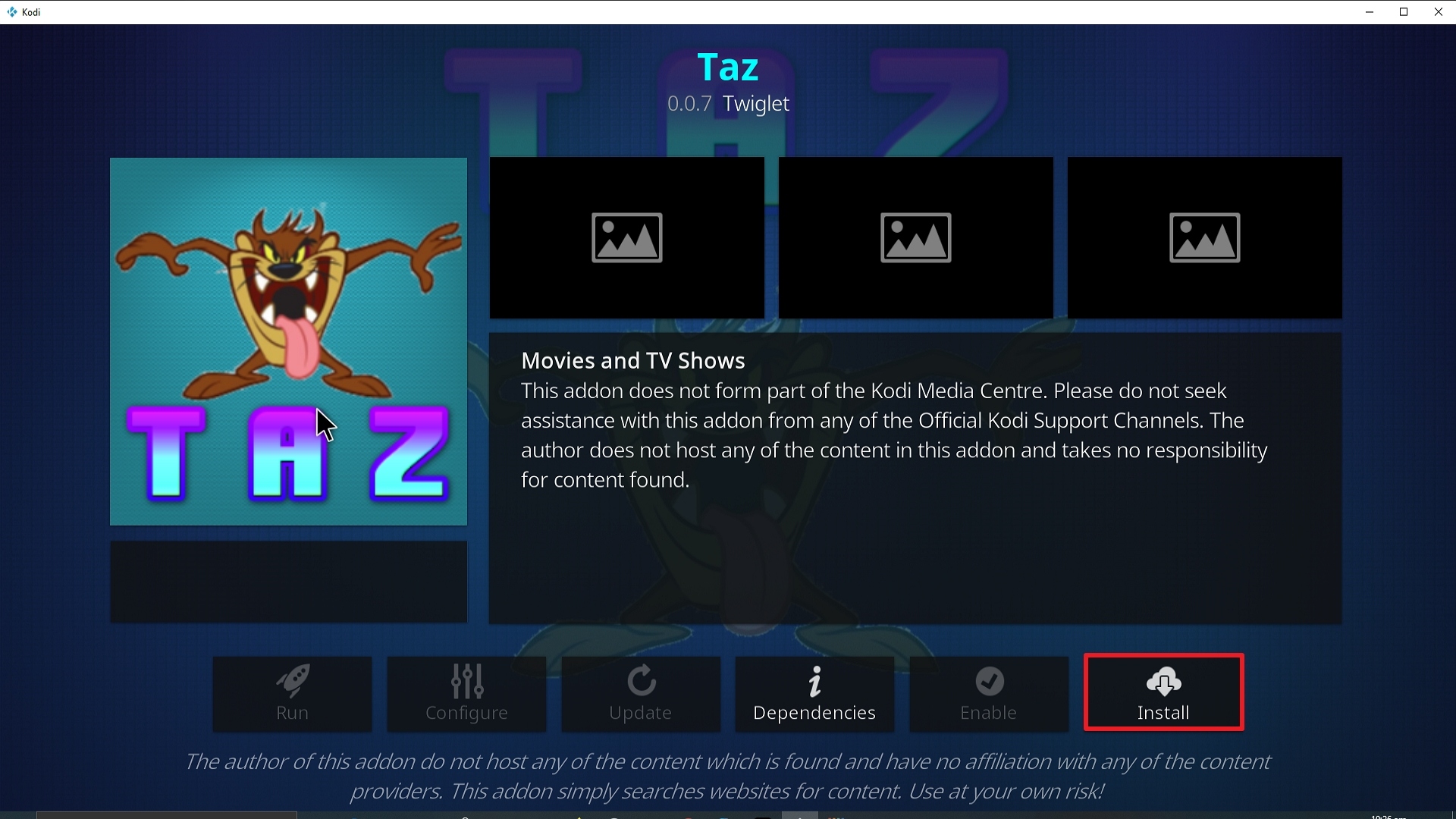
24. Select OK after reviewing the add-ons that will be installed.
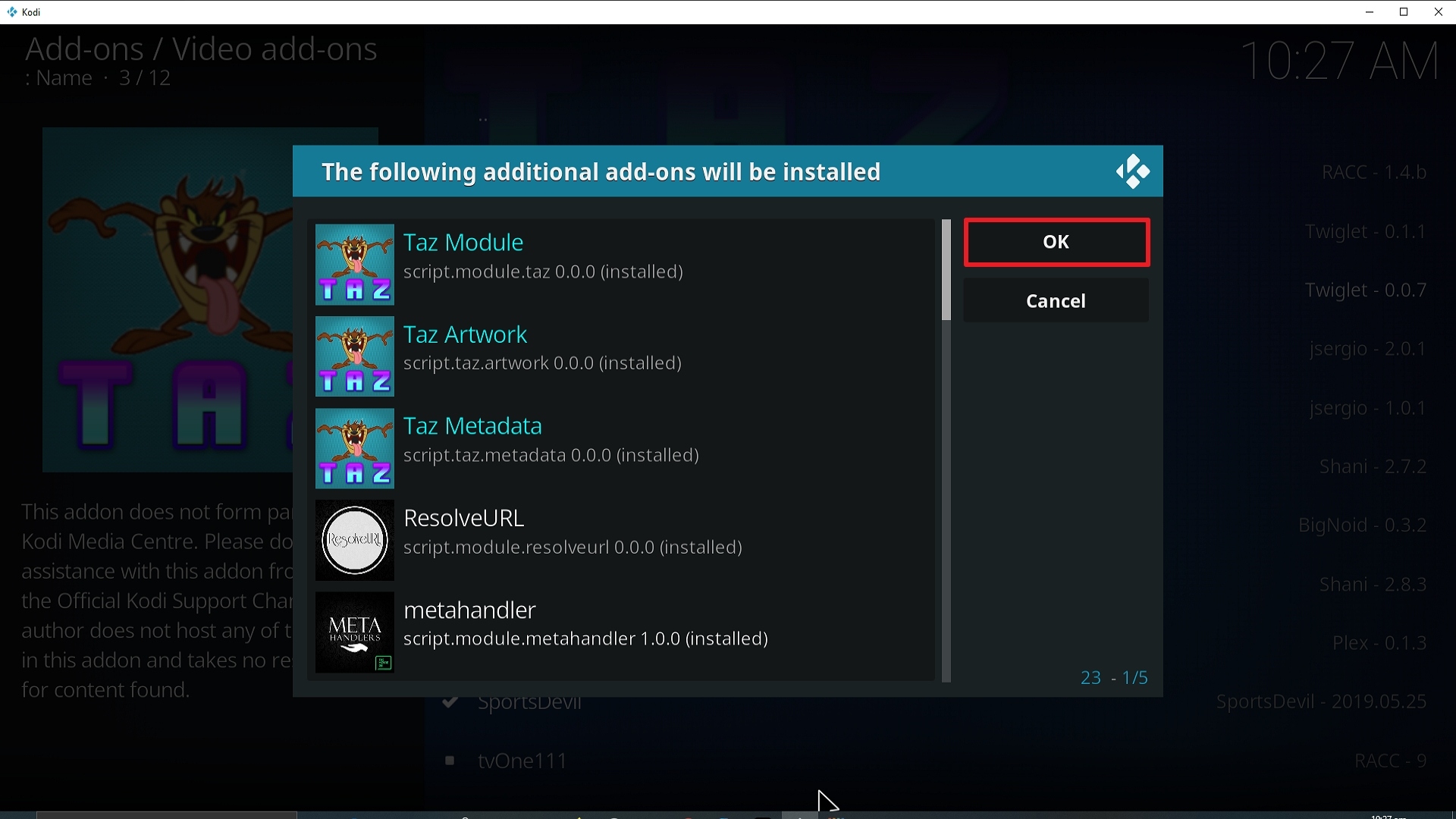
25. You should see a popup in the upper right corner saying Taz has been installed. There will be multiple popups for the various components.
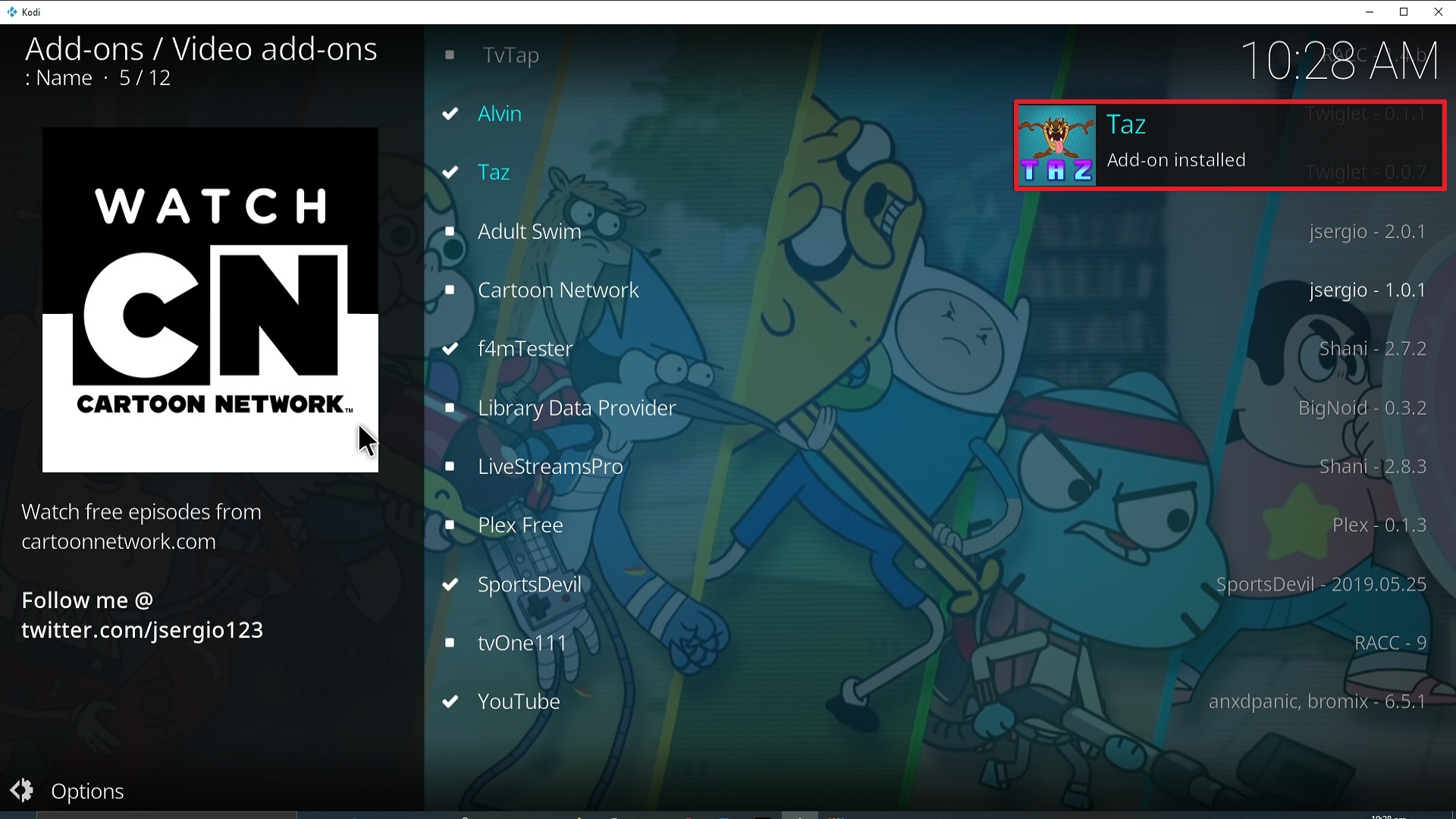
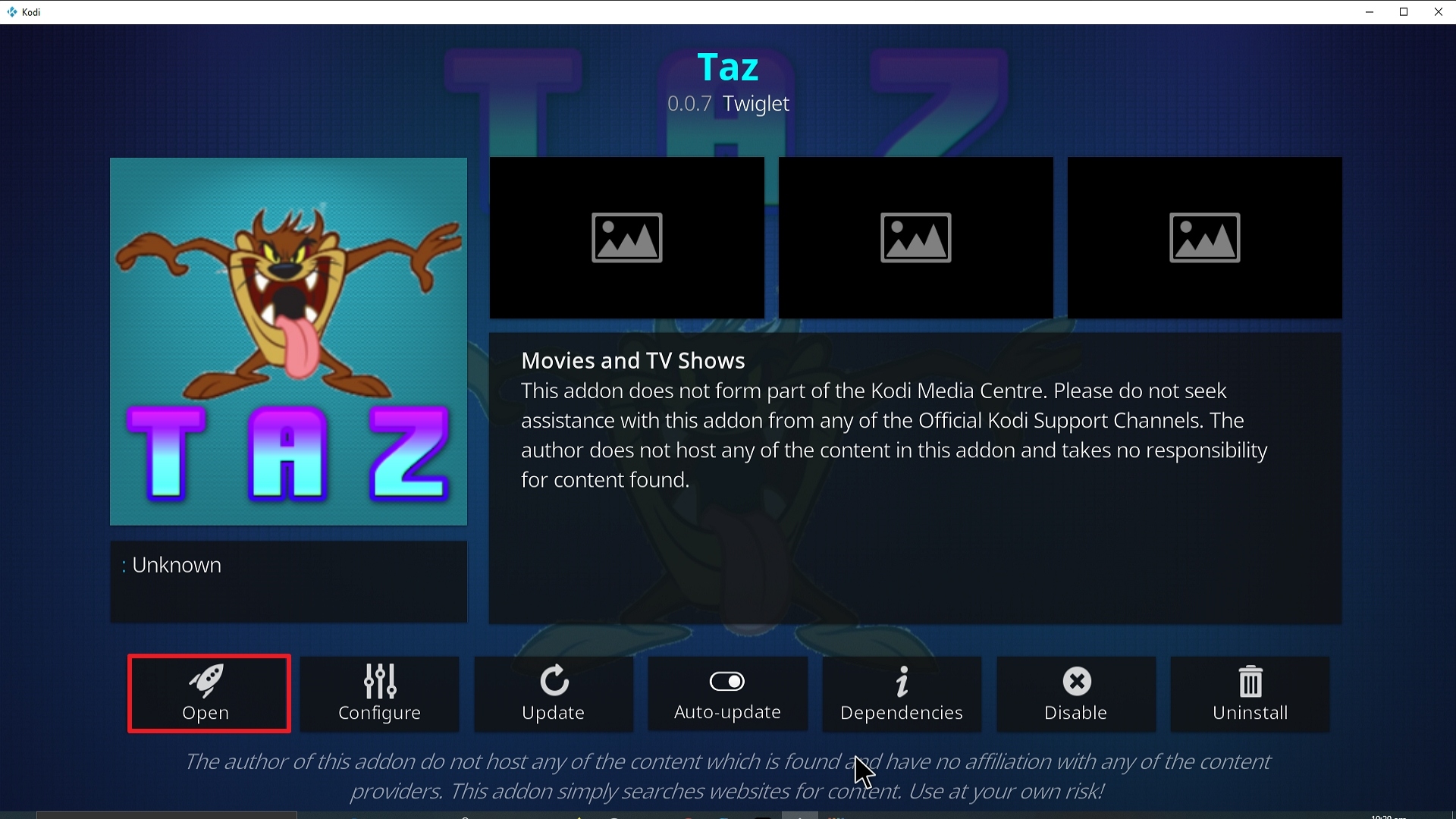
26. Click on Open to start the Taz add-on.
Should I Use This App With a VPN?

We recommend you use a VPN for the following reasons:
- Many of the add-ons you will access in Streamline will direct you to links for illegally distributed content. Without a VPN you may find many of these links do not work because your ISP is blocking your access
- If you try to access Live TV Channels in other countries through Streamline your access may also be blocked. This is because these channels can detect your IP is not in that country and will block you from accessing their channels.
- Using a VPN, you can encrypt your requests, change your IP, and also the location where your IP originates from. Thus, allowing you to circumvent any blocks or firewalls in place to access your most restricted content
- A VPN also helps you maintain anonymity, safety, and privacy online from unwanted third parties.
Note: For more information about SurfShark, please read our SURFSHARK REVIEW.
How to Install Surfshark VPN on Firestick
If your Firestick still has the older interface, read this article to learn how to update it: Update Firestick Interface.
You can download Surfshark directly from the Amazon App Store. It will be easy for you to find Surfshark with your Firestick’s Find feature. Refer to our screenshots below.
1. Go to the Home screen of your Firestick.

2. Navigate towards the Find tab. Press the Search button from the resulting dropdown.

3. Type in the keyword of SurfShark and select from the suggestions that will appear.

4. Click the official SurfShark icon from your search results.

5. Press the Download (You own it) button.

6. The SurfShark VPN installer will download on your device.

7. SurfShark VPN’s app will automatically install itself on your Fire TV stick.

8. Press the Open button after completing SurfShark VPN’s installation process.

9. Please wait for the SurfShark VPN to load its user interface.

10. You can now log in with your SurfShark VPN account credentials.

Learn more about Surfshark and Grab the Best Surfshark Deal Now!
Install Surfshark on Firestick



For more VPN discounts, go to ReviewVPN Deals and purchase the best VPN for you.
Click here to get the lowest price on Surfshark through our exclusive limited-time offer.
FAQs
What is Taz Kodi Addon?
Taz is a Kodi Addon from the Octopus Repository that offers streaming for movies and TV shows.
Is Taz Kodi Addon safe?
Taz Kodi Addon is safe to install on any Kodi-compatible device. However, we always recommend anonymous streaming using a VPN like Surfshark to ensure that there are no unauthorized logs especially while using third-party add-ons.
Is Taz Kodi Addon legal?
We cannot guarantee the legality of the streams provided by Taz Kodi Addon. To avoid legal complications, it’s best to just remain anonymous while using Taz.
Wrapping Up
Taz is one of the famous add-ons that offers streaming for movies and TV shows. And it also works well with Real-Debrid which enables you to find the best streaming link for your sought-after movie or show. Moreover, it also enables syncing of Trakt so you can access your watchlist while using Taz. Enjoy!






