

Overview
Quick Navigation
In this article, we will guide you on how to install the Rakuten Viki App on Firestick.
Are you a big fan of Asian TV series and shows? You can watch every K-drama, Chinese movie, and Japanese film with Subtitles on the Rakuten Viki App!

It is an app that allows you to stream your favorite Asian dramas and TV shows with the option of a free subscription or premium account. Get an awesome HD viewing experience anytime and anywhere just by using the app.
Rakuten Viki has a wide range of TV show catalogs that is for everyone. It is Asian entertainment, both applicable for home viewing and on the go. As we discuss further, we will know more about Rakuten Viki and its benefits to its potential subscribers.

How to Install Rakuten Viki App on Firestick
Rakuten Viki is available on your local Amazon App Store and Google Play Store. With Firestick, you can directly download it and enjoy the streaming service. There is no need to use third-party apps or download the data.
Here is the step by step procedure you can follow:
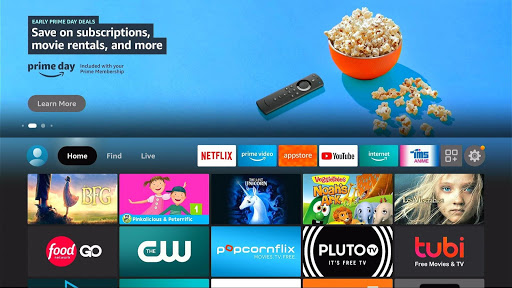
- Go to the home screen of your Firestick device
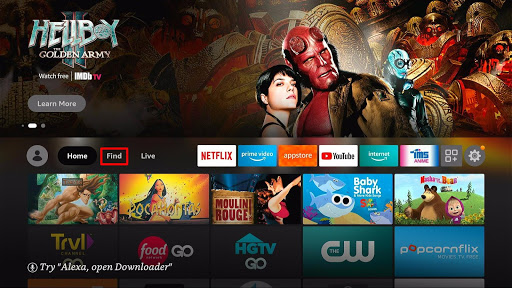
- Hover around and select the Find button on the menu bar
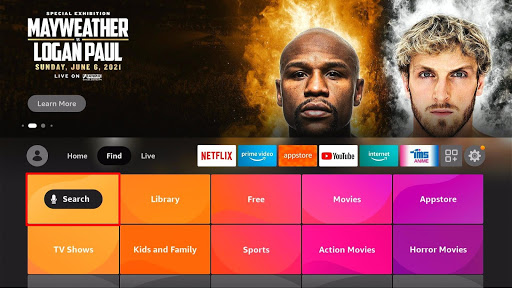
- Scroll down and select the Search button
- Type in the search bar Rakuten Viki App
- Click Rakuten Viki App on its search results and select the app icon
- Choose Get and start the download
- Your download speed depends on how fast your internet connection is
- Once your download and installation are complete, click Open
- You can now stream and enjoy the Rakuten Viki App whenever you want to.
Install Surfshark on Firestick
Legal Disclaimer: ReviewVPN.com does not encourage or endorse any illegal activity involved in the usage of services and applications referenced on this site. We do not verify the licensing agreements of services. The end-user is wholly responsible for ensuring that any media accessed through these services does not violate copyright and/or licensing laws. ReviewVPN does not promote, link to, or receive compensation from any Apps and IPTV services.
ReviewVPN cannot attest to the legality, security and privacy of the applications discussed on this site. It is highly recommended that you use a VPN service while streaming or using Kodi. Currently, your IP 216.73.217.24 is visible to everyone and your Browser is being tracked by Advertisers & ISP Provider. Here are the main reasons why you must use a VPN: A VPN works be replacing your ISP-assigned IP address and creating an encrypted tunnel. We recommend the no log service offered by IPVanish. It works well on a Firestick and offers the fastest possible speeds.
YOUR INTERNET ACTIVITY IS BEING WATCHED
Step by Step Installation Guide of Rakuten Viki App with Screenshots
1. Go to the Home screen of your Firestick device.
2. Hover around and select the Find button on the menu bar.
3. Scroll down and select the Search button.
4. Type in the search bar Rakuten Viki App.
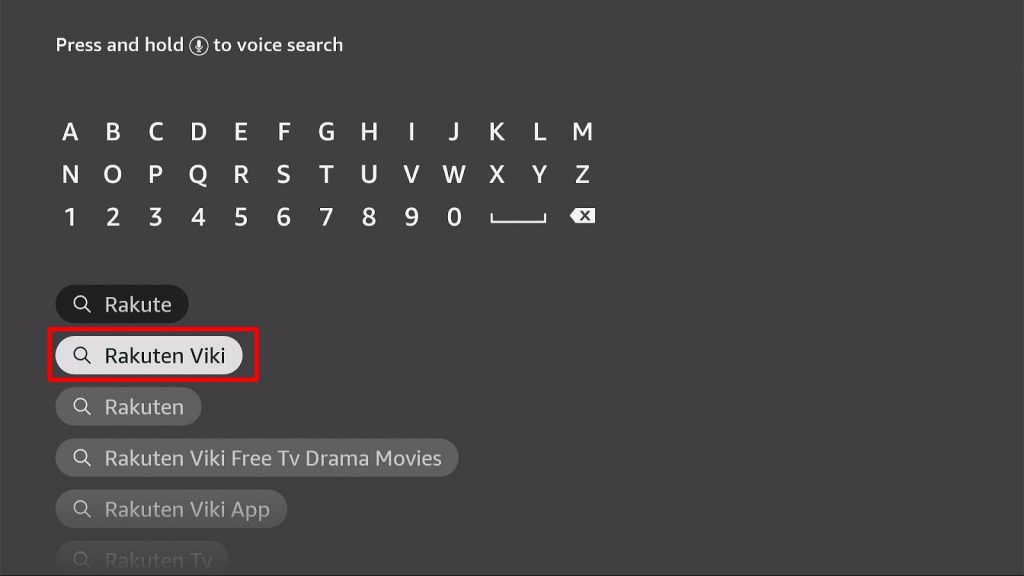
5. Click Rakuten Viki App on its search results and select the app icon.
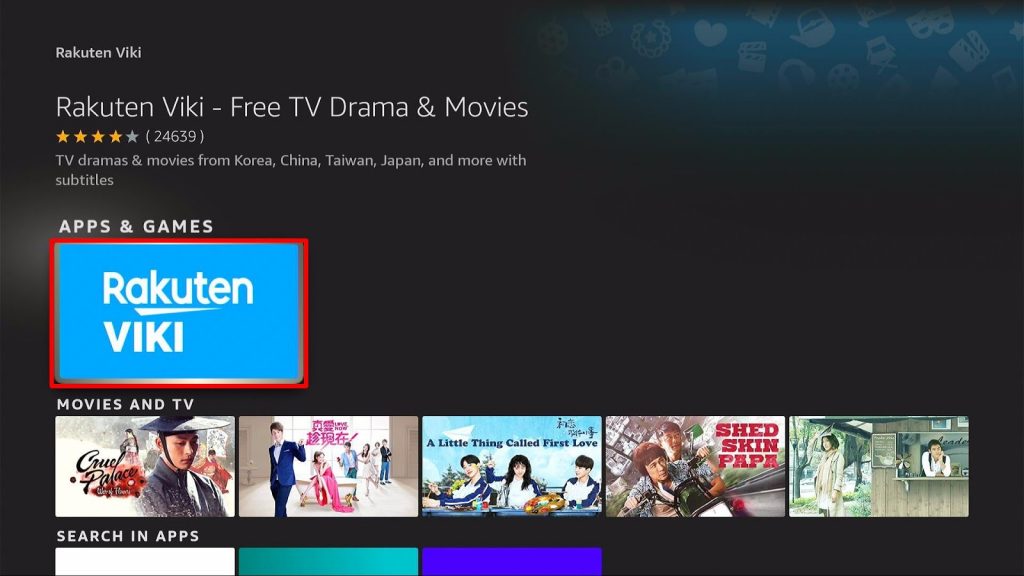
6. Choose Get and start the download.
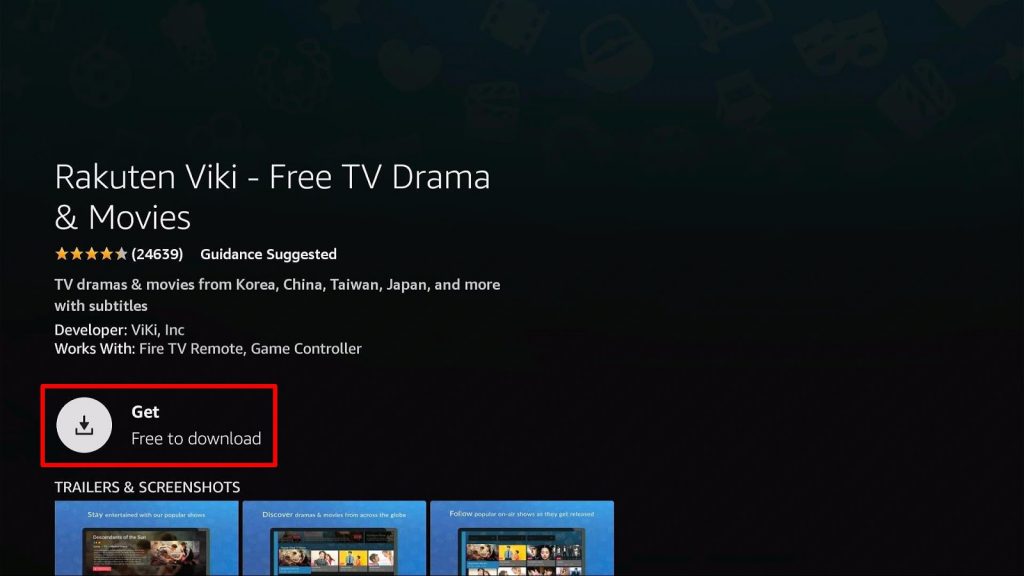
7. Your Download speed depends on how fast your internet connection is.
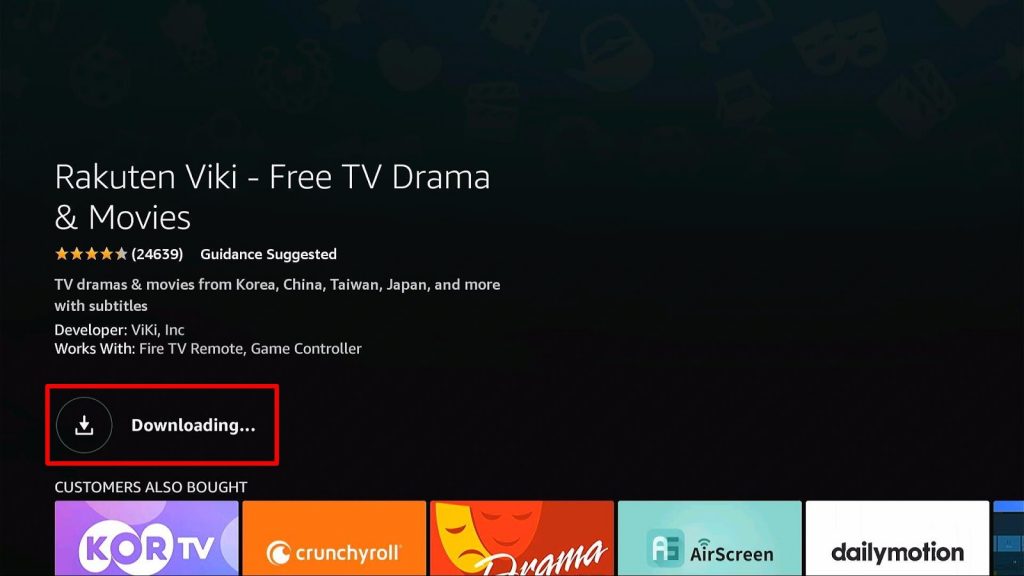
8. Once your download and installation are complete, click Open or launch it on your Apps and Games.
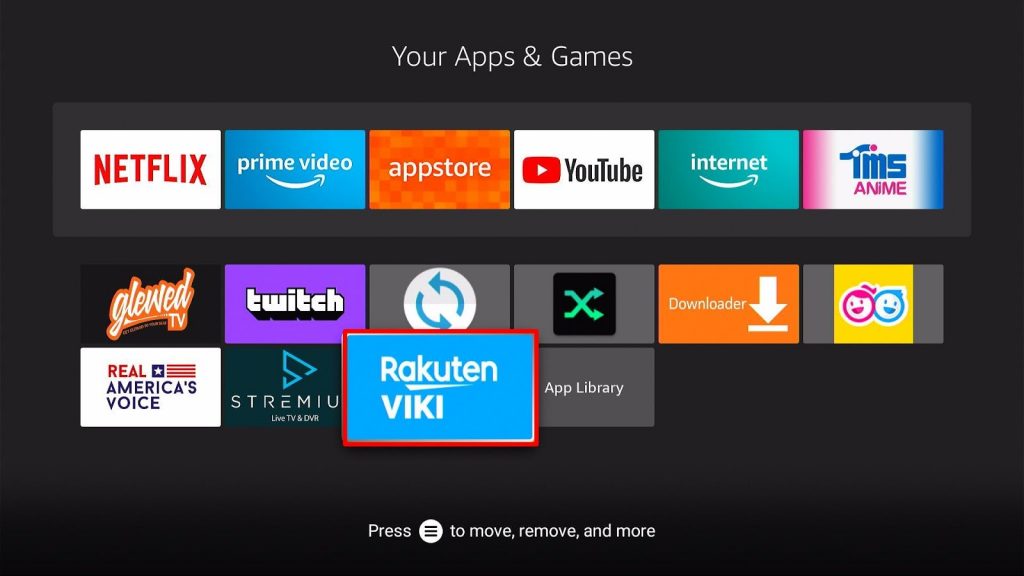
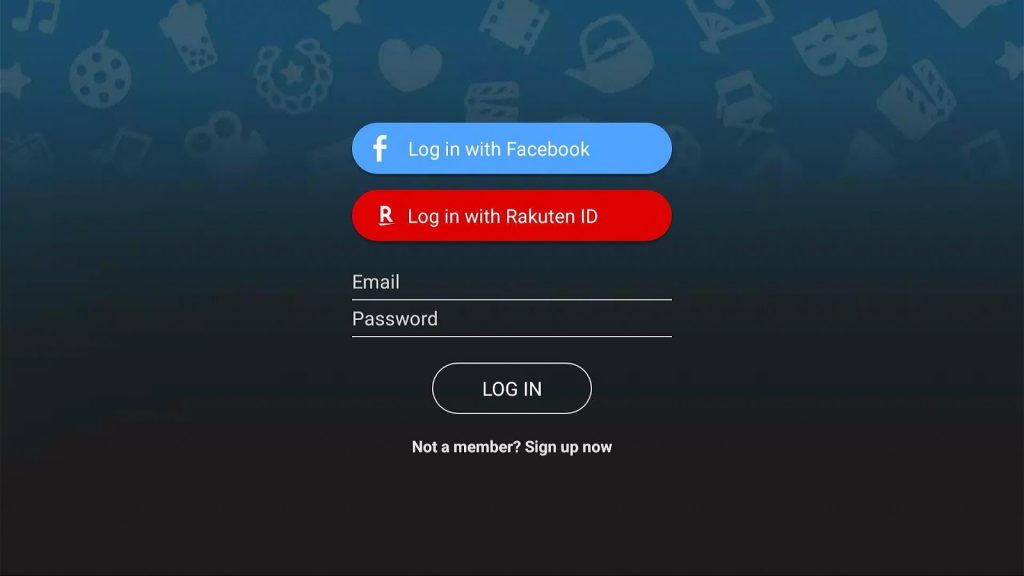
9.You can now stream and enjoy the Rakuten Viki App whenever you want to. You can create an account by linking your Facebook or directly signing up.
App Features
Stream your favorite Asian Dramas, Movies, and TV Shows:
- Korean Dramas
- Mainland Chinese Dramas
- Taiwanese Dramas
- Japanese Dramas
- Thailand Dramas
- Korean Variety Shows
- K-Pop
Subtitles
Get access to different subtitles ranging from 150+ languages on movies and shows available on the app.
Favorites
You can create a watch list that you can choose to watch at a later time. All you have to do is save it as your favorites.
Ratings
Participate in online discussions by commenting on posts about an Asian movie or TV Show
Celebrity
Allows you to have instant updates on your favorite Asian celebrities and the things they are up to
Legal Streaming
All of the contents available on the app are licensed and legal.
Pros and Cons
Pros
- It is free and easy to download
- Hundreds of Asian shows and films
- Multiple languages and subtitles are available
- Ability to save movies so you can watch them at a later time
- HD quality and excellent audio
- It is 100% legal
Cons
- Subtitles are sometimes off and can be distracting
- Latency of pausing or saving movies
- Ads-free are only for those who have premium accounts
Streaming Safely With a Use of VPN
It is better to be safe when you are jailbreaking your Firestick devices or sideloading apps. Insecure servers can cause harm not only to your streaming activity but also to your internet connection. These issues need measures to stream everything online safely and securely.
To stop this from happening, you will need a VPN. Virtual Private Network serves as the wall that provides you with everything you need to keep your identity hidden and make you trust your internet connection without any hazards.
There are different VPNs that you can use to protect yourself. Most of them are showcasing 100% free, but not everything is accurate. We strongly recommend the use of Surfshark. It is the best VPN when streaming and also has the best security with excellent speed.
Here are some of the reasons why:
- It secures protection on your ISP when you are streaming the app.
- It provides safety measures from hackers that can track your identity.
- Your data will be encrypted and be kept anonymous all the time
- Keeps your data from harmful malware
- It makes your internet speed faster
Click here to get the lowest price on Surfshark through our exclusive limited-time offer.
How to Install Surfshark VPN on Firestick
If your Firestick still has the older interface, read this article to learn how to update it: Update Firestick Interface.
1. Go to the Home screen of your Firestick.

2. Navigate towards the Find tab. Press the Search button from the resulting dropdown.

3. Type in the keyword of SurfShark and select from the suggestions that will appear.

4. Click the official SurfShark icon from your search results.

5. Press the Download (You own it) button.

6. The SurfShark VPN installer will download on your device.

7. SurfShark VPN’s app will automatically install itself on your Fire TV stick.

8. Press the Open button after completing SurfShark VPN’s installation process.

9. Please wait for the SurfShark VPN to load its user interface.

10. You can now log in with your SurfShark VPN account credentials.

Learn more about Surfshark and Grab the Best Surfshark Deal Now!
Install Surfshark on Firestick



For more VPN discounts, go to ReviewVPN Deals and purchase the best VPN for you.
Click here to get the lowest price on Surfshark through our exclusive limited-time offer.
Best Alternatives App
Here are some of the applications you can use as an alternative to Rakuten Viki:
FAQs
What is Rakuten Viki App?
It is a streaming app for Asian films and tv shows.
Is Rakuten Viki App for free?
Yes. You can have it for free download. There is a premium account you can also avail yourself to remove ads while streaming.
Is Rakuten Viki App legal?
All the content available on the app is legal and has a license.
What devices are compatible with the Rakuten Viki App?
It is compatible with popular streaming platforms such as iOS, Android, Firestick, Chromecast, and Apple TV.
Conclusion
Rakuten Viki App is worth recommending for people who have a high interest in Asian Dramas. If you want to explore as well, this is your go-to app. It offers hundreds of new and old contents for Asian Dramas and Movies on which you can choose your preference.
Although it has downtimes and subtitle issues, it is still efficient because it comes for free. You can also use it anytime for your watching experience. If you think Rakuten Viki is the right app for you, download it now.
We hope we provided you with the details you needed on installing Rakuten Viki App and how to use it.






