

Spuul Overview
Quick Navigation
In this article, I will be showing you how to install Spuul on your Firestick device.

Spuul is an application that lets you watch and download Bollywood movies on your Firestick and other devices. They have limited content that you can access for free but they also have a premium version for those who would like to gain access to more Hindi, Punjabi, Bhojpuri, Bangla, and Tamil films. So before deciding whether this app is the one that you are looking for, you may read this article to have an overview of how to Spuul works and what it has to offer.
Install Spuul on Firestick Guide
Spuul is an official app on the Amazon App Store so you can directly download the app without having to jailbreak your Firestick. For the steps on how to install Spuul on your Firestick device, you may follow the guide below:
- On the Home screen, Go to “Find”.
- Then scroll down click on “Search”.
- You may use the Alexa voice command or simply type in “Spuul”.
- Tap on the icon of the application to download.
- Select “Get”.
- Then wait for the app to be installed.
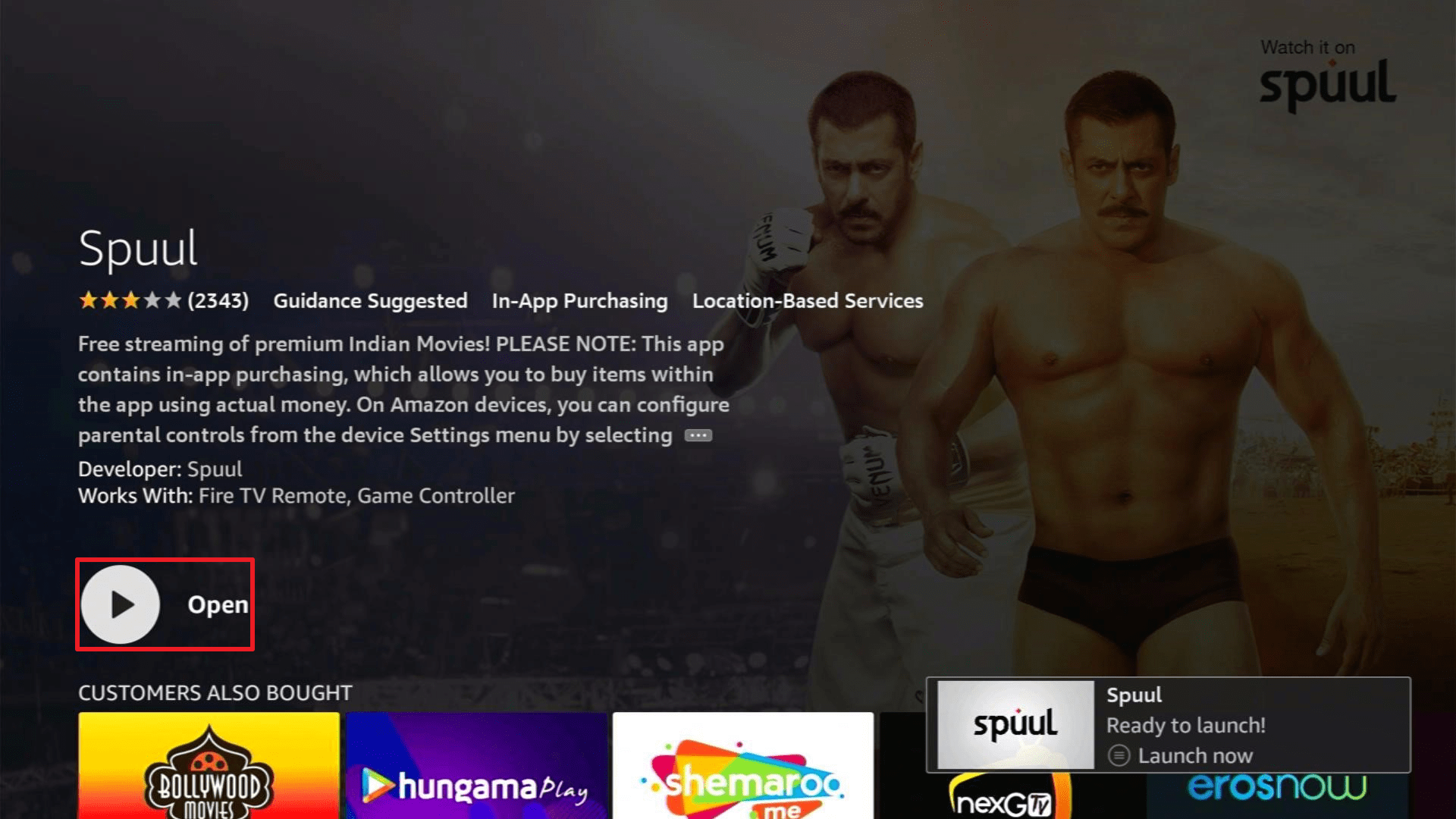
- Once done, click “Open” to launch the app.
- There you have it, Spuul is now installed.

If your Firestick still has the older interface, read this article to learn how to update it: Update Firestick Interface.
Install Spuul on Firestick with Screenshots
1. Click FIND.

2. Click Search.

3. Type in “Spuul”.
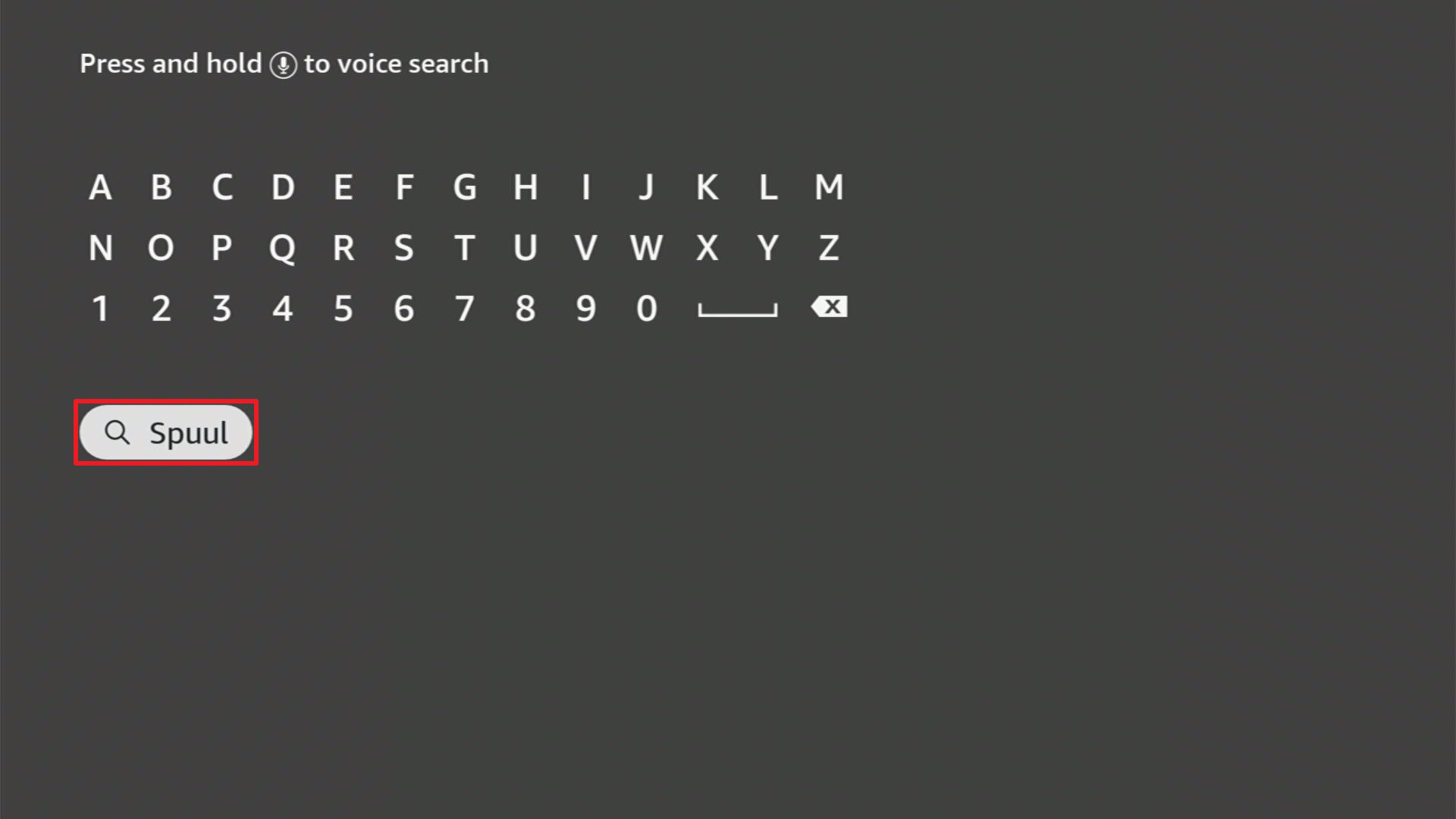
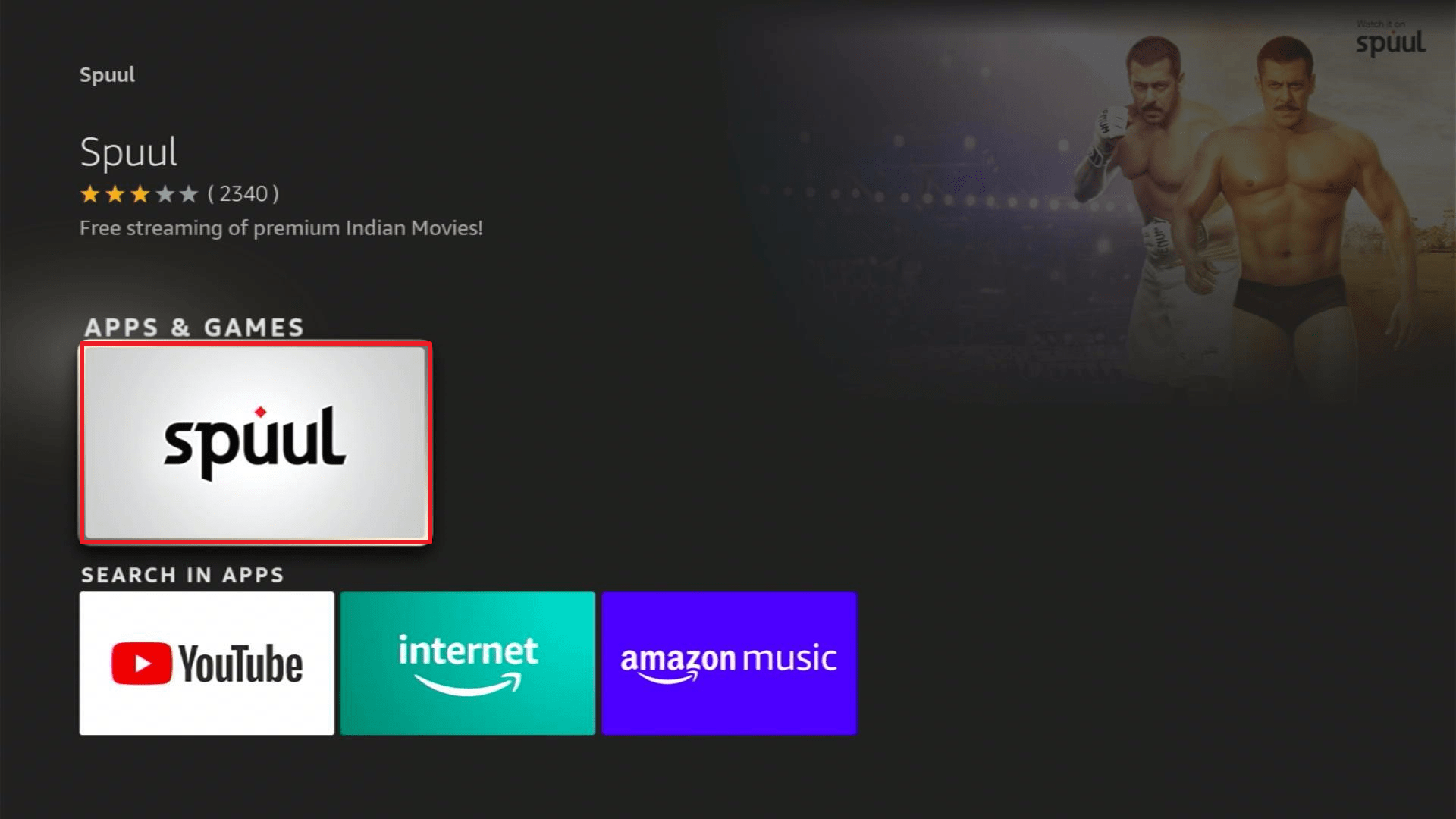
4. Tap on the icon of the application to download.
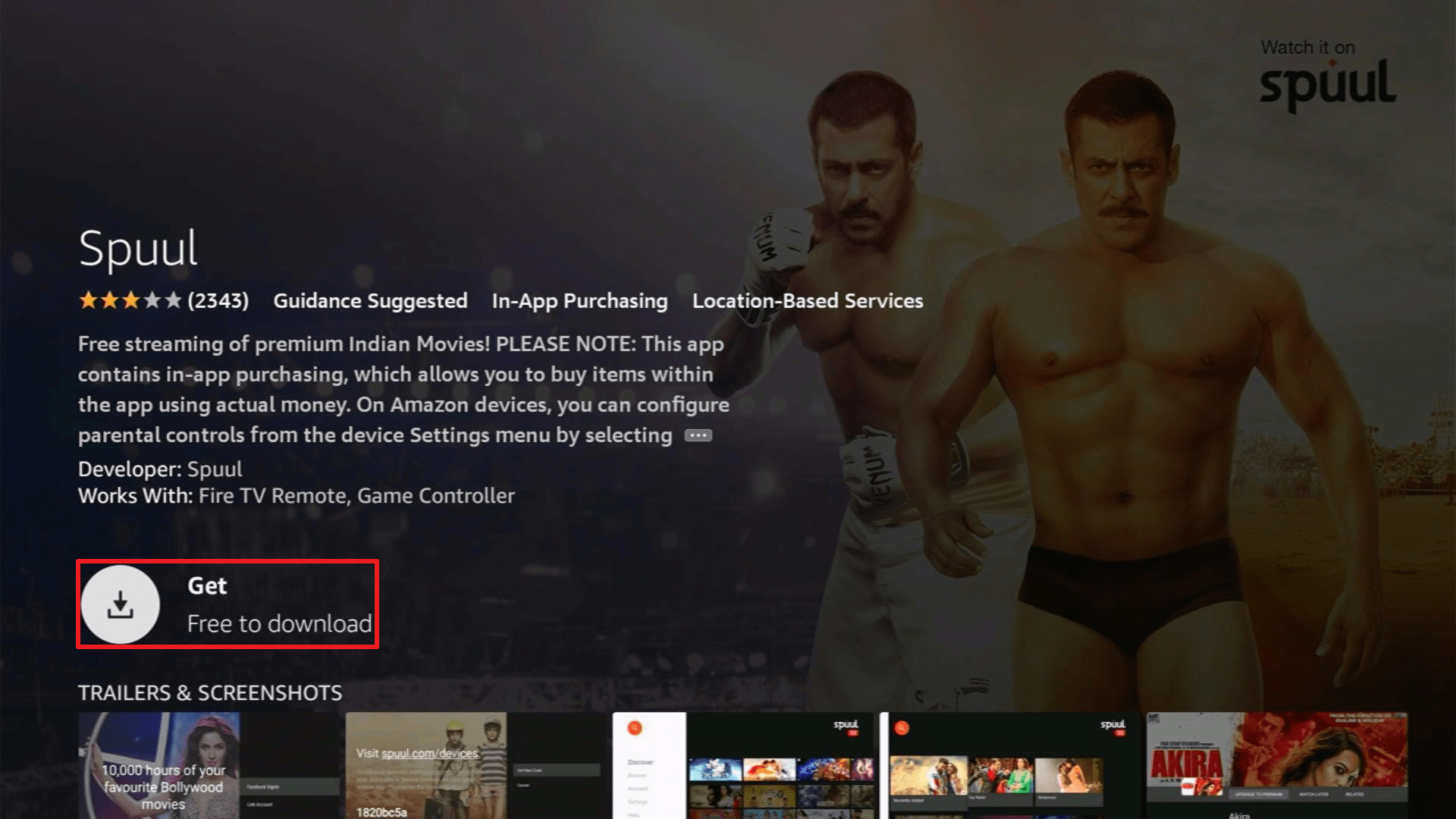
5. Select “Get”.
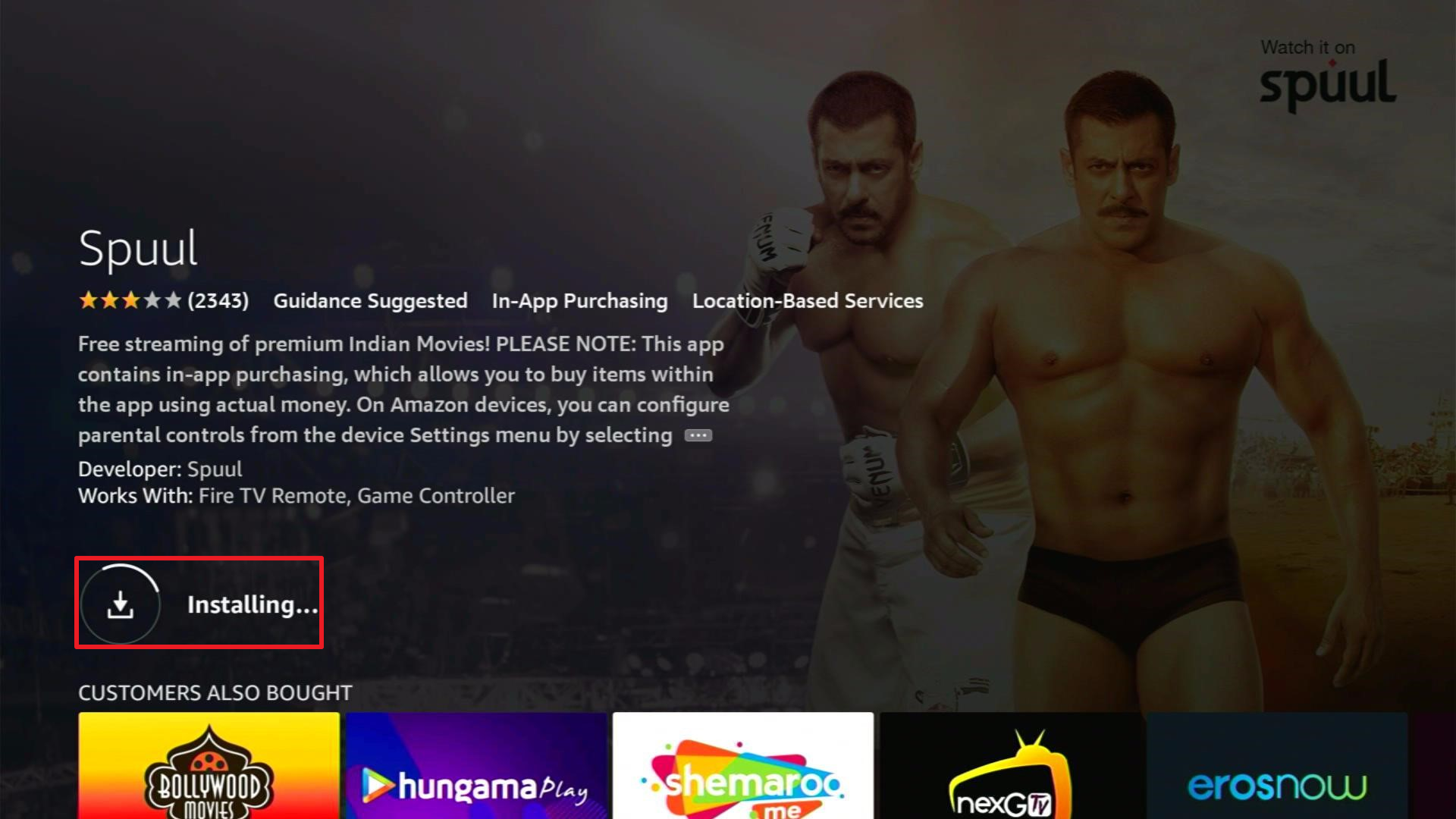
6. Then wait for the app to be installed.
7. Once done, click “Open” to launch the app.
Click here to get the lowest price on Surfshark through our exclusive limited-time offer.
Setting Up Your Account
To be able to access Spuul, you’ll have to choose from the following options:
- Facebook Sign in – you can either open the app on your mobile device for the notification from Spuul or enter their provided code on facebook.com/device.
- Link Account – you’ll be asked to visit spuul.com/devices and enter the code provided. You can link your Firestick device to your Google, Facebook, or phone number.
- Continue without account
App Features
- It has tabs for Discover, Browse, Account, Settings, Help.
- “Discover” will show you categories for Featured, Recently Added, and Top Rated.
- “Browse” will show you content for Recently Added, Top Rated, Bollywood, Punjabi, Bhojpuri, Bangla, Tamil, Rental Films, Free Films, English Subtitles, Comedy, Action, Crime, Drama, Thriller, 2010-2017, Classics, Kids, Stars, and 18+ Hindi.
- Clicking on “Account” will let you view your Rentals, Favourite, History, Account Info, and Unlink Account.
- Settings have General and Premium settings
- “General settings” will allow you to set subtitles and streaming quality.
- Meanwhile, you’ll need to subscribe for you to access the “Premium settings” which will cost $4.99 for the monthly premium and $49.99 for the yearly premium.
- It has a Search function.
- Has subtitle support for 5 languages which are English, Indonesian, Latin, Arabic, and Afrikaans.
- You can select your streaming quality from Auto, 144p, 240p, 360p, 480p, 720p (HD), 1080p (HD).
- Once you click on a movie you’ll be able to see the following details
- Year of Release
- Length of movie
- Synopsis
- Genre
- Language
- Starring
- Director
- Producer
- You can add movies to Favourites.
Video Quality
Auto video quality of movies are in HD but you have the option to set and select your streaming quality on the settings.
Playing Speed
Spuul is a fast-loading app. The movie will immediately play once you click on “Watch now”.
YOUR INTERNET ACTIVITY IS BEING WATCHED
ReviewVPN cannot attest to the legality, security and privacy of the applications discussed on this site. It is highly recommended that you use a VPN service while streaming or using Kodi.
Currently, your IP 216.73.217.61 is visible to everyone and your Browser is being tracked by Advertisers & ISP Provider.
Here are the main reasons why you must use a VPN:
- Your activities are hidden from your ISP, the government, and from the apps you are using.
- You can access additional movies and TV streams.
- ISP attempts to throttle are thrwarted thus reducing buffering issues.
- Geographically restricted content like Netflix and Hulu can be unblocked.
A VPN works be replacing your ISP-assigned IP address and creating an encrypted tunnel. We recommend the no log service offered by IPVanish. It works well on a Firestick and offers the fastest possible speeds.
Pros and Cons
Pros
- You can watch content for free if you log in through your Facebook, Google, or Spuul account.
- They have 1 month free trial for their Premium version.
- It is ad-free.
- The app is fast-loading.
- One-click play app.
- It is free and easy to download through the Amazon Appstore.
Cons
- There is only one content that has an English subtitle.
- Some movie categories with no content for free streaming.
Stream Safely with a VPN
It’s great that with the use of the Amazon Firestick device, we can freely install any application that we would want to get access to. May it be an official app from the Amazon Appstore or a sideloaded one, we have limitless access to these apps anytime and anywhere. But we always have to know that whenever we browse and install these applications, our data is being exposed to the public due to public connections to these apps. And so to avoid this while downloading and streaming content online, we need to have a VPN like Surfshark to conceal our internet activity. A VPN will help you secure your streaming by giving you the ff benefits:
- You’ll be using an anonymous IP address so you’ll prevent hackers and phishers from acquiring data stored on your device
- By concealing your real IP address, your ISP will not be able to track down your internet activity so you’ll prevent ISP throttling
- You can maintain your privacy even when accessing public content online
- You can download any content that you want online without the fear of reaching your data cap.
Install Surfshark on Firestick
How to Install Surfshark VPN on Firestick
If your Firestick still has the older interface, read this article to learn how to update it: Update Firestick Interface.
Follow our screenshots below to install the SurfShark VPN app on your Fire TV stick.
1. Go to the Home screen of your Firestick.

2. Navigate towards the Find tab. Press the Search button from the resulting dropdown.

3. Type in the keyword of SurfShark and select from the suggestions that will appear.

4. Click the official SurfShark icon from your search results.

5. Press the Download (You own it) button.

6. The SurfShark VPN installer will download on your device.

7. SurfShark VPN’s app will automatically install itself on your Fire TV stick.

8. Press the Open button after completing SurfShark VPN’s installation process.

9. Please wait for the SurfShark VPN to load its user interface.

10. You can now log in with your SurfShark VPN account credentials.

Learn more about Surfshark and Grab the Best Surfshark Deal Now!
Install Surfshark on Firestick



For more VPN discounts, go to ReviewVPN Deals and purchase the best VPN for you.
Click here to get the lowest price on Surfshark through our exclusive limited-time offer.
FAQs
Is it safe?
Yes, Spuul is safe. But if you would want more safe and secure streaming then we would advise you to have a VPN.
Is it legal?
Yes, Spuul is legal. It is a verified app that you can download through the Amazon Appstore.
Is it free?
Yes, you can watch limited videos on Spuul for free. But if you want to access over 10,000 hours worth of Bollywood movies online then you will need to have a monthly or annual subscription.
Is there a need for registration?
Though you can browse the app without the need to register, you won’t be able to play any video. So you need to register and log in through Facebook, Google, or Spuul account to play videos for free.
Are there ads?
No, Spuul has no ads.
How long has it been around?
Spuul was founded in December 2010.
Does it have a premium version?
Yes, it has a Premium version where you can access and watch additional content from their free version.
What other devices is Spuul available?
It is also available on Android, iOS, Android TV, Apple TV, and Amazon Mobile Apps.
Conclusion
What I like about Spuul is that they have HD content that loads immediately after clicking on “Watch Now”. You also have the option to choose the quality of the video so you could watch videos that would be suitable for the speed of your internet connection. But what I don’t like about the app is that they only have 1 content that you can watch with English subtitles. There are also categories with no content available for free streaming. So basically they have limited free content available for streaming and you would need to have a subscription to fully enjoy the app.
Thank you for taking the time to read this article. We hope we were able to help you install Spuul on your Firestick device and gave you an overview of how the app works.






