

3ABN Overview
Quick Navigation
This article will help you install 3ABN on your firestick device.

Three Angels Broadcasting Network or 3ABN is a 24/7 Christian television and radio network.
It is also known as the “Mending Broken People Network”.
Most of the programs on this app focus on helping people find answers to their emotional, physical, and spiritual problems with biblical quotes and God’s words.
Their programs will surely feed your souls with uplifting sounds of biblical preachings.
The best part is you can install this app for free without registration.
It is an official Amazon App, so there is no need to Jailbreak Firestick and Install the Downloader App.

How to Install 3ABN App on Firestick
Follow these simple steps below.
- On your Firestick home screen, look for the Search button (Magnifying glass icon).
- On the search bar, Type in 3ABN.
- Select the suggestion.
- Click on the icon of the 3ABN.
- Click on Get or Download button to install the app.
- Wait a few minutes for the app to be installed.
- Click Open to launch the app.
- Choose programs from TV and Radio. Click on that and Enjoy!
Guide on How to Install the 3ABN App on Firestick with a Screenshot
1. Click FIND.

2. Click Search.

3. In the search bar, type in 3ABN and click on the suggestions below.
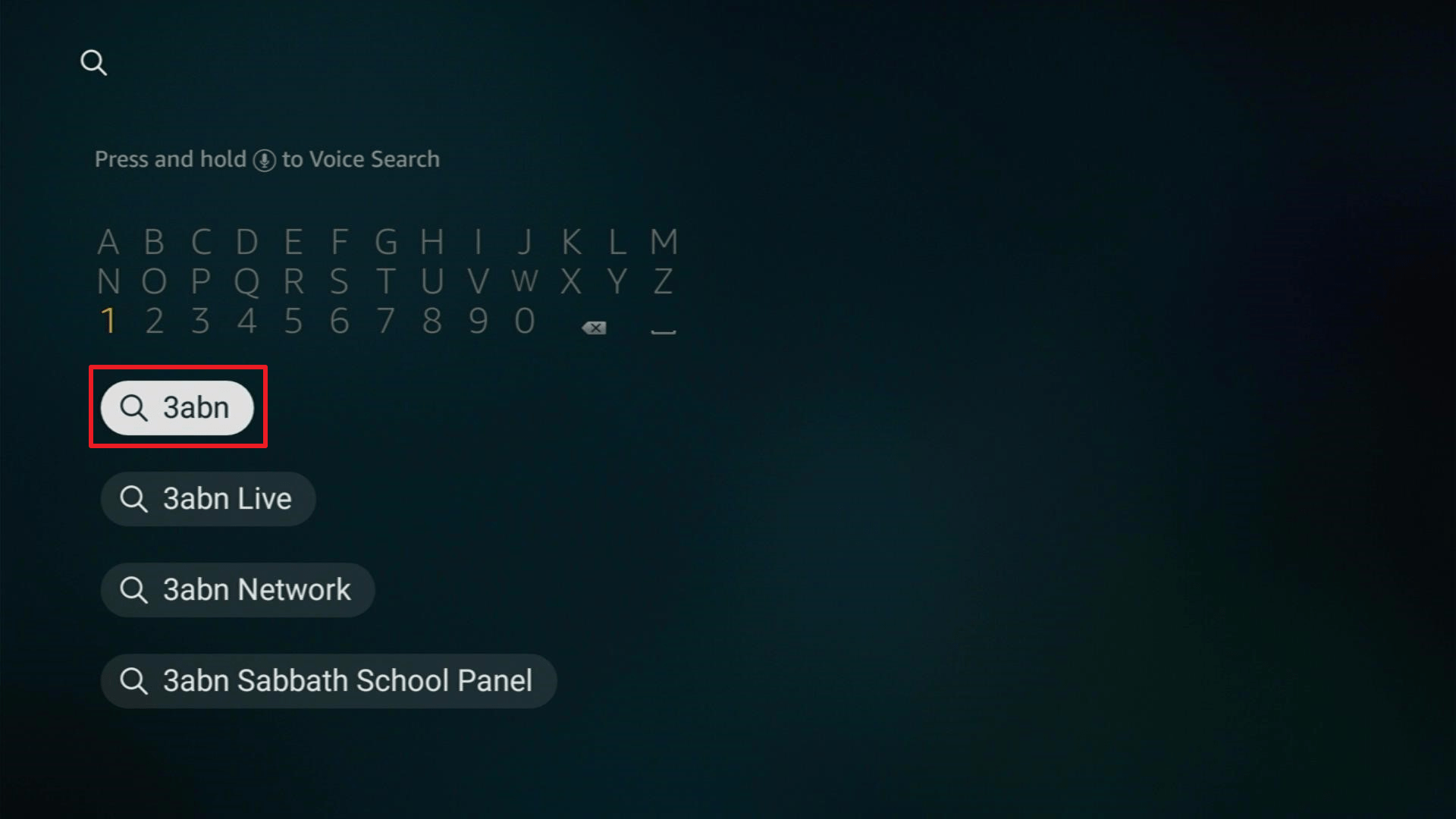
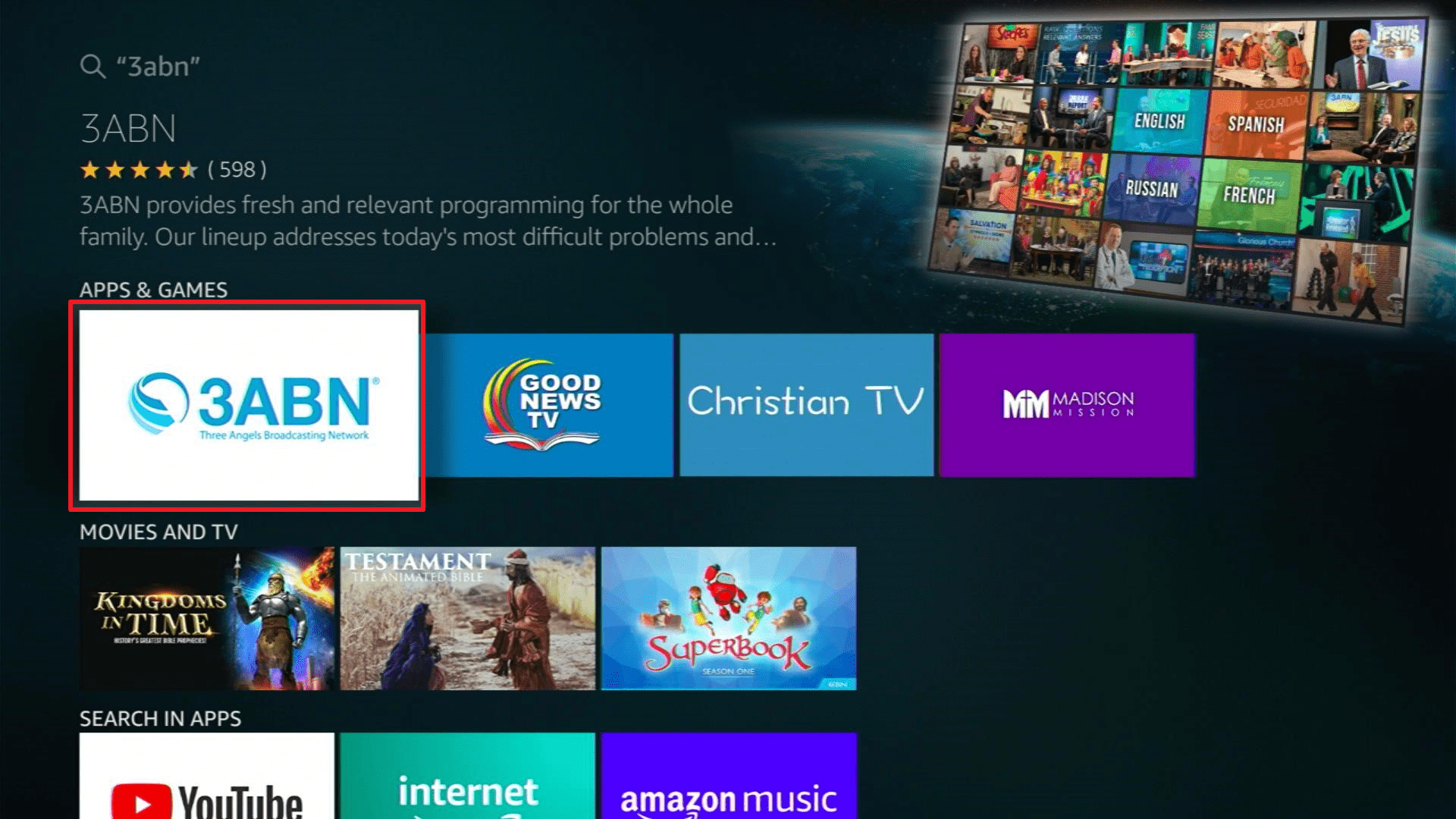
4. Now, Click on the app icon.
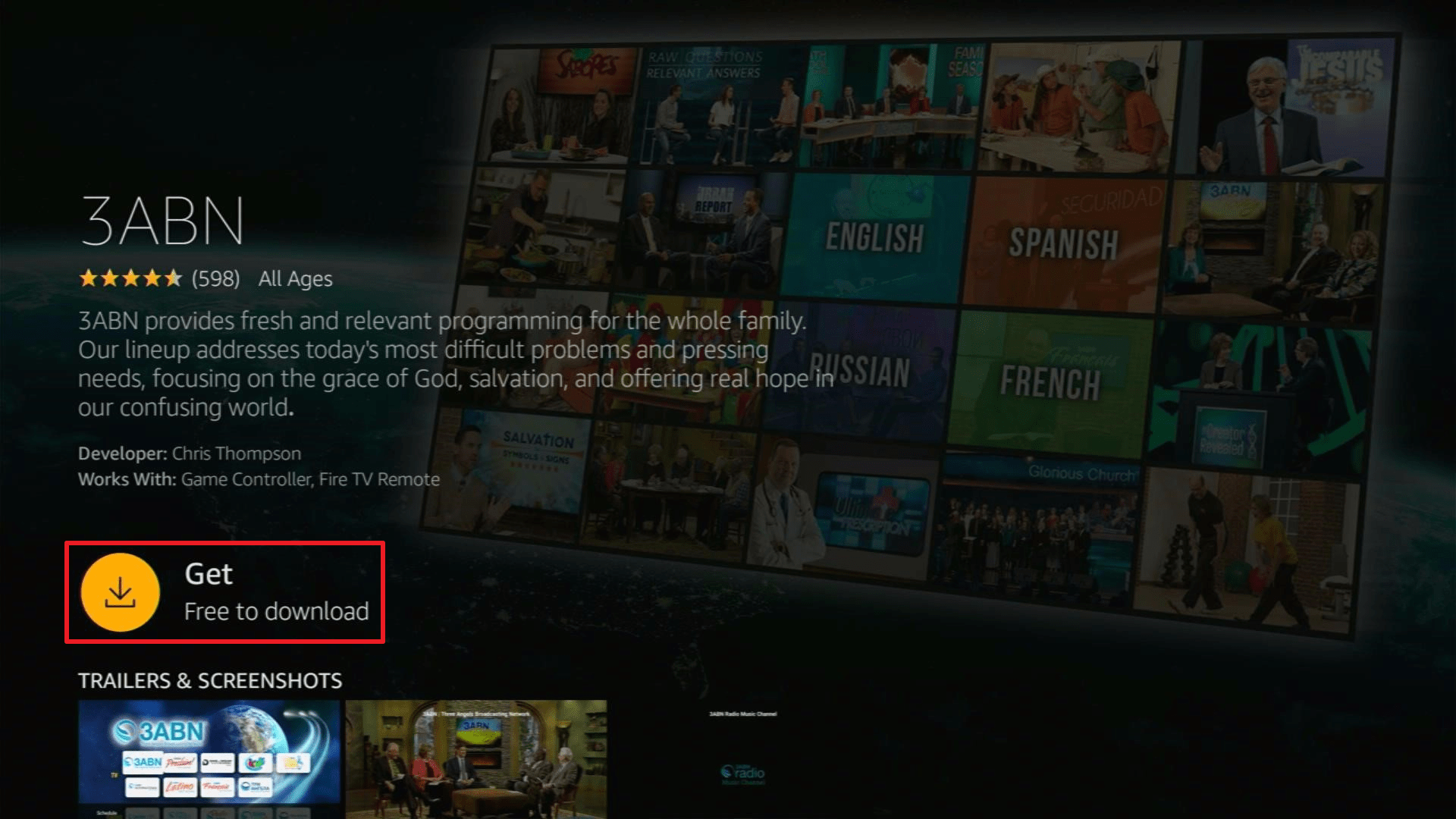
5. Click on Get or Download.
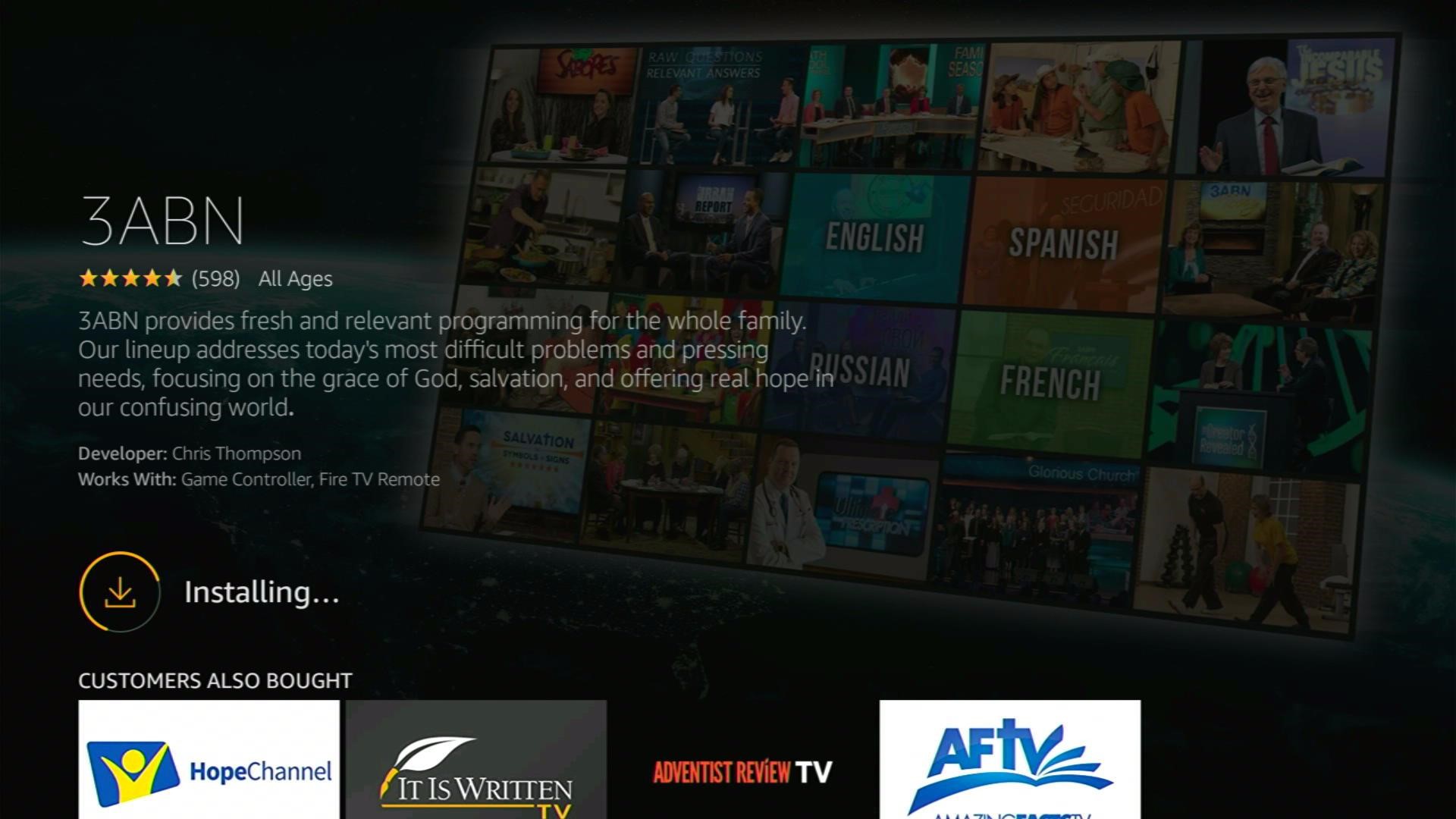
6. Wait for a few minutes for the app to be installed.
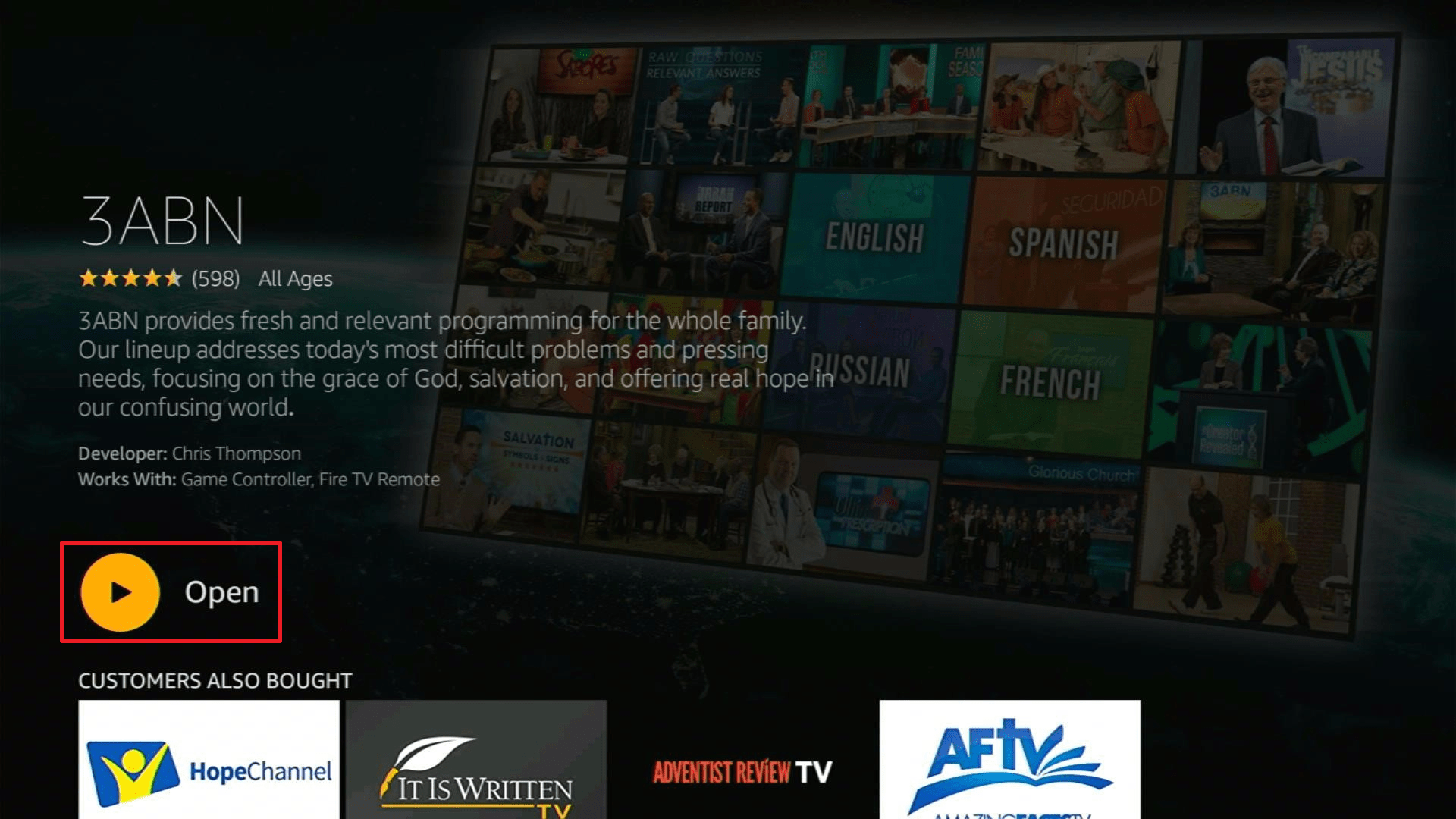
7. Tap on the Open button to launch the app.
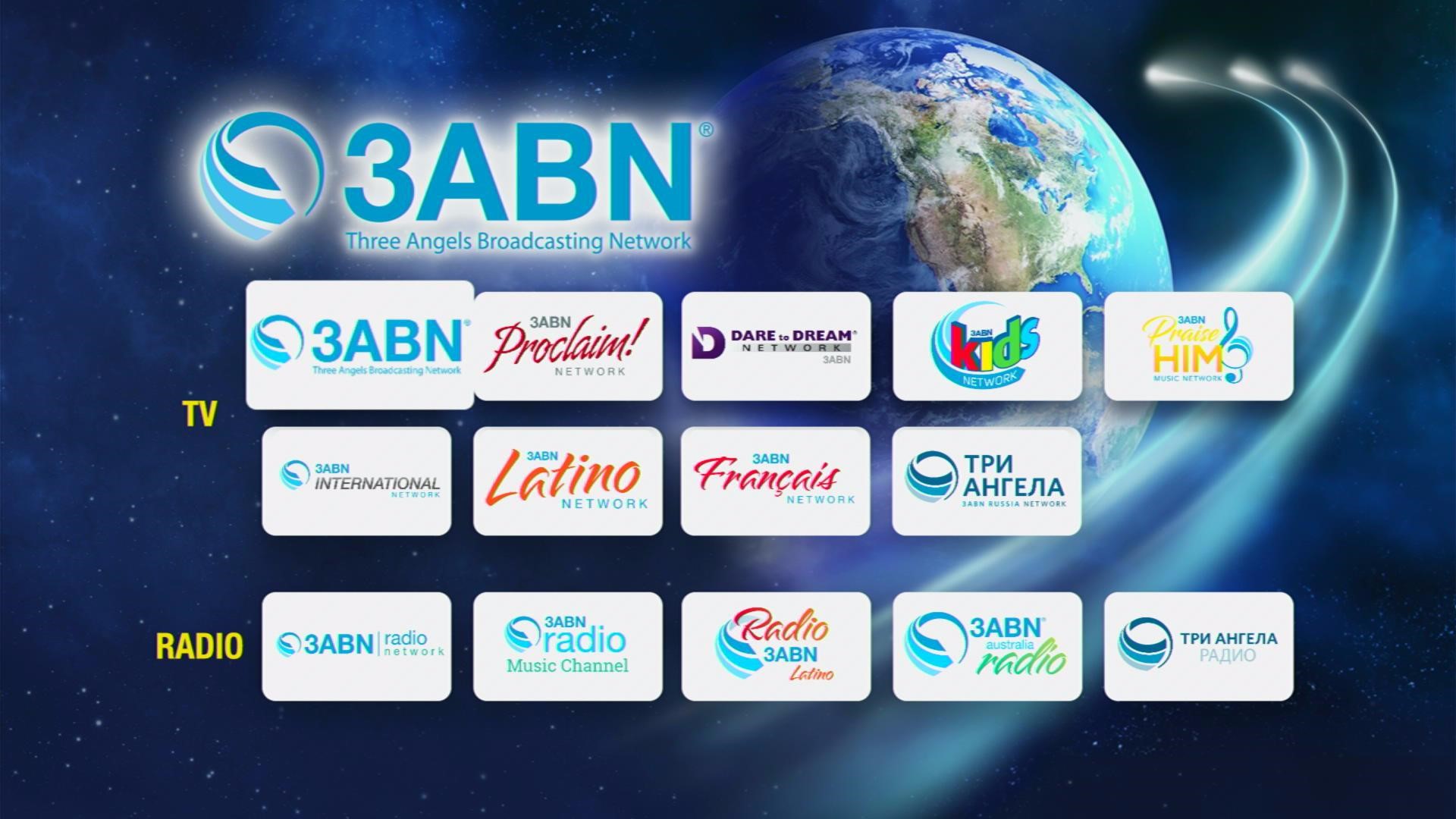
8. Choose programs from TV and Radio.
Click here to get the lowest price on Surfshark through our exclusive limited-time offer.
Features of 3ABN
Interface
- This app does not require users to sign-up for a membership account.
- It is easy to use and has an elegant UI.
- One-click, and it will direct you to the program.
- 9 tabs for TV
- 5 tabs for Radio
Programs
- Each program has a schedule provided below where you can view their program listings with the time they will be aired in your time zone.
- 3ABN offers programs on Christian money management, divorce recovery, cooking & health, drug & alcohol rehabilitation, stop smoking & weight loss, natural home remedies, and children & family issues.
- You can view all of their videos in Full-Length HD quality.
- You can also listen to their uplifting music, such as gospel songs and a variety of inspirational themes from the bible.
For TV-Programs They Have:
- Three Angels Broadcasting Network
- International Network
- Proclaim Network
- Latino Network
- Francais Network
- Kids Network
- Russia Network
- Praise HIM Music Network
For Radio-Programs They Have:
- Radio Network
- Radio Music Channel
- Radio Latino
- Australia Radio
- Три Ангела (Russian Radio)
Stream Safely with Surfshark
Streaming online can be frustrating when you experience buffering, which is because your Internet Service Provider monitors your activities and throttles your connection. To solve this problem, you need to have a VPN and we highly recommend using Surfshark. This VPN is committed to providing its users with the best service and security they deserve.
Here are the reasons why it is our VPN of choice.
- Prevent ISPs from interfering with your connection.
- It gives you unlimited bandwidth and makes your internet speed faster.
- Keep your identity anonymous to protect you from hackers, especially when you are using public wi-fi.
- A high standard of Encryption: AES 256-bit
- Bypass censorship and restrictions.
- It provides you with a secure environment for everyday internet activity.
- Destroys geo-block and gains access to different content globally.
- Keep your file protected from harmful malware.
Note: For more information about Surfshark, please read our Surfshark Review.
Install Surfshark on Firestick
How to Install Surfshark VPN on Firestick
If your Firestick still has the older interface, read this article to learn how to update it: Update Firestick Interface.
Follow our screenshots below to install the SurfShark VPN app on your Fire TV stick.
1. Go to the Home screen of your Firestick.

2. Navigate towards the Find tab. Press the Search button from the resulting dropdown.

3. Type in the keyword of SurfShark and select from the suggestions that will appear.

4. Click the official SurfShark icon from your search results.

5. Press the Download (You own it) button.

6. The SurfShark VPN installer will download on your device.

7. SurfShark VPN’s app will automatically install itself on your Fire TV stick.

8. Press the Open button after completing SurfShark VPN’s installation process.

9. Please wait for the SurfShark VPN to load its user interface.

10. You can now log in with your SurfShark VPN account credentials.

Learn more about Surfshark and Grab the Best Surfshark Deal Now!
Install Surfshark on Firestick



For more VPN discounts, go to ReviewVPN Deals and purchase the best VPN for you.
Click here to get the lowest price on Surfshark through our exclusive limited-time offer.
Alternatives for 3ABN
We list down some of the applications available on Firestick, which also offers the same contents as the 3ABN.
- Good News TV – this app is designed to reach metropolitan communities and provide them with the good news of Christ’s love through a broad selection of relevant, inspiring, Christ-centered programs that are unmistakably faithful to the gospel commission and Biblical truth.
- Christian TV – In this app, you can view 33 Christian TV channels such as the 3ABN, Moments of Peace TV, SUM TV, It is written TV, and more. You do not need to download them one by one because this app combines them in one app all for you.
- Madison Mission – This app is committed to living out the Great Commission of Jesus the Christ found in Matthew 28:18-20. They committed to showing God’s love in our church, community, and throughout the world.
Compatible Devices
This app works well on:
- Amazon Fire TV and Firestick
- ROKU TV
- Apple TV
- Verizon FiOS TV
- mySDAtv
- SDAdish
- DISH
- Android and iOS smartphones
Pros and Cons
Pros
- No sign-up process.
- Free access to all programs.
- There is no interruption because this app is ad-free.
- Full-Length HD videos
Cons
- Limited countries coverage.
- They do not provide subtitles for each content.
FAQs
Who owns the 3ABN app?
This app is a non-profit company which is why it is not owned or operated by anyone. Instead, it is governed by a Board of Directors.
Is this app legal?
Yes, this app is 100% legal.
Is this app safe to use?
Yes, this app is safe to use but to ensure your security, you need to use Surfshark.
Is this app Free?
Yes, this app is Free, and there are no hidden fees or charges, but if you want to support the network you can donate any amount on their website.
Where can I get this app?
You can get this app for free on Amazon App Store, Apple Store, and Google Play store.
YOUR INTERNET ACTIVITY IS BEING WATCHED
ReviewVPN cannot attest to the legality, security and privacy of the applications discussed on this site. It is highly recommended that you use a VPN service while streaming or using Kodi.
Currently, your IP 216.73.217.24 is visible to everyone and your Browser is being tracked by Advertisers & ISP Provider.
Here are the main reasons why you must use a VPN:
- Your activities are hidden from your ISP, the government, and from the apps you are using.
- You can access additional movies and TV streams.
- ISP attempts to throttle are thrwarted thus reducing buffering issues.
- Geographically restricted content like Netflix and Hulu can be unblocked.
A VPN works be replacing your ISP-assigned IP address and creating an encrypted tunnel. We recommend the no log service offered by IPVanish. It works well on a Firestick and offers the fastest possible speeds.
Conclusion
This is a very wonderful app to use for soul searching and for people who are looking for a way to be closer to God. A good-looking app, that offers free uplifting and inspirational content. If you are down right now, this app is a good option for you. We hope that this article gives you information about the 3ABN app and helps you on how to install it on Firestick.






