

Torrentvilla Overview
Quick Navigation
This article will give you a step-by-step guide on how to install the Torrentvilla app on your Firestick device.

Torrentvilla is a torrent search engine app that brings search results in a categorized manner for easy movie finds.
Even when a lot of torrent sites were turned down, this app remains in service, especially for Indians. Right now, it is the only torrent search engine with Indian and dubbed movie search results.
It contains Hollywood movies, but most Hindi content. You can make use of this application to search for other torrents unavailable on other torrent sites and platforms, including Malayalam movies.
To enjoy Torrentvilla, you first have to jailbreak and install the Downloader app on your Firestick.

How to Install Torrentvilla App on Firestick
- On your Firestick home screen, go to Settings.
- Choose My Fire TV.
- Navigate to Developer Options.
- Turn ON the ADB debugging and the Apps from Unknown Sources.
- Head back to Home, then click on Search.
- Type in “Downloader” then click the word from the suggested list.
- Select the Downloader icon.
- Click the Get or Download button.
- Wait for the app to install.
- Tap the Open button.
- Choose Allow.
- Click OK.
- Hover to the search engine.
- Type in https://reviewvpn.com/tvl on the search engine.
- Click on Go.
- Wait for the APK to download.
- Click Install.
- Wait for the app to install.
- Select Open to launch the Torrentvilla app.
If your Firestick still has the older interface, read this article to learn how to update it: Update Firestick Interface.
Install Torrentvilla App on Firestick with Screenshots
1. Install the Downloader app and jailbreak your firestick by enabling unknown sources. To learn more about the procedure, you may read How to Install the Downloader App and Enable Unknown Sources.
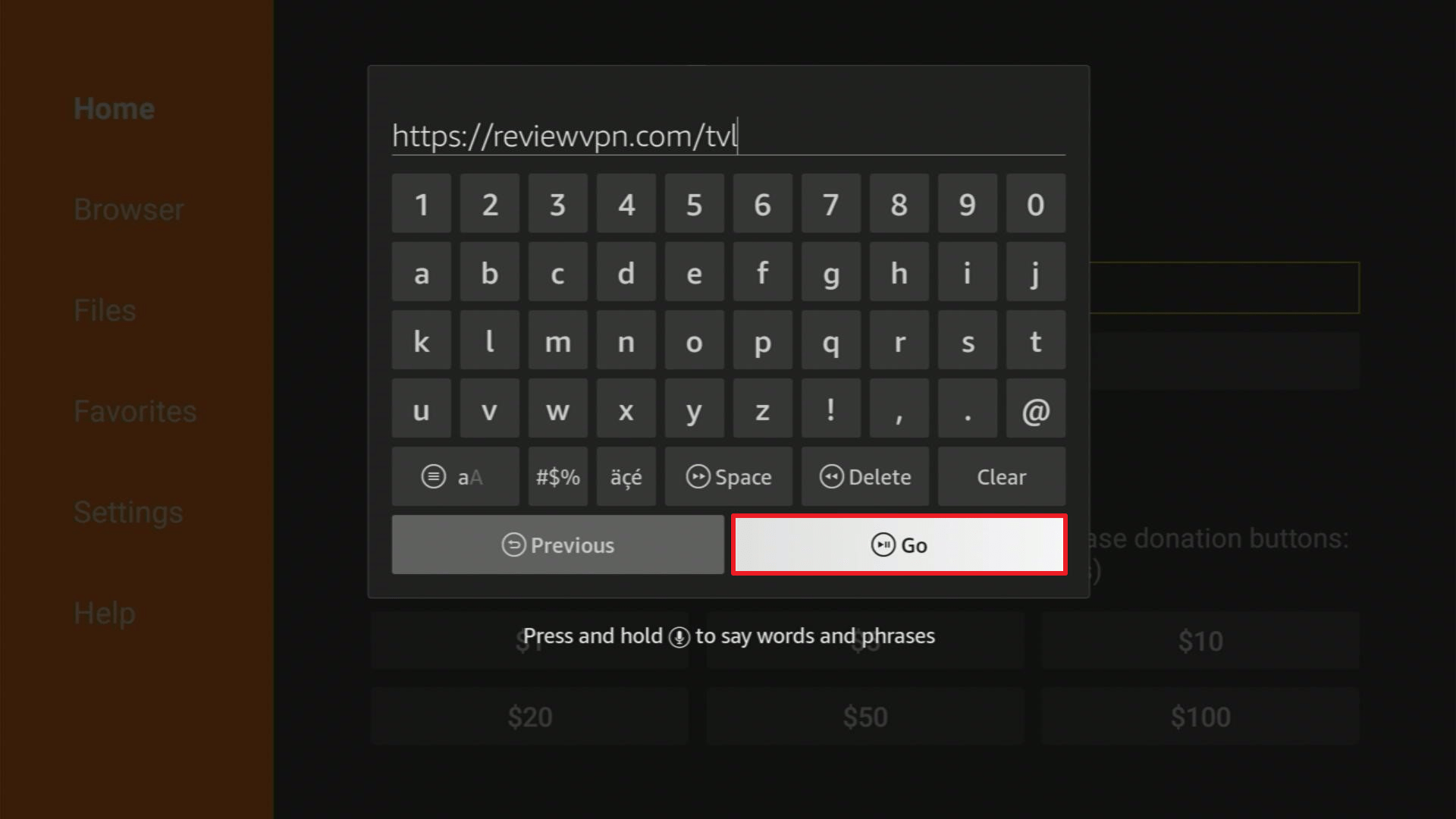
2. Open Downloader App. Type https://reviewvpn.com/tvl and click Go.
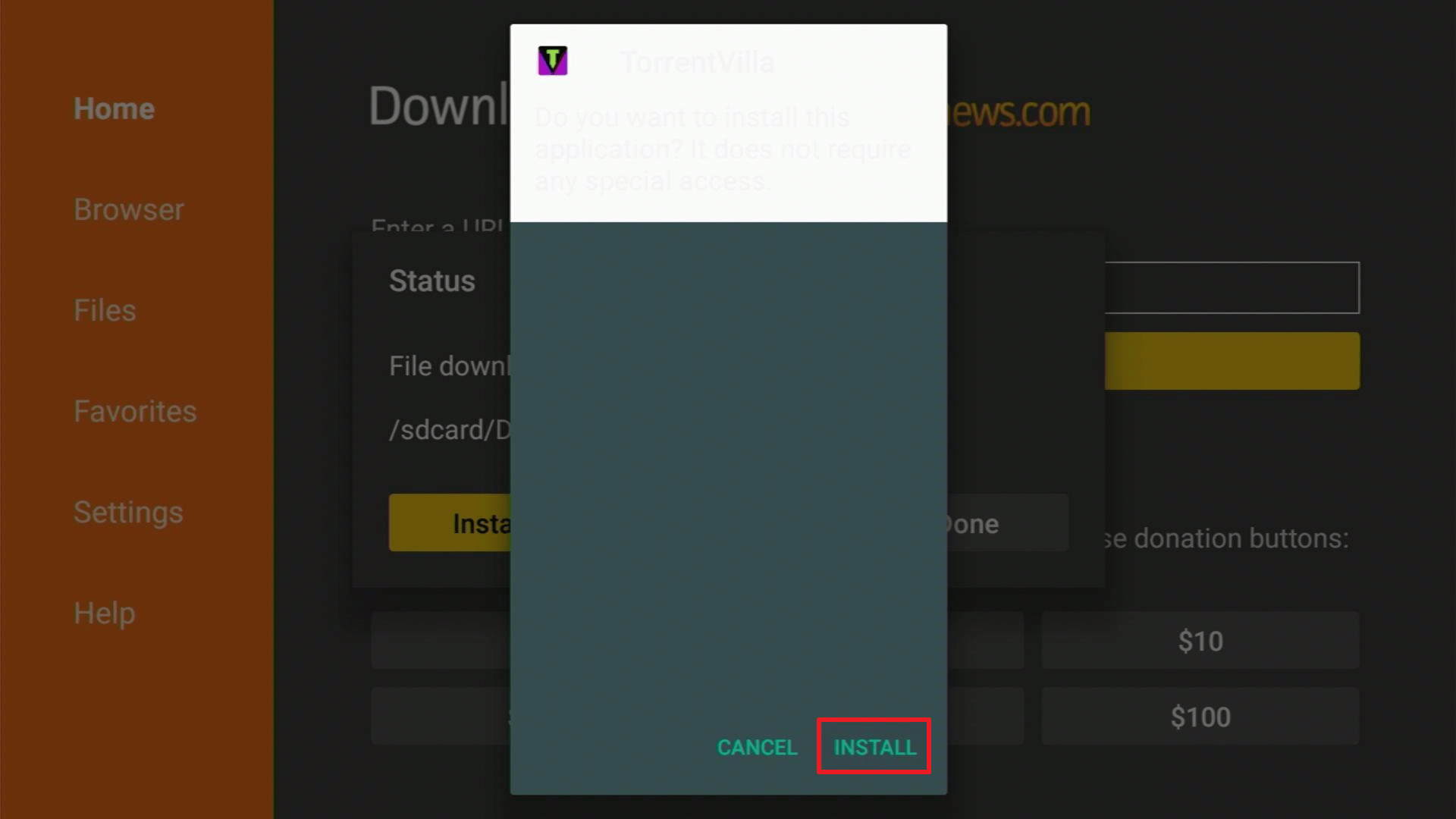
3. Click Install.
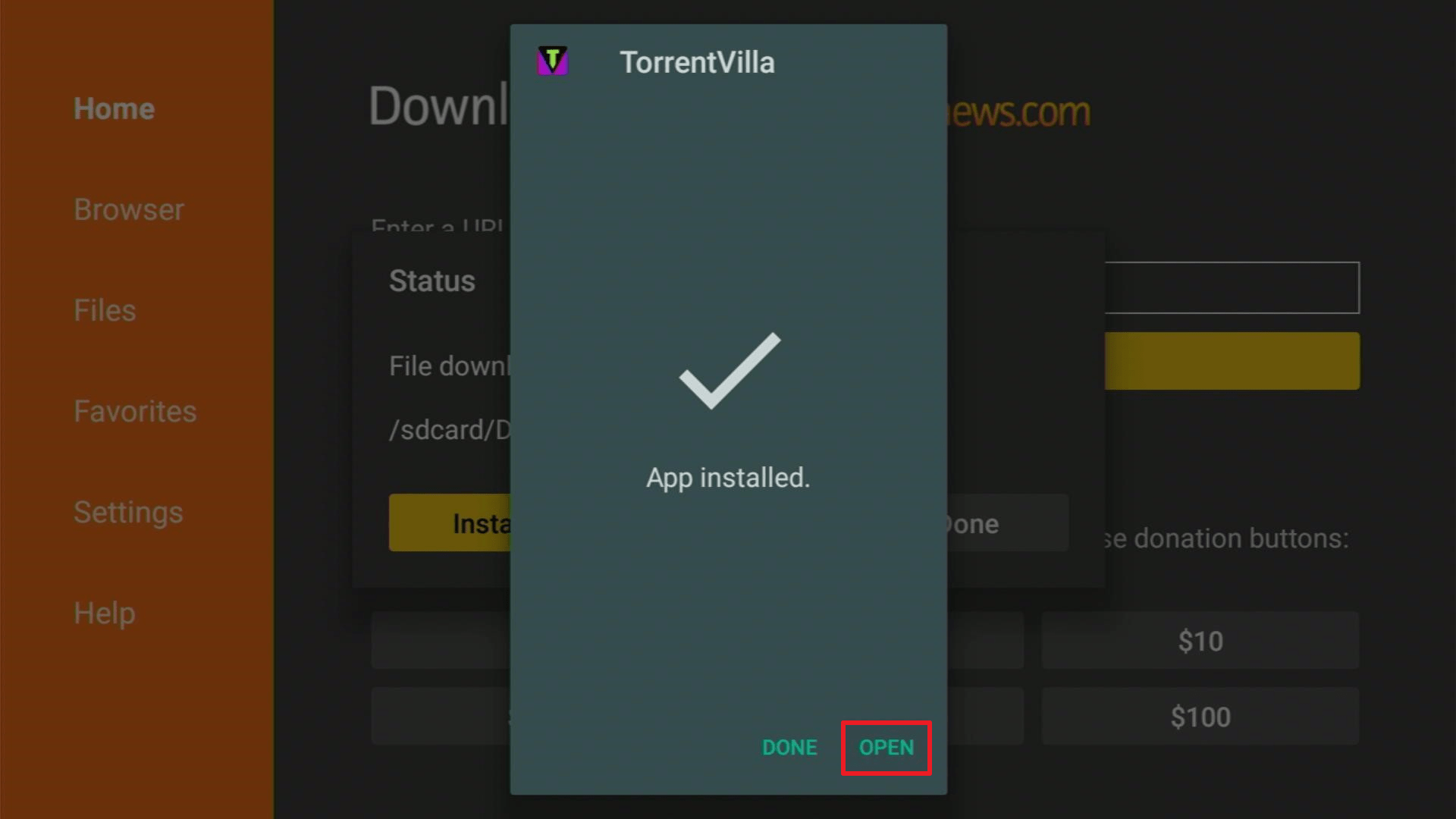
4. Click Open.
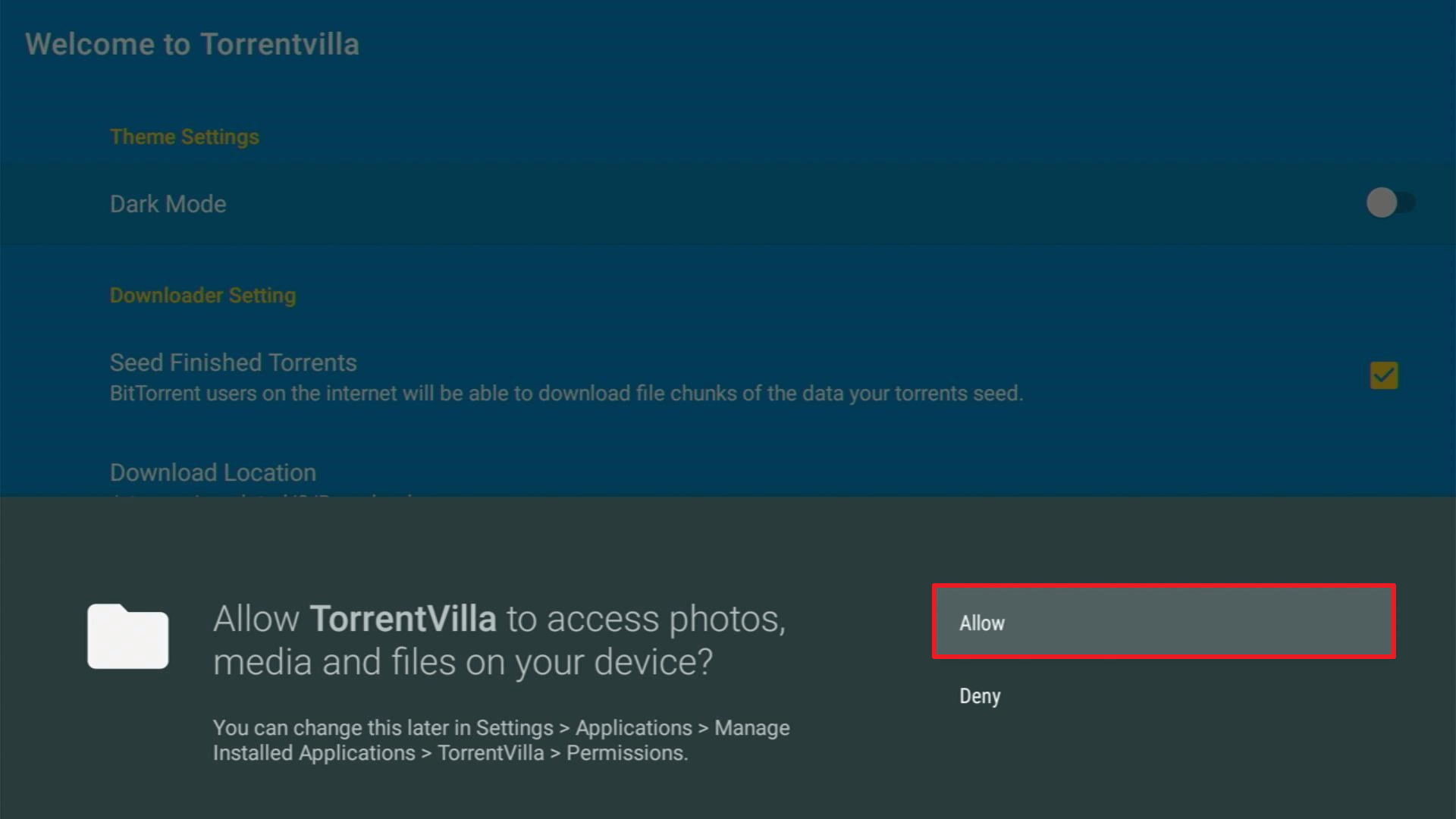
5. Select Allow.
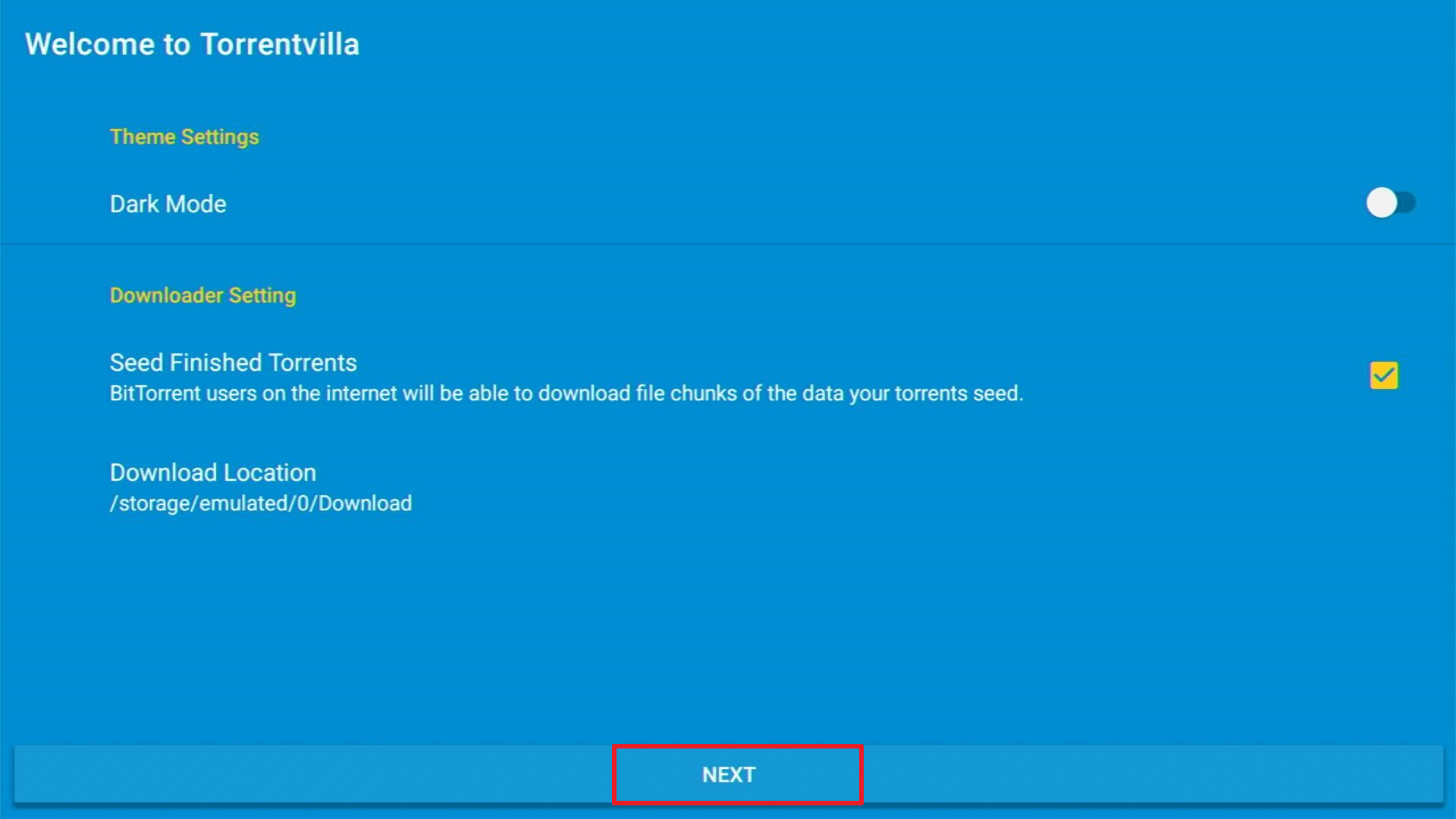
6. Choose Next.
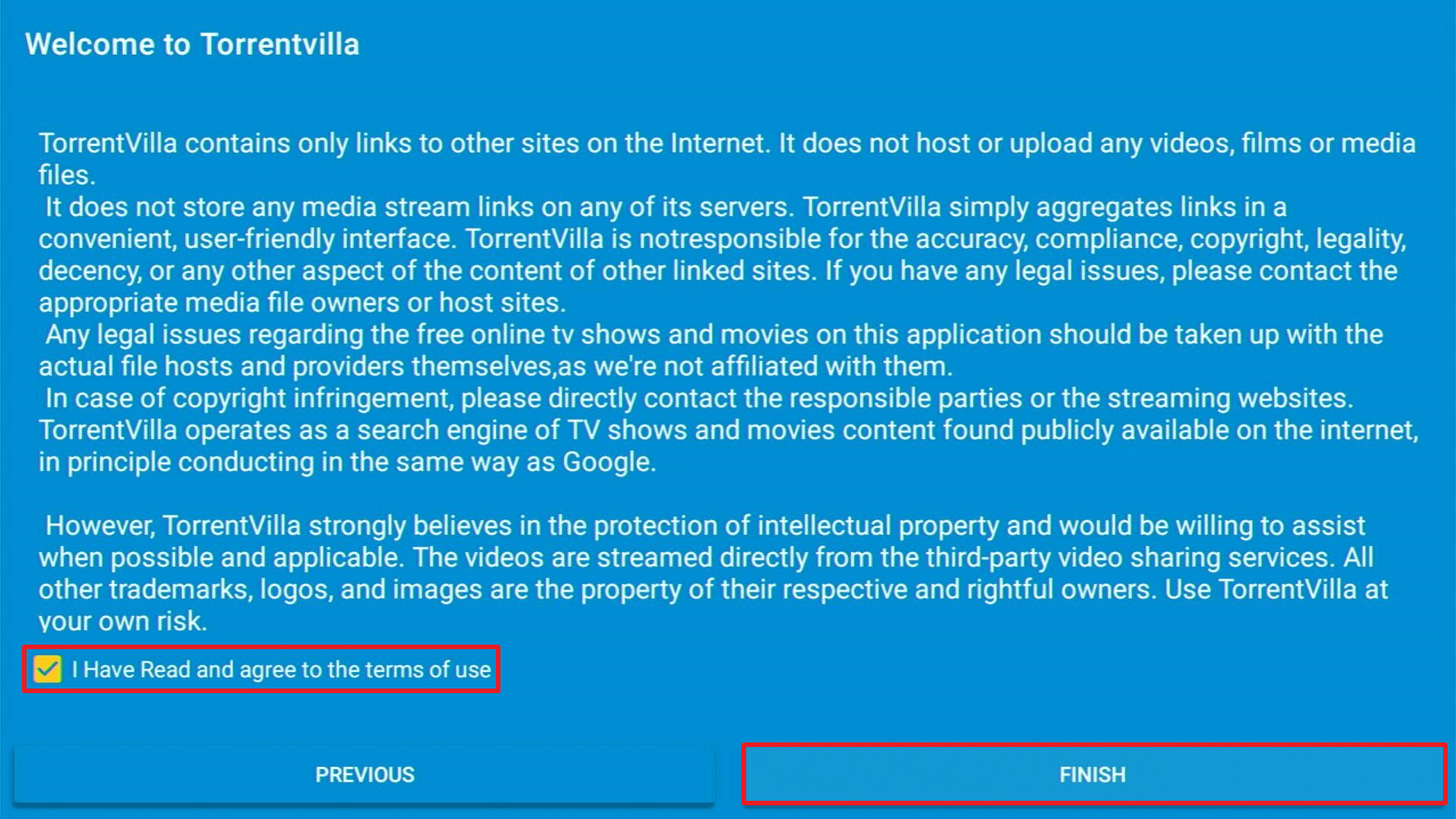
7. Click I have Read and Agree to the terms of use then click Finish.
Click here to get the lowest price on Surfshark through our exclusive limited-time offer.
How to Install Torrentvilla on Android
- Open your Google Chrome browser.
- In the URL box, type in https://www.torrentvilla.com/. Here you can see the APK Download button. Click this button to start your download.
- Wait for the download to finish then select Install.
- When Torrentvilla is installed, enable the Unknown Sources on your Android device. To do this, go to Settings > Security > Unknown Sources.
- Launch the app, then choose a video that you want to download.
- Tap on “Magnet” and select any of your preferred torrents.
- Wait for the download to finish to finally enjoy the video.
YOUR INTERNET ACTIVITY IS BEING WATCHED
ReviewVPN cannot attest to the legality, security and privacy of the applications discussed on this site. It is highly recommended that you use a VPN service while streaming or using Kodi.
Currently, your IP 216.73.217.24 is visible to everyone and your Browser is being tracked by Advertisers & ISP Provider.
Here are the main reasons why you must use a VPN:
- Your activities are hidden from your ISP, the government, and from the apps you are using.
- You can access additional movies and TV streams.
- ISP attempts to throttle are thrwarted thus reducing buffering issues.
- Geographically restricted content like Netflix and Hulu can be unblocked.
A VPN works be replacing your ISP-assigned IP address and creating an encrypted tunnel. We recommend the no log service offered by IPVanish. It works well on a Firestick and offers the fastest possible speeds.
Torrentvilla App Features
Interface
- User-friendly interface with a blue background
- Shows settings and Terms of Use pages upon start-up
- Dashboard display show categories, movies (HD and favorites), and TV (series, anime, live)
Key Features
- Dark mode theme settings
- Allows you to seed finished torrents
- Plays videos via YouTube or other players and browsers installed on your Firestick
- Allows you to directly download within the app using the magnet links
- Comes with a built-in proxy that hides your location
- Displays movie trailer, details, magnet, streams, and similar movies when you open the movie
- Customizable file name and storage when you download torrent
- Supports Hindi, English, Spanish, Punjabi, and other languages
- Shows any available update in the About section
Show Categories
- Trending Today
- Popular Movies
- Now Playing (India)
- Now Playing (World)
- Top Rated Movies
- Upcoming Movies (India)
- Upcoming Movies (World)
Legal Disclaimer: ReviewVPN.com does not encourage or endorse any illegal activity involved in the usage of services and applications referenced on this site. We do not verify the licensing agreements of services. The end-user is wholly responsible for ensuring that any media accessed through these services does not violate copyright and/or licensing laws. ReviewVPN does not promote, link to, or receive compensation from any Apps and IPTV services.
Pros and Cons
Pros
- Quick search response even when using custom searches
- You can turn off notifications for the latest shows.
- Supports multiple languages
- Contains minimal ads
Cons
- Needs to use Mouse Toggle to navigate through some parts of the app
- After your video has played on YouTube, it does not turn you back to the Torrentvilla app
- No status update if the torrent has completed the download
Use Torrentvilla with Surfshark on Firestick

You sure have read that the app comes with a built-in proxy that protects one of your information – location. It’s one thing that a VPN does for you when you use your devices, but its job isn’t limited to this. Torrenting is very risky. Keeping your identity anonymous is important especially when you stream and download online. Getting a VPN for your protection is a no-brainer, so let’s get to the list of the benefits of what it can do for you:
- You will have a safe and secure internet connection. Your online activities can be hidden and will allow you to access more content by replacing your ISP with an assigned IP address.
- You can use the internet anonymously without having your personal information stolen by potential hackers especially when you connect to public WiFi.
- You can bypass geo-restrictions and use your apps from any location.
- The chance of your internet being throttled by ISPs is eliminated to avoid Firestick buffering.
Install Surfshark on Firestick
How to Install Surfshark VPN on Firestick
If your Firestick still has the older interface, read this article to learn how to update it: Update Firestick Interface.
You can download Surfshark directly from the Amazon App store. It will be easy for you to find Surfshark with your Firestick’s Find feature. Refer to our screenshots below.
1. Go to the Home screen of your Firestick.

2. Navigate towards the Find tab. Press the Search button from the resulting dropdown.

3. Type in the keyword of SurfShark and select from the suggestions that will appear.

4. Click the official SurfShark icon from your search results.

5. Press the Download (You own it) button.

6. The SurfShark VPN installer will download on your device.

7. SurfShark VPN’s app will automatically install itself on your Fire TV stick.

8. Press the Open button after completing SurfShark VPN’s installation process.

9. Please wait for the SurfShark VPN to load its user interface.

10. You can now log in with your SurfShark VPN account credentials.

Learn more about Surfshark and Grab the Best Surfshark Deal Now!
Install Surfshark on Firestick



For more VPN discounts, go to ReviewVPN Deals and purchase the best VPN for you.
Click here to get the lowest price on Surfshark through our exclusive limited-time offer.
Torrentvilla Alternative Apps
In some cases, it is inevitable to encounter troubles with an app. Here are some Torrentvilla alternative websites where you can download torrents:
- Torrentz2.EU
- EZTV.io
- LIMETORRENTS.INFO
- katcr.co
- torrentdownloads.me
For more lists of torrent sites of multimedia files, read more from our Top Torrent Sites and 12 Best Torrent Sites for Books.
FAQs
Is it free?
Yes, Torrentvilla is free to download and install.
Are there ads?
Yes, there are minimal ads in the app.
Is there a premium version?
There is no premium version.
Where can I use the Torrentvilla app?
You can download and use it on Amazon Fire TV/Firestick and Android devices using APK file downloads available from its website.
Can I download Torrentvilla on my PC?
Yes, you can download this app using an emulator on your PC.
Is there an app website?
Yes, you can see its features, APK download, and everything you need to know about Torrentvilla at https://www.torrentvilla.com/.
Conclusion
So far, Torrentvilla is a rare find and the best tool to grab torrent downloads all in one place. It has a user-friendly interface and shows quick search results. Some torrents that you cannot search from other torrent sites are available on this one, so it deserves a thumbs up. There are still a lot of bugs needed to be fixed on the Torrentvilla app. Overall, this is a great free torrent app.
We hope that you’ve successfully installed Torrentvilla on your Firestick and Android devices.
Note: ReviewVPN.com is not affiliated with any App or IPTV Service nor are we endorsing or promoting any. The sole purpose of this article is for educational purposes only.






