
Neuromancer Build on Kodi 19.5 Matrix
Quick Navigation
In this tutorial, I will show you how to install Neuromancer Kodi build on firestick, Android, Windows, Raspberry Pi, Chromecast, tablets, and many more.

Neuromancer is among the few builds that are compatible with the new Kodi 19.5 Matrix.
It is a lightweight build within Ghetto Wizard. This build uses working addons to scrape streaming links from different sources.
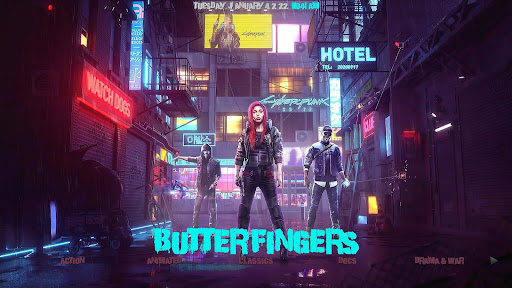
Sections and subsections within this build are well organized and arranged. It comes with Ghetto AEON NOX skin and theme.
Necromancer build offers you the following feature-rich sections; system, RIO, movies, TV shows, sports, Kids, Music, fav, etc.

How to Install Neuromancer Kodi Build with Screenshot
Installing a Kodi build has a lot of processes to take. That is why we will guide you step by step on how you can install it on Kodi.
Follow the following steps below.
1. On your Firestick, open Kodi and go to Settings.
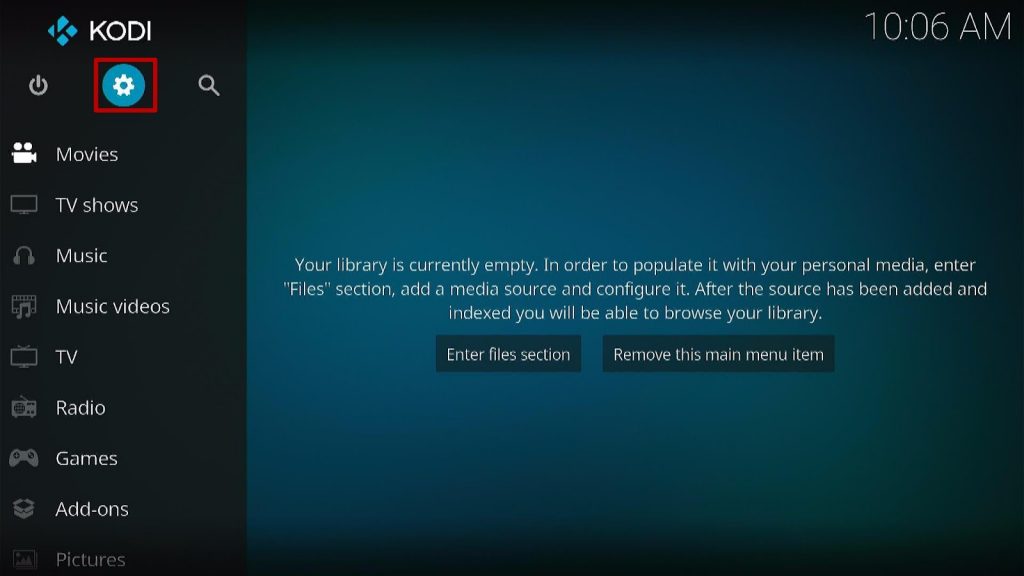
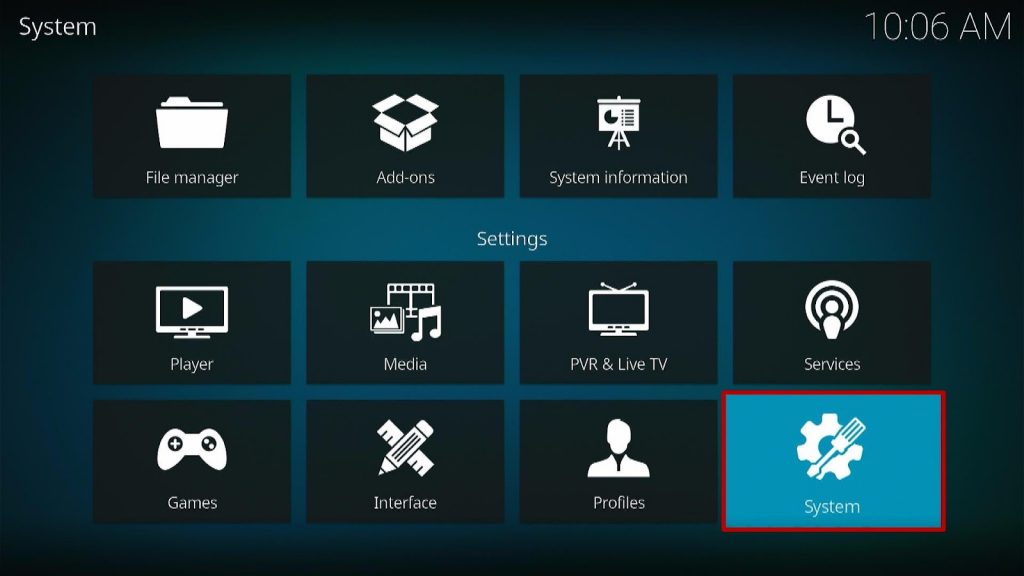
2. Select on System.
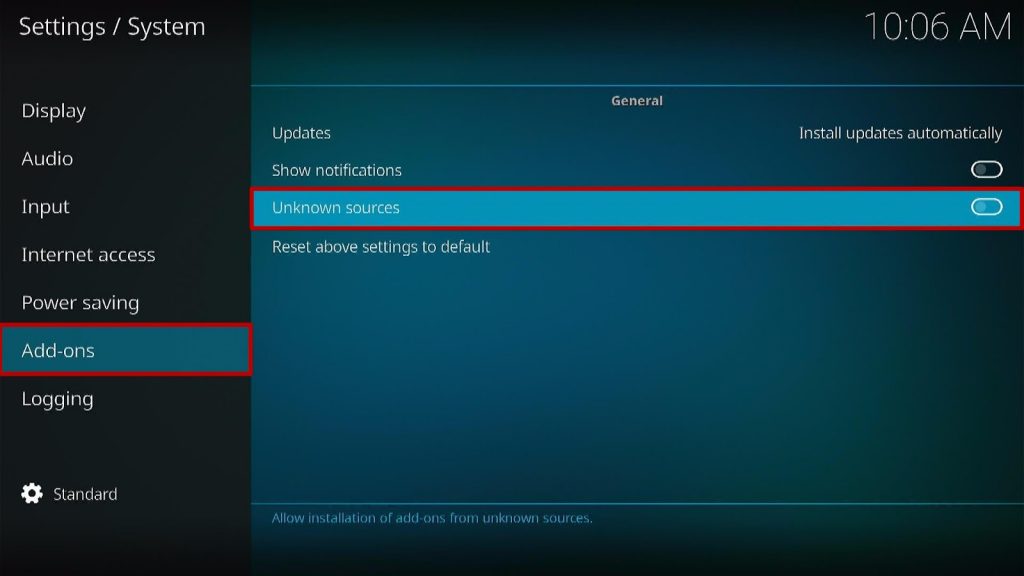
3. Click on the Add-ons menu and Turn ON the Unknown Sources.
4. Select Yes when the box appears.
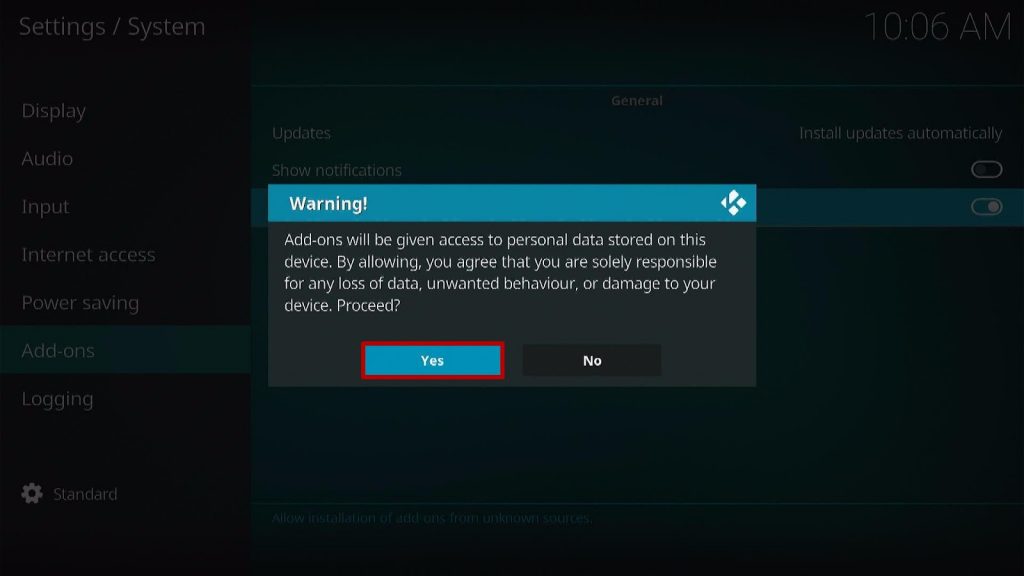
5. Go back one step and click on File Manager.
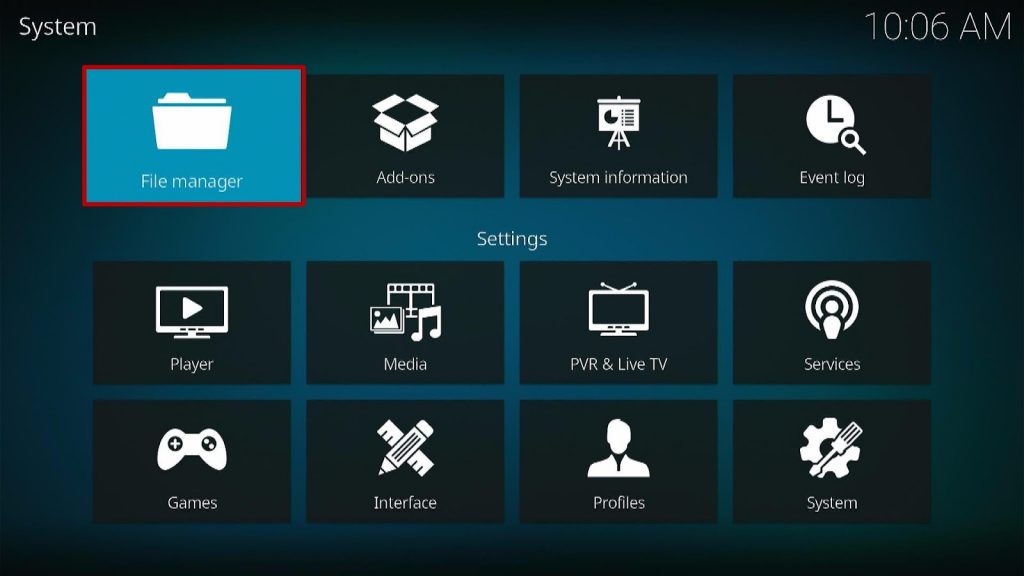
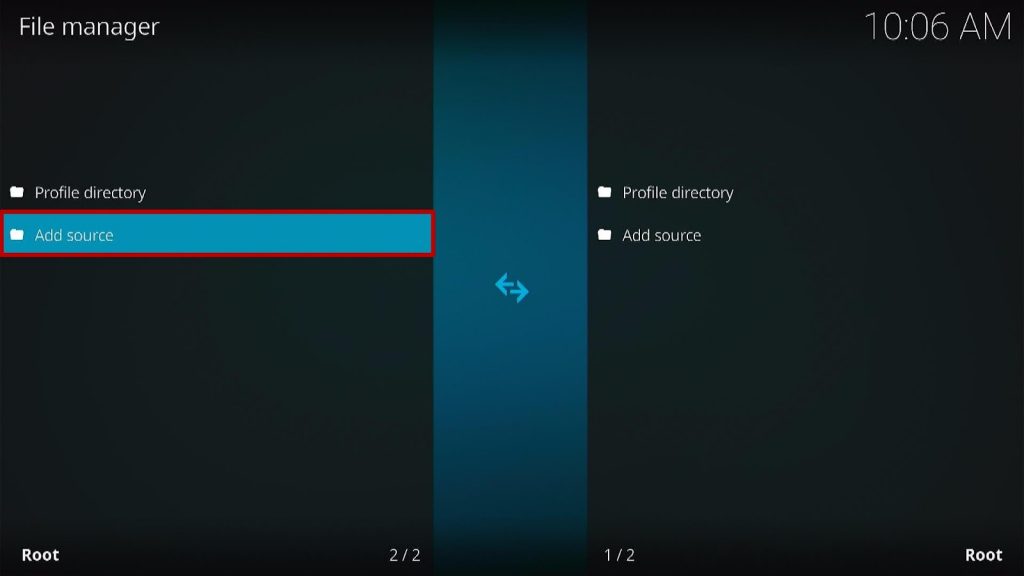
6. Select the Add Source.
7. A box will pop up, so click on the ‘None’ option.
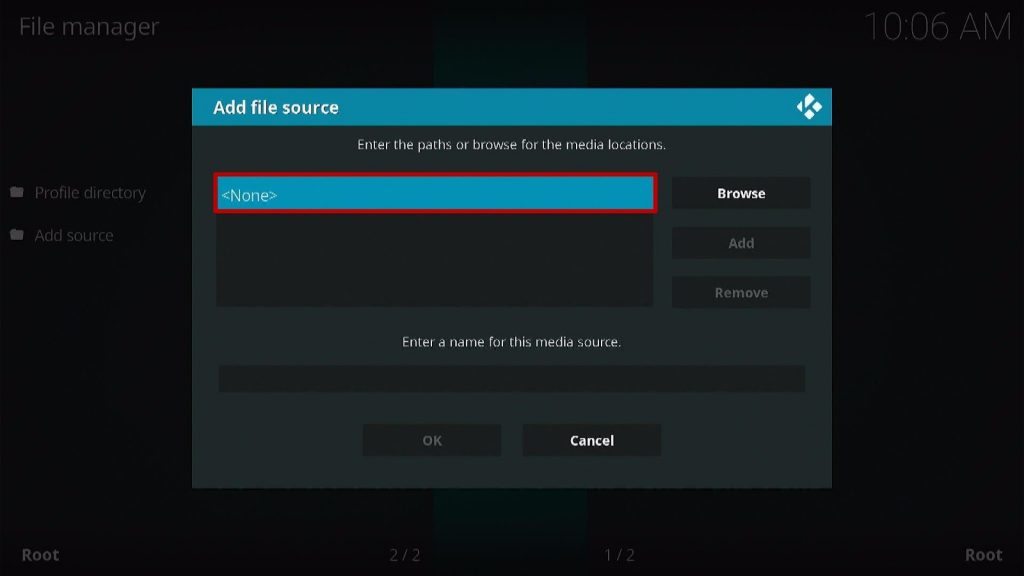
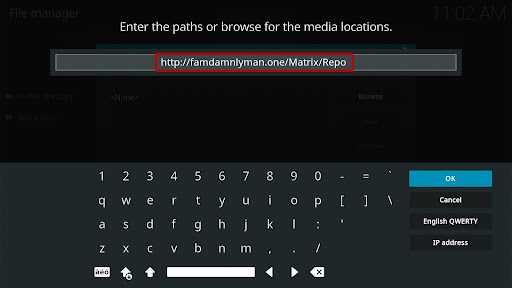
8. Now type in this URL http://famdamnlyman.one/Matrix/Repo and click OK.
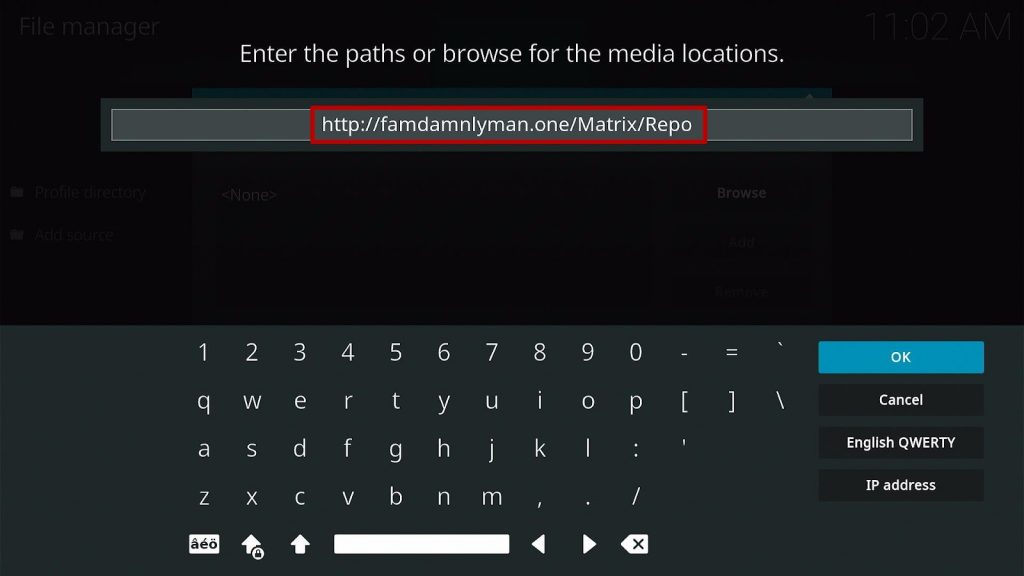
9. Name this URL as Neuromancer and tap OK.
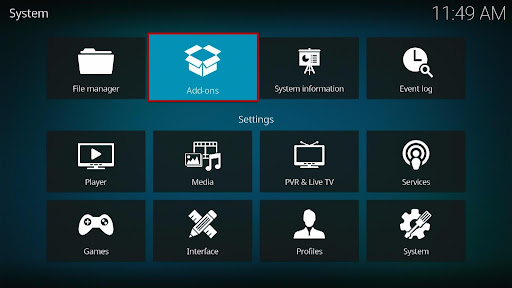
10. After that, go back to the system menu and select Add-ons.
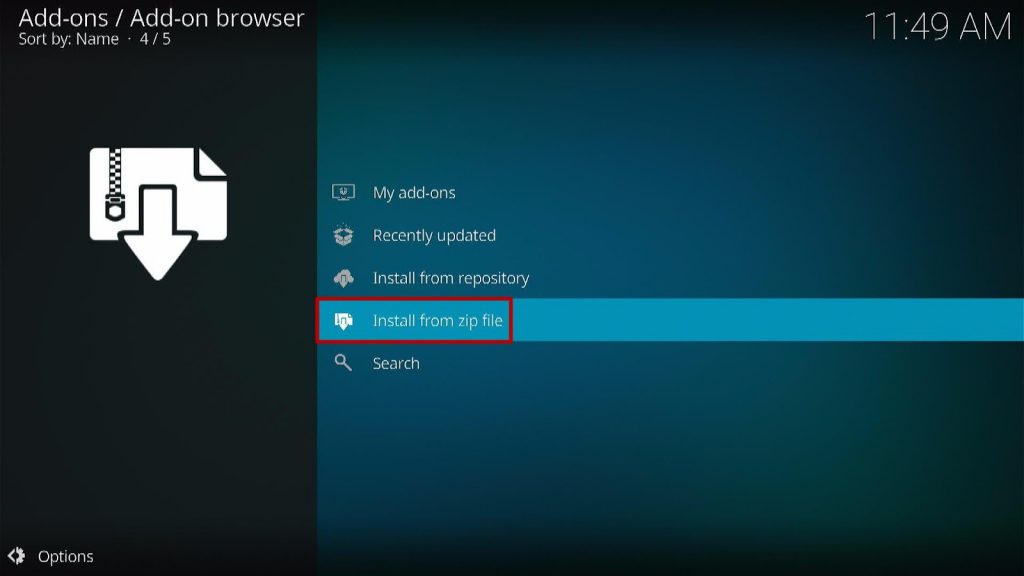
11. Click Install from Zip File.
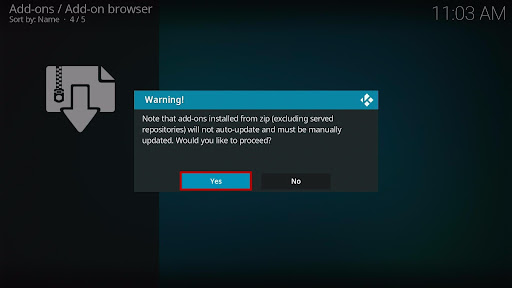
12. When a box pop up, tap the Yes button.
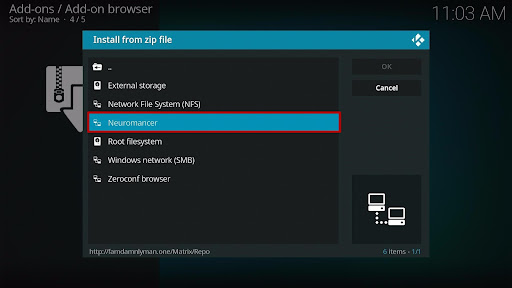
13. Select Neuromancer or any name you have given.
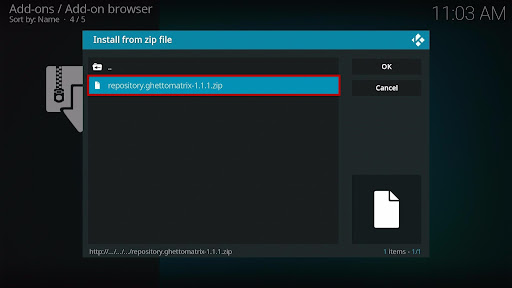
14. Choose repository.ghettomatrix-1.1.1.zip
15. Wait a few minutes for the addon to be installed. After that, an icon will appear at the top menu.
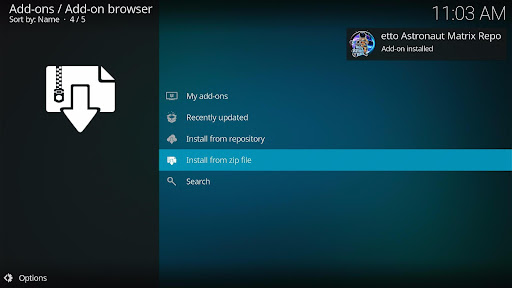
16. Tap the Install from Repository.
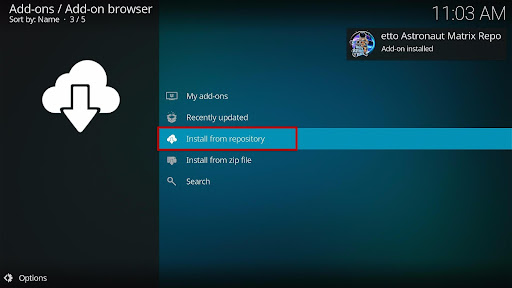
17. Then select Ghetto Astronaut Matrix Repo from the list.
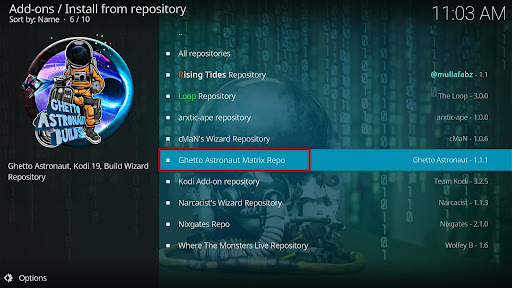
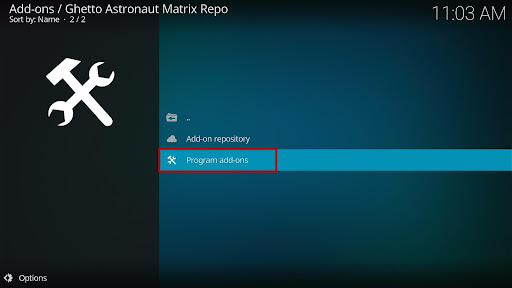
18. Select the Program add-ons.
19. Click Ghetto Astronaut Wizard.
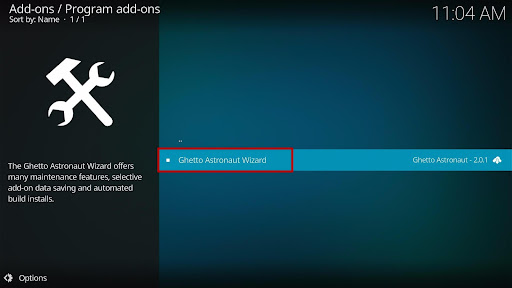
20. Tap the Install button.
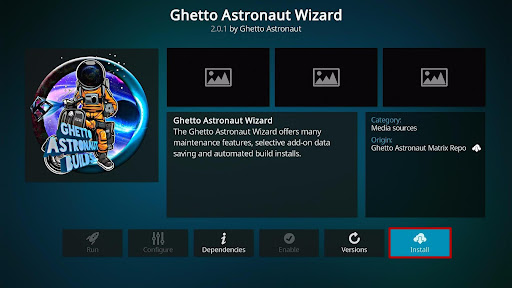
21. Click the OK button.
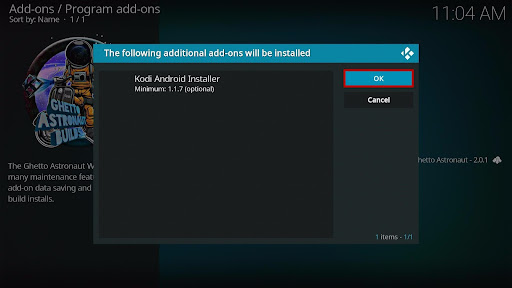
22. Wait for the Installed message to appear and click the Continue.
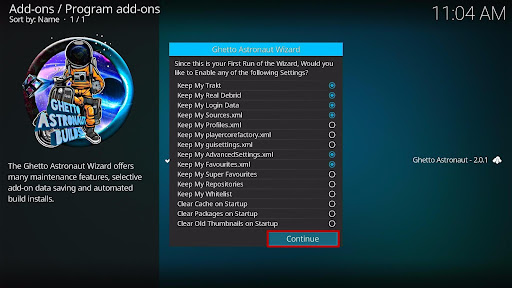
23. Tap the Ignore.
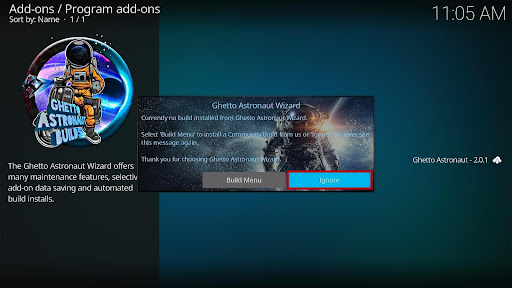
24. When a message pop up, tap the Dismiss button.
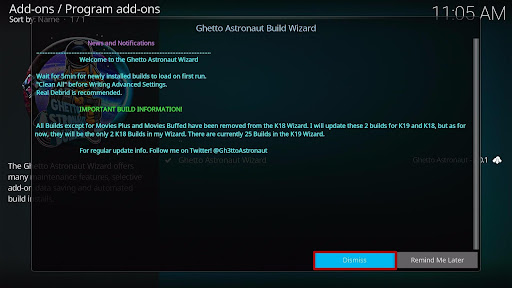
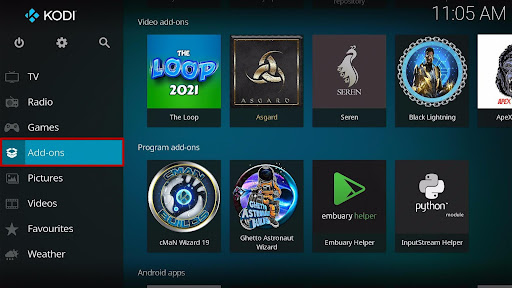
25. Go back to the Kodi home screen and scroll down to Addon.
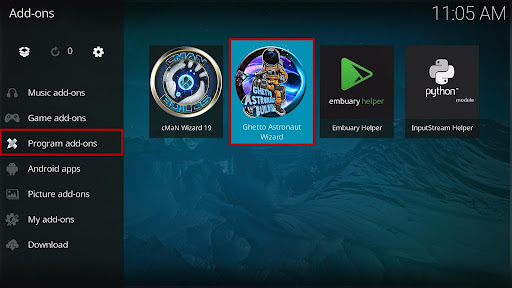
26. From the Program add-ons, select Ghetto Astronaut Wizard.
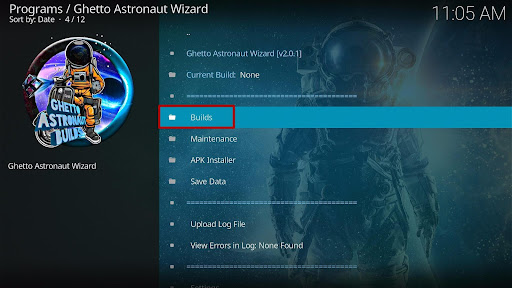
27. Select Builds.
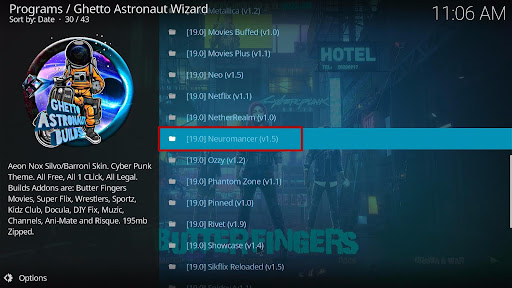
28. Scroll down and select [19.0] Neuromancer (v1.5).
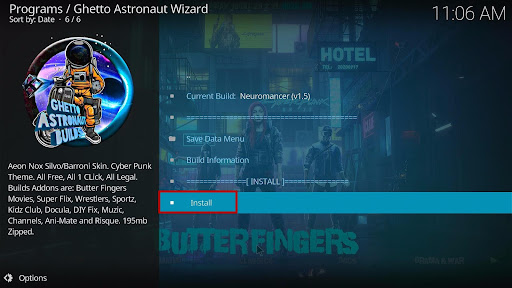
29. Click Install.
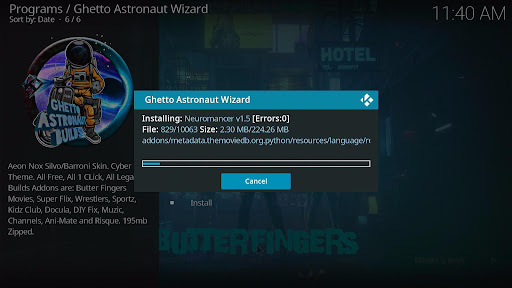
30. Wait for the build to download.
31. Click the OK button.
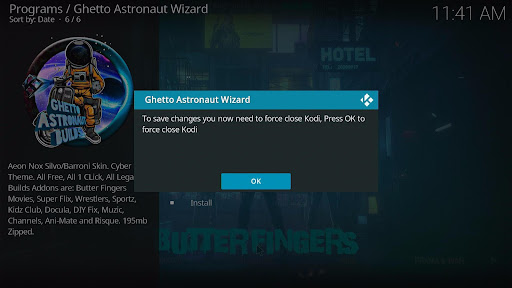
32. Launch your Kodi again.
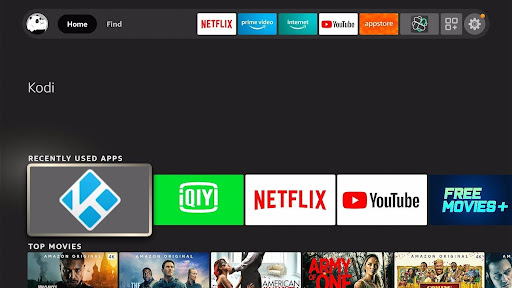
33. That’s it! You have successfully installed the Neuromancer Kodi Build.
Click here to get the lowest price on Surfshark through our exclusive limited-time offer.
Features of Neuromancer Build
- Meta description: this allows you to preview any movie and tv show you want to stream.
- Beautiful UI.
- Easy to install and navigate
Review of Neuromancer Kodi Build?
Rio section
Fanime, gaming videos, kids, movies, music, tv shows, sports, webcam, search, xxx, cartoons, butterfingers, featured movies, action movies, animated movies, classic movies, comedy, romance, crime, mystery movies, documentary, drama and war, family, animated, horror movies, movie mix, music video, sci-fi movies, etc.
Movies
- Genres, year, decade, people, language, certificates, people watching, most popular, most voted, box office, Oscar winners, in theaters, new movies, IMDB keyword search, popular user list, movie most, my movies, people search, search.
Tv Shows
- Genres, network, language, certificate, people watching, most popular search, tv calendar, new episode, new tv shows, airing today, tv shows most, most voted, highly rated, etc.
Sports Section
- Live events, sports, best leagues, setting, version.
Kids Section
- Latest releases, latest movies, popular and ongoing series, dinner anime, cartoons, stunning animes, setting, search, ova series, etc.
Music Section
- Big list A-z, what the FLAC? rock, metal, the 80s, 90s, and classic hits.
ReviewVPN cannot attest to the legality, security and privacy of the applications discussed on this site. It is highly recommended that you use a VPN service while streaming or using Kodi. Currently, your IP 216.73.216.251 is visible to everyone and your Browser is being tracked by Advertisers & ISP Provider. Here are the main reasons why you must use a VPN: A VPN works be replacing your ISP-assigned IP address and creating an encrypted tunnel. We recommend the no log service offered by IPVanish. It works well on a Firestick and offers the fastest possible speeds.
YOUR INTERNET ACTIVITY IS BEING WATCHED
Pros and Cons
Pros
- Easy installation
- Regular build update
- Scrapes streaming links from different sources.
Cons
- Movies and tv shows take a while to load and play. I do not know the real cause of this; whether it is from my internet connection or the internal logs of the build. However, you can still check out this build and share your thoughts.
Addons within Neuromancer Build
- Nemesis
- Seren
- Oath
How to use Neuromancer Build
To explore the content of this build, you need to authorize the Pinsystem. Follow the below steps to authorize Pinsystem
Step 1. Sign in to your Pinsystem account or create one if you are new here
Step 2. On the website interface, scroll down and select generate pin
Step 3. Copy the code that will appear on your screen.
Step 4. Return to Neuromancer build and enter the code on the textbox and select DONE
Frequently Asked Questions
What is a Ghetto astronaut wizard?
Ghetto astronaut Wizard is a lightweight build installer with a fresh start option for use with Kodi 19. There is also a small set of maintenance tools. It used XML to build files. There is a template for that named build.xml located within its resources folder. For utmost importance, do not delete or erase the XML structure of this wizard.
The quick Guide to Ghetto Astronaut Wizard
- Unzip “repository.ghettorepo.zip”
- You can rename the repository.ghettorepo folder to your desired plugin name (ie) repository.ghettorepo
What is Neuromancer Build?
Neuromancer is an all-encompassing platform for offering free streaming links for movies, tv, music, docos, family shows, and lots more. You can also stream and watch porn content on Neuromancer build. It comes with a user-friendly interface and customizable themes as well.
Is it free to use Neuromancer Kodi Build?
It is absolutely free to install and use this build. You are not required to pay for any subscription, no credit card, no billings needed to use this build.
Why do you need a VPN while using Kodi?
A VPN is designed to protect and hide your IP address whenever you access the Internet or stream content online. A VPN encrypts your IP address to appear private and anonymous on the internet service provider network.
Importance of using a VPN
- Bypass Location Restriction
- Reduce Throttling
- Beat Third-Party Monitoring
- Stream Securely, Privately, and Anonymously
Install Surfshark on Firestick
How to Install Surfshark VPN on Firestick
If your Firestick still has the older interface, read this article to learn how to update it: Update Firestick Interface.
Follow our screenshots below to install the SurfShark VPN app on your Fire TV stick.
1. Go to the Home screen of your Firestick.

2. Navigate towards the Find tab. Press the Search button from the resulting dropdown.

3. Type in the keyword of SurfShark and select from the suggestions that will appear.

4. Click the official SurfShark icon from your search results.

5. Press the Download (You own it) button.

6. The SurfShark VPN installer will download on your device.

7. SurfShark VPN’s app will automatically install itself on your Fire TV stick.

8. Press the Open button after completing SurfShark VPN’s installation process.

9. Please wait for the SurfShark VPN to load its user interface.

10. You can now log in with your SurfShark VPN account credentials.

Learn more about Surfshark and Grab the Best Surfshark Deal Now!
Install Surfshark on Firestick



For more VPN discounts, go to ReviewVPN Deals and purchase the best VPN for you.
Click here to get the lowest price on Surfshark through our exclusive limited-time offer.
Best Alternative Builds
Kodi is a software that keeps updating and as such, old builds go out of date. Consequently, having alternative builds is crucial. An alternative build will keep you updated each time. To make things much easier, I have compiled the list of our best alternative builds for 2022 here.
Conclusion
Neuromancer build allows you to access and stream free entertainment in different categories and subcategories. This build is quite a good build. Most of its videos take a long time to load and play. I do not know if it’s my internet connection or from the internal links of the build. However, you can still give this build a trial and let me know your thoughts on the comment section.






