
Sleep Jar on Firestick
Quick Navigation
In this article, you will be guided with an easy step-by-step procedure on how you can install the Sleep Jar app on your Firestick.

Sleep Jar is an app that transforms your Amazon Fire TV and Firestick into a white noise machine. Its goal is to help people sleep faster, sounder, and better, to relax, focus, meditate and drown out distracting noises with their large collection of sound content.
If you’re bored of watching different videos or exhausted from working all day, then you might want to relax with this app. You’ll be amazed by more than 90 sounds from Sleep Jar, with dynamic backgrounds according to your chosen sound.
It will also help you sleep more comfortably with its dim screen while on sleep mode. For this app, you do not need to jailbreak or install the Downloader app on your Firestick. You can download it easily on your Firestick device since it is available on the Amazon App Store.
How to Install Sleep Jar on Firestick Guide
- On your home screen, use your remote control to click the “Search” icon.
- Type in “Sleep Jar” on the Search field, then click on the “Sleep Jar” from the suggested list below.
- Select the Sleep Jar by pressing the center button of the remote directional pad.
- Click “Get” to finally download the app.
- Once the app download is completed, it will be automatically installed on your Firestick.
- Select the “Open” button to launch the Sleep Jar app.

If your Firestick still has the older interface, read this article to learn how to update it: Update Firestick Interface.
How to Install Sleep Jar on Firestick with Screenshots
1. Click FIND.
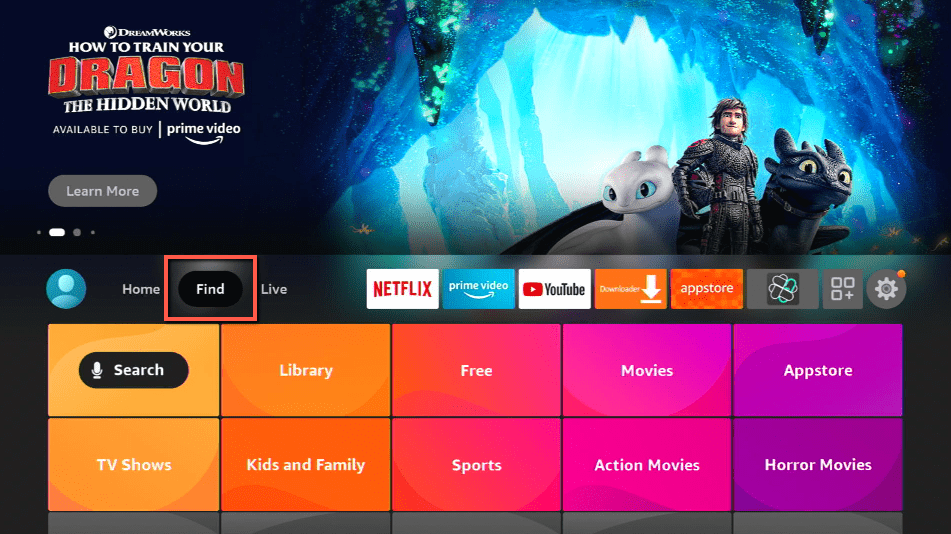
2. Click Search.
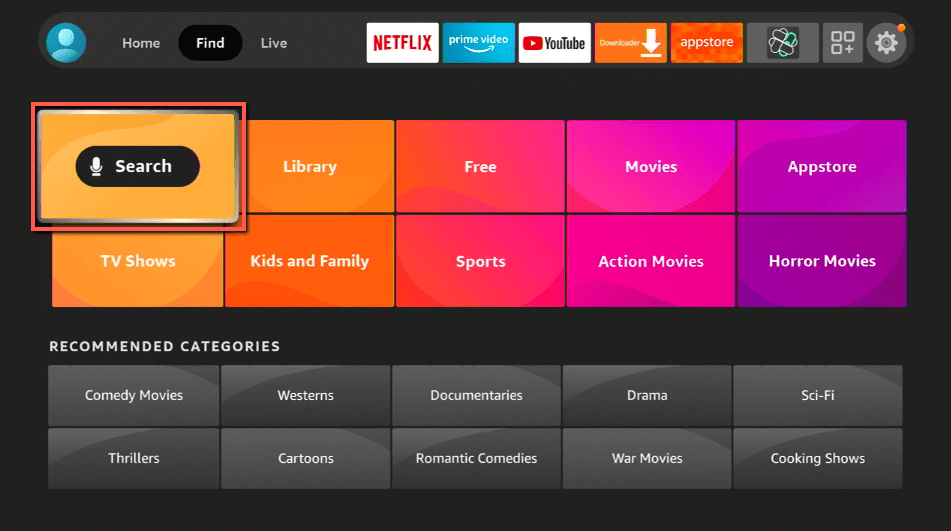
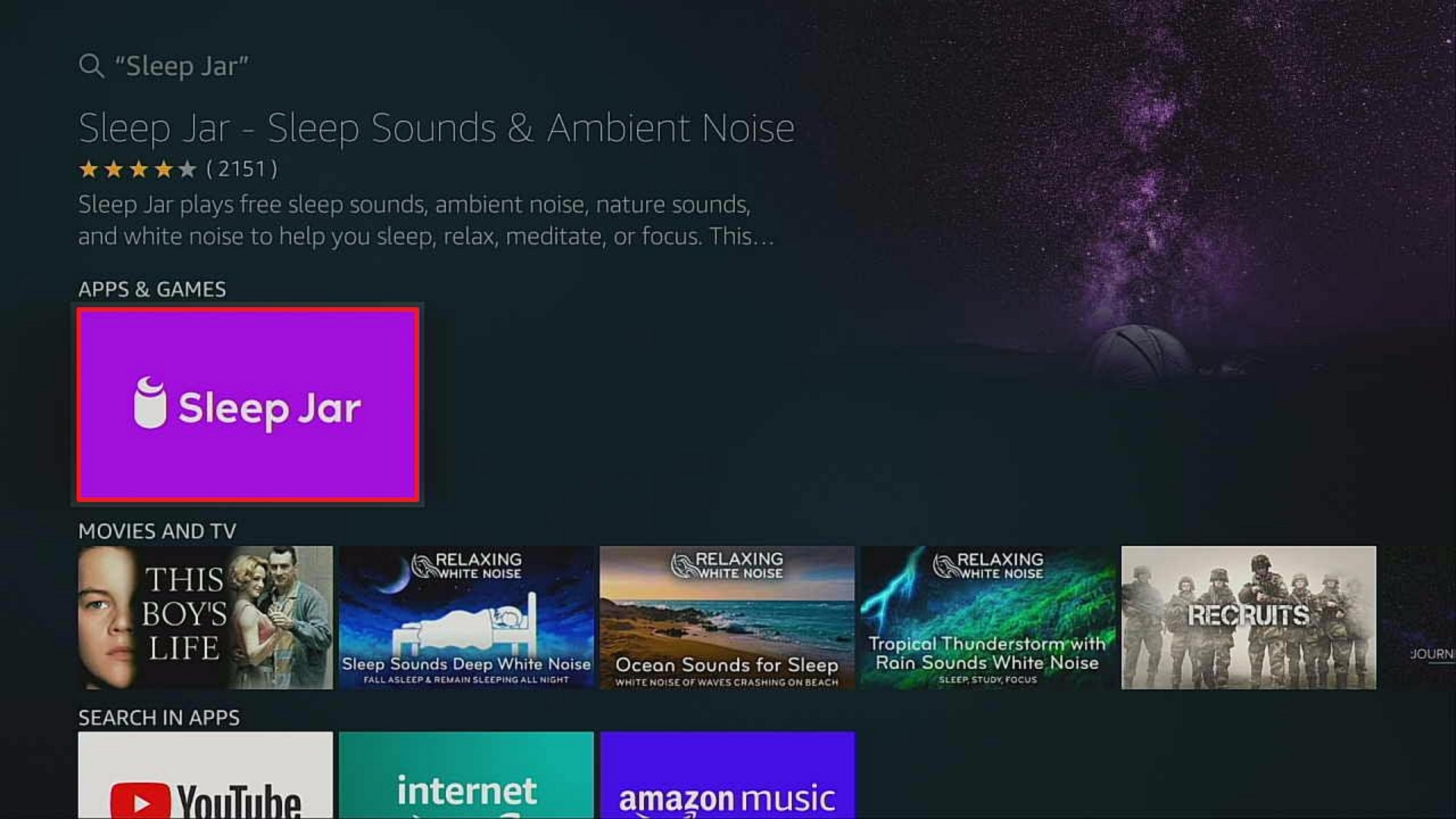
3. Search for the Sleep Jar.
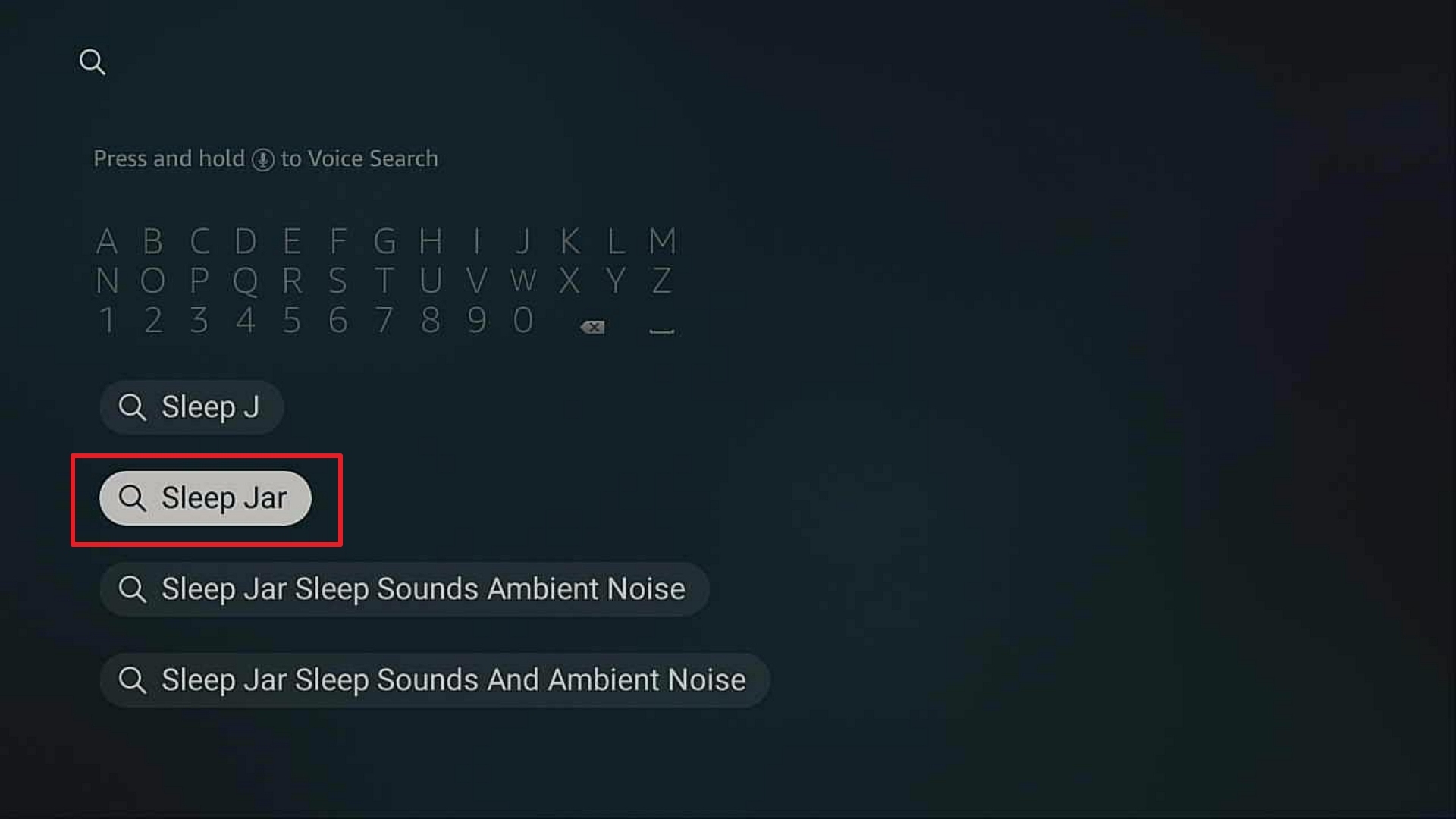
4. Select the icon of Sleep Jar.
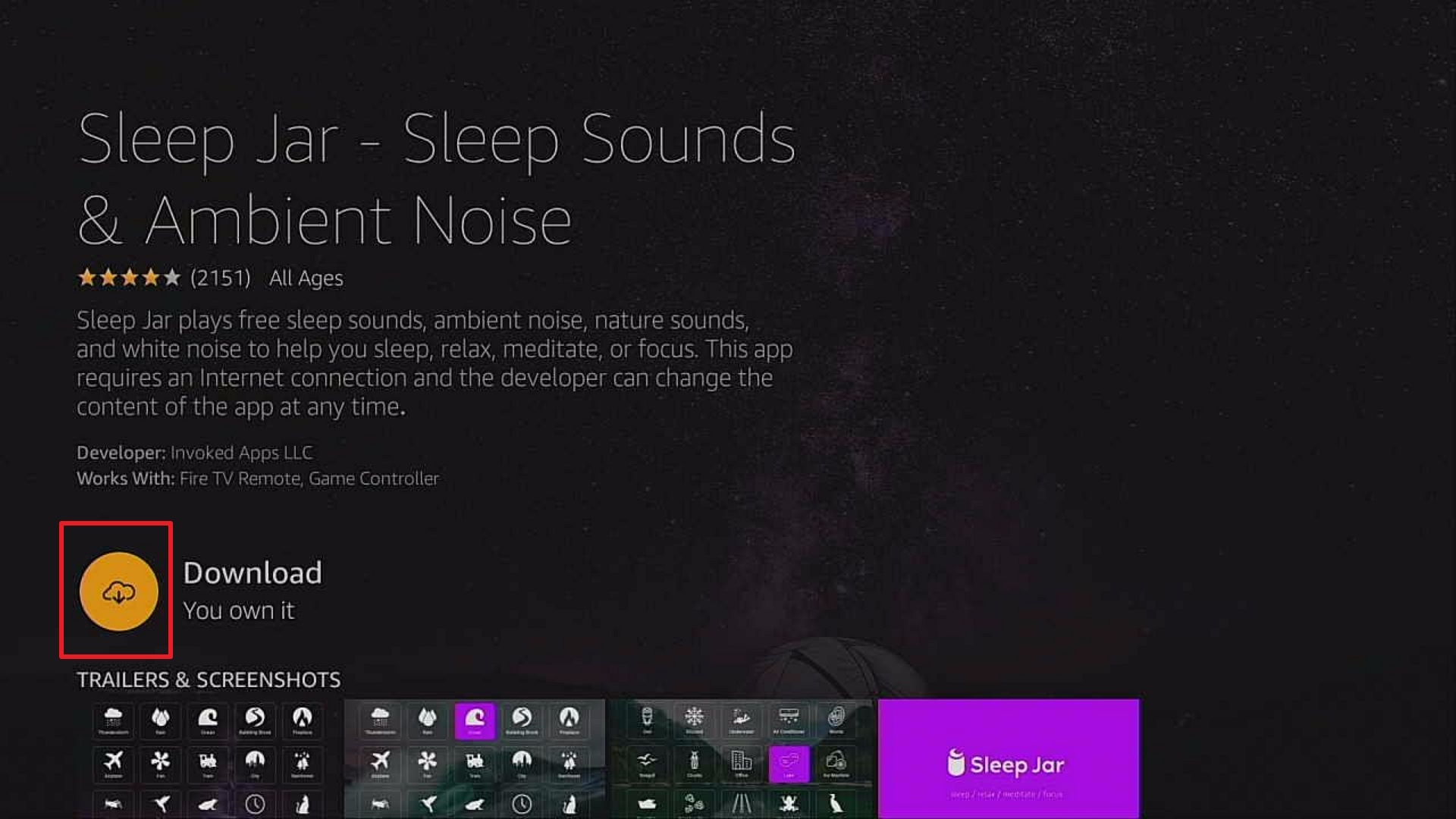
5. Click Download.
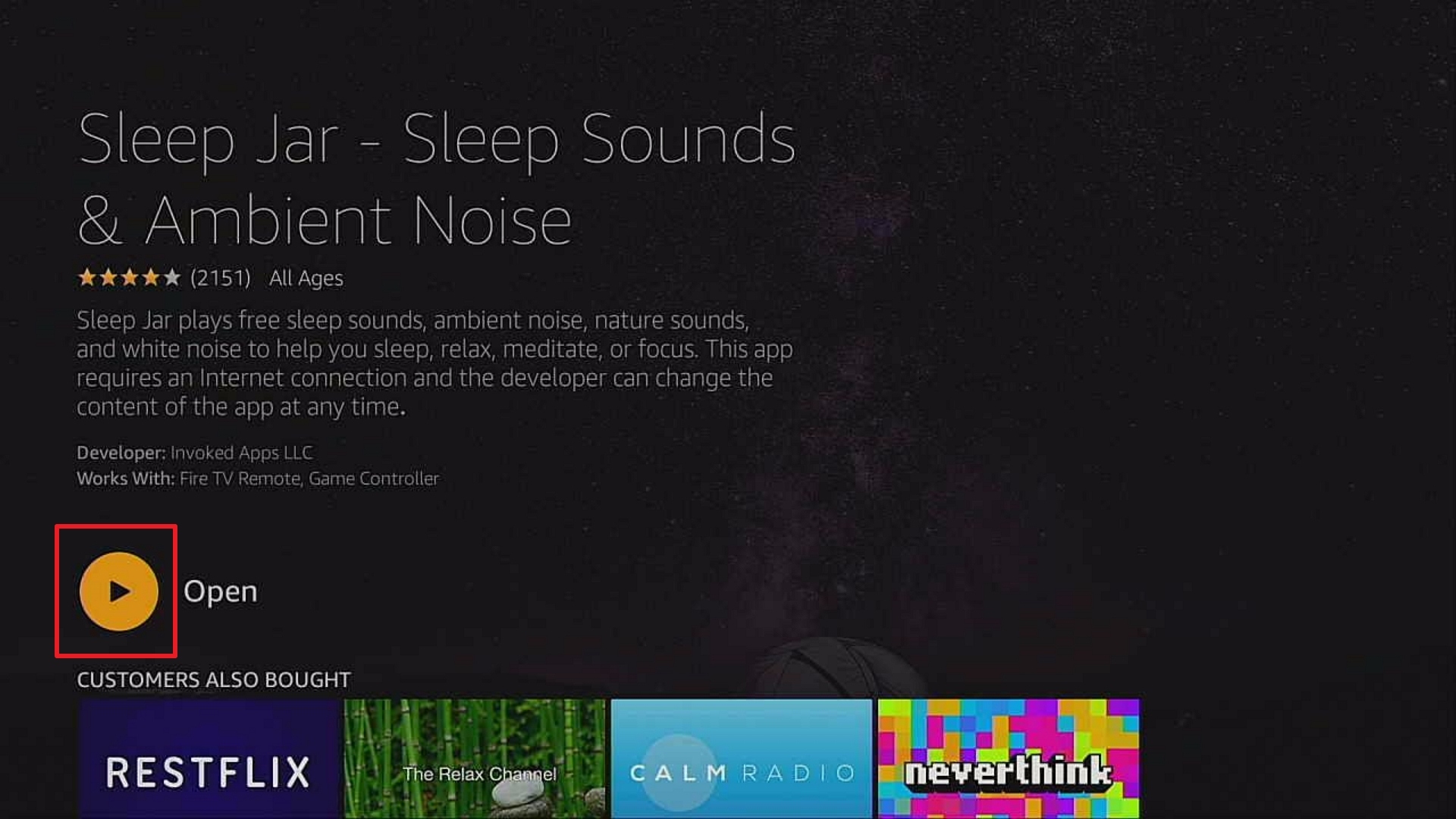
6. Click Open.
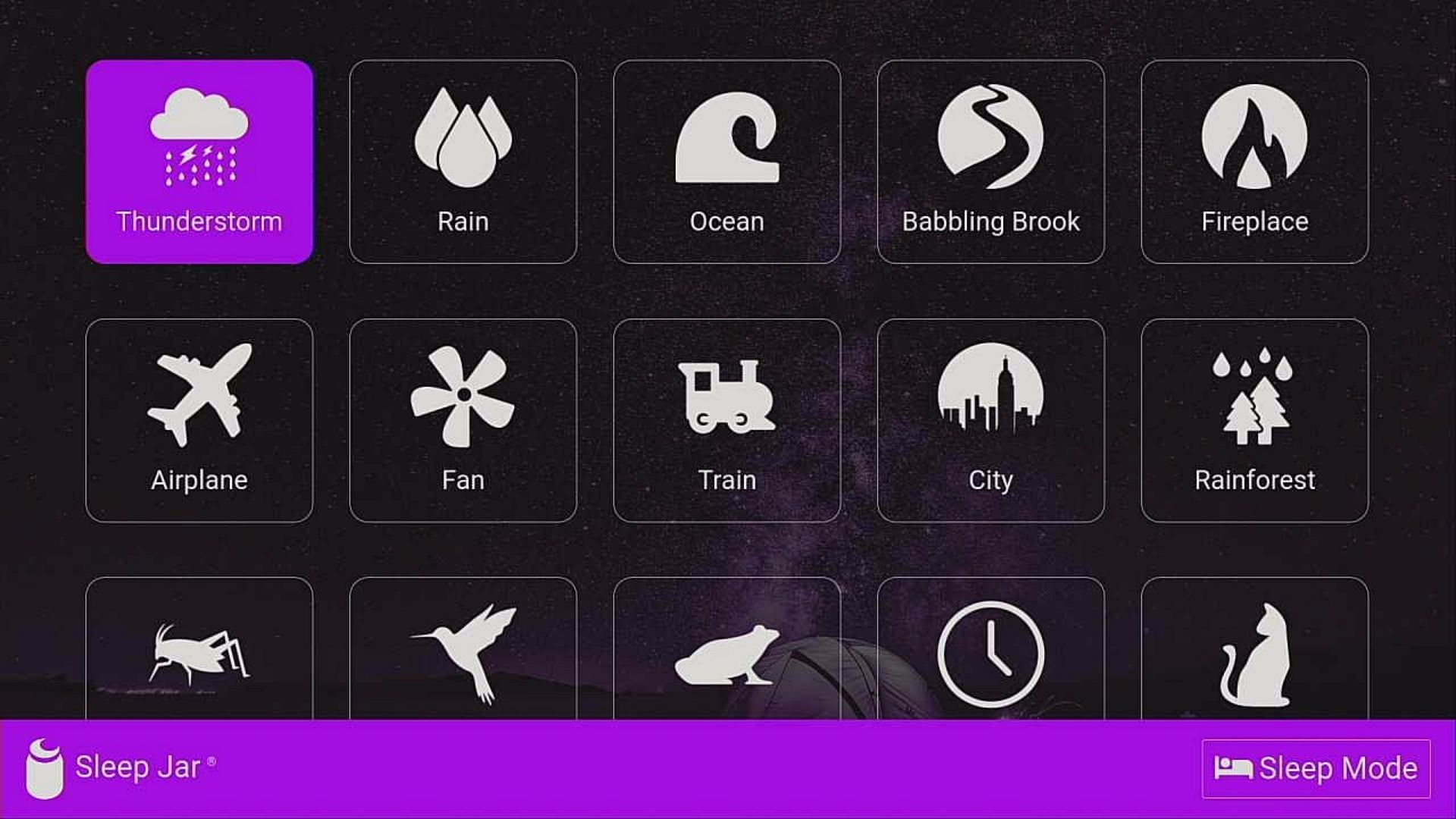
7. Sleep Jar is Installed.
ReviewVPN cannot attest to the legality, security and privacy of the applications discussed on this site. It is highly recommended that you use a VPN service while streaming or using Kodi. Currently, your IP 216.73.217.24 is visible to everyone and your Browser is being tracked by Advertisers & ISP Provider. Here are the main reasons why you must use a VPN: A VPN works be replacing your ISP-assigned IP address and creating an encrypted tunnel. We recommend the no log service offered by IPVanish. It works well on a Firestick and offers the fastest possible speeds.
YOUR INTERNET ACTIVITY IS BEING WATCHED
Legal Disclaimer: ReviewVPN.com does not encourage or endorse any illegal activity involved in the usage of services and applications referenced on this site. We do not verify the licensing agreements of services. The end-user is wholly responsible for ensuring that any media accessed through these services does not violate copyright and/or licensing laws. ReviewVPN does not promote, link to, or receive compensation from any Apps and IPTV services.
Install Surfshark on Firestick

Sleep Jar App Features
Interface
- Available on Amazon Fire TV, Firestick (Alexa), Samsung (Bixby), Android (Google Assistant)
- Comes with a 30-day free trial
- “Loop” feature to play all night
- Automatically turns off app within a specific time frame (e.g. 6 hours) with Alexa (Firestick)
- Dims light while on a sleep mode
- Contains more than 90 different sounds:
- Thunderstorms
- Fireplace
- City
- Frog
- Rain
- Airplane
- Rainforest
- Clock
- Ocean
- Fan
- Cricket
- Cat
- Babbling Brook
- Train
- Bird
- Pink Noise
- Ukulele
- Guitar
- Music Box
- Lullaby
- Buzzing Light
- Washing Machine
- Hair Dryer
- Heartbeat
- Dripping Water
- And more
Premium Version:
- Available only on Firestick
- $1.99/month
- HD audio quality
- No sound gaps for 10 hours
- Mix sounds together
Other Special Features using Alexa on Firestick
- Make Sleep Jar sound all night by saying “Alexa, loop on” and “Alexa, stop” if you wish it to stop.
- Automatically turn off Sleep Jar by saying “Alexa, stop in X hours” while on Sleep Mode
- Mix sounds together by saying “Alexa, ask Sleep Jar to play (1st sound) and 2nd sound” (e.g. “Alexa, ask Sleep Jar to play ocean waves and rain sound”)
Pros and Cons
Pros
- Ad-free
- Offers a wide variety of sound categories
- Different background wallpapers when you switch from one sound to another
- Can play sounds all night with the loop feature
Cons
- Lag issues on some devices
- Subscribing to premium via Alexa on Firestick is not working
- The sleep timer feature does not work on some devices where Firestick is connected
Use Stream Sleep Jar with Surfsahrk
A lot of VPN links are being posted all over the internet, and you might wonder what these are for and how important it is to download one. With Surfshark, you don’t only get online protection and security, but also these benefits:
- Log-free browsing and streaming to prevent hackers from stealing your sensitive data by encrypting your internet data, preventing hackers, advertisers, and data thieves
- Faster streaming speed by protecting you from your Internet Service Provider (ISP)
- Protected identity to stay anonymous online where your ISP can’t track you online
- Access to some apps with geo-restriction anywhere by masking your IP address and making it look like you are streaming in an allowed location
- Anti-detection of anti-VPN technology by regularly refreshing IP address
- Secured personal data and information even when connected to public WiFI networks
By using a great VPN such as Surfshark, you will now get access and a smooth listening experience on your Firestick.
Note: For more information about Surfshark, please read our Surfshark Review.
Install Surfshark on Firestick
How to Install Surfshark VPN on Firestick
If your Firestick still has the older interface, read this article to learn how to update it: Update Firestick Interface.
Follow our screenshots below to install the SurfShark VPN app on your Fire TV stick.
1. Go to the Home screen of your Firestick.

2. Navigate towards the Find tab. Press the Search button from the resulting dropdown.

3. Type in the keyword of SurfShark and select from the suggestions that will appear.

4. Click the official SurfShark icon from your search results.

5. Press the Download (You own it) button.

6. The SurfShark VPN installer will download on your device.

7. SurfShark VPN’s app will automatically install itself on your Fire TV stick.

8. Press the Open button after completing SurfShark VPN’s installation process.

9. Please wait for the SurfShark VPN to load its user interface.

10. You can now log in with your SurfShark VPN account credentials.

Learn more about Surfshark and Grab the Best Surfshark Deal Now!
Install Surfshark on Firestick



For more VPN discounts, go to ReviewVPN Deals and purchase the best VPN for you.
Click here to get the lowest price on Surfshark through our exclusive limited-time offer.
Sleep Jar Alternative Apps
Should you experience any trouble with installing or using the Sleep Jar app on your devices, you can also try the following apps available on Firestick:
- Restflix
- The Relax Channel
- Calm Radio
- Relax Sleep Music
- Relaxing Records
- Rainy Sea HD
- Seashore Sunset HD
- Green Rainfall HD
- Virtual Fireplace
- Sleep Meditation and Calm Relaxing Music
- Yoga Nidra For Sleep: Auto Meditation
- Muziq.Rocks – Meditation and Relaxation Music
FAQs
History
The Sleep Jar app was launched last July 2020 on the Amazon App Store.
Is it free?
Yes, the download and installation are free and comes with a 30-day free trial.
Is there a premium version?
Yes, there is a monthly subscription of $1.99 which will let you enjoy HD audio quality, gapless sound playing for 10 hours, and mix sounds together.
Is the app legal?
Yes, the app is 100% legal and available on the Amazon App Store.
Are there ads?
Fortunately, the app plays no ads.
Is there an app website?
Yes, and you can also listen to their sounds at https://sleepjar.com.
What is the development team like?
Invoked Apps is a leading developer of voice applications for Amazon Alexa, Google Assistant, and Samsung Bixby.
Conclusion
Sleep Jar indeed achieves its goal by helping its users sleep better and increase their focus and relaxation through a wide variety of sounds that it offers. Though some of its intended functions using the Alexa remote on Firestick do not work, you can still take advantage of its different sounds for any purpose you want. You can also view different backgrounds suitable for each sound you play.
Installing this on your devices and making use of it is definitely worth a try.
We hope that Sleep Jar has been successfully installed on your Firestick. Your feedback is important to us, so please comment on them below. Thank you for reading!
Note: ReviewVPN.com is not affiliated with any App or IPTV Service nor are we endorsing or promoting any. The sole purpose of this article is for educational purposes only.






